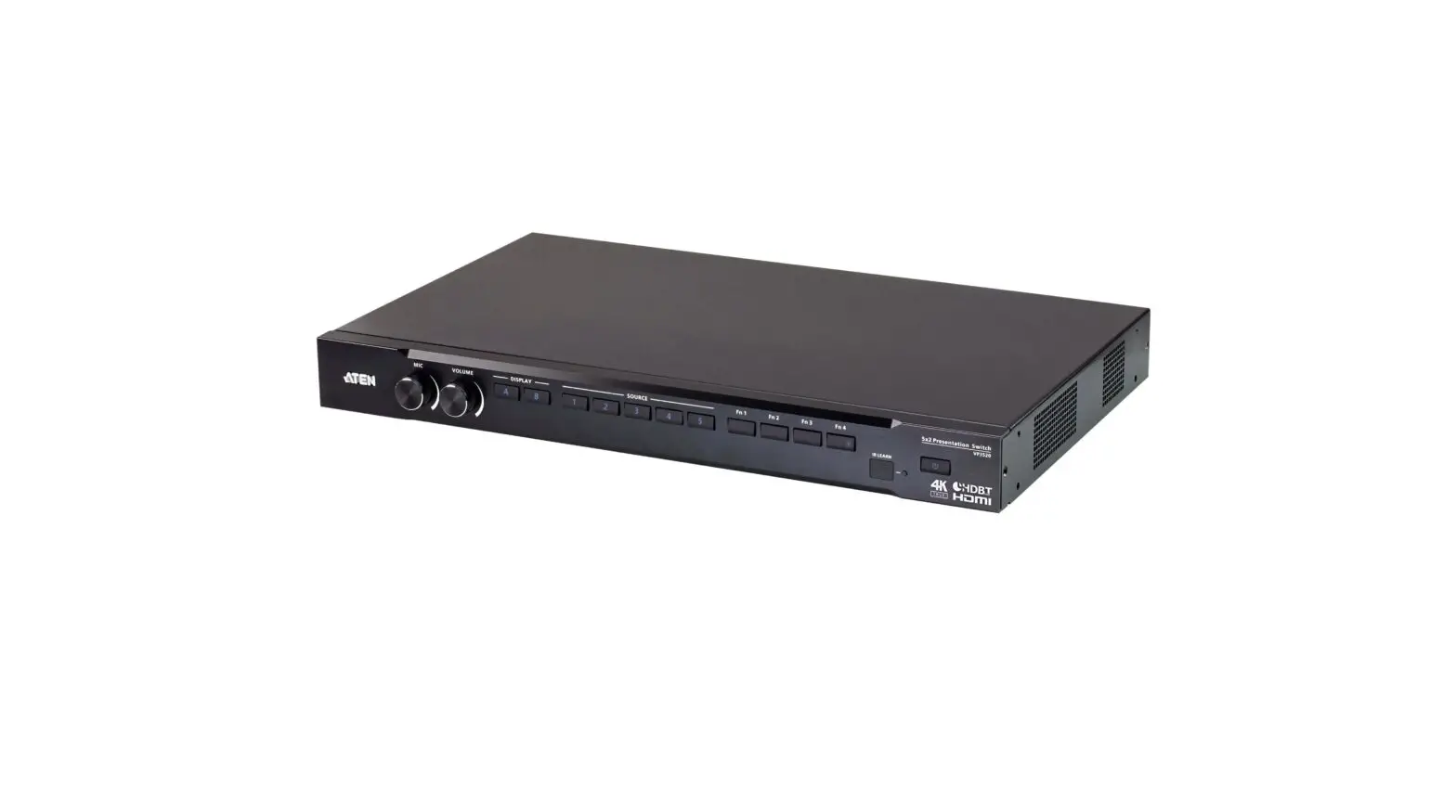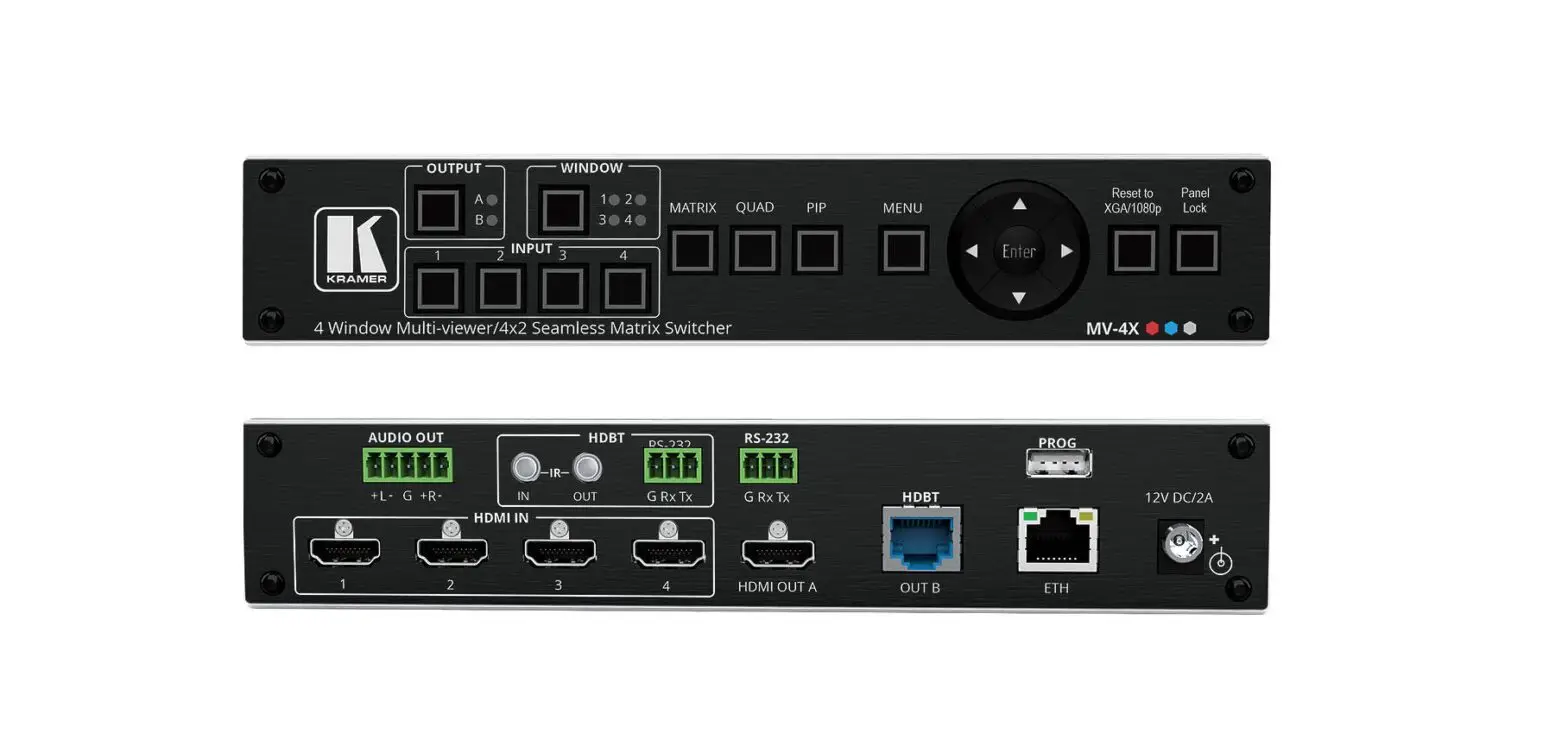

5×2 Seamless Presentation Switch
HDBaseT Extender – Transmitter
User Manual
No. 38338
lindy.com
© LINDY Group – SECOND EDITION (November 2022)
5×2 Seamless Presentation Switch
!!! IMPORTANT !!!
Only use a direct Cat.5e/6/7 cable connection between the HDBaseT ports. Do not connect these ports to Network or Ethernet equipment or any active components
Safety Instructions
 ! WARNING !
Please read the following safety information carefully and always keep this document with the product.
Failure to follow these precautions can result in serious injuries or death from electric shock, fire or damage to the product.
Touching the internal components or a damaged cable may cause electric shock, which may result in death.
This device is a switching type power supply and can work with supply voltages in the range 100 – 240 VAC For worldwide usability four different AC adapters are enclosed: Euro type, UK type, US/Japan type and Australia/New Zealand type. Use the appropriate AC adapter as shown in the picture and ensure it is firmly secured in place and does not detach by pulling before installing into a power socket.
To reduce risk of fire, electric shocks or damage:
- Do not open the product nor its power supply. There are no user serviceable parts inside.
- Only qualified servicing personnel may carry out any repairs or maintenance.
- Never use damaged cables.
- Do not expose the product to water or places of moisture.
- Do not use this product outdoors it is intended for indoor use only.
- Do not place the product near direct heat sources. Always place it in a well-ventilated place.
- Do not place heavy items on the product or the cables.
- Please ensure any adapters are firmly secured and locked in place before inserting into a wall socket
Instructions for Use of Power Supply
To connect the adapter
Slide the desired plug adapter into the power supply until it locks into place.
To remove the adapter
Press the push button latch.
While pressed, remove the adapter.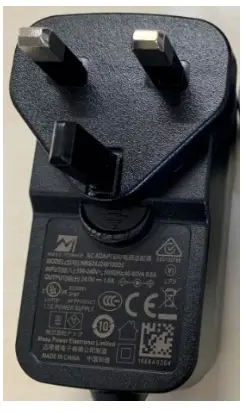
Introduction
Thank you for purchasing the 5×2 Seamless Presentation Switch HDBaseT Extender. This product has been designed to provide trouble free, reliable operation. It benefits from both a LINDY 2-year warranty and free lifetime technical support. To ensure correct use, please read this manual carefully and retain it for future reference.
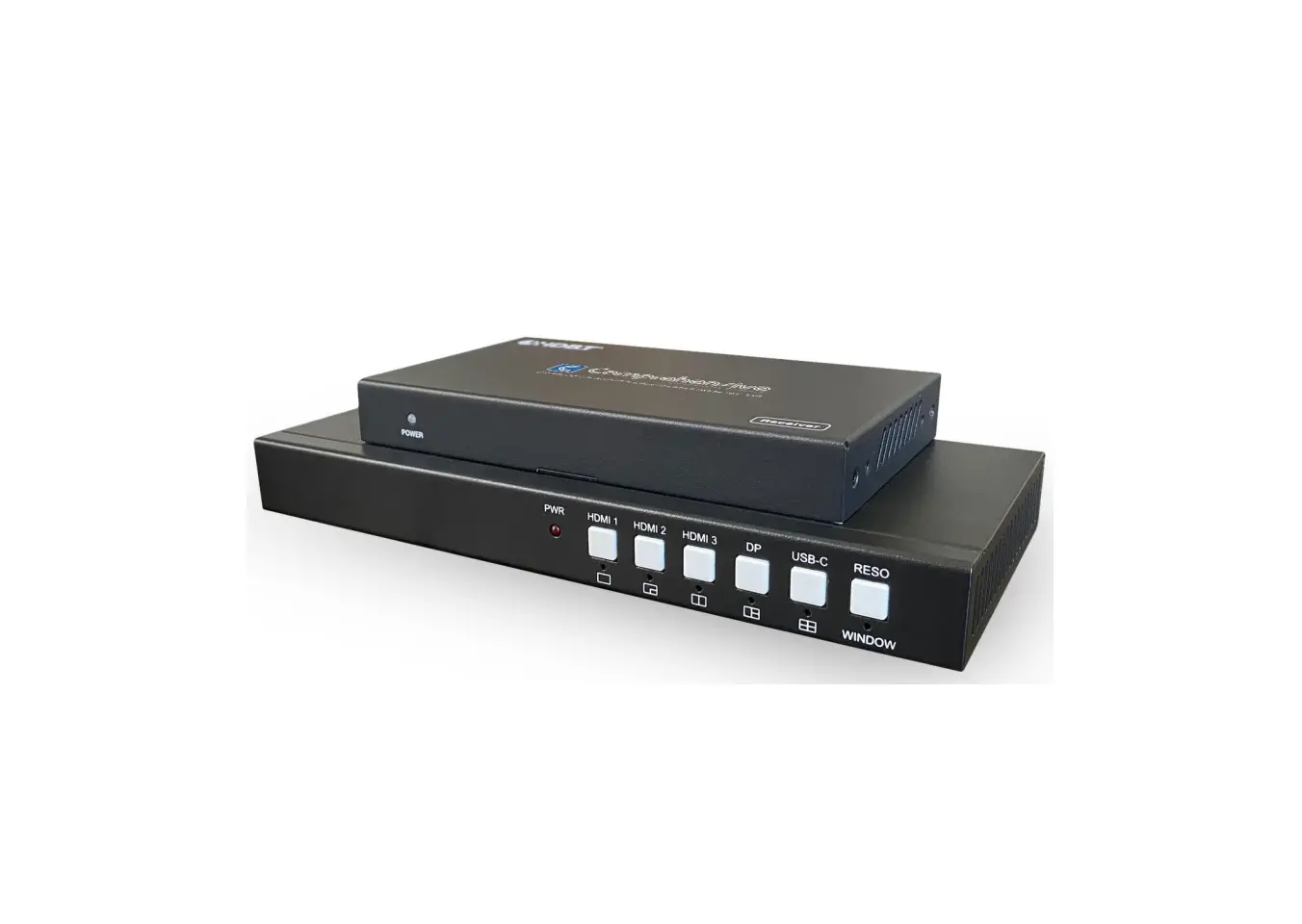
The Lindy 5×2 Seamless Presentation Switch HDBaseT Extender is a high-performance Transmitter for extending HDMI signals over long distances via Cat.6 network cable.
HDBaseT is a globally recognised standard for high quality distribution of AV content and other technologies, including power and control, over longer distances via low cost Cat.6 or above cable. Supporting resolutions up to 4K Ultra HD, video can be viewed in stunning clarity, while additional support for Multiview functionality and for connecting different HDMI, DisplayPort and Type C sources, allow contents to be displayed in many ways and seamlessly.
This provides a reliable solution for creating eye-catching digital signage in retail, immersive displays at events or engaging setups in conference rooms or presentations halls and offices.
HDBaseT™ and the HDBaseT Alliance logo are trademarks of the HDBaseT Alliance.
Please Note: The quoted lengths and resolutions are possible with a direct connection between Transmitter and Receiver using good quality Cat.6 cable. Using a different receiver, cable type, or introducing wall plates, couplers or patch panels may result in a reduction of resolutions and possible distances.
Package Contents
- 5×2 Seamless Presentation Switch HDBaseT Extender – Transmitter
- 3-Pin Terminal Block
- 24VDC 1A Multi-country Power Supply (UK, EU, US & AUS), Screw Type DC Jack: 5.5/2.1mm
- Lindy Manual
Features
- Supports resolutions up to 3840×2160@60Hz 4:4:4 8bit if used in combination with Lindy HDBaseT Receiver n. 38214 (with any other HDBaseT Receiver it can reach up to 4K30 resolutions)
- Audio Pass-through of all HDMI audio formats including LPCM, AC3, DD+, DTS, DTS-HD
- 3.5mm analog audio de-embedding
- PoC (Power over Cable) support, requiring a power supply connection from only one side of the installation if used with Receiver n. 38214
- 5 inputs seamless switching with auto-switch function
- Configurable multiview display modes
- EDID management
- RS-232 for external control, baud rate: 9600, data bits: 8
- Screw Type DC Jack for a secure power connection
Specification
- HDMI 2.0b, DisplayPort 1.4, Type C DisplayPort Alternate mode, 18Gbps Compliant
- HDCP 2.2/1.4 Pass-through
The following distance and resolution combinations are possible connecting the Receiver n. 38214 with high quality Cat.6 U/UTP or F/UTP cable: 70m: - 1920×1080@60Hz 4:4:4 8bit 40m:
- 3840×2160@60Hz 4:4:4 8bit / 4:2:2 12bit
- 3840×2160@30Hz 4:4:4 8bit
- 1920×1080@60Hz 4:4:4 8bit
It can be connected also to other HDBaseT Receivers supporting up to 4K30 resolutions - ESD Protection: ± 8kV (air-gap discharge)
- Human Body Model: ± 4kV (contact discharge)
- Operating Temperature: 0°C – 40°C (32°F – 104°F)
- Storage Temperature: -20°C – 60°C (-4°F – 140°F)
- Relative Humidity: 10 – 50% RH (Non-condensing)
- Metal Housing
- Colour: Black
- Power Requirements: AC100-240V 50/60Hz
- Power Consumption: 14W
Installation and Operation
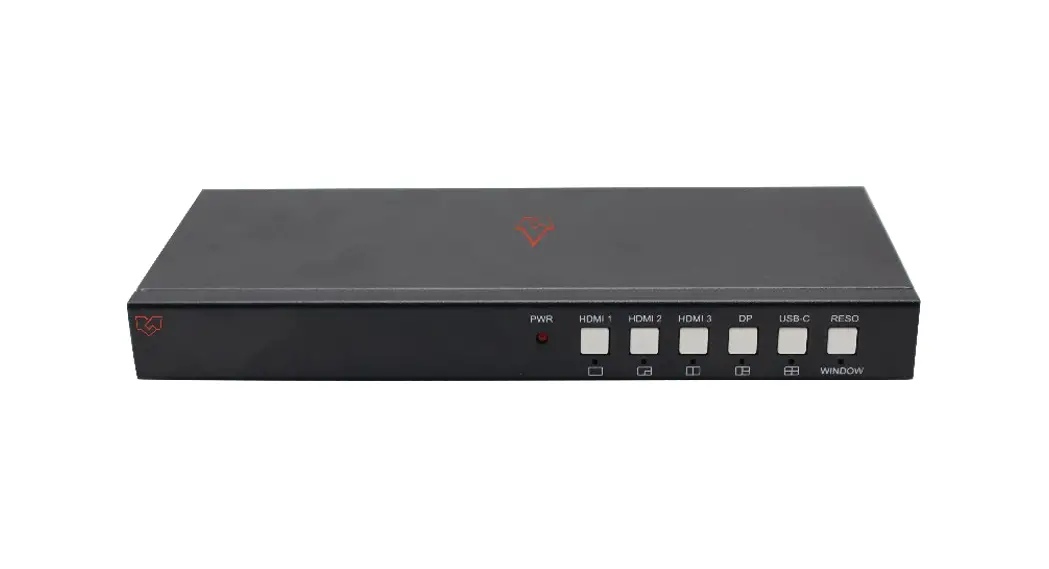
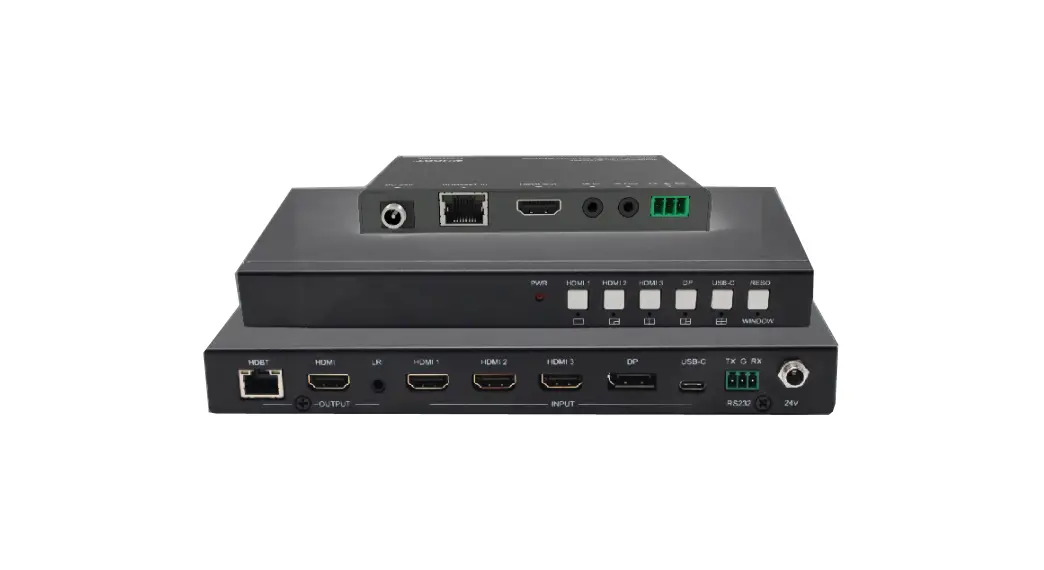
Front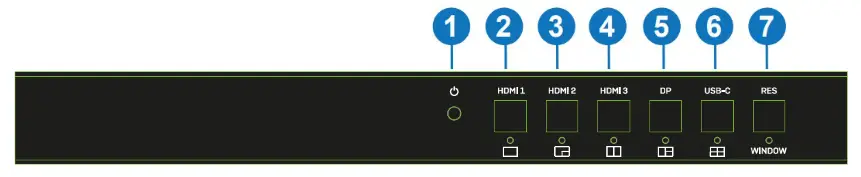
- Power LED: Indicates Power.
- HDMI 1: Push to select HDMI 1 as input source. Push for 3 seconds to enter SINGLE mode
 (one display window on the screen).
 - HDMI 2: Push to select HDMI 2 as input source. Push for 3 seconds to enter PIP Multiview mode

- HDMI 3: Push to select HDMI 3 as input source. Push for 3 seconds to enter PBP Multiview mode

- DP: Push to select DP as input source. Push for 3 seconds to enter 3xWIN Multiview mode

- USB-C: Push to select USB-C as input source. Push for 3 seconds to enter 4xWIN Multiview mode

- RES / WINDOW: Push to select different output resolution as shown on the screen. Push for 3 seconds to show a yellow border on window 1, go on pushing this button to show the border on window 2, 3 or 4. Then push one input button to display that input on the current selected window

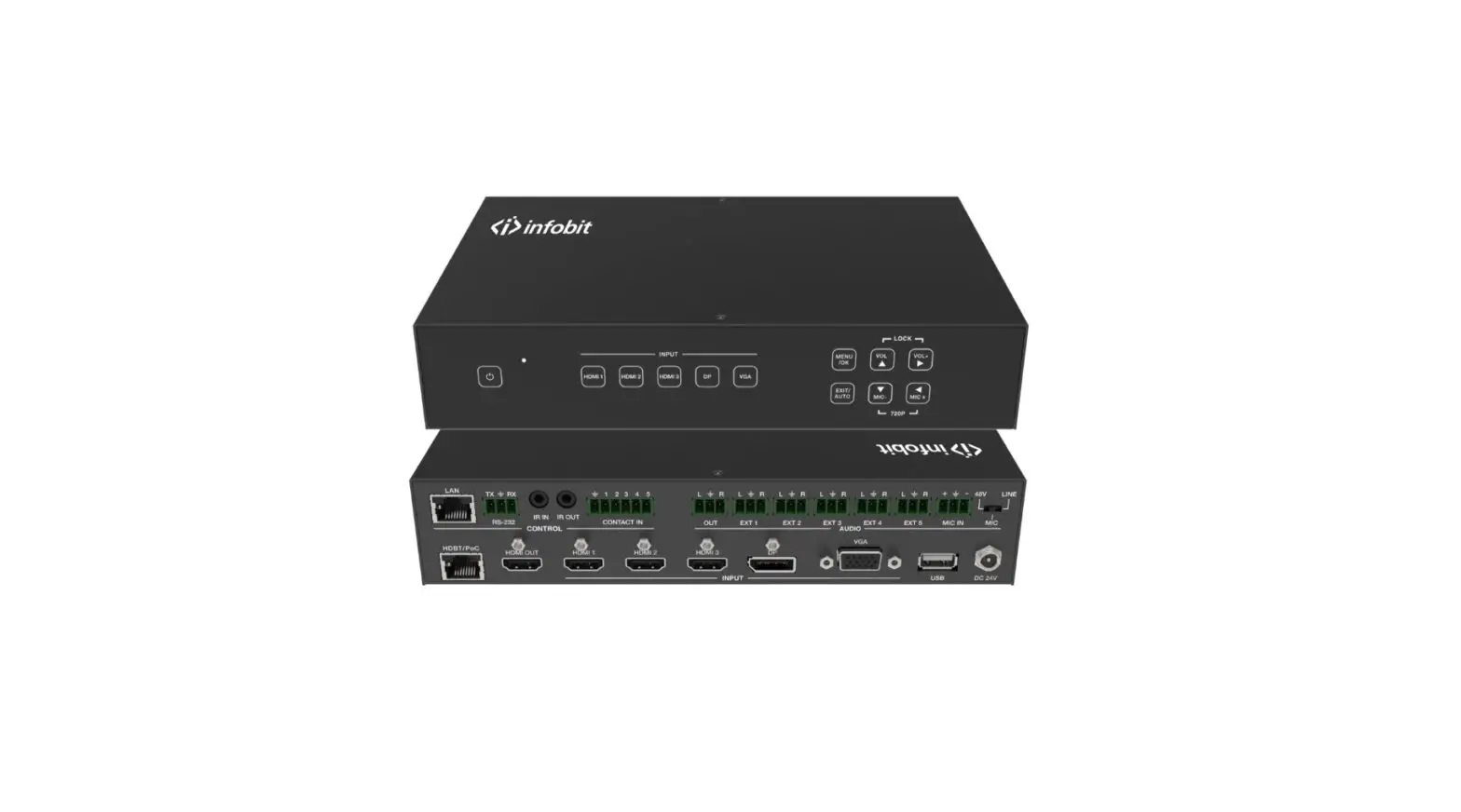
- HDBT: HDBaseT output port. Connect a compatible HDBaseT receiver using a single Cat.6 or above cable for all data signals. Please do not connect to a network port.
- HDMI: HDMI output port. Connect to an HDMI display.
- 3.5mm: LR stereo audio output port. Connect to speakers or headphones to get de-embedded audio.
- HDMI 1 / HDMI 2 / HDMI 3 / DP / USB-C: Video input ports. Connect to HDMI, DisplayPort and USB
Type C source devices. Please note: Type C source must support DisplayPort Alternate mode. - RS-232: Connect to a PC, Serial Controller or Serial device via phoenix block 3-way connection for the pass-through transmission of RS-232 commands.
- 24V DC: Connect the 24VDC 1A PSU to an AC wall outlet and securely connector to the transmitter.
 (one display window on the screen).


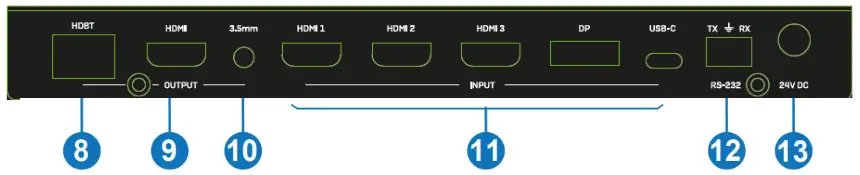
Side UPGRADE: USB Type A port. Connect to a PC for firmware update.
Auto Switch
Push HDMI 3 and DP buttons at the same time to activate Auto Switch mode, a message will pop up as soon as the function is activated or. It can be managed also via RS-232 commands, please see below.
Multiview
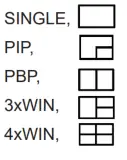
It supports 5 Multiview display modes, users can select them pushing buttons on the front panel or via RS-232 commands:
SINGLE: Inputs selection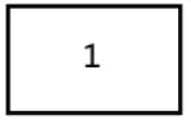 PIP: Inputs selection, sub window size and position selection
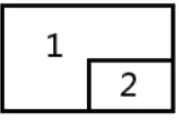 PBP: Inputs selection and display ratio selection
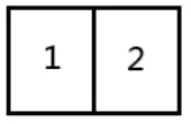 3xWIN: Inputs selection and display ratio selection
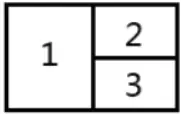 4xWIN: Inputs selection
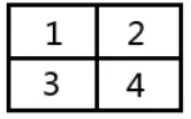 Resolutions
14 different resolutions can be selected pushing the button RES on the front panel.
| No. | Output Resolution | No. | Output Resolution |
| 1 | 4096×2160p 60Hz | 8 | 1920×1080p 60Hz |
| 2 | 4096×2160p 50Hz | 9 | 1920×1080p 50Hz |
| 3 | 3840×2160p 60Hz | 10 | 1360×768p 60Hz |
| 4 | 3840×2160p 50Hz | 11 | 1280×800p 60Hz |
| 5 | 3840×2160p 30Hz | 12 | 1280×720p 60Hz |
| 6 | 3840×2160p 25Hz | 13 | 1280×720p 50Hz |
| 7 | 1920×1200P 60Hz RB | 14 | 1024×768 60Hz |
Please Note: Audio output is always extracted from the source displayed on the window 1.
RS-232 Commands
To control the unit via RS-232 commands, please set up baud rate: 9600 and data bits: 8.
All the commands have to be written in capital letters, begin with SET or GET, end with new line character (CR). represents new line character (CR).
All return messages always end with CR.
| Command | Details |
| GETHELP | Get the Command list. Example: Send:GETHELP Receive: Command list |
| GETVERSION | Get the firmware version. Example: Send:GETVERSION Receive: 20210824 |
The following commands are used for input selection or querying input information and can only be valid on SINGLE mode.
| Command | Details |
| SETINSOURCEx | x is one of the following entries: HDMI1, HDMI2, HDMI3, DP, USB-C Example: Send: SET IN SOURCE HDMI1 Receive:INSOURCEHDMI1 |
| GETIN SOURCE | Get the current source selection. Example: Send: GET IN SOURCE Receive:INSOURCEHDMI1 |
| GETIN RESOLUTION | Get the current source resolution. Example: Send:GETIN RESOLUTION Receive:INRESOLUTION1920x1080p60 |
The following commands are used to select the output resolution:
| Command | Details |
| SETOUT RESOLUTIONx | x is one of the following resolutions: 4096x2160p60, 4096x2160p50, 3840x2160p60, 3840x2160p50, 3840x2160p30, 3840x2160p25, 1920x1200p60RB, 1920x1080p60, 1920x1080p50, 1360x768p60, 1280x800p60, 1280x720p60, 1280x720p50, 1024x768p60 Default: 3840x2160p60 Example: Send: SET OUT RESOLUTION 3840x2160p60 Receive:OUTRESOLUTION3840x2160p60 |
| GETOUTRESOLUTION | Get the current output resolution. Example: Send:GETOUTRESOLUTION Receive:OUTRESOLUTION3840x2160p60 |
The following commands are used to select the HDMI Output HDCP modes:
| Command | Details |
| SETOUTHDCPx | x is one of the following: FORCE-1.4 (default), FORCE-2.2, FORCE-SINK. Example: Send: SET OUT HDCP FORCE-1.4 Receive:OUTHDCPFORCE-1.4 |
| GETOUTHDCP | Get the current output HDCP mode. Example: Send:GETOUTHDCP Receive:OUTHDCPFORCE-1.4 |
The following commands are used to set EDID mode for the inputs:
| Command | Details |
| SETIN EDIDMODEx | x is one of the following EDID: 4K60-2.0, 4K60-5.1, 4K30-2.0, 4K30-5.1, 1080p60-2.0 1080p60-5.1, 1920×1200, 1680×1050, 1600×1200, 1440×900, 1360×768, 1280×1024, 1024×768, 720p, AUTO Default: 4K60-2.0 Example: Send: SET IN EDIDMODE 4K60-2.0 Receive:INEDIDMODE4K60-2.0 |
| GETIN EDIDMODE | Get the current EDID mode. Example: Send: GET IN EDIDMODE Receive:INEDIDMODE4K60-2.0 |
The following commands are used to select Multiview modes and windows layouts:
| Command | Details |
| SETMULTIVIEWx | x is one of the following Multiview mode:
|
| GET MULTIVIEW | Get the current Multiview mode. Example: Send:GETMULTIVIEW Receive:MULTIVIEW3xWIN |
| SET WINDOWxIN y | Select one input for one display window for the current Multiview mode. x is one of 1, 2, 3, 4, y is one of HDMI1, HDMI2, HDMI3, DP, USB-C. Example: Send: SET WINDOW1 IN HDMI1 Receive: WINDOW1 IN HDMI1 |
| GET WINDOW x IN | Get the input source for one display window for the current Multiview mode. Example: Send: GET WINDOW1 IN Receive:WINDOW1INHDMI1 |
| SETPIP POS x | Select the PIP sub window position. x is one of the following: RightBottom (default), LeftTop, LeftBottom, RightTop, RightBottom Example: Send: SET PIP POS LeftTop Receive: PIP POS LeftTop |
| Command | Details |
| GETPIP POSx | Get the PIP sub window position. Example: Send: GET PIP POS Receive:PIPPOSLeftTop |
| SET PIPSIZEx | Select the PIP sub window size. w is one of the following: LARGE (default), SMALL, MIDDLE, LARGE. Example: Send: SET PIP SIZE SMALL Receive: PIP SIZE SMALL |
| GETPIP SIZE | Get the PIP window size. Example: Send: GET PIP SIZE Receive:PIPSIZESMALL |
| SET PBP RATIO x | Set the PBP window display ratio. x is one of the following: 2:1 (default), 1:1.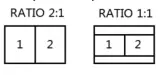 Example: Send: SET PBP RATIO 1:1 Receive: PBP RATIO 1:1 |
| SET3xWINRATIOx | Set the 3xWIN window display ratio. x is one of the following: 2:1 (default), 1:1.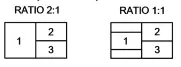 Example: Send: SET 3xWIN RATIO 1:1 Receive: 3xWIN RATIO 1:1 |
| GET 3xWINRATIO x | Get the 3xWIN window display ratio. Example: Send:GET 3xWINRATIO Receive:3xWINRATIO1:1 |
When there is no signal present, 3 Video Keep Alive (VKA) options are available for selection: Output blue screen, Output black screen, No timing output (VKA off).
| Command | Details |
| SET OUT VKAx | x is one of the following: BLACKSCREEN (default), BLUESCREEN, BLACKSCREEN, NOTIMING. Example: Send: SET OUT VKA BLUESCREEN Receive:OUTVKABLUESCREEN |
| GETOUTVKA | Get the current VKA mode. Example: Send:GETOUTVKA Receive:OUTVKABLUESCREEN |
If 4K output is sent to a display which can’t support 4K, 4K-AUTO command can be enabled, the unit will change the output resolution according to displayer’s capability.
| Command | Details |
| SETOUT4K-AUTOx | x is one of ON (default), OFF. Example: Send: SET OUT 4K-AUTO ON Receive:OUT4K-AUTOON |
| GETOUT4K-AUTO | Get the current OUT 4K-AUTO mode. Example: Send: GET OUT 4K-AUTO Receive:OUT4K-AUTOON |
The following commands are used to select Auto Switch mode:
| Command | Details |
| SETAUTO SWITCHx | x is one of ON, OFF (default). Example: Send: SET AUTO SWITCH ON Receive:AUTOSWITCHON |
| GETAUTOSWITCH | Get the current AUTO SWITCH mode. Example: Send: GET AUTO SWITCH Receive:AUTOSWITCHON |
Troubleshooting
There is no display on the screen.
It has been found that there are significant differences in the cable lengths/types and even input ports which can be used on different brands of display using HDMI 18G 4K@60Hz resolutions. If problems are experienced, please apply the following steps:
- Try a different input port on the display.
- Reduce the cable length on the Input and Output to 1m.
- Try a different type of 1m HDMI Cable.
- Check that the DC plug and jack used by the external power supply is firmly connected and that the power LED is illuminated on both the Transmitter and Receiver.
- Check that the Cat.6/7 cable is plugged in correctly and that the Connection LED on the left side of both the HDBaseT In and Out ports are illuminated.
- For several HDMI devices it may be helpful to unplug and re-connect their HDMI connection to reinitiate the HDMI handshake and recognition.
- Power off all the devices, then power on in this order: first, the extender, then the display and finally the source.
- Reduce the length of Cat.6/7 or HDMI cable used or use an higher quality cable.
Please Note: Lindy recommends No. 38214 as HDBaseT receiver to reach up to 4K60, max. resolution will be scaled up to 4K30 using any other HDBaseT receiver. Refer to HDBaseT receiver’s features to know the max. distance supported.
Lindy regularly checks and tests our product range to ensure maximum compatibility and performance. For the most up to date version of this manual, please refer to your local Lindy website, search for the relevant part number and find the manual under Downloads.
Recycling Information WEEE (Waste of Electrical and Electronic Equipment), Recycling of Electronic Products Europe, United Kingdom
In 2006 the European Union introduced regulations (WEEE) for the collection and recycling of all waste electrical and electronic equipment. It is no longer allowable to simply throw away electrical and electronic equipment. Instead, these products must enter the recycling process. Each individual EU member state, as well as the UK, has implemented the WEEE regulations into national law in slightly different ways. Please follow your national law when you want to dispose of any electrical or electronic products. More details can be obtained from your national WEEE recycling agency.
CE/FCC Statement
CE Certification
LINDY declares that this equipment complies with relevant European CE requirements.
LINDY declares that this equipment complies with relevant UKCA requirements.
FCC Certification
This equipment has been tested and found to comply with the limits for a Class B digital device, pursuant to part 15 of the FCC Rules. These limits are designed to provide reasonable protection against harmful interference in a residential installation.
You are cautioned that changes or modification not expressly approved by the party responsible for compliance could void your authority to operate the equipment.
This device complies with part 15 of the FCC Rules.
Operation is subject to the following two conditions:
- This device may not cause harmful interference, and
- This device must accept any interference received, including interference that may cause undesired operation.
The enclosed power supply has passed Safety test requirements, conforming to the US American versions of the international Standard IEC 60950-1 or 60065 or 62368-1.
Hersteller / Manufacturer (EU): LINDY-Elektronik GmbH
Markircher Str. 20 68229 Mannheim Germany
Email: [email protected],
T: +49 (0)621 470050
Manufacturer (UK): LINDY Electronics Ltd Sadler Forster Way Stockton-on-Tees, TS17 9JY
England
[email protected],
T: +44 (0)1642 754000
Tested to comply with FCC standards.
For home and office use.
No. 38338 2td
Edition, November 2022 lindy.com
 Lindy Electronics