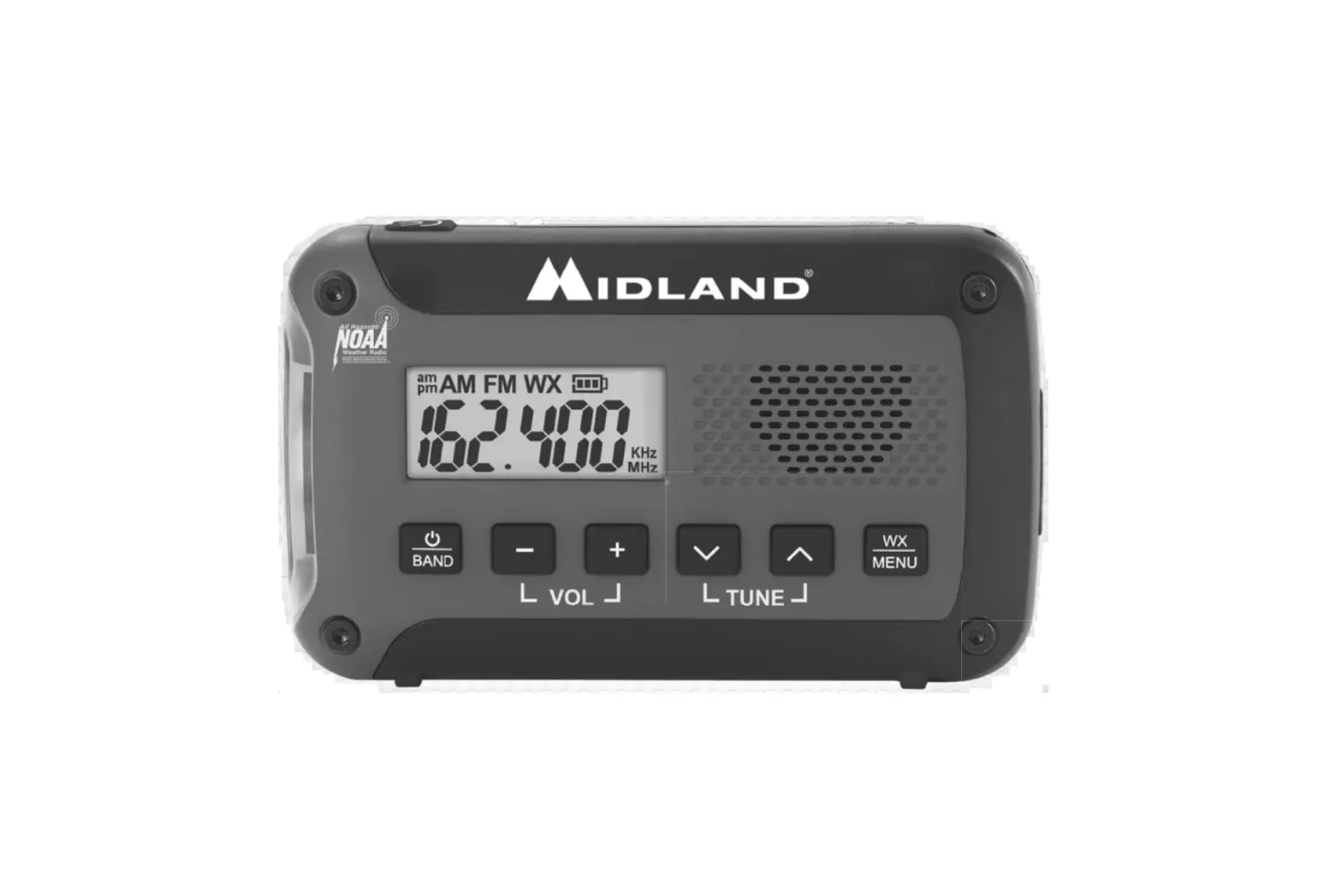
MIDLAND Emergency Alert Weather Radio ER10
QUICK START GUIDE
- Install 3 AA alkaline batteries.
- To turn radio on, press and hold
 for three seconds.
 - Press to cycle through AM, FM, and WX bands.
- To activate weather alerts, press .
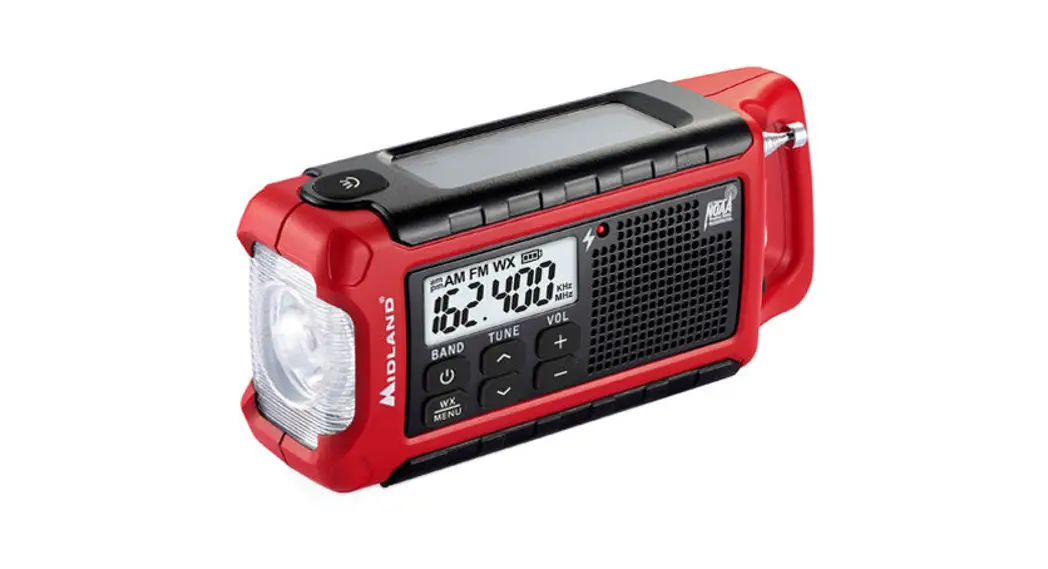
LCD DISPLAY
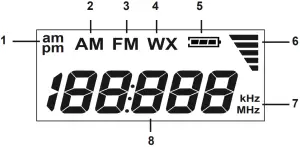
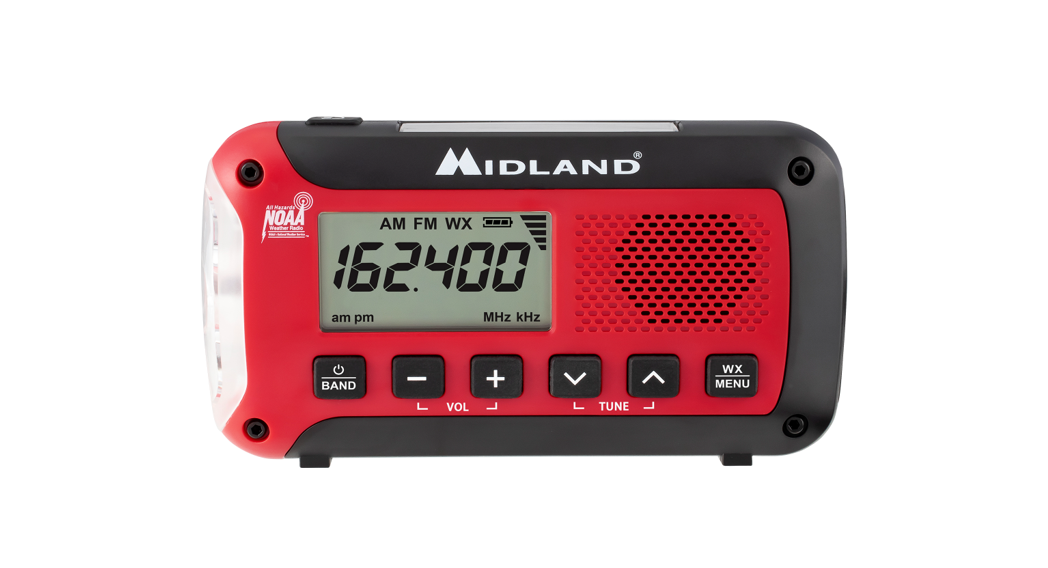
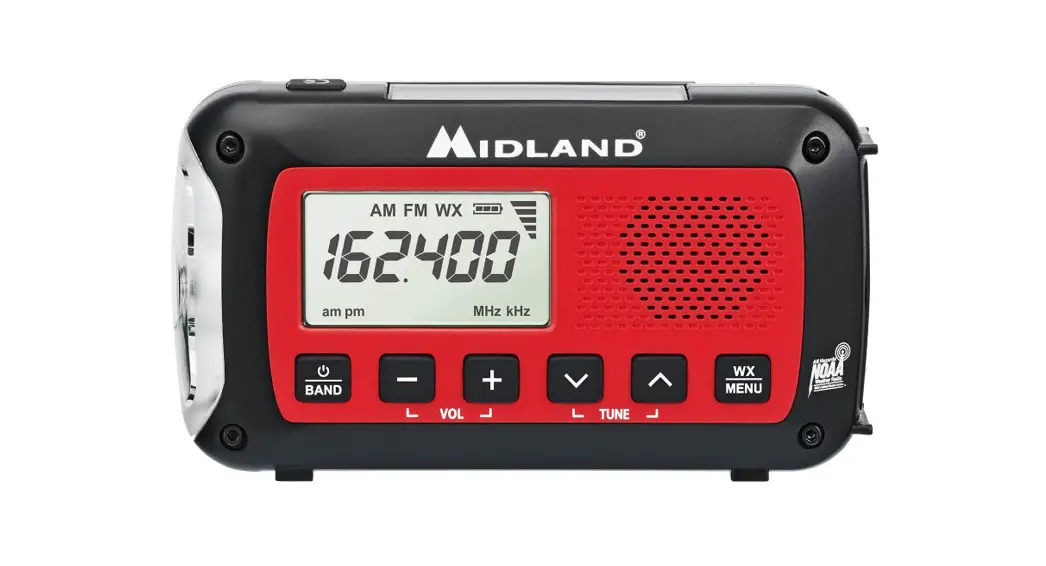
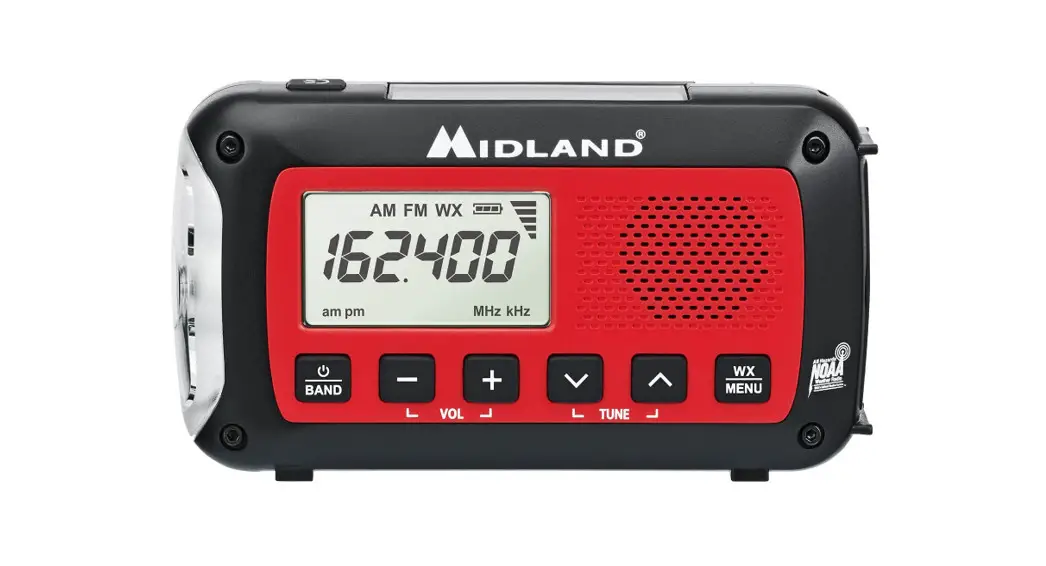
- AM/PM ICON – Indicates time is am or pm when in 12 hour clock mode.
- AM BAND ICON – Indicates radio is in AM band mode.
- FM BAND ICON – Indicates radio is in FM band mode.
- WX BAND ICON – Indicates radio is in weather band mode.
- BATTERY LEVEL INDICATOR – Indicates the battery level.
- VOLUME BAR INDICATOR – Indicates the volume level.
- FREQUENCY ICONS – Indicates the channel frequency.
- CLOCK/CHANNEL NUMBER – Displays time, channel or frequency.
CONTROLS/FEATURES

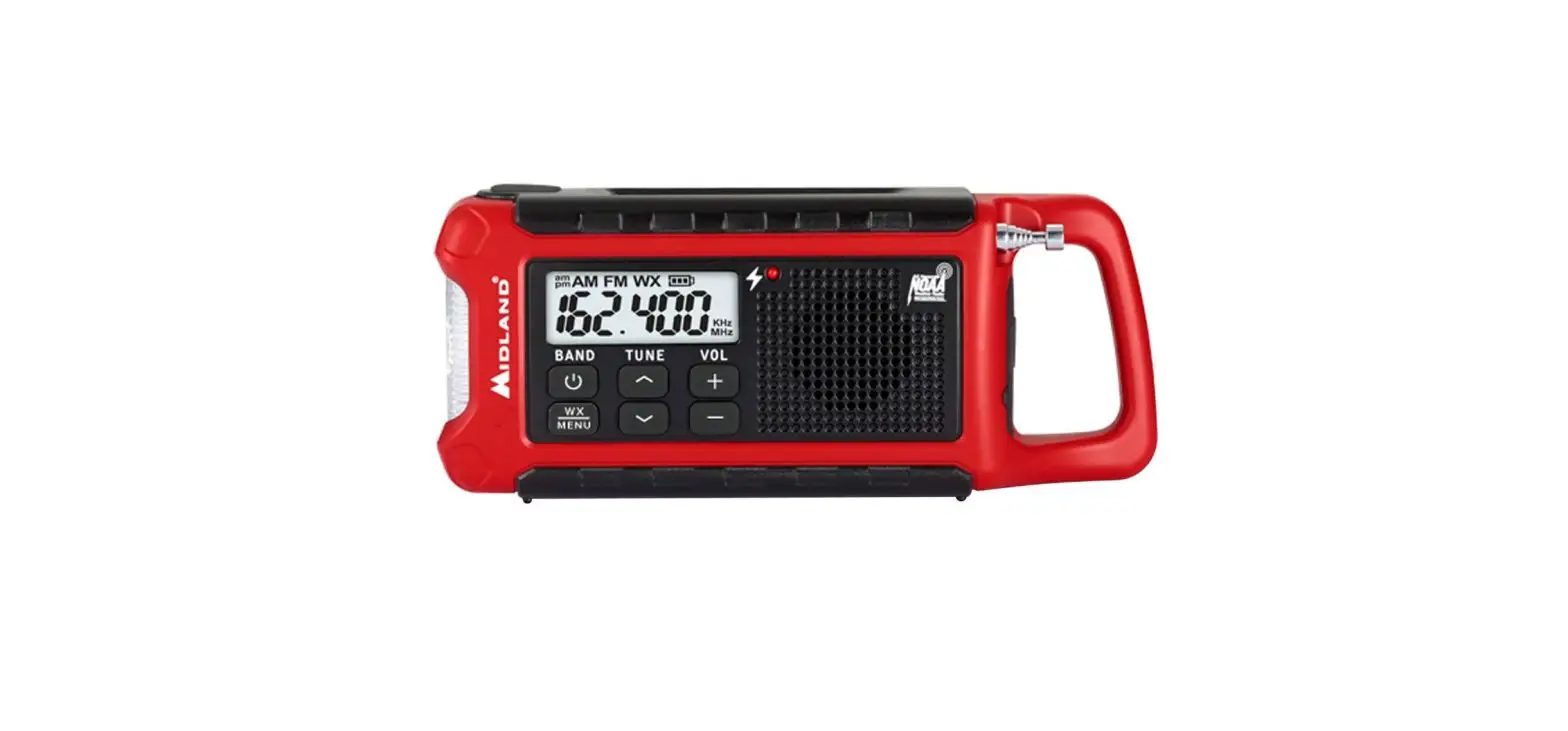
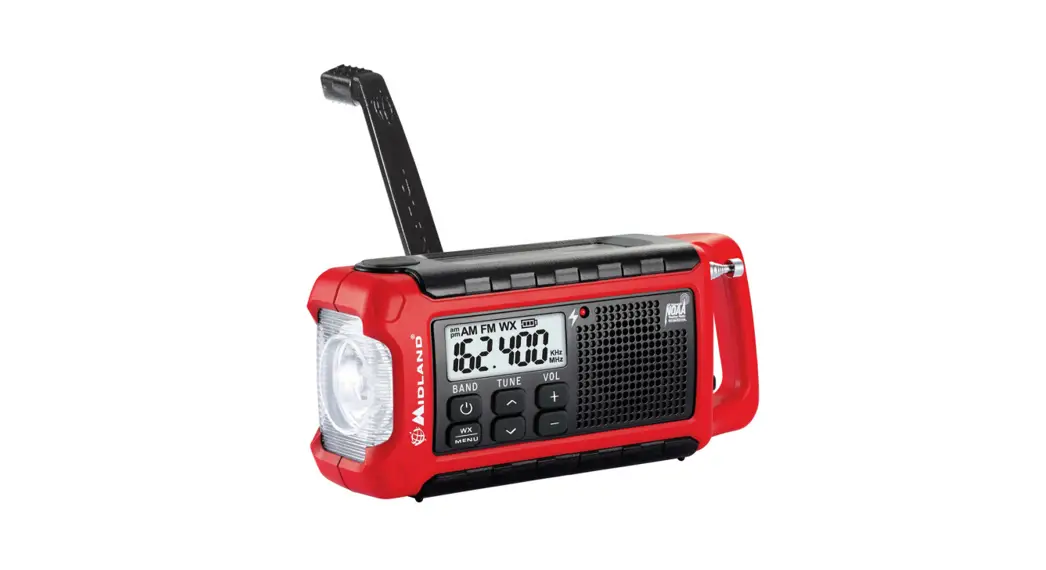
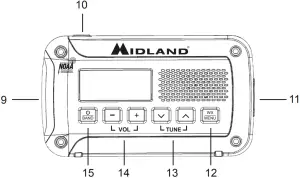
- FLASHLIGHT – Built-in LED flashlight.
 – Press to use flashlight.
- HEADPHONE JACK – 3.5mm phone jack for headphones (not included).
- – Press to activate weather alerts. Press and hold to enter menu.
- – Press to tune radio stations and toggle menu setting. Press and hold keys to automatically scan to the next radio station.
 – Press to increase or decrease the volume.
- – Press and hold for three seconds to power on radio.
Press again to cycle through radio bands. Press and hold for three seconds to power off radio.
OPERATION
TURNING THE RADIO ON/OFF
To turn the radio on, press and hold  for three seconds. To turn the radio off, press and hold for three seconds.
SELECTING A BAND
To select between AM, FM and WX, press bands in the order listed. Each press will cycle through the
ADJUSTING THE VOLUME
To adjust the volume, press. 

TUNING THE RADIO
Press to cycle through AM, FM and WX radio bands. Once the desired radio band is selected, tune to the desired station using 
 .
.
For best FM and WX reception, fully extend the telescopic antenna and rotate until reception is clear. Press and hold to automatically scan to the next radio station.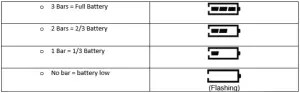
BATTERY LEVEL INDICATOR
WEATHER ALERT FUNCTION
To enable the WX alert function, press  . When the WX alerts are enabled the WX icon on the LCD screen will flash. When an alert is received, the radio will sound an audible siren and the flashlight will flash. Press any button to cancel the alert. To disable WX alerts, press . When the WX alerts are disabled the WX icon on the LCD will stop flashing (when in WX mode) or disappear (when in AM or FM mode). WX alerts can be enabled/disabled when radio is powered off.
ACCESSING AND USING THE MENU
Power on the radio and press and hold for three seconds. To adjust the settings use . To go to the next menu option, press . To exit the menu, toggle through all the menu options using or wait 10 seconds and the menu will timeout. Menu settings are saved when the menu is exited or timed out.
SETTING THE CLOCK
To set the clock, press and hold and select the 24 hour or the 12 hour clock.
Press to begin adjusting the hours with . Press to adjust the minutes using the buttons.
WEATHER CHANNEL DISPLAY OPTION
There are two weather channel display options, channel and frequency. To adjust the display, press and hold . Cycle to the ch and Fr option by pressing three times. Use to make selection.
LED FLASHLIGHT
To use the flashlight, press  . The flashlight will be in low power mode. Use to cycle through high power mode, SOS strobe and to power off.
ABOUT NOAA/NWS
NOAA and the NWS operate a system of all-hazard alert broadcasts covering most of the United States. To listen, fully extend the telescopic antenna and rotate until reception is clear. The ER10 can receive broadcasts up to 50 miles from the weather station depending on your location and conditions of weather, terrain, etc. If reception is not good, try a different location. If indoors, placement near a window usually improves reception.
SELECTING A WEATHER CHANNEL
The radio has 7 NOAA/NWS weather channels to choose from. Press to select the WX band. Then use to select the weather channel for your area. Press and hold to scan to the next active channel.
Ch# | Frequency |
| 1 | 162.400 MHz |
2 | 162.425 MHz |
| 3 | 162.450 MHz |
4 | 162.475 MHz |
| 5 | 162.500 MHz |
6 | 162.525 MHz |
| 7 | 162.550 MHz |
Visit weather.gov/nwr/counties for your location specific channel.
LIMITED WARRANTY (United States and Canada)
Subject to the exclusions set forth below, Midland Radio Corporation will repair or replace, at its option without charge, any Midland Weather Alert Radio receiver which fails due to a defect in material or workmanship within one year following the initial consumer purchase. This warranty does not apply to water damage, battery leak, abuse or use of unauthorized accessories, unauthorized service or modification or altered products. Accessories have a 90 day warranty from date of purchase, including any antennas, chargers, or earphones. This warranty does not include the cost of labor for removal or re-installation of the product in a vehicle or other mounting.
ANY IMPLIED WARRANTIES, INCLUDING, WITHOUT LIMITATION THE IMPLIED WARRANTIES OF MERCHANTABILITY AND FITNESS FOR A PARTICULAR PURPOSE, SHALL BE LIMITED AS SET FORTH HEREIN AND TO THE DURATION OF THE LIMITED WARRANTY, OTHERWISE THE REPAIR OR REPLACEMENT AS PROVIDED UNDER THIS EXPRESS LIMITED WARRANTY IS THE EXCLUSIVE REMEDY OF THE CONSUMER AND IS PROVIDED IN LIEU OF ALL OTHER WARRANTIES, EXPRESS OR IMPLIED. IN NO EVENT SHALL MIDLAND BE LIABLE, WHETHER IN CONTRACT OR TORT (INCLUDING BUT NOT LIMITED TO NEGLIGENCE, GROSS NEGLIGENCE, BODILY INJURY, PROPERTY DAMAGE AND DEATH) FOR DAMAGES IN EXCESS OF THE PURCHASE PRICE OF THE PRODUCT OR ACCESSORY, OR FOR ANY INDIRECT, INCIDENTAL, SPECIAL OR CONSEQUENTIAL DAMAGES OF ANY KIND, OR LOSS OF REVENUE OR PROFITS, LOSS OF BUSINESS, LOSS OF INFORMATION OR DATA OR OTHER FINANCIAL LOSS ARISING OUT OF OR IN CONNECTION WITH THE ABILITY OR INABILITY TO USE THE PRODUCTS OR ACCESSORIES TO THE FULL EXTENT THESE DAMAGES MAY BE DISCLAIMED BY LAW.
Call (816)241-8500 for information on warranted product.
CUSTOMER SERVICE
For Midland Radio Corporation product questions and issues contact Midland Radio Customer Service at (816) 241-8500. Our Customer Service team is available Monday – Friday 8:00 am – 4:30 pm CST.
This device complies with Part 15 of the FCC Rules. Operation is subject to the following two conditions: (1) this device does not cause harmful interference, and (2) this radio must accept any interference that may cause undesired operation.
Midland Radio Corporation 5900 Parretta Drive
Kansas City, Missouri 64120
Phone: (816) 241-8500
Fax: (816) 241-5713
E-mail: [email protected]

 Midland Radio | Two Way Radios and Weather Radios
 County Coverage By State