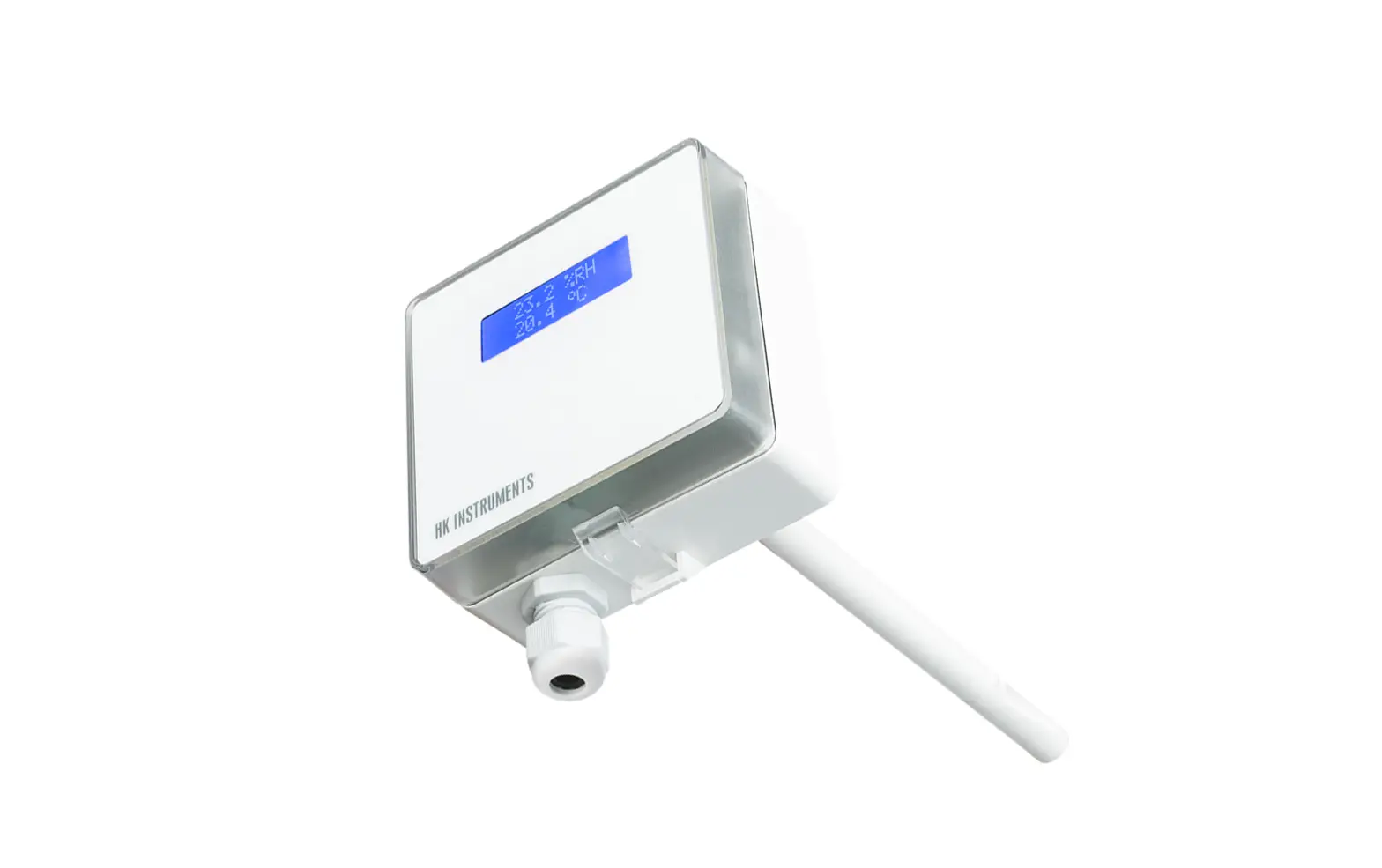
HK INSTRUMENTS KLU 100 Outdoor Humidity Transmitter User Guide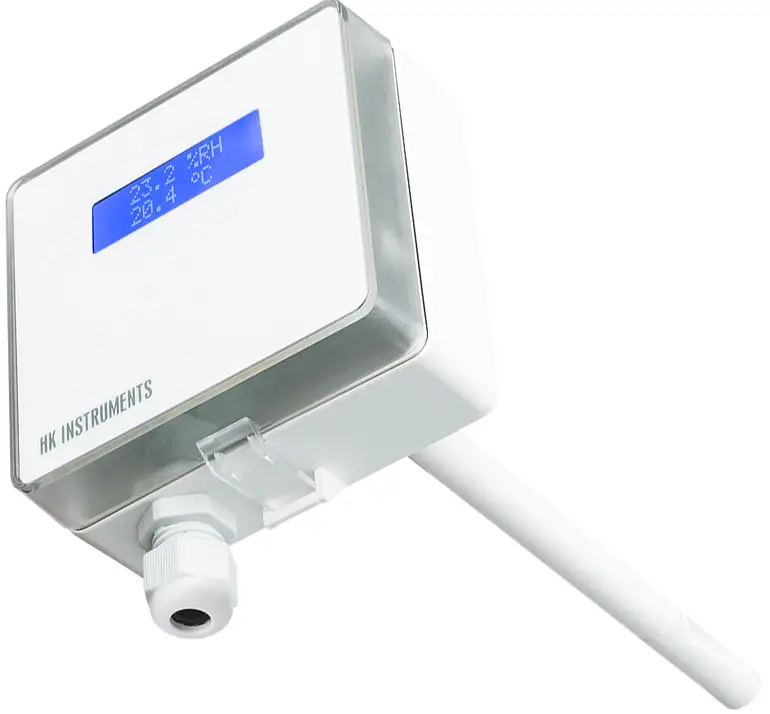
Introduction
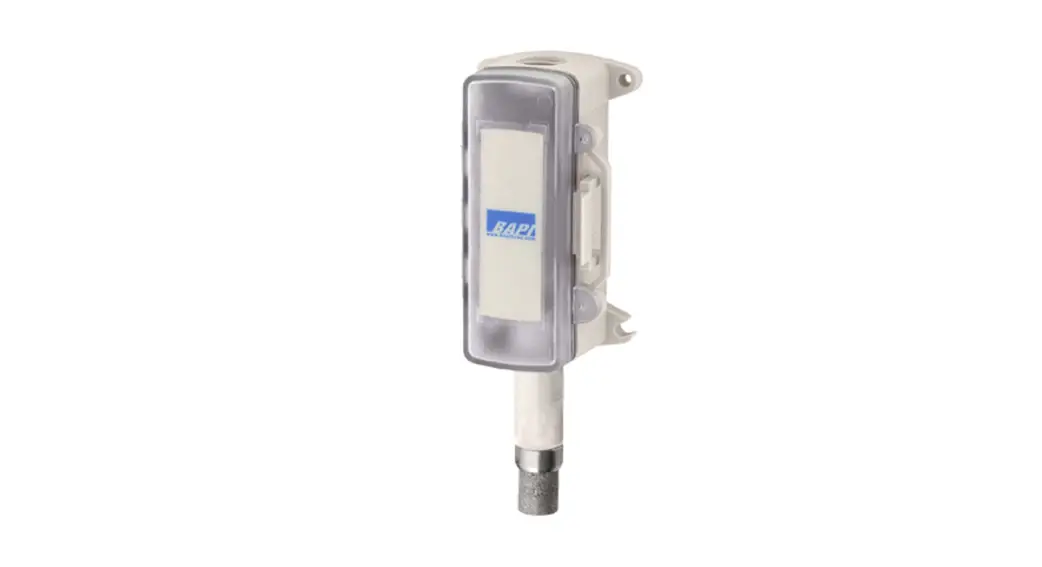
Thank you for choosing a KLU 100 outdoor humidity transmitter. It is a relative humidity transmitter that can be used in subzero temperatures. It has one humidity and one temperature output. You can select the output mode of each output on the field during commissioning.
KLU 100 has high-quality sensors that provide long-term stability and wide measurement range for humidity (0…100 %rH) and temperature (-50…50 °C).
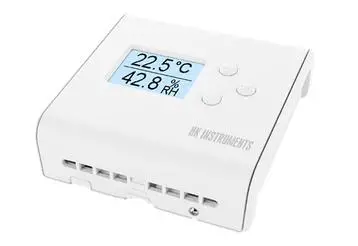
The optional display switches between humidity and temperature display modes by default. During commissioning, you can set the display to show either humidity or temperature.
About this user guide
This user guide contains important information about the installation, wiring, configuration and use of the product. Read this guide carefully before you install the product, connect the wires, or operate the product. Make sure that you fully understand all instructions before you start work. If you are not sure what the instructions mean, contact the seller or the manufacturer.
Follow all instructions in this user guide carefully. Always obey the applicable local rules and regulations.
The original instructions were written in English. If there are differences between the English instructions and the translations, refer to the English instructions.
If you find a mistake in the English instructions or in the translations, please send the details to the manufacturer.
Intended use
The KLU 100 outdoor humidity transmitter is intended to be used to measure relative air humidity and temperature in factories, warehouses and other buildings. The product lifetime decreases if the environment is very cold (e.g. freezer rooms) or the air contains chemicals (e.g. chlorine at spas and indoor swimming pools).
These transmitters are intended to be connected to building automation systems in the HVAC/R industry.
Description of the product
This section introduces the main parts of the product and contains the technical specifications.
Overview of the main parts
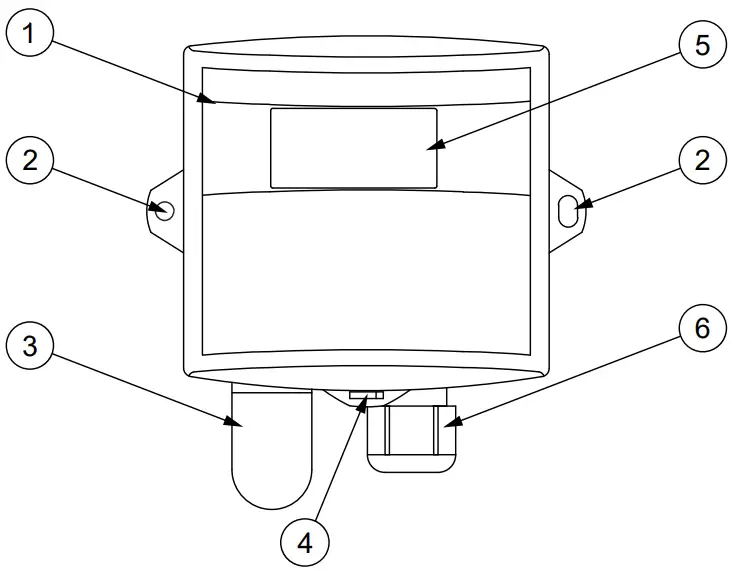
| 1 | Front cover |
| 2 | Lug for a fixing screw |
| 3 | Sintered plastic filter protecting the sensors |
| 4 | Slot for opening the cover |
| 5 | Display (KLU 100-N only) |
| 6 | Cable gland |
Technical specifications
| Property | Value |
| Supply | 24 Vac/dc (15…28 V) < 1 VA |
| Humidity measurement | |
| Range | 0…100 %rH |
| Accuracy (25 °C) | ±2 %rH (0…90 %rH) |
| Temperature measurement | |
| Range | -50…50 °C |
| Accuracy (0 °C | ±0.5 °C |
| Outputs | |
| Humidity | 0…10 Vdc, 2 mA / 4…20 mA < 600 ohm |
| Temperature | 0…10 Vdc, 2 mA / 4…20 mA < 600 ohm |
| Outputs with 15…18Vdc supply | 4…20 mA < 375…525 ohm (+Vdc-7.5V)/20 mA |
| Sensors | |
| Humidity | capacitive |
| Operating conditions | |
| Temperature | -50…50 °C |
| Long term stability | ±5 %rH / 2 years |
| IP protection class | |
| Housing | IP54, cable entry downwards |
| Sensor | Sensor |
| Wire | 0.2…1.5 mm2 (16-24 AWG) |
| Cable gland | M16 |
| Dimensions (w x h x d) | 106 x 113 x 46 mm |
| Weight | 145 g |
| Materials | |
| Housing | PC |
| Cover | PC |
| Conformance | CE |
| EMC | 2014/30/EU |
| RoHS | 2011/65/EU |
Dimensions
All dimensions are in millimeters (mm).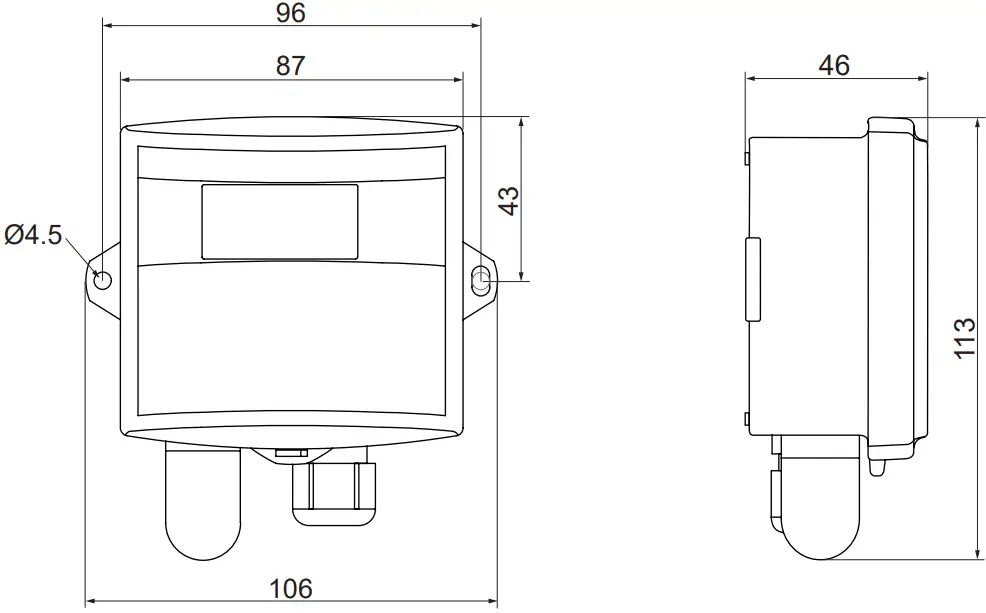
Safety precautions
The product is developed, manufactured and tested according to high quality standards. However, instructions for safe use shall be taken account when installing, using or disposing the product or parts of product.
Read this user guide carefully before commissioning, using or servicing this device. To avoid any kind of damage to people or property, follow the instructions carefully. HK Instruments is not liable for any hazards or damages to people or property which are caused by ignoring the using or installation instructions.
To avoid electrical shock or damage to equipment, disconnect power before installing or servicing the product. Use only a proper wiring rated for the full operating voltage and maximum current in the system even in the event of a fault.
To avoid potential fire and/or explosion, do not use the product in potentially flammable or explosive atmosphere.
The product condition must be checked before installation. Do not drop the product or use excessive force during installation. Do not use the product if any damages are visible.
After installation the product will be part of a system whose specifications and performance characteristics are not designed or controlled by HK Instruments. Refer to national and local authorities to ensure that the installation is functional and safe.
The product should only be used in professionally designed applications. Unauthorized modifications are not allowed.
The product must not be used in relation with any equipment that in case of a failure may threaten, directly or indirectly, human health or life or result in danger to human beings, animals or property.
In this document, there are different kind of warnings and notes. The warning and note types are defined in the following table.
| Sign | Description |
 WARNING | The warning symbol indicates a potentially hazardous situation which, if not avoided, could result in death or serious injury |
 CAUTION | The caution symbol indicates a potentially hazardous situation which, if not avoided, could result in minor or moderate injury |
 Important | The important symbol indicates a potentially hazardous situation which, if not avoided, could result in damage to the device or property. |
 Note | The note symbol indicates a useful tip or a recommended way to complete a task. These notes also provide information that is useful but not critical to the user. |
Commissioning
Mounting the product
WARNING: Handle the product with care. Dropping the product may cause internal damage and unwanted functions in the connected system. CAUTION: Place the product outside the reach of children and animals. Important: The product may only be installed in a location where the ambient conditions meet the operating condition requirements.
Operating conditions
Select a mounting position that has good ventilation. To receive accurate readings, do not mount the device in the following positions:
- Direct sunlight
- Adjacent to doors or other drafty positions
- Adjacent to heat sources
- Adjacent to concealed pipes or chimneys
This device is usually mounted inside a building. If you mount the device to an outer wall of a building, select the mounting position carefully.
- Check that the product is not damaged during transportation.
- Select the mounting position.
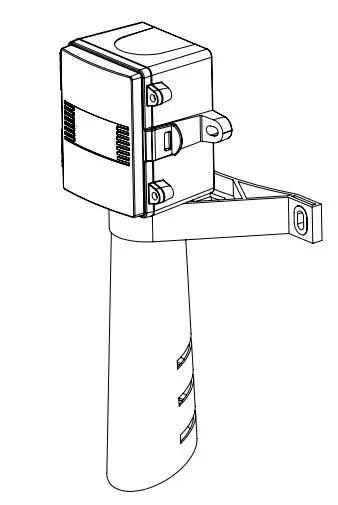
- Mount the product on a flat surface using the mounting points (A)
a. Select the mounting screws according to the mounting surface. The maximum screw diameter is 4.5 mm.
b. Make sure that the cable gland (B) points down.
c. Mount the product in a horizontal position with the screws.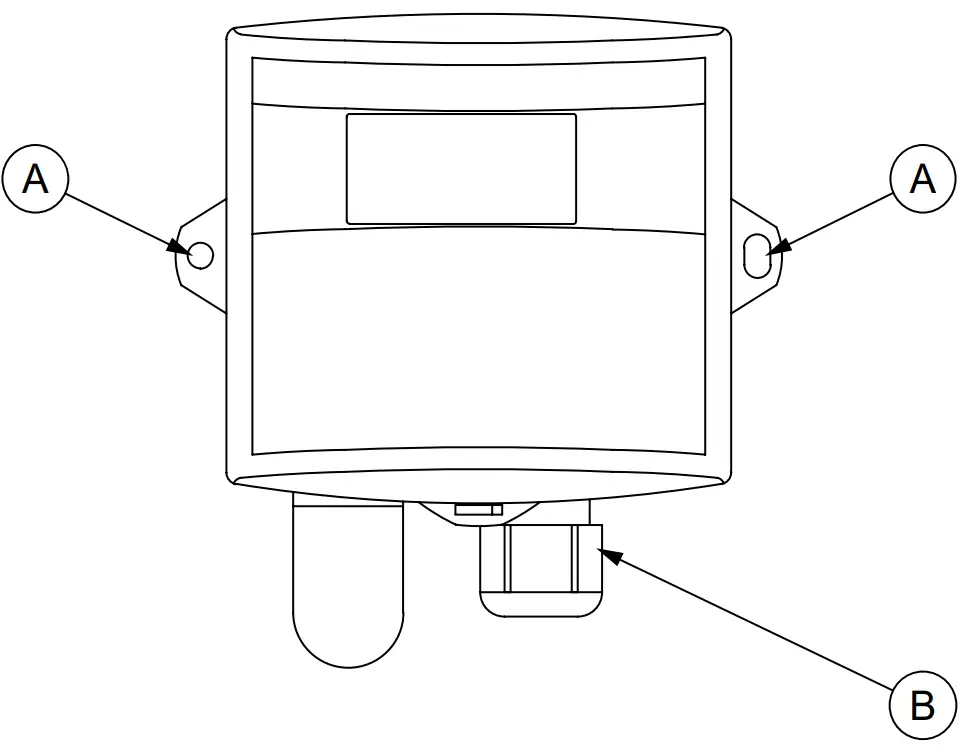
A. Mounting point
B. Cable gland
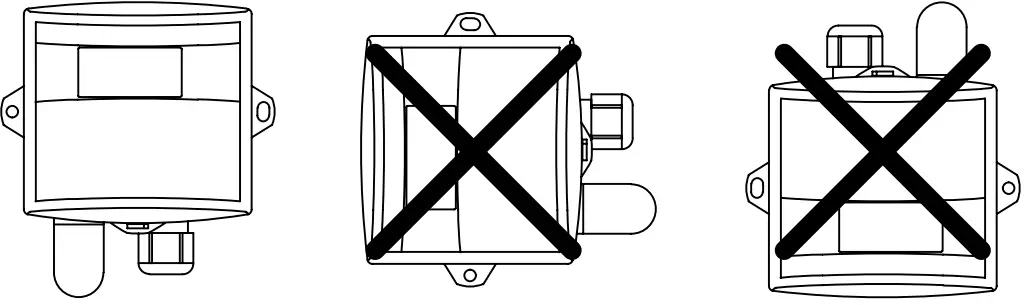
Figure 1: Mounting orientation
Opening the cover
If the device has a display, be very careful when you open the cover. The display board is connected to the circuit board with a cable
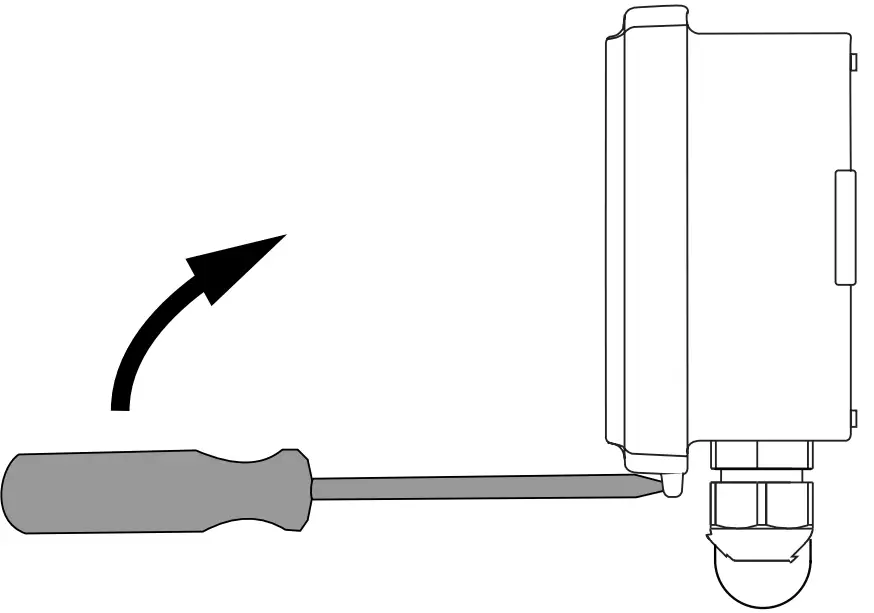
- Put the tip of a flat-head screwdriver into the slot on the cover.
- Hold the cover and push the screwdriver handle towards the device to open the cover.

Selecting the output mode
The device has two jumpers for output mode selection on the circuit board. Select the voltage or the current output mode based on the system requirements. Set the jumpers in the correct position to select the output mode for humidity and temperature.
Table 1: Jumper settings for output voltage/current mode selection
| Output | 0…10 Vdc (factory setting) | 4…20 mA | |
| Humidity output | OUT1 |  |  |
| Temperature output | OUT2 | | |
Wiring
CAUTION: Device wiring and commissioning can only be carried out by qualified professionals. Always make the wirings while the power is switched off.
Route the cables through the cable gland. Then connect the wires according to the figure below.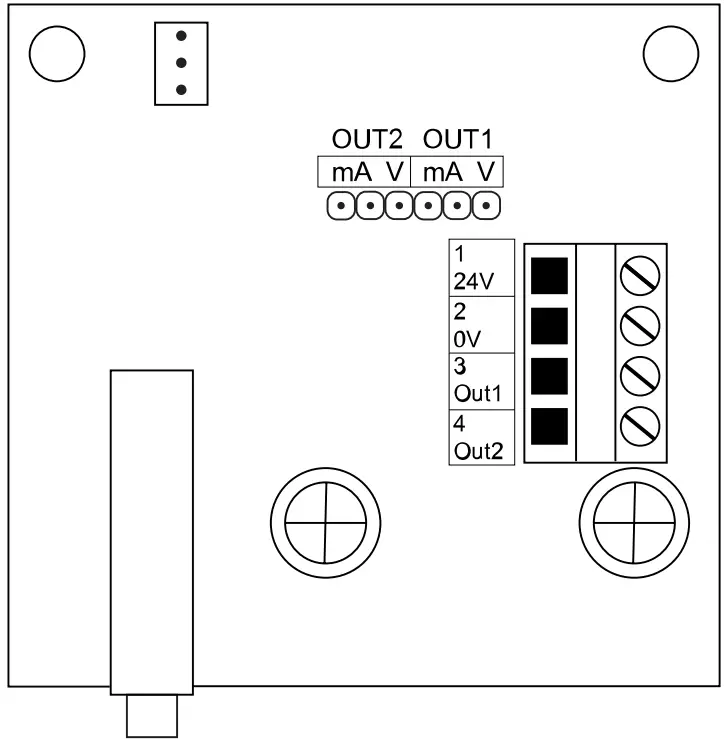
| 24V | 24 Vac/dc, < 1 VA supply |
| 0V | 0 V |
| Out1 | Output 1: humidity output (%rH), 0…10 Vdc, 2 mA / 4…20 mA |
| Out2 | Output 2: temperature output (°C), 0…10 Vdc, 2 mA / 4…20 mA |
Setting the display mode (KLU 100-N only)
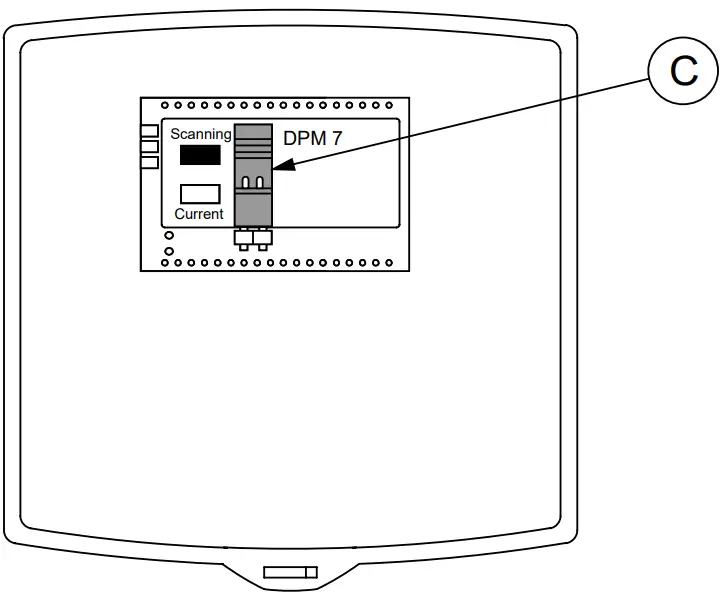
In KLU 100-N humidity transmitter, the display switches between humidity and temperature by default. If you want the device to show only temperature or humidity on the display, set the display mode as follows:
- Make sure that the wires are correctly connected.
- Switch the power on.
- Find the jumper behind the display.
- Wait until the display shows the measurement you want to select.
- Remove the jumper (C). The display shows either humidity or temperature depending on the measurement it showed when you removed the jumper.
- Align the cover with the housing and press the cover until it clicks closed.

Disposal
The device is considered as electrical and electronic equipment for disposal in terms of the applicable European Directive. At the end of life the product must enter the recycling system at an appropriate collection point.
- The device must be disposed through channels provided for this purpose.
- The disposal must be completed according to the local and currently applicable laws and regulations.
Generally all metals can be recycled as material. Plastics and cardboard packaging material can be used in energy recovery. Printed circuit boards need selective treatment according to IEC 62635 guidelines. To aid recycling, plastic parts are marked with an appropriate identification code. Contact your local HK Instruments distributor for further information on environmental aspects and recycling instructions for professional recyclers.
Warranty policy
The seller is obligated to provide a warranty of five years for the delivered goods regarding material and manufacturing. The warranty period is considered to start on the delivery date of the product. If a defect in raw materials or a production flaw is found, the seller is obligated, when the product is sent to the seller without delay or before expiration of the warranty, to amend the mistake at his/her discretion either by repairing the defective product or by delivering free of charge to the buyer a new flawless product and sending it to the buyer. Delivery costs for the repair under warranty will be paid by the buyer and the return costs by the seller. The warranty does not comprise damages caused by accident, lightning, flood or other natural phenomenon, normal wear and tear, improper or careless handling, abnormal use, overloading, improper storage, incorrect care or reconstruction, or changes and installation work not done by the seller. The selection of materials for devices prone to corrosion is the buyer’s responsibility, unless otherwise is legally agreed upon. Should the manufacturer alter the structure of the device, the seller is not obligated to make comparable changes to devices already purchased. Appealing for warranty requires that the buyer has correctly fulfilled his/her duties arisen from the delivery and stated in the contract. The seller will give a new warranty for goods that have been replaced or repaired within the warranty, however only to the expiration of the original product’s warranty time. The warranty includes the repair of a defective part or device, or if needed, a new part or device, but not installation or exchange costs. Under no circumstance is the seller liable for damages compensation for indirect damage.
Copyright HK Instruments 2023 www.hkinstruments.fi User guide Version 1.0 2023 Information is subject to change without prior notice.
EN – 90021132250ug

 Home » HK Instruments - User-friendly measuring devices