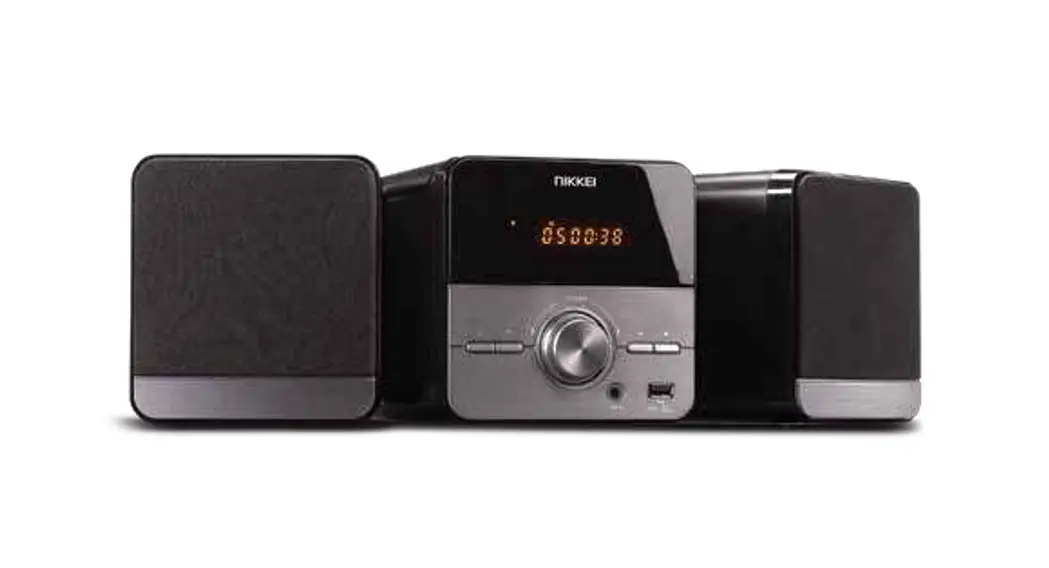

Nikkei Nmc306 Microset User Guide

Nikkei Nmc306 Microset User Guide

NIKKEI logo

NMC306
MicrosetNIKKEI NMC306 MicrosetFor more information see www.nikkei.eu

NIKKEI NMC306 Microset - ce

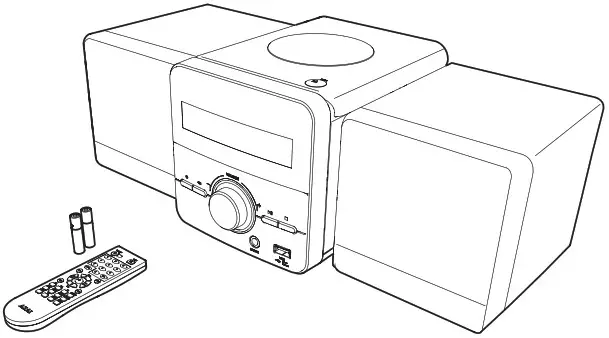
1.Check the contents

NIKKEI NMC306 Microset -Check the contents

2. Connect the speakers to the appliance
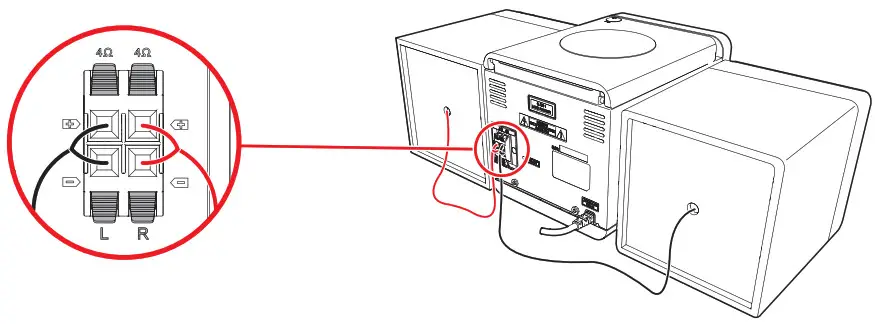
NIKKEI NMC306 Microset - Connect the speakers to the appliance

3. Uncoil the FM antenna as far as possible
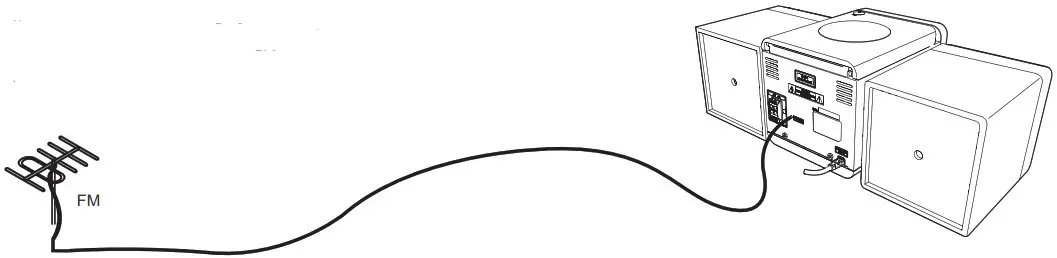
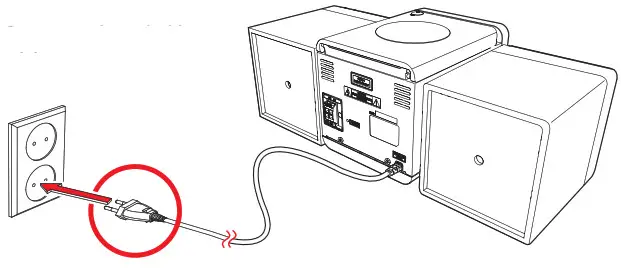
NIKKEI NMC306 Microset - Uncoil the FM antenna as far as possible4.Connect to the mains

NIKKEI NMC306 Microset - Connect to the mains

5.Turn on the device
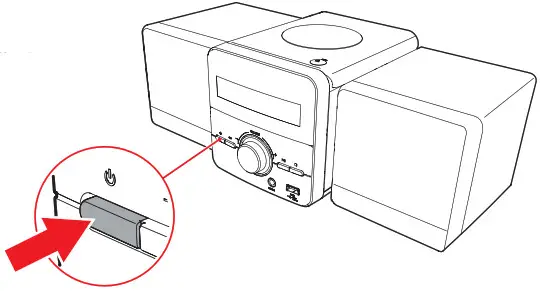
NIKKEI NMC306 Microset - Turn on the device

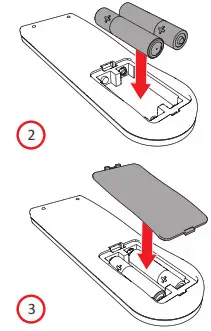
6.Insert the batteriesNIKKEI NMC306 Microset - Remote control 2
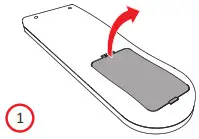
NIKKEI NMC306 Microset - Remote control 1

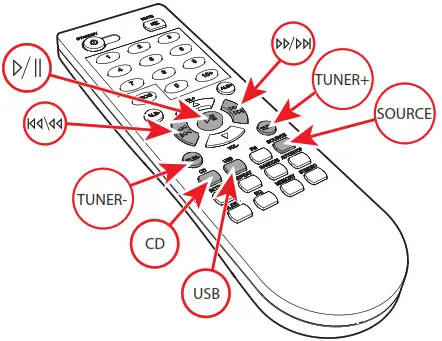
7.Remote control

NIKKEI NMC306 Microset - Remote control

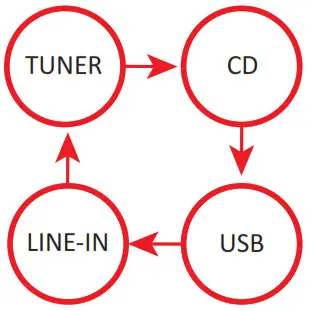
8.The  button SOURCE

NIKKEI NMC306 Microset - 8

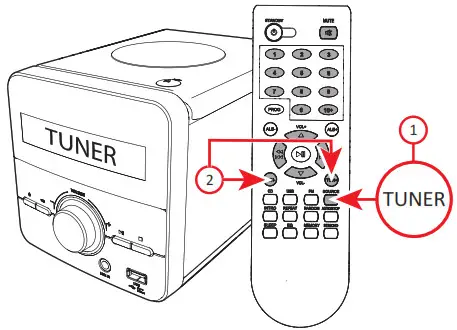
9.TUNER functions

NIKKEI NMC306 Microset - 9

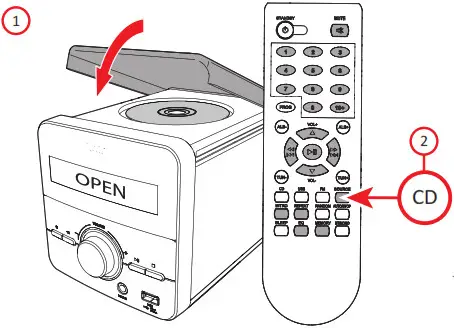
10.CD functions

NIKKEI NMC306 Microset - 10

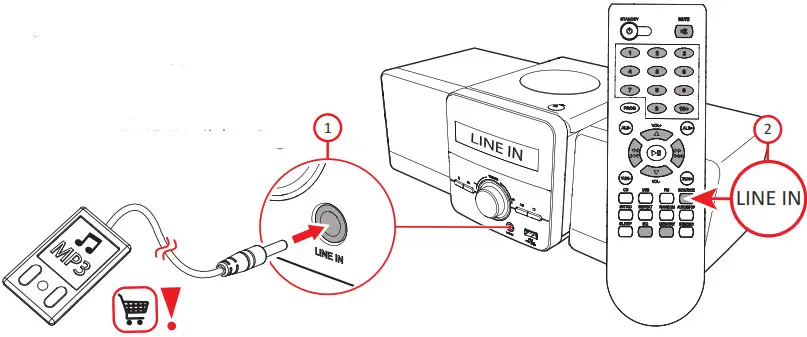
11.LINE IN connection

NIKKEI NMC306 Microset - 11

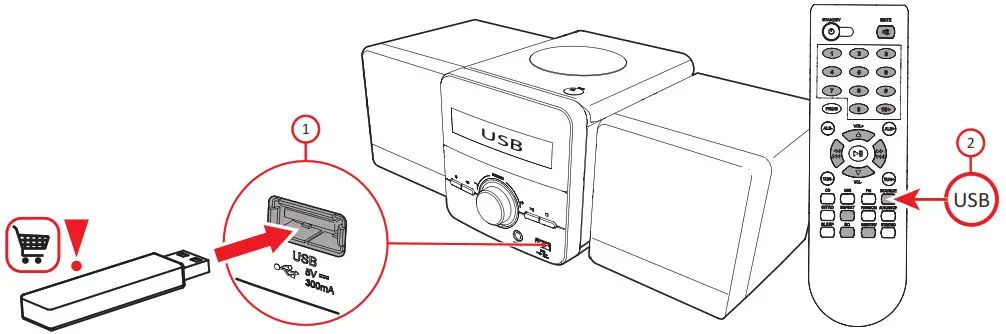
12.USB slot

NIKKEI NMC306 Microset - USB slot 13

Specifications

Compatible with CD/ CD-R/CD-RW/MP3 Remote controlFM tuner, frequency range:
87,5 – 108 MHz
Line in jack: 3.5 mm
USB slot
Speaker output: 2 x 2,5W RMS
Impedance: 8Ω 3W
AC 100-240V ~ 50/60Hz
Power consumption: 10W
Standby power consumption:<0,5W
Frequency response: 3dB

References

Documents / Resouces

Download manual
Here you can download full pdf version of manual, it may contain additional safety instructions, warranty information, FCC rules, etc.


Related Manuals