E300GSM GSM Phone Remote Control Module
Product Information:
Product Name: E300GSM
User Manual: Included
Introduction:
This product is designed for residents of the European Union. It
is important to handle the disposal of this product responsibly to
avoid harm to the environment. Please do not dispose of the unit or
batteries as unsorted municipal waste. Instead, take it to a
specialized company for recycling. If you have any doubts, contact
your local waste disposal authorities.
Thank you for choosing Perel! Before using this device, please
read the manual thoroughly. If the device was damaged during
transit, do not install or use it and contact your dealer.
Safety Instructions:
This device is suitable for use by children aged 8 years and
above, as well as individuals with reduced physical, sensory, or
mental capabilities, provided they have received proper supervision
or instruction on safe usage. Children should not play with the
device, and cleaning and user maintenance should not be carried out
by children without supervision. This device is for indoor use only
and should be kept away from rain, moisture, splashing, and
dripping liquids.
There is a risk of electroshock when opening the cover, as
touching live wires can cause life-threatening electroshocks. It is
important to familiarize yourself with the functions of the device
before using it. Modifying the device is strictly forbidden for
safety reasons, and any damage caused by user modifications is not
covered by the warranty. Additionally, damage caused by
disregarding guidelines in this manual is also not covered by the
warranty.
Overview:
- M button
- Antenna
- GSM status LED
- Power LED
- SIM card slot
- USB connector (firmware upgrade only)
- Temperature sensor slot
The GSM status LED indicates the current status of the GSM
signal. Slow blinking indicates no GSM signal, normal blinking
indicates a fixed GSM signal, and fast blinking indicates sending
or receiving SMS.
Power Control Connector:
Input: 110-230 V~ L: live N: negative G:
ground
Output: 110-230 V~ L: live N: negative G:
ground
12V: Output and alarm sensor input. Constant 12
VDC output (max. 200 mA)
S1: Wired sensor input 1, NO/NC type
S2: Wired sensor input 2, NO/NC type
12V(C): Controllable 12 VDC output (max. 200
mA) (only via SMS)
Start:
- Connect the antenna to the power control.
- Deactivate the SIM card’s PIN code using your cell phone.
- Install your SIM card (standard format) fully into the
slot. - Connect the temperature sensor if desired.
- Connect the power input and output. Make sure to cut off the
power supply prior to connecting. - Reconnect the power. The LED will light within 3 to 5
seconds.
Registering a Phone Number:
This power control allows up to five phone numbers to be
registered, including one master number and four auxiliary numbers.
The master number has full authorization to configure the device,
while the auxiliary numbers can only be added by the master number.
All configurations are processed by sending an SMS to the device’s
SIM card. The SMS format is #code-1#code-2#.
E300GSM
USER MANUAL
1.
Introduction
To all residents of the European Union
Important environmental information about this product
This symbol on the device or the package indicates that disposal of the device after its lifecycle could harm the environment. Do not dispose of the unit (or batteries) as unsorted municipal waste; it should be taken to a specialized company for recycling. This device should be returned to your distributor or to a local recycling service. Respect the local environmental rules.
If in doubt, contact your local waste disposal authorities.
Thank you for choosing Perel! Please read the manual thoroughly before bringing this device into service. If the device was damaged in transit, do not install or use it and contact your dealer.
2.
Safety Instructions
This device can be used by children aged from 8 years and above, and persons with reduced physical, sensory or mental capabilities or lack of
experience and knowledge if they have been given supervision or instruction
concerning the use of the device in a safe way and understand the hazards
involved. Children shall not play with the device. Cleaning and user maintenance shall not be made by children without supervision. Indoor use only. Keep this device away from rain, moisture, splashing and dripping
liquids. Risk of electroshock when opening the cover. Touching live wires can cause life-threatening electroshocks. Familiarise yourself with the functions of the device before actually using it. All modifications of the device are forbidden for safety reasons. Damage caused by user modifications
to the device is not covered by the warranty. Damage caused by disregard of certain guidelines in this manual is not covered by the warranty and the
dealer will not accept responsibility for any ensuing defects or problems. Keep this manual for future reference. Refer to the Velleman® Service and Quality Warranty on www.velleman.eu.
3.
Overview
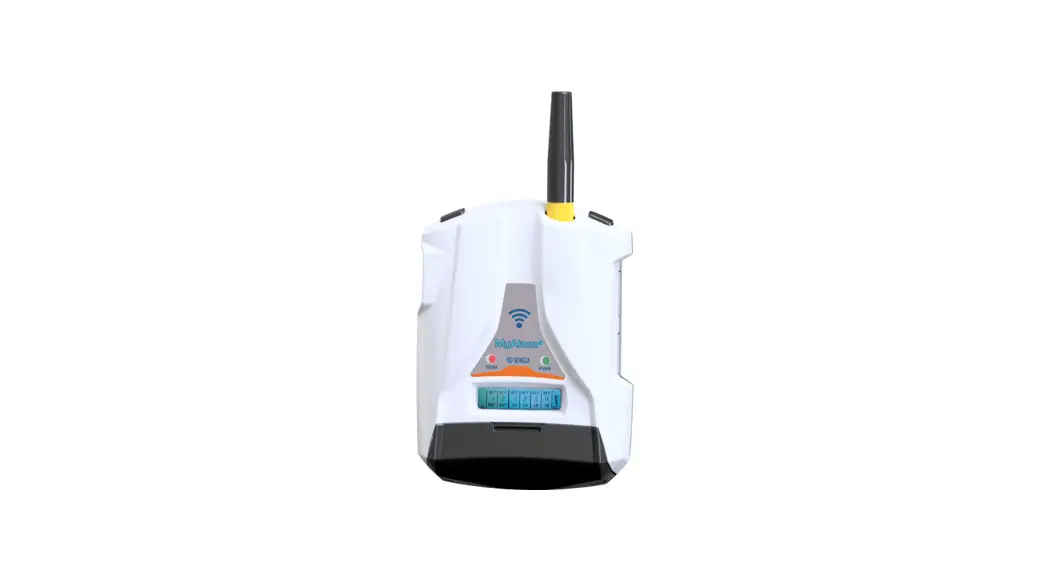
1. M button 2. antenna 3. GSM status LED 4. power LED
5. SIM card slot 6. USB connector (firmware upgrade only) 7. temperature sensor slot
GSM status LED: Slow blinking: no GSM signal Normal blinking: GSM signal fixed Fast blinking: send or receive SMS
4.
Power Control Connector
input
output
Input: 110-230 V~ L: live N: negative G: ground
Output: 110-230 V~ L: live N: negative G: ground
12V: output and alarm sensor input 12V: constant 12 VDC output (max. 200 mA) S1: wired sensor input 1, NO/NC type S2: wired sensor input 2, NO/NC type 12V(C): controllable 12 VDC output (max. 200 mA) (only via SMS)
5.
Start
Connect the antenna to the power control. Deactivate the SIM card’s PIN code using your cell phone. Install your SIM card (standard format). Make sure to insert it fully into the slot. Connect the temperature sensor if desired. Connect the power input and output. Make sure to cut off the power supply prior to connecting! Reconnect the power. The LED will light within 3 to 5 seconds.
6.
Registering a Phone Number
This power control accepts up to five phone numbers, i.e. one master number and four auxiliary numbers. The master number has full authorization to configure the devices. The auxiliary numbers can only be added by the master number. All configurations are processed by sending an SMS to the device’s SIM card. The SMS format is #code-1#code-2#.
Register the master number: #00# Add an auxiliary number: #06#User-number# Delete an auxiliary number: #15#User-number#
Manually reset the device to delete the old master number if the device replies [Master number already exists]. Hold the M button pressed for ten seconds to return to the factory settings.
7.
Free-Calling Control
A master or auxiliary number calling the SIM card number is able to switch the 230 V power on or off for a few seconds.
Call to switch on/off the power output: #09#1# When a user is calling, the switched on power will switch off and vice versa.
Call to switch on/off the power output for a few seconds: #09#2#time# Time parameters: 1-1800, i.e. duration 1-1800 seconds.
Switch off calling control function: #09#0#
8.
Power On/Off
Any registered user can send an SMS to switch the 230 V power on/off.
Switch on power: #01#0# Switch off power: #02#0#
9.
Delay Control
Automatically switch the 230 V power on/off for a few minutes. Valid only for the master number.
Switch on power for a few minutes: #12#0#time#0# Switch off power for a few minutes: #12#0#time#1#
Time range: 1-720, i.e. duration 1-720 minutes.
Manually switch on/off the device to abort this function automatically.
10. Schedule Control
Automatically switch the 230 V power on/off according to the set schedule. Valid only for the master number.
Set switch-on schedule: #20#0#day#start-time#end-time# It will switch on the power at set time. Day: one digit, see table.
value 0 1 2 3 4
day Every day Monday Tuesday Wednesday Thursday
value 5 6 7 8 9
day Friday Saturday Sunday Monday-Friday Weekend
Start-time and end-time: four digits (hhmm) in 24h-format. Example: #20#0#0#2000#0800# means every day, power on at
20:00, power off at 08:00 the next day.
Activate schedule control function: #19#0#1#
Manually switch on/off the device to abort this function automatically.
V. 03 22/10/2018
1
©Velleman nv
E300GSM
11. Temperature Control
Connect the included temperature sensor. The temperature will be displayed in an SMS.
The temperature control function is useful when the power output is connected to a heating or cooling device. The power will automatically switch on/off according to temperature changes.
Set control parameters: #24#0#mode#low-temp#high-temp# Mode parameters: 1 (warming) or 2 (cooling). Temperature range: -30 °C to 100 °C. Example: #24#0#1#15#25# means power on when temperature < 15 °C, power off when temperature > 25 °C.
Activate temperature control function: #23#0#1#
Manually switch on/off the device to abort this function automatically.
12. Temperature Alarm
Connect the included temperature sensor. You will be notified by SMS when the temperature is out of range.
Set alarm range: #22#0#low-temp#high-temp# Temperature range: -30 °C to 100 °C.
Activate temperature alarm: #21#0#1# Deactivate temperature alarm: #21#0#0#
13. Wired Sensor Alarm
The power control accepts two wired sensor inputs, one constant 12 VDC output and one controllable 12 VDC output. The constant 12 VDC output can act as a power supply for the wired sensors. The input sensors are of the NO/NC type. Connect the wired sensors and COM PIN to the S1 and S2 terminals. Do not connect S1 and S2 to the power supply as this can irreversibly damage the device.
The power control will send an SMS when the sensor is triggered.
SMS when sensor alarm on: #40#1# SMS when sensor alarm off: #40#0# Change sensor name: #43#sensor-1#sensor-2#
Example: #43#door#window# means door = sensor 1, window = sensor 2. The respective name will appear in the SMS.
Change alarm mode: #44#sensor-number#mode# Sensor number: 1 or 2. Mode: 1, 2 or 3. Mode 1: NC (only alarm when two terminals are open), mode 2: NO (only alarm when two terminals are closed), mode 3: NO/NC (only alarm when two terminals are open or closed).
14. Auto Control When Triggered
Use this function as a smart control for your home, e.g. as motion detector.
Sensor trigger, auto turn on 230 V power: #42#220#time# Time range: 1-1800, i.e. turn on power for 1-1800 seconds. Function turn off at set time 0 (default value).
Sensor trigger, auto turn on 12 VDC power: #42#12#time# Time range: 1-1800, i.e. turn on power for 1-1800 seconds. Function turn off at set time 0 (default value = 60).
A triggered sensor can switch on 230 V and 12 VDC according to the settings.
15. Advanced Settings
SMS when on/off button pressed Default send SMS when M button is pressed.
SMS when on-off button pressed on: #03#1# SMS when on-off button pressed off: #03#0#
SMS when power lost or restore Default send SMS when main power supply is lost or restored.
SMS when power lost or restored on: #05#1# SMS when power lost or restored off: #05#0#
SMS when calling operation Default send SMS when calling.
SMS when calling on: #41#1# SMS when calling off (default): #41#0#
Reset factory settings There are two methods to restore the factory settings: Method 1: The master uses sends an SMS.
Reset factory settings: #08#1234#
V. 03 22/10/2018
Method 2: Hold the M button pressed for ten seconds. The factory settings are re-loaded after the beep.
16. SMS Command List
category Define users
Power control Delay control Schedule control Temp control Temp alarm Sensor alarm Sensor trigger, turn on power
SMS notifications
Check status Reset
function Register master number Add family number Check family number Delete family number Delete all family numbers Set calling to switch power Set calling to switch on power for some seconds Switch off calling function Power on Power off Turn off power for some minutes Turn on power for some minutes Schedule control on Set schedule control parameters Temp control on
Set temp control parameters
Temp alarm on Set temp range Temp alarm off (default) Sensor alarm on Sensor alarm off Change sensor name Change alarm mode Sensor trigger, auto turn on 230 V power Sensor trigger, auto turn on 12 VDC power SMS when on-off button pressed on (default) SMS when on-off button pressed off SMS when power lost or restore on (default) SMS when power lost or restore off SMS when calling on SMS when calling off (default) SMS to users on (default) SMS to users off Check status Check delay control status Check schedule control status Check temp control status Check temp alarm status Check GSM signal GSM signal alert on GSM signal alert off (default) Reset factory setting
command #00# #06#family-number# #06# #15#family-number# #15## #09#1#
#09#2#time#
#09#2# #01#0# #02#0#
#12#0#minutes#1#
#12#0#minutes#0#
#19#0#1# #20#0#workday# starttime#endtime# #23#0#1# #24#0#mode# low-temp#high-temp# warming=1, cooling=2 #23#0#1# #22#0#mintemp#maxtemp# #21#0#1# #40#1# #40#0# #43#sensor1#sensor2# #44#sensor-number#mode#
#42#220#time#
#42#12#time#
#03#1#
#03#0#
#05#1#
#05#0#
#41#1# #41#0# #16#1# #16#0# #07# #34#
#33#
#32# #35# #27# #27#1# #27#0# #08#1234#
17. Cleaning and Maintenance
Occasionally wipe with a damp cloth occasionally to keep it looking new. Do not use harsh chemicals, cleaning solvents or strong detergents.
18. Technical Specifications
1 channel max. power loading ………………………… 3500 W, 16 A (two lines control) power input ………………………………………………..110-230 V~, 50/60 Hz power output ………………. 110-230 V~, 50/60 Hz, 12 VDC (max. 200 mA) GSM frequency ……………………………………….. 850/900/1800/1900 MHz SIM card slot ………………………………………………standard size SIM card wired sensor input………………… NO (normal closed) or NC (normal open) wired sensor cable length ………………………………………… 2 m (included) GSM antenna……………………………………………………………….. included dimensions………………………….90 x 70 x 73 mm (without GSM antenna) weight ……………………………………………………………………………222 g max. users ………………………………………………… 5 (1 master / 4 users) Use this device with original accessories only. Velleman nv cannot be held responsible in the event of damage or injury resulting from (incorrect) use of this device. For more info concerning this product and the latest version of this manual, please visit our website www.perel.eu. The information in this manual is subject to change without prior notice.
2
©Velleman nv
E300GSM
RED Declaration of Conformity
Hereby, Velleman NV declares that the radio equipment type [E300GSM] is in compliance with Directive 2014/53/EU.
The full text of the EU declaration of conformity is available at the following internet address: www.velleman.eu.
© COPYRIGHT NOTICE
The copyright to this manual is owned by Velleman nv. All worldwide rights reserved. No part of this manual may be copied, reproduced, translated or reduced to any electronic medium or otherwise without the prior written consent of the copyright holder.
HANDLEIDING
1.
Inleiding
Aan alle ingezetenen van de Europese Unie
Belangrijke milieu-informatie betreffende dit product
Dit symbool op het toestel of de verpakking geeft aan dat, als het na zijn levenscyclus wordt weggeworpen, dit toestel schade kan toebrengen aan het milieu. Gooi dit toestel (en eventuele batterijen) niet bij het gewone huishoudelijke afval; het moet bij een gespecialiseerd bedrijf terechtkomen voor recyclage. U moet dit toestel naar uw verdeler of naar een lokaal recyclagepunt brengen. Respecteer de plaatselijke milieuwetgeving.
Hebt u vragen, contacteer dan de plaatselijke autoriteiten betreffende de verwijdering.
Dank u voor uw aankoop! Lees deze handleiding grondig door voor u het toestel in gebruik neemt. Werd het toestel beschadigd tijdens het transport, installeer het dan niet en raadpleeg uw dealer.
2.
Veiligheidsvoorschriften
Dit toestel is geschikt voor gebruik door kinderen vanaf 8 jaar, door personen met fysieke, zintuiglijke of verstandelijke beperkingen, of door
personen met gebrek aan ervaring en kennis, op voorwaarde dat dit onder toezicht gebeurt van een persoon die verantwoordelijk is voor hun veiligheid
of hun aanwijzingen heeft gegeven, hoe zij het toestel moeten gebruiken en
zich bewust zijn van de risico’s die het gebruik van het toestel met zich
meebrengt. Kinderen mogen niet met het toestel spelen. De reiniging en het onderhoud van het toestel mogen niet worden uitgevoerd door kinderen,
tenzij ze onder toezicht staan. Gebruik het toestel enkel binnenshuis. Bescherm het toestel tegen regen, vochtigheid en opspattende vloeistoffen.
Elektrocutiegevaar bij het openen van het toestel. Raak geen kabels aan die onder stroom staan om dodelijke elektrische schokken te vermijden. Leer eerst de functies van het toestel kennen voor u het gaat gebruiken. Om veiligheidsredenen mag u geen wijzigingen aanbrengen. Schade door
wijzigingen die de gebruiker heeft aangebracht aan het toestel valt niet onder
de garantie. De garantie geldt niet voor schade door het negeren van bepaalde richtlijnen in deze handleiding en uw dealer zal de
verantwoordelijkheid afwijzen voor defecten of problemen die hier
rechtstreeks verband mee houden. Bewaar deze handleiding voor verdere raadpleging. Raadpleeg de Velleman® service- en kwaliteitsgarantie op www.velleman.eu.
3.
Omschrijving
1. M-knop 2. antenne 3. gsm-statusled 4. voedingsled
5. SIM-kaartslot 6. USB-aansluiting (enkel firmwareupdate) 7. aansluiting temperatuursensor
gsm-statusled Langzaam knipperen: geen gsm-signaal Normaal knipperen: vast gsm-signaal Snel knipperen: sms ontvangen of versturen
4.
Aansluitingen
ingang
uitgang
Ingang: 110-230 V~ L: fase N: nul G: aarding
Uitgang: 110-230 V~ L: fase N: nul G: aarding
12V: uitgang en ingang alarmsensor 12V: constante 12 VDC-uitgang (max. 200 mA) S1: ingang bedrade sensor 1, type NO/NC S2: ingang bedrade sensor 2, type NO/NC 12V(C): aanstuurbare 12 VDC-uitgang (max. 200 mA) (enkel via sms)
5.
Start
Sluit de antenne aan op de module. Deactiveer de pincode van de simkaart met uw mobiele telefoon. Plaats uw simkaart (standaardformaat). Zorg ervoor dat de simkaart volledig in het slot zit. Indien nodig, sluit de temperatuursensor aan. Sluit de stroomingang en -uitgang aan. Schakel de stroom uit alvorens aan te sluiten. Schakel opnieuw in. De led knippert binnen de 3 tot 5 seconden.
6.
Een telefoonnummer opslaan
Deze module kan max. 5 telefoonnummers opslaan (1 beheerder en 4 gebruikers). Het beheerdernummer heeft volledige toegang tot de instellingen van de toestellen. De gebruikersnummers kunnen alleen door het beheerdernummer worden toegevoegd. Alle instellingen worden geactiveerd door het sturen van een sms naar de simkaart van het toestel. Het smsformaat is #code-1#code-2#.
Het beheerdernummer opslaan: #00# Een gebruikersnummer toevoegen: #06#User-number# Een gebruikersnummer verwijderen: #15#User-number#
Reset het toestel handmatig om het vorige beheerdernummer te verwijderen als het toestel [Master number already exists] weergeeft. Houd de M-knop gedurende 10 seconden ingedrukt om de fabrieksinstellingen te herstellen.
7.
Bediening door oproep
Een beheerdernummer of gebruikersnummer kan via het simkaartnummer het toestel gedurende enkele seconden in- of uitschakelen.
Bel om de stroomuitgang in/uit te schakelen: #09#1# Wanneer een gebruiker belt, schakelt de ingeschakelde stroom uit en omgekeerd.
Bel om de stroomuitgang gedurende enkele seconden in/uit te schakelen: #09#2#time#
Tijdsinstellingen: 1-1800, tijdsduur 1-1800 seconden.
Bediening door oproep uitschakelen: #09#0#
8.
In-/uitschakelen
Elke geregistreerde gebruiker kan een sms versturen om het toestel in/uit te schakelen.
Inschakelen: #01#0# Uitschakelen: #02#0#
9.
Bediening met vertragingstijd
Het toestel gedurende enkele minuten automatisch in-/uitschakelen. Alleen geldig voor het beheerdernummer.
De stroom gedurende enkele minuten inschakelen: #12#0#time#0# De stroom gedurende enkele minuten uitschakelen: #12#0#time#1#
Tijdbereik: 1-720, tijdsduur 1-720 minuten..
Schakel het toestel handmatig in/uit om deze functie automatisch uit te schakelen.
10. Geprogrammeerde bediening
Het toestel gedurende enkele minuten automatisch in/uitschakelen, afhankelijk van de ingestelde tijd. Alleen geldig voor het beheerdernummer.
Geprogrammeerde bediening instellen: #20#0#day#start-time#end-time# De stroom wordt volgens de ingestelde tijd ingeschakeld. Dag: 1 cijfer, zie overzicht.
waarde 0 1 2 3
4
dag elke dag maandag dinsdag woensdag
donderdag
waarde 5 6 7 8
9
dag vrijdag zaterdag zondag maandag-vrijdag zaterdag en zondag
Begintijd en eindtijd: vier cijfers (uumm) in 24u-formaat. Bijvoorbeeld: #20#0#0#2000#0800# betekent elke dag om 20 u
inschakelen, de volgende dag om 08 u uitschakelen.
De geprogrammeerde bediening activeren: #19#0#1#
Schakel het toestel handmatig in/uit om deze functie automatisch uit te schakelen.
11. Temperatuurcontrole
Sluit de meegeleverde temperatuursensor aan. De temperatuur wordt in een sms weergegeven.
Deze functie is praktisch wanneer de stroomuitgang aangesloten is op een verwarmings- of koelelement. De stroom schakelt automatisch in/uit, afhankelijk van de temperatuurveranderingen.
V. 03 22/10/2018
3
©Velleman nv
E300GSM
De parameters instellen: #24#0#mode#low-temp#high-temp# Modusparameters: 1 (verwarmen) of 2 (koelen) Temperatuurbereik: -30 °C tot 100 °C Bijvoorbeeld: #24#0#1#15#25# betekent inschakelen wanneer temperatuur < 15 °C, uitschakelen wanneer temperatuur > 25 °C.
De temperatuurcontrole activeren: #23#0#1#
Schakel het toestel handmatig in/uit om deze functie automatisch uit te schakelen.
12. Temperatuuralarm
Sluit de meegeleverde temperatuursensor aan. U ontvangt een sms wanneer de temperatuur buiten het meetbereik ligt.
Alarmbereik instellen: #22#0#low-temp#high-temp# Temperatuurbereik: -30 °C tot 100 °C
Temperatuuralarm inschakelen: #21#0#1# Temperatuuralarm uitschakelen: #21#0#0#
13. Bedraad sensoralarm
U kunt 2 bedrade sensoringangen op de module aansluiten: 1 constante 12 VDC-uitgang en 1 aanstuurbare 12 VDC-uitgang. De constante 12 VDCuitgang kan als voeding gebruikt worden voor de bedrade sensoren. De ingangssensoren zijn van het type NO/NC. Sluit de bedrade sensoren en COM PIN aan op de S1 en S2 aansluitingen. Sluit S1 En S2 niet aan op de voeding, dit kan het toestel onherroepelijk beschadigen.
De module verstuurt een sms wanneer de sensor geactiveerd wordt.
Sms bij sensoralarm aan: #40#1# Sms bij sensoralarm uit: #40#0# Sensornaam veranderen: #43#sensor-1#sensor-2#
Bijvoorbeeld: #43#door#window# betekent deur = sensor 1, venster = sensor 2. De overeenkomstige naam wordt in een sms weergegeven.
Alarmmodus veranderen: #44#sensor-number#mode# Sensor: 1 of 2. Modus: 1, 2 of 3. Modus 1: NC (alleen alarm wanneer 2 aansluitingen open staan), modus 2: NO (alleen alarm wanneer 2 aansluitingen gesloten staan), modus 3: NO/NC (alleen alarm wanneer 2 aansluitingen open of gesloten staan).
14. Automatische controle bij activering
Gebruik deze functie als intelligente controle voor uw huis (bv. bewegingsmelder).
Sensor geactiveerd, 230 V automatisch inschakelen: #42#220#time# Tijdbereik: 1-1800, inschakelen gedurende 1-1800 seconden. Functie uitschakelen op instelde tijd 0 (standaardwaarde = 60).
Sensor geactiveerd, 12 VDC automatisch inschakelen: #42#12#time# Tijdbereik: 1-1800, inschakelen gedurende 1-1800 seconden. Functie uitschakelen op instelde tijd 0 (standaardwaarde = 60).
Een geactiveerde sensor kan 230 V en 12 VDC inschakelen, afhankelijk van de instellingen.
15. Geavanceerde instellingen
Sms bij indrukken aan/uit-knop Standaard sms versturen bij indrukken M-knop.
Sms bij indrukken aan/uit-knop aan: #03#1# Sms bij indrukken aan/uit-knop uit: #03#0#
Sms bij stroomuitval of stroomherstel Standaard sms versturen bij stroomuitval of stroomherstel.
Sms bij stroomuitval of stroomherstel aan: #05#1# Sms bij stroomuitval of stroomherstel uit: #05#0#
Sms bij bediening door oproep Standaard sms versturen bij oproep.
Sms bij oproep aan: #41#1# Sms bij oproep uit (standaard): #41#0#
Fabrieksinstellingen herstellen Er bestaan twee methodes om de fabrieksinstellingen te herstellen: Methode 1: De beheerder verstuurt een sms.
Fabrieksinstellingen herstellen: #08#1234#
Methode 2: Houd de M-knop gedurende 10 seconden ingedrukt. De fabrieksinstellingen worden na de pieptoon geladen.
16. Overzicht sms-commando’s
categorie Gebruikers definiëren
In-/uitschakelen Bediening met vertragingstijd Geprogrammeerde bediening Temperatuurcontrole Temperatuuralarm Sensoralarm Sensor activeren, stroom inschakelen
Sms-berichten
Status controleren
Reset
functie
Beheerdernummer opslaan
Gebruikersnummer toevoegen
Gebruikersnummer controleren
Gebruikersnummer verwijderen
Alle gebruikersnummers verwijderen
Oproepfunctie activeren om in te schakelen
Oproepfunctie activeren om stroom gedurende enkele seconden in te schakelen
Oproepfunctie uitschakelen
Inschakelen
Uitschakelen
Stroom gedurende enkele minuten uitschakelen
Stroom gedurende enkele minuten inschakelen
Geprogrammeerde bediening aan
Parameters geprogrammeerde bediening instellen
Temperatuurcontrole aan
Parameters temperatuurcontrole instellen
Temperatuuralarm aan
Temperatuurbereik instellen
Temperatuuralarm uit (standaard)
Sensoralarm aan
Sensoralarm uit
Sensornaam veranderen
Alarmmodus veranderen
Sensor activeren, 230 V automatisch inschakelen
Sensor activeren, 12 VDC automatisch inschakelen
Sms bij indrukken aan/uitknop aan (standaard)
Sms bij indrukken aan/uitknop uit
Sms bij stroomuitval of stroomherstel aan (standaard)
Sms bij stroomuitval of stroomherstel uit
Sms bij oproep aan
Sms bij oproep uit (standaard)
Sms naar gebruikers aan (standaard)
Sms naar gebruikers uit
Status controleren
Status bediening met vertragingstijd controleren
Status geprogrammeerde bediening controleren
Status temperatuurcontrole controleren
Status temperatuuralarm controleren
Gsm-signaal controleren
Gsm-signaal alarm aan
Gsm-signaal alarm uit (standaard)
Fabrieksinstellingen herstellen
#00#
commando
#06#family-number#
#06#
#15#family-number#
#15##
#09#1#
#09#2#time#
#09#2# #01#0# #02#0# #12#0#minutes#1#
#12#0#minutes#0#
#19#0#1#
#20#0#workday# starttime#endtime# #23#0#1# #24#0#mode# low-temp#high-temp# warming=1, cooling=2 #23#0#1# #22#0#mintemp#maxtemp# #21#0#1# #40#1# #40#0# #43#sensor1#sensor2# #44#sensor-number#mode# #42#220#time#
#42#12#time#
#03#1#
#03#0#
#05#1#
#05#0# #41#1# #41#0#
#16#1# #16#0# #07# #34#
#33#
#32#
#35# #27# #27#1# #27#0#
#08#1234#
17. Reiniging en onderhoud
Reinig het toestel af en toe met een vochtige doek. Gebruik geen bijtende chemische producten, reinigingsmiddelen of sterke detergenten.
18. Technische specificaties
1 kanaal max. vermogen……………………………………………………… 3500 W, 16 A voedingsingang……………………………………………110-230 V~, 50/60 Hz voedingsuitgang…………… 110-230 V~, 50/60 Hz, 12 VDC (max. 200 mA) gsm-frequentieband …………………………………. 850/900/1800/1900 MHz sim-kaartslot ………………………………………. standaardafmeting simkaart sensoringang (bedraad) ……. NO (normaal open) of NC (normaal gesloten) kabellengte sensor (bedraad) ………………………………… 2 m (meegelev.)
V. 03 22/10/2018
4
©Velleman nv
E300GSM
gsm-antenne …………………………………………………………. meegeleverd
afmetingen …………………………..90 x 70 x 73 mm (zonder gsm-antenne)
gewicht …………………………………………………………………………. 222 g
max. aantal gebruikers ………………………. 5 (1 beheerder / 4 gebruikers)
Gebruik dit toestel enkel met originele accessoires. Velleman nv is niet aansprakelijk voor schade of kwetsuren bij (verkeerd) gebruik van dit toestel. Voor meer informatie over dit product en de laatste versie van deze handleiding, zie www.perel.eu. De informatie in deze handleiding kan te allen tijde worden gewijzigd zonder voorafgaande kennisgeving.
RED Verklaring van overeenstemming
Hierbij verklaar ik, Velleman NV, dat het type radioapparatuur [E300GSM] conform is met Richtlijn 2014/53/EU.
De volledige tekst van de EU-conformiteitsverklaring kan worden geraadpleegd op het volgende internetadres: www.velleman.eu.
© AUTEURSRECHT
Velleman nv heeft het auteursrecht voor deze handleiding. Alle wereldwijde rechten voorbehouden. Het is niet toegestaan om deze handleiding of gedeelten ervan over te nemen, te kopiëren, te vertalen, te bewerken en op te slaan op een elektronisch medium zonder voorafgaande schriftelijke toestemming van de rechthebbende.
MODE D’EMPLOI
1.
Introduction
Aux résidents de l’Union européenne
Informations environnementales importantes concernant ce produit
Ce symbole sur l’appareil ou l’emballage indique que l’élimination d’un appareil en fin de vie peut polluer l’environnement. Ne pas jeter un appareil électrique ou électronique (et des piles éventuelles) parmi les déchets municipaux non sujets au tri sélectif ; une déchetterie traitera l’appareil en question. Renvoyer l’appareil à votre fournisseur ou à un service de recyclage local. Respecter la réglementation locale relative à la protection de l’environnement.
En cas de questions, contacter les autorités locales pour élimination.
Nous vous remercions de votre achat ! Lire attentivement le présent mode d’emploi avant la mise en service de l’appareil. Si l’appareil a été endommagé pendant le transport, ne pas l’installer et consulter votre revendeur.
2.
Consignes de sécurité
Cet appareil peut être utilisé par des enfants âgés de 8 ans et plus et des personnes manquant d’expérience et de connaissances ou dont les capacités physiques, sensorielles ou mentales sont réduites, si elles ont été formées et
encadrées quant à l’utilisation de l’appareil d’une manière sûre et connaissent
les risques encourus. Ne pas laisser les enfants jouer avec l’appareil. Le
nettoyage et l’entretien ne doivent pas être effectués par des enfants sans
surveillance. Utiliser à l’intérieur uniquement. Protéger l’appareil de la pluie, de l’humidité, d’éclaboussures et des projections d’eau. Risque d’électrocution lors de l’ouverture du boîtier. Toucher un câble sous tension peut causer des électrochocs mortels. Se familiariser avec le fonctionnement de l’appareil avant de l’utiliser. Toute modification est interdite pour des raisons de sécurité. Les dommages occasionnés par des
modifications par le client ne tombent pas sous la garantie. La garantie ne se s’applique pas aux dommages survenus en négligeant certaines directives de ce mode d’emploi et votre revendeur déclinera toute responsabilité pour
les problèmes et les défauts qui en résultent. Garder ce mode d’emploi pour toute référence ultérieure. Se référer à la garantie de service et de qualité Velleman ®en fin du mode d’emploi.
3.
Description
1. bouton M 2. antenne 3. LED d’état du GSM 4. LED d’alimentation
5. slot pour carte SIM 6. connecteur USB (mise à jour firmware uniquement) 7. slot pour capteur de température
LED d’état du GSM Clignotement lent : pas de signal GSM Clignotement normal : signal GSM fixe Clignotement rapide : envoyer ou recevoir SMS
4.
Connexions
entrée
sortie
Entrée : 110-230 V~ L: phase N: neutre G: masse
Sortie : 110-230 V~ L: phase N: neutre G: masse
12V: sortie et entrée pour capteur d’alarme 12V: sortie 12 VCC constante (max. 200 mA) S1: capteur filaire 1, type NO/NC S2: capteur filaire 2, type NO/NC 12V(C): sortie 12 VCC contrôlable (max. 200 mA) (uniquement par SMS)
5.
Démarrage
Connecter l’antenne au module. Désactiver le code PIN de la carte SIM avec le téléphone mobile. Installer la carte SIM (format standard) Veiller à introduire complètement la carte SIM pour qu’elle s’enclenche. Si nécessaire, connecter le capteur de température. Connecter l’entrée et la sortie d’alimentation. Veiller à couper l’alimentation avant toute connexion.
Reconnecter l’alimentation. La LED s’allume dans les 3-5 secondes.
6.
Enregistrer un numéro de téléphone
Ce module peut enregistrer max. 5 numéros de téléphone (1 numéro maître et 4 utilisateurs). Le numéro maître a accès à la configuration des appareils. Le numéro de l’utilisateur ne peut être ajouté que par le numéro maître. Toutes les configurations se font par l’envoi de SMS sur la carte SIM de l’appareil. Le format SMS est #code-1#code-2#.
Enregistrer le numéro maître : #00# Ajouter un numéro d’utilisateur : #06#User-number# Supprimer un numéro d’utilisateur : #15#User-number#
Réinitialiser manuellement l’appareil pour supprimer le numéro maître précédent si l’appareil affiche [Master numer already exists]. Maintenir enfoncé le bouton M pendant 10 secondes pour rétablir les réglages d’usine.
7.
Contrôle par appel
Un numéro maître ou utilisateur peut appeler un numéro sur la carte SIM et est capable d’allumer ou éteindre l’appareil pendant quelques secondes.
Appeler pour allumer/éteindre la sortie d’alimentation : #09#1# Lorsqu’un utilisateur appelle, l’alimentation établie sera coupée et vice versa.
Appeler pour allumer/éteindre la sortie d’alimentation pendant quelques secondes : #09#2#time#
Paramètres de temps : 1-1800, durée, 1-1800 secondes.
Désactiver la fonction contrôle par appel : #09#0#
8.
Allumer/éteindre
Chaque utilisateur enregistré peut envoyer un sms pour allumer/éteindre l’appareil.
Allumer : #01#0# Eteindre : #02#0#
9.
Contrôle différé
Allumage/extinction automatique pendant quelques minutes. Valable uniquement pour le numéro maître.
Allumage pendant quelques minutes : #12#0#time#0# Extinction pendant quelques minutes : #12#0#time#1#
Plage de temps : 1-720, durée 1-720 minutes.
Allumer/éteindre manuellement l’appareil pour désactiver automatiquement cette fonction.
10. Contrôle programmé
Allumage/extinction automatique selon l’agenda programmé. Valable uniquement pour le numéro maître.
Régler l’agenda des allumages : #20#0#day#start-time#end-time# Cela établira l’alimentation à la plage horaire indiquée. Jour: un chiffre, voir tableau.
valeur 0 1 2 3
4
jour tous les jours lundi mardi mercredi
jeudi
valeur 5 6 7 8
9
jour vendredi samedi dimanche lundi-vendredi samedi et dimanche
Début et fin : 4 chiffres (hhmm) au format 24 heures. Par exemple : #20#0#0#2000#0800#, cela signifie tous les jours,
allumer à 20h00 et éteindre le lendemain à 08h00.
Activer la fonction de contrôle programmé : #19#0#1#
V. 03 22/10/2018
5
©Velleman nv
E300GSM
Allumer/éteindre manuellement l’appareil pour désactiver automatiquement cette fonction.
11. Contrôle de température
Connecter le capteur de température (incl.). Un SMS affiche la température.
Cette fonction est utile lorsque la sortie d’alimentation est connectée à un dispositif de chauffage ou de refroidissement. Allumage/extinction automatique selon les changements de température.
Régler les paramètres de contrôle : #24#0#mode#low-temp#high-temp# Paramètres de mode : 1 (mode chaud) ou 2 (mode froid). Plage de température : de -30 °C à 100 °C. Par exemple : #24#0#1#15#25#, cela signifie allumer lorsque la température < 15 °C, éteindre lorsque la température est > 25 °C.
Activer le contrôle de température : #23#0#1#
Allumer/éteindre manuellement l’appareil pour désactiver automatiquement cette fonction.
12. Alarme de température
Connecter le capteur de température (incl.) Vous serez notifié par SMS lorsque la température dépasse la plage de température.
Régler la plage d’alarme : #22#0#low-temp#high-temp# Plage de température : de -30 °C à 100 °C.
Activer l’alarme de température : #21#0#1# Désactiver l’alarme de température : #21#0#0#
13. Alarme capteur filaire
Le module supporte deux entrées de capteur filaire : une sortie 12 VCC constante et une sortie 12 VCC contrôlable. La sortie 12 VCC constante peut fonctionner comme source d’alimentation pour les capteurs filaires. Les capteurs d’entrée sont du type NO/NC. Connecter les capteurs filaires et COM PIN aux bornes S1 et S2. Ne pas connecter S1 et S2 à la source d’alimentation. Cela peut causer des dommages irréversibles à l’appareil.
Le module envoie un SMS lorsque le capteur est déclenché.
SMS lorsque l’alarme capteur est sur ON : #40#1# SMS lorsque l’alarme capteur est sur OFF : #40#0# Changer le nom du capteur : #43#sensor-1#sensor-2#
Par exemple : #43#door#window#, cela signifie porte = capteur 1, fenêtre = capteur 2. Le nom correspondant s’affiche dans un SMS.
Changer le mode alarme : #44#sensor-number#mode# Capteur : 1 ou 2. Mode : 1, 2 ou 3. Mode 1 : NC (alarme uniquement lorsque 2 bornes sont ouvertes), mode 2 : NO (alarme uniquement lorsque 2 bornes sont fermées), mode 3 : NO/NC (alarme uniquement lorsque 2 bornes sont ouvertes ou fermées).
14. Contrôle automatique en cas de déclenchement
Utiliser cette fonction comme contrôle intelligent de votre maison (p. ex. détecteur de mouvements).
Capteur déclenché, allumage 230 V automatique #42#220#time# Plage de temps : 1-1800, allumage pendant 1-1800 secondes. La fonction se désactive au moment 0 (valeur par défaut)
Capteur déclenché, allumage 12 VCC automatique : #42#12#time# Plage de temps : 1-1800, allumage pendant 1-1800 secondes. La fonction se désactive au moment 0 (valeur par défaut = 60).
Un capteur déclenché peut allumer/éteindre l’appareil, selon les réglages.
15. Réglages avancés
SMS lorsque le bouton on / off est sur ON SMS lorsque le bouton M est enfoncé (par défaut).
SMS lorsque le bouton on / off est sur ON : #03#1# SMS lorsque le bouton on / off est sur OFF : #03#0#
SMS en cas de coupure ou rétablissement de courant SMS en cas de coupure ou rétablissement de courant (par défaut).
SMS en cas de coupure ou rétablissement de courant ON : #05#1# SMS en cas de coupure ou rétablissement de courant OFF : #05#0#
SMS après contrôle par appel SMS après contrôle par appel (par défaut).
SMS après contrôle par appel ON : #41#1# SMS après contrôle par appel OFF (par défaut) : #41#0#
Rétablir les réglages d’usine Il existe deux méthodes pour rétablir les réglages d’usine. Méthode 1: Le numéro maître envoie un SMS.
Rétablir les réglages d’usine : #08#1234#
Méthode 2: Maintenir enfoncé le bouton M pendant 10 secondes. Les réglages d’usine sont chargés après le bip sonore.
16. Liste des commandes SMS
catégorie Définir les utilisateurs
Allumage/extinction
Contrôle différé Contrôle programmé Contrôle de température Alarme de température Alarme capteur Capteur déclenché, allumage
notifications SMS
Contrôler état
Réinitialisation
fonction
Enregistrer le numéro maître
Ajouter un numéro d’utilisateur :
Contrôler numéro d’utilisateur
Supprimer un numéro d’utilisateur
Supprimer tous les numéros d’utilisateur Régler l’appel pour allumage/extinction
Régler l’appel pour allumage/extinction pendant quelques secondes
Désactiver la fonction contrôle par appel
Allumage
Extinction
Extinction pendant quelques minutes
Allumage pendant quelques minutes
Contrôle programmé ON
Régler les paramètres du contrôle programmé :
Contrôle de température ON
Régler les paramètres de contrôle de température
Alarme de température ON
Régler la plage de température
Alarme de température OFF (par défaut)
Alarme capteur ON
Alarme capteur OFF
Changer le nom du capteur
Changer le mode alarme
Capteur déclenché, allumage 230 V automatique
Capteur déclenché, allumage 12 VCC automatique
SMS lorsque le bouton on / off est sur ON (par défaut)
SMS lorsque le bouton on / off est sur OFF
SMS en cas de coupure ou rétablissement de courant ON (par défaut)
SMS en cas de coupure ou rétablissement de courant OFF
SMS lors d’un appel ON
SMS lors d’un appel OFF (par défaut)
SMS aux utilisateurs ON (par défaut)
SMS aux utilisateurs OFF
Contrôler état
Contrôler l’état du contrôle différé
Contrôler l’état du contrôle programmé
Contrôler l’état du contrôle de température
Contrôler l’état d’alarme de température
Contrôler le signal GSM
Alerte de signal GSM ON
Alerte de signal GSM OFF (par défaut)
Rétablir les réglages d’usine
#00#
commande
#06#family-number#
#06#
#15#family-number#
#15##
#09#1#
#09#2#time#
#09#2# #01#0# #02#0# #12#0#minutes#1#
#12#0#minutes#0# #19#0#1# #20#0#workday# starttime#endtime# #23#0#1# #24#0#mode# low-temp#high-temp# warming=1, cooling=2 #23#0#1# #22#0#mintemp#maxtemp#
#21#0#1# #40#1# #40#0# #43#sensor1#sensor2# #44#sensor-number#mode# #42#220#time#
#42#12#time#
#03#1#
#03#0#
#05#1#
#05#0#
#41#1# #41#0#
#16#1# #16#0# #07# #34#
#33#
#32#
#35# #27# #27#1# #27#0# #08#1234#
17. Nettoyage et entretien
Nettoyer occasionnellement l’appareil avec un chiffon humide. Ne pas utiliser d’agents chimiques agressifs, de solvants ni de détergents puissants.
V. 03 22/10/2018
6
©Velleman nv
E300GSM
18. Spécifications techniques
1 canal
puissance max. ……………………………………………………… 3500 W, 16 A
entrée d’alimentation …………………………………… 110-230 V~, 50/60 Hz
sortie d’alimentation ………110-230 V~, 50/60 Hz, 12 VDC (max. 200 mA) fréquence GSM………………………………………… 850/900/1800/1900 MHz
slot pour carte SIM …………………………………. carte SIM format standard
capteur filaire…….. NO (normalement ouvert) ou NC (normalement fermé)
longueur du câble du capteur filaire ………………………………….2 m (incl.)
antenne GSM ……………………………………………………………………..incl.
dimensions ……………………………..90 x 70 x 73 mm (sans antenne GSM)
poids ……………………………………………………………………………. 222 g
nombre d’utilisateurs max. ……………………… 5 (1 maître / 4 utilisateurs)
N’employer cet appareil qu’avec des accessoires d’origine. Velleman SA ne peut, dans la mesure conforme au droit applicable être tenue responsable des dommages ou lésions (directs ou indirects) pouvant résulter de l’utilisation de cet appareil. Pour plus d’informations concernant cet article et la dernière version de ce mode d’emploi, consulter notre site www.perel.eu. Les spécifications et le continu de ce mode d’emploi peuvent être modifiés sans notification préalable.
Déclaration de conformité RED
Le soussigné, Velleman SA, déclare que l’équipement radioélectrique du type [E300GSM] est conforme à la directive 2014/53/EU.
Le texte complet de la déclaration UE de conformité est disponible à l’adresse internet suivante: www.velleman.eu.
© DROITS D’AUTEUR Velleman SA est l’ayant droit des droits d’auteur de ce mode d’emploi. Tous droits mondiaux réservés. Toute reproduction, traduction, copie ou diffusion, intégrale ou partielle, du contenu de ce mode d’emploi par quelque procédé ou sur tout support électronique que ce soit est interdite sans l’accord préalable écrit de l’ayant droit.
MANUAL DEL USUARIO
1.
Introducción
A los ciudadanos de la Unión Europea
Importantes informaciones sobre el medio ambiente concerniente a este producto
Este símbolo en este aparato o el embalaje indica que, si tira las muestras inservibles, podrían dañar el medio ambiente. No tire este aparato (ni las pilas, si las hubiera) en la basura doméstica; debe ir a una empresa especializada en reciclaje. Devuelva este aparato a su distribuidor o a la unidad de reciclaje local. Respete las leyes locales en relación con el medio ambiente.
Si tiene dudas, contacte con las autoridades locales para residuos.
¡Gracias por elegir Perel! Lea atentamente las instrucciones del manual antes de usar el aparato. Si ha sufrido algún daño en el transporte no lo instale y póngase en contacto con su distribuidor.
2.
Instrucciones de seguridad
Este aparato no es apto para niños menores de 8 años ni para personas con capacidades físicas, sensoriales o mentales reducidas ni para personas con una falta de experiencia y conocimientos del producto, salvo si están bajo la
vigilancia de una persona que pueda garantizar la seguridad. Asegúrese de
que los niños no jueguen con este dispositivo. Nunca deje que los niños
limpien o manipulen el aparato sin supervisión. Utilice el aparato sólo en interiores. No exponga este equipo a lluvia, humedad ni a ningún tipo de
salpicadura o goteo. Riesgo de descargas eléctricas al abrir la caja. Puede sufrir una peligrosa descarga eléctrica al tocar un cable conectado a la red
eléctrica. Familiarícese con el funcionamiento del aparato antes de utilizarlo. Por razones de seguridad, las modificaciones no autorizadas del aparato están prohibidas. Los daños causados por modificaciones no autorizadas, no
están cubiertos por la garantía. Los daños causados por descuido de las instrucciones de seguridad de este manual invalidarán su garantía y su
distribuidor no será responsable de ningún daño u otros problemas resultantes. Guarde este manual del usuario para cuando necesite consultarlo. Para más información sobre la Garantía de servicio y calidad Velleman®, visite www.velleman.eu.
3.
Descripción
1. botón ‘M’ 2. antena 3. LED de estado GSM 4. LED de alimentación
5. ranura para tarjeta SIM 6. puerto USB (sólo actualización del firmware) 7. conexión para el sensor de temperatura
LED de estado GSM: Parpadear de manera lenta: no señal GSM Parpadear de manera normal: señal GSM fija Parpadear de manera rápida: enviar o recibir un mensaje SMS
4.
Conexiones
entrada
Entrada: 110-230 V~ L: fase N: neutro G: masa
salida
Salida: 110-230 V~ L: fase N: neutro G: masa
12V: salida y entrada de sensor de alarma 12V: salida 12 VDC constante (máx. 200 mA) S1: entrada 1 – sensor cableado, tipo NA/NC S2: entrada 2 – sensor cableado, tipo NA/NC 12V(C): salida de 12 VDC regulable (máx. 200 mA) (sólo con SMS)
5.
Para empezar
Conecte la antena al conector del módulo. Desactive el código PIN de la tarjeta SIM con su teléfono móvil. Introduzca su tarjeta SIM (formato estándar). Asegúrese de haberla introducido correctamente. Si fuera necesario, conecte el sensor de temperatura. Conecte la entrada y la salida de alimentación. ¡Corte la alimentación antes de conectar el aparato! Vuelva a conectar la alimentación. El LED se iluminará dentro de los 3 a 5 segundos.
6.
Registrar un número de teléfono
Este módulo puede almacenar máx. 5 números de teléfono móvil: 1 número maestro y 4 usuarios. Sólo el número maestro puede configurar todo. Sólo el número maestro puede añadir los usuarios. Las configuraciones se realizan enviando un mensaje SMS a la tarjeta SIM del aparato. El formato SMS es #code-1#code-2#.
Registrar el número maestro: #00# Añadir un número de teléfono auxiliar: #06#User-number# Borrar un número de teléfono auxiliar #15#User-number#
Si el aparato visualiza [Master number already exists], debe reiniciar el aparato de manera manual para borrar el número maestro existente. Mantenga pulsado el botón ‘M’ durante diez segundos para volver a la configuración de fábrica.
7.
Control por llamada
Un número de teléfono maestro o un número de teléfono de usuario puede activar o desactivar la alimentación de 230 V durante unos segundos llamando al número de la tarjeta SIM
Llamar para activar/desactivar la alimentación: #09#1# Si un usuario llama, la alimentación se activará o se desactivará.
Llamar para activar/desactivar la alimentación durante unos segundos: #09#2#time#
Parámetros de tiempo: 1-1800 = duración: 1-1800 segundos. Desactivar esta función: #09#0#
8.
Activar/desactivar la alimentación
Cualquier usuario registrado puede enviar un SMS para activar/desactivar la alimentación de 230 V.
Activar la alimentación: #01#0# Desactivar la alimentación: #02#0#
9.
Ajustar el tiempo de retardo
Activar/desactivar la alimentación de 230 V automáticamente durante unos minutos. Válido sólo para el número de teléfono maestro.
Activar la alimentación durante unos minutos. #12#0#time# Desconectar la alimentación durante unos minutos. #12#0#time#
Rango de tiempo: 1-720 = duración: 1-720 minutos.
Active/desactive el aparato manualmente para desactivar esta función automáticamente.
10. Ajustar el programa
Activar/desactivar la alimentación de 230 V automáticamente. Esto depende del programa seleccionado. Válido sólo para el número de teléfono maestro.
V. 03 22/10/2018
7
©Velleman nv
E300GSM
Introducir un programa de activación: #20#0#day#start-time#end-time# La alimentación se activará en la hora programada. Día: Un dígito (consulte la lista).
valor 0 1 2 3 4
día Cada día Lunes Martes Miércoles Martes
valor 5 6 7 8 9
día Viernes Sábado Domingo Lunes-Viernes Fin de semana
Tiempo de activación y tiempo de desactivación: 4 dígitos (hhmm) en formato de 24 h.
Ejemplo: #20#0#0#2000#0800# = cada día, activación: 20:00, desactivación: 08:00 (día siguiente).
Activar esta función: #19#0#1#
Active/desactive el aparato manualmente para desactivar esta función automáticamente.
11. Control de temperatura
Conecte el sensor de temperatura incluido. La temperatura se visualizará en un SMS.
Esta función es práctica si la salida de alimentación está conectado a la calefacción, el aire acondicionado o sistemas de refrigeración. La alimentación se activará/desactivará automáticamente en cuanto la temperatura cambie.
Ajustar los parámetros: #24#0#mode#low-temp#high-temp#
Modo parámetros: 1 (calentar) o 2 (enfriar). Rango de temperatura: de -30 °C a 100 °C.
Ejemplo: #24#0#1#15#25# = la alimentación se activará en caso de una temperatura < 15 °C, = la alimentación se desactivará en caso de una temperatura > 25 °C.
Activar esta función: #23#0#1#
Active/desactive el aparato manualmente para desactivar esta función automáticamente.
12. Alarma de temperatura
Conecte el sensor de temperatura incluido. Recibirá un SMS en cuanto la temperatura sobrepase el rango.
Ajustar el rango de alarma: #22#0#low-temp#high-temp# Rango de temperatura: de -30 °C a 100 °C.
Activar la alarma de temperatura: #21#0#1# Desactivar la alarma de temperatura: #21#0#0#
13. Sensor cableado
El aparato está equipado con dos entradas para sensor cableado (una salida de 12 VDC constante y una salida de 12 VDC regulable). La salida de 12 VDC constante puede servir de alimentación para los sensores cableados. Los sensores de entrada son del tipo NA/NC. Conecte los sensores cableados y el PIN COM a los terminales S1 y S2. No conecte S1 y S2 a la alimentación. ¡Esto podría dañar el aparato!
Recibirá un SMS en cuanto el sensor esté activado.
Activar ‘SMS en caso de alarma del sensor’: #40#1#
Desactivar ‘SMS en caso de alarma del sensor’: #40#0#
Cambiar el nombre del sensor: #43#sensor-1#sensor-2# Ejemplo: #43#door#window#: puerta = sensor 1, ventana = sensor 2. El nombre respectivo se visualizará en el SMS.
Cambiar el modo de alarma: #44#sensor-number#mode# Número del sensor: 1 ó 2. Modo: 1, 2 ó 3. 1#0#mode: NC (la alarma sólo se activará si los dos terminales están abiertos), modo 2: NA (la alarma sólo se activará si los dos terminales están cerrados), modo 3: NA/NC (la alarma sólo se activará si los dos terminales están abiertos o cerrados), modo 2:
14. Control automático en caso de activación
Utilice esta función como control inteligente (p.ej. detector de movimiento).
Sensor activado: activación automática de la alimentación de 230 V: #42#220#time#
Rango de tiempo: 1-1800 = activar la alimentación durante 1-1800 segundos. Desactivar la función en cuanto se haya alcanzado 0 (valor por defecto).
Sensor activado: activación automática de la alimentación de 12 VDC: #42#12#time#
Rango de tiempo: 1-1800 = activar la alimentación durante 1-1800 segundos. Desactivar la función en cuanto se haya alcanzado 0 (valor por defecto = 60).
Un sensor activado puede activar la alimentación de 230 V y 12 VDC. Esto depende de los ajustes.
15. Configuración avanzada
SMS en cuanto se pulse el botón ON/OFF Envío automático de un SMS al pulsar el botón ‘M’.
Activar SMS en cuanto se pulse el botón ON/OFF: #03#1# Desactivar Enviar SMS en cuanto se pulse el botón ON/OFF: #03#0#
SMS en caso de interrupción o restauración del suministro eléctrico Envío automático de un SMS en caso de interrupción o restauración del suministro eléctrico.
Activar SMS en caso de interrupción o restauración del suministro eléctrico: #05#1# Desactivar SMS en caso de interrupción o restauración del suministro eléctrico: #05#0#
SMS en caso de llamada Envío automático de un SMS en caso de una llamada.
Activar ‘SMS en caso llamada’: #41#1# Desactivar ‘SMS en caso llamada’ (por defecto) #41#0#
Volver a la configuración de fábrica Hay dos métodos para volver a la configuración de fábrica: Método 1: El número maestro envía un SMS.
Volver a la configuración de fábrica: #08#1234#
Método 2: Mantenga pulsado el botón ‘M’ durante 10 segundos. El aparato emitirá una señal acústica después de que el módulo ha vuelto a la configuración de fábrica.
16. Lista de mandos SMS
categoría
Definir los usuarios
Activar/desactivar
Ajustar el tiempo de retardo Ajustar el programa Control de temperatura
Alarma de temperatura
Alarma de sensor
Si el sensor está activado, la alimentación se activará
función
Registrar el número de teléfono maestro
Añadir un número de usuario
Comprobar un número de usuario
Borrar un número de usuario
Borrar todos los números de usuario
Activar la función de llamada para activar la alimentación
Activar la función de llamada para activar la alimentación durante unos segundos.
Desactivar esta función
Activar
Desactivar
Activar la alimentación durante unos minutos
Desactivar la alimentación durante unos minutos
Activar un programa
Ajustar los parámetros para el control por programa
Activar el control de temperatura
Ajustar los parámetros para el control de temperatura
Activar la alarma de temperatura
Ajustar el rango de temperatura
Desactivar la alarma de temperatura (estándar)
Activar la alarma de sensor
Desactivar la alarma de sensor
Cambiar el nombre de sensor
Cambiar el modo de alarma
Si el sensor está activado, la alimentación de 230 V se activará automáticamente
Si el sensor está activado, la alimentación de 12 VDC se activará automáticamente
mando #00# #06#family-number# #06# #15#family-number# #15##
#09#1#
#09#2#time#
#09#2# #01#0# #02#0# #12#0#minutes#1#
#12#0#minutes#0# #19#0#1# #20#0#workday# starttime#endtime# #23#0#1# #24#0#mode# low-temp#high-temp# warming=1, cooling=2 #23#0#1#
#22#0#mintemp#maxtemp#
#21#0#1# #40#1# #40#0# #43#sensor1#sensor2# #44#sensor-number#mode#
#42#220#time#
#42#12#time#
V. 03 22/10/2018
8
©Velleman nv
E300GSM
Notificaciones SMS
Comprobar el estado Reinicio
Activar ‘SMS en cuanto se pulse el botón ON/OFF’ (estándar)
Desactivar ‘SMS en cuanto se pulse el botón ON/OFF’ (estándar)
Activar ‘SMS en caso de interrupción o restauración del suministro eléctrico’ (estándar)
Desactivar ‘SMS en caso de interrupción o restauración del suministro eléctrico’
Activar ‘SMS en caso llamada’
Desactivar ‘SMS en caso llamada’ (estándar)
Activar ‘SMS a los usuarios’ (estándar)
Desactivar ‘SMS a los usuarios’ (estándar)
Comprobar el estado
Comprobar el estado del tiempo de retardo
Comprobar el estado del programa
Comprobar el estado del control de temperatura
Comprobar el estado de la alarma de temperatura
Comprobar la señal GSM
Activar la alarma de señal GSM
Desactivar la alarma de señal GSM (estándar)
Volver a la configuración de fábrica
#03#1#
#03#0#
#05#1#
#05#0# #41#1# #41#0# #16#1# #16#0# #07# #34# #33# #32# #35# #27# #27#1# #27#0# #08#1234#
17. Limpieza y mantenimiento
Limpie el aparato de vez en cuando con un paño húmedo. No utilice químicos abrasivos, detergentes fuertes ni disolventes de limpieza para limpiar el aparato.
18. Especificaciones
1 canal potencia máx. ………………………………………………………. 3500 W, 16 A entrada de alimentación ……………………………….. 110-230 V~, 50/60 Hz salida de alimentación…….110-230 V~, 50/60 Hz, 12 VDC (máx. 200 mA) frecuencia GSM ……………………………………….. 850/900/1800/1900 MHz ranura para tarjeta SIM………………………. tarjeta SIM (formato estándar) entrada de sensor cableado NA (normalmente abierto) o NC (normalmente cerrado) longitud del cable (sensor) ……………………………………………2 m (incl..) antena GSM …………………………………………………………………..incluido dimensiones ………………………… 90 x 70 x 73 mm (antena GSM no incl.) peso …………………………………………………………………………….. 222 g usuarios máx. ………………………………… 5 (1 administrador / 4 usuarios) Utilice este aparato sólo con los accesorios originales. Velleman NV no será responsable de daños ni lesiones causados por un uso (indebido) de este aparato. Para más información sobre este producto y la versión más reciente de este manual del usuario, visite nuestra página www.perel.eu. Se pueden modificar las especificaciones y el contenido de este manual sin previo aviso. Declaración de conformidad RED Por la presente, Velleman NV declara que el tipo de equipo radioeléctrico [E300GSM] es conforme con la Directiva 2014/53/EU. El texto completo de la declaración UE de conformidad está disponible en la dirección Internet siguiente: www.velleman.eu.
© DERECHOS DE AUTOR Velleman NV dispone de los derechos de autor para este manual del usuario. Todos los derechos mundiales reservados. Está estrictamente prohibido reproducir, traducir, copiar, editar y guardar este manual del usuario o partes de ello sin el consentimiento previo por escrito del propietario del copyright.
BEDIENUNGSANLEITUNG
1.
Einführung
An alle Einwohner der Europäischen Union
Wichtige Umweltinformationen über dieses Produkt
Dieses Symbol auf dem Produkt oder der Verpackung zeigt an, dass die Entsorgung dieses Produktes nach seinem Lebenszyklus der Umwelt Schaden zufügen kann. Entsorgen Sie die Einheit (oder verwendeten Batterien) nicht als unsortierter Hausmüll; die Einheit oder verwendeten Batterien müssen von einer spezialisierten Firma zwecks Recycling entsorgt werden. Diese Einheit muss an den Händler oder ein örtliches Recycling-Unternehmen retourniert werden. Respektieren Sie die örtlichen Umweltvorschriften.
Falls Zweifel bestehen, wenden Sie sich für Entsorgungsrichtlinien an Ihre örtliche Behörde.
Vielen Dank, dass Sie sich für Perel entschieden haben! Lesen Sie diese Bedienungsanleitung vor Inbetriebnahme sorgfältig durch. Überprüfen Sie, ob Transportschäden vorliegen. Sollte dies der Fall sein, verwenden Sie das Gerät nicht und wenden Sie sich an Ihren Händler.
2.
Sicherheitshinweise
Dieses Gerät kann von Kindern ab 8 Jahren und darüber sowie von Personen mit verringerten physischen, sensorischen oder mentalen
Fähigkeiten oder Mangel an Erfahrung und Wissen benutzt werden, wenn sie
beaufsichtigt oder bezüglich des sicheren Gebrauchs des Gerätes unterwiesen wurden und die daraus resultierenden Gefahren verstehen. Kinder sollten
nicht mit dem Gerät spielen. Beachten Sie, dass Kinder das Gerät nicht
reinigen oder bedienen. Verwenden Sie das Gerät nur im Innenbereich. Schützen Sie das Gerät vor Regen und Feuchte. Setzen Sie das Gerät keiner Flüssigkeit wie z.B. Tropf- oder Spritzwasser, aus. Stromschlaggefahr beim Öffnen des Gehäuses. Das Berühren von unter Spannung stehenden
Leitungen könnte zu lebensgefährlichen elektrischen Schlägen führen.
Nehmen Sie das Gerät erst in Betrieb, nachdem Sie sich mit seinen Funktionen vertraut gemacht haben. Eigenmächtige Veränderungen sind aus Sicherheitsgründen verboten. Bei Schäden verursacht durch
eigenmächtige Änderungen erlischt der Garantieanspruch. Bei Schäden, die durch Nichtbeachtung der Bedienungsanleitung verursacht werden, erlischt
der Garantieanspruch. Für daraus resultierende Folgeschäden übernimmt der Hersteller keine Haftung. Bewahren Sie diese Bedienungsanleitung für künftige Einsichtnahme auf. Weitere Informationen über die Velleman® Service- und Qualitätsgarantie finden Sie auf www.velleman.eu.
3.
Beschreibung
1. Taste ‘M’ 2. Antenne 3. GSM Status-LED 4. Stromversorgungs-LED
5. SIM-Kartenslot 6. USB-Anschluss (nur FirmwareUpgrade) 7. Anschluss für Temperatursensor
GSM Status-LED: Langsam blinken: kein GSM-Signal Normal blinken: GSM-Signal fest Schnell blinken: SMS senden oder empfangen
4.
Anschlüsse
Eingang
Betriebsmodus
Eingang 110-230 V~ L: Außenleiter N: Nullleiter G: Schutzleiter
Ausgang: 110-230 V~ L: Außenleiter N: Nullleiter G: Schutzleiter
12V: Eingang und Ausgang Alarmsensor 12V: 12 VDC-Ausgang, konstant (max. 200 mA) S1: Eingang 1 – Sensor, verdrahtet – Typ NO/NC S2: Eingang 2 – Sensor, verdrahtet – Typ NO/NC 12V(C): 12 VDC-Ausgang, einstellbar (max. 200 mA) (nur über SMS)
5.
Start
Verbinden Sie die Antenne mit dem Anschluss des Moduls. Deaktivieren Sie die PIN-Abfrage auf der SIM-Karte mit Ihrem Mobiltelefon. Setzen Sie die SIM-Karte (Standardformat) ein. Stellen Sie sicher, dass Sie diese korrekt
eingelegt haben. Schließen Sie ggf. den Temperatursensor an. Verbinden Sie den Stromeingang und -Ausgang. Stellen Sie sicher, dass die
Stromversorgung ausgeschaltet ist! Schalten Sie die Stromversorgung wieder ein. Die LED leuchtet nach etwa 3 bis 5 Sekunden.
6.
Eine Telefonnummer eingeben
Dieses Modul kann max. 5 Telefonnummern speichern: 1 Master-Nummer und 4 Benutzer. Nur die Master-Nummer kann alles konfigurieren. Nur die Master-Nummer kann die Benutzer hinzufügen. Alle Einstellungen lassen sich per SMS-Nachricht an die SIM-Karte des Gerätes aktivieren. Das SMS-Format ist #code-1#code-2#.
Die Master-Nummer eingeben: #00# Eine Benutzer-Nummer hinzufügen: #06#User-number# Eine Benutzer-Nummer löschen: #15#User-number#
Zeigt das Gerät [Master number already exists], dann müssen Sie das Gerät manuell auf Werkseinstellungen zurücksetzen, um eine alte Master-Nummer zu entfernen. Halten Sie die Taste ‘M’ 10 Sekunden gedrückt, um das Gerät auf Werkseinstellungen zurückzusetzen.
V. 03 22/10/2018
9
©Velleman nv
E300GSM
7.
Steuerung über Anruf
Eine Master- oder Benutzernummer kann die 230 V-Stromversorgung über die SIM-Kartennummer einige Sekunden ein- bzw. abschalten.
Anrufen, um die Stromversorgung ein- bzw. auszuschalten: #09#1# Wenn ein Benutzer anruft, wird die Stromversorgung ausgeschaltet bzw. eingeschaltet.
Anrufen, um die Stromversorgung einige Sekunden ein-/auszuschalten: #09#2#time#
Zeitparameter: 1-1800 = Dauer: 1-1800 Sekunden.
Diese Funktion ausschalten: #09#0#
8.
Die Stromversorgung ein-/ausschalten
Jeder Benutzer kann die 230 V-Stromversorgung per SMS ein- bzw. ausschalten.
Die Stromversorgung einschalten #01#0# Die Stromversorgung ausschalten #02#0#
9.
Verzögerungszeit einstellen
Die 230 V-Stromversorgung automatisch einige Minuten ein-/ausschalten: Gilt nur für die Master-Nummer.
Die Stromversorgung einige Minuten einschalten: #12#0#time# Die Stromversorgung einige Minuten ausschalten: #12#0#time#
Zeitbereich: 1-720 = Dauer: 1-720 Minuten.
Schalten Sie das Gerät manuell ein/aus, um diese Funktion automatisch zu deaktivieren.
10. Programm einstellen
Die 230 V-Stromversorgung automatisch einige Minuten ein-/ausschalten. Dies hängt vom eingestellten Programm ab. Gilt nur für die Master-Nummer.
Ein Einschalt-Programm eingeben: #20#0#day#start-time#end-time#
Wird die eingestellte Zeit erreicht, so wird die Stromversorgung eingeschaltet.
Tag: 1 Ziffer (siehe Liste)
Wert 0 1 2 3 4
Tag Jeden Tag Montag Dienstag Mittwoch Donnerstag
Wert 5 6 7 8 9
Tag Freitag Samstag Sonntag Montag-Freitag Wochenende
Startzeit und Endzeit: vier Ziffern (hhmm) im 24 Std.-Format.
Beispiel: #20#0#0#2000#0800# = jeden Tag wird die Stromversorgung um 20:00 eingeschaltet und um 08.00 (am nächsten Tag) ausgeschaltet.
Diese Funktion einschalten: #19#0#1#
Schalten Sie das Gerät manuell ein/aus, um diese Funktion automatisch zu deaktivieren.
11. Temperaturkontrolle
Schließen Sie den beiliegenden Temperatursensor an. Die Temperatur wird in einer SMS-Nachricht angezeigt.
Diese Funktion ist praktisch wenn der Ausgang der Stromversorgung mit einem Heiz- oder Kühlsystem verbunden ist. Ändert sich die Temperatur, dann wird die Stromversorgung automatisch ein-/ausgeschaltet.
Die Parameter einstellen: #24#0#mode#low-temp#high-temp#
Parameter-Modus: 1 (heizen) oder 2 (kühlen).
Temperaturbereich: -30 °C bis 100 °C.
Beispiel: #24#0#1#15#25#: die Stromversorgung wird bei einer Temperatur < 15 °C eingeschaltet, die Stromversorgung wird bei einer Temperatur > 25 °C ausgeschaltet.
Diese Funktion einschalten: #23#0#1#
Schalten Sie das Gerät manuell ein/aus, um diese Funktion automatisch zu deaktivieren.
12. Temperaturalarm
Schließen Sie den beiliegenden Temperatursensor an. Bei einer Überschreitung der Temperatur werden Sie eine SMS-Nachricht empfangen.
Den Alarmbereich einstellen: #22#0#low-temp#high-temp# Temperaturbereich: -30 °C bis 100 °C.
Den Temperaturalarm einschalten #21#0#1# Den Temperaturalarm ausschalten #21#0#0#
13. Sensor mit Kabel
Das Modul verfügt über 2 Eingänge für Sensor mit Kabel (1 x konstanter 12 VDC-Ausgang und 1 einstellbarer 12 VDC-Ausgang). Der konstante 12 VDC-Ausgang eignet sich als Stromversorgung für die Sensoren mit Kabel. Die Eingangssensoren sind vom Typ NO/NC. Verbinden Sie die Sensoren mit Kabel und den COM PIN mit den S1- und S2-Anschlüssen. Verbinden Sie S1 und S2 nicht mit der Stromversorgung. Dies kann das Gerät beschädigen!
Das Modul versendet eine SMS-Nachricht, wenn der Sensor ausgelöst wird.
‘SMS bei Sensoralarm’ einschalten: #40#1# ‘SMS bei Sensoralarm’ ausschalten: #40#0# Den Namen des Sensors ändern: #43#sensor-1#sensor-2#
Beispiel: #43#door#window# = Tür = Sensor 1, Fenster = Sensor 2. Der Name wird in der SMS-Nachricht angezeigt.
Den Alarmmodus ändern: #44#sensor-number#mode# Nummer des Sensors: 1 oder 2. Modus: 1, 2 oder 3. Modus 1: NC (nur Alarm, wenn die zwei Anschlüsse offen sind), Modus 2: NO (nur Alarm, wenn die zwei Anschlüsse geschlossen sind), Modus 3: NO/NC (nur Alarm, wenn die zwei Anschlüsse offen oder geschlossen sind)
14. Automatische Kontrolle bei Auslösung
Verwenden Sie diese Funktion als intelligente Kontrolle (z.B. Bewegungsmelder).
Sensor aktiviert: 230 V-Stromversorgung automatisch einschalten #42#220#time#
Zeitbereich: 1-1800 = die Stromversorgung 1-1800 Sekunden einschalten. Abschaltung, wenn die Zeit 0 erreicht wird (Standardwert).
Sensor aktiviert: 12 VDC-Stromversorgung automatisch einschalten #42#12#time#
Zeitbereich: 1-1800 = die Stromversorgung 1-1800 Sekunden einschalten. Abschaltung, wenn die Zeit 0 erreicht wird (Standardwert = 60).
Ein aktivierter Sensor kann die 230 V- und die 12 VDC-Stromversorgung einschalten. Dies hängt von den Einstellungen ab.
15. Erweiterte Einstellungen
SMS, wenn der EIN/AUS-Schalter gedrückt wird Es wird standardmäßig eine SMS-Nachricht versendet, wenn die M-Taste gedrückt wird.
‘SMS, beim Drücken des EIN/AUS-Schalters’ einschalten #03#1# ‘SMS, beim Drücken des EIN/AUS-Schalters’ ausschalten #03#0#
SMS bei Stromausfall oder Behebung des Stromausfalls Standardmäßig bei Stromausfall oder Behebung des Stromausfalls eine SMSNachricht versenden.
‘SMS bei Stromausfall oder Behebung des Stromausfalls’ einschalten: #05#1# ‘SMS bei Stromausfall oder Behebung des Stromausfalls’ ausschalten: #05#0#
SMS bei Anruf Standardmäßig bei Anruf eine SMS-Nachricht versenden.
‘SMS bei Anruf’ einschalten #41#1# ‘SMS bei Anruf’ ausschalten (standard) #41#0#
Auf Werkseinstellungen zurücksetzen
Es gibt zwei Methoden, um das Modul auf Werkseinstellungen zurückzusetzen:
Methode 1: Die Master-Nummer sendet eine SMS.
Auf Werkseinstellungen zurücksetzen: #08#1234#
Methode 2: Halten Sie die M-Taste 10 Sekunden gedrückt. Es ertönt ein akustisches Signal, wenn das Modul auf Werkseinstellungen zurückgesetzt ist.
16. Liste mit SMS-Befehle
Kategorie
Die Benutzer bestimmen
Funktion Master-Nummer eingeben Benutzernummer hinzufügen Benutzernummer prüfen Benutzernummer löschen Alle Benutzernummern löschen
Befehl #00# #06#family-number# #06# #15#family-number#
#15##
V. 03 22/10/2018
10
©Velleman nv
E300GSM
Ein-/ausschalten
Verzögerungszeit einstellen Programm einstellen Temperaturkontrolle Temperaturalarm Sensoralarm Wird der Sensor ausgelöst, dann wird die Stromversorgung eingeschaltet
SMS-Nachrichten
Status prüfen
Rücksetzung (Reset)
Die Anruffunktion aktivieren, um die Stromversorgung einzuschalten
Die Anruffunktion aktivieren, um die Stromversorgung einige Sekunden einzuschalten
Die Anruffunktion deaktivieren
Einschalten
Ausschalten
Die Stromversorgung einige Minuten ausschalten
Die Stromversorgung einige Minuten einschalten
Programm einschalten
Die Parameter für die Kontrolle über Programm einstellen
Die Temperaturkontrolle einschalten
Die Parameter für die Temperaturkontrolle einstellen
Temperaturalarm einschalten
Temperaturbereich einstellen
Temperaturalarm ausschalten (Standard)
Sensoralarm einschalten
Sensoralarm ausschalten
Sensornamen ändern
Alarmmodus ändern
Wird der Sensor ausgelöst, dann wird die 230 VStromversorgung automatisch eingeschaltet
Wird der Sensor ausgelöst, dann wird die 12 VDCStromversorgung automatisch eingeschaltet
‘SMS beim Drücken des EIN/AUS-Schalters’ einschalten (Standard)
‘SMS beim Drücken des EIN/AUS-Schalters’ ausschalten
‘SMS bei Stromausfall oder Behebung des Stromausfalls’ einschalten (Standard)
‘SMS bei Stromausfall oder Behebung des Stromausfalls’ ausschalten
‘SMS bei Anruf’ einschalten
‘SMS bei Anruf’ ausschalten (Standard)
‘Benutzer SMS senden’ einschalten (Standard)
‘Benutzer SMS senden’ ausschalten
Status prüfen
Status Verzögerungszeit prüfen
Status Programm prüfen
Status Temperaturkontrolle prüfen
Status Temperaturalarm prüfen
GSM-Signal prüfen
Alarm GSM-Signal einschalten
Alarm GSM-Signal ausschalten (Standard)
Auf Werkseinstellungen zurücksetzen
#09#1#
#09#2#time#
#09#2# #01#0# #02#0# #12#0#minutes#1# #12#0#minutes#0# #19#0#1# #20#0#workday# starttime#endtime# #23#0#1# #modus# low-temp#high-temp# warming=1, cooling=2 #23#0#1# #22#0#mintemp#maxtemp# #21#0#1# #40#1# #40#0# #43#sensor1#sensor2# #44#sensor-number#mode#
#42#220#time#
#42#12#time#
#03#1#
#03#0#
#05#1#
#05#0# #41#1# #41#0# #16#1# #16#0# #07# #34# #33# #32# #35# #27# #27#1# #27#0# #08#1234#
17. Reinigung und Wartung
Reinigen Sie das Gerät ab und zu mit einem feuchten Tuch. Verwenden Sie keine aggressiven Chemikalien, Lösungsmittel oder starke Reinigungsmittel.
18. Technische Daten
1 Kanal max. Last ……………………………………………………………. 3500 W, 16 A Netzeingang ……………………………………………… 110-230 V~, 50/60 Hz Netzausgang ………………..110-230 V~, 50/60 Hz, 12 VDC (max. 200 mA) GSM-Frequenz ………………………………………… 850/900/1800/1900 MHz SIM-Kartenslot ………………………………………………….. Standard-Format Eingang (Sensor mit Kabel)NO (normal offen) oder NC (normal geschlossen) Kabellänge (Sensor mit Kabel) ……………………………… 2 m (mitgeliefert) GSM-Antenne…………………………………………………………… mitgeliefert Abmessungen …………………………90 x 70 x 73 mm (ohne GSM-Antenne) Gewicht…………………………………………………………………………. 222 g
max. Benutzer …………………………………………5 (1 Master / 4 Benutzer)
Verwenden Sie dieses Gerät nur mit originellen Zubehörteilen. Velleman NV übernimmt keine Haftung für Schaden oder Verletzungen bei (falscher) Anwendung dieses Gerätes. Mehr Informationen zu diesem Produkt und die neueste Version dieser Bedienungsanleitung finden Sie hier: www.perel.eu. Alle Änderungen ohne vorherige Ankündigung vorbehalten.
RED Konformitätserklärung
Hiermit erklärt Velleman NV, dass der Funkanlagentyp [E300GSM] der Richtlinie 2014/53/EU entspricht.
Der vollständige Text der EU-Konformitätserklärung ist unter der folgenden Internetadresse verfügbar: www.velleman.eu.
© URHEBERRECHT
Velleman NV besitzt das Urheberrecht für diese Bedienungsanleitung. Alle weltweiten Rechte vorbehalten. Ohne vorherige schriftliche Genehmigung des Urhebers ist es nicht gestattet, diese Bedienungsanleitung ganz oder in Teilen zu reproduzieren, zu kopieren, zu übersetzen, zu bearbeiten oder zu speichern.
INSTRUKCJA OBSLUGI
1.
Wstp
Przeznaczona dla mieszkaców Unii Europejskiej.
Wane informacje dotyczce rodowiska.
Niniejszy symbol umieszczony na urzdzeniu bd opakowaniu wskazuje, e utylizacja produktu moe by szkodliwa dla rodowiska. Nie naley wyrzuca urzdzenia (lub baterii) do zbiorczego pojemnika na odpady komunalne, naley je przekaza specjalistycznej firmie zajmujcej si recyklingiem. Niniejsze urzdzenie naley zwróci dystrybutorowi lub lokalnej firmie wiadczcej uslugi recyklingu. Przestrzega lokalnych zasad dotyczcych rodowiska
W razie wtpliwoci naley skontaktowa si z lokalnym organem odpowiedzialnym za utylizacj odpadów.
Dzikujemy za zakup produktu Perel! Prosimy o dokladne zapoznanie si z instrukcj obslugi przed uyciem urzdzenia. Nie montowa ani nie uywa urzdzenia, jeli zostalo uszkodzone podczas transportu – naley skontaktowa si ze sprzedawc.
2.
Wskazówki bezpieczestwa
Z niniejszego urzdzenia mog korzysta dzieci powyej 8 roku ycia i osoby o ograniczonych zdolnociach fizycznych, zmyslowych bd umyslowych, jak równie osoby nieposiadajce dowiadczenia lub znajomoci urzdzenia, jeli znajduj si one pod nadzorem innych osób lub jeli zostaly pouczone na temat bezpiecznego sposobu uycia urzdzenia oraz zdaj sobie spraw ze zwizanych z nim zagroe. Dzieci nie mog uywa urzdzenia do zabawy. Prace zwizane z czyszczeniem i konserwacj nie mog by wykonywane przez dzieci pozostawione bez nadzoru. Wylcznie do uytku wewntrz pomieszcze. Chroni urzdzenie przed deszczem, wilgoci, rozpryskami i ciekajcymi cieczami. Uwaga: ryzyko poraenia prdem po otwarciu urzdzenia. Dotknicie przewodów pod napiciem moe powodowa zagraajce yciu poraenie prdem elektrycznym. Przed rozpoczciem pracy z urzdzeniem naley zapozna si z jego funkcjami. Wprowadzanie zmian w urzdzeniu jest zabronione ze wzgldów bezpieczestwa. Uszkodzenia spowodowane zmianami wprowadzonymi przez uytkownika nie podlegaj gwarancji. Gwarancja nie obejmuje uszkodze spowodowanych nieprzestrzeganiem niniejszej instrukcji, a sprzedawca nie ponosi
odpowiedzialnoci za wynikle uszkodzenia lub problemy. Zachowa niniejsz instrukcj na przyszlo. Prosz zapozna si z informacjami w czci Uslugi i gwarancja jakoci Velleman® na stronie www.velleman.eu
3.
Przegld
1. przycisk M 2. antena 3. dioda LED statusu GSM 4. dioda LED zasilania
5. gniazdo karty SIM 6. zlcze USB (tylko aktualizacja firmware) 7. gniazdo czujnika temperatury
Dioda LED statusu GSM: Powolne miganie: brak sygnalu GSM Normalne miganie: staly sygnal GSM Szybkie miganie: wysylanie lub otrzymywanie SMS
4.
Zlcze regulatora zasilania
wejcie
wyjcie
Wejcie: 110-230 V~ L: pod napiciem N: ujemny G: uziemienie
Wyjcie: 110-230 V~ L: pod napiciem N: ujemny G: uziemienie
V. 03 22/10/2018
11
©Velleman nv
E300GSM
12V: wyjcie i wejcie czujnika alarmowego 12V: stale wyjcie 12 V DC (maks. 200 mA) S1: wejcie czujnika przewodowego 1, typ NO/NC S2: wejcie czujnika przewodowego 2, typ NO/NC 12V(C): regulowane wyjcie 12 V DC (maks. 200 mA) (tylko przez SMS)
5.
Start
Podlczy anten do regulatora zasilania. Wylczy kod PIN w karcie SIM za pomoc telefonu komórkowego. Zamontowa kart SIM (format standardowy). Karta musi by w caloci wsunita w otwór. Podlczy czujnik temperatury (jeeli jest potrzebny). Podlczy wejcie i wyjcie zasilania. Przed podlczeniem wylczy zasilanie! Ponownie podlczy zasilanie. Dioda LED zapali si w cigu 3-5 sekund.
6.
Rejestracja numeru telefonu
Regulator zasilania mona powiza z maks. picioma numerami telefonów, tzn. jednym glównym i czterema dodatkowymi. Numer glówny ma pelne
uprawnienia do konfiguracji urzdze. Numery dodatkowe mog zosta
dodane wylcznie przez numer glówny. Konfiguracja przeprowadzana jest przez wysylanie SMS na kart SIM urzdzenia. Format wiadomoci to #code1#code-2# [#kod-1#kod-2#].
Rejestracja numeru glównego: #00#
Dodawanie numeru dodatkowego: #06#User-number# [#06#nruytkownika#]
Usuwanie numeru dodatkowego: #15#User-number# [#06#nruytkownika#]
Jeeli urzdzenie odpowie [Master number already exists / Numer glówny ju istnieje], naley rcznie zresetowa urzdzenie, aby usun stary numer glówny. Przytrzyma przycisk M wcinity przez dziesi sekund, aby powróci do ustawie fabrycznych.
7.
Sterowanie przez wykonywanie
polcze
Jeeli numer glówny lub dodatkowy wywola numer karty SIM, nastpi wlczenie lub wylczenie zasilania 230 V na kilka sekund.
Wykonanie polczenia w celu wlczenia/wylczenia zasilania: #09#1# Gdy uytkownik wykonuje polczenie, wlczone zasilanie wylcza si, a wylczone zasilanie – wlcza.
Wykonanie polczenia w celu wlczenia/wylczenia zasilania na kilka sekund: #09#2#time# [#09#2#czas#]
Parametry czasowe: 1-1800, tzn. czas trwania 1-1800 sekund.
Wylczenie funkcji sterowania przez wykonywanie polcze: #09#0#
8.
Wlczanie/wylczanie zasilania
Dowolny zarejestrowany uytkownik moe wysla SMS, aby wlczy/wylczy zasilanie 230 V.
Wlczenie zasilania: #01#0# Wylczenie zasilania: #02#0#
9.
Sterowanie opónieniem
Automatyczne wlczenie/wylczenie zasilania 230 V na kilka minut. Dziala tylko dla numeru glównego.
Wlczenie zasilania na kilka minut: #12#0#time# [#0#2#czas#] Wylczenie zasilania na kilka minut: #12#0#time# [#1#2#czas#] Zakres czasu: 1-720, tzn. czas trwania 1-720 minut.
Aby automatycznie wylczy t funkcj, naley rcznie wlczy/wylczy urzdzenie.
10. Sterowanie zgodnie z harmonogramem
Automatyczne wlczenie/wylczenie zasilania 230 V zgodnie z ustalonym harmonogramem. Dziala tylko dla numeru glównego.
Ustawianie harmonogramu wlczania: #20#0#day#start-time#end-time# [#20#0#dzie#godzina-rozpoczcia#godzina-zakoczenia#]
Zasilanie zostanie uruchomione w ustalonym czasie.
Dzie: jedna cyfra, patrz tabela
warto 0 1 2
3
4
dzie Codziennie Poniedzialek Wtorek
roda
Czwartek
warto 5 6 7
8
9
dzie Pitek Sobota Niedziela Poniedzialek Pitek Weekend
Czas rozpoczcia i czas zakoczenia: cztery cyfry (ggmm) w formacie 24-godzinnym.
Przyklad: #20#0#0#2000#0800# oznacza codzienne uruchamianie zasilania o 20:00, a wylczanie o 8:00 nastpnego dnia.
Aktywacja sterowania w oparciu o harmonogram: #19#0#1#
Aby automatycznie wylczy t funkcj, naley rcznie wlczy/wylczy urzdzenie.
11. Sterowanie temperatur
Podlczy dolczony czujnik temperatury. Temperatura bdzie podawana w wiadomociach SMS.
Funkcja sterowania temperatur jest przydatna, jeeli wyjcie zasilania podlczone jest do urzdzenia grzewczego lub chlodniczego. Zasilanie bdzie automatycznie wlcza i wylcza si w zalenoci od zmian temperatury.
Ustawienie parametrów sterowania: #24#0#mode#low-temp#high-temp# [#24#0#tryb#niska-temp#wysoka-temp#]
Parametry trybu: 1 (grzanie) lub 2 (chlodzenie). Zakres temperatur: -30 °C do 100 °C.
Przyklad: #24#0#1#15#25# oznacza wlczenie zasilania przy temperaturze < 15 °C, a wylczenie przy temperaturze > 25 °C.
Aktywacja funkcji sterowania temperatur: #23#0#1#
Aby automatycznie wylczy t funkcj, naley rcznie wlczy/wylczy urzdzenie.
12. Alarm temperatury
Podlczy dolczony czujnik temperatury. Jeeli temperatura wykroczy poza zakres, urzdzenie wyle powiadomienie SMS.
Ustawianie zakresu alarmowego: #22#0#low-temp#high-temp# [#22#0#niska-temp#wysoka-temp#]
Zakres temperatur: -30 °C do 100 °C.
Aktywacja alarmu temperaturowego: #21#0#1#
Dezaktywacja alarmu temperaturowego: #21#0#0#
13. Alarm czujnika przewodowego
Regulator zasilania posiada dwa wejcia czujników przewodowych: jedno stale wyjcie 12 VDC i jedno regulowane wyjcie 12 VDC. Stale wyjcie 12 VDC moe by uyte jako ródlo zasilania dla czujnika przewodowego. Czujniki wejciowe s typu NO/NC. Podlczy czujniki przewodowe oraz kocówk COM do zacisków S1 i S2. Nie podlcza S1 i S2 do zasilania, poniewa moe to nieodwracalnie uszkodzi urzdzenie.
Regulator zasilania wyle wiadomo SMS, gdy czujnik zadziala.
Wiadomo SMS, gdy alarm czujnika wlczony: #40#1#
Wiadomo SMS, gdy alarm czujnika wylczony: #40#0#
Zmiana nazwy czujnika: #43#sensor-1#sensor-2# [#43#czujnik-1#czujnik2#]
Przyklad: #43#door#window# [#43#drzwi#okno#] oznacza drzwi = czujnik 1, okno = czujnik 2. Odpowiednia nazwa zostanie wyslana w wiadomoci SMS.
Zmiana trybu alarmowego: #44#sensor-number#mode# [#44#numerczujnika#tryb#]
Numer czujnika: 1 lub 2. 24#0#mode# [#24#0#tryb: 1, 2 lub 3. 1#0#mode# [#24#0#tryb: NC (alarm uruchamiany wylcznie, gdy obydwa zaciski s otwarte), tryb 2: NO (alarm uruchamiany wylcznie, gdy obydwa zaciski s zamknite), tryb 3: NO/NC (alarm uruchamiany wylcznie, gdy obydwa zaciski s otwarte lub zamknite).
14. Automatyczne uruchomienie po zadzialaniu
Funkcja ta moe sluy jako inteligentne sterowanie dla domu, np. jako wykrywacz ruchu.
Automatyczne wlczenie zasilania 230 V po zadzialaniu czujnika: #42#220#time# [#09#2#czas#]
Zakres czasu: 1-1800, tzn. uruchomienie zasilania na 1-1800 sekund. Wylczenie o ustalonej godzinie 0 (warto domylna).
Automatyczne wlczenie zasilania 12 V DC po zadzialaniu czujnika: #42#12#time# [#09#2#czas#]
Zakres czasu: 1-1800, tzn. uruchomienie zasilania na 1-1800 sekund. Wylczenie o ustalonej godzinie 0 (warto domylna = 60).
Zadzialanie czujnika moe powodowa uruchamianie zasilania 230 V i 12 V DC zgodnie z powyszymi ustawieniami.
V. 03 22/10/2018
12
©Velleman nv
E300GSM
15. Ustawienia zaawansowane
Wiadomo SMS po naciniciu przycisku wl/wyl Domylnie wiadomo jest wysylana po naciniciu przycisku M.
Wiadomo SMS po naciniciu przycisku wl/wyl – funkcja aktywna: #03#1# Wiadomo SMS po naciniciu przycisku wl/wyl – funkcja nieaktywna: #03#0#
Wiadomo SMS po rozpoczciu przerwy w dostawie zasilania i po jej zakoczeniu
Domylnie, po rozpoczciu przerwy w dostawie zasilania i jej zakoczeniu wiadomo jest wysylana.
Wiadomo SMS po rozpoczciu przerwy w dostawie zasilania i po jej zakoczeniu – funkcja aktywna: #05#1#
Wiadomo SMS po rozpoczciu przerwy w dostawie zasilania i po jej zakoczeniu – funkcja nieaktywna: #05#0#
Wiadomo SMS po wykonaniu polczenia Domylnie po wykonaniu polczenia wiadomo jest wysylana.
Wiadomo SMS po wykonaniu polczenia – funkcja aktywna: #41#1# Wiadomo SMS po wykonaniu polczenia – funkcja nieaktywna (domylnie): #41#0#
Powrót do ustawie fabrycznych S dwie metody powrotu do ustawie fabrycznych: Metoda 1: Wyslanie wiadomoci SMS z numeru glównego.
Powrót do ustawie fabrycznych: #08#1234#
Metoda 2: Przytrzyma przycisk M wcinity przez dziesi sekund. Ustawienia fabryczne zostan zaladowane po sygnale dwikowym.
16. Lista polece SMS
kategoria
Definiowanie uytkowników
Sterowanie zasilaniem
Sterowanie opónieniem Sterowanie zgodnie z harmonogramem
Sterowanie temperatur
Alarm temperaturowy
Alarm czujnika
funkcja Rejestracja numeru glównego Dodanie numeru czlonka rodziny Sprawdzenie numeru czlonka rodziny Usunicie numeru czlonka rodziny Usunicie wszystkich numerów czlonków rodziny Wykonanie polczenia w celu przelczenia zasilania Wykonanie polczenia w celu wlczenia zasilania na kilka sekund Wylczenie funkcji sterowania przez wykonywanie polcze Zasilanie wlczone Zasilanie wylczone Wylczenie zasilania na kilka minut Wlczenie zasilania na kilka minut Sterowanie zgodnie z harmonogramem wlczone
Ustawienie parametrów harmonogramu
Sterowanie temperatur wlczone
Ustawienie parametrów sterowania temperatur
Alarm temperaturowy wlczony Ustawianie zakresu temperatury Alarm temperaturowy wylczony (domylnie) Alarm czujnika wlczony Alarm czujnika wylczony
Zmiana nazwy czujnika
Zmiana trybu alarmowego
polecenie
#00#
#06#family-number# [#06#nr-czlonka-rodziny#]
#06#
#15#family-number# [#06#nr-czlonka-rodziny#]
#15##
#09#1#
#09#2#time# [#09#2#czas#]
#09#2#
#01#0# #02#0# #12#0#minutes#1# [#12#0#minuty#0#] #12#0#minutes#0# [#12#0#minuty#0#]
#19#0#1#
#20#0#workday# [#20#0#dzie-roboczy#] starttime#endtime# [czasrozpoczcia#czaszakoczenia#]
#23#0#1#
#24#0#mode# [#24#0#tryb#] low-temp#high-temp# [niska-temp#wysoka-temp#] grzanie = 1, chlodzenie = 2
#23#0#1#
#22#0#mintemp#maxtemp#
#21#0#1#
#40#1# #40#0# #43#sensor1#sensor2# [#43#czujnik1#czujnik2#] #44#sensor-number#mode# [#44#numerczujnika#tryb#]
Wlczenie zasilania po zadzialaniu czujnika
Powiadomienia SMS
Kontrola stanu Resetowanie
Automatyczne wlczenie zasilania 230 V po zadzialaniu czujnika
Automatyczne wlczenie zasilania 12 V DC po zadzialaniu czujnika
Wiadomo SMS po naciniciu przycisku wl/wyl funkcja aktywna (domylnie)
Wiadomo SMS po naciniciu przycisku wl/wyl funkcja nieaktywna
Wiadomo SMS po rozpoczciu przerwy w dostawie zasilania i po jej zakoczeniu – funkcja aktywna (domylnie)
Wiadomo SMS po rozpoczciu przerwy w dostawie zasilania i po jej zakoczeniu – funkcja nieaktywna
Wiadomo SMS po wykonaniu polczenia funkcja aktywna
Wiadomo SMS po wykonaniu polczenia funkcja nieaktywna (domylnie)
Wiadomo SMS do uytkowników – funkcja aktywna (domylnie)
Wiadomo SMS do uytkowników – funkcja nieaktywna
Kontrola stanu
Kontrola stanu sterowania opónieniem
Kontrola stanu sterowania zgodnie z harmonogramem
Kontrola stanu sterowania temperatur
Kontrola stanu alarmu temperaturowego
Kontrola sygnalu GSM
Alarm sygnalu GSM wlczony
Alarm sygnalu GSM wylczony (domylnie)
Powrót do ustawie fabrycznych
#42#220#time# [#09#2#czas#] #42#12#time# [#09#2#czas#] #03#1#
#03#0#
#05#1#
#05#0#
#41#1#
#41#0#
#16#1#
#16#0# #07# #34# #33# #32# #35# #27# #27#1# #27#0# #08#1234#
17. Czyszczenie i konserwacja
Co jaki czas przetrze wilgotn ciereczk, aby utrzyma urzdzenie w dobrym stanie. Nie stosowa szorstkich rodków chemicznych, rozpuszczalników czyszczcych ani silnych detergentów.
18. Specyfikacja techniczna
1 kanal maks. obcienie na kanal….. 3500 W, 16 A (sterowanie dwuprzewodowe) wejcie zasilania ………………………………………….110-230 V~, 50/60 Hz moc wyjciowa…………… 110-230 V~, 50/60 Hz, 12 VDC (maks. 200 mA) czstotliwo GSM ……………………………………. 850/900/1800/1900 MHz gniazdo karty SIM ………………………………………. standardowa karta SIM
wejcie czujnika przewodowego NO (normalnie otwarte) lub NC (normalnie zamknite) dlugo przewodu czujnika przewodowego ……………….. 2 m (w zestawie) antena GSM……………………………………………………………… w zestawie
wymiary…………………………………… 90 x 70 x 73 mm (bez anteny GSM)
waga ……………………………………………………………………………..222 g
maks. liczba uytkowników………………….. 5 (1 glówny / 4 uytkowników) Naley uywa wylcznie oryginalnych akcesoriów. Firma Velleman nv nie ponosi odpowiedzialnoci za uszkodzenia lub urazy wynikajce z (niewlaciwego) korzystania z niniejszego urzdzenia. Aby uzyska wicej informacji dotyczcych produktu oraz najnowsz wersj niniejszej instrukcji, naley odwiedzi nasz stron internetow www.perel.eu. Informacje zawarte w niniejszej instrukcji obslugi mog ulec zmianie bez wczeniejszego powiadomienia.
RED Deklaracja zgodnoci Velleman NV niniejszym owiadcza, e typ urzdzenia radiowego [E300GSM] jest zgodny z dyrektyw 2014/53/EU.
Pelny tekst deklaracji zgodnoci UE jest dostpny pod nastpujcym adresem internetowym: www.velleman.eu.
© INFORMACJA O PRAWACH AUTORSKICH
Wlacicielem praw autorskich do niniejszej instrukcji jest firma Velleman nv. Wszelkie prawa s zastrzeone na calym wiecie. adna cz niniejszej instrukcji nie moe by kopiowana, powielana, tlumaczona ani przenoszona na jakikolwiek nonik elektroniczny (lub w inny sposób) bez wczeniejszej pisemnej zgody wlaciciela praw autorskich.
V. 03 22/10/2018
13
©Velleman nv
E300GSM
MANUAL DO UTILIZADOR
1.
Introdução
Aos cidadãos da União Europeia
Importantes informações sobre o meio ambiente no que respeita a este produto
Este símbolo no aparelho ou na embalagem indica que, enquanto desperdícios, poderão causar danos no meio ambiente. Não coloque a unidade (ou as pilhas) no depósito de lixo municipal; deve dirigir-se a uma empresa especializada em reciclagem. Devolva o aparelho ao seu distribuidor ou ao posto de reciclagem local. Respeite a legislação local relativa ao meio ambiente.
Em caso de dúvidas, contacte com as autoridades locais para os resíduos.
Agradecemos o facto de ter adquirido este aparelho. Leia atentamente as instruções do manual antes de usar o aparelho. Caso o aparelho tenha sofrido algum dano durante o transporte não o instale e entre em contacto com o seu distribuidor.
2.
Instruções de segurança
Este aparelho pode ser usado por crianças com idade igual ou superior a 8 anos e pessoas com capacidades físicas, mentais e sensoriais reduzidas, ou
com falta de experiência e conhecimentos acerca do aparelho, desde que sejam supervisionadas e informadas acerca da utilização do aparelho e
possíveis acidentes. As crianças não devem brincar com o aparelho. A limpeza
e manutenção não devem ser feitas por crianças sem a devida supervisão.
Usar apenas no interior. Proteger o aparelho contra a chuva e humidade ou qualquer tipo de salpicos ou gotas. Risco de descarga eléctrica ao tentar abrir o aparelho. Risco de descarga eléctrica ao tentar abrir o aparelho. tocar em cabos ligados à corrente pode provocar choques elétricos mortais.
Familiarize-se com as funções do aparelho antes de o utilizar. Por razões de segurança, estão proibidas quaisquer modificações do aparelho desde que não autorizadas. Os danos causados por modificações não autorizadas do
aparelho não estão cobertos pela garantia. Os danos causados pelo não cumprimento de algumas das normas referidas neste manual não estão
cobertos pela garantia e o fornecedor não assumirá qualquer responsabilidade sobre eventuais defeitos ou problemas resultantes. Guarde este manual para posterior consulta. Consulte a Garantia de Serviço e Qualidade Velleman® acedendo a www.velleman.eu.
3.
Descrição
1. botão M 2. antena 3.LED de estado GSM 4. LED de potência
5. entrada para cartão SIM 6. conector USB (apenas para atualização de firmware) 7. ranhura para o sensor de temperatura
LED de estado GSM: Intermitente lento: sem sinal GSM Intermitente normal: sinal GSM fixo Intermitente rápido: enviar ou receber SMS
4.
Conetor de Controlo de Energia
entrada
saída
Entrada: 110-230 V~ L: ativo N: negativo G: terra
Saída 110-230 V~ L: ativo N: negativo G: terra
12V: saída e entrada para sensor de alarme 12V: saída de 12 VDC constante (máx. 200 mA) S1: entrada 1 para sensor por cabo, tipo NO/NC S2: entrada 2 para sensor por cabo, tipo NO/NC 12V(C): saída de 12 VDC controlável (máx. 200 mA) (apenas através de SMS)
5.
Iniciar
Ligue a antena ao controlador de energia. Desative o código PIN do cartão SIM utilizando o seu telemóvel. Instale o seu cartão SIM (formato standard). Certifique-se de que é totalmente introduzido na ranhura. Ligue o sensor de temperatura, se desejar. Ligue a entrada e saída de energia. Certifique-se de que corta a alimentação de corrente antes de fazer a ligação!
Volte a ligar a corrente. O LED acende no prazo de 3 a 5 segundos.
6.
Registar um Número de Telefone
Este controlador de energia aceita até cinco números de telefone, ou seja, um número principal e quatro auxiliares. O número mestre tem total autorização para configurar os dispositivos. Os números auxiliares só podem ser adicionados pelo número mestre. Todas as configurações são processadas através do envio de um SMS para o cartão SIM do dispositivo. O formato do SMS é #código-1#código-2#.
Registar o número mestre: #00# Adicionar um número auxiliar: #06#User-number# Eliminar um número auxiliar: #15#User-number#
Reinicialize manualmente o dispositivo para excluir o número mestre antigo no caso de o dispositivo responder [O número mestre já existe]. Pressione o botão M durante dez segundos para restaurar as definições de fábrica.
7.
Controlo Chamada-Gratuita
Um número mestre ou auxiliar que liga para o número do cartão SIM é capaz de ligar ou desligar a corrente de 230 V durante alguns segundos.
Fazer uma chamada para ligar/desligar a saída de corrente: #09#1# Quando um utilizador faz uma chamada, a corrente ligada será desligada e vice-versa.
Telefonar para ligar/desligar a saída de corrente durante alguns segundos: #09#2#time#
Parâmetros de tempo: 1-1800, ou seja, duração de 1-1800 segundos.
Desligar a função de controlo através de chamada: #09#0#
8.
Ligar/Desligar Corrente
Qualquer número registado pode enviar um SMS para ligar/desligar a correte de 230 V.
Ligar a corrente: #01#0# Desligar a corrente: #02#0#
9.
Controlo por Período de Tempo
Ligar/desligar automaticamente a corrente de 230 V durante alguns minutos. Válido apenas para o número mestre.
Ligar a corrente durante alguns minutos: #12#0#time# Desligar a corrente durante alguns minutos: #12#0#time#
Período de tempo: 1-720, ou seja, duração de 1-720 minutos.
Ligue/desligue manualmente o dispositivo para abortar esta função automaticamente.
10. Controlo por Programação
Ligue/desligue automaticamente a corrente elétrica de 230 V de acordo com a programação efetuada. Válido apenas para o número mestre.
Programar a ligação: #20#0#dia#hora-início#hora-termo# A corrente será ligada à hora definida. Dia: um dígito, ver tabela.
valor 0 1 2
3
4
dia Todos os dias Segunda-feira Terça-feira
Quarta-feira
Quinta-feira
valor 5 6 7
8
9
dia Sexta-feira Sábado Domingo de Segunda a Sexta Fim-de-semana
Hora-início e hora-termo: quatro dígitos (hhmm) no formato 24h. Exemplo: #20#0#0#2000#0800# significa todos os dias, ligar
corrente elétrica às 20:00, desligar às 08:00 do dia seguinte.
Ativar a função de controlo por programação: #19#0#1#
Ligue/desligue manualmente o dispositivo para abortar esta função automaticamente.
11. Controlo da Temperatura
Ligue o sensor de temperatura incluído. A temperatura será apresentada via SMS.
A função de controlo de temperatura é útil sempre a saída de corrente elétrica está conectada a um dispositivo de aquecimento ou refrigeração. A corrente será ligada/desligada automaticamente consoante as alterações da temperatura.
Definir parâmetros de controlo: #24#0#modo#baixa-temp#alta-temp# Parâmetros do modo: 1 (aquecer) ou 2 (arrefecer). Amplitude da temperatura: -30 °C a 100 °C. Exemplo: #24#0#1#15#25# significa ligar a corrente elétrica quando a temperatura é< 15 °C, desligar quando a temperatura é > 25 °C.
Ativar a função de controlo da temperatura: #23#0#1#
V. 03 22/10/2018
14
©Velleman nv
E300GSM
Ligue/desligue manualmente o dispositivo para abortar esta função automaticamente.
12. Alarme para a Temperatura
Ligue o sensor de temperatura incluído. Será notificado por SMS sempre que a temperatura estiver fora dos limites definidos.
Configurar o alarme: #22#0#low-temp#high-temp# Amplitude da temperatura: -30 °C a 100 °C.
Ativar o alarme para a temperatura: #21#0#1# Desativar o alarme para a temperatura: #21#0#0#
13. Alarme de Sensor por Cabo
O controlador de corrente elétrica aceita duas entradas de sensores com fio, uma saída constante de 12 VCC e uma saída controlável de 12 VCC. A saída de 12 VDC constante funciona como fonte de alimentação para os sensores ligados por cabo. Os sensores de entrada são do tipo NO/NC. Ligue os sensores e o COM PIN aos terminais S1 e S2. Não liguei o S1 e o S2 à fonte de alimentação uma vez que isso pode danificar o dispositivo de forma irreversível.
O controlador enviará um SMS sempre que o sensor disparar.
SMS quando o sensor está ligado: #40#1# SMS quando o sensor está ligado: #40#0# Alterar o nome do sensor: #43#sensor-1#sensor-2#
Exemplo: #43#porta#jameça# significa porta = sensor 1, janela = sensor 2. O respetivo nome aparecerá no SMS.
Alterar o modo de alarme: #44#sensor-number#mode# Número do sensor: 1 ou 2. Modo: 1, 2 ou 3. Modo 1: NC (alarme apenas com dois terminais abertos), modo 2: NO (alarme apenas com dois terminais fechados), modo 3: NO/NC (alarme apenas com dois terminais abertos ou fechados).
14. Controlo Automático Quando Disparar
Use esta função como controlo inteligente para a sua casa, ou seja, como detector de movimento.
Gatilho do sensor, liga automaticamente corrente de 230 V: #42#220#time# Período de tempo: 1-1800,ou seja, liga a corrente durante 1-1800 segundos. Função de desligar na hora definida 0 (valor por defeito).
Gatilho do sensor, liga automaticamente corrente de 12 VDC #42#12#time# Período de tempo: 1-1800,ou seja, liga a corrente durante 1-1800 segundos. Função de desligar na hora definida 0 (valor por defeito = 60).
Um gatilho de sensor pode ser ativado com 230 V e 12 VDC conforme as definições.
15. Configurações avançadas
SMS quando o botão de ligar/ desligar é pressionado Envio de SMS por defeito quando o botão M é pressionado.
SMS quando o botão de ligar/ desligar é pressionado para ligar: #03#1# SMS quando o botão de ligar/desligar é pressionado para desligar: #03#0#
SMS sempre que a corrente é interrompida ou restaurada. Envio de SMS por defeito sempre que a fonte de alimentação principal é interrompida ou restaurada.
SMS sempre que a corrente é interrompida ou restaurada. #05#1# SMS sempre que a corrente é interrompida ou restaurada. #05#0#
SMS ao efetuar chamadas Envio de SMS por defeito sempre que efetua uma chamada.
SMS ao fazer chamada ligado: #41#1# SMS ao fazer chamada desligado (por defeito): #41#0#
Restaurar definições de fábrica Existem dois métodos para restaurar as definições de fábrica: Método 1: O utilizador mestre envia um SMS.
Restaurar as definições de fábrica: #08#1234#
Método 2: Mantenha o botão M pressionado durante dez segundos. As definições de fábrica são restauradas após o sinal sonoro.
16. Lista de Comandos via SMS
categoria Definir utilizadores
Controlar a corrente elétrica
Controlar tempo de atraso Controlo por programação Controlo da temperatura Alarme da temperatura Alarme do sensor Gatilho do sensor, ligar a corrente elétrica
Notificações po SMS
Verificar estado
Reinicializar
função
Registar número mestre
Adicionar número de família
Verificar número de família
Eliminar número de família
Eliminar todos os números de família
Efetuar chamada para ligar a corrente
Efetuar chamada para ligar a corrente durante alguns segundos
Desligar a função de chamada
Ligar
Desligar
Desligar a corrente elétrica durante alguns minutos
Ligar a corrente elétrica durante alguns minutos
Controlo por programação ligado
Parâmetros de configuração do controlo por programação
Controlo da temperatura ligado
Parâmetros de configuração do controlo da temperatura
Alarme da temperatura ligado
Definir o intervalo da temperatura
Alarme da temperatura desligado (por defeito)
Alarme do sensor ligado
Alarme do sensor desligado
Alterar o nome do sensor
Alterar o modo do alarme
Gatilho do sensor, liga automaticamente corrente de 230 V
Gatilho do sensor, liga automaticamente a corrente de 12 VDC
SMS quando o botão de ligar/ desligar é pressionado para ligar (por defeito)
SMS quando o botão de ligar/ desligar é pressionado para desligar
SMS sempre que a corrente é interrompida ou restaurada ligado (por defeito)
SMS sempre que a corrente é interrompida ou restaurada desligado
SMS ao chamar ligado
SMS ao chamar desligado (por defeito)
SMS para utilizadores ligado (por defeito)
SMS para utilizadores desligado
Verificar estado
Verificar estado do tempo de atraso
Verificar estado do controlo de programação
Verificar estado do controlo de temperatura
Verificar estado do alarme de temperatura
Verificar sinal GSM
alerta para sinal GSM ligado
alerta para sinal GSM desligado (por defeito)
Restaurar definições de fábrica
comando #00# #06#family-number# #06# #15#family-number# #15##
#09#1#
#09#2#time#
#09#2# #01#0# #02#0# #12#0#minutes#1#
#12#0#minutes#0# #19#0#1# #20#0#workday# starttime#endtime# #23#0#1# #modo 24# low-temp#high-temp# aquecimento=1, refrigeração=2 #23#0#1#
#22#0#mintemp#maxtemp# #21#0#1# #40#1# #40#0# #43#sensor1#sensor2# #44#sensor-número#modo# #42#220#time#
#42#12#time#
#03#1#
#03#0#
#05#1#
#05#0# #41#1# #41#0#
#16#1# #16#0# #07# #34#
#33# #32#
#35# #27# #27#1# #27#0# #08#1234#
17. Limpeza e manutenção
Limpar ocasionalmente com um pano húmido para manter o aspecto como novo. Não use químicos, solventes ou detergentes abrasivos.
V. 03 22/10/2018
15
©Velleman nv
E300GSM
18. Especificações
1 canal máx. corrente de carga ………….. 3500 W, 16 A (controlo em duas linhas) entrada da alimentação ………………………………… 110-230 V~, 50/60 Hz potência ……………………..110-230 V~, 50/60 Hz, 12 VDC (máx. 200 mA) frequência GSM ……………………………………….. 850/900/1800/1900 MHz entrada para cartão SIM……………………… cartão SIM de tamanho padrão entrada para o cabo do sensorNO (normal fechado) ou NC (normal aberto) comprimento do cabo do sensor ………………………………….2 m (incluído) antena GSM …………………………………………………………………….. inclui dimensões ………………………….. 90 x 70 x 73 mm (antena GSM não incl.) peso …………………………………………………………………………….. 222 g máx. de utilizadores ……………………………….. 5 (1 mestre / utilizadores) Utilize este aparelho apenas com acessórios originais. A Velleman NV não será responsável por quaisquer danos ou lesões causados pelo uso (indevido) do aparelho. Para mais informação sobre este produto e para aceder à versão mais recente deste manual do utilizador, visite a nossa página www.perel.eu. Podem alterar-se as especificações e o conteúdo deste manual sem aviso prévio. Declaração de conformidade RED O(a) abaixo assinado(a) Velleman NV declara que o presente tipo de equipamento de rádio [E300GSM] está em conformidade com a Diretiva 2014/53/EU. O texto integral da declaração de conformidade está disponível no seguinte endereço de Internet: www.velleman.eu.
© DIREITOS DE AUTOR A Velleman NV detém os direitos de autor deste manual do utilizador. Todos os direitos mundiais reservados. É estritamente proibido reproduzir, traduzir, copiar, editar e gravar este manual do utilizador ou partes deste sem prévia autorização escrita por parte da detentora dos direitos.
V. 03 22/10/2018
16
©Velleman nv
 Details – Own brands – Velleman – Wholesaler and developer of electronics
 Velleman – Wholesaler and developer of electronics