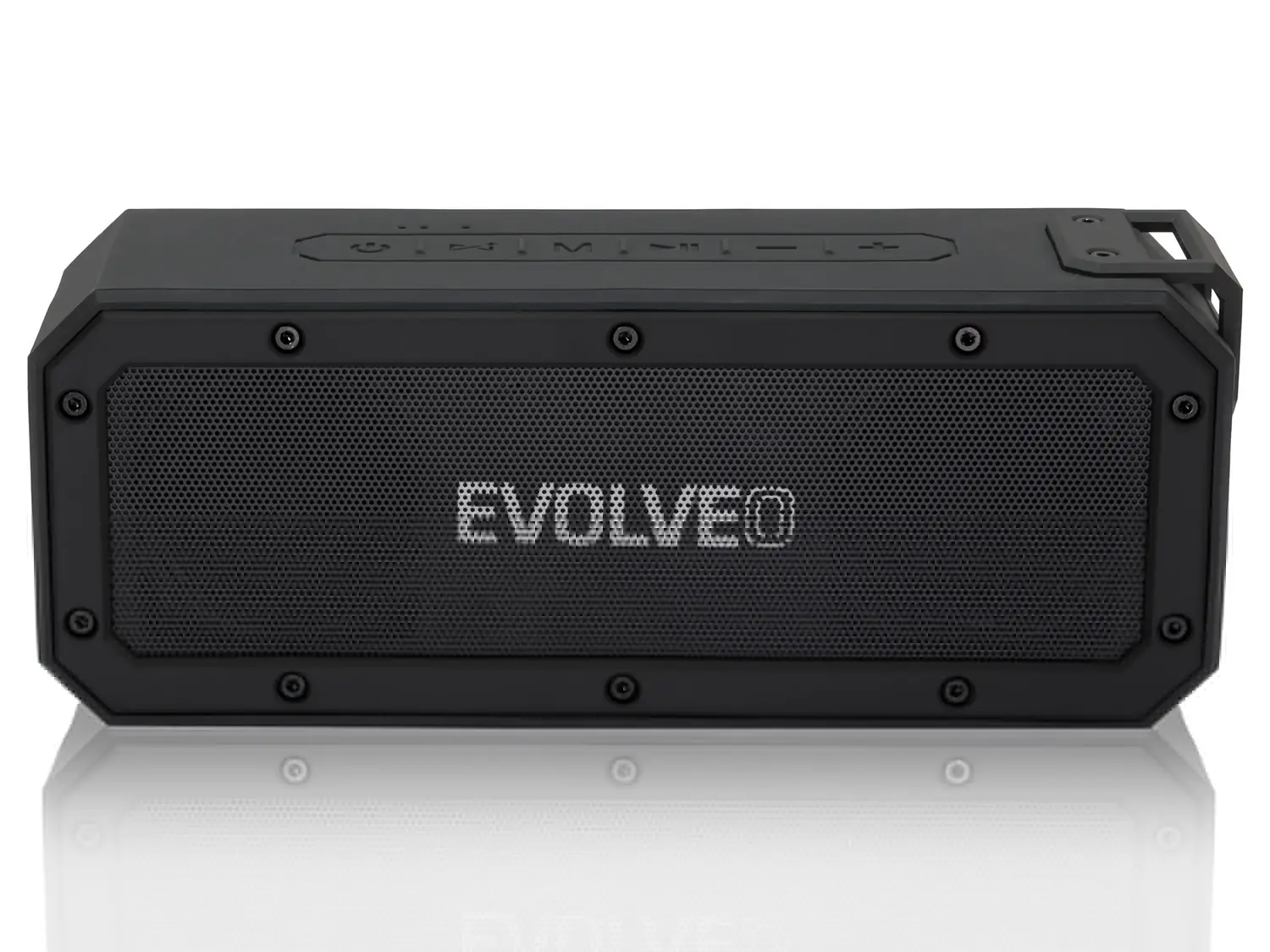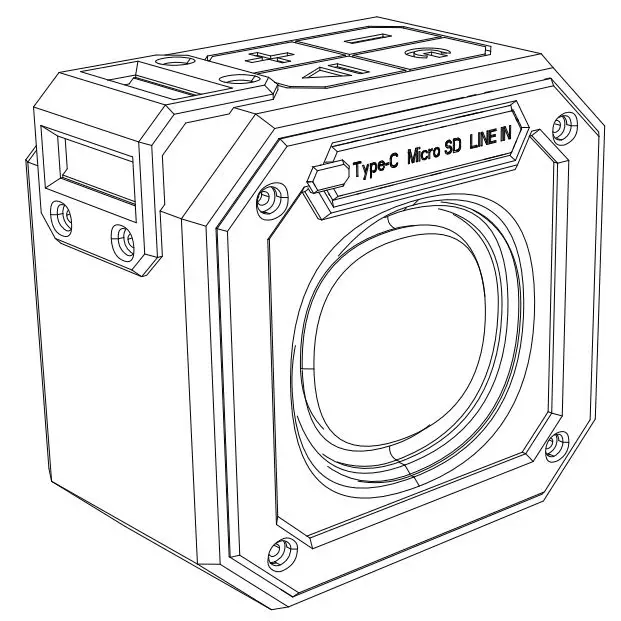
Evolveo Armor Power 6 Speaker Manual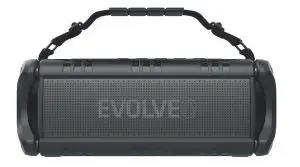
INSTRUCTION MANUAL
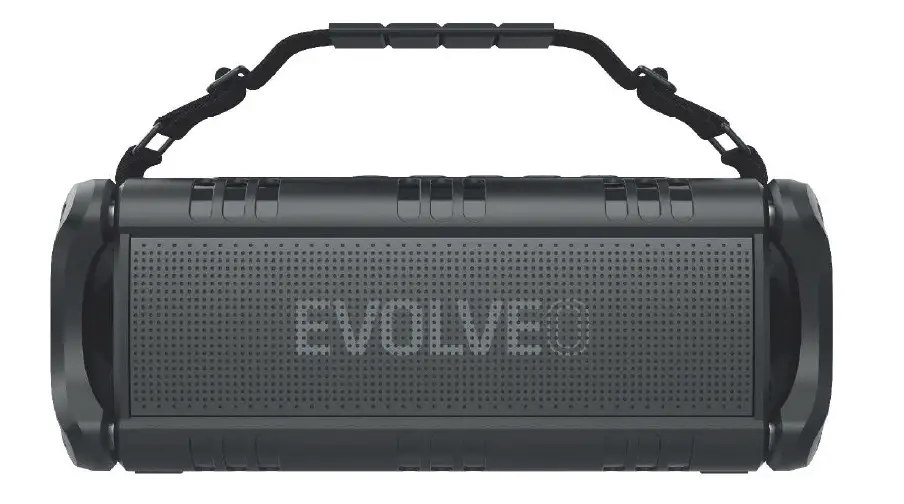
Thank you for purchasing the EVOL VEO Armor Power 6 Bluetooth Speaker.
Before using your new product, please read these instructions carefully and retain this manual for future reference.
Important Instructions
- Please store and use the speaker at normal temperatures;
- Do not expose this product to water or close to any heat source;
- Prevent th is product from falling;
- Do not dismantle or modify the speaker
- Charge the speaker only with the Type-C charging cable.
- Too high volume may damage your hearing;
- In case of fault, disconnect the power supply to prevent further damage;
- The Bluetooth transmission range or connectivity could be affected by low battery power. In that case, please recharge immediately.
Packaging includes
- 1 x Speaker
- 1 x Type-C charging cable
- 1 x AUX-In Cable (<l>3.5mm)
- 1 x User Manual
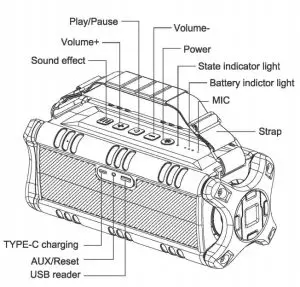
Bluetooth Speaker allows you connected wirelessly. or via 3.5mm audio cable.
Specifications
- Bluetooth 4.2 Class II, support A2DP V1 .2, AVRCPV1 .4 profiles
- Output power: 60W
- Speaker unit:
Diameter 70 mm outside magnet, 20W*2
Diameter 30 mm inner magnet, 1 0W*2 - SNR: ~75DB
- THD: :S10%
- Working time: 24-30 hours (varies by volume level and content)
- Charging voltage/current : TYPE C DC/2000MA
- Support USB Flash Drive, Music format: MP3,WAV,WMA,APE,FLAG
- Transmission: 15M (Vary from environment and devices)
- Battery : 8000mAh
- Charging time: 4-6 hours
- Product size: 320*119*11 Bmm
Charging the speaker
The speaker has built-in Lithium battery. The battery is rechargeable and provides approximately 24-30 hours (varies by volume level and content) of continuous operation once fully charged.
Note: When the battery charge <3%, the speaker will power off automatically.
| USB Reader Mode | Insert USB reader to USB jack | Green LED solid/flash |
| TWS Pairing | Double press”(  )” )” | Blue and Green LED flash alternately |
| TWS Successful Pairing | / | Main device blue LED flashes slowly (every second); Auxiliary device Blue LED solid |
| Disconnect TWS | Press+ – together | Blue LED flashes rapidly (every second) |
| Equalizer | Short press” ” Sound effect button ” Sound effect button | Switch between indoor/outdoor sound mode |
| Volume Up | Short press+ | / |
| Volume Down | Short press – | / |
| Next Song | Long press+ | / |
| Previous Song | Long press- | / |
| Pause/Play/Mute | Short Press” ” (Mute in AXU mode) ” (Mute in AXU mode) | / |
| Low Battery Alarm | Battery Voltage lower than 5% | / |
| Low Battery Shutdown | Battery Voltage lower than 3% | / |
| Charging | Insert SV USB | Red LED solid |
| Charging Finished | Auto completed | Red LED Off |
| Reset | Use the toothpick or other insulator insert AUX hole | LED off |
Note: This Speaker comes with Last memory function on Volume and Mode. When power on, the speaker will continue the Volume and Mode of the last power off. And the default power on Sound effect is Indoor.
Operation
| Items | Instructions | LED States |
| Power On | Long press () 11 for 2-3 seconds Blue LED On under Power off situation | Blue LED On |
| Bluetooth pairing | Enter Bluetooth pairing mode automatically | LED Off |
| Pairing | Select EVOLVEO P6 on your Phone | Blue LED flashes rapidly (every second) |
| Successful Pairing | Select EVOLVEO P6 on your Phone | Blue LED solid/ flashes |
| Disconnect Bluetooth | Press “+” “-” together | Blue LED flashes rapidly (every second) |
| Bluetooth Reconnection | Will connect automatically with the last connected device | Blue LED flashes rapidly (every second) |
| Receive the Call | Short press “” when incoming call (Under TWS, only the Main device have voice) | / |
| Reject the Call | Long press “” when incoming call I (Under TWS, only the Main device have voice | / |
| Hang up the Call | Short press “” when you are on call (Under TWS, only the Main device have voice) | / |
| Call back | Long press “” (Under TWS, only the Main device can talk) | Blue LED solid |
| Turn off | Short press ““ | |
| AUX Mode | Insert AUX to AXU Mode | Green LED solid |
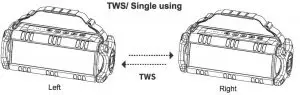
TWS
- Turn on two devices, Blue LED flash.
- Select one of the devices and double press the Power button, and then they will pair each other.(The main device:Blue and Green LED Alternately flash )
- After successfully pairing, Main device blue LED slow flash, auxiliary device blue LED liquid .
- ln your phone, search EVOLVEO P6 and connect, after successfully connecting, the two devices can playmusic together.
- Disconnect TWS, press + – buttons together, the Blue LED fast flash ( every 2 seconds) means ithas been disconnected.
Troubleshooting
| Problem | Solution |
| Unable to pair with a Bluetooth device |
|
| The sound is low or distorted |
|
| The music stops from time to time | Check whether the Bluetooth is too far away from the speaker or there is an obstacle in between |
| Cannot power on or unable to p | The battery maybe low and require recharging |
Do you still need advice after reading this manual?
First read “Frequently Asked Questions” at www.evolveo.com or contact the EVOLVEO Technical Support. This product goes through constant development and improvement. Therefore, it is possible that the actual design, function or operations won’t fully correspond to conditions written in this user manual. Possible differences of the device are not defects, therefore they are notgrounds for a warranty claim.
EVOLVEO -TECHNICAL SUPPORT: http://www.evolveo.com/en/support
Warranty Info
The warranty DOES NOT APPLY to:
- using the device for other purposes
- electrical or mechanical damage caused by improper use
- damage caused by natural elements such as fire, water, static electricity, power surges etcetera
- damage caused by an unauthorized repair
- damage to the guarantee seal or an unreadable serial number on the device
- the battery capacity drops after 6 months of using (6-months battery life warranty)
 Disposal
The symbol of crossed out wheelie bin on the product, within the literature or on the packaging reminds you that in the European Union, all electric and electronic products, batteries and accumulators must be stored as assorted waste after the end of their service life. Do not throw these products into the unsorted municipal waste.
 DECLARATION OF CONFORMITY
Hereby, the company ABACUS Electric s.r.o. declares that the EVOLVEO Armor Power 6 is in compliance with the requirements of the standards and regulations, relevant for the given type of device.
Copyright© ABACUS Electric, s.r.o.: www.evolveo.com
All rights reserved.
Design and specification may be changed without prior notice.
Evolveo Armor Power 6 Speaker Manual – Original PDF
Evolveo Armor Power 6 Speaker Manual – Optimized PDF