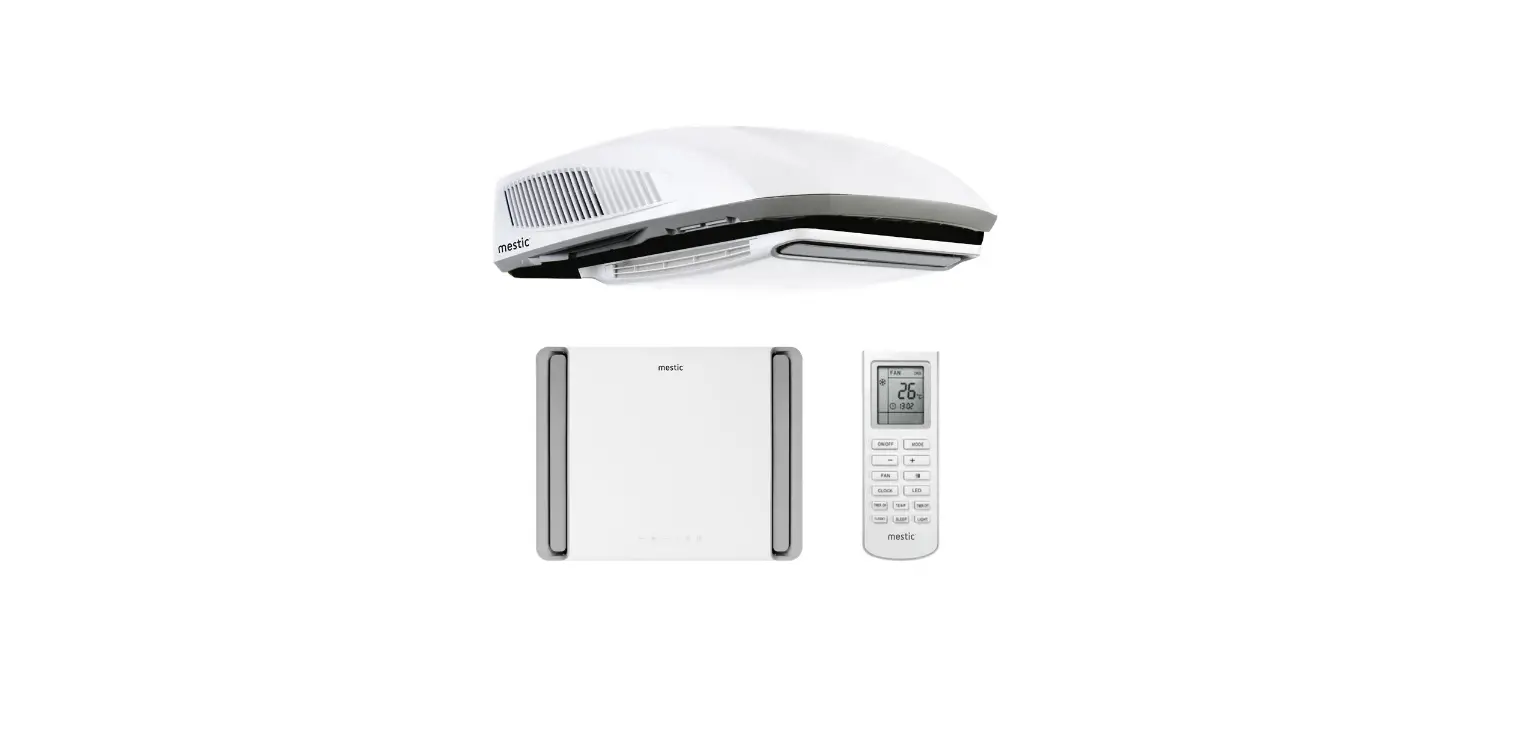
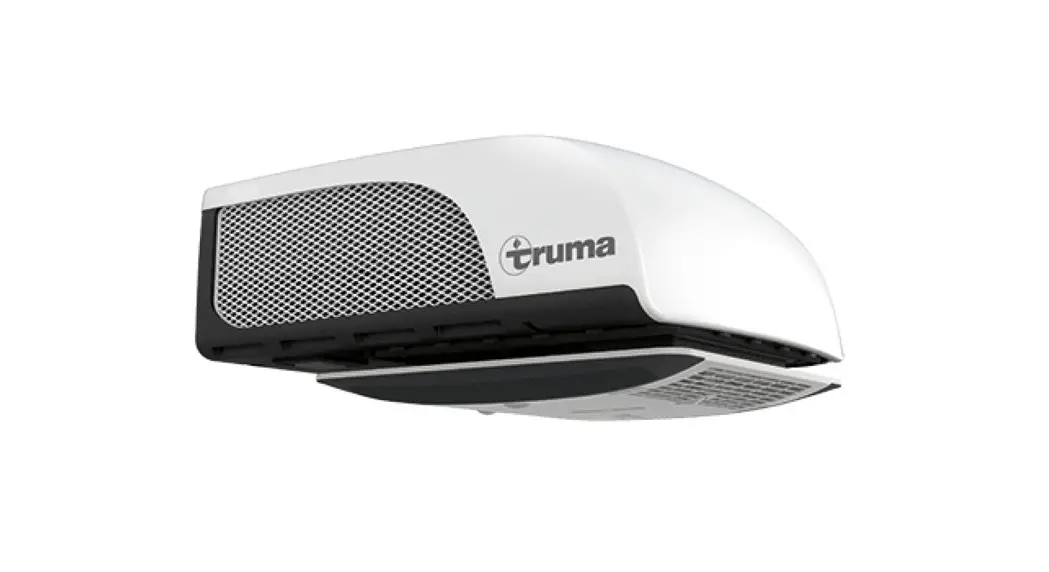
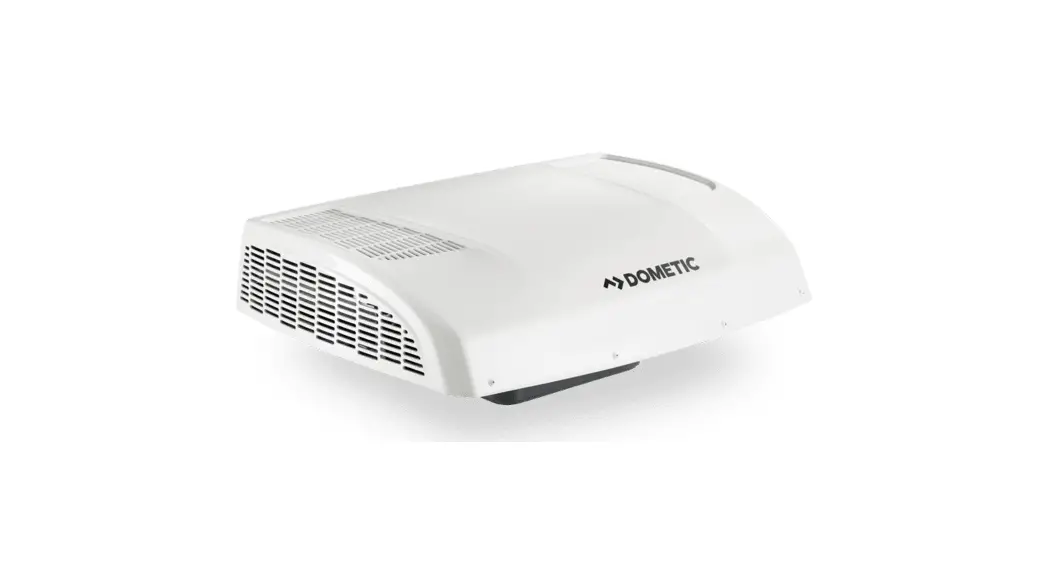
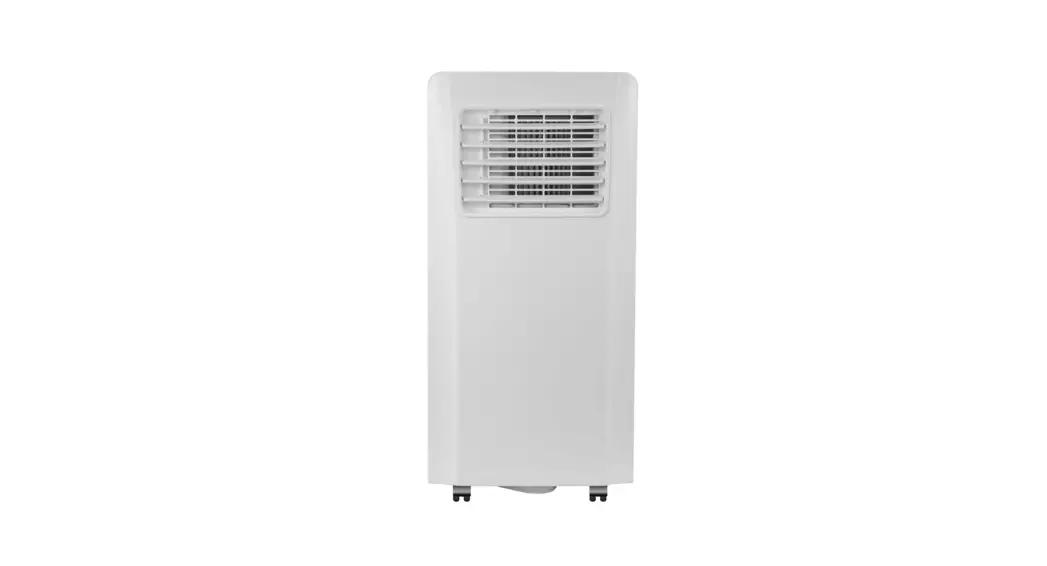
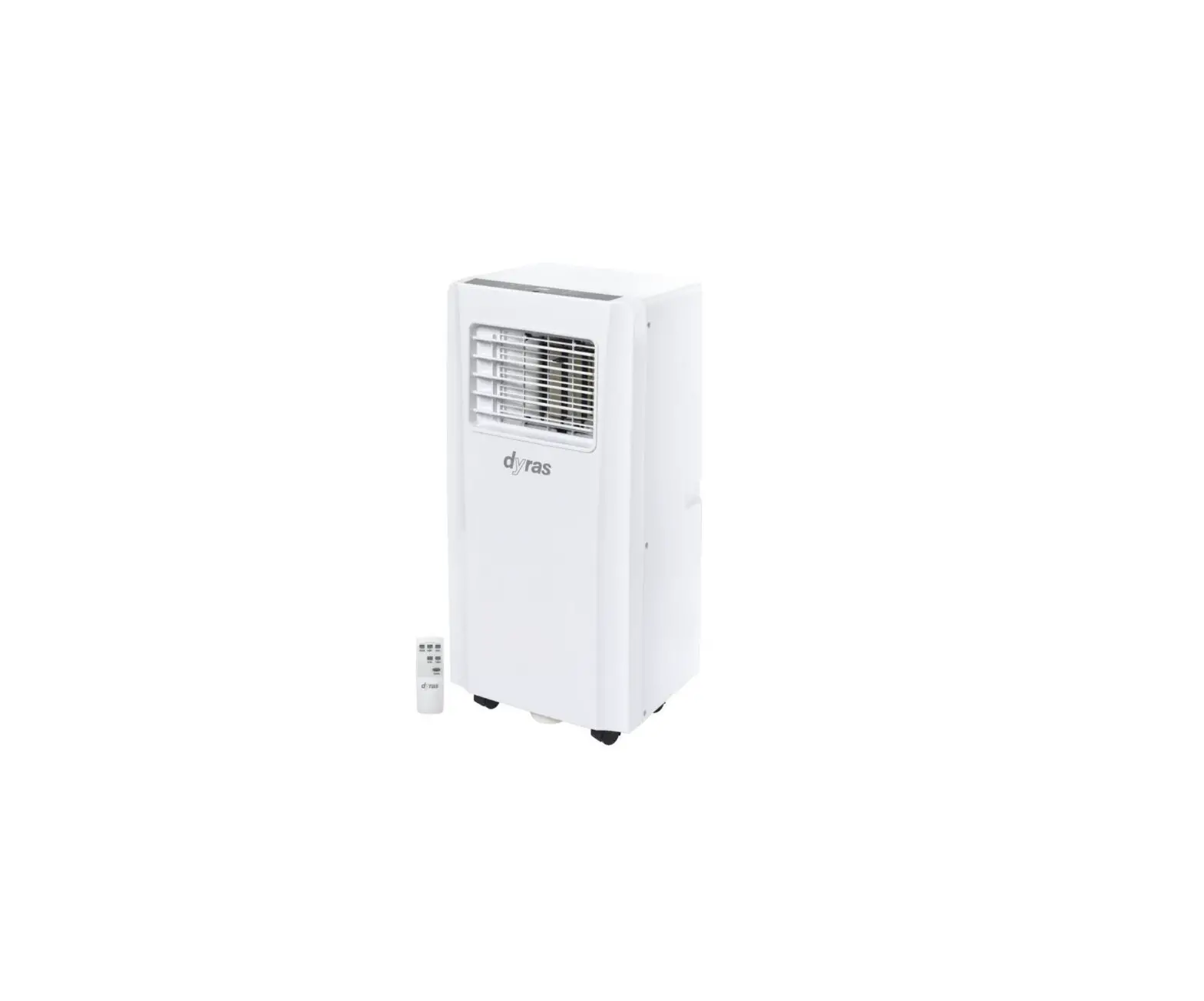
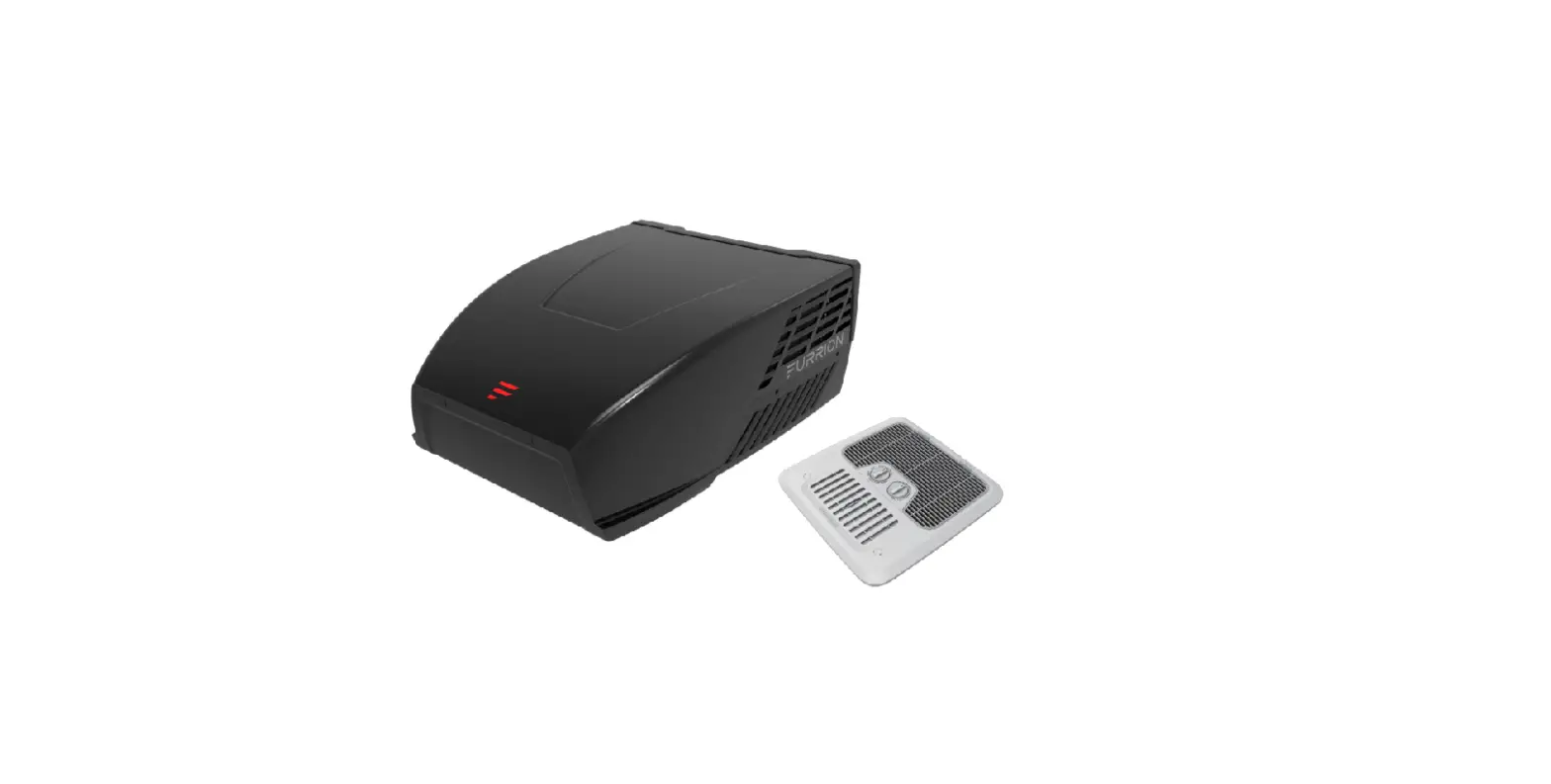
RTA-2600 Rooftop Air Conditioner
Product Information: Rooftop Air Conditioner RTA-2600
- BTU/h: 8870
- Power Consumption: 1160 W
- Noise Level: 53 dB
- Operating Mode: 4 speeds
- Weight: 35 kg
Product Usage Instructions
Step 1 – Sticking the Sealing Strip and Sponge on the Outdoor
Unit
- Ensure the outdoor unit is clean and dry.
- Peel off the backing of the sealing strip and carefully stick
it around the edges of the outdoor unit to create a tight
seal. - Apply the sponge pieces to any gaps or uneven surfaces on the
outdoor unit to further improve the seal.
Step 2 – Selecting an Installation Location & Installing
the Rooftop Air Conditioner
- Choose a suitable location for installation, away from strong
heat sources, flammable/explosive gas, high-frequency devices,
coastal areas, oil/fumes, and sulfureted gas. - Contact a local dealer if unsure about the installation
location. - Follow the provided instructions to install the rooftop air
conditioner securely in the chosen location.
Step 3 – Mounting Outdoor Unit
- Ensure the rooftop air conditioner is securely mounted on the
chosen location.
Step 4 – Installing the Ceiling Assembly
- Follow the provided instructions to install the ceiling
assembly in the desired location.
Step 5 – Electrical Wiring
- Ensure all electrical connections are made in compliance with
local and national electrical codes. - If unsure, contact a qualified electrician for assistance.
Step 6 – Completing the Installation
- Double-check all connections and ensure everything is properly
installed.
Troubleshooting Guide
Refer to the troubleshooting guide in the user manual for
assistance in resolving any issues that may arise during usage.
Normal Maintenance Procedures
Refer to the user manual for instructions on regular maintenance
procedures to keep the rooftop air conditioner functioning
optimally.
WARNING: This air conditioner unit should only
be operated by individuals with appropriate knowledge and
experience. Children should be supervised to prevent them from
playing with the appliance. Installation and electrical connections
should be handled by certified professionals in compliance with
local laws and regulations.
Rooftop air conditioner RTA-2600
8870
BTU/h (1160 W)
53 dB Mode 4 speeds 35 kg
Baby it’s
COOL
INSIDE
User instructions EN
SMART ADVENTURE
2
A few words about your new air conditioning unit
8
Electrical data
8
Electric diagram
9
Packing list
10
Parts name
11
Operation of wireless remote controller
12
Control panel
17
Installation instruction
18
Step 1 – sticking the sealing strip and sponge
18
pieces on the outdoor unit
Step 2 – selecting an installation location &
installing the roof top air conditioner
19
Step 3 – mounting outdoor unit
22
Step 4 – installing the ceiling assembly
23
Step 5 – electrical wiring
25
Step 6 – completing the installation
27
Troubleshooting guide
28
Error code
29
Normal maintenance procedures
30
3
4
WARNING:
· This appliance is not intended for use by persons (including children) with reduced physical, sensory or mental
capabilities, or lack of experience and knowledge, unless they have been given supervision or instruction concerning use of the appliance by a person responsible for their safety. Children should be supervised to ensure that they do not play with the appliance.
· This appliance can be used by children aged from 8 years and above and persons with reduced physical, sensory
or mental capabilities or lack of experience and knowledge if they have been given supervision or instruction concerning use of the appliance in a safe way and understand the hazards involved.
· Children shall not play with the appliance. · Cleaning and user maintenance shall not be done by children without supervision. · When the refrigerant leaks or requires discharge during installation, maintenance, or disassembly, it should be
handled by certified professionals and/or in compliance with local laws and regulations.
5
INSTALLATION PRECAUTION
WARNING:
· Observe all governing codes and ordinances. · Do not use damaged or non-standard power cord. · Be caution during installation and maintenance. Prohibit incorrect operation to prevent electric shock, casualty
and other accidents. · Before turning on the unit, please open the horizontal louver of indoor unit by hand, Otherwise, the cool air can’t
be blown out and there will be condensate water on the horizontal louver. · The appliance contains the flammable gas R32. · Be aware that refrigerants may be odorless. · The appliance shall be installed, operated and stored in a room with a floor area larger than 4 m2. · The appliance shall be stored in a room without continuously operating ignition sources. (For example: open
flames, an operating gas appliance or an operating electric heater.) · The appliance shall be stored in such a way as to prevent mechanical damage from occurring. · Keep any ventilation openings clear of obstruction. · Do not use means to accelerate the defrosting process or to clean, other than those recommended by the
manufacturer. · Should repair be necessary, contact your nearest authorized service centre. Any repairs carried out by unqualified
personnel may cause dangerous situations.
Working temperature range
Suggested working temperature range: -5 ~ 46°C . (heating:-5~24°C/cooling:+18~46 °C ). The outdoor unit may stop operating, due to various kinds of protection within the working temperature range.
Selection of Installation Location
Basic requirement Installing the unit in the following places may cause malfunction. If it is unavoidable, please consult the local dealer: 1. The place with strong heat sources, vapors, flammable or explosive gas, or volatile objects spread in the air. 2. The place with high-frequency devices (such as welding machine, medical equipment). 3. The place near coast area. 4. The place with oil or fumes in the air. 5. The place with sulfureted gas. 6. Any other place with special circumstances.
7. This air conditioner unit is only used for the vehicle without concave and convex surface on the top of it. 8. Prohibit operating this air conditioner unit when starting up the vehicle or when the vehicle is driving. 9. Prohibit supplying the power for the air conditioner unit with the vehicle power supply.
Requirement of air conditioner 1. Air inlet should be far away from obstacles and do not put any objects near air outlet. Otherwise, it will affect the
radiation of heat-removal pipe. 2. Select a location where the noise and outflow air emitted by the outdoor unit will not affect neighborood. 3. Please try your best to keep far away from fluorescent lamp. 4. The appliance shall not be installed in the laundry.
6
INSTALLATION PRECAUTION
Requirements Forelectric Connection Safety precaution
1. Must follow the electric safety regulations when installing the unit. 2. According to the local safety regulations, use qualified power supply circuit. 3. For appliances with type Y attachment,the instructions shall contain the substance of the following.If the supply
cord is damaged,it must be replaced by the manufacturer, its service agent or similarly qualified persons in order to avoid a hazard. 4. Properly connect the live wire, neutral wire and grounding wire of power socket. 5. Be sure to cut off the power supply before proceeding any work related to electricity and safety. 6. Do not put through the power before finishing installation. 7. the air conditioner is first class electric appliance. It must be properly grounding. With specialized grounding device by a professional. Please make sure it is 8. The yellow-green wire or green wire in air conditioner is grounding wire, which can’t be used for other purposes. 9. The grounding resistance should comply with national electric safety regulations. 10. The appliance shall be installed in accordance with national wiring regulations.
7
A FEW WORDS ABOUT YOUR NEW AIR CONDITIONING UNIT
Thank you for choosing the Recreational Vehicle Air Conditioner. This manual will supply you with all the information for installation, operation and maintenance. Take a few minutes to discover how to get the most in cooling comfort and economic operation from your new air conditioner. Please keep this manual well for future reference. An all-pole disconnection switch having a contact separation of at least 3mm in all poles should be connected in fixed wiring. As well as an circuit breaker with the capacity of 10A. The circuit breaker should include a magnetic and thermal release function, so it can protect against short-circuiting and overloading.
ELECTRICAL DATA
1. All wiring must be complied with local and national electrical codes. All wiring must be installed by qualified electricians. If you have any questions about the following instructions, contact a qualified electrician.
2. Check the available power supply and resolve any wiring problems BEFORE installing and operating this unit. 3. This air conditioner is designed to operate from a 220-240V AC, 50Hz, 1 Phase power supply. 4. The wiring diagrams are located on the cover of the control box. The assembly unit wire diagrams are located on
the ceiling panel. 5. If the supply cord is damaged, it must be replaced by the manufacturer, its service agent or similarly qualified
persons in order to avoid a hazard. 6. The Electric schematic diagram are subject to change without notice. Please refer to which one on the unit.
8
INDOOR UNIT
OUTDOOR UNIT
ELECTRIC DIAGRAM
Ceiling Assembly
AP1 DISP1 DISPLAY
BOARD
ROOM
CN1
WIFI
CONNECTOR
RT1
ROOM
SENSOR
CONNECTOR
LAMP MODULEAP2
AP3 WIFI MODULE
OPTIONAL
Roof Top Air Conditioner
CAP.
OUTDOOR TUBE OUTROOM
TUBE SENSORSENSOR SENSOR
4-WAY VALVE
RD C1 BN
RT1 RT2 RT3
4YV
IN_FAN M1 MOTOR
YEGN
(20K) (20K) (15K)
VT
VT
(WH) (BK)
PE
4WAY N1
T-SEN
FAN
DISP1
AP1 MAIN BOARD
L BN N BU
YEGN
POWER PE
N
AC-L
K7 COMP
OFAN
BU BU
CAP. WH RD
C3 SC COMP
R
COMP.
YEGN
M2 OUT_FAN
MOTOR
PE RD CAP. BN
C2
9
PACKING LIST
LED
1
2
3
4
5
6
7
8
9
10
11
12
13
14
15
16
17
1. Owner’s manual 2. Mounting plate 3. Remote controller 4. Battery (AAA 1.5V) 5. Double-sided gummed paper 6. Remote controller holder 7. Sunk screw (remote controller
holder)
10
18
8. Foam (up) 9. Foam (accessory) 10. Sponge (foam accessory) 11. Mounting plate sub-assy 12. Bolt sub-assy M8X135 13. Sponge (sealing strip) 14. Sponge 15. Insulating sheath
16. Bundle 17. Bolt sub-assy M6X25 18. Tapping screw
PARTS NAME
Indoor Unit
Filter sub-assy Air-in grille LED indicator
Air-outgrille
Control panel (membrane)
(Display content or position may be different from above graphics, please refer to actual products)
Remote controller
Outdoor Unit
Outer case
Air-in grille Drainage outlet
Chassis
Notice:
Actual products may be different from above graphics, please refer to actual products.
11
OPERATION OF WIRELESS REMOTE CONTROLLER
Buttons
2
1
1. ON/OFF button
4
2. Mode button
3
3. Fan button
4. – / + button
5
6
5. Menu button
6. LED button
7. Turbo button
8
7
8. SET button
Operation mode
Icons on display screen
Set fan speed Send signal Auto mode Cool mode Dry mode Fan mode Heat mode Sleep mode Light X-FAN function Indoor ambient temp. Clock Set temperature WIFI function Set time TIMER ON/ TIMER OFF Up & down swing Child lock 12
INTRODUCTION FOR BUTTONS ON REMOTE CONTROLLER
Note: · This is a universal remote controller, it can be used for multifunctional air conditioners. If an air conditioner model
does not have a specific function, and the corresponding button is pressed, the unit will continue running in its original status. · After turning on the power, the air conditioner will give out a sound and the operation indicator ” ” is on. Now, you can operate the air conditioner through the remote controller. · When the power is on, every time a button is pressed on the remote controller, the signal icon ” ” on the remote controller will flash once. The air conditioner will give out a sound, which indicates the signal has been sent to the air conditioner.
1. On/off button
· Press this button to turn the air conditioner on. Press this button again to turn the air conditioner off.
2. Mode button
· Press this button to select your required operation mode.
AUTO COOL DRY
FAN
HEAT
· In “AUTO” mode, the air conditioner will automatically operate according to the ambient temperature. The set
temperature cannot be changed and will not be displayed. By pressing the “FAN” button, the fan speed can be adjusted.
· In “COOL” mode, press the “+” or “-” button to change the set temperature. To adjust the fan speed, press
the “FAN” button.
· In “DRY” mode, the air conditioner operates at low speed. The fan speed cannot be adjusted. · In “FAN” mode, only the fan is turned on, without any cooling or heating. Press the “FAN” button, to adjust the
fan speed.
· In “HEAT” mode, press the “+” or “-” button to change the set temperature. To adjust the fan speed, press the
“FAN” button.
Note:
· After the “HEAT” mode is selected, the air conditioner will delay air blowing 1-5 minutes, to prevent blowing
cold air. (The actual delay time depends on the indoor ambient temperature.)
· The temperature can be set between 16-30°C (61-86°F).
3. Fan button
· This button is used for setting the fan speed in the following sequence:
AUTO
Low fan
Middle fan
High fan
Note:
· In “AUTO” speed mode, the air conditioner will automatically select the proper fan speed according to the
default setting.
· In “DRY” mode, the fan speed is low. · “X-FAN” function: when the “FAN” button is pressed for 2 seconds in “COOL” or “DRY” mode, the icon ” ”
is displayed and the indoor fan will continue operation for a few minutes in order to dry the indoor unit, even when the unit is turned off. If the “FAN” button is now pressed for 2 seconds, the fan will stop immediately. “X-FAN” is not available in auto, fan or heat mode.
13
4. – / + button
· Press the “+” or “-” button once to increase or decrease the set temperature by 1°C(°F). Hold the “+” or “-”
button down for at least 2 seconds, and the set temperature will change quickly. Once the “+” or “-” button is released after setting the temperature, the temperature indicator on the air conditioner will change accordingly. The temperature cannot be adjusted in “AUTO” mode.
· When setting the “TIMER ON” or the “TIMER OFF” or the “CLOCK”, press the “+” or “-” button to adjust the
time. Look for more information under `Timer on function’, `Timer off function’, or `Clock function’.
5. Menu button
· Press this button to select the desired submenu and press the “SET” button to set the function status of the
submenu. The submenu can be selected circularly as follows:
TIMER ON
TIMER OFF
Blank No Setting
·
Light function
When the light function is selected, the light icon ” ” flashes for 5 seconds. Press the “SET” button within 5
seconds to turn off the display light on the indoor unit. The ” ” icon on the remote controller will disappear as
well. Press the “SET” button again within 5 seconds to turn on the display light and the ” ” icon will be displayed.
·
Sleep function
When the sleep function is selected, the sleep icon ” ” flashes for 5 seconds. Press the “SET” button within
5 seconds to turn on the sleep function and the icon ” ” will be displayed on the remote controller. Press the
“SET” button again within 5 seconds to turn off the sleep function and the icon ” ” will disappear.
·
Air outlet grille swing function
Not available for this model.
·
Ambient temperature display function
When the ambient temperature display function icon ” ” flashes for 5 seconds, press the “SET” button within
5 seconds to select the ambient temperature display to be on or off. After setting the ambient temperature
display on, the ” ” icon will be displayed on the remote controller and the ambient temperature will be
displayed on the indoor unit for a few seconds.
· “TIMER ON” function
With the “TIMER ON” function, the time for “TIMER ON” can be set. When the “TIMER ON” function is active, the
” ” icon disappears and the word “ON” flashes on the remote controller. Press the “+” or “-” button to adjust the
“TIMER ON” setting. By pressing the button “+” or “-“, the setting will increase or decrease with 1 minute at a time.
Hold the “+” or “-” button for 2 seconds, the time setting will now change quickly until the required time is reached.
Press the “SET” button within 5 seconds to confirm the new setting. The word “ON” will stop flashing.
To cancel “TIMER ON”: when the “TIMER ON” function has been selected and the word “ON” flashes on the
remote controller, press the “SET” button until the word “ON” disappears.
· “TIMER OFF” function
With the “TIMER OFF” function, the time for “TIMER OFF” can be set. When the “TIMER OFF” function is
active, the ” ” icon disappears and the word “OFF” flashes on the remote controller. Press the “+” or “-”
button to adjust the “TIMER OFF” setting. By pressing the button “+” or “-“, the setting will increase or
decrease with 1 minute at a time. Hold the “+” or “-” button for 2 seconds, the time setting will now change
quickly until the required time is reached. Press the “SET” button within 5 seconds to confirm the new setting.
The word “OFF” will stop flashing.
To cancel “TIMER OFF”: when the “TIMER OFF” function has been selected and the word “OFF” flashes on
the remote controller, press the “SET” button until the word “OFF” disappears.
14
·
Clock function
With the clock function, the clock time can be set. When the clock function is active, the ” ” icon flashes
on the remote controller. Press the “+” or “-” button within 5 seconds to set the clock time. By pressing the
button “+” or “-“, the setting will increase or decrease with 1 minute at a time. Hold the “+” or “-” button for
2 seconds, the time setting will now change quickly until the required time is reached. Press the “SET” button
within 5 seconds to confirm the new setting. The ” ” icon will stop flashing.
6. LED button
· Press this button to turn the LED light on the panel on or off.
7. Turbo button
· In “COOL” or “HEAT” mode, press the “TURBO” button to turn on the quick “COOL” or “HEAT” mode. The
” ” icon is now displayed on the remote controller. When this function is active, the air conditioner will run at a super-high fan speed, to quickly cool or heat. This way the ambient temperature approaches the pre-set temperature as soon as possible.
15
COMBINATION BUTTONS
Child lock function
· Press the “+” and “-” button simultaneously to turn on or to turn off the child lock function. When the child lock
function is on, the ” ” icon is displayed on the remote controller. If the remote controller is now used, the ” ” icon will flash three times without sending a signal to the air conditioner.
Temperature display switch function
· When in “OFF” status, press the “-” and “MODE” button simultaneously to switch the temperature display
between °C and °F.
Replacement of batteries in the remote controller
Signal sender Reinstall
Battery
Remove Cover of battery box
1. Press the backside of the remote controller marked with the ” “, as shown in the figure. Then push out the cover of the battery box in the direction of the arrow.
2. Replace two 7# (AAA 1.5V) dry batteries, and make sure the position of the “+” and “-” poles are correct. 3. Reinstall the cover of the battery box.
Note:
· During operation, point the signal sender of the remote controller at the receiving unit. · The distance between the signal sender and the receiving unit should be no more than 8 meters, and there
should be no obstacles in between.
· The signal of the remote controller may be interfered when there is a fluorescent lamp or wireless telephone in
the room. The remote controller should be close to the unit during operation.
· When replacing the batteries is required, use new batteries of the same model. · If the remote controller is not used for a long time, please take out the batteries. · If the display on the remote controller is blurry or nothing is displayed at all, please replace the batteries.
16
CONTROL PANEL
Note: If the remote controller is missing, operate on the control panel.
ON/OFF indicator
temp. COOL indicator indicator
Reciever window
HEAT indicator
1. ON/OFF button Operation starts when pressing this button, and stops when pressing this button again.
2. LIGHT button Press this button to turn on or turn off display light on indoor unit.
3. (+/-) button Press the + button to increase the set(operating) temperature of the unit,and press the – button to decrease the set(operating) temperature of the unit. the temperature setting range is from 16~30°C (61~86 oF).
4. FAN SPEED button Select the fan speed LOW, MED, HIGH and TURBO in sequence.
5. MODE button Select the operation mode, COOL,FAN, HEAT.
6. FILTER CHECK indicator This feature is a reminder of cleaning the air filter(normal maintenance) for more efficient operation. The light will turn on automatically after the fan works more than 250 hours. If the light is on, turn off and power off the unit, take the air filter out and clean it, then re-install the air filter, power on and turn on the unit, the light will still be on, press + button for 5s,the light will turn off.
17
INSTALLATION INSTRUCTION
BEFORE INSTALLATION Testrun the unit with proper power supply. Refer to the operation instruction section in the Owner’s Manual Operation & Installation. Make sure all the controls operate correctly then disconnect the power supply of the unit.
WARNING
· Moving parts may cause personal injury. Be careful when test the unit. Do not operate the unit with exterior cover removed.
· The outdoor unit can’t be installed in a lower recess of the roof of the vehicle. It must be mounted at a flat surface on the roof to make sure the rain, car-washing water, condensation water etc. can be drained smoothly. Water shouldn’t be able to accumulate around the outdoor unit. Otherwise, it will cause malfunction or safety hazards as the water will enter the air conditioner.
· Please use the supplied mounting plate to install the outdoor unit. Otherwise, it may cause malfunction or damage.
STEP 1 STICKING THE SEALING STRIP AND SPONGE PIECES ON THE OUTDOOR UNIT
1. Before sticking the sealing strip and sponge pieces to the underside of the outdoor unit, clean the sticking areas as shown in figure 1.
2. Take out the sealing strip and the sponge pieces from the packaging, pull off the paper on the glue surface and align them at the sticking positions as shown in Figure 1. If the sealing strip is damaged or not stuck on the proper position, you must replace it with a new one and stick it properly.
3. Check whether the sealing strip and the sponge pieces are tightly adhered, and ensure that they will not fall off.
Sticking position of sponge (sealing strip)
Sticking position of three pieces of sponge
Figure 1
18
STEP 2-SELECTING AN INSTALLATION LOCATION & INSTALLING THE ROOF TOP AIR CONDITIONER
Your air conditioner has been designed for use in recreational vehicles. Check the roof of the vehicle to determine if it can support both the roof top unit and the ceiling assembly without additional support. Make sure the interior ceiling mounting area will not interfere with existing structures. Once the location for your air conditioner has been determined. A reinforced and framed roof hole opening must be cut (if there is no hole) or you may use existing vent holes.
CASE A.
If a roof vent is already present in the desired mounting location for the air conditioner, the following steps must be performed:
1. Remove all screws which secure the roof vent to the vehicle. Remove the vent and any additional trim. Carefully remove all chalking from around the opening so the surface is clear.
2. It may be necessary to seal some of the old roof vent mounting screw holes which may fall outside of the air conditioner basepan gasket.
3. Examine the roof opening size, if the opening is smaller than 400x400mm, the opening must be enlarged.
CASE B.
If a roof ventilation opening is not used, a new opening must be cut into the roof of the vehicle. A matching opening will also have to be cut into the ceiling inside the vehicle. Be careful as the roof piece can get stuck if the roof is multi-layered. When the opening in the roof and the ceiling are the correct size, a support structure must be fitted between the outside roof and the ceiling inside. The reinforced framework must comply with the following guidelines:
1. It must be capable of supporting both the weight of the roof top air conditioner and the interior ceiling assembly.
Hole for Wires
2. It must be capable of holding the roof outer surface and interior ceiling apart and supporting them, so that when the roof top air conditioner and ceiling assembly are bolted together,no collapsing occurs. A typical support frame is shown in Figure 1-1.
Figure 1-1
3. There must be an opening through the frame for the power supply wiring.Route the supply wiring through the frame at the same time the support frame is being installed.
19
INSTALLATION METHOD OF THE MOUNTING PLATE
If the roof of the vehicle already has an 400x400mm opening: · Choose the installation position for the air conditioner. The mounting adapter is suitable for an opening size of
400×400mm.
Operation method: · Make sure the installation surface is flat. Remove any obstacles around the opening in the roof. · Check whether there are holes or grooves on the installation surface. If so, conduct a sealing treatment to prevent
water leakage. · Fill the groove where the mounting adapter is making contact with the roof of the vehicle with unhardened sealant
(the maximum thickness is 1cm). When the mounting plate is installed on the top of the vehicle, fill the gap between the mounting plate and the vehicle roof with sealant. The mounting adapter should be sealed tightly together with the roof of the vehicle to prevent water leakage. · Install it in the opening in the roof of the vehicle according to the direction indicated by the arrow in figure 1-2 (the direction of the arrow should point towards the front of the vehicle).
Figure 1-2
CAUTION
1. The roof top air conditioner must be mounted on a level plane from front to rear and side to side when the vehicle is parked on a level plane. Figure 2 shows maximum allowable degrees that the unit can be mounted above or below level.
2. If the roof of the vehicle is sloped (not level) such that the roof top air conditioner cannot be mounted within the maximum allowable degree specifications, an exterior leveling shim will need to be added to make the unit level. A typical leveling shim is shown in Figure 3.
3. Once the roof top air conditioner has been leveled, some additional shimming may be required above the interior ceiling assembly. The roof top air conditioner and the interior ceiling assembly must be square with each other before they are secured together.
4. After the mounting hole area is properly prepared, remove the carton and shipping pads from around the roof top air conditioner. Carefully lift the unit on top of the vehicle. Do not use the outer plastic shroud for lifting. Place the roof top air conditioner over the prepared mounting hole.
5. The point end (nose) of the shroud must face toward the front of the vehicle.
20
Note: Try your best to put the unit on the horizontal surface for operation. The unit can only operate for a short time at the maximum sloping angle of 5º for preventing water leakage.
Above Level 5º Max Below Level 0º Max
Level
Level Figure 2
Above or below Level 5º Max
Level Level
400mm 400mm
Height varies to make unit level Figure 3
NOTE AIR CONDITIONER DIMENSIONS (ROOF OF UNIT)
1077
400
(588)
89 400×400
720
Opening
21
STEP 3-MOUNTING OUTDOOR UNIT
1. Open the package and take out the outdoor unit 1) When taking out the outdoor unit after unpacking, do not lift the air outlet grille at the back of outer case (see Figure4-1).
Figure 4.1
Figure 4.2
2. Installing the outdoor unit on the mounting adapter: · Lift the outdoor unit. It is strictly forbidden to lift the air conditioner by the outer frame. · Put it on the mounting adapter on the prepared opening and make sure the sealing strip of the outdoor unit matches with the groove on the surface of the mounting plate. Do not drag the outdoor unit, otherwise the seal may come off.
22
STEP 4-INSTALLING THE CEILING ASSEMBLY
NOTICE
Make sure that you have properly matched the roof top air conditioner and interior ceiling assembly.Caution before tightening bolts:
1. The applicable thickness of vehicle roof ranges from 30mm~80mm.
2. Before tightening bolts, screw in the four bolts manually and prohibit screwing forcibly.
3. When screwing bolts, you can use automatic tool. Do not tighten one bolt completely and then tighten other bolts, in order to prevent sticking of screw thread. When installing the mounting brackets, the 4 long bolts’ screw holes should be aligned with the 4 holes on the adapter. Additionally the mounting brackets should overlap with the surface of the vehicle ceiling. (See Figure 5).
Thickness of vehicle roof is from
Gasket
30mm-80mm
Figure 5
4 bolt (Max torque is from 2.3Nm~2.5Nm)
4 bolt
installation board
bubble wind-path
Overlapping area of mounting board and car roof
4. The max torque for tightening ranges from 2.3Nm~2.5Nm.
23
The following step by step instructions must be performed in the following sequence to ensure proper installation.
1. Carefully take the ceiling assembly out of the carton
5. Before installing the air duct assembly of the
indoor unit of recreational vehicle air conditioner,
2. Remove the ceiling grille from the ceiling assembly.
assemble the foam assembly according to the
thickness of the vehicle’s top. After simulated
3. Then carry the outdoor unit to the vehicle’s top
installation, use an appropriate amount of
and align with the openings on the vehicle’s top.
sponge and foam assembly. Stick the sponge
Use 2 sets of mounting plate assembly and 4
and foam assembly with double faced adhesive
screw bolts to mount the outdoor unit (See fig. 5).
tape (prepared by user) (See fig.5-1, 5-2)..
4. You must start (thread) themounting bolts by hand 6. Install the foam assembly on the air duct assembly.
to avoid cross-threading. DO NOT START THE
Use 4 screw bolts to fix the air duct assembly onto
MOUNTING BOLTS WITH AN AIR GUN. The mounting
the mounting plate. After connecting the outdoor
bolts should be tightened, process is completed when
unit with indoor unit, check whether the foam
the basepan gasket has been evenly compressed.
assembly has come loose (See fig.5).
Gasket
Thickness of vehicle roof is from 30mm-80mm
4 bolt (Max torque is from 2.3Nm~2.5Nm)
Figure 5
4 bolt
installation board
bubble wind-path
Overlapping area of mounting board and car roof
sponge(Num4,5mm)
Figure 5-1
foam(Num 4,14mm)
foam
foam(under)
Figure 5-2
foam wind-path
24
ELECTRICAL WIRING
STEP 5-ELECTRICAL WIRING
ROUTING 220-240V AC WIRING
WARNING : Make sure that all power supply to the unit is disconnected before performing any work on the unit to avoid the possibility of shock or injury and/or damage to the equipment. After the interior ceiling assembly frame is properly secured to the roof top air conditioner, the following electrical connections must be performed.
1. As shown in fig.6, the outdoor unit has two sets of 3. As shown in fig.8, connect the wiring terminals of
outgoing wires, which are power cord (high current)
indoor and outdoor units one by one. Then use
and the control signal wires respectively. The former
a piece of sponge to wrap the wiring terminals
one should be directly connected to the power supply
together, with each terminal separately encircled by
terminal while the latter one should be connected
the sponge. Avoid gaps between each wire.
to the control signal wire of the indoor unit.
2. As shown in fig.7, the indoor unit has one set of control signal wires, with 4 wiring terminals in total.
Outdoor electrical wire Fig 6 Outdoor connect wire
Indoor electrical wire
Fig 8
Fig 7
Display board
4
shown in the picture, use a piece of thermal insulating jacket to enclose the wiring terminals and sponge.
Then glue the thermal insulating jacket and fasten it with cable ties.
25
Fig 8.1
Fig 8.2
Fig 8.3
Fig 8.4
NOTE
1. Cable ties must be attached to the area with both sponge and thermal insulating jacket; 2. Before installing the front panel of indoor unit, put the thermal insulating jacket on top of the air duct.
Fig 8.5
26
Fig 8.6
Insulating sheath Wind-path Front panel
COMPLETING THE INSTALLATION
STEP 6-COMPLETING THE INSTALLATION
To complete the installation and system checkout requirements, the following steps must be performed.
1.
Check the thermostat position. Make sure the thermostat is routed
through the holding guide and is not touching any metal surface.
2.
Secure the ceiling grille to the ceiling assembly wind-path with 4
screws. (see Figure 9).
3.
Install the healthy filter and air intake grill. Press “PUSH” and lock
with clasps.
4.
Switch on the power supply and check the unit work or not.
5.
Once the indoor unit is assembled, if the gap between the panel
and the top of vehicle is not even, please ask the manufacturer to
adjust it according to the assembly status.
4 screw
Front Panel
Fig 9
Filter
Wind-path Front grill
27
TROUBLESHOOTING
TROUBLESHOOTING GUIDE
If you have problems with your recreational vehicle air conditioner, check this guide before contacting your service representative.
TROUBLE
POSSIBLE CAUSE
SOLUTION
The unit can not start
The unit can not cool the room
The unit may not be connected to the power supply correctly.
Check the power supply of the vehicle and make sute it is provided correctly.
The roof top air conditioner is nog level.
Mount the roof top air conditioner as level as possible from front to rear and side to side when the vehicle is parked. Make sure that the mounting of the air conditioner is correct and level.
The temperature setting is too high.
Reset the remote control to a lower temperature setting.
The air filter is dirty.
Remove and clean the filter.
The unit is making noise
The unit has water dripping inside
The room was already very hot before the unit was turned on. The unit is click and gurgle.
The basepan gasket had not been evently compressed.
The unit has ice or frost on the coils
The temperature is low inside. The filter is dirty.
Allow a sufficient amount of time for the unit to cool the room.
These noise are normal during the operation of the unit.
Mounting bolts should be tightened evently by compressing the basepan gasket.
Select FAN mode at HIGH fan speed.
Remove and clean the filter.
28
ERROR CODE
When air conditioner status is abnormal, temperature indicator on indoor unit will blink to display corresponding error code. Please refer to below list foor indenrification of error code.
Error code
Indoor display
Above indicator diagram is only for reference. Please refer to actual product for the actual indicator and position.
ERROR CODE TROUBLESHOOTING
E6/E8
It can be eliminated after restarting the unit. If not, please contact qualified professionals for service.
PL
The power supply voltage is too low. Please check whether the voltage is
correct. It can be eliminated after restarting the unit. If not, please contact
qualified professionals for service.
F1/F2/F3/F4
Please contact qualified professionals for service.
Note: If there’re other error codes, please contact qualified professionals for service.
29
NORMAL MAINTENANCE PROCEDURES
ACTIVETY
FREQUENCY
Remove the cover and wash the condenser coil
Clean the filter (More frequent cleaning may be necessary depending on the air quality)
Twice a year.
When the air conditioner FILTER CHECK light is on.
HOW TO REMOVE THE AIR FILTER
Push both sides of the air intake grill on the positions marked with “PUSH”. Open the air intake grill and then take out the healthy filter.
Front grill
Filter
HOW TO CLEAN THE AIR FILTER
Wash away dust from the air filters with clean water or vacuum the filter with an electric household vacuum cleaner.
WARNING
FAILURE TO FOLLOWING INSTRUCTIONS COULD RESULT IN SERIOUS PERSONAL INJURY
1.
Don’t touch the capacitor terminals without the electric discharge, the capacitor still may have the
high voltage even though the power supply is turned off.
2.
Be careful when you maintain the refrigeration system, which has the high internal pressure.
3.
Do not block the filter and the indoor air inlet badly to prevent water leakage.
30
RECYCLING
This product bears the selective sorting symbol for waste electrical and electronic equipment This means that this product must be handled pursuant to European Directive (2012/19/EU) in order to be recycled or dismantled to minimize its impact on the environment. For further information, please contact your local or regional authorities. Electronic products not included in the selective sorting process are potentially dangerous for the environment and human heath due to the presence of hazardous substances.
DECLARATION OF CONFORMITY
Hereby Gimeg Nederland B.V. declares that the device RTA-2600, applies all basic requirements and other relevant regulations listed in the European directive for electromagnetic compatibility (2014/30/EU) and low voltage directive (2014/35/EU). If you require a full declaration of conformity, you can contact the adress listed on the backside of this manual
31
Importer: Gimeg Nederland B.V.
Strijkviertel 27 3454 PH De Meern The Netherlands