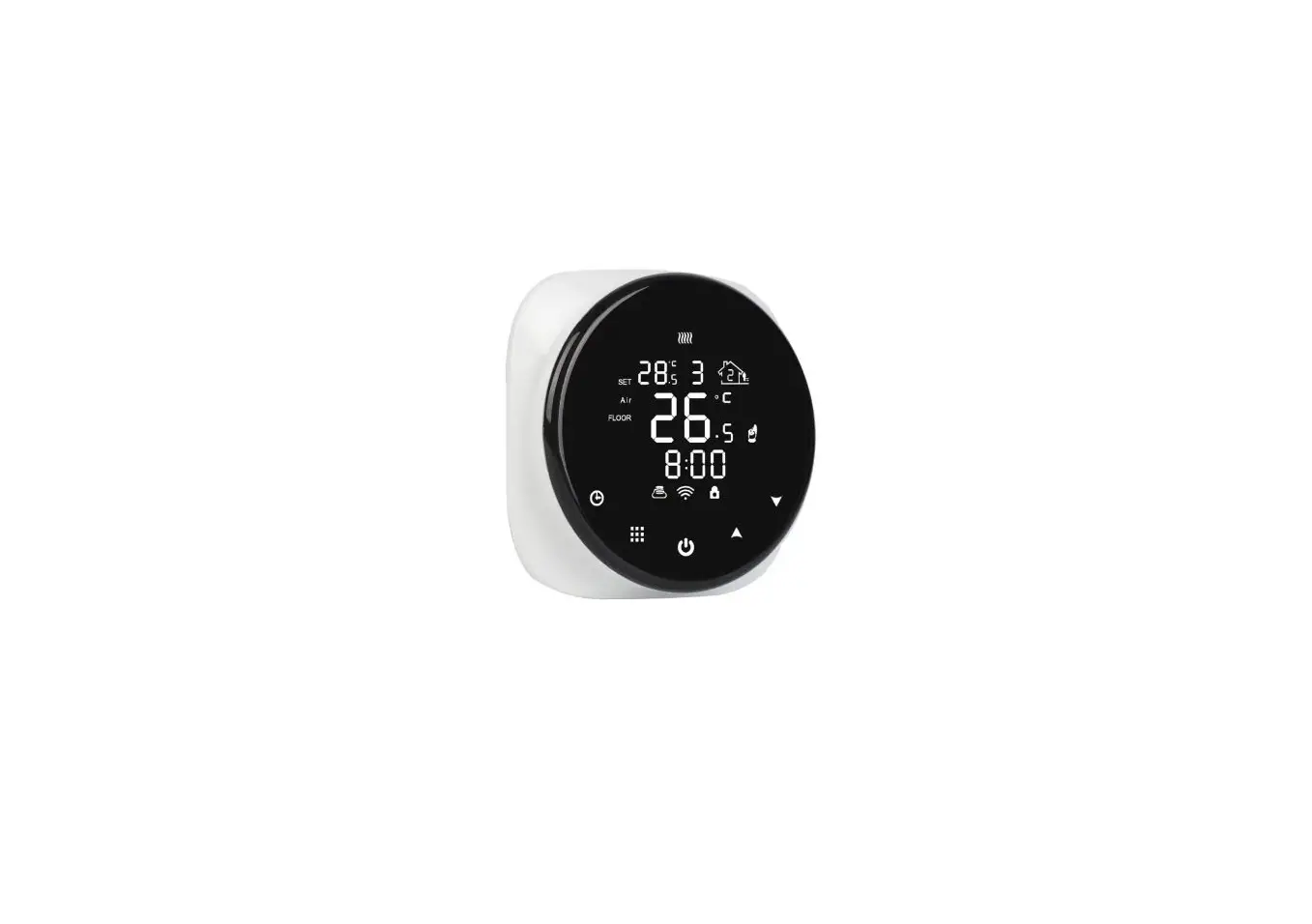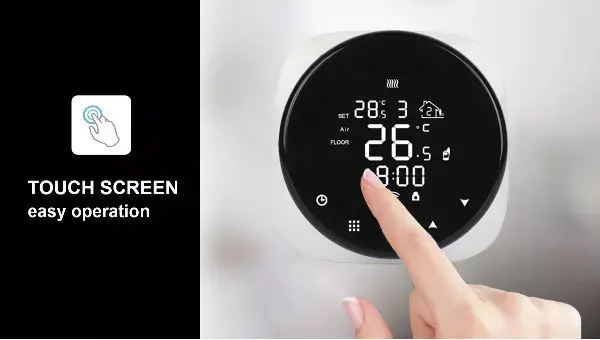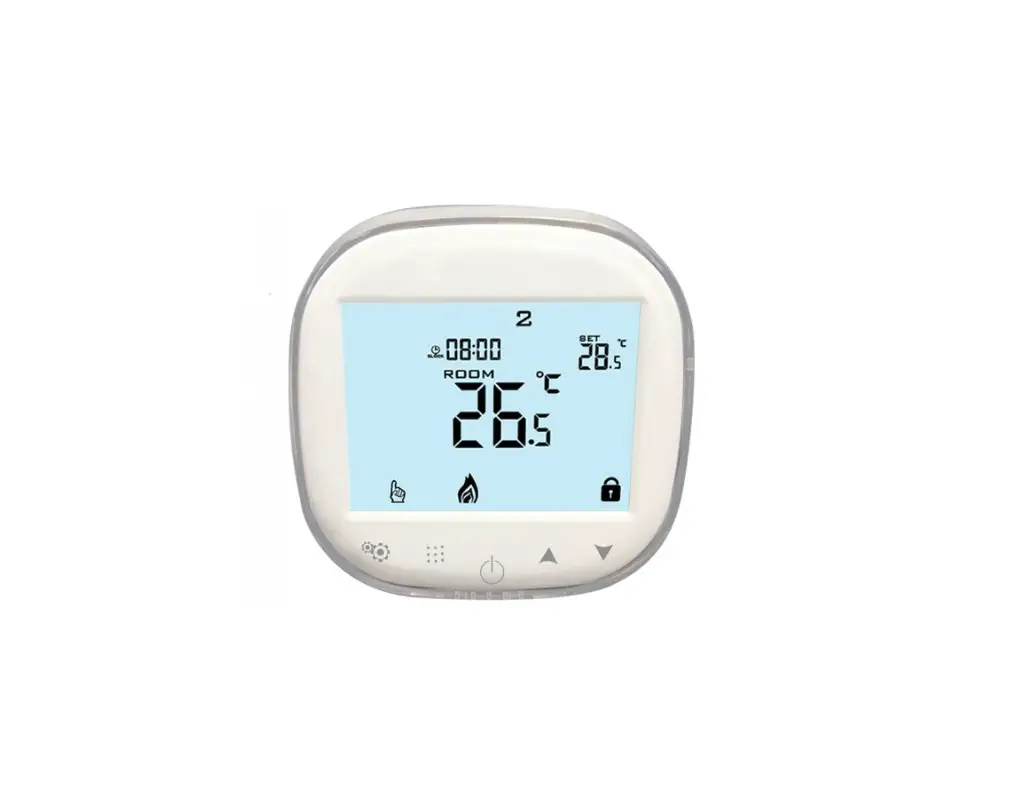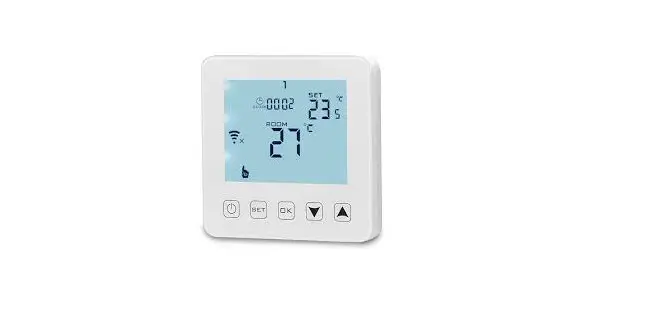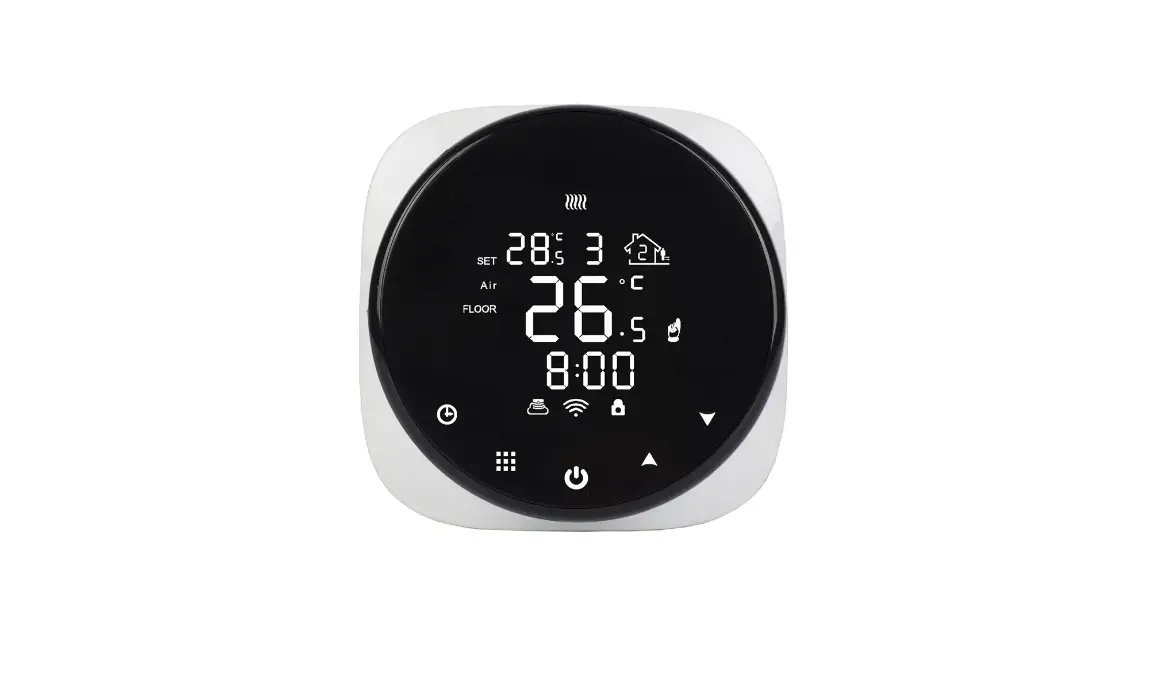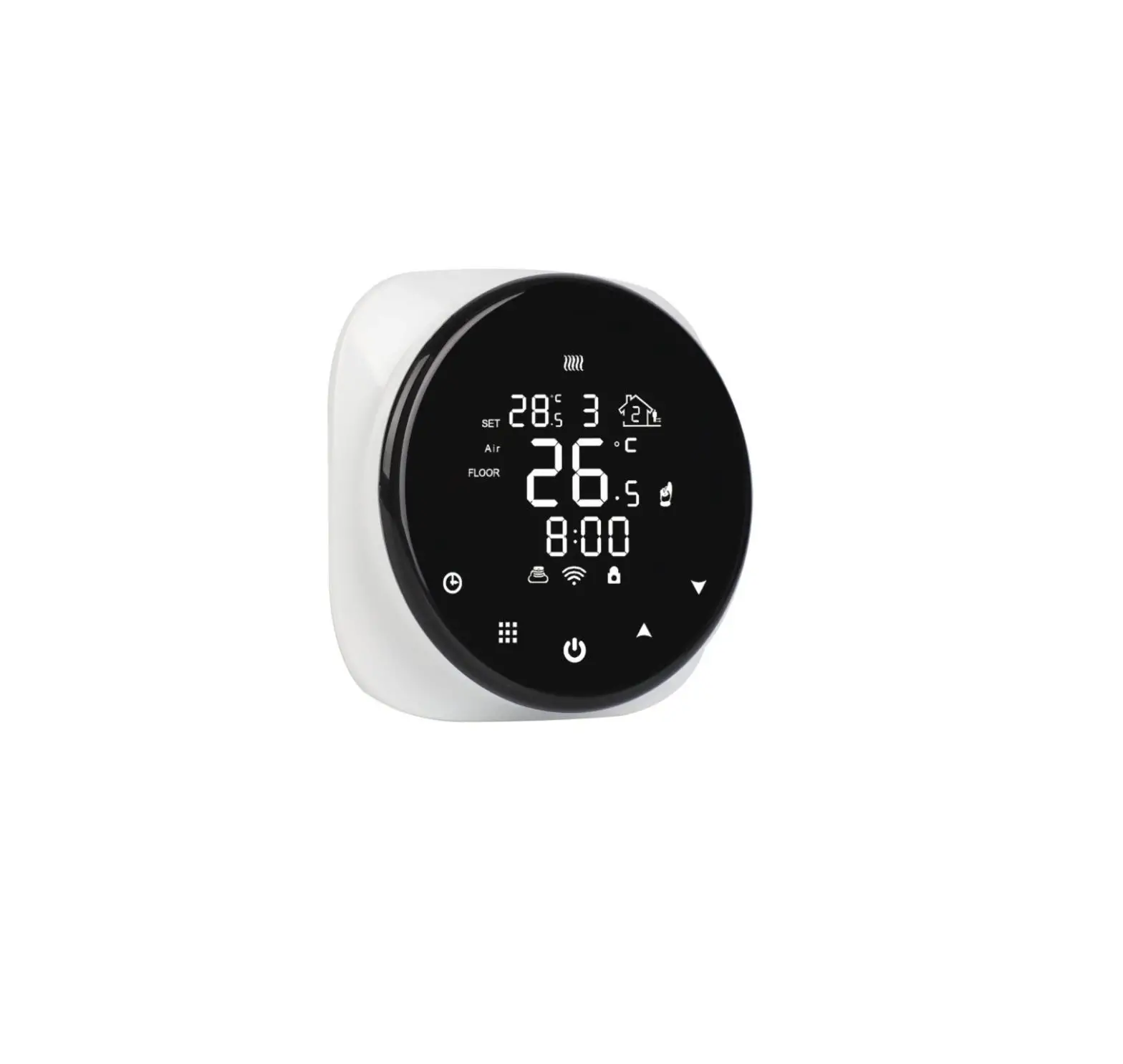
AMATI HY316WE Wifi Thermostat User Manual

Product Specifications
- Power: 90-240Vac 50/60HZ
- Display accuracy:0.5°C
- Contact capacity: 16A/250V(WE)
- Range of temperature display:0~40°C
- Probe sensor: NTC(10k)1%
Before wiring and installing
- Read these instructions carefully. Failure to follow them could damage the product or cause a hazardous condition.
- Check the ratings given in the instructions and on the product to make sure it is suitable for your application.
- Installer must be a trained and qualified Electrician
- After installation is complete check operation as per these instructions
 CAUTION Disconnect power supply before installation to avoid electrical shock or equipment damage.
Start up Where possible you should set up the Wifi by using the attached manual. If unable to do so please see guide below.
When you turn on the thermostat for the first time you will need to set the time and also the number that corresponds to the day of the week (1-7 starting from Monday). This can be done by following the steps below:
- Press the
 button and the time in the top left corner will start flashing.
 - Press
 to get to the desired minute and then press
 - Press to get to the desired hour and then press
- Press to change the day number. 1=Monday 2= Tuesday 3=Wednesday 4=Thursday 5=Friday 6=Saturday 7=Sunday Once you have selected the day press to confirm
 button and the time in the top left corner will start flashing.
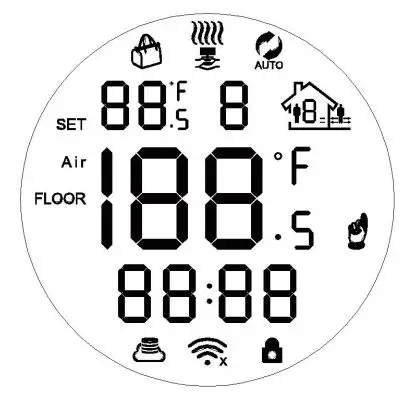
You will now be ready to set the temperature. This can be done by pressing  . The set temperature is displayed in the top right corner.
It is recommended to start out at a low temperature and increase the temperature 1 or 2 degrees a day until you reach a comfortable heat. This only needs to be done once.
Please see the operation key list which shows all the additional functions per button. These can all be controlled via the mobile app if you have paired your device (see attached pairing instructions)
Always check that the temperature limit for the floor probe is set to a suitable temperature for your flooring (typically 27). This can be done in the advanced setting menu A9 (see next page)
Displays
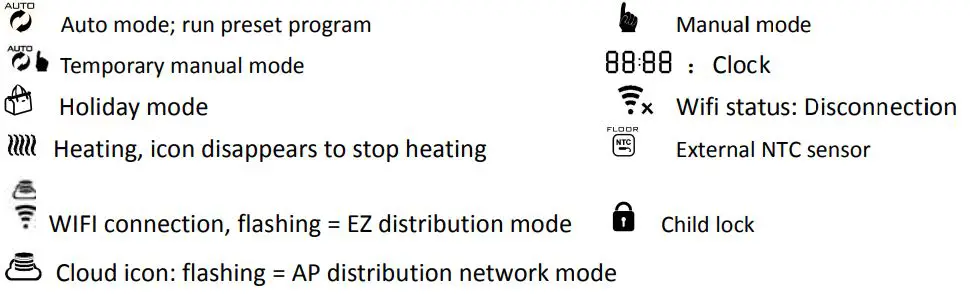
Description of icon
Wiring Diagram
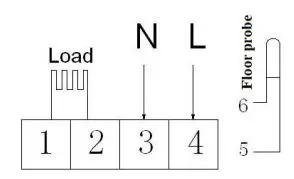 HY316WE Electric heating wiring diagram Connect the heater load to 1 & 2, connect the power supply to 3 & 4 and connect the floor probe to 5 & 6. If you connect it wrongly, there will be a short circuit and the thermostat may become damaged and the warranty will be invalid
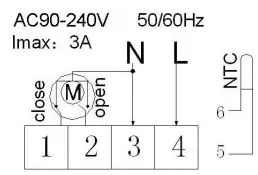 Water heating wiring diagram HY316WW
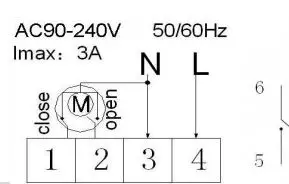 HY316WW-LD Water heating and gas wall-hung boiler heating, no contact wiring diagram,(disconnection when electric valve close) Note:3 & 4 connect with power, 5 & 6 connect with gas boiler,1& 2 connect with thermal actuator, please do not connect 1&2 to gas boiler, If you connect it wrongly, there will be Short circuit, our gas boiler board will be damaged..
Operation key
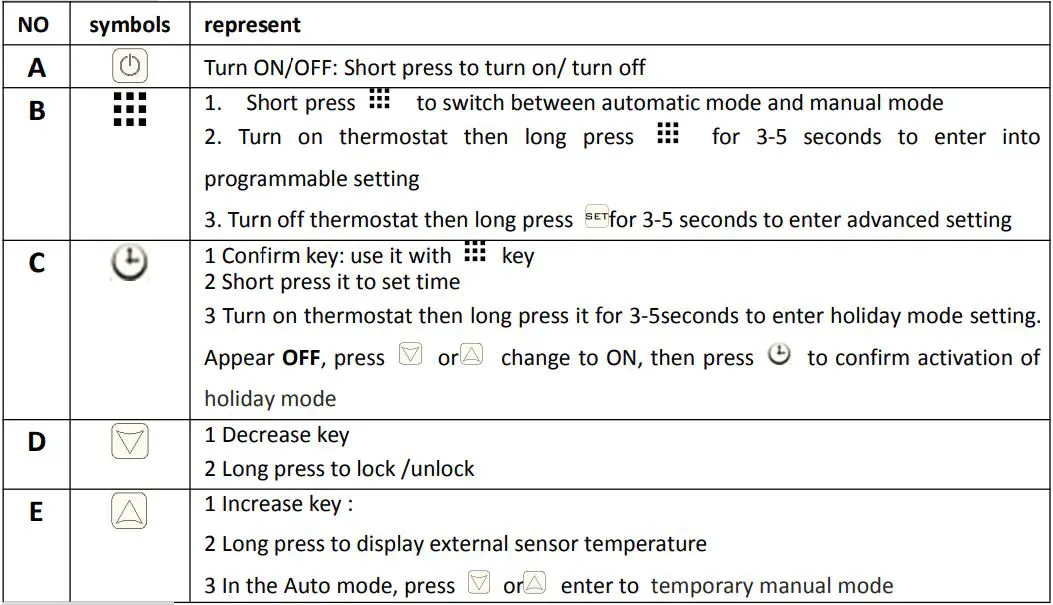
Programmable
5+2 (factory default), 6+1 and 7 day models contain 6 time periods to automate. In the advanced options choose number of days required, when power is on then long press ▦ for 3-5 seconds to enter into programming mode. Short press ▦ to choose: hour, minute, time period, press and to adjust data. Please note after about 10 seconds it will automatically save and exit. See example below.

The optimum comfort temperature is 18-22.
Advanced options
When the thermostat is off long press ▦ for 3-5 seconds to access advanced setting. From A1 to AD, short press ▦ to choose the option, and adjust data by short press ▦ to switch next option.

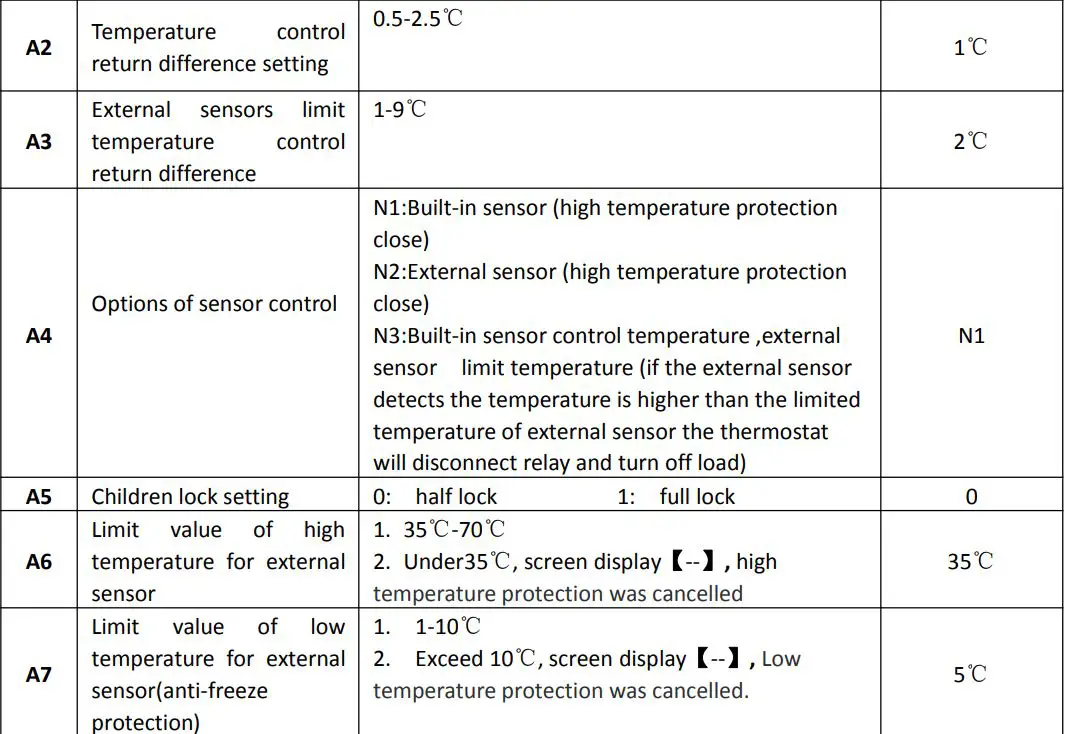
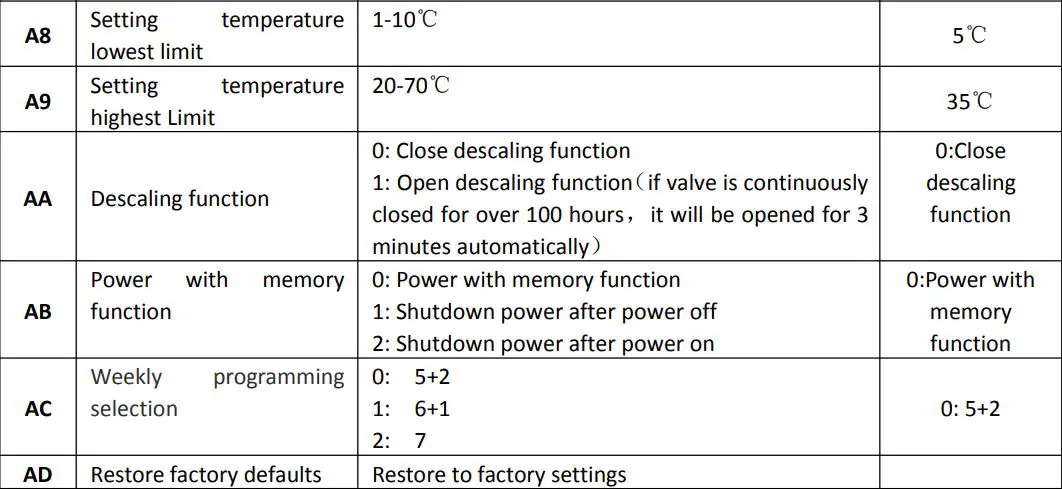
Sensor fault display: Please choose correct setting of built-in and external sensor (option A4), if chosen wrongly or if there is a sensor fault (breakdown) then error “E1” or “E2” will be displayed on the screen.
Thermostat will stop heating until the fault is eliminated.
Warranty
We offer the warranty of 24 months, from the day of purchase. Beyond the warranty period we will charge for the after-sale service.