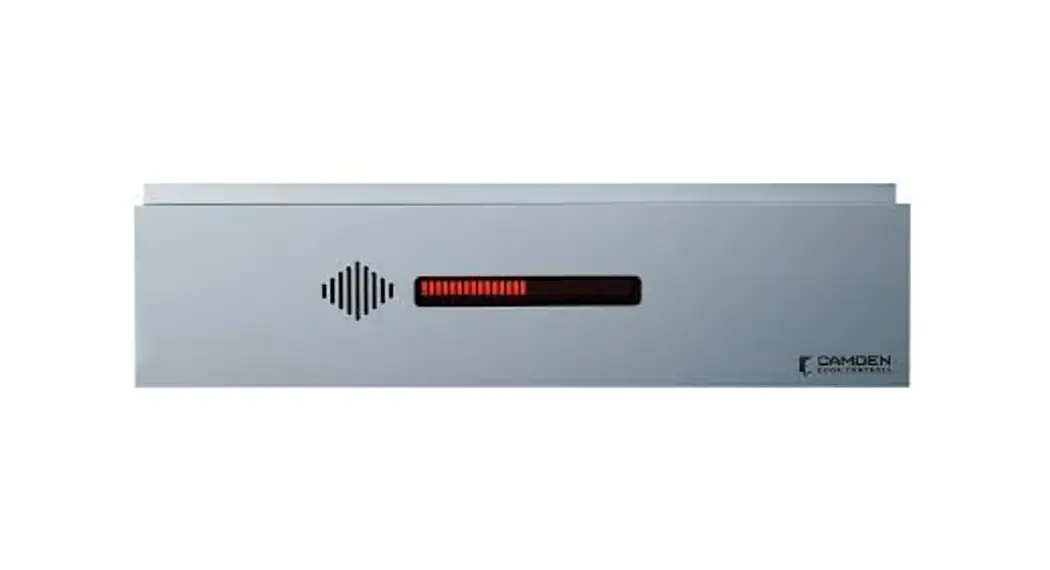
CM-221 ValueWave Touchless Switches
Product Information: CM-221M Touchless Exit Switch with Remote
LED Triggering
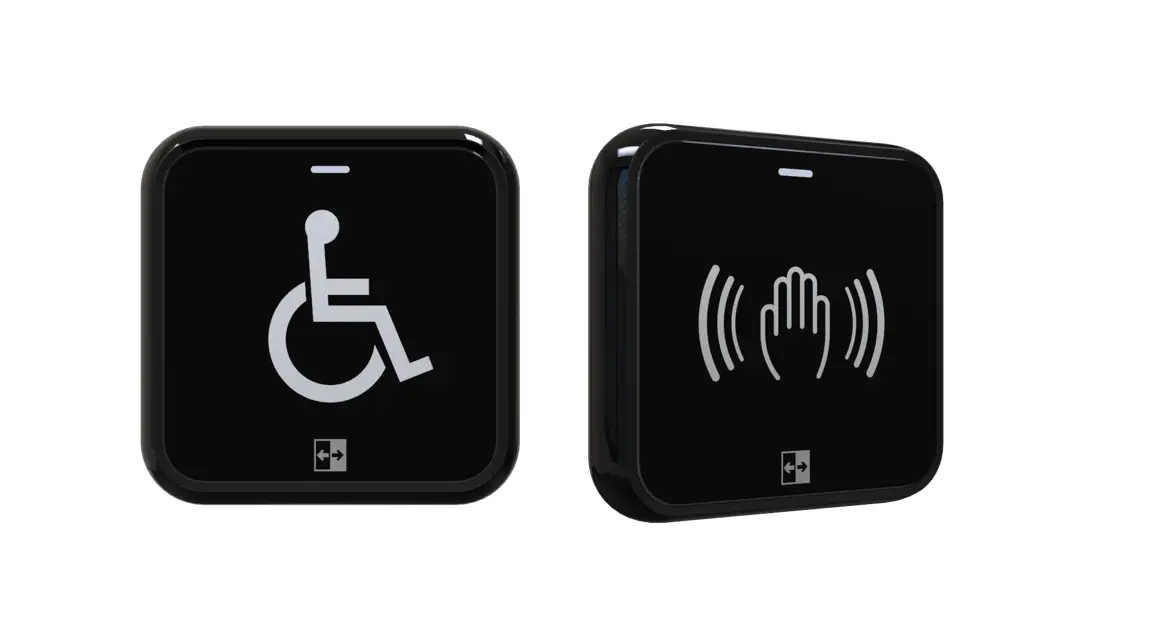
The CM-221M Touchless Exit Switch is a door activation device
that allows you to unlock your door or trigger your door operator
to open the door without having to touch the switch. It comes with
a remote LED triggering feature that allows you to control the LED
states remotely. This unit operates on 12 to 24 VDC +/- 10% voltage
and has a current peak of 45 mA. It has a PIR contact rating of 1
Amp @ 30 VDC with common, N.O., and N.C. contacts. The switch is
available in two dimensions – Narrow (1 3/4 W x 4 1/2 H x 1 1/4 D)
and Single Gang (2 3/4 W x 4 1/2 H x 1 1/4 D).
Specifications:
- Voltage: 12 to 24 VDC +/- 10%
- Current Peak: 45 mA
- PIR Contact Rating: 1 Amp @ 30 VDC with Common, N.O., and N.C.
contacts - Dimensions:
- Narrow: 1 3/4 W x 4 1/2 H x 1 1/4 D (43 mm x 114 mm x 31
mm) - Single Gang: 2 3/4 W x 4 1/2 H x 1 1/4 D (70 mm x 114 mm x 31
mm)
- Narrow: 1 3/4 W x 4 1/2 H x 1 1/4 D (43 mm x 114 mm x 31
Features:
- Touchless operation
- Remote LED triggering
- Toggle feature to trigger the door to remain in the unlocked
position - Adjustment for distance (2 to 8, 5 to 20 cm)
- Adjustment for time delay (0.5 to 20 seconds) for toggle
Operation at a Glance:
In a typical application, as you approach the CM-221, the LED
will be red. When you wave your hand in front of it, it will change
the LED to green and trigger its relay to change state and unlock
your door, or trigger the door operator to open the door. The
toggle feature can be used to trigger the door to remain in the
unlocked position until you wave your hand a second time to relock
it.
Installation Instructions:
- Make sure not to use AC Voltage for this unit. Refer to section
8 for power requirements. - Configure the CM-221M by adjusting the range of detection and
output duration. - Wire the CM-221M to a maglock by connecting the ground (-) of
the maglock to the ground (-) of the VDC power supply. Next,
connect the (+) of the maglock to the (N.C.) of the manual
pushbutton. Connect the common (com) of the manual pushbutton to
the PIR sensor purple wire (normally closed.) Jumper the PIR sensor
blue (common) and red (power +) wires and then connect them to the
(+) positive terminal of the DC power supply. Wire the PIR sensor
black (-) wire to the negative (-) terminal of the DC power
supply.
Configuring the CM-221M:
The CM-221M can also have its LED states controlled remotely.
This is done by installing the supplied jumper from the parts bag
onto the two pins on the back of the unit. Once installed, the
green and red LED’s can be triggered to change by bringing either
one low (to ground). The yellow wire controls the green LED,
whereas, the white wire controls the red LED. They can be
individually turned on or off, or they can be wired to a SPDT
contact to turn red on and green off, or vice versa.
Mode pins: Open (Default position)= Internal mode where the LED
colours will be controlled by the IR sensor. Shorted = External
mode where the LED colours will be controlled by Yellow and White
wires.
Door Activation Devices
CM-221M Touchless Exit Switch with Remote LED Triggering
INSTALLATION INSTRUCTIONS
PARTS INCLUDED IN THE BOX
· (1) CM-221M Touchless Exit Switch with Manual Override pushbutton · (1) Parts bag (Contents: (2) 6-32 X 1/2″ oval head Phillips ss screws, (2) 6-32 X 1/2″ snake eye s/s flat head
screws, (1) Key for tamper proof screws (snake eye), (1) Jumper for factory external LED control) · (1) User/Installation Manual · (1) Faceplate Gasket
1. GENERAL DESCRIPTION
The CM-221M Hands-Free Switch uses active infra-red microburst sensor technology, designed for use in ADA compliant automatic door control applications and access control. The CM-221M switches eliminate the spread of germs by avoiding physical contact, and provide greater convenience when moving through the premises. The switches are available with stainless steel faceplates, in narrow (jamb) or single gang. All models are ROHS compliant with lead-free construction. Built-in remote LED switching allows for integration with third-party applications, such as guard and nurse station annunciators. Adjustable time delay from 0.5 to 20 seconds and an adjustable range from (2″ to 8″ / 5cm to 20cm).
2. SPECIFICATIONS
Voltage Current PIR Contact Rating PIR Contacts
12 to 24 VDC +/- 10% 45 mA (peak) 1 Amp @ 30 VDC Common/ N.O./ N.C.
Dimensions
Narrow: 1 3/4″ W x 4 1/2″ H x 1 1/4″ D (43 mm x 114 mm x 31 mm)
Single Gang: 2 3/4″ W x 4 1/2″ H x 1 1/4″ D (70 mm x 114 mm x 31 mm)
3. FEATURES
· Built-in Red and Green LED indication. Factory default = Red (Standby), Green (Triggered)
· Red and Green LEDs can be controlled by sensor or externally
· Adjustable detecting distance: 2 to 8 Inches (5 cm to 20 cm) · Adjustable Time Delay: 0.5 seconds to 20 seconds · Toggle function selection available · IP65 rating · IR lens to provide stable and reliable operation
4. OPERATION AT A GLANCE
Temperature Range 14F to 122F (-10 to 50 °C)
Response Time
Pushbutton Contact Rating Pushbutton Contacts
10ms 1 Amp, 30 VDC Common/N.O./N.C
In a typical application, as you approach the CM-221, the LED will be red. When you wave your hand in front it will change the LED to green, and trigger its relay to change state and unlock your door, or trigger the door operator to open the door. The toggle feature can be used to trigger the door to remain in the unlocked position, until you wave your hand a second time to relock it.
NOTE: Do NOT use AC Voltage for this unit. Please see section 8 for power requirements
Page 1 of 6
CM-221M TOUCHLESS EXIT SWITCH
INSTALLATION INSTRUCTIONS
5. CONFIGURING THE CM-221M
Range of Detection and Output Duration
Looking at the back of the CM-221M with the Mode pins located at the top, you will see two adjustment potentiometers. The one on the left can be turned clockwise to set the range of detection (2″ to 8″ / 5cm to 20cm), and the one on the right will set the duration of the output (0.5 to 20 seconds). If the output needs to be triggered and maintained in that state until triggered once more, then the Toggle feature can be used by turning the output duration adjustment potentiometer to the fully clockwise position.
Remote LED Switching
The CM-221M can also have its LED states controlled remotely. This is done by installing the supplied jumper from the parts bag onto the two pins on the back of the unit. Once installed the green and red LED’s can be triggered to change by bringing either one low (to ground). The yellow wire controls the green LED, whereas, the white wire controls the red LED. They can be individually turned on or off, or they can be wired to a SPDT contact to turn red on and green off, or vice versa.
MODE PINS: OPEN (Default position)= Internal mode where the LED colours will be controlled by
the IR sensor. SHORTED = External mode where the LED colours will be controlled by Yellow and
White wires.
Adjustment for distance (2″ to 8″, 5 to 20 cm) Turn clockwise to increase range
Adjustment for time delay (0.5 to 20 seconds) For Toggle.
Turn clockwise to increase time delay
-+
Page 2 of 6
6. WIRING THE CM-221
CM-221M TOUCHLESS EXIT SWITCH
INSTALLATION INSTRUCTIONS
1. Connection to a Maglock
Connect the ground (-) of the maglock to the ground (-) of the VDC power supply. Next connect the (+) of the maglock to the (N.C.) of the manual pushbutton. Connect the common (com) of the manual pushbutton to the PIR sensor purple wire (normally closed.) Jumper the PIR sensor blue (common) and red (power +) wires and then connect them to the (+) positive terminal of the DC power supply. Wire the PIR sensor black (-) wire to the negative (-) terminal of the DC power supply.
CM-221M Touchless Switch with manual pushbutton wired to maglock
-+
Jumper must be OFF, the two pins are not shorted
CX-TR Transformer 12, 16 or 24 VAC
120 VAC
CAUTION: All unused wire conductors
should be individually isolated and
taped.
7 6 5 4 3 2 1
CX-PS13 Power Supply 12 or 24 VDC
B- B+ DC- DC+ AC AC
COM N.O. N.C.
BLK WHT RED
7 Wire colored wire harness
#
Color Function
1
Red 12 to 24 VDC
2
Black 0 VDC (Ground)
3
Yellow Green LED controlled by external mode.
4
White Red LED, controlled by external mode.
5
Green Relay: Normally Open
6
Blue Relay: Common
7
Purple Relay: Normally Closed
3 Wire colored wire harness
#
Color Function
1
Red Common
2
Black Normally Open
3
White Normally Closed
– +
Maglock
Page 3 of 6
-+
CM-221M TOUCHLESS EXIT SWITCH WITH REMOTE LED TRIGGERING
INSTALLATION INSTRUCTIONS
2. Connection to a Door Operator
CM-221M Touchless Switch wired to door operator. (Remote LED control)
–
–
–
–
COM
N.O.
N.C.
Jumper must be ON, shorting the two pins to enable remote selection of
LED colors
CAUTION: All unused wire conductors should be
individually isolated and taped.
N.C
Common N.O
SPDT switch to remotely control the green and red LEDs.
7 Wire IR sensor colored wires
#
Color Function
-+
IR Sensor
7 6 5 4 3 2 1
120 VAC
COM N.O. N.C.
CX-TR Transformer 12, 16 or 24 VAC
CX-PS13 Power Supply 12 or 24 VDC
B- B+ DC- DC+ AC AC
CM-221M Touchless Switch wire
7 Wire IR sensor colored wires
# 1
– Color Function
Red 12 to 24 VDC
+
2
Black 0 VDC (Ground)
3
Yellow Green LED controlled by external mode.
4
White Red LED, controlled by external mode.
5
Green Relay: Normally Open
6
Blue Relay: Common
7
Purple Relay: Normally Closed
COM BLK
WHT N.O.
N.C. 7 RED Wire IR sensor colored wires Manual P#ush Color Function
Button
CM-221M Touchless Switch wired to door strike
3 Wire Pushbutton colored wires
#
Color Function
-+
1
Red Common
2
Black Normally Open
3
White Normally Closed
3 Wire Pushbutton colored wires
#
Color Function
—
–
–
–
COM N.O. N.C.
3. Connection to an External Strike
Jumper must be OFF, the two pins must not
be shorted.
CAUTION: All unused wire conductors
should be individually isolated and taped.
CM-221M Touchless Switch wired to door strike
-+
IR Sensor
COM
120 VAC
N.O. N.C.
CX-TR Transformer 12, 16 or 24 VAC
7 6 5 4 3 2 1
CX-PS-13 Power Supply 12 or 24 VDC
B- B+ DC- DC+ AC AC
MO
7 Wire IR sensor colored wires
#
Color Function
1
Red – 12 to 24 VDC
2
Black 0 VDC (Ground)
3
Yellow Green LED controlled by external mode.
4 MOV White Red LED, controlled by external mode.
5
Green Relay: Normally Open
6
Blue Relay: Common
7
Purple Relay: Normally Closed
3 Wir #
COM N.O. N.C.
BLK WHT RED
7 Wire IR sensor colored wires
#
Color Function
Manual Push Button
– +
MOV
3 Wire Pushbutton colored wires
#
Color Function
1
Red Common
2
Black Normally Open
3
White Normally Closed
Pag7e W4 ioref 6IR sensor colored wires
#
Color Function
Fail Locked Strike
3 Wire Pushbutton colored wires
#
Color Function
CM-221M TOUCHLESS EXIT SWITCH WITH REMOTE LED TRIGGERING
INSTALLATION INSTRUCTIONS
7. POWER
The CM-221M is a VDC device only and will accept a range of VDC power from 12VDC to 24VDC (+/- 10%). Do not connect AC voltage to the CM-221M at any time.
Note: A linear output VDC power supply is strongly recommended. If using power from other than Camden’s CX-PS13 filtered regulated power supply, you must measure the provided power before applying power to the CM-221M. Voltages of more than 10% over the specified acceptable range or using a power supply with large amounts of AC voltage on it (unfiltered unregulated power such as a transformer and a rectifier) may damage the CM-221M and void the warranty.
134″ [43mm]
421″ [114mm]
WAVE
TO EXIT OVERRIDE
241″ [57mm] 181″ [28mm]
41″ [5mm] 1″ [26mm]
234″ [70mm]
421″ [114mm]
WAVE
TO EXIT
OVERRIDE
241″ [57mm] 181″ [28mm]
Page 5 of 6
CM-221M TOUCHLESS EXIT SWITCH
INSTALLATION INSTRUCTIONS
3A
2A 3B
2B
1
5
4B
ITEM NUMBER 1. A 2. B A 3. B
ITEM NUMBER 4 5
ITEM NUMBER
4
4C
4A
ORDERING INFORMATION FOR REPLACEMENT PARTS
PART NUMBER
DESCRIPTION
60-31A083
TOUCHLESS SENSOR SWITCH WITH EXTERNAL LED CONTROL
60-49B040-xxx
NARROW STAINLESS-STEEL FACEPLATE
60-49H009L-xxx
SINGLE GANG STAINLESS-STEEL FACEPLATE
60-59H000
GASKET FOR NARROW GANG TOUCHLESS SWITCH
60-59H001
GASKET FOR SINGLE GANG TOUCHLESS SWITCH
PARTS KIT
PART NUMBER
DESCRIPTION
60-34B093
(A) 6-32 X 1/2″ OVAL HD PHILLIPS SS SCREW (B) 6-32 X 1/2″ SNAKE EYE SCREW
(C) KEY FOR TAMPER SNAKE EYE SCREW
60-68D05768D057
METAL PUSHBUTTON
COMPATIBLE MOUNTING BOXES OPTION
PART NUMBER FOR SINGLE GANG
DESCRIPTION
CM-34AL
SURFACE BOX, STANDARD DEPTH, THREADED CONDUIT ENTRY. HEAVY DUTY CAST ALUMINUM 2 3/4″W x 4 1/2″H x 1 3/4″D (70mm x 114mm x 45mm)
CM-34BL
ONE GANG BLACK ABS BOX, SURFACE MOUNT 2 7/8”W x 4 5/8”H x 1 3/4” D (73mm x 117mm x 44mm)
CM-66
FLUSH BOX & DRESS PLATE, STANDARD DEPTH BOX WITH 7” x 7” (178mm x 178mm) DRESS PLATE HEAVY GAUGE STAINLESS STEEL
FOR MULLION
CM-23D
SURFACE BOX WITH EXTRA DEPTH, FLAME, AND IMPACT RESISTANT BLACK POLYMER (ABS) 1 3/4″ W X 4 1/2″H X 1 3/4″D (46MM X 117MM X 43MM)
Opening New Doors to
Call: 1.877.226.3369 / 905.366.3377
Innovation, Quality and Support! Visit: www.camdencontrols.com
File: CM-221M_Manual.indd Revision: 04/04/22 Part No.: # 40-82B308
Page 6 of 6