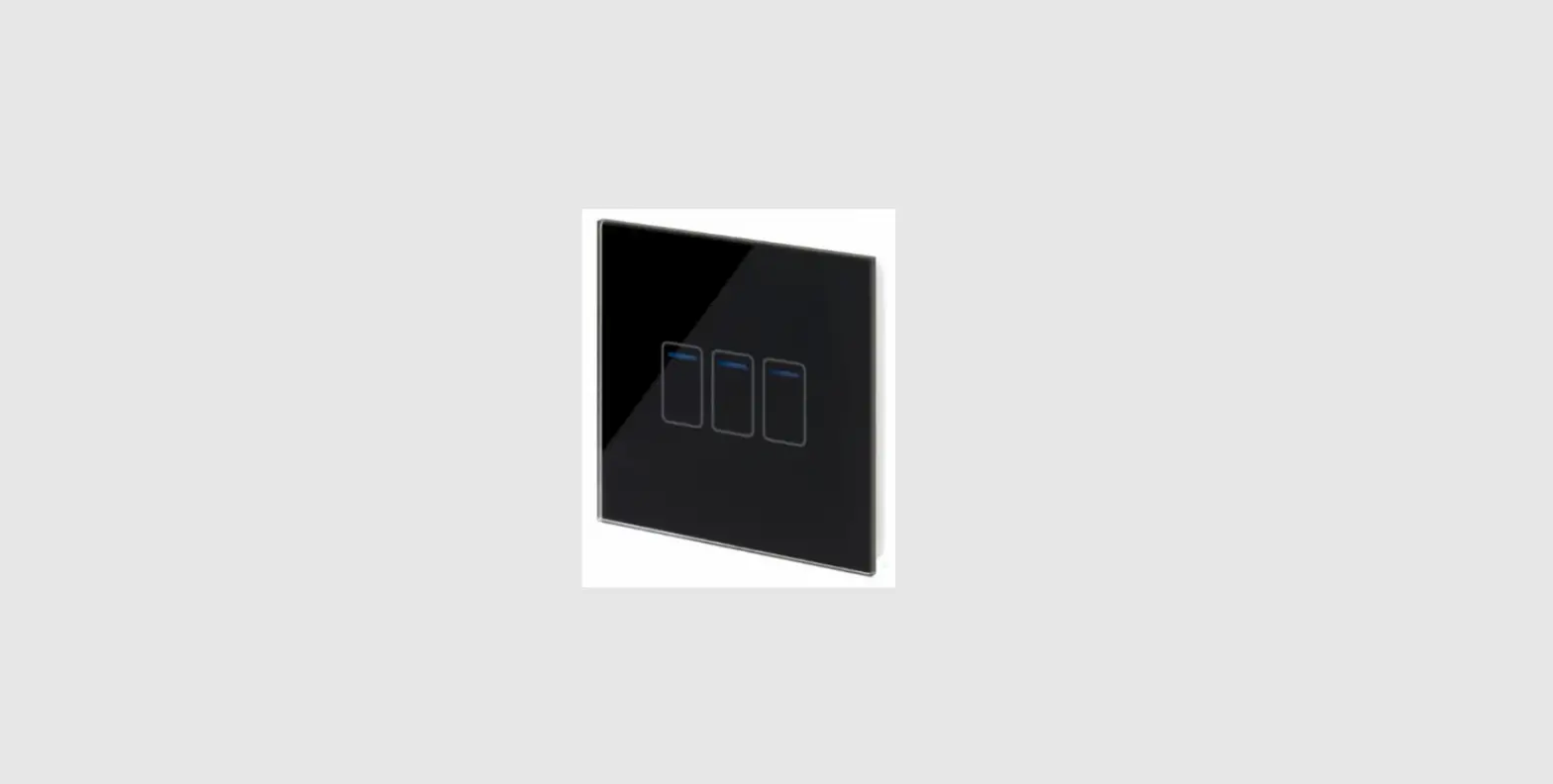
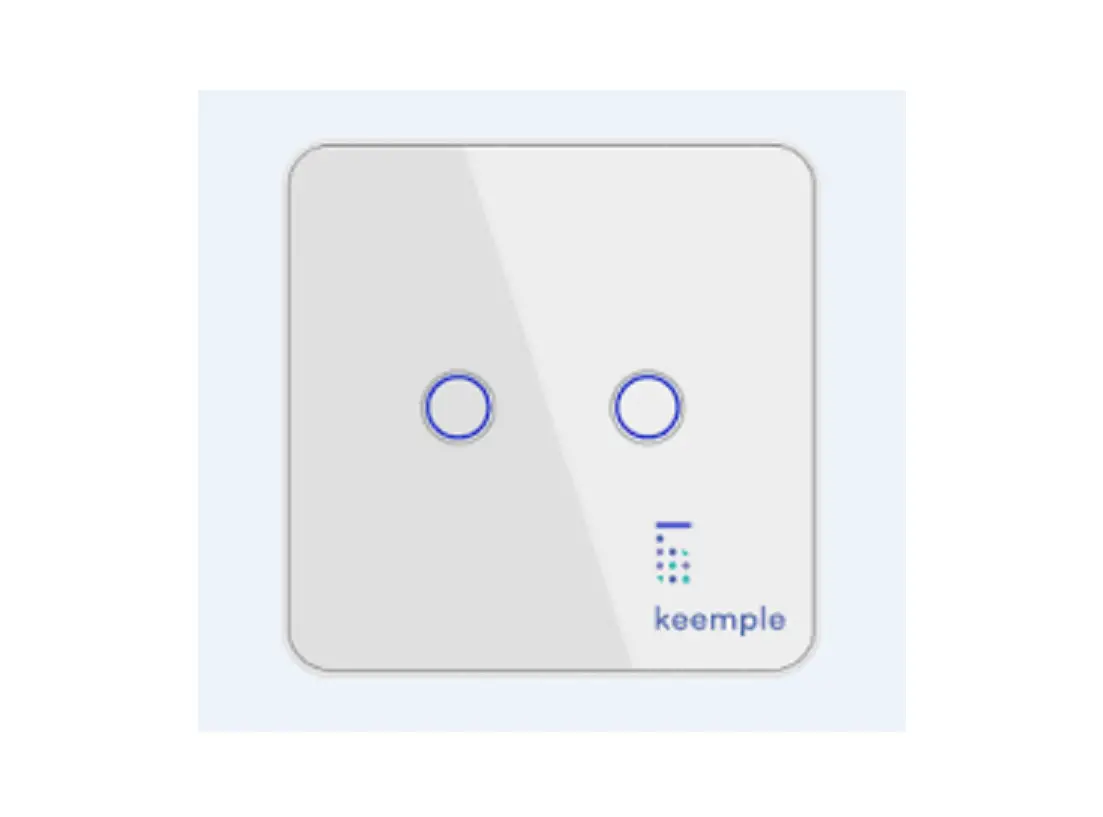
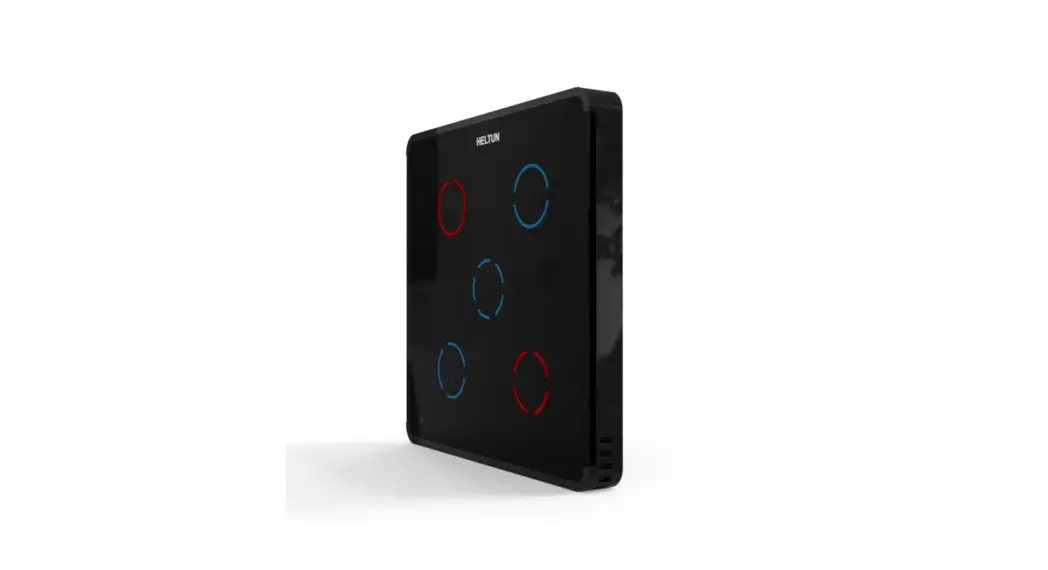
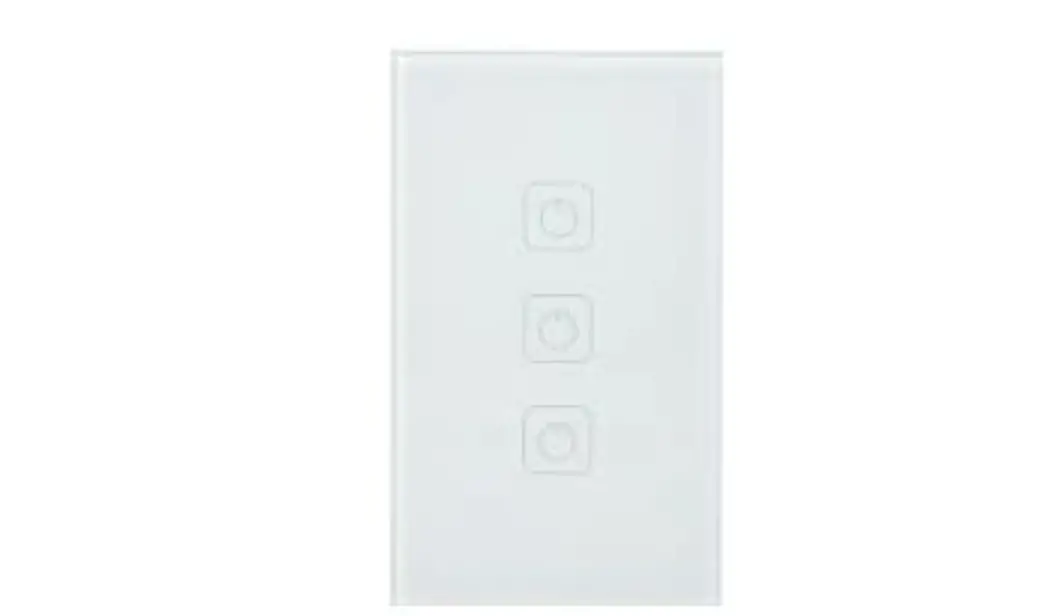
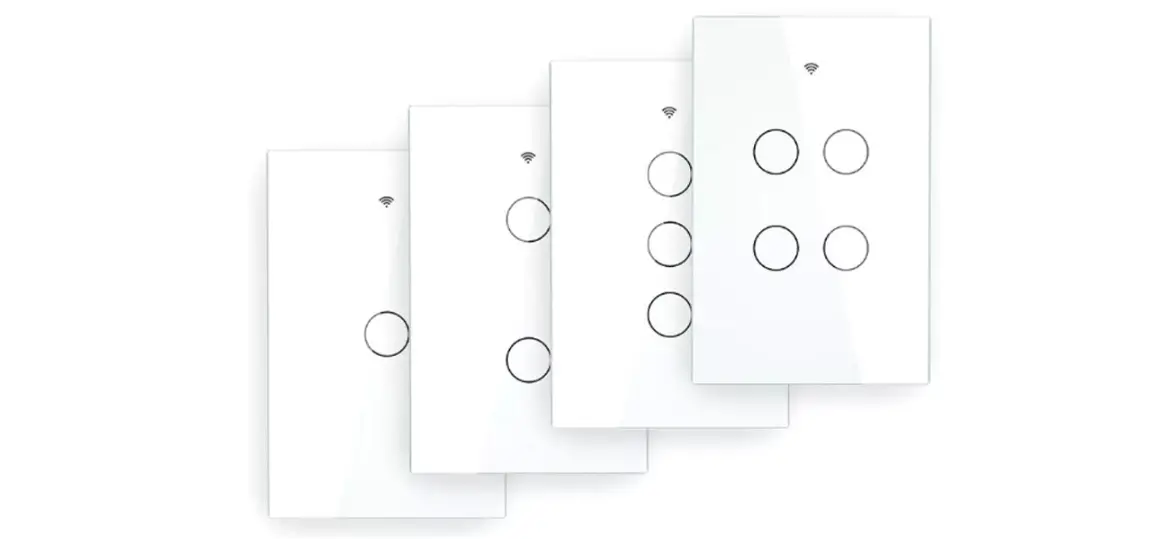
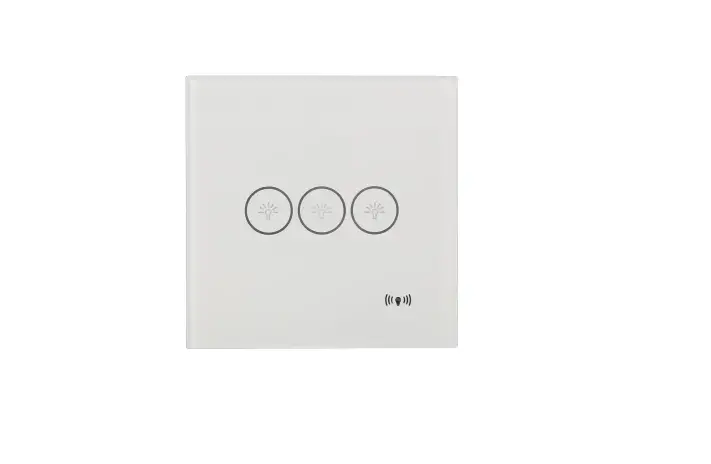
Rosa Metal Touch Switches
Product Information: Rosa Switch EAE KNX Rosa Switch
The Rosa Switch from EAE Technology is a programmable switch
that offers six touch buttons for controlling lighting,
shutter/blind drivers, speakers, make scene calls, and mimic panic
buttons. Each button can be programmed independently for a
different function, providing a wide range of functional
flexibility. The switch operates on an operating voltage of 21V to
30V DC via the KNX bus and has a safety rating class in accordance
with the EMC guideline and low voltage. The switch is available in
a surface-mounted or flush-mounted configuration and is made of
metal or glass polycarbonate. It comes with a programming button
and a programming LED for easy customization.
Product Usage Instructions
- Connect the Rosa Switch to the KNX port terminal.
- To program the switch, use the programming button and
programming LED. - The switch offers up to six programmable buttons. Each button
can be programmed independently for a different function. - To control lighting, shutter/blind drivers, speakers, make
scene calls, or mimic panic buttons, use the corresponding
programmable button. - The status LED of the touched touch button will be on for the
time period selected at Light Duration of LED parameter at General
tab. - If Separate Comm Object enabled, status LEDs will wait for
confirmation before changing status. - If Function of LED is selected as Status Indication or Inverted
Status Indication, the Last transmitted command value has no
Separate Comm Object Enable/Disable effect to the status led
operation. - On/Off telegrams will be sent to group address that is linked
to the communication object TouchButton1 switch. - Confirmation for On/Off switch telegrams will be received from
the communication object TouchButton1 Status Comm.Obj. - If status confirmation is not to be used, the communication
object should be disabled by Separate Comm Object parameter.
Product Manual Rosa Switch EAE KNX Rosa Switch
EAE ROSA SWITCH
Product Manual Rosa Switch
Rosa Switch PB
©EAE Technology
www.eaetechnology.com
Page 1 / 26
Product Manual Rosa Switch EAE KNX Rosa Switch
Rosa Switch PB
Contents
1. General …………………………………………………………………………………………………………………………………..3 2. Device Technology……………………………………………………………………………………………………………………3
2.1 Button Definitions …………………………………………………………………………………………………………….3 2.2 Connection Diagram………………………………………………………………………………………………………….3 2.3 Technical Data ………………………………………………………………………………………………………………….4 2.4 Dimensions………………………………………………………………………………………………………………………4 3. Communication Object Table…………………………………………………………………………………………………….5 4. Parameters and Communication Objects ……………………………………………………………………………………6 4.1 General ……………………………………………………………………………………………………………………………6
4.1.1 Parameters ……………………………………………………………………………………………………………….7 4.1.2 Communication Objects ……………………………………………………………………………………………..7 4.2 Rockers and Touch Buttons………………………………………………………………………………………………..8 4.2.1 Rockers …………………………………………………………………………………………………………………….9 4.2.2 Touch Buttons …………………………………………………………………………………………………………18
©EAE Technology
www.eaetechnology.com
Page 2 / 26
Product Manual Rosa Switch EAE KNX Rosa Switch
Rosa Switch PB
1. General
Rosa KNX switches offer a wide range of functional flexibility up to 6 programmable buttons. Rosa switches can be programmed for control lighting, shutter/blind drivers, speakers, make scene calls and mimic panic buttons. Each button can be programmed independently for a different function.
2. Device Technology
2.1 Button Definitions
Programmable Buttons (up to 6 touch buttons)
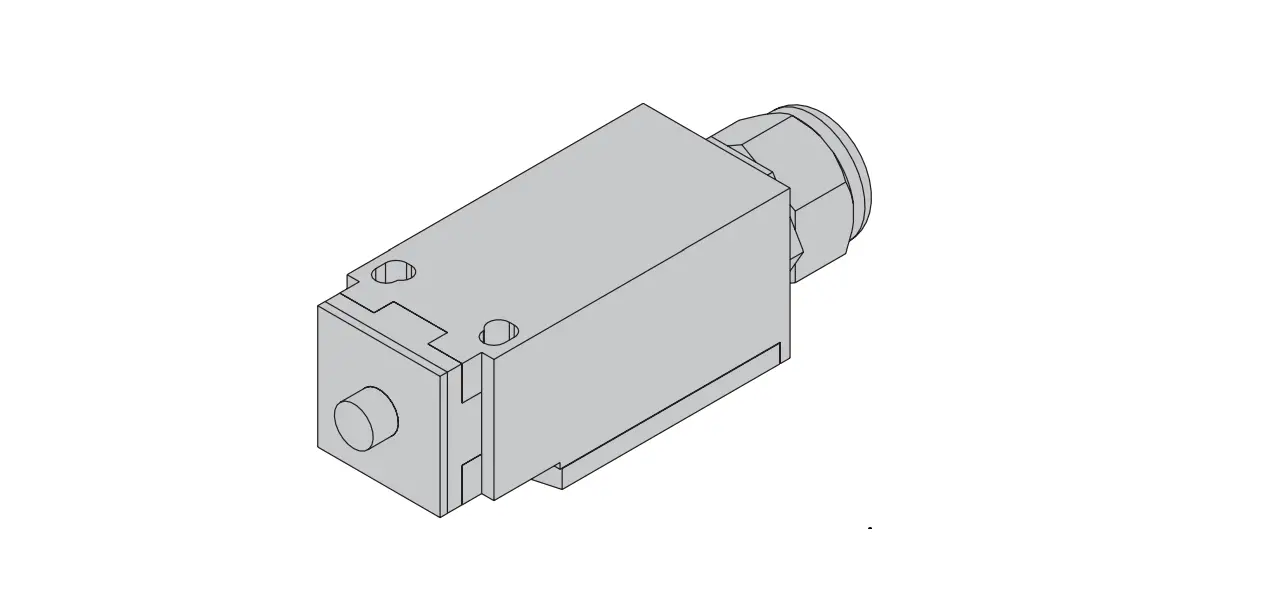
2.2 Connection Diagram
1. KNX Port Terminal 2. Programming Button 3. Programming LED
©EAE Technology
www.eaetechnology.com
Page 3 / 26
Product Manual Rosa Switch EAE KNX Rosa Switch
2.3 Technical Data
Rosa Switch PB
Operating Voltage
Safety Rating Class Connections Operating Temperature
Humidity Dimensions
Weight Box Material CE
Voltage Current drawn from bus
KNX Ambient Storage Measurement Accuracy Max. Air humidity condensation Front Side Side- Surface mounted part Side- Flush mounted part 73 g Metal or Glass, polycarbonate In accordance with the EMC guideline and low voltage
21V… 30V DC, via the KNX bus <10mA
IP 20, DIN EN 60529 II EN 61140
Bus Connection
-5° C + 45° C -25° C + 55° C ±0,3 °C
95% no moisture 85 x 85 mm
11 mm 19.4 mm
2.4 Dimensions
©EAE Technology
www.eaetechnology.com
Page 4 / 26
Product Manual Rosa Switch EAE KNX Rosa Switch
3. Communication Object Table
Rosa Switch PB
No.
Object Name
0 General, operation
1 Rocker 1, switch
Rocker 1, shutter
Rocker 1, value [0,1]
Rocker 1, value [0…255]
Rocker 1, value [0…65535]
Rocker 1, value [-32768…32768]
Rocker 1, value [0…4294967295]
Rocker 1, value.temperature
TouchButton 1, switch
TouchButton 1, shutter
TouchButton 1, value [0,1]
TouchButton 1, value [0…255]
TouchButton 1, value [0..65535]
TouchButton 1, value [32768…32768] TouchButton 1, value [0…4294967295] TouchButton 1, value.temperature
2 Rocker 1, dimming
Rocker 1, shutter
TouchButton 1, dimming TouchButton 1, shutter
TouchButton 1, value [0,1]
TouchButton 1, value [0…255]
TouchButton 1, value [0…65535]
TouchButton 1, value [32768…32768] TouchButton 1, value [0…4294967295] TouchButton 1, value.temperature
3 Rocker 1, shutter
Rocker 1, status
TouchButton 1, shutter
TouchButton 1, status
4 Rocker 1, shutter
TouchButton 1, shutter
Function Active On/Off
Up/Down Send Send Send Send Send Send On/Off
Up/Down On/Off Send Send Send
Number of Bits 1 1 1 1 8 16 32 64 64 1 1 1 8 16 32
Flags CT CWT CWT CWT CWT CWT CWT CWT CWT CWT CWT CWT CWT CWT CWT
Send
64
CWT
Send
64
Send
4
Stop/Lamella
1
Adj
Send
4
Stop/Lamella
1
Adj
On/Off
1
Send
8
Send
16
Send
32
CWT CWT CWT
CWT CWT
CWT CWT CWT CWT
Send
64
CWT
Send
64
CWT
Top Position
1
CWT
Top Position
1
CWT
Top Position
1
CWT
Top Position
1
CWT
Bottom Position
Bottom Position
1
CWT
1
CWT
©EAE Technology
www.eaetechnology.com
Page 5 / 26
Product Manual Rosa Switch EAE KNX Rosa Switch
4. Parameters and Communication Objects
4.1 General
General parameters include; In Operation (Device Alive) Function Telegram Limit Function Rocker Count Light Duration Of Status Indication Function LED Duration of Touch Feedback Function Navigation LED Brightness Function
Rosa Switch PB
Figure 1
©EAE Technology
www.eaetechnology.com
Page 6 / 26
Product Manual Rosa Switch EAE KNX Rosa Switch
Rosa Switch PB
4.1.1 Parameters
Parameter Enable In Operation
In Operation Bit
Settings Enable/Disable
Off/On
In Operation Send Interval[sec]
0…300…65535
Enable Telegram Limit Telegram Limit Period Duration
Enable/Disable 50ms, 100ms, …, 30s, 1min
Maximum Telegram Count in Period
1..100…255
Light Duration of Status Indication 0,75s, 2.25s, 3.25s
Rocker Count
1, 2, 3, 4, 5, 6
Duration of Touch Feedback LED 0…65535 (after release) [0…65535 ms]
Description
In operation can be used to ensure that device is alive and connected to KNX line. Visible when “Enable In Operation” enabled. Bit value to send as device alive operation Visible when “Enable In Operation” enabled. Cyclic time period for sending in operation bit Limits the number of telegrams to send in certain time period
Visible when “Enable Telegram Limit” enabled. Time period to check telegram numbers Visible when “Enable Telegram Limit” enabled. Maximum number of telegrams to send in telegram limit period duration
LEDs on duration when status LEDs used as operation indication with rocker or touch buttons. Number of rockers should be selected compatible with device to be able to use rockers and touch buttons correctly. Touch Feedback LEDs lighting duration after release.
Navigation Light Brightness [0…100%]
0…100%
Navigation LED brightness value
4.1.2 Communication Objects
No
Object Name
Function
Data Type
0
General In
Active
1 Bit
operation
DPT 1.002
©EAE Technology
www.eaetechnology.com
Flags CT
Page 7 / 26
Product Manual Rosa Switch EAE KNX Rosa Switch
Rosa Switch PB
In operation value (0,1) selected through “In operation bit” parameter will be sent via the group address
which is linked to this communication object Table 3
4.2 Rockers and Touch Buttons
Total number of rockers can be selected through “Rocker Count” parameter in “General” tab. Buttons on the thermostat can be used as rockers or touch buttons. Select the desired operation from the “Rocker N” (N: Rocker number) tab (Figure 2). If rockers are configured as touch buttons, 2 touch button tabs will be visible under “Rocker N” tab (Figure 3).
Both rockers and touch buttons have 5 functions; no function switch switch and dim shutter value operation
Figure 2
Figure 3
©EAE Technology
www.eaetechnology.com
Page 8 / 26
Product Manual Rosa Switch EAE KNX Rosa Switch
Rosa Switch PB
4.2.1 Rockers
Number of rockers should be selected in “General” tabs in parameters and should be chosen as compatible with the device that will be configured. Rockers are numbered from top to bottom. Each Rocker contains 2 touch button separately. Rockers can be configured as 4 different operations and 1 function to disable rocker (No Function). Operation selection can be configured with “Rocker Function” parameter. Every function enables different parameters and communication objects that will be explained in the following chapters.
Parameter Rocker Operation Rocker Function
Setting Rocker/2 Touch Button No Function Switch Switch and Dim
Shutter
Value Operation
Table 4
Description Selects the function of rocker Disables the rocker
Rocker can be used to send on/off telegrams. (For more information Chapter 4.2.1.1)
Rocker can send on/off and dimming telegrams. (For more information Chapter 4.2.1.2) Rocker can control shutter, venetian blind, blind, roller and awning. (For more information Chapter 4.2.1.3)
Rocker buttons can send predefined values from different data types. (For more information Chapter 4.2.1.4)
Rockers also have status LEDs which can be configured to indicate state of the operation that is configure.
4.2.1.1.1 Switch
Selecting “Switch” as “Rocker Function” enables to send 1 bit On(1)/Off(0) telegrams to the group address that is linked to respective communication object. Status LEDs can be configured to notify the current status of operation directly with buttons or using communication objects for confirmation to show current status.
©EAE Technology
Figure 4 www.eaetechnology.com
Page 9 / 26
Product Manual Rosa Switch EAE KNX Rosa Switch
Rosa Switch PB
4.2.1.1.1
Parameter Mode of Buttons
Function of LED
Parameters
Setting Left Button On Right Button Off Left Button Off Right Button On LED permanently Off
LED permanently On
Status Indication
Inverted Status Indication
Operation Indication Separate Comm Object Enable/Disable
Table 5
Description
Select which button is ON button and which button is OFF button
LED always Off LED always On
Status LED of last touched rocker button is on, other rocker button is off. If “Separate Comm Object” parameter selected as “Enable” status LEDs will wait for confirmation from communication object before changing state. Status LED of last touched rocker button is off, other rocker button is on. If “Separate Comm Object” parameter selected as “Enable” status LEDs will wait for confirmation from communication object before changing state. Status LED of the touched rocker button will be on for the time period selected at “Light Duration of LED” parameter at “General” tab. Only visible when “Function of LED” selected as “Status Indication” or “Inverted Status Indication”. This communication objects is the input of confirmation for status LEDs. If selected “Enable” respective communication object should be linked to an appropriate group address
4.2.1.1.2
Communication Objects
No
Object Name
Function
Data Type
Flags
1
Rocker1 Telegr.switch On/Off
1 bit
CWT
DPT 1.001
On/Off telegrams will be send to group address that is linked to this communication
object.
3
Rocker1 Status
On/Off
1 bit
CWT
Comm.Obj.
DPT 1.002
Confirmation for On/Off switch telegrams will be received from this communication
object. If these communications object visible, it must link to an appropriate group
address. Otherwise status LEDs will not function correctly. If status confirmation not to
be used the communication object should be disabled by “Separate Comm Object”
parameter.
Table 6
©EAE Technology
www.eaetechnology.com
Page 10 / 26
Product Manual Rosa Switch EAE KNX Rosa Switch
4.2.1.2 Switch and Dim
Rosa Switch PB
Figure 5
Rockers can be configured with switching and dimming capability. When configured as “Switch and Dim” rocker buttons will have two modes switch mode and dim mode. When rocker button touched shorter than time period specified in “Long Touch Duration” parameter, rocker button will act as a switch. In switch mode rocker buttons will behave as normal switches as explained in Chapter 4.1.1. When rocker buttons touched longer than “Long Touch Duration” rocker will enter “Dim mode”. Dimming capability can be used in two different types “Start Stop” and “Step Wise”. Which type to use can be configured in “Dimming Type” parameter.
Dimming – Start Stop Type When rocker button touched (and not released) and touched duration exceeds “Long Touch Duration” time “Increase, %100″(When on button touched) or “Decrease,%100″(When off button touched) dimming level will be send using respective communication object. When button is released “Increase, Break” or “Decrease, Break” value will be sent to stop dimming operation.
Dimming – Step Wise Type When rocker button touched (and not released) and touched duration exceeds “Long Touch Duration” time, a step value level configured in “Step Value” parameter will be send using respective communication object. Until button is released same step value will be send periodically with a time interval defined in “Step Send Interval”.
©EAE Technology
www.eaetechnology.com
Page 11 / 26
Product Manual Rosa Switch EAE KNX Rosa Switch
4.2.1.2.1
Parameters
Rosa Switch PB
Parameter Mode of Buttons Long Touch Duration Dimming Type Step Value Step Send Interval Function of LED
Separate Comm Object
Setting Left Button Brighter(On) Right Button Darker(Off) / Left Button Brighter(Off) Right Button Darker(On) 300ms/ 400ms/ 500ms/ 600ms/ 800ms / 1s / 1.2s / 1.5s/ 2s / 3s / 4s / 5s / 6s / 7s / 8s / 9s / 10s Start Stop / Step Wise %100 / %50 / %25 / %12.5 / %6.25 / %3.13 / % 1.56
300ms/ 400ms/ 500ms/ 600ms/ 800ms / 1s / 1.2s / 1.5s/ 2s / 3s / 4s / 5s / 6s / 7s / 8s / 9s / 10s LED Permanently Off LED Permanently On Status Indication
Inverted Status Indication
Operation Indication
Enable / Disable
Table 7
Description Select which rocker button is on button and which rocker button is off button
Time interval to switch from “switch mode” to “dimming mode”.
Select dimming type. (Chapter 4.2.1.2) Visible when dimming type is Step Wise. Selects the dimming resolution that will be sending at every “Step Send Interval”. Visible when dimming type is Step Wise. Selects the time interval to send dimming increase/decrease values LED always off LED always on Status LED of last touched rocker button is on, another rocker button is off. If “Separate Comm Object” parameter selected as “Enable” status LEDs will wait for confirmation from communication object before changing state. Status LED of last touched rocker button is off, another rocker button is on. If “Separate Comm Object” parameter selected as “Enable” status LEDs will wait for confirmation from communication object before changing state. Status LED of the touched rocker button will be on for the time period selected at “Light Duration of LED” parameter at “General” tab. Only visible when “Function of LED” selected as “Status Indication” or “Inverted Status Indication”. This communication objects is the input of confirmation for status LEDs. If selected as “Enable” respective communication object should be linked to an appropriate group address
©EAE Technology
www.eaetechnology.com
Page 12 / 26
Product Manual Rosa Switch EAE KNX Rosa Switch
Rosa Switch PB
4.2.1.2.2
Communication Objects
No
Object Name
Function
Data type
Flags
1
Rocker1 switch On/Off
1 bit
CWT
DPT 1.001
On/Off telegrams will be send to group address that is linked to this communication object.
2
Rocker1 dimming Dim
4 bit
CWT
DPT 3.007
Dimming values will be send to group address that is linked to this communication object.
3
Rocker1-Status On/Off
1 bit
CWT
Comm.Obj.
DPT 1.002
Confirmation for On/Off switch telegrams will be received from this communication object. If these communication object visible, it must link to an appropriate group address. Otherwise status LEDs will not function correctly. If status confirmation not to be used the communication object should be disabled by “Separate Comm Object” parameter.
Table 8
4.2.1.3 Shutter
Figure 6
Selecting “Shutter” for “Rocker Operation” enables shutter operation for rocker buttons. Shutter functions can be configured to control two different shutter operations “Shutter/Venetian Blind” function or “Blind/Roller/Awning” function.
Shutter/Venetian Blind
Firstly, select which rocker button is used for “up” operation, which rocker button is used for “down” operation by “Mode of Buttons” parameter. Both buttons have two functions as “short touch” function and “long touch” function, “Long Touch Duration” parameter configures the limit time period for “long touch” operation. “Long Touch” will be used to move the blind upwards or downwards. “Short touch” has two different functions whether blind is moving or not. When blind is moving “short touch” acts as a stop button that stops the blinds movement, when blind is not moving “short touch” function is used to adjust lamella position.
Up Button Blind Moving Down Button Blind Moving Up Button Blind Stopped Down Button Blind Stopped
Short Touch Stop Stop Lamella Down Lamella Up
Table 9
Long touch Up Down Up Down
©EAE Technology
www.eaetechnology.com
Page 13 / 26
Product Manual Rosa Switch EAE KNX Rosa Switch
Rosa Switch PB
When “Up Button” long touched “Up” telegram will be transmitted using “Rocker1 Shutter UP/DOWN” communication object and shutter will start moving upwards until it reaches “Top Position” or “STOP” telegram transmitted using “Rocker1 STOP/Lamella Adj.” communication object by short touching “Up Button” or “Down Button”.
When “Down Button” long touched “Down” telegram will be transmitted using “Rocker1 Shutter UP/DOWN” communication object and shutter will start moving downwards until it reaches “Bottom Position” or “STOP” telegram transmitted using “Rocker1 STOP/Lamella Adj.” communication object by short touching “Up Button” or “Down Button”.
When blind is not moving “Up Button” and “Down Button” operate as lamella adjustment and respective telegram will be send using “Rocker1-STOP/Lamella Adj.” communication object.
Blind/Roller/Awning Function
Selecting “Control Type” parameter as “Blind/Roller/Awning” disables lamella adjustment functions of rocker buttons. In this control type, when “Up Button” touched “Up” telegram will be send using “Rocker1 shutter. UP/DOWN” communication object and touched again while blind is moving “STOP” telegram will be send using “Rocker1 STOP/Lamella adj.” communication object. When “Down Button” touched “DOWN” telegram will be sending using “Rocker1 shutter. UP/DOWN” communication object and touched again while blind is moving “STOP” telegram will be send using “Rocker1 STOP/Lamella adj.” communication object.
4.2.1.3.1
Parameters
Parameter Mode of Buttons Control Type Function of LED
Long Touch Duration
Setting Left Up Right Down Left Down Right Up Shutter/Venetian Blind Blind/Roller/Awning
LED Permanently Off LED Permanently On Status Indication
Operation Indication
300ms/ 400ms/ 500ms/ 600ms/ 800ms / 1s / 1.2s / 1.5s/ 2s / 3s / 4s / 5s / 6s / 7s / 8s / 9s / 10s
Table 10
Description
Select which rocker button is “Up Button” and which rocker button is “Down Button”. Selects control type of blinds. Shutter/Venetian Blind function includes “Lamella Control” and Blind/Roller/Awning function does not include “Lamella Control”.
LED always off LED always on
Visualize blind’s state using status LEDs of up and down buttons. *[5] Status LED of the touched rocker button will be on for the time period selected at “Light Duration of LED” parameter at “General” tab.
Time interval to switch from short touch to long touch
©EAE Technology
www.eaetechnology.com
Page 14 / 26
Product Manual Rosa Switch EAE KNX Rosa Switch
Rosa Switch PB
*[5] LED Function Status Indication
Status indication operates the same way for “Shutter/Venetian Blind” and “Blind/Roller/Awning”. LEDs
status respective to blind’s state is given below
Up Button – Status LED
Down Button – Status LED
Moving upward Moving downward At top position At bottom position Stop between top – bottom
Blink Off On Off Off
Table 11
Off Blink Off On Off
When “Function of Led” selected as “Status Indication”, “Top Position” and “Bottom Position” communication objects given below must be linked to the appropriate group addresses for the status LEDs to function correctly.
4.2.1.3.2 Communication Objects
No
Object Name
Function
Data Type
Flags
1
Rocker1-shutter Up/Down
1 bit
CWT
UP/DOWN
DPT 1.008
This communication object will be used to start blind movement.
2
Rocker1
Stop/Lamella adj. 1 bit
CWT
STOP/Lamella adj.
DPT 1.002
When “Control Type” parameter is “Shutter/Venetian Blind” this communication object is used to stop
movement of blind and adjust lamella position, otherwise when “Control Type” parameter is
“Blind/Roller/Awning” only used for stopping blind movement.
3
Rocker1-Top
True/False
1 bit
CWT
Position
DPT 1.002
This communication object should be linked to an appropriate group address that will be used to detect
whether blind is at “Top Position” (True) or not (False).
4
Rocker1-Bottom True/False
1 bit
CWT
Position
DPT 1.002
This communication object should be linked to an appropriate group address that will be used to detect
whether blind is at “Bottom Position” (True) or not (False). Table 12
©EAE Technology
www.eaetechnology.com
Page 15 / 26
Product Manual Rosa Switch EAE KNX Rosa Switch
4.2.1.4 Value Operation
Rosa Switch PB
Figure 7
Rocker buttons can be configured to send predefined values from different data types. Values selected for both rocker buttons will be transmitted over the same communication object.
4.2.1.4.1 Parameters
Parameter Function of Led
Setting LED Permanently Off LED Permanently On Operation Indication
Data Type
Left Button of Rocker Sent value
No Reaction 1 bit value 1byte value [0…255] Percent value [%0…%100] 2 byte value [32768…32767] 2 byte value [0…65535] 4 byte value [floating point] 4 byte value [0…4294967295] 0/1
Transmitted value [0…255]
0…255
Send percent value [%0…%100] 0…80…100
Transmitted value [32768…32767]
-32768…0…32767
Transmitted value [0…65535] 0…65535
Float decimal
-128…0…127
©EAE Technology
www.eaetechnology.com
Description LED always off LED always on Status LED of the touched rocker button will be on for the time period selected at “Light Duration of LED” parameter at “General” tab. Select data type.
Visible when “Data Type” selected as “1 bit value”. Visible when “Data Type” selected as “1 byte value”. Visible when “Data Type” selected as “percent value”. Visible when “Data Type” selected as “2 byte value [32768…32767]”. Visible when “Data Type” selected as “2 byte value [0…65535]”. Visible when “Data Type” selected as “4 byte value [floating point]”.
Page 16 / 26
Product Manual Rosa Switch EAE KNX Rosa Switch
Rosa Switch PB
Float rational
0…99
Visible when “Data Type”
selected as “4 byte value [floating
point]”.
Transmitted value
0…4294967295
Visible when “Data Type”
[0…4294967295]selected as “4 byte value
[0…4294967295]”.Right Button of Rocker Operate the same way as Left Button of Rocker
Table 13
4.2.1.4.2
Communication Objects
No Object Name
1
TouchButton1 value [0,1]
Function Data type True/False 1 bit DPT 1.002
Enabled when “Data Type” selected as “1 bit value”
TouchButton1 value [0…255]
Send
1 byte DPT 5.010
Enabled when “Data Type” selected as “1byte value [0…255]”
TouchButton1 value [0…255]
Send
1 byte DPT 5.001
Enabled when “Data Type” selected as “Percent value [%0…%100]
TouchButton1- value [-32768…32767]
Send
2 byte DPT 8.001
Enabled when “Data Type” selected as “2 byte value [-32768…32767]”
TouchButton1- value [0…65535]
Send
2 byte DPT 7.001
Enabled when “Data Type” selected as “2 byte value [0…65535]”
TouchButton1- value[temperature]
Send
4 byte DPT 14.068
Flags CWT
CWT CWT CWT CWT CWT
Enabled when “Data Type” selected as “4 byte value [floating point]
TouchButton1-value [0…4294967295]
Send
4 byte DPT 12.001
CWT
Enabled when “Data Type” selected as “4 byte value [0…4294967295]”
2
TouchButton1-long value [0,1]
True/False 1 bit DPT 1.002
CWT
Enabled when “Long Touch Data Type” selected as “1 bit value”
TouchButton1-long value [0…255]
Send
1 byte DPT 5.010
CWT
Enabled when “Long Touch Data Type” selected as “1byte value [0…255]”
TouchButton1 value [0…255]
Send
1 byte DPT 5.001
CWT
Enabled when “Long Touch Data Type” selected as “Percent value [%0…%100]
TouchButton1 – long- value [-32768…32767] Send
2 byte DPT 8.001
CWT
Enabled when “Long Touch Data Type” selected as “2 byte value [-32768…32767]”
TouchButton1- long -value [0…65535]
Send
2 byte DPT 7.001
CWT
Enabled when “Long Touch Data Type” selected as “2 byte value [0…65535]”
TouchButton1- long – value[temperature]
Send
4 byte DPT 14.068
CWT
Enabled when “Long Touch Data Type” selected as “4 byte value [floating point]
TouchButton1- long – value [0…4294967295] Send
4 byte DPT 12.001
CWT
Enabled when “Long Touch Data Type” selected as “4 byte value [0…4294967295]” Table 14
©EAE Technology
www.eaetechnology.com
Page 17 / 26
Product Manual Rosa Switch EAE KNX Rosa Switch
Rosa Switch PB
4.2.2
Touch Buttons
Number of rockers should be selected in “General” tabs in parameters and should be chosen as
compatible with the device that will be configured. Touch buttons are numbered from top to bottom
right to left, topmost right touch button as touch button 1, near it touch button 2, and so on. Touch
buttons can be configured as 4 different operations and 1 function to disable touch button (No
Function). Operation selection can be configured from “Touch Button N” (N: Touch button number)
tab, visible when “Rocker Operation” selected as “2 Touch Buttons”. Every function enables different
parameters and communication objects that will be explained in the following chapters.
Parameter Touch Button Function
Setting No Function Switch
Switch and Dim
Shutter
Value Operation Table 15
Description
Disables the touch button
Touch buttons can be used to send on/off telegrams. (For more information Chapter 4.2.2.1) Touch buttons can send on/off and dimming telegrams. (For more information Chapter 4.2.2.2) Touch button can control shutter, venetian blind, blind, roller and awning. (For more information Chapter 4.2.2.3) Touch button can send predefined values from different data types. (Refer Section 4.2.2.4)
Touch buttons also have status LEDs which can be configured to indicate state of the operation that is configured.
4.2.2.1
Switch
Figure 8
Selecting “Switch” as “Touch Button Function” enables to send 1 bit On(1)/Off(0) telegrams to the group address that is linked to respective communication object. Touching and releasing buttons can be assigned to different commands (On, Off, Toggle and No Command). Status LEDs can be configured to notify the current status of operation directly with buttons or using communication objects for confirmation to show current status.
©EAE Technology
www.eaetechnology.com
Page 18 / 26
Product Manual Rosa Switch EAE KNX Rosa Switch
4.2.2.1.1
Parameters
Rosa Switch PB
Parameter Command on Touch
Command on Release
Setting
Description
On / Off / Toggle / No command Selects button function when button
touched.
On / Off / Toggle / No command Selects button function when button
Function of LED
LED permanently Off
released. LED always Off
LED permanently On
LED always On
Status Indication
Last transmitted command “on” -> LED
on Last transmitted command “off” ->
LED off If “Separate Comm Object”
enabled, status LEDs will wait for
confirmation before changing status.
Inverted Status Indication
Last transmitted command “on” -> LED
off Last transmitted command “off” ->
LED on If “Separate Comm Object”
enabled, status LEDs will wait for
confirmation before changing status.
Operation Indication
Status LED of the touched touch button will
be on for the time period selected at “Light
Duration of LED” parameter at “General”
tab.
Last transmitted command value has no
Separate Comm Object Enable/Disable
effect to the status led operation. Only visible when “Function of LED”
selected as “Status Indication” or
“Inverted Status Indication”. This
communication object is the
input of confirmation for status LEDs. If
selected “Enable” respective
communication object should be linked
to an appropriate group address. Table 16
4.2.2.1.2
Communication Objects
No
Object Name
Function
Data Type
Flags
1
TouchButton1
switch
1 bit
CWT
DPT 1.001
On/Off telegrams will be sent to group address that is linked to this communication object.
3
TouchButton1
Status Comm.Obj. 1 bit
CWT
DPT 1.002
Confirmation for On/Off switch telegrams will be received from this communication object. If these
communications object visible, it must link to an appropriate group address. Otherwise status LEDs will
not function correctly. If status confirmation not to be used the communication object should be
disabled by “Separate Comm Object” parameter. Table 17
©EAE Technology
www.eaetechnology.com
Page 19 / 26
Product Manual Rosa Switch EAE KNX Rosa Switch
4.2.2.2
Switch and Dim
Rosa Switch PB
Figure 9
When touch button function selected as “Switch and Dim” touch button can be configured in three different
ways to control brightness value.
Darker(Short Touch Off)
Brighter(Short Touch On)
Darker/Brighter(Short Touch Toggle)
Short Touch
Off (%0) On(%100)
Toggle between Darker/Brighter
Table 18
Long touch
Decrease, (%XX) Increase,(%XX)
Decrease, (%XX) / Increase,(%XX)
%XX values can have different values relative to the “Dimming Type” parameter. “Dimming Type” parameter allows two different types of dimming functionality “Start Stop” and “Step Wise”.
Dimming – Start Stop Type
When touch button touched (and not released) and touched duration exceeds “Long Touch Duration” time “Increase, %100” (When button in Brighter mode) or “Decrease, %100” (When button in Darker mode) dimming level will be send using respective communication object. When button released “Increase, Break” or “Decrease, Break” value will be send.
Dimming – Step Wise Type
When touch button touched (and not released) and touched duration exceeds “Long Touch Duration” time, a step value level configured in “Step Value” parameter will be send using respective communication object. If button mode is “Darker”, “Decrease, % [Step Value]”, else button mode is “Brighter”, “Increase, % [Step Value]” values will be send. Until button is released same step value will be send periodically with a time interval defined in “Step Send Interval”.
©EAE Technology
www.eaetechnology.com
Page 20 / 26
Product Manual Rosa Switch EAE KNX Rosa Switch
4.2.2.2.1
Parameters
Rosa Switch PB
Parameter Dim Operation Long Touch Time Dimming Type Step Value Step Send Interval Function of LED
Separate Comm Object
Setting Darker (Short Touch Off) Brighter (Short Touch On) Darker/Brighter (Short Touch Toggle) 300ms/ 400ms/ 500ms/ 600ms/ 800ms / 1s / 1.2s / 1.5s/ 2s / 3s / 4s / 5s / 6s / 7s / 8s / 9s / 10s Start Stop / Step Wise %100 / %50 / %25 / %12.5 / %6.25 / %3.13 / % 1.56
300ms/ 400ms/ 500ms/ 600ms/ 800ms / 1s / 1.2s / 1.5s/ 2s / 3s / 4s / 5s / 6s / 7s / 8s / 9s / 10s LED Permanently Off LED Permanently On Status Indication
Inverted Status Indication
Operation Indication
Enable / Disable
Table 19
Description Select touch button dim operation. (For more information Chapter 4.2.2.2)
Time interval to switch from “switch/toggle mode” to “dimming mode”.
Select dimming type. ( For more information Chapter 4.2.2.2) Visible when dimming type is Step Wise. Selects the dimming resolution that will be sending at every “Step Send Interval”. Visible when dimming type is Step Wise. Selects the time interval to send dimming increase/decrease values
LED always off LED always on Last transmitted command “on” -> LED on Last transmitted command “off” -> LED off If “Separate Comm Object” enabled, status LEDs will wait for confirmation before changing status. Last transmitted command “on” -> LED off Last transmitted command “off” -> LED on If “Separate Comm Object” enabled, status LEDs will wait for confirmation before changing status. Status LED of the touched touch button will be on for the time period selected at “Light Duration of LED” parameter at “General” tab. Only visible when “Function of LED” selected as “Status Indication” or “Inverted Status Indication”. This communication object is the input of confirmation for status LEDs. If selected “Enable” respective communication object should be linked to an appropriate group address.
©EAE Technology
www.eaetechnology.com
Page 21 / 26
Product Manual Rosa Switch EAE KNX Rosa Switch
4.2.2.2.2
Communication Objects
Rosa Switch PB
No
Object Name
Function
Data type
Flags
1
TouchButton1 On/Off
1 bit
CWT
switch
DPT 1.001
On/Off telegrams will be sent to group address that is linked to this communication object.
2
TouchButton1 Dim
4 bit
CWT
dimming
DPT 3.007
Dimming values will be send to group address that is linked to this communication object.
3
TouchButton1-
On/Off
1 bit
CWT
Status
DPT 1.002
Comm.Obj.
Confirmation for On/Off switch telegrams will be received from this communication object. If these
communications object visible, it must link to an appropriate group address. Otherwise status LEDs will
not function correctly. If status confirmation not to be used the communication object should be
disabled by “Separate Comm Object” parameter. Table 20
4.2.2.3
Shutter
Figure 10
Selecting “Shutter” for “Touch Button Function” enables shutter operation for touch buttons. Shutter functions can be configured to control two different shutter operations “Shutter/Venetian Blind” function or “Blind/Roller/Awning” function. In both functions touch button can be configured as 3 different button function; Up, Down and Toggle. When touch button selected as up or down, that button can only move the blind and lamella to the configured direction. For example, if configured as up button, touch button can be used to move the blind up and adjust the lamella down. If touch button configured as toggle button, single button can be used to move the blind up down and adjust lamella up down.
Shutter/Venetian Blind Function
When “Controller Type” configured as “Shutter/Venetian Blind”, lamella operations of blind control will be enabled as “short touch” function of the touch button. Also, “Button Function” parameter enables the use of touch button 3 different ways;
Up: “Long Touch” moves the blind upwards; “Short Touch” operates two different ways, short touched while the blind is moving, stops the blind, short touched while the blind is not moving adjust the lamella position down.
Down: “Long Touch” moves the blind downwards; “Short Touch” operates two different ways, short touched while the blind is moving, stops the blind, short touched while the blind is not moving adjust the lamella position up.
©EAE Technology
www.eaetechnology.com
Page 22 / 26
Product Manual Rosa Switch EAE KNX Rosa Switch
Rosa Switch PB
Toggle: “Long Touch” moves the blind upwards or downwards toggling the last “Long Touch” action. For example, if last state was up, when touch button long touched, it will send “Down” telegram. Every time touch button long touched it will toggle its last state. If touch button short touched while the blind is moving upward or downward “Short Touch” will stop the blind, if the blind is not moving “Short Touch” will adjust the lamella. Lamella adjustment will operate respective to the last state, for example if the last “Long Touch” action was up, then lamella will be adjusted down when touch button short touched and if the last “Long Touch” action was down, then lamella will be adjusted up when touch button short touched.
Blind/Roller/Awning Function
When “Controller Type” configured as “Blind/Roller/Awning Function” lamella operations of blind control will be disabled and “short touch” will only stop the movement of the blind. “Button Function” parameter enables the use of touch button 3 different ways;
Up: “Long Touch” moves the blind upwards; “Short Touch” stops the blind.
Down: “Long Touch” moves the blind downwards; “Short Touch” stops the blind.
Toggle: “Long Touch” action moves the blind upwards or downwards toggling the last “Long Touch” action. For example, if last state was up, when touch button long touched it will send “Down” telegram. Every time touch button long touched it will toggle its last state. “Short Touch” stops the blind whether it’s moving upwards or downwards
4.2.2.3.1
Parameters
Parameter Touch Button Function Control Type
Function of LED
Long Touch Duration
Setting Up / Down / Toggle Shutter/Venetian Blind Blind/Roller/Awning
LED Permanently Off LED Permanently On Status Indication
Operation Indication
300ms/ 400ms/ 500ms/ 600ms/ 800ms / 1s / 1.2s / 1.5s/ 2s / 3s / 4s / 5s / 6s / 7s / 8s / 9s / 10s
Table 21
Description
Chapter 4.2.2.3
Selects control type of blinds. Shutter/Venetian Blind function includes “Lamella Control” and Blind/Roller/Awning function does not include “Lamella Control”. LED always off
LED always on
Visualize blind’s state using status LEDs of up and down buttons. *[6] Status LED of the touched rocker button will be on for the time period selected at “Light Duration of LED” parameter at “General” tab.
Time interval to switch from short touch to long touch
©EAE Technology
www.eaetechnology.com
Page 23 / 26
Product Manual Rosa Switch EAE KNX Rosa Switch
4.2.2.3.2
Communication Objects
Rosa Switch PB
*[6] LED Function Status Indication
Status indication operates the same way for “Shutter/Venetian Blind” and “Blind/Roller/Awning”. LEDs status respective to blind’s state and “Button Function” configuration given below;
Up Mode
Moving upward
Blink
Moving downward
Off
At top position
Off
At bottom position
Off
Stop between top – bottom Off
Down Mode Off Blink Off Off Off Table 22
Toggle Mode Blink Blink Off Off Off
When “Function of Led” selected as “Status Indication”, “Top Position” and “Bottom Position” communication objects given below must be linked to the appropriate group addresses for the LEDs to function correctly.
4.2.2.4
Value Operation
Figure 11
Touch button can be configured to send predefined values from different data types. Additionally, a long touch request can be enabled to be used as a secondary value operation.
©EAE Technology
www.eaetechnology.com
Page 24 / 26
Product Manual Rosa Switch EAE KNX Rosa Switch
4.2.2.4.1
Parameter Function of Led
Parameters
Setting LED Permanently Off LED Permanently On Operation Indication
Data Type Sent value
No Reaction
1 bit value 1byte value [0…255] Percent value [%0…%100] 2 byte value [-32768…32767] 2 byte value [0…65535] 4 byte value [floating point] 4 byte value [0…4294967295] 0/1
Transmitted value [0…255] 0…255
Send percent value [%0…%100] Transmitted value [-32768…32767]
0…80…100 -32768…0…32767
Transmitted value [0…65535] 0…65535
Float decimal
-128…0…127
Float rational
0…99
Transmitted value [0…4294967295] Long Touch Request Long Touch Duration Long Touch Data Type
Sent value Transmitted value [0…255]
0…4294967295
No / Yes
100ms / 1s / 10s / 1min / 10min
No Reaction 1 bit value 1byte value [0…255] Percent value [%0…%100] 2 byte value [-32768…32767] 2 byte value [0…65535] 4 byte value [floating point] 4 byte value [0…4294967295] 0/1
0…255
Send percent value [%0…%100]
0…80…100
©EAE Technology
www.eaetechnology.com
Rosa Switch PB
Description LED always off LED always on Status LED of the touched rocker button will be on for the time period selected at “Light Duration of LED” parameter at “General” tab. Select data type.
Visible when “Data Type” selected as “1 bit value”. Visible when “Data Type” selected as “1 byte value”. Visible when “Data Type” selected as “percent value”. Visible when “Data Type” selected as “2 byte value [32768…32767]”. Visible when “Data Type” selected as “2 byte value [0…65535]”. Visible when “Data Type” selected as “4 byte value [floating point]”. Visible when “Data Type” selected as “4 byte value [floating point]”. Visible when “Data Type” selected as “4 byte value [0…4294967295]”. Enable/Disable long touch duration Select time period for long touch operation Select data type.
Visible when “Long Touch Data Type” selected as “1 bit value”. Visible when “Long Touch Data Type” selected as “1 byte value”. Visible when “Long Touch Data Type” selected as “percent value”.
Page 25 / 26
Product Manual Rosa Switch EAE KNX Rosa Switch
Transmitted value [32768…32767]
-32768…0…32767
Transmitted value [0…65535] 0…65535
Float decimal
-128…0…127
Float rational
0…99
Transmitted value [0…4294967295]
0…4294967295
Table 23
Rosa Switch PB
Visible when “Long Touch Data Type” selected as “2 byte value [- 32768…32767]”. Visible when “Long Touch Data Type” selected as “2 byte value [0…65535]”. Visible when “Long Touch Data Type” selected as “4 byte value [floating point]”. Visible when “Long Touch Data Type” selected as “4 byte value [floating point]”. Visible when “Long Touch Data Type” selected as “4 byte value [0…4294967295]”.
©EAE Technology
www.eaetechnology.com
Page 26 / 26
 EAE Technology – KNX Akıllı Ev Sistemi, Aydınlatma Otomasyonu