
USER MANUAL EN
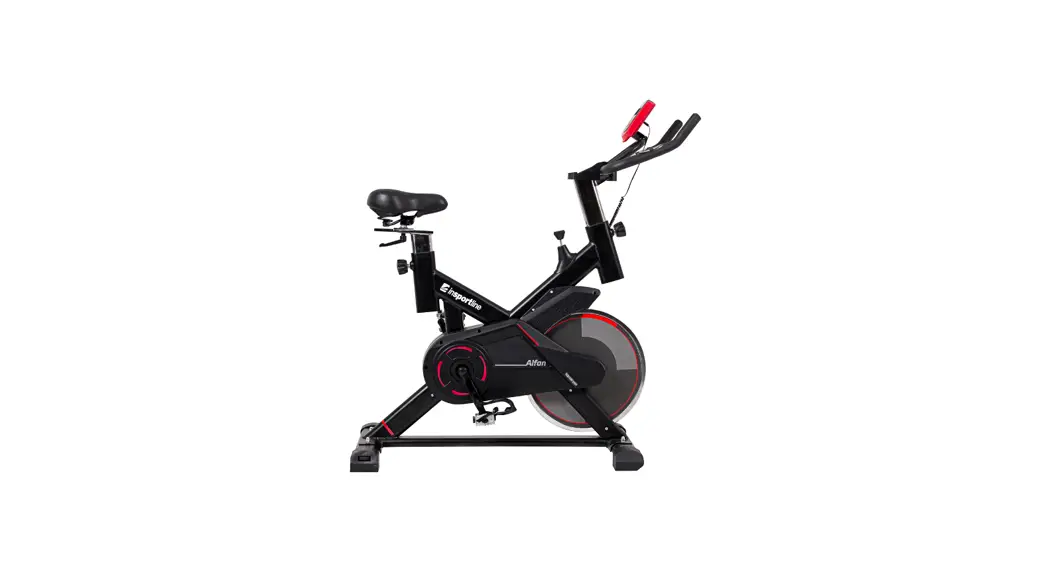
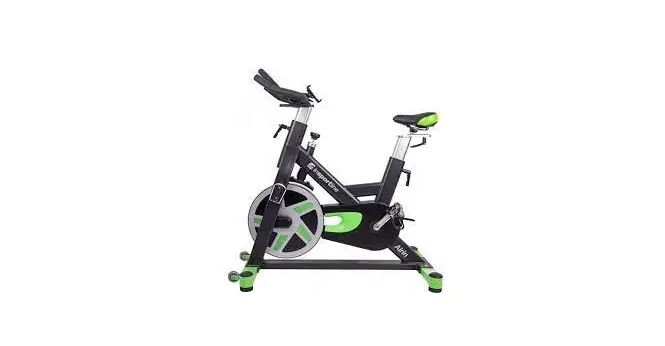
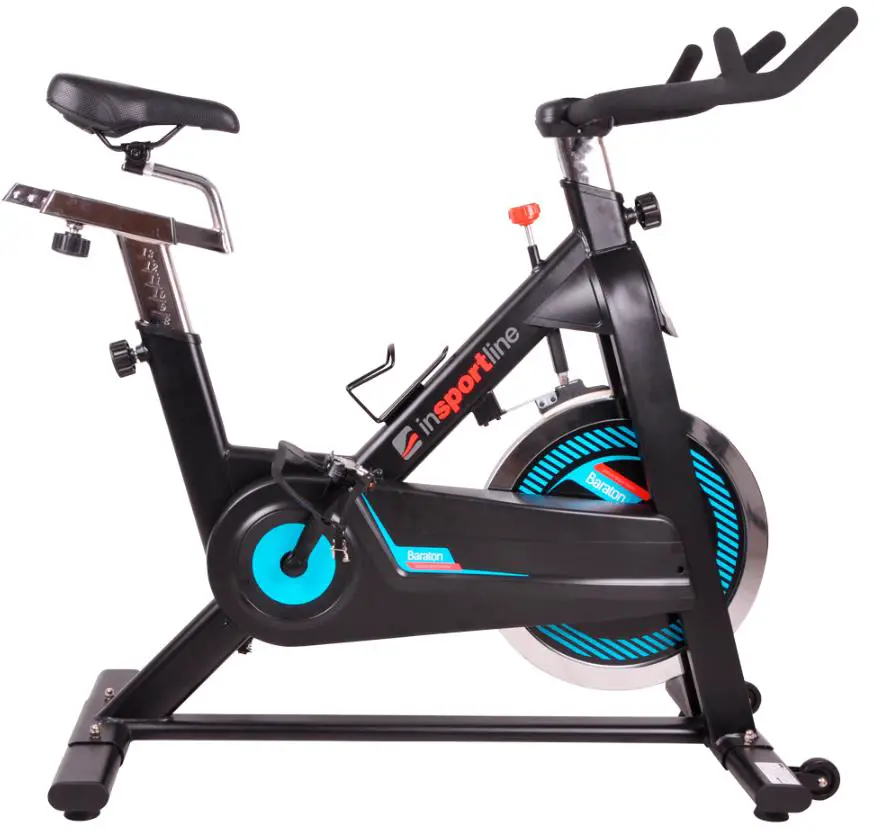
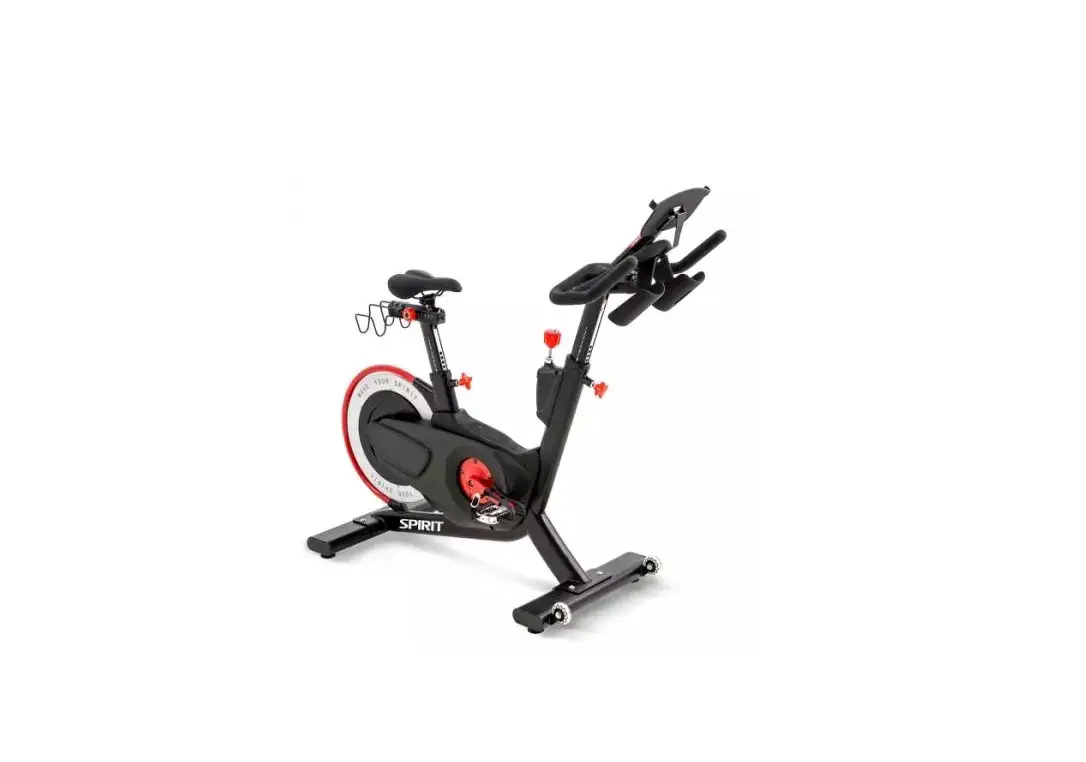
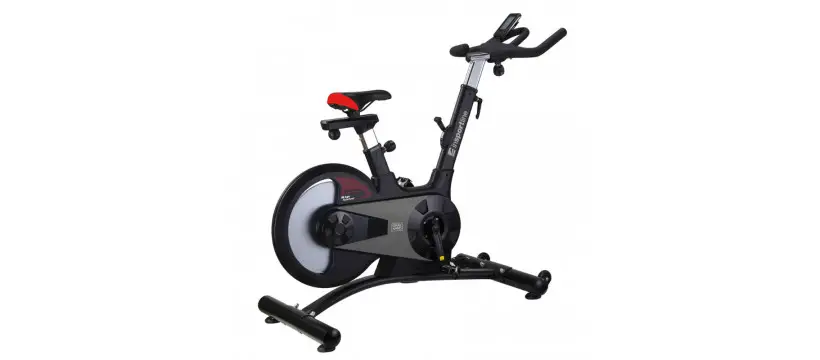
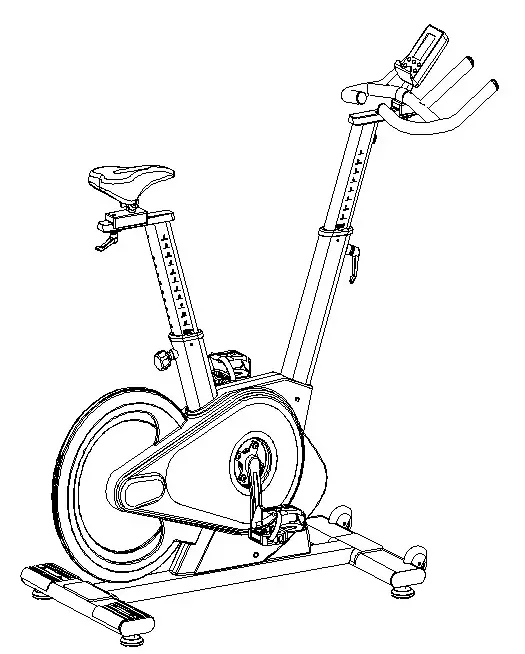
IN 20068 Indoor Spinning Bike inSPORTline inCondi S800i
SAFETY INSTRUCTIONS
- To ensure the best safety of the exerciser, regularly check it on damages and worn parts.
- If you pass on this exerciser to another person or if you allow another person to use it, make sure that that person is familiar with the content and instructions in these instructions.
- Only one person should use the exerciser at a time.
- Before the first use and regularly make sure that all screws, bolts and other joints are properly tightened and firmly seated.
- Before you start your work-out, remove all sharp-edged objects around the exerciser.
- Only use the exercise for your work-out if it works flawlessly.
- Any broken, worn or defective part must immediately be replaced and/or the exerciser must no longer be used until it has been properly maintained and repaired.
- Parents and other supervisory persons should be aware of their responsibility, due to situations which may arise for which the exerciser has not been designed and which may occur due to children’s natural play instinct and interest in experimenting.
- If you do allow children to use this exerciser, be sure to take into consideration and assess their mental and physical condition and development, and above all their temperament. Children should use the exerciser only under adult supervision and be instructed on the correct and proper use of the exerciser. The exerciser is not a toy.
- Make sure there is sufficient free space around the exerciser when you set it up at least 0.6 m.
- To avoid possible accidents, do not allow children to approach the exerciser without supervision, since they may use it in a way for which it is not intended due to their natural play instinct and interest in experimenting.
- Please note that an improper and excessive work-out may be harmful to your health.
- Please note that levers and other adjustment mechanisms are not projecting into the area of movement during the work-out.
- When setting up the exerciser, please make sure that the exerciser is standing in a stable way and that any possible unevenness of the floor is evened out.
- Always wear appropriate clothing and shoes which are suitable for your work-out on the exerciser. The clothes must be designed in a way so that they will not get caught in any part of the exerciser during the work-out due to their form (for example, length). Be sure to wear appropriate shoes which are suitable for the work-out, firmly support the feet and which are provided with a non-slip sole.
- Be sure to consult a physician before you start any exercise program. He may give you proper hints and advice with respect to the individual intensity of stress for you as well as to your work-out and sensible eating habits.
- The spinning bike has no freewheel. The pedals will move if the flywheel is spinning.
- If you do not use the spinning bike, increase the resistance to the maximum to prevent the flywheel from moving.
- Maximal weight limit: 150 kg
- Category: SC for professional use according to EN 957
- Meet standards: EN ISO 20957-1:2013, EN 957-10:2005
IMPORTANT NOTES
- Assemble the exerciser as per assembly instructions and be sure to only use the structural parts provided with the exerciser and designed for it. Prior to the assembly, make sure the contents of the delivery are complete by referring to the parts list of the assembly and operating instructions.
- Be sure to set up the exerciser in a dry and even place and always protect it from humidity. If you wish to protect the place particularly against pressure points, contamination, etc., it is recommended to put a suitable, non-slip mat under the exerciser.
- The general rule is that exercisers and training devices are no toys. Therefore, they must only be used by properly informed or instructed persons.
- Stop your work-out immediately in case of dizziness, nausea, chest pain or any other physical symptoms. In case of doubt, consult your physician immediately.
- Children, disabled and handicapped persons should use the exercise only under supervision and in presence of another person who may give support and useful instructions.
- Be sure that your body parts and those of other persons are never close to any moving parts of the exerciser during its use.
- When adjusting the adjustable parts, make sure they are adjusted properly and note the marked, maximum adjusting position, for example of the saddle support, respectively.
- Do not work out immediately after meals!
- WARNING! A system for monitoring heart rate may not be accurate. Overloading during training may cause serious injury or death. If you feel any discomfort, immediately stop the exercise!
PARTS LIST
NO | Name | QTY | Specification |
| 1 L/R | Pedal (L- left, R – right) | 1 | |
| 2 | End cap 3 | 4 | 120*40*35 |
| 3 | Screw 1 | 4 | M10*30 |
| 4 | Rear stabilizer | 1 | |
| 5 | Flat washer | 4 | Φ10 |
| 6 | Front cover | 2 | 160*128*3 |
| 7 | Screw 1 | 4 | ST4.8*19 |
| 8 | Screw 2 | 2 | M8*40 |
| 9 | Bearings | 4 | 60ZZ |
| 10 | Seat post | 1 | |
| 11 | Flat washer 4 | 1 | Φ12 |
| 12 | Seat slider | 1 | |
| 13 | Seat | 1 | |
| 14 | Feet | 4 | M16*25 |
| 15 | Front stabilizer | 1 | |
| 16 | Main frame | 1 | |
| 17 | Handlebar post | 1 | |
| 18 | Handlebar | 1 | |
| 19 | Plastic sleeve | 2 | 80*40*1,5 |
| 20 | Safety pin | 2 | |
| 21 | Screw | 2 | M6*54 |
| 22 | Nut | 3 | M6 |
| 23 | Gasket | 2 | Φ16* Φ6 |
| 24 | L shaped knob | 1 | M10*25 |
| 25 | Flat washer 1 | 2 | M8*16 |
| 26 | L shaped knob | 2 | M12*1,25 |
| 27 | Screw 3 | 4 | M8*16 |
| 28 | Nut | 4 | M12*1,25 |
| 29 | Crank end cap | 2 | Φ28*6,5 |
| 30 | Knob 1 | 1 | M16*35 |
| 31 | Nut | 6 | M8 |
| 32 | Sleeve | 2 | Φ10* Φ6,2*8,5 |
| 33 | Left crank | 1 | 170*15 |
| 34 | Screw 4 | 4 | M3*6 |
| 35 | Bearings | 4 | 6004ZZ |
| 36 | Right crank | 1 | 170*15 |
| 37 | Spring washer 1 | 2 | Φ5 |
| 38 | Nut | 2 | M20*1,0 |
| 39 | Flywheel | 1 | Φ453*29 (20 kg) |
| 40 | Flywheel axle | 1 | Φ25*170 |
| 41 | Screw 1 | 12 | ST4,2*19 |
| 42 | Screw 2 | 5 | ST4,,2*19 |
| 43 | Screw 5 | 2 | ST4,8*19 |
| 44 | Outer chain cover | 1 | 945*515*96,5 |
| 45 | Inner chain cover | 1 | 15*8,2*1320 |
| 46 | Axle | 1 | Φ20*172 |
| 47 | Long fixing rod | 1 | Φ25* Φ20,2*41,2 |
| 48 | Short fixing rod | 1 | Φ25* Φ20,5*9 |
| 49 | Inner chain cover | 1 | 945*515*107 |
| 50 | Belt | 1 | 5PK51 |
| 51 | Belt wheel | 1 | Φ235*21 |
| 52 | Transport wheels | 2 | Φ69*23 |
| 53 | Tension cable | 1 | P= 250 |
| 54 | Spring | 1 | Φ1,2*50 |
| 55 | Top slider | 1 | 60*26*60 |
| 56 | Bottom slider | 1 | 26*18*100 |
| 57 | Spring washer 2 | 2 | Φ6 |
| 58 | Flat washer 4 | 4 | Φ5 |
| 59 | Screw 10 | 3 | M6*20 |
| 60 | Breaking system | 1 | |
| 61 | Magnet | 6 | 28*20*3 |
| 62 | Fixing rod | 1 | Φ25* Φ20,2*48,2 |
| 63 | Sleeve | 1 | 45*25*9 |
| 64 | End cap | 1 | 100*50*2 |
| 65 | Nut 1 | 1 | M20*1,0 |
| 66 | Holder | 1 | |
| 67 | Console | 1 | SM2531 |
| 68 | Screw 3 | 4 | M5*8 |
| 69 | Sensor | 1 | P=350 |
| 70 | Kabel 1 | 1 | L=850 mm, 9P |
| 71 | Flat washer 3 | 2 | Φ6 |
| 72 | Kabel 3 | 1 | L= 950 mm, 9 P |
| 73 | Motor cable | 1 | L= 150 mm, 9P |
| 74 | Screw 3 | 4 | M5*10 |
| 75 | Screw 6 | 2 | M3*10 |
| 76 | Top cover | 1 | 90*33*6 |
| 77 | Bottom cover | 1 | 90*33*7,5 |
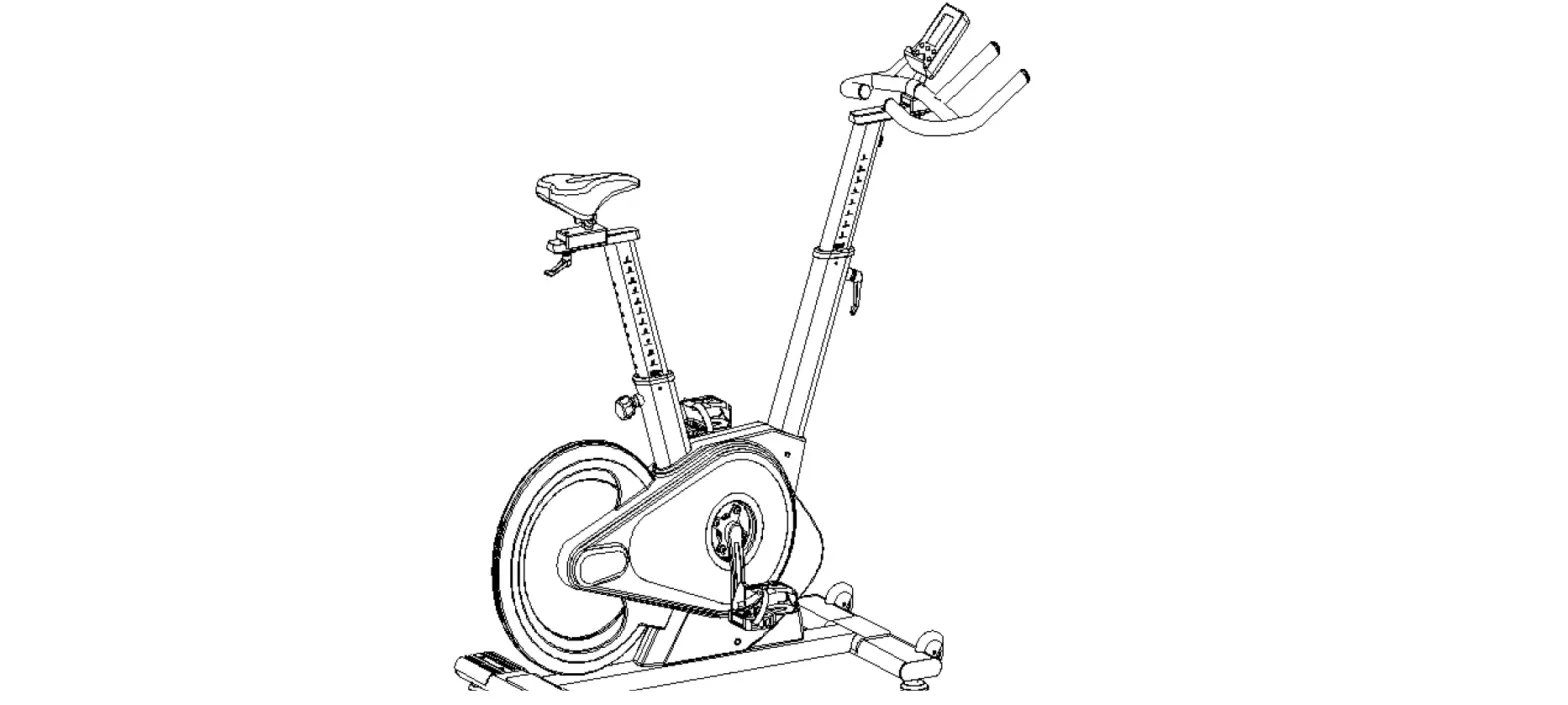
DIAGRAM
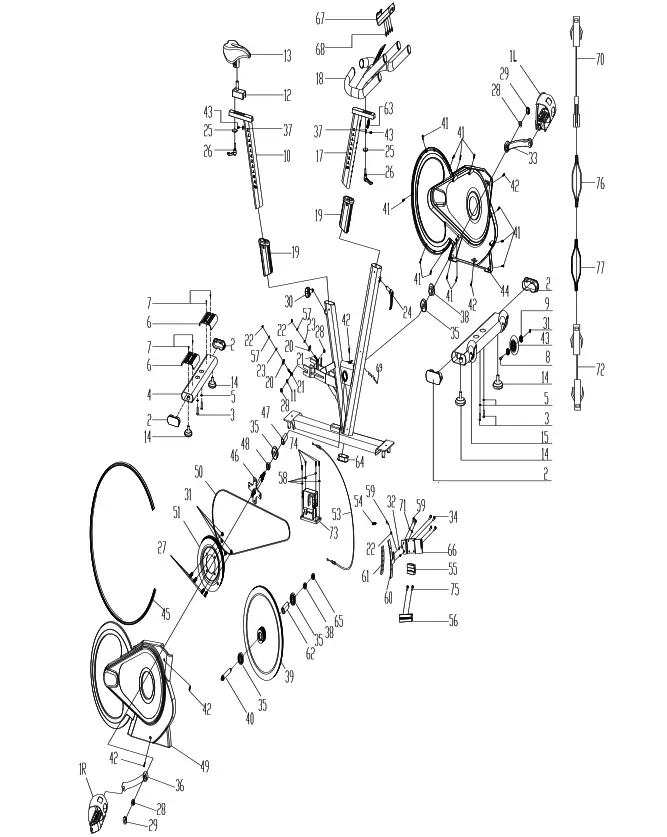
ASSEMBLY
- Make sure you have enough free space for assembly.
- Make sure you have all the necessary tools.
- ake sure you have all the parts.
STEP 1
Secure the front stabilizer (15) to the main frame (16) with 2 washers (5) and 2 screws (3). Secure the rear stabilizer (4) to the main frame (16) with 2 washers (5) and 2 screws (3).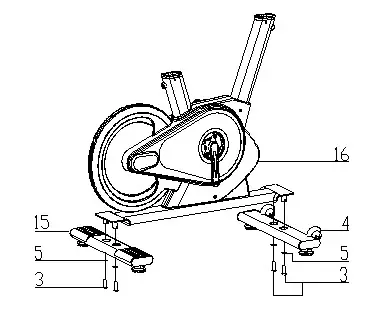 STEP 2
Attach the seat post (10) to the main frame (16). Then attach the saddle slider (12) to the saddle post (10) and secure it with washer (25) and knob (26). Adjust the seat height with the screw (30). Only set the correct height after the bike trainer has been assembled. Fasten the seat (13) to the seat support (12) using the screws located under the seat.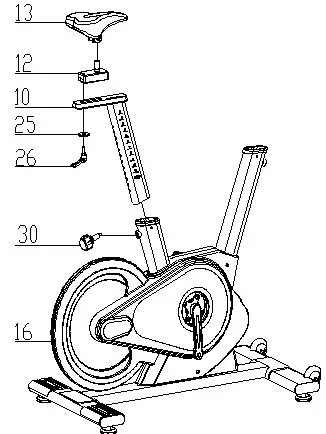 STEP 3
Loosen the knob (24) and attach the handlebar post (17) to the main frame (16) and secure with the knob (24). Then fasten the handlebars (18) to the handlebar post with the screws (26) and the knob (19). WARNING: Tighten the handlebar properly. Attach console (67) to console holder (18) with 4 screws (68) and connect cables (A1, A2, A3, A4)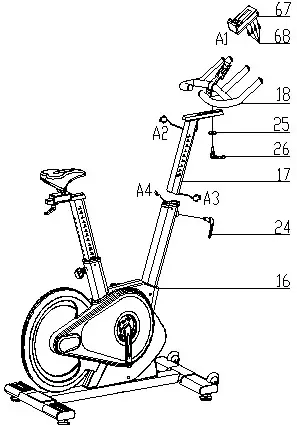 STEP 4
Attach the pedals (1L and 1R) are marked L – Left, R – Right. Attach the right pedal to the right crank clockwise, attach the left pedal to the left crank counterclockwise.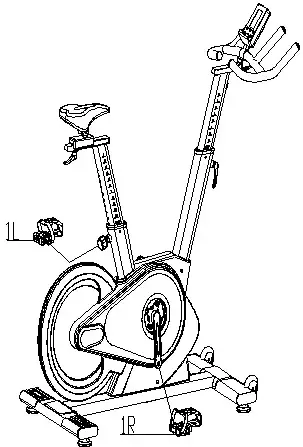 You can adjust the device resistance using the console.
CONSOLE
Display
| TIME | Displays training time Display: 0:00 – 99:59 |
| SPEED | Display speed Display: 0.0 – 99.9 |
| DISTANCE | Display distance Display: 0.0 – 99.9 |
| CALORIES | Burned calories Display: 0 – 999 |
| PULSE | Pulse Sound signal when you reach target |
| RPM | Rounds per minutes Display: 0 – 999 |
| MANUAL | Manual program |
| PROGRAM | X4 beginner program selection, X4 advanced and X4 sports |
| CARDIO | Target heart rate |
BUTTONS
| UP | Increase load Settings navigation |
| DOWN | Decrease load Settings navigation |
| MODE | Confirm selection |
| RESET | Total Reset: Hold for 2 seconds, the console will restart Return: Returns to the main menu |
| START / STOP | Start / Stop program |
| RECOVERY | Cardiac test |
TURN ON
When turned on, all data is displayed for 2 seconds (Pic. 1). Then the wheel diameter and unit are displayed (Pic. 2). Then the console switches to standby mode.
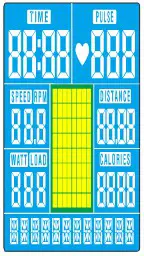 | 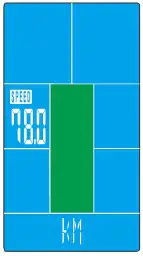 |
Pic. 1 | Pic. 1 |
PROGRAM SELECTION
In standby mode, use the UP and DOWN buttons to select: Manual – Beginner – Advance – Sports Cardio. If you press START without setting, the console starts and starts counting.
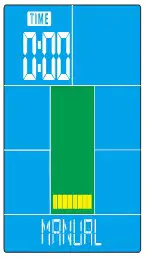
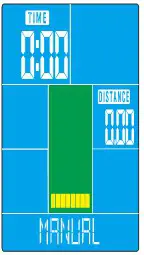
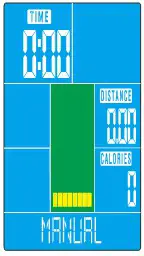
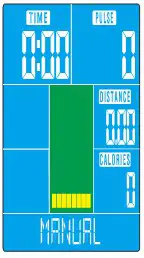
MANUAL MODE
Use the UP and DOWN navigation buttons to select Manual and press MODE to confirm. Use the UP and DOWN navigation keys to set TIME, DISTANCE, CALORIES, PULSE, and confirm with MODE.
Press START / STOP to turn on the program. Use UP and DOWN to set the LOAD (Levels 1-32).
Press START / STOP to stop the program. Use RESET to return to the main menu.
 |  |  |  |
Pic. 3 | Pic. 4 | Pic. 5 | Pic. 6 |
BEGGINER MODE
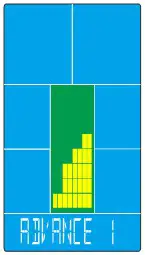
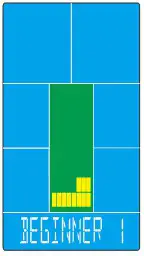
Use the UP and DOWN navigation keys to select BEGGINER MODE and press MODE to confirm. Use the UP and DOWN navigation buttons to select BEGGINER 1-4 (Pic. 7) and press MODE to confirm. Use the UP and DOWN navigation buttons to set the time and start the program with START / STOP. Use UP and DOWN to adjust the load. Press START / STOP to stop the program. Use RESET to return to the main menu.
|  |
| Pic. 7 | Pic. 8 |
ADVANCE MODE
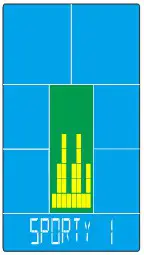
Use the UP and DOWN navigation buttons to select ADVANCE MODE and press MODE to confirm. Use the UP and DOWN navigation buttons to select ADVANCE MODE 1-4 (Pic. 8) and confirm with MODE. Use the UP and DOWN navigation buttons to set the time and start the program with START / STOP. Use UP and DOWN to adjust the load. Press START / STOP to stop the program. Use RESET to return to the main menu. SPORTY MODE Use the UP and DOWN navigation keys to select
SPORTS MODE
and confirm with MODE. Use the UP and DOWN navigation buttons to select SPORTS MODE 1-4 (Pic. 9) and press MODE to confirm. Use the UP and DOWN navigation buttons to set the time and start the program with START / STOP. Use UP and DOWN to adjust the load. Press START / STOP to stop the program. Use RESET to return to the main menu.
|  |
| Pic. 9 | Pic. 10 |
CARDIO MODE
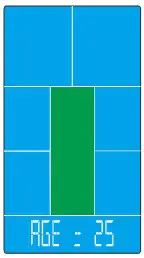
Use the UP and DOWN navigation keys to select CARDIO and confirm with MODE. (Pic. 10) Use the UP and DOWN navigation keys to set AGE and then select 55%, 75%, 90% or set your own value and confirm with MODE. Use the UP and DOWN navigation buttons to set the TIME and confirm with MODE. Press START / STOP to stop the program. Use RESET to return to the main menu. If no pulse is detected for 6 seconds, the display will show PULSE INPUT.
RECOVERY MODE
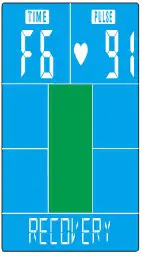
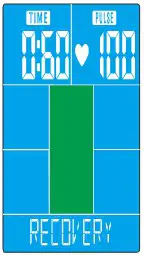
After exercising, hold the pulse measuring plates or attach the chest strap. Once the pulse is detected press the RECOVERY button. All functions will stop except TIME. The countdown starts from 00:60 to 00:00 (Pic. 11). When the countdown is complete, the result is displayed from F1 to F6. F1 is the best result, F6 is the worst result. Press RECOVERY again to return to the menu.
|  |
| Pic. 11 | Pic. 12 |
USB CONNECTION
The console has a USB connector that can be used to charge your phone.
iCONSOLE APPLICATION
The console includes a built-in Bluetooth module. Download iCONSOLE + App to your mobile or tablet from App store or Google play. Turn on Bluetooth on your smart device and pair with your console. Password: 0000
SOUND SIGNALS
| Sound signal – One short | Confirmation of operation |
| Sound signal – two shorts | Incorrect operation |
| Sound signal – two short every second | Achieve target value |
| Sound signal – 6 short signals | CARDIO program, the program is forced off |
| Sound signal – two short every second | If PULSE exceeds the value |
NOTES:
- If the console does not work, try restarting it.
- If the console is connected via Bluetooth, the console display turns off
- Turn off Bluetooth and restart the console to turn on the display
- Console can charge smart devices 9V 1.3 A or higher.
USE
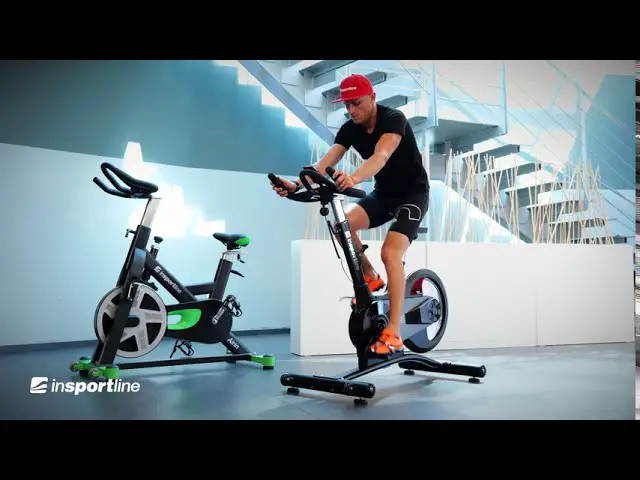
Exercise on the spinning bike is based on very simple movements, but you will surely fall in love with them. Thanks to simplicity of the exercise on the spinning bike in can be done by elderly people. Prior to exercise, it is necessary to adjust the height of the saddle. It is important that you sit comfortably. The bicycle saddle must be set so that you can hold the ergonomically shaped handles when sitting. You should not have fully extended hands. You can damage your muscles. To ensure a comfortable and comfortable exercise, put your feet on the pedal. Nowadays, all modern pedals are equipped with straps for fastening and stabilizing of the foot. It is important for your foot to be firmly and safely positioned during exercise.
The basis of exercising on a bicycle is that the legs are moving on a specific elliptical path. This movement is very similar to cycling. When doing exercise on a bicycle, you just sit on the saddle with the right height, keep your feet firmly in the pedals, hold the ergonomically shaped handles, and exercise.
It is advisable at the beginning to choose a lower load. If you exercise at regular intervals on an spinning bike, you can gradually increase the load. You can increase the load gradually over a week or two weeks. Selecting a high load during the start of training can lead to rapid fatigue and muscle damage.
When exercising, it’s important to choose the right load and the right tempo. Try to keep it throughout the exercise. It is not recommended to choose a high pace right from the start. Increase tempo after about a week of regular exercise. The high pace is not equal to the faster burning of calories. Correct calorie burning is reflected in an appropriate and regular exercise. At the beginning of the exercise, the number of burned calories may seem low, but regular and appropriate exercise is the key to achieving the best results.
Exercise on the spinning bike also leads to the formation of muscles. It is mainly used to strengthen the thigh and calf muscles. While exercising on a bicycle, you also move your buttocks.
If you want to exercise right, you should not forget to breathe properly. Proper and regular breathing is recommended in any exercise. It is important to keep regular deep inhales and exhales. Regular and proper breathing during exercises on the spinning bike involves intense exercise of the abdominal muscles. It is advisable to practice 30-35 after consuming food. Failure to do so may result in less calories burned, and in older age even lead to digestive problems.
For best results, you should also consider your diet. It is recommended to start a day of eating sweet food and pastries or muesli with milk. For lunch is recommended to eat a caloric richer meal. Do not forget about the soup. In the evening, light meals are recommended. If you want to improve your health, it’s not just a regular exercise but a whole diet.
Bicycle exercise is an effective exercise for all busy people. Exercise on the spinning bike is effective in strengthening muscles, especially thighs, calves and buttocks. Regular exercise can lead to a slimmer figure. Exercise is recommended not only as a winter training for cyclists but also for people who want to burn excess calories. Regular breathing, regular exercise, reasonable tempo, and balanced diet can lead to your desired results.
CORRECT BODY POSTURE
When training, keep your body upright, or you can learn your hand on your forearms. During pedaling, you should not have your legs fully extended. Your knees should be slightly bent when fully pressing down the pedal. Keep your head straight with your spine to minimize the pain of the cervical muscles and upper back muscles. Always exercise fluently and rhythmically.
EXERCISE INSTRUCTIONS
A successful workout begins with warm-up exercises and ends with cool-down (relaxing) exercises. The warm-up exercises should make your body ready for the main workout. The cool-down phase should protect your muscles from injuries and cramps. Do warm-up and cool-down exercises as shown in the chart below.
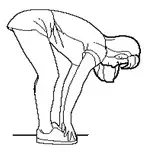
Touching your toes
Slowly bend your back from hips. Keep your back and arms relaxed while stretching downwards to your toes. Do it as far as you are able and hold the position for 15 seconds. Bend your knees slightly
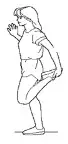
Upper thigh
Lean against a wall with one hand. Reach down and behind you. Lift up your right or left foot to your buttock as high as possible. Keep for 30 seconds and repeat twice for each leg.
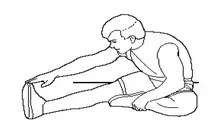
Hamstring stretched
Sit and outstretch your right leg. Rest the sole of your left foot against the inside of your right tight. Stretch out your right arm along your right leg as far as you can. Hold for 15 seconds and relax. Repeat all with your left leg and left arm
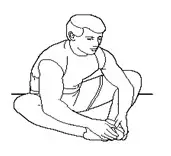
Inside upper thigh
Sit on the floor and place your feet together. Knees are pointed outwards. Pull your feet as close as possible to your groin. Press your knees carefully downwards. Keep this position for 30-40 seconds if possible.
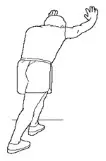
Calves and Achilles tendon
Lean against a wall with your left leg in front of the right one and your arms forward. Stretch out your right leg and keep your left foot on the floor. Bend your left leg and lean forwards by moving your right hip in the direction of the wall. Hold for 15 seconds. Keep your leg stretched and repeat exercising with other leg.
Exercise Stage. Regular exercise will make your muscles stronger. Keep the pace according to the chart during the training. Training should take at least 12 minutes.
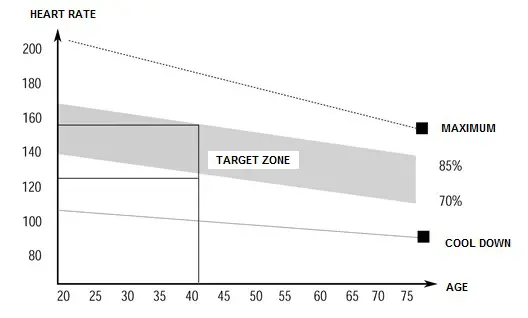 Then let the muscles calm down by reducing the pace for approx. 5 min. Then do the warm-up exercises. Train regularly at least 3 times a week.
MAINTENANCE
- When assembling, tighten all screws and adjust the bike to the horizontal position.
- Check the screws after 10 hours of use.
- Wipe the sweat after the exercise.
- Clean the device with a cloth and gentle cleanser. Do not use solvents or aggressive cleaners on the plastic parts.
- When noise is increased, it is necessary to check that all joints are tightened properly.
- Place the product in a clean, ventilated and dry room.
- Do not expose the device to direct sunlight.
STORAGE
Keep the spinning bike in a clean and dry environment. Make sure the power switch is turned off and the spinning bike is not plugged into the power socket.
IMPORTANT NOTICE
- This spinning bike comes with standard safety regulations. Any other use is prohibited and may be dangerous to users. We are not responsible for any injury caused by improper and forbidden use of the machine.
- Consult your doctor before starting training on the spinning bike. Your doctor should evaluate whether you are physically fit to use the machine and how much effort you are able to undergo. Incorrect exercise or switching of the body can harm your health.
- Carefully read the following tips and exercises. If you experience pain, nausea, breathing, or other health problems during exercise, immediately stop the exercise. If the pain persists, contact your doctor immediately.
- This spinning bike is not suitable for medical purpose. It can also not be used for healing purposes.
- The heart rate monitor is not a medical device. It provides only approximate information about your average heart rate, and any suggested pulse rate is not medically binding. Accumulated data may not always be accurate regarding uncontrollable human and environmental factors.
ENVIRONMENT PROTECTION
After the product lifespan expired or if the possible repairing is uneconomic, dispose it according to the local laws and environmentally friendly in the nearest scrapyard.
By proper disposal you will protect the environment and natural sources. Moreover, you can help protect human health. If you are not sure in correct disposing, ask local authorities to avoid law violation or sanctions.
Don’t put the batteries among house waste but hand them in to the recycling place.
TERMS AND CONDITIONS OF WARRANTY, WARRANTY CLAIMS
General Conditions of Warranty and Definition of Terms
All Warranty Conditions stated hereunder determine Warranty Coverage and Warranty Claim Procedure. Conditions of Warranty and Warranty Claims are governed by Act No. 89/2012 Coll. Civil Code, and Act No. 634/1992 Coll., Consumer Protection, as amended, also in cases that are not specified by these Warranty rules.
The seller is SEVEN SPORT s.r.o. with its registered office in Borivojova Street 35/878, Prague 13000, Company Registration Number: 26847264, registered in the Trade Register at Regional Court in Prague, Section C, Insert No. 116888.
According to valid legal regulations it depends whether the Buyer is the End Customer or not.
“The Buyer who is the End Customer” or simply the “End Customer” is the legal entity that does not conclude and execute the Contract in order to run or promote his own trade or business activities.
“The Buyer who is not the End Customer” is a Businessman that buys Goods or uses services for the purpose of using the Goods or services for his own business activities. The Buyer conforms to the General Purchase Agreement and business conditions.
These Conditions of Warranty and Warranty Claims are an integral part of every Purchase Agreement made between the Seller and the Buyer. All Warranty Conditions are valid and binding, unless otherwise specified in the Purchase Agreement, in the Amendment to this Contract or in another written agreement.
Warranty Conditions
Warranty Period
The Seller provides the Buyer a 24 months Warranty for Goods Quality, unless otherwise specified in the Certificate of Warranty, Invoice, Bill of Delivery or other documents related to the Goods. The legal warranty period provided to the Consumer is not affected.
By the Warranty for Goods Quality, the Seller guarantees that the delivered Goods shall be, for a certain period of time, suitable for regular or contracted use, and that the Goods shall maintain its regular or contracted features.
The Warranty does not cover defects resulting from (if applicable):
- User’s fault, i.e. product damage caused by unqualified repair work, improper assembly, insufficient insertion of seat post into frame, insufficient tightening of pedals and cranks
- Improper maintenance
- Mechanical damages
- Regular use (e.g. wearing out of rubber and plastic parts, moving mechanisms, joints etc.)
- Unavoidable event, natural disaster
- Adjustments made by unqualified person
- Improper maintenance, improper placement, damages caused by low or high temperature, water, inappropriate pressure, shocks, intentional changes in design or construction etc.
Warranty Claim Procedure
The Buyer is obliged to check the Goods delivered by the Seller immediately after taking the responsibility for the Goods and its damages, i.e. immediately after its delivery. The Buyer must check the Goods so that he discovers all the defects that can be discovered by such check.
When making a Warranty Claim the Buyer is obliged, on request of the Seller, to prove the purchase and validity of the claim by the Invoice or Bill of Delivery that includes the product’s serial number, or eventually by the documents without the serial number. If the Buyer does not prove the validity of the Warranty Claim by these documents, the Seller has the right to reject the Warranty Claim.
If the Buyer gives notice of a defect that is not covered by the Warranty (e.g. in the case that the Warranty Conditions were not fulfilled or in the case of reporting the defect by mistake etc.), the Seller is eligible to require a compensation for all the costs arising from the repair. The cost shall be calculated according to the valid price list of services and transport costs.
If the Seller finds out (by testing) that the product is not damaged, the Warranty Claim is not accepted. The Seller reserves the right to claim a compensation for costs arising from the false Warranty Claim.
In case the Buyer makes a claim about the Goods that is legally covered by the Warranty provided by the Seller, the Seller shall fix the reported defects by means of repair or by the exchange of the damaged part or product for a new one. Based on the agreement of the Buyer, the Seller has the right to exchange the defected Goods for a fully compatible Goods of the same or better technical characteristics. The Seller is entitled to choose the form of the Warranty Claim Procedures described in this paragraph.
The Seller shall settle the Warranty Claim within 30 days after the delivery of the defective Goods, unless a longer period has been agreed upon. The day when the repaired or exchanged Goods is handed over to the Buyer is considered to be the day of the Warranty Claim settlement. When the Seller is not able to settle the Warranty Claim within the agreed period due to the specific nature of the Goods defect, he and the Buyer shall make an agreement about an alternative solution. In case such agreement is not made, the Seller is obliged to provide the Buyer with a financial compensation in the form of a refund.
SEVEN SPORT s.r.o.
Registered Office: Borivojova 35/878, 130 00 Praha 3, Czech Republic
Headquarters: Delnicka 957, 749 01 Vitkov, Czech Republic
Warranty & Service Center: Cermenska 486, 749 01 Vitkov, Czech Republic
CRN : 26847264
VAT ID : CZ26847264
Phone: +420 556 300 970
E-mail:
[email protected]
[email protected]
[email protected]
Web: www.insportline.cz
SK
INSPORTLINE s.r.o.
Headquarters, Warranty & Service Center: Elektricna 6471, 91101 Trencin, Slovakia
CRN : 36311723
VAT ID : SK2020177082
Phone : +421(0)326 526 701
E-mail:
[email protected]
[email protected]
[email protected]
Web : www.insportline.sk
Date of Sale: Stamp and Sinnature of Seller: