
ILLUMINESSENCE™
JUST COLOR IT UP™
USER MANUAL
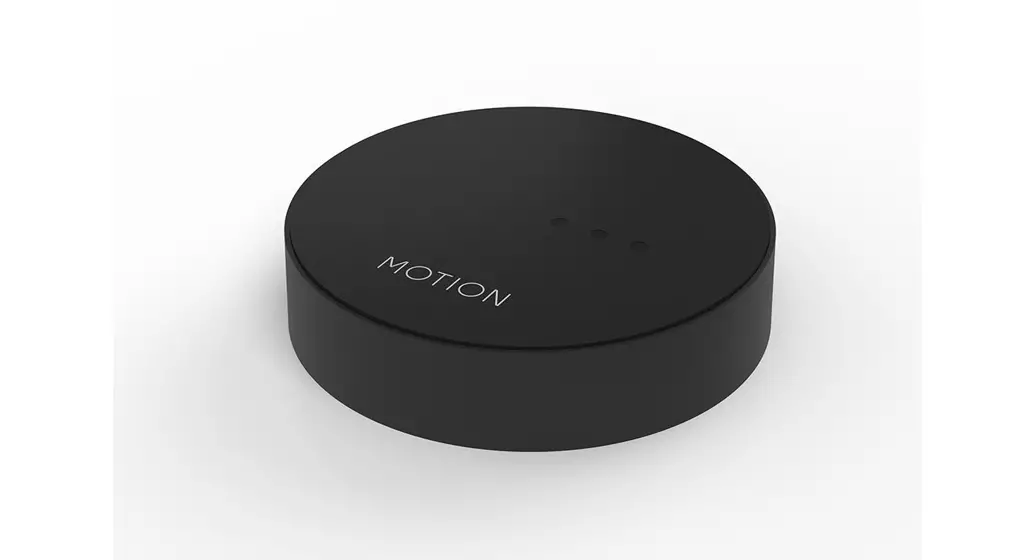
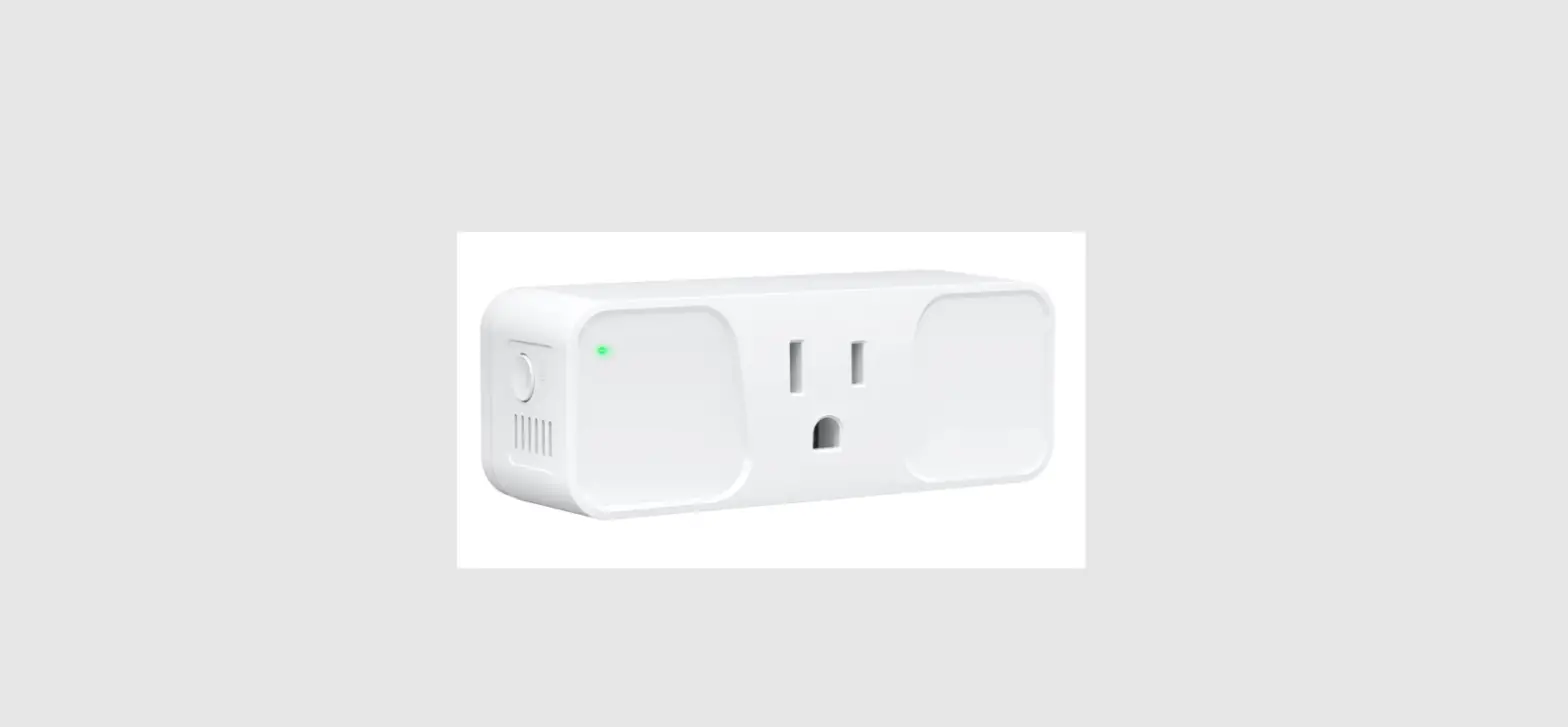
SMART WIFI Bridge
MML-WFB
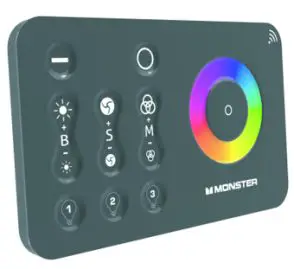
Features:
 Wifi connect, mobile phone APP control, Android and IOS support
 Voice and intelligent speaker control
 Timer switch
 Multiple color changing
 Brightness changing
 Bridge controllable after connecting to internet
Parameters:
Model : MML-WFB
Color: RGB/RGBW
Input Voltage: DC5V, 0.5A
Control Distance: 20 Meters
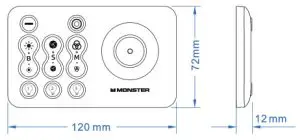
Dimension:
Control Diagram:
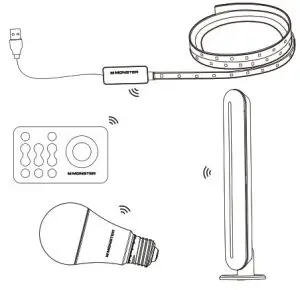
Bridgely controls all your monster IlluminEssence light at the same time.
Precautions:
- Do not place metal objects around the controller and smart wifi Bridge which will block wifi signal.
- Working voltage of the power supply should be 5V.
- Confirm that the connection is correct before powering up.
Function Description:
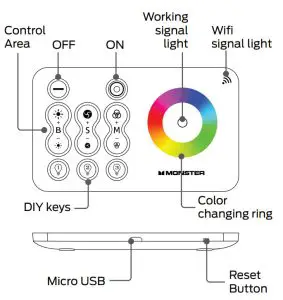
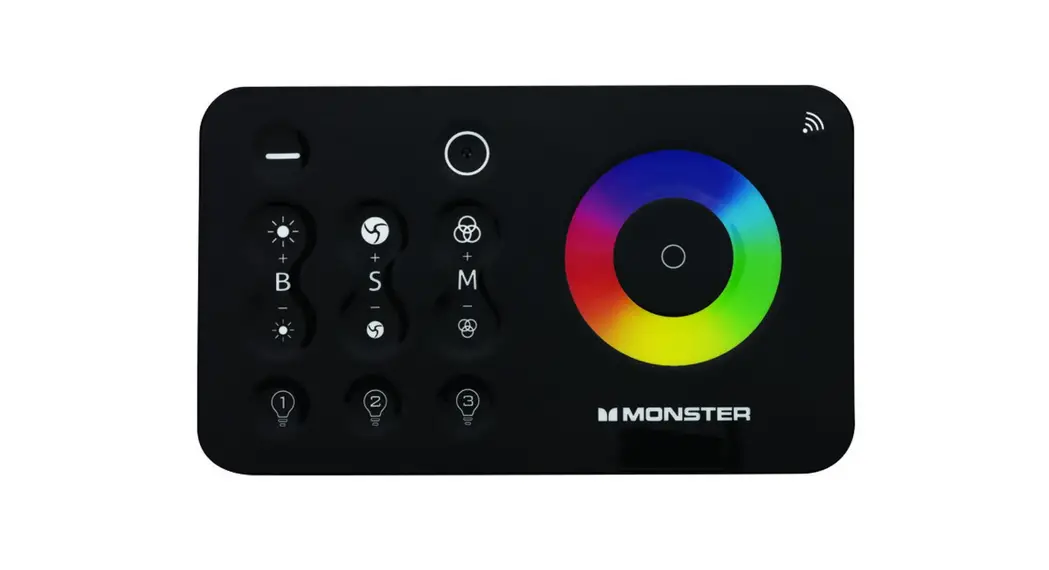
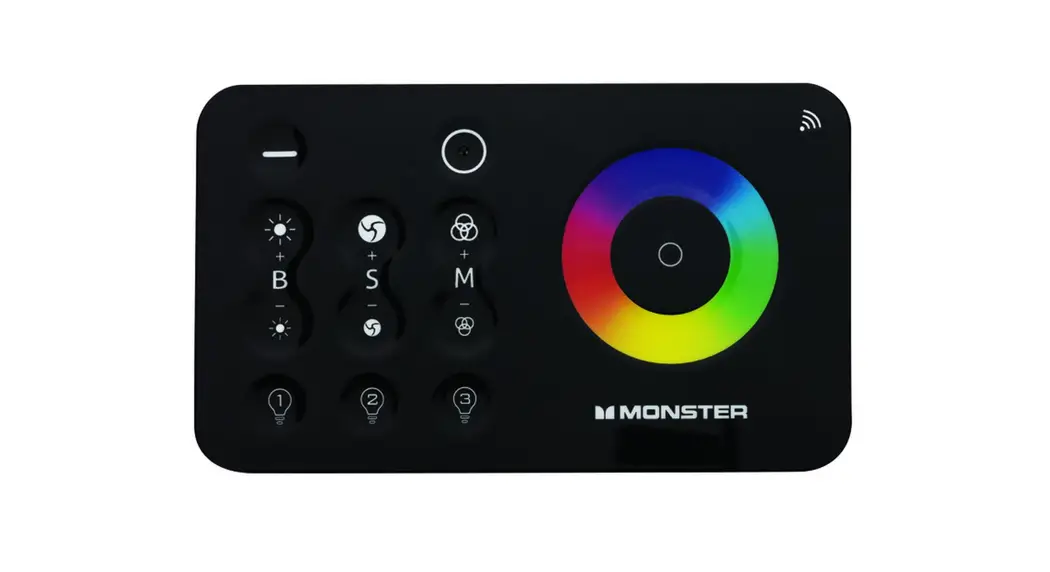
Function | Operation | Wifi Bridge Keys | Control Description |
| ON | Click |  | Turn on the light |
| OFF | Click |  | Turn off the Light |
| Pairing | Press S+ within 5 seconds when powered up |  | LED light will flash 3 times when paired |
| Un pairing | Press 5- within 5 seconds when powered off | LED light will flash 5 times when unpaired | |
| Brightness adjusting (Only available on Static mode) | Click |  | Brightness adding/reducing by steps |
| Long Press | Brightness adding/reducing quickly | ||
| Speed adjusting (Only available on Dynamic mode) | Click | | Speed adding/reducing by steps |
| Long Press | Speed adding/reducing quickly | ||
| Mode switching | Click |  | Color changing modes switching |
| Long Press | |||
| DIY keys (Only used in RGBW series, not applicable to current RGB series) | Click/Long Press |  | After the user adjusts the effect of the led strip, press one of the DIY key for over 1 second, which will define the DIY scene for future use. Click one DIY button will change to your lasting defined scene. |
| Color changing | Touch |  | RGB color changing |
| Wifi signal light | Indicator Light |  | Wifi connection available when indicator light flashes quickly |
| Working signal light | Indicator Light |  | Indicating RF control signal |
| Reset button | Long Press |  | Long press 5 seconds for Wifi connection |
USE THE SAME WAY TO CONNECT MONSTER LED STRIPS, LED LIGHT BULBS,
AND LED LIGHT BARS WITH WIFI BRIDGE AS IT CONNECTS WITH REMOTE CONTROL.
PAIRING
By default, all Monster IlluminEssence LED strips, LED light bulbs, and LED light bars will be paired out of the box with the included remote control.
TO PAIR
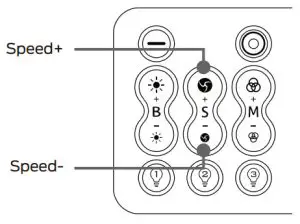
To pair LED strips or LED light bulbs to another remote, simply unplug and replug back in the LED strip, lamp, or bar to power and WITHIN FIVE SECONDS of plugging
back into power, press and hold the “Speed+” until the lights blink three times.
TO UNPAIR
Repeat above but instead of “Speed+” press “Speed-”.
EXPAND
EXPAND LIGHTS AND ROOMS
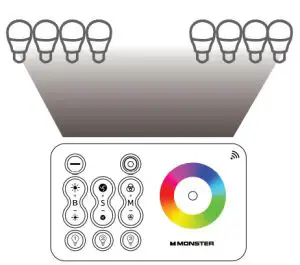
You can pair up to four remotes with up to 30 Monster IlluminEssence LED strips, LED light bulbs, or LED light bars.
You can have multiple remotes control the same set of lights.
Download APP
1. Search “Smart Life” from the APP store or Google play.
2. Scan the QR code from the label or user manual.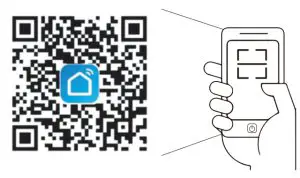 https://smartapp.tuya.com/smartlife
The APP is compatible with Android4.0 and iOS8.1 and higher version.
Log In / Sign Up
Open the Smart Life APP, sign up for a new account, or log in with an existing account.
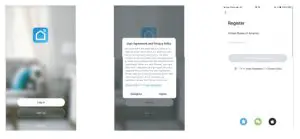
APP Connection:
Preparation: Use the prepared Led strip and Controller, Pair
WIFI Bridge with Controller first. Check if the WIFI Bridge can control your Led strip.
- Power up the Wifi Bridge
- WIFI signal light
Check if the WIFI signal light is flashing quickly. (If the light is blinking fast, skip the reset step)
(1) If the WIFI signal light is not flashing, press the Reset button for over 5 seconds before you start the connection.
(2) If the WIFI signal light is not flashing, plug and unplug the USB port 3 times before you start the connection. - Choose the APP main interface, select “Add Device”, select “Lighting”, select “Light Source (Wi-Fi)”, then follow the further instructions

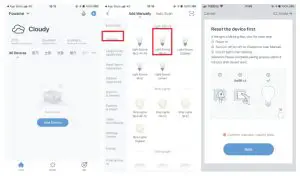
(1) Please confirm that the phone and controller are in the same WIFI environment;
(2) Please confirm that WIFI is in 2.4G signal mode;
(3) If the WIFI signal is 5G mode, please click “compatibility mode” in the upper right corner of the “confirm the light is flashing” page.
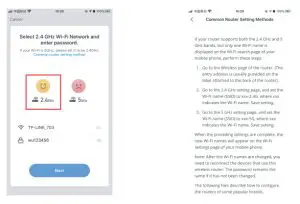
(4) Select the WIFI connected to the smart device, input the WIFI/password, and then click “OK” to wait for the matching to succeed. (Make sure smart devices share the same WIFI)

APP Instruction:
- Under the IRC interface, all changing functions are available, same as your Wifi Bridge. Timing function added.
- Eight scenes are available under the Scene interface.
 For any product and APP updating, please contact customer service.
 For any product and APP updating, please contact customer service.
Federal Communication Commission Interference Statement
This device complies with Part 15 of the FCC Rules.
Operation is subject to the following two conditions: (1) this device may not cause harmful interference, and (2) this device must accept any interference received,
including interference that may cause undesired operation.
Warning: Changes or modifications to this unit not expressly approved by the party responsible for compliance could void the user’s authority to operate the equipment.
NOTE: This equipment has been tested and found to comply with the limits for a Class B digital device, pursuant to Part 15 of the FCC Rules. These limits are designed to provide reasonable protection against harmful interference in a residential installation. This equipment generates, uses, and can radiate radio frequency energy and, if not installed and used in accordance with the instructions, may cause harmful interference to radio communications. However, there is no guarantee that interference will not occur in a particular installation. If this equipment does cause harmful interference to radio or television reception, which can be determined by turning the equipment off and on. the user is encouraged to try to correct the interference by one or more of the following measures:
- Reorient or relocate the receiving antenna.
- Increase the separation between the equipment and receiver.
- Connect the equipment into an outlet on a circuit different from that to which the receiver is connected
- Consult the dealer or an experienced radio/ TV technician for help.
FCC RF Radiation Exposure Statement Caution: To maintain compliance with the FCC’s RF exposure guidelines, place the product at least 20cm from nearby persons.
The Responsible (located within the United States) party information:
Company Name: Vanco International, Batavia, IL 60510
Telephone Number: (800) 525-7025
Email: [email protected]
The name and model number of the product:
| Model Number | Model Name |
| MML-WFB | Smart Wifi Bridge |
| SAW12E-050-2400U | Power Supply |