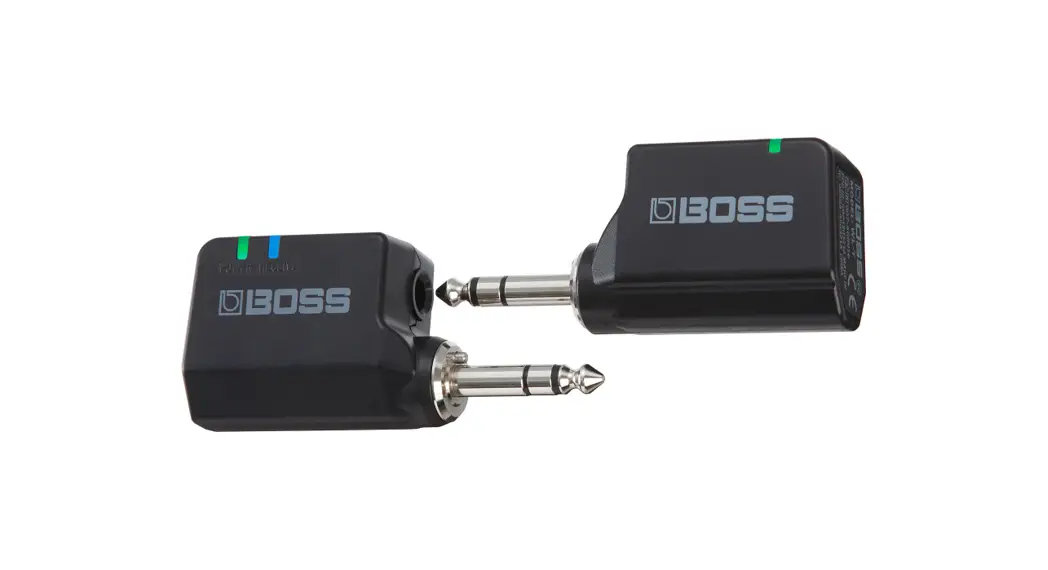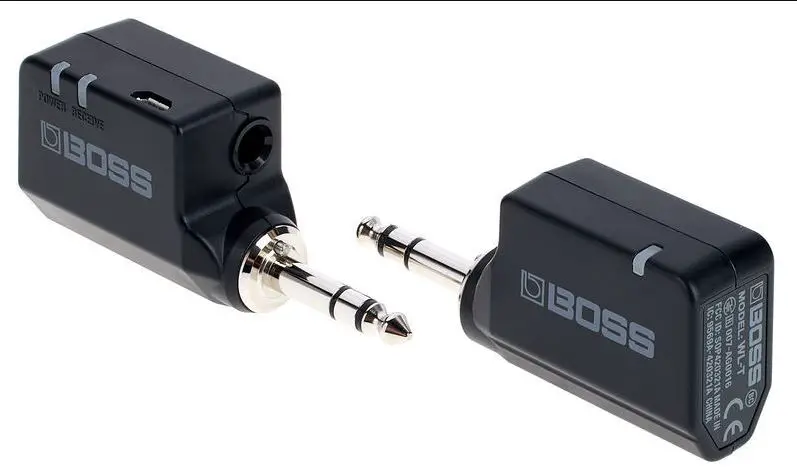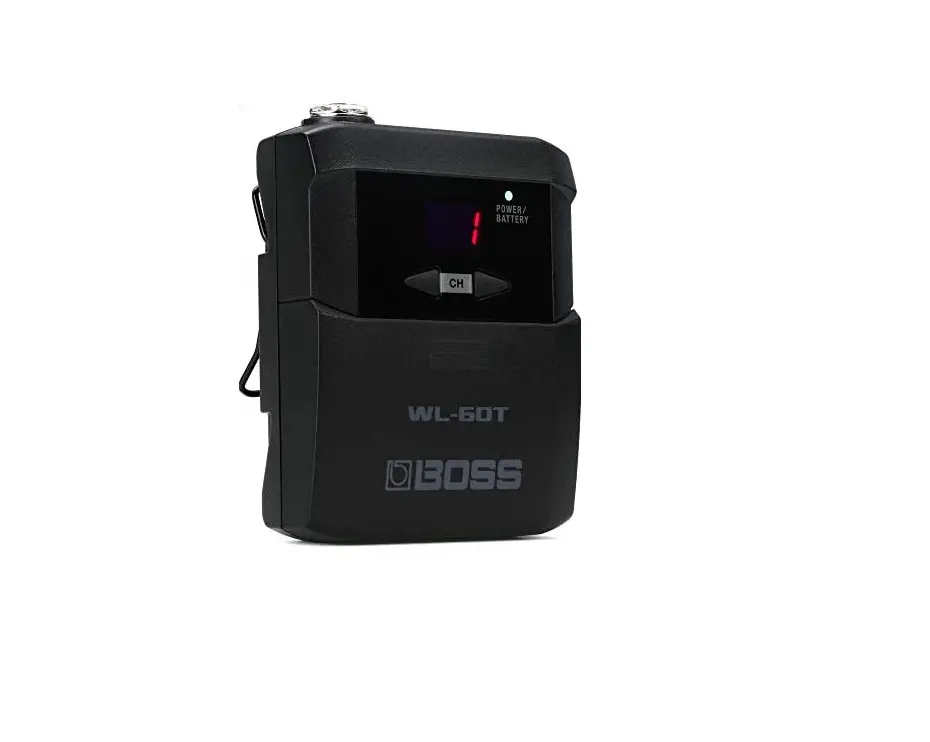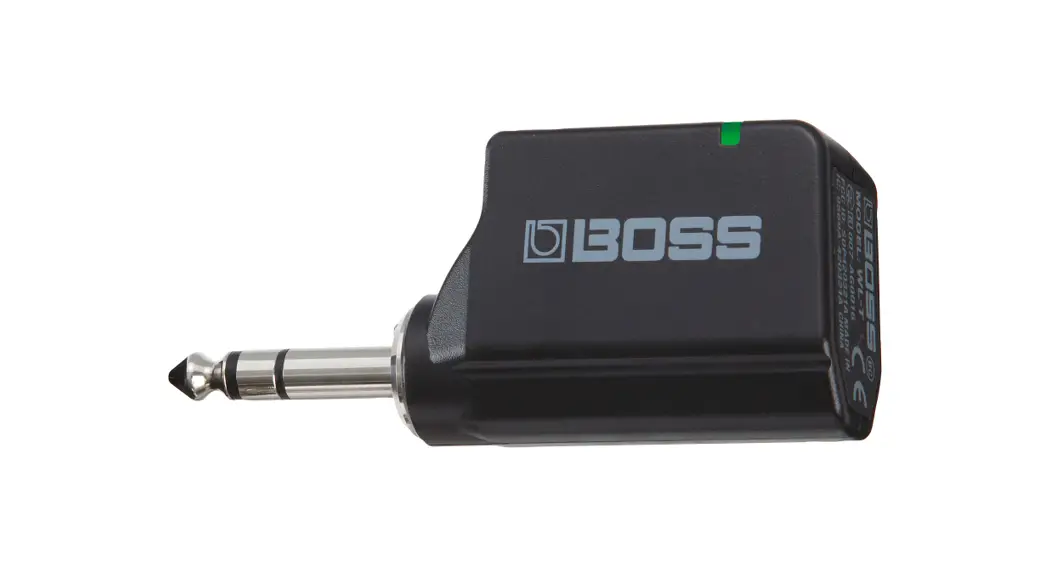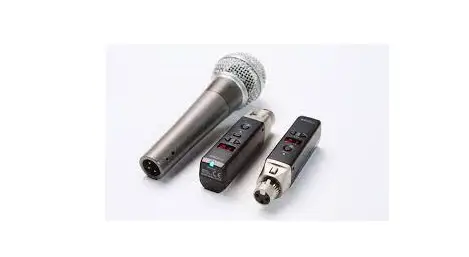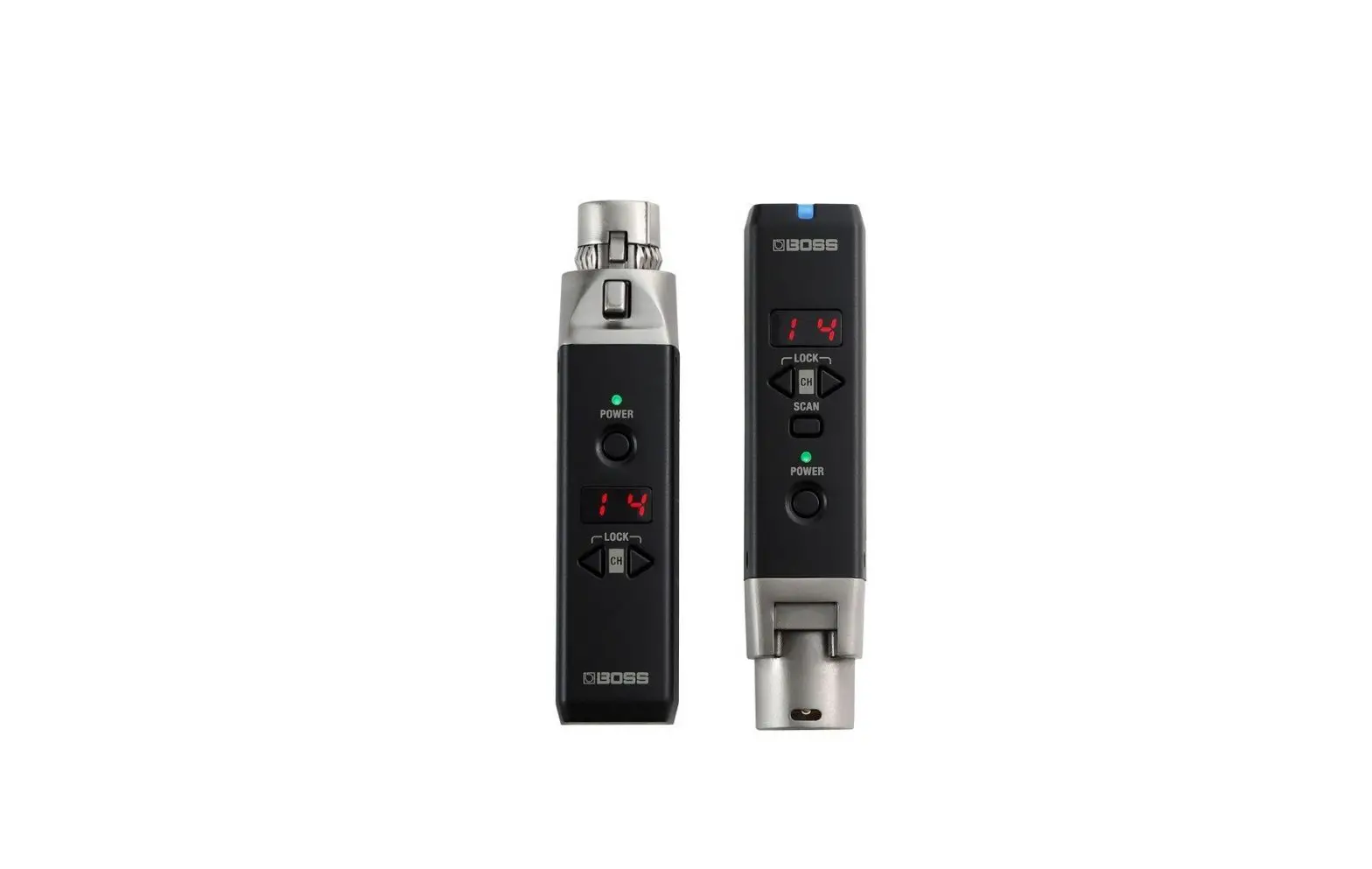
BOSS WL-30XLR Wireless System Owner’s Manual
Before using this unit, carefully read the leaflet “USING THE UNIT SAFELY” and “IMPORTANT NOTES.” After reading, keep the document(s) where it will be available for immediate reference.
Quick Start
To prevent malfunction and equipment failure, always turn down the volume, and turn off all the units before making any connections.
Preparing the receiver
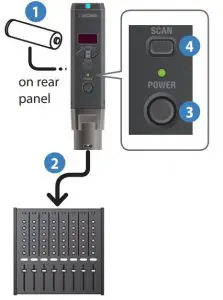
- Install battery
- Connect to a mic jack of your mixer, amp, or effect unit
- Turn off the phantom power of the device to which you’re connecting
- Long-press the [POWER] button of the receiver until the POWER indicator is lit
- The power of the receiver turns on.
- Press the [SCAN] button to enter scan mode
- The channel with the least radio interference is found automatically. When scan is complete, the channel indicator shows the channel that was found.
Preparing the transmitter
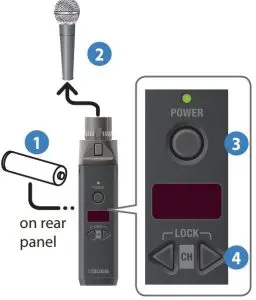
- Install battery
- Connect a dynamic mic
- Condenser mics cannot be used.
- Long-press the [POWER] button of the transmitter until the POWER indicator is lit
- The power of the transmitter turns on.
- Use the [CH] (
 ) buttons to select the same channel as the receiver.
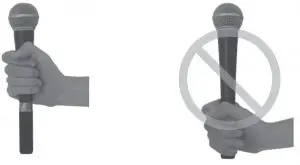
- When holding the mic, do not grasp the transmitter portion. Doing so might cause faulty operation or malfunction.

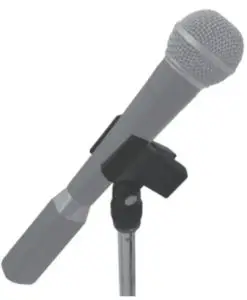
- If attaching to a mic stand, use a clip-type mic holder.

- When holding the mic, do not grasp the transmitter portion. Doing so might cause faulty operation or malfunction.
Installing a battery
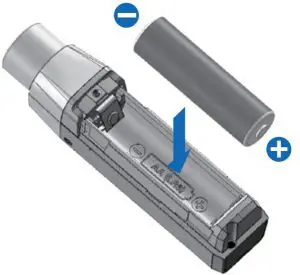
If you handle batteries improperly, you risk explosion and fluid leakage. Make sure that you carefully observe all of the items related to batteries that are listed in the leaflet “USING THE UNIT SAFELY.”
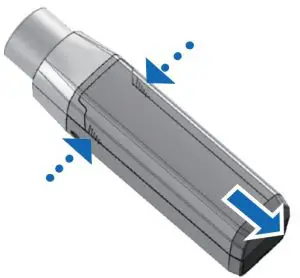
- Detach the battery cover.
While pinching the slit area of the battery cover, slide it open.
- Insert the battery, taking care to observe the correct polarity

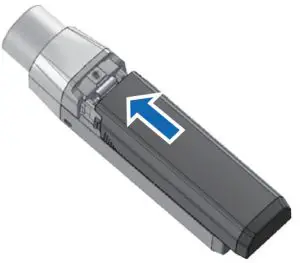
- Attach the battery cover.
Align the battery cover as shown in the illustration,and slide it closed.
Panel Descriptions
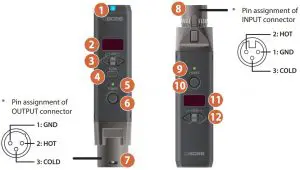
Receiver (WL-30XLR)
| Name | Explanation | ||
| 1 | Receive indicator | Lit during wireless communication | |
| 2 | Channel indicato | Indicates the channel. After operation, the indicator goes dark after a while. | |
| 3 | [CH] ( ) buttons ) buttons | Manually select the channel of the receiver | |
| 4 | [SCAN] button | Automatically selects the channel of the receiver. | |
| 5 | POWER indicator | Indicates the power supply status. | |
| Green | The batteries have sufficient remaining capacity. | ||
| Orange | The batteries will be exhausted in less than two hours. | ||
| Red | The batteries will be exhausted in less than 30 minutes. Replace the batteries. | ||
| 6 | [POWER] button | Turns the power on/off. Turning the power on/off When powering up: Hold down the [POWER] button until the POWER indicator is lit. When powering down: | |
| 7 | OUTPUT connector | Connect to a mixer, amp, or effect unit | |
| Transmitter (WL-30XLRT) | |||
| 8 | INPUT connector | Connect to a mic Condenser mics cannot be used. | |
| 9 | POWER indicator | Indicates the state of the power supply. For details on the significance of the indicator, refer to the explanation for the receiver’s POWER indicator | |
| 10 | POWER] button | Turns the power on/off. For details on operation, refer to the explanation of the receiver’s [POWER] button. | |
| 11 | Channel indicator | Indicates the channel. After operation, the indicator goes dark after a while. | |
| 12 | [CH] () buttons | Manually select the channel of the transmitter | |
Selecting the Receiver’s Channel
Selecting the Channel Automatically (Scan Mode)
Scan mode automatically selects the channel that has the least radio frequency interference.
- Use scan mode to re-select the channel before your actual live performance, or when you are in a new location.
- If other wireless systems will be in use nearby, put them in operating condition.
- Power-off the transmitter.
- Press the [SCAN] button to enter scan mode.
The channel with the least radio interference is automatically selected. When scan is complete, the channel indicator shows the channel that was found.
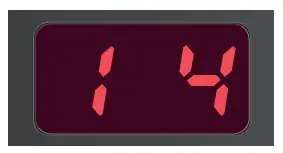
If numerous wireless systems or radio devices (such as Wi-Fi routers or Bluetooth devices) are operating nearby, there might be radio interference on all channels. Power-off unused radio devices, and then use scan mode once again to select a channel.
MEMO
You can also use the [CH] () buttons to change to another channel.
3. Power-on the transmitter.
Selecting the Channel Manually
If you already know the channel that can be used, you can select the channel manually
- Use the [CH] () buttons to select a channel.
Selecting the Transmitter’s Channel
- Use the [CH] (
- ) buttons to select the same channel as the receiver.
Preventing Unintentional Operation (Lock)
To prevent unintentional operation, you can lock all button operations of the receiver and transmitter respectively
- . Simultaneously hold down the [CH] (
 ) button and [CH] (
  ) button of the receiver/transmitter until the channel indicator blinks “L.”
All button operations are disabled. If you press a button while the unit is locked, the channel indicator blinks “L.”
To unlock, simultaneously hold down the [CH] ( ) button and [CH] (
 ) button of the receiver/transmitter until the channel indicator blinks “v.
For Stable Wireless Communication
- Do not place obstructions between the receiver and the transmitter. Do not allow too much distance between the receiver and transmitter.
- Keep the receiver at least three meters (9.8 feet) away from any radio device (*1) or microwave oven.
- Dropouts might occur in the audio if the radio conditions in the area change. Use scan mode once again to select the channel. If this does not solve the problem, power-off any unused radio device (*1) or microwave oven, and use scan mode once again to select the channel.
- If you hear the sound of a different mic, use scan mode once again to select a different channel. If you are using multiple WL-30XLRT units simultaneously, manually select channels that do not conflict.
Such as a Wi-Fi router or Bluetooth device
Using multiple WL-30XLR units simultaneously
To prevent interference in the wireless communication, perform the following operations.
- Power-off all receivers and transmitters.
- If you are using other wireless equipment, make it ready for communication in advance.
[First unit] - Power-on the receiver, and use scan mode to select a channel.
- Power-on the transmitter, and select the same channel as the receiver
[Second and subsequent units] - Repeat steps 3 and 4.
Main Specifications
| Receiver | |
| Wireless Format | BOSS proprietary digital audio format |
| Wireless Carrier Frequency | 2.4 GHz |
| Compatible Channels | 14 (May vary due to local conditions) |
| Transmission Range | 230 feet line-of-sight (May vary due to local conditions) |
| Latency | 2.3 ms |
| Dynamic Range | 110 dB or greater |
| Frequency Response | 20 Hz–20 kHz |
| Nominal Output Level | 40 dBu 0 dBu = 0.775 Vrms |
| Power Supply | Alkaline battery (AA, LR6) x 1 |
| Current Draw | 130 mA |
| Expected Battery Life Under Continuous Use | Approximately 11 hours These can vary depending on the specifications of the batteries and the conditions of use |
| Dimensions | 23 (W) x 27 (D) x 99 (H) mm/ 15/16 (W) x 1-1/16 (D) x 3-15/16 (H) inches |
| Weight (including battery) | 90 g / 3 oz |
| Accessories | Owner’s Manual, Leaflet “USING THE UNIT SAFELY,” Transmitter (WL-30XLRT), Alkaline battery (AA, LR6) x 1 |
| Transmitter (WL-30XLRT) | |
| Nominal Input Level | -40 dBu (4 kΩ) 0 dBu = 0.775 Vrms |
| Power Supply | Alkaline battery (AA, LR6) x 1 |
| Current Draw | 120 mA |
| Expected Battery Life Under Continuous Use | Approximately 14 hours These can vary depending on the specifications of the batteries and the conditions of use. |
| Dimensions | 23 (W) x 27 (D) x 99 (H) mm/ 15/16 (W) x 1-1/16 (D) x 3-15/16 (H) inches |
| Weight (including battery) | 90 g / 3 oz |
| Accessory | Alkaline battery (AA, LR6) x 1 |
This document explains the specifications of the product at the time that the document was issued. For the latest information, refer to the Roland website.