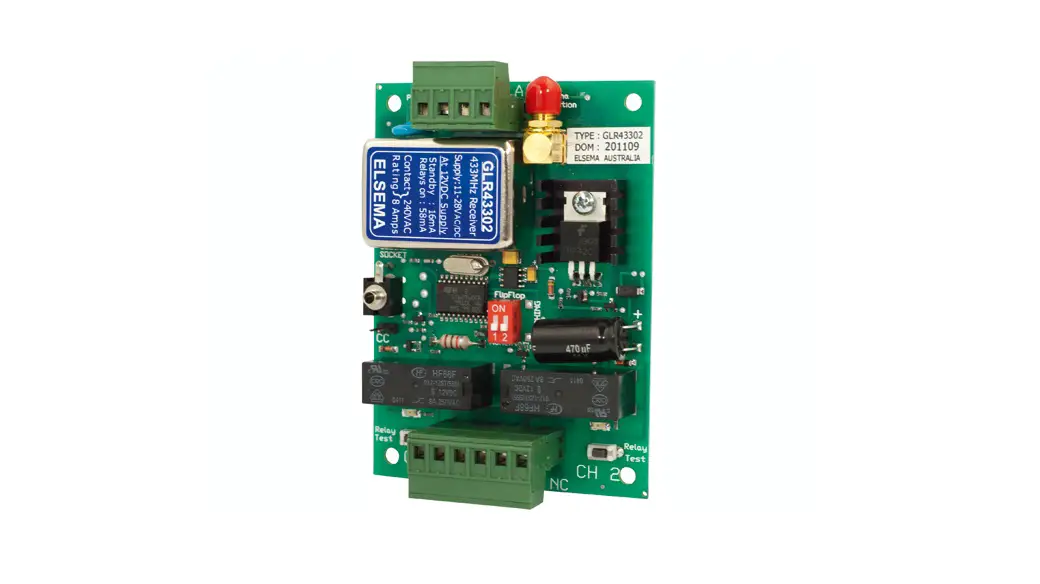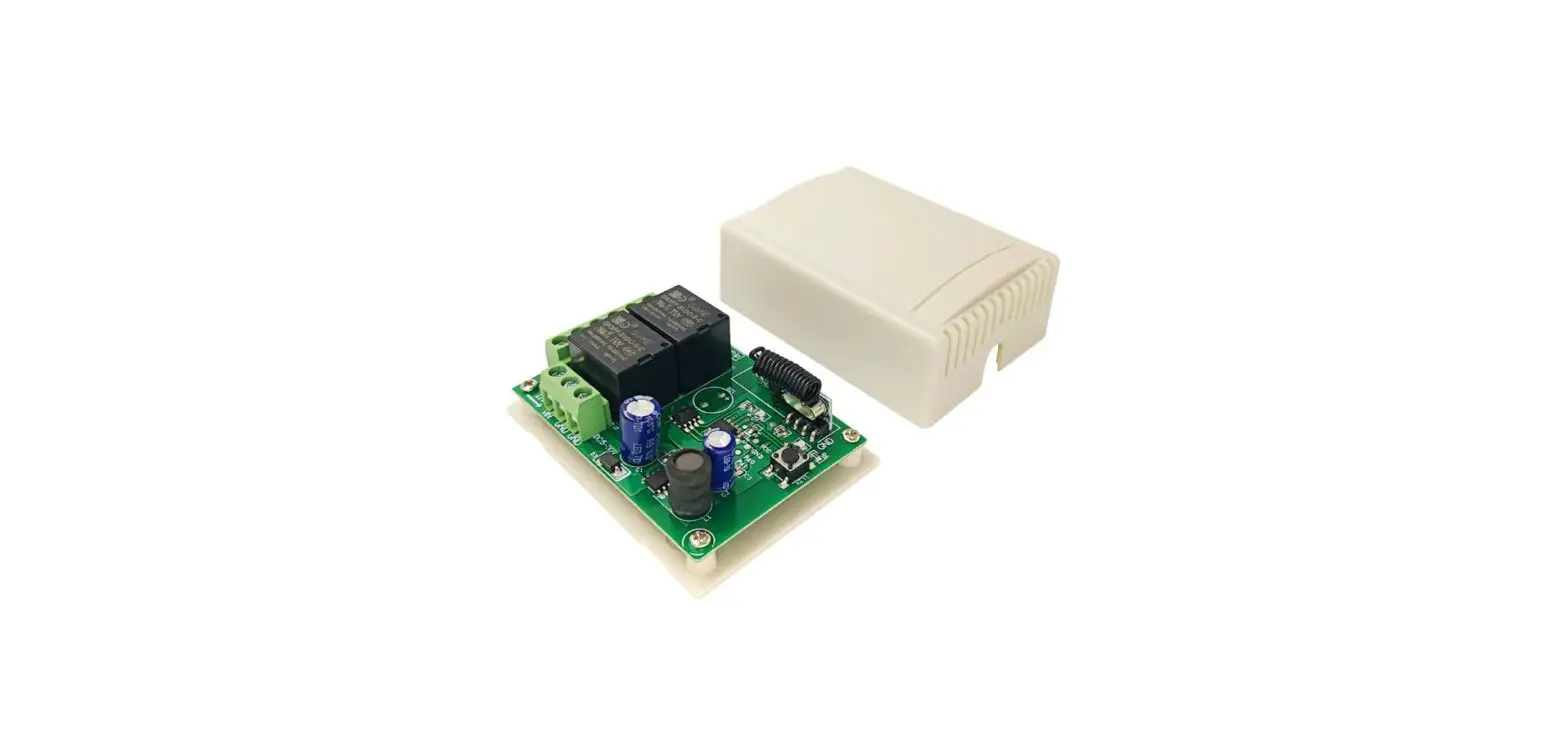
 QIACHIP KR2402A DC6-30V 2-Channel Receiver
 QIACHIP KR2402A DC6-30V 2-Channel Receiver
INSTRUCTION
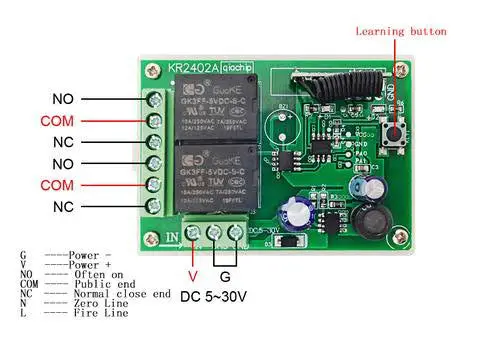
WIRING DIAGRAM
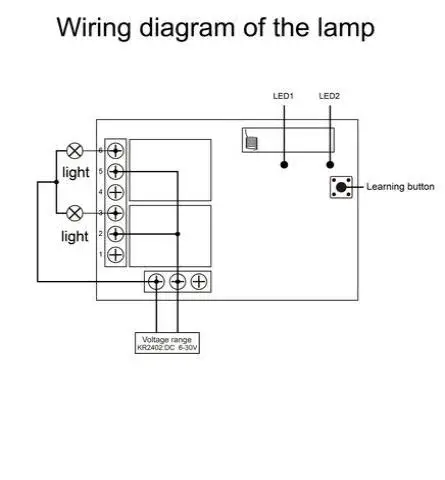
Wiring diagram of the lamp
 External power control light wiring diagram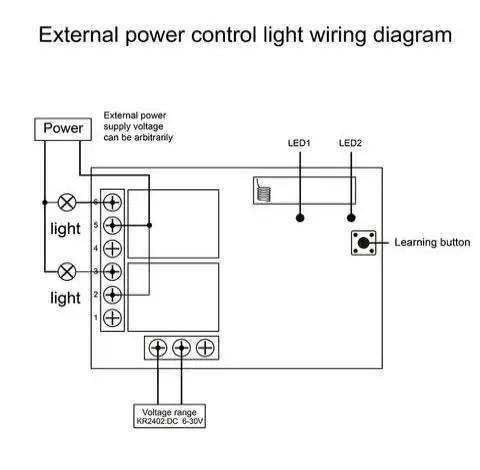
NOTE Please Don’t install with electricity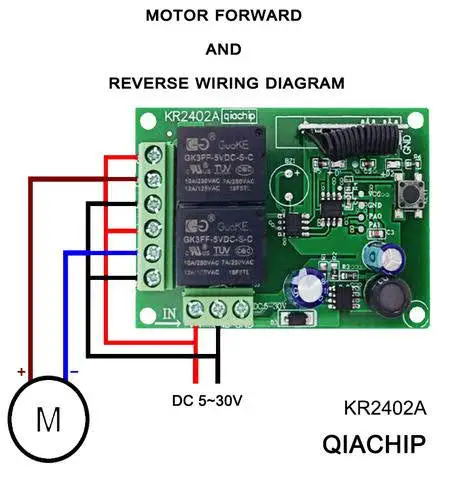
Function description and setting method
Note: All the following working modes need to be implemented with QIACHIP remote control (transmitter) and controller (receiver / wireless remote control switch). There is no guarantee that remote controls from other brands will work properly with our product.
Reset function:
Clear all matched remotes. When the data is cleared, all remote control can’t make receiver work.
Settings reset:
After pressing the receiver’s learning button 8 times, the receiver clears all remote control data in its memory. When the receiver’s <LED 2> flashes, the reset function is complete.
Description of the three working modes :
Working modes: 1) Momentary; 2) Toggle; 3) Latching.
- Momentary mode:
After successful pairing in this mode, press and hold the remote control button (such as A), the corresponding relay on the receiver is turned on; release the remote control button (such as A), and the corresponding relay on the receiver will turn off; - Toggle mode:
After successful pairing in this mode, press the remote control button (such as A) to turn on the corresponding relay on the receiver; press the remote control button (such as A) again to turn off the corresponding relay on the receiver; - Latching mode:
After successful pairing in this mode, press the remote control button (such as A), the receiver relay corresponding to A is turned on; press the other remote control button (such as B), the relay on the receiver corresponding to A is turned off, and the receiver corresponding to B is turned on the relay is open. press the third remote control button (such C), the receiver will turn off.(Note: It is recommended to use a remote control with three or more buttons in this mode).
How to set the working mode of the switch controller?
Note:
- The working mode can only be set when the <LED 1 >indicators of the switch controller are lit.
- When there is no operation after power-on, <LED 1> and <LED 2> are always on. When the switch is in the setting state, the state of <LED 1> does not change, and <LED 2> is the setting status light.
- In the following description, all descriptions about LEDs are <LED 2>.
Set Momentary mode :
- Step 1) Press the receiver’s learning button once.
Wait for the LED on the receiver to light off and enter the setting state. - Step 2) Press the button on the remote control (such as A) once. The LED on the receiver will flash and then turn off.
- Step 3) At this time, press another button (such as B) of the same remote control, the indicator flashes and then lights up. The Momentary mode is set successfully.
Set Toggle Mode:
- Step 1) Press the receiver’s learning button twice. Wait for the LED on the receiver to light off and enter the setting state.
- Step 2) Press the button on the remote control (such as A) once. The LED on the receiver will flash and then turn off.
- Step 3) At this time, press another button (such as B) of the same remote control, the indicator flashes and then lights up. The Toggle Mode is set successfully.
Set Latching Mode:
- Step 1) Press the receiver’s learning button 3 times.
Wait for the LED on the receiver to light off and enter the setting state. - Step 2) Press the button on the remote control (such as A) once. The LED on the receiver will flash and then turn off.
- Step 3) At this time, press another button (such as B) of the same remote control, the indicator flashes and then lights up. The Latching Mode is set successfully
TECHNICAL DATE
| Input Power | KR2402A:DC 6-30V |
| RF Frequency | 433.92MHZ or 315MHZ |
| Standby Current | 8.5mA |
| Load power | 1100W |
| Receiver sensitivity | -108dBM |
| Operation mode | Momentary Mode,Toggle Mode,Latching mode |
| Match Way | Learning button |
| Support remote type | Learning code (1527) |
| Output | NO , NC , COM |
| Working temperature | -10 ~ +70°C |
| Size | 68*48*18(mm) |