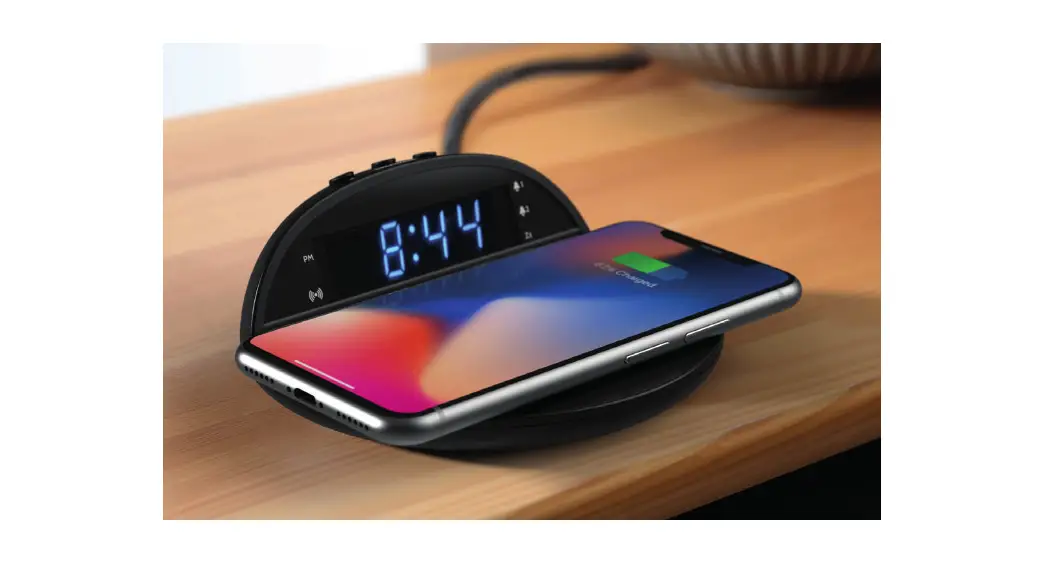

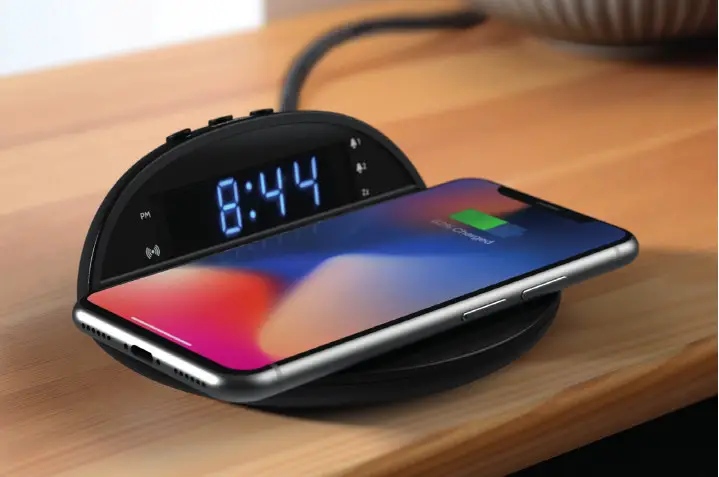
Alarm Clock with Wireless Charging
Box contents
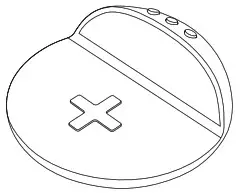
| 1. Alarm clock
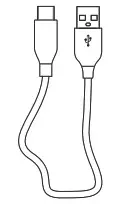
| 2. USB C cable
| 3. User guide
|
Controls & Features
Top View
Base
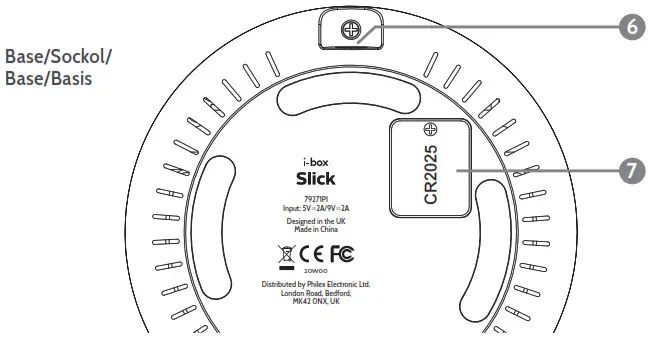
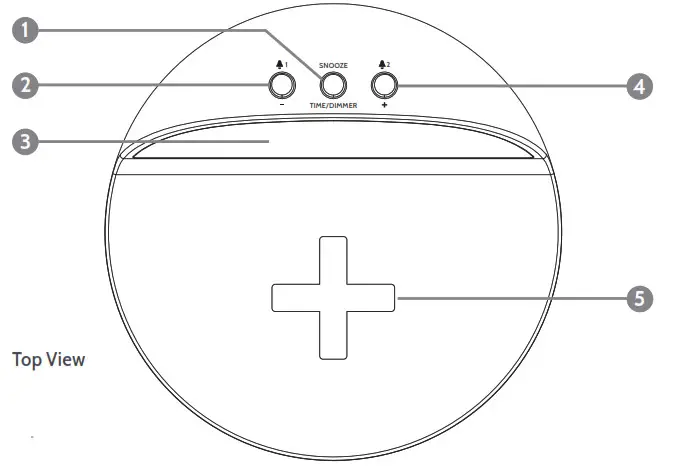
- Time, Dimmer, Snooze
- Button, 1 Alarm 1 set
- LED Display
- +Button, 2 Alarm set
- Wireless charging zone
- USB C power port
- Back up battery compartment
LED Indicators
- PM (12 hour clock)
 Wireless charging indicator
 1 Alarm 1 on
- 2 Alarm 1 on
- Zz Snooze
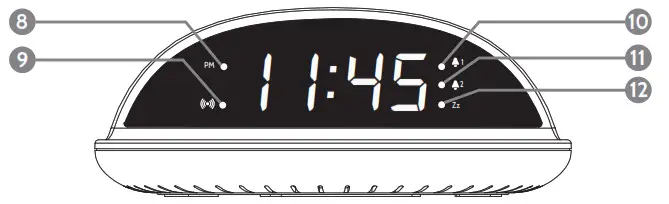
 Wireless charging indicator
 1 Alarm 1 on
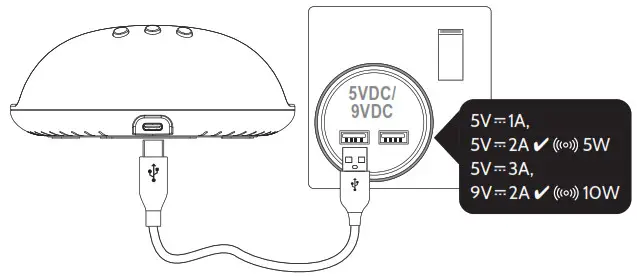
Power connection
Fitting a backup battery
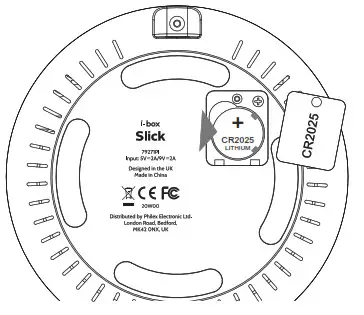 Insert 1x CR2025
battery (not supplied)
The Slick has a backup battery feature where 1x CR2025 battery (not supplied) will allow it to remember time and alarm settings if unplugged or power is cut.
Please Note: The battery will not power the clock or wireless charging function it will only save settings.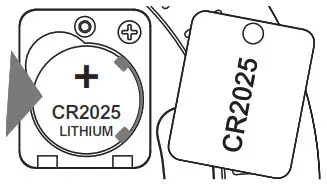
Clock setting
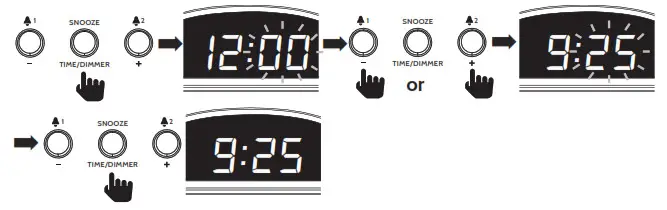
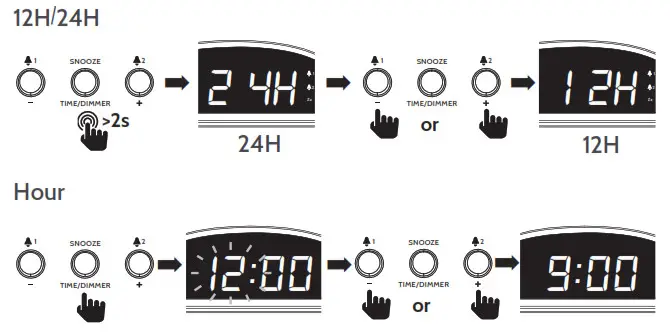 Minute
 Alarm setting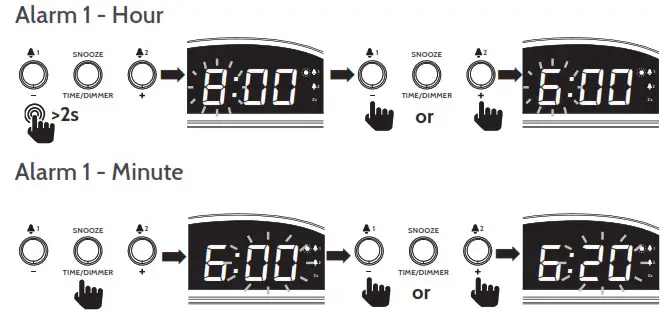
Alarm 1 enable-disable
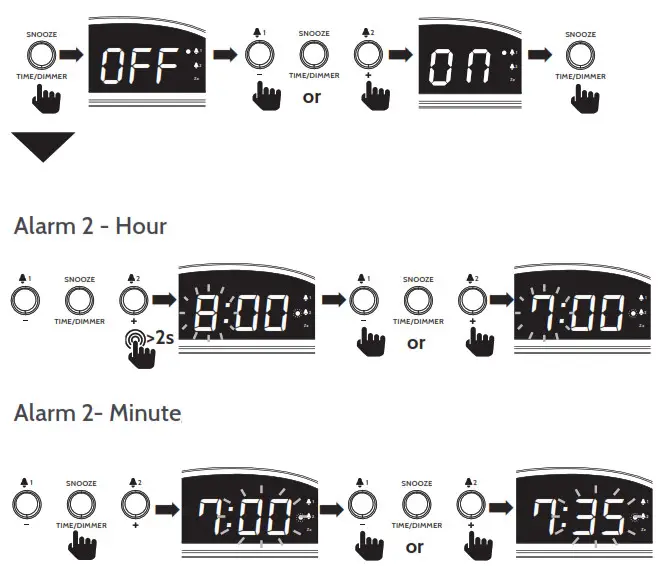
Alarm 1 enable-disable
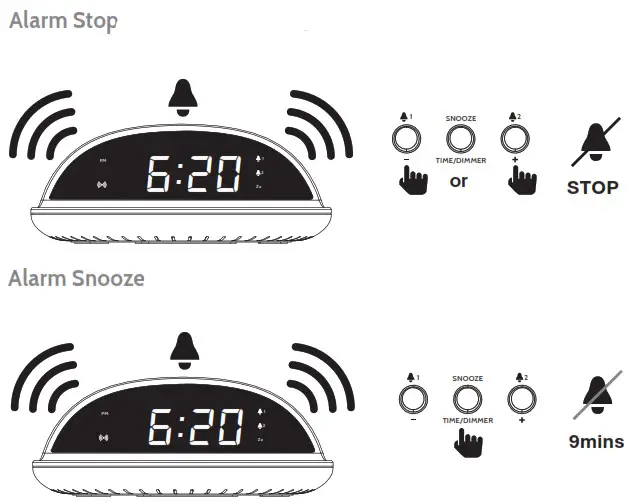
 Alarm Stop
 LED Display Dimmer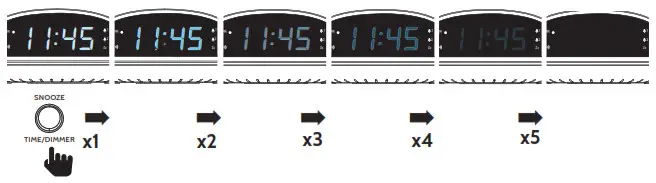
Specifications
| Power Input USB C: | 5V1A, 5V2A ✔ 5W Charging 5V3A, 9V2A ✔ 10W Charging |
| Backup battery: | 1x 3V CR2025 Lithium |
| Wireless charging / 9V2A Input | 10W max. |
| Wireless charging / 9V2A Input | 5W max. |
| Dimensions, Diameter x Height: | 134 x 52.6 mm |
Wireless charging
EN If you have a phone with Qi wireless charging capability you can use your Slick to charge it. Place your smart phone centrally on the phone panel (5). As shown below.The wireless charging LED (9) in the bottom left of the LCD panel is lit while your phone is charging and the battery charge status can be seen on your phone’s display.
Please Note: The wireless charging LED (9) will flash if your phone is not correctly positioned. You may need to remove your smartphone from its case if the thickness of the case exceeds 5mm or if it contains metal.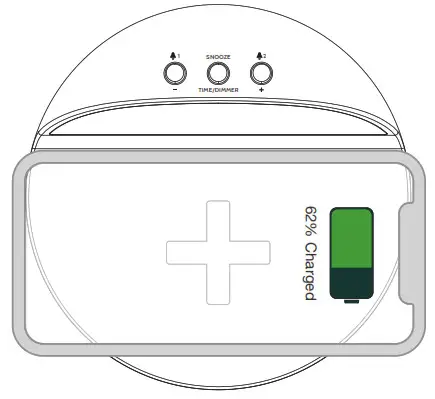
 Caring for your Alarm Clock
Important Safety Information
Important – Please read these instructions fully before installing or operating your alarm clock.
Keep away from flame sources such as lighted candles.
Do not expose to dripping or splashed fluids. Objects filled with liquids, such as vases, must not be placed close to the speaker.
The unit should not be exposed to direct sunlight, very high or low temperature, moisture, vibrations, strong magnetic fields, high frequencies, and dusty environments.
Do not place the product in enclosed bookcases or racks without proper ventilation. Ventilation should not be impeded by covering the ventilation openings with items, such as newspapers, tablecloths, curtains, etc.
Never attempt to insert wires, pins or other such objects into the vents or openings of the unit.
Do not disassemble or modify the alarm clock, there are no user-serviceable parts.
If the alarm clock is damaged in any way or malfunctions do not use. Consult a qualified service engineer.
Do not use abrasives, benzene, thinner or other solvents to clean the surface of the unit. To clean, wipe with clean soft cloth and a mild detergent solution.
This product uses batteries and both the product and batteries must be disposed of properly. Do not throw them in the household waste at the end of their life cycle; take them to a collection center for the recycling of electrical, electronic equipment, and batteries. Contact your local council for recycling advice.

Troubleshooting
| Problem | Solution |
| Alarm doesn’t switch on | Check USB cable is connected properly to Slick and powered USB port |
| Check USB power input is switched on | |
| No LED display | Check dimmer is not set to OFF |
| Wireless charging is very slow | Connect Slick to 9V = 2A power adaptor |
| After power cut, time and alarm settings don’t reset | No backup battery fitted – Insert CR2025 battery |
| Backup battery incorrectly fitted – insert properly see diagram |
Disclaimer
Updates to Firmware and/or hardware components are made regularly.
Therefore some of the instructions, specifications, and pictures in this documentation may differ slightly from your particular situation. All items described in this guide are for illustration purposes only and may not apply to your particular situation. No legal right or entitlements may be obtained from the description made in this manual.
Declaration of conformity
Hereby, Philex Electronic Ltd. declares that the wireless charging equipment:
Slick Alarm Clock is in compliance with the Radio Equipment Directive 2014/53/
EU. The full text of the EU declaration of conformity is available at the following internet address: www.philex.com/doc
Technical support
For further help, advice, information, or live chat visit www.iboxstyle.com