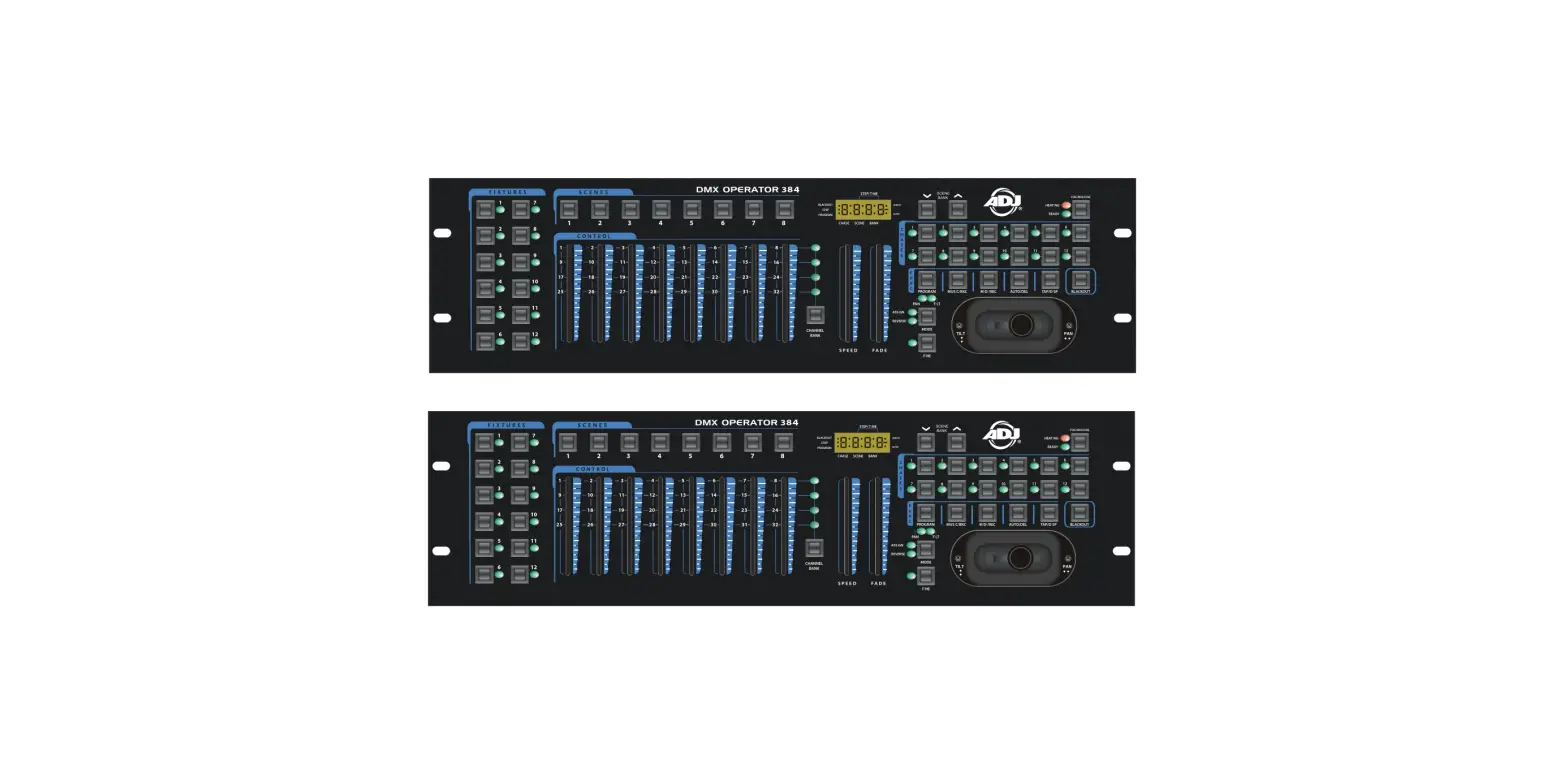
DMX Event 5 Controlador DMX Batería Plus Wireless
Product Information
The DMX Event 5 is a product that requires the user to read the
manual before usage. It features a panel with various controls and
a display menu for easy navigation. The product supports wireless
DMX and has a battery power display. It also allows for editing and
deleting of settings, as well as setting the DMX start address for
the controller. The product has a screen mode and screen time
settings, as well as password protection. It also has a power
on/off timer and battery calibration feature.
Product Usage Instructions
- Before using the product, make sure to read the manual for
proper instructions. - Panel Description:
- Address value: Set the DMX start address for the
controller. - Current channel value: Select and adjust the channel
value. - W-DMX: Enable or disable wireless DMX.
- Battery Power Display: Shows the current battery power.
- Channel Graphic: Displays the channel page graphic.
- Channel Page: Select the channel page.
- Address value: Set the DMX start address for the
- Display MENU Description:
- ID (0-7): Select the ID number for program control.
- Effects: Access the effects menu.
- Edit Chase: Edit the chase program.
- Delete Chase: Delete the chase program.
- DMX Setting: Set the DMX address and wireless settings.
- Wireless EN: Enable or disable wireless DMX.
- Screen Mode: Select the screen mode when the controller is not
in use. - Screen Time: Set the time for the screen saver.
- Password (OFF/ON): Enable or disable controller password
protection. - Set Password: Set the controller password.
- Time: Enter the actual time for program control.
- Power ON: Set the timed turn on for the selected program.
- Power OFF: Set the timed turn off for the device.
- Calibration: Calibrate the battery voltage for power
calculation. - Battery Fader: Adjust the battery fader value.
- Load Factory: Reset to factory default settings.
- Status: Check the current battery voltage and version.
- Steps of manual control:
- Enter the control menu Settings DMX Setting to set the
fixture’s address. - Return to the status screen.
- Select the desired channel value for Ch1/6 channel.
- Enter the control menu Settings DMX Setting to set the
- Create a Chase:
- Enter the control menu Edit ProgramID to select the ID
number. - Select Edit Program to edit the program.
- Follow the steps provided in the manual to create a chase
program by adjusting the channel values and saving each step.
- Enter the control menu Edit ProgramID to select the ID
DMX Event 5
8. Contraseña:
Cuando se utiliza en espacios públicos, las personas no autorizadas pueden cambiar consciente o inconscientemente los ajustes de iluminación. Por lo general, esto no es deseable y, por lo tanto, puede establecer una contraseña. Establece tu contraseña : 1) Pulse el botón <MENÚ>. 2) Seleccione <SETTINGS> y confirme con el botón <ENTER> 3) seleccione <PASSWORD> y seleccione “ON” u “OFF” con el botón < > Complete la contraseña estándar < >,< >,< >,< >. Ahora puede crear su propia contraseña con < >,< >,< >,< >.
9. emparejamiento de señal inalámbrica
1) En primer lugar, compruebe el color del LED inalámbrico de la lámpara que se va a controlar 2) Presione el botón “O” de cinco dimensiones directamente debajo, cambie la identificación de la señal inalámbrica y el color de la luz LED, y el color es el mismo que el LED inalámbrico de la lámpara. 5 segundos después, la consola comienza a parpadear en rojo, indicando que la consola está enviando una señal inalámbrica.
10. Especificaciones técnicas:
1), voltaje de carga: 5V 1A-3A 2), batería: tipo 18650 2600 mAh 3), canales DMX: Max 30 canales 4), DMX inalámbrico: frecuencia de funcionamiento 2,4 GHZ 5), Dimensiones por unidad: 130 x 150 x 40 mm 6). Peso por unidad : 0.5KG
USER´S MANUAL MANUAL DE USUARIO
DMX Event 5
Please read the manual before using the product Por favor, lea el manual antes de usar el producto
7
1Panel Description
DMX Event 5
12
3
45
6
1. Power Switch 2. Charging indicator: The red light is charging ,and the white light is fully charged 3. Status display 4. Wirless DMX indicator light 5. The five – dimensional buttons for menu controls ” “Push up: The putter control state is used to enter the control menu, and the menu state is used to jump to the top ” “Push down: The putter control state is used to enter the control menu, and the menu state is used to skip to the next item ” “8. Push to the right: the putter control state is used for turning pages under the channel, and the menu state is used for executing to the subordinate menu ” “Push to the left: the putter control state is used for turning pages on the channel, and the menu state is used for returning to the superior menu “O”Press directly below: Switch the wireless signal ID number (1-7) 6. Push rod control area: push the rod, the display will show the current channel value and the diagram
2. Display MENU Description:
Address value
Current channel
value
W-DMX
Battery Power Display
Channel Graphic
1
Channel Page
Graphic
USER´S MANUAL MANUAL DE USUARIO
4Pasos del control manual
1. Ingrese al menú de control “Configuración” “Configuración DMX” para configurar la dirección del dispositivo 2. Devuelve el estado que se muestra en la imagen de la derecha. 3. Ch1/6 canal seleccionar valor de canal.
5. Crear una persecución
1), ingrese al menú de control “Edit program” “ID” para seleccionar el número de ID 2), Seleccione <Edit Chase> para editar el programa .”” denota el número de pasos .””denota las páginas de valor del canal .”000″ denota el valor del canal .Presione “” para aumentar el valor del canal .Presione ” ” guarda el paso actual y salta al siguiente paso .Presione ” ” para eliminar el paso actual y saltar al paso anterior . Presione la tecla “” para guardar todas las operaciones y salir de la edición
6. Alcance de reproducción
1), presione el botón <ENTER> 2), seleccione <EFFECTS> y confirme con el botón <ENTER> 3), seleccione <ID> y confirme con el botón <ENTER> Seleccione su ID de persecución con el botón < > o < > y confirme con el botón <ENTER>. 4), seleccione <PLAY CHASE> y confirme con el botón <ENTER>. Seleccione la velocidad de persecución deseada con el fader de velocidad Seleccione el tiempo de desvanecimiento deseado entre cada paso con el desvanecimiento de desvanecimiento
7. Hora de encendido/apagado
Este controlador puede activar y desactivar una persecución (número de identificación) en un momento específico. PRECAUCIÓN ! Cuando utilice la función de temporizador, ¡no apague el controlador! Configura tu función de temporizador: 1) Pulse el botón <MENÚ>. 2) Seleccione <SETTINGS> y confirme con el botón <ENTER> 3) Seleccione <ID> y confirme con el botón <ENTER> Seleccione su ID de persecución con el botón < > o < > y confirme con el botón <ENTER>. Nota: el número 8 significa manualmente. 4) Seleccione <TIME> y confirme con el botón <ENTER> 5) Ingrese el tiempo real por “TIME” 6) Ingrese el encendido e inicie el tiempo del programa seleccionado mediante “Power ON” 7) Ingrese apagar el tiempo del dispositivo con “Power OFF”
Nota: Para una duración óptima y a largo plazo de la batería, recomendamos configurar “POWER OFF BAT” en un mínimo del 10 %. El controlador se apagará automáticamente tan pronto como se alcance el porcentaje establecido.
6
DMX Event 5
2. Pantalla MENÚ Descripción:
dViraelocrcdióenVaacclaotnur aadllel
Pantalla de
W-DMX batería
Gráfico de canal
Gráfico de la página del canal
3. Instrucciones de MENÚ:
No
Pantalla principal
Función y descripción
Descripción
ID 0-7
Alcance de reproducción
1
Efectos
Editar alcance
Eliminar alcance Configuración
DMX
Dirección DMX
Presiona “””” para seleccionar el ID de persecución
Alcance de reproducción
1.”” indica el número de pasos 2. “” indica las páginas de valores del
canal 3. “000” indica el valor del canal 4. Presione “” para aumentar el valor del
canal 5. Presione ” ” para guardar el paso actual
y salta al siguiente paso 6. Presione ” ” para eliminar el paso actual
y saltar al paso anterior 7. Presione la tecla “” para guardar todas las operaciones y salir de la edición
Eliminar alcance
Establecer la dirección de inicio DMX para el controlador
Inalámbrico Encender Mostrar
Inalámbrico ES
LED inalámbrico Programa preestablecido
Modo de pantalla Tiempo de pantalla
ENCENDIDO APAGADO ENCENDIDO/ APAGADO
identificación (0-7) DMX630/ENCENDIDO/AP
AGADO 3-255
Conmutador DMX inalámbrico
Interruptor de luz indicadora inalámbrica
Seleccione ID por controlador de inicio, NR8 significa Manual
Seleccione el modo de pantalla, cuando no se use el controlador
Espere el tiempo del protector de pantalla
Contraseña
2
Ajustes
Contraseña (ACTIVAR/DESACTIVAR) Configurar la clave Tiempo
Cambio de contraseña
Habilitar o deshabilitar el controlador con protección de contraseña
Ingrese el tiempo real por “Time”
Tiempo
Encendido: encendido temporizado Apagado: apagado temporizado
Energía de la batería
10%-100%
Calibración Cargar Fábrica
Batería
3.762V
Atenuador
4095
IZQUIERDACancelar ENTRAR: Restablecer
Ingrese encender y comience el tiempo del programa seleccionado por “Power ON”
Ingrese apagar el tiempo del dispositivo con “Power OFF”
Configuración de energía de reserva, energía de reserva para el tiempo de
funcionamiento Calibrar el voltaje de la batería para el
cálculo de potencia Calibración del valor del putter para el
cálculo del valor del putter
Restablecer datos de fábrica
3
Estado
Voltaje de la batería Versión
Voltaje actual de la batería Versión
5
USER´S MANUAL MANUAL DE USUARIO
3MENU Instructions:
No
Main Display
Function and description
ID 0-7 Play Chase
1
Effects
Edit Chase
Delele Chase DMX Setting
Wireless
Power Up
Dmx Address
Wireless EN
ON/ OFF
Wireless LED
ON/ OF
Preset program
ID (0-7)
2
Settings
Display Password
Screen Mode
DMX630/ON /OFF
Screen Time
3-255
Password (OFF/ON)
Set Password
Time
Time
Power ON: Timed turn on
Power OFF: Timed turn off
Power of Battery
10%-100%
Calibration
Battery Fader
3.762V 4095
Load Factory
3
Status
LEFTCancel ENTER: Reset Battery Voltage Version
Description
Press the “””” to select chase ID Play Chase
1.”” denotes the number of steps 2.””denotes the channel value pages
3.”000″ denotes the channel value 4.Press ” ” to increase the channel value
5.Press ” ” saves the current step and jumps to the next step
6. Press ” ” to delete the current step and skip to the previous step 7. Press the “” key is to save all operations and exit editing Delete the chase
Set DMX start adress for the controller
Wireless DMX Switch
Wireless indicator light switch Select ID by start up controller, NR8 means
Manual Select screen mode ,when controller not
used Wait for screen saver time
Password switch Enable or disable controller with password
protection Enter the actual time by “Time ” Enter turn on and start the selected program
time by “Power ON”
Enter turn off the fixture time by “Power OFF”
Reserve power setting, reserve power for running time
Calibrate the battery voltage for power calculation
Calibration putter value for calculation of putter value
Factory data reset
Current battery voltage
Version
4Steps of manual control
1. Enter the control menu “Settings” “DMX Setting” to set the fixture’s address 2. Return the status shown in the picture on the right 3. Ch1/6 channel select channel value,
5Create a Chase
1) Enter the control menu “Edit Program””ID”to select the ID number 2) Select <Edit Chase> to Edit the program .”” denotes the number of steps .””denotes the channel value pages .”000″ denotes the channel value .Press “” to increase the channel value
2
DMX Event 5
.Press ” ” saves the current step and jumps to the next step .Press ” ” to delete the current step and skip to the previous step .Press the “” key is to save all operations and exit editing
6. Play Chase 1), Press <ENTER>button 2), Select <EFFECTS> and confirm with <ENTER>button 3), Select <ID> and confirm with <ENTER>button Select your chase ID with < > or < >button and confirm with <ENTER>button. 4), Select <PLAY CHASE> and confirm with <ENTER> button. Select your desired chase speed with speed fader Select your desired fade time between each step with fade fader
7. Time on/off This controller is able to activate and deactivate a chase (ID number ) at a specific time . CAUTION ! When using the timer function , do not switch off the controller ! Set your timer function : 1) Press <MENU> button. 2) Select <SETTINGS> and confirm with <ENTER> button 3) Select <ID> and confirm with <ENTER> button Select your chase ID with < > or < >button and confirm with <ENTER>button. Note: number 8 means manually . 4) Select <TIME> and confirm with <ENTER> button 5) Enter the actual time by “TIME ” 6) Enter the turn on and start the selected program time by “Power ON” 7) Enter turn off the fixture time by “Power OFF”
Note: For long-term and optimal battery life, we recommend setting “POWER OFF BAT” at a minimum of 10%. Controller will automatically switched off as soon as set percentage is reached.
8. Password: When used in public spaces, unauthorized persons can consciously or unconsciously change the lighting settings. This is usually undesirable and you can therefore set a password. Set your password : 1) Press <MENU>button. 2) Select <SETTINGS> and confirm with < ENTER > button 3) Select <PASSWORD > and select “ON” or “OFF” with < > button
Fill in the standard password < >,< >,< >,< >. Now you can create your own password with < >,< >,< >,< >.
9. Wireless signal pairing 1) Firstly, check the wireless LED color of the light fixture to be controlled 2) Press the five-dimension “O” button directly below, switch the wireless signal ID and the LED light color, and the color is the same as the wireless LED of the light fixture . 5 seconds later the console starts flashing red, indicating that the console is sending a wireless signal.
3
10. Technical Specifications:
1), Charging voltage: 5V 1A-3A 2), Battery: type 18650 2600mAh 3), DMX Channels: Max 30 channels 4), Wireless DMX: Operating frequency 2.4GHZ 5), Dimensions per unit: 130 x 150 x 40 mm 6). Weight per unit: 0.5KG
1. Descripción del panel
12
3
USER´S MANUAL MANUAL DE USUARIO
45
6
1. Interruptor de encendido 2. Indicador de carga: la luz roja se está cargando y la luz blanca está completamente cargada 3. Pantalla de estado 4. Indicador luminoso DMX inalámbrico 5. Los botones de cinco dimensiones para los controles de menú ” “Empuje hacia arriba: el estado de control del putter se usa para ingresar al menú de control, y el estado del menú se usa para saltar a la parte superior ” “Empujar hacia abajo: el estado de control del putter se usa para ingresar al menú de control, y el estado del menú se usa para pasar al siguiente elemento ” “8. Empuje hacia la derecha: el estado de control del putter se usa para pasar páginas debajo del canal, y el estado del menú se utiliza para ejecutar el menú subordinado ” “Empuje hacia la izquierda: el estado de control del putter se usa para pasar las páginas del canal, y el estado del menú se usa para volver al menú superior “O” Presione directamente debajo: Cambie el número de identificación de la señal inalámbrica (1-7) 6. Área de control de la barra de empuje: empuje la barra, la pantalla mostrará el valor del canal actual y el diagrama
4