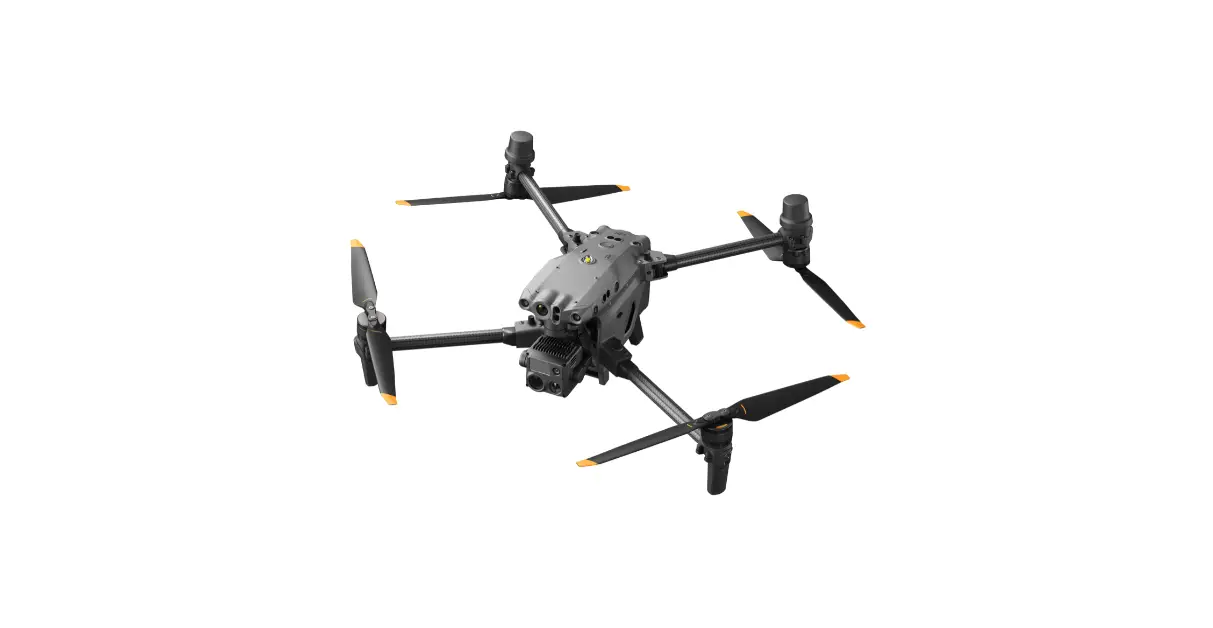
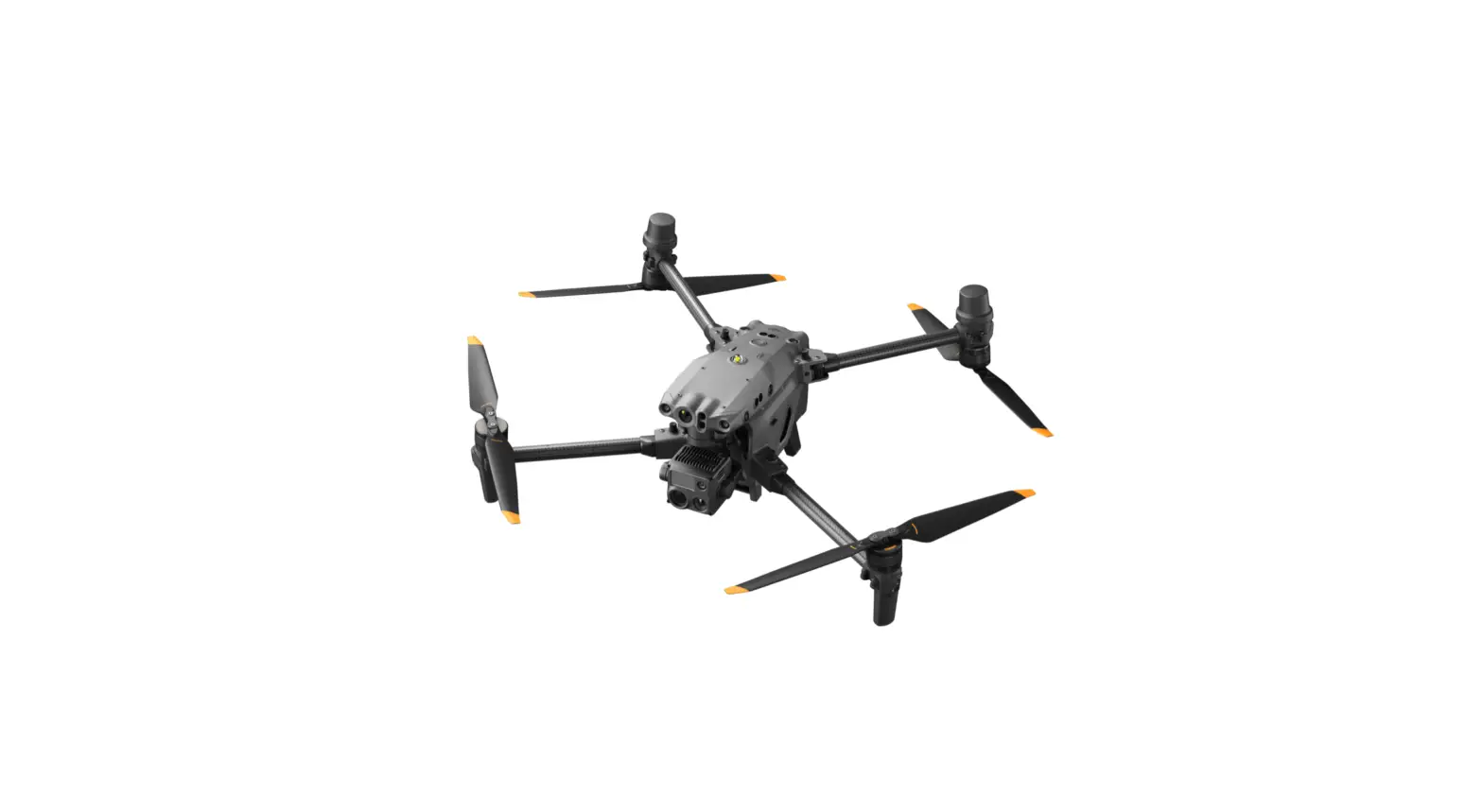
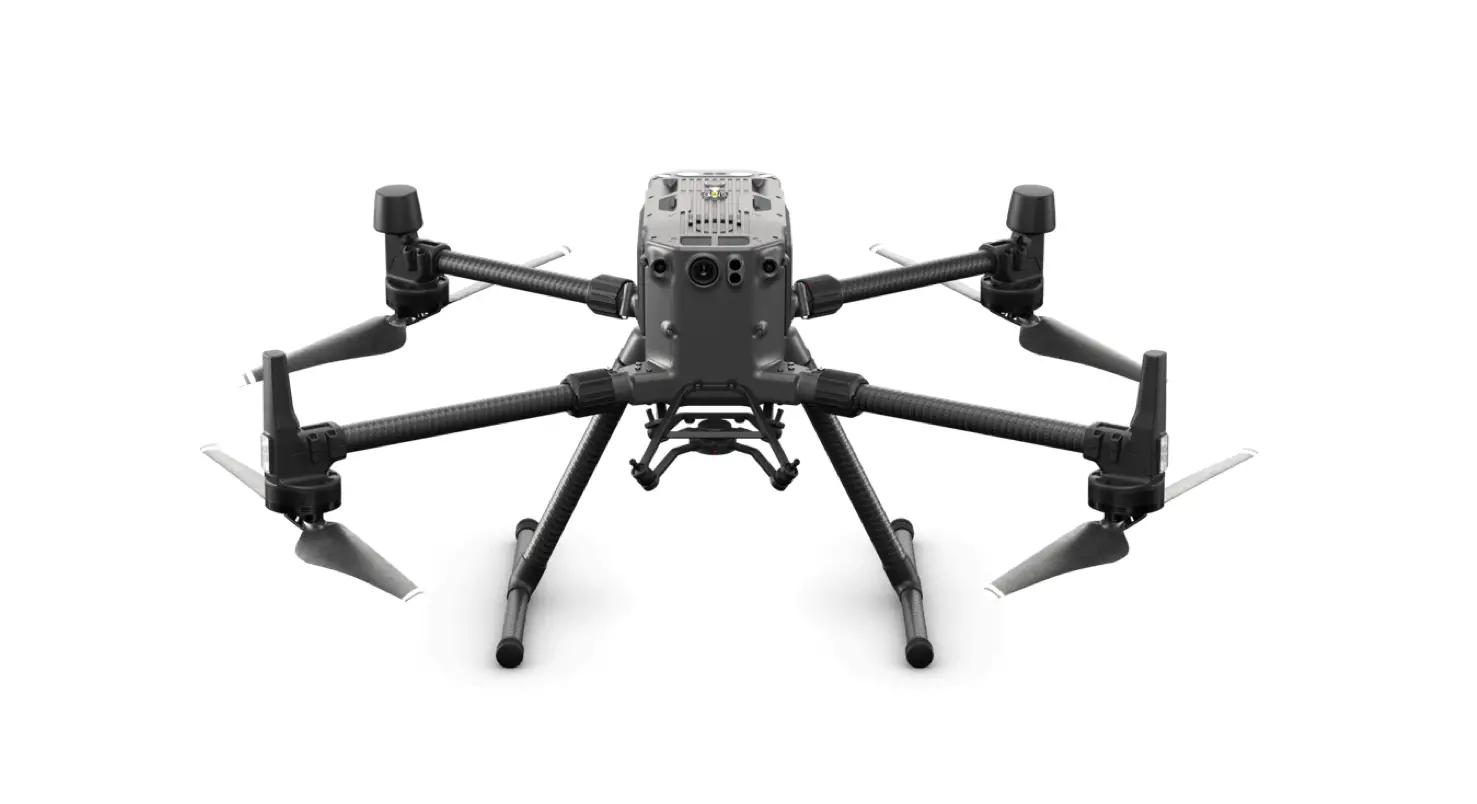
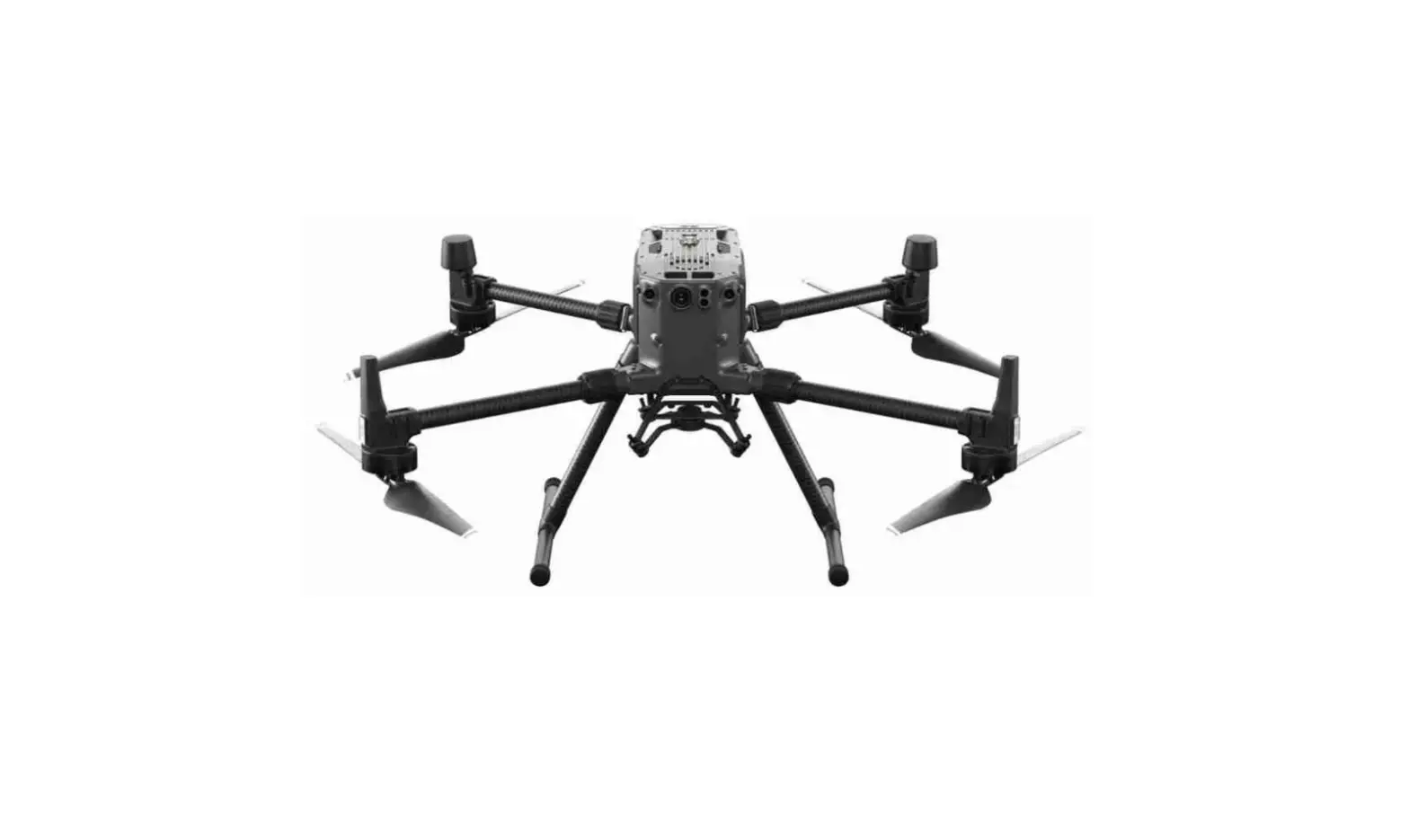
Matrice 200 Series Drone
Product Information:
The Matrice 200 Series is a professional-grade drone designed
for various applications. This manual focuses on the M210 and M210
RTK models, which are equipped with advanced features and
capabilities.
Matrice 210/Matrice 210 RTK Features:
- FPV Camera for first-person view
- Forward Vision System for obstacle avoidance
- DJI Gimbal Connector v2.0 (DGC2.0) for gimbal connection
- Gimbal Detachment Button for easy removal
- Frame Arms for structural support
- Motors for propulsion
- Propellers for flight
- ESC LEDs for status indication
- Landing Gears for safe landing
- Upward Gimbal Mounting Position for versatile camera
angles - Upward Infrared Sensor for obstacle detection
- Aircraft Status Indicator for system status
- D-RTK Mounting Bracket for D-RTK system (not included in M210
model) - D-RTK Antennas** (not included in M210 model)
- USB Port for data transfer
- Expansion Ports for additional accessories
- RC/Aircraft Linking Button and Indicator for remote control
connection - USB Mode Switch for different USB modes
- Extended Power Port (XT30) for external power supply
- Battery Removal Button for easy battery removal
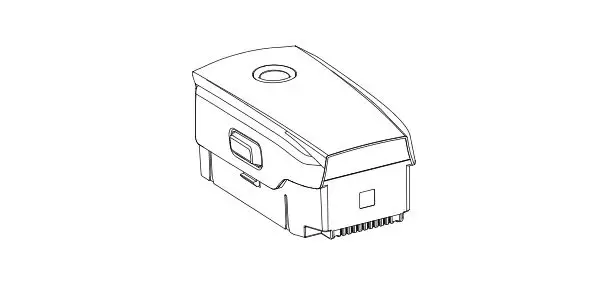
- Intelligent Flight Batteries for power supply
- Battery Level Indicators for battery status
- Power Button for system power control
- Downward Vision System for precision landing
- Micro SD Card Slot for storage
Note: The M210 model does not include D-RTK
antennas, the D-RTK Ground System Kit, or the Datalink Pro Air
System.
Cendence Remote Controller Features:
- Left Lever for remote control operation
- Left Dial (Gimbal Pitch) for gimbal control
- Flight Mode Switch for selecting flight modes
- Handle Bar for comfortable grip
- Micro USB Port for connecting devices
- SDI Port (for Video Output) for high-quality video
transmission - Right Lever for remote control operation
- Right Dial (Gimbal Pan) for gimbal control
- AF Button (Autofocus) for camera focusing
- Record Button for video recording
- Shutter Button for photo capturing
- Customizable Buttons (C1-C4) for personalized functions
- USB Port (for Mobile Device Connection) for device
connectivity - HDMI A Port (for Video Output) for high-definition video
transmission - CAN Bus Port (Extension Port) for expanding functionality
Note: The remote controller’s maximum
transmission distance may vary depending on the environment and
local regulations.
Product Usage Instructions:
- Download and install DJI AssistantTM 2 on your computer. Visit
the following website for the download link: http://www.dji.com/matrice-200-series - Ensure that the built-in DJI GO 4 app and DJI Pilot app are
working properly. This manual uses the DJI GO 4 app as an
example. - For first-time activation, you’ll need a DJI account and an
internet connection. - The DJI Assistant 2 software is available for Windows 7 (or
later) and OS X 10.11 (or later). - To charge the batteries, press the release button and open the
corresponding charging port cover. Insert the Intelligent Flight
Battery into the charging port and begin charging. Remember to
press the release button when removing fully charged
batteries. - When using the IN2CH Charging Hub, the charging time is
approximately 1 hour and 30 minutes for TB50-M200 batteries (two
batteries) and 2 hours and 33 minutes for TB55 batteries (two
batteries). - The estimated charging time is 2 hours and 24 minutes.
MATRICE 200 SERIES
M210/M210 RTK
Quick Start Guide Kurzanleitung Guía de inicio rápido Guide de démarrage rapide Guida di avvio rapido Snelstartgids Guia de início rápido
V1.0
Contents
EN Quick Start Guide
2
CHS
10
CHT
18
JP
26
KR
34
DE Kurzanleitung
42
ES Guía de inicio rápido
50
FR Guide de démarrage rapide
58
IT Guida di avvio rapido
66
NL Snelstartgids
74
PT Guia de início rápido
82
RU
90
EN
Matrice 210/Matrice 210 RTK
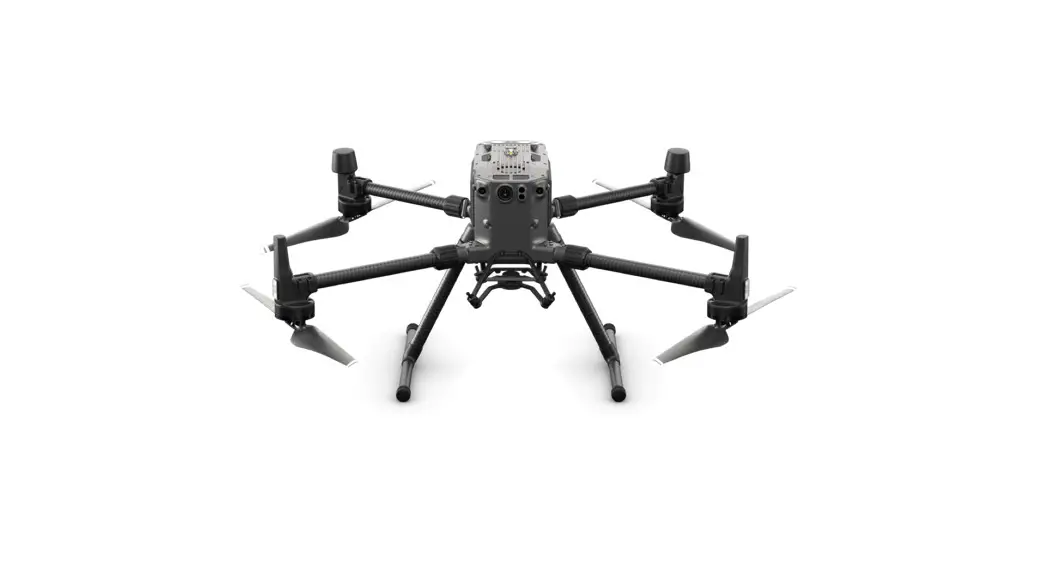
The DJITM MATRICETM 210/Matrice 210 RTK (M210/M210 RTK) is a powerful industrial-grade flight platform with world-class agility and speed, two barometers, and redundant IMUs for maximum reliability, and new, smart flight features that make capturing complex shots easy. The aircraft’s visual sensors enable enhanced hovering precision even when flying indoors or in environments where GNSS is unavailable. The drone’s new airframe design gives it an IP43 Ingress Protection Rating, in accordance with the global IEC 60529 standard. The M210/M210 RTK’s mechanical design, along with quick-release landing gears and mounted folding arms, makes it easy to transport, store, and prepare for flight.
The M210/M210 RTK is compatible with many of DJI’s DGC2.0 connector gimbals, supporting a single upward gimbal or dual downward gimbals.* It is equipped with many expansion ports to broaden its applications. The M210 RTK has a built-in DJI D-RTKTM, which provides more accurate heading data for positioning. New Intelligent Flight Batteries feature upgraded battery cells and an advanced power management system. Without a payload, the M210 provides up to 27 minutes of flight with standard batteries and 38 minutes with high-capacity batteries. The M210 RTK offers up to 23-minute and 32-minute no-payload flight times with standard and high-capacity batteries, respectively.*
This manual uses the M210 RTK and ZENMUSETM Z30 as an example to demonstrate setup.
7 6
4
3
10 5
2 1
14
11
12
13
8
9
15 16 17 18 19
20 21
22 23
24
25 Folding
1. FPV Camera 2. Forward Vision System 3. DJI Gimbal Connector v2.0 (DGC2.0) 4. Gimbal Detachment Button 5. Frame Arms 6. Motors 7. Propellers 8. ESC LEDs 9. Landing Gears 10. Upward Gimbal Mounting Position 11. Upward Infrared Sensor 12. Aircraft Status Indicator 13. D-RTK Mounting Bracket
14. D-RTK Antennas** 15. USB Port 16. Expansion Ports 17. RC/Aircraft Linking
Button and Indicator 18. USB Mode Switch 19. Extended Power Port (XT30) 20. Battery Removal Button 21. Intelligent Flight Batteries 22. Battery Level Indicators 23. Power Button 24. Downward Vision System 25. Micro SD Card Slot
* Gimbals can be purchased separately from the official DJI Online Store. A GPS module is required when using a single upward gimbal. DO NOT use an upward and downward gimbal simultaneously. Please refer to the user manual for more details about expansion ports, upward gimbals, and downward gimbals. Please note that maximum flight times are measured in ideal flight conditions. Actual flight times may vary depending on your environment. DO NOT disassemble the aircraft shell, otherwise it will not be covered under warranty.
**Please note that this list of items applies to the M210 RTK. Although similar, the M210 aircraft does not include the D-RTK antennas, the D-RTK Ground System Kit or the Datalink Pro Air System.
2
EN
Cendence Remote Controller
The CendenceTM remote controller features DJI’s LIGHTBRIDGETM technology for a maximum transmission distance of up to 4.3 mi (7 km).* Equipped with a DJI CrystalSkyTM 7.85 inch monitor, it displays a live HD view directly via the built-in DJI Pilot app or DJI GOTM 4 app, providing a precise and responsive flying experience. Dual frequency support makes the HD video downlink more stable. In Dual Remote Controller Mode, two remote controllers control the aircraft and camera separately, even when they are up to 328 feet (100 m) apart. The Cendence remote controller works with a WB37 Intelligent Battery, which can be fully charged via the charging port in about 2 hours and 24 minutes with a 180 W charger, or with the Intelligent Battery Charging Hub in about 1 hour and 11 minutes. The maximum run time of the remote controller is approximately 4 hours without supplying power to a monitor and with Dual Remote Controller mode disabled.*
1 2 3
4
14
5
30
7
8 9 12
10
13
11
6 15
16 17
19 28
18
21
25
22 23 24
27 26
30 29
20
1. HDMI Port 2. USB Port 3. Micro SD Card Slot 4. Micro USB Port 5. Headphone Jack 6. Light-Sensitive Port 7. Power Button 8. Customizable Button (F1) 9. Setting Button 10. Customizable Button (F2) 11. Back Button 12. Battery Release Button 13. WB37 Intelligent Battery 14. Antennas 15. Monitor Mounting Bracket 16. Control Sticks 17. Strap Hook 18. Focal Adjustment Knob 19. Return-to-Home (RTH) Button 20. Power Port 21. EV Setting Button 22. Shutter Setting Button 23. Aperture Setting Button 24. ISO Setting Button 25. Pause Button 26. Power Button 27. Remote Control Display 28. Camera Settings Dial 29. Customizable Button Setting Menu 30. Customizable Buttons (BA-BH)
31. Left Lever
38. Micro USB Port
32. Left Dial (Gimbal Pitch) 33. Flight Mode Switch
39. SDI Port (for Video Output) 40. Right Lever
45 31
34. Handle Bar
41. Right Dial (Gimbal Pan)
35. USB Port
42. AF Button (Autofocus)
32
(for Mobile Device Connection) 43. Record Button
36. HDMI A Port (for Video Output) 44. Shutter Button
37. CAN Bus Port (Extension Port) 45. Customizable Buttons (C1-C4)
33
34 35 36 37 38 39
45 40
41
42 44 43
* The remote controller can reach its maximum transmission distance (FCC) in a wide open area with no electro-magnetic interference at an altitude of about 400 feet (120 meters). To comply with local regulations, the 5.8 GHz frequency is not available in some countries and regions. Maximum run time is estimated without supplying power to a smart device or monitor. For more information about Dual Remote Controller mode, please refer to the user manual.
3
EN
Using Matrice 210/Matrice 210 RTK
1. Downloading DJI Assistant 2
Download and install DJI AssistantTM 2 on your computer via the website link below: http://www.dji.com/matrice-200-series Ensure that the built-in DJI GO 4 app and DJI Pilot app are working normally. This manual uses the DJI GO 4 app as an example.
First-time activation requires your DJI account and an internet connection. Internet
DJI Assistant 2 is only available for Windows 7 (or later) or OS X 10.11 (or later).
2. Charging the Batteries
Press the release button and open the corresponding charging port cover. Insert the Intelligent Flight Battery into the charging port to begin charging. Be sure to press the release button when removing fully charged batteries.
1A
Power Outlet 100~240 V (50Hz/60Hz)
2
B
B
B
A
Using the IN2CH Charging Hub, charging time is approximately. TB50-M200: 1 hour and 30 min (two batteries)* TB55: 2 hours and 33 min (two batteries)*
Charging Time: 2 hours and 24 min*
Using the WCH2 Charging Hub, charging time is approximately 1 hour and 11 min (one battery)*
*Provided charger
DO NOT charge TB50-M200/TB55 and WB37 batteries simultaneously. When charging is complete, the LED lights on the Intelligent Flight Battery will turn off, and the LED on the Charging Hub will turn solid green. When charging is complete, the display on the remote controller will show 100%. The Charging Hub will sound an alert when the battery has been fully charged. The alert can be turned on or off by toggling the switch under the hub. Connect the Intelligent Flight Batteries to the aircraft and power them on. If battery temperature is lower than 15° C, the system will auto heat the batteries to maintain a temperature between 15° and 20° C. Pairing Intelligent Flight Batteries is recommended. This can be done with the DJI GO 4 app.
3. Preparing the Remote Controller
Mounting Monitor and Remote Controller Batteries
CrystalSky monitors and the Cendence remote controller
use the same batteries.
Low
Put the battery into the Battery Slot, then slide it to the end
until you hear a click.
High
Press the Battery Release Button before removing the battery.
Press the Battery Level Button once to check the battery level.
Mounting the Monitor to the Remote Controller
A
B
Ensure that Part B is unlocked. Connect Part B to Part A.
4
Lock the Mounting Bracket.
Use a coin to adjust the tightness of the tilt axis.
EN
Mounting the Datalink Pro Air System to the Remote Controller For the M200 series, only mount the Datalink Pro Air System to the M210 RTK remote controller.
M3×5
M2×8
Remove the screws.
Affix the Datalink Pro Air System onto the mounting board with the double-sided adhesive, then attach the mounting board onto the back of the remote controller.
Thread the Datalink Pro antennas through the clips. Make sure that the lines of the antennas lie in the
grooves of the mounting board where the clips attach to prevent the antennas from being damaged.
M2.5×6
M3×12
1/4″
Attach the clips onto the
mounting board, then connect the antennas to the Datalink Pro Air System.
Affix the CAN Hub module to the mounting board with the double-sided adhesive, then secure the mounting board using screws.
Using the Remote Controller
The Stick Mode is set to Mode 2 by default. In Mode 2, the left stick controls the aircraft’s elevation and heading, and the right stick controls the aircraft’s forward, backward, and lateral movements. To adjust the FPV camera, press and hold the C2 Button and rotate the left dial.
Left Stick
Right Stick
FPV Camera
UP
Forward
Down
Backward
Turn Left Left
Right Turn Right
For more information about how to connect and use the remote controller, please refer to the user manual. You can change the stick mode and customize the C1-C4 and BA-BH buttons’ functions in the DJI GO 4 app.
5
EN
4. Preparing the Aircraft
Unfolding the D-RTK Antennas For the M200 series, only mount the D-RTK antennas to the M210 RTK. Unfold the D-RTK antennas and tighten the screws.
2 Installing the Landing Gears
1
Unfolding the Aircraft
Unfold the frame arm, slide the arm lock to the end of the frame
arm, then rotate it about 90° until the silver line lies within the
range of the
icon.
3 2
1
Mounting the Propellers Propellers without silver rings should be installed on unmarked motors.
6
Press the propeller down onto the mounting plate and rotate it in the
direction indicated by the
lock icon until secure.
Propellers with silver rings should be
installed on motors with the same color marks.
Check that the propellers are secure before each flight.
EN
Mounting the Gimbal and Camera
1
2
3
Press the Gimbal Detachment button to remove the cover.
Align the white and red dots and insert
the gimbal.
Rotate the gimbal lock to the locked position.
Gimbal Connector II Zenmuse XT Zenmuse Z30
Gimbal Connector I Zenmuse X4S/X5S/Z30 Zenmuse X4S/X5S/XT
Make sure to press down the gimbal detachment button when rotating the gimbal lock to remove the gimbal and camera. The gimbal lock should be fully rotated when removing the gimbal for the next installation.
Mounting the Intelligent Flight Batteries
High
Insert a pair of batteries.
Press once to check the battery level. Press again and hold until the batteries turn on or off.
AB
Only use battery slot B when only using one battery to supply power.
Low
Make sure to press the Battery Removal button when removing the battery.
Mounting the D-RTK Ground System
For the M200 series, only mount the D-RTK Ground System to the M210 RTK. 1. Rotate the screws to secure the antenna bracket, and install
the battery. 2. Rotate the clamp to secure the battery, and install the
Datalink Pro antenna. 3. Install the D-RTK Ground System onto an appropriate tripod.
1 3
2
This manual uses the Datalink Pro 900 as an example. Please refer to the D-RTK and Datalink Pro user guides for more details.
4
5
1/4″or3/8″
Activating D-RTK and Datalink Pro
For the M200 series, you can only activate D-RTK and Datalink Pro with the M210 RTK. Be sure to activate both with DJI Assistant 2 before first time use.
Micro USB
Connect the Datalink Pro Air System, Datalink Pro Ground System, and D-RTK Ground System one by one to the computer with a Micro USB cable for activation.
Connect the aircraft to the computer and toggle the USB Mode Switch to the RTK position for activation.
Ensure that the D-RTK Ground System is powered on first. DO NOT power on the aircraft before the D-RTK Ground System’s Working Status LED is solid green. Set the Flight Mode Switch to P mode or F mode.
7
EN
5. Flight
DJI GO 4 App
Toggle the Flight Mode switch to
P-mode, the safest flight mode.
Power on the remote controller, monitor, aircraft, and D-RTK Ground System.
Launch the DJI GO 4 app and tap GO FLY.
Inside the DJI GO 4 App
Ready to Go (GPS)
Before taking off, ensure that the Aircraft Status Bar in the DJI GO 4 app reads `Ready to Go (GPS)’ or `Ready to Go (Vision)’ if flying indoors.
Auto Takeoff
Auto Landing
Return to Home (RTH)
Gimbal Working Modes
Intelligent Flight Modes
These icons are for reference only. Icons in the DJI Pilot app may be different than icons in the DJI GO 4 app. Watch the tutorials in the DJI GO 4 app or on the official DJI website to learn more. Always set an appropriate RTH altitude before takeoff. Please refer to the Disclaimer and Safety Guidelines for more details.
Manual Takeoff
Or
Use the Combination Stick Command to start/stop the motors.
Push the left stick up (slowly) to take off.
Manual Landing
Pull left stick down (slowly) until you touch the ground. Hold it for a few seconds to stop the motors.
Return-to-Home (RC)
Pressing the Return to Home button on the remote controller brings the aircraft back to the Home Point, just like the icon in DJI GO 4. Press and hold the button to initiate the RTH procedure. Press it again to cancel RTH.
To stop the motors mid-flight, press the RTH button while simultaneously pulling the left stick to the bottom inner corner and hold for three seconds. Only stop the motors mid-flight in emergency situations when doing so may reduce risk of damage or injury. Rotating propellers can be dangerous. DO NOT start the motors in narrow spaces or when there are people nearby. Always keep your hands on the remote controller while the motors are spinning. After landing, power off the aircraft before turning off the remote controller.
It is important to understand basic flight guidelines for the safety of both you and those around you. Please refer to the Disclaimer and Safety Guidelines for more information.
No Fly Zones Learn more: http://flysafe.dji.com/no-fly
8
EN
Specifications
Aircraft (M210/M210 RTK)
Dimensions
M210: Unfolded, 887×880×378 mm, Folded, 716×287×236 mm M210 RTK: Unfolded, 887×880×408 mm, Folded, 716×287×236 mm
Weight
M210: Approx. 3.99 kg (with TB50-M200 batteries), Approx. 4.72 kg (with TB55 batteries) M210 RTK: Approx. 4.42 kg (with TB50-M200 batteries), Approx. 5.15 kg (with TB55 batteries)
Diagonal Wheelbase
643 mm
Max Takeoff Weight
6.14 kg
Max Payload
M210: 2.15 kg (with TB50-M200 batteries), 1.42 kg (with TB55 bateries) M210 RTK: 1.72 kg (with TB50-M200 batteries), 0.99 kg (with TB55 batteries)
Hovering Accuracy (P-mode with GPS)
Vertical: ±1.64 feet (0.5 m) or ±0.33 feet (0.1 m, Downward Vision System enabled) Horizontal: ±4.92 feet (1.5 m) or ±0.98 feet (0.3 m, Downward Vision System enabled)
Hovering Accuracy (D-RTK)
Vertical: ±0.33 feet (0.1 m); Horizontal: ±0.33 feet (0.1 m)
Max Angular Velocity
Pitch: 300°/s, Yaw: 150°/s
Max Pitch Angle (Dual Downward Gimbal)
P-mode: 25° (Forward Vision System enabled: 25°); S-mode: 30°, A-mode: 25°
Max Pitch Angle (Single Downward Gimbal/Single Upward Gimbal) P-mode: 30° (Forward Vision System enabled: 25°), S-mode: 35°, A-mode: 30°
Max Ascent Speed
16.4 ft/s (5 m/s)
Max Descent Speed (vertical)
9.8 ft/s (3 m/s)
Max Speed (Dual Downward Gimbal)
S-mode: 64.8 kph (40.3 mph); P-mode/A-mode: 61.2 kph (38 mph)
Max Speed (Single Downward Gimbal/Single Upward Gimbal) S-mode/A-mode: 82.8 kph (51.4 mph); P-mode: 61.2 kph (38 mph)
Max Service Ceiling Above Sea Level
9842 feet (3000 m, with 1760S propellers)
Max Wind Resistance
39.36 ft/s (12 m/s)
Max Flight Time (with TB50-M200 batteries)
M210: 27 min (no payload), 13 min (takeoff weight: 6.14 kg) M210 RTK: 23 min (no payload), 13 min (takeoff weight: 6.14 kg)
Max Flight Time (with TB55 batteries)
M210: 38 (no payload), 24 min (takeoff weight: 6.14 kg) M210 RTK: 32 (no payload), 24 min (takeoff weight: 6.14 kg)
Supported DJI Gimbals
Zenmuse X4S/X5S/XT/Z30
Supported Gimbal Configurations
Single Downward Gimbal, Dual Downward Gimbals, Single Upward Gimbal
Ingress Protection Rating GNSS
IP43 GPS+GLONASS
Operating Temperature
-4° to 113° F (-20° to 45° C)
Remote Controller
Operating Frequency
2.400-2.483 GHz; 5.725-5.825 GHz
Max Transmitting Distance (unobstructed, free of interference)
2.4 GHz: 4.3 miles (7 km, FCC); 2.2 miles (3.5 km, CE); 2.5 miles (4 km, SRRC) 5.8 GHz: 4.3 miles (7 km, FCC); 1.2 miles (2 km, CE); 3.1 miles (5 km, SRRC)
EIRP
2.4 GHz: 26 dBm (FCC); 17 dBm (CE); 20 dBm (SRRC) 5.8 GHz: 28 dBm (FCC); 14 dBm (CE); 20 dBm (SRRC)
Power Supply
Extended Intelligent Battery (Model: WB37-4920mAh-7.6V)
Output Power
12 W (Without supplying power to monitor)
USB Power Supply
iOS: 1 A 5.2 V (max); Android: 1.5 A 5.2 V (max)
CrystalSky Monitor
DJI CrystalSky 7.85inch, Resolution: 2048×1536; Brightness: 1000 cd/m2; Operating System: Android 5.1; Storage: ROM 64GB
Operating Temperature
-4° to 104° F (-20° to 40° C)
Downward Vision System
Velocity Range Altitude Range
<32.8 ft/s (10 m/s) at the height of 6.56 feet (2 m) <32.8 feet (10 m)
Operating Range
<32.8 feet (10 m)
Operating Environment
Surfaces with clear patterns and adequate lighting (>15 lux)
Ultrasonic Sensor Operating Range
0.33-16.4 feet (10-500 cm)
Ultrasonic Sensor Operating Environment
Non-absorbing material, rigid surfaces (thick indoor carpeting will adversely affect performance)
Forward Vision System
Obstacle Sensing Range
2.3-98.4 feet (0.7-30 m)
FOV
Horizontal: 60°; Vertical: 54°
Operating Environment
Surfaces with clear patterns and adequate lighting (> 15 lux)
Upward Infrared Sensing System
Obstacle Sensing Range
0-16.4 feet (0-5 m)
FOV
±5°
Operating Environment
Large, diffuse, and reflective obstacles (reflectivity >10%)
Intelligent Flight Battery (TB50-M200 Model: TB50-4280mAh-22.8V, TB55 Model: TB55-7660mAh-22.8V)
Capacity
4280 mAh (TB50-M200), 7660 mAh (TB55)
Voltage
22.8 V
Battery Type
LiPo 6S
Energy
97.58 Wh (TB50-M200), 176.93 Wh (TB55)
Net Weight (Single One)
Approx. 520 g (TB50-M200), Approx. 885 g (TB55)
Operating Temperature
-4° to 113° F (-20° to 45° C)
Charging Temperature
41° to 104° F (5° to 40° C)
Max Charging Power
180 W
Charger (Model: IN2C180)
Voltage
26.1 V
Rated Power Charging Hub (Model: IN2CH)
Input Voltage Input Current
180 W
26.1 V 6.9 A
DJI incorporates HDMITM technology. The terms HDMI and HDMI High-Definition Multimedia Interface, and the HDMI Logo are trademarks or registered trademarks of HDMI Licensing LLC in the United States and other countries.
Download the latest version from http://www.dji.com/matrice-200-series
This content is subject to change without prior notice.
MATRICE and DJI are trademarks of DJI. Copyright © 2017 DJI All Rights Reserved.
Designed by DJI. Printed in China.
9
Matrice 210/Matrice 210 RTK
MATRICETM 210/Matrice 210 RTKM210/M210 RTK DJITM FPV IP IP43 IEC 60529
DGC2.0 * M210 RTK DJI D-RTKTM *M210 TB50-M200 27 TB55 38 M210 RTK 23 32 *
M210 RTK DJI ZENMUSETM Z30
CHS
7 6
4
3
10 5
2 1
14
11
12
13
8
9
15 16 17 18 19
20 21
22 23
24
25
1. FPV 2. 3. DGC2.0 4. 5. 6. 7. 8. LED 9. 10. 11. 12. 13. D-RTK
14. D-RTK ** 15. USB 16. 17. / 18. USB 19. XT30 20. 21. 22. 23. 24. 25. Micro SD
* DJI GPS
** M210 RTK M210 D-RTK D-RTK Datalink Pro
10
CHS
CendenceTM LIGHTBRIDGETM 7 * DJI CrystalSkyTM 7.85inch DJI Pilot App DJI GOTM 4 App 5.8G 2.4G * 100 *
WB37 180W 2 24 1 11 4 *
1 2 3
4
14
5
30
7
8 9 12
10
13
11
6 15
16 17
19 28
18
21
25
22 23 24
27 26
30 29
20
1. HDMI 2. USB 3. Micro SD 4. Micro USB 5. 6. 7. 8. F1 9. 10. F2 11. 12. 13. WB37 14. 15. 16. 17. 18. 19. 20. 21. EV 22. 23. 24. ISO 25. 26. 27. 28. 29. 30. BA-BH
31. 32. 33. 34. 35. USB 36. HDMI A 37. CAN Bus 38. Micro USB
39. SDI 40. 41. 42. 43. 44. 45. C1-C4
45 31 32
33
34 35 36 37 38 39
45 40
41
42 44 43
* 120 FCC 5.8GHz
11
CHS
Matrice 210/Matrice 210 RTK
1. DJI Assistant 2
DJI DJI AssistantTM 2 http://www.dji.com/matrice-200-series DJI GO 4 App DJI Pilot App DJI GO 4 App
DJI GO 4 App Internet
DJI Assistant 2 Windows 7 Mac OS X 10.11
2.
1A
100~240 V (50Hz/60Hz)
2
B
B
B
A
IN2CH
TB50-M2001 30 * TB552 33 *
2 24 *
WCH2 WB37 1 11 *
* DJI
TB50-M200/TB55 WB37
100%
15 15-20
/ DJI GO 4 App
3.
WB37 “”
A B
12
CHS
Datalink Pro M200 M210 RTK Datalink Pro
M3×5
M2×8
Datalink Pro
M2.5×6
M3×12 1/4″
CAN Hub
“” C2 FPV
FPV
DJI GO 4 App C1-C4BA-BH
13
4.
D-RTK
M200 M210 RTK D-RTK
CHS
2
1
90°
3 2
1
14
CHS
1
2
3
II Zenmuse XT Zenmuse Z30
I Zenmuse X4S/X5S/Z30 Zenmuse X4S/X5S/XT
/ 3 /
AB
B
D-RTK
M200 M210 RTK D-RTK 1. D-RTK 2. Datalink Pro 3. 1/4″ 3/8″
Datalink Pro 900 D-RTK Datalink Pro
1 3
2
4
5
1/4″ 3/8″
D-RTK Datalink Pro
M200 M210 RTK DJI Assistant 2 D-RTK Datalink Pro
Micro USB
Micro USB Datalink Pro Datalink Pro D-RTK
USB USB RTK D-RTK
P S
15
CHS
5.
P
DJI GO 4 App
D-RTK
DJI GO 4 App
GPS
DJI GO 4 App “GPS”” Vision”
DJI GO 4 App
DJI GO 4 App DJI Pilot App DJI GO 4 DJI GO 4 App DJI DJI GO 4 App
2
DJI GO 4 App
: http://flysafe.dji.com/no-fly
16
CHS
M210/M210 RTK
M210887×880×378 mm716×287×236 mm
M210 RTK887×880×408 mm716×287×236 mm
M210 3.99 kg TB50-M200 4.72 kg TB55
M210 RTK 4.42 kg TB50-M200 5.15 kg TB55
643 mm
P-GPS D-RTK
6.14 kg M2102.15 kg TB50-M2001.42 kg TB55 M210 RTK1.72 kg TB50-M2000.99 kg TB55 ±0.5 m±0.1 m±1.5 m±0.3 m ±0.1 m±0.1 m 300°/s150°/s
/
P 25°P 25°S 30°A 25° P 30°P 25°S 35°A 30°
/
5 m/s3 m/s
S 64.8 kphP /A 61.2 kph
/ S /A 82.8 kphP 61.2 kph
3000 m 1760S
TB50-M200
TB55
DJI
12 m/s M21027 13 6.14 kg M210 RTK23 13 6.14 kg M21038 24 6.14 kg M210 RTK32 24 6.14 kg
Zenmuse X4S/X5S/XT/Z30
IP
IP43
GNSS
GPS+GLONASS
-20 45
GL800A (EIRP)
USB / CrystalSky
2.400-2.483 GHz5.725-5.825 GHz 2.4 GHz7 kmFCC3.5 kmCE4 kmSRRC 5.8 GHz7 kmFCC2 kmCE5 kmSRRC 2.4 GHz26 dBmFCC17 dBmCE20 dBmSRRC 5.8 GHz28 dBmFCC14 dBmCE20 dBmSRRC WB37-4920mAh-7.6V 12 W iOS1 A 5.2 VAndroid1.5 A 5.2 V 7.85 2048×1536 1000 cd/m2Android 5.1 ROM 64GB -20 40
<10 m/s 2 m
<10 m
<10 m >15 lux
10-500 cm
FOV
0.7-30 m 60° 54°
>15 lux
FOV
0-5 m ±5°
>10%
TB50-M200 TB50-4280mAh-22.8VTB55 TB55-7660mAh-22.8V
4280 mAhTB50-M2007660 mAhTB55
22.8 V
LiPo 6S
97.58 WhTB50-M200176.93 WhTB55
520 gTB50-M200 885 gTB55
-20 45
5 40
180 W
IN2C180
IN2CH
26.1 V 180 W
26.1 V 6.9 A
DJI incorporates HDMITM technology. The terms HDMI and HDMI High-Definition Multimedia Interface, and the HDMI Logo are trademarks or registered trademarks of HDMI Licensing LLC in the United States and other countries.
http://www.dji.com/matrice-200-series
MATRICE DJI Copyright © 2017
Designed by DJI. Printed in China.
17
Matrice 210/Matrice 210 RTK
MATRICETM 210/Matrice 210 RTK (M210/M210 RTK) DJITM FPV IP IP43 ( IEC 60529 )
DGC2.0 * M210 RTK DJI D-RTK *M210 (TB50-M200) 27 (TB55) 38 M210 RTK 23 32 *
DJI Zenmuse Z30 M210 RTK
CHT
7 6
4
3
10 5
2 1
14
11
12
13
8
9
15 16 17 18 19
20 21
22 23
24
25
1. FPV 2. 3. (DGC2.0 ) 4. 5. 6. 7. 8. LED 9. 10. 11. 12. 13. D-RTK
14. D-RTK ** 15. USB 16. 17. / 18. USB 19. (XT30) 20. 21. 22. 23. 24. 25. Micro SD
* DJI GPS ( )
** M210 RTK M210 D-RTK D-RTK Datalink Pro
18
CHT
CendenceTM LIGHTBRIDGETM 7 * DJI CrystalSkyTM 7.85 DJI Pilot DJI GOTM 4 5.8 G 2.4 G * 100 *
WB37 (180 W 2 24 ) ( 1 11 ) 4 *
1 2 3
4
14
5
30
7
8 9 12
10
13
11
6 15
16 17
19 28
18
21
25
22 23 24
27 26
30 29
20
1. HDMI 2. USB 3. Micro SD 4. Micro USB 5. 6. 7. 8. F1 9. 10. F2 11. 12. 13. WB37 14. 15. 16. 17. 18. 19. 20. 21. EV 22. 23. 24. ISO 25. 26. 27. 28. 29. 30. BA-BH
31.
39. SDI ( )
32. ( )
40.
33.
41. ( )
34.
42.
35. USB ( ) 43.
36. HDMI A ( )
44.
37. CAN Bus
45. C1-C4
38. Micro USB
45 31 32
33
34 35 36 37 38 39
45 40
41
42 44 43
* 120 FCC 5.8 GHz
19
Matrice 210/Matrice 210 RTK
1. DJI Assistant 2
DJI DJI AssistantTM 2 http://www.dji.com/matrice-200-series DJI GO 4 DJI Pilot DJI GO 4
DJI GO 4 Internet
DJI Assistant 2 Windows 7 Mac OS X 10.11
CHT
2.
1A
100~240 V (50Hz/60Hz)
2
B
B
IN2CH
TB50-M2001 30 * TB552 33 *
2 24 *
WCH2 WB37 1
11 *
B A
* DJI
TB50-M200/TB50 WB37 100% 15 15 20 / DJI GO 4
3.
WB37
A B
20
Datalink Pro M200 M210 RTK
M3×5
M2×8
CHT
Datalink Pro
M2.5×6
M3×12 1/4″
CAN Hub
( ) C2 FPV
FPV
DJI GO 4 C1-C4BA-BH
21
4.
D-RTK
M200 M210 RTK D-RTK
CHT
2
1
90°
3 2
1
22
1
2
3
CHT
II Zenmuse XT Zenmuse Z30
I Zenmuse X4S/X5S/Z30 Zenmuse X4S/X5S/XT
/ 3 /
AB
B
D-RTK
M200 M210 RTK D-RTK 1. D-RTK 2. Datalink Pro 3. (1/4″ 3/8″)
Datalink Pro 900 D-RTK Datalink Pro
1 3
2
4
5
1/4″ 3/8″
D-RTK
M200 M210 RTK DJI Assistant 2 D-RTK Datalink Pro
Micro USB
Micro USB Datalink Pro Datalink Pro D-RTK
USB USB RTK D-RTK
P S
23
CHT
5. /
DJI GO 4
P
D-RTK
DJI GO 4
DJI GO 4 ( )
(GPS)
DJI GO 4 (GPS)( (GPS)) (Vision)( (Vision))
DJI Pilot DJI GO 4 DJI GO 4 DJI DJI GO 4
/
2
DJI GO 4
( )
http://flysafe.dji.com/no-fly
24
CHT
(M210/M210 RTK)
(P-GPS) (D-RTK) ( ) ( / ) / ( ) ( / ) (TB50-M200)
(TB55)
DJI IP GNSS
M210887 × 880 × 378 mm ( )716 × 287 × 236 mm ( ) M210 RTK887 × 880 × 408 mm ( )716 × 287 × 236 mm ( ) M210 3.99 kg ( TB50-M200) 4.72 kg ( TB55) M210 RTK 4.42 kg ( TB50-M200) 5.15 kg ( TB55)
643 mm
6.14 kg M2102.15 kg ( TB50-M200)1.42 kg ( TB55) M210 RTK1.72 kg ( TB50-M200)0.99 kg ( TB55) ±0.5 m ( ±0.1 m)±1.5 m ( ±0.3 m) ±0.1 m±0.1 m 300°/s150°/s P 25° (P 25° ) S 30° , A 25° P 30° (P 25° ) S 35° , A 30° 5 m/s3 m/s S 64.8 kphP /A 61.2 kph S /A 82.8 kphP 61.2 kph 3,000 m ( 1760S )
12 m/s M21027 ( )13 ( 6.14 kg) M210 RTK23 ( )13 ( 6.14 kg) M21038 ( )24 ( 6.14 kg) M210 RTK32 ( )24 ( 6.14 kg)
Zenmuse X4S/X5S/XT/Z30
IP43
GPS + GLONASS -20 45
( GL800A) ( ) (EIRP)
USB / DJI CrystalSky
2.400 – 2.483 GHz5.725 – 5.825 GHz 2.4 GHz7 km (FCC)3.5 km (CE)4 km (SRRC) 5.8 GHz7 km (FCC)2 km (CE)5 km (SRRC) 2.4 GHz26 dBm (FCC)17 dBm (CE)20 dBm (SRRC) 5.8 GHz28 dBm (FCC)14 dBm (CE)20 dBm (SRRC) ( WB37-4920mAh-7.6V) 12 W ( ) iOS1 A 5.2 V ( )Android1.5 A 5.2 V ( ) 7.85 2048×1536 1,000 cd/m2Android 5.1 ROM 64 GB -20 40
<10 m/s ( 2 m )
<10 m
<10 m (>15 lux )
10 – 500 cm ( )
FOV
0.7 – 30 m 60° 54°
(>15 lux )
FOV
0 – 5 m ±5°
( > 10%)
(TB50-M200 TB50-4280mAh-22.8VTB55 TB55-7660mAh-22.8V)
4280 mAh (TB50-M200)7660 mAh (TB55)
22.8 V
LiPo 6S
97.58 Wh (TB50-M200)176.93 Wh (TB55)
520 g (TB50-M200) 885 g (TB55)
-20 45
5 40
180 W
( IN2C180)
( IN2CH)
26.1 V 180 W
26.1 V 6.9 A
DJI incorporates HDMITM technology. The terms HDMI and HDMI High-Definition Multimedia Interface, and the HDMI Logo are trademarks or registered trademarks of HDMI Licensing LLC in the United States and other countries.
http://www.dji.com/matrice-200-series
MATRICE DJI Copyright © 2017
DJI
25
Matrice 210/Matrice 210 RTK
DJITM MATRICETM 210/Matrice 210 RTK
IMU
2
M210 / M210 RTK
GNSS IP43
IEC 60529
M210/M210 RTK
M210/M210 RTK
*
DJI DGC2.0
M210 RTK
M210 RTK
DJI D-RTK
M210 23
27 32
M210 RTK ZENMUSETM Z30
38 *
JP
7 6
4
3
10 5
2 1
14
11
12
13
8
9
15 16 17 18 19
20 21
22 23
24
1. FPV
15. USB
2.
16.
3. DJI
V2.0 DGC2.0
17. RC
4.
25
5.
18. USB
6.
19.
XT30
7.
20.
8. ESC LED
21.
9.
10.
22.
11.
12.
23.
13. D-RTK
24.
14. D-RTK
**
25. Micro SD
*
DJI
**
M210 RTK
26
M210
M210
D-RTK
GPS D-RTK
Datalink Pro
JP
Cendence
DJI LIGHTBRIDGETM DJI Pilot
2
1
11
*
180W
CendenceTM
4km
*DJI CrystalSkyTM 7.85
DJI GOTM 4
HD
HD
Cendence
WB37
2
24
100m 4
1 2 3
4
14
5
30
7
8 9 12
10
13
11
6 15
16 17
19 28
18
21
25
22 23 24
27 26
30 29
20
1. HDMI 2. USB 3. Micro SD 4. Micro USB 5. 6. 7. 8. 9. 10. 11. 12. 13. WB37 14. 15. 16. 17. 18. 19. Return-to-Home RTH 20. 21. EV 22. 23. 24. ISO 25. 26. 27. 28. 29. 30.
F1) (F2)
BA-BH
31. 32. 33. 34. 35. USB 36. HDMI A 37. CAN-BUS 38. Micro USB
*
39. SDI 40. 41.
42. AF
43.
44.
45. C1-C4
45 31 32
33
34 35 36 37 38 39
45 40
41
42 44 43
120m
27
Matrice 210/Matrice 210 RTK
1. DJI Assistant 2
DJI AssistantTM 2
http://www.dji.com/matrice-200-series
DJI GO 4
DJI Pilot
Internet
DJI Assistant 2
DJI Windows 7 OS X 10.11
2.
DJI GO 4
JP
1A
2
IN2CH
TB50-M200 1
30
TB55 2
33
TB50-M200/TB55
20
B
B
A
2 * 2 *
2
24 *
WCH2
1
11
1*
WB37
100%
LED
LED
ON/OFF 15
DJI GO 4
3.
CrystalSky
Cendence
100 – 240V 50Hz/60Hz
B
*
15
·
·
1
A
B
B
B
A
28
JP
Datalink Pro
M200
M210 RTK
Datalink Pro
M3×5
M2×8
Datalink Pro
Datalink Pro
M2.5×6 Datalink Pro
M3×12 1/4″
CAN
2 FPV
2
C2
FPV
DJI GO 4
C1 C4
BA BH
29
JP
4.
D-RTK
M200 D-RTK
M210 RTK
D-RTK
2 1
1
90
3 2
30
1
2
3
JP
1
II Zenmuse XT Zenmuse Z30
I Zenmuse X4S/X5S/Z30 Zenmuse X4S/X5S/XT
AB
1
B
D-RTK
M200
M210 RTK
D-RTK
1.
2.
Datalink Pro
3. D-RTK
D-RTK
Datalink Pro 900 Datalink Pro
D-RTK Datalink Pro
M200
D-RTK Datalink Pro
2 D-RTK Datalink Pro
1 3
2
M210 RTK
4
5
1/4 3/8
DJI Assistant
Micro USB
USB
Datalink Pro D-RTK
Datalink Pro Micro
D-RTK P
D-RTK F
RTK LED
UBS
31
JP
5.
D-RTK P
DJI GO 4
DJI GO 4
DJI GO 4 GO FLY
Ready to Go (GPS)
DJI GO 4 to Go GPS
Ready to Go Vision
Ready
Return-to-Home RTH
DJI Pilot
DJI GO 4
DJI GO 4
DJI
Return-to-Home RTH
Return-to-Home
DJI GO 4
RTH
Return-to-Home Return-to-Home
RTH
RTH
3
http://www.dji.com/jp/flysafe/no-fly
32
JP
M210/M210 RTK
P D-RTK
GPS
/
/
TB50-M200 TB55 DJI
M210 M210 RTK
887 880 378mm 887 880 408mm
M210 3.99kg (TB50-M200
2
M210 RTK 4.42kg (TB50-M200
643mm
6.14kg
M210 2.15kg TB50-M200
2
M210 RTK 1.72kg TB50-M200
0.5m 1.5m
0.1m 0.3m
0.1m
0.1m
300 /s
150 /s
P
25
P
30
716 287 236mm
716 287 236mm
4.72kg (TB55
2
2
5.15kg (TB55
2
1.42kg TB55
2
0.99kg TB55
2 2
25
S
30 A
25
25
S
35 A
30
5m/s
3m/s S
S
64.8kph P
/A
/A
82.8kph P
3.000m 1760S
12m/s M210 27 ( M210 RTK 23 (
) 13 ) 13
M210 38 ( M210 RTK 32 (
) 24 ) 24
Zenmuse X4S/X5S/XT/Z30
61.2kph 61.2kph
6.14kg 6.14kg
6.14kg 6.14kg
GNSS
IP43
GPS+GLONASS -20 45
EIRP
2.400 2.483GHz 5.500 5.700GHz
2.4GHz 4Km 2.4GHz 26dBm FCC 17dBm CE
20dBm SRRC
USB DJI CrystalSky
12W iOS 1A 5.2V
DJI CrystalSky 7.85 1000 cd/m2
-20 40
WB37-4920mAh-7.6V
Android 1.5A 5.2V 2048 1536 Android 5.1
ROM 64GB
2m 10m 10m
10m/s
10 500cm
15
0.7 30m
60
54
15
0 5m 5
10% TB50-M200 TB50-4,280mAh-22.8VTB55 TB55-7,660mAh-22.8V
4,280mAh TB50-M200 7,660mAh TB55
22.8V
LiPo 6S
97.58Wh TB50-M200 520g TB50-M200
-20 45
176.93Wh TB55 885g TB55
5 40
IN2C180
180W
IN2CH
26.1V 180W
26.1V 6.9A
DJI incorporates HDMITM technology. The terms HDMI and HDMI High-Definition Multimedia Interface, and the HDMI Logo are trademarks or registered trademarks of HDMI Licensing LLC in the United States and other countries.
http://www.dji.com/matrice-200-series
MATRICE DJI DJI Copyright © 2017 DJI All Rights Reserved.
Designed by DJI.Printed in China.
33
Matrice 210/Matrice 210 RTK
DJITM MATRICETM 210/Matrice 210 RTK(M210/M210 RTK) 2 IMU . GNSS . IEC 60529 IP43 IP . M210/M210 RTK .
M210/M210 RTK DJI DGC2.0 .* . M210 RTK DJI D-RTK . . M210 27, 38 . M210 RTK 23, 32 .*
M210 RTK ZENMUSETM Z30 .
KR
7 6
4
3
10 5
2 1
14
11
12
13
8
9
15 16 17 18 19
20 21
22 23
24
25
1. FPV 2. 3. DJI V2.0(DGC2.0) 4. 5. 6. 7. 8. ESC LED 9. 10. 11. 12. 13. D-RTK
14. D-RTK ** 15. USB 16. 17. RC/
18. USB 19. (XT30) 20. 21. 22. 23. 24. 25. Micro SD
* DJI Online Store . GPS . . , . . . . .
** M210 RTK . M210 D-RTK , D-RTK Datalink Pro .
34
KR
Cendence
CendenceTM DJI LIGHTBRIDGETM 7km(4.3)* . DJI CrystalSkyTM 7.85 DJI Pilot DJI GOTM 4 HD . HD . 100m(328) . Cendence WB37 . 180W 2 24 1 11 . 4.*
1 2 3
4
14
5
30
7
8 9 12
10
13
11
6 15
16 17
19 28
18
21
25
22 23 24
27 26
30 29
20
1. HDMI 2. USB 3. Micro SD 4. Micro USB 5. 6. 7. 8. (F1) 9. 10. (F2) 11. 12. 13. WB37 14. 15. 16. 17. 18. 19. (RTH) 20. 21. EV 22. 23. 24. ISO 25. 26. 27. 28. 29. 30. (BA-BH)
31. 32. ( ) 33. 34. 35. USB
( ) 36. HDMI A ( ) 37. CAN ( )
38. Micro USB 39. SDI ( ) 40. 41. ( ) 42. AF ( ) 43. 44. 45. (C1-C4)
45 31 32
33
34 35 36 37 38 39
45 40
41
42 44 43
** 120m(400) (FCC) . 5.8GHz . . .
35
Matrice 210/ Matrice 210 RTK
1. DJI Assistant 2
DJI AssistantTM 2 . http://www.dji.com/matrice-200-series DJI GO 4 DJI Pilot . DJI GO 4 .
DJI . Internet
DJI Assistant 2 Windows 7 Mac OS X 10.11 .
KR
2.
. . .
1A
100~240V (50Hz/60Hz)
2
B
B
B
A
IN2CH : TB50-M200: 1 30( 2)* TB55: 2 33( 2)*
: 2 24*
WCH2 1 11( 1).*
*
TB50-M200/TB55 WB37 . LED LED . 100% . . . . 15°C 15° 20°C . . DJI GO 4 .
3.
CrystalSky Cendence
.
.
.
.
A
B
B . B A .
36
.
.
KR
Datalink Pro M200 Datalink Pro M210 RTK .
M3×5
M2×8
.
Datalink Pro .
Datalink Pro . .
M2.5×6
M3×12
1/4″
Datalink Pro .
CAN .
2 . 2 , , . FPV C2 .
FPV
. DJI GO 4 C1-C4 BA-BH .
37
4.
D-RTK M200 D-RTK M210 RTK . D-RTK .
KR
2
1
90° .
3 2
1
.
38
.
.
.
KR
1
2
3
.
.
.
II Zenmuse XT
Zenmuse Z30
I Zenmuse X4S/X5S/Z30
Zenmuse X4S/X5S/XT
. .
. . .
1 B . .
AB
D-RTK M200 D-RTK M210 RTK . 1. . 2. Datalink Pro
. 3. D-RTK .
Datalink Pro 900 . D-RTK Datalink Pro .
1 3
2
4
5
1/4 3/8
D-RTK Datalink Pro
M200 M210 RTK D-RTK Datalink Pro . DJI Assistant 2 .
Micro USB
Micro USB Datalink Pro , Datalink Pro , D-RTK .
USB RTK .
D-RTK . D-RTK LED . P F .
39
KR
5.
DJI GO 4
P .
DJI GO 4
, , D-RTK .
DJI GO 4 GO FLY .
Ready to Go(GPS)
DJI GO 4 `Ready to Go(GPS)’ `Ready to Go(Vision)’ .
(RTH)
. DJI Pilot DJI GO 4 . DJI GO 4 DJI . RTH . .
/.
.
. .
(RC)
DJI GO 4 RTH . . RTH . .
. .
RTH 3 . . . . . .
: http://flysafe.dji.com/no-fly
40
KR
(M210/M210 RTK)
M210: 887×880×378mm( ), 716×287×236mm( ) M210 RTK: 887×880×408mm( ), 716×287×236mm( )
M210: 3.99kg(TB50-M200 2 ), 4.72kg(TB55 2 )
M210 RTK: 4.42kg(TB50-M200 2 ), 5.15kg(TB55 2 )
643mm
6.14kg
M210: 2.15kg(TB50-M200 2 ), 1.42kg(TB55 2 ) M210 RTK: 1.72kg(TB50-M200 2 ), 0.99kg(TB55 2 )
(P , GPS )
: ±0.5m(±1.64) ±0.1m(±0.33, ) : ±1.5m(±4.92) ±0.3m(±0.98, )
(D-RTK)
: ±0.1m, : ±0.1m
: 300°/s, : 150°/s
( )
P : 25°( : 25°), S : 30°, A : 25°
( / )
P : 30°( : 25°), S : 35°, A : 30°
5m/(16.4ft/s)
()
3m/(9.8ft/s)
( )
S : 64.8kph, P /A : 61.2kph
( / )
S /A : 82.8kph, P : 61.2kph
()
3000m(9842, 1760S )
12m/(39.4ft/s)
(TB50-M200)
M210: 27( ), 13( : 6.14kg) M210 RTK: 23( ), 13( : 6.14kg)
(TB55)
M210: 38( ), 24( : 6.14kg) M210 RTK: 32( ), 24( : 6.14kg)
DJI
Zenmuse X4S/X5S/XT/Z30
, ,
IP
IP43
GNSS
GPS+GLONASS
-20°~45°C(-4°~113°F)
2.400~2.483GHz, 5.725~5.825GHz
( )
2.4GHz: 7km(4.3, FCC), 3.5km(2.2, CE), 4km(2.5, SRRC) 5.8GHz: 7km(4.3, FCC), 2km(1.2, CE), 5km(3.1, SRRC)
EIRP
2.4GHz: 26dBm(FCC), 17dBm(CE), 20dBm(SRRC)
5.8GHz: 28dBm(FCC), 14dBm(CE), 20dBm(SRRC)
(: WB37-4920mAh-7.6V)
12W( )
USB
iOS: 1A 5.2V(), Android: 1.5A 5.2V()
DJI CrystalSky
DJI CrystalSky 7.85, : 2048×1536, : 1000cd/m2, : Android 5.1, : ROM 64GB
-20°~40°C(-4°~104°F)
2m(6.56) 10m/(32.8ft/s)
10m(32.8)
10m(32.8)
(15 )
10~500cm(0.33~16.4)
, ( )
0.7~30m(2.3~98.4)
FOV
: 60°, : 54°
(15 )
0~5m(0~16.4)
FOV
±5°
( 10% )
(TB50-M200, : TB50-4280mAh-22.8V, TB55, : TB55-7660mAh-22.8V)
4280mAh(TB50-M200), 7660mAh(TB55)
22.8V
LiPo 6S
97.58Wh(TB50-M200), 176.93Wh(TB55)
( )
520g(TB50-M200), 885g(TB55)
-20°~45°C(-4°~113°F)
5°~40°C(41°~104°F)
180W
(: IN2C180)
26.1V
(: IN2CH)
180W
26.1V 6.9A
DJI incorporates HDMITM technology. The terms HDMI and HDMI High-Definition Multimedia Interface, and the HDMI Logo are trademarks or registered trademarks of HDMI Licensing LLC in the United States and other countries.
. http://www.dji.com/matrice-200-series .
MATRICE DJI DJI . Copyright © 2017 DJI All Rights Reserved.
Designed by DJI. Printed in China.
41
Matrice 210/Matrice 210 RTK
Der DJITM MATRICETM 210/Matrice 210 RTK (M210/M210 RTK) ist ein leistungsfähiges Gerät mit erstklassiger Agilität und Geschwindigkeit, zwei extrem zuverlässigen Kompass-und IMU-Modulen und neuen, intelligenten Flugfunktionen, mit denen komplexe Aufnahmen mit Leichtigkeit gelingen. Die Sichtsensoren des Fluggerätes ermöglichen einen präziseren Schwebeflug sogar bei Innenflügen oder in Umgebungen ohne GNSS. Dank der neuen Konstruktion des Flugrahmens hat die Drohne nun die Schutzeinstufung IP43 gemäß dem Standard IEC 60529. Durch den mechanischen Aufbau der M210/M210 RTK kann das das Gerät zusammen mit dem Schnellverschluss-Landegestell und den montierten Klapparmen leicht transportiert, verstaut und für den Flug vorbereitet werden.
Der M210/M210 RTK ist mit vielen DGC2.0 Gimbals von DJI kompatibel und unterstützt einen nach oben gerichteten Einfach-Gimbal und einen nach unten gerichteten Doppel-Gimbal.* Er verfügt über viele Erweiterungsanschlüsse für eine Vielzahl an Zusatzanwendungen. In den M210 RTK ist das D-RTK von DJI integriert, das genauere Richtungsdaten zur Positionsbestimmung liefert. Die neue Version der Intelligent Flight Battery verfügt über verbesserte Akkuzellen und ein hochentwickeltes Energieverwaltungssystem. Ohne Traglast erreicht der M210 maximale Flugzeit von 27 Minuten bei Standardakkus und 38 Minuten bei Akkus mit erweiterter Kapazität. Der M210 RTK erreicht ohne Traglast eine maximale Flugzeit von 23 Minuten bei Standardakkus und 32 Minuten bei Akkus mit erweiterter Kapazität.
In dieser Bedienungsanleitung dient der M210 RTK mit dem ZENMUSETM Z30 als Anschauungsbeispiel zur Verdeutlichung des Aufbaus.
DE
7 6
4
3
10 5
2 1
14
11
12
13
8
9
15 16 17 18 19
20 21
22 23
24
25 Zusammenklappen
1. FPV-Kamera 2. Vorwärts gerichtetes Sichtsystem 3. DJI Gimbal-Anschluss V2.0 (DGC2.0) 4. Knopf zum Lösen des Gimbals 5. Rahmenträger 6. Motoren 7. Propeller 8. ESC-LEDs 9. Landegestell 10. Montageposition des nach oben
gerichteten Gimbals 11. Nach oben gerichteter Infrarotsensor 12. Statusanzeige des Fluggeräts 13. D-RTK Montageklammer 14. D-RTK Antennen**
15. USB-Anschluss 16. Erweiterungsanschlüsse 17. Verbindung zw. Fernbedienung
und Fluggerät Taste und Leuchte 18. USB-Modusschalter 19. Erweiterter Stromanschluss 20. Akkuentnahmetaste 21. Intelligent Flight Batteries 22. Akkuladezustandsanzeige 23. Ein/Aus-Taste 24. Abwärts gerichtetes Sichtsystem 25. Micro-SD-Karteneingang
* Gimbals können separat im offiziellen DJI Online-Store erworben werden. Zur Verwendung eines nach oben gerichteten Einzel-Gimbals wird ein GPSModul benötigt. Verwenden Sie NIEMALS einen nach oben und einen nach unten gerichteten Gimbal gleichzeitig. Nähere Informationen zu den Erweiterungsanschlüssen sowie zu nach oben und nach unten gerichteten Gimbals erhalten Sie in der Bedienungsanleitung. Bitte beachten Sie, dass die maximale Flugzeit immer bei idealen Flugbedingungen gemessen wird. Die tatsächliche Flugzeit variiert je nach Bedingungen vor Ort. Bauen Sie das Fluggerätegehäuse NICHT auseinander. Andernfalls erlischt die Garantie dafür.
**Hinweis: Diese Teileliste bezieht sich auf den M210 RTK. Der Lieferumfang beim M210 ist ähnlich, allerdings sind dort die D-RTK-Antennen, das D-RTK Ground System Kit und das Datalink Pro Air System nicht enthalten.
42
DE
Cendence-Fernbedienung
Die CendenceTM Fernbedienung bietet die LIGHTBRIDGETM-Technologie von DJI, die eine maximale Übertragungsreichweite von bis zu 7 km* ermöglicht. Der DJI CrystalSkyTM-7,85″-Monitor zeigt über die integrierte ,,DJI Pilot”-App oder über DJI GOTM ein Echtzeit-Bild in HD an, und liefert so ein präzises und verzögerungsfreies Flugerlebnis. Da der HD-Videolink auf zwei Frequenzen senden kann, verläuft die Signalübertragung sehr stabil. Im Betrieb mit zwei Fernbedienungen wird das Fluggerät von zwei Fernbedienungen separat gesteuert, selbst wenn die Fernbedienungen bis zu 100 m voneinander entfernt sind. Die Cendence Fernbedienung verfügt über eine WB37 Intelligent Flight Battery, die über den Ladeanschluss mit einem 180-W-Ladegerät in etwa 2 Stunden und 24 Minuten oder mit der Intelligent Battery Akkuladestation in etwa 1 Stunde und 11 Minuten vollständig aufgeladen werden kann. Die maximale Laufzeit der Fernbedienung beträgt ca. 4 Stunden, ohne dass ein Monitor mit Strom versorgt werden muss und ohne dass zwei Fernbedienungen im Betrieb sind.
1 2 3
4
14
5
30
7
8 9 12
10
13
11
6 15
16 17
19 28
18
21
25
22 23 24
27 26
30 29
20
1. HDMI-Anschluss 2. USB-Anschluss 3. Micro-SD-Karteneingang 4. Micro-USB-Anschluss 5. Kopfhörerbuchse 6. Lichtsensor 7. Ein/Aus-Taste 8. Frei belegbare Taste (F1) 9. Einstellungstaste 10. Frei belegbare Taste (F2) 11. Zurück-Taste 12. Akkufreigabetaste 13. WB37 Intelligent Battery 14. Antennen 15. Monitorhalterung 16. Steuerhebel 17. Gurthaken 18. Fokusjustierknauf 19. Rückkehrtaste (RTH) 20. Stromanschluss 21. EV-Einstellungstaste 22. Belichtungseinstellungstaste 23. Blendeneinstellungstaste 24. ISO-Einstellungstaste 25. Pausetaste 26. Ein/Aus-Taste 27. Display der Fernbedienung 28. Kamera Einstellungsrädchen 29. Einstellmenü für frei belegbare Taste 30. Frei belegbare Tasten (BA-BH)
31. Linker Hebel
38. Micro-USB-Anschluss
32. Linkes Rädchen (Gimbal-Neigung) 39. SDI-Anschluss (für Videoausgang)
33. Flugmodusschalter
40. Rechter Hebel
45 31
34. Haltegriff
41. Rechtes Rädchen
35. USB-Anschluss
(Gimbal-Schwenk)
32
(zur Verbindung von Mobilgeräten) 42. AF-Taste (Auto-Fokus)
36. HDMI A-Anschluss
43. Videotaste
(für Videoausgang)
44. Fototaste
37. CAN-Bus-Anschluss
45. Frei belegbare Tasten (C1-C4)
33
(erweiterter Anschluss)
34 35 36 37 38 39
45 40
41
42 44 43
* Die Fernbedienung erreicht Ihre maximale Übertragungsreichweite (FCC) auf offenem Gelände ohne elektromagnetische Störquellen und bei einer Flughöhe von ca. 120 Metern. Wegen gesetzlicher Bestimmungen ist die 5,8-GHz-Frequenz in einigen Ländern und Regionen nicht verfügbar. Die maximale Laufzeit wurde berechnet, ohne dass ein Mobilgerät oder ein Monitor mit Strom versorgt wird. Weitere Informationen zum Betrieb mit zwei Fernbedienungen erhalten Sie in der Bedienungsanleitung.
43
Den Matrice 210/Matrice 210 RTK verwenden
1. DJI Assistant 2 herunterladen
Laden Sie DJI AssistantTM 2 über den untenstehenden Link herunter und installieren Sie das Programm auf Ihrem Computer. http://www.dji.com/matrice-200-series Stellen Sie sicher, dass die integrierte ,,DJI GO 4″-App und die ,,DJI Pilot”-App ordnungsgemäß funktionieren. In dieser Anleitung wird zu Anschauungszwecken die ,,DJI GO 4″-App verwendet.
Für die erste Aktivierung benötigen Sie ein DJI-Benutzerkonto und eine Internetverbindung. Internet
DJI Assistant 2 ist für Windows 7 (oder höher) oder OS X 10.11 (oder höher) verfügbar.
DE
2. Die Akkus laden
· Drücken Sie die Entriegelungstaste, und öffnen Sie die Abdeckung des passenden Ladeanschlusses. · Stecken Sie die Intelligent Flight Battery in den Ladesockel, um den Ladevorgang zu starten. · Betätigen Sie die Freigabetaste, wenn Sie den voll geladenen Akku entnehmen.
1A
Steckdose 100 ~ 240 V (50 Hz/60 Hz)
2
B
Mit der IN2CH Akkuladestation, beträgt die Ladezeit etwa: TB50-M200: 1 Stunde und 30 Minuten (zwei Akkus)* TB55: 2 Stunde und 33 Minuten (zwei Akkus)*
Ladezeit: 2 Stunden und
24 Minuten*
B
Mit der WCH2 Akkuladestation, beträgt die Ladezeit etwa 1 Stunde und 11 Minuten (ein Akkus)*
B A
*mitgeliefertes Ladegerät
· Laden Sie TB50-M200/TB55 und WB37 Akkus NIEMALS gemeinsam auf. · Bei voller Ladung erlöschen die LEDs an der Intelligent Flight Battery und der Fernbedienung, und die LED am Mehrfachladegerät leuchtet durchgehend grün. · Bei voller Ladung wird auf dem Display der Fernbedienung ,,100%” angezeigt. · An der Akkuladestation ertönt ein Signal, wenn der Akku vollständig aufgeladen ist. Das Signal kann mit dem Schalter an der Unterseite ein- oder ausgeschaltet werden. · Schließen Sie die Intelligent Flight Batteries an das Fluggerät an, und schalten Sie sie ein. Beträgt die Temperatur der Akkus weniger als 15 °C, werden sie
automatisch auf eine Temperatur zwischen 15 und 20 °C erwärmt. · Wir empfehlen das Koppeln von Intelligent Flight Batteries. Dies kann in der ,,DJI GO 4″-App durchgeführt werden.
3. Fernbedienung vorbereiten
Akkus für den Monitor und die Fernbedienung
Der CrystalSky Monitor und die Cendence Fernbedienung verwenden die gleichen Akkus. Setzen Sie den Akku in den Akkusockel, und schieben Sie ihn nach hinten, bis Sie ein Klicken hören.
· Betätigen Sie die Akkufreigabetaste, bevor Sie den Akku entnehmen. · Drücken Sie die Akkuladestandstaste einmal, um den Ladestand zu prüfen.
Den Monitor an der Fernbedienung montieren
Niedrig Hoch
A
B
Stellen Sie sicher, dass Teil B verriegelt ist. Verbinden Sie Teil B und Teil A.
44
Verriegeln Sie die Montageklammer.
Passen Sie die Neigung des Monitors mit einer Münze an.
Das Datalink Pro Air System an der Fernbedienung montieren
Montieren Sie bei der M200 Serie das Datalink Pro Air System nur an die Fernbedienung M210 RTK.
M3×5
M2×8
DE
Entfernen Sie die Schrauben.
Befestigen Sie das Datalink Pro Air System mit dem doppelseitigen Klebeband an der Montageplatte, und bringen Sie dann die
Montageplatte an der Rückseite der Fernbedienung an.
Führen Sie die Datalink Pro Antennen durch die Clips. Stellen Sie sicher, dass die Linien der Antennen in den Nuten der Montageplatte liegen, wo die Clips
angebracht werden, um Schäden an den Antennen zu vermeiden.
M2.5×6
M3×12 1/4″
Bringen Sie den Hauptclip an der Montageplatte an, und verbinden Sie dann die Antennen mit dem Datalink Pro Air System.
Bringen Sie das CAN-Hub-Modul mit dem doppelseitigen Klebeband an der Montageplatte an, und befestigen
Sie dann die Montageplatte mit den Schrauben.
Vorbereitung der Fernbedienung
Die Fernbedienung befindet sich standardmäßig im Modus 2. Im Modus 2 steuern Sie mit dem linken Steuerhebel die Höhe und Flugrichtung des Fluggeräts, und mit dem rechten Steuerhebel steuern Sie ihre Vorwärts-, Rückwärts-, Links- oder Rechtsbewegung. Um die FPV-Kamera einzustellen, halten Sie die C2-Taste gedrückt, und drehen Sie das linke Rädchen.
Linker Hebel
Hoch
Rechter Hebel
Vorwärts
FPV-Kamera
Runter Na
Rückwärts
Nach links drehen Links
Rechts ch rechts drehen
· Weitere Informationen zu Anschluss und Benutzung der Fernbedienung erhalten Sie in der Bedienungsanleitung. · Sie können den Fernbedienungsmodus und die Funktion der Tasten C1-C4 und BA-BH in der ,,DJI GO 4″-App einstellen.
45
4. Fluggerät vorbereiten
Die D-RTK-Antennen entfalten
Montieren Sie bei der M200 Serie nur die D-RTK-Antennen am M210 RTK. Entfalten Sie die D-RTK-Antennen, und ziehen Sie die Schrauben fest.
DE
2 1
Das Landegestell montieren
Das Fluggerät ausklappen
Klappen Sie den Rahmenträger aus, schieben Sie die Trägersperre zum
Ende des Trägers, und drehen Sie sie um ca. 90°, bis der silberne Strich
im Bereich des Symbols
liegt.
3 2
1
Die Propeller montieren
Propeller ohne silberne Ringe sollten an Motoren ohne Markierung montiert werden.
46
Drücken Sie den Propeller auf die Befestigungsplatte, und drehen Sie ihn in die Richtung des
Verriegelungssymbols , bis er fest sitzt.
Propeller mit silbernen Ringen sollten bei Motoren
mit gleichfarbiger Markierung eingesetzt werden.
Stellen Sie vor jedem Flug sicher, dass die Propeller fest sitzen.
Gimbal und Kamera montieren
1
2
3
DE
Drücken Sie die Gimbal-Freigabetaste, um die Abdeckung zu entfernen.
Bringen Sie die weißen und roten Punkte in Flucht, und setzen Sie den Gimbal ein.
Drehen Sie die
Gimbal-Arretierung in die verriegelte Position
Gimbal-Anschluss-II Zenmuse XT Zenmuse Z30
Gimbal-Anschluss-I Zenmuse X4S/X5S/Z30 Zenmuse X4S/X5S/XT
Drücken Sie die Gimbal-Freigabetaste, wenn Sie die Gimbal-Arretierung drehen, um den Gimbal und die Kamera zu entfernen. Die Gimbal-Arretierung muss vorsichtig gedreht werden, wenn den Gimbal für die nächste Installation entfernt wird.
Intelligent Flight Battery montieren
Setzen Sie ein Paar Akkus ein. Drücken Sie die Taste einmal, um den Akku-Ladezustand zu überprüfen. Drücken Sie sie erneut und halten Sie sie gedrückt, bis die Akkus ein- oder ausgeschaltet werden.
· Wenn Sie nur einen Akku für die Stromversorgung nutzen, verwenden Sie Akkufach B. · Drücken Sie die Freigabetaste, wenn Sie den Akku entnehmen.
AB
Hoch Niedrig
Das D-RTK Ground System montieren
Montieren Sie bei der M200 Serie nur das D-RTK Ground System am M210 RTK. 1. Drehen Sie die Schrauben, um die Antennenklammern zu
befestigen, und montieren Sie die Akkus. 2. Drehen Sie die Klammer, um den Akku zu befestigen, und
montieren Sie die Datalink Pro Antenne. 3. Montieren Sie das D-RTK Ground System auf einem passenden
Stativ.
1 3
2
In dieser Anleitung wird zu Anschauungszwecken der Datalink Pro 900 verwendet. Nähere Informationen erhalten Sie in der Bedienungsanleitung des D-RTK bzw. des Datalink Pro.
4
5
1/4″ oder 3/8″
D-RTK und Datalink Pro aktivieren
Bei der Serie M200 lassen sich D-RTK und Datalink Pro nur über den M210 RTK aktivieren. Aktivieren Sie beide noch vor der ersten Verwendung über DJI Assistant 2.
Micro USB
Verbinden Sie das Datalink Pro Air System, das Datalink Pro Ground System und das D-RTK Ground System zur Aktivierung nacheinander über ein Micro-USB-Kabel mit dem Computer.
Verbinden Sie das Fluggerät zur Aktivierung mit dem Computer, und schalten Sie den USB-Modus-Schalter in die RTK-Position.
· Stellen Sie zunächst sicher, dass das D-RTK Ground System eingeschaltet ist. Schalten Sie das Fluggerät NICHT ein, bevor die Status-LED des D-RTK Ground Systems durchgehend grün leuchtet.
· Schalten Sie den Flugmodusschalter in die Position ,,P” oder ,,F”.
47
DE
5. Flug
DJI GO 4 App
Stellen Sie den Flugmodusschalter auf den sichersten Modus: den P-Modus.
Schalten Sie die Fernbedienung, den Monitor, das Fluggerät und das D-RTK Ground System ein.
In der ,,DJI GO 4″-App
Starten Sie die ,,DJI GO”-App, und tippen Sie auf ,,GO FLY”.
Ready to Go (GPS)
Vergewissern Sie sich vor dem Losfliegen, dass die Fluggerät-Statusleiste in der ,,DJI GO 4″-App entweder ,,Ready to Go (GPS)” oder bei Innenflügen ,,Ready to Go (Vision)” anzeigt.
Automatisches Starten
Automatisches Landen
Rückkehrfunktion
Betriebsarten des Gimbals
Weitere intelligente Flugmodi
· Dieses Symbole dienen nur zur Ansicht. Die Anzeige der DJI Pilot App kann sich von der der DJI GO 4 App unterscheiden. Bitte halten Sie sich immer an die tatsächliche Benutzeroberfläche.
· Näheres erfahren Sie in den Tutorials in der ,,DJI GO 4″-App oder auf der offiziellen DJI-Website. · Stellen Sie immer eine großzügige Höhe für die Rückkehrfunktion ein. Im Haftungsausschluss und den Sicherheitsvorschriften finden Sie nähere Informationen.
Manuelles Starten
oder
Verwenden Sie die Hebelkombination zum Ein-/Ausschalten der Motoren.
Drücken Sie den linken Hebel nach oben (langsam), um abzuheben.
Manuelles Landen
Ziehen Sie den linken Hebel nach unten (langsam), bis das Fluggerät den Boden berührt. Halten Sie ihn einige Sekunden, um die Motoren auszuschalten.
Rückkehrfunktion (Fernbedienung)
Gleiche Funktion wie die RTH-Schaltfläche in der ,,DJI GO 4″-App. Das Fluggerät kehrt automatisch zum Startpunkt zurück. Lange drücken, um die Rückkehr zu starten. Zum Abbrechen erneut drücken.
· Um die Motoren während des Fluges anzuhalten, drücken Sie die RTH-Taste, ziehen Sie gleichzeitig den linken Hebel in die innere, untere Ecke, und halten Sie ihn 3 Sekunden lang. Schalten Sie die Motoren während des Fluges nur ab, wenn dadurch in einem Notfall Verletzungen oder Schäden vermieden werden können.
· Die laufenden Propeller stellen eine Gefahr dar. Starten Sie die Motoren NICHT unter beengten Platzverhältnissen oder in der Nähe von Personen. Legen Sie die Fernbedienung nicht aus der Hand, während sich die Motoren drehen. Schalten Sie nach der Landung zuerst das Fluggerät und dann die Fernbedienung ab.
Um Ihre eigene Sicherheit und die Sicherheit der Menschen in Ihrer Umgebung zu gewährleisten, ist es wichtig, dass Sie die nötigen Grundregeln kennen. Im Haftungsausschluss und den Sicherheitsvorschriften finden Sie nähere Informationen.
Flugverbotszonen
Weitere Informationen: http://flysafe.dji.com/no-fly
48
DE
Technische Daten
Fluggerät (M210/M210 RTK)
Abmessungen Gewicht Diagonaler Achsabstand
M210: Ausgeklappt, 887 × 880 × 378 mm, Eingeklappt, 716 × 287 × 236 mm M210 RTK: Ausgeklappt, 887 × 880 × 408 mm, Eingeklappt, 716 × 287 × 236 mm
M210: Ca. 3,99 kg (mit zwei TB50-M200-Akkus), Ca. 4,72 kg (mit zwei TB55-Akkus) M210 RTK: Ca. 4,42 kg (mit zwei TB50-M200-Akkus), Ca. 5,15 kg (mit zwei TB55-Akkus)
643 mm
Max. Startgewicht
6,14 kg
Max. Traglast Schwebefluggenauigkeit (Modus ,,P” mit GPS) Genauigkeit beim Schwebeflug (D-RTK)
M210: 2,15 kg (mit zwei TB50-M200-Akkus), 1,42 kg (mit zwei TB55-Akkus) M210 RTK: 1,72 kg (mit zwei TB50-M200-Akkus), 0,99 kg (mit zwei TB55-Akkus)
Vertikal: ±0,5 m oder ±0,1 m (mit aktiviertem abwärts gerichtetem Sichtsystem) Horizontal: ±1,5 m oder ±0,3 m (mit aktiviertem abwärts gerichtetem Sichtsystem)
Vertikal: ±0,1 m; Horizontal: ±0,1 m
Max. Winkelgeschwindigkeit
Nickachse: 300°/s, Gierwinkel: 150°/s
Max. Nickwinkel (Nach unten gerichteter Doppel-Gimbal) Modus ,,P”: 25° (mit aktiviertem vorwärts gerichtetem Sichtsystem: 25°); Modus ,,S”: 30°; Modus ,,A”: 25°
Max. Nickwinkel (Nach unten gerichteter Einfach-Gimbal/nach oben gerichteter Einfach-Gimbal)
Max. Steiggeschwindigkeit
Modus ,,P”: 30° (mit aktiviertem vorwärts gerichtetem Sichtsystem: 25°); Modus ,,S”: 35°; Modus ,,A”: 30° 5 m/s
Max. Sinkgeschwindigkeit (vertikal)
3 m/s
Max. Fluggeschwindigkeit (Nach unten gerichteter Doppel-Gimbal)
Max. Fluggeschwindigkeit (Nach unten gerichteter Einfach-Gimbal/nach oben gerichteter Einfach-Gimbal)
Dienstgipfelhöhe über N.N.
Modus ,,S”: 64,8kph; Modus ,,P”/Modus ,,A”: 61,2kph Modus ,,S”/Modus ,,A”: 82,8kph; Modus ,,P”: 61,2kph 3000 m (mit 1760S-Propellern)
Max. Windresistenz
12 m/s
Max. Flugzeit (TB50-M200) Max. Flugzeit (TB55) Unterstützte DJI-Gimbals
M210: 27 Min. (keine Traglast), 13 Min. (Gewicht beim Start: 6,14 kg) M210 RTK: 23 Min. (keine Traglast), 13 Min. (Gewicht beim Start: 6,14 kg)
M210: 38 Min. (keine Traglast), 24 Min (Gewicht beim Start: 6,14 kg) M210 RTK: 32 Min. (keine Traglast), 24 Min (Gewicht beim Start: 6,14 kg)
Zenmuse X4S/X5S/XT/Z30
Unterstützte Gimbal-Konfigurationen
Nach unten gerichteter Einfach-Gimbal, nach unten gerichteter Doppel-Gimbal, nach oben gerichteter Einfach-Gimbal
Schutzart-Klassifizierung GNSS
IP43 GPS + GLONASS
Betriebstemperatur
-20 bis 45 °C
Fernbedienung
Betriebsfrequenz
2,400 2,483 GHz; 5,725 5,825 GHz
Max. Sendereichweite (ohne Abschattung, störungsfrei)
2,4 GHz: 7 km, FCC; 3,5 km, CE; 4 km, SRRC; 5,8 GHz: 7 km, FCC; 2 km, CE; 5 km, SRRC
EIRP
2,4 GHz: 26 dBm (FCC); 17 dBm (CE); 20 dBm (SRRC); 5,8 GHz: 28 dBm (FCC); 14 dBm (CE); 20 dBm (SRRC)
Stromversorgung Ausgangsleistung
Erweiterte Intelligent Battery (Modell: WB37-4920 mAh-7,6 V) 12 W (ohne Stromversorgung des Monitors)
USB-Stromversorgung
iOS: 1 A 5,2 V (Max.); Android: 1,5 A 5,2 V (Max.)
DJI CrystalSky Betriebstemperatur
DJI CrystalSky 7,85″, Auflösung: 2048 × 1536; Helligkeit: 1000 cd/m2; Betriebssystem: Android 5.1; Speicher: ROM 64 GB
-20° bis 40 °C
Abwärts gerichtetes Sichtsystem
Geschwindigkeitsbereich
<10 m/s bei einer Höhe von 2 m
Höhenbereich
<10 m
Betriebsbereich
<10 m
Betriebsumgebung
Oberflächen mit deutlichen Konturen und ausreichender Beleuchtung (> 15 lux)
Betriebsbereich des Ultraschallsensors
10 500 cm
Betriebsumgebung des Ultraschallsensors
Nicht absorbierende Materialien, feste Oberflächen (Teppichboden wirkt sich negativ auf die Leistung aus)
Vorwärts gerichtetes Sichtsystem
Hinderniserfassungsbereich Sichtfeld
0,7 30 m Horizontal: 60°; Vertikal: 54°
Betriebsumgebung
Oberflächen mit deutlichen Konturen und ausreichender Beleuchtung (> 15 lux)
Nach oben gerichtete Infraroterkennung
Hinderniserfassungsbereich Sichtfeld
0 5 m ±5°
Betriebsumgebung
Große, diffuse und reflektierende Hindernisse (Reflexionsvermögen > 10 %)
Intelligent Flight Battery (TB50-M200, Modell: TB50-4280 mAh-22,8 V; TB55, Modell: TB55-7660 mAh-22,8 V)
Kapazität Spannung
4280 mAh (TB50-M200), 7660 mAh (TB55) 22,8 V
Akkutyp Energie
LiPo 6S 97,58 Wh (TB50-M200), 176,93 Wh (TB55)
Nettogewicht (einzeln)
ca. 520 g (TB50-M200), ca. 885 g (TB55)
Betriebstemperatur
-20 bis 45 °C
Ladetemperatur
5 ° bis 40 °C
Max. Ladeleistung
180 W
Ladegerät (Modell: IN2C180)
Spannung Nennleistung Mehrfachladegerät (Modell: IN2CH) Eingangsspannung Eingangsstrom
26,1 V 180 W
26,1 V 6,9 A
DJI incorporates HDMITM technology. The terms HDMI and HDMI High-Definition Multimedia Interface, and the HDMI Logo are trademarks or registered trademarks of HDMI Licensing LLC in the United States and other countries.
Die aktuelle Fassung finden Sie unter http://www.dji.com/matrice-200-series Der Inhalt kann jederzeit unangekündigt geändert werden.
MATRICE und DJI sind Marken von DJI. Copyright © 2017 DJI Alle Rechte vorbehalten.
Konzept: DJI. Gedruckt in China.
49
Matrice 210/Matrice 210 RTK
El DJITM MATRICETM 210/Matrice 210 RTK (M210/M210 RTK) es un potente sistema con las máximas prestaciones en agilidad y velocidad, dos barómetros e IMU redundantes para una máxima fiabilidad, y nuevas características de vuelo inteligente que facilitan la grabación de tomas complejas. Los sensores visuales de la aeronave permiten una precisión de vuelo estacionario mejorada incluso al volar en interiores o en entornos sin disponibilidad de GNSS. El nuevo diseño del bastidor del dron le confiere un índice de protección IP43, en conformidad con el estándar global IEC 60529. El diseño mecánico del M210/M210 RTK, unido a su tren de aterrizaje de despliegue rápido y brazos plegables montados, hace que sea fácil de transportar, almacenar y preparar para el vuelo.
El M210/M210 RTK es compatible con muchos de los estabilizadores de DJI con conector DGC2.0, y admite un sólo estabilizador hacia arriba o dos estabilizadores hacia abajo*. Está equipado con un gran número de puertos de expansión para ampliar sus aplicaciones. El M210 RTK incorpora un D-RTK DJI integrado que proporciona datos de rumbo más precisos para el posicionamiento. Las nuevas Baterías de Vuelo Inteligente incorporan celdas de batería mejoradas y un sistema avanzado de gestión de la energía. Sin carga, el M210 ofrece hasta 27 minutos de vuelo con baterías estándar y 38 minutos con baterías de alta capacidad. El M210 RTK ofrece tiempos de vuelo sin carga de hasta 23 minutos y 32 minutos con baterías estándar y de alta capacidad, respectivamente.*
Este manual utiliza el M210 RTK y el ZENMUSETM Z30 a modo de ejemplo para mostrar la configuración.
ES
7 6
4
3
10 5
2 1
14
11
12
13
8
9
15 16 17 18 19
20 21
22 23
24
25 Plegado
1. Cámara FPV 2. Sistema de visión frontal 3. Conector del Estabilizador DJI V2.0 (DGC2.0) 4. Botón de extracción del estabilizador 5. Brazos del bastidor 6. Motores 7. Hélices 8. LED ESC 9. Tren de aterrizaje 10. Posición de montaje del estabilizador
hacia arriba
11. Sensor infrarrojo superior 12. Indicador de estado de la aeronave 13. Soporte de montaje de D-RTK 14. Antenas D-RTK** 15. Puerto USB
16. Puertos de expansión. 17. Vinculación control remoto/
aeronave Botón e indicador 18. Botón de modo USB 19. Puerto de alimentación ampliado (XT30) 20. Botón de extracción de la batería 21. Baterías de Vuelo Inteligente 22. Indicadores del nivel de batería 23. Botón de encendido 24. Sistema de visión inferior 25. Ranura para tarjeta microSD
* Los estabilizadores se pueden adquirir por separado en la tienda en línea oficial de DJI. Se necesita un módulo GPS cuando se utiliza un único estabilizador hacia arriba. NO utilice un estabilizador hacia arriba y otro hacia abajo simultáneamente. Consulte el manual de usuario para obtener más información acerca de los puertos de expansión, estabilizadores hacia arriba, y estabilizadores hacia abajo. Tenga en cuenta que los tiempos de vuelo máximos se miden en condiciones de vuelo ideales. Los tiempos de vuelo reales pueden variar en función del entorno. NO desmonte la carcasa de la aeronave, o se anulará la garantía.
**Tenga en cuenta que esta lista de elementos corresponde al M210 RTK. Aunque similar, la aeronave M210 no incluye las antenas D-RTK, el kit de Ground System (Sistema terrestre) D-RTK ni el Air System (Sistema aéreo) Datalink Pro.
50
ES
Control remoto Cendence
El control remoto CendenceTM incorpora tecnología LIGHTBRIDGETM de DJI para una distancia máxima de transmisión de hasta 7 km (4,3 mi).* Equipado con un monitor DJI CrystalSkyTM de 7,85 pulgadas, muestra una vista en tiempo real en HD directamente a través de la aplicación DJI Pilot o DJI GOTM 4, proporcionando una experiencia de vuelo precisa y con una respuesta excelente. La capacidad de doble frecuencia aumenta la estabilidad de la transmisión de vídeo HD. En el modo de control remoto doble, dos controles remotos, separados 100 m (328 pies) como máximo, permiten controlar el avión y la cámara independientemente. El control remoto Cendence funciona con una Batería Inteligente WB37 que puede cargarse completamente por el puerto de carga en aproximadamente 2 horas y 24 minutos con un cargador de 180 W, o con el puerto de carga para Baterías Inteligentes en aproximadamente 1 hora y 11 minutos. El tiempo de funcionamiento máximo del control remoto es de aproximadamente 4 horas, sin suministrar alimentación al monitor y con el modo de control remoto doble desactivado.*
1 2 3
4
14
5
30
7
8 9 12
10
13
11
6 15
16 17
19 28
18
21
25
22 23 24
27 26
30 29
20
1. Puerto HDMI 2. Puerto USB 3. Ranura para tarjeta microSD 4. Puerto Micro USB 5. Toma para auriculares 6. Sensor sensible a la luz 7. Botón de encendido 8. Botón personalizable (F1) 9. Botón de ajuste 10. Botón personalizable (F2) 11. Botón de retroceso 12. Botón de liberación de batería 13. Batería Inteligente WB37 14. Antenas 15. Soporte de montaje del monitor 16. Palancas de control 17. Gancho de correa 18. Mando giratorio de ajuste focal 19. Botón de regreso al punto de origen (RTH) 20. Puerto de alimentación 21. Botón de ajuste de EV 22. Botón de ajuste del obturador 23. Botón de ajuste de la apertura 24. Botón de ajuste de ISO 25. Botón de pausa 26. Botón de encendido 27. Pantalla del control remoto 28. Dial de ajuste de la cámara 29. Menú de configuración de botones personalizables 30. Botones personalizables (BA-BH)
31. Palanca izquierda
37. Puerto de bus CAN (puerto
32. Dial izquierdo(cabeceo del
ampliado)
estabilizador) 33. Interruptor de modo de vuelo 34. Empuñadura
38. Puerto Micro USB
39. Puerto SDI (para salida de vídeo) 40. Palanca derecha
31
45
35. Puerto USB (para la conexión de dispositivos
41. Dial derecho (giro del estabilizador)
32
móviles)
42. Botón AF (enfoque automático)
36. Puerto HDMI A (para salida de
43. Botón de grabación
vídeo)
44. Botón del obturador 45. Botones personalizables (C1-C4)
33
34 35 36 37 38 39
45 40
41
42 44 43
* El control remoto puede alcanzar su distancia máxima de transmisión (FCC) en una amplia zona abierta sin interferencias electromagnéticas, y a una altitud de unos 120 metros (400 pies). Para cumplir con los reglamentos locales, la frecuencia de 5,8 GHz no está disponible en algunos países y regiones. El tiempo de funcionamiento máximo se calcula sin suministrar alimentación a un dispositivo inteligente o un monitor. Para obtener más información acerca del modo de control remoto doble, consulte el manual del usuario.
51
ES
Uso de Matrice 210/Matrice 210 RTK
1. Descarga de DJI Assistant 2
Descargue e instale DJI AssistantTM 2 en su ordenador mediante el enlace al sitio web siguiente: http://www.dji.com/matrice-200-series Asegúrese de que las aplicaciones integradas DJI GO 4 y DJI Pilot funcionan normalmente. Este manual utiliza la aplicación DJI GO 4 a modo de ejemplo.
Para la activación inicial necesita su cuenta DJI y una conexión a Internet. Internet
DJI Assistant 2 está disponible para Windows 7 (o posterior) y OS X 10.11 (o posterior).
2. Carga de las baterías
· Pulse el botón de liberación y abra la tapa del puerto de carga correspondiente. · Inserte la Batería de Vuelo Inteligente en el puerto de carga para iniciar la carga. · Asegúrese de pulsar el botón de liberación al extraer la batería totalmente cargada.
1A
2
B
B
Utilizando el Centro de carga IN2CH, el tiempo de carga es de aproximadamente: TB50-M200: 1 hora y 30 minutos (dos baterías)* TB55: 2 hora y 33 minutos (dos baterías)*
Tiempo de carga: 2 horas y 24 minutos*
Utilizando el Centro de carga WCH2, el tiempo de carga es de aproximadamente 1 hora y 11 minutos (una batería)*
Toma de alimentación 100~240 V (50 Hz/60 Hz)
B A
*Cargador suministrado
· NO cargue simultáneamente baterías TB50-M200/TB55 y WB37. · Una vez finalizada la carga, las luces LED de la Batería de Vuelo Inteligente se apagarán y el LED del Centro de Carga cambiará a verde fijo. · Una vez finalizada la carga, la pantalla del control remoto mostrará “100 %”. · El puerto de Carga hará sonar una alarma cuando la batería esté totalmente cargada. La alarma puede encenderse o apagarse conmutando el interruptor situado
bajo el puerto de Carga. · Conecte las Baterías de Vuelo Inteligente de la aeronave y enciéndalas. Si la temperatura de la batería es inferior a 15 °C, el sistema calentará automáticamente las
baterías para mantenerlas a una temperatura de entre 15 y 20 °C. · Se recomienda emparejar Baterías de Vuelo Inteligente. Es posible hacerlo con la aplicación DJI GO 4.
3. Preparación del control remoto
Montaje del monitor y las baterías del control remoto
El monitor CrystalSky Cendence y el control remoto utilizan las
mismas baterías.
Introduzca la batería en la ranura y deslícela del todo hasta que
Bajo
escuche un clic.
Alto
· Pulse el botón de extracción de la batería antes de retirar la batería. · Pulse el botón de nivel de batería una vez para comprobar el nivel de la batería.
Montaje del monitor en el control remoto
A
B
Compruebe que la pieza B esté desbloqueada. Conecte la pieza B a la pieza A.
52
Bloquee el soporte de montaje.
Utilice una moneda para ajustar el apriete del eje de cabeceo.
ES
Montaje del Datalink Pro Air System al control remoto
Para la serie M200, monte únicamente el Datalink Pro Air System al control remoto M210 RTK.
M3×5
M2×8
Retire los tornillos.
Pegue el Datalink Pro Air System a la placa de montaje con el adhesivo de doble cara y, a continuación, fije la placa de montaje a la parte posterior del control remoto.
Pase las antenas del Datalink Pro a través de los clips. Asegúrese de que las líneas de las antenas queden alojadas en las ranuras de la placa de montaje donde se fijan las abrazaderas, para evitar que la antena sufra daños.
M2.5×6
M3×12 1/4″
Fije la abrazadera principal a la placa de montaje y, a continuación conecte las antenas al Datalink Pro Air System.
Fije el módulo del centro CAN a la placa de montaje con el adhesivo de doble cara, y seguidamente fije la placa de montaje utilizando tornillos.
Uso del control remoto
El modo de palanca (Stick Mode) está configurado en el modo 2 de forma predeterminada. En el modo 2, la palanca izquierda controla la elevación y el rumbo de la aeronave, mientras que la derecha controla los movimientos hacia delante, atrás y laterales. Para ajustar la cámara FPV, mantenga pulsado el botón C2 y gire el dial izquierdo.
Palanca izquierda
Arriba
Palanca derecha
Adelante
Cámara FPV
Abajo
Atrás
Girar izquierda Izquierda
Derecha Girar derecha
· Para obtener más información sobre cómo conectar y usar el control remoto, consulte el manual del usuario. · Puede cambiar el modo de palanca y asignar funciones personalizadas a los botones C1-C4 y BA-BH en la aplicación DJI GO 4.
53
4. Preparación de la aeronave
Despliegue de las antenas del D-RTK
Para la serie M200, monte únicamente las antenas D-RTK al M210 RTK. Despliegue las antenas del D-RTK y apriete los tornillos.
ES
2 1
Instalación del tren de aterrizaje
Despliegue de la aeronave
Despliegue el brazo de la estructura, deslice el cierre del brazo hasta
el extremo del brazo del bastidor, y gírelo unos 90° hasta que la línea
plateada esté dentro del rango del icono
.
3 2
1
Montaje de las hélices
Las hélices sin anillos plateados deben instalarse en los motores sin marcas.
54
Presione la hélice hacia abajo sobre la placa de montaje y gírela en la dirección indicada por el
icono de bloqueo hasta que quede fija.
Las hélices con anillos plateados se deben
instalar en los motores con marcas del mismo color.
Compruebe que las hélices estén seguras antes de cada vuelo.
Montaje del estabilizador con cámara
1
2
3
ES
Pulse el botón de liberación del
estabilizador para retirar la cubierta.
Alinee los puntos
blanco y rojo e inserte el estabilizador.
Gire el bloqueo del estabilizador a la posición de cierre.
Conector del Estabilizador II Conector del Estabilizador I
Zenmuse XT
Zenmuse X4S/X5S/Z30
Zenmuse Z30
Zenmuse X4S/X5S/XT
Asegúrese de pulsar el botón de liberación del estabilizador al girar el bloqueo del estabilizador para retirar el estabilizador con cámara. El bloqueo del estabilizador debe estar totalmente girado al retirar el estabilizador para la instalación posterior.
Montaje de las Baterías de Vuelo Inteligente Alto
Inserte un par de baterías. Pulse una vez para comprobar el nivel de batería. Pulse de nuevo y mantenga pulsado hasta que las baterías se enciendan o apaguen.
AB
· Utilice solamente la ranura de batería B cuando use una sola batería para la alimentación. · Asegúrese de pulsar el botón de extracción de la batería cuando vaya a retirar la batería.
Bajo
Fijación del sistema terrestre D-RTK
Para la serie M200, monte únicamente el D-RTK Ground System al M210 RTK. 1. Gire los tornillos para fijar el soporte de antena, e instale la
batería. 2. Gire la abrazadera para fijar la batería, e instale la antena del
Datalink Pro. 3. Instale el Ground System (sistema terrestre) D-RTK en un trípode
adecuado.
1 3
2
Este manual utiliza el Datalink Pro 900 a modo de ejemplo. Consulte las guías del usuario del D-RTK y el Datalink Pro para más detalles.
4
5
1/4″ o 3/8″
Activación de D-RTK y Datalink Pro
Para la serie M200, solo puede activar D-RTK y Datalink Pro con el M210 RTK. Asegúrese de activar ambos parámetros con DJI Assistant 2 antes del primer uso.
Micro USB
Conecte el Datalink Pro Air System, Datalink Pro Ground System, y D-RTK Ground System uno por uno mediante un cable Micro USB para activarlos.
Conecte la aeronave al ordenador y cambie el interruptor USB Mode (Modo USB) a la posición RTK para la activación.
· Asegúrese de encender primero el D-RTK Ground System. NO encienda la aeronave antes de que la luz del LED de estado de funcionamiento del D-RTK Ground System se quede fija en verde.
· Coloque el interruptor de modo de vuelo en modo P o modo F.
55
ES
5. Vuelo
Aplicación DJI GO 4
Coloque el interruptor de modo de vuelo en Modo P, el más seguro.
Encienda el control remoto, el monitor, la aeronave y el Ground System (Sistema de tierra) D-RTK.
Dentro de la aplicación DJI GO 4
Inicie la aplicación
DJI GO 4 y toque GO FLY.
Ready to Go (GPS)
Antes de despegar, asegúrese de que la Barra de Estado de la Aeronave en la aplicación DJI GO 4 indique “Ready to Go (GPS)”, o “Ready to Go (Vision)” al volar en interiores.
Despegue automático
Aterrizaje automático
Regreso al punto de origen (RTH)
Modos de funcionamiento del estabilizador
Más modos de activación de los Modos de Vuelo Inteligente
· Estos iconos son sólo de referencia. Las pantallas de la aplicación DJI Pilot que se muestran pueden diferir de las de la aplicación DJI GO 4; consulte la interfaz de usuario real.
· Vea los tutoriales en la aplicación DJI GO 4 o en el sitio web oficial de DJI para obtener más información. · Establezca siempre una altitud de RTH (Regreso al punto de origen) adecuada antes del despegue. Para más detalles, consulte la Renuncia de responsabilidad y
las Directrices de seguridad.
Despegue manual
o bien
Utilice el comando de combinación de palancas para arrancar/detener los motores.
Empuje hacia arriba la palanca izquierda (despacio) para despegar.
Aterrizaje manual
Empuje la palanca izquierda hacia abajo (despacio) hasta tocar suelo. Manténgala así unos segundos para detener los motores.
Regreso al punto de origen (control remoto)
Igual que el botón RTH en la aplicación DJI GO 4. Trae la aeronave de vuelta al punto de origen. Mantenga pulsado para iniciar el procedimiento RTH. Pulse de nuevo para cancelar.
· Para detener los botones en pleno vuelo, pulse el botón RTH empujando al mismo tiempo la palanca izquierda a la esquina inferior interna, y mantenga durante tres segundos. Sólo detenga los motores en pleno vuelo si se produce una situación de emergencia en la que esta maniobra podría reducir el riesgo de daños o lesiones.
· Las hélices en movimiento pueden resultar peligrosas. NO arranque los motores en espacios reducidos o cuando haya personas cerca. Mantenga siempre las manos en el control remoto mientras los motores estén girando. Tras el aterrizaje, apague la aeronave antes de apagar el control remoto.
Es importante conocer las directrices básicas de vuelo para su propia seguridad y la de quienes le rodean. Para más información, consulte los apartados Renuncia de responsabilidad y Directrices de seguridad.
Zonas de exclusión aérea
Más información: http://flysafe.dji.com/no-fly
56
ES
Especificaciones
Aeronave (M210/M210 RTK).
Dimensiones
M210: Desplegada, 887×880×378 mm. Plegada, 716×287×236 mm M210 RTK: Desplegada, 887×880×408 mm. Plegada, 716×287×236 mm
Peso
M210: Aprox. 3,99 kg (Con dos baterías TB50-M200), Aprox. 4,72 kg (Con dos baterías TB55) M210 RTK: Aprox. 4,42 kg (Con dos baterías TB50-M200), Aprox. 5,15 kg (Con dos baterías TB55)
Distancia entre ejes diagonal
643 mm
Peso máximo en el despegue
6,14 kg
Carga útil máxima
M210: 2,15 kg (Con dos baterías TB50-M200), 1,42 kg (Con dos baterías TB55) M210 RTK: 1,72 kg (Con dos baterías TB50-M200), 0,99 kg (Con dos baterías TB55)
Precisión de vuelo estacionario (modo P con GPS)
Vertical: ±0,5 m (1,64 pies) o ±0,1 m (0,33 pies, Sistema de Visión Inferior activado) Horizontal: ±1,5 m (4,92 pies) o ±0,3 m (0,98 pies, Sistema de Visión Inferior activado)
Precisión de vuelo estacionario (D-RTK).
Vertical:±0,1 m (0,33 pies); Horizontal: ±0,1 m (0,33 pies)
Velocidad angular máxima
Cabeceo: 300°/s, guiñada: 150°/s
Ángulo de cabeceo máximo (Dos estabilizadores hacia abajo) Modo P 25° (Sistema de Visión Frontal activado: 25°); Modo S: 30°; Modo A: 25°
Ángulo de cabeceo máximo (Estabilizador sólo hacia abajo/ Modo P 30° (Sistema de Visión Frontal activado: 25°); Modo S: 35°; Modo A: 30° Estabilizador sólo hacia arriba)
Velocidad de ascenso máx.
5 m/s (16,4 pies/s)
Velocidad de descenso máx. (vertical):
3 m/s (9,8 pies/s)
Velocidad máxima (Dos estabilizadores hacia abajo)
Modo S: 64,8kph (40,3 mph); Modo P/Modo A: 61,2kph (38 mph)
Velocidad máxima (Estabilizador sólo hacia abajo/ Estabilizador sólo hacia arriba)
Modo S/Modo A: 82,8kph (51,4 mph); Modo P: 61,2kph (38 mph)
Altitud de vuelo máx. por encima del nivel del mar
3000 m (9842 pies) con hélices 1760S
Resistencia máxima al viento
12 m/s (39,4 pies/s)
Tiempo de vuelo máximo (TB50-M200)
M210: 27 min. (sin carga útil), 13 min. (peso al despegar: 6,14 kg) M210 RTK: 23 min. (sin carga útil), 13 min. (peso al despegar: 6,14 kg)
Tiempo de vuelo máximo (TB55)
M210: 38 (sin carga útil), 24 min. (peso al despegar: 6,14 kg) M210 RTK: 32 (sin carga útil), 24 min. (peso al despegar: 6,14 kg)
Estabilizadores DJI compatibles
Zenmuse X4S/X5S/XT/Z30
Configuraciones de estabilizador admitidas Índice de protección
GNSS
Estabilizador sólo hacia abajo, Dos estabilizadores hacia abajo, Estabilizador sólo hacia arriba IP43 GPS+GLONASS
Temperatura de funcionamiento
De -20 a 45 °C (de -4 a 113 °F)
Control remoto
Frecuencia de funcionamiento
2,400-2,483 GHz; 5,725-5,825 GHz
Distancia de transmisión máxima (sin obstáculos, libre de 2,4 GHz: 7 km (4,3 millas, FCC); 3,5 km (2,2 millas, CE); 4 km (2,5 millas, SRRC)
interferencia)
5,8 GHz: 7 km (4,3 millas, FCC); 2 km (1,2 millas, CE); 5 km (3,1 millas, SRRC)
PIRE
2,4 GHz: 26 dBm (FCC); 17 dBm (CE); 20 dBm (SRRC) 5,8 GHz: 28 dBm (FCC); 14 dBm (CE); 20 dBm (SRRC)
Fuente de alimentación
Batería Inteligente Ampliada (Modelo: WB37-4920mAh-7.6V)
Potencia de salida
12 W (sin suministrar alimentación al monitor)
Fuente de alimentación USB
iOS: 1 A 5,2 V (máx.); Android: 1,5 A 5,2 V (máx.)
DJI CrystalSky
DJI CrystalSky 7,85 pulg. Resolución: 2048×1536; Brillo: 1000 cd/m2. Sistema operativo: Android 5.1. Almacenamiento: 64 GB de ROM
Temperatura de funcionamiento
-20 a 40 °C (-4 a 104 °F)
Sistema de visión inferior
Intervalo de velocidad
< 10 m/s (32,8 pies/s) a una altitud de 2 m (6,56 pies)
Intervalo de altitud
< 10 m (32,8 pies)
Intervalo de funcionamiento
< 10 m (32,8 pies)
Entorno de funcionamiento
Superficies con un patrón claro e iluminación adecuada (> 15 lux)
Rango de funcionamiento del sensor de ultrasonidos
10-500 cm (0,33-16,4 pulgadas)
Entorno de funcionamiento del sensor de ultrasonidos
Material no absorbente, superficies rígidas (las moquetas gruesas en interiores afectarán negativamente al rendimiento).
Sistema de visión frontal
Rango de detección de obstáculos
0,7-30 m (2,3-98,4 pulgadas)
Campo de visión (FOV)
Horizontal: 60°; Vertical: 54°
Entorno de funcionamiento
Superficies con un patrón claro e iluminación adecuada (> 15 lux)
Sistema de detección superior por infrarrojos
Rango de detección de obstáculos
0-5 m (0-16,4 pies)
Campo de visión (FOV)
±5°
Entorno de funcionamiento
Obstáculos largos, difusos y reflectantes (reflectividad > 10 %)
Batería de Vuelo Inteligente (TB50-M200, modelo: TB50-4280mAh-22.8V; TB55, Modelo: TB55-7660mAh-22.8V)
Capacidad
4280 mAh (TB50-M200), 7660 mAh (TB55)
Voltaje
22,8 V
Tipo de batería
LiPo 6S
Energía
97,58 Wh (TB50-M200), 176,93 Wh (TB55)
Peso neto (por unidad)
Aprox. 520 g (TB50-M200); Aprox. 885 g (TB55)
Temperatura de funcionamiento
De -20 a 45 °C (de -4 a 113 °F)
Temperatura de carga
de 5 a 40 °C (de 41 a 104 °F)
Potencia de carga máx.
180 W
Cargador (modelo: IN2C180)
Voltaje
26,1 V
Potencia nominal Centro de Carga (Modelo: IN2CH) Tensión de entrada Corriente de entrada
180 W
26,1 V 6,9 A
DJI incorporates HDMITM technology. The terms HDMI and HDMI High-Definition Multimedia Interface, and the HDMI Logo are trademarks or registered trademarks of HDMI Licensing LLC in the United States and other countries.
Descargue la última versión en http://www.dji.com/matrice-200-series
Este contenido puede modificarse sin notificación previa.
MATRICE y DJI son marcas comerciales de DJI. Copyright © 2017 DJI Todos los derechos reservados.
Diseñado por DJI. Impreso en China.
57
Matrice 210/Matrice 210 RTK
Le DJITM MATRICETM 210/Matrice 210 RTK (M210/M210 RTK) est un système puissant, agile et rapide doté de deux baromètres, d’IMU redondantes offrant une fiabilité optimale et de nouvelles fonctionnalités de vol intelligentes permettant de faire des prises de vues complexes en toute simplicité. Les capteurs visuels de l’appareil améliorent la précision du vol stationnaire en intérieur ou dans les environnements sans couverture GNSS. La nouvelle conception de cellule du drone lui confère un indice de protection IP43, conformément à la norme internationale CEI 60529. Grâce à sa conception mécanique avec train d’atterrissage à démontage rapide et bras pliables, le M210/M210 RTK est simple à transporter, à stocker et à préparer pour le vol.
Le M210/M210 RTK, compatible avec la plupart des connecteurs de nacelle DGC2.0 de DJI, prend en charge une nacelle simple supérieure ou une nacelle double inférieure.* Il est équipé de nombreux ports d’extension pour élargir ses applications. Le M210 RTK possède un D-RTK DJI intégré qui lui fournit des données d’orientation précises pour le positionnement. Les nouvelles Batteries de Vol Intelligentes intègrent des cellules de batterie améliorées et un système de gestion de l’alimentation avancé. Sans charge utile, le M210 offre jusqu’à 27 minutes de vol avec des batteries standard et 38 minutes avec des batteries haute capacité. Sans charge utile, le M210 RTK offre jusqu’à 23 et 32 minutes de vol avec des batteries standard et haute capacité, respectivement.*
Ce guide utilise les M210 RTK et ZENMUSETM Z30 en exemple pour les réglages.
FR
7 6
4
3
10 5
2 1
14
11
12
13
8
9
15 16 17 18 19
20 21
22 23
24
25 Plié
1. Caméra vue subjective 2. Système optique avant 3. Connecteur de nacelle DJI V2.0 (DGC2.0) 4. Bouton de décrochage de la nacelle 5. Bras de la structure 6. Moteurs 7. Hélices 8. LED ESC 9. Train d’atterrissage 10. Position de fixation de la nacelle
supérieure 11. Capteur infrarouge incliné vers le haut 12. Voyant d’état de l’appareil 13. Support de fixation D-RTK 14. Antennes D-RTK** 15. Port USB
16. Ports d’extension 17. Bouton d’appairage
radiocommande/appareil et voyant 18. Commutateur de mode USB 19. Port d’alimentation étendu (XT30) 20. Bouton de déverrouillage de la batterie
21. Batteries de Vol Intelligentes 22. Indicateurs de niveau de
batterie
23. Bouton d’alimentation 24. Système optique inférieur 25. Logement de la carte Micro SD
* Les nacelles peuvent être achetées séparément sur la boutique en ligne officielle DJI. Un module GPS est requis lorsque vous utilisez une nacelle simple supérieure. N’UTILISEZ PAS de nacelle supérieure et de nacelle inférieure en même temps. Reportez-vous au guide de l’utilisateur pour en savoir plus sur les ports d’extension, les nacelles supérieures et les nacelles inférieures. Notez que les temps de vol maximum sont testés dans des conditions de vol idéales. Les temps de vol effectifs peuvent varier en fonction de votre environnement. NE DÉMONTEZ PAS le boîtier de l’appareil, sous peine de perdre le bénéfice de la garantie.
**Notez que cette liste d’éléments s’applique au M210 RTK. Même s’il est semblable, l’appareil M210 n’inclut pas les antennes D-RTK, le kit de l’unité au sol D-RTK ni le kit de système aérien Datalink Pro.
58
FR
Radiocommande Cendence
La radiocommande CendenceTM est équipée de la technologie LIGHTBRIDGETM de DJI pour une distance de transmission maximale de 7 km (4,3 miles)*. Dotée d’un écran de 7,85 pouces CrystalSkyTM DJI, elle affiche une vue HD directement via l’application intégrée DJI Pilot ou l’application intégrée DJI GOTM 4 pour profiter d’une expérience de vol précise et dynamique. La prise en charge de la double fréquence rend la liaison descendante vidéo HD plus stable. En mode de fonctionnement à deux radiocommandes, deux radiocommandes contrôlent l’appareil et la caméra séparément, même lorsqu’elles sont distantes jusqu’à 100 m (328 pieds). La radiocommande Cendence fonctionne avec une Batterie Intelligente WB37 qui peut être complètement chargée via le port de charge en 2 heures et 24 minutes environ avec un chargeur 180 W, ou en 1 heure et 11 minutes environ avec la station de recharge de la Batterie Intelligente. Le temps de fonctionnement maximal de la radiocommande est de 4 heures environ sans alimenter l’écran et avec le mode de fonctionnement à deux radiocommandes désactivé.
1 2 3
4
14
5
30
7
8 9 12
10
13
11
6 15
16 17
19 28
18
21
25
22 23 24
27 26
30 29
20
1. Port HDMI 2. Port USB 3. Logement de la carte Micro SD 4. Port Micro USB 5. Prise casque 6. Capteur photosensible 7. Bouton d’alimentation 8. Bouton personnalisable (F1) 9. Bouton des paramètres 10. Bouton personnalisable (F2) 11. Bouton de retour 12. Bouton de déverrouillage de la batterie 13. Batterie Intelligente WB37 14. Antennes 15. Support de fixation d’écran 16. Manche de contrôle 17. Crochet pour sangle 18. Poignée de réglage de la focale 19. Bouton RTH (Return to home, Retour au point
de départ) 20. Port d’alimentation 21. Bouton de réglage EV 22. Bouton de réglage de l’obturateur 23. Bouton de réglage de l’ouverture 24. Bouton de réglage ISO 25. Bouton Pause 26. Bouton d’alimentation 27. Écran de la radiocommande 28. Molette de réglage de la caméra 29. Menu général de bouton personnalisable 30. Boutons personnalisables (BA-BH)
31. Levier gauche
38. Port Micro USB
32. Molette gauche (inclinaison de la 39. Port SDI (sortie vidéo)
nacelle) 33. Commutateur de mode de vol
40. Levier droit
45
41. Molette droite (pan de la nacelle)
31
34. Poignée 35. Port USB
42. Bouton AF (mise au point
automatique)
32
(connexion d’appareils mobiles)
43. Bouton d’enregistrement
36. Port HDMI A (sortie vidéo)
44. Obturateur
37. Port bus CAN (port étendu)
45. Boutons personnalisables (C1-C4)
33
34 35 36 37 38 39
45 40
41
42 44 43
* La radiocommande peut atteindre sa distance de transmission maximale (FCC) dans une zone dégagée sans interférences électromagnétiques à une altitude d’environ 120 mètres (400 pieds). Pour respecter les réglementations locales, la fréquence de 5,8 GHz n’est pas disponible dans certains pays et régions. Le temps de fonctionnement maximal est estimé sans alimenter un appareil mobile ou un écran. Pour en savoir plus sur le mode de fonctionnement à deux radiocommandes, reportez-vous au guide de l’utilisateur.
59
Utilisation du Matrice 210/Matrice 210 RTK
1. Téléchargement de DJI Assistant 2
Téléchargez et installez DJI AssistantTM 2 sur votre ordinateur en cliquant sur le lien suivant : http://www.dji.com/matrice-200-series Vérifiez que les applications intégrées DJI GO 4 et DJI Pilot fonctionnent normalement. Ce guide utilise l’application DJI GO 4 comme exemple.
FR
Pour activer l’appareil pour la première fois, vous devez fournir votre compte DJI et disposer d’une connexion Internet. Internet
DJI Assistant 2 est disponible sous Windows 7 (ou version ultérieure) ou OS X 10.11 (ou version ultérieure).
2. Chargement des batteries
· Appuyez sur le bouton poussoir et ouvrez le cache de port de charge correspondant. · Insérez la Batterie de Vol Intelligente dans le port de charge pour commencer la recharge. · Appuyez bien sur le bouton poussoir au moment de retirer la batterie complètement chargée.
1A
2
B
B
Avec la station de recharge IN2CH, le temps de charge est de:
TB50-M200: 1 heure et 30 minutes environ (deux batteries)* TB55: 2 heure et 33 minutes environ (deux batteries)*
Temps de charge : 2 heures et
24 minutes*
Avec la station de recharge WCH2, le temps de charge est de 1 heure et 11 minutes environ (une batterie)*
Prise de courant 100~240 V (50 Hz/60 Hz)
B A
*Chargeur fourni
· NE CHARGEZ PAS les batteries TB50-M200/TB55 et WB37 en même temps. · À la fin du chargement, les voyants lumineux de la Batterie de Vol Intelligente s’éteignent et le voyant de la station de recharge devient vert fixe. · Une fois le chargement terminé, l’écran de la radiocommande affiche 100 %. · La station de recharge émet une alerte lorsque la batterie est pleine. Activez ou désactivez l’alerte avec l’interrupteur situé sous la station. · Connectez les Batteries de Vol Intelligentes à l’appareil et mettez-les sous tension. Si la température des batteries est inférieure à 15 °C, le système les amènera
automatiquement à une température située entre 15 et 20 °C. · Il est recommandé de coupler les Batteries de Vol Intelligentes. Vous pouvez effectuer cette action dans l’application DJI GO 4.
3. Préparation de la radiocommande
Montage des batteries de l’écran et de la radiocommande
L’écran CrystalSky et la radiocommande Cendence utilisent les mêmes batteries. Insérez la batterie dans le logement de batterie, puis faites-la glisser jusqu’à entendre un clic.
· Appuyez sur le bouton de déverrouillage de la batterie avant de retirer la batterie.
· Appuyez une fois sur le bouton Niveau de la batterie pour vérifier le niveau de charge de la batterie.
Fixation de l’écran sur la radiocommande
Faible Élevé
A
B
Vérifiez que la pièce B est déverrouillée. Connectez la pièce B à la pièce A.
60
Verrouillez le support de fixation.
Ajustez la fermeté de l’axe d’inclinaison à l’aide d’une pièce de monnaie.
Fixation du système aérien Datalink Pro à la radiocommande
Pour les modèles M200, fixez uniquement le système aérien Datalink Pro à la radiocommande M210 RTK.
M3×5
M2×8
FR
Retirez les vis.
Collez le système aérien Datalink Pro sur le support de fixation à l’aide de l’adhésif double face, puis fixez le support de fixation sur l’arrière de la radiocommande.
Passez les antennes Datalink Pro dans les clips. Vérifiez que les lignes des antennes passent dans les rainures
du support de fixation au niveau des clips afin de ne pas endommager les antennes.
M2.5×6
M3×12 1/4″
Fixez le clip principal sur le support de fixation, puis reliez les antennes au système aérien Datalink Pro.
Collez le module CAN Hub au support de fixation à l’aide de l’adhésif double face, puis fixez le support de fixation à l’aide des vis.
Utilisation de la radiocommande
Le mode de manche est configuré en mode 2 par défaut. En mode 2, le manche gauche agit sur l’altitude et l’orientation de l’appareil, tandis que le manche droit contrôle ses mouvements vers l’avant, l’arrière, la gauche et la droite. Pour régler la caméra vue subjective, maintenez le bouton C2 enfoncé et faites pivoter la molette gauche.
Manche gauche
Manche droit
Caméra vue subjective
Haut
Avant
Bas
e
T
Arrière
Tourner à gauch Gauche
Droite ourner à droite
· Pour plus d’informations sur la connexion et l’utilisation de la radiocommande, consultez le guide de l’utilisateur. · Vous pouvez modifier le mode de manche et personnaliser les fonctions des boutons BA-BH et C1-C4 dans l’application DJI GO 4.
61
4. Préparation de l’appareil
Déploiement des antennes D-RTK
Pour les modèles M200, fixez uniquement les antennes D-RTK à la radiocommande M210 RTK. Dépliez les antennes D-RTK et serrez les vis.
FR
2 1
Installation du train d’atterrissage
Déploiement de l’appareil
Dépliez le bras de la structure, faites glisser le verrou du bras jusqu’à
l’extrémité du bras de la structure puis faites-le pivoter à environ 90°
jusqu’à ce que la ligne argentée se situe dans la zone de l’icône
.
3 2
1
Fixation des hélices
Les hélices sans anneaux argentés doivent être installées sur les moteurs ne comportant aucun repère.
62
Montez l’hélice sur la plaque de fixation en appuyant puis tournez-la dans la direction indiquée par l’icône de verrouillage
jusqu’à ce qu’elle soit bien fixée.
Les hélices avec des anneaux argentés doivent être installées sur les moteurs comportant les mêmes repères de couleur.
Vérifiez que les hélices sont bien fixées avant chaque vol.
Fixation de la nacelle et de la caméra
1
2
3
FR
Appuyez sur le bouton de décrochage de la nacelle pour enlever le cache.
Alignez les points blancs et rouges et insérez la nacelle.
Mettez le dispositif de verrouillage de la nacelle en position
verrouillée.
Connecteur de nacelle II Zenmuse XT Zenmuse Z30
Connecteur de nacelle I Zenmuse X4S/X5S/Z30 Zenmuse X4S/X5S/XT
Pensez à appuyer sur le bouton de décrochage de la nacelle lorsque vous tournez le dispositif de verrouillage de la nacelle pour retirer la nacelle et la caméra. Le dispositif de verrouillage de la nacelle doit être entièrement tourné lorsque vous retirez la nacelle pour la prochaine installation.
Fixation des Batteries de Vol Intelligentes
Insérez deux batteries. Appuyez une fois pour vérifier le niveau de la batterie. Appuyez à nouveau et maintenez enfoncé jusqu’à ce que les batteries s’allument ou s’éteignent.
AB
· Lorsque l’appareil est alimenté par une seule batterie, utilisez le logement de batterie B. · Pensez à appuyer sur le bouton de déverrouillage de la batterie lorsque vous l’enlevez.
Élevé Faible
Montage du système au sol D-RTK
Pour les modèles M200, fixez uniquement l’unité au sol D-RTK à la radiocommande M210 RTK. 1. Faites pivoter les vis pour fixer le support d’antenne et installez
la batterie. 2. Faites pivoter la bride pour fixer la batterie et installez l’antenne
Datalink Pro. 3. Installez le système au sol D-RTK sur un trépied adapté.
1 3
2
Ce guide utilise le Datalink Pro 900 comme exemple. Consultez les guides d’utilisateur D-RTK et Datalink Pro pour de plus amples informations.
4
5
0,63 cm ou 0,95 cm (1/4 po ou 3/8 po)
Activation de D-RTK et de Datalink Pro
Pour la série M200, vous ne pouvez activer que D-RTK et Datalink Pro avec le M210 RTK. Veillez à activer ces deux éléments avec DJI Assistant 2 avant leur première utilisation.
Micro USB
Connectez le système aérien Datalink Pro, le système au sol Datalink Pro et le système au sol D-RTK un par un à l’ordinateur à l’aide d’un câble Micro USB pour les activer.
Connectez l’appareil à l’ordinateur et basculez le commutateur de mode USB sur la position RTK pour l’activer.
· Assurez-vous que le système au sol D-RTK est mis sous tension en premier. NE mettez PAS l’appareil en marche tant que le voyant d’état de fonctionnement du système au sol D-RTK N’est PAS vert fixe.
· Définissez le commutateur de mode de vol sur le mode P ou F.
63
FR
5. Vol
Application DJI GO 4
Actionnez le commutateur de mode de vol pour activer le mode P (mode de vol le plus sûr).
Allumez la radiocommande, l’écran, l’appareil et le système au sol D-RTK.
Dans l’application DJI GO 4
Lancez l’application DJI GO 4, puis appuyez sur GO FLY.
Ready to Go (GPS)
Avant de procéder au décollage, vérifiez dans l’application DJI GO 4 si la mention « Ready to Go (GPS) » ou « Ready to Go (Vision) » (pour les vols en intérieur) s’affiche dans la barre d’état de l’appareil.
Décollage automatique
Atterrissage automatique
Fonction RTH
Modes de fonctionnement de la nacelle
Modes de vol intelligent supplémentaires
· Ces icônes ne sont présentées qu’à titre indicatif. L’affichage de l’application DJI Pilot peut être différent de celui de l’application DJI GO 4. Veuillez vous référer à l’interface utilisateur réelle.
· Pour en savoir plus, visionnez les didacticiels dans l’application DJI GO 4 ou sur le site Web officiel de DJI. · Définissez toujours une altitude RTH appropriée avant le décollage. Reportez-vous aux consignes de sécurité et à la clause d’exclusion de responsabilité pour en savoir plus.
Décollage manuel
ou
Utilisez la commande de manche combinée pour démarrer/couper les moteurs.
Poussez doucement le manche gauche vers le haut (lentement) pour décoller.
Atterrissage manuel
Abaissez lentement le manche gauche jusqu’à ce que l’appareil touche le sol. Maintenez la position pendant quelques secondes pour couper les moteurs.
Fonction RTH (radiocommande)
Semblable au bouton RTH dans l’application DJI GO 4. Fait revenir l’appareil au point de départ. Maintenez le bouton enfoncé pour lancer la procédure RTH. Appuyez à nouveau pour annuler.
· Pour couper les moteurs en plein vol, appuyez sur le bouton RTH tout en abaissant le manche gauche dans le coin intérieur inférieur et maintenez cette position pendant 3 secondes. Coupez les moteurs en plein vol uniquement s’il s’agit d’un cas d’urgence dans lequel cette action peut réduire le risque de dommage ou de blessure.
· Les hélices en rotation peuvent s’avérer dangereuses. NE DÉMARREZ PAS les moteurs dans des espaces étroits ou lorsque des personnes se trouvent à proximité. Gardez toujours les deux mains sur la radiocommande tant que les moteurs tournent. Après l’atterrissage, mettez l’appareil hors tension avant d’éteindre la radiocommande.
Il est important que vous compreniez les consignes de vol fondamentales afin d’assurer votre sécurité et celle de votre entourage. Reportez-vous aux consignes de sécurité et à la clause d’exclusion de responsabilité pour plus d’informations.
Zones d’exclusion aérienne
En savoir plus : http://flysafe.dji.com/no-fly
64
FR
Caractéristiques techniques
Appareil (M210/M210 RTK)
Dimensions
M210 : Déplié, 887 × 880 × 378 mm ; plié, 716 × 287 × 236 mm M210 RTK : Déplié, 887 × 880 × 408 mm ; plié, 716 × 287 × 236 mm
Poids
M210 : environ 3,99 kg (avec deux batteries TB50-M200), environ 4,72 kg (avec deux batteries TB55) M210 RTK : environ 4,42 kg (avec deux batteries TB50-M200), environ 5,15 kg (avec deux batteries TB55)
Empattement diagonal
643 mm
Poids max. au décollage
6,14 kg
Charge utile max.
M210 : 2,15 kg (avec deux batteries TB50-M200), 1,42 kg (avec deux batteries TB55) M210 RTK : 1,72 kg (avec deux batteries TB50-M200), 0,99 kg (avec deux batteries TB55)
Précision du vol stationnaire (Mode P avec GPS)
Verticale : ±0,5 m (1,64 pied) ou ±0,1 m (0,33 pied, système optique inférieur activé) Horizontale : ±1,5 m (4,92 pieds) ou ±0,3 m (0,98 pied, système optique inférieur activé)
Précision du vol stationnaire (D-RTK)
Vertical: ±0,1 m (0,33 pied); Horizontal: ±0,1 m (0,33 pied)
Vitesse angulaire max.
Angle vertical : 300 °/s, lacet : 150°/s
Angle d’inclinaison maximal (Nnacelle double inférieure) Mode P : 25° (système optique avant activé : 25°) ; Mode S : 30°; Mode A : 25°
Angle d’inclinaison maximal
Mode P : 30° (système optique avant activé : 25°) ; Mode S : 35°; Mode A : 30°
(Nacelle simple inférieure/nacelle simple supérieure)
Vitesse ascensionnelle max.
5 m/s (16,4 pieds/s)
Vitesse de descente max. (verticale)
3 m/s (9,8 pieds/s)
Vitesse max. (Nnacelle double inférieure)
Mode S: 64,8kph (40,3 mph) ; Mode P/Mode A: 61,2kph (38 mph)
Vitesse max. (Nacelle simple inférieure/nacelle simple supérieure)
Mode S/Mode A: 82,8kph (51,4 mph) ; Mode P: 61,2kph (38 mph)
Plafond pratique max. au-dessus du niveau de la mer 3 000 m (9 842 pieds, avec des hélices 1760S)
Résistance maximale au vent
12 m/s (39.4 pieds/s)
Temps de vol max. (TB50-M200)
M210 : 27 minutes (sans charge utile), 13 minutes (poids au décollage : 6,14 kg) M210 RTK : 23 minutes (sans charge utile), 13 minutes (poids au décollage : 6,14 kg)
Temps de vol max. (TB55) Nacelles DJI prises en charge
M210 : 38 minutes (sans charge utile), 24 minutes (poids au décollage : 6,14 kg) M210 RTK : 32 minutes (sans charge utile), 24 minutes (poids au décollage : 6,14 kg)
Zenmuse X4S/X5S/XT/Z30
Configurations de nacelle prises en charge Indice de protection
GNSS
Nacelle simple inférieure, nacelle double inférieure, nacelle simple supérieure IP43 GPS + GLONASS
Température de fonctionnement
-20 ° à 45 °C (-4 ° à 113 °F)
Radiocommande
Fréquence de fonctionnement
2,4-2,483 GHz ; 5,725-5,825 GHz
Distance de transmission max. (espace dégagé, sans interférences)
2,4 GHz : 7 km (4,3 miles, FCC) ; 3,5 km (2,2 miles, CE) ; 4 km (2,5 miles, SRRC) 5,8 GHz : 7 km (4,3 miles, FCC) ; 2 km (1,2 mile, CE) ; 5 km (3,1 miles, SRRC)
EIRP
2,4 GHz : 26 dbm (FCC) ; 17 dbm (CE) ; 20 dbm (SRRC) 5,8 GHz : 28 dBm (FCC) ; 14 dBm (CE) ; 20 dBm (SRRC)
Alimentation
Batterie intelligente longue durée (modèle : WB37 – 4 920 mAh – 7,6 V)
Puissance de sortie
12 W (sans alimenter le moniteur)
Alimentation USB
iOS : 1 A 5,2 V (max.) ; Android : 1,5 A 5,2 V (max.)
DJI CrystalSky
DJI CrystalSky 19,9 cm (7,85 pouces), résolution : 2 048 × 1 536 Luminosité : 1 000 cd/m ; système d’exploitation : Android 5.1 ; stockage : 64 Go de mémoire ROM
Température de fonctionnement
-20° à 40° C (-4° à 104° F)
Système optique inférieur
Plage de vitesse
<10 m/s (32,8 pieds/s) à 2 m (6,56 pieds) d’altitude
Plage d’altitude
<10 m (32,8 pieds)
Portée
<10 m (32,8 pieds)
Conditions d’utilisation
Surfaces régulières et bien éclairées (>15 lux)
Portée du capteur à ultrasons
10-500 cm (0,33-16,4 pieds)
Conditions d’utilisation du capteur à ultrasons
Matériaux non absorbants, surface rigide (les tapis d’intérieur épais peuvent nuire à la performance)
Système optique avant
Plage de détection d’obstacles
0,7-30 m (2,3-98,4 pieds)
Champ de vision
Horizontal : 60° ; vertical : 54°
Conditions d’utilisation
Surfaces régulières et bien éclairées (> 15 lux)
Système de détection infrarouge vers le haut
Plage de détection d’obstacles
0-5 m (0-16,4 pieds)
Champ de vision
±5°
Conditions d’utilisation
Obstacles larges à réflexion diffuse de haute réflectivité (réflectivité >10 %)
Batterie de Vol Intelligente (TB50-M200, modèle : TB50-4 280 mAh-22,8 V; TB55, modèle : TB55-7 660 mAh-22,8 V)
Capacité Tension
4 280 mAh (TB50-M200), 7 660 mAh (TB55) 22,8 V
Type de batterie Énergie
LiPo 6S 97,58 Wh (TB50-M200), 176,93 Wh (TB55)
Poids net (une unité)
Environ 520 g (TB50-M200), environ 885 g (TB55)
Température de fonctionnement
-20 ° à 45 °C (-4 ° à 113 °F)
Température de charge
5 ° à 40 °C (41 ° à 104 °F)
Puissance de charge max.
180 W
Chargeur (modèle : IN2C180)
Tension
26,1 V
Puissance nominale Station de recharge (modèle : IN2CH)
Tension d’entrée Courant d’entrée
180 W
26,1 V 6,9 A
DJI incorporates HDMITM technology. The terms HDMI and HDMI High-Definition Multimedia Interface, and the HDMI Logo are trademarks or registered trademarks of HDMI Licensing LLC in the United States and other countries.
Téléchargez la dernière version à l’adresse http://www.dji.com/matrice-200-series Ce contenu peut être modifié sans préavis.
MATRICE et DJI sont des marques commerciales de DJI. Copyright © 2017 DJI. Tous droits réservés.
Une création de DJI. Imprimé en Chine.
65
Matrice 210/Matrice 210 RTK
MATRICETM 210/Matrice 210 RTK (M210/M210 RTK) di DJITM è un potente sistema con eccellenti caratteristiche di agilità e velocità, due barometri e IMU ridondanti per garantire la massima affidabilità e nuove funzionalità di volo intelligente che facilitano l’acquisizione di scatti complessi. I sensori visivi del velivolo consentono una migliore precisione di volo in sospensione anche quando si vola al chiuso o in ambienti in cui il sistema GNSS non è disponibile. Il nuovo design della cellula del drone gli fornisce un grado di protezione contro l’ingresso di liquidi IP43, in conformità allo standard globale IEC 60529. Il design meccanico di M210/M210 RTK, con carrelli di atterraggio a sgancio rapido e bracci pieghevoli montati, ne facilita il trasporto, lo stoccaggio e la preparazione per il volo.
L’M210/M210 RTK è compatibile con molti gimbal connettori DGC2.0 di DJI, supportando un gimbal singolo verso l’alto o un gimbal doppio verso il basso.* È dotato di numerose porte di espansione per ampliare le sue applicazioni. L’M210 RTK dispone di un D-RTK DJI integrato, che fornisce dati di riferimento per il posizionamento più precisi. Le nuove batterie di volo intelligenti presentano celle della batteria potenziate e un sistema di gestione dell’alimentazione avanzato. Senza un carico utile, l’M210 offre fino a 27 minuti di volo con batterie standard e 38 minuti di volo con batterie ad alta capacità. L’M210 RTK offre rispettivamente tempi di volo senza carico utile fino a 23 minuti con batterie standard e fino a 32 minuti con batterie ad alta capacità.*
Questo manuale utilizza l’M210 RTK e lo ZENMUSETM Z30 come esempio per dimostrare la configurazione.
IT
7 6
4
3
10 5
2 1
14
11
12
13
8
9
15 16 17 18 19
20 21
22 23
24
25 Ripiegato
1. Telecamera FPV 2. Sistema visivo in avanti 3. Connettore gimbal DJI V2.0 (DGC2.0) 4. Pulsante di sgancio del gimbal 5. Bracci telaio 6. Motori 7. Eliche 8. LED ESC 9. Carrello di atterraggio 10. Posizione di montaggio del gimbal
verso l’alto 11. Sensore a infrarossi verso l’alto 12. Indicatore di stato del velivolo 13. Staffa di montaggio D-RTK 14. Antenne D-RTK** 15. Porta USB
16. Porte di espansione 17. Collegamento RC/velivolo
Pulsante e indicatore 18. Interruttore modalità USB 19. Porta di alimentazione estesa
(XT30) 20. Pulsante per la rimozione
della batteria
21. Batterie di volo intelligenti 22. Indicatori del livello di carica
della batteria
23. Pulsante di accensione 24. Sistema visivo verso il basso 25. Slot per scheda micro-SD
* I gimbal possono essere acquistati separatamente presso lo store on-line ufficiale DJI. Quando si utilizza un gimbal singolo verso l’alto, occorre un modulo GPS. Non utilizzare un gimbal verso l’alto e un gimbal verso il basso simultaneamente. Per ulteriori dettagli su porte di espansione, gimbal verso l’alto e gimbal verso il basso, fare riferimento al Manuale utente. Notare che i tempi di volo massimi sono misurati in condizioni di volo ideali. I tempi di volo reali possono variare a seconda dell’ambiente. NON smontare la scocca del velivolo; in caso contrario, ne decade la garanzia.
**Questo elenco di componenti si applica alla serie M210 RTK. Sebbene sia simile, il velivolo M210 non comprende le antenne D-RTK, il kit del sistema di terra D-RTK o il sistema aereo Datalink Pro.
66
IT
Dispositivo di controllo remoto Cendence
Il dispositivo di controllo remoto CendenceTM offre la tecnologia LIGHTBRIDGETM di DJI per garantire una distanza di trasmissione massima di 7 km (4,3 mi).* Dotato di un monitor CrystalSkyTM di DJI da 7,85 pollici, visualizza una vista in HD in tempo reale direttamente attraverso l’app DJI Pilot o l’app DJI GOTM 4, fornendo un’esperienza di volo precisa e reattiva. Il supporto a doppia frequenza stabilizza ulteriormente il downlink video in HD. Nella modalità doppio dispositivo di controllo remoto, due dispositivi di controllo remoto controllano il velivolo e la telecamera separatamente, anche quando sono fino a 100 m (328 piedi) di distanza. Il dispositivo di controllo remoto Cendence funziona con una batteria intelligente WB37, che può essere caricata completamente tramite porta di ricarica in circa 2 ore e 24 minuti con un caricatore 180 W, o con l’hub di carica della batteria intelligente in circa 1 ora e 11 minuti. Il tempo massimo di funzionamento del dispositivo di controllo remoto è di circa 4 ore senza fornire alimentazione a un monitor e con la modalità doppio dispositivo di controllo remoto disabilitata.*
1 2 3
4
14
5
30
7
8 9 12
10
13
11
6 15
16 17
19 28
18
21
25
22 23 24
27 26
30 29
20
1. Porta HDMI 2. Porta USB 3. Slot per scheda micro-SD 4. Porta micro-USB 5. Jack per cuffie 6. Porta sensibile alla luce 7. Pulsante di accensione 8. Pulsante personalizzabile (F1) 9. Pulsante delle impostazioni 10. Pulsante personalizzabile (F2) 11. Pulsante di indietro 12. Pulsante di rilascio della batteria 13. Batteria intelligente WB37 14. Antenne 15. Staffa di montaggio del monitor 16. Levette di comando 17. Gancio della cinghia 18. Manopola di regolazione focale 19. Pulsante di ritorno alla posizione iniziale (RTH) 20. Porta di alimentazione 21. Pulsante delle impostazioni EV 22. Pulsante delle impostazioni dell’otturatore 23. Pulsante delle impostazioni di apertura 24. Pulsante delle impostazioni ISO 25. Pulsante di messa in pausa 26. Pulsante di accensione 27. Display del dispositivo di controllo remoto 28. Quadrante delle impostazioni della telecamera 29. Pulsante personalizzabile menu delle impostazioni 30. Pulsanti personalizzabili (BA-BH)
31. Leva sinistra
38. Porta micro-USB
32. Selettore sinistro (beccheggio del gimbal)
33. Commutatore della modalità di volo
39. Porta SDI (per uscita video) 40. Leva destra 41. Selettore destro (rotazione
45 31
34. Impugnatura 35. Porta USB
orizzontale del gimbal) 42. Pulsante AF (messa a fuoco
32
(per collegamento del dispositivo
automatica)
mobile)
43. Pulsante di registrazione
36. Porta A HDMI (per uscita video) 37. Porta CAN Bus (porta estesa)
44. Pulsante dell’otturatore 45. Pulsanti personalizzabili (C1-C4)
33
34 35 36 37 38 39
45 40
41
42 44 43
* Il dispositivo di controllo remoto è in grado di raggiungere la sua distanza di trasmissione massima (FCC) in una vasta area all’aperto, priva di interferenze elettromagnetiche a un’altitudine di circa 120 metri (400 piedi). Per conformarsi alle normative locali, la frequenza di 5,8 GHz non è disponibile in alcuni paesi e regioni. Il tempo massimo di funzionamento è stimato senza alimentazione di un dispositivo o di un monitor intelligente. Per ulteriori informazioni sulla modalità doppio dispositivo di controllo remoto, fare riferimento al Manuale utente.
67
Utilizzare Matrice 210/ Matrice 210 RTK
1. Scaricare DJI Assistant 2
Scaricare e installare DJI AssistantTM 2 sul computer tramite il link web seguente: http://www.dji.com/matrice-200-series Assicurarsi che l’app DJI GO 4 e l’app DJI Pilot integrate funzionino normalmente. Questo manuale utilizza l’app DJI GO 4 come esempio.
IT
Per la prima attivazione sono necessari un account DJI e una connessione Internet. Internet
DJI Assistant 2 è disponibile per Windows 7 (o versioni successive) o Mac OS X 10.11 (o versioni successive).
2. Ricarica delle batterie
· Premere il pulsante di rilascio e aprire il rispettivo coperchio della porta di ricarica. · Per avviare il processo di carica, inserire la batteria di volo intelligente nella porta di ricarica. · Assicuratevi di premere il pulsante di rilascio durante la rimozione della batteria completamente carica.
1A
2
B
B
A
Utilizzare l’hub di carica IN2CH; il tempo di carica è di circa TB50-M200: 1 ora e 30 min (due batterie)* TB55: 2 ora e 33 min (due batterie)*
Tempo di carica: 2 ore e 24 min*
Utilizzare l’hub di carica WCH2; il tempo di carica è di circa 1 ora e 11 min (una batteria)*
Presa di alimentazione 100 – 240 V (50 Hz/60 Hz)
B
*Caricatore in dotazione
· Non caricare le batterie TB50-M200/TB55 e WB37 contemporaneamente. · Al termine del processo di carica, le luci LED sulla batteria di volo intelligente si spengono e il LED sull’hub di carica diventa verde. · Quando la carica è completa, il display sul dispositivo di controllo remoto mostra 100%. · Quando la batteria è completamente carica, l’hub di carica emette un segnale acustico. È possibile attivare o disattivare il segnale acustico commutando l’interruttore
posizionato sotto l’hub. · Collegare le batterie di volo intelligenti al velivolo e accenderle. Se la temperatura delle batterie è inferiore a 15 °C, il sistema riscalda automaticamente le batterie
per mantenere una temperatura compresa tra 15 °C e 20 °C. · Si consiglia di accoppiare le batterie di volo intelligenti. Questa operazione può essere effettuata tramite l’app DJI GO 4.
3. Preparazione del dispositivo di controllo remoto
Montaggio del monitor e delle batterie del dispositivo di controllo remoto
Il monitor CrystalSky e il dispositivo di controllo remoto Cendence utilizzano le stesse batterie. Posizionare la batteria nello slot della batteria, quindi farla scorrere verso l’estremità fino a quando non si avverte uno scatto (clic).
· Premere il pulsante di rilascio della batteria prima di rimuovere la batteria. · Premere una volta il pulsante del livello di carica della batteria per
controllare il livello di carica della batteria.
Montare il monitor sul dispositivo di controllo remoto
Basso Alto
A
B
Assicurarsi che la parte B sia sbloccata. Collegare la parte B alla parte A.
68
Bloccare la staffa di montaggio.
Utilizzare una moneta per regolare il serraggio dell’asse di beccheggio.
IT
Destra Ruotare a destra
Montaggio del sistema aereo Datalink Pro sul dispositivo di controllo remoto
Per la serie M200, montare esclusivamente il sistema aereo Datalink Pro sul dispositivo di controllo remoto M210 RTK.
M3×5
M2×8
Rimuovere le viti.
Fissare il sistema aereo Datalink Pro alla piastra di montaggio con il biadesivo, quindi fissare la piastra di montaggio sul retro del dispositivo di controllo remoto.
Inserire le antenne Datalink Pro nelle clip. Assicurarsi che le linee delle antenne siano allineate alle scanalature
della piastra di montaggio cui vengono fissate le antenne per evitare che vengano danneggiate.
M2.5×6
M3×12 1/4″
Fissare la clip principale sulla piastra di montaggio, quindi collegare le antenne al sistema aereo Datalink Pro.
Fissare il modulo dell’Hub CAN alla piastra di montaggio con il biadesivo, quindi fissare la piastra di montaggio con le viti.
Utilizzo del dispositivo di controllo remoto
La modalità levetta è impostata sulla modalità 2 in modo predefinito. Nella modalità 2, la levetta di sinistra controlla l’altitudine e la direzione del velivolo, mentre la levetta di destra controlla i movimenti in avanti, all’indietro, a sinistra e a destra dello stesso. Per regolare la telecamera FPV, premere e tenere premuto il pulsante C2 e ruotare il selettore sinistro.
Levetta di sinistra
Levetta di destra
Telecamera FPV
Su
Avanti
Giù
Indietro
Ruotare a sinistra Sinistra
· Per ulteriori informazioni su come collegare e utilizzare il dispositivo di controllo remoto, fare riferimento al Manuale utente. · È possibile modificare la modalità levetta e personalizzare le funzioni dei pulsanti C1-C4 e BA-BH nell’app DJI GO 4.
69
4. Preparazione del velivolo
Apertura delle antenne D-RTK
Per la serie M200, montare esclusivamente le antenne D-RTK sul dispositivo M210 RTK. Aprire le antenne D-RTK e serrare le viti.
IT
2 1
Installazione dei carrelli di atterraggio
Apertura del velivolo
Aprire il braccio del telaio, far scorrere il dispositivo di bloccaggio del
braccio fino all’estremità del braccio del telaio e ruotarlo di circa 90°
finché la linea argentata non rientra nell’icona
.
3 2
1
Montaggio delle eliche
Le eliche senza anelli argentati vanno installate sui motori senza contrassegni.
70
Premere l’elica verso il basso sulla piastra di montaggio e ruotarla nella direzione indicata dall’icona di blocco fino a fissarla.
Le eliche con anelli argentati vanno installate sui motori con i contrassegni dello stesso colore.
Prima di ogni volo verificare che le eliche siano fissate correttamente.
Montaggio del gimbal e della telecamera
1
2
3
IT
Premere il pulsante per lo sgancio del
gimbal per rimuovere il coperchio.
Allineare i puntini bianchi e rossi e
inserire il gimbal.
Ruotare il dispositivo di blocco del gimbal nella posizione di bloccaggio.
Connettore gimbal II Zenmuse XT Zenmuse Z30
Connettore gimbal I Zenmuse X4S/X5S/Z30 Zenmuse X4S/X5S/XT
Assicurarsi di premere il pulsante per lo sgancio del gimbal quando si ruota il dispositivo di blocco del gimbal per rimuovere il gimbal e la telecamera. Il dispositivo di blocco del gimbal deve essere ruotato completamente quando lo si rimuove per consentire la successiva installazione.
Montare le batterie di volo intelligenti
Inserire una coppia di batterie. Premere una volta per verificare il livello di carica della batteria. Premere nuovamente e tenere premuto fino a quando le batterie non si accendono o si spengono.
AB
· Utilizzare solo lo slot B della batteria quando per l’alimentazione si utilizza solo una batteria. · Assicurarsi di premere il pulsante per la rimozione della batteria quando si rimuove la batteria.
Alto Basso
Montare il sistema di terra D-RTK
Per la serie M200, montare esclusivamente il sistema di terra D-RTK sul dispositivo M210 RTK. 1. Ruotare le viti per fissare la staffa dell’antenna e installare la
batteria. 2. Ruotare il gancio per fissare la batteria e installare l’antenna
Datalink Pro. 3. Installare il sistema di terra D-RTK su un apposito treppiede.
1 3
2
Questo manuale utilizza il Datalink Pro 900 come esempio. Per maggiori dettagli, fare riferimento alle guide utente D-RTK e Datalink Pro.
4
5
1/4” o 3/8”
Attivazione di D-RTK e Datalink Pro
Per la serie M200, è possibile attivare solo D-RTK e Datalink Pro con M210 RTK. Prima di utilizzare per la prima volta entrambi i sistemi, assicurarsi di attivarli con DJI Assistant 2.
Micro USB
Per attivarli, collegare al computer uno alla volta il sistema aereo Datalink Pro, il sistema di terra Datalink Pro e il sistema di terra D-RTK con un cavo micro-USB.
Collegare il velivolo al computer e portare il commutatore della modalità USB in posizione RTK.
· Assicurarsi di accendere per primo il sistema di terra D-RTK. NON accendere il velivolo prima che il LED di stato operativo del sistema di terra D-RTK diventi verde fisso.
· Impostare il commutatore della modalità di volo in modalità P o F.
71
IT
5. Volo
DJI GO 4 Pilot
Portare il commutatore della modalità di volo alla modalità P, la modalità di volo più sicura.
Accendere il dispositivo di controllo remoto, il monitor, il velivolo e il sistema di terra D-RTK.
Dentro l’app DJI GO 4
Lanciare l’app DJI GO 4 e toccare “GO FLY”.
Pronto per la partenza (GPS)
Prima che il velivolo decolli, assicurarsi che la barra di stato del velivolo nell’app DJI GO 4 indichi “Ready to Go (GPS)” o “Ready to Go (Vision)” per i voli al chiuso.
Decollo automatico
Atterraggio automatico
Ritorno alla posizione iniziale (RTH)
Modalità di funzionamento del gimbal
Ulteriori modalità di volo intelligenti
· Queste icone sono fornite solo come riferimento. Quanto visualizzato dall’app DJI Pilot può essere diverso dall’app DJI GO 4, fare riferimento all’interfaccia utente effettiva.
· Per ulteriori informazioni, guardare i tutorial sull’applicazione DJI GO 4 o sul sito Web ufficiale DJI. · Impostare sempre un’altitudine RTH adeguata prima del decollo. Per ulteriori dettagli, fare riferimento alle limitazioni di responsabilità e alle direttive sulla sicurezza.
Decollo manuale
Oppure
Utilizzare la combinazione di comandi delle levette per avviare/arrestare i motori.
Spingere la levetta sinistra in alto (lentamente) per il decollo.
Atterraggio manuale
Portare la levetta di sinistra (lentamente) verso il basso fino a quando il velivolo non tocca il terreno. Tenere premuto alcuni secondi per arrestare i motori.
Ritorno alla posizione iniziale (dispositivo di controllo remoto)
Uguale al pulsante RTH nell’app DJI GO 4. Il velivolo torna al punto registrato come Home Point (Posizione iniziale). Premere e tenere premuto per avviare la procedura di RTH. Premere di nuovo per annullare l’operazione.
· Per arrestare i motori durante il volo, premere il pulsante RTH tirando contemporaneamente la levetta di sinistra verso l’angolo interno inferiore e tenere premuto per tre secondi. Arrestare i motori durante il volo solo in situazioni di emergenza e allo scopo di ridurre il rischio di danni o lesioni.
· Le eliche rotanti possono essere pericolose. NON avviare i motori quando vi sono persone nelle vicinanze. Tenere sempre le mani sul dispositivo di controllo remoto quando i motori sono in funzione. Dopo l’atterraggio, spegnere prima il velivolo, quindi il dispositivo di controllo remoto.
Per la propria sicurezza e per quella delle persone che si trovano nelle vicinanze, è importante comprendere le principali linee guida di volo. Per ulteriori informazioni, fare riferimento alle limitazioni di responsabilità e alle direttive sulla sicurezza.
Zone vietate al volo
Per saperne di più: http://flysafe.dji.com/no-fly
72
IT
Caratteristiche tecniche
Velivolo (M210/M210 RTK)
Dimensioni Peso Passo diagonale
M210: aperto, 887×880×378 mm, chiuso, 716×287×236 mm M210 RTK: aperto, 887×880×408 mm, chiuso, 716×287×236 mm
M210: circa 3,99 kg (con due batterie TB50-M200), circa 4,72 kg (con due batterie TB55) M210 RTK: circa 4,42 kg (con due batterie TB50-M200), circa 5,15 kg (con due batterie TB55)
643 mm
Peso massimo al decollo
6,14 kg
Carico utile massimo Precisione di volo in sospensione (modalità P con GPS) Precisione di volo in sospensione (D-RTK)
M210: 2,15 kg (con due batterie TB50-M200), 1,42 kg (con due batterie TB55) M210 RTK: 1,72 kg (con due batterie TB50-M200), 0,99 kg (con due batterie TB55)
Verticale: ±0,5 m (1,64 piedi) o ±0,1 m (0,33 piedi, sistema visivo verso il basso abilitato) Orizzontale: ±1,5 m (4,92 piedi) o ±0,3 m (0,98 piedi, sistema visivo verso il basso abilitato)
Verticale: ±0,1 m (0,33 piedi); orizzontale: ±0,1 m (0,33 piedi)
Velocità massima angolare
Beccheggio: 300°/s, imbardata: 150°/s
Angolo massimo di beccheggio (Gimbal doppio verso il basso) Modalità P: 25° (sistema visivo in avanti abilitato: 25°); Modalità S: 30°; modalità A: 25°
Angolo massimo di beccheggio (Gimbal singolo verso il basso/gimbal singolo verso l’alto)
Velocità massima di risalita
Modalità P: 30° (sistema visivo in avanti abilitato: 25°); Modalità S: 35°; modalità A: 30° 5 m/s (16,4 piedi/s)
Velocità massima di discesa (verticale)
3 m/s (9,8 piedi/s)
Velocità massima (Gimbal doppio verso il basso)
Modalità S: 64,8kph (40,3 mph); modalità P/modalità A: 61,2kph (38 mph)
Velocità massima (Gimbal singolo verso il basso/gimbal singolo verso l’alto)
Quota massima di funzionamento sopra il livello del mare
Modalità S/modalità A: 82,8kph (51,4 mph); modalità P: 61,2kph (38 mph) 3.000 m (9.842 piedi, con eliche 1760S)
Resistenza massima al vento
12 m/s (39,4 piedi/s)
Durata massima di volo (TB50-M200) Durata massima di volo (TB55) Gimbal DJI supportati
M210: 27 min (senza carico utile), 13 min (peso al decollo: 6,14 kg) M210 RTK: 23 min (senza carico utile), 13 min (peso al decollo: 6,14 kg)
M210: 38 (senza carico utile), 24 min (peso al decollo: 6,14 kg) M210 RTK: 32 (senza carico utile), 24 min (peso al decollo: 6,14 kg)
Zenmuse X4S/X5S/XT/Z30
Configurazioni dei gimbal supportate
Gimbal singolo verso il basso, gimbal doppio verso il basso, gimbal singolo verso l’alto
Grado di protezione contro l’ingresso di liquidi GNSS
IP43 GPS+GLONASS
Temperatura di funzionamento
Da -20 °C a 45 °C (da -4 °F a 113 °F)
Dispositivo di controllo remoto
Frequenza di funzionamento
2,400 – 2,483 GHz; 5,725 – 5,825 GHz
Distanza di trasmissione massima (senza impedimenti né interferenze)
EIRP
2,4 GHz: 7 km (4,3 miglia, FCC); 3,5 km (2,2 miglia, CE); 4 km (2,5 miglia, SRRC) 5,8 GHz: 7 km (4,3 miglia, FCC); 2 km (1,2 miglia, CE); 5 km (3,1 miglia, SRRC)
2,4 GHz: 26 dBm (FCC); 17 dBm (CE); 20 dBm (SRRC); 5,8 GHz: 28 dBm (FCC); 14 dBm (CE); 20 dBm (SRRC)
Alimentazione
Batteria intelligente estesa (modello: WB37-4.920 mAh – 7,6 V)
Potenza di uscita
12 W (senza alimentazione del monitor)
Alimentazione USB
iOS: 1 A 5,2 V (max); Android: 1,5 A 5,2 V (Max)
DJI CrystalSky Temperatura di funzionamento
DJI CrystalSky 7,85 pollici; risoluzione: 2048×1536; Luminosità: 1000 cd/m2; sistema operativo: Android 5.1; archiviazione: ROM 64 GB
Da -20 °C a 40 °C (da -4 °F a 104 °F)
Sistema visivo verso il basso
Intervallo di velocità
<10 m/s (32,8 piedi/s) all’altezza di 2 m (6,56 piedi)
Intervallo di altitudine
<10 m (32,8 piedi)
Intervallo di funzionamento
<10 m (32,8 piedi)
Ambiente operativo
Superfici con motivi chiari e illuminazione adeguata (>15 lux)
Intervallo di funzionamento del sensore a ultrasuoni
10-500 cm (0,33-16,4 piedi)
Ambiente operativo del sensore a ultrasuoni
Materiale non assorbente, superfici rigide (eventuali superfici spesse influenzano negativamente le prestazioni)
Sistema visivo in avanti
Intervallo di rilevamento degli ostacoli
0,7-30 m (2,3-98,4 piedi)
FOV
Orizzontale: 60°; verticale: 54°
Ambiente operativo
Superfici con motivi chiari e illuminazione adeguata (> 15 lux)
Sistema di rilevamento a infrarossi verso l’alto
Intervallo di rilevamento degli ostacoli
0-5 m (0-16,4 piedi)
FOV
±5°
Ambiente operativo
Ostacoli di grandi dimensioni, diffusi e riflettenti (riflettività >10%)
Batteria di volo intelligente (TB50-M200, modello: TB50-4.280 mAh-22,8 V; TB55, modello: TB55-7.660 mAh-22,8 V)
Capacità Tensione Tipo di batteria Energia
4.280 mAh (TB50-M200), 7.660 mAh (TB55) 22,8 V LiPo 6S 97,58 Wh (TB50-M200), 176,93 Wh (TB55)
Peso netto (singola)
Circa 520 g (TB50-M200), Circa 885 g (TB55)
Temperatura di funzionamento
Da -20 °C a 45 °C (da -4 °F a 113 °F)
Temperatura di carica
Da 5 °C a 40 °C (da 41 °F a 104 °F)
Massima potenza di carica
180 W
Caricatore (modello: IN2C180)
Tensione
26,1 V
Potenza nominale Hub di carica (modello: IN2CH) Tensione di ingresso Corrente di ingresso
180 W
26,1 V 6,9 A
DJI incorporates HDMITM technology. The terms HDMI and HDMI High-Definition Multimedia Interface, and the HDMI Logo are trademarks or registered trademarks of HDMI Licensing LLC in the United States and other countries.
Scaricare l’ultima versione da http://www.dji.com/matrice-200-series
Questi contenuti sono soggetti a modifiche senza preavviso.
MATRICE e DJI sono marchi registrati DJI. Copyright © 2017 DJI Tutti i diritti riservati.
Progettato da DJI. Stampato in Cina.
73
Matrice 210/Matrice 210 RTK
De DJITM MATRICETM 210/Matrice 210 RTK (M210/M210 RTK) is een krachtig systeem met toonaangevende wendbaarheid en snelheid, twee barometers en redundante IMU’s voor maximale betrouwbaarheid en nieuwe, intelligente vliegfuncties die het maken van complexe beelden eenvoudig maakt. De zichtsensoren van de drone zorgen voor een verbeterde zweefnauwkeurigheid, zelfs bij het vliegen in gebouwen of in een omgeving waarin GNSS niet beschikbaar is. Het nieuwe luchtframe-ontwerp van de drone heeft een beschermingsgraad tegen indringen van IP43, conform de wereldwijde norm IEC 60529. Door zijn mechanische ontwerp, het landingsgestel met snelkoppeling en de gemonteerde inklapbare armen kan de M210/M210 RTK gemakkelijk worden vervoerd, opgeslagen en voor de vlucht worden klaargemaakt.
De M210/M210 RTK is compatibel met een groot aantal DJI gimbals met DGC2.0-connector, ter ondersteuning van een enkele omhooggerichte gimbal of dubbele omlaaggerichte gimbals.* Hij is uitgerust met vele uitbreidingspoorten om hem nog meer toepassingen te geven. De M210 RTK heeft een ingebouwde DJI D-RTK voor nog nauwkeurigere koersgegevens voor de positionering. De nieuwe Intelligent Flight Batteries zijn uitgerust met verbeterde accucellen en een geavanceerd vermogensbeheersysteem. Zonder belasting heeft de M210 een vliegtijd van max. 27 minuten met standaardaccu’s en 38 minuten met accu’s met hoge capaciteit. De M210 RTK heeft zonder belasting maximale vliegtijden van 23 minuten met standaardaccu’s en 32 minuten met accu’s met hoge capaciteit.*
In deze handleiding worden de M210 RTK en ZENMUSETM Z30 als voorbeeld gebruikt om de installatie te demonstreren.
NL
7 6
4
3
10 5
2 1
14
11
12
13
8
9
15 16 17 18 19
20 21
22 23
24
25 Inklappen
1. FPV-camera 2. Systeem zicht naar voren 3. DJI Gimbal Connector V2.0 (DGC2.0) 4. Ontkoppeltoets gimbal 5. Frame-armen 6. Motoren 7. Propellers 8. ESC-leds 9. Landingsgestel 10. Montagepositie omhooggerichte gimbal 11. Naar boven gerichte infraroodsensor 12. Statusindicator drone 13. Montagesteun D-RTK 14. Antennes D-RTK**
15. USB-poort 16. Uitbreidingspoorten 17. Koppeling afstandsbediening/
drone
Knop en indicatielampje 18. Schakelaar USB-modus 19. Extra voedingspoort (XT30) 20. Knop verwijderen accu 21. Intelligent Flight Batteries 22. Indicators accuniveau 23. Aan-/uitknop 24. Systeem zicht naar beneden 25. MicroSD-kaartsleuf
* Gimbals kunnen afzonderlijk worden aangeschaft in de officiële DJI Online Store. Bij het gebruik van een enkele omhooggerichte gimbal is een GPSmodule vereist. Gebruik de omhooggerichte en omlaaggerichte gimbals NIET gelijktijdig. Raadpleeg de gebruikershandleiding voor meer informatie over uitbreidingspoorten, omhooggerichte gimbals en omlaaggerichte gimbals. Houd er rekening mee dat de maximale vliegtijden zijn gemeten onder ideale omstandigheden. Werkelijke vliegtijden kunnen afhankelijk van je omgeving variëren. Demonteer de behuizing van de drone NIET; anders wordt deze niet meer door de garantie gedekt.
**Let op: deze lijst met items is van toepassing op de M210 RTK. De drone M210 is vergelijkbaar maar heeft geen D-RTK-antennes, D-RTK grondsysteemkit of Datalink Pro luchtsysteem.
74
Cendence afstandsbediening
De CendenceTM afstandsbediening is uitgerust met LIGHTBRIDGETM-technologie van DJI voor een maximale overdrachtsafstand van 7 km (4,3 mijl).* Uitgerust met een DJI CrystalSkyTM 7,85 inch monitor geeft het een live HD-weergave via de ingebouwde DJI Pilot-app of DJI GOTM 4-app, voor een nauwkeurige en responsieve vliegervaring. Ondersteuning voor twee frequenties maakt de HD-videodownlink st