5715113951_00_1020


De’Longhi Appliances via Seitz, 47 31100 Treviso Italia www.delonghi.com
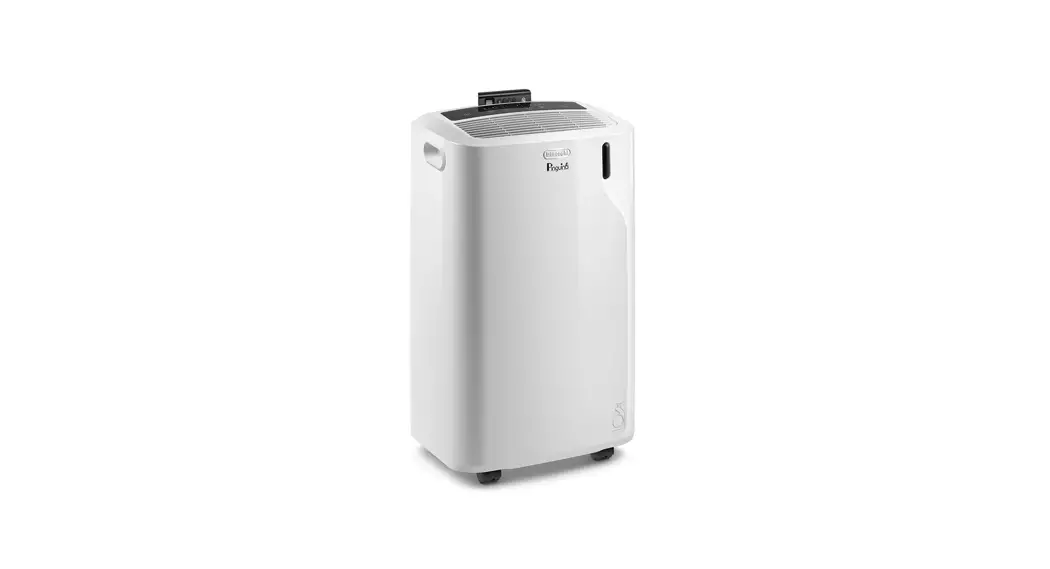
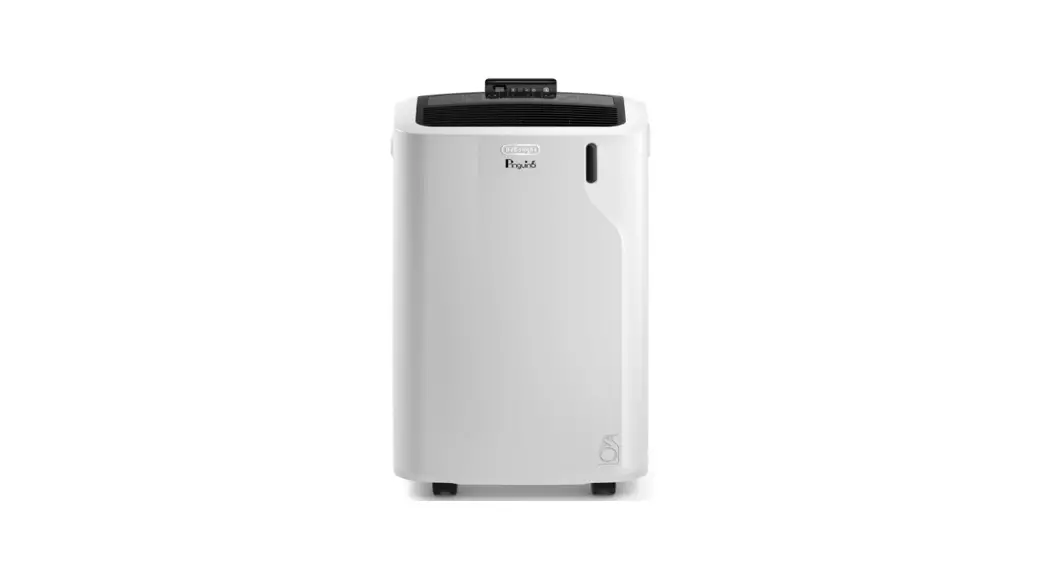
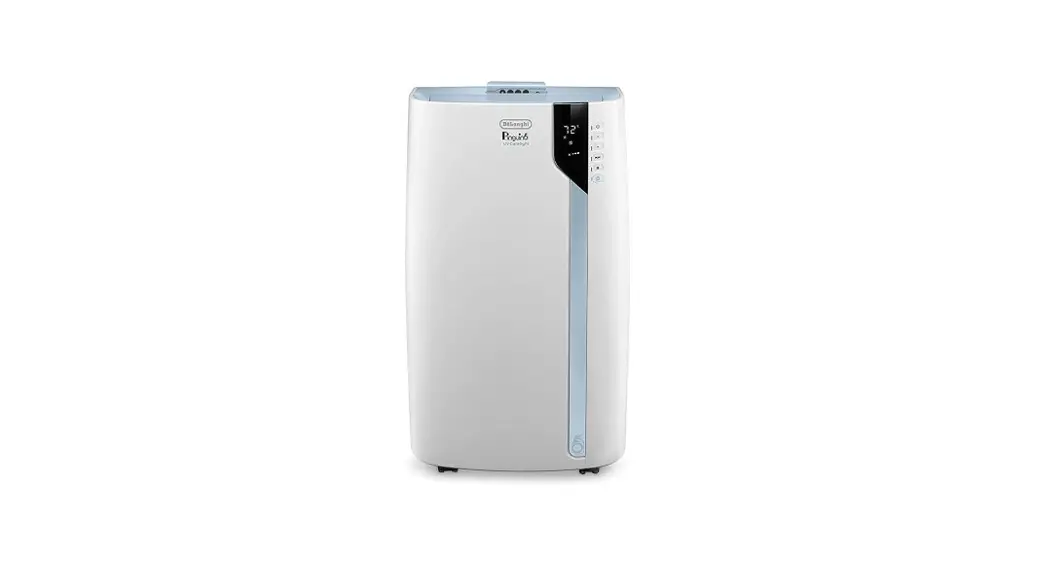
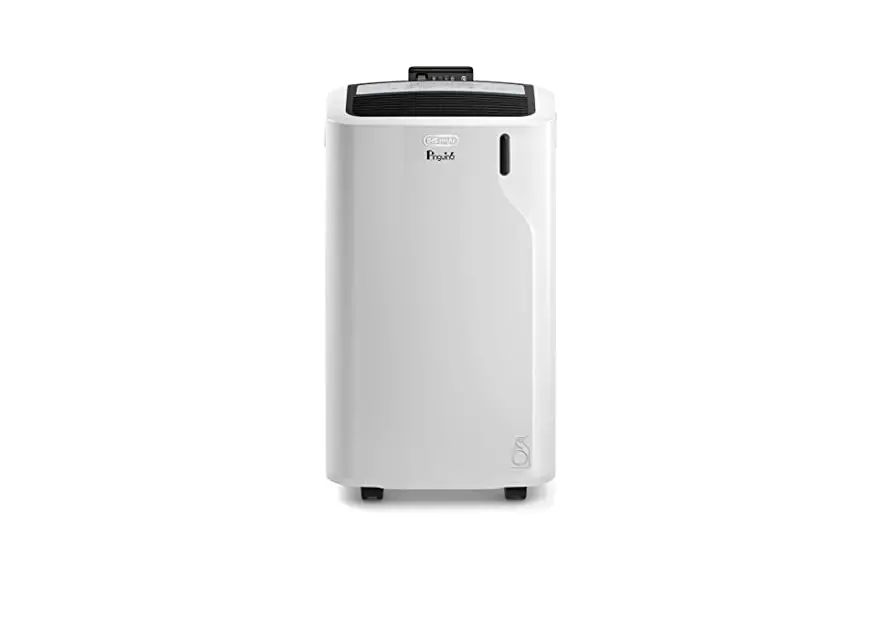
PAC EM
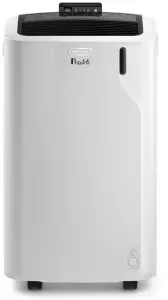 LOCAL AIR CONDITIONER

A
B

INTRODUCTION
Thank you for choosing this De’Longhi product. Please take a few minutes to read these instructions. This will prevent running any risks or damaging the appliance.
DESCRIPTION
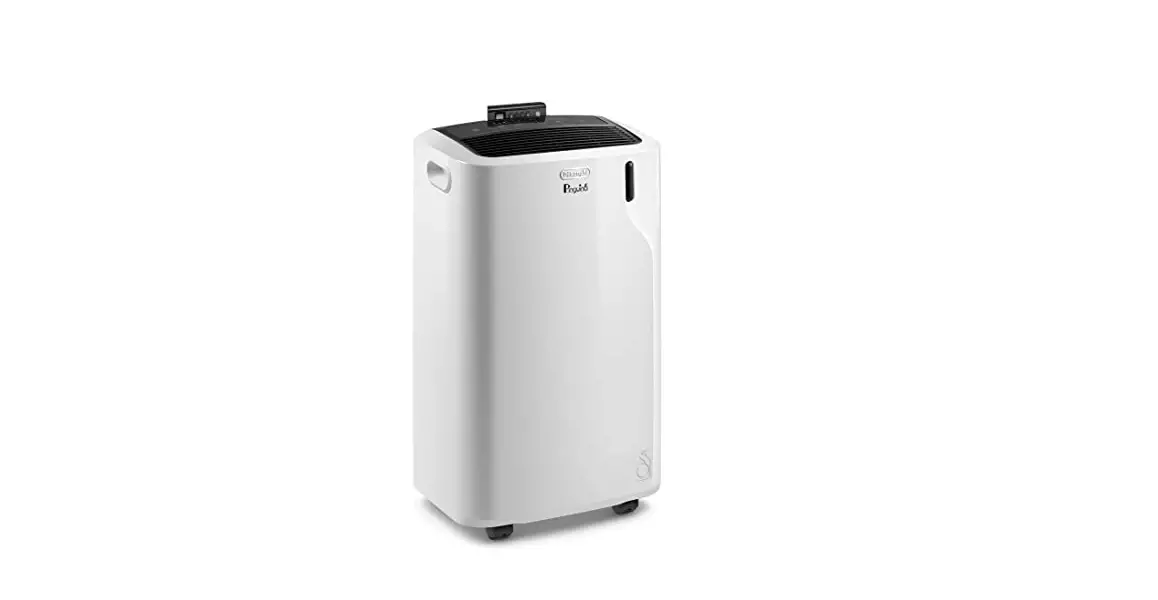
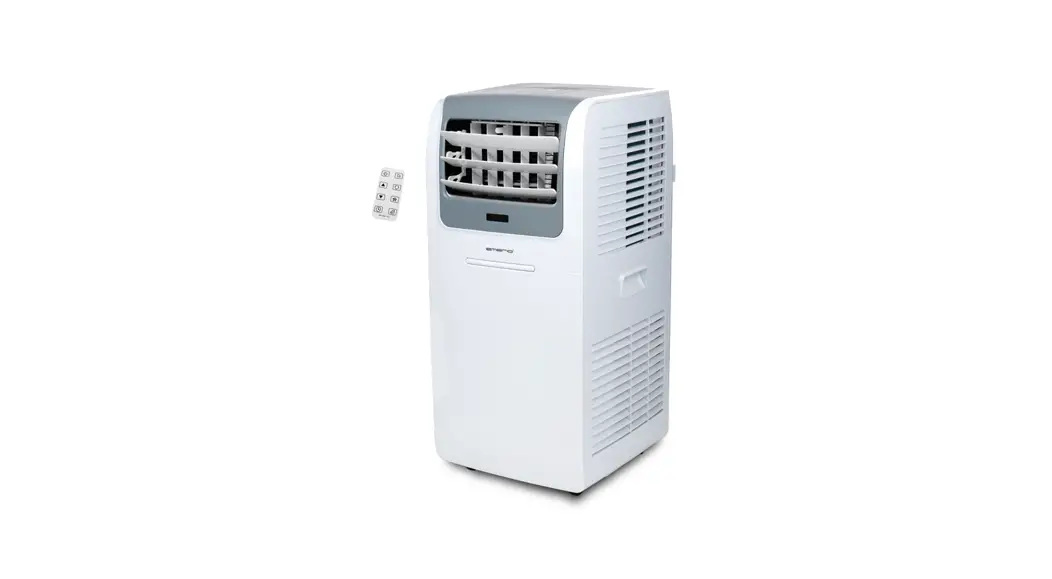
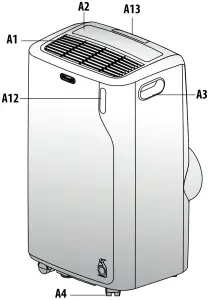
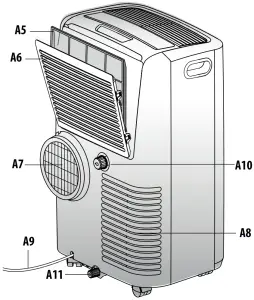
Description of the appliance (see page 2 – A)
A1 Air outlet grille
A2 Control panel
A3 Handles
A4 Wheels
A5 Filter
A6 Air intake grille
A7 Air exhaust hose housing
A8 Air intake grille
A9 Power supply cable
A10 Upper drainage hose with cap
A11 Lower drainage hose with cap
A12 Remote control signal receiver
A13 Remote control compartment
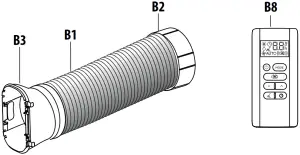
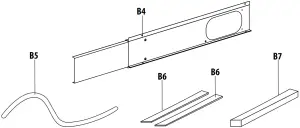
Description of accessories (See page 2 – B)
B1 Air exhaust hose
B2 Hose adapter
B3 Adapter for extendable window bracket/window
B4 Extendable window bracket with screws
B5 Drainage tube
B6 Self adhesive strips foam (2 pieces)
B7 Non adhesive strip foam
B8 Remote control
ELECTRICAL CONNECTION
Before plugging into the mains, check the following:
- the mains voltage is the same as that indicated on the plate on the back of the appliance;
- the socket and electrical line are sized to support the load required;
- the socket is the proper type for the plug, otherwise, replace the socket;
- the socket is connected to an efficient earthing system. The manufacturer is not responsible in the event of non-compliance with these injury prevention standards.
- The power cable must only be replaced by specialised technicians.
USE
The instructions below will enable you to prepare your air conditioner for operation as efficiently as possible. Before use, make sure the air intake and outlet grilles are unobstructed.
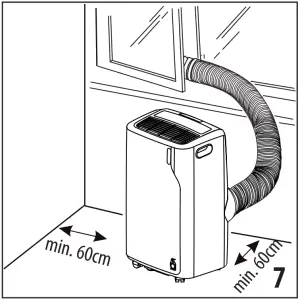
Maintain a minimum distance of 60 cm from walls and obstacles.
In conditioning and dehumidification the air exhaust hose (B1) must be applied (Fig. 1).
Please note: This appliance is provided with an auto-evaporation feature for condensate removal during cooling and dehumidifying mode.
AIR CONDITIONING WITHOUT INSTALLATION
CASEMENT WINDOW
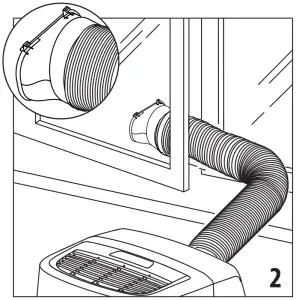
If you have a casement window proceed as follows:
- Fit the air exhaust hose (B1) in the relevant housing located on the rear side of the appliance (Fig. 1).
- Position the air exhaust hose (B1) with the window adapter (B3) outside the window to let the hot air out (Fig. 2).
DOUBLE-HUNG WINDOW
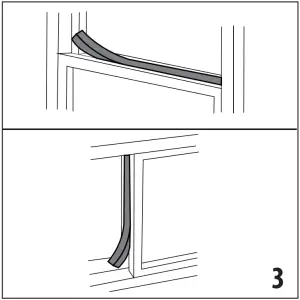
Depending on the need, place the self adhesive strips foam or non adhesive strip foam on the window as shown in figure 3.
- Cut the adhesive strips foam to the desired length and place it on the window.
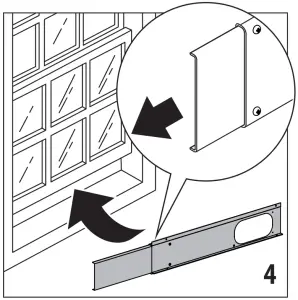
- Position the extendable window bracket on the window sill and fully extend the extendable window bracket inside the window frame (Fig.4)
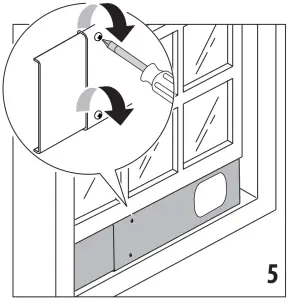
- Adjust the extendable window bracket by fixing the length with two screws (Fig. 5) (If the extendable window bracket is too large, it is possible to cut the plastic using a saw. This operation must be carried out by a qualified professional).
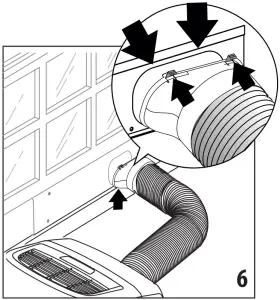
- Hook the adapter for extendable window (B3) to the window bracket as shown in Fig. 6.
CONTROL PANEL
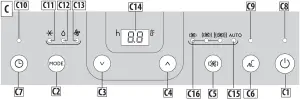
DESCRIPTION OF THE CONTROL PANEL (C)
C1 ON/STAND-BY (on/off) key
C2 Mode selection key (air conditioning, dehumidifying, fan)
C3 Decrease key
C4 Increase key
C5 Ventilation speed selection key
C6 Silent button (on some models only)
C7 Timer button
C8 Stand-by indicator
C9 Silent indicator
C10 Timer indicator
C11 Air conditioning mode indicator
C12 Dehumidifying mode indicator
C13 Fan mode indicator
C14 Set temperature values, programmed on / off time
C15 Auto ventilation speed indicator
C16 Ventilation speed indicator
TURNING THE APPLIANCE ON AND OFF
Before connecting the plug to the power outlet, make sure that the drainage hose caps (A10) (A11) located on the back of the appliance are correctly inserted.
Insert the plug into the socket.
The stand-by indicator lights up.
Press the  (C1) key to turn on the appliance.
When the appliance turns on it will be activated with the last function set before it was shut off.
To switch the appliance off, press the ON/STAND-BY button (C1) again.
Please note: If start-up is not continued, after a few minutes the display light dims in order to reduce energy consumption.
Please note: Never turn off the air conditioner by simply pulling the plug. Press the key in order to put your air conditioner in stand-by and wait a few minutes before pulling the plug. In this manner, the appliance can perform the operating status checks.
MODES SELECTION
To select the desired operating mode, press repeatedly the MODE key (C2) until the desired function is selected.
 AIR CONDITIONING MODE
 AIR CONDITIONING MODE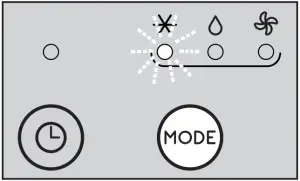
This is ideal for hot and humid weather when the room needs to be both cooled and dehumidified.
To correctly set this mode:
- Press repeatedly the MODE key (C2) until the air conditioning indicator (C11) appears. The display (C14) will show the desired temperature.
- To change the temperature to be reached, press the
 (C3) or (C4) key.
 - Select the desired fan speed by pressing the
 (C5) key.
The speeds available are:
 Minimum air flow: when maximum silent operation is desired.
 Medium air flow: when the noise level needs to be low but with a good comfort level.
 Maximum air flow: to reach the desired temperature as soon as possible.
 Auto air flow: The appliance automatically chooses the best fan speed based on the temperature selected and the environmental conditions.
The most suitable temperatures during the summer range from 24 to 27°C. However, setting the temperature significantly lower than the outdoor temperature is not recommended.
 SILENT FUNCTION (available in conditioning mode only and on some models only)
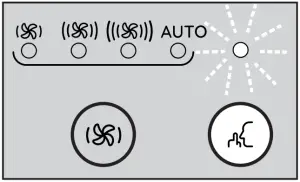
By activating this function in air conditioning mode, the noise of the appliance is further reduced.
To activate it, press the button (C6), the indicator (C9) turns on.
 DEHUMIDIFYING MODE
 DEHUMIDIFYING MODE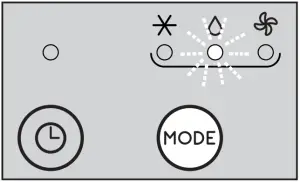
This is ideal for reducing humidity in the room (spring and autumn, damp rooms, rainy periods, etc). For this type of use, the appliance must be set up as for air conditioning mode. That is, the air exhaust hose (B1) must be fitted to the appliance to allow the humidity to be discharged outside.
To correctly set this mode:
- Press repeatedly the MODE key (C2) until the dehumidifying indicator (C12) appears.
- The appliance will automatically choose the best air flow.
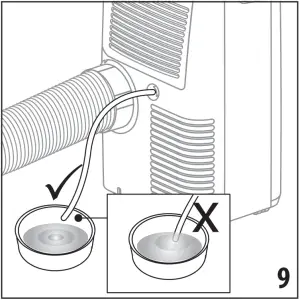
Note: in case of high ambient humidity, it is possible to drain the condensate continuously by applying the hose supplied (B5) to the upper drainage hose (A10) and thus allowing the water to flow into a container. Pay attention the water does not overflow onto the floor and the drainage tube is not obstructed (Fig. 9).
 FAN MODE
 FAN MODE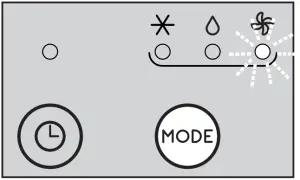
When using this mode, the air exhaust hose (B1) does not need to be attached to the appliance.
To correctly set this mode:
- Press repeatedly the MODE (C2) key until the fan indicator lights on.
- Pressing repeatedly the (C5) key till the desired air flow is selected.
The available air flows are:
Minimum air flow: when most silent operation is desired. Medium air flow: when the noise level needs to be low but with a good comfort level. Maximum air flow: for maximum performance.
SELECT THE TEMPERATURE SCALE
The temperature can be displayed in °C or °F. To change the temperature unit of measure select the air conditioning mode then press both the decrease  (C3) and increase
  (C4) keys for about 3 sec.
SETTING THE TIMER
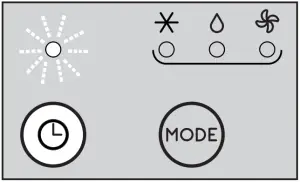
The timer allows the delayed start up or shut down of the appliance. This function will prevent wasting electricity by optimising the operating periods.
How to program delayed shut down
- While the appliance is on in any operating mode, delayed shut down can be programmed.
- Press the Timer button (C7): the timer indicator (C10) and hours light up.
- Use buttons (C3) or (C4) to set the number of hours until the appliance should shut down.
A few seconds after the timer is set, the setting is acquired, the display shows the operating mode and the timer indicator stays lit. At the pre-set time, the air conditioner goes into Standby.
To cancel the timer program, press the timer button (C7) twice. The timer indicator (C10) will go off.
How to program delayed start up
- Set the appliance to standby.
- Press the timer button (C7): the timer symbol (C10) and hours light up.
- Use buttons (C3) or (C4) to set the numbers of hours after which the appliance should start to operate.
- The appliance will start to operate in the same operating mode that was previously set.
Start up can be programmed at any time within the 24 hours that follow. A few seconds after the timer is set, the setting is acquired. The timer indicator stays lit and the display returns to standby.
To cancel the timer program, press the timer key (C7) twice. The timer indicator (C10) will go off.
OPERATION USING THE REMOTE CONTROL
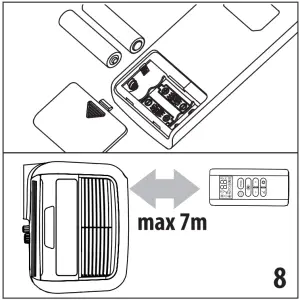
- Aim the remote control at the receiver (A12) on the air conditioner. The maximum distance between the remote control and the appliance is 7 metres (with no obstacles between the remote and the receiver).
- The remote control should be handled with extreme care, without dropping it or exposing it to direct sunlight and keeping it away from heat sources.
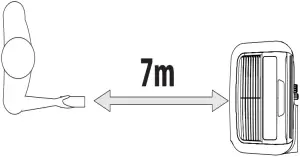
OPERATING FROM THE REMOTE CONTROL
INSERTING OR REPLACING THE BATTERIES
- Remove the cover on the rear of the remote control;
- Insert or replace the batteries with two new LR03 “AAA” 1.5V batteries, inserting them correctly (see the directions inside the battery compartment) (Fig. 8);
- Replace the cover.
Please note: If the remote control unit is replaced or discarded, the batteries must be removed and disposed of in accordance with current legislation as they are harmful to the environment.
Do not mix old and new batteries.
Do not mix alkaline, standard (carbon-zinc) or rechargeable (nickel-cadmium) batteries. Do not dispose of batteries in fire.
Batteries may explode or leak. If the remote control is not be used for a certain length of time, remove the batteries.
DESCRIPTION OF THE REMOTE CONTROL
D1. ON/STAND-BY button
D2. MODE button
D3. Fan speed selection button
D4. Increase button
D5. Decrease button
D6. Silent button (on some models only)
D7. Timer button
D
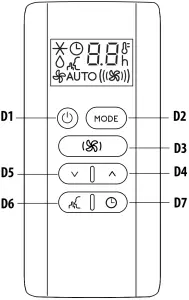
TURNING THE APPLIANCE ON/OFF
- Plug into the outlet.
- Press the
 ON/STAND-BY button (D1). When turned on, the air conditioner starts operating in the same mode as when it was turned off.
 - To switch the appliance off, press the ON/STAND-BY button (D1) again.
Please note: Never switch the appliance off by removing the plug. Always switch it off by pressing the ON/STAND-BY button (D1) and waiting few minutes before removing the plug. Only in this way the appliance will perform the standard checkings.
SELECTING THE OPERATING MODES
The operating modes available on the remote control through the MODE button (D2) correspond to those on the appliance control panel (C).
SELECTING THE TEMPERATURES
In air conditioning mode press (D4) or button (D5) to select the desired temperature.
SELECTING THE AIR FLOW
In air conditioning and fan modes, press button (D3) to select the desired air flow.
The air flows available are: Minimum air flow: when most silent operation is desired. Medium air flow: when the noise level needs to be low but with a good comfort level. Maximum air flow: for maximum performance.Auto air flow: the appliance automatically chooses the air flow based on the temperature selected and the environmental conditions. This selection is only available in conditioning mode.
SILENT FUCTION (available in conditioning mode only and on some models only)
By activating this function, the operating noise is further reduced. To activate it, press button (D6) on the remote control. The display shows the relative symbol.
SELECT THE TEMPERATURE SCALE
The temperature can be displayed in °C or °F. To change the temperature unit of measure select the air conditioning mode then press both the decrease (D5) and increase (D4) keys for about 3 sec.
SETTING THE TIMER
The timer allows the delayed start up or shut down of the appliance. This function will prevent wasting electricity by optimising the operating periods.
How to program delayed shut down
- While the appliance is on in any operating mode, delayed shut down can be programmed.
- Press the
 timer button (D7), the timer symbol is dispalyed and the hours light up.
 - Press the (D5) and (D4) buttons until the desired numbers of hours to shut down appears on the display.
A few seconds after the timer is set, the setting is acquired, the display shows the operating mode and the timer symbol stays lit. Once the set time is elapsed, the air conditioner goes into standby. To cancel the timer program, press the  timer button (D7) twice. The timer symbol will go off.
How to program delayed start up
- Plug in the appliance and set to standby.
- Press the timer button (D7), the timer symbol is dispalyed and the hours light up.
- Press the (D5) and (D4) buttons until the desired numbers of hours to start up appears. Start up can be programmed at any time within the 24 hours that follow.
When the set time is elapsed, the appliance will start to operate in the same operating mode that was previously set.
To cancel the timer program, press the timer button (D7) twice. The timer symbol will go off.
SELF-DIAGNOSIS
The appliance has a self diagnosis system to identify a number of warning/malfunctions.
Error messages are displayed on the appliance display.
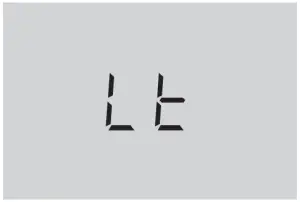
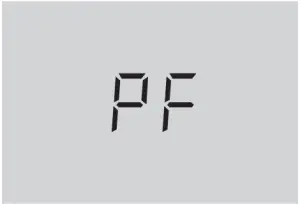
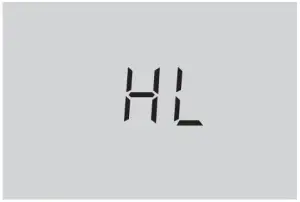
IF … IS DISPLAYED,
“Low Temperature” (Frost prevention)
..WHAT SHOULD I DO? The appliance is fitted with a frost protection device to avoid excessive formation of ice. The appliance starts up again automatically when the defrosting process is completed. | IF … IS DISPLAYED,
“Probe Failure” (Probe damaged)
..WHAT SHOULD I DO? If this is displayed, contact your local authorized service center. | IF … IS DISPLAYED,
“High Level” (Internal tray full)
..WHAT SHOULD I DO? Empty the internal safety tank following the instructions in the section “End of season operations”. |
TIPS FOR CORRECT USE
To ensure optimal results from your air conditioner, follow these recommendations:
- Close the windows and doors in the room to be air conditioned. When installing the air conditioner semi-permanently, you should leave a door slightly open (as little as 1 cm) to guarantee proper ventilation.
- Never use the appliance in very damp rooms (laundries for example).
- Protect the room from direct exposure to the sun by partially closing curtains and/or blinds to make the appliance much more economical to run.
- Never use the appliance outdoors.
- Make sure there are no heat sources in the room.
- Make sure the air conditioner is standing on a level surface.
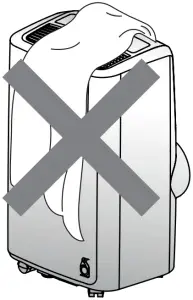
don’t cover the appliance
- Never rest objects of any kind on the air conditioner.
- Never obstruct the air intake or air outlet grilles.
CLEANING
Before cleaning or maintenance, turn the appliance off by pressing the button, then unplug from the outlet.
CLEANING THE CABINET
You should clean the appliance with a slightly damp cloth then dry with a dry cloth. For safety reasons, never wash the air conditioner with water.
Attention! Never use petrol, alcohol or solvents to clean the appliance. Never spray insecticide liquids or similar.
CLEANING THE AIR FILTER
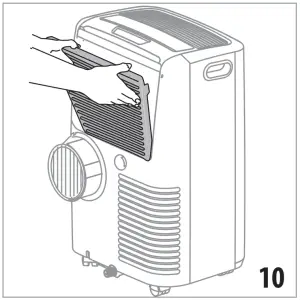
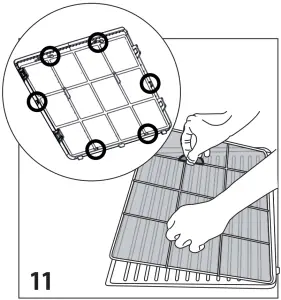
To maintain the efficiency of the air conditioner, it is recommended to clean the dust filter after every week of use. The filter is located on the intake grille (A6). To clean the filter, it must be removed as shown in figure 11. Use a vacuum cleaner to remove any dust. If it is very dirty, submerge it in warm water and rinse it several times. The water temperature must be kept below 40° C.
After washing the filter, allow it to dry.
To replace, put the filter back in its housing
CHECKS AT THE BEGINNING OF THE SEASON
Make sure the power cable and socket are in perfect condition and make sure the earthing system is efficient. Comply strictly with the installation standards.
END OF SEASON OPERATIONS
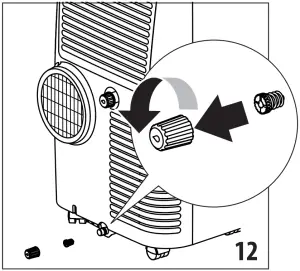
To completely drain the water from the internal circuit, remove the cap from the lower drainage hose, turning it counter clockwise then remove the internal cap (Fig. 12).
Drain the water completely into a basin. When it is completely drained, replace the caps, making sure they are completely closed.
Clean the filter as indicated previously. The filter must be completely dry before reinserting it.
TECHNICAL SPECIFICATIONS
| Power supply voltage | see rating label |
| Max. absorbed power during air conditioning | “ |
| Refrigerant | “ |
| Cooling capacity | “ |
LIMIT CONDITIONS
Room temperature for air conditioning 18° ÷ 35°C
Transporting, loading, cleaning, recovery and disposal of the refrigerant must only be performed by technical service centres authorised by the manufacturing company. The appliance must only be disposed of by specialised personnel authorised by the manufacturing company.
Attention! TO AVOID DAMAGE TO THE UNIT:
NEVER TRANSPORT OR TURN THE APPLIANCE UPSIDE DOWN OR ON ITS SIDE. IF THIS OCCURS, WAIT 6 HOURS BEFORE TURNING THE APPLIANCE ON, 24 HOURS IS RECOMMENDED. After the unit has been on its side, oil needs to return to the compressor to ensure proper function. Without allowing the unit this time (6-24 hours) the unit may function for only a short time, and then the compressor will break down from lack of oil.
TROUBLESHOOTING
| PROBLEM | CAUSE | SOLUTION |
| The air conditioner does not come on | it is not plugged into the outlet | plug into the outlet |
| there is no current | Wait | |
| the internal safety device has tripped | call the Service Center | |
| The air conditioner works for a short time only | there are bends or kinks in the air exhaust hose | position the air hose correctly, keeping it as short and free of curves as possible to avoid bottlenecks |
| something is preventing the air from being discharged | check and remove any obstacles obstructing air discharge | |
| The air conditioner works, but does not cool the room | windows, doors and/or curtains open | close doors, windows and curtains, bearing in mind the “TIPS FOR CORRECT USE” given above |
| there are heat sources in the room (oven, hairdryer, etc | eliminate the heat sources | |
| the air exhaust hose is detached from the appliance | fit the air exhaust hose in the housing at the back of the appliance (fig. 1). | |
| filter clogged | clean or replace the filter as described above | |
| the technical specification of the appliance is not adequate for the room in which it is located. | ||
| During operation, there is an unpleasant smell in the room | filter clogged | clean the filter as described above |
| The air conditioner does not operate for about four minutes after restarting it | an internal safety device prevents the appliance from being restarted until four minutes have elapsed since it was last turned off | wait. This delay is part of normal operation. |
| The scripts Lt/PF/HL appear on display. | the appliance has a self diagnosis system to identify a number of malfunctions. | see the SELF-DIAGNOSIS chapter |
 De'Longhi | Kitchen Appliances, Coffee Machines and Comfort