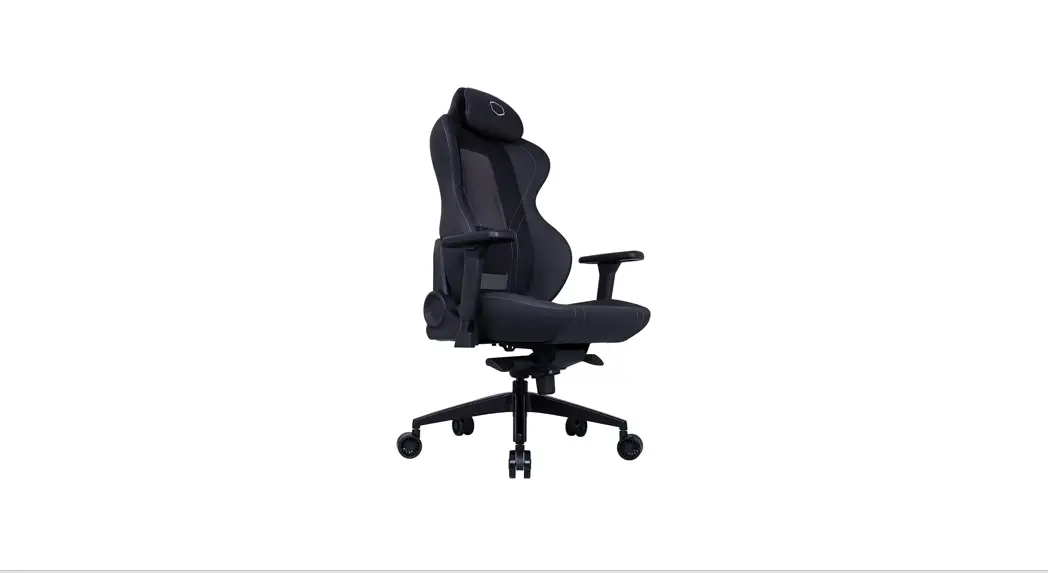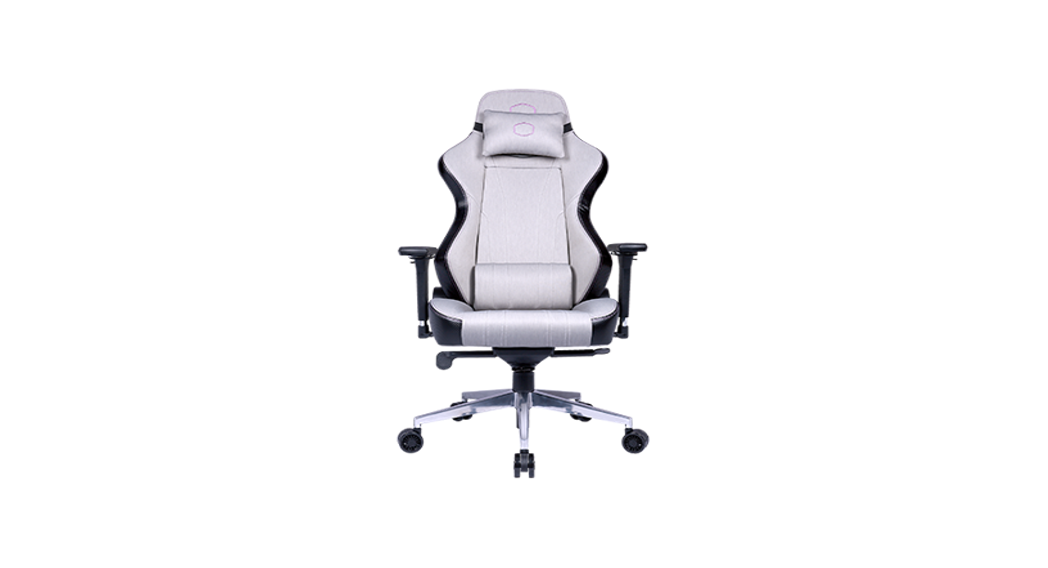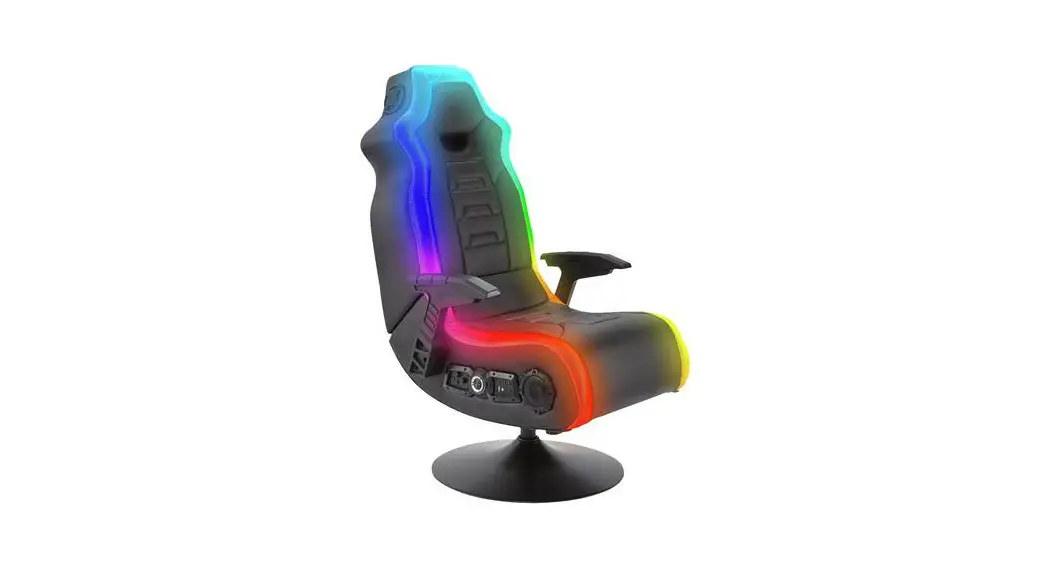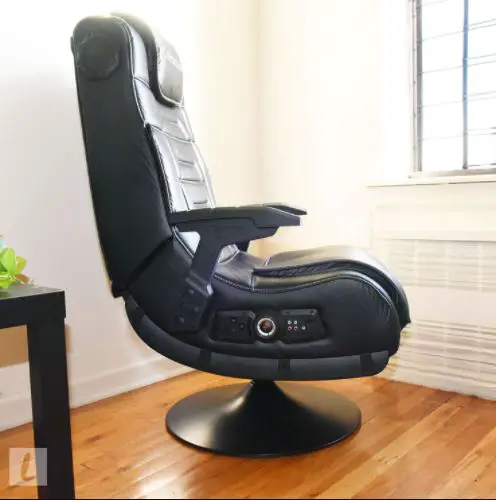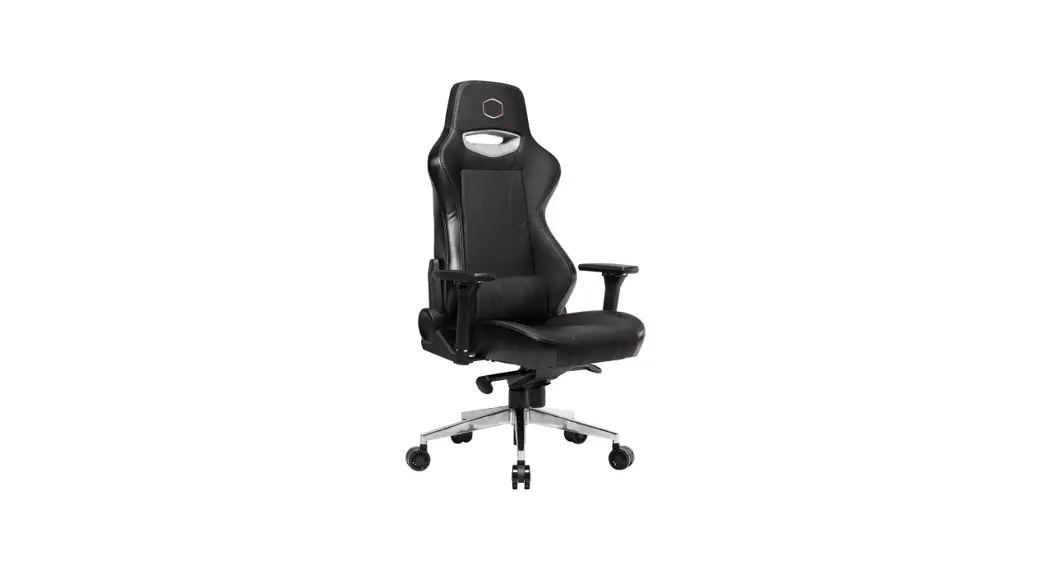

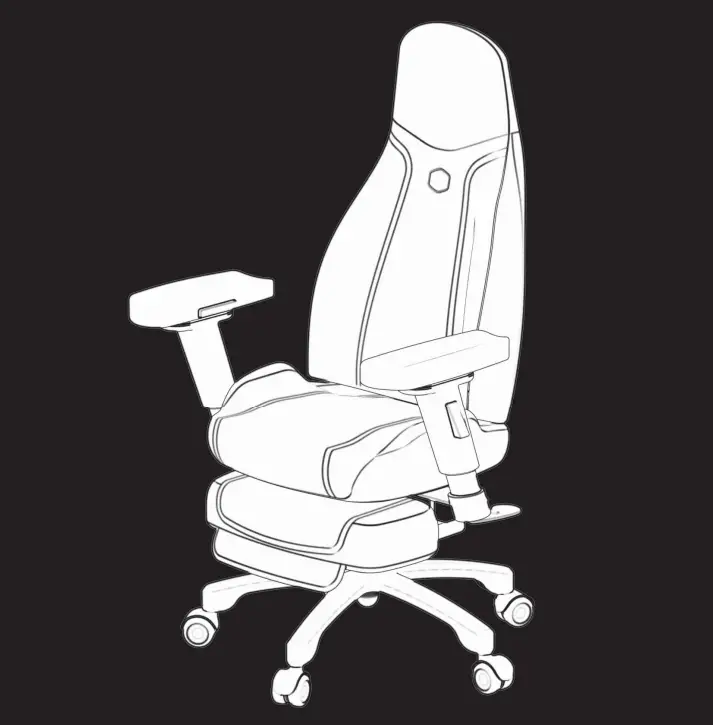
Synk X Cross-platform Immersive Haptic ChairUser Manual
Specifications
| Product Name | Synk X |
| Voltage | 100~240VAC 50/60Hz |
| Power | 100W Peak/50W RMS, 4Ω, 2 sets of transducer |
| Structural Materials | Shock absorbing plywood, Metal pipes |
| Seat Materials | Flame resistant foam and three-layer breathable mesh, Goose down fabric |
| Size | Length: 683 mm |
| Width: 726 mm | |
| Height: 1225 mm | |
| Weight | 29.4 kg |
| Operating Temperature | 5°C to 40°C (ambient temperature) |
| Operating Humidity | 5% to 95% RH |
| Weight Capacity | Seat Weight Capacity : Maximum weight 136 kg Reclined backrest weight capacity : Maximum weight 96 kg |
| Battery Specifications | 4S2P Lithium-ion battery pack 16.8V 5200mAh |
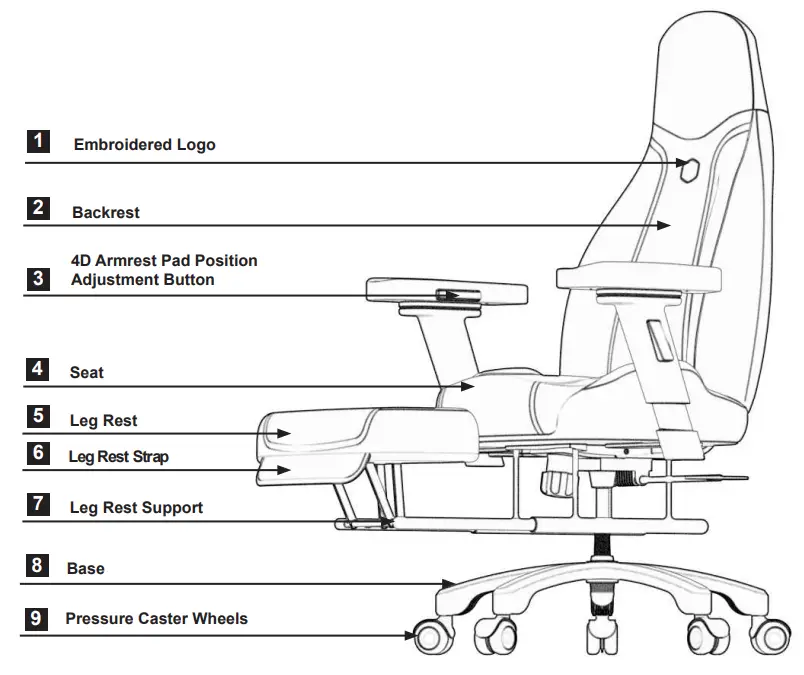
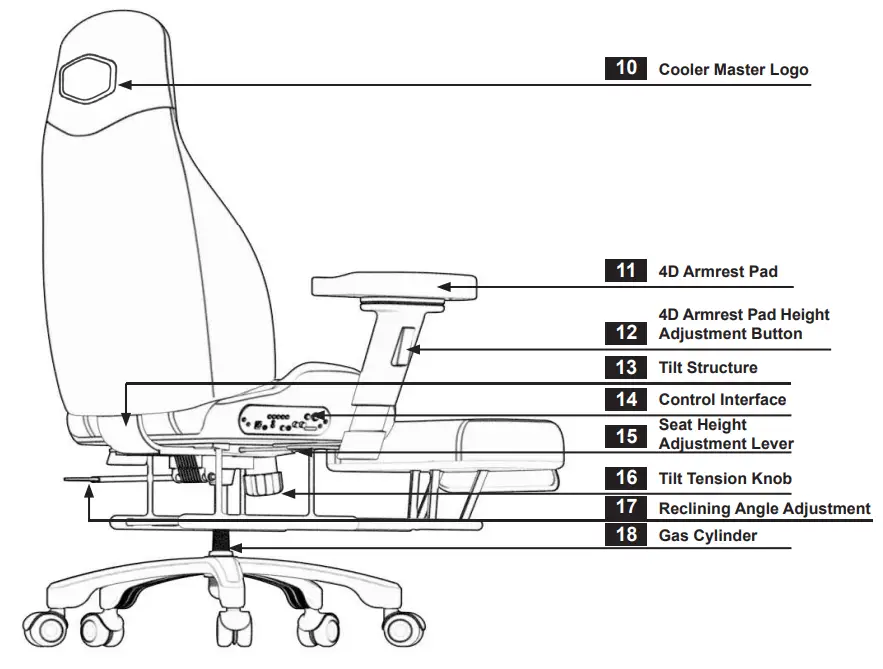
ACCESSORY NAMES AND FUNCTIONS
Caution!
The weight capacity of the seat is 136 kg The weight capacity of the backrest is 96 kg
Caution!
The weight capacity of the 4D armrest pad is 23 kg The weight capacity of the leg rest is 30 kg
CONTROL PANEL AND FUNCTIONS

LIST OF COMPONENTS
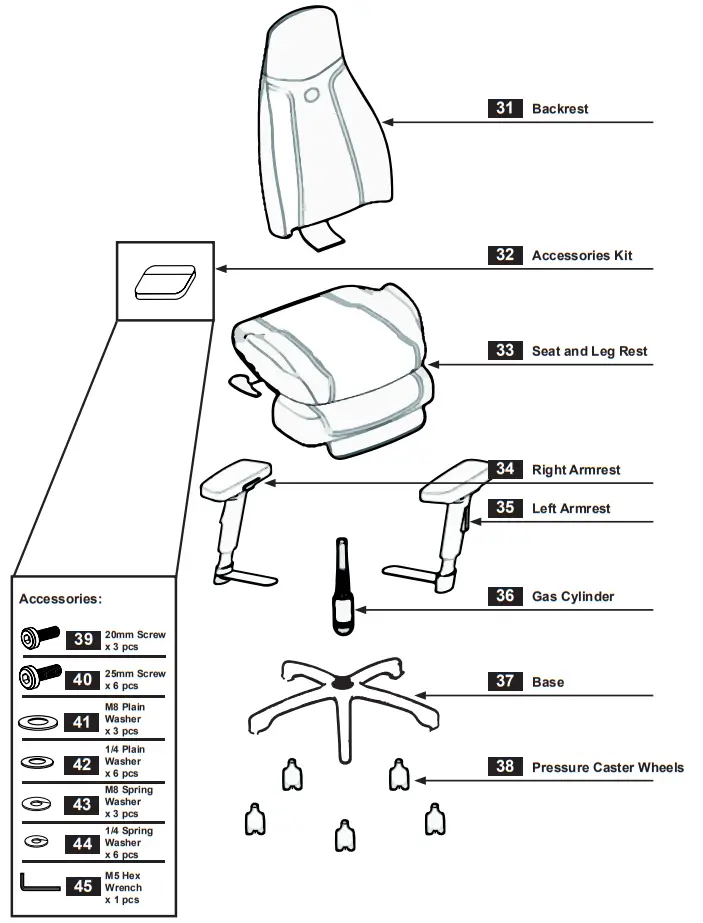
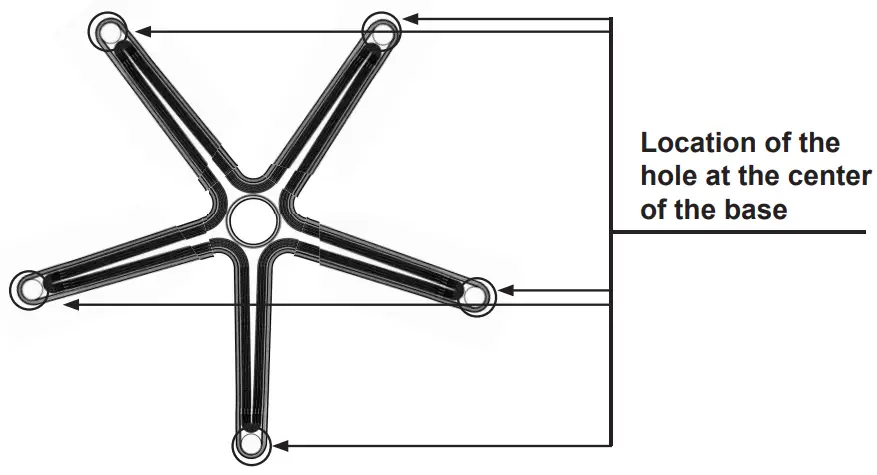
PRESSURE CASTER WHEEL INSTALLATION

Take the five pressure caster wheels and insert them into the holes in the base
GAS CYLINDER INSTALLATION
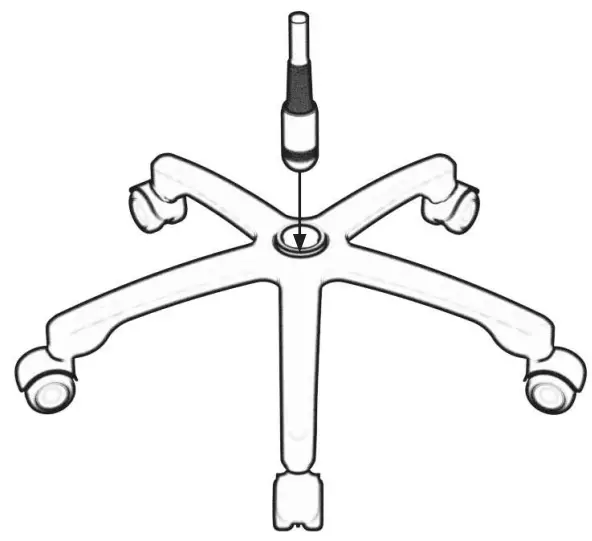
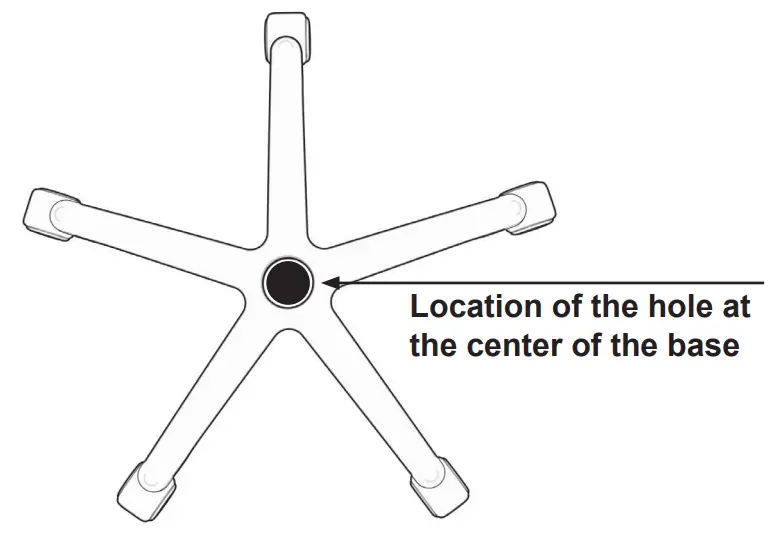
Take the Gas Cylinder and insert it into the hole located at the center of the base
SEAT AND BACKREST INSTALLATION
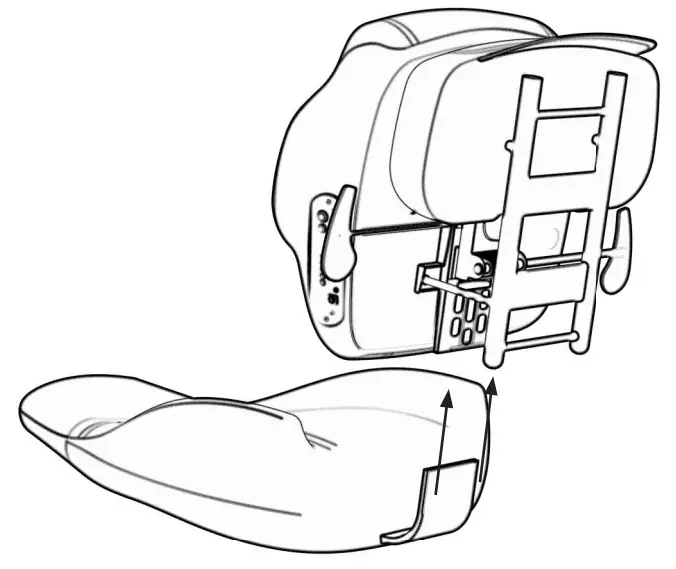
Lay the backrest flat on the floor and insert the seat into the tilt structure
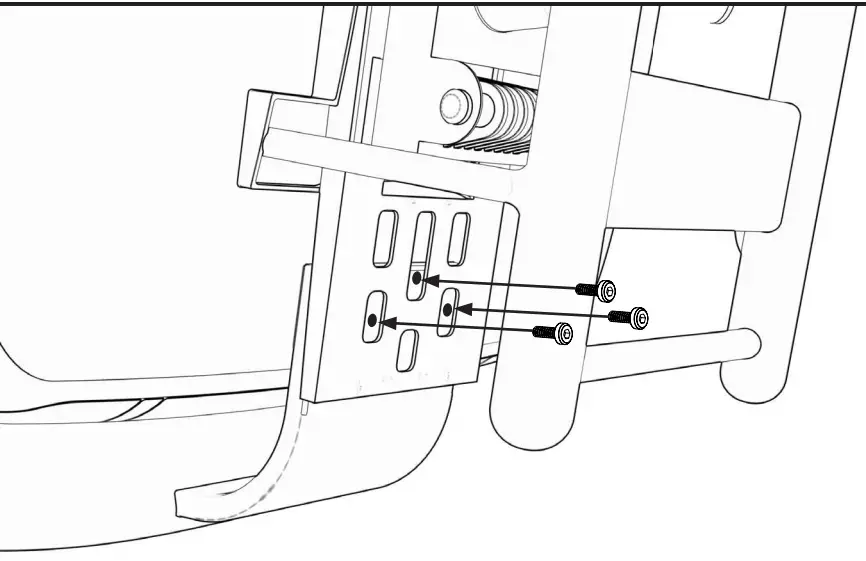
Take the 20 mm screws, insert them, and tighten with the M5 hex wrench
4D ARMREST INSTALLATION
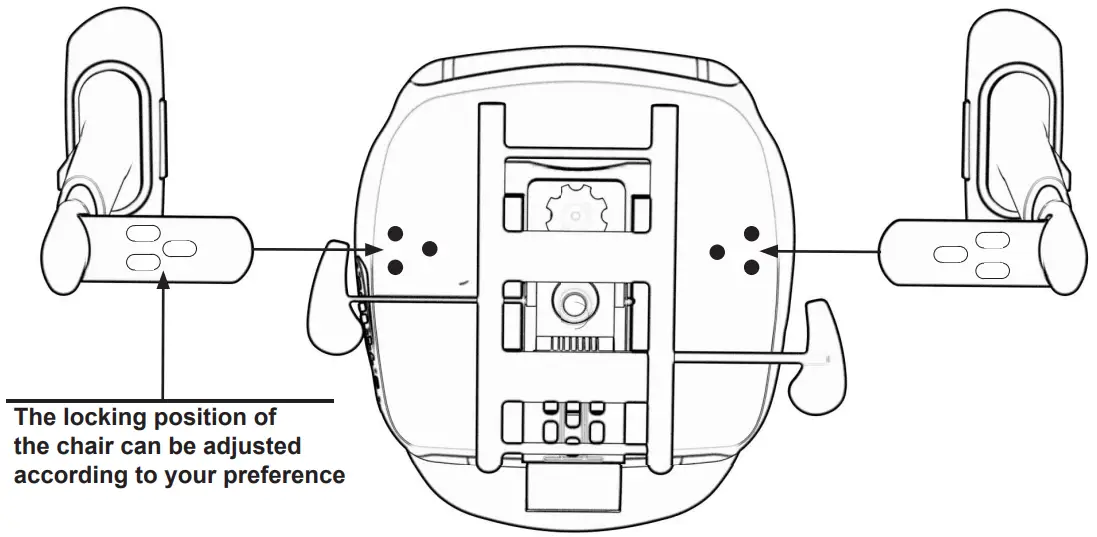
Place the left and right armrests in the holes on both sides of the base of the seat
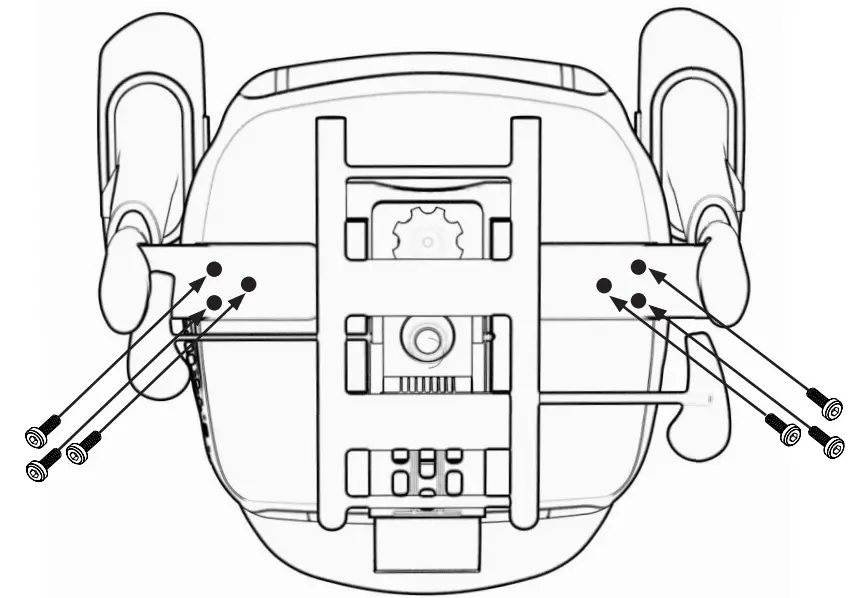
Take the 25 mm screws, insert them, and tighten with the M5 hex wrench
CABLE CONNECTIONS
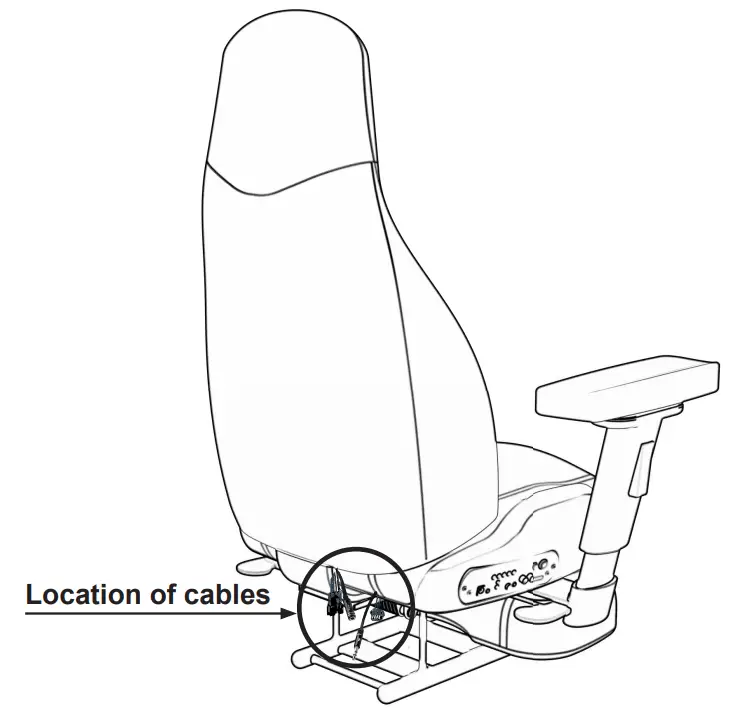
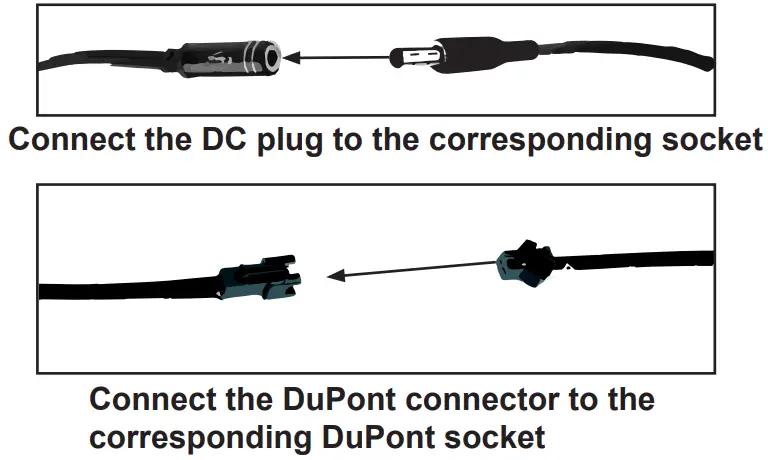
CHAIR ASSEMBLY
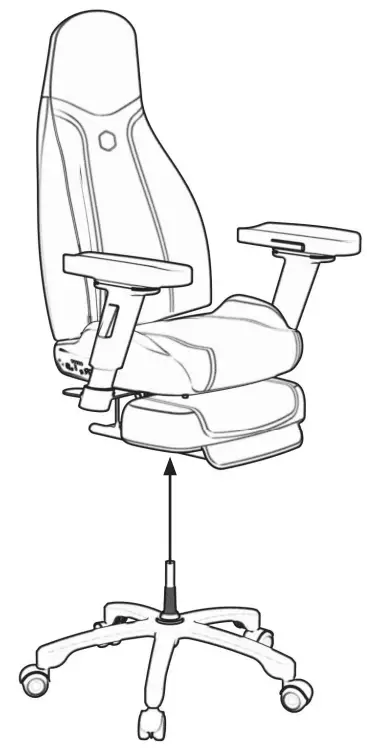
Align the gas cylinder with the hole in the center of the seat and press the seat into place
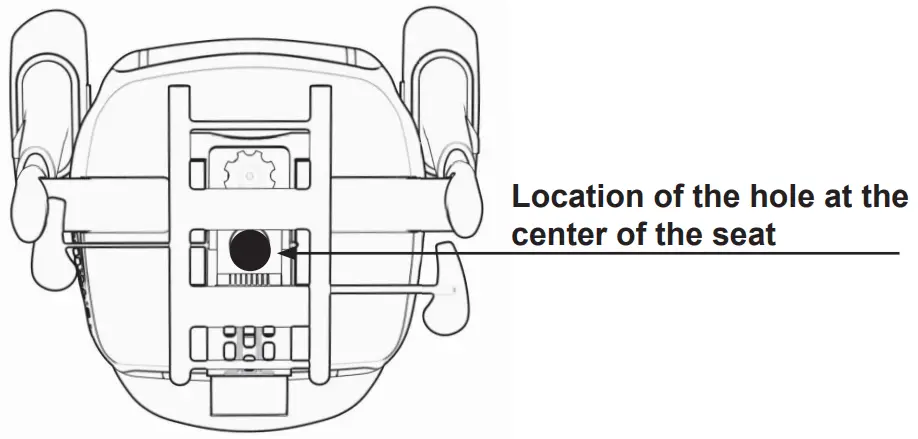
Bottom view of the seat
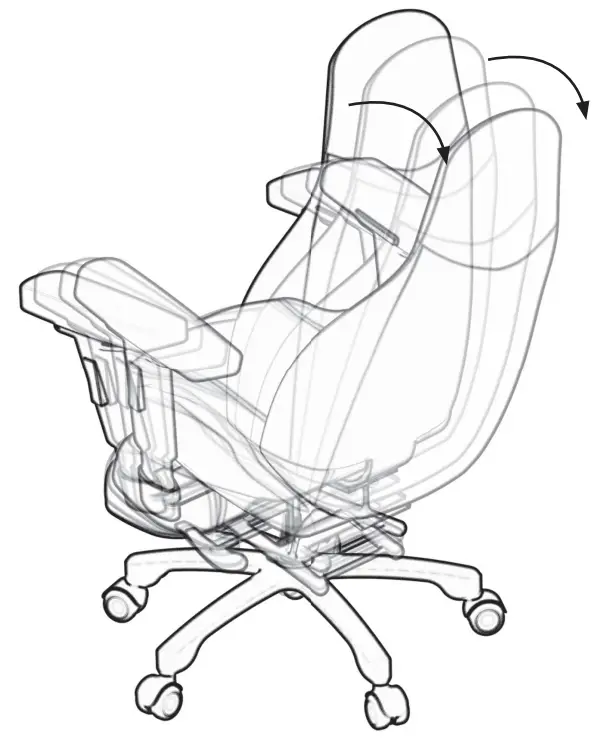
RECLINING ANGLE ADJUSTMENT
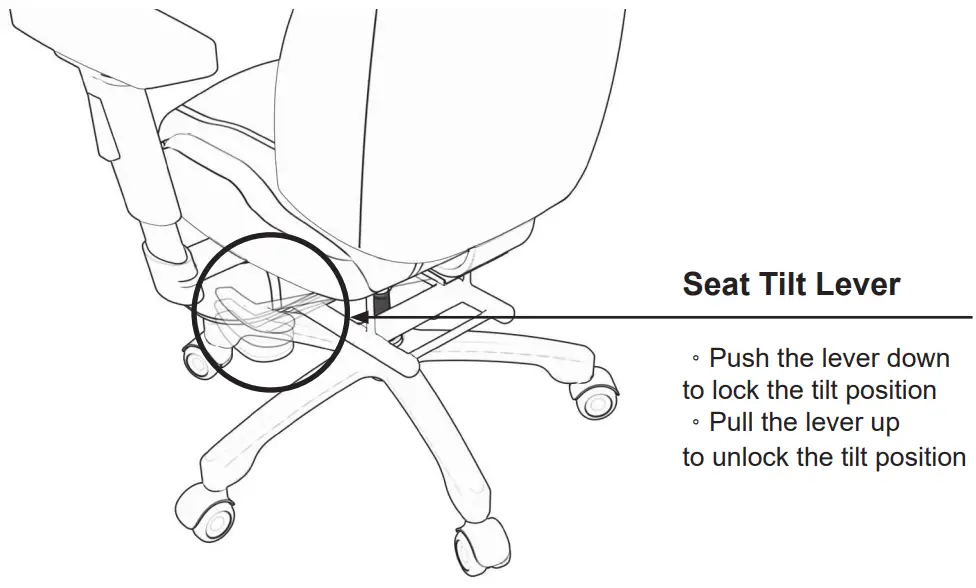
The maximum angle the backrest can recline is 135°
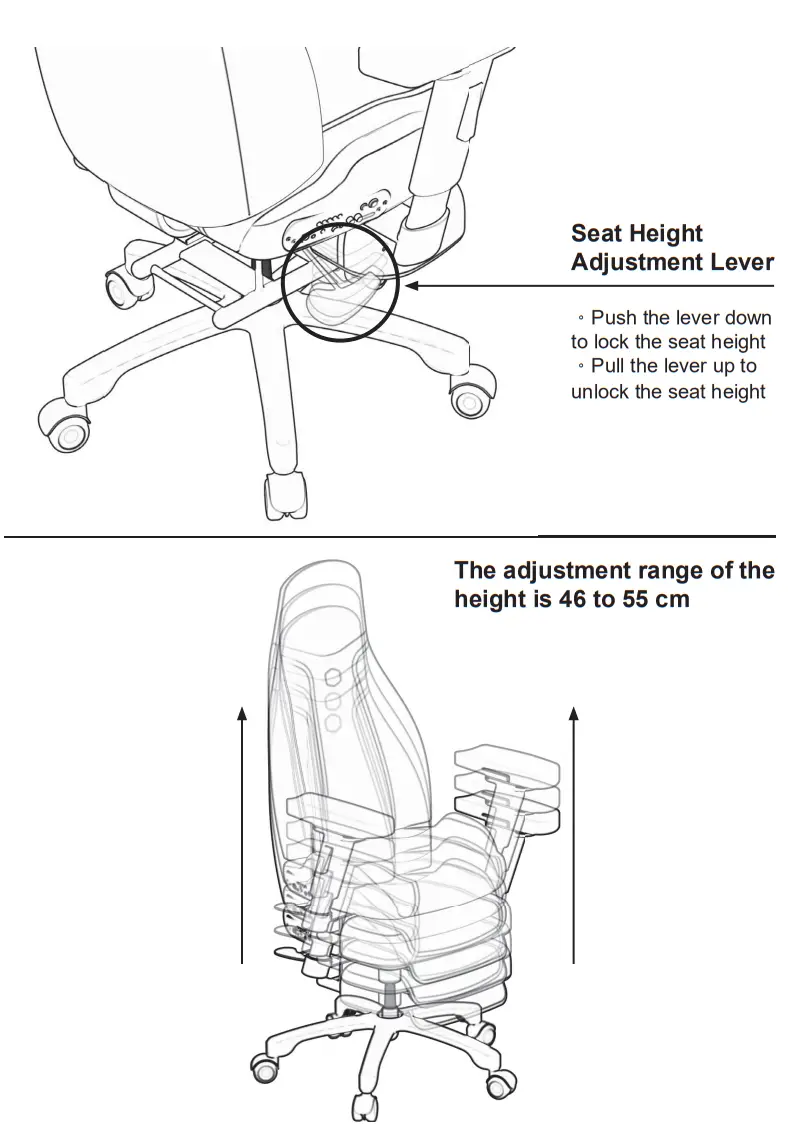
SEAT HEIGHT ADJUSTMENT
LEG REST ADJUSTMENT
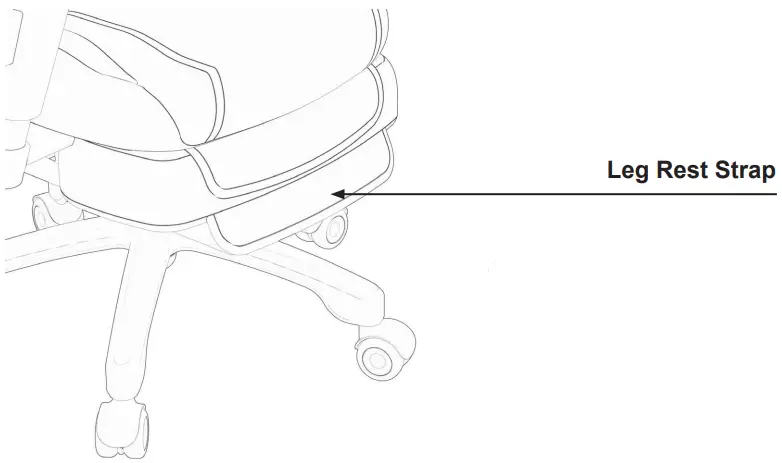
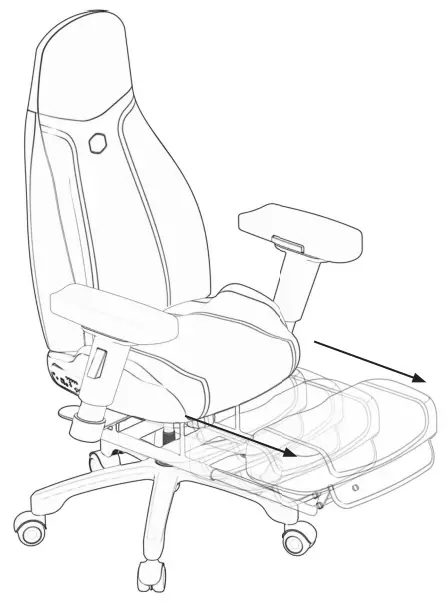
°Two-level length adjustment
°The leg rest can be extended to a maximum of 36 cm
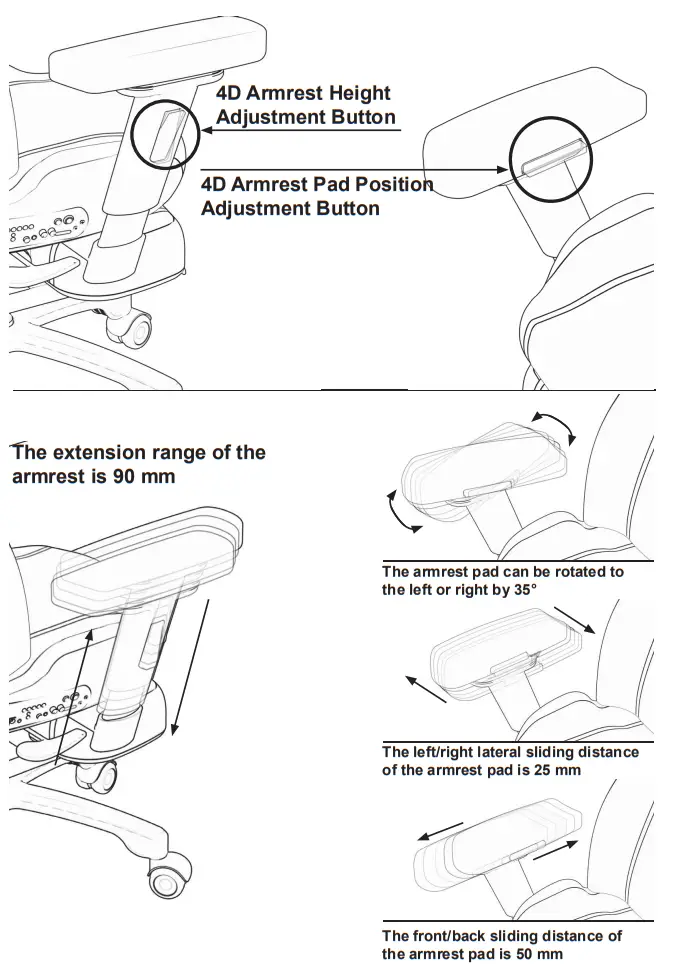
4D ARMREST ADJUSTMENT
ARGB LED CONTROL
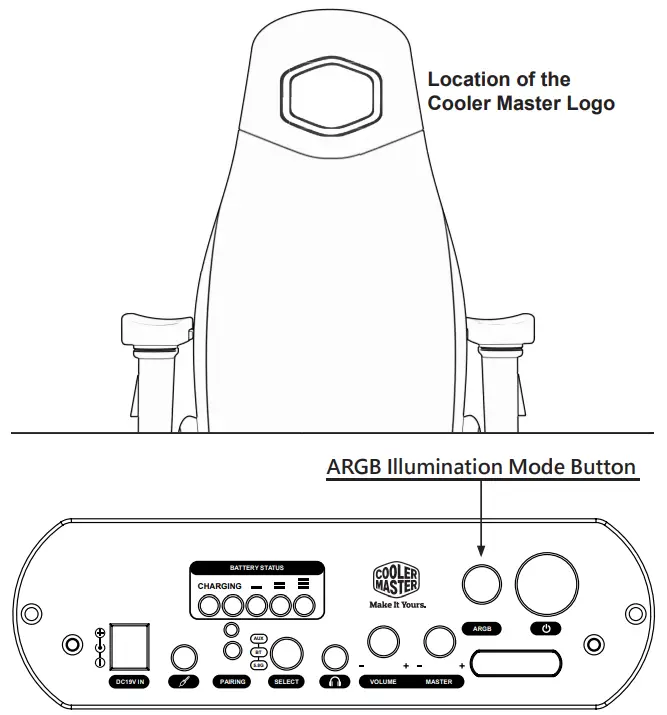
Mode 1: Uniform red light
Mode 2: Uniform purple light
Mode 3: Uniform green light
Mode 4: Uniform blue light
Mode 5: Rainbow flow effect
Mode 6: Rainbow breathing effect Mode 7: Off
When powered on, the system automatically remembers the ARGB illumination mode chosen when the system was last turned off
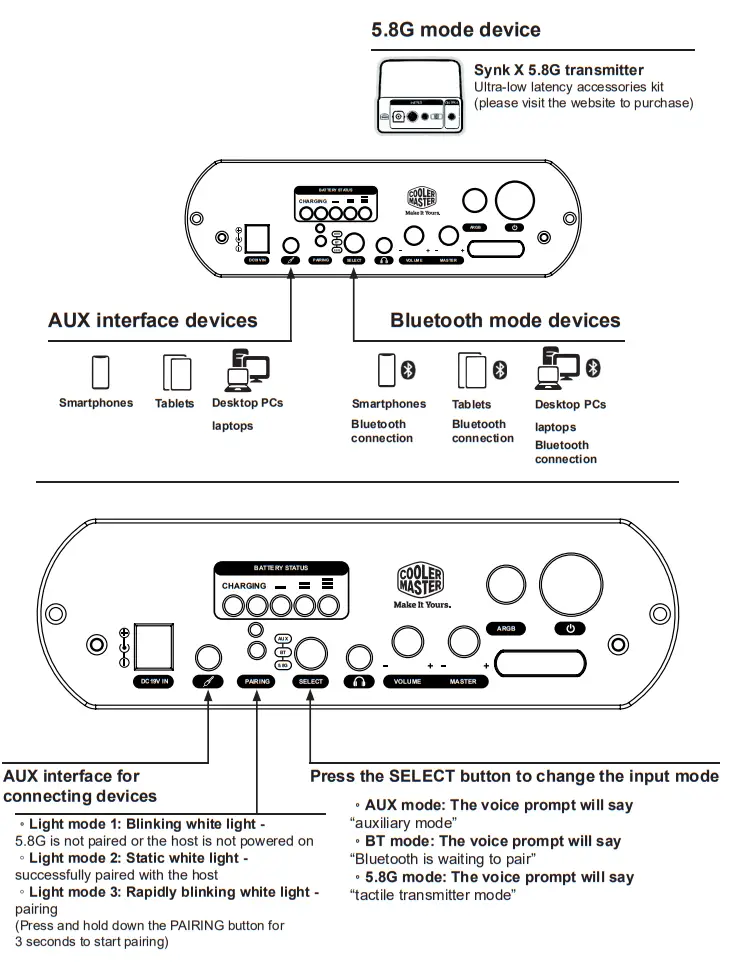
INTERFACE INPUT CONTROL
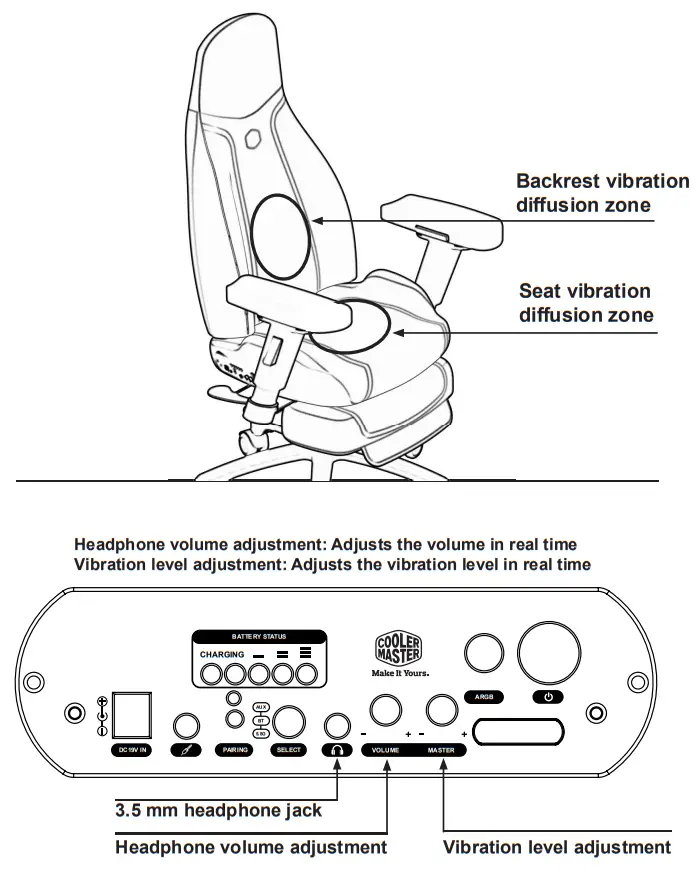
HEADPHONE VOLUME AND VIBRATION LEVEL CONTROL
POWER OPERATIONS
Caution!
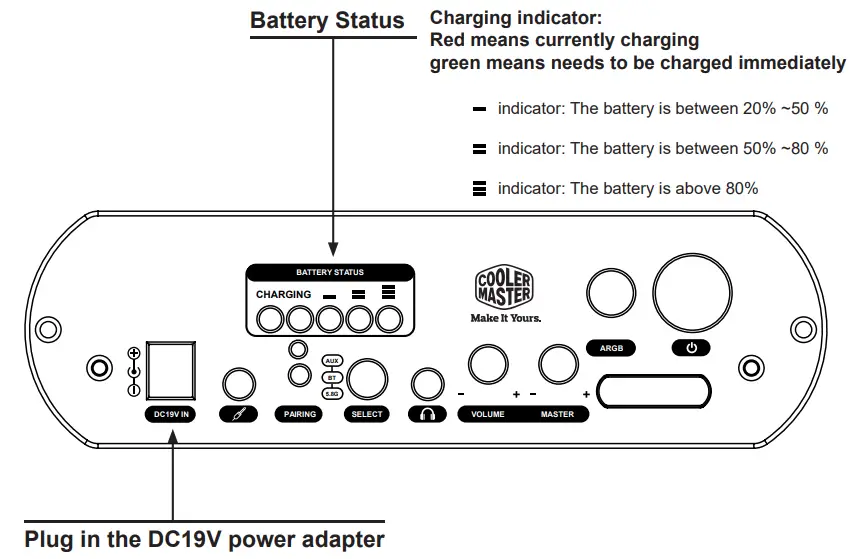
The Synk X system is powered by lithium-ion batteries, which are built into the chair.
Before using the system for the first time, please ensure that the lithium-ion battery pack is fully charged and properly connected. Only use the factory-certified DC19V power adapter that came with the chair. The battery status indicator will be red when the battery is charging and goes out when the battery is fully charged.
The Synk X system can be used while charging. The vibration level will be reduced when the battery is below 30%.
The battery pack can be charged at any time; a full discharge is not required before charging. Keeping the battery fully charged and using it regularly will increase its performance and life cycles. Caution: Avoid repeatedly discharging the battery completely, as it will cause the battery pack to age rapidly.
IMPORTANT SAFETY INFORMATION
- Do not sit on the backrest, leg rest, and armrests.
- Place the chair on a level surface to prevent accidents or injuries.
- Do not place any objects or body parts into any gaps of the chair.
- To prevent accidents or injuries, do not crawl under the leg rest.
- Keep sharp objects away from the surface of the chair.
- Do not use the chair in damp environments.
- Do not touch any plugs, sockets, switches, and wires that are powered with damp hands.
- Do not sit in the chair simultaneously with another person.
- Do not exceed the rated power during power operations.
- Do not exceed the weight capacity of the chair.
- Avoid excessively tilting the backrest and causing the wheels to rise beyond the proper range of motion.
- Do not stand on the armrests or apply excessive force and pressure to them.
- To prevent falls, do not stand on the seat, backrest, or leg rest.
- Do not place the chair in direct sunlight, as it could cause the chair to fade, deteriorate, or crack.
- Apply appropriate force when moving the chair, and move it slowly.
- Apply appropriate force when raising or lowering the seat, as excessive force could break and damage the gas cylinder.
- Please keep the pressure caster wheels clean, as dust or other foreign objects could make the ground dirty or jam the wheels.
- The pressure caster wheels may damage softer floors; floor mats are recommended in this case.
- The seat may generate static electricity in dry weather or environments.
- Do not place the chair near flames or lit cigarettes.
- For safety reasons, do not play around while sitting in the seat.
- Do not use the chair as a means of transportation; doing so may damage the chair and related property.
- After assembling the chair, please make sure it is stable. Gently rock the chair to make sure it is level with the ground and that the screws are tight.
- Please be patient when assembling the chair.
Make sure each component is in the correct place. - Do not use or store the chair in high temperatures.
- To prevent damaging the batteries or battery explosions, do not expose the control system to extreme temperatures or place it near sources of heat or flames.
- Clean the control system with a soft and dry cloth only.
- Do not drag the seat around while sitting in it; doing so may damage the braking effect of the pressure caster wheels.
- To prevent wireless interference or poor reception, do not store or use the system near magnetic devices.
- Only use the voltage specified by the chair’s power adapter. Using a higher voltage than re- quired will damage the control system and may cause a fire or electric shock.
FREQUENTLY ASKED QUESTIONS
– Answer: Please reserve enough space (at least 1.5 square meters) to safely tilt the seat back and extend the leg rest.
– Answer: Please contact your local service provider for repairs.
– Answer: Only use certified battery packs made by the original manufacturer and strictly follow the battery specifications in this manual.
– Answer: Wipe them with water or detergent regularly or when they are dirty.
– Answer: Wipe them with water or detergent regularly or when they are dirty.
– Answer: Wipe them with water or detergent regularly or when they are dirty.
Question 7: How should I adjust the volume or vibration level when it is too low?
– Answer: Increase the output volume of the audio output device. If the device is a mobile phone or tablet, set the volume level to the maximum and use Synk X’s control interface to adjust the headphone volume and vibration level.
– Answer: Synk X may have entered protection mode due to overheating. Restart the system and reduce the vibration level.
– Answer: Please visit www.coolermaster.com for the terms of the warranty.
Question 10: Which accessories are not covered by the warranty?
– Answer: The warranty covers all accessories except for consumables such as the pressure caster wheels, 4D armrest pads, and charging cables.
TROUBLESHOOTING
- If the chair doesn’t respond when you press the buttons on the control interface located on the right side of the seat, please follow the steps below:
A. Check whether the battery status indicator is lit
B. Check whether the interface inputs have been connected successfully
C. Check whether the headphone volume/vibration level knob is normal
D. If the problem is not solved after you have completed the above steps, please press the power button again - If the chair cannot be adjusted, please follow the steps below:
A. Check the tilt structure for foreign objects or damage
B. Check the leg rest rail for foreign objects or damage
C. Check the gas cylinder for foreign objects or damage
D. Check the 4D armrest pad structure for foreign objects or damage - If the ARGB illumination mode cannot be adjusted, please follow the steps below:
A. Check whether the battery status indicator is lit
B. Check whether the ARGB illumination mode button is operating normally
C. If the problem is not solved after you have completed the above steps, please press the power button again - If you cannot slide the chair, please follow the steps below:
A. Check whether there are foreign objects on the ground
B. Check whether the pressure caster wheels are installed correctly or damaged
C. When the direction of the pressure caster wheels is inconsistent, more force is needed to move the chair, or slide it to the left and right first to make it slide smoothly - If abnormal noise that’s not caused by vibration is emanating from the chair, please follow the steps below:
A. Make sure the screws are secured correctly
B. Check if the vibrator is working
C. If the problem is not solved after you have completed the above steps, please contact customer service - If Synk X is not listed as a Bluetooth device name on the audio output device, please follow the steps below:
A. Check whether the host is in Bluetooth mode
B. Check whether Bluetooth is connected to another audio output device
C. Disable Bluetooth on the audio output device and then enable it to search for devices
D. Tum off the Synk X host and then turn it back on; make sure Synk X has entered into Bluetooth mode and is waiting to pair - If Synk X shuts down without warning, please follow the steps below:
A. Check whether the battery is too low or completely drained
B. Synk X may have activated battery protection mode due to overcurrent and shut down. In this case, charge it with the power adapter for about one minute and then turn it back on
If the problem is not solved after you have completed the above steps, please contact customer service
REGULATORY STATEMENTS
United State
FEDERAL COMMUNICATIONS COMMISSION INTERFERENCE STATEMENT
This equipment has been tested and found to comply with the limits for a Class B digital device, pursuant to part 15 of the FCC Rules. These limits are designed to provide reasonable protection against harmful interference in a residential installation. This equipment generates, uses and can radiate radio frequency energy and, if not installed and used in accordance with the instructions, may cause harmful interference to radio communications. However, there is no guarantee that interference will not occur in a particular installation. If this equipment does cause harmful interference to radio or television reception, which can be determined by turning the equipment off and on, the user is encouraged to try to correct the interference by one or more of the following measures:
- Reorient or relocate the receiving antenna.
- Increase the separation between the equipment and receiver.
- Connect the equipment into an outlet on a circuit different from that to which the receiver is connected.
- Consult the dealer or an experienced radio/ TV technician for help.
Un-license band: This device complies with Part 15 of the FCC Rules.
Operation is subject to the following two conditions: (1) this device may not cause harmful interference, and (2) this device must accept any interference received, including interference that may cause undesired operation.
(15.21) Waming: Changes or modifications to this unit not expressly approved by the party responsible for compliance could void the user authority to operate the equipment.
- To comply with FCC RF exposure compliance requirements, a separation distance of at least 20 cm must be maintained between the antenna of this device and all persons.
- This Transmitter must not be co-located or operating in conjunction with any other antenna or transmitter
This equipment has been tested and found to comply with the limits for a Class B digital device, pursuant to Part 15 of the FCC Rules. These limits are designed to provide reasonable protection against harmful interference in a residential installation. This equipment generates, uses and can radiate radio frequency energy and, if not installed and used in accordance with the instructions, may cause harmful interference to radio communications.
However, there is no guarantee that interference will not occur in a particular installation. If this equipment does cause harmful interference to radio or television reception, which can be determined by tuming the equipment off and on, the user is encouraged to try to correct the interference by one or more of the following measures:
- Reorient or relocate the receiving antenna.
- Increase the separation between the equipment and receiver.
- Connect the equipment into an outlet on a circuit different from that to which the receiver is needed.
- Consult the dealer or an experienced radio/TV technician for help.
Canada
Canada, ISED notice:
This device contains licence-exempt transmitter(s)/receiver(s) that comply with Innovation, Science and Economic Development Canada’s licence-exempt RSS(s). Operation is subject to the following two conditions:
- This device may not cause interference.
- This device must accept any interference, including interference that may cause undesired operation of the device.
Europe(CE)
Hereby, [Cooler Master Inc.], declares that this [Haptic Chair] is in compliance with the essential requirements and other relevant provisions of Directive 2014/53/EU.
URL: www.coolermaster.com
Unite Kingdom
Hereby, [Cooler Master Inc., declares that this [Haptic Chair] is in compliance with the essential requirements and other relevant provisions of Radio Equipment Regulations 2017.
URL: www.coolermaster.com
Feel Your Imagination
A Cross-platform Immersive Haptic ChairProduct Number: IXC-SX1