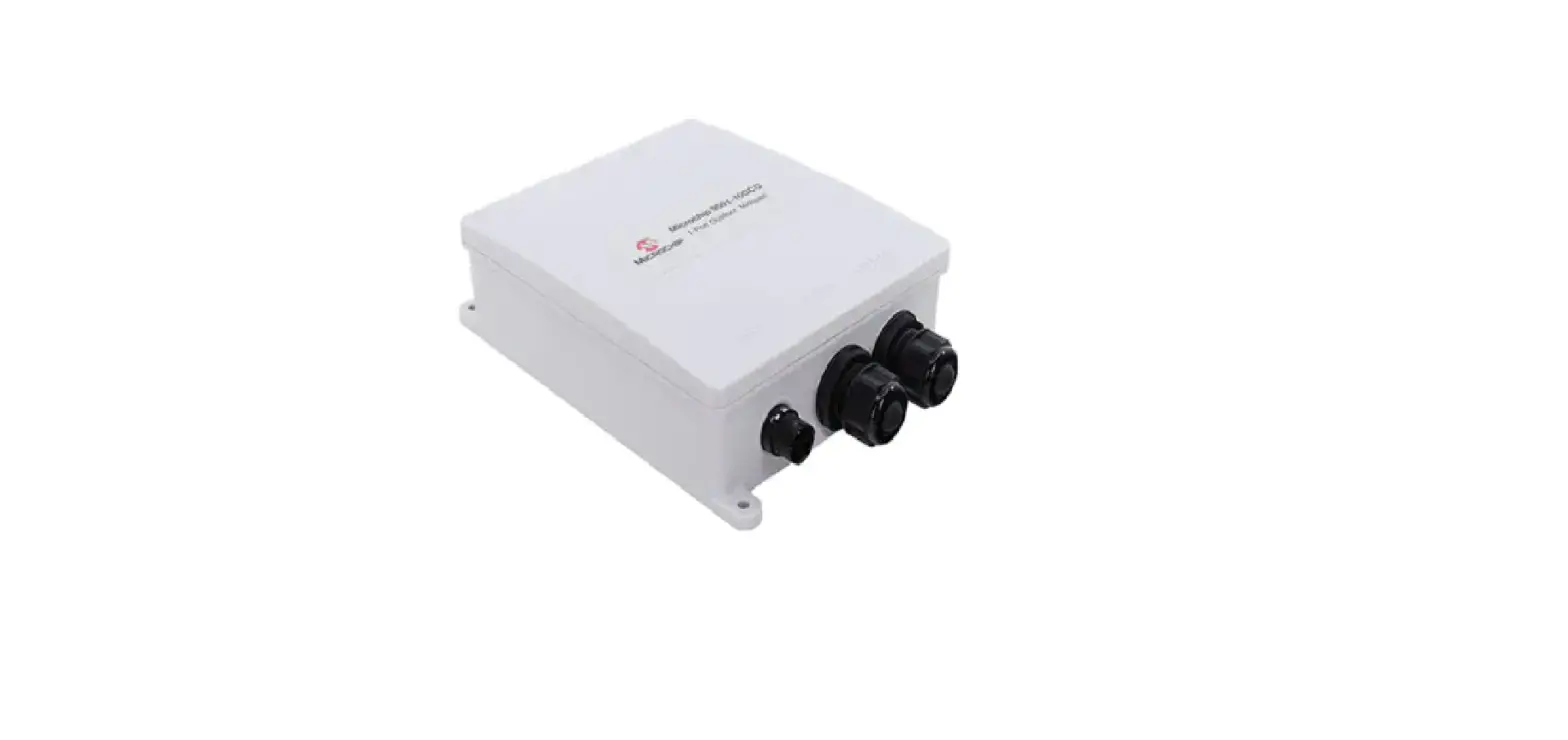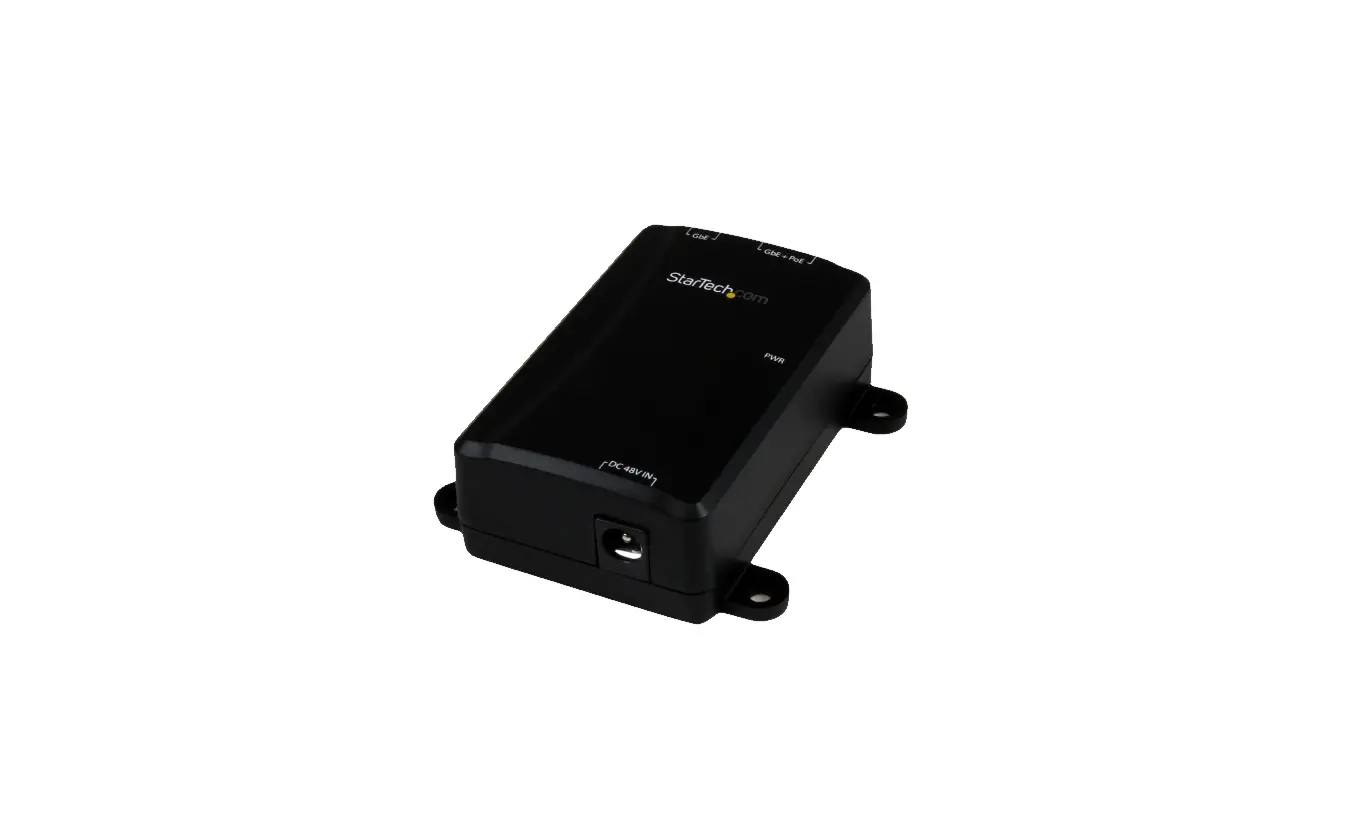
 PD-9601-zzGC/AC
Power over Ethernet Single-port Midspan
User Guide
Introduction
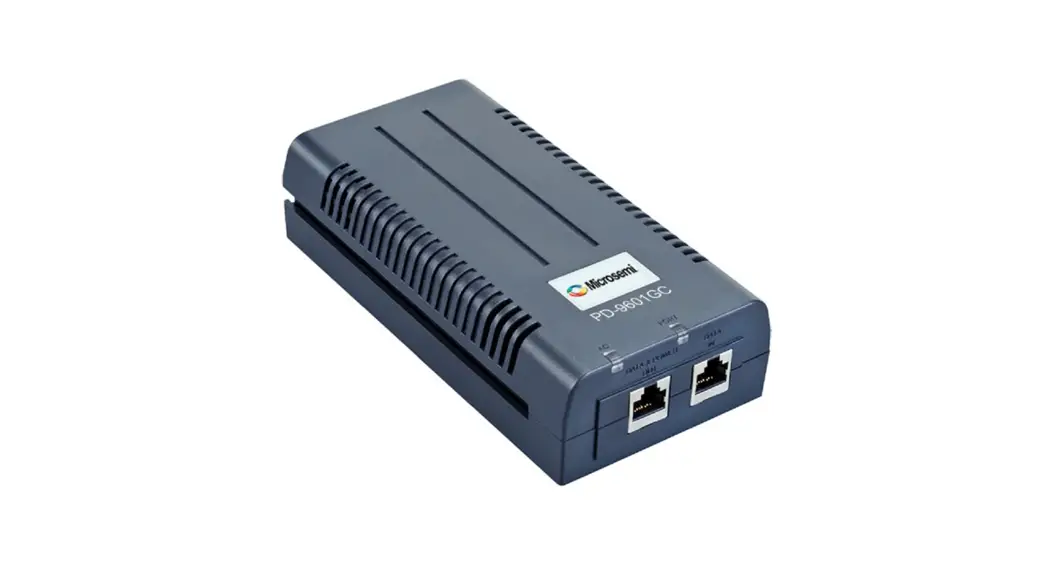
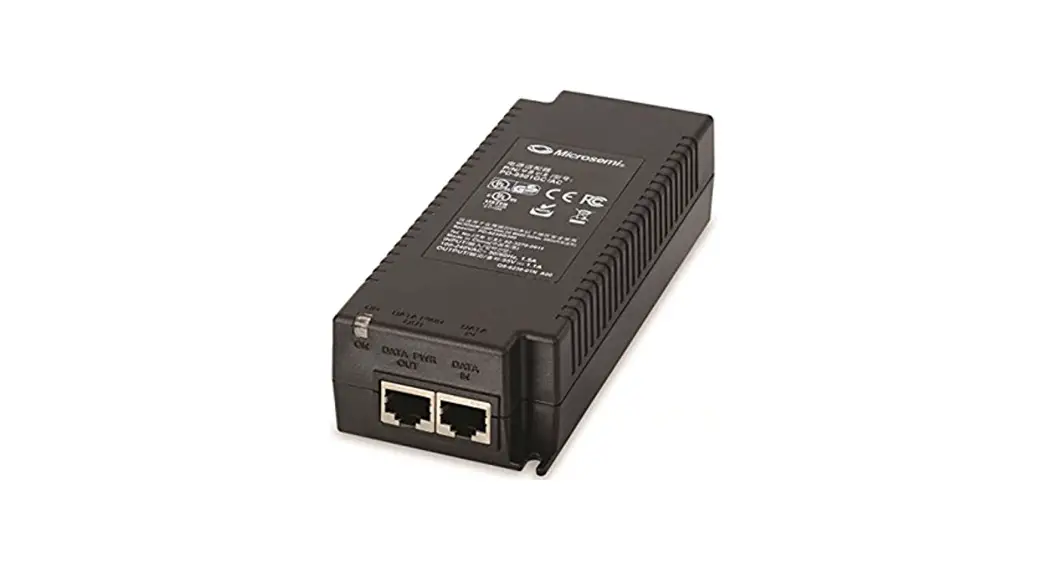
Microchip’s family of PD-9601-zzGC Power over Ethernet (PoE) Midspans includes the PD-9601-10GC, PD-9601‑5GC, and PD-9601-25GC models. Throughout this document, these three models are referred as the PD-9601-zzGC.
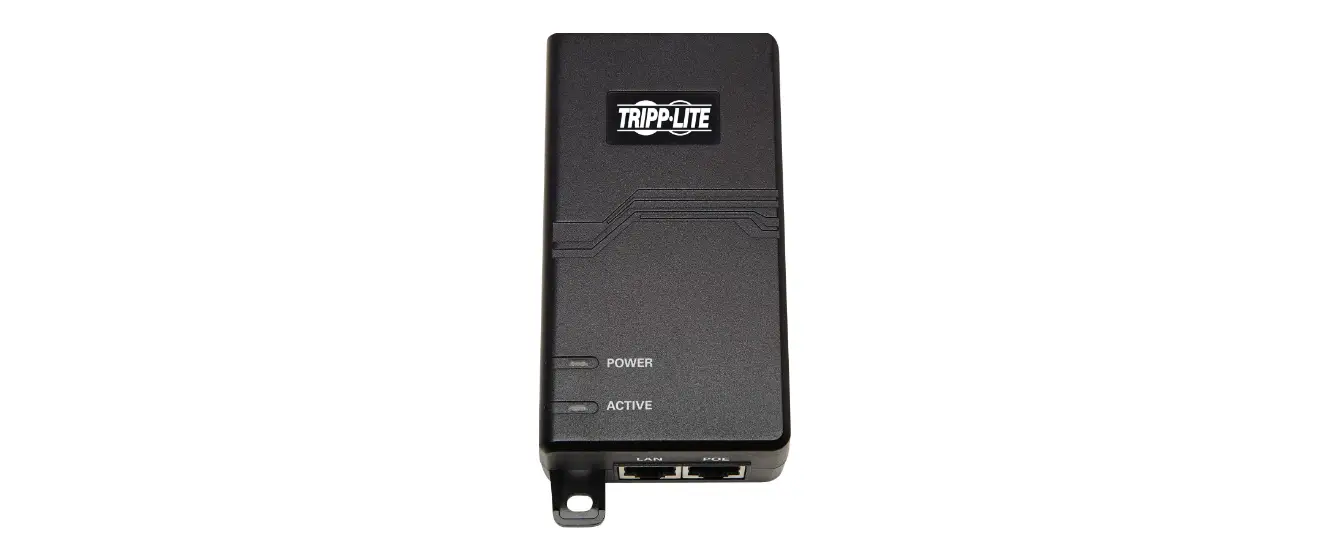
The PD-9601-zzGC is a PoE Single Port Midspan/Injector that offers a compact and cost-effective power solution for WLAN access points, network cameras, and other IP terminal installations. The PD-9601-zzGC inject power over data‑carrying Ethernet cabling. The PD-9601-zzGC PoE Midspan/ Injector is IEEE® 802.3bt compliant and supplies 54 VDC to 4-pair wires (Alt A: 1, 2 (-) and 3, 6 (+)\Alt B: 4, 5 (+) and 7, 8 (-)) of a standard Ethernet cable in category 5E and above (for 2.5G), and category 6 and above (for 5G and 10G) enables delivery of both data and power to the IP terminal. The PD-9601-zzGC can be powered through universal AC input and can provide up to 90W.
Features
PD-9601-zzGC PoE Midspan has the following key features:
- Single-Port PoE Output
- Guaranteed Power of 90W
- Compact Product Size
- Universal AC Input: 100 VAC to 240 VAC
- Standard Compliance: IEEE 802.3bt
- 10, 5, and 2.5 Gbps Pass-Through Data Rates
Standards and Safety Guidelines
1.1 Part Number Definition
PD-9601-zzGC: AC input family.
Table 1-1. Part Number Definition
| Symbol | Description |
| zzGC | Represents the bandwidth (zz—10, 5, or 2.5 Gbps). |
| AC | Midspan has AC input. |
1.2 Electrical Compatibility Approvals
Microchip’s PD-9601-zzGC Midspans complies with the following standards:
- FCC Part 15: Class B
- EN 55032: Class B
- Canadian ICES-003
- EN55035
- VCCI
1.3 Safety Standard Approvals
Microchip’s PD-9601-zzGC Midspans meets the following safety standards. Consult Microchip for a complete list of safety certifications.
- UL/IEC/EN 62368-1
- GS Compliance
1.4 GS Marking
GS marking on this product indicates that the product complies with the German Product Safety Act.
1.5 Safety Information
Read the safety information before using the PoE Midspan unit.
1.5.1 General Guidelines
Read the following safety information before carrying out any installation, removal, or maintenance procedure on the PoE Midspan. Warnings contain directions to be followed for the safety of personal and product.
1.5.2 Warnings
- Read installation instructions in 3. PoE Midspan Installation before connecting Midspan to its power source.
- Read instructions in 3. PoE Midspan Installation before connecting Midspan-to-Midspan power backup.
- Only trained and qualified personnel must be allowed to install, replace, and service this equipment.
- This ITE device must be connected to PoE (power supply over Ethernet) networks only, without routing to other networks.
- The power cord must not be attached to the surface of the building or pass-through walls, ceilings, floors, and similar openings in the building structure.
- Steps must be taken to prevent physical damage to the power cord, including proper routing.
- This product relies on building installation for short-circuit (over-current) protection. Use only a fuse or circuit breaker not higher than 15A for 120 VAC (U.S.) or 10A for 230 VAC (international).
- All wiring and connections must conform to NFPA 70 (NEC).
- Do not work on the system or connect/disconnect cables during lightning storms.
- A voltage mismatch can damage the equipment and can pose a fire hazard. If voltage indicated on the label is different from the power outlet voltage, do not connect Midspan to this outlet.
- For shelf-mounted equipment, verify that surface is stable and strong enough to support the equipment. Do not stack more than four Midspan units.
- When disposing this product, follow all local laws and regulations.
- Data and Data and Power ports of the Midspan are shielded RJ-45 data sockets. They cannot be used as Plain Old Telephone Service (POTS) sockets. Only connect RJ-45 data connectors to these sockets.
- Associated Ethernet wiring must be limited to the inside of the building.
Safety Information
Read the following safety information before using power on your device Ethernet Midspan.
2.1 General Guidelines
Read the following safety information before installing or removing anything, or carrying out maintaining the power supply to your Midspan Ethernet device. Warnings contain instructions that must be followed for the safety of people and the product. Follow the instructions carefully.
2.2 Warnings
- Read the installation instructions in this 3. PoE Midspan Installation before connecting the Midspan to a power supply.
- Read the installation instructions in this 3. PoE Midspan Installation before connecting the Midspan to a Midspan backup source.
- Only trained and qualified personnel should be allowed to install, replace and service this equipment.
- This ITE device should be connected to PoE (Power over Ethernet) networks only, and without routing to other networks.
- The power cord must not be attached to the surface of the building or pass through walls, ceilings, floors and similar openings in the building structure.
- Steps should be taken to prevent physical damage to the power cord, including a appropriate routing.
- This product depends on the electrical installation of the building for protection against short circuits. (current overloads). Use only a fuse or circuit breaker whose power does not exceed 15A for 120VAC (USA), or 10A for 230VAC (international).
- All wiring and connections must comply with NFPA 70 (NEC).
- Do not perform work on the system, connect or disconnect cables during thunderstorms.
- Voltage mismatch can damage equipment and be a fire hazard. If the indicated voltage on the label is different from the voltage of the power source, do not connect the Midspan to this socket.
- For equipment mounted on a shelf, check that the surface is stable and strong enough for the support. Never stack more than four Midspan units.
- To dispose/dispose of this product, follow local laws and regulations.
- The Data and Data and Power ports of the PoE Midspan are RJ45 shielded data sockets. They can’t not be used as traditional telephone service outlets. Connect only connectors of RJ45 data to these sockets. Related Ethernet cabling should be restricted to the interior of the building.
- Associated Ethernet cabling should be restricted to the interior of the building.
PoE Midspan Installation
Follow the installation steps carefully:
- Connect the PD-9601-zzGC to an AC outlet (100 VAC to 240 VAC).
- Connect the Data In jack (input) to the remote Ethernet network switch’s patch panel.
- Connect the Power Out jack (output) to Terminal.
Figure 3-1. Installing the PD-9601-zzGC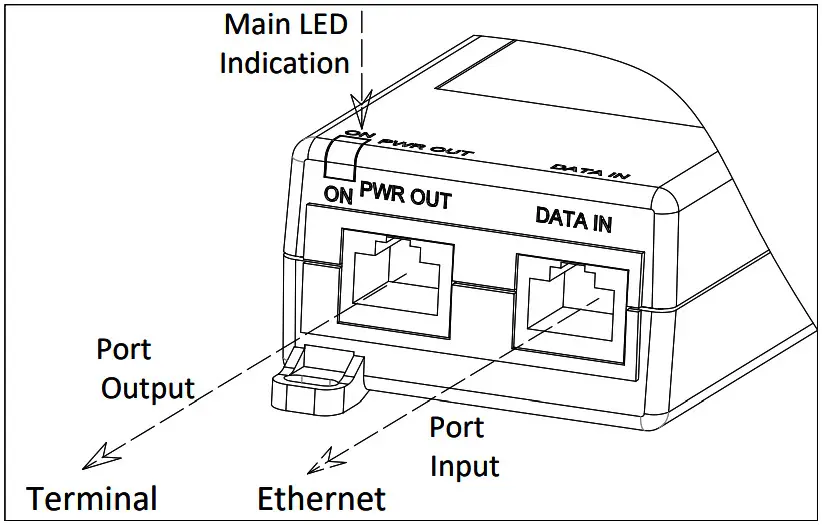
3.1 Connecting Ethernet Cables
The ports on the PD-9601-zzGC Midspan are configured as Pass Through ports for conductors of RJ45 connectors.
Use Category 5e/6 cabling while making connections. See Figure 3-1.
- Connect Ethernet 10/5/2.5G Base-T input (Ethernet) cable to RJ45 female socket on PD-9601-25\5GCO.
- Connect Ethernet 10/5/2.5G Base-T, Plus 54 VDC output (Terminal) cable to RJ45 female socket, with DC voltage on wire pairs, (Alt A: 1, 2 (-) and 3, 6 (+)\Alt B: 4, 5 (+) and 7, 8 (-)).
3.2 Indicators
The following table lists the set of indicators displaying the status of the PoE Midspan and its ports.
Table 3-1. Port Indicator LED
| Port LED Color | Port Load Conditions |
| Orange ON | Power input is active |
| Orange Blinking | Power input error |
| Blue ON | Port ON—PoE over 2P |
| Blue Blinking | Port error |
| Green ON | Port ON—PoE over 4P |
| Green Blinking | Port error |
Troubleshooting
The following sections describe the troubleshooting procedures to address any problems with a unit.
4.1 Preliminary Steps
- Read installation instructions before connecting the PD-9601-zzGC to its power source.
- There is no ON/OFF switch on the PD, simply plug the PD-9601-zzGC into an AC power source.
- Verify that a PoE Ready Ethernet-compatible device is connected.
- Do not cover PD-9601-zzGC or block airflow to the unit with any foreign objects. Keep PD-9601-zzGC away from excessive heat and humidity, and free from vibration and dust.
- Ensure that cable length from Ethernet network source to the terminal does not exceed 100 meters (330 feet).
This Midspan is not a repeater and does not amplify Ethernet data signal. - Use a splitter, if necessary, and ensure that the splitter is connected near the terminal and not on the PD-9601zzGC.
4.2 Troubleshooting Steps
The following table lists problem and resolution sequences to assist in troubleshooting minor operating problems. If the following steps do not solve your problem, contact the dealer for further assistance.
Table 4-1. Troubleshooting Steps
| Problem | Corrective Steps |
| Midspan does not power-up. | 1. Verify that an approved power cord is used. 2. Ensure that power cord is properly connected. 3. Verify that the voltage at the power inlet is between 100 VAC to 240 VAC. 4. Remove and re-apply power to the device and check indicators during powerup sequence. |
| A port indicator is not lit and corresponding PD does not operate. | 1. Verify that the PD is designed for PoE operation according to IEEE 802.3bt standard. 2. Verify that you are using a standard straight‑wired four-pair cable (UTP/FTP Category 5e/6). 3. Verify that the PD is connected to the PD-9601-zzGC Terminal port. 4. If an external power splitter is in use, replace it with a viable splitter. 5. Remove and re-apply power to the Midspan. |
| End device operates but there is no data link. | 1. Verify that for this link you are using a standard UTP/FTP Category 5e/6 straight (non-crossover) cabling, with all four pairs, and that link is 100 meters long. 2. Verify that the Ethernet cable length is less than 100 meters from Ethernet source to load/remote terminal. 3. Ensure that the input Ethernet cable is connected to the power injector’s Ethernet port. 4. If an external power splitter is in use, replace it with a viable splitter. |
Specifications
The following sections describe unit specifications of PD-9601-zzGC unit.
5.1 Physical Specifications
Table 5-1. Dimensions
| Parameter | Dimensions | |
| In mm | In inch | |
| Height | 48.6 | 1.91 |
| Width | 84.4 | 3.32 |
| Length | 162.1 | 6.38 |
Table 5-2. Physical Specifications
| Part Number | Weight |
| PD-9601-zzGC | 550 g (1.21 lb) |
5.2 Environmental Specifications
Table 5-3. Environmental Specifications
| Mode | Temperature | Humidity |
| Operating | 0°C to 40°C 32°F to 104°F | 90% (non-condensing) |
| Storage | –20°C to 70°C –4°F to 158°F | 95% (non-condensing) |
5.3 Electrical Specifications
Table 5-4. Electrical Specifications
| Parameter | Value |
| Input voltage | 100 VAC to 240 VAC (50/60 Hz) |
| Input current | 1.6A |
| Available output power (maximum) | 90W |
| Nominal output voltage | 54 VDC |
Contacting Technical Support
If you encounter any problems while installing or using this product, consult Microchip technical support team through the website or contact on the following number:
USA/Canada
Telephone: +1 877 480 2323
Internet: www.microchip.com/support
Revision History
| Revision | Date | Description |
| A | Jan-22 | Initial Revision |
The Microchip Website
Microchip provides online support via our website at www.microchip.com/. This website is used to make files and information easily available to customers. Some of the content available includes:
- Product Support – Data sheets and errata, application notes and sample programs, design resources, user’s guides and hardware support documents, latest software releases and archived software
- General Technical Support – Frequently Asked Questions (FAQs), technical support requests, online discussion groups, Microchip design partner program member listing
- Business of Microchip – Product selector and ordering guides, latest Microchip press releases, listing of seminars and events, listings of Microchip sales offices, distributors and factory representatives
Product Change Notification Service
Microchip’s product change notification service helps keep customers current on Microchip products. Subscribers will receive email notification whenever there are changes, updates, revisions or errata related to a specified product family or development tool of interest.
To register, go to www.microchip.com/pcn and follow the registration instructions.
Customer Support
Users of Microchip products can receive assistance through several channels:
- Distributor or Representative
- Local Sales Office
- Embedded Solutions Engineer (ESE)
- Technical Support
Customers should contact their distributor, representative or ESE for support. Local sales offices are also available to help customers. A listing of sales offices and locations is included in this document.
Technical support is available through the website at: www.microchip.com/support
Microchip Devices Code Protection Feature
Note the following details of the code protection feature on Microchip devices:
- Microchip products meet the specifications contained in their particular Microchip Data Sheet.
- Microchip believes that its family of products is secure when used in the intended manner and under normal conditions.
- There are dishonest and possibly illegal methods being used in attempts to breach the code protection features of the Microchip devices. We believe that these methods require using the Microchip products in a manner outside the operating specifications contained in Microchip’s Data Sheets. Attempts to breach these code protection features, most likely, cannot be accomplished without violating Microchip’s intellectual property rights.
- Microchip is willing to work with any customer who is concerned about the integrity of its code. Neither Microchip nor any other semiconductor manufacturer can guarantee the security of its code. Code protection does not mean that we are guaranteeing the product is “unbreakable.” Code protection is constantly evolving. We at Microchip are committed to continuously improving the code protection features of our products. Attempts to break Microchip’s code protection feature may be a violation of the Digital Millennium Copyright Act. If such acts allow unauthorized access to your software or other copyrighted work, you may have a right to sue for relief under that Act.
Legal Notice
Information contained in this publication is provided for the sole purpose of designing with and using Microchip products. Information regarding device applications and the like is provided only for your convenience and may be superseded by updates. It is your responsibility to ensure that your application meets with your specifications.
THIS INFORMATION IS PROVIDED BY MICROCHIP “AS IS”. MICROCHIP MAKES NO REPRESENTATIONS OR WARRANTIES OF ANY KIND WHETHER EXPRESS OR IMPLIED, WRITTEN OR ORAL, STATUTORY OR OTHERWISE, RELATED TO THE INFORMATION INCLUDING BUT NOT LIMITED TO ANY IMPLIED WARRANTIES OF NON-INFRINGEMENT, MERCHANTABILITY, AND FITNESS FOR A PARTICULAR PURPOSE OR WARRANTIES RELATED TO ITS CONDITION, QUALITY, OR PERFORMANCE.
IN NO EVENT WILL MICROCHIP BE LIABLE FOR ANY INDIRECT, SPECIAL, PUNITIVE, INCIDENTAL OR CONSEQUENTIAL LOSS, DAMAGE, COST OR EXPENSE OF ANY KIND WHATSOEVER RELATED TO THE INFORMATION OR ITS USE, HOWEVER CAUSED, EVEN IF MICROCHIP HAS BEEN ADVISED OF THE POSSIBILITY OR THE DAMAGES ARE FORESEEABLE. TO THE FULLEST EXTENT ALLOWED BY LAW, MICROCHIP’S TOTAL LIABILITY ON ALL CLAIMS IN ANY WAY RELATED TO THE INFORMATION OR ITS USE WILL NOT EXCEED THE AMOUNT OF FEES, IF ANY, THAT YOU HAVE PAID DIRECTLY TO MICROCHIP FOR THE INFORMATION. Use of Microchip devices in life support and/or safety applications is entirely at the buyer’s risk, and the buyer agrees to defend, indemnify and hold harmless Microchip from any and all damages, claims, suits, or expenses resulting from such use. No licenses are conveyed, implicitly or otherwise, under any Microchip intellectual property rights unless otherwise stated.
Trademarks
The Microchip name and logo, the Microchip logo, Adaptec, Any Rate, AVR, AVR logo, AVR Freaks, Bes Time, Bit Cloud, chip KIT, chip KIT logo, Crypto Memory, CryptoRF, dsPIC, Flash Flex, flex PWR, HELDO, IGLOO, JukeBlox, KeeLoq, Kleer, LANCheck, LinkMD, maXStylus, maXTouch, MediaLB, mega AVR, Microsemi, Microsemi logo, MOST, MOST logo, MPLAB, OptoLyzer, PackeTime, PIC, pico Power, PICSTART, PIC32 logo, PolarFire, Prochip Designer, QTouch, SAM-BA, Sen Genuity, SpyNIC, SST, SST Logo, Super Flash, Symmetrical, Sync Server, Tachyon, Time Source, tiny AVR, UNI/O, Vectron, and XMEGA are registered trademarks of Microchip Technology Incorporated in the U.S.A. and other countries.
Agile Switch, APT, Clock Works, The Embedded Control Solutions Company, Ether Synch, Flash Tec, Hyper Speed Control, Hyper Light Load, IntelliMOS, Libero, motorBench, mTouch, Power mite 3, Precision Edge, Pro ASIC, Pro ASIC Plus, Pro ASIC Plus logo, Quiet-Wire, Smart Fusion, Sync World, Timex, Time Cesium, Time Hub, Time Picture, Time Provider, WinPath, and ZL are registered trademarks of Microchip Technology Incorporated in the U.S.A.
Adjacent Key Suppression, AKS, Analog-for-the-Digital Age, Any Capacitor, Any In, Any Out, Augmented Switching, Blue-sky, Bodycams, Code Guard, Crypto Authentication, Crypto Automotive, Crypto Companion, Crop to Controller, dsPICDEM, dsPICDEM.net, Dynamic Average Matching, DAM, ECAN, Espresso T1S, Ether GREEN, Ideal Bridge, In-Circuit Serial Programming, ICSP, INICnet, Intelligent Paralleling, Inter-Chip Connectivity, Jitter Blocker, max Crop to, max View, mem Brain, Mindi, MiWi, MPASM, MPF, MPLAB Certified logo, MPLIB, MPLINK, MultiTRAK, NetDetach, Omniscient Code Generation, PICDEM, PICDEM.net, Pick it, PI Cattail, PowerShare, Pure Silicon, QMatrix, REAL ICE, Ripple Blocker, RTAX, RTG4, SAM-ICE, Serial Quad I/O, simpleMAP, SimpliPHY, SmartBuffer, SMART-I.S., storClad, SQI, Supers Witcher, Super Switcher II, Switchtec, Synchro PHY, Total Endurance, TSHARC, USB Check, VariSense, Vector Blox, VeriPHY, ViewSpan, WiperLock, XpressConnect, and ZENA are trademarks of Microchip Technology Incorporated in the U.S.A. and other countries.
SQTP is a service mark of Microchip Technology Incorporated in the U.S.A.
The Adaptec logo, Frequency on Demand, Silicon Storage Technology, and Symmcom are registered trademarks of Microchip Technology Inc. in other countries.
GestIC is a registered trademark of Microchip Technology Germany II GmbH & Co. KG, a subsidiary of Microchip Technology Inc., in other countries.
All other trademarks mentioned herein are property of their respective companies.
© 2022, Microchip Technology Incorporated, Printed in the U.S.A., All Rights Reserved.
ISBN: 978-1-5224-9642-7
Quality Management System
For information regarding Microchip’s Quality Management Systems, please visit www.microchip.com/quality.
Worldwide Sales and Service
| AMERICAS | ASIA/PACIFIC | ASIA/PACIFIC | EUROPE |
| Corporate Office 2355 West Chandler Blvd. Chandler, AZ 85224-6199 Tel: 480-792-7200 Fax: 480-792-7277 Technical Support: www.microchip.com/support Web Address: www.microchip.com Atlanta Duluth, GA Tel: 678-957-9614 Fax: 678-957-1455 Austin, TX Tel: 512-257-3370 Boston Westborough, MA Tel: 774-760-0087 Fax: 774-760-0088 Chicago Itasca, IL Tel: 630-285-0071 Fax: 630-285-0075 Dallas Addison, TX Tel: 972-818-7423 Fax: 972-818-2924 Detroit Novi, MI Tel: 248-848-4000 Houston, TX Tel: 281-894-5983 Indianapolis Noblesville, IN Tel: 317-773-8323 Fax: 317-773-5453 Tel: 317-536-2380 Los Angeles Mission Viejo, CA Tel: 949-462-9523 Fax: 949-462-9608 Tel: 951-273-7800 Raleigh, NC Tel: 919-844-7510 New York, NY Tel: 631-435-6000 San Jose, CA Tel: 408-735-9110 Tel: 408-436-4270 Canada – Toronto Tel: 905-695-1980 Fax: 905-695-2078 | Australia – Sydney Tel: 61-2-9868-6733 China – Beijing Tel: 86-10-8569-7000 China – Chengdu Tel: 86-28-8665-5511 China – Chongqing Tel: 86-23-8980-9588 China – Dongguan Tel: 86-769-8702-9880 China – Guangzhou Tel: 86-20-8755-8029 China – Hangzhou Tel: 86-571-8792-8115 China – Hong Kong SAR Tel: 852-2943-5100 China – Nanjing Tel: 86-25-8473-2460 China – Qingdao Tel: 86-532-8502-7355 China – Shanghai Tel: 86-21-3326-8000 China – Shenyang Tel: 86-24-2334-2829 China – Shenzhen Tel: 86-755-8864-2200 China – Suzhou Tel: 86-186-6233-1526 China – Wuhan Tel: 86-27-5980-5300 China – Xian Tel: 86-29-8833-7252 China – Xiamen Tel: 86-592-2388138 China – Zhuhai Tel: 86-756-3210040 | India – Bangalore Tel: 91-80-3090-4444 India – New Delhi Tel: 91-11-4160-8631 India – Pune Tel: 91-20-4121-0141 Japan – Osaka Tel: 81-6-6152-7160 Japan – Tokyo Tel: 81-3-6880- 3770 Korea – Daegu Tel: 82-53-744-4301 Korea – Seoul Tel: 82-2-554-7200 Malaysia – Kuala Lumpur Tel: 60-3-7651-7906 Malaysia – Penang Tel: 60-4-227-8870 Philippines – Manila Tel: 63-2-634-9065 Singapore Tel: 65-6334-8870 Taiwan – Hsin Chu Tel: 886-3-577-8366 Taiwan – Kaohsiung Tel: 886-7-213-7830 Taiwan – Taipei Tel: 886-2-2508-8600 Thailand – Bangkok Tel: 66-2-694-1351 Vietnam – Ho Chi Minh Tel: 84-28-5448-2100 | Austria – Wels Tel: 43-7242-2244-39 Fax: 43-7242-2244-393 Denmark – Copenhagen Tel: 45-4485-5910 Fax: 45-4485-2829 Finland – Espoo Tel: 358-9-4520-820 France – Paris Tel: 33-1-69-53-63-20 Fax: 33-1-69-30-90-79 Germany – Garching Tel: 49-8931-9700 Germany – Haan Tel: 49-2129-3766400 Germany – Heilbronn Tel: 49-7131-72400 Germany – Karlsruhe Tel: 49-721-625370 Germany – Munich Tel: 49-89-627-144-0 Fax: 49-89-627-144-44 Germany – Rosenheim Tel: 49-8031-354-560 Israel – Ra’anana Tel: 972-9-744-7705 Italy – Milan Tel: 39-0331-742611 Fax: 39-0331-466781 Italy – Padova Tel: 39-049-7625286 Netherlands – Drunen Tel: 31-416-690399 Fax: 31-416-690340 Norway – Trondheim Tel: 47-72884388 Poland – Warsaw Tel: 48-22-3325737 Romania – Bucharest Tel: 40-21-407-87-50 Spain – Madrid Tel: 34-91-708-08-90 Fax: 34-91-708-08-91 Sweden – Gothenberg Tel: 46-31-704-60-40 Sweden – Stockholm Tel: 46-8-5090-4654 UK – Wokingham Tel: 44-118-921-5800 Fax: 44-118-921-5820 |
© 2022 Microchip Technology Inc.
and its subsidiaries
References
 青娱乐极品盛宴_午夜羞羞影院男女爽爽爽_白丝小舞被啪到娇喘不停_狠狠综合久久久综合网大蛇
 Empowering Innovation | Microchip Technology
-
Empowering Innovation | Microchip Technology
-
Support | Microchip Technology
-
Product Change Notification | Microchip Technology
-
Quality | Microchip Technology
-
Microchip Lightning Support
-
Client Support Services | Microchip Technology
 青娱乐极品盛宴_午夜羞羞影院男女爽爽爽_白丝小舞被啪到娇喘不停_狠狠综合久久久综合网大蛇
 Empowering Innovation | Microchip Technology