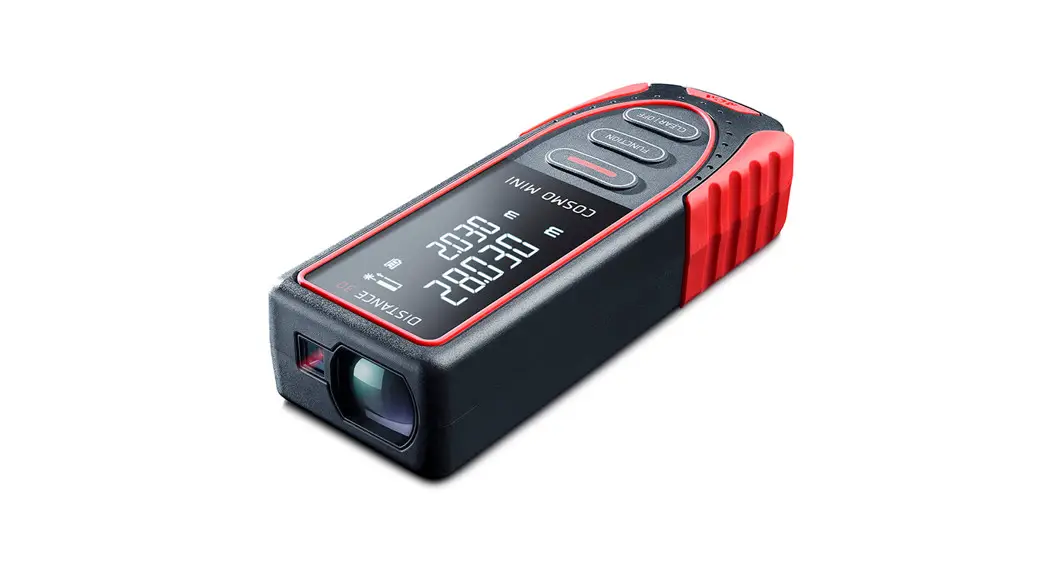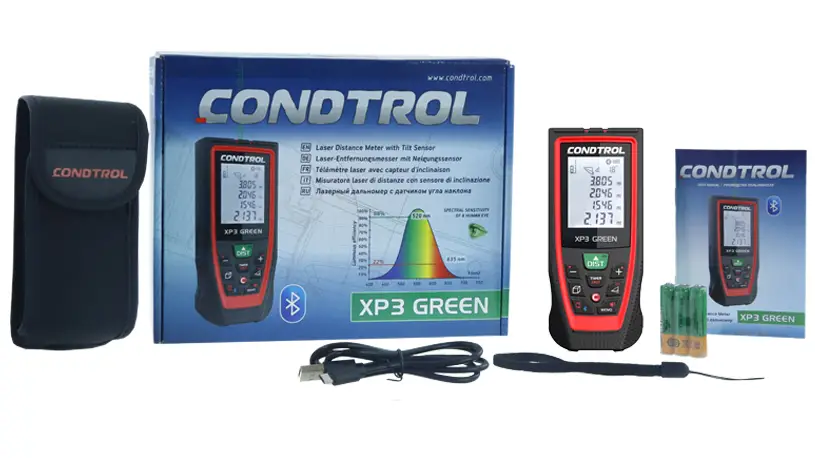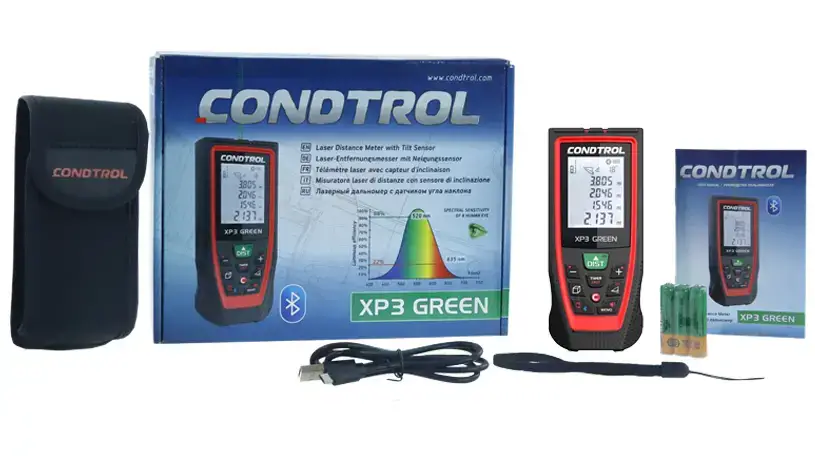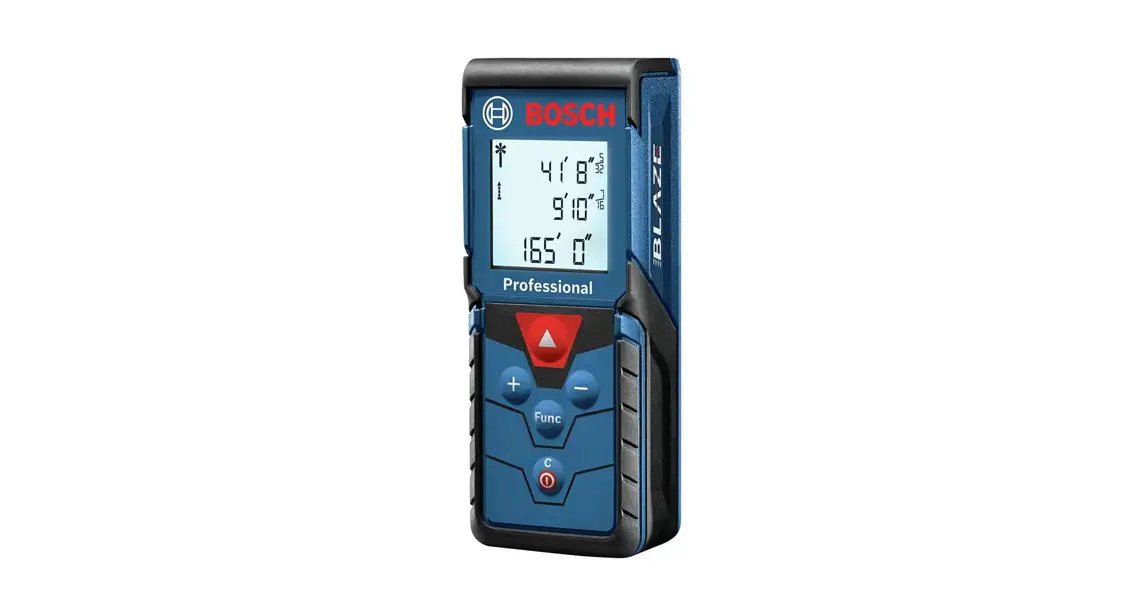
DeWalt Laser Distance Meter User Manual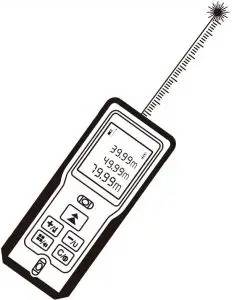
M1905
Introduction
Firstly thank you for your choice on our handhold laser distance meter.Please carefully read the safety instructions and the user manual before using this product, otherwise it may result in hazardous laser radiation and electric shock.
Safety Instructions
- This product is a class II laser product. Please DO NOT stare into beam at any time when operating this product!
- Please DO NOT looking directly into the beam with optical aids to avoid causing serious laser radiation!
- Please DO NOT remove any safety labels on this product!
Caution
- Please DO NOT use this product in an unstable situation.
- Please avoid kids to contact and use the meter.
- Please DO NOT disassemble or restructure the meter. Otherwise, it may lead to laser emission resulting in unnecessary personal injury.
- Please keep the manual, it is useful when you use it.
Configuration
Laser distance meter | 1pc |
AAA battery | 2pc |
| User manual | 1pc |
Packing box | 1pc |
| Hand rope | 1pc |
Basic Function
Single Measurement | √ |
| Continuous Measurement (Max/Min) | √ |
Area/Volume/Pythagoras | √ |
Plus and Minus | √ |
Unit Conversion | √ |
| Measuring Reference | √ |
Silence Function | √ |
| Historical Data Review | 20Groups |
Error Code | √ |
| Battery Power Indication | √ |
Laser Auto Switch of | 30s |
| Instrument Auto Switch off | 180s |
Measuring Range |
|
Measuring Accuracy (Standard Deviation) | ±2.0mm |
| Measuring Unit | m,ft,in |
Area Unit | m²,ft²,in² |
| Volume Unit | m³,ft³,in³ |
Laser Type | 620~690nm |
| Laser Class | class II ,<1mW |
Operating Temperature | 0~+40℃ |
| Storage Temperature | -20~+65℃ |
Batteries | AAA(Alkaline),2×1.5V |
| Working time(Fully charged) | >5000 times |
Weight (Without batteries) | Approximate 91g |
| Dimension (L*W*H) | 117X53X27mm |
Comment:
- When measuring distance within 10m,measurement accuracy is±2mm; more than 10m,measurement accuracy is calculated as
follows:±2mm±0.05*(D-10)(D: Measuring Distance, Unit: m) - When measuring too poorly reflecting target or very rough surfaces, or the environment temperature is too high or too low or ambient brightness is too bright, such as under sunlight, The deviation will be unfavorable.
Forbidden:
- Opening or repairing the equipment without allow.
- Measuring on sun.
- Others measuring out of appointed range.
- Immersing the equipment in water.
- Cleaning the lens using alcohol or any other organic solvent.
- Wiping the lens directly with fingers or other rough surfaces.
- Powering the equipment beyond the rated DC voltage.
Battery Installation
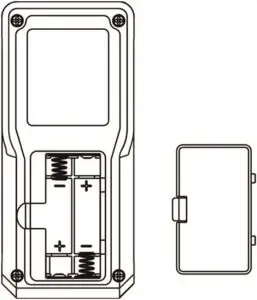
According to figures, remove battery compartment lid and insert 2*AAA batteries (alkaline).
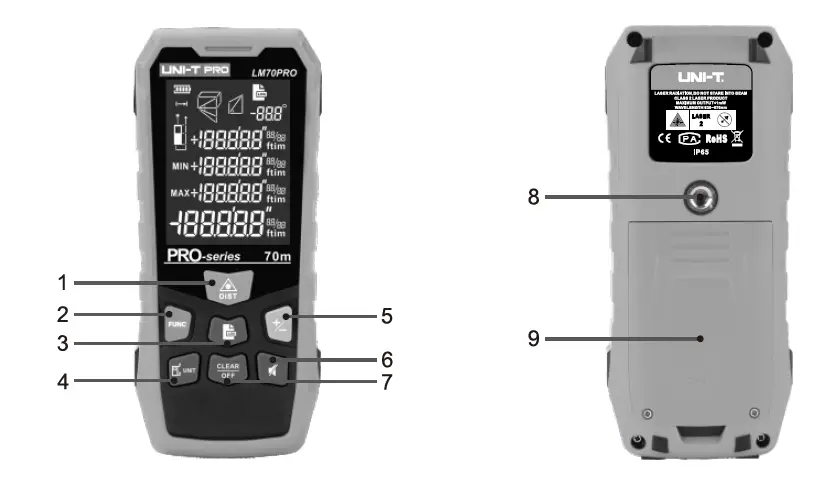
Structure of Product
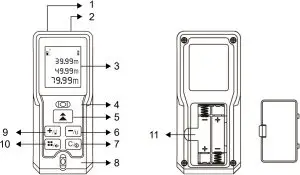
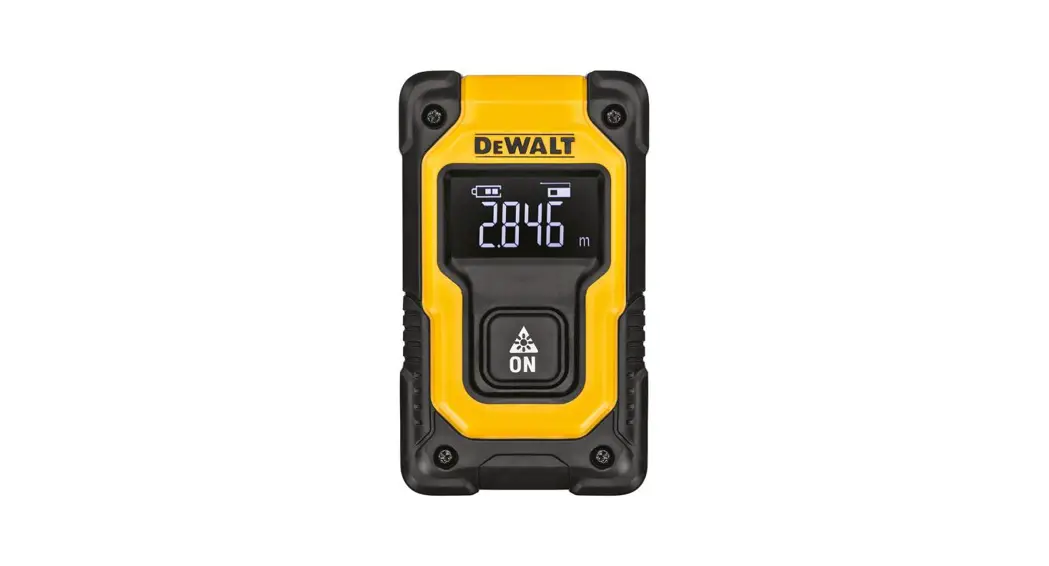
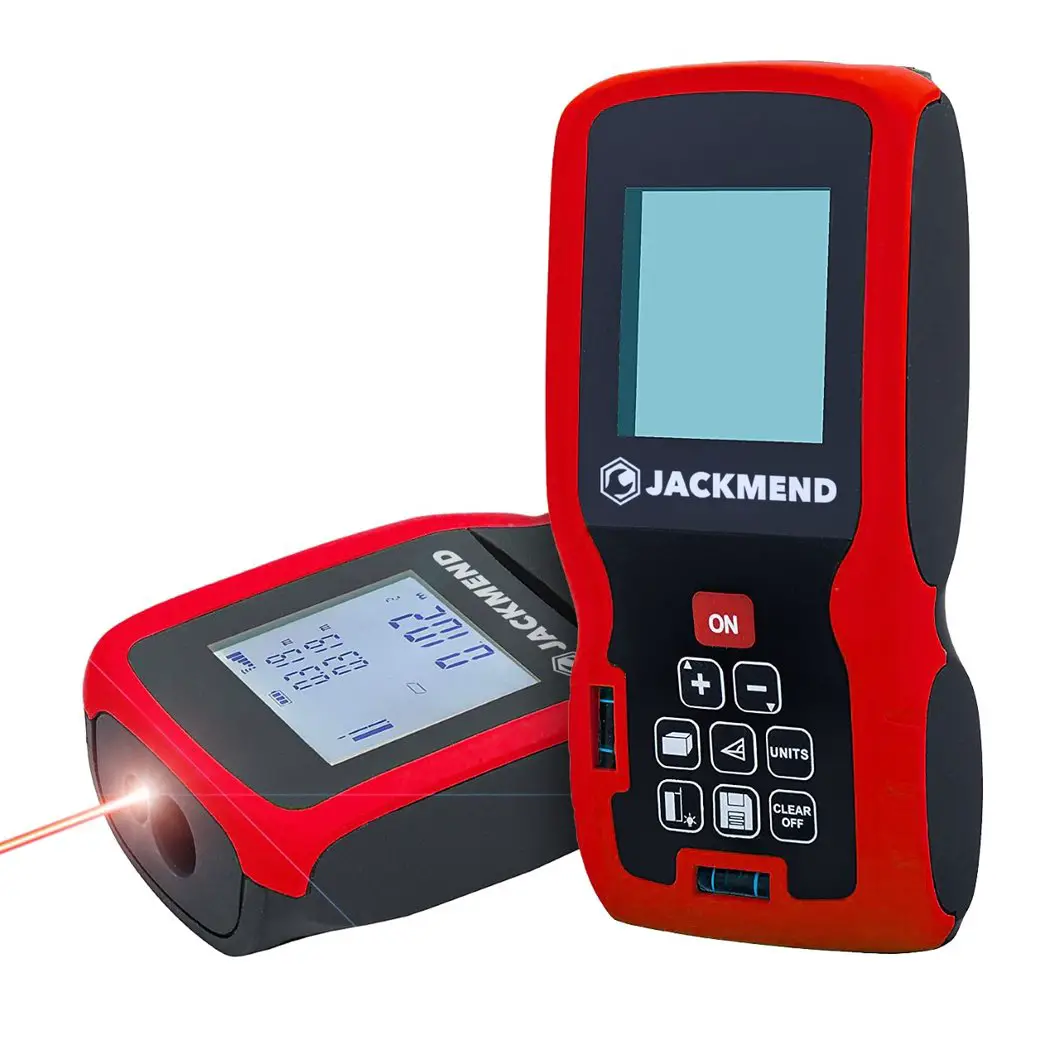
- Laser receiver
- Laser emitter
- Display screen
- Spirit bubble
- Power key/Measuring key
- Minus key/Unit switch key
- Clear key/Exit key/OFF key
- Spirit bubble
- Plus key/Reference switch key
- Function key/Sound key
- Battery compartment
Operation
Switch-on
Short-time press  to switch on the equipment, screen will shows as below very quickly:
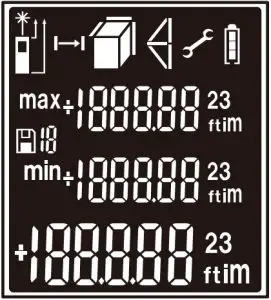
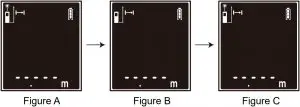
Then the meter enter Single Measurement Mode and laser point is opened, indication as shown as figure A. Laser point is automatically shut down if no any operation after 30 seconds. Or short-time press  to close the laser point, indication as shown as figure B. Short-time press again to open laser point, indication as shown as figure C.
Change Measurement Reference
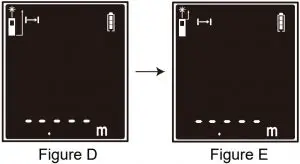
Default measuring reference is the bottom of meter, indication as shown as figure D. Long-time press  to change the measuring reference to the top of meter, indication as shown as figure E.
Unit Conversion
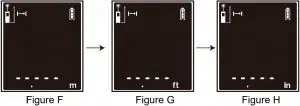
Factory default that unit is m, indication as shown as figure F. Long-time press  to switch unit m to Ft, indication as shown as figure G. Long-time press again to switch the unit Ft to In, indication as shown as figure H. (Note: Long-time press to switch the unit of measurement, the value will switch correspondent at the same time if there is value of measurement.)
When the unit is m², Long-time press , the unit will switch unit m² to Ft². long-press again, switch unit “Ft²” to “in²”
When the unit is m³, Long-time press , the unit will switch unit m³ to Ft³. long-press again, switch unit “Ft³” to “in³”.
Later when you switch on meter, the meter will remember the last measuring unit you used.
Change Measurement Mode
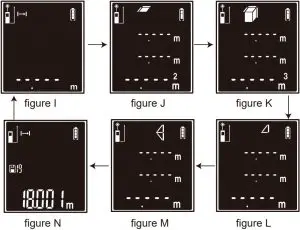
Default setting of measurement is Single Measurement Mode, indication as shown as figure I. Short-time press  to switch Area Measurement Mode, indication as shown as figure J. Short-time press again to switch Volume Measurement Mode, indication as shown as figure K. Short-time press again to switch Single Pythagorean Theorem Measurement Mode, indication as shown as figure L. Short-time press again to switch Dual Pythagorean Theorem Measurement Mode, indication as shown as figure M. Short-time press again to switch Historical Data Review Mode, the last measuring data will be displayed, indication as shown as figure N. (Note: At this Historical Data Review Mode, there will be some measuring data that factory tested. It does not mean this equipment has been used.)
Switch off
The equipment can be switched off at any time by long-time press .
Function description
Single measurement
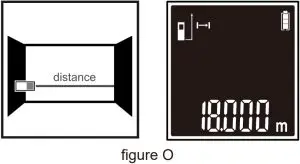
At the Single Measurement Mode, aim the laser onto target. Short-time press . The measuring result will be displayed immediately as shown as figure O.
Continuous measurement
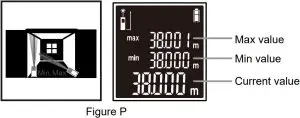
At the Single Measurement Mode only, aim the laser onto target. long-time press to enter the continuous measurement, the Max measuring value, Mix measuring value and Current measuring value will be displayed at screen. Indication as shown as figure P.
Area Measurement
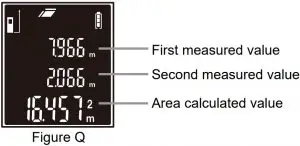
At the Area Measurement Mode, aim the laser onto target. Short-time press to measure the two side lengths of the target respectively, area calculated value will be displayed as shown as figure Q.
Volume Measurement
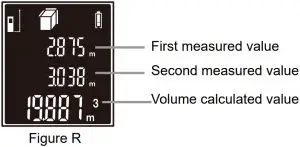
At the Volume Measurement Mode, aim the laser onto target. Short-time press to measure three lengths of the dimensional target orderly.The volume calculated value will be displayed immediately as shown as figure R. (Note: the length value of third side do not display at screen, because the screen can display three lines only.)
Single Pythagorean Theorem Measurement
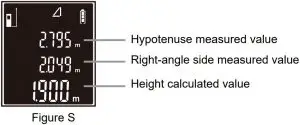
At Single Pythagorean Theorem Measurement Mode, aim the laser onto target. Short-time press to measure the length of the hypotenuse and right-angle side of a right triangle. The height calculated value of the right triangle will be displayed immediately on the screen as shown as figure S.
Dual Pythagorean Theorem Measurement
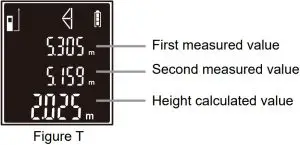
At Dual Pythagorean Theorem Measurement Mode, aim the laser onto target. Short-time press to measure the length of the hypotenuse, right-angle side and other hypotenuse of a triangle orderly. The total height calculated value will be displayed immediately on the screen as shown as figure T. (Note: the length value of other hypotenuse do not display at screen, because the screen can display three lines only.)
Historical Data Review and Delete
At Historical Data Review Mode, up-date data is last measurement, Short-time press to view the measurement forward, Short-time press to view the measurement backward, Short-time press to delete the measurement one by one. Historical Data range: 0-19.
Plus and Minus Functions
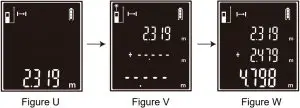
At the Single Measurement Mode, aim the laser onto target. Short-time press to get a measurement, indication as shown as figure U, Then Short-time press , indication as shown as figure V, Then short-time press to get another measurement, The summation will be displayed immediately, indication as shown as figure W. It is plus function, minus function is same as plus function.
At Area Measurement Mode and Volume Measurement Mode, plus function and minus function is available.
Battery Power Indication
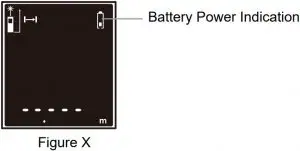
When the battery power indication as shown as figure X, It means the battery should be changed.
Silence Function
At any state, long-time press to switch on or switch off the Buzzer.
Error Code
Code | Possible cause | Remedy |
Err 10 | Battery too low | Change batteries |
Err 15 | Out of measuring range | Measure target within the range |
Err 16 | Received signal too weak | Measuring high reflectance target or use high reflectance reflector |
Err 18 | Received signal too strong | Measuring low reflectance target or use low reflectance reflector |
Err 26 | Value is too big to display at screen | Reduce measuring range |
Warranty Card
We guarantee ONE years warranty for laser distance meter.
Warranty begins from purchase date and it is subject to the following conditions:
- Within warranty,we shall deal with complaints based on faulty equipment by repair,replacement of defective parts or replace an identical flawless product at our discretion.
- Declarations:
Following conditions are NOT included in warranty:- Open the equipment by tools without specifically permission
- The use of the equipment outside the state limits or improper handing
- The use of non original accessories
- Serviced by unauthorized persons or workshops
- Obliterated Serial Number of equipment
- Warranty card must be provided and please present your invoice when desired.
- Repairing and replacing equipment must comply with ‘ Conditional Of Warranty ’ of manufacture.
Model No. :__________________________________
Date of Purchase:_____________________________
Signature:___________________________________