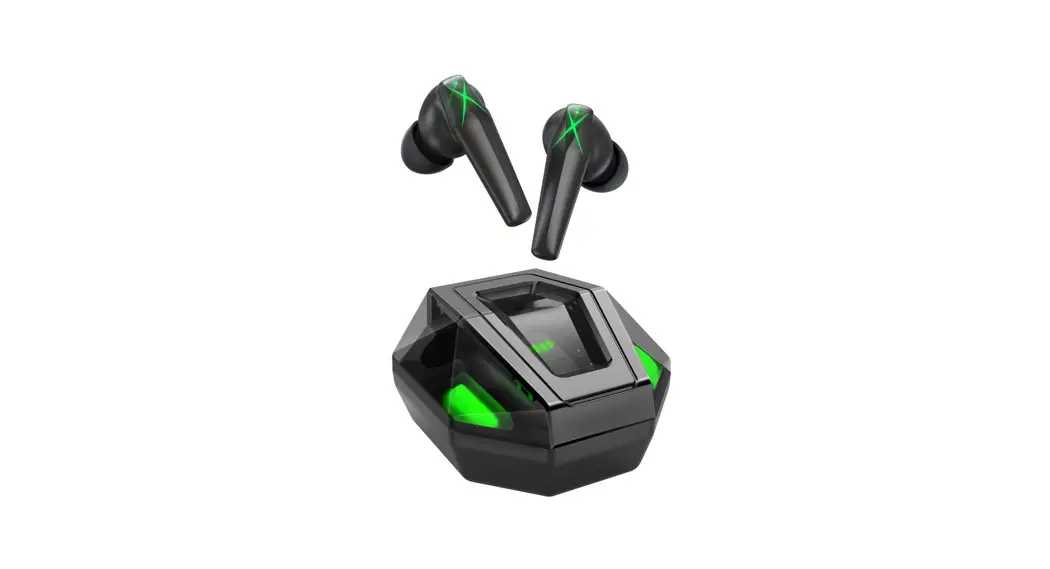
SONICAKE Amphonix New Generation Bluetooth Headphone Guitar Amplifier User Manual
OVERVIEW
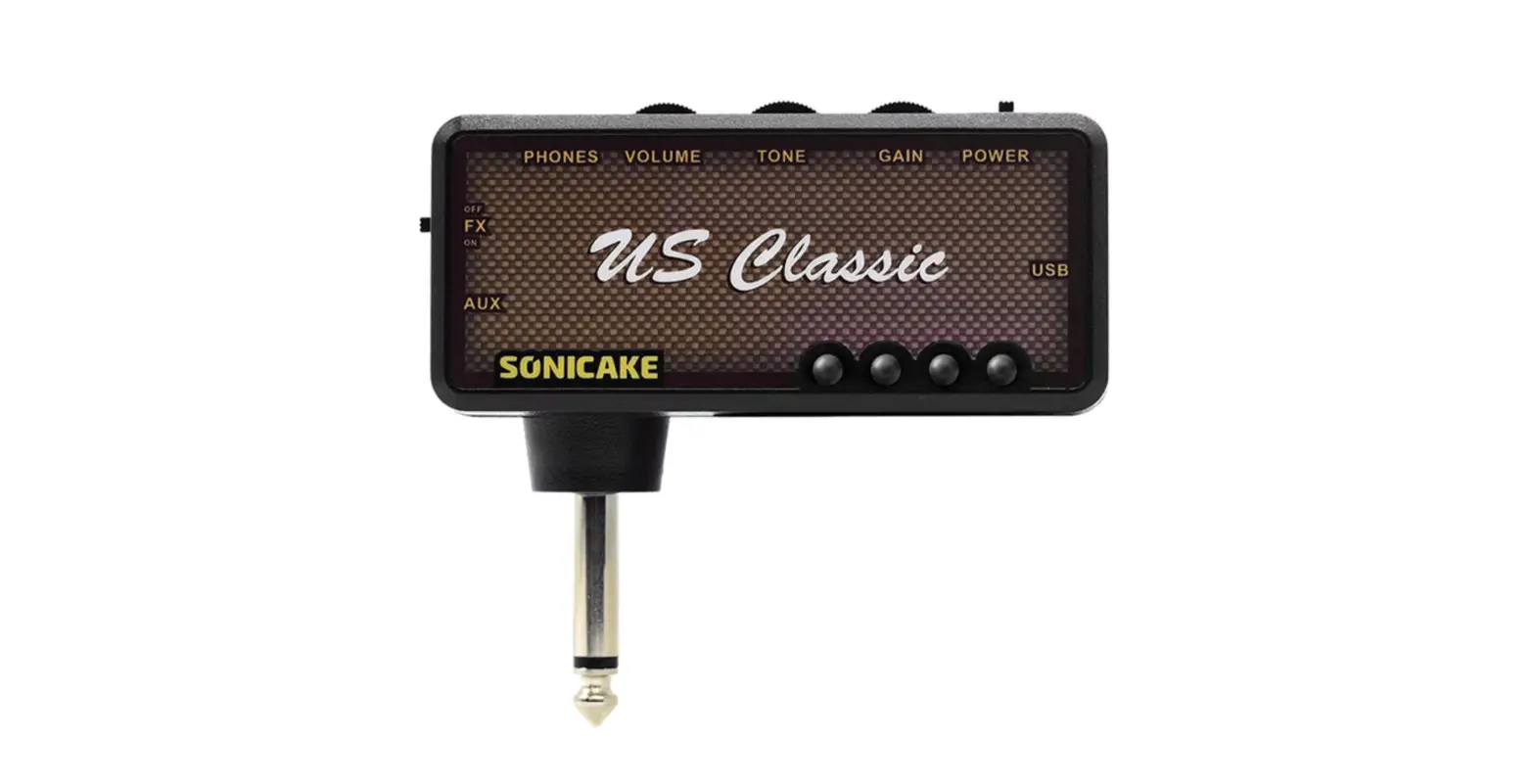
Amphonix is Sonicake new generation Bluetooth headphone guitar amplifier. Built with 6 amp models, inside you’ll find all the heat of the world’s most famous amplifiers, each with a full range of tone adjustment You get everything you need for clean natural tone, toasty overdrive, and even heavy metal, ALL IN ONE!
Not only that, but these amps can be combined with 18 effects. Switchable modulation, delay and reverb effect modules to give your performance that A-list tone. A special designed lithium battery is for powering the amp and bringing you over five hours of continuous use charged by USB. An aux in jack bestows upon you the right to jam on your favorite tracks, or simply do it via Bluetooth without the shackles of cables.
Notice:
- Please turn this unit wham knob all the way down, then turn power on.
- To reduce the risk of hearing damage, do not use headphones at high volume for an extended period of time.
FEATURES
- Contains 6 different types of amp models based on world-class amplifiers
- Four-dial hi-clef tone shaping control
- MOD, DLY and RVB modules can be used simultaneously, each with 6 effects
- Bluetooth audio and aux input for jamming along with your favorite tracks
- Playing anytime, anywhere for up to 5 hours
- Onboard USB charger
SPECIFICATIONS
- Power: 3.7V Lithium battery, up to 5 hours battery life
- Dimensions: 96mrn(D) x 43.2mm(W) X 33.5mm(H)
- Weight: 63g
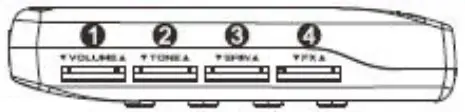
- VOLUME: Controls the amp output volume.
- TONE: Controls the amp lone.
- GAIN: Controls the gain amount.
- FX: Controls effect volume, speed, depth, etc. of MOD, DLY, RVB modules. Which module is currently controlled by FX, the button light of that module will flash.

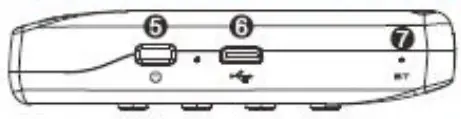
- Power: Hold for switching the device ON/OFF, the red LED will indicate current battery status
- USB Type-C: Connects to you charger with a USB cable.
- BT Indicator: Indicates the Bluetooth audio status, blinking means searching for devices, and the connection success indicator is always on. Bluetooth is automatically turned on when the device is turned on Hold the DLY and RVB buttons to turn off Bluetooth.

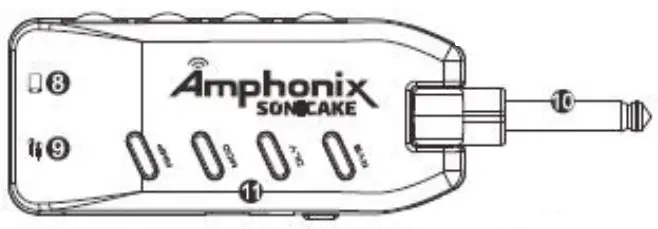
Battery Level Normal Low(15%) Lower(5%) Charging Full Charge LED status Off On Flashes Flashes Off - Aux In: 118″ stereo input audio jack for connecting an external audio player.

- Peones: 1/8″ stereo output audio jack for connecting headphones
- Input: 1/4″ jack plugs into your guitar
- Module Buttons: Press to toggle the effect of the module, hold to turn off the module (AMP modules can not be turned off). The button light’s color indicates the current erect.
DLY MODULE
COLOR | NAME | DESCRIPTION |
| Green | Warm Echo | Produces a warm, vintage analog-voicing delay effect |
| Blue | Pure Echo | Produces a pure, accurate delay effect |
| Red | Tape Echo | Simulates the echo tone from a tape machine |
| Cyan | Mod Echo | Produces a pure delay with a chorus effect |
| Yellow | Dark Echo | Produces a smooth, mellow delay effect |
| Pink | Slapback | Simulates the classic slapback echo tone |
AMP MODULE
| COLOR | NAME | BASED ON |
| Green | Cica- 1 | Frinder® Bassmant® |
| Blue | Clean 2 | Legendary Jazz Amp* |
| Red | Overdrive 1 | Orongol® Rockorvorb 50* |
| Cyan | Overdrive 2 | MarshaII® JCM 800™® |
| Yellow | Distortion 1 | MasaBoogie OuaI Rectifierlar |
| Pink | Distortion 1 | ENGL® Powerball II* |
MOD MODULE
COLOR | NAME | DESCRIPTION |
| Green | Chorus | Produces a vritage ohorus sound |
| Blue | Rotary | Produces a relary Speaker sound |
| Rod | tremolo | Produces a classic optical tremolo sound |
| Cyan | Vibrato | Produces a natural, warm vibrate sound |
| Yellow | Flanger | Produces a classic flanger tone |
| Puck | Phaser | Produces a bright, sharp phasing tone |
‘The manufacturers and product names mentioned above are trademarks or registered trademarks of their respective owners. The trademarks were used merely to identify the sound character of the products.
RVB MODULE
COLOR | NAME | DESCRIPTION |
| Green | Studio | Simulates the acoustics of a studio |
| Blue | Room | Simulates the acoustics of a room |
| Red | Hall B | Simulates the acoustics of a hall with brighter decay |
| Cyan | Hal D | Simulates the acoustics of a hall with darker decay |
| Yellow | Church | S.muates the acoustics of a church |
| Pink | Plate | Simulates a plate reverberator |
FCC Warning
This transmitter must not be co-located or operating in conjunction with any other antenna or transmitter. Any Changes or modifications not expressly approved by the party responsible for compliance could void the user’s authority to operate the equipment.
This device complies with part 15 of the FCC Rules. Operation is subject to the following two conditions:
- This device may not cause harmful interference, and
- this device must accept any interference received, including interference that may cause undesired operation.
Note: This equipment has been tested and found to comply with the limits for a Class B digital device, pursuant to part 15 of the FCC Rules. These limits are designed to provide reasonable protection against harmful interference in a residential installation. This equipment generates, uses and can radiate radio frequency energy and, if not installed and used in accordance with the instructions, may cause harmful interference to radio communications. However, there is no guarantee that interference will not occur in a particular installation. If this equipment does cause harmful interference to radio or television reception, which can be determined by turning the equipment off and on, the user is encouraged to try to correct the interference by one or more of the following measures:
- Reorient or relocate the receiving antenna.
- Increase the separation between the equipment and receiver.
- Connect the equipment into an outlet on a circuit different from that to which the receiver is connected.
- Consult the dealer or an experienced radio/TV technician for help.
RF Exposure Statement:
This equipment complies with FCC radiation exposure limits set forth for an uncontrolled environment.
FCC ID: 2A7J4-QAP-10