
iled CUIL.SC17 LED Wireless Dimmer
Before installing and using this product, please read this manual carefully to ensure that you fully understand this specification to avoid unnecessary damage and extra costs.
Product introduction
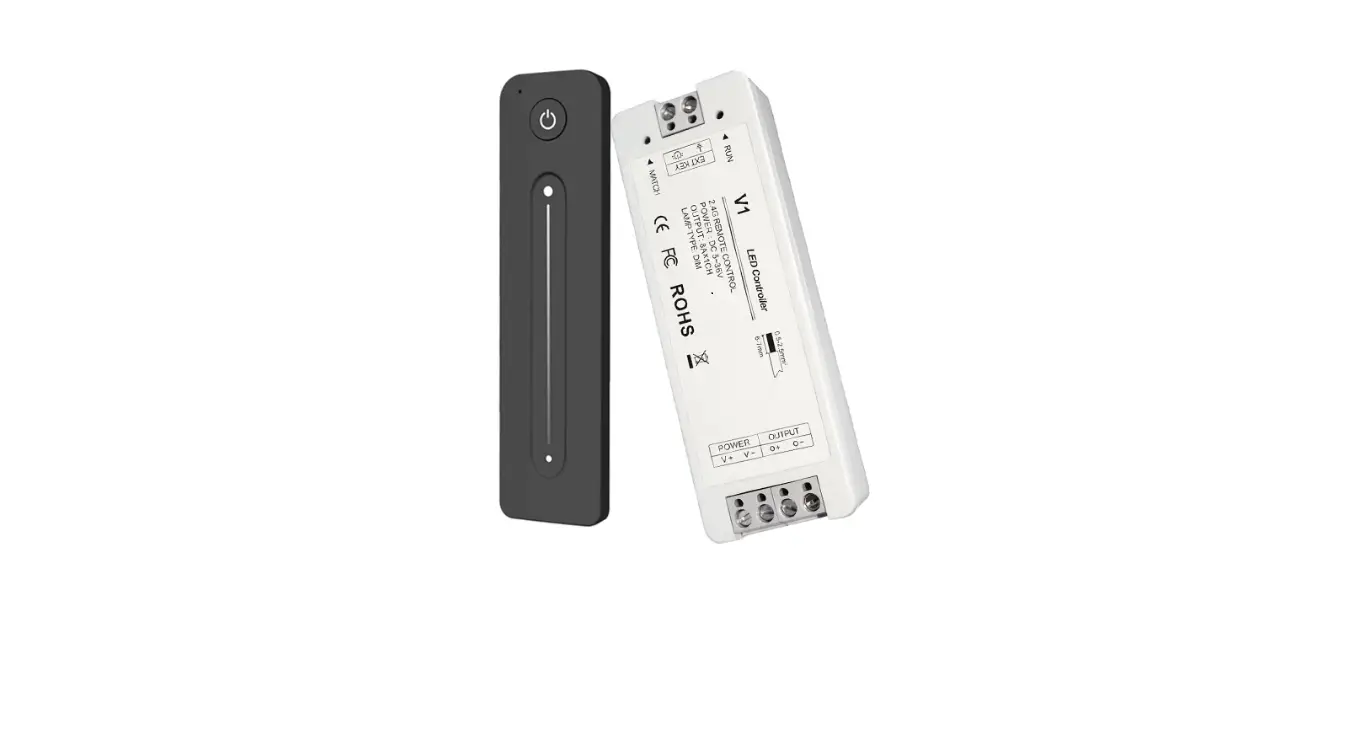
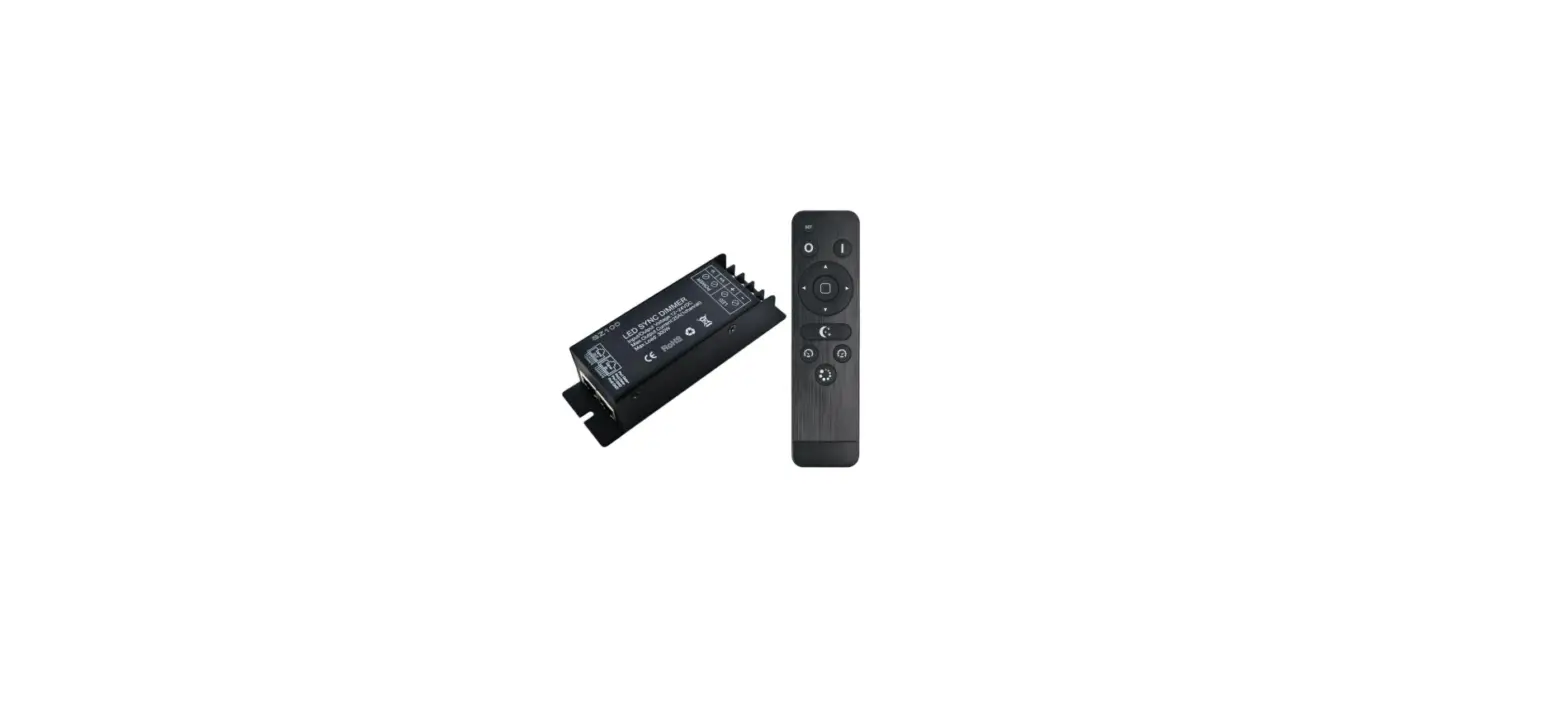
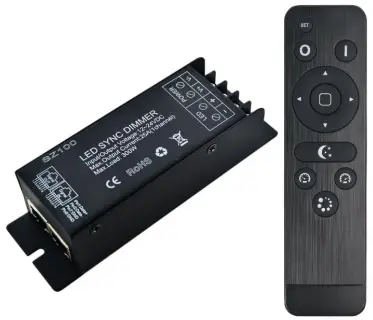
LED wireless dimming controller adopts advanced PWM control technology to control various monochromatic constant voltage LED lamps that can be dimmed, such as: monochromatic LED strips, LED modules, LED light strings, etc.; through RF wireless remote control The controller can realize brightness adjustment and dynamic mode selection; this controller can be connected to each other through the RJ45 type network cable to realize the synchronous change of more LED lights, and theoretically it can be connected to countless units.
Features
- This product is a constant voltage dimmer, and the standard product power supply voltage is 12-24V;
- The output is three circuits, the maximum current of each circuit is 25A, and the load capacity of the lamp belt is: 12V30 lamp/m*40m, 12V60 lamp/m*20m;
- Using RF wireless remote control, long distance, penetrating, easy to use;
- With power-off memory storage function, each power-on retains the mode state at the last power-off;
- The brightness of static color mode is adjustable, the gray level is 256 levels, the speed of dynamic mode is adjustable, and the speed file is 100 levels;
- When adjusting the brightness and speed, you can directly press and hold the button for quick burst adjustment;
- Each controller is equipped with RJ45 synchronous network port, which can realize synchronous changes between controllers, and the network cable distance between each two is within 100 meters;
technical parameter
Controller technical parameters:
| Operating temperature | -20-60℃ | Supply voltage | DC12~24V |
| Static power | <1W | Connection method | Common Yang |
| Grayscale | 256 levels (can be fired) | Speed gear | Level 100 (Can burst) |
| Net weight | 180g | Gross weight | 200g |
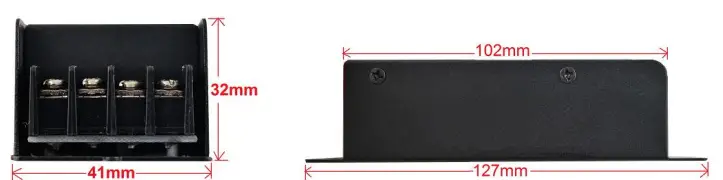
| Dimensions | L127*W41*H32 mm | Package dimensions | L150*W65*H40mm |
| Output | Single loop | Output current | ≤25A |
| RF remote control distance | Power-off memory function | Have | |
| PWM frequency | 1.95KHz | Output Power | 12V≤300W, 24V≤600W |
| Operating temperature | -20-60℃ | Supply voltage | 3V (AAA*2) |
| Sleep current | 18uA | Emission current | 25mA |
| Sleep power consumption | Transmit power consumption | 75mW | |
| Net weight | 65g | Dimensions | L150*W40*H20mm |
| Remote control distance | ≤20m | Transmit frequency | 433.92Mhz |
Dimensions
Interface Description
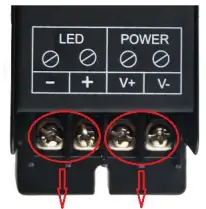
- Power and Load Interfaces:

- RJ45 synchronous network port:

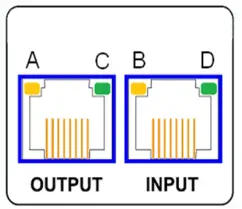
| Always bright | Flicker | Extinguish | |
| The program is normal (without remote control) | Wireless signal received | No program or program error | |
| Controller power supply is normal | \ | Abnormal power supply | |
| Sync signal output is normal | |||
| Sync signal output is normal | Abnormal signal: There is a problem with the network cable or the crystal head is loose | ||
Instructions for use
Connect the load line first, then the power line; make sure that there is no short circuit between the connecting lines before powering on; Using RF wireless button remote control, there are 14 buttons in total, and the functions of each button are as follows: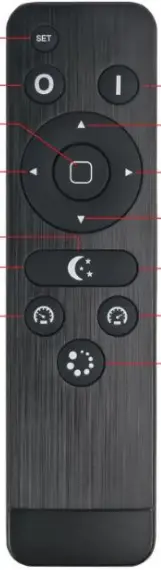
| key name | Illustrate | |
| Set key | It is used to set the code of the night light and the remote control; in the state of the night light, press and hold for 10 seconds to enter the brightness setting state of the night light, and then press the SET button to save and exit after setting. | |
| Brightness plus key | ||
| Brightness minus key | For brightness adjustment, the brightness level is reduced by 1 every time you press it, and you can press and hold the burst for quick adjustment. | |
| Brightness plus shortcut | ||
| Brightness Minus Shortcut | 10%, 30%, 70%, 100% four-level brightness quick selection | |
|
Night light key | Press this key to enter the night light state (night light brightness setting: in the night light state, long press the SET button for 10S to enter the night light brightness setting, the left button can decrease the night light brightness, the right button can increase the night light brightness, the night light brightness can be adjusted The range is: 1%-10%) | |
| Speed minus key | In dynamic mode, slow down the mode change speed; long press to fire continuously to adjust quickly |
| Delay key | Press the key and the output will automatically turn off after 30 seconds |
Code clearing operation mode
The receiver factory default is universal and can be controlled by all remote controllers, but each remote controller carries a unique code value. If you need unique control, you only need to use the remote controller to perform a code-matching operation on the controller before use; It needs to be restored to general use, and only need to clear the code.
Pairing operation instructions:
- Step 1: First connect the light to the controller, press and hold the “SET button” of the remote control before the controller is powered on;
- Step 2: Then power on the controller. At this time, the load outputs 50% brightness, indicating that it has entered the code matching state;
- Step 3: Press the middle “mode button” three times continuously, at this time the load output is 25% brightness, 10% brightness and return to the light state before the last power failure and flashes three times, indicating that the code has been completed;
- If the code matching is unsuccessful, please repeat the above steps (each step must be completed within 3 seconds after the completion of the previous step).
Note: After the pairing is completed, the receiver is only controlled by the current remote control.
Instructions for clearing code:
- Step 1: First connect the light to the controller, press and hold the “SET button” of the remote control before the controller is powered on;
- Step 2: Then power on the controller. At this time, the load outputs 50% brightness, indicating that it has entered the clear code state;
- Step 3: Press the “Delay button” three times continuously, at this time, the load output is 25% brightness, 10% brightness, and returns to the light state before the last power failure and flashes three times, indicating that the code clearing has been completed;
- If the code clearing is unsuccessful, please repeat the above steps (each step must be completed within 3 seconds after the completion of the previous step).
Note: Any remote control of the same model can clear the code of the receiver. After clearing the code, the receiver can be controlled by the remote control of any code value.
Typical application
Application circuit 1: (stand-alone use)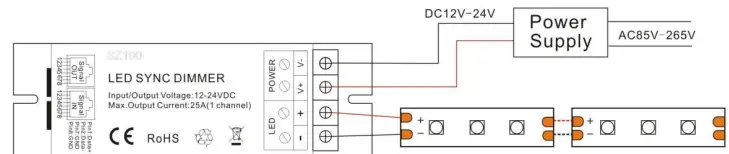
Application circuit 2: (RJ45 online synchronization)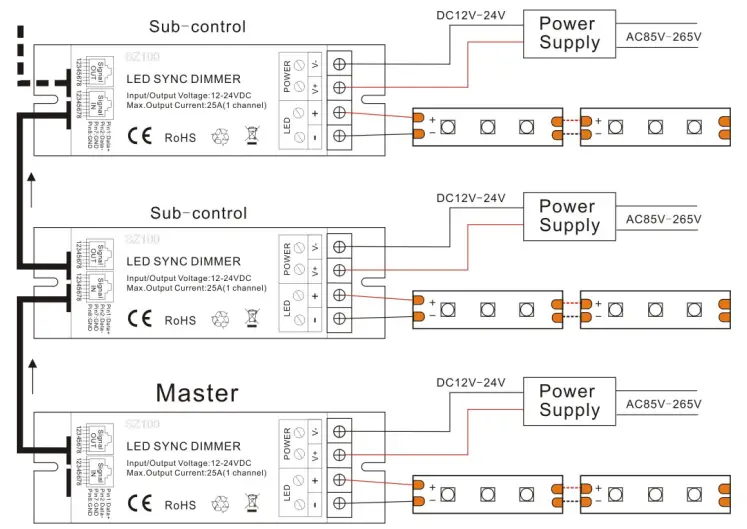
Precautions
- The power supply voltage of this standard product is DC12V~24V, and shall not be connected to other voltages. The input voltage of the power supply must be consistent with the voltage of the LED lamps;
- Make sure the wiring is correct before power-on, avoid reverse connection of positive and negative power input and output short circuit, and prevent the controller components from being burned out;
- When connecting the synchronous network cable, make sure that the wiring is correct;
- This product cannot be overloaded, and the power supply power should be greater than the load power;
- One receiver is connected to one power supply. It is not recommended that one power supply with several receivers, which may cause strobe;
- Avoid live operation to prevent the receiver from being burned out by the impact;
- The warranty period of this product is 2 years, excluding man-made damage, damage during transportation after purchase, and damage caused by natural forces and other external factors.