
Pyle PSR16BT Wireless Bluetooth Shower Speaker
Features
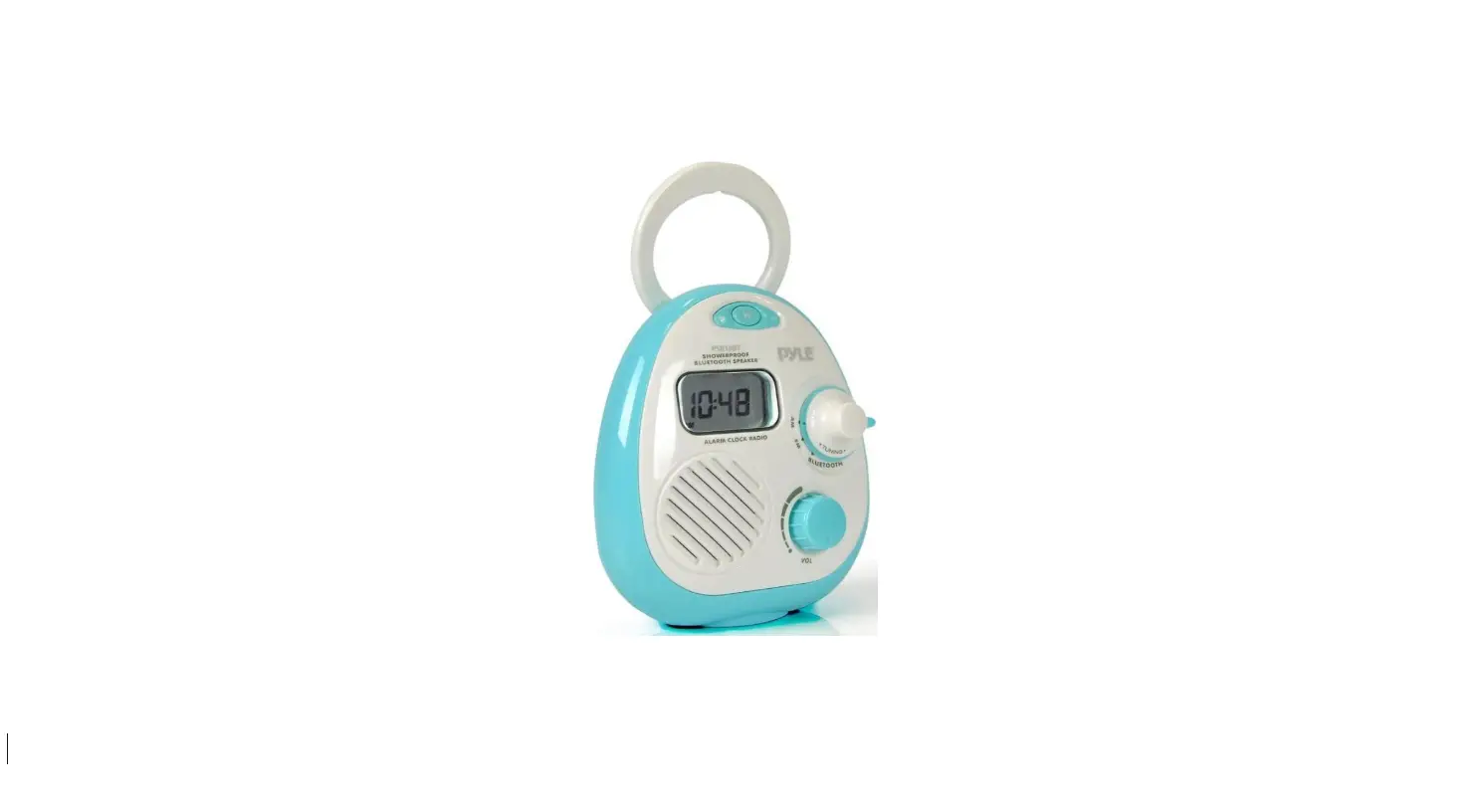
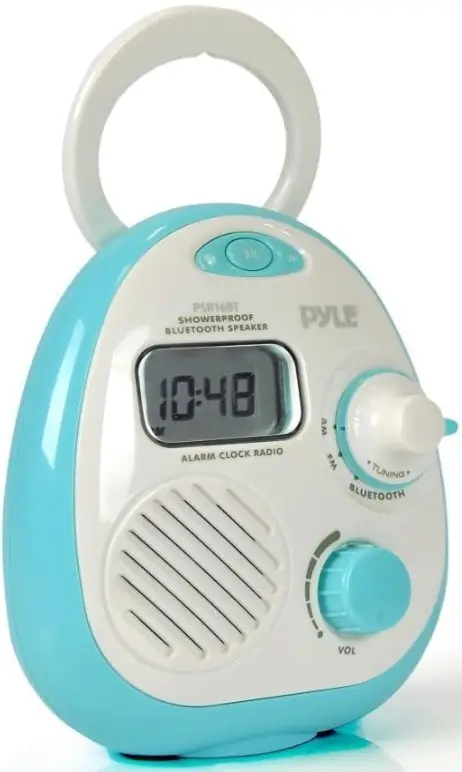
- This Bluetooth speaker radio is designed for people to listen to the radio and their favorite music anywhere in the bathroom, kitchen, swimming pool, or anywhere wet.
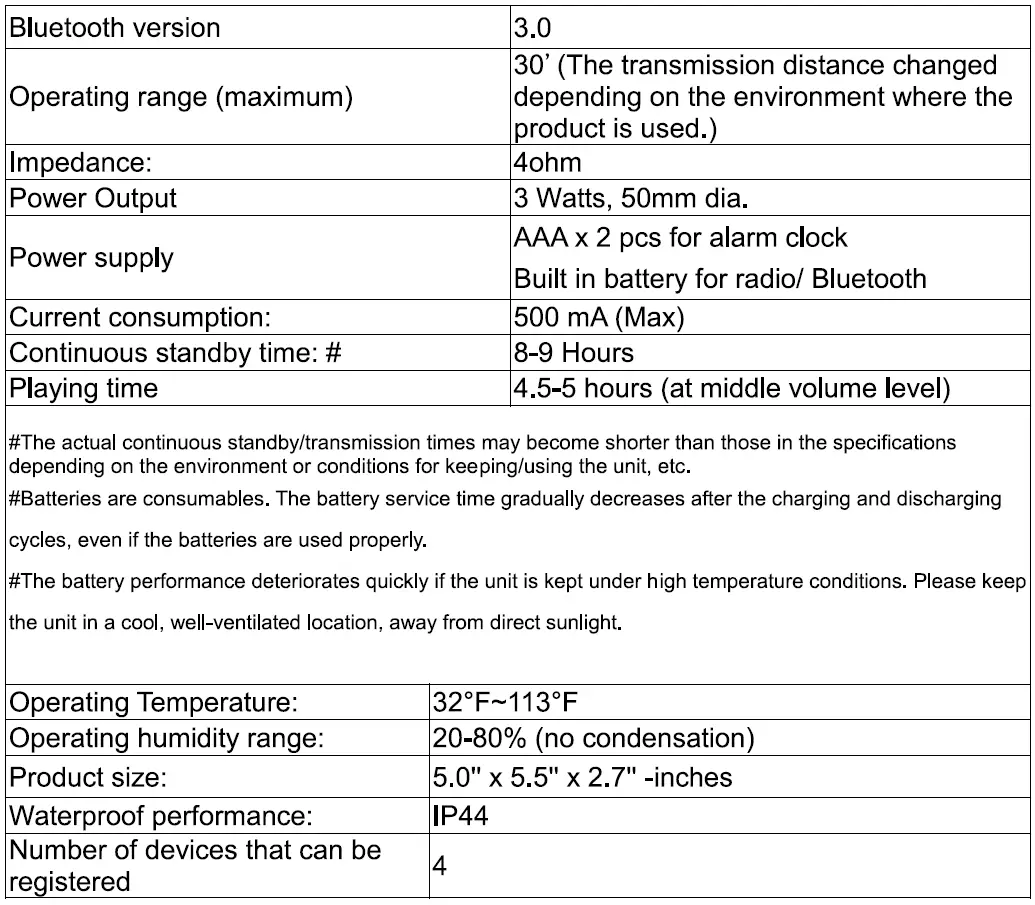
- International Protection rating of IP44 (Sand-proof and Splash-proof
- AM/ FM digital out read out, frequency is shown on the display.
- Alarm Clock
- Bluetooth wireless distance up to 30 ft.
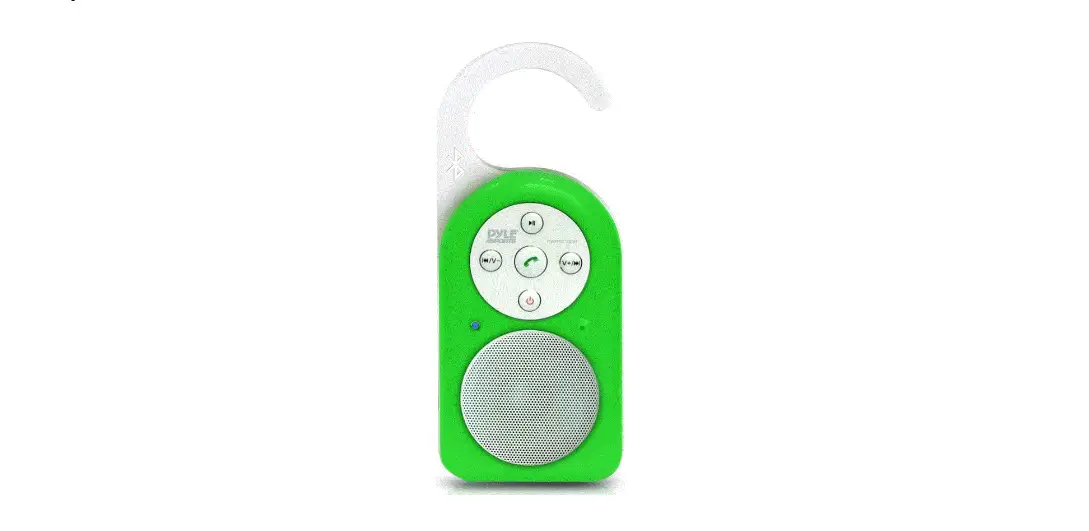
- Designed with a hanger and stand.
Specifications
Splash-Proof Bluetooth Speaker/Radio
FRONT
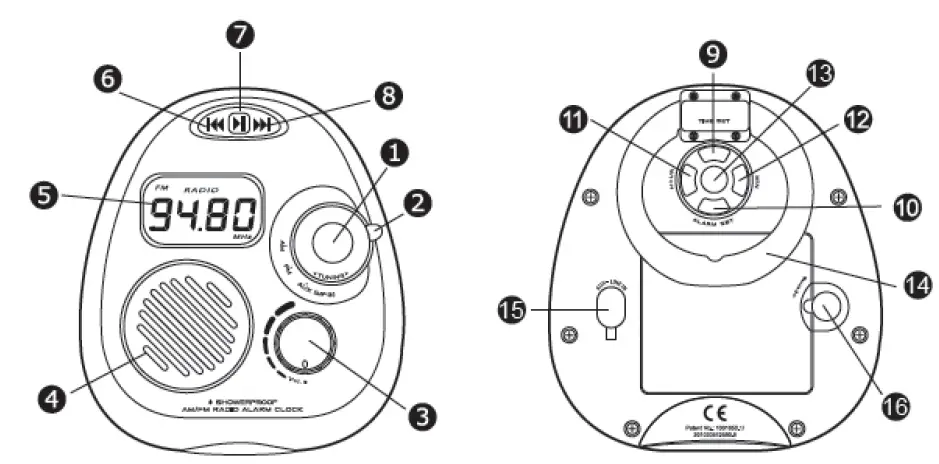
- Frequency Turning
- AM/FM/Bluetooth mode switch
- ON/OFF/Volume knob
- Showerproof Speaker
- Display
- Playback from the previous track
- Play/ Pause
- Play the next track
BACK - Time set
- Alarm set
- Hour
- Minute
- The alarm on/off
- Stand/Handle
- AUX line-in
- Battery door lock
Functions and Parts
- Frequency Turning
- AM/FM/Bluetooth mode switch
- ON/OFFVolume knob
- Showerproof Speaker
- Display
- Playback from the previous track
- Play/Pause
- Play next track
- Time set
- Alarm set
- Hour
- Minute
- The alarm on/off
- Stand/Handle
- AUX line-in
- Battery door lock
Alarm Clock Mode
- Install 2 pieces of AAA battery for the clock display.
- Please follow the polarity indicated inside the battery compartment.
- Hold (Time set) simultaneously press (Hour) to adjust the hour.
- Hold (Time set) simultaneously press (Minutes) to adjust the minute.
- Hold (Alarm set) simultaneously press (Hour) to adjust the hour.
- Hold (Alarm set) simultaneously press (Minutes) to adjust the minute.
- Press (Alarm On/Off) to turn the alarm on or off/stop
- When the alarm function is turned on, the
 icon will be displayed.
 icon will be displayed.
Charging the Built-in Battery for Radio/Bluetooth
- When the battery is in low consumption, a beeping alarm will sound, with the
- LED lamp blinking red. After a while, the product will turn off
- Charging the battery by using the provided USB charging cable.
- The LED lamp is lit red while the battery is charged.
- The LED lamp is turned blue when the battery is fully charged.
- It takes around 1 hour to fully charge the battery
Radio Mode
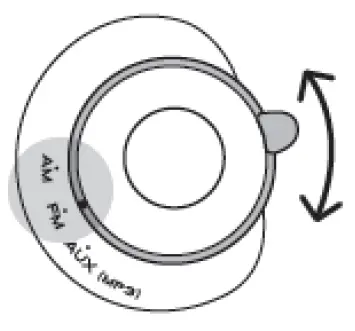
- Select the AM/FM mode by switching the knob

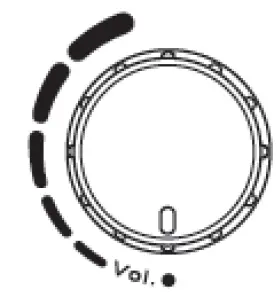
- Turn on the volume along clockwise. Do not turn the volume knob 360°.

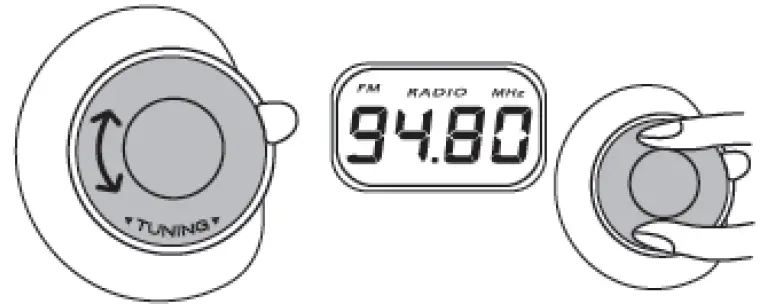
- Adjust the turner to the ideal frequency, while the frequency is shown on display.

Bluetooth Mode
- Turn the mode knob to Bluetooth
- For the first time to pair, search the product model AM/FM Bluetooth Clock on your smartphone.
- When your smartphone searches the product model and chooses to connect, your device will show if it is successfully connected or not.
- If it is successfully connected, you can play music through the product.
Note
Terminate any connection between the product and any device before starting the paring procedure. The pairing procedure cannot be started while a Bluetooth connection is established between the product and a registered device. Terminate the connection and turn off the product.
Up to four Bluetooth devices can be registered
When 5 or more devices are registered, the previously registered devices will be
deleted starting from the oldest, to register new ones. A device that is registered
twice or more is identified as one device.
Using Aux Line in
- No matter on AM/ FM/ Bluetooth mode, once the line in cable is connected to the plug, the speaker sound source will be linked from line in.
- When the unit is connected to an audio device via an audio cable, please do not use the unit in a wet or damp environment, because the watertight cap cannot be closed to ensure waterproof performance.
Caution
- Please take full precautions when setting the ringtone volume,
When this product is paired with a mobile phone, a loud beep may give you a shock, which in turn may result in an accident. Gradually increase the volume from the minimum to set it appropriately. - Do not damage cables that are connected to this product.
Fire and disconnection will result. - Never leave this product in a car.
Leaving this product in a hot car cabin for many hours will result in rupture of the built-in battery, sparking, and other troubles, posing a significant danger. - Do not leave this product under high-temperature conditions.
Avoid using/ keeping this product in a location that is subject to high temperature, high humidity or direct sunlight for many hours. When subject to significant temperature changes in the environment, this product may malfunction due to condensation inside the product, - Do not touch the metal parts of this product such as the power supply connectors and the charging cable’s connector terminals.
Static electricity or fouling may cause a malfunction or electric shock. - Do not disassemble this product.
Do not repair, modify or disassemble this product on your own, unless operational instructions to the contrary are given in this user’s manual, Electric shock, fire, or burns may result. - Make sure to close the watertight cap when using this product in a wet or damp environment.
- Make sure to remove any dust, hair, etc., that is present between the watertight cap and the battery door.
- Follow the user’s manual instructions of devices (ex. iPhones and mobile phones) to be connected to this product.
This product can be wirelessly connected to iPhones, mobile phones, etc. The setting procedures and precautions are different depending on the devices to be connected to this product. - Do not use/keep this product in a wet or damp environment for a long time if you do not use it.
Any liquid entering this product may result in trouble, fire, or electric shock. - Do not keep this product within reach of small children.
Unexpected accidents (ex. accidental ingestion) may result.
FAQs
While using the radio function, the time is not shown. I had trouble utilizing Bluetooth since the speaker began to crackle as I was using it and then stopped. I tried turning it off and on again, and for a while, everything worked as it should. The device wouldn’t operate when I tried to switch it to the radio. I wouldn’t suggest utilizing this as a Bluetooth option because after letting it sit for a day, I could once again use the radio. But it’s a terrific small radio.
If you have it on the radio, the station is displayed. It displays the time whether Bluetooth is on or off. For the display, it takes one AA battery. The music is powered by an internal battery in the device. Every morning, we listen to the radio for about an hour. recharge is necessary around once every week. It’s been three months and the AA battery still hasn’t been changed. This radio works well. It’s not excessively loud, but it’s adequate for the shower.
I don’t remember, but after only a few days of use, this radio quit working; I wouldn’t recommend it.
The radio isn’t great, but I don’t use the alarm. Despite being digital, it won’t set on a certain channel. Since it’s a rotary dial, it’s challenging to shop at a specific station; if you want 820, you can only acquire it at 828. AM radio has terrible audio quality. I will need to swap out the radio for a better one.
It plays for a number of hours on a full charge when playing FM radio at a loudness of roughly 40%. Though I haven’t timed it, I don’t think it lasts longer than 10 hours.
There isn’t. I haven’t yet given this radio a review on Amazon, but I am actually not thrilled with it because it has to be charged AND batteries.
Please remove the cover from the battery compartment first. The charging port is located on the bottom portion. The item can be charged using the phone charger.
The Bluetooth® speaker’s internal battery needs three (3) hours to fully recharge from a dead battery.
It will take roughly five hours when using the included USB cable and a typical USB port (like one on a laptop). It takes 30 minutes to fully recharge your Ultimate Ears, Speaker. With the majority of USB chargers, Wonderboom may also be charged, albeit charging periods will vary depending on the power of the USB charger you use.
To remove the Bluetooth Shower Head’s speaker, pull it out. On the speaker’s rear is where the charger is situated. Charge using a computer or an AC adaptor with a USB jack and the USB to Micro USB connection that is included (not included). NOTE: Please give your device about 3 hours to fully charge.
The speaker may need to be unpaired, then repaired with your device. 1. Before starting the pairing process, make sure the Bluetooth Speaker is ON. 2.
The speaker has a rechargeable battery integrated into it. To charge, plug the included USB cord into a computer or a DC 5V power converter. The LED indicator light on the speaker will become red as it charges. The red LED on the speaker will stop glowing when it is fully charged (the charging time is approximately 3 hours).
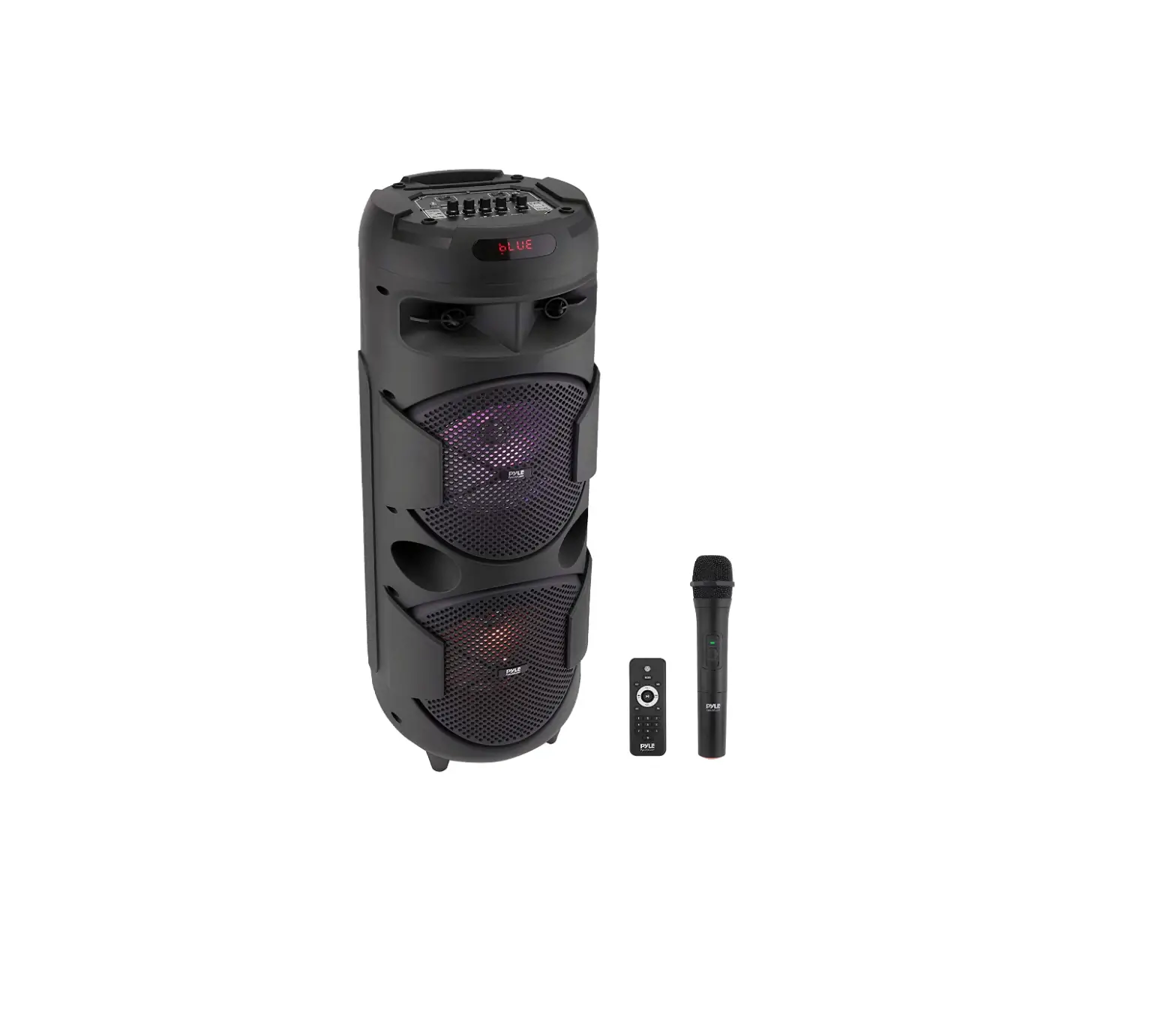
1. ON/OFF: turn the power on, press “MODE” to enter Bluetooth mode, and “BLUE” will appear on the display screen. 2. Activate the Bluetooth feature on the mobile device, search, and connect to the mobile device when “PyleUSA” appears.
How Should My Pyleusa Speaker Be Connected? with NFC Enable the NFC feature if your device is NFC compatible. To link the speaker with your Android device, touch the NFC region on your Android device F2. The speaker and the speaker have paired automatically when an Android device is inserted into the speaker.
One end of the USB charging cable that is included should be connected to the speaker’s charging port. Then, to recharge the internal rechargeable battery of your speaker, insert the other end of the USB Charging Cable into a suitable USB port on your computer.