MONTEST-HD4K-PTBLC Mini 4K 60Hz HDMI Video Test Pattern Generator Analyzer Emulator
Product Information
Product Name: MONTEST-HD4K-PTBLC Mini 4K 60Hz
HDMI Video Test Pattern Generator/Analyzer/Emulator
Trademark: The NTI logo is a registered
trademark of Network Technologies Inc in the U.S. and other
countries. All other brand names and trademarks or registered
trademarks are the property of their respective owners.
Introduction: The MONTEST-HD4K-PTBLC Mini 4K
Ultra-HD Video Test Pattern Generator/Analyzer/Emulator is designed
to generate video test patterns for evaluating and testing HDMI
displays and components up to 4Kx2K @60Hz (4:4:4). It supports HDMI
signal status (TMDS/5V) and HDCP analysis, as well as EDID
emulation.
Features:
- 4:4:4; 1920x1080p @60Hz
- HDCP v1.4 and v2.2 analysis
- 4-pin DIP switch for setting video resolution and HDCP
version - LED indicators provide TMDS/5V signal and HDCP status
information - Portable, compact design
- Ideal for many applications, including: installer/integrator
diagnostic test tool; HDMI source and sink testing; third-party
equipment setup; HDCP compliance verification; production testing;
R&D design and testing; and remote desktop access to a headless
computer
Materials Included:
- None
Materials NOT supplied but available:
- HDMI-FF — HDMI Gender Changer, Female-to-Female
- HD4K-5-MF — 4K 18Gbps HDMI Extension Cable
Cables can be purchased from Network Technologies Inc by calling
(800) 742-8324 (800-RGB-TECH) in the US and Canada or (330)
562-7070 (worldwide).
Specifications:
- Video/Audio:
- Male HDMI connectors for input and output
- HDMI 2.0 (up to 4K@60Hz 4:4:4) compliant
- HDCP 1.4 and 2.2 compliant
- Resolutions supported: Signal generator mode: 3840×2160 @60Hz
4:4:4; 3840×2160 @60Hz 4:2:0; 3840×2160 @30Hz 4:4:4; 1920x1080p
@60Hz, and up to 1920×1200 @60Hz (WUXGA) - Video bandwidth: 600MHz (18 Gbps)
- Supports embedded digital audio
- Power:
- Signal generator mode: USB powered using micro USB port
(5V/1A) - 3.4-ft USB Type A to USB Micro-B male-to-male cable
included - Display emulation mode: Powered by HDMI source
- Signal generator mode: USB powered using micro USB port
- Environmental:
- Dimensions WxDxH (in): 2.95×0.87×0.75 (75x22x19 mm)
- Regulatory Approvals: CE, FCC, RoHS
- Warranty:
- The warranty period on this product (parts and labor) is two
(2) years from the date of purchase. - Please contact Network Technologies Inc at (800) 742-8324
(800-RGB-TECH) or (330) 562-7070 or visit their website for
information regarding repairs and/or returns. - A return authorization number is required for all
repairs/returns.
- The warranty period on this product (parts and labor) is two
Product Usage Instructions
1. Connect the MONTEST-HD4K-PTBLC to the HDMI source device
using a male HDMI connector.
2. Connect the MONTEST-HD4K-PTBLC to the HDMI display or
component using another male HDMI connector.
3. Set the desired video resolution and HDCP version using the
4-pin DIP switch on the MONTEST-HD4K-PTBLC. Refer to the table
below for switch settings:
| Switch Status (1 & 2) | Switch Status (3 & 4) | EDID | HDCP | Test Pattern |
|---|---|---|---|---|
| 00 | 00 | 4K@60Hz 4:4:4, 2CH PCM | HDCP 2.2 | Red Screen |
| 01 | 01 | 4K@60Hz 4:2:0, 2CH PCM | HDCP 1.4 | Green Screen |
| 10 | 10 | 4K@30Hz 4:4:4, 2CH PCM | HDCP OFF | Blue Screen |
| 11 | 11 | 1080p@60Hz/3D, 2CH PCM | HDCP OFF | White/Black Checkered |
4. Check the LED indicators on the MONTEST-HD4K-PTBLC to view
TMDS/5V signal and HDCP status information.
5. In signal generator mode, the MONTEST-HD4K-PTBLC is USB
powered using the micro USB port. Connect the included USB Type A
to USB Micro-B male-to-male cable to provide power.
6. In display emulation mode, the MONTEST-HD4K-PTBLC is powered
by the HDMI source device.
7. Enjoy using the MONTEST-HD4K-PTBLC for various applications,
including installer/integrator diagnostic test tool, HDMI source
and sink testing, third-party equipment setup, HDCP compliance
verification, production testing, R&D design and testing, and
remote desktop access to a headless computer.
MONTEST-HD4K-PTBLC
Mini 4K 60Hz HDMI Video Test Pattern Generator/Analyzer/Emulator
TRADEMARK
The NTI logo is a registered trademark of Network Technologies Inc in the U.S. and other countries. All other brand names and trademarks or registered trademarks are the property of their respective owners.
COPYRIGHT Copyright © 2023 by Network Technologies Inc. All rights reserved. No part of this publication may be reproduced, stored in a retrieval system, or transmitted, in any form or by any means, electronic, mechanical, photocopying, recording, or otherwise, without the prior written consent of Network Technologies Inc, 1275 Danner Drive, Aurora, Ohio 44202.
CHANGES The material in this guide is for information only and is subject to change without notice. Network Technologies Inc reserves the right to make changes in the product design without reservation and without notification to its users.
Introduction
The MONTEST-HD4K-PTBLC Mini 4K Ultra-HD Video Test Pattern Generator/Analyzer/Emulator generates video test patterns for evaluating and testing HDMI displays and components up to 4Kx2K @60Hz (4:4:4). HDMI signal status (TMDS/5V) and HDCP analysis are supported, along with EDID emulation.
Features
Two modes of operation HDMI signal generator or display emulator (signal analyzer) o Generates four test patterns and features four built-in resolutions. Resolutions supported: 3840×2160 @60Hz 4:4:4; 3840×2160 @60Hz 4:2:0; 3840×2160 @30Hz
4:4:4; 1920x1080p @60Hz
o Emulation mode provides EDID to the HDMI source device from the emulator’s internal memory. Supports headless operation no monitor attached to source. Use to analyze the HDCP version and signal status (TMDS, 5V) of the video input. Supports resolutions up to 4Kx2K (4096× 2160 and 3840×2160) @60Hz 4:4:4.
HDCP v1.4 and v2.2 analysis. 4-pin DIP switch for setting video resolution and HDCP version. LED indicators provide TMDS/5V signal and HDCP status information. Portable, compact design. Ideal for many applications, including: installer/integrator diagnostic test tool; HDMI source and sink testing; third-
party equipment setup; HDCP compliance verification; production testing; R&D design and testing; and remote desktop access to a headless computer.
Materials Included:
· 1x MONTEST-HD4K-PTBLC Mini 4k Ultra-HD Test Pattern Generator · 1x USB Power Cable · 1x Brown Cloth Bag · 1x URL slip with path to this manual
Materials NOT supplied but available:
HDMI-FF — HDMI Gender Changer, Female-to-Female
HD4K-5-MF — 4K 18Gbps HDMI Extension Cable
Cables can be purchased from Network Technologies Inc by calling (800) 742-8324 (800-RGB-TECH) in the US and Canada or (330) 562-7070 (worldwide).
Features
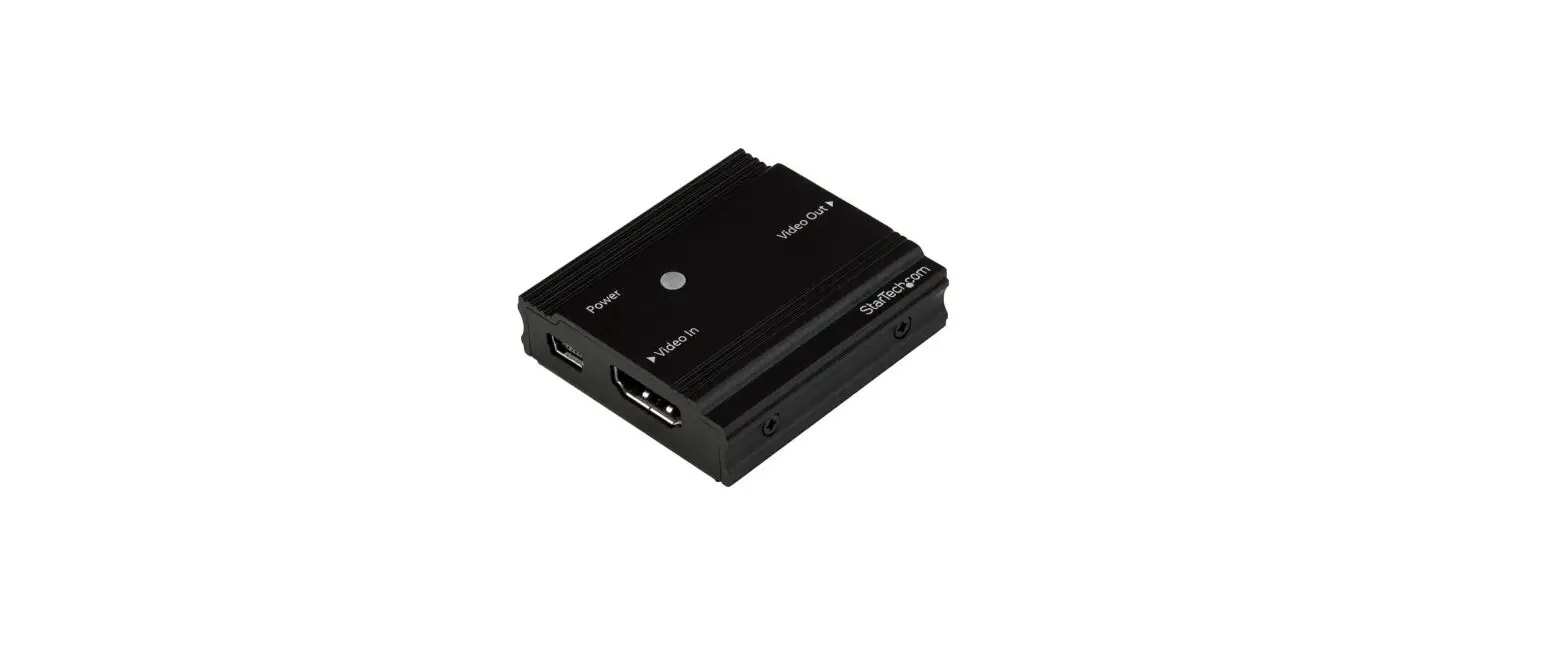
1. HDMI OUT: Connects to HDMI display device. The MONTEST is used as a HDMI signal generator to output HDMI signal. 2. HDMI IN: Connects to HDMI source device. The MONTEST is used as a display emulator to detect the HDCP content and signal status (5V, TMDS) of HDMI source. 3. SIG LED: When the MONTEST is used as an HDMI signal generator the LED turns red when there is HDMI signal output. When the MONTEST is used as a display emulator, the LED turns green when only 5V signal is detected, or turns red when 5V and TMDS signals are detected simultaneously, or OFF when there is no HDMI signal input. 4. HDCP LED: When the MONTEST is used as an HDMI signal generator, the HDCP content can be selected using the 4pin DIP switch. The LED turns green when HDCP2.2 is selected, red when HDCP1.4 is selected, and OFF when there is no HDCP. When the MONTEST is used as a display emulator, the LED turns green when the HDCP content of the HDMI sources is HDCP2.2 compliant, or red when it is HDCP1.4 compliant, or OFF when not HDCP compliant. 5. POWER: Micro USB port for power cord connection. The MONTEST must be powered ON when it is used as a signal generator. When the MONTEST is used as a display emulator, it can be powered by HDMI source, so the power cord connection is not required. If the HDMI source does not have enough power, both the SIG LED and HDCP LED will blink. 6. DIP SWITCH: When the MONTEST is used as a HDMI signal generator, switches 1 & 2 are used for built-in EDID (video) selection, and switches 3 & 4 are used for HDCP content selection.
There are four DIP switches (1~ 4). The switch represents “0” when in the lower position, and it represents “1” while the switch in the upper position.
Switch Status (1 & 2) 00 01 10 11
Switch Status (3 & 4) 00 01 10 11
EDID 4K@60Hz 4:4:4, 2CH PCM 4K@60Hz 4:2:0, 2CH PCM 4K@30Hz 4:4:4, 2CH PCM 1080p@60Hz/3D, 2CH PCM
HDCP HDCP 2.2 HDCP 1.4 HDCP OFF HDCP OFF
TestPattern Red Screen Green Screen Blue Screen White/Black Checkered
Application Examples
Specifications
Video/Audio
Male HDMI connectors for input and output. HDMI 2.0 (up to 4K@60Hz 4:4:4) compliant. HDCP 1.4 and 2.2 compliant. Resolutions supported:
o Signal generator mode: 3840×2160 @60Hz 4:4:4; 3840×2160 @60Hz 4:2:0; 3840×2160 @30Hz 4:4:4; 1920x1080p
@60Hz
o Emulation mode: 4Kx2K resolutions up to 4096× 2160 and 3840×2160 @60Hz 4:4:4, HDTV resolutions to 1080p
@60Hz, and up to 1920×1200 @60Hz (WUXGA).
Video bandwidth: 600MHz (18 Gbps) Supports embedded digital audio.
Power
Signal generator mode: USB powered using micro USB port (5V/1A). o 3.4-ft USB Type A to USB Micro-B male-to-male cable included.
Display emulation mode: Powered by HDMI source.
Environmental
Operating temperature: 23 to 131° F (-5 to 55° C). Storage temperature: -13 to 158° F (-25 to 70° C). Operating and storage relative humidity: 10 to 90% non-condensing RH.
Dimensions WxDxH (in): 2.95×0.87×0.75 (75x22x19 mm)
Regulatory Approvals CE, FCC, RoHS
Warranty
The warranty period on this product (parts and labor) is two (2) years from the date of purchase. Please contact Network Technologies Inc at (800) 742-8324 (800-RGB-TECH) or (330) 562-7070 or visit our website at http://www.networktechinc.com for information regarding repairs and/or returns. A return authorization number is required for all repairs/returns.
NTI MAN434 REV 5/30/23
 NTI Network Technologies Inc Environment Monitoring HDMI Extender