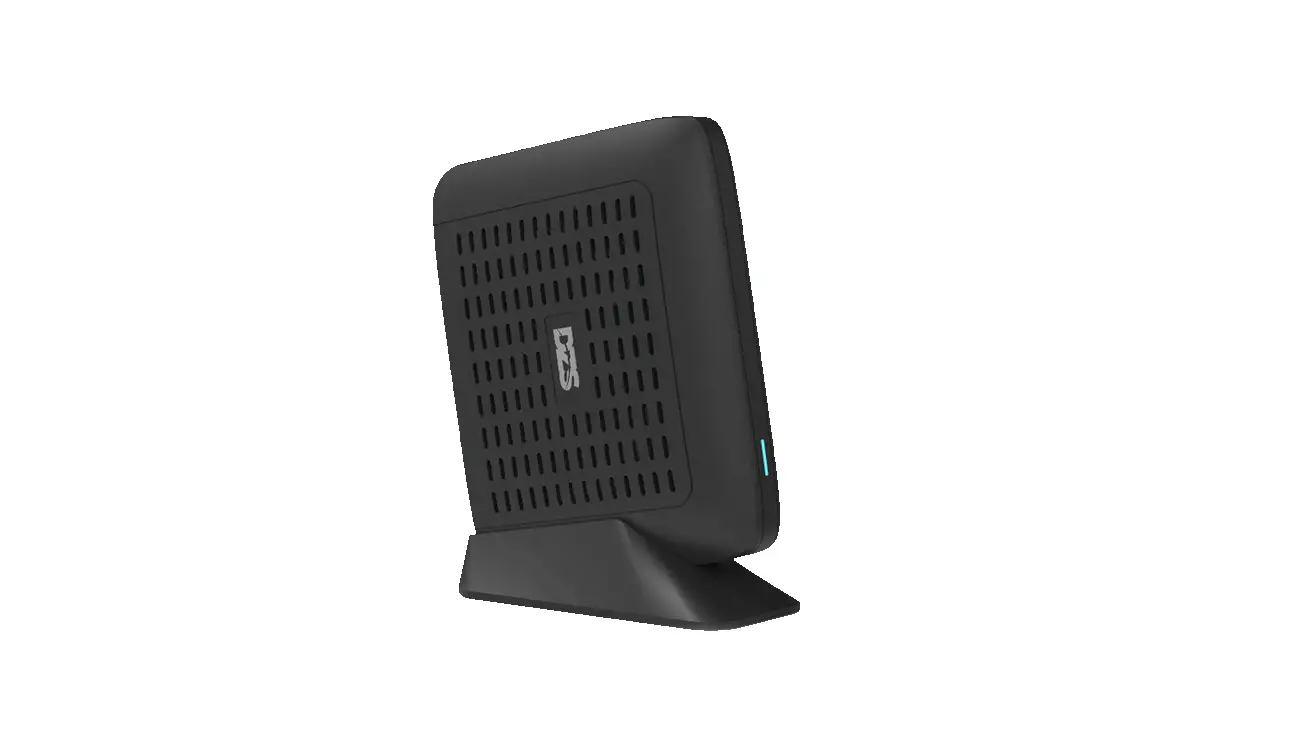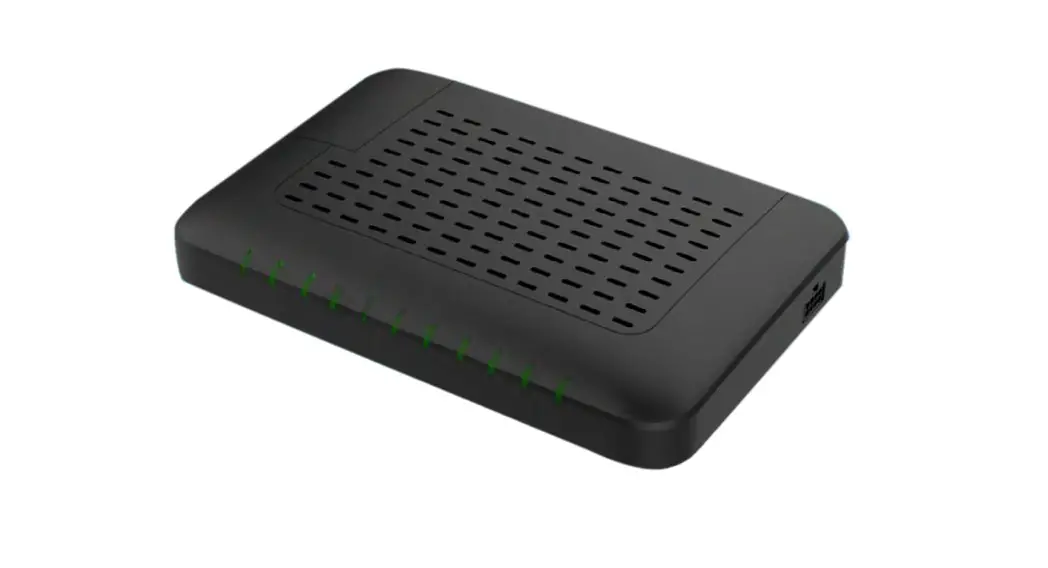
 H660GX ONT Enables Subscribers to Enjoy Multimedia Services Over Wireless
User Manual
 Quick Installation Guide
H660GX
Caution
Please follow the instructions below to avoid physical injury:
You should not install the unit during a storm. Likewise you should not connect or disconnect any line to avoid the risk of electric shock. Caution & Warning
- This unit is indoor use and all the communication wirings are limited to inside of the building.
- DO NOT plug in, turn on or attempt to operate an obviously damaged unit.
- Never look directly at the fiber TX port and fiber cable ends when they are powered on.
- DO NOT use near water.
- DO NOT place near high temperature source.
- DO NOT disassemble the unit.
- DO NOT operate the unit in a location where the maximum ambient temperature exceeds 40°C.
- Open optical connections must use a protective cap under all circumstances to protect against physical damage and dirt.
- Before making connections, use isopropyl alcohol and non-fibrous cellulose to clean the faces of the connectors.
- Avoid impact stresses when handling connectors. Physical damage to the faces of optical connections impairs transmission quality (higher attenuation).
- Avoid a bend radius in excess of 30 mm for fiber optic links.
- Check the available voltage supply.
- Only use the unit in dry rooms.
- Set up the unit away from direct sunlight or other electrical equipment.
- Only connect approved accessories.
- It may only be repaired by authorized service personnel.
- This equipment is not suitable for use in locations where children are likely to be present.
 Limited Warranty
 Limited Warranty
- Not covered under this warranty is defect and damage resulting from product disassembly by yourself. And also, such behavior may amount to intellectual property infringement.
Introduction
2.1 Package Contents
- H660GX (xPON ONT)
- RJ45 UTP cable
- Power Adaptor
- QIG (Quick Installation Guide)
2.2 Specification
| Item | Specification |
| Uplink Interface | 1 GPON port (SC/APC) |
| Service Interface | 4 10/100/1000Base-T ports (RJ45) |
| Wi-Fi | WiFi6 (2.4G/5G), 2×2 MIMO, Internal antenna |
| VoIP Interface | 2 FXS ports (RJ11) |
| USB | 1 USB Host 2.0 |
| Power Adaptor | 12VDC/2.0A |
| Operating Temp. | 0 to 40°C (32 to 104°F) |
| Operating Humidity | 20 to 90% (non-condensing) |
| Dimensions | 190 x 150 x 39.5 mm / 7.48 x 5.90 x 1.55 in (W x D X H) |
| FCC | |
| Frequency Range | 2412MHz ~ 2462MHz / 5180MHz ~ 5825MHz |
| 802.11 protocol | 802.11a/b/g/n/ac/ax |
| Maximum RF Power | 2.4GHz : 22 dBm, 5GHz : 23.5 dBm |
| CE/UKCA | |
| Frequency Range | EU : 2412MHz ~ 2472MHz / 5180MHz ~ 5700MHz UK : 2412MHz ~ 2472MHz / 5180MHz ~ 5825MHz |
| 802.11 protocol | 802.11a/b/g/n/ac/ax |
| Maximum RF Power | 2.4GHz : 19.5 dBm, 5GHz : 27 dBm, 5.8GHz(UK) : 20 dBm |
2.3 Interface
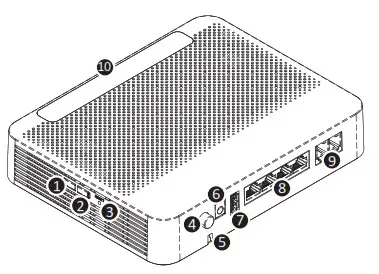
| Item | Description | |
| 1 | WLAN | Enable Wi-Fi function. |
| 2 | WPS | Enable WPS process. |
| 3 | RESET button | Reboot the unit. |
| 4 | ON/OFF button | Turn on/off the unit. |
| 5 | Fiber Connector | Connect optical network |
| 6 | Power port | Connect an external power supply |
| 7 | USB | Connect an external USB drive |
| 8 | LAN1~4 | |
| 9 | TEL1~2 | Connect to VoIP phone. |
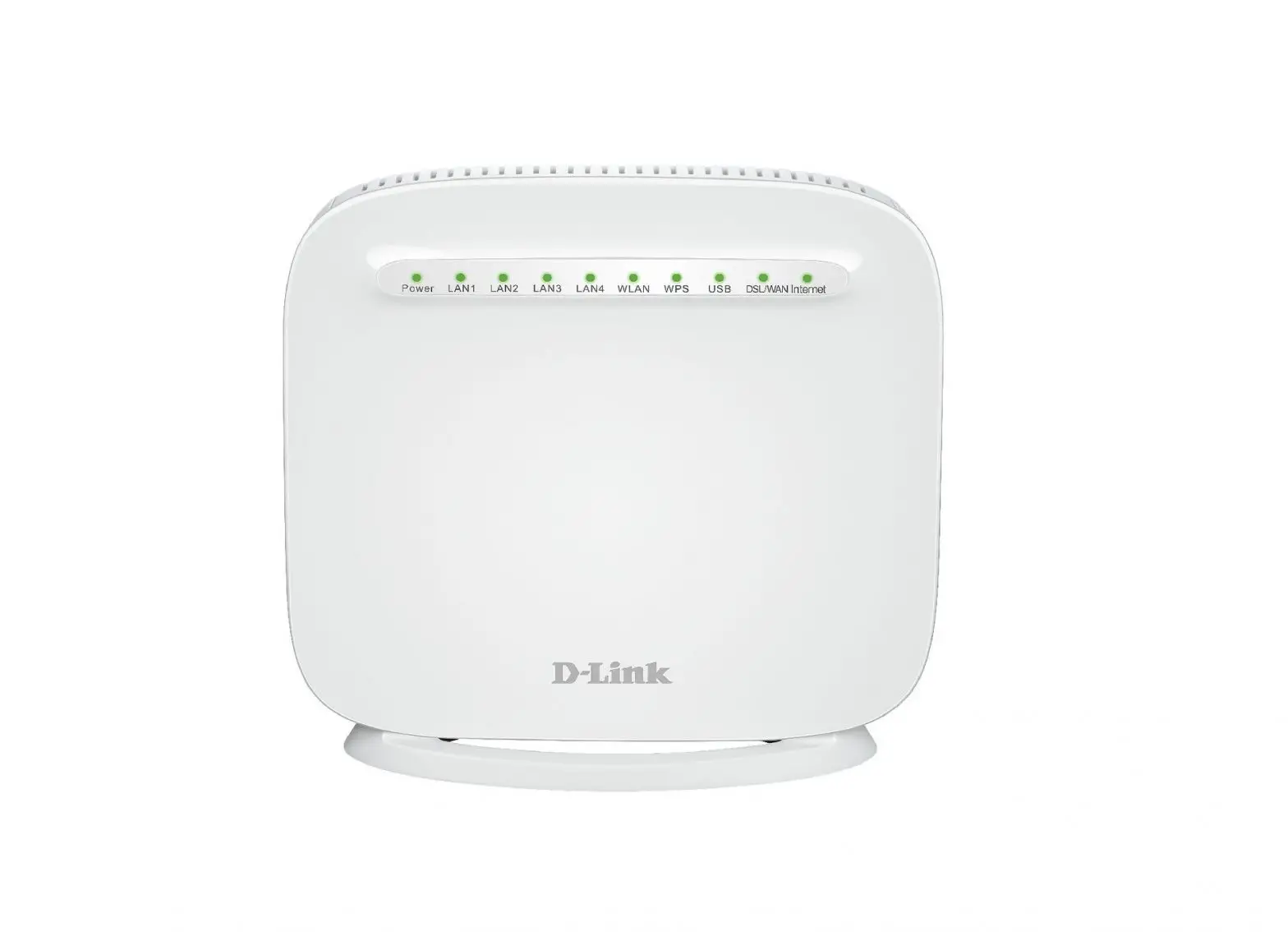
| 10 | LEDs | Operating status LEDs. |
2.4 LED

| Label | Light | Status | Description |
| PWR | Green | On | The system is turned on. |
| Off | The system is turned off. | ||
| PON | Green | On | Optic signal normal. Normally registered. |
| Blinking | Firmware being downloaded . | ||
| Red | On | No optic signal. And the unit has not been registered. | |
| ALM | Red | On | No optic signal, firmware update failure or other faults. |
| Off | Received optical power is normal. | ||
| Internet | Green | I On | In service. |
| Off | Not in service. | ||
| 2.4G | Green | On | The link is up. |
| Off | The link is down. | ||
| 5G | Green | On | The link is up. |
| Off | The link is down. | ||
| WPS | Green | On | WPS connection successfully established(for 5 seconds). |
| Blinking | WPS in progress. | ||
| Off | Disabled or process finished successfully. | ||
| LAN | Green | On | The 1G port link is up. |
| Blinking | The 1G transmit or receive activity is present on the service port. | ||
| On | The 10/100M port link is up. | ||
| Orange | Blinking | The 10/100M transmit or receive activity is present on the service port. | |
| Off | The link is down. | ||
| USB | Green | On | USB is connected, and working normally. |
| Blinking | USB is being transmitted. | ||
| Off | USB is not connected, or power is not fed. | ||
Installation
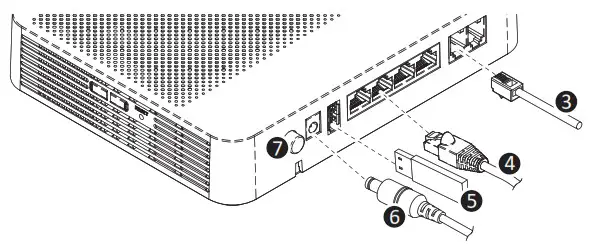
- Remove the protective cap of GPON port.
- Connect fiber optic cable with SC/APC termination to the GPON port.

- Connect the telco cable from TEL port to home phone lines.
- Connect the Ethernet cable from LAN port to PC.
- (OPTIONAL) USB interface for ancillary devices
- Connect the power cable from power port to an electrical outlet.
- Turn on the unit by pushing the power button.


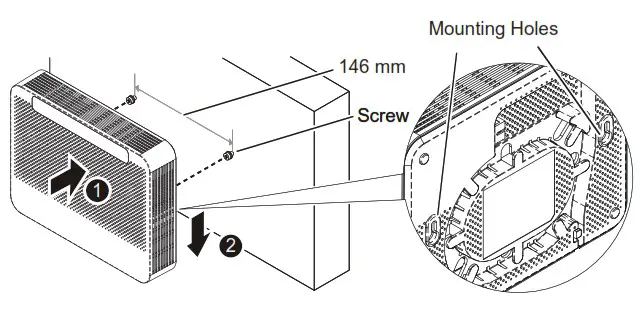
Mounting on a Wall
If necessary, you may have your ONT mounted on a wall using mounting holes.
Web Access
You can access the unit through a web browser by using the following steps:
- Connect an Ethernet cable from your computer to LAN on the H660GX.
- Launch a browser or telnet session and point it to 192.168.55.1
- Enter the username and password.
※ For username/password and a default SSID/PW, please check the label on the bottom panel of your unit.
Information furnished by DZS is believed to be accurate and reliable. However, no responsibility is assumed by DZS for its use, nor for any infringements of patents or other rights of third parties which may result from its use. No license is granted by implication or otherwise under any patent or patent rights of DZS. DZS reserves the rights to change specifications at any time without notice.
 Copyright ⓒ 2022. Lab-T, Inc.