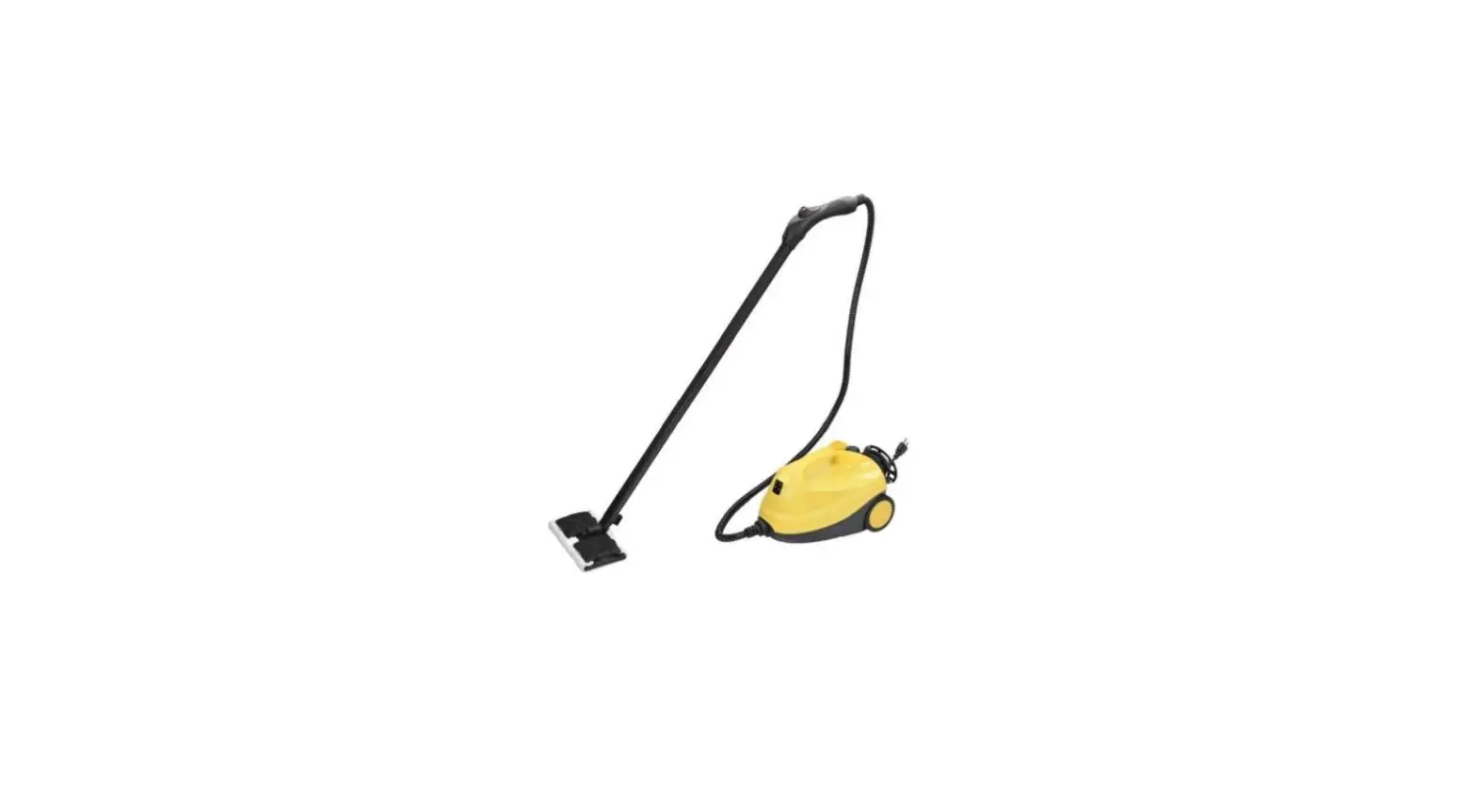

YESCOM YC-06STC001 Steam Cleaner
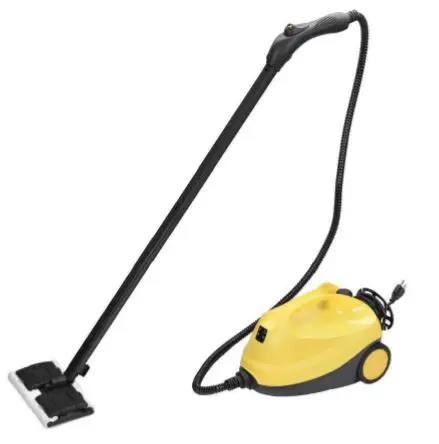
Safety Instructions
- Before carrying out the installation, please thoroughly read this manual. Keep this user manual for future reference.
- Before carrying out the installation, ensure the power supply that this product is connected to is turned off first.
- The installation and operation of this product should be carried out by professionals with sufficient related experience and knowledge.
- Ensure that every part of the product is well-connected before use.
- To avoid risk of fire or electric shock, do not expose the product to moisture, fire or heating source.
- Children are not allowed to operate this product.
- Operate this product carefully especially when children are around.
- Keep the parts of this product away from children in case that they are swallowed and trigger other possible dangers.
- And always ensure that you have the child lock on and switch the power off whenever the product is not in use.
- Do not open the safety valve or dissemble the product during usage.
- Check to tighten the safety valve before you switch on the power button.
- After using, do not open the safety valve until the surface of the boiler completely cools down.
- Do not place your hands less than 7 7/8” (20 cm) near the stream gun.
- If the temperature is lower than 32, please do not apply this product to clean glass in case that it breaks.
- Do not spray at the same position for more than 5 seconds. When it comes to glass, do not spray at the same direction for more than 2 seconds.
- Do not fill other liquid into the boiler except from water.
- Fill water into the boiler with care.
- Employ and store the product in well-ventilated space.
About the Steam Lock
Automatic Steaming
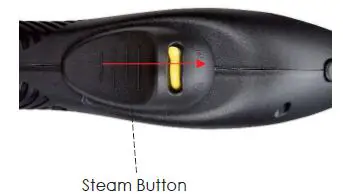
Press the steam button up and pull the steam lock to the sign. The steam gun will release steam automatically.
Child Lock
Release the steam button from the upper end and pull the steam lock to the sign. In this case, the steam button is available to move and the steam gun will not release steam.
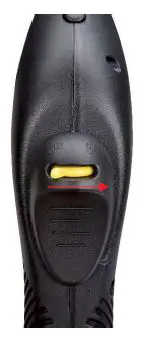
Note: Please always have the child lock whenever the product is not in use in case of danger.
About Cord Rewinder
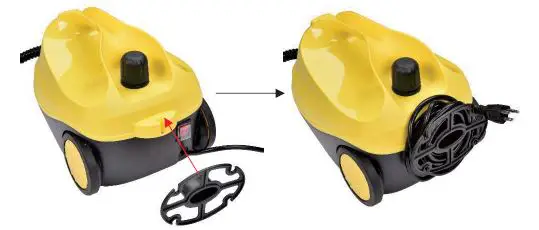
Insert the cord rewinder into the slot of the steam cleaner. Rewind the power cord onto it for storage.
Turning on & Adjusting the Amount of Steam
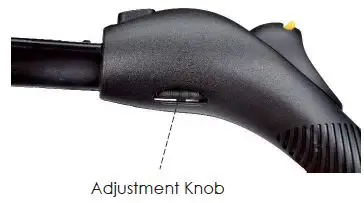
- Adjust the adjustment knob by pushing it up and down between the range of MAX and MIN sign. There are 2 signs on the adjustment knob of MAX and MIN to indicate the amount of steam.
- Before you turn it on, check to make sure the adjustment knob is always on the MIN side to avoid any injury.

- Press the steam button forward to release steam.
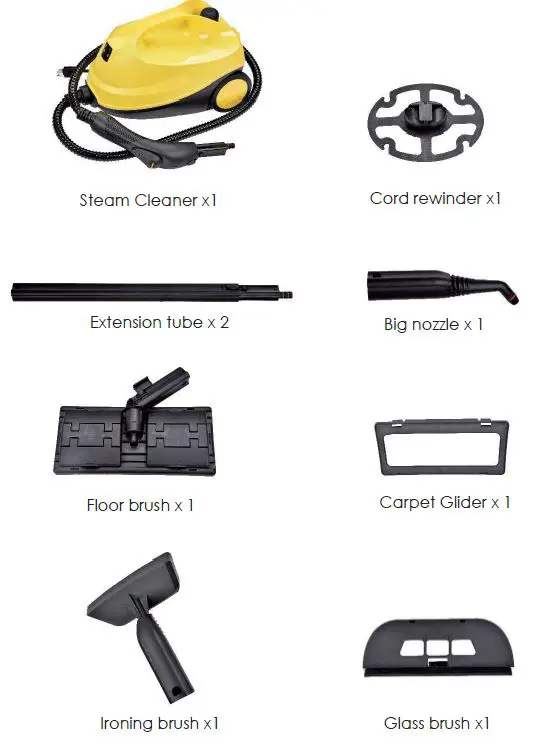
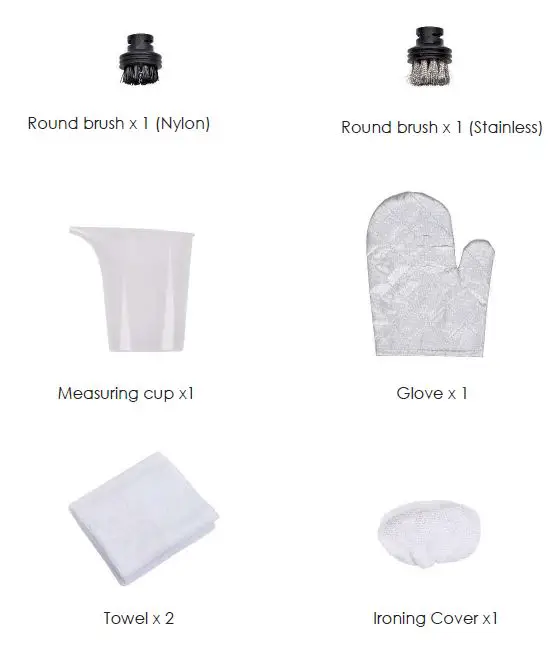
Package Contents
Specifications
| Overall Dimension (LxWxH) | 9 3/4” x 15 15/16” x 9 5/16” (24.7 x 40.5 x 23.7 cm) |
| Length of Power Cord | 148 1/16”(376 cm) |
| Voltage | 110 V; 60 Hz |
| Power | 1,500W |
| Steaming Pressure | 4 bar |
| Steaming Amount | 42 g/min |
| Maximum Steaming Temperature | 223F(106C) |
| Capacity of Boiler | 1.5 L |
| Net Weight | 10 Lbs (4.35 kg) |
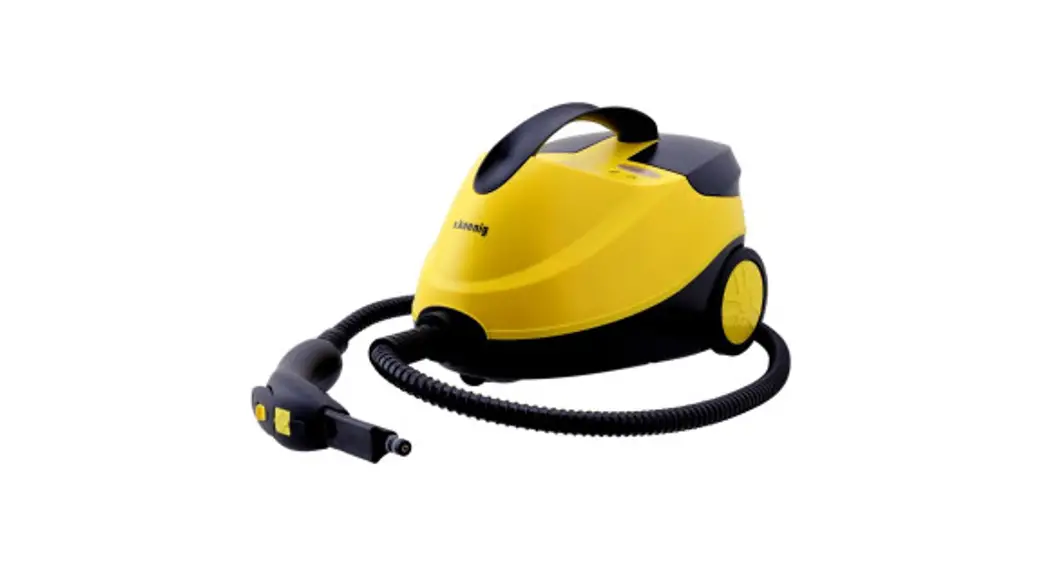
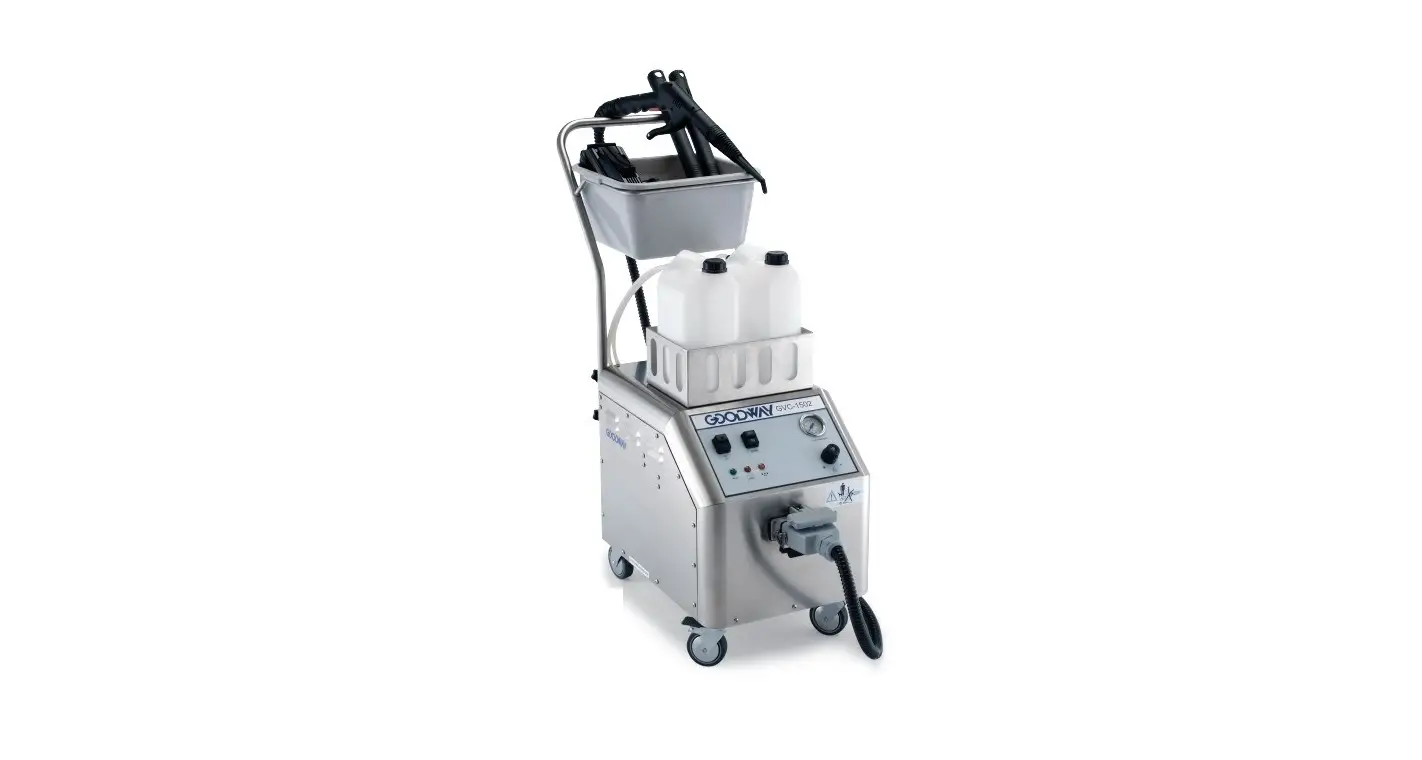
Component of Steam Cleaner Body
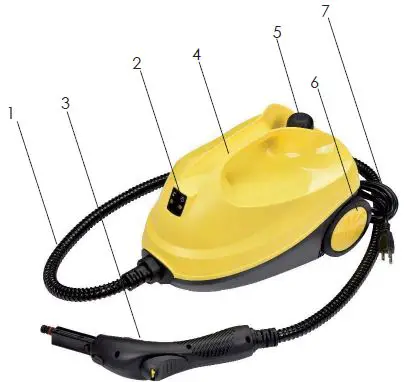
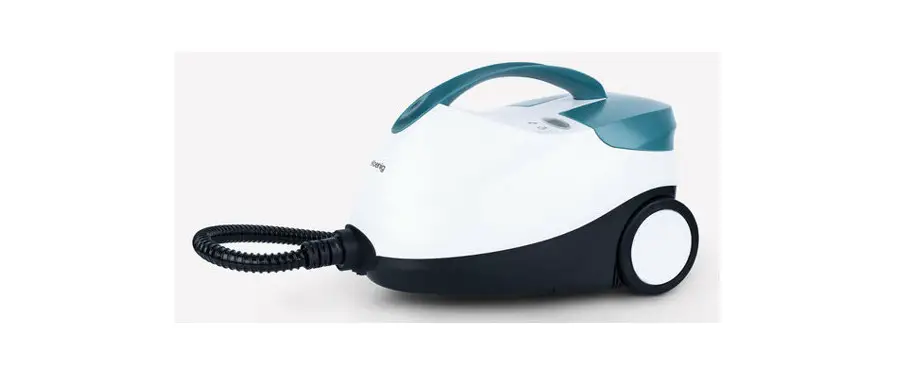
| No. | Name | Function |
| 1 | Soft Pipe | Deliver steam |
| 2 | Indicating Lights | Red light means the lack of water. Green light means being ready to use. |
| 3 | Steam Gun | Control the amount of steam and connect to other accessories |
| 4 | Handle | Carry by hand |
| 5 | Safety Valve | Fill water and release pressure |
| 6 | Wheel | Move easily |
| 7 | Power Cord | Connect to power supply |
Component of Steam Gun
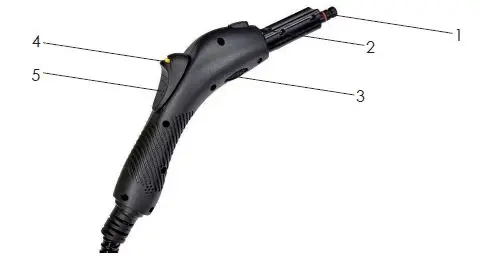
| No. | Name | Function |
| 1 | Steam Nozzle | Outlet of steam |
| 2 | Accessory Lock | Lock and unlock accessories |
| 3 | Adjustment Knob | Adjust the amount of steam |
| 4 | Steam Lock | Prevent the steam from releasing |
| 5 | Steam Button | Push to release steam |
Note: Before carrying out the installation and operation, ensure the power supply that this product is connected to is turned off first.
Connecting Diverse Accessories
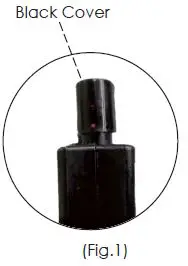
Note that there is a black cover at the end of steam gun and remember to take it off first before connecting to other accessories (Fig.1). Install the required accessories to the steam gun before the operation. When it comes to the extension pipes, big nozzle, ironing brush, and floor brush, there is same assembly and disassembly method for connecting to the steam gun. Snap needed accessory into the steam gun till you hear the click sound. Press the protruding point to release these accessories from the gun.
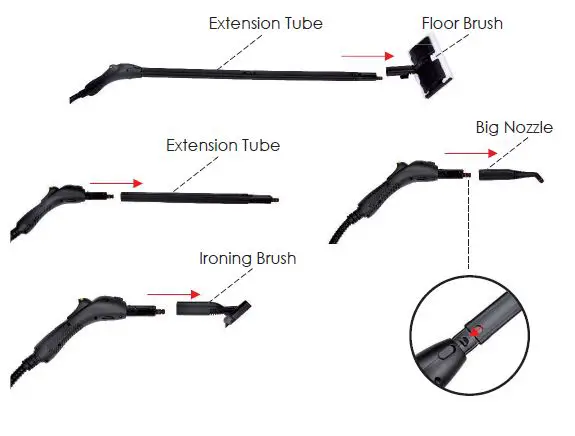
Extension Pipes
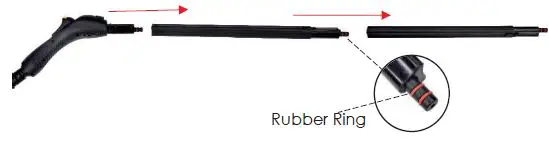
- Utilize the extension pipes to extend the length of the steam gun for cleaning.
- There are 2 extension pipes and you can install either 1 or 2 of them according to your need.
Note: There are 2 red rubber rings on the extension pipes and steam gun, please check these rubber rings are installed before the connection in case of leaking. Besides, there are 2 spare rubber rings for replacing
Ironing Brush
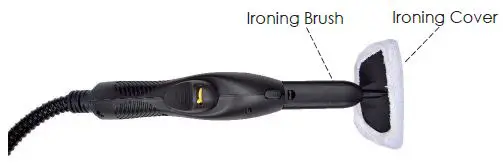
- Cover the ironing brush with the ironing cover and connect them with the steam gun.
- It is used to iron chair, sofa, bed etc. It is highly recommended that you adjust to small amount of steam to iron with this accessory in the very beginning.
Big Nozzle
The nozzle makes it possible to clean places hard to reach such as corners, joints and toilets
Round Brushes (Nylon & Stainless)
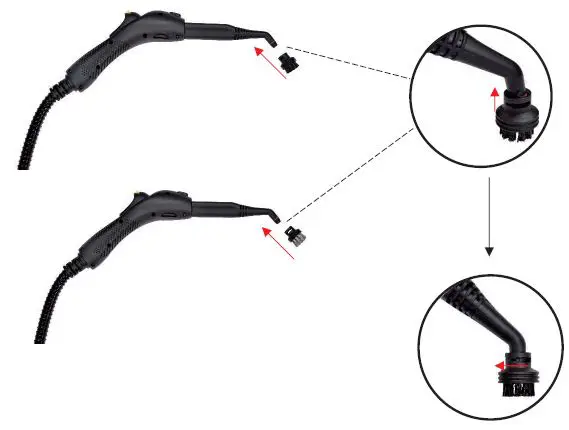
- Connect the nylon or stainless brush to the big nozzle. Rotate the big nozzle clockwise to the most to secure
- The nylon brush is suitable for cleaning heavier stains on less sensitive materials.
- The stainless brush is suitable for eliminating stubborn dirt from blinds, radiators, etc.