User manual
GB Making Life Sound Better
© 2019 GN Audio A/S. All rights reserved. Jabra® is a trademark of GN Audio A/S. The Bluetooth® word mark and logos are registered trademarks owned by the Bluetooth
SIG, Inc. and any use of such marks by GN Audio A/S is under license.
MADE IN CHINA
MODEL: OTE090

Declaration of Conformity can be found on www.jabra.com/CP/US/doc
Welcome
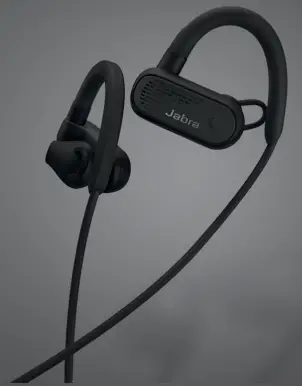
Thank you for using the Jabra Elite Active 45e.
We hope you will enjoy it!
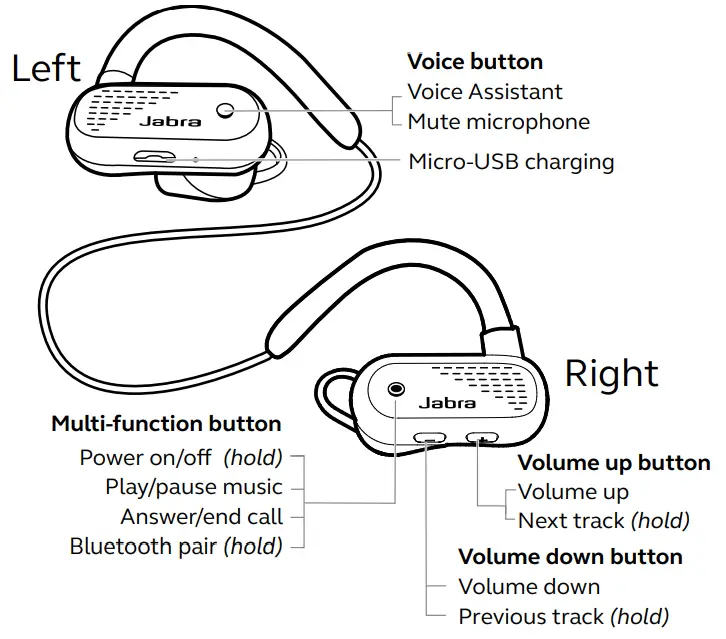
Jabra Elite Active 45e overview
How to wear
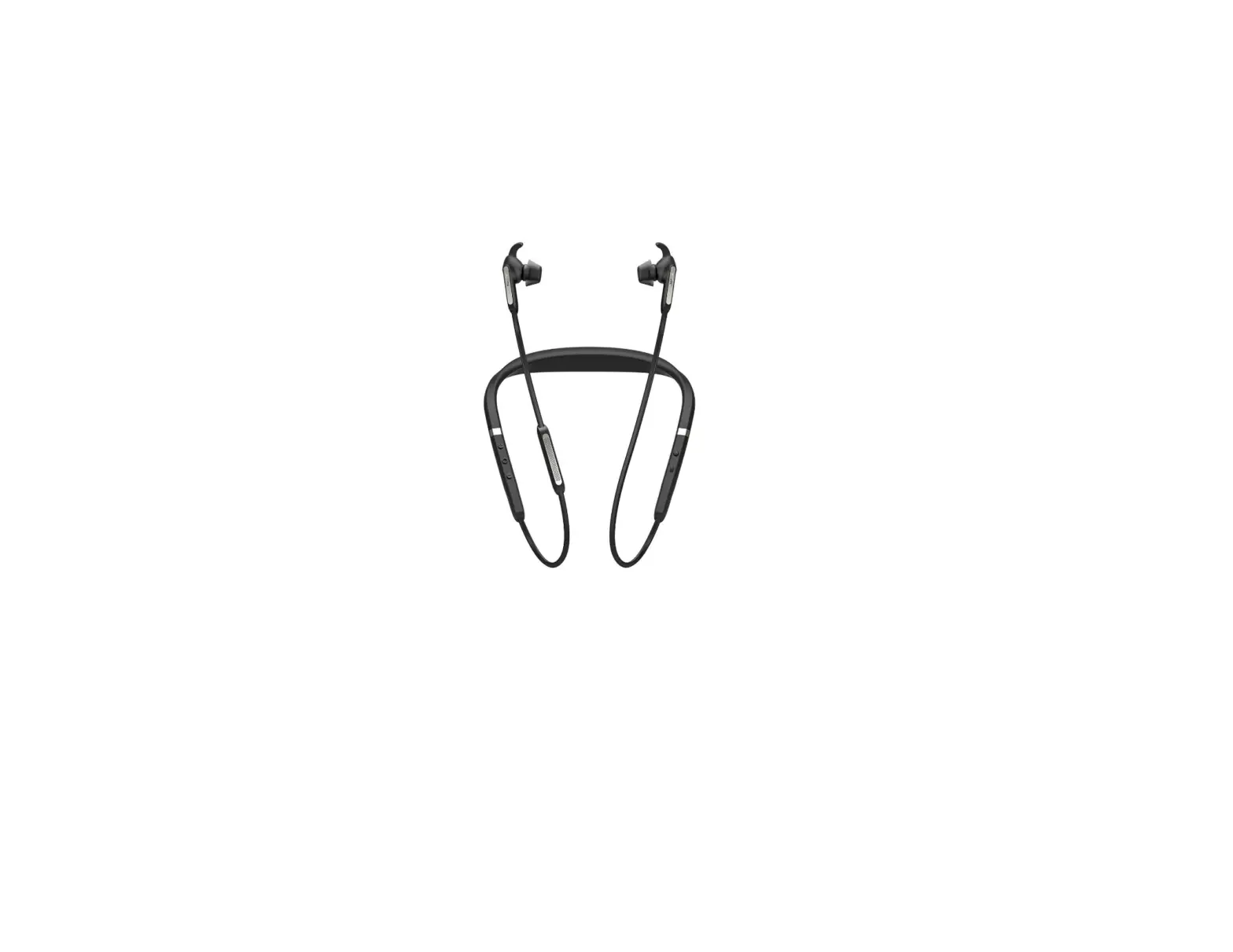
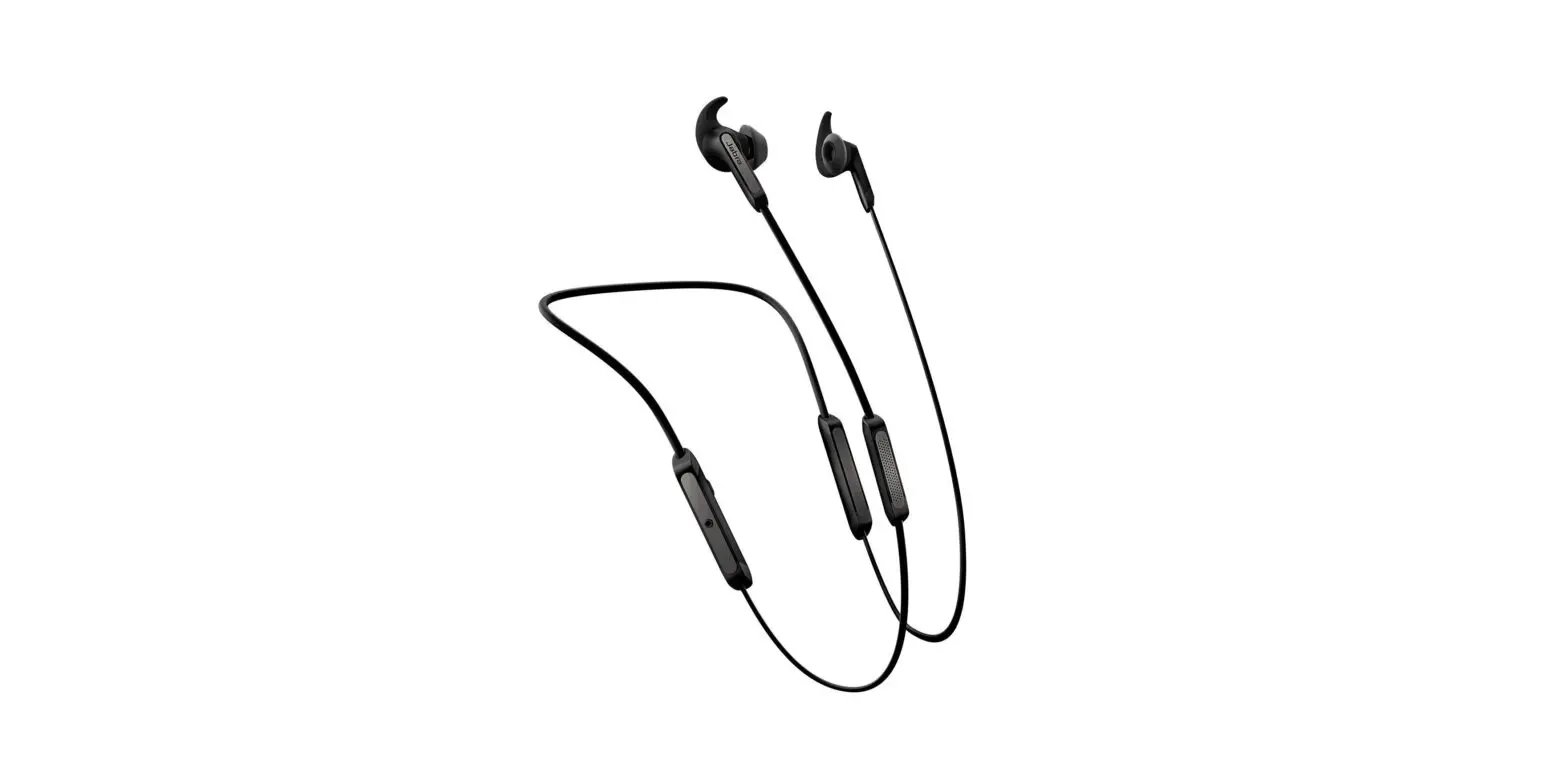
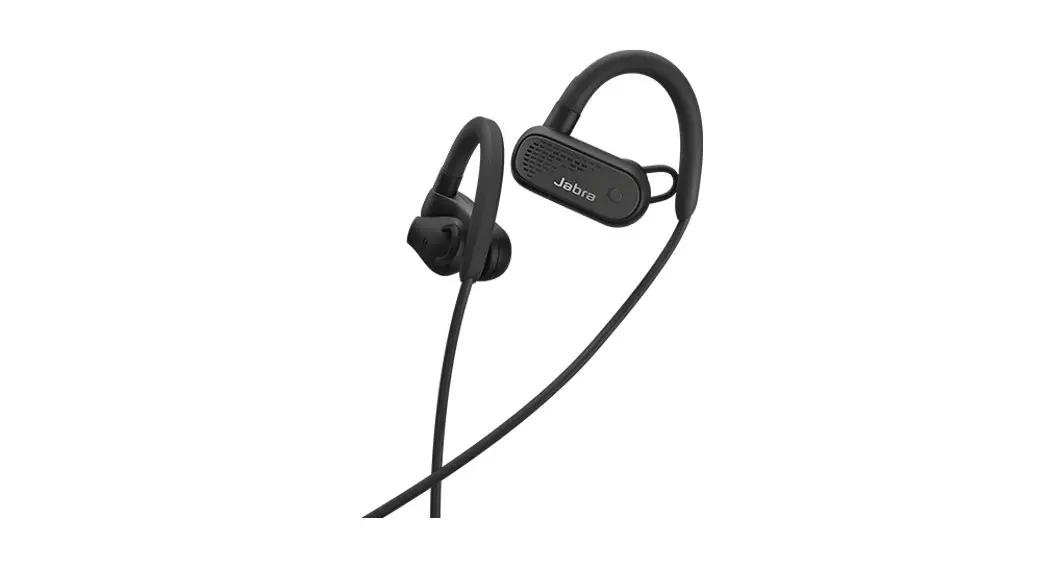
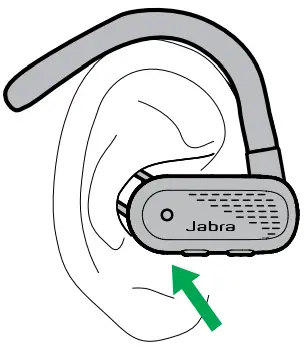
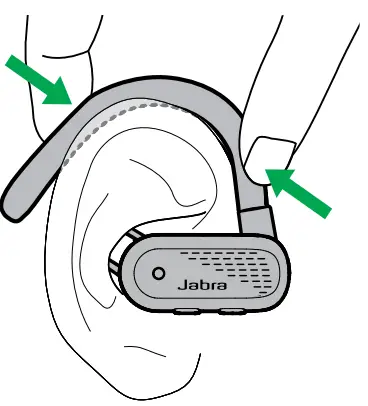
The earbuds are worn with the cable behind the neck and the earhooks behind each ear.
- Insert the earbud into your ear canal, ensuring the looped largely fits into the ridge of your ear, as illustrated.

- Shape the ear hook behind your ear for the best fit. It may help to pre-shape the ear hook before wearing it.

How to charge
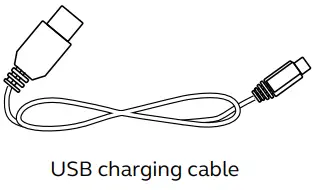
To charge the earbuds, connect a USB charging cable to the USB charging port on the left earbud. It is recommended to charge the earbuds using the supplied Jabra charging cable, however, it is possible to charge the earbuds using a compatible charger.
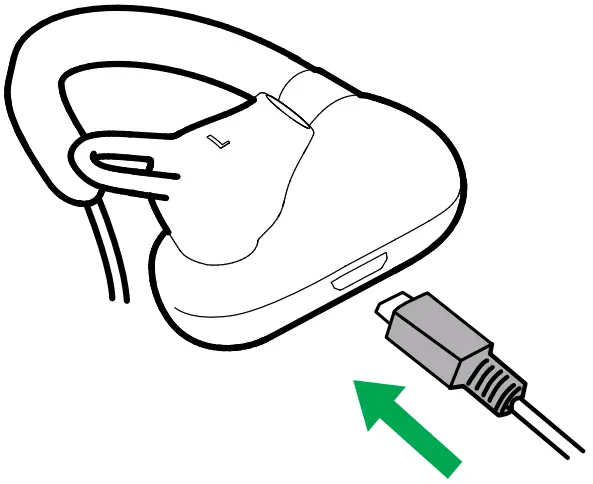
It takes approx. 2 hours to fully charge the battery. If the earbuds are fully out of battery, 15 minutes of charging will give 1 hour of battery.
Note: Always clean and dry the USB charging port before charging the earbuds. It is recommended to recharge the earbuds at least once a month.
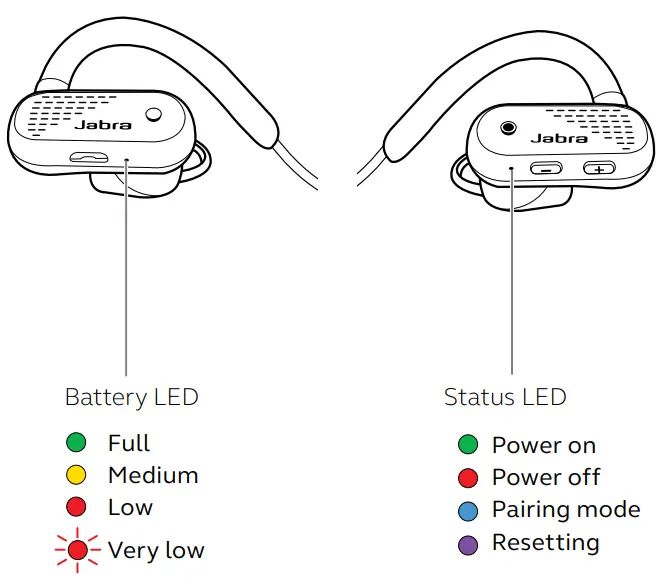
What the LEDs mean
How to connect
Power on/off
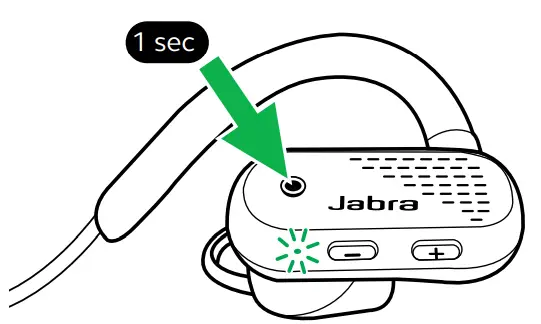
On: Press and hold (1 sec) the Multi-function button. The LED will flash green and you will hear a power-on tone.
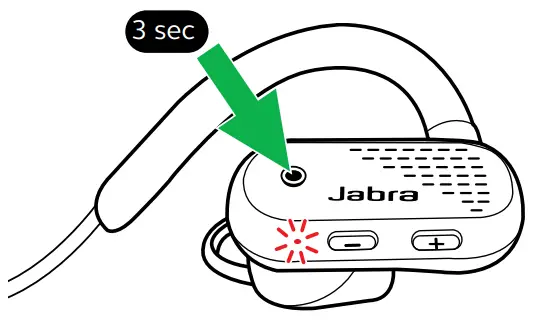
Off: Press and hold (3 sec) the Multi-function button. The LED will flash red and you will hear a power off tone.
Pairing with a smartphone
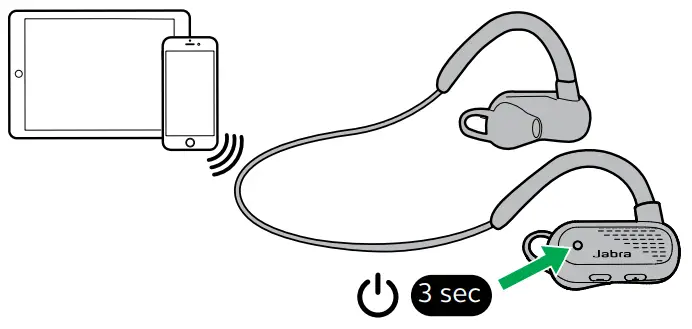
- Ensure the earbuds are powered off, and then press and hold (3 sec) the Multi-function button until the LED flashes blue and you hear an announcement in the earbuds.

- Go to the Bluetooth menu on your smartphone and select the Jabra Elite Active 45e from the list of available devices.
How to use
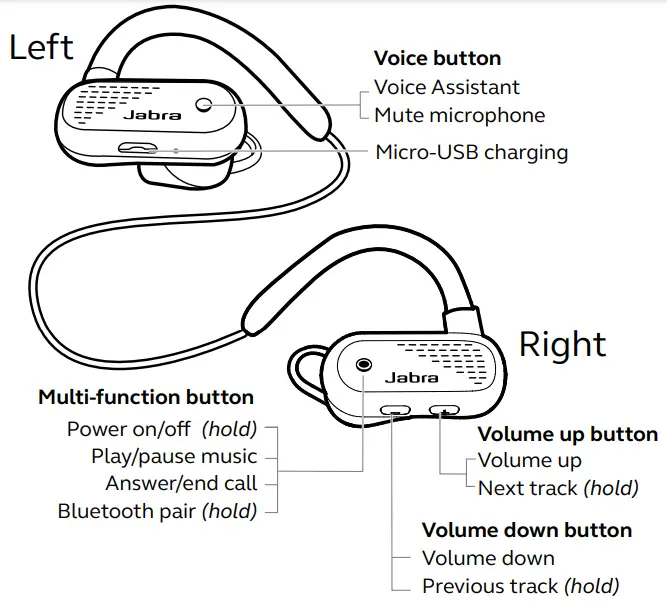
Calls & music
| Right | Calls & music | |
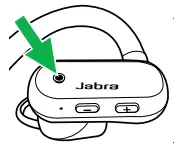 | Power on | Press and hold (1 sec) the Multi-function button |
| Power off | Press and hold (3 sec) the Multi-function button | |
| Play/pause music | Press and hold (1 sec) the Multi-function button | |
| Answer/endcall | Press the Multi-function button | |
| Reject call | Double-press the Multi-function button | |
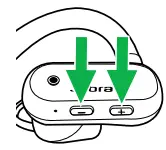 | Adjust volume | Press the Volume up or Volume down button, when listening to music or on a call |
| Next track | Press and hold (1 sec) the Volume up button (smartphone only) | |
| Restart track | Press and hold (1 sec) the Volume down button to restart the current track. Press and hold twice to play the previous track. | |
| Hear battery and connection status | Press the Volume up or Volume down button, when not listening to music or on a call |
| Left | Calls & music | |
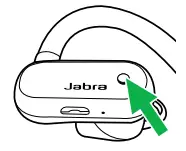 | Activate Siri, Google Assistant or Amazon Alexa (phone dependent) | Press the Voice button, when not on a call |
| Mute/un-mute microphone | Press the Voice button, when on a call |
Voice Assistant
The Jabra Elite Active 45e enables you to speak to Siri or Google Assistant on your smartphone using the Voice button.
| Left | Voice Assistant | |
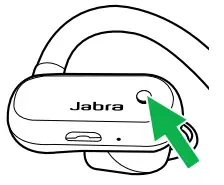 | Activate Siri, Google Assistant or Amazon Alexa (phone dependent) | Press the Voice button, when not on a call |
Multiple call handling
The earbuds can answer or reject calls when you are already on a call.
| Right | Multiple call handling | |
|
| End current call and answer an incoming call | Press the Multi-function button |
| Put the current call on hold and answer an incoming call | Hold (1 sec) the Multi-function button | |
| Switch between held call and active call | Hold (1 sec) the Multi-function button | |
| Reject incoming call, when on a call | Double-tap the Multi-function button |
Voice guidance
Voice guidance is announcements intended to guide you or give you earbud status updates (e.g. connection and battery status).
Voice guidance is enabled by default.
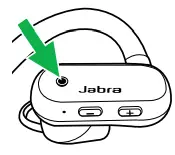
| Left | Voice Guidance | |
| Turn Voice guidance on/off | Hold (5 sec) the Voice button until you hear an announcement in the earbuds |
Alternatively, use Jabra Sound+ on your smartphone to turn Voice guidance on or off.
How to reset
| Right | Reset | |
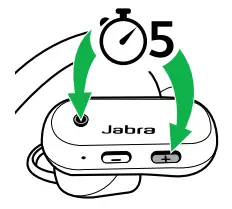 | Reset the pairing list | Ensure the earbuds are powered on and you are not on a call. Then simultaneously hold (5 sec) the Volume up button and the Multifunction button until the LED lights up purple. You will then need to re-pair the earbuds. |
Firmware update
Firmware updates improve performance or add new functionality to Jabra devices.
Download Jabra Sound+ for firmware updates.
Jabra Sound+ app
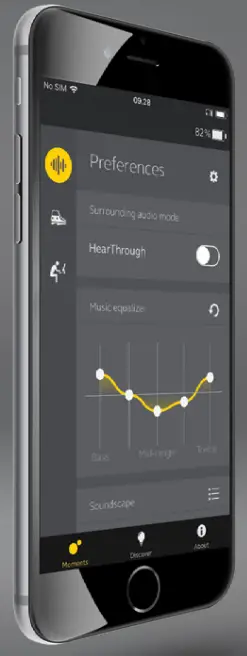
 Jabra Sound+
 Customize your music
 Manage voice prompts
 Register your 2-year warranty

Support
8.1 FAQ
View the FAQs on Jabra.com/help/eliteactive45e
8.2 How to care for your earbuds
• Always store the earbuds with the power off and safely protected.
• Avoid storage at extreme temperatures (above 50°C/122°F or below -10°C/14°F). This can shorten battery life and may affect the earbuds.
 Jabra Elite Active 45e | Jabra Support