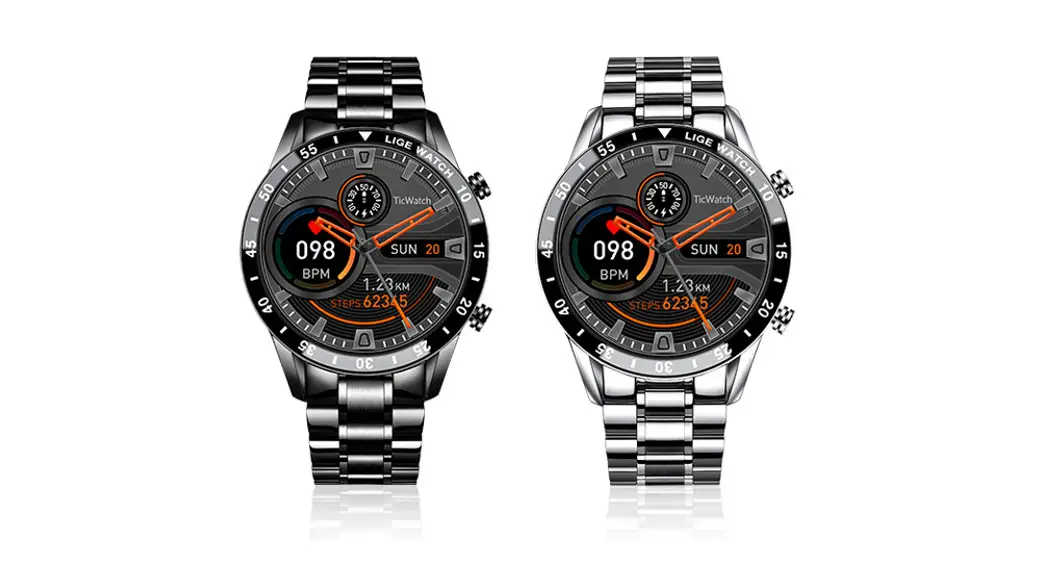

LIGE Wrist Watch User Guide
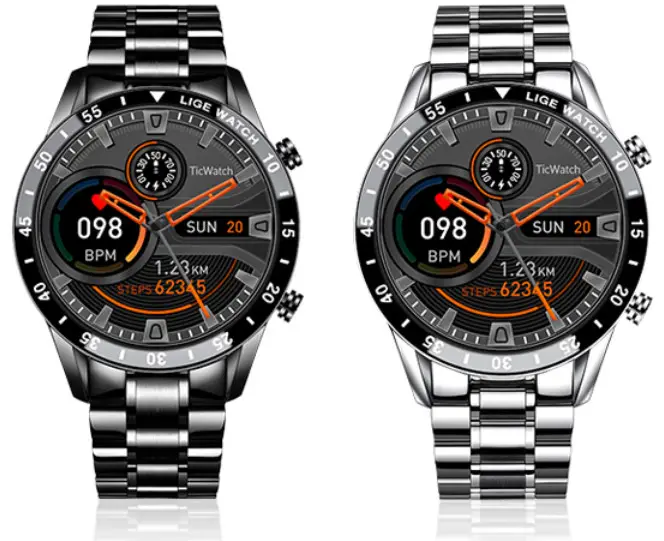
LIGE Wrist Watch User Guide
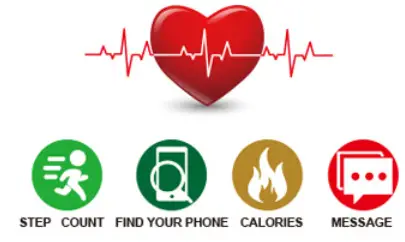
Basic parameters
| Device type | Smart bracelet | Battery type | Lithium olymer |
| Vibrating motor | Support | Synchronization mode | Bluetooth 4.0 |
| Working Temperature | -1 0°C-50°C | Sensor | Low power accelerometer |
| System require | Android 4.4 with above; ios 7.1 with above | ||
APP download
- Search “Da Fit” in the APP store (Apple store/Google store).
- Scan QR code to download.

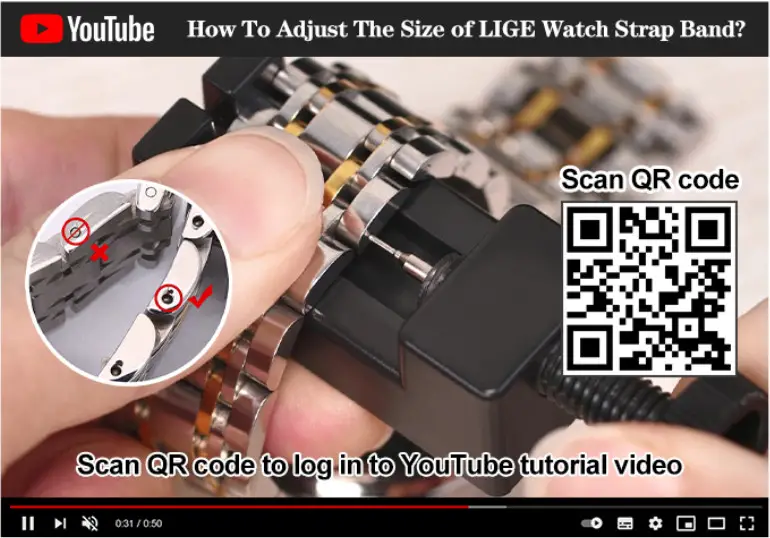
https://youtu.be/5GXm_6nCtFY

User Tips
When install the app, it will be prompted to access the phone permissions. Please allow all permission: 1 Bluetooth 2 Notification (including alerts /sounds/ icon badges) 3 Lacal network in the “da fit” app.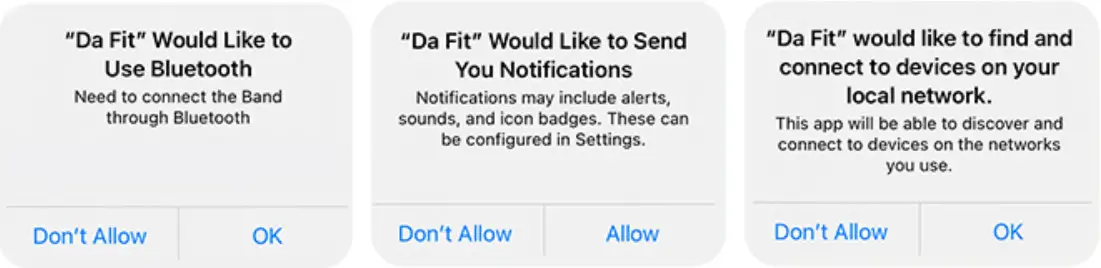
Connect Smart Watch
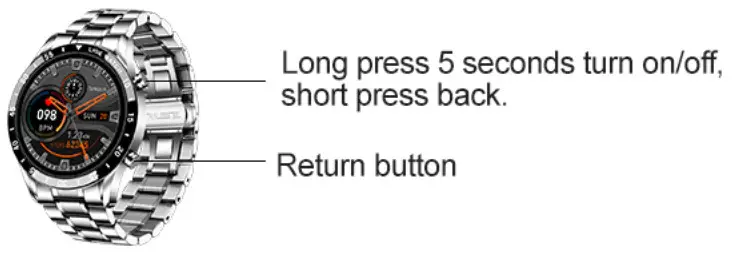
- Switch watch on: long press the side button for 3-5 seconds
- Please turn on the phone’s Bluetooth and location service and make sure the watch is not binded to other devices Open the Dafit APP on your mobile phone Set your personal information enter the device interface Click on “Bind Device’Right-slide on the main dial interface of watch to view MAC address, You can use the MAC address from the device list to determine your device The device name and the corresponding MAC address are paired device is successfully connected.
Step 1: Open “Da Fit APP”–“OK, Allow’–“Add A DEVICE”–Find 19M and choose—“Pair’– “Allow’–Done
Step 2: Go to your mobile phone Bluetooth–Find another I9M and choose—connected. So have two “I9M” Connected.
Tips for the first time use:
First tine to use the watch, please make sure the battery is fully charged.
- Open the box, use the I9M charging cable, then insert the USB to your laptop or any USB port with 5V to charge the Watch before use to ensure that the Watch is fully charged. The charging time is about hours. To ensure that the charging contact is good. Please ensure that the metal surfaces are not dirty, oxidizing and impurities. When charging, the screen will display the charging symbol. If the device is not used for a long time, please be sure to replenish it every one month.
- When the Watch is first paired with “APP”, it will synchronize the time, date, and quantity of the Watch battery and display the symbol of success of the BT connection
- How to Boot Device: Long press the watch key for 5 seconds and
the Watch will boot. - How to Shut Down Device: At the watch face page, Long press the watch key 5 seconds, then choose to shut down. The watch will be turned off and with vibration.
APP Functions and Settings
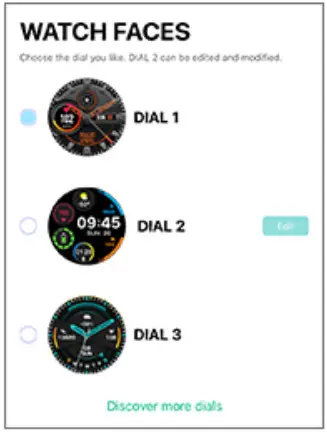
Main interface / dial
Switch the customized dial through the APP (As shown in the picture on the left)
Discover more diaals through APP
APP device page dial selection find more dials click on your favorite dial picture click to download pala nowPlease do not leave the download page during download.
Personal Profile
Set personal information when you login.
My date-personal date. Gender – height – weight- age .
Call reminder
Keep connected, if the call alert function is enabled, the wristband will vibrate and display the name or number of the caller when the call
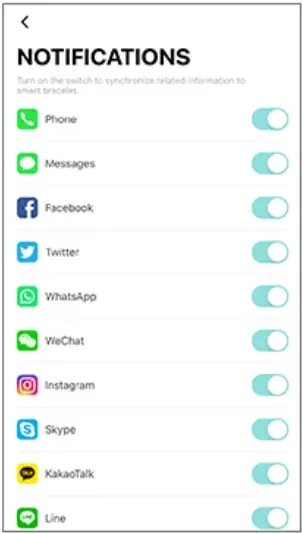
Notifications
Keep connected, if this function is enabled, the bracelet will vibrate when there are messages such as Wechat, Facebook, twitter and so on. (Give the APP access to system permission).
Alarms: set the alarms.
Shutter: this function will control your mobile phone to take photos from watch.
Favorite Contacts: you can add your mobile phone contacts to your watch.
Others: you can set Find a bracelet. Time format. Sedentary reminder, Raise your wrist to brighten the screen. drink water reminder.
Upgrade: upgrade the watch software when necessary.
Note:
- When using GPS under sports mode, please turn on location services for phone and device, the watch does not have GPS function, you can open the GPS function in the app.
- The datas of step, sleeping, heart rate, blood pressure, and blood oxygen saturation of the watch will be synchronized to the app. The relevant data can be synchronized by pulling down the corresponding page. More detailed information analysis and data recording can be viewed from the APP.
- Each time you open the App, the watch will automatically connect to the phone. After right-slide of the main interface of watch to enter the MAC address interface,the Bluetooth icon will appear, indicating that Bluetooth is connected.If there is no Bluetooth icon,Bluetooth is not connected.
Watch function interface
- Watch face: long-press the watch face button, it can be changed to 4 different watch faces. showed Dates, Time etc. Customized watch face: go to APP “Da Fit’—Watch faces-Dial 4—Edit–Select picture–Choose photo–Done–Save–screen updating—Done. Then you can see the photo will be shown in your watch. More default watch faces: go to APP “Da Fit’—Watch faces–Discover more dials—Choose dial–Download immediately—–Done. Then you can see the dial will be showed in your watch.
- From the watch face page, put your finger slide to left and right page.
Sports: show the step counts.
Sleep: show the sleep status, like sleep time, deep sleep time etc.
Measure HR: measure your heart rates.
Exercise information: record various exercise information and data.
Phone: you can check phone call records, Contact, Dial pad.
Measure BP: measure your blood pressure.
Blood oxygen: measure blood oxygen.
Weather: show weather status.
Shutter: this function will control your mobile phone to take photos from watch.
Player: Music control, play or pause, last music or next music.
Others: In this page, you can set the dial switch, brightness etc. - On the watch face page, you can go to the following page by touching the finger from top to bottom. Do not disturb: you can turn on or off do not disturb function.
Brightness: you can adjust the brightness.
Settings: You can set stopwatch, alarm clock, timer, brightness, phone switch, call settings, vibration,theater mode, factory reset, shutdown, about, APP download.
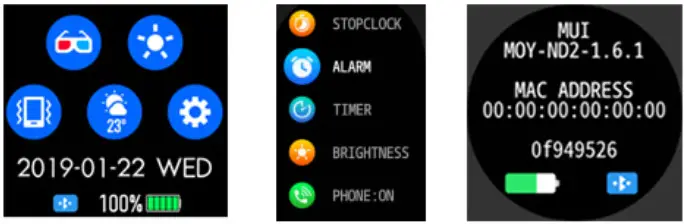
Vibration setting/Brightness adjustment/Bracelet reset
Down slide screen will display the interface,(As in the first picture)
- Click brightness adjustment, you can adjust the screen brightness you need according to the usage.
- If you need to use the watch with another phone, you need to reset the watch. Click Restore factory settings, the watch will be restored to the initial state and restart automatically, at this time all data on the wristband is cleared.
- Click the “ABOUT” icon, you can check the version information, Bluetooth MAC address, battery percentage display and Bluetooth connection status.
Why the watch can’t receive the message notification?
Since Android mobile phone background will automatically clean up the App which not commonly used, it will cause the watch connection to drop and no longer push the message.
- Make sure turn on message push in Dafit setting.
- Make sure the message can be displayed in mobile phone’s notification bar, message notification is pushed by reading the phone notification bar, the watch can’t get notification if the message push closed in mobile phone setting.
Note: Find notification settings in phone settings, turn on WhatsApp, Facebook, Twitter, Phone, SMS.
Getting to know your Device
It is forbidden to throw this product into the fire to avoid explosion. The battery life varies according to the environment and usage mode. Warning: This product is not a medical device. The Watches and its applications should not be used for diagnosis, treatment, or prevention of diseases and illnesses. please consult qualified medical doctor first if you want to change your habits such as exercises and sleep to avoid causing serious casualties.
Our company reserves the right to modify and improve the functions which described in this manual without prior notice. At the same time, we also reserve the right to continuously update the product. All contents are subject to the actual product.
FAQS
Why does the blood pressure data is different from the Sphygmomanometer?
The difference between the smartwatch data and the sphygmomanometer is determined by a variety of factors. The measurement site of the sphygmomanometer is in the radial artery, and the measurement site of the watch is the two main branches of the arteriole. Normally, the difference value between aortic blood pressure measurement and micro arterial measurement is 3~40. because of the blood flows in the artery in the direction of the centrifuge, If you use the smartwatch and sphygmomanometer to measure at the same time the sphygmo-manometer band make your elbow under pressure. The blood pressure cannot flow smoothly to the lower branch of the artery and increased vascular tension, which will make the difference larger.
Why can’t wear the smartwatch to take a bath & hot springs & sauna?
The bathwater temperature is relatively high, it will produce a lot of water vapor, and the water vapor is gas phase. Its molecular radius is small, it is easy to infiltrate from the shell gap of the watch, and when the temperature drops, it will recondense into a liquid phase. Water droplets can easily cause short circuit inside the watch, damage the circuit board and damage watch itself.
Special attention: For other issues of watch’s usage, you can get detailed answers in the app suggestion feedback.
The three small watches are functional?
yes they are. the right dial is a 24 hour clock. the left dial is a stop watch.. they both work ok.
What colour is the strap for the blue watch. As it shows as a black strap and people images show they have blue or brown straps with the blue screen?
It’s a blue strap,and very nice
What’s the case size of this watch?
About 42 mm
Is the watch package beautiful? Can I give it as a gift?
Yes it’s in a nice black box which is nice for a.box.lol.
Does this watch work accurately?
Mine lost 15 minutes over a month.
what is the battery composition?
Quartz watch, runs on a battery. No automatic or manual wind.
Can this watch shine at night?
Don’t think so. Ok didn’t see any luminosity on it.
My wrist is 8 inch. Will this watch fit my wrist?
The leather strap option will fit an 8″ wrist – you will need to remove links on the bracelet version
could you please tell me the length of wrist strap?
very short returned item
could you please tell me the length of wrist strap?
Yes of course. It is variable, however, from 20mm to 22mm, depending on the watch model.
Can the strap be changed?
Yes.
Is the strap real leather?
The underside appears to be leather but the topside, the bit you see, definitely isn’t. It is made to look like crocodile skin but it’s plastic.
Are these left handed watches?
The winder, and other buttons ate on the right hand side of the watch. In my opinion NO.
Can you get a longer strap?
No
Can the battery be replaced?
No it’s the only one on the planet you cretin
Reference: LIGE Wrist Watch User Guide
VIDEO