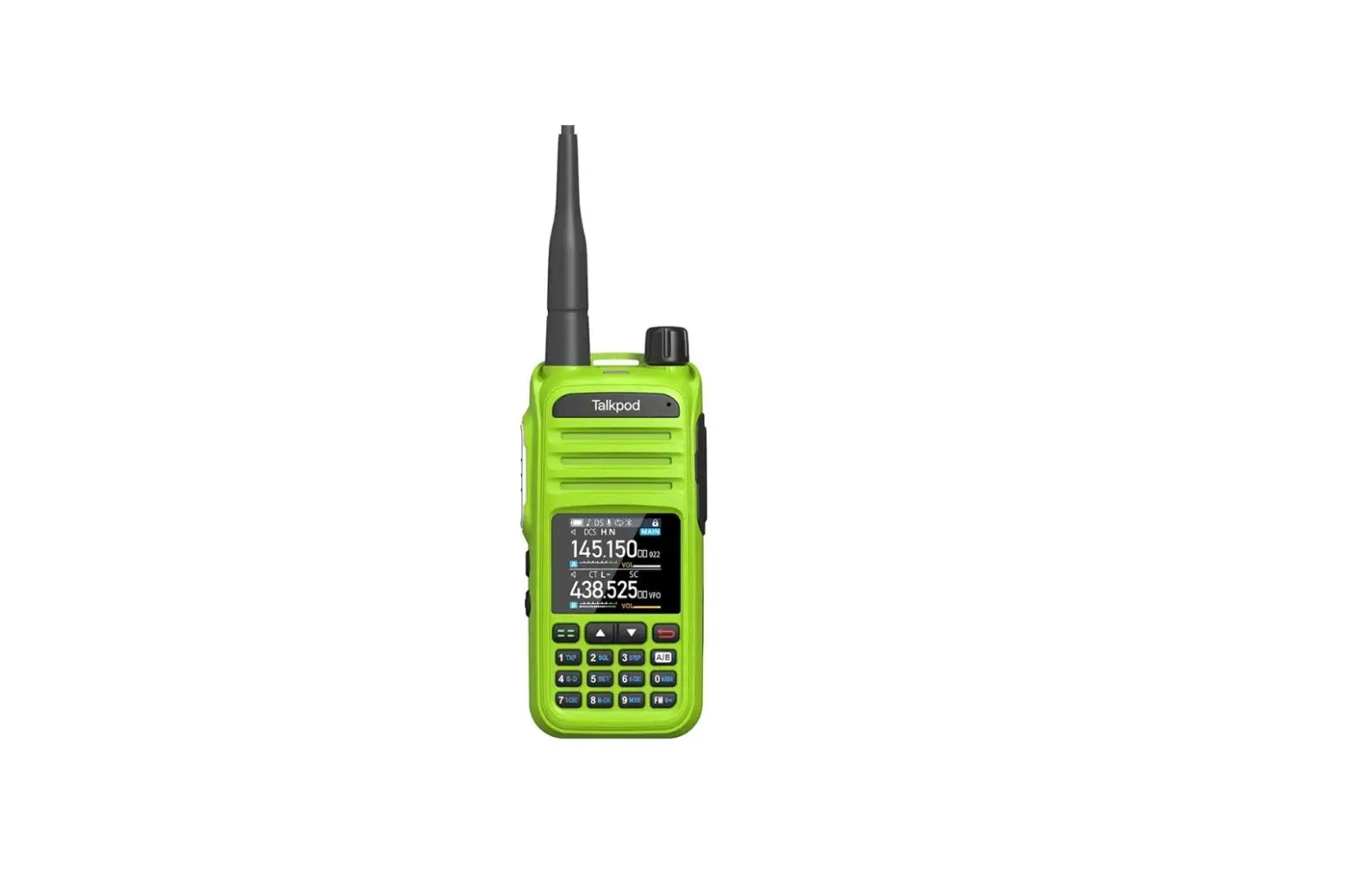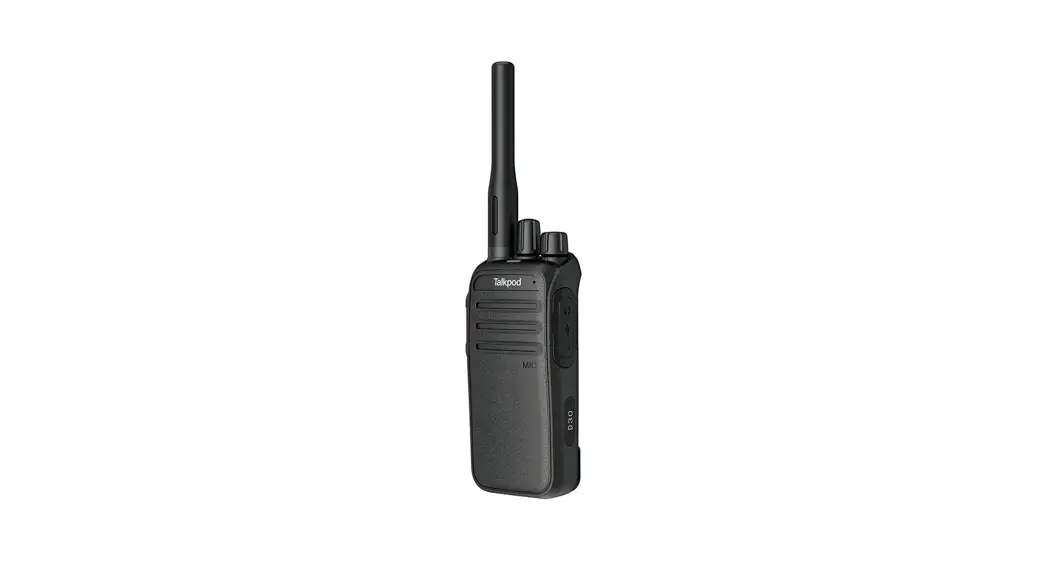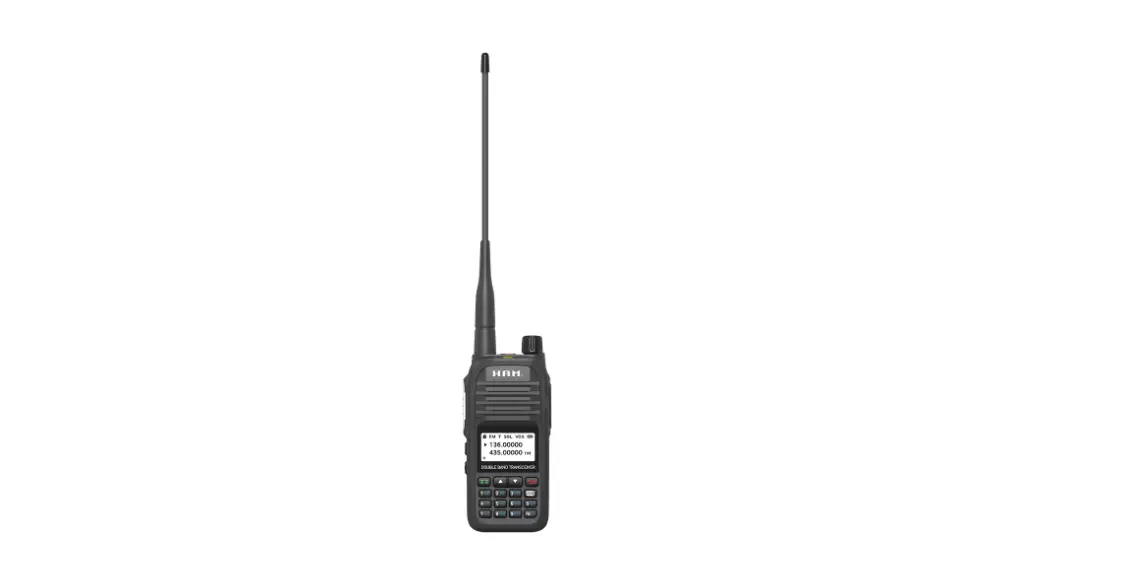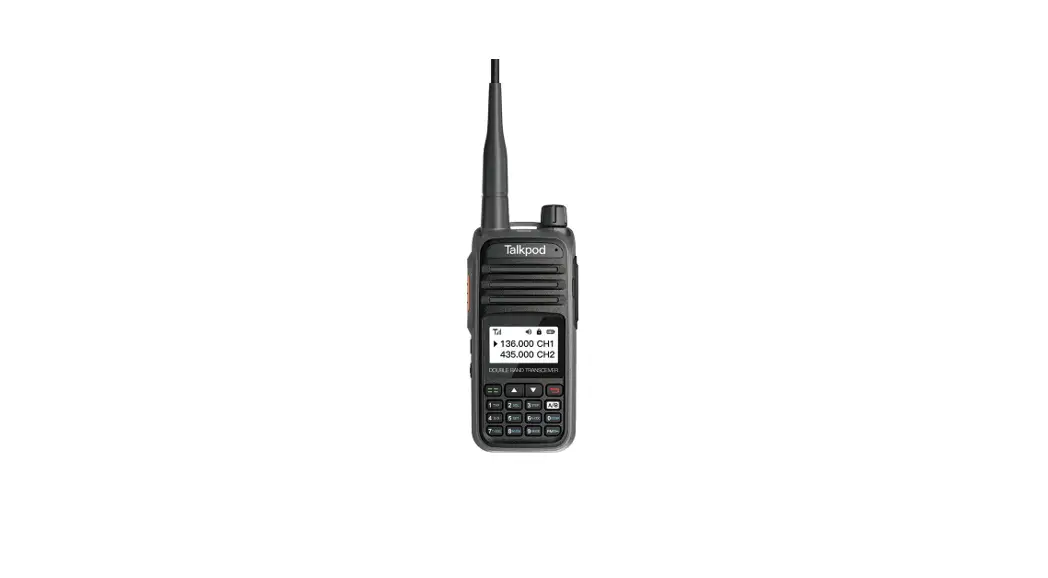

Multi-Band Portable
Transceiver User Manual
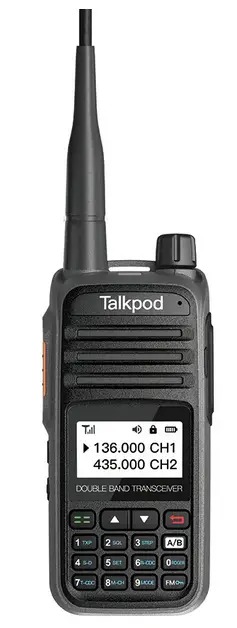

Thanks for your favor in our product.
This manual is helpful for you to quickly know how to use the product.
This manual is applicable to the following product:
Multi-Band Portable Transceiver
General information
Preface
Thanks for your favor in our product. This manual is helpfulfor you to quickly know how to use the prodcut.
This manual is applicable to the following product:B3X PMR446 Portable Radio (X may represent 0-9)
RF Radiation Information
The radio is not intended for use by general population in an uncontrolled environment. It is only for occupational use and only applied to work-related conditions. The radio must be only used by users, who are fully awareof the hazards of the exposure and who are able to exercise control over their RF exposure to qualify for the higher exposure limits.
RF Radiation Profile
Radio Frequency (RF) is a frequency of electromagnetic radiation in the range at which radio signals are transmitted. RF technology is widely used in communication, medicine,food processing and other fields. It may generate radiation during use.
RF Radiation Safety
In order to ensure user health, experts from relevant industries including science, engineering, medicine and health work with international organizations to develop standards for safe exposure to RF radiation. These standards consist of:
- United States Federal Communications Commission, Code of Federal Regulations; 47CFR part 2 sub-part J;
- American National Standards Institute (ANSI)/In stituteof Electrical and Electronic Engineers (IEEE) C95. 1-1992;
- Institute of Electrical and Electronic Engineers (IEEE) C95. 1 – 1999;
- International Commission on Non-Ionizing Radiation Protection (ICNIRP) 1998;
Operational Instructions and Training Guidelines
To ensure optimal performance and compliance with the occupational/controlled environment RF energy exposure limits in the above standards and guidelines, users should transmit no more than 50% of the time and always adhere to the following procedures:
RF energy will be generated only when the radio is transmitting.
The radio must be 2.5 centimeters away from human body when transmitting.
EU Regulatory Conformance
As certified by the qualified laboratory, the product is in compliance with the essential requirements and other relevant provisions of the Directive 1999/5/EC.
Please note that the above information is applicable to EU countries only.
Radio Structure
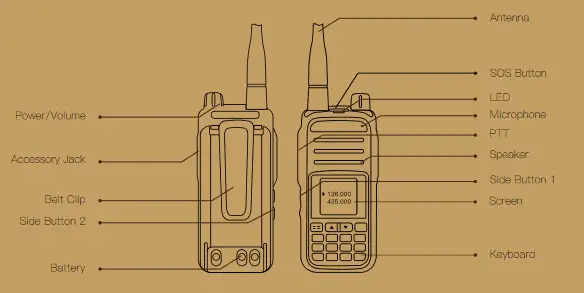
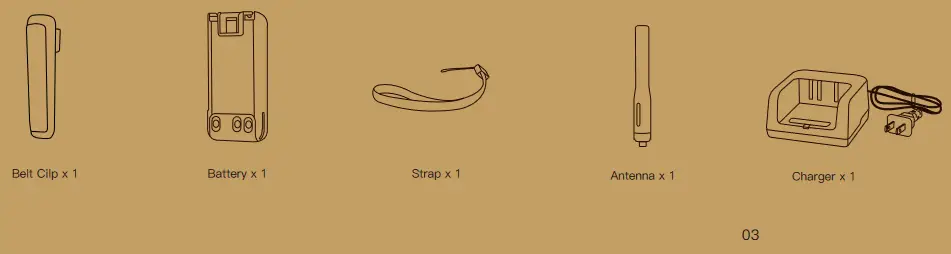
Radio Packing
| NO | Icon | Name | Description |
| 1 |  | LED Light | Green: RX Red: TX |
| 2 | 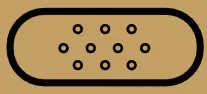 | PTT | Press to Talk |
| 3 |  | Side Button 1 | Programable Side button |
| 4 |  | Side Button 2 | Programable Side button (Better use Long press S2 for SOS) |
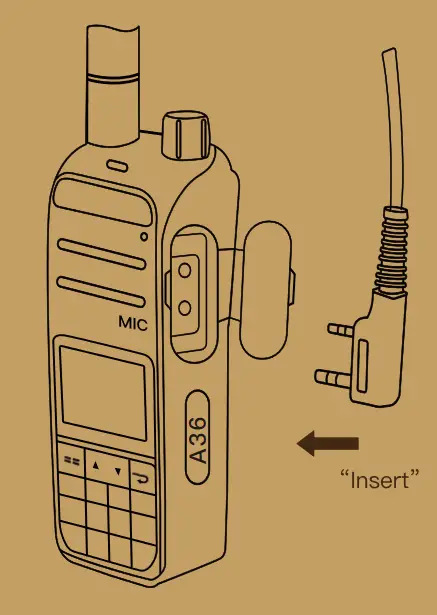
| 5 | 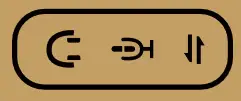 | Accessory Jack | For Headsets, Program Cable |
| 6 | 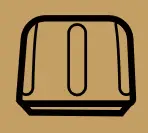 | Power Knob | Turn clockwise to power on and increase the volume Turn counterclockwise to power off the power and decrease the volume |
| 7 |  | SOS button on the top | One click on SOS alarm |
| 8 | 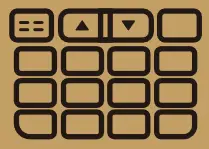 | Keyboard | Multifunction keyboard |
Specifications
| Regular | ||
| Model Name | A36-M7B4UV1 | A36-M7B4UV2 |
| Frequency Range | RX 136-174MHz 400-470MHz TX 136-174MHz 400-470MHz FM Broadcast 76-108MHz | RX 136-174MHz 245-246MHz TX 136-174MHz 245-246MHz FM Broadcast 76-108MHz |
| Power | 5W | 0.5W |
| Number of channels | 400 | |
| Work Mode | Analog | |
| Frequency Stability | ±2.5ppm | |
| SOS Alarm | 1 | |
| Weight | 210g | |
| Size | 108*52*28(mm) | |
| Program Key | 2 | |
| Antenna Type | UHF 400-470/136-260 Antenna | |
| Battery | Standard 2000mAh,7.4V | |
| Antenna Impedance | 50Ω | |
| IP Rating | IP54 | |
| Working Temperature | -30℃ ~ +60℃ | |
The above specifications are tested according to applicable standards. Due to the continuous development of technology, the above index data is subject to change without notice.
| Receive | |
| Receiving sensitivity | <0.20uv(12dB SINAD) |
| Squelch sensitivity | <0.2uV |
| Intermodulation anti-interference | 65dB |
| Audio distortion | <5% |
| Audio power | 1W |
| Receive current | ≤380mA |
| Audio Response | +1 ~ -3dB |
| Clutter resistance | ≥65dB |
| launch Part | |
| Emission current | ≤1.3A |
| Maximum deviation frequency | ≤5KHz/≤2.5KHz |
| Stray power | ≤ 7.5uW |
| Adjacent channel power | ≤-65dB |
| QT/DQT Frequency deviation | 0.7± 0.1KHz/0.4±0.1KHz |
| Signal-to-noise ratio | ≥-45dB/≥-40dB |
| Modulation sensitivity | 8-12mV |
| Output Power | 5W/2W |
Attach Battery
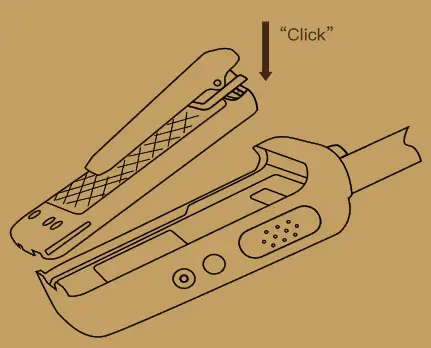
Note
- Turn off the radio before removing the battery.
- If not assembled with battery specified by Company, the radio will give alarm tone to remind you when powering on. Afterwards, it will operate normally.
Assemble Antenna
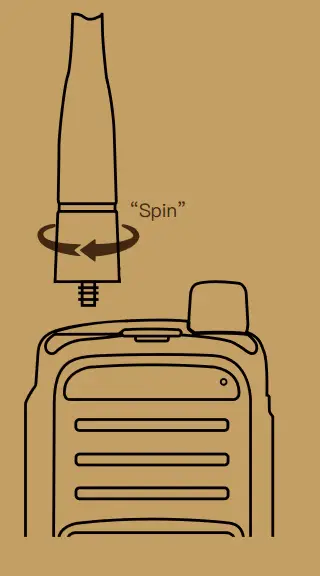
Note
Do not swing the radio when holding it by the antenna, so as to avoid lowering the performance and shortening the life span of the antenna.
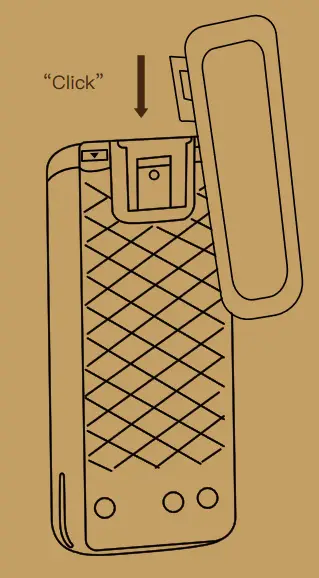
Assembling the Belt Clip
LED Indicator
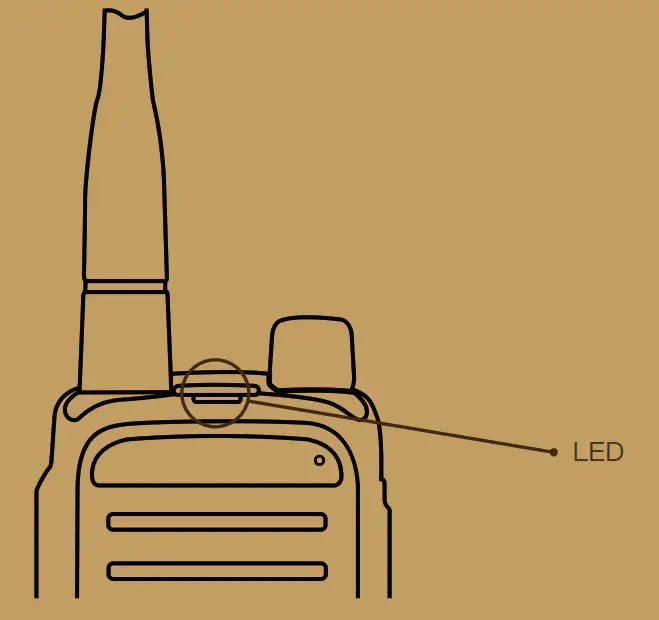
| LED Status | Product Status |
| Steady Green | Receiving |
| Steady Red | Transmiting |
Assembling the Accessories
Charge the radio
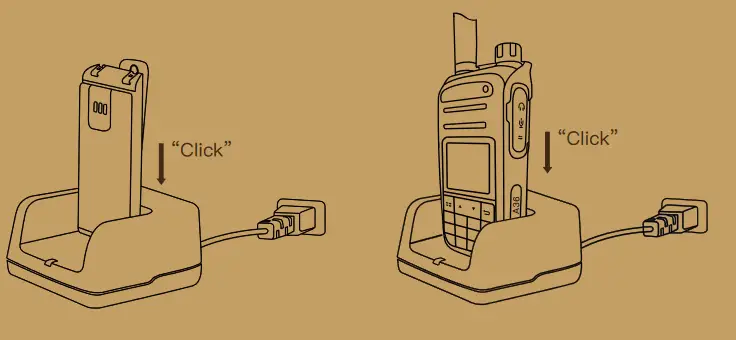
| Charging Status | ||
| Blinking Red |  | Unchargeable |
| Blinking Orange |  | Waiting to charge.(Either the battery Voltage is too low or the battery temperature is to low or too high to allow charging.When this condition is corrected,the battery will automatically begin charging.) |
| Steady Red |  | Rapid Charging |
| Blinking Green |
| Charged(90% capacity) |
| Steady Green |  | Fully Charged |

Powering On/Off
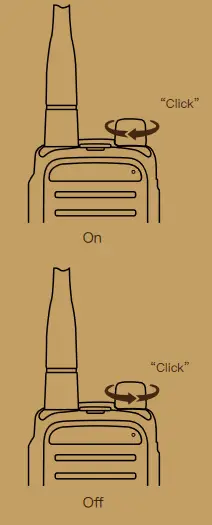

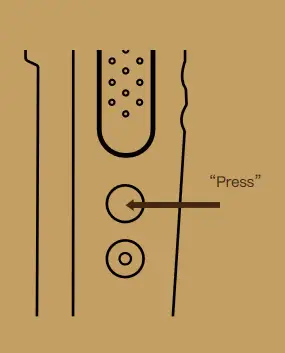
According to different models and user habits, side buttons can be set to group/member/friend selection,SOS or to broadcast current groups.
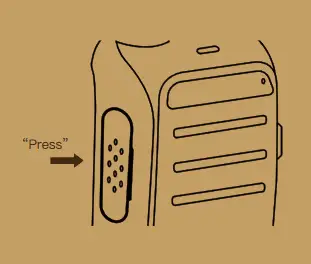
In different interfaces,press PTT button to make group call,single call, private call.
| No | Function function | Secondary menu | Setting instructions |
| 1 | SQL | 0,…,9 | The lower the squelch level, the easier it is to interfere,the higher the level, the worse the sensitivity, and the setting should be moderate |
| 2 | STEP | 2.50K | In the frequency mode, press the up and down keys to change the step value of the frequency |
| 5.00K | |||
| 6.25K | |||
| 10.00K | |||
| 12.50K | |||
| 20.00K | |||
| 25.00K | |||
| 30.00K | |||
| 50.00K | |||
| 3 | MEMCH | 000,…,256 | Indicate the channel number to be stored while store channel. If ‘CH’ in front of number means this channel already has a channel parameter. |
| 4 | DELCH | 000,…,256 | Delete the channel parameters of the specified channel. If there is no CH- means that the channel has no parameters and the operation is invalid. |
| 5 | R-CTCSS | OFF | None CTCSS |
| 67.0HZ,…,254.1HZ | Standard CTCSS. Input standard or nonstandard CTCSS via keypad. | ||
| 6 | R-DCS | OFF | None DCS |
| D023N,…,D754I | Standard DCS | ||
| 7 | T-CTCSS | OFF | None CTCSS |
| 67.0HZ,…,254.1HZ | Standard CTCSS. Input standard or nonstandard CTCSS via keypad. |
| No | Function function | Secondary menu | Setting instructions |
| 8 | T-DCS | OFF | None DCS |
| D023N,…,D754I | Standard DCS | ||
| 9 | VOICEPRI | OFF | |
| Encryption 1 | |||
| Encryption 2 | |||
| Encryption 3 | |||
| Encryption 4 | |||
| 10 | CH-NAME | COMMOM NAME LIST | |
| 11 | TXP | HIGH | High Power Transmitting |
| LOW | Low Power Transmitting | ||
| 12 | SAVE | OFF | Off Battery Saving |
| 1 | Off Battery Saving | ||
| 2 | Normal Saving | ||
| 3 | Super Saving | ||
| 13 | ROGER | OFF | Turn Off |
| ON | Turn On | ||
| 14 | TOT | 30,60,…480s | The number is from 30 to 480s, and the maximum time for PTT transmission is indicated in 30s steps. |
| No | Function function | Secondary menu | Setting instructions |
| 15 | VOX | OFF | Turn off VOX function, transmitting without PTT pressing. |
| 1,2,…9 | Activate the sound pressure intensity of voice control, level 1 is the most sensitive. | ||
| 16 | W/N | WIDE | Wide mode |
| NARR | Narrow mode | ||
| 17 | VOICE | OFF | Turn off voice prompt |
| ON | Turn on voice prompt | ||
| 18 | BEEP | OFF | Turn off operation prompt |
| ON | Turn on operation prompt | ||
| 19 | LANGUAGE | ENGLISH | English |
| CHINESE | Chinese | ||
| 20 | BCL | OFF | OFF |
| ON | ON | ||
| 21 | ABR | ON | Background light is always on. |
| 5s,10s,…3min | Time between the background light ON to automatically OFF. | ||
| 22 | OFFSET | 00.000,…,99.995 | In frequency mode, the difference between the transmitting and receiving frequencies. |
| No | Function function | Secondary menu | Setting instructions |
| 23 | SC-REV | TO | Time scanning, the walkie-talkie pauses scanning when it detects a signal, and after staying stopped for about 5 seconds, the walkie-talkie will continue scanning even if the signal is still there. |
| CO | Carrier scanning, the two-way radio pauses scanning when a channel is detected and keeps it on the same frequency until the signal disappears. There is a 2 second delay between the disappearance of the signal and the resumption of scanning to allow time for the response to begin transmission. | ||
| SE | Search scanning, the walkie-talkie exits scanning when it detects a signal and stays at this frequency. | ||
| 24 | PF2 | ||
| 25 | PF2 LONG PRESS | ||
| 26 | PF3 | ||
| 27 | SFT-D | OFF | In frequency mode, turn off the difference between the transmitting and receiving frequencies. |
| + | In frequency mode, the TX frequency=RX frequency plus frequency difference | ||
| – | In frequency mode, the TX frequency=RX frequency minus frequency difference | ||
| 28 | SCAN CTCSS |
| No | Function function | Secondary menu | Setting instructions |
| 29 | SCAN DCS | ||
| 30 | CDCSS SAVE MODE | ALL | ALL |
| RX | Receiving | ||
| TX | Transmitting | ||
| 31 | POWER ON MSG | LOGO | Photo |
| VOL TAGE | Battery voltage | ||
| 32 | ANI NAME | NUM1…NUM60 | No.1—No.50 radio. The radio name of 51-60 can be set |
| 33 | S-CODE | 1,2,3…15 | |
| 34 | DTMF CODE | OFF | Turn off |
| BOT | Press PTT to transmitting DTMF | ||
| EOT | Release PTT to transmitting DTMF | ||
| BOTH | BOTH | ||
| 35 | AUTOLK | OFF | Turn off auto keypad look |
| 5s,10s,…3min | Turn on the keypad timing automatic lock function |
| No | Function function | Secondary menu | Setting instructions |
| 36 | DTMFST | OFF | No DTMF prompt when press key to transmitting DTMF |
| DT-ST | DTMF prompt when press key to transmitting DTMF | ||
| ANI-ST | DTMF prompt when automatically transmitting DTM | ||
| DT+ANI | DTMF prompt when automatically transmitting DTMF and press key to transmitting DTMF | ||
| 37 | SCAN ADD | ||
| 38 | TONE | 1000,1450,1750,2100Hz | |
| 39 | PTT-LT | 0,100,…,1000 | Delay time before automatic DTMF transmitting |
| 40 | MENU EXIT TIME | 5,10,…60s | Control the time of menu automatically exit |
| 41 | VOX DELAY | 0.5SEC… 2.0SEC | Due to the delay of the repeater, noise appears when receive instant signal. |
| 42 | RP_STE | OFF | OFF: Adjust to eliminate the tail. If want to ensure if the repeater is work or not, set OFF. |
| 1,2,3,4,5,…10s | |||
| 43 | RPT-RL | OFF | OFF: Adjust the length of time the tail sound appears, if not needed, set it to off. |
| 1,2,3,4,5,…10s |
| No | Function function | Secondary menu | Setting instructions |
| 44 | ANI FUNCTION | OFF | Turn off |
| ON | Turn on | ||
| 45 | MDF-A | FREQ | A band displays as frequency in channel mode |
| CH | A band displays as channel in channel mode | ||
| NAME | A band displays as channel name in channel mode | ||
| 46 | MDF-B | FREQ | B band displays as frequency in channel mode |
| CH | B band displays as channel in channel mode | ||
| NAME | B band displays as channel name in channel mode | ||
| 47 | TX-A/B | OFF | In dual standby mode, transmitting current frequency band |
| A | In dual standby mode, press PTT to transmitting A band for cross-band TX/RX | ||
| B | In dual standby mode press PTT to transmitting B band for cross-band TX/RX |
| No | Function function | Secondary menu | Setting instructions |
| 48 | TDR | OFF | Turn off |
| Turn on | |||
| 49 | STE | OFF | After releasing the PTT, the radio will send a turn-off code to suppress the instant noise of the receiver. |
| After releasing the PTT, the radio will send a turn-off code to suppress the instant noise of the receiver. | |||
| 50 | AL-MOD | SITE | On-site Emergency |
| SOUND | Send emergency voice | ||
| CODE | Send emergency code | ||
| 51 | BLUETOOTH | OFF | Turn off |
| ON | Turn on | ||
| 52 | DISPLAY | OFF | Turn off |
| ON | Turn on | ||
| 53 | RESET | VFO | Menu back to factory setting |
| ALL | Menu and channel back to factory setting |
Product Care
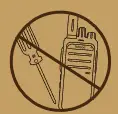 | Do not pierce or scrape the product with any edged instruments or hard objects. |
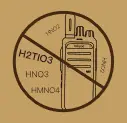 | Keep the product far away frpm substances that can corrode the circuit. |
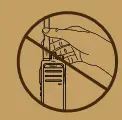 | Do not hold the product by its antenna directly. |
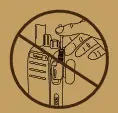 | Do not hold the product by its earpiece cable directly. |
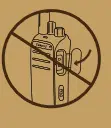 | Attach the accessory jack cover when the product is not in use Keep the product far away frpm substances that cancorrode the circuit. |
Troubleshooting
| Phenomena | Analysis | Solution |
| Power-on Failure | The battery may be improperly installed. | Remove the battery and reassemble it. |
| The battery power may be used up. | Remove or replace the battery. | |
| The battery is poorly connected due to dirtied or damaged battery contacts. | Clean the battery cchtacts.lf the problem cannot be solved. contact your dealer or authorized service center for inspection and repair. | |
| During receving, the voice is weak. discontinuous or totally inactive. | Low battery voltage. | Recharge or replace the battery. |
| Low volume level. | Increase the volume by rotating the Volume Control knob. | |
| The antenna may be loosened or improperly installed. | Reassemble the antenna after turning off the radio. | |
| The speaker may be blocked or damaged | Clean the surface of the speaker.lf the problem cannot be solved. contact your dealer or authorized service center for inspection and repair. | |
| Unable to communicate with other members. | The frequency or signaling may be inconsistent with that of other members, | Set your TX/RX frequency and signaling to the same as that of other members. |
| The channel type(digital/anaiog)may be set inconsistently. | Make sure all members are on the same digital/analog channel. | |
| You may be interrupted by radios using the same frequency. | Change the frequency. or adjust the squelch level. |
| Phenomena | Analysis | Solution |
| Irrelevant communication or noise is heard on the channel. | You may be interrupted by radio using the same frequency. | Change the frequency, or adjust the squelch level. |
| The radio may be set with no signaling. | Set signaling for all member radios to avoid inference at the same frequency.And change the signaling settings for all portable radios at the same time. | |
| The noise is too loud. | You may be too far away from otjer members. | Move towards other members. |
| You may locate in an unfavorable position.For example, your communication may be blocked by high buildings or frustarted in the underground areas. | Move to an open and flat area, and restart the radio to try again. | |
| You may suffer from external disturbance (such as electromagnetic interference). | Stay away from equipment that may cause interference. |
Optional Accessories
The following items are main optional accessories for the radio. For more information of other accessories, olease consult your local dealer.
Note
Use the accessories specified by Company only. If not, the Company shall not be liable for any losses or damages arsing out of use of unauthorized accessories.
| Charger | |
 | 3 series standard desktop charger / 3.7V-7.4V / DC12V input |
| 3 series integrated desktop charger / 7.4V / AC220V input | |
| Antenna | |
 | Digital / analog UHF short antenna / 400-470MHz / black mark |
| Digital / analog UHF long antenna / 400-470MHz / black mark | |
| Digital / analog UHF built-in GPS short antenna / 400-470MHz / black label | |
| Digital / analog VHF long antenna / 136-174MHz / black mark | |
| Digital / analog UHF long antenna / 450-470MHz / black mark | |
| Digital / analog UHF long antenna / 350-400MHz / black mark | |
| Analog UHF long antenna / 400-480MHz / orange standard | |
| Protective case | |

| Semi-packed nylon cover / adhesive type / with oblique lanyard / small |
| Semi-packed leather holster / button type / oversized iron back clip / with diagonal strap / medium | |
| All-inclusive leather holster / button type / thick leather pattern / with diagonal strap / large | |
| Wearable chest bag protector / all black | |
| Wearable chest bag protective cover / fluorescent strip | |
| Waterproof bag | |
| Data line / write frequency line | |
 | Universal K head dual hole USB to serial port programming cable / N4 / N5 / D4 / B3 universal |
| USB to Micro cable / OD3.8PVC / common to all series | |
| Headset | |
 | 2-Wire Earloop with On-MIC PTT |
| 2-Wire D-Ring Earphone with On-MIC PTT | |
| 2-Wire Acoustic Tube with On-MIC PTT | |
| Earloop with In-line Microphone | |
| D-Ring Earphone with In-line Microphone | |
| Acoustic Tube with In-line Microphone | |
| 3-Wire Acoustic Tube Surveillance Kit (Black) | |
| Rotatable ear-hook type oval clip PTT headset | |
| Right earhook type oval clip PTT headset | |
| C-type ear-hook oval clip PTT headset | |
| Ear hook + earplug type oval clip PTT headset | |
| Multi-channel charger | |
 | 3 Series Inline Desktop Six-way Charger / 14V3.5A |
| 3 Series 3X2 type6 Slots Charger 14V3.5A-7.4V | |
| Back clip | |
 | 2 Series / 3 Series Belt Clip / Spring Type / 7CM |
| Hand microphone | |
 | Speaker Microphone |
| Speaker Microphone With Volume Control | |
| Power Adapter | |
 | Power adapter / 12V2A / GB |
| Power adapter / 12V2A / European regulations | |
| Power adapter / 12V2A / British regulations | |
| Power adapter / 12V2A / Australia regulations | |
| Power adapter USB interface / 5V2A | |
| Power adapter USB interface / 5V1A | |
| Power adapter / 12V1A / GB | |
| Power adapter / 12V1A / European regulations | |
| Power adapter / 12V1A / British regulations | |
| Power adapter / 12V1A / Australia regulations | |