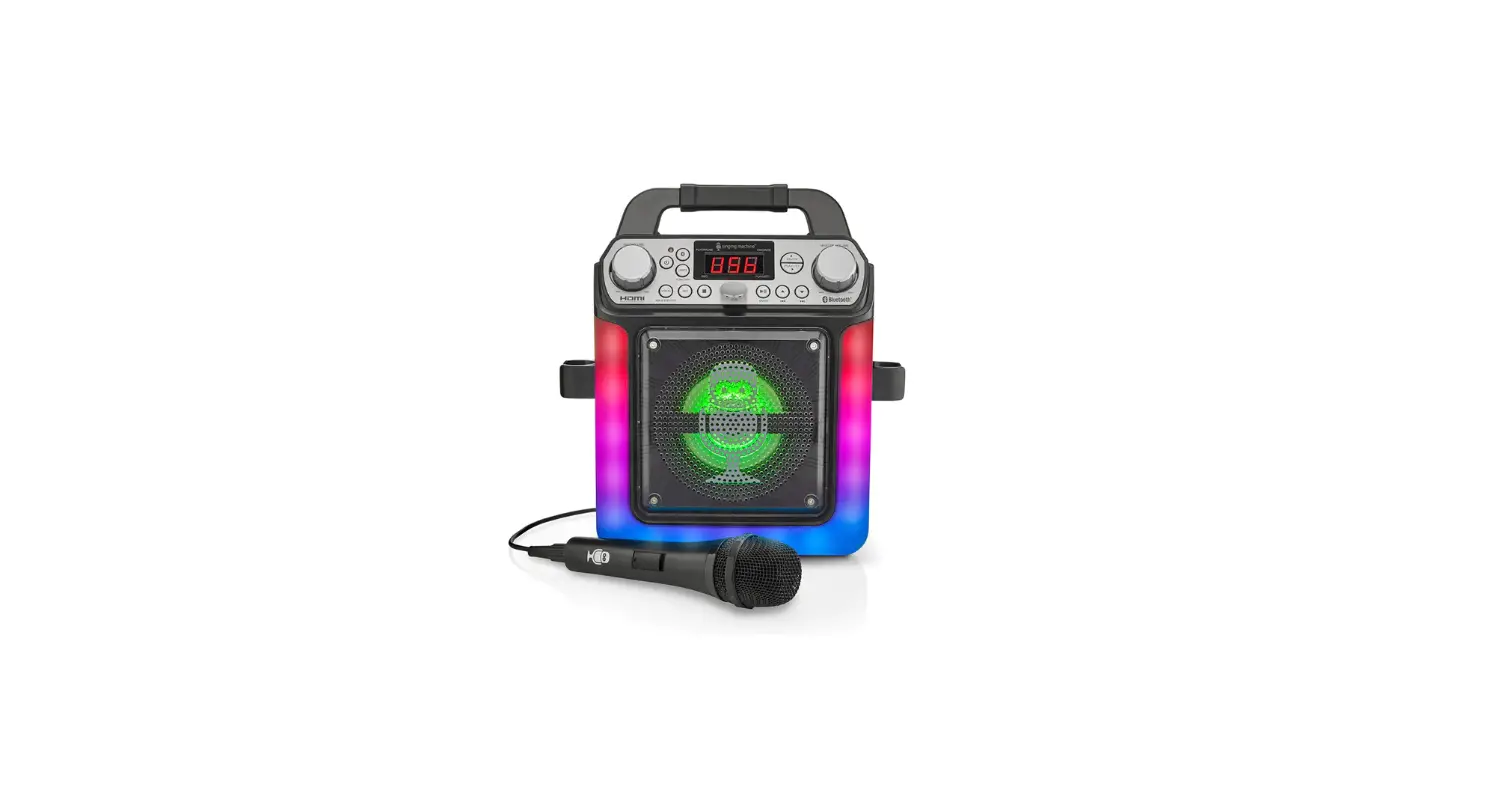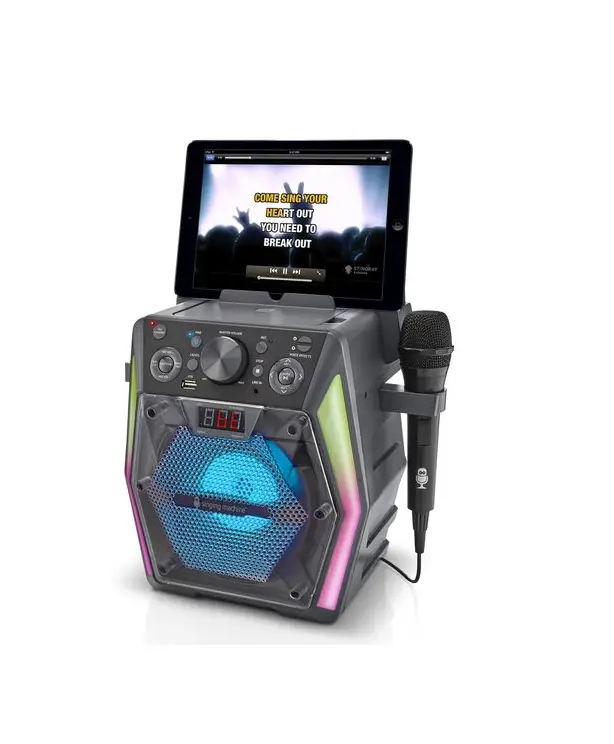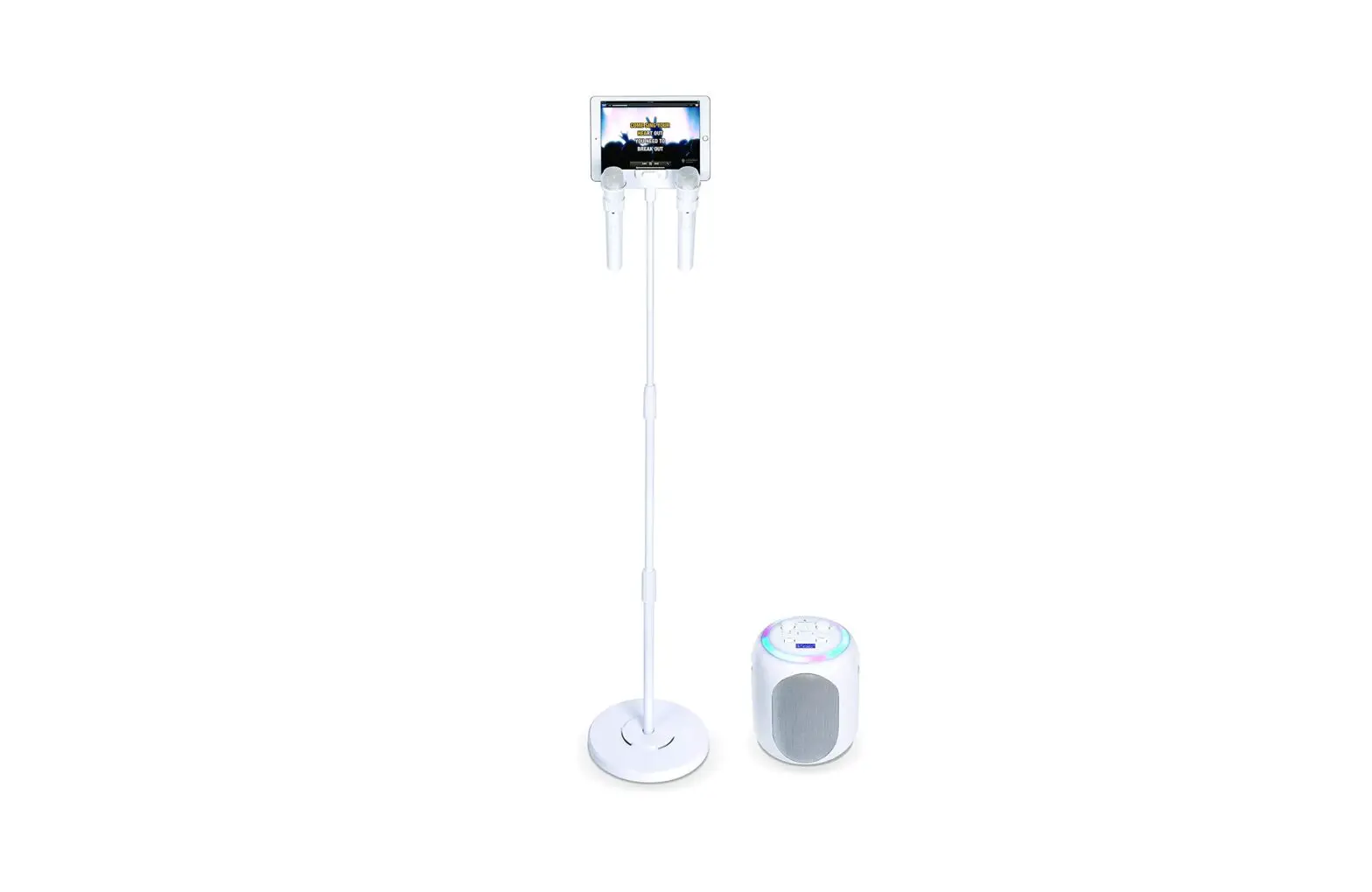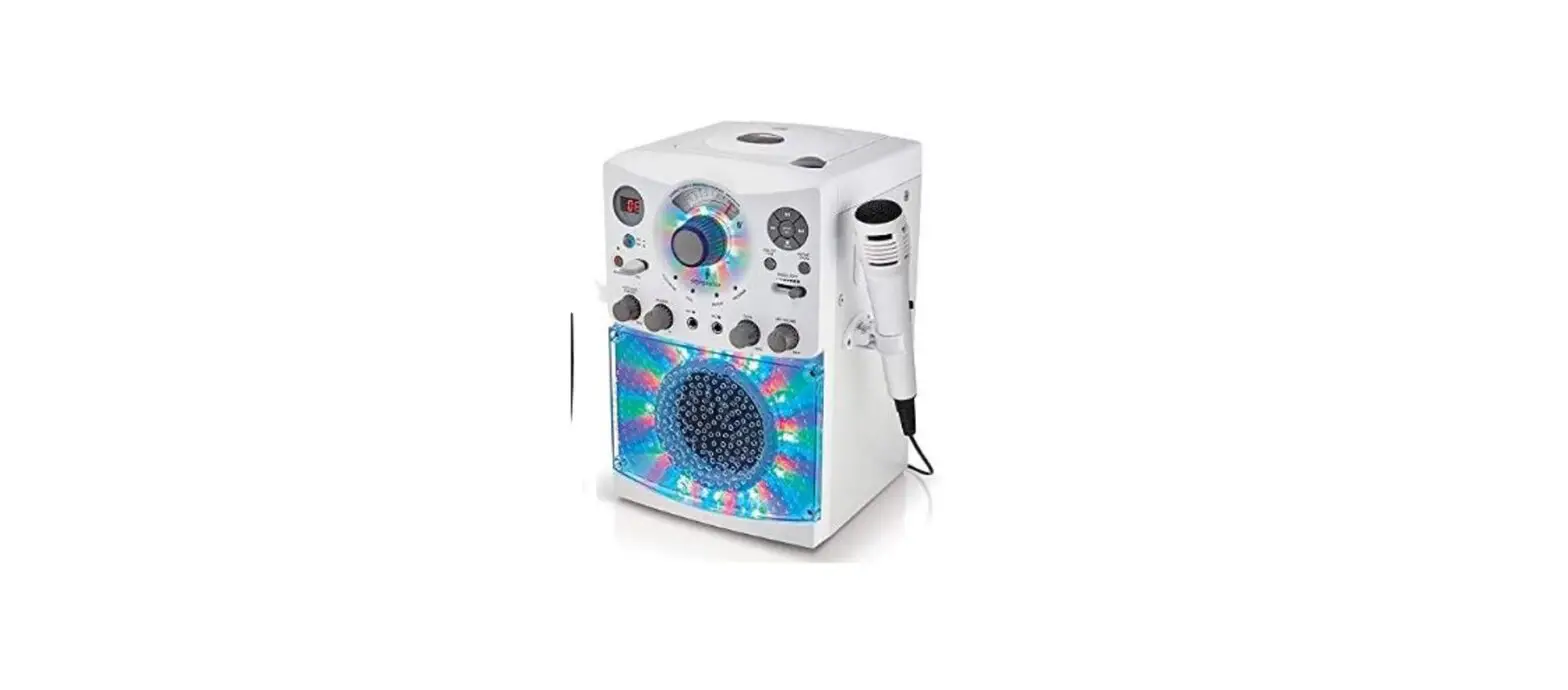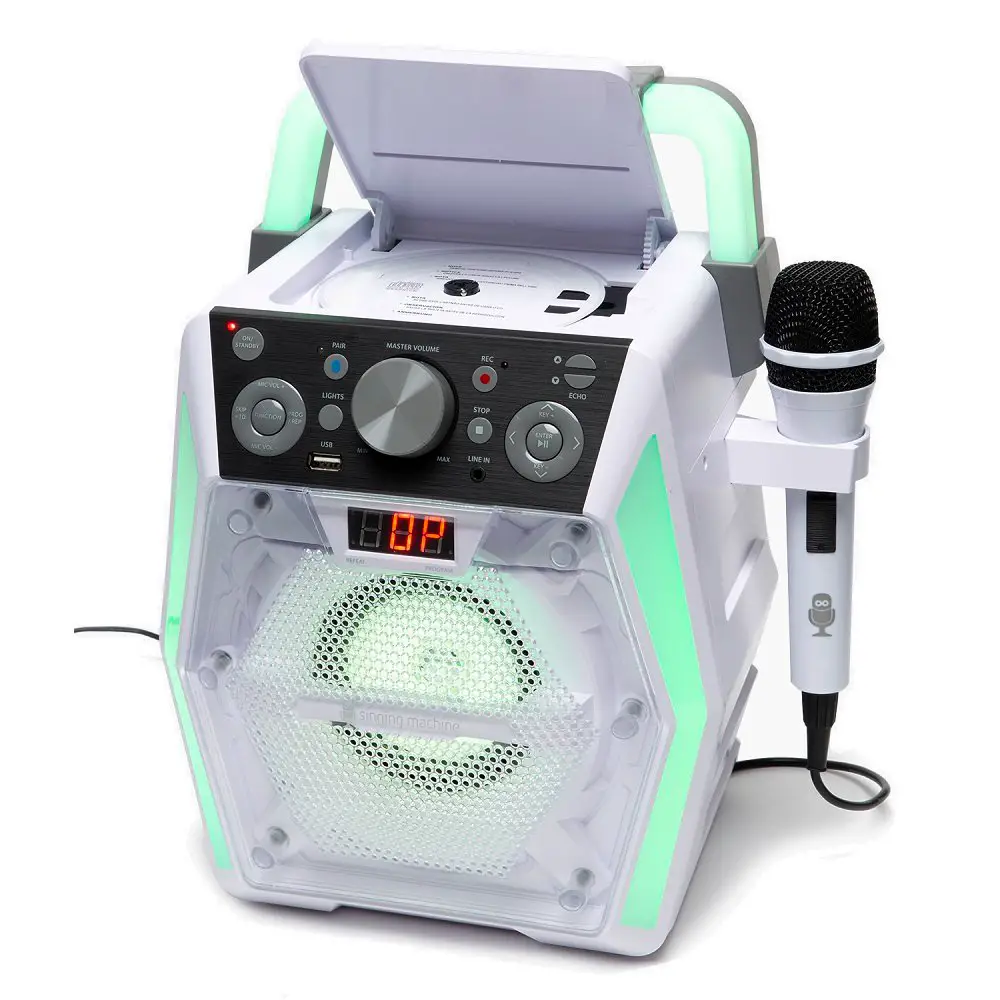
 Singing Machine SML652BK HDMI Groove Mini Portable Karaoke System
Important Safety Information
- Read these Instructions.
- Keep these Instructions.
- Heed all Warnings.
- Follow all Instructions.
- Do not use this apparatus near water.
- Clean only with a dry cloth.
- Do not block any of the ventilation openings. Install in accordance with the Manufacturer’s instructions.
- Do not install near any heat sources such as radiators, heat registers, stoves, or other apparatus (including amplifiers) that produce heat.
- Do not defeat the safety purpose of the polarized or grounding-type plug. A polarized plug has two blades one wider than the other. A grounding type plug has two blades and a third grounding prong. The wide blade or the third prong are provided for your safety. When the provided plug does not fit into your outlet, consult an electrician for the replacement of the obsolete outlet.
- Protect the power cord from being walked on or pinched particularly at plugs, convenience receptacles, and the point where they exit from the apparatus.
- Only use attachments/accessories specified by the manufacturer.
- Use only with a cart, stand, tripod, bracket, or table specified by the manufacturer, or sold with the apparatus. When a cart is used, use caution when moving the cart/apparatus combination to avoid injury from tip-over.
- Unplug this apparatus during lightning storms or when unused for long periods of time.
- Refer all servicing to qualified service personnel. Servicing is required when the apparatus has been damaged in any way, such as power-supply cord or plug is damaged, liquid has been spilled or objects have fallen into the apparatus, the apparatus has been exposed to rain or moisture, does not operate normally, or has been dropped.
- WARNING: To reduce the risk of fire or electric shock, do not expose this apparatus to rain or moisture. Do not place objects filled with water, such as a vase, on the apparatus.
- The AC mains plug is used as the power disconnect device and it should remain readily accessible and operable during intended use. In order to completely disconnect the apparatus from power, the mains plug should be completely removed from the AC outlet socket.
- CAUTION: To reduce the risk of fire or explosion, do not expose batteries to excessive heat such as sunshine, fire or other heat sources.
Included
Please make sure the following items are included.
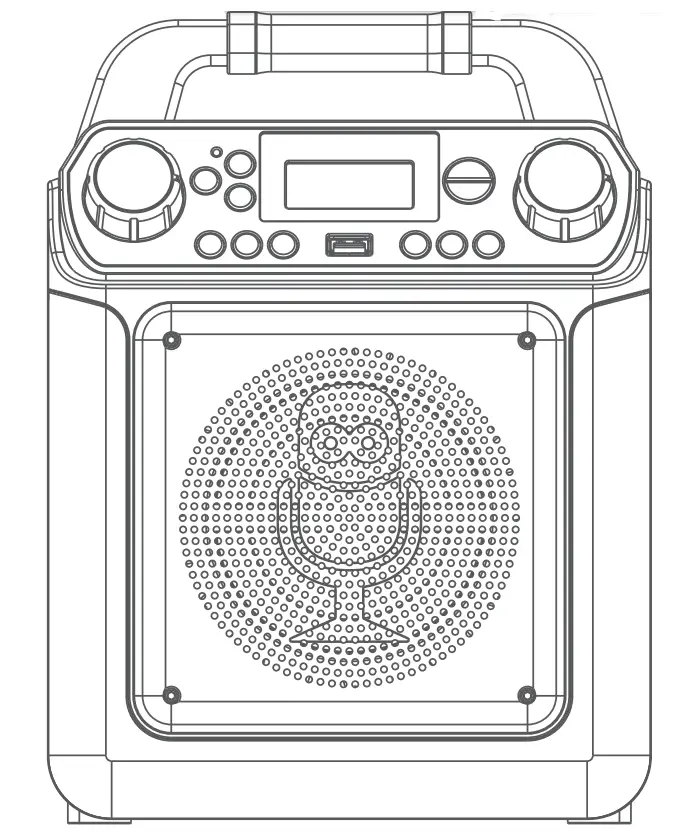
- Main Unit
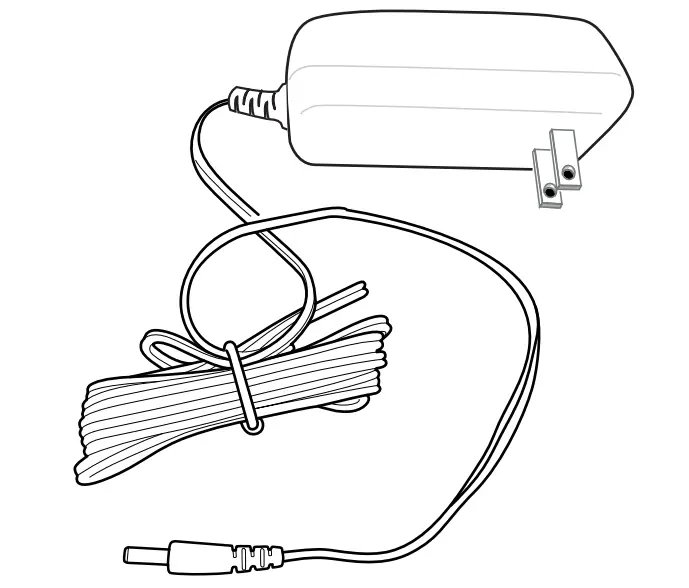
 AC Adapter
- Manual

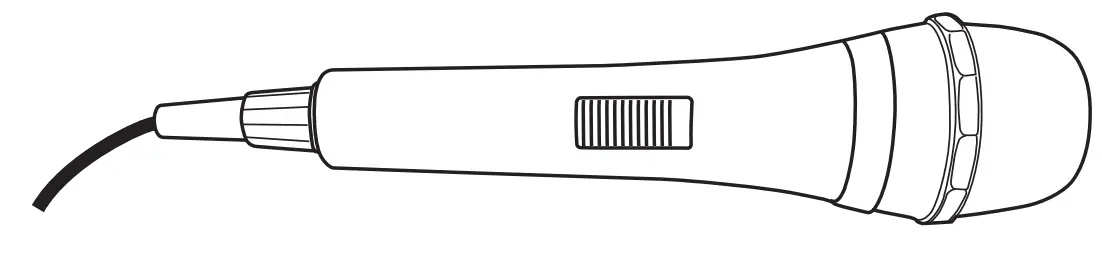
- Wired Microphone

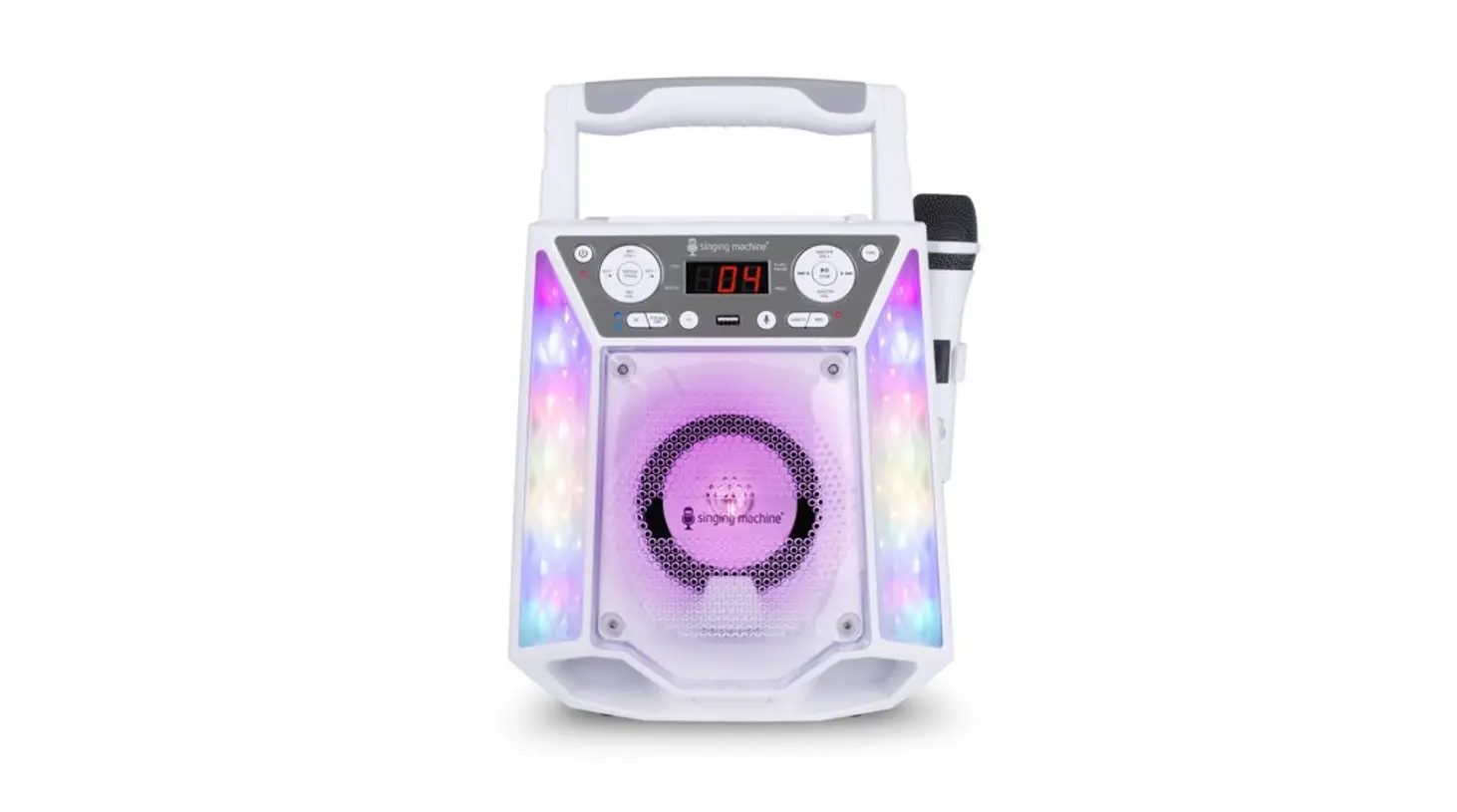
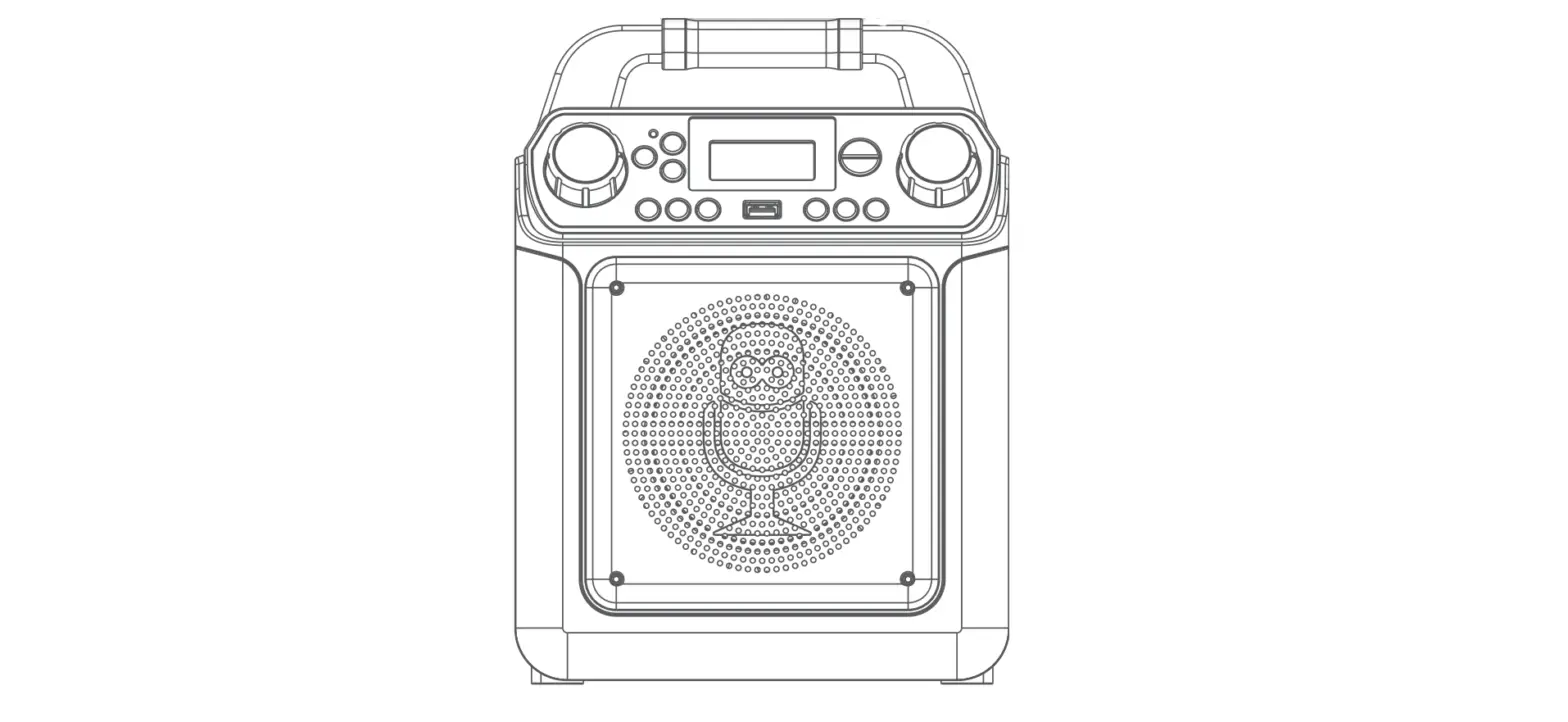
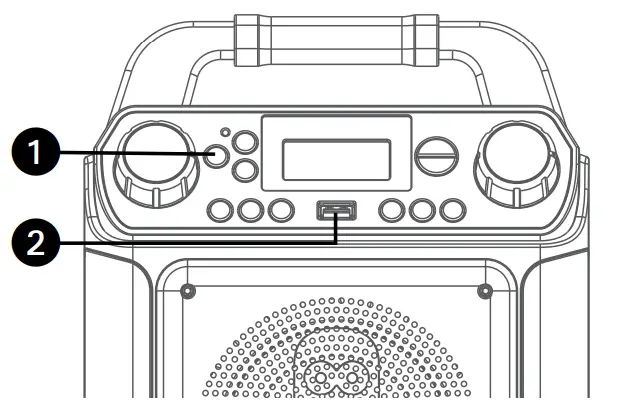
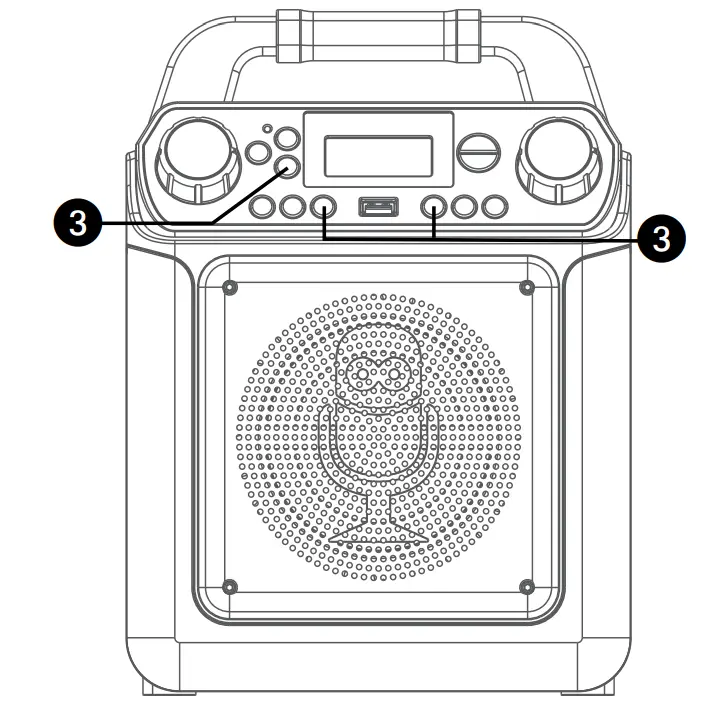
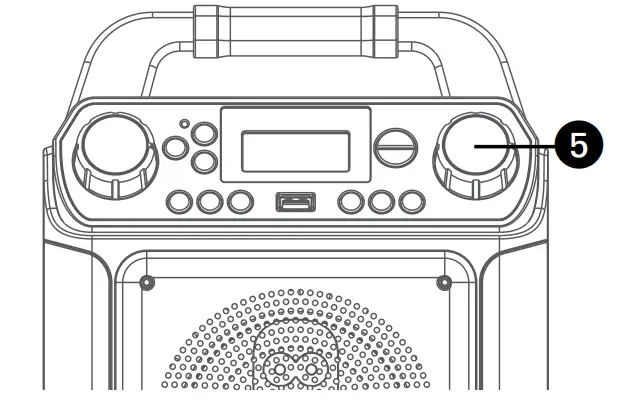
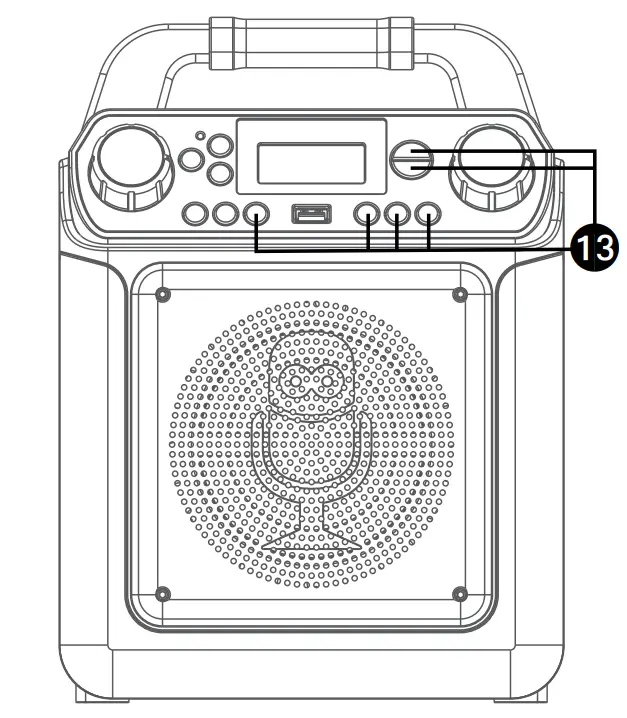
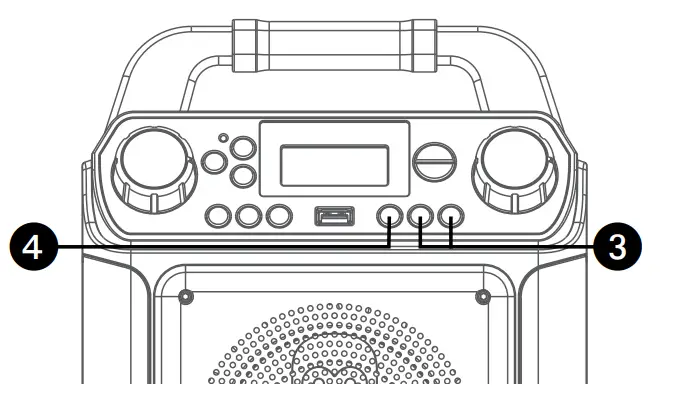
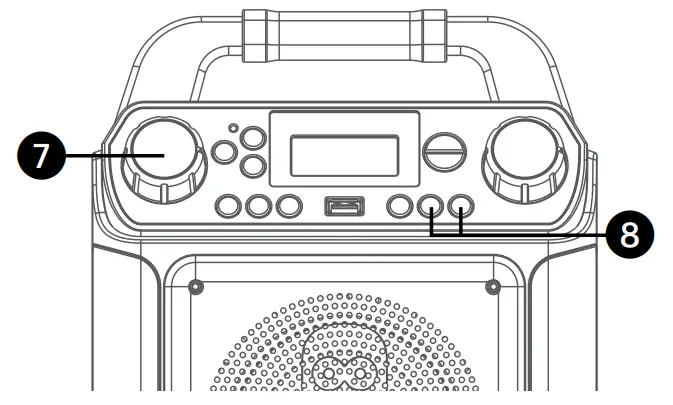
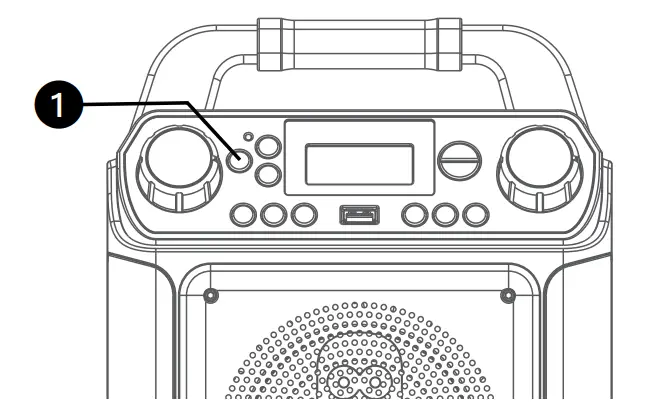
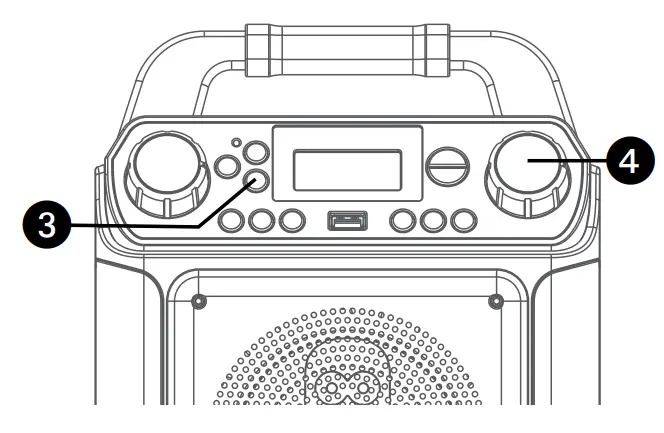
Location of Controls (Front)
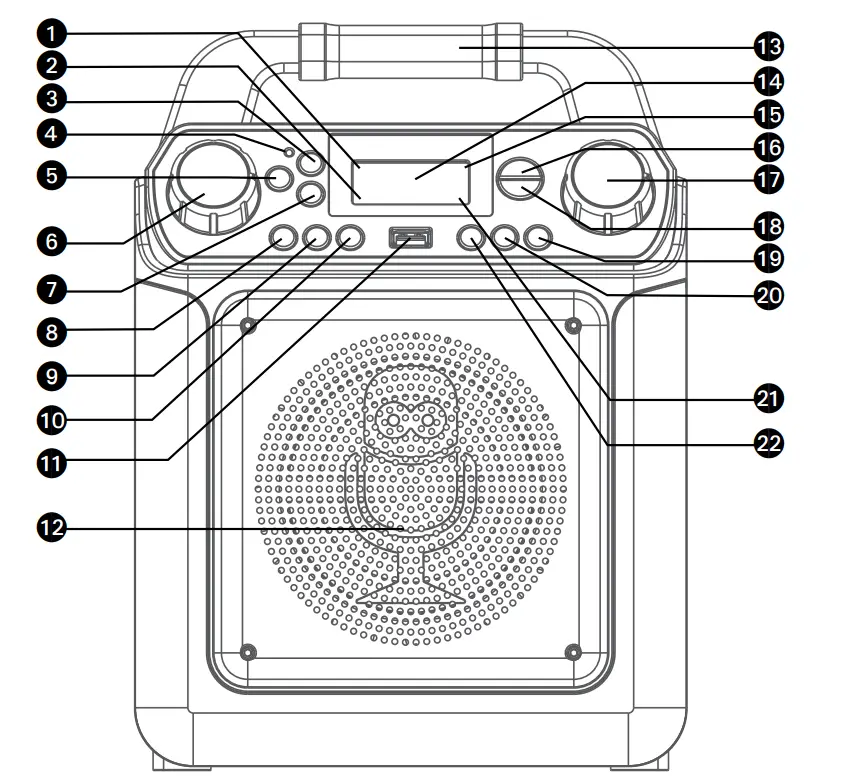
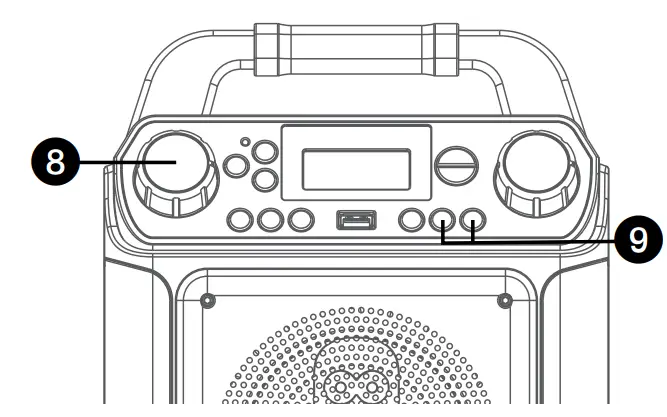
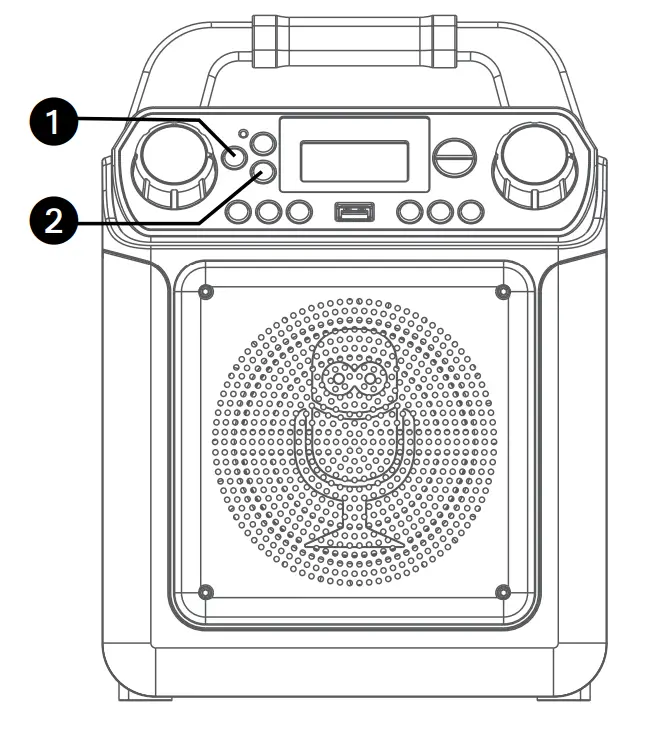
- Play/Pause indicator
- Record indicator
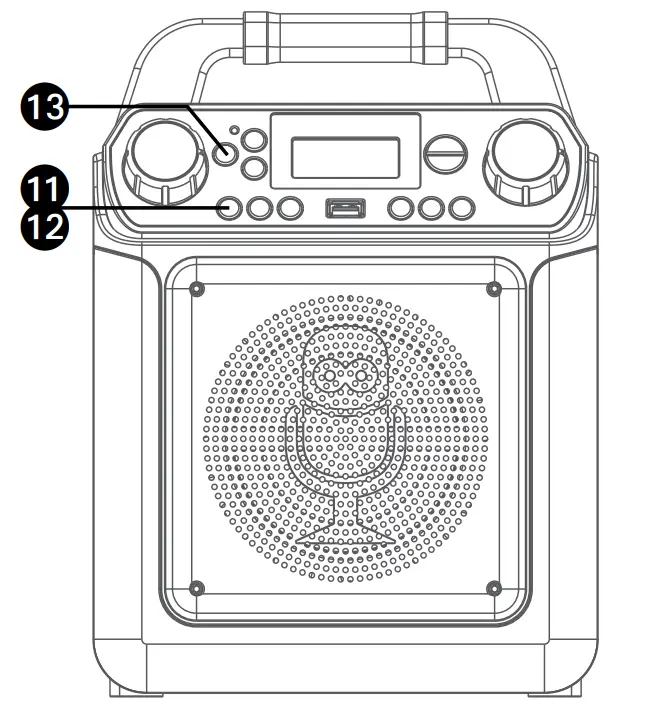
 Bluetooth Button
- Bluetooth indicator
 ON/STANDBY Button
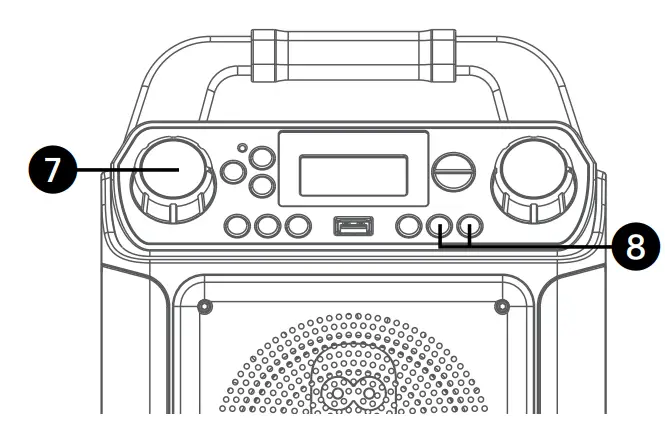
- MIC VOLUME Control
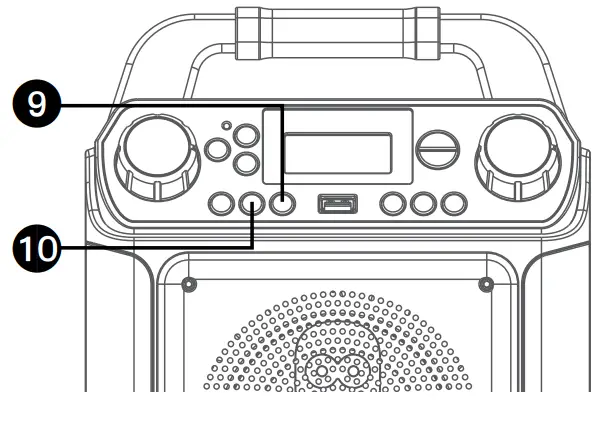
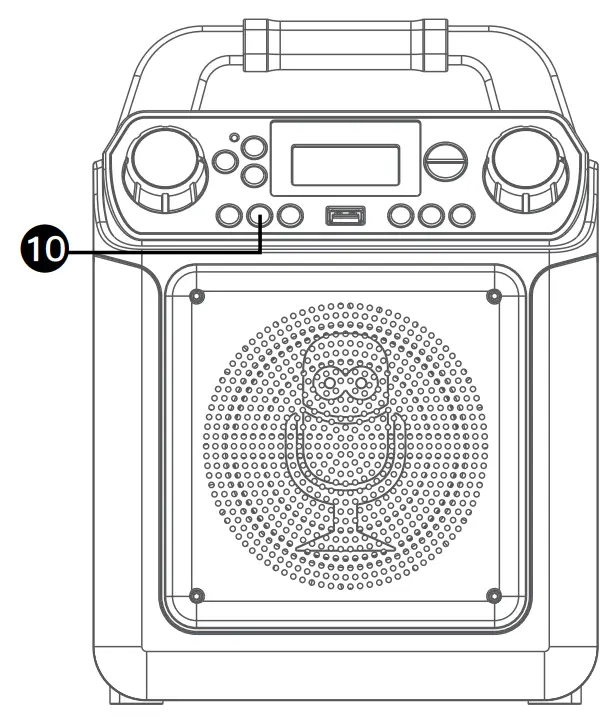
- LIGHTS/FUNCTION Button
- VOCAL/VOICE EFFECTS Button
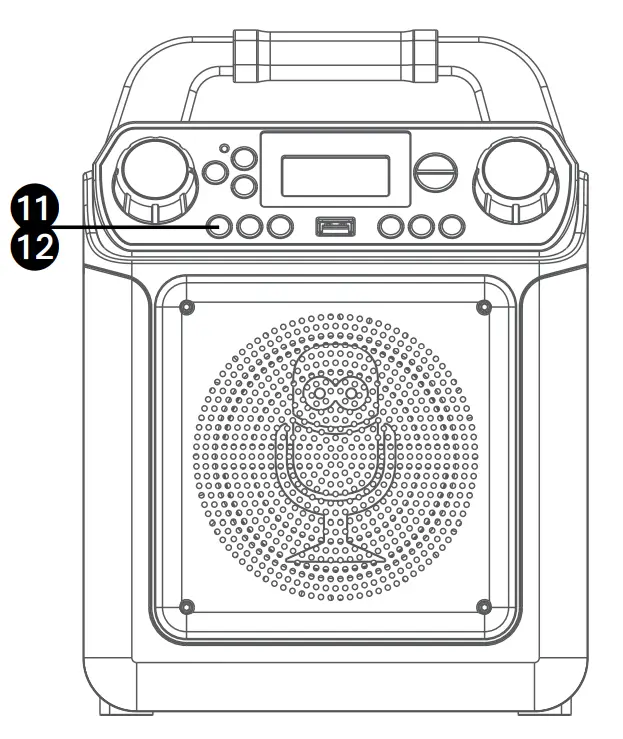
- ECORD Button
 STOP Button
- USB Port
- Speaker
- Handle
- Display
- Favorite indicator
- FAVOR / Navigation
 Button
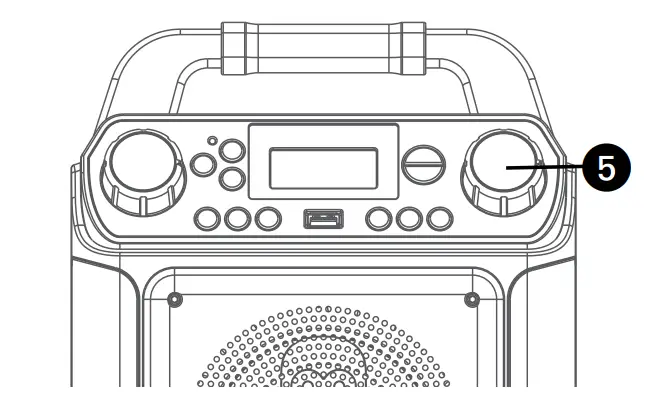
 - MASTER VOLUME Control
- PLAYLIST / Navigation
 Button
 - Skip
 / Navigation
 Button
 - Skip
 / Navigation
 Button
 - Playlist indicator
- PLAY/PAUSE / ENTER Button
 ON/STANDBY Button
 STOP Button
 Button
 Button
 / Navigation
 Button
 / Navigation
 Button
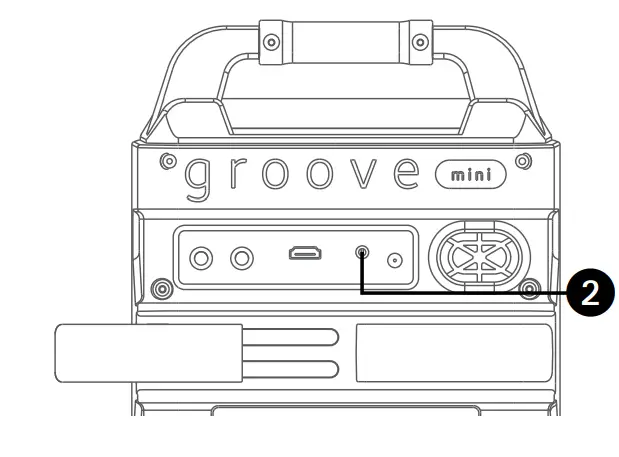
Location of Controls (Rear)
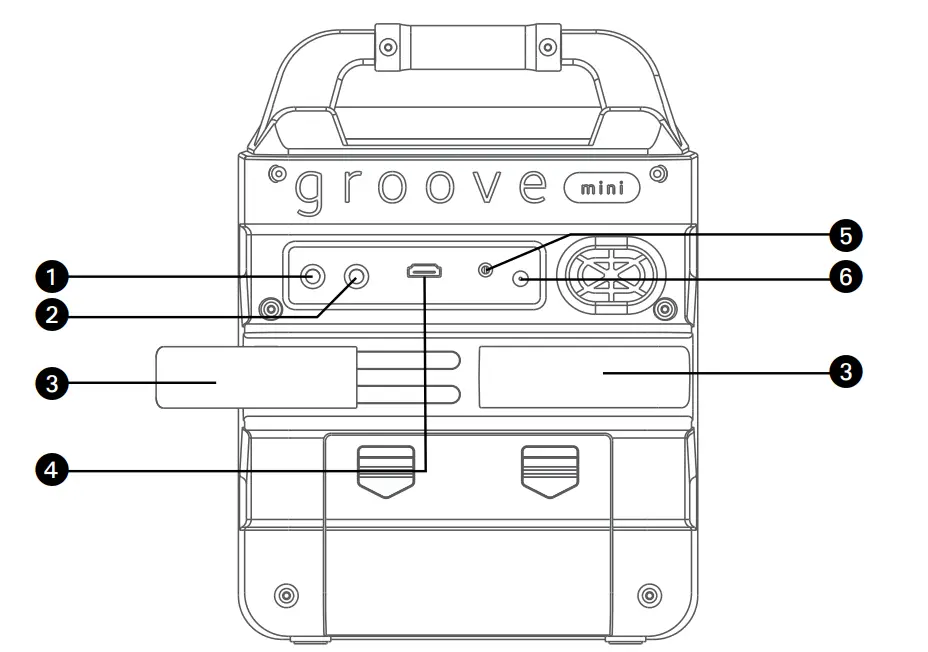
- MIC 1 Jack
- MIC 2 Jack
- Extendable MIC holders
- HDMI Jack
- AUX IN Jack
- DC IN Jack
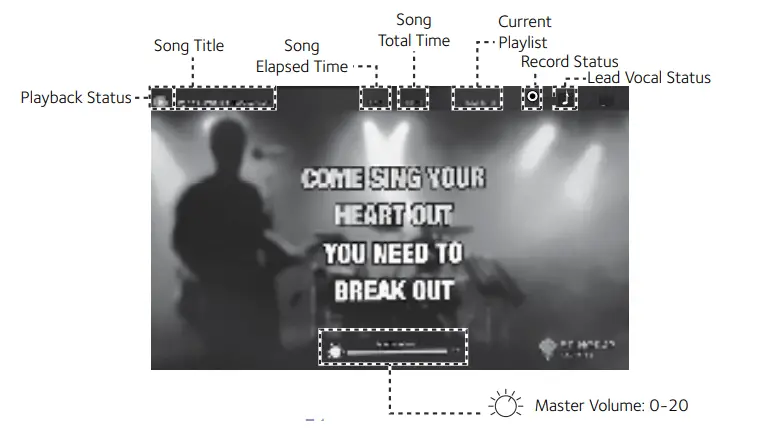
Location of Controls (Playback Display)
Connection
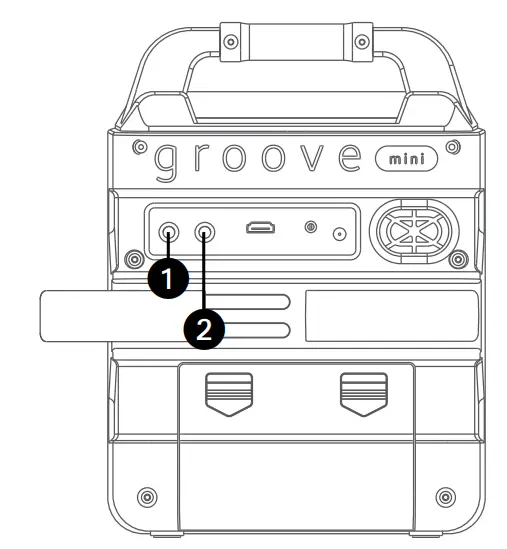
Connecting the Microphone(s)
Microphones:
Connect a microphone into Mic jack 1 u as well as Mic jack 2 v (when desired).
Note: Do not drop or tap the Mic as damage to the Mic or speakers may occur. Do not twirl the microphone cord as it will cause damage to the encased wiring.
Connecting the Unit to a TV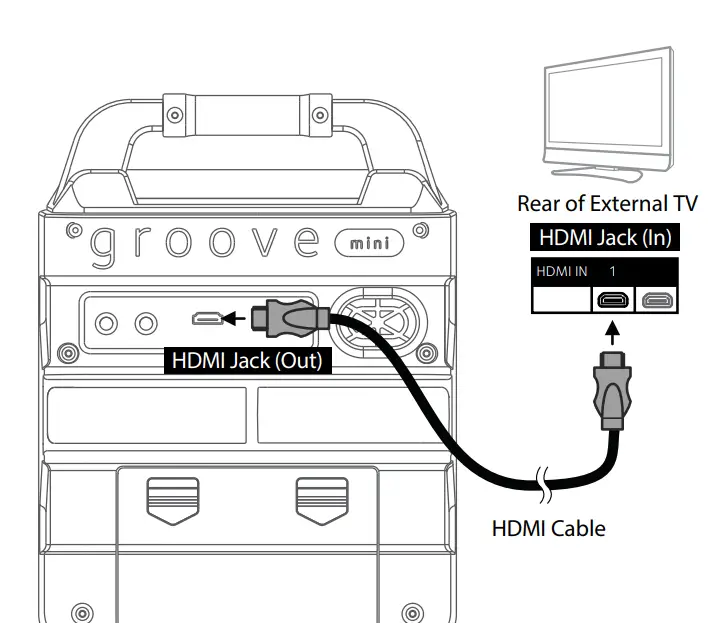
To output, the video, lyrics, and audio to your TV, perform the following steps:
Plug the HDMI cable (not included) into the HDMI Jack on the back of the unit. Plug the other end of the HDMI cable into the HDMI input on your TV.
Notes:
- This unit can be used with or without a TV, but it is highly recommended to use a TV in order to utilize all the features.
- Also, refer to the TV’s User Guide for input and display instructions.
- To see the lyrics on the screen, you must play MP4 or MP3+G files through the USB port.
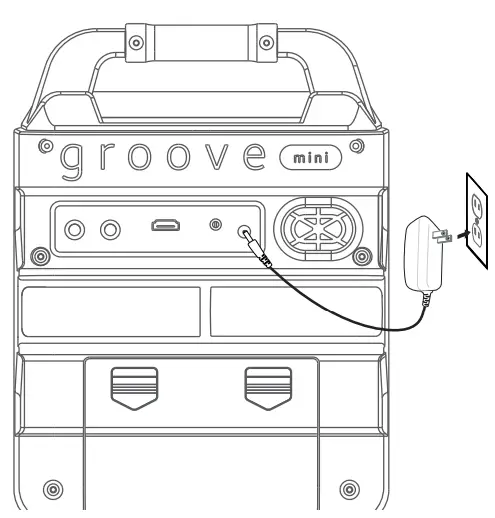
Connecting to AC Power
Insert the AC power cord into a conveniently located AC outlet having AC 120V, 60Hz.
Note:
Make all connections before connecting to AC power.
Inserting Batteries
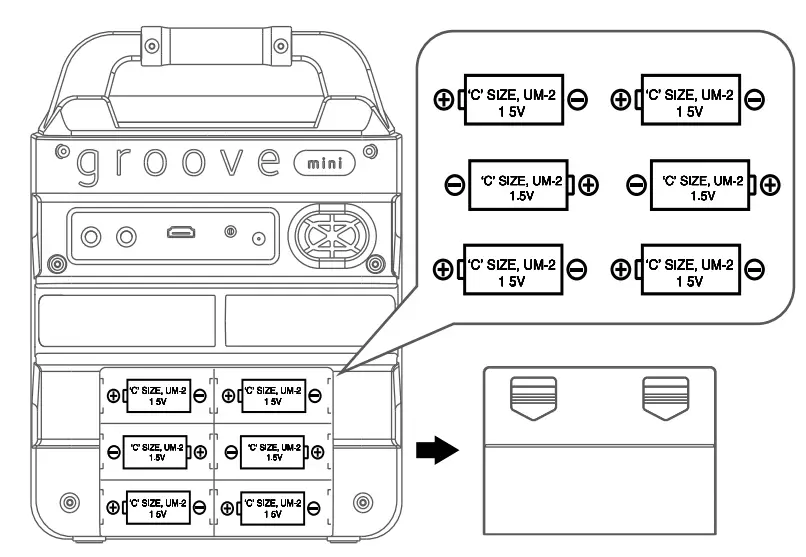
- Slide the battery door in the direction the arrow indicates to reveal the battery compartment. Insert six (6) “C” size alkaline batteries (not included) as indicated on the diagram.
- Replace the cover tightly before operating.
Battery Precautions
The precautions below should be followed when using batteries in this device:
- Use only the size and type of batteries specified.
- Be sure to follow the correct polarity when installing the batteries as indicated in the battery compartment. Reversed batteries may cause damage to the device.
- Do not mix different types of batteries together (e.g. Alkaline and Carbon Zinc) or old batteries with fresh ones.
- If the device is not to be used for a long period of time, remove the batteries to prevent damage or injury from possible battery leakage.
- Do not try to recharge batteries not intended to be recharged, they can overheat and rupture. (Follow battery manufacturer’s directions.)
- Rechargeable batteries are to be removed from the product before being charged.
- Rechargeable batteries are only to be charged under adult supervision.
- Exhausted batteries are to be removed from the product.
- Batteries shall not be exposed to excessive heat such as sunshine, fire or the like.
Connecting to AUX IN Jack
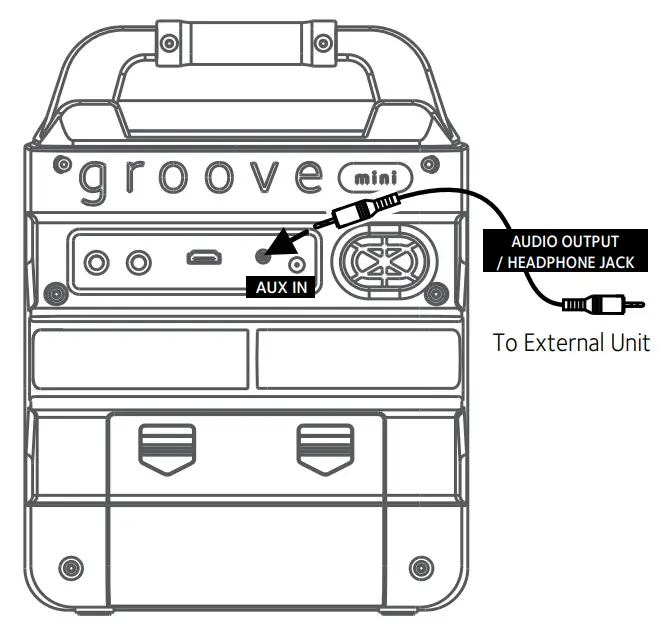
Connect an external device by using an appropriate cable (3.5mm audio cable not included) as shown.
Note:
See page E20 to select and use the Aux In function.
Cradle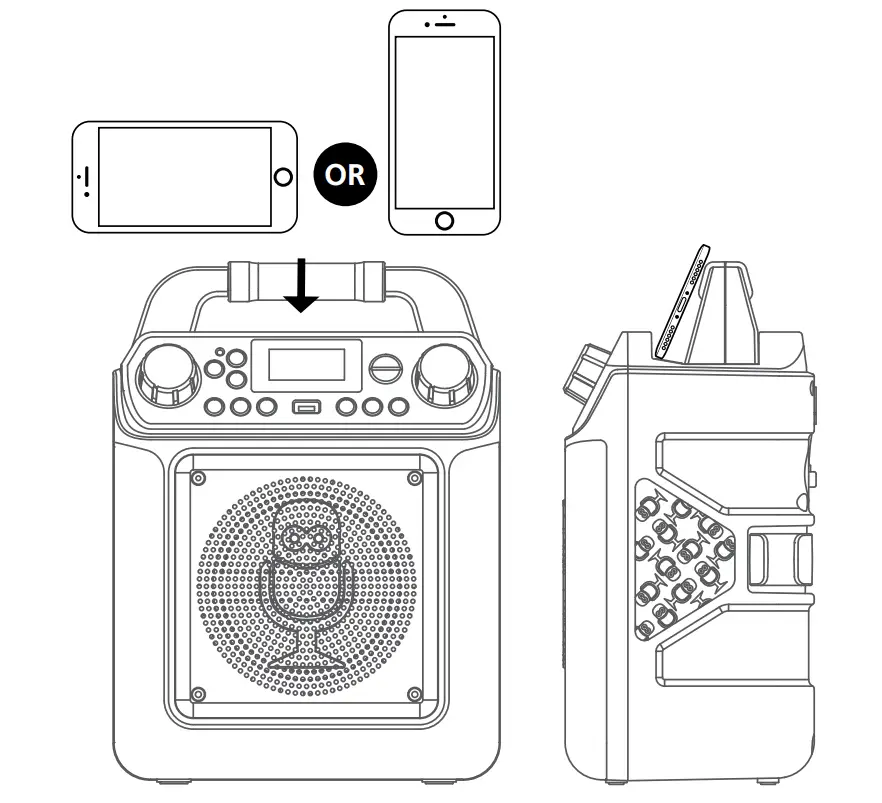
Operation
Voice Effects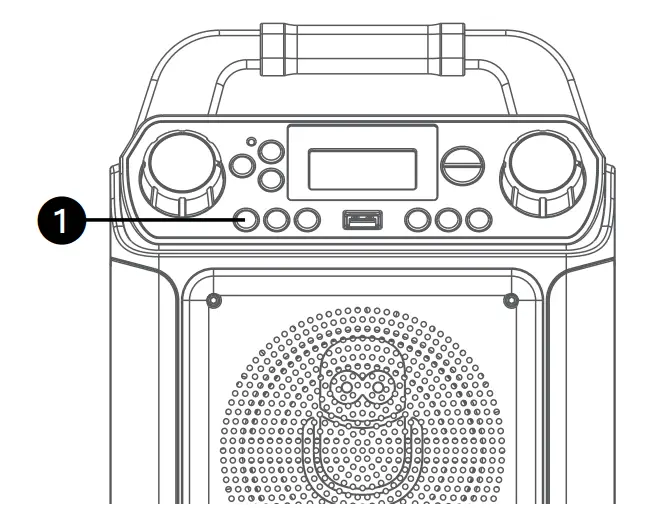
Repeatedly press the VOCAL/VOICE EFFECTS button to select different vocal effect. Display will show:
- EF0 – OFF
- EF1 – ECHO
- EF2 – FEMALE
- EF3 – MALE
- EF4 – CHIPMUNK
- EF5 – ROBOT
- EF6 – RADIO
Speaker Lights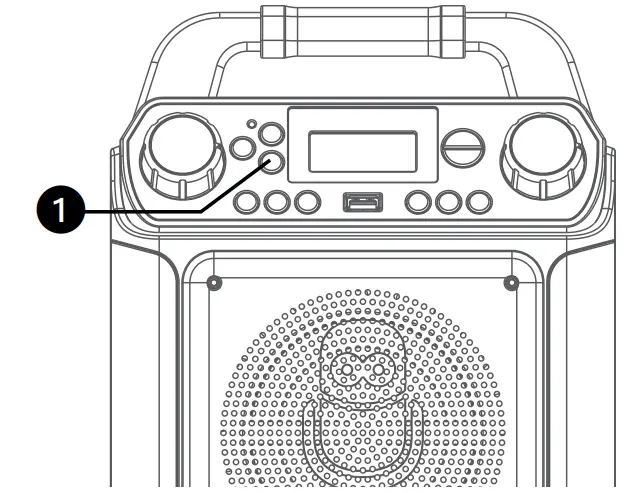
When the unit is turned on, the Light mode 1 is automatically activated. The lights will light up and will synchronize with the sound when you speak or sing into the microphone.
Press and hold the LIGHTS/FUNCTION button for Light mode 2 which will display the light show but will not respond to the microphone.
Press and hold the LIGHTS/FUNCTION button once again to turn off the Lights.
Bluetooth Mode
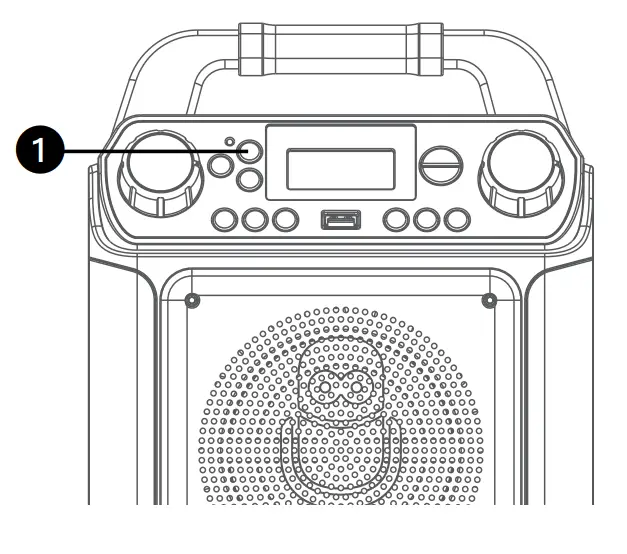
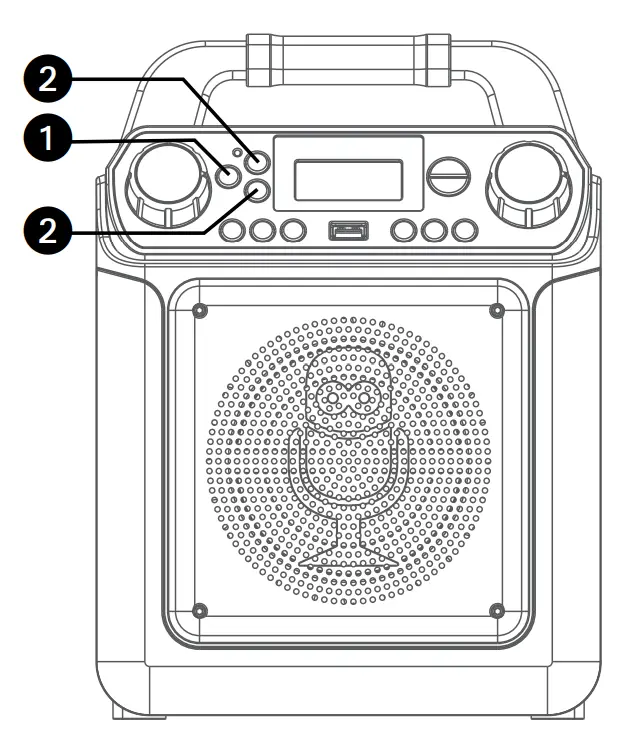
Press the  button to easily set the machine into Bluetooth mode. Press and hold the button to set the machine into pairing mode.
Playing Songs from the USB
- Connect the unit as described previously. Press the button to turn the unit on.

- Insert a USB flash drive containing MP3 or MP4 files into the USB port on the unit. We have a large selection of karaoke music available for download through our Karaoke Store.
- Repeatedly press the LIGHTS/ FUNCTION button to select the USB mode. “USB” will appear in the display. Press the /ENTER button to start the playback. If you have connected to a TV, the downloaded karaoke video will play on the screen. Press the /ENTER button during playback to pause the song. Press the button to stop the playback.

Notes:- The USB mode cannot be accessed until a flash drive is inserted.
- A loading
 icon will appear when the system is loading the files.
- It is highly recommended to have it connected to a TV for USB playback. Use the / and / buttons to navigate through the list of songs that you have previously downloaded on your USB.

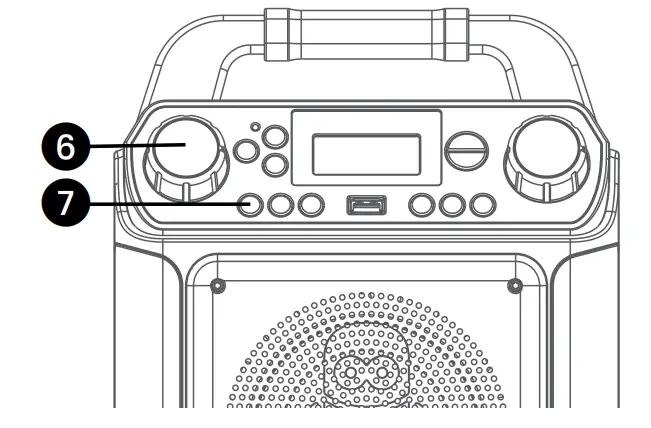
- Adjust the volume to a comfortable level using the MASTER VOLUME control.
Note: If connected to a TV, adjust the volume of the TV using its own volume control.
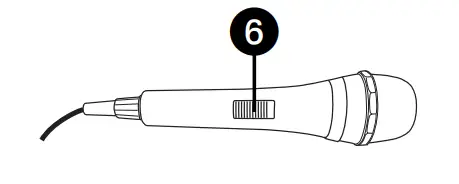
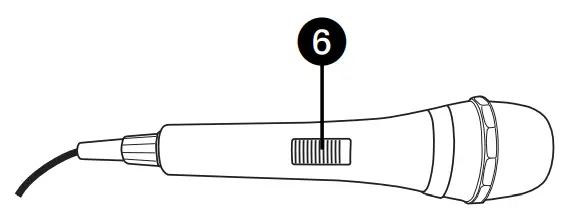
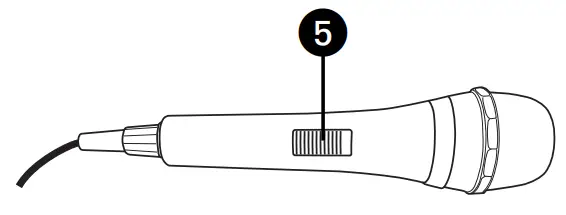
- Connect microphone(s) and slide the ON/OFF switch on the microphone to the ON position.

- Adjust the MIC VOLUME control as desired. Increasing this control will increase the volume of both microphones.

- SKIP: Advance or go back one track by pressing the / or / button. You can also skip ahead 10 files/ tracks by simply pressing and holding the / or / buttons in stop mode.
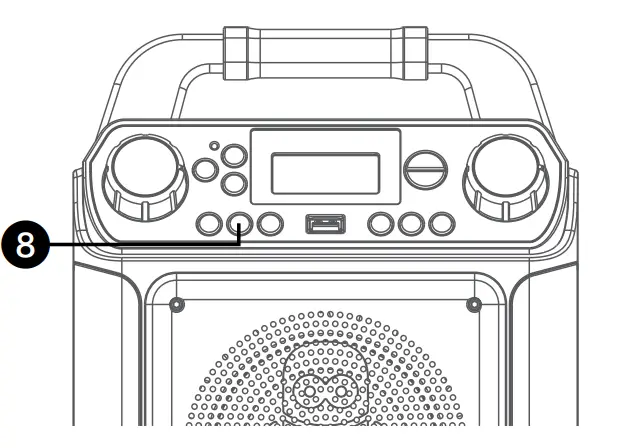
- Press the button to stop playback.

- RECORD YOUR VOCAL PERFORMANCE:
To record your singing as well as the music, press the REC button; recording will begin and the record indicator will start flashing. When done recording, press the Record button again; the Record indicator will turn off.
Note:- The recorded audio file will record onto the USB drive.
- VOCALS: To sing with the lead singer on the recording, press and hold the VOCAL/VOICE EFFECTS button. To listen to music only, press and hold the VOCAL/VOICE EFFECTS button again.
Note: The song must be downloaded with separate vocals (aka multiplex recording) in order to utilize the Lead Vocal function.
- VOICE EFFECTS: Repeatedly press the VOCAL/VOICE EFFECTS button to select from ECHO, FEMALE, MALE, CHIPMUNK, ROBOT or RADIO vocal effect. Select OFF to sing without any voice effect.
- SEARCHING BY GENRE, ARTIST or TITLE (Connected to a TV only): While in the USB menu, press the button to enter the search mode. “SEA” will appear in the display. Select search using the FAVOR/ or PLAYLIST/ buttons or rotate the MASTER VOLUME control, then press the /ENTER button. The alphabet will appear at the bottom of the screen. Select the desired starting letter using the FAVOR/ and PLAYLIST/ buttons, then press the /ENTER button to select it. A list of songs that meet the criteria will appear. Use the / and / buttons to navigate through the list of songs, then press the /ENTER button to play your selection, or select the next letter the same way.

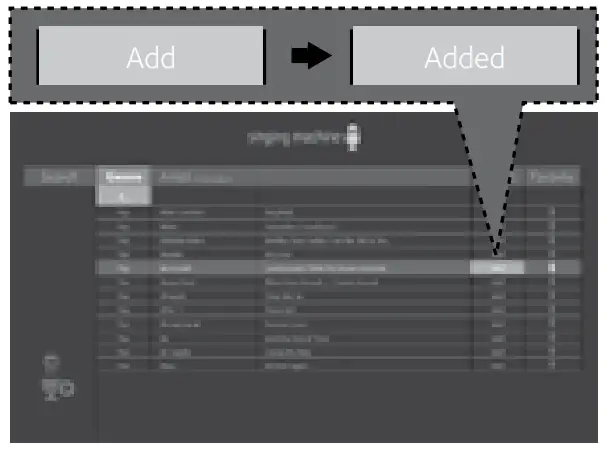
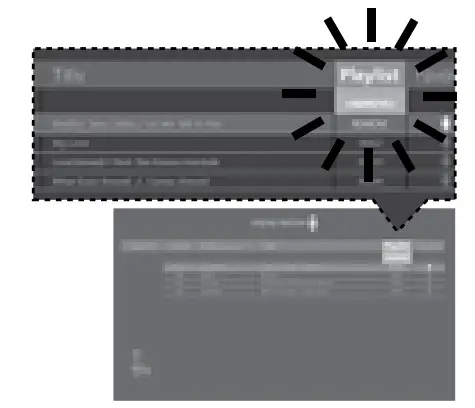
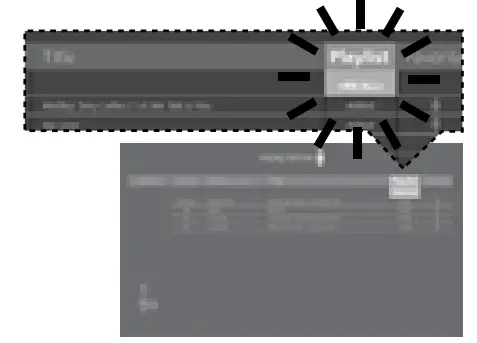
Note: You can search up to six letters. After the sixth letter, the search will reset. - CREATING THE PLAYLIST: To create a personalized playlist, select a song using the / and / buttons. Press the PLAYLIST/ button to confirm the operation; “Added” will appear. Repeat this step to add more songs.
Or press the PLAYLIST/ button once during the playback of the song.
Notes:- The personalized Playlist will be kept even if the unit is reset.
- You can always edit your Playlist after you create it select a song that was added and press the PLAYLIST/ button again; “Added” will change to “Add”.
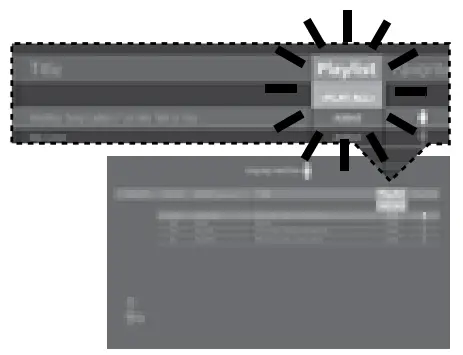
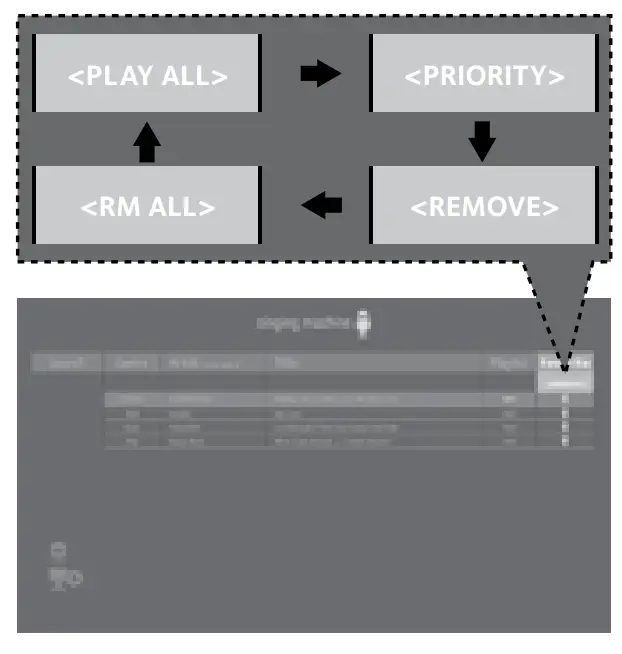
- USING THE PLAYLIST: To play your previously created playlist. While in the USB menu, press the button to enter the search mode. “SEA” will appear in the display. select Playlist using the FAVOR/ or PLAYLIST/ button then press the /ENTER button; the row under Playlist will be highlighted. Select the desired selection using the / or / button as follows:
TO PLAY ALL:
Select PLAY ALL and then press the ENTER button.
Note: You can always play your created playlist by pressing and hold the PLAYLIST/ button. PRIORITY:
- Select PRIORITY using the / and / buttons then navigate down to the song you want to prioritize.
- Press the FAVOR/ and PLAYLIST/ buttons and the numbers will change to 0001, 0002, etc. According to the numbers displayed the songs will be listed in that order from top to bottom.
Press the /ENTER button to confirm.
- After setting all songs on your priority list, press the button then the playlist will be highlighted. Use the / or / buttons selected PLAY ALL.
- Use the / and / buttons to select the first song and press the /ENTER button or press and hold the PLAYLIST/ button to start the playback of all songs on the playlist.
REMOVE: Select REMOVE using the / and / buttons and then select a song to remove using the / and / buttons. Press the / ENTER button; the song will be deleted from the playlist.
RM ALL: To empty the whole Playlist, select RM ALL using the / and / buttons and then press the ENTER button; the whole Playlist will be empty.
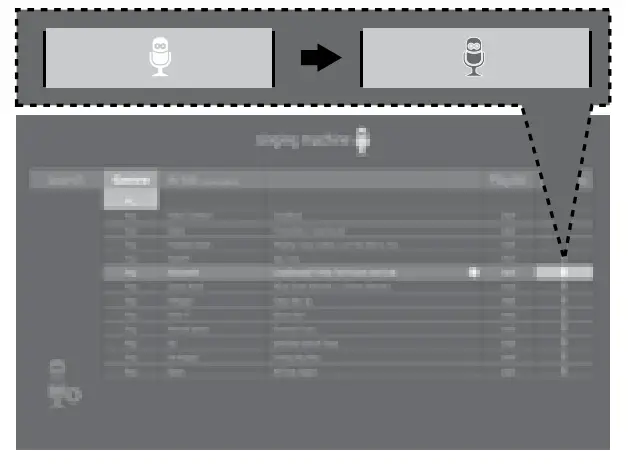
- CREATING FAVORITES: To create a favorite playlist, select a song using the / and / buttons. Press the FAVOR/ button to confirm the operation; the icon will turn from white to orange. Repeat this step to add more songs. Or press the FAVOR/ button during the playback of the song.

Notes:- The Favorites will be stored even if the unit is reset.
- You can always edit Favorites after you create it select a song that was added and press the FAVOR/ button again; it will change from orange to white.
- USING THE FAVORITES: To play or edit your previously created Favorite playlist. While in the USB menu, press the button to enter the search mode. “SEA” will appear in the display. You can use the FAVOR/ and PLAYLIST/ buttons to select the FAVORITE tag. Then press the /ENTER button to show the favorites list.
Perform the same steps as shown in the USING THE PLAYLIST section on the previous page to play and edit the Favorite playlist.
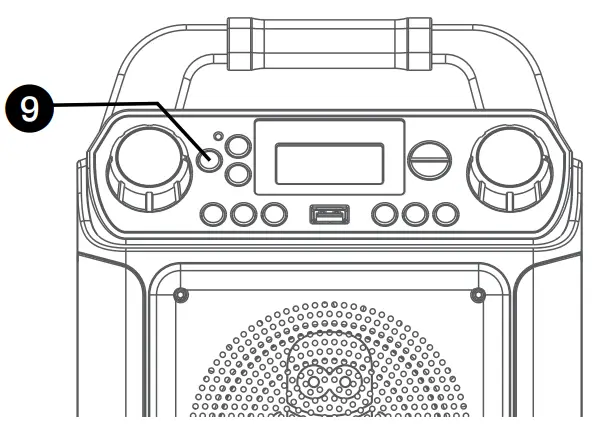
- Press the button to turn the unit off.
 icon will appear when the system is loading the files.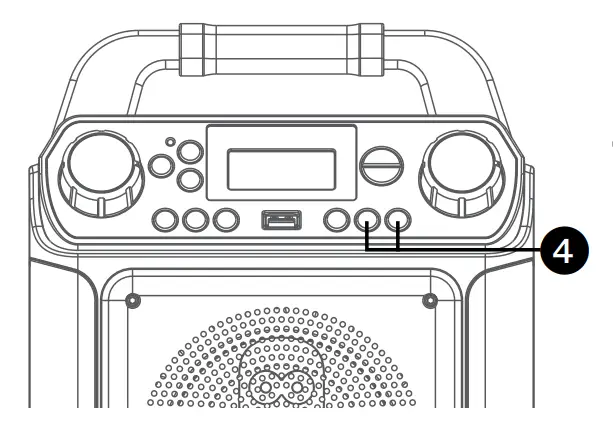
 PRIORITY: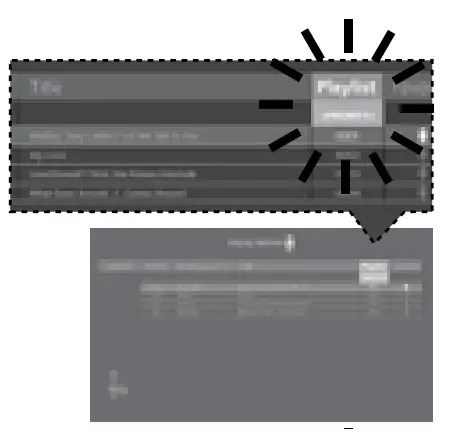
Using a Bluetooth Device
- Connect the unit as described previously. Press the button to turn the unit on.

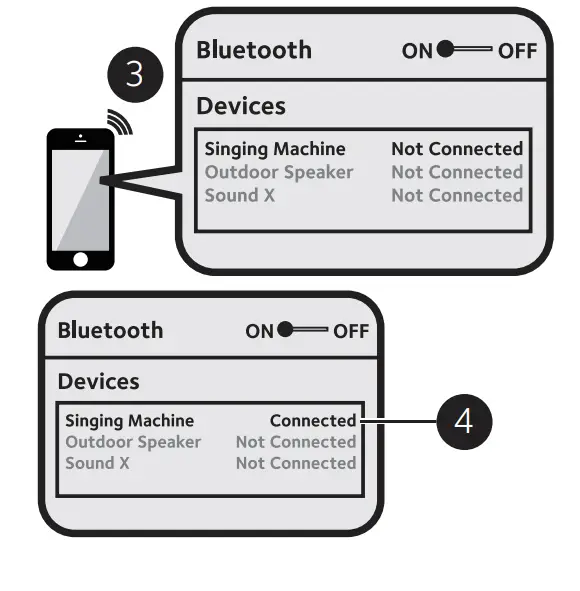
- Press the button or repeatedly press the LIGHTS/FUNCTION button to select the Bluetooth mode; “but” will appear in the display. The unit automatically searches for and pairs a previously paired Bluetooth device (if previously paired). If no previously paired devices are present and you cannot find this unit on your bluetooth compatible device’s search list. Press and hold the button; the indicator will flash alternatively blue and red in 60 seconds.
Note: You can also press and hold the button to disconnect any paired devices in order to pair another device. - Turn on your device’s Bluetooth option in settings to search for a discoverable device with a Bluetooth signal. Select “Singing Machine” from the device results on the Bluetooth menu.

Note: Also refer to the user manual of your Bluetooth device for detailed instructions. - The Bluetooth indicator light will turn solid and a chime will sound indicating the pairing was successful.
Notes:- If your Bluetooth prompts you for a passcode during the pairing process, please enter “0000” to connect.
- On some Bluetooth devices, once pairing is completed, select your Bluetooth device as “Use as Audio Device” or similar.
- If the connection is lost after successful pairing, check to make sure the distance between the speaker and Bluetooth-enabled device does not exceed 30 feet/10 meters.
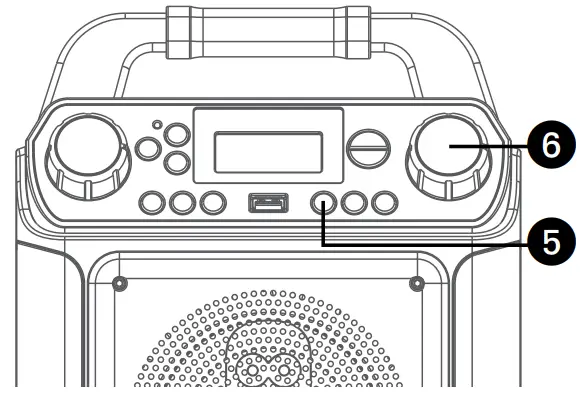
- To control your Bluetooth device from this unit, press the /ENTER button to start playback (the music app must be open). Press the /ENTER button during playback to pause the song.

- Adjust the volume to a comfortable level using the MASTER VOLUME control on this unit as well as the volume on your Bluetooth device.
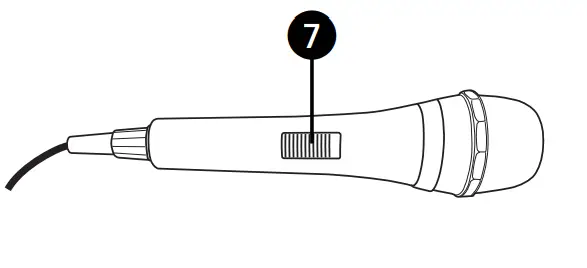
- Connect microphone(s) and slide the ON/OFF switch on the microphone to the ON position.

- Adjust the MIC VOLUME control as desired. Increasing this control will increase the volume of both microphones.

- SKIP: Advance or go back one track by pressing the / or / button.
- RECORD YOUR VOCAL PERFORMANCE:
To record your singing as well as the music, press the REC button; recording will begin and the record indicator will start flashing.
When done recording, press the REC button again; the Record indicator will turn off.
Notes:- The recorded audio file will record onto the USB drive.
- The recorded audio file will be named with the “BT” prefix.
- VOCALS: To sing without the lead singer on the recording, press and hold the VOCAL/VOICE EFFECTS button. To resume the lead singer,
press and hold the VOCAL/VOICE EFFECTS button again.
Note: The Vocal off function might not work perfectly. It is song dependent.
- VOICE EFFECTS: Repeatedly press the VOCAL/VOICE EFFECTS button to select from ECHO, FEMALE, MALE, CHIPMUNK, ROBOT or RADIO vocal effects. Select OFF to sing without any voice effect.
- Press the button to turn the unit off.
Playing Songs from the Recorded Files
- Connect the unit as described previously; it should be connected to a TV. Press the button to turn the unit on.

- Repeatedly press the LIGHTS/ FUNCTION button to select the Recordings mode “rEC” will appear in the display.
Notes:- The Recording mode cannot be accessed until a flash drive is inserted.
- A loading icon will appear when the system is loading the files.
- It is highly recommended to have it connected to a TV for the playback of the recorded file. Use the / and / buttons to navigate through the list of recorded files that you have previously recorded on your USB.

- Press the /ENTER button to start the recorded audio file playback. Press the /ENTER button during playback to pause the file.

- Adjust the volume to a comfortable level using the MASTER VOLUME control.

Note: If connected to a TV, adjust the volume of the TV using its own volume control. - Connect microphone(s) and slide the ON/OFF switch on the microphone to the ON position.

- Adjust the MIC VOLUME control as desired. Increasing this control will increase the volume of both microphones.

- SKIP: Advance or go back one track by pressing the / or / button. You can also skip ahead 10 files/tracks by simply pressing and holding the / or / buttons in stop mode.
Using the AUX IN Jack
- Connect the unit as described previously. Press the button to turn the unit on.

- Connect the external unit to the AUX IN Jack on the rear of this unit. Connecting an external unit will allow the audio to be played through your Singing Machine.

Notes:- It is highly recommended to set the volume on the external unit to 1/3 or lower to avoid distortion.
- Skipping files/tracks is not possible to perform on this unit when using an external device.
- Repeatedly press the LIGHTS/ FUNCTION button to select the AUX IN mode; “AU” will appear in the display.

- Adjust the volume using the MASTER VOLUME control on this unit or your external device’s volume control.
- Connect microphone(s) and slide the ON/OFF switch on the microphone to the ON position

- Adjust the MIC VOLUME control as desired. Increasing this control will increase the volume of both microphones.

- VOICE EFFECTS: Repeatedly press the VOCAL/VOICE EFFECTS button to select from ECHO, FEMALE, MALE, CHIPMUNK, ROBOT or RADIO vocal
effect. Select OFF to sing without any voice effect. - RECORD YOUR VOCAL PERFORMANCE:
To record your singing as well as the music, press the REC button; the recording will begin and the record indicator will start flashing. When done recording, press the Record button again; the Record indicator will turn off.
Notes:- The recorded audio file will record onto the USB drive.
- The recorded audio file will be named with the “LINEIN” prefix.
- Press the button to turn the unit off.

Where to Download MP4 Files
Go to www.singingmachine.com/pages/app-install Follow the instructions and install the Karaoke Store App
Where to Download MP3+G Files
Helpful Hints:
The .mp3 and .cdg files are delivered for download in a single, compressed MP3+G.zip file. The MP3+G file cannot be played as a .zip file on a USB flash drive. To play karaoke songs using a USB flash drive, the MP3+G .zip file must be unzipped as follows:
- Connect a USB flash drive to your computer.
- Download the MP3+G file from your Digital Locker and save the .zip* file to a folder on your computer.
- Double click the .zip file to open the .zip (you will see the .mp3 and .cdg files).
- Drag and drop the .mp3 and .cdg files to the USB flash drive.
- Remove (eject) the USB flash drive from your computer.
Turn on the Singing Machine and connect the USB flash drive.
FAQ
Where can I get additional help with the file formats?
Visit http://singingmachine.com/smc-music/ to get additional resources about the right type of FILE FORMAT for your system.
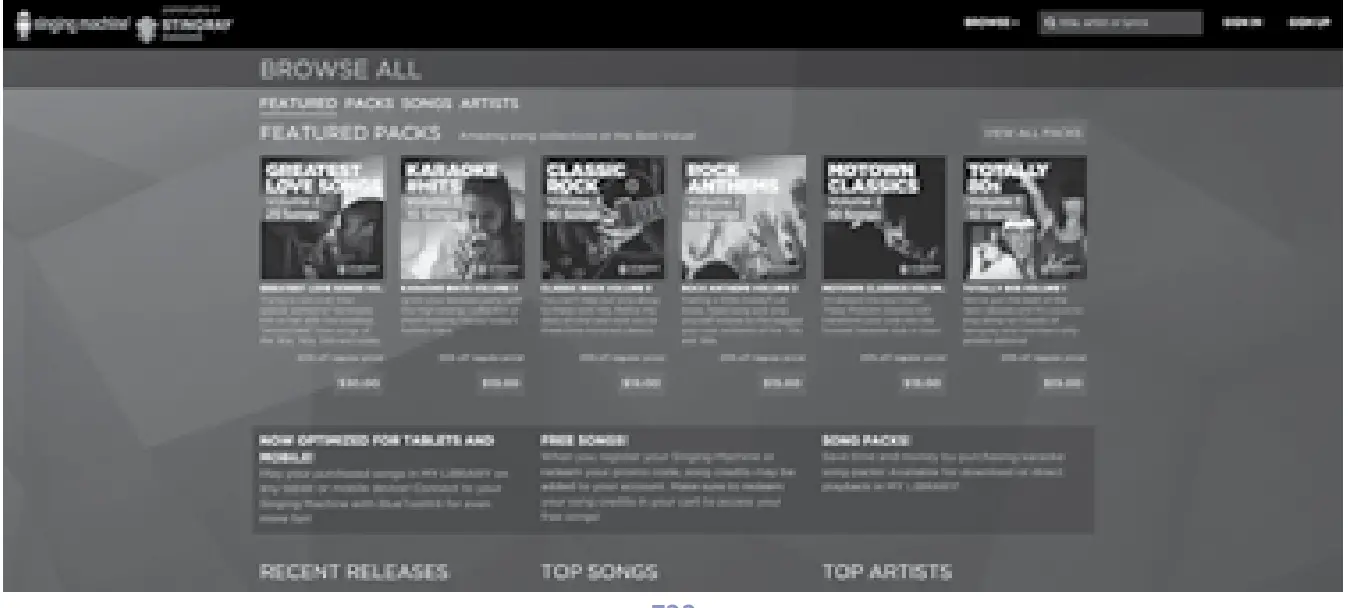
To purchase and download karaoke music, please visit http://store.singingmachine.com to access over 20,000+ of your favorite karaoke songs. You will need a USB flash drive (not included) to transfer the downloads to this unit.
Follow these easy steps:
- Go to http://store.singingmachine.com using your internet browser, and then register.
- Select and purchase your favorite karaoke music from the Singing Machine Download Store.
- Download your selected purchase(s) from the Singing Machine Digital Locker to your USB flash drive.
- Insert the USB flash drive as shown on page E9 and enjoy!

Troubleshooting Guide
Should this unit exhibit a problem, check the following before seeking service:
No Power
- The power is not on; press the ON/STANDBY button to turn the unit on.
- Confirm that the AC adapter is connected securely to the back of the unit.
- Connect the unit to a different outlet.
- The normal function of the product may be disturbed by strong Electro-Magnetic
Interference. If so, simply restart the product to resume normal operation by following the instruction manual. In the event the function does not resume, please use the machine in another part of the home.
No Sound – General
- Master Volume is set to a minimum; raise the volume.
- Correct Function was not selected; press the LIGHTS/FUNCTION button to change the function.
- If using an external device, raise the volume.
No Sound – If connected to a TV
- The volume on the TV is muted or too low.
- The correct source (usually HDMI) was not selected on the TV’s menu.
No sound from the microphone
- Make sure the microphone is firmly connected to the MIC 1 or MIC 2 jack.
- Make sure the ON/OFF switch on the microphone is set to the ON position.
- Make sure the MIC VOLUME control is not set too low.
- MASTER VOLUME is set to a minimum; raise the volume.
The Bluetooth device cannot be paired or connected with the unit
- You have not activated the Bluetooth function of your device; see page E15 or refer to the Bluetooth device user’s manual.
- The system is not in pairing mode; press and holds the button to restart pairing.
- Ensure any other Bluetooth devices are turned off to avoid accidental pairing.
The Music is not available on the unit after successfully connecting the Bluetooth
- Ensure your Bluetooth device can support the A2DP Bluetooth profile.
- The volume on the external Bluetooth device is set too low or muted; raise as desired.
- Make sure your music application is open.
Energy Saving (Auto Power System-APS)
This unit will automatically turn off after 20 minutes of inactivity. APS is for energy-saving purposes.
The unit can be resumed to turn on by pressing the ON/STANDBY button once. APS is for energy-saving purposes.
Specifications
AUDIO
- OUTPUT POWER (MAXIMUM):5 Watts (RMS)
- OUTPUT IMPEDANCE:4 Ohms
USB
- Format: FAT32
- Maximum Capacity:32GB
BLUETOOTH
- Bluetooth Version: V5.0
- Working Distance: Up to 30 feet/10 meters measured in open space
- AUX IN SECTION: 3.5 mm Stereo Headphone Jack
- MICROPHONE:-74db 600 Ohm Impedance with 6.3 mm Dynamic Microphone
- POWER SECTION :DC 9V 1A , DC 9V (6 x “C” batteries) (Batteries not included)
- DIMENSIONS (HxWxD):11.2 x 8.3 x 5.4 inches / 28.4 x 21 x 13.8 cm
- WEIGHT: 3.19 lbs/1.45 kgs
Specifications are subject to change without notice.
The terms HDMI and HDMI High-Definition Multimedia
Interface and the HDMI Logo are trademarks or registered trademarks of HDMI Licensing Administrator, Inc. in the
United States and other countries.
The Bluetooth® word mark and logos are registered trademarks owned by Bluetooth SIG, Inc. and any use of such marks by The Singing Machine Company, Inc. is under license. Other trademarks and trade names are those of their respective owners.
Visit Our Website: www.singingmachine.com
The Singing Machine Company, Inc. 4060 E Jurupa Street, Unit B
Ontario, CA 91761-1413 USA
Copyright © 2020 All Rights Reserved.
Copyright © 2020 Todos los derechos reservados. The Responsible Party
Company Name: The Singing Machine Company, Inc.
Address : 6301 NW 5th Way, Suite 2900, Fort Lauderdale,
FL33309, USA
Telephone : 954 -596-1000
Website: www.singingmachine.com
FAQS
It does come with a power cord.
Yes it is compatible with Alexa
We’ve only used Karaoke CDs so far.
Yes
Yes, it has a bottom that says light mode were you can turn off the light
It is around 10 feet (120 inches)
No remote!
Never got the machine to work.
Yes.
Yes but it will a malfunction
Not sure what “little one” means but the one we had did play CDs.
this is all info. Works with all music and karaoke apps
Bluetooth® for wireless audio streaming from compatible devices (external devices not included)
Six Voice-Changing Effects: Echo, Male, Female, Robot, Chipmunk and Radio
Multi-colored LED lights synchronize to the music
Connect to your TV for scrolling CDG lyrics via the included HDMI cable (TV and cable not included)
Built-In speaker for a dynamic sound system
Secure resting cradle fits a variety of tablets or other mobile devices
Two microphones included
Line-in to connect to your personal smartphone, tablet, MP3 or other audio devices
Option to operate chord-free with 6 “C” size batteries (AC adapter included. Batteries not include
It takes six C batteries, but there is also a plug so you don’t have to use batteries.
In the description, it says it does, but mine doesn’t play CDs. It tries to read it, but can’t read the discs.