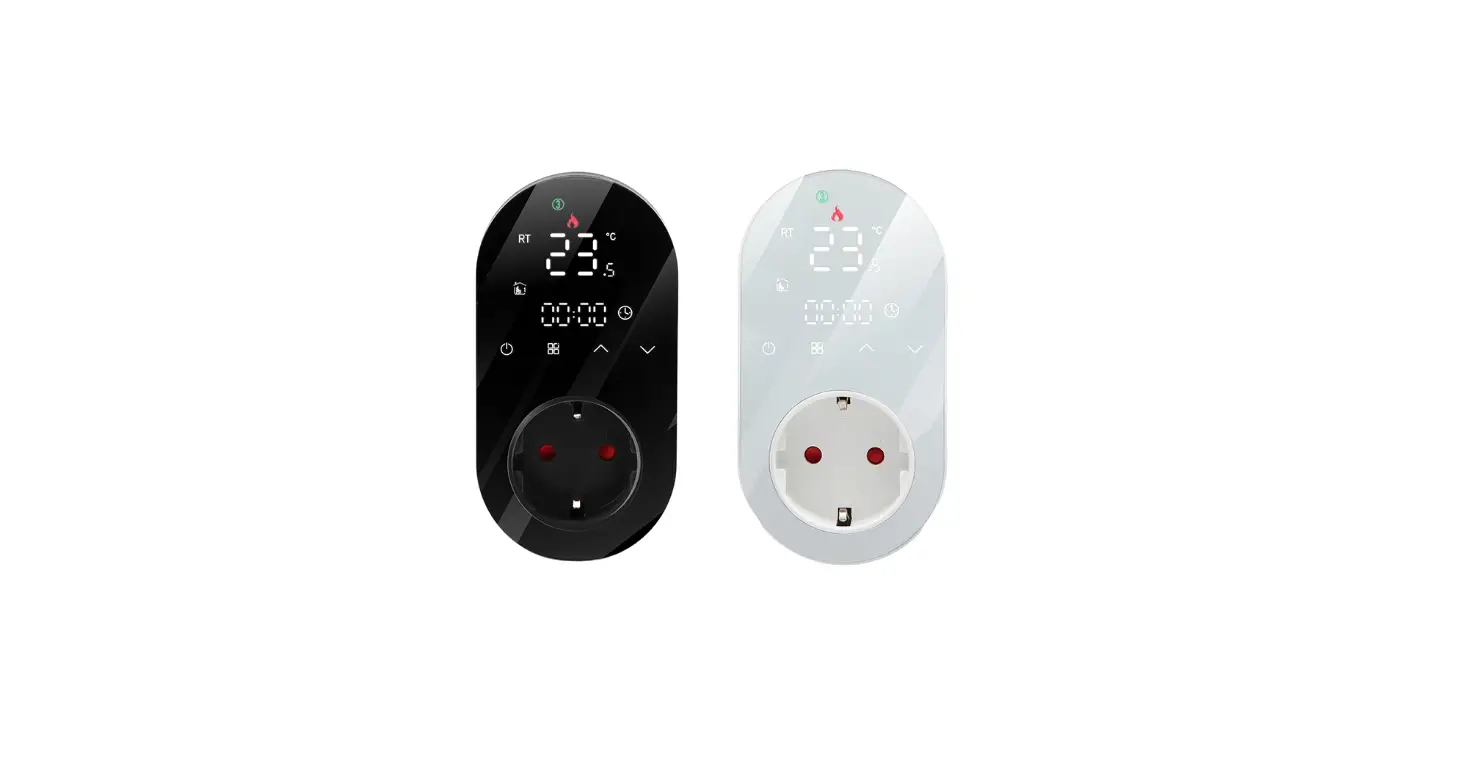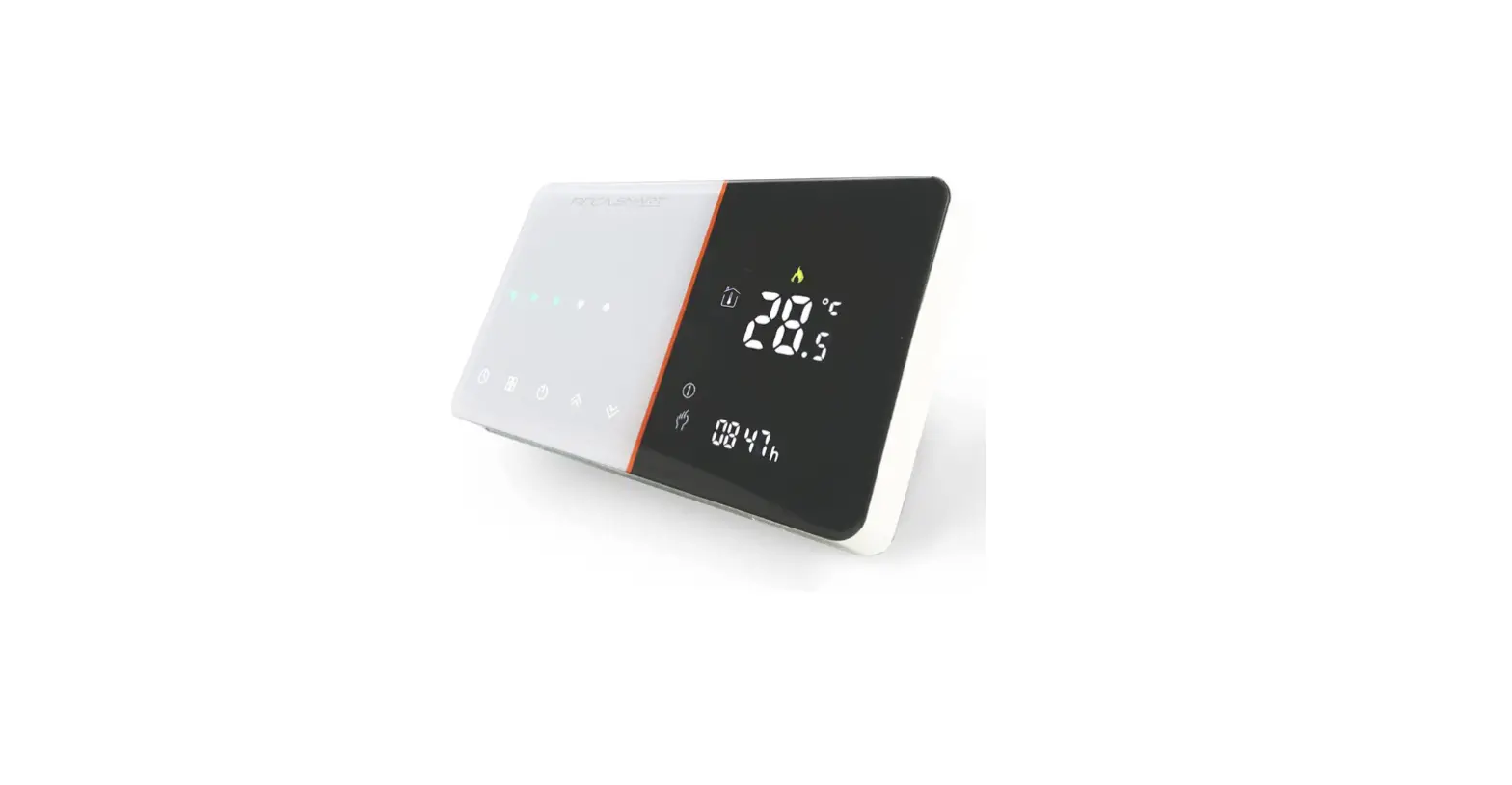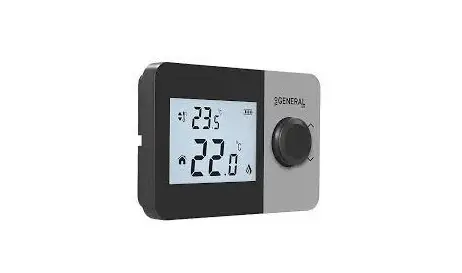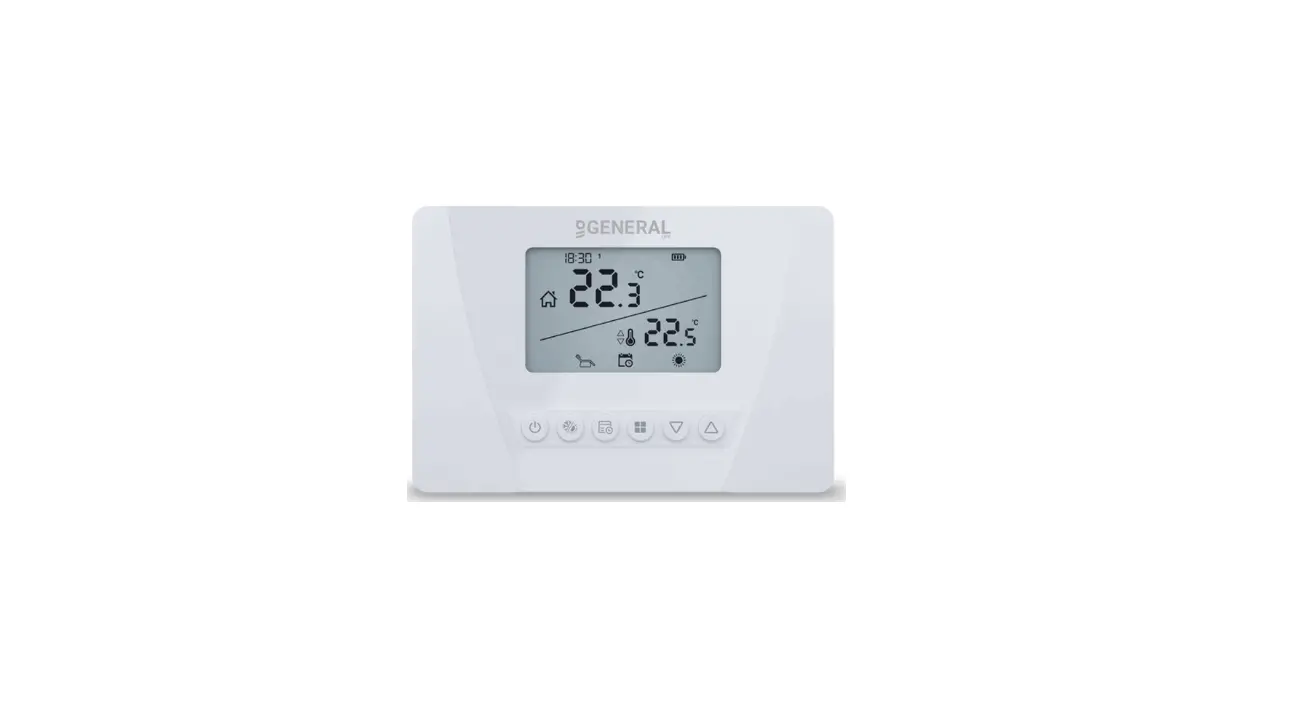

BHP-8000 Room Thermostat
User Guide
 WIFI TYPE
Welcome
Thank you for your purchase. Your new thermostat will provide uniform and comfortable temperature control throughout every room in your peoperty. We bring together technology,
the reliable product combined with sleek, contemporary design. Please read this
In the box, you will find
| Thermostat | 1pc |
| User Guide | 2pc |
| Screws | 4pc |
| QC Passed | 1pc |
SYSTEM TYPE
- Warm air, hot water, high-efficiency furnaces, heat pumps, steam, gravity.
- Heat only–including the power to open and close zone valves, and normally
open zone valves. - Heat only with a fan.
- Cool only.
FEATURES
On Appearance
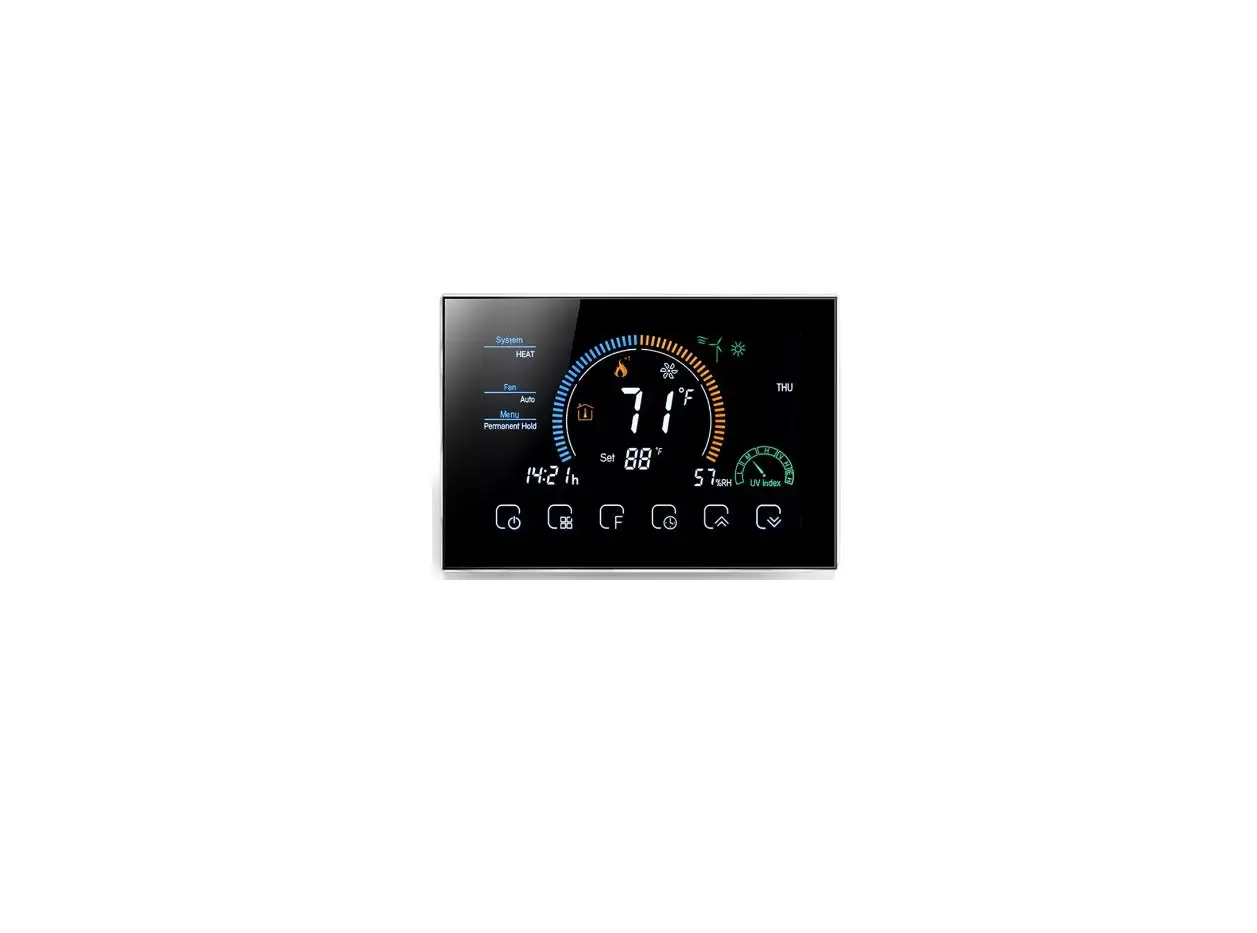
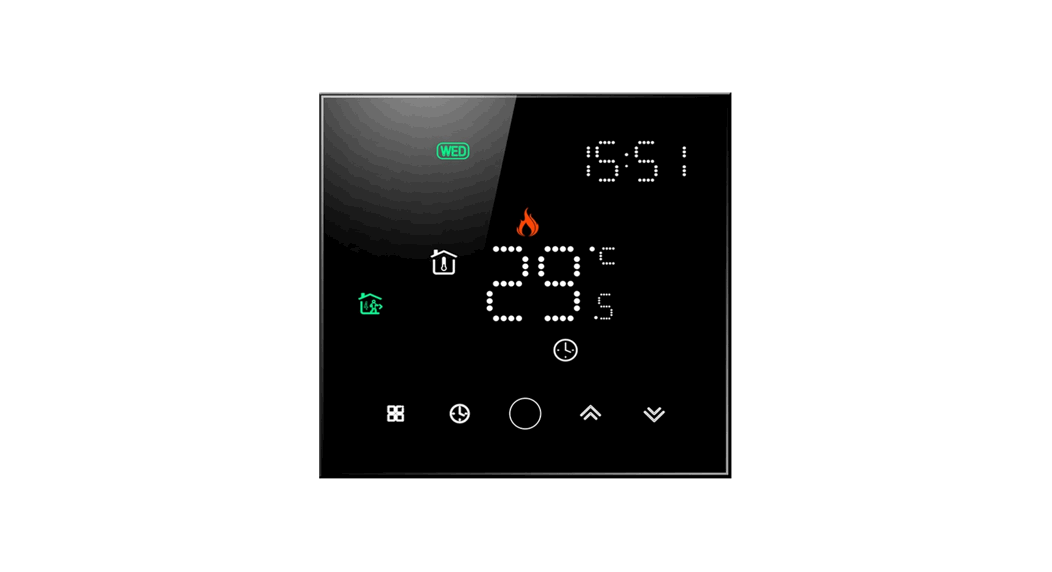
- Negative black sceen will bring you to a secret world.
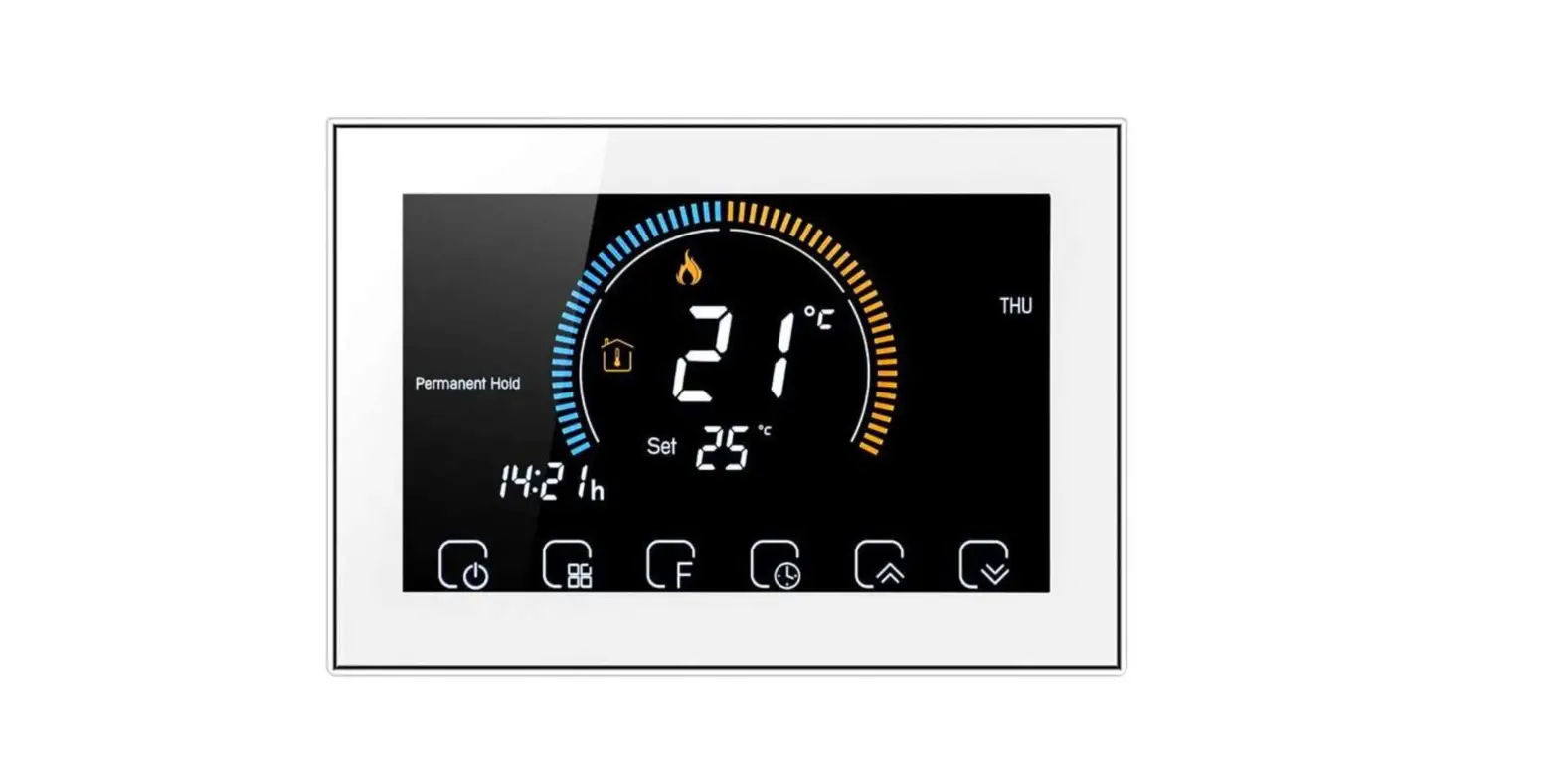
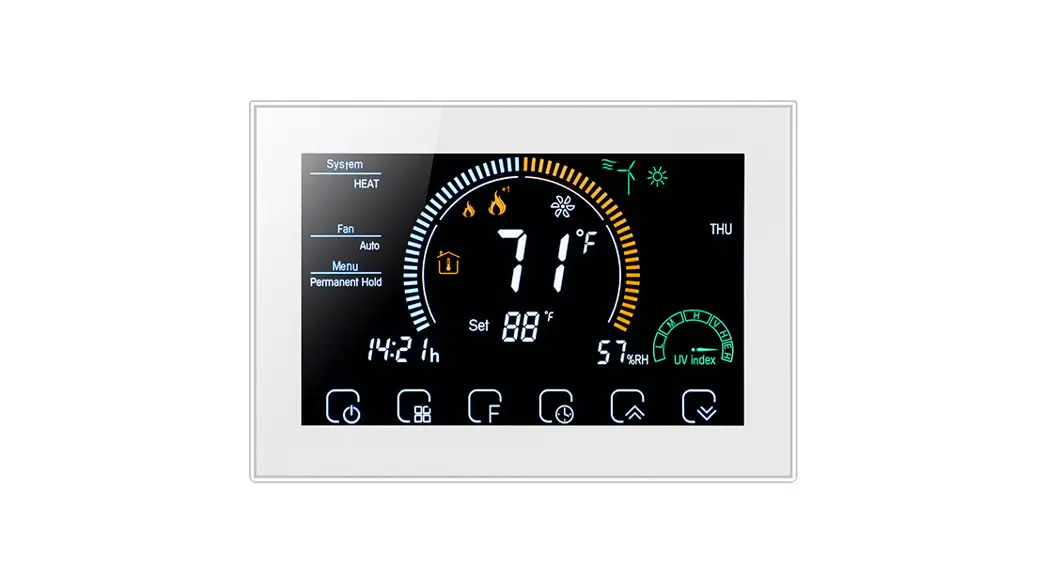
- 8 inch large colorful display creates your colorful life.
- Touch buttons to make simple operation.
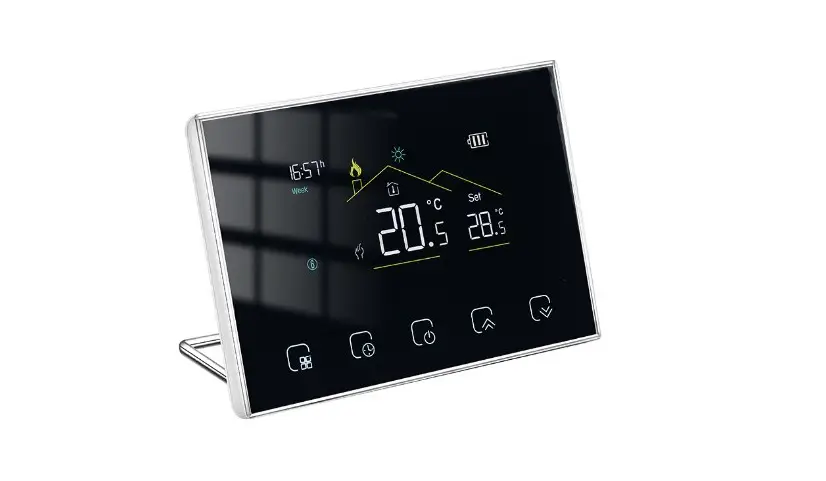
- Amazing silver frame opens your modern life.
- The visiable thickness above the wall is only 2cm (0.787 inch).
- The snap connection allows you to easily install.
- Wall-mounted or suitable for the installation of Europe, China, Japan, USA and Italy etc,.
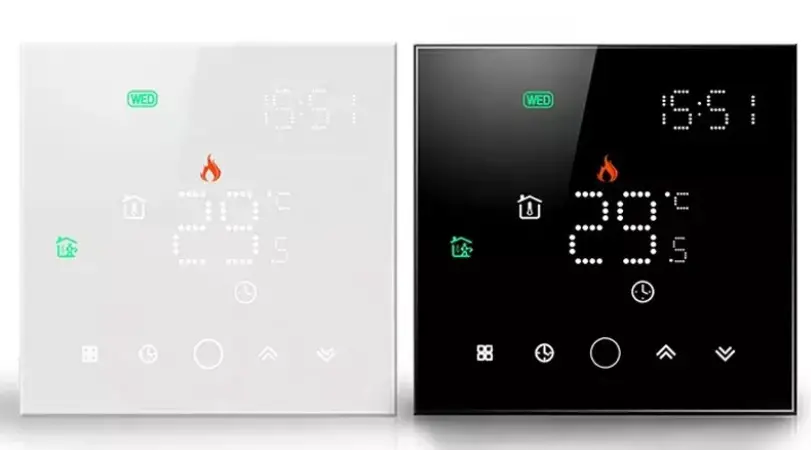
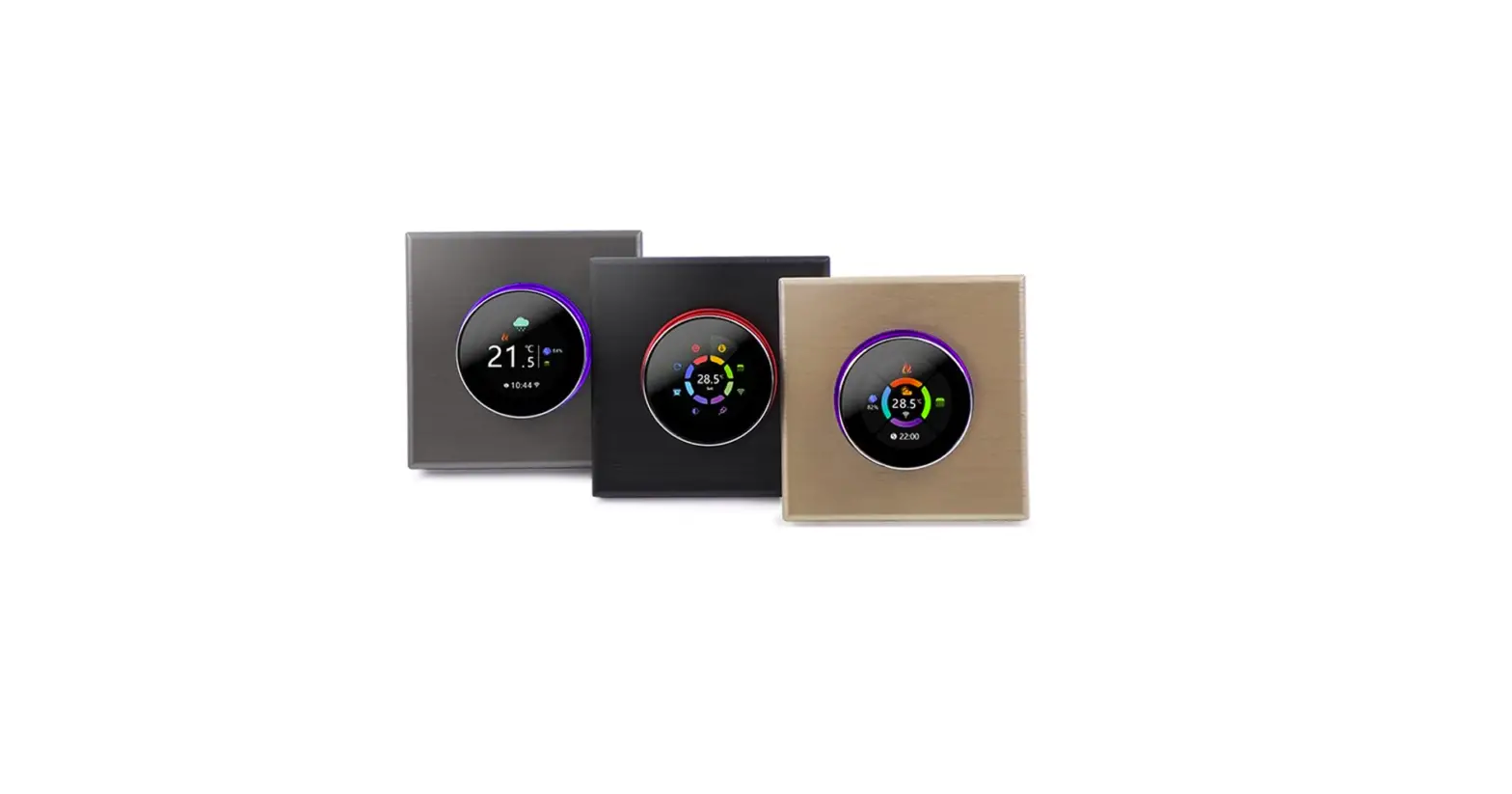
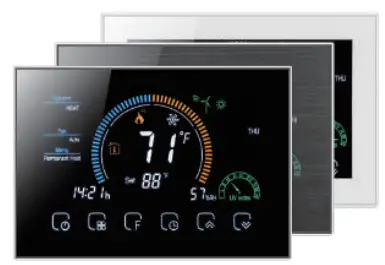
- White, black or brushed stainless steel for your selection.
- Wrap-around cooling holes help heat to escape quickly and increase the the temperature sensing accuracy.
- 12 terminals are available for many systems.
On Functionality - Powerful functions are available such as WIFI etc,.
- 1 F /0.5 C accuracy keeps temperature within the level you set.
- C or F
- 7 days four periods programmable.
- Temporary programmable.
- Holiday mode.
- All setting languages sunchronize your time zone, address and language.
- No limit to add thermostats in App.
- Support Smart Scene.
- Support to make two stage grouops.
- Support device sharing.
- Weather, UV index, humidity display help you decide what to wear today.
- Support 3H2C Heat Pump system and 2H2C Conventional System etc,.
TECHNICAL DATA
- Power Supply: 24VDC/AC ±10%
- Current Load: 1A (Inductive) 3A (Resistance) Sensor: NTC3950,10K
- Set Temp. Range: 42-122 F (5–50 C)
- Accuracy: ±1 F
- Display Temp. Range: 41210 F (5–99 C) Ambient Temp: 32113 F (0–45 C)
- Ambient Humidity: 5″95%RH(Non Condensing) Storage Temp: 23113 F (-5–45 C)
- Timing Error: <1%
- Power Consumption: <1.5W
- Shell Material: PC+ABS(Fireproof)
- Available Installation 1: Wall mounted
- Available Installation 2: Hole Distance of 62±5mm (Europe, China, and Japan) Available Installation 3: Hole Distance of 86±3mm (USA and Italy etc,.)
- Wire Terminals: Wire 2×1.5mm2 or 1×2.5mm2
- Protection Class: IP20
- Buttons: Capacitive Touch Buttons
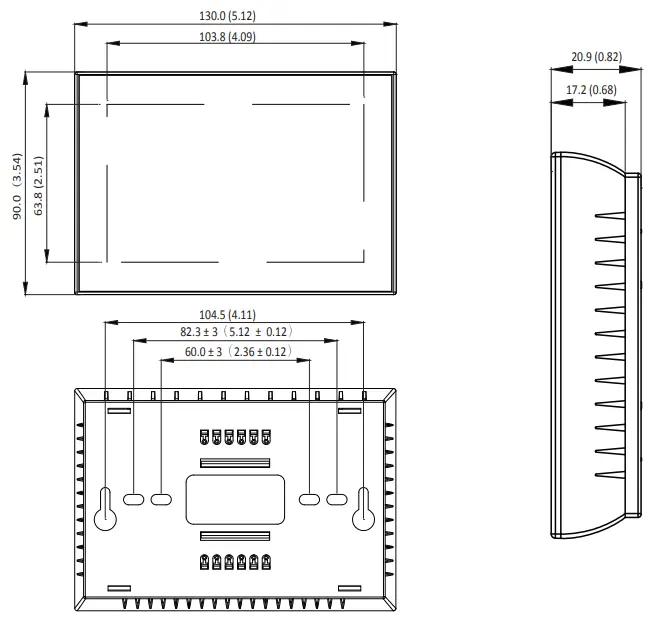
DIMENSION
Unit: mm (inch)
HOME SCREEN QUICK REFERENCE
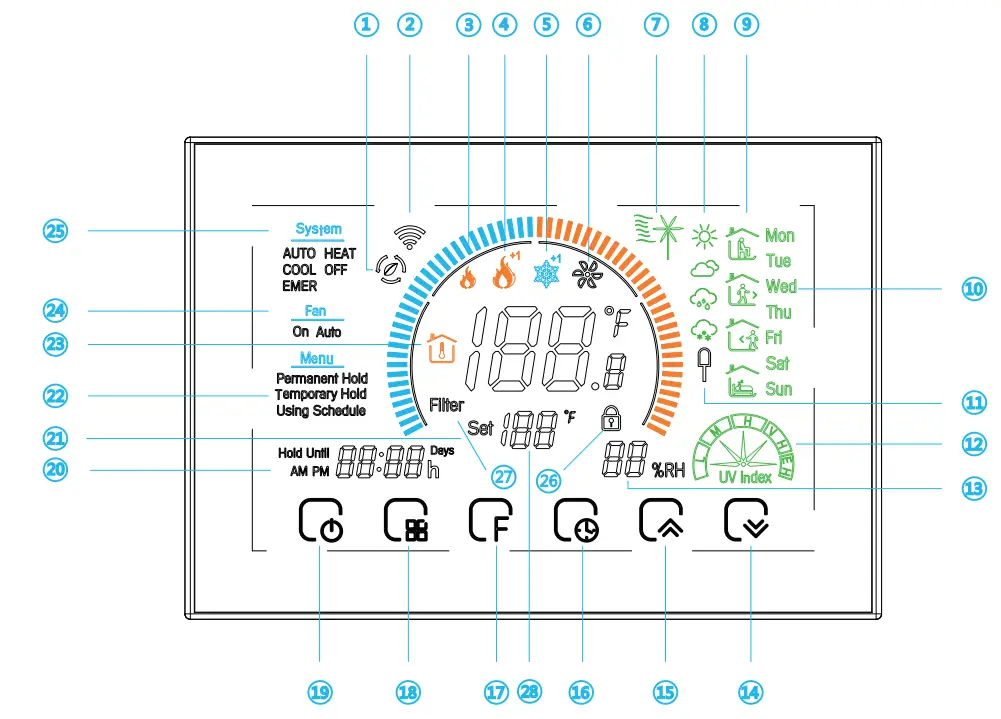
| 1 Wifi(AP mode) 2 Wifi(EZ mode) 3 AUX Heat 4 1st Stage Heat +1: 2nd Stage Heat 5 1st Stage Cool +1: 2nd Stage Cool 6 Fan 7 Wind speed 8 Weather 9 Periods 10 Monday to Sunday 11 External sensor 12 Ultraviolet intensity 13 Outdoor Humidity | 14 Down Button 15 Up Button 16 Clock 17 Permanent Hold/Temporary Hold/Using Schedule/Hold Until (holiday) 18 Auto/Cool/Heat/Off/EMER 19 Power on/off 20 Time Display 21 Set temp. 22 Menu 23 Room Temp. 24 Fan On/Auto 25 System mode 26 Lock/Unlock 27 Filter Reminder 28 Set Temp. |
BEFORE WIRING AND INSTALLING
- Read these instructions carefully. Failure to follow them could damage the product or cause a hazardous condition.
- Check the ratings given In the instructions and on the product to make sure the product is suitable for your application.
- The installer must be a trained, experienced service technician.
- After installation is complete, check out product operation as provided In these instructions.
 CAUTION
Electrical Shock or Equipment Damage Hazard. Can shock individuals or short equipment circuitry.
Disconnect power supply before installation.
For wiring, please refer to another page.
INSTALLATION
Your thermostat can be mounted horizontally on the wall or on a 4 in. x 2 in. (101.6 mm x 50.8 mm) wiring box.
How to select the location?
Install your thermostat about 5 ft. (1.5m) above the floor in an area with good air circulation at an average temperature.
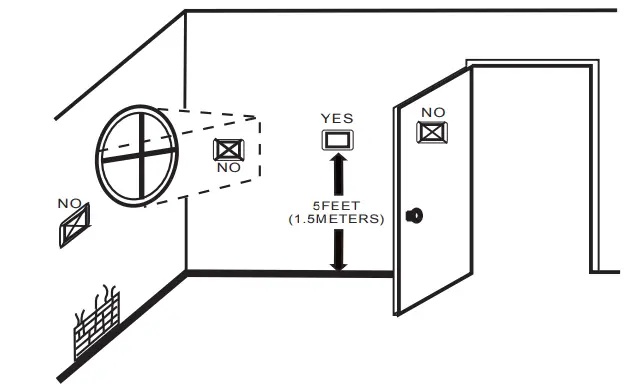
Don’t install your thermostat where it could be affected by:
- Drafts or dead spots behind doors and in corners.
- Hot or cold air from ducts.
- Radiant heat from sun or appliances.
- Concealed pipes and chimneys.
- Unheated (uncooled) areas.
Steps
Step 1. Keep the electricity off.
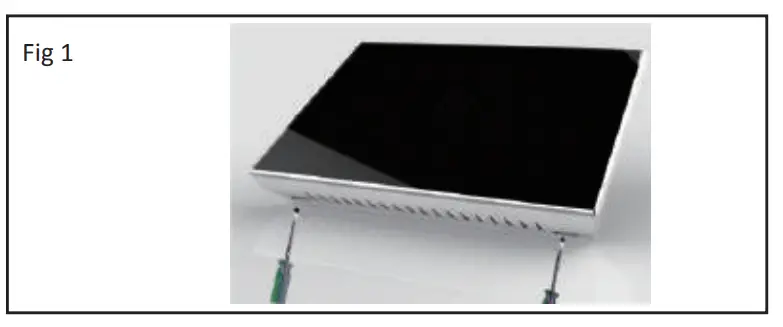
Step 2. Remove the mounting plate. See Fig 1.
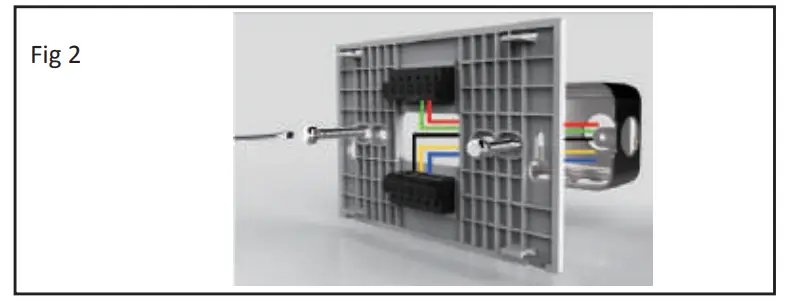
Step 3. Complete the wiring according to the wiring diagram and select the appropriate hole mounting screws. See Fig 2.
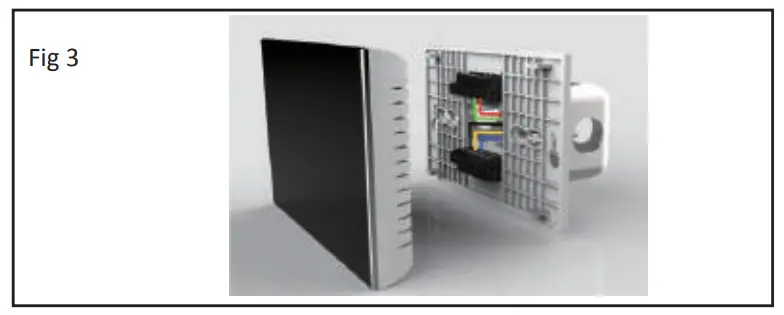
 Step 4. Check whether the wiring is correct and look for the correct direction of the thermostat display panel. See Fig 3.
Step 5. Press the thermostat back onto the mounting plate to complete the installation. See Fig 4.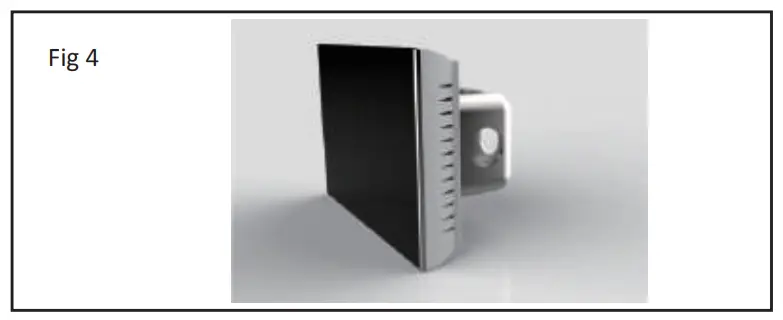 OPERATION
- Power On/Off: Press
 to turn the thermostat on/off.
 - Selecting System Mode: Press
 to select the mode AUTO, COOL, HEAT, OFF, EMER
HEAT — The thermostat controls the heating system.
OFF — Both heating and cooling systems are off.
COOL — The thermostat controls the cooling system.
AUTO — Thermostat automatically changes between heating and cooling operation, depending on indoor temperature.
EMER — Emergency heat cycles to maintain temperature. The compressor is locked out (used only for 2H/1C or 3H/2C heat pump systems) and auxiliary heat turns on as a second stage if needed. - Function and Programmable
Press to set the Permanent Hold, Temporary Hold, Using Schedule and hold until (holiday). The functions will appear on the screen.
Permanent Hold – Manual. In this mode, press to set temperature by manual.
Temporary Hold. During Using Schedule or in this mode, press to set the temporary temp. It will be valid till the start time of the next scheduled period.
Using Schedule. 7 days a week, four periods programmable daily.
Holiday Mode. Changes temperature setting for a designated number of days.
How to set your time?
Press till the min of time will flashes;
Touch the icon to set your minute.
Then press the hour of time will flash; Touch the icon to set your hour.
Then press the week of time will flash; Touch the icon pa c; to set your week.
How to adjust your schedule?
Press four times in a row. (You can see and
and . )
. )
Use the arrows to adjust the time for the 1st period(Get Up).
Press the icon then use the arrows to set the temp. for the 1st period. Repeat this process for periods 2-4.
Get Up — Period when you awaken and want your home at a comfortable temperature.
Go Out — Period when you are away from home and want an energy-saving temperature.
Go Home — Period when you return home and want your home back to a comfortable temperature.
Sleep — Period when you are asleep and want an energy-saving temperature.Schedule Period Time Setpoints Heat Cool Get Up 6:00 AM 72℉
(22 ℃)72℉
(22 ℃)Go Out 8:00 AM 72℉
(22 ℃)72℉
(22 ℃)Go Home 11:30 AM 72℉
(22 ℃)72℉
(22 ℃)Sleep 01:30 AM 72℉
(22 ℃)72℉
(22 ℃)How to adjust your holiday?
Press till the letters Hold Until displays and days flash on the screen then click arrows to set the days of holiday.
When the flashing of days stops, you can press arrows to set the temp. Holiday mode will be valid immediately. - Advanced Options:
In the off state, press and for three seconds at the same time.
Then press to change the different items. You can press arrows to change settings.
 to turn the thermostat on/off.
 to select the mode AUTO, COOL, HEAT, OFF, EMER
 to set the Permanent Hold, Temporary Hold, Using Schedule and hold until (holiday). The functions will appear on the screen.
 to set temperature by manual.
 till the min of time will flashes;
 and
and . )
. )User Setup Number | Function | Setting and options | Default |
| 1 | Fan ON / AUTO | 0: Fan AUTO; 1: Fan ON | 0 |
| 2 | Temperature Calibration | -8 °F to 8 °F (-4 *C to 4 °C) | OºF |
| 3 | Compressor delay time for heat Pump | 0-5 minutes | 0 |
| 4 | Changeover Valve-0/8 Terminal Energized in Heating or Cooling (Heat Pumps Only). Only shown if heat pump system is chosen. | 0: cooling 0/8 = 0, heating 0/13 a 1; 1: cooling 0/8 a 1, heating 0/8 = 0; | 1 |
| 5 | Minimum setting temperature | 42 ‘ F to 62 ° F (5 to 15 ° C) | 42T (5°C) |
| 6 | Maximum setting temperature | 62 ‘ F to 122 ° F (15 to 45° ) | 122T (45°C) |
| 7 | Time display | 0: 12-hour clock; 1: 24-hour clock | 1 |
| 8 | The dead-band temperature is in Auto mode for a heat pump. Heating and cooling setpoints can be set no closer than the chosen value. Shown only if the automatic changeover is selected. | 0 ° C to 5°C (Cr F to 10 °C) | 3°C |
| 9 | Filter cleaning reminder | 0.5 months | 3 |
| A | Standby screen brightness | 1.99 | 4 |
| 8 | Temperature Indication Scale | 0: °C display; 1: ‘F display | 1 |
| C | Deadzone temperature for turning on the load | 1 °C to 5°C 2°F to 10 °F) | 1°C |
| D | Fan Control in Heating | 0: Without control; 1: With control | 1 |
| E | Change the system of heat pump and air conditioning | 0: Heat pump 1: Air conditioning | 0 |
ABOUT WIFI
WI-FI CONNECTION
Before using your Wi-Fi thermostat for the first time, you must configure the Wi-Fi signal and settings through your smartphone or Pad. This will allow communication between your connected devices.
Step 1 Download your APP (Fig 1–1)
 | ||
https://play.google.com/store/apps/details?id=com.beca.smart | ||
For IOS devices, search for My BecaSmart in Apple Store and download.
Alternatively, scan the relevant QR code here (Fig 1-2)
For Android devices, search for My BecaSmart in Google play and download.
Alternatively, scan the relevant QR code here (Fig 1-3)
Step 2 Register your account
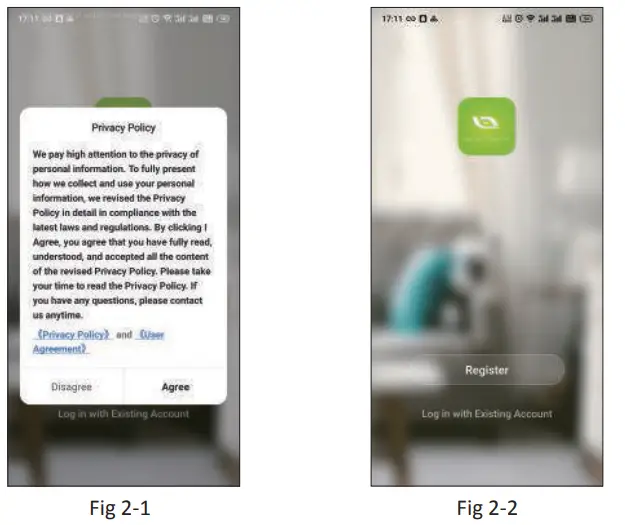
Open your BecaSmart, you will get a piece of notification (Fig 2-1)
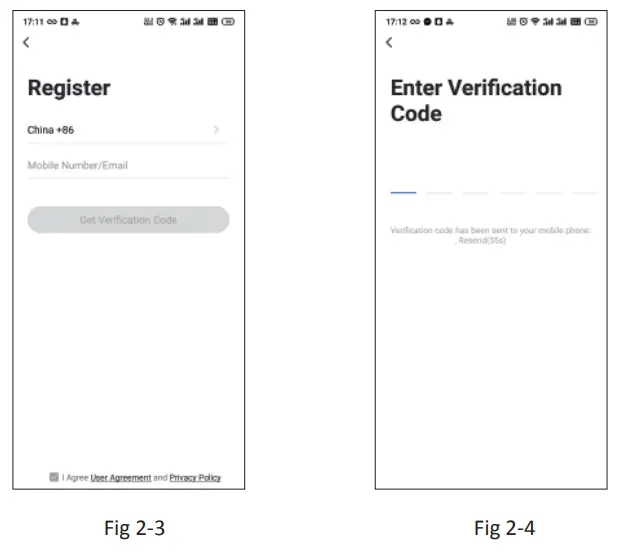
Click Allow going into your page of the register (Fig 2-2). Press register and enter your phone no. or email (Fig 2-3) then you can get a verification code. Input your password and confirm (Fig 2-4) to complete your registration. If you have an account, please log in.
 |  |
Step 3 Connect your Wi-Fi signal
On your thermostat
Press and hold the arrow for eight (8) seconds.
The backlight will be on and the icon will flash one time per sec..
Then, go back to the home page of your app
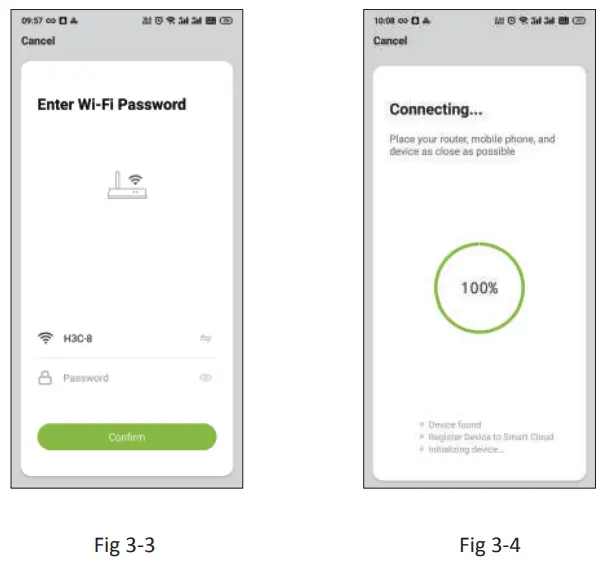
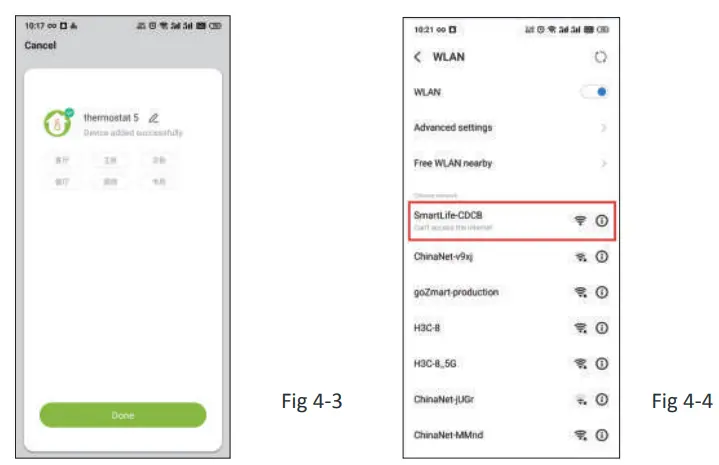
Press the + on the upper right corner of the page (see Fig 3-1) to add your device. Click Confirm indicator rapidly blink (Fig 3-2) then select your network and back to your app to enter the password of your wireless router (Fig 3-3) and confirm. The app will connect automatically (Fig 3-4). This may typically take up to 5–90 seconds to complete.
Your room name could be edited when the device is connected (Fig 4-4).
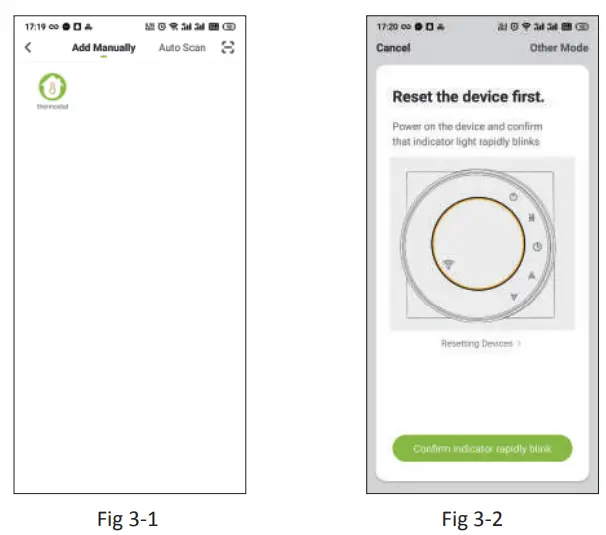 |  |
This is EZ mode which provides a fast network connection between your app and your device. If your router doesn’t support it or your wifi signal is weak or you can not connect by EZ mode, press the AP Mode on the upper right corner in Fig 3-2.
If you have connected your thermostat successfully, please ignore the AP setting as below.
On your thermostat
Press and hold the arrow for eight (8) seconds. The backlight
will be on and the icon will flash one time per sec.
Press and hold the arrow for eight (8) seconds again.
The icon will flash one time every (3) second.
Then, go back to the home page of your app
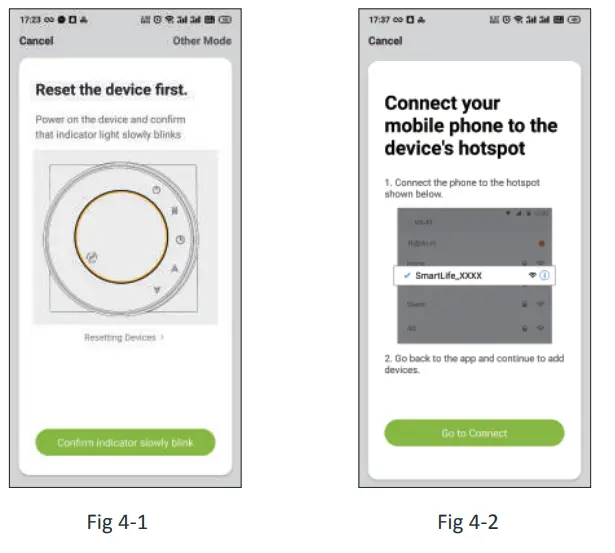
Click Confirm indicator slowly blink (Fig 4-1) then select your network and back to your app to enter the password of your wireless router (Fig 3-3) and confirm. The app will go into the page in Fig 4-2.
Press Connect now to select the wifi signal Smartlife-CE4A of your thermostat ( Fig 4-3).
Go back to your app and click Connect now then the app will connect automatically (Fig 3-4)
This may typically take up to 5–90 seconds to complete.
Your room name could be edited when the device is connected (Fig 4-4).
 |  |
PROGRAMMING YOUR THERMOSTAT
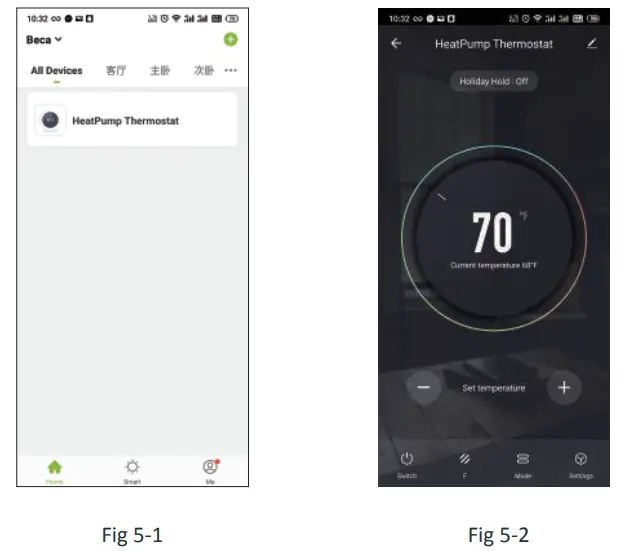
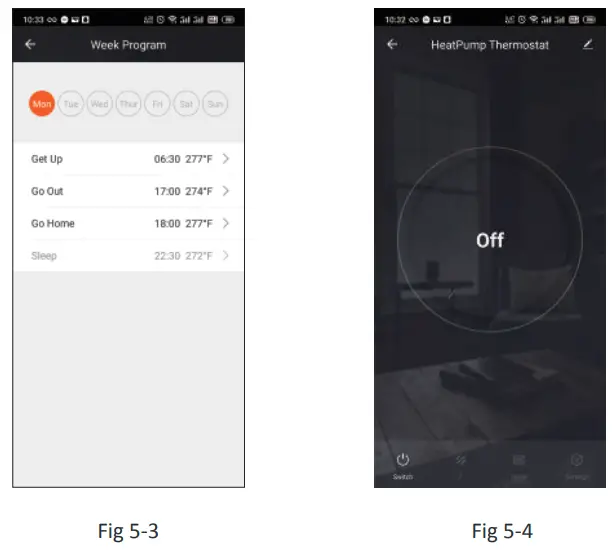
When your room is established successfully, it will display on the home screen (Fig 5-1). Click the line to begining programming our thermostat. Power on/off button. When the screen is bright, it is powered on; when the screen is dark, it is powered off.
 This symbol represents function and you can choose Permanent Hold/Temporary Hold/Using Schedule/Holiday Hold(Hold Until).
 Mode, press it you can choose Auto/ Cool/Heat/Emer/Off.
 This is the setting symbol. You can set the device name, location, great group, and so on.
- Press – + to adjust the temperature. The adjusted temperature will be displayed at the application center interface.
- When in Program mode, click on the setting symbol (at the bottom of the page) to be taken to the schedule page. (See Fig 5-2)
- You can set the temperature for a week and different periods of the day. (Fig 5-3 )
- Once your schedule has been set, click SAVE and the app will send the programming to your thermostat and confirm the schedule has been saved.
 |  |
How to create a group?
Press  then click Create Group (Fig 6-1).
Select all the rooms you want and confirm.
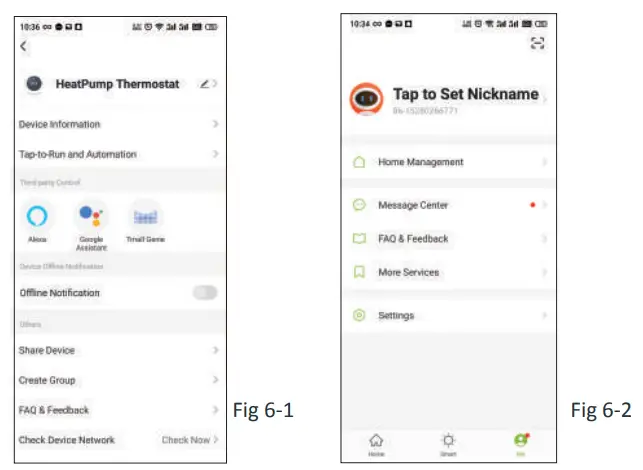
The one who creates this group can control all the rooms at the same time.
Note
Except for creating the group, on this menu page, you can also modify your device name, share your device, get the information of your device.
Way 1: Mentioned in the above.
Way 2: Click your Profile at the right bottom of your main page (Fig 6-2). Select Device Sharing then add the account you want to share.
You can see the sharing account you have sent and the device you have shared on this sharing page.
You don’t need to do anything if you are the one shared.
You can add as many as rooms you want.
How to connect your device to Amazon Echo or Google Home?
In your profile, click Integration into the using page. Press Use Now > (Fig 7-1) for your Amazon Echo or Google Home or Tmall Genie then you can see the operation steps.
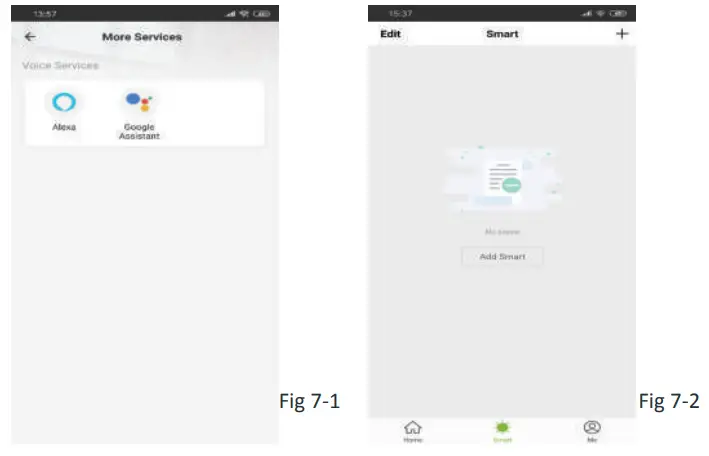
Scan the following QR code to see the user guide of Amazon Echo, Google Home.
 | |
https://drive.google.com/file/d/1dPe_A6L85IrfwSIrb3cFyT5R9guVom0_/view?usp=drivesdk | https://drive.google.com/file/d/1ElDaHvL0BDSFk6KXO11sxtR7Bw9z3AMo/view?usp=drivesdk |
What is your Smart Scene and How to use “
Customize your own personal scenes to suit your needs. For example, set your home to automatically turn on the thermostat when you are back home (Fig 7-2). Press the+ button into the setting.
Step 1: You can set a condition for Tasks like Temperature below 20 degrees, then click Save. (Condition: Temp., Humidity, Wether, PM2.5, Air Quality, Sunrise/Sunset, Device)
Step 2: Add a task. Press to Select Device (Power, Set Temp,Lock Mode) to act, then Save. if you want to delete the scene, you can press Delete in the end.
NOTE: The room sound could be turned on/off in PROFILE-SETTING-
SOUND. The sound is matched with the default of your system.
SIMPLE EXCEPTION HANDLING
No. | Phenomenons | Handling |
| 1 | Power is on but without display. | * Check if the terminals between the LCD panel and Power Unit Box is loosened. |
| 2 | Without output but display works. | * Use a new LCD panel or new Power Unit Box to replace the old one. |
| 3 | Room Temp. Is a little different from the actual. | * Do temperature calibration in item 1 of high senior options |
SERVICE
Your thermostat carries an 24 months warranty from date of purchase. Service outwith the warranty period may incur a charge. For more detail please contact with us directly.
FCC Statement
This equipment has been tested and found to comply with the limits for a Class B digital device, pursuant to part 15 of the FCC Rules. These limits are designed to provide reasonable protection against harmful interference in a residential installation. This equipment generates, uses, and can radiate radio frequency energy and, if not installed and used in accordance with the instructions, may cause harmful interference to radio communications. However, there is no guarantee that interference will not occur in a particular installation. If this equipment does cause harmful interference to radio or television reception, which can be determined by turning the equipment off and on, the user is encouraged to try to correct the interference by one or more of the following measures:
- Reorient or relocate the receiving antenna.
- Increase the separation between the equipment and receiver.
- Connect the equipment into an outlet on a circuit different from that to which the receiver is connected.
- Consult the dealer or an experienced radio/TV technician for help.
Caution: Any changes or modifications to this device not explicitly approved by the manufacturer could void your authority to operate this equipment.
This device complies with part 15 of the FCC Rules. Operation is subject to the following two conditions:
(1) This device may not cause harmful interference, and
(2) this device must accept any interference received, including interference that may cause undesired operation.
The device has been evaluated to meet general RF exposure requirements.