 TENS 7000™
QUICK REFERENCE GUIDE
TENS 7000 Pain Relief System
 The purpose of this guide is to assist you in correctly operating your TENS 7000™ unit. Do not use this device for undiagnosed pain symptoms until consulting a physician. This guide is not intended to replace or substitute the TENS 7000™ Instruction Manual. PLEASE READ THE INSTRUCTION
MANUAL COMPLETELY BEFORE USING THIS DEVICE. Read, understand and practice the contraindications, warnings, cautions and operating instructions found on pages 4 – 5 of your instruction manual. Always follow the operating instructions as listed in the manual.
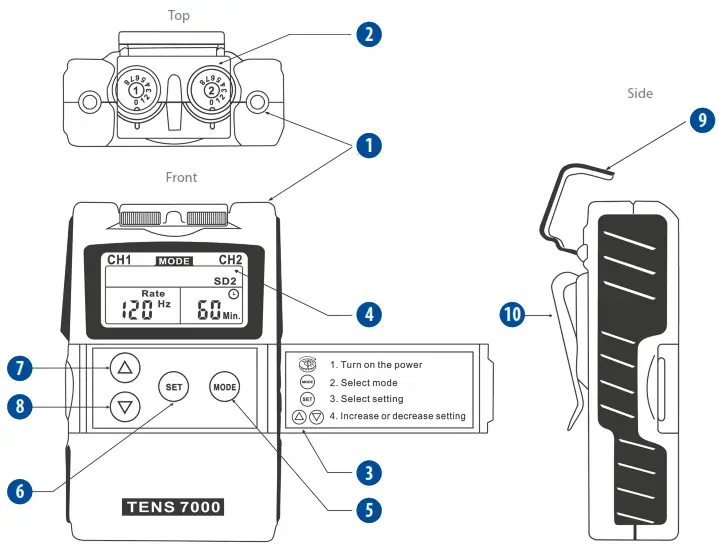
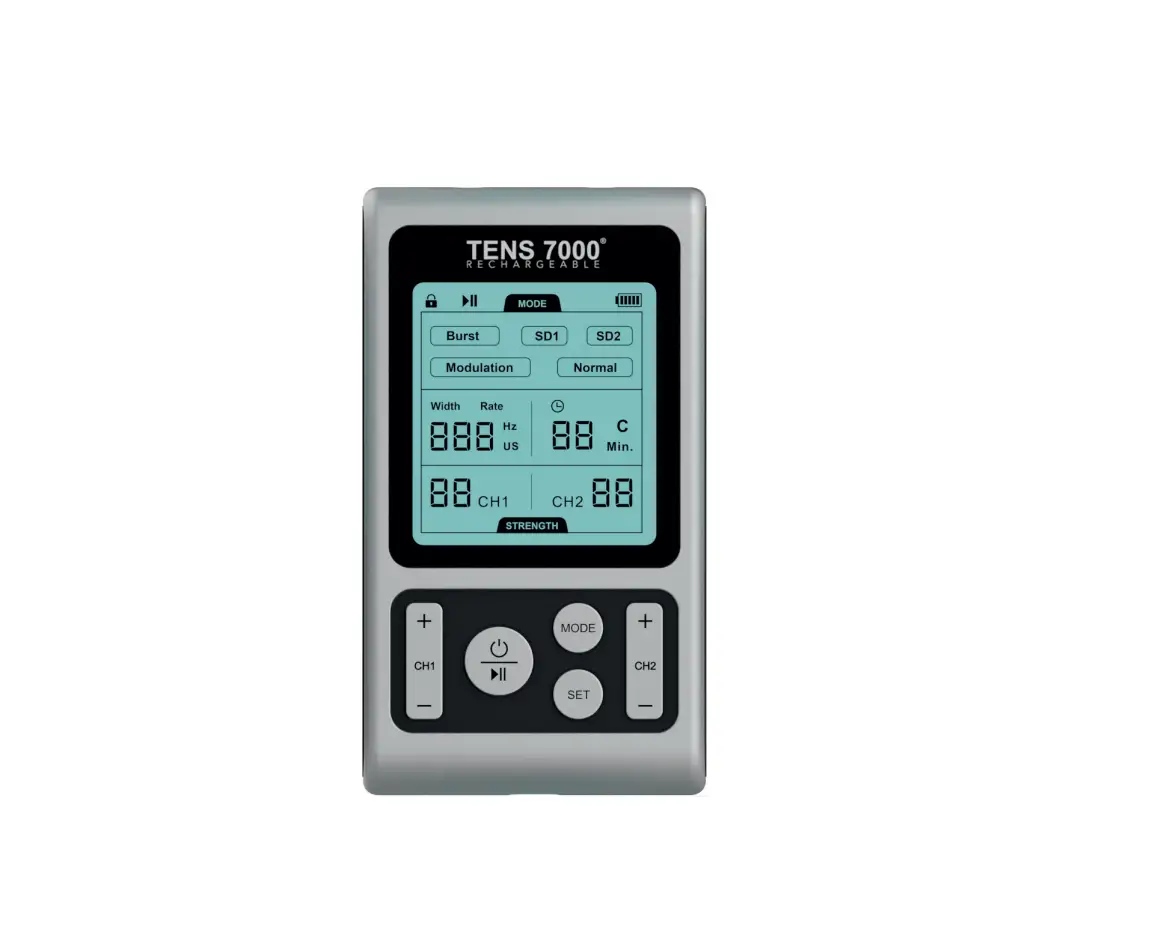
TENS 7000™ UNIT
- Lead connector sockets – 2 channels
- On /off/ intensity dial – 2 channels
- Panel cover with reference guide
- Liquid crystal display (LCD)
- Mode selection button
- Set selection button
- Increment control / increase button
- Increment control / decrease button
- Protective cover
- Belt clip
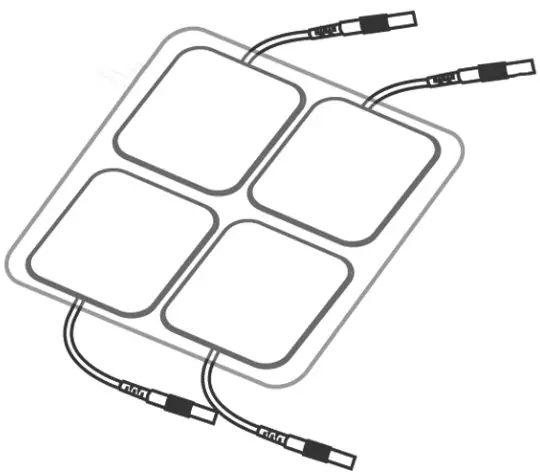
ELECTRODES
PACKAGE OF 4
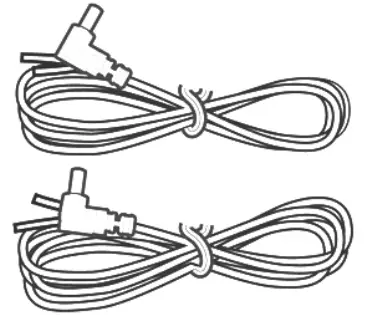
LEAD WIRES
(2 INCLUDED, ONE FOR EACH CHANNEL)
SPECIAL FEATURES
The placement of electrodes can be one of the most important parameters in achieving success with TENS therapy. If the initial results are not positive, speak to your physician about alternative stimulation settings and/or electrode placement. Once desired results are achieved, mark down the electrode sites and settings for future reference. The TENS 7000™ features two protective covers that prevent unintentional changes to settings.
Turn on device by rotating the dial clockwise and select the desired intensity level. Turn off device by turning dial counterclockwise to O.
Low battery indicator signals when battery is low. Replace battery when stimulation feels weaker.
INSERT BATTERY
Press arrow and slide battery compartment cover open. Insert 9V battery*, matching the + and – ends to those in unit.
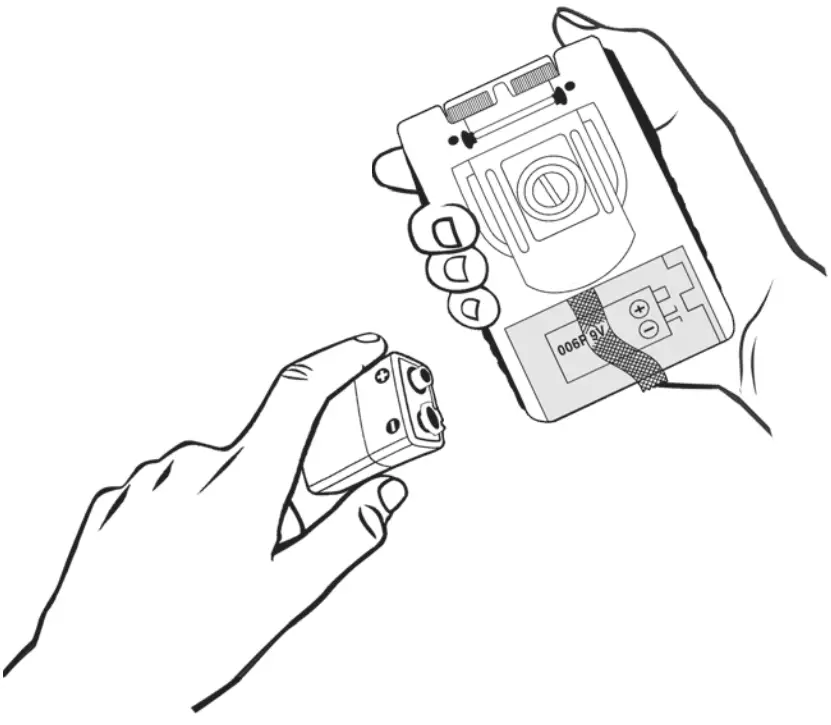
The battery should be placed on top of the compartment ribbon to allow easy battery removal.
*The battery included is designed to be a starter battery. This battery is only intended to last 30 minutes to one hour before needing to be replaced. IMPORTANT!
Steps 1-3 should be performed with the device turned OFF. Once the unit has been turned ON, do not remove the belt without first turning OFF the device.
- CONNECT LEAD WIRES TO ELECTRODES
 Firmly insert the end of the lead wire pin into the electrode connectors.
Make sure the connection is complete and no bare metal of the pins is exposed. - CONNECT LEAD WIRES TO DEVICE
Select one of the two available channels and insert the lead wire firmly into the socket.
- PLACE ELECTRODES ON SKIN
 Remove electrodes from protective backing. Keep backing to properly store electrodes after use.
Before applying electrodes, make sure the skin at the application site is clean and dry.
See Electrode Placement Guide for more information. - TURN DEVICE ON AND SELECT INTENSITY
By turning the controls clockwise, the appropriate channel is switched on and the indicator of power (CH1 and CH2) is revealed in the LCD. The stimulation output will increase as the dial is turned clockwise or to a higher number.
1 = Weaker
8 = Stronger - SELECT THERAPY MODE
 There are 5 modes available: Burst, Normal, Modulation, SD1 and SD2. Press the MODE button and continue to press until you have reached your desired setting.
 - SELECT PULSE WIDTH
 The pulse width is adjusted from 50us to 300us.
Press the SET button to enter this menu, then press the and
and buttons to adjust the setting. Unless otherwise instructed, a setting of 70-120us is suggested.
 - SELECT PULSE RATE
 The pulse rate is adjusted from 2Hz to 150Hz.
Press the SET button to enter this menu, then press the and buttons to adjust the setting. Unless otherwise instructed, a setting of 70-120Hz is suggested. - SET THE TIMER
 The treatment time is adjustable from 1 to 60 minutes, or Continuous ( C ). Press the and buttons to adjust the setting. Your settings will be stored permanently unless they are adjusted again.
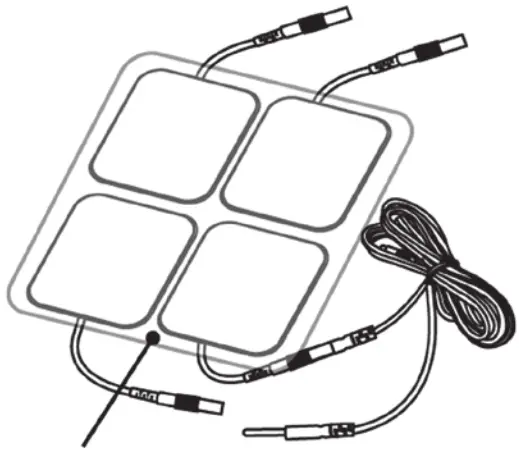 Firmly insert the end of the lead wire pin into the electrode connectors.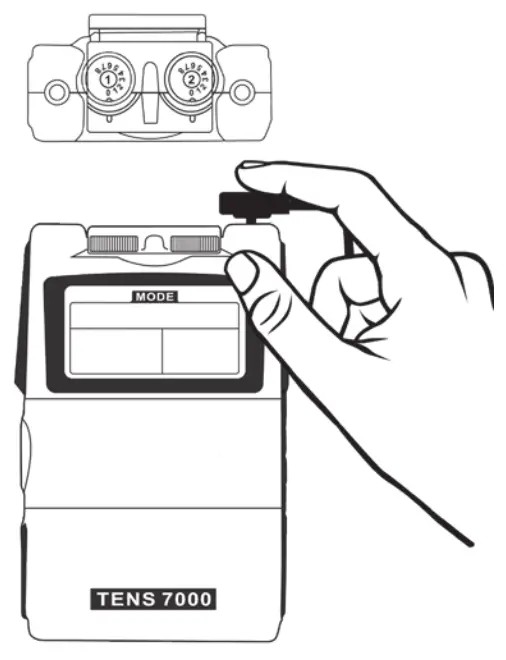
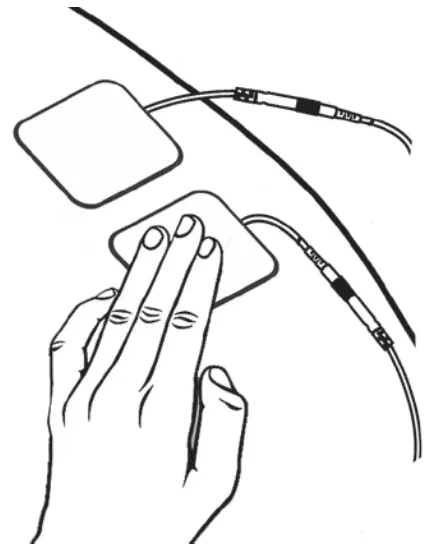 Remove electrodes from protective backing. Keep backing to properly store electrodes after use.
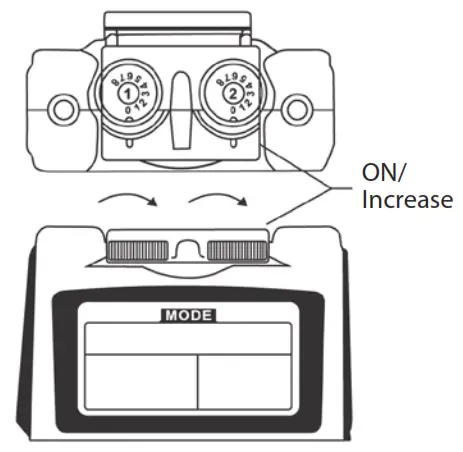 The stimulation output will increase as the dial is turned clockwise or to a higher number.
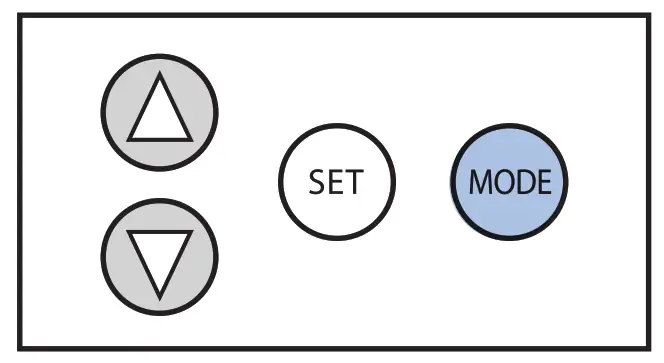 There are 5 modes available: Burst, Normal, Modulation, SD1 and SD2. Press the MODE button and continue to press until you have reached your desired setting.
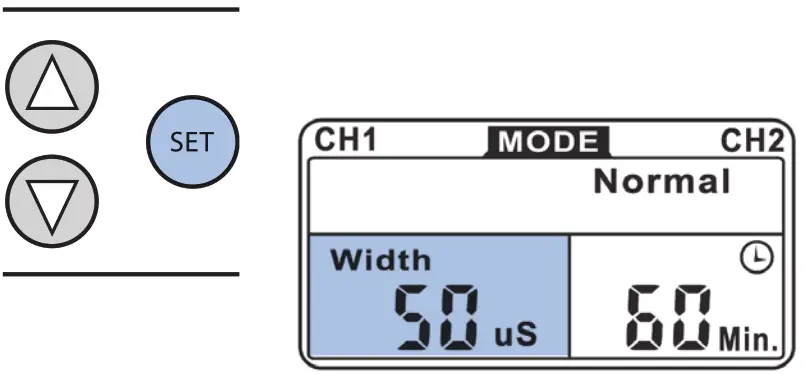 The pulse width is adjusted from 50us to 300us.
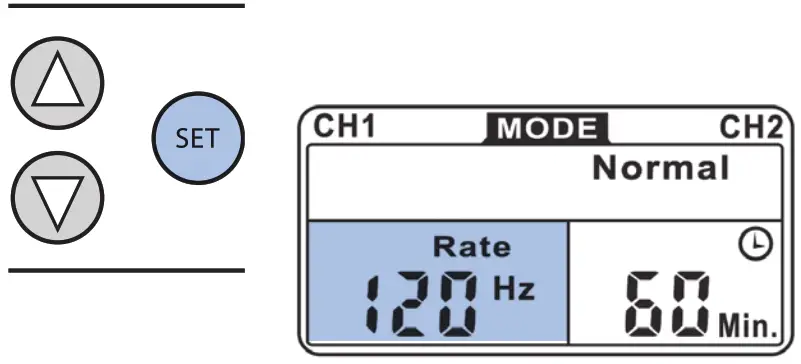 The pulse rate is adjusted from 2Hz to 150Hz.
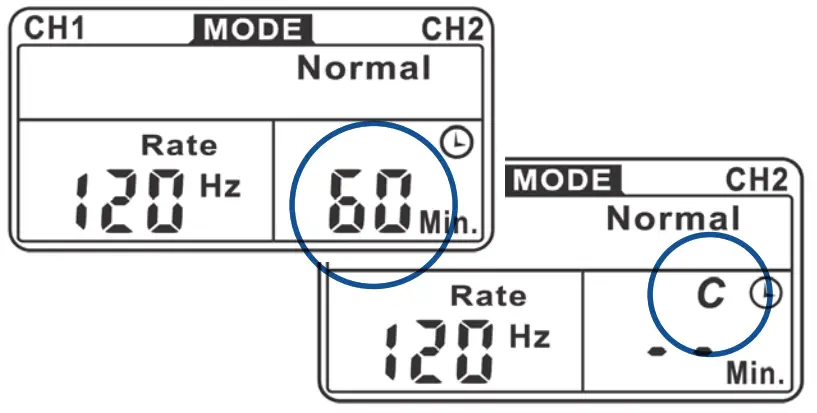 The treatment time is adjustable from 1 to 60 minutes, or Continuous ( C ). Press the
COMPLIANCE METER
This unit can store 60 sets of operation records. The total treatment time can store up to 999 hours.
To check and/or delete individual records, press the MODE button as you turn on the device. The LCD will show the number of records and operation time. Press the  and
and  buttons to check each record. To delete a record, press and hold the SET button for 3 seconds.
To check and/or delete the accumulative record, press the MODE button to switch to this setting. Press the SET button first, the press MODE and hold for 3 seconds; all of the records will be deleted, followed by the sound of a beep.
PROBLEMS WITH YOUR DEVICE?
Please see page 26 of your TENS 7000™ Instruction Manual for troubleshooting tips.
For more information about your TENS 7000™ unit, please visit us online at
www.compasshealthbrands.com
or call 1-800-376-7263.
3474.21.08.A
©2021 Compass Health Brands Corp.
 Home Medical Products For Seniors, Elderly, Surgery Patients