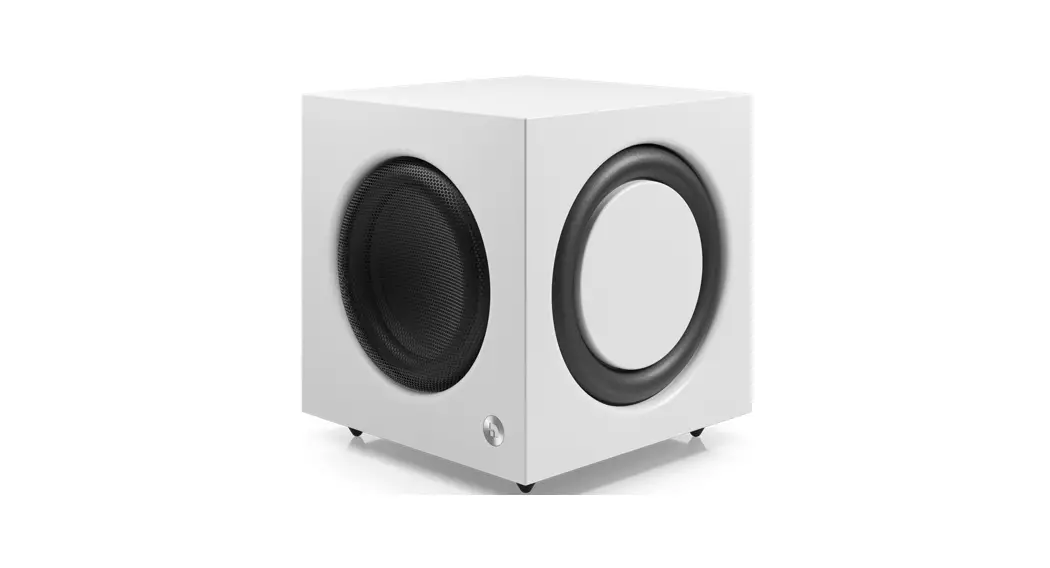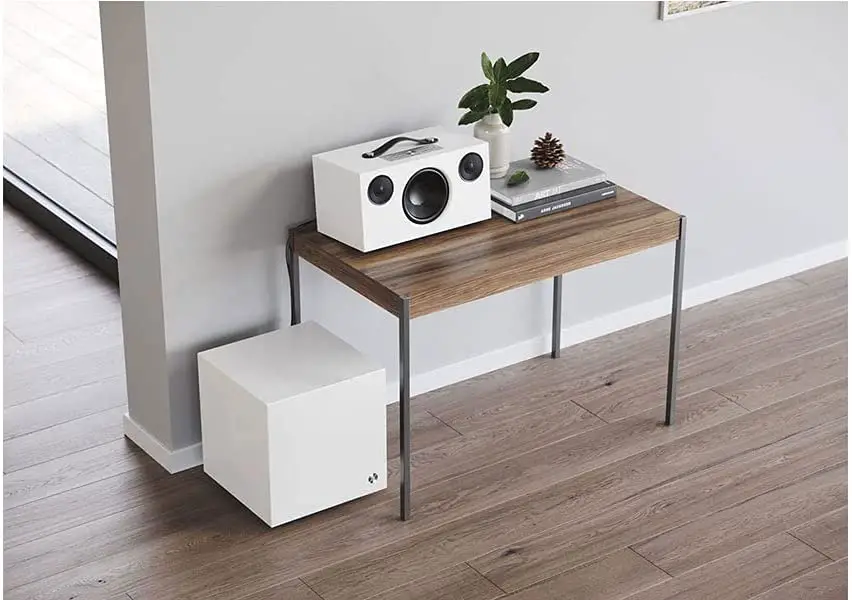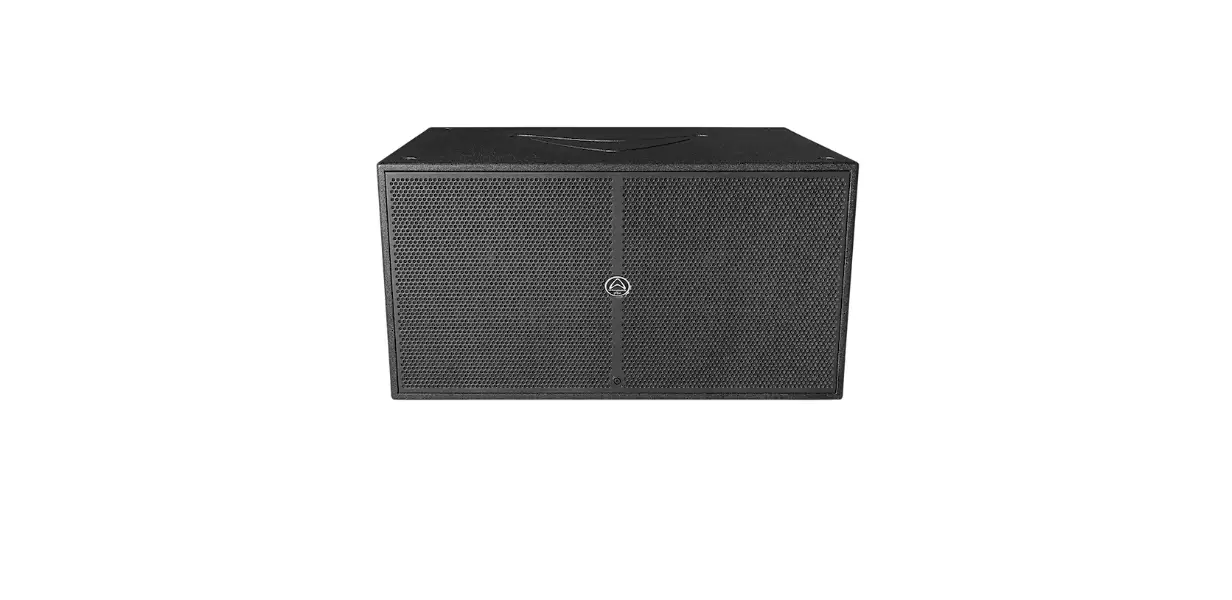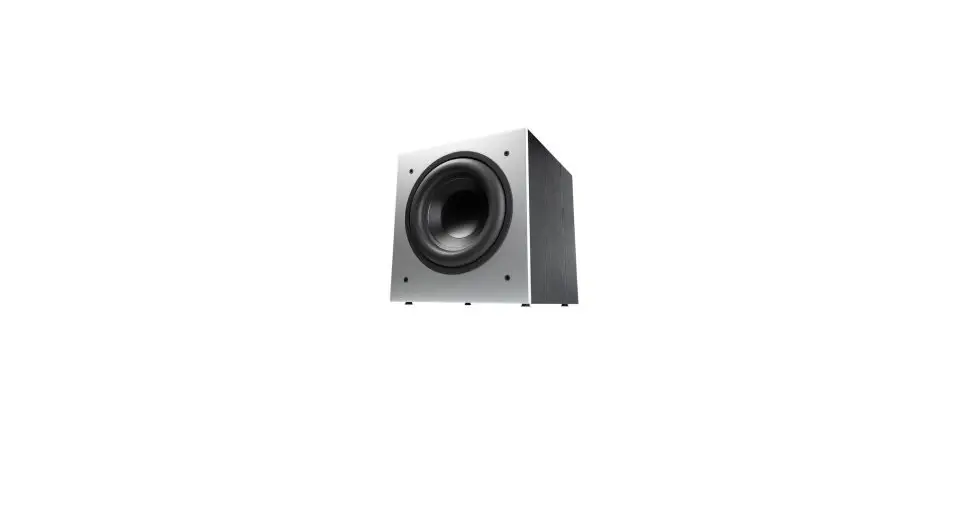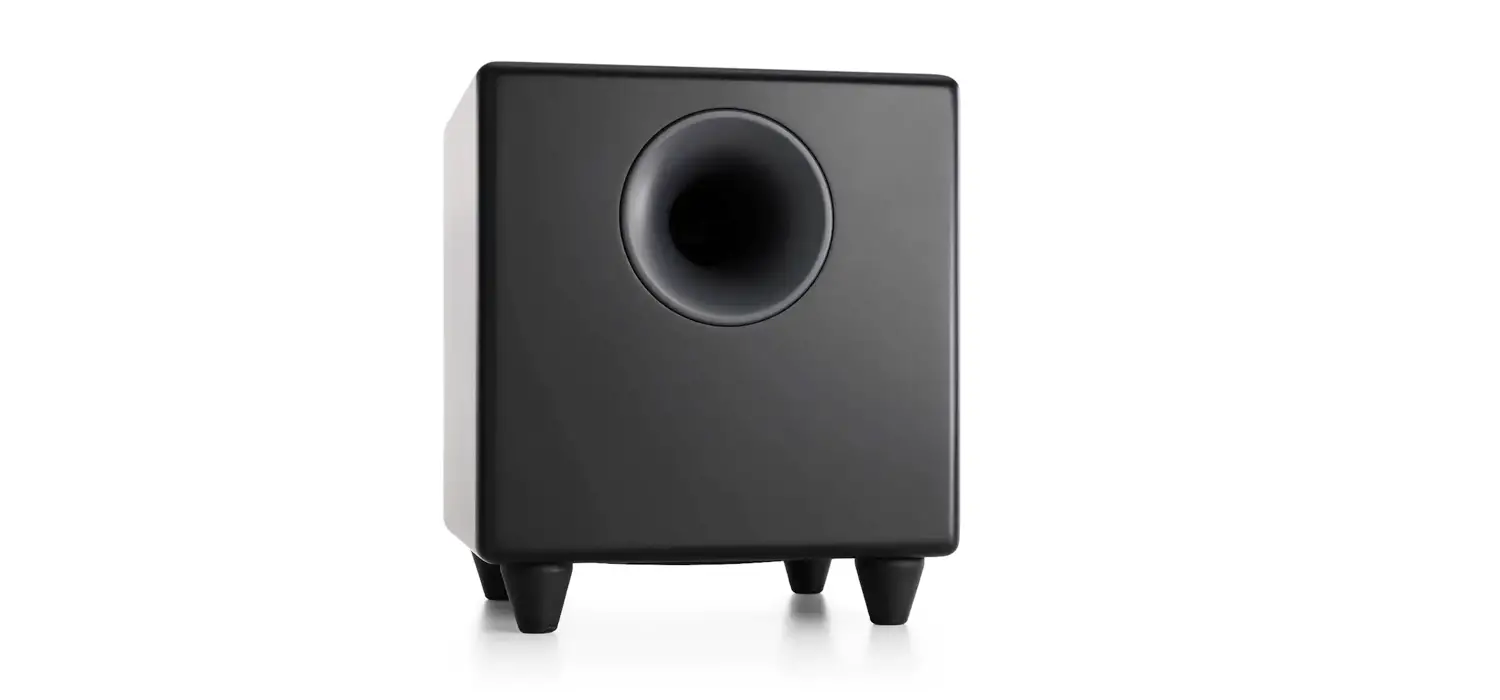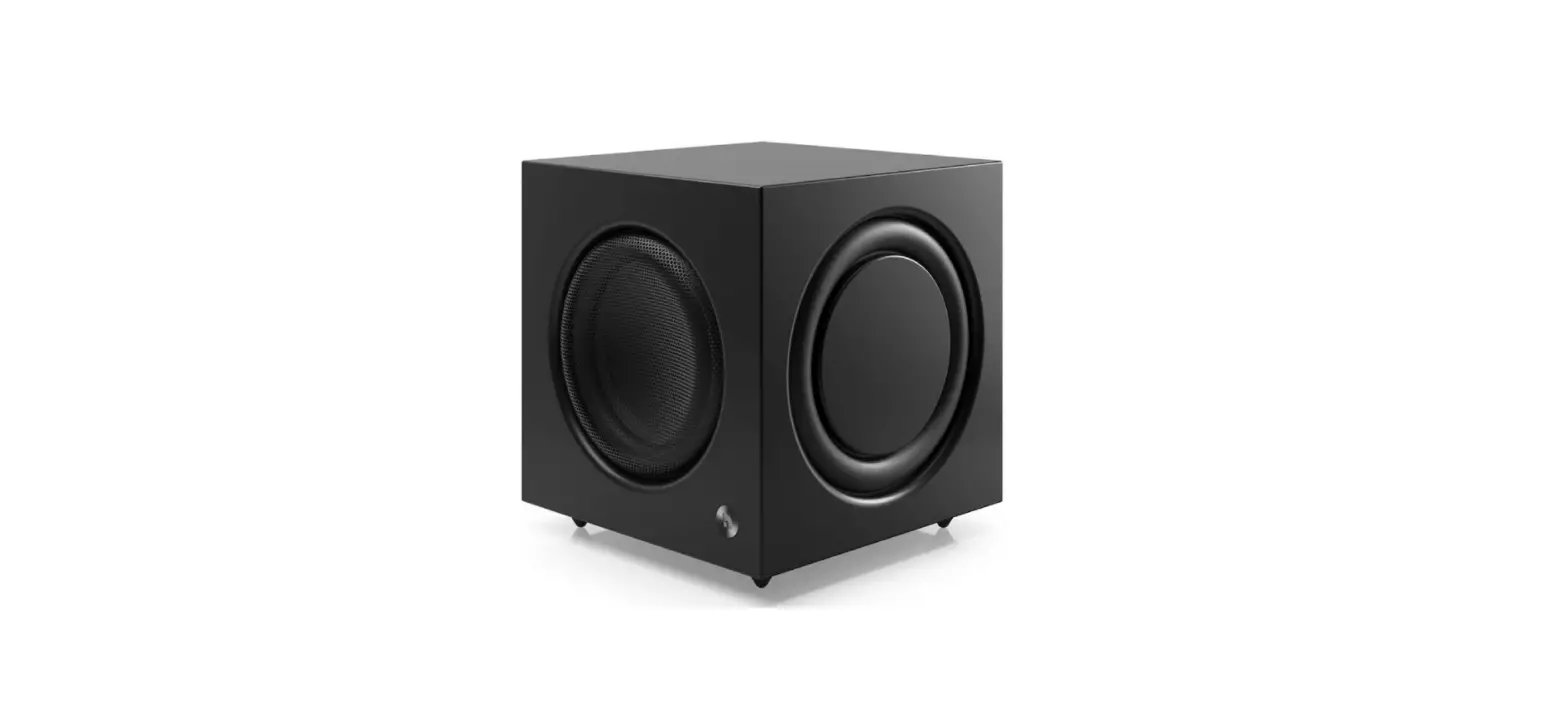

Audio Pro A36+SW-10 Powered Subwoofer Speaker
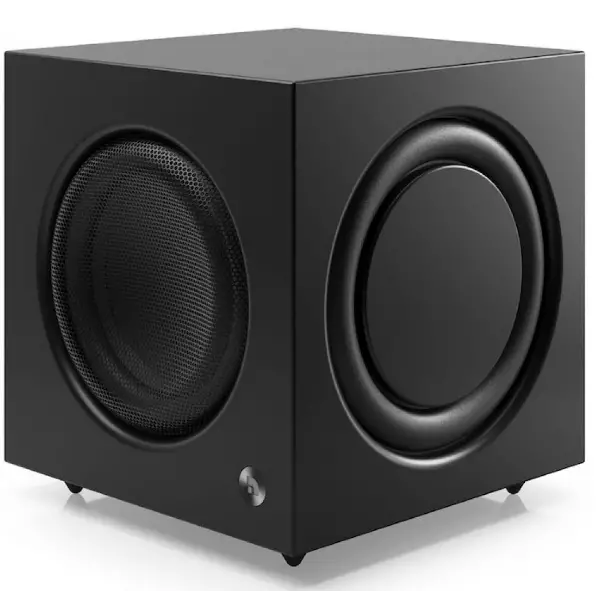
Audio Pro A36+SW-10 Powered Subwoofer Speaker
Spotify
Your new speaker has Spotify Connect built in. Spotify Connect lets you control the music playing on your device, using the Spotify app on your mobile, tablet or PC. Listening is seamless. You can take calls, play games, even switch your phone off all without interrupting the music. Use your phone, tablet or computer as a remote control for Spotify.
Licenses
The Spotify Software is subject to third party licenses found here: www.spotify.com/connect/third-party-licenses.
Bluetooth
The Bluetooth® word mark and logos are registered trademarks owned by Bluetooth SIG, Inc. and any use of such marks by AUDIO PRO AB, is under license. Other trademarks and trade names are those of thier respective owners.
Android
Google, the Google logo, Google Apps, Android, Android Market, Google Places, Google Maps, YouTube, Google Navigation, Google Calendar, Gmail and Google Search are trademarks of Google Inc. Android™ is a trademark of Google, Inc. The Android robot is created and shared by Google and used according to the Creative Commons 3.0 Attribution License.
AUDIO PRO
AUDIO PRO AB, SWEDEN. ALL RIGHTS RESERVED. TRADEMARKS ARE THE PROPERTY OF AUDIO PRO AB, SWEDEN. Audio Pro AB, Box 22272, SE-250 24 Helsingborg, Sweden
©1978-2018 Audio Pro AB Sweden.
Audio Pro®, the Audio Pro logotype, the ‘a’ symbol, and ace-bass® are all registered trademarks of Audio Pro AB, Sweden. All rights reserved.Audio Pro follows a policy of continuous advancement in development. Specifications may be changed without notice. All other products and services mentioned may be trademarks or service marks of their respective owners.
INTRODUCTION
WELCOME TO MULTIROOM HIFI
The Audio Pro Connected HiFi products lets you enjoy wireless multiroom sound that enables you to enjoy your favorite music anywhere and everywhere around your home. By utilizing your existing home network and the Audio Pro app on your iOS or Android™ device, you can explore, browse, and play music from your own music library or from many online streaming music services. In addition to easy wifi connection there is also Bluetooth wireless technology if you don’t have a network. You can also connect your TV, turntable or cd-player by cable to enjoy all your music. The legendary Audio Pro sound quality is included.
REARVIEW
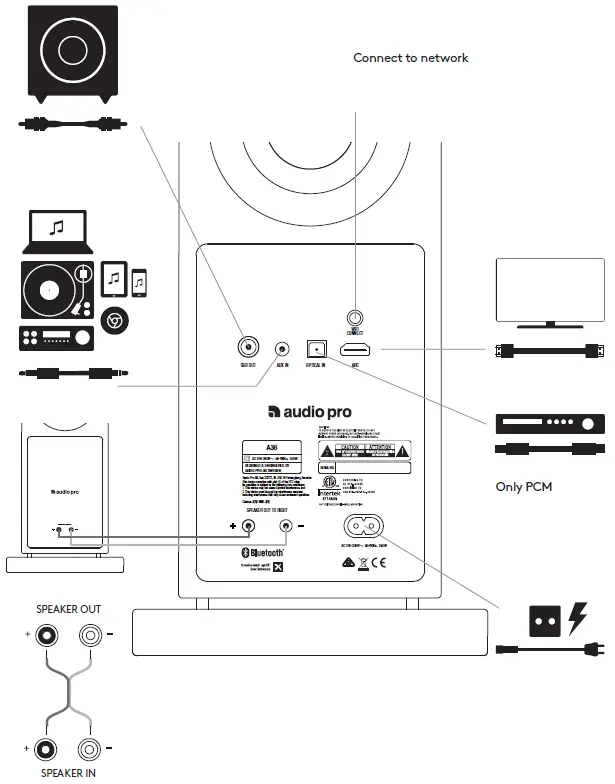
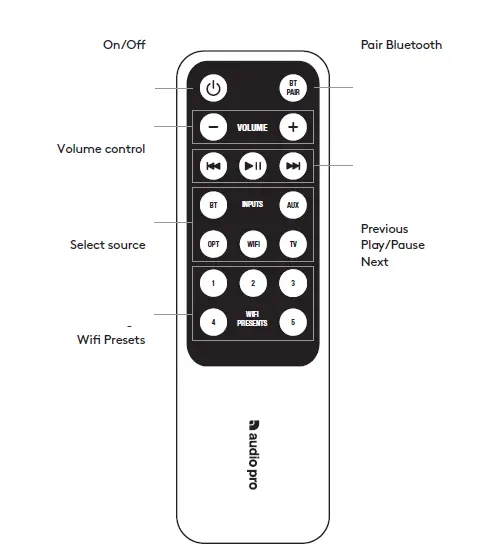
CONTROLS
LED INDICATOR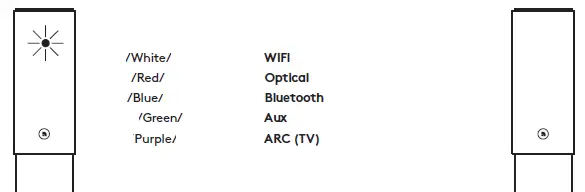
PLEASE NOTE:
- Audio Pro speakers communicate via a 2.4GHz home network with support for 802.11 b/g/n wireless technology. 5GHz networks are not supported in an Audio Pro setup.
- ROUTER: High-speed DSL/cable modem, or fibre-to-the-home broadband connection for proper playback of internet-based music services.
- Different routers provide different levels of performance. Please use a good wireless router to achieve the best possible performance.
YOU NEED THIS
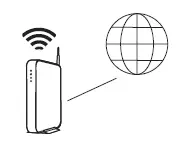
- Wireless router with internet connection.

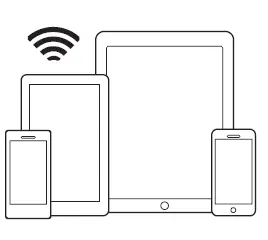
- iOS or Android device connected to your network

- Your wifi password.

- Wireless router with internet connection.

CONNECT TO POWER
After sound signal, the speaker is ready for setup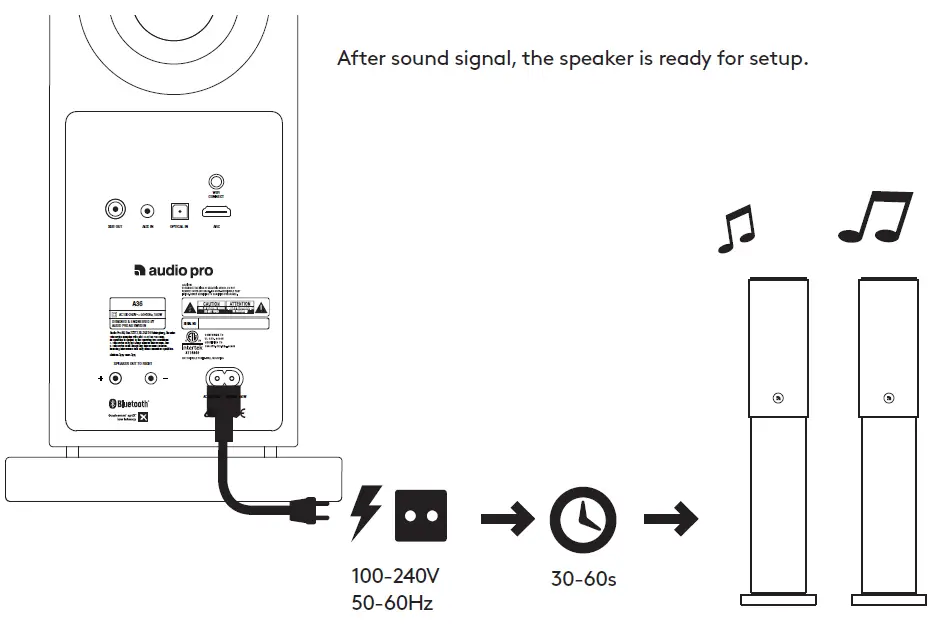
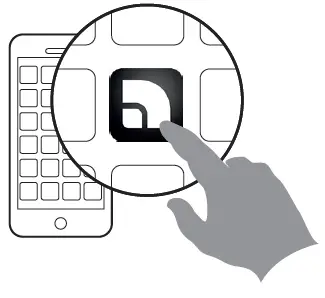
DOWNLOAD THE APP
- Search for ”Audio Pro Control

- Launch the app and follow the instructions

- Search for ”Audio Pro Control

ADD A SPEAKER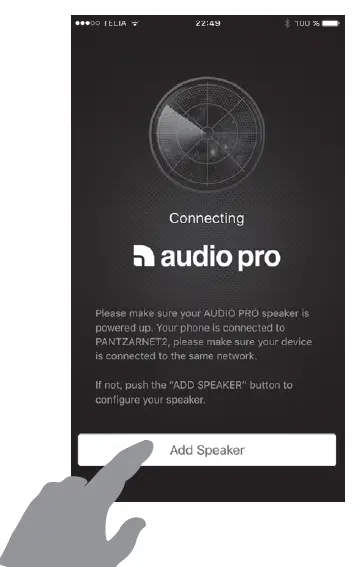
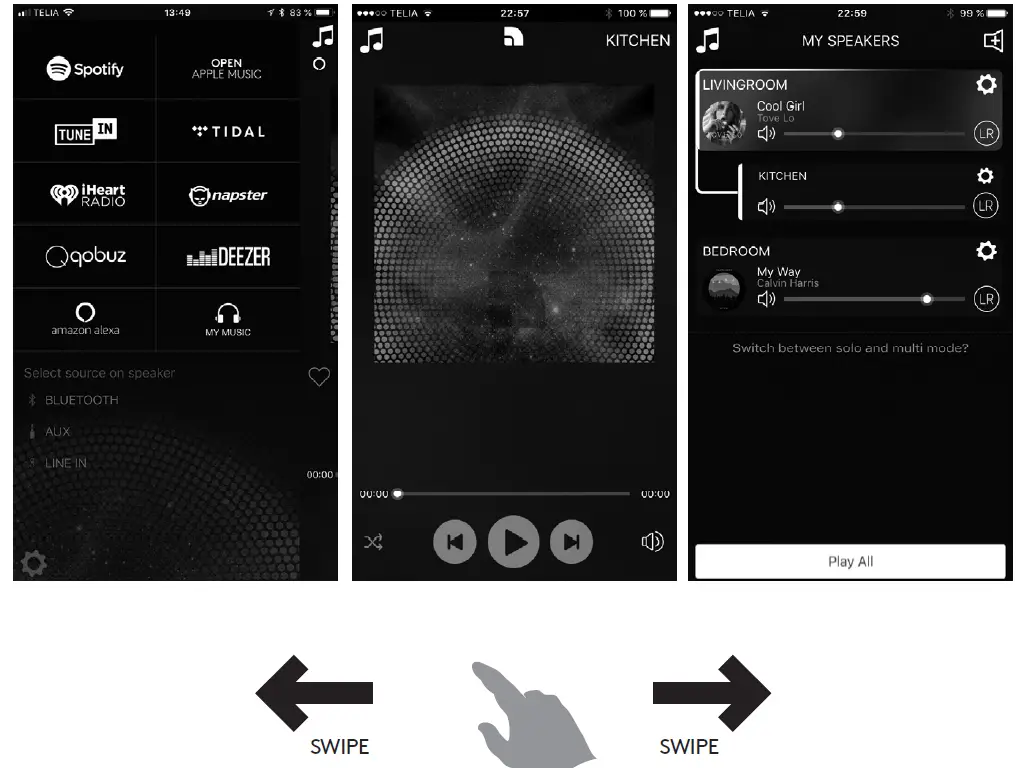
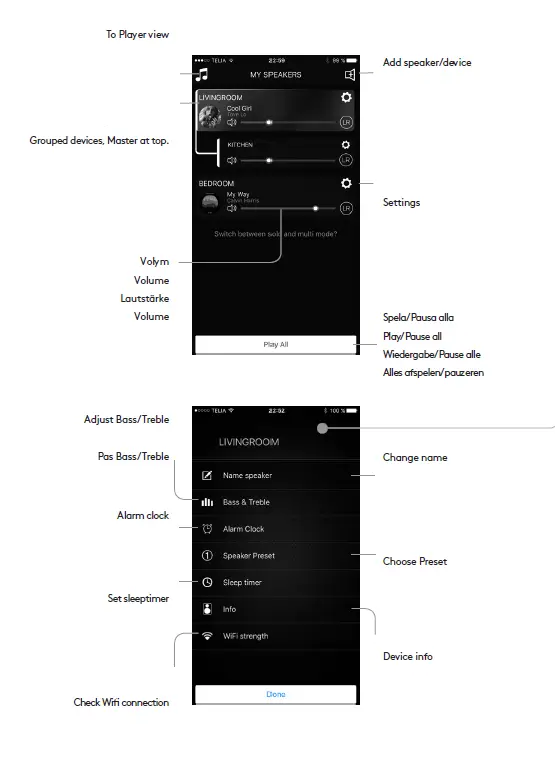
APP OVERVIEW
- Music services and sources.
- Player view
- Speaker/device list


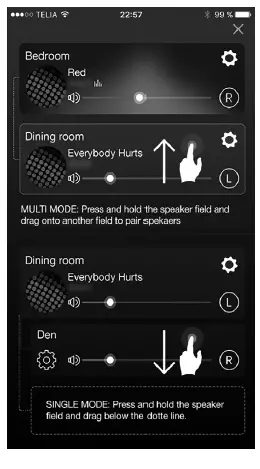
GROUPING SPEAKERS
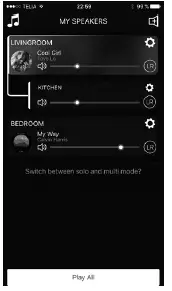
- Press and hold down the speaker field while dragging it onto the other field in order to group.
- To ungroup, press and hold down the speaker field while dragging it under the dotted line.

MAKING A PRESET
- CONTROLS
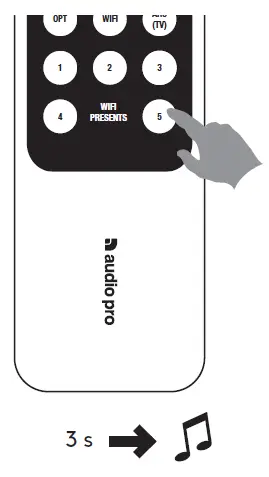
- Play content in the app. Press the preset button for approx. 3 s until sound is heard. Done!

- IN THE APP
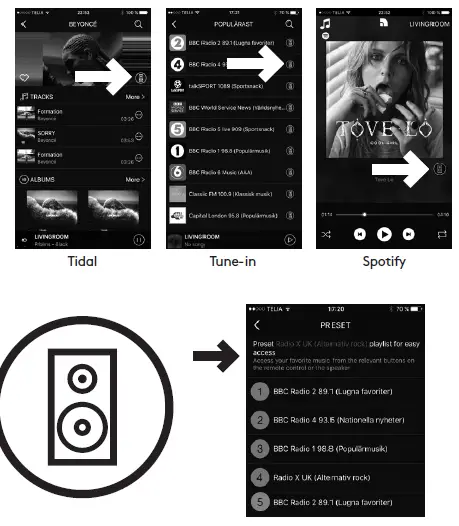
- When in the app using the various services, press the speaker icon

SPOTIFY CONNECT
- Connect your Audio Pro speaker to your wifi network.
- Open up the Spotify app on your phone, tablet or laptop using same wifi network.
- Play a song and select Devices Available.
- Select your Audio Pro speaker and start listening.
Spotify app launches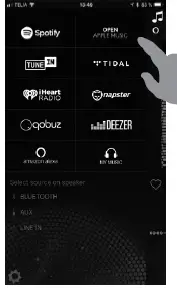 Play music
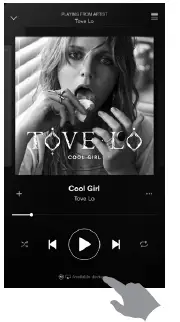 Choose your speaker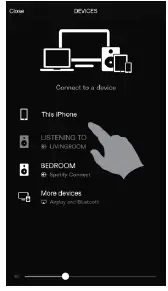
Go back to the Audio Pro app.
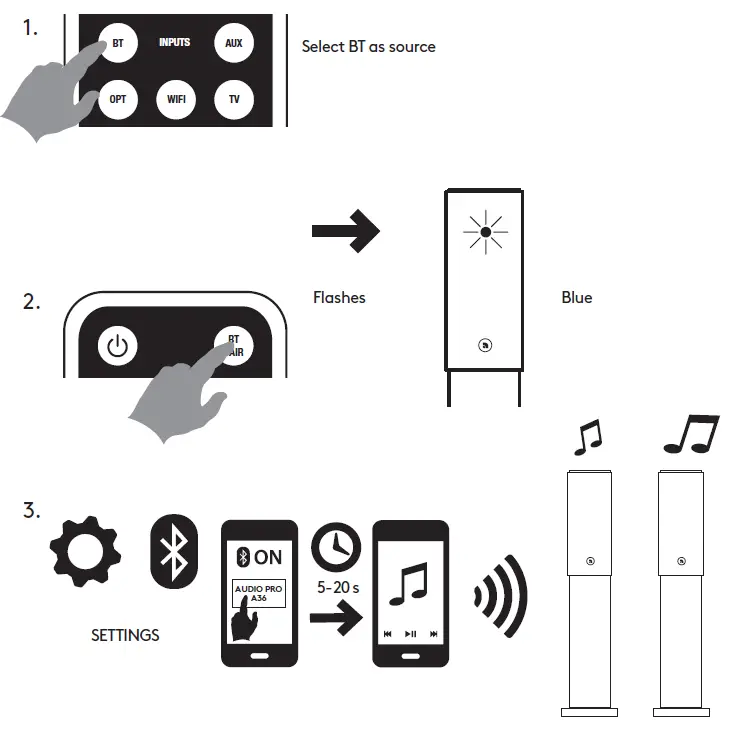
BLUETOOTH
PLAYING FROM CONNECTED DEVICES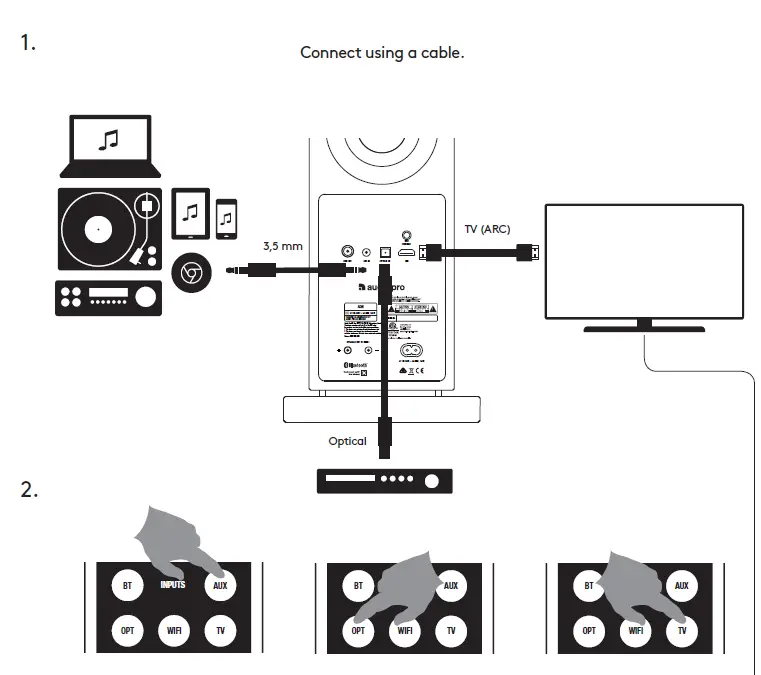
USING ALEXA THROUGH THE APP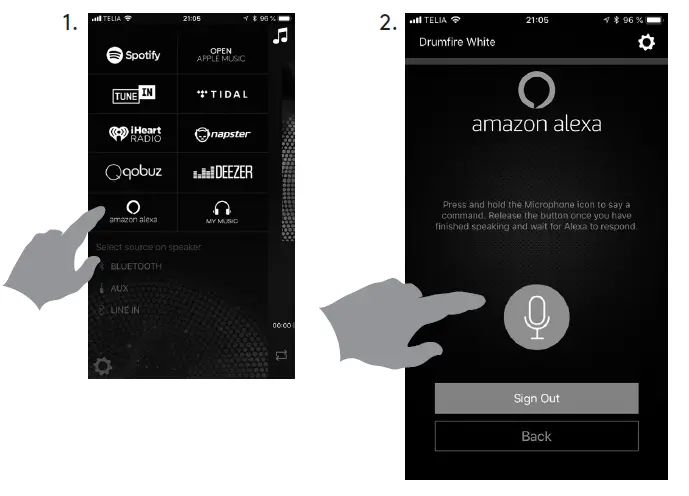
PROBLEMS? TRY THIS FIRST:
- Reboot your router.
- In the router WiFi settings: deactivate Band Steering(Band spanning, Smart Connect). MY SPEAKER WILL NOT CONNECT TO MY NETWORK
- Make sure your mobile device is connected to your wireless network before you try to connect your speaker.
- Place the speaker close to the router when carrying out the setup. You can subsequently view the signal strength for other positions in the app.
SPECIFICATIONS
- Type: Powered stereo speaker system with bass reflex
- Amplifier: Digital Class D amplifier, 2×60 W
- Tweeter: ¾” textile dome tweeter
- Woofer: 4.5″
- Frequency range: 32-25 000 Hz
- Crossover frequency: 2.900 Hz
- Dimensions HxWxD: 832x190x210 mm
- Inputs: Bluetooth 5.0 with apt-X® codec, 1 x Aux In 3,5 mm,
- 1 x TOSLINK optical digital (only PCM), 1 x ARC/TV.
- Outputs: RCA Sub Out
BOX CONTENTS
- 1 pair A36 Speaker
- 1 Manual
- 1 Remote control
- 1 Power cable
- 1 Speaker cable (4 m)
SYSTEM REQUIREMENTS
In order to be able to utilise apt-X®, the device (e.g. mobile telephone or tablet) must have apt-X® installed. Otherwise no sound enhancement will be achieved.
WARNINGThe lightning flash with arrowhead symbol, within an equilateral triangle, is intended to alert the user to the presence of uninsulated “dangerous voltage” within the product’s enclosure that may be of sufficient magnitude to constitute a risk of electric shock to persons.
WARNING:
TO REDUCE THE RISK OF FIRE OR ELECTRIC SHOCK, DO NOT EXPOSE THIS APPARATUS TO RAIN OR MOISTURE.
CAUTION:
TO REDUCE THE RISK OF ELECTRIC SHOCK, DO NOT REMOVE COVER (OR BACK). NO USER-SERVICEABLE PARTS INSIDE. REFER SERVICING TO QUALIFIED SERVICE PERSONNEL.
FCC
Any Changes or modifications not expressly approved by the party responsible for compliance could void the user’s authority to operate the equipment.This device complies with part 15 of the FCC Rules. Operation is subject to the following two conditions:
- This device may not cause harmful interference, and
- this device must accept any interference received, including interference that may cause undesired operation.
This equipment complies with FCC radiation exposure limits set forth for an uncontrolled environment.Note: This equipment has been tested and found to comply with the limits for a Class B digital device, pursuant to part 15 of the FCC Rules. These limits are designed to provide reasonable protection against harmful interference in a residential installation.
FAQS
Known the world over for producing class-leading multiroom equipment, Audio Pro is a brand that is tried and tested by thousands of happy customers amounting to many great reviews. With a range that offers excellent performance and unmatched versatility – Audio Pro has a speaker that will suit almost any budget.
The Audio Pro A28 speakers are bookshelf in style and come in a stereo pair. Each speaker sports a 1-inch tweeter and 4.5-inch woofer, with two Class-D digital amplifiers running the show. There is an ARC-enabled HDMI input on one of them so you can connect the pair directly to a TV.
Download Audio Pro Control app from App Store or Google Play. Connect the speaker to a power outlet. Turn the speaker to ON. Follow the instructions in app.
This is an excellent speaker that can be part of a multiroom system or stand on its own, with great sound and excellent connection options
Audio Pro, which has been producing high-end audio equipment from its home country of Sweden since 1978, cottoned onto this trend early on.
Stereo is a lot better for the average listener. It sounds wider, more detailed, and more realistic. However, in places that have multiple speakers, like clubs, coffee houses, or restaurants, stereo might cause phase-cancellation issues and, therefore, make mono the right choice.
Turn on your speaker. Press Bluetooth button on speaker (or remote), LED will start flashing. Open up your Bluetooth settings on your device. After approx. 20sec, your speaker name will appear in Bluetooth list. Press the speaker name. Done! Start playing your music
Frank Silva – owner – Pro Audio
On your Android device, tap Settings. Connected devices. Next to your device, tap Settings . Tap Audio switch. To turn the feature on or off, select Use audio switch.
NEXT-proaudio is now part of NEXT Audiogroup.
Audio-Technica Corporation (株式会社オーディオテクニカ, Kabushiki Kaisha Ōdio Tekunika) (stylized as audio-technica) is a Japanese company that designs and manufactures professional microphones, headphones, turntables, phonographic magnetic cartridges, and other audio equipment.
Aux. Any type of auxiliary or secondary audio connection. Most commonly associated with 3.5 mm headphone jack.
Android uses separate audio streams for playing music, alarms, notifications, the incoming call ringer, system sounds, in-call volume, and DTMF tones. This allows users to control the volume of each stream independently. By default, pressing the volume control modifies the volume of the active audio stream.
The Audio-Technica, on the other hand, are a more critical listening-focused headphone, with a better-balanced sound and a wired design that has no latency. This makes them slightly better than the Bose for recording, watching videos, and even gaming if you do not care about having a mic.
This is an excellent speaker that can be part of a multiroom system or stand on its own, with great sound and excellent connection options.