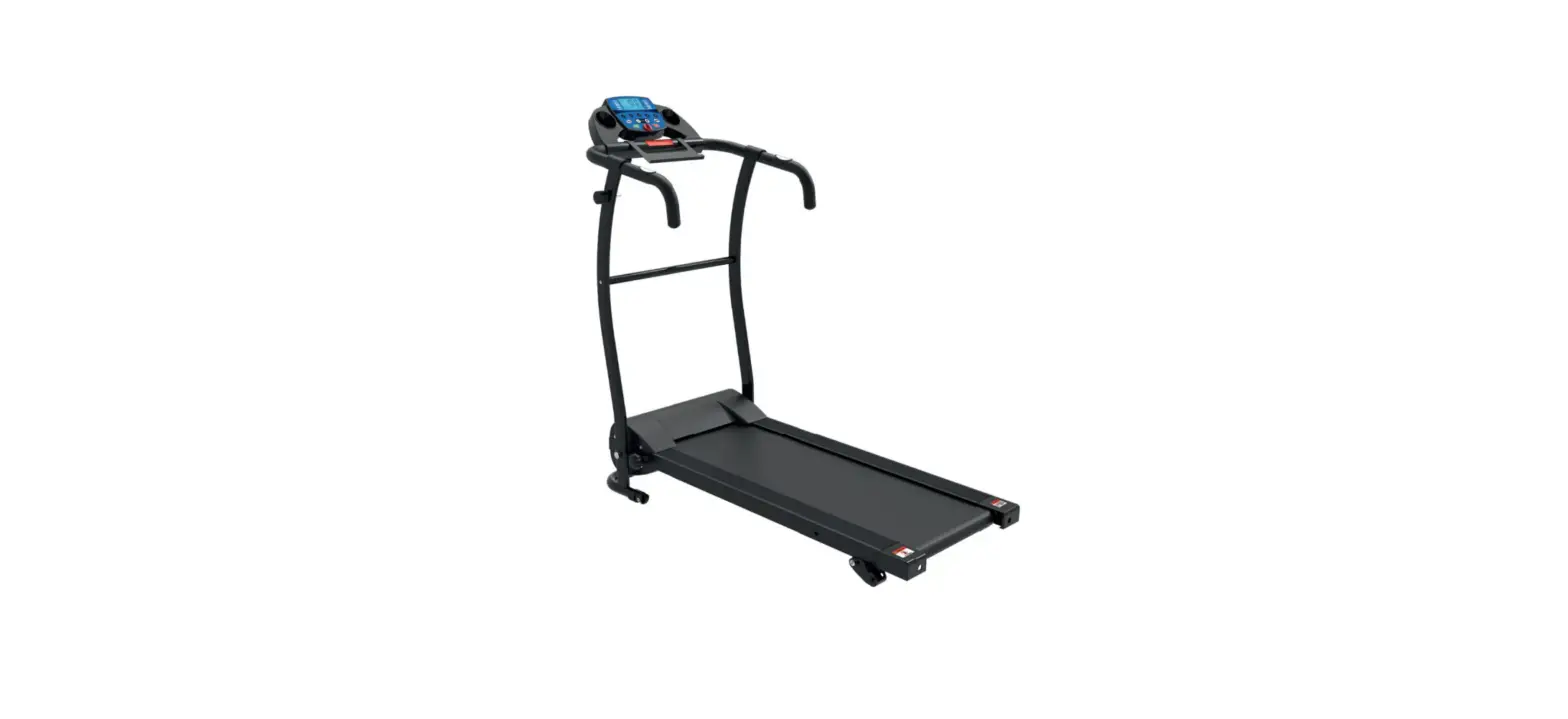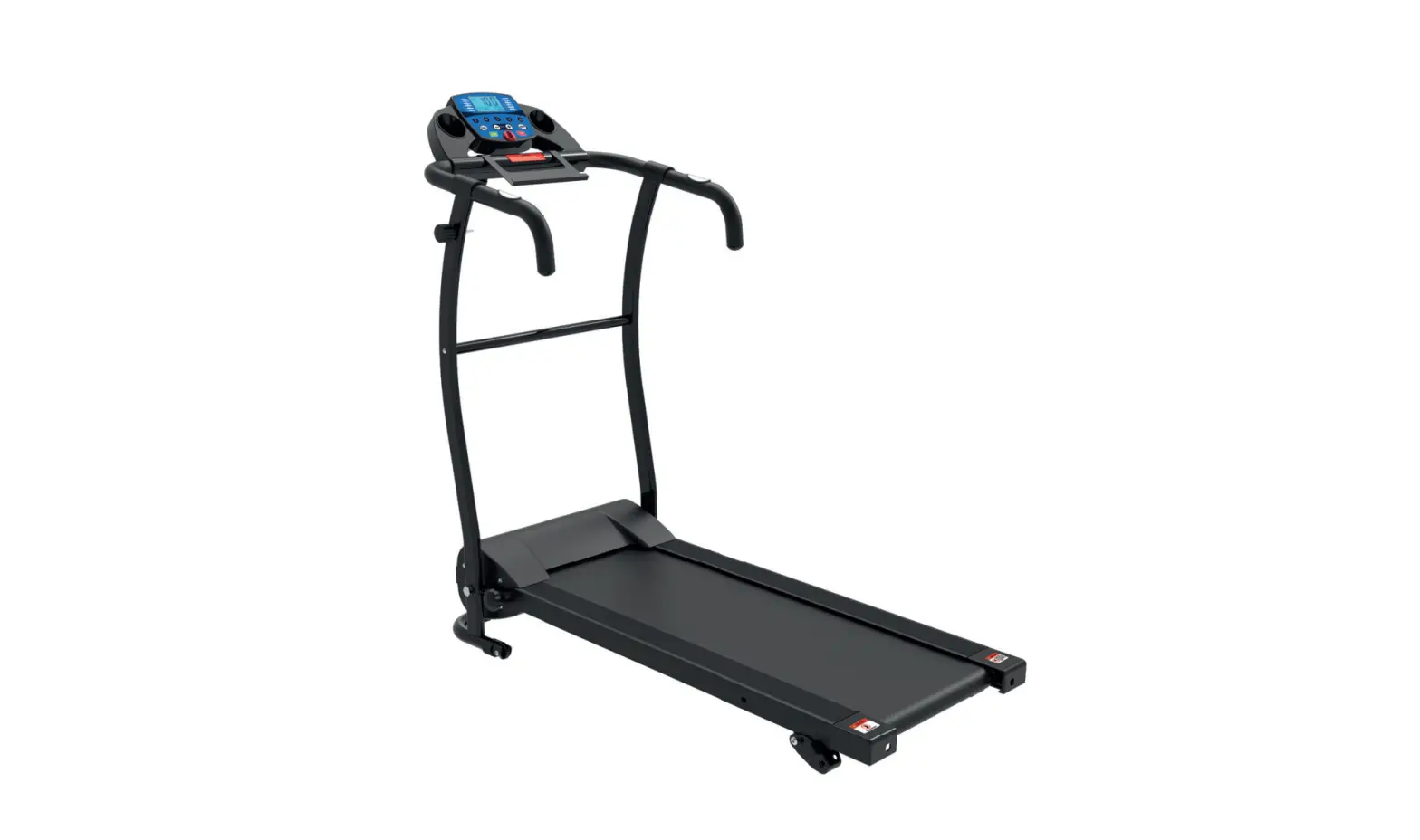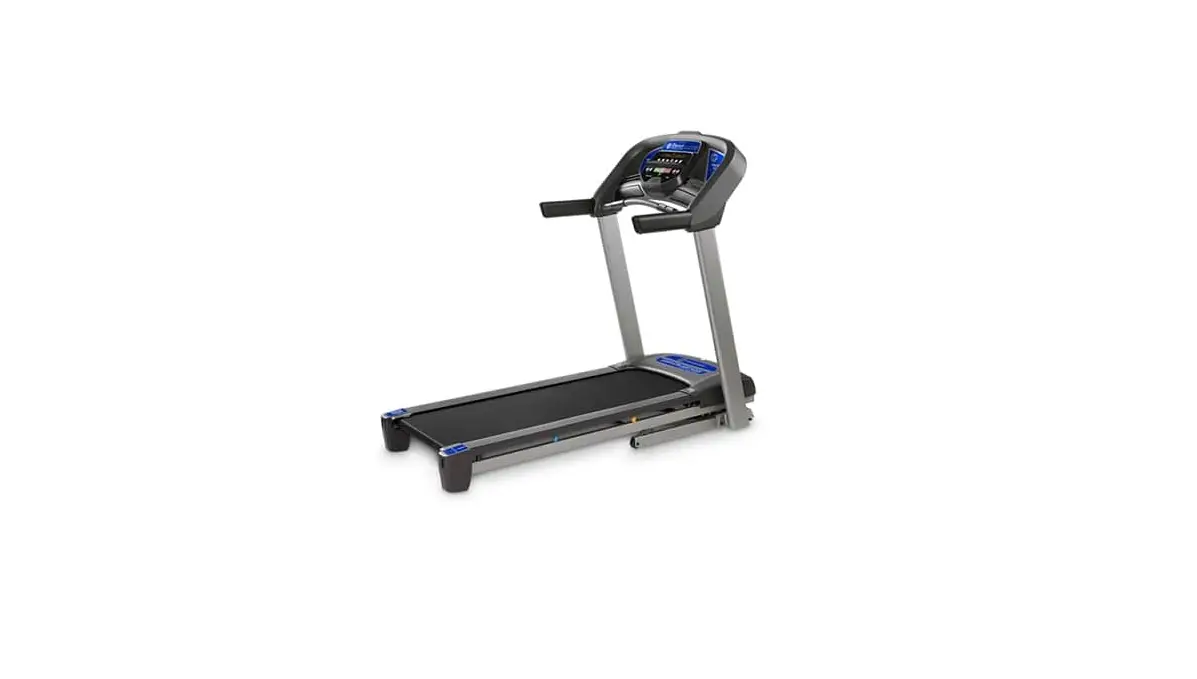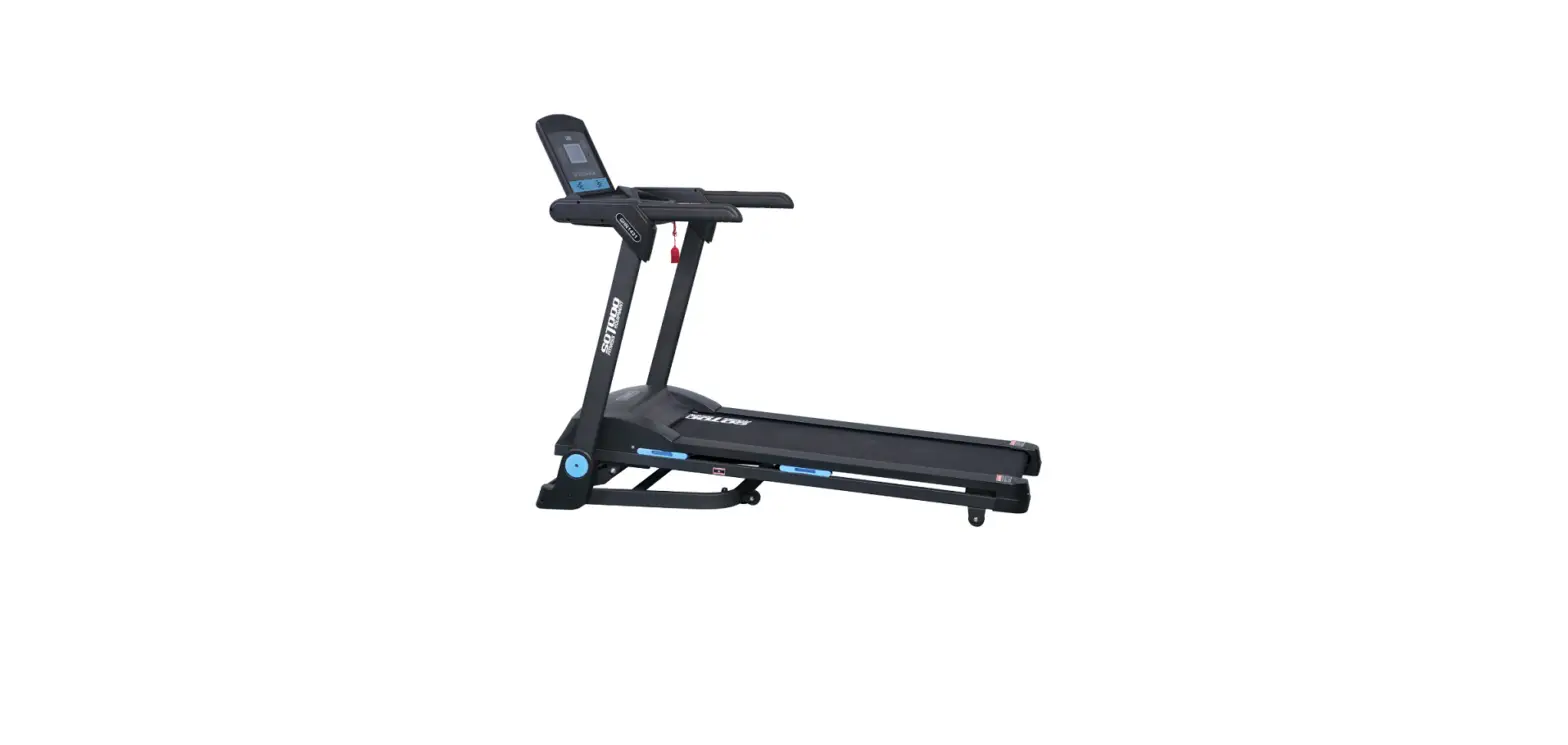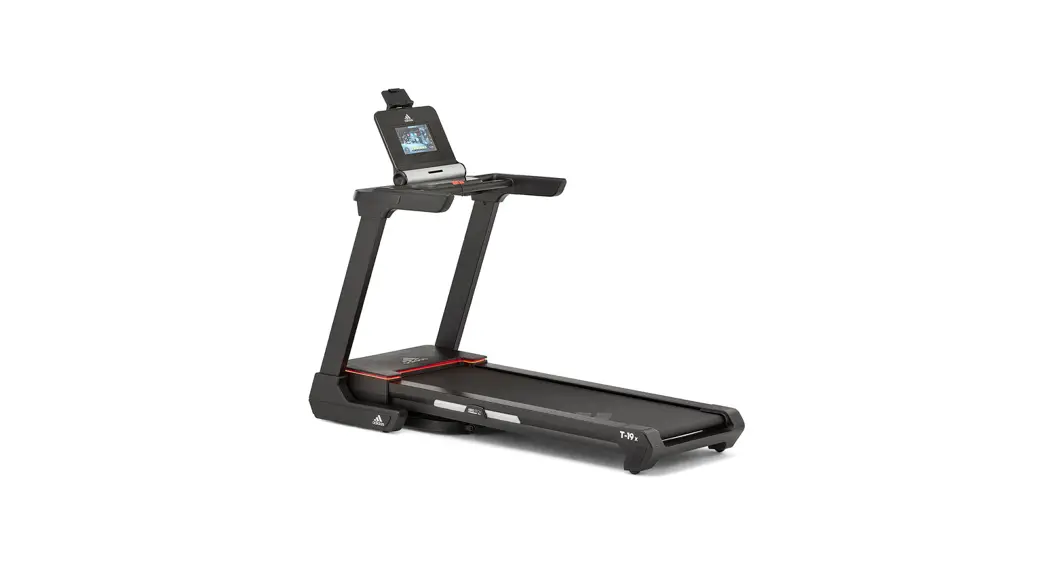

T-19x Bluetooth Treadmill User Manual
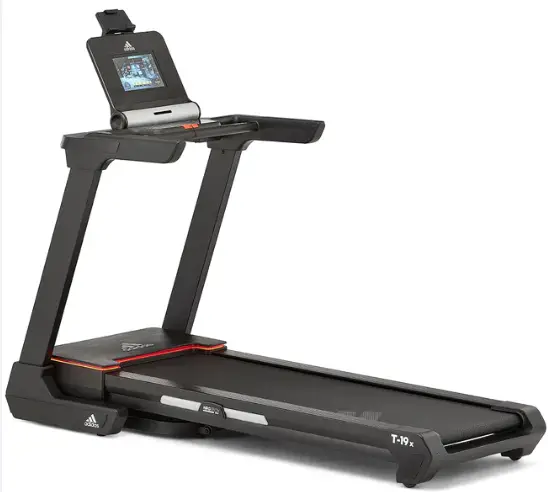
T-19x Bluetooth Treadmill
CAUTION
- The equipment is intended for home use only (HA). Do not use the equipment in any commercial, rental, or institutional setting.
- Use the equipment only as described in this manual. Consult your doctor before performing any exercise program.
- Keep children and pets away from the device at all times.
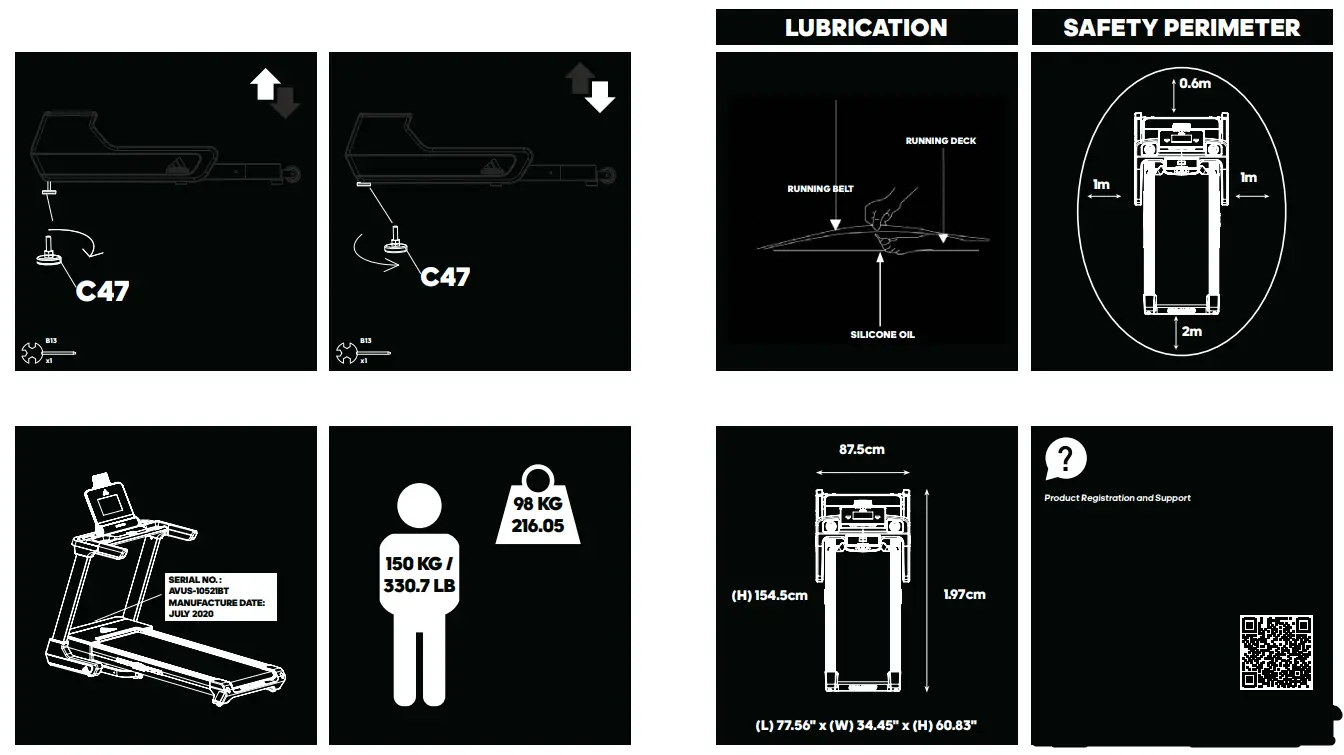
- Ensure the equipment is on a flat, stable and level surface with at least 0.6m of clear area surrounding the equipment.
- Always wear appropriate exercise clothing and training shoes.
- The safety level of the equipment can only be maintained if it is examined regularly for damage and wear. Replace defective components immediately and/or keep the equipment out of use until repaired. Pay special attention to components most susceptible to wear. All warnings and instructions must be read and followed prior to use.
- Keep hair, body, and clothing free and clear of all moving parts.
- If at any time during exercise you feel faint, dizzy, or experience pain, stop exercising immediately and consult your physician.
- Over exercising may result in serious injury or death.
- Keep the equipment indoors, away from moisture and dust. Do not put the equipment in a garage or covered patio, or near water.
- If any of the adjustment devices are left projecting, they could interfere with the user’s movement.
- The equipment should be used only by persons weighing 150 kg / 330.7 lb or less.
- Heart rate monitoring system may be inaccurate. Excessive exercise can lead to serious injury or death. Stop exercising immediately.
- This equipment is for consumer use only.
- Ensure a safety area of at least 2 000 mm x 1 000 mm behind the equipment.
- A folded treadmill should not be operated.
- Allow the running surface to come to a complete stop before folding.
- Noise emission under load is higher than without load.
CAUTION: The user is cautioned that changes or modifications not expressly approved by the party responsible for compliance could void the user’s authority to operate the equipment.
This device complies with Part 15 of the FCC Rules and Industry Canada licence-exempt RSS standard(s). Operation is subject to the following two conditions:
(1) this device may not cause harmful interference, and
(2) this device must accept any interference received, including interference that may cause undesired operation.
NOTE: This equipment has been tested and found to comply with the limits for a Class B digital device, pursuant to Part 15 of the FCC Rules. These limits are designed to provide reasonable protection against harmful interference in a residential installation. This equipment generates, uses and can radiate radio frequency energy and, if not installed and used in accordance with the instructions, may cause harmful interference to radio communications.
However, there is no guarantee that interference will not occur in a particular installation.
If this equipment does cause harmful interference to radio or television reception, which can be determined by turning the equipment off and on, the user is encouraged to try to correct the interference by one or more of the following measures:
- Reorient or relocate the receiving antenna.
- Increase the separation between the equipment and receiver.
- Connect the equipment into an outlet on a circuit different from that to which the receiver is connected.
- Consult the dealer or an experienced radio/TV technician for help.
CAN ICES-3(B) / NMB-3(B)
FCC& IC Radiation Exposure Statement:
This equipment complies with FCC and Canada radiation exposure limits set forth for an uncontrolled environment.
This equipment should be installed and operated with a minimum distance of 20cm between the radiator and your body.
This transmitter must not be co-located or operating in conjunction with any other antenna or transmitter.
When using an electrical appliance, basic precautions should always be followed, including the following:
Read all instructions before using (this appliance).
WARNING
– To reduce the risk of burns, fire, electric shock, or injury to persons:
- This appliance is not intended for use by persons with reduced physical, sensory or mental capabilities, or lack of experience and knowledge, unless they have been given supervision or instruction concerning use of the appliance by a person responsible for their safety. Keep children under the age of 13 away from this machine.
- Use this appliance only for its intended use as described in this manual. Do not use attachments not recommended by the manufacturer.
- Never operate the appliance with the air openings blocked. Keep the air openings free of lint, hair, and the like.
- Never drop or insert any object into any opening.
- Do not use outdoors. Household use only.
- Do not operate where aerosol (spray) products are being used or where oxygen is being administered.
SAVE THESE INSTRUCTIONS.
WARNING!
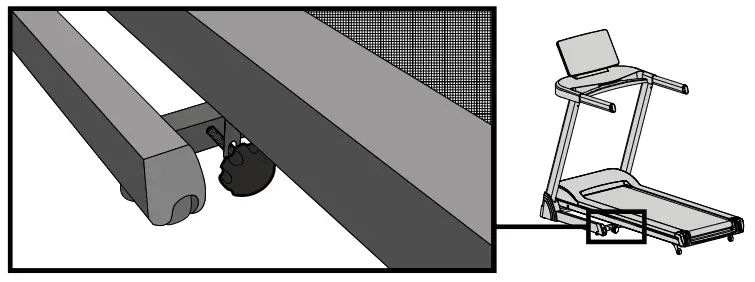
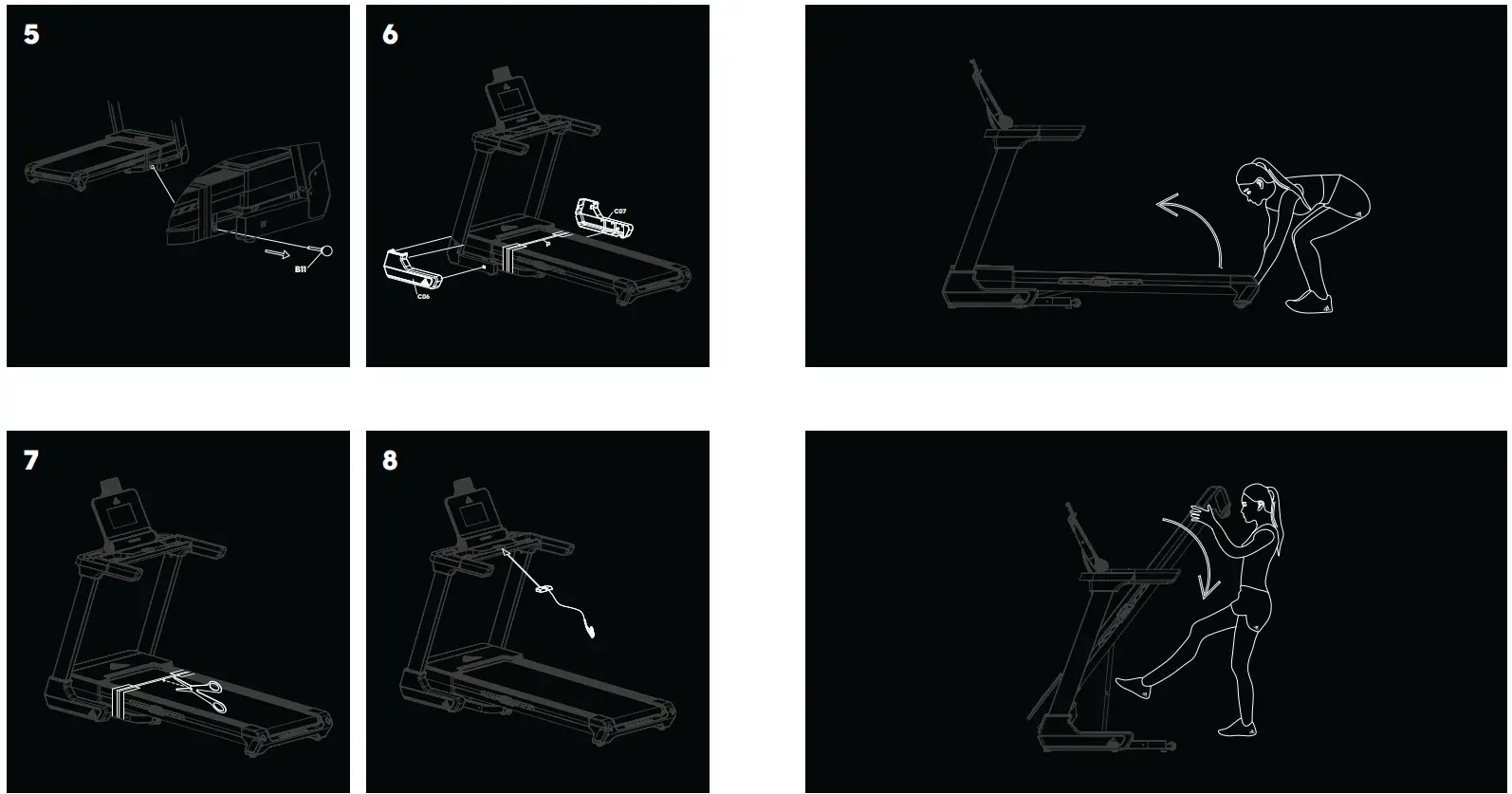
If you have to move the Treadmill whilst the running deck is down, ensure the locking pin is tightly in place, dismantle the Treadmill so the running deck and uprights are separate, then move the parts into place using two people and re-assemble. Remove the locking pin before use, failure to do so will prevent the incline from working and will damage the incline motor.
LEVEL ADJUSTMENT
https://www.adidashardware.com/product-support
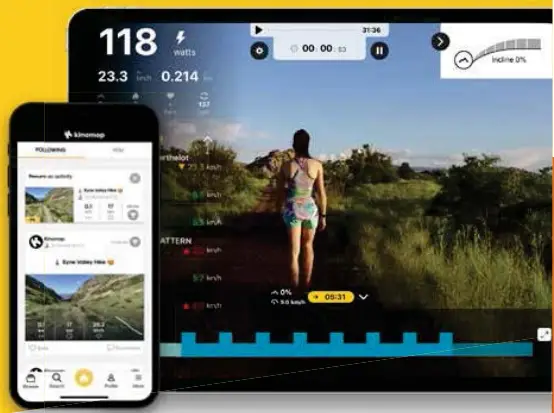
 | Kinomap |
 | TRAIN ALL OVER THE WORLD thousands of videos available |
 | STRUCTURED WORKOUTS coaching & interval training |
 | SHARE YOUR ACHIEVEMENTS with the Kinomap community |
 | MULTIPLAYER MODE challenge your friends |
 | +lm active users |

https://app.adjust.com/axmhri8
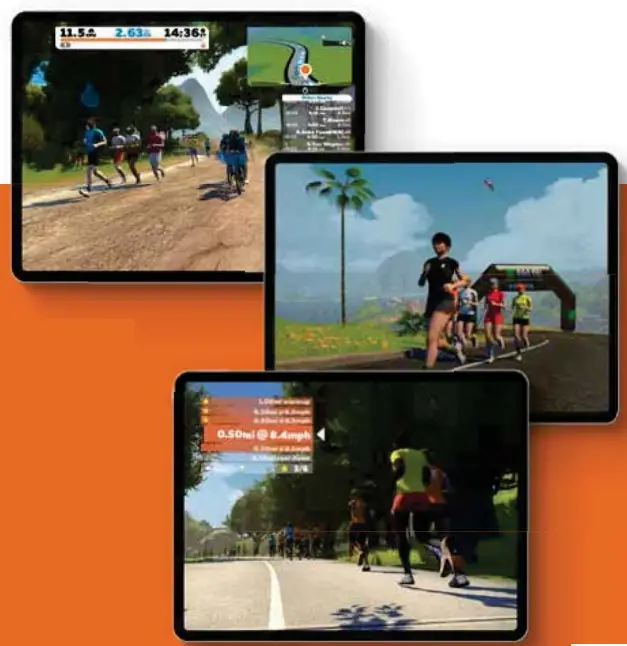
VIDEO GAME STYLE TRAINING
 | RUN THROUGH IMMERSIVE WORLDS |
 | 1000+ WORKOUTS CURATED BY COACHES |
 | GLOBAL CONNECTIVITY & COMMUNITY |
 | GROUP RUNS, COMPETITIONS & RACES |
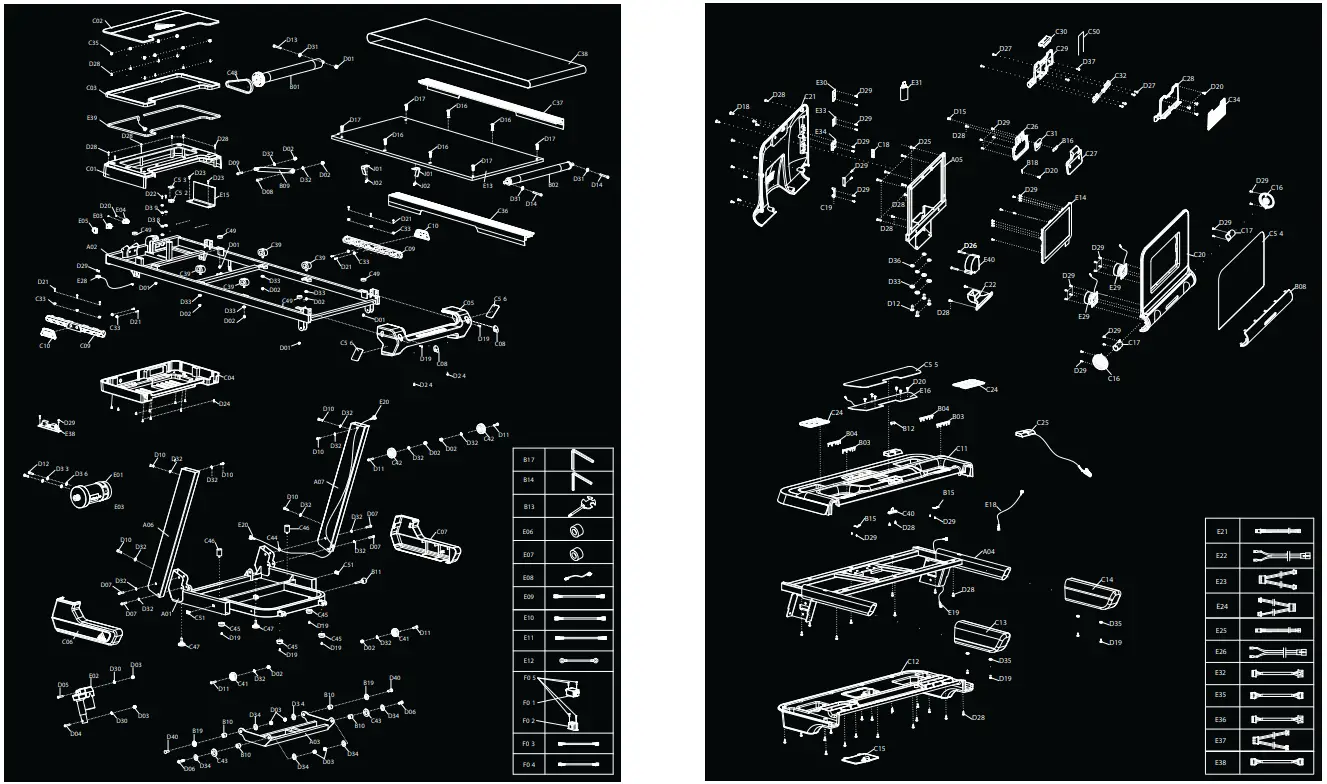
| QT Y. | ||
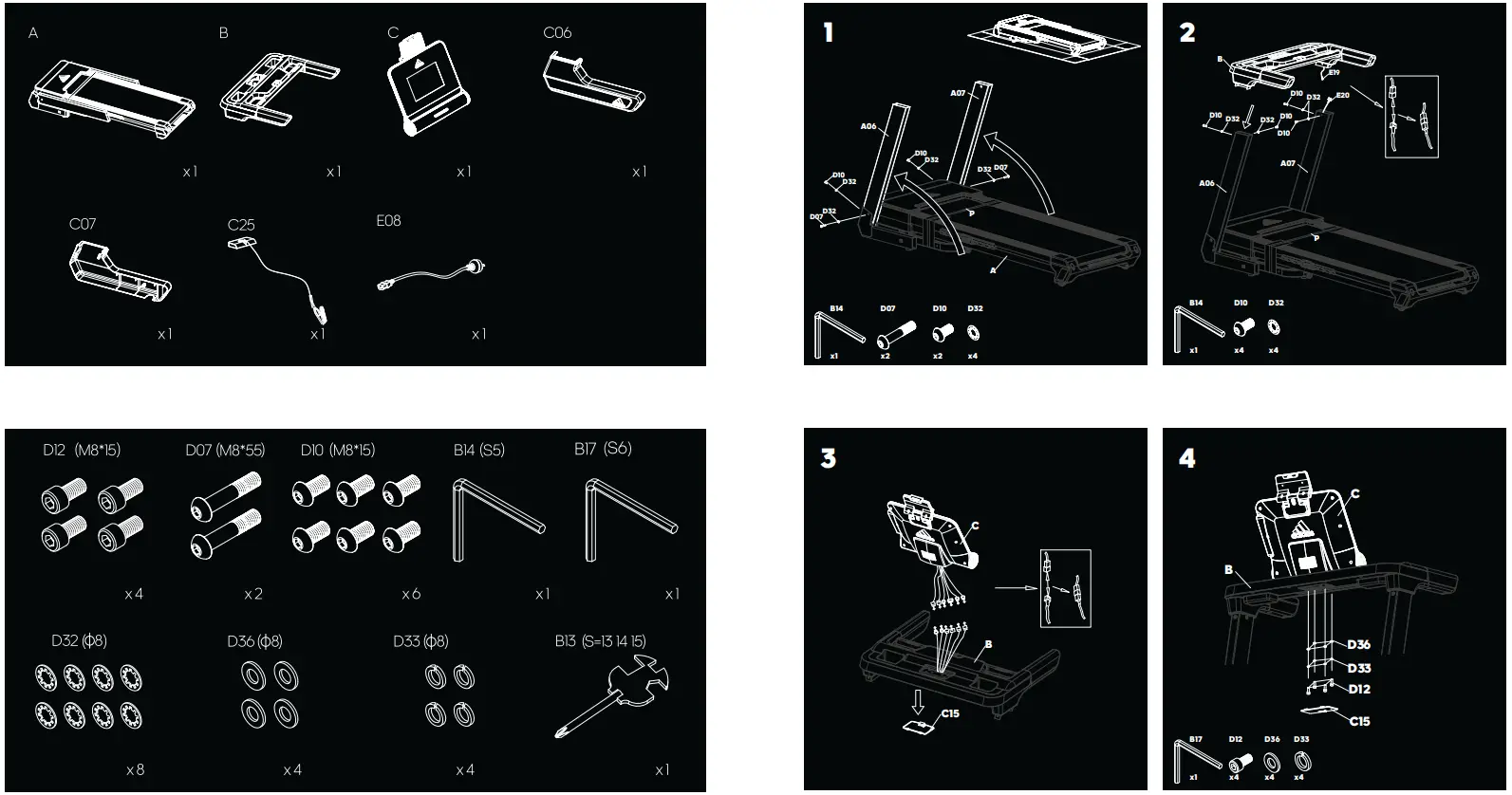
| A01 | Base Frame | 1 |
| A02 | Main Frame | 1 |
| A03 | Incline Bracket | 1 |
| A04 | Console Bracket | 1 |
| A05 | Panel Support Bracket | 1 |
| A06 | Left Upright Tube | 1 |
| A07 | Right Upright Tube | 1 |
| B01 | Front Roller | 1 |
| B02 | Back Roller | 1 |
| B03 | Left Pulse Steel Plate | 2 |
| B04 | Right Pulse Steel Plate | 2 |
| B08 | Speaker Net | 1 |
| B09 | Cylinder | 1 |
| B10 | Bushing | 4 |
| B11 | Locking Pin | 1 |
| B12 | Safety Key Plate | 1 |
| B13 | Cross Wrench With Screw Driver | 1 |
| B14 | Allen Key | 1 |
| B15 | Spring Plate | 2 |
| B16 | T ension Plate | 1 |
| B17 | Allen wrench | 1 |
| B18 | Metal sheet | 1 |
| B19 | Step bush | 2 |
| C01 | Motor T op Cover | 1 |
| C02 | Motor Cover Panel | 1 |
| C03 | Light Cover | 1 |
| C04 | Motor Bottom Cover | 1 |
| C05 | Rear Cover | 1 |
| C06 | Left Upright Tube Cover | 1 |
| C07 | Right Upright Tube Cover | 1 |
| C08 | Rear Cover Plug | 2 |
| C09 | Cushion | 2 |
| C10 | Cushion Side Cover | 2 |
| C11 | Console T op Cover | 1 |
| C12 | Console Bottom Cover | 1 |
| C13 | Left Handle Bar | 1 |
| C14 | Right Handle Bar | 1 |
| C15 | Console Back Cover | 1 |
| C16 | Speaker Side Cover | 2 |
| C17 | Speaker Inner Tube | 2 |
| C18 | Volume Control Button | 1 |
| C19 | Volume Button Adapter | 1 |
| C20 | Panel T op Cover | 1 |
| C21 | Panel Bottom Cover | 1 |
| C22 | Fan Guide | 1 |
| C24 | Bottle Mat | 2 |
| C25 | Safety Key | 1 |
| C26 | Holder Fixed Support T op Cover | 1 |
| C27 | Holder Fixed Support Bottom Cover | 1 |
| C28 | Holder T op Cover | 1 |
| C29 | Holder Bottom Cover | 1 |
| C30 | Holder Splint | 1 |
| C31 | Lock Botton | 1 |
| C32 | Pressing Plate | 1 |
| C33 | Fixed Step Bushing | 10 |
| C34 | Ipad Holder Mat | 1 |
| C35 | Fixed Buckle | 8 |
| C36 | Left Side Rail | 1 |
| C37 | Right Side Rail | 1 |
| C38 | Running Belt | 1 |
| C39 | Cushion | 4 |
| C40 | Safety Key Base | 1 |
| C41 | Moving Wheel | 2 |
| C42 | Adjustable Wheel | 2 |
| C43 | Plastic Pad | 2 |
| C44 | Ring-Shape Wire Plug | 2 |
| C45 | Flat Foot Pad | 4 |
| C46 | Cone-Shape Cushion | 2 |
| C47 | Adjustable Foot Pad | 2 |
| C48 | Motor Belt | 1 |
| C49 | Black Cushion | 4 |
| C50 | Elastic Rope | 1 |
| C51 | Tube Buckle | 2 |
| C52 | Square Tube Plug | 1 |
| C53 | EV A Pad | 1 |
| C54 | Acrylic Console Panel | 1 |
| C55 | Acrylic Button Board | 1 |
| C56 | Acrylic Rear Side Cover | 2 |
| D01 | Nut (M6) | 5 |
| D02 | Nut (M8) | 10 |
| D03 | Nut (M10) | 6 |
| D04 | Bolt (M10*90) | 1 |
| D05 | Bolt (M10*45) | 1 |
| D06 | Bolt (M10*30) | 4 |
| D07 | Bolt (M8*55) | 4 |
| D08 | Bolt (M8*45) | 1 |
| D09 | Bolt (M8*25) | 1 |
| D10 | Bolt (M8*15) | 6 |
| D11 | Bolt (M8*40) | 4 |
| D12 | Bolt (M8*15) | 6 |
| D13 | Bolt (M6*60) | 1 |
| D14 | Bolt (M6*55) | 2 |
| D15 | Bolt (M5*15) | 1 |
| D16 | Bolt (M8*25) | 4 |
| D17 | Bolt (M6*40) | 4 |
| D18 | Bolt (M6*25) | 2 |
| D19 | Bolt (M5*12) | 8 |
| D20 | Screw (ST2.9*8) | 13 |
| D21 | Screw (ST4.2*19) | 10 |
| D22 | Bolt (M5*12) | 2 |
| D23 | Screw (ST4.2*20) | 2 |
| D24 | Screw (ST4.2*12) | 12 |
| D25 | Screw (ST4.2*20) | 6 |
| D26 | Screw (St4.2*40) | 2 |
| D27 | Screw (ST3.5*12) | 6 |
| D28 | Screw (ST4.2*12) | 58 |
| D29 | Screw (ST2.9*8) | 46 |
| D30 | Lock Washer (10) | 2 |
| D31 | Lock Washer (6) | 3 |
| D32 | Lock Washer (8) | 16 |
| D33 | Spring Washer (8) | 10 |
| D34 | Big Washer (Ø10*Ø26) | 6 |
| D35 | Big Flat Washer (Ø6*Ø12) | 4 |
| D36 | Flat Washer (8) | 6 |
| D37 | Screw (ST3.5*5) | 2 |
| D38 | Spring Washer (5) | 3 |
| D39 | Flat Washer (5) | 3 |
| D40 | Bolt (M10*30) | 2 |
| E01 | DC Motor | 1 |
| E02 | Incline Motor | 1 |
| E03 | Square Switch Button | 1 |
| E04 | Power Socket | 1 |
| E05 | Overload Protector | 1 |
| E06 | Magnet Ring | 1 |
| E07 | Magnet Core | 1 |
| E08 | Power Wire | 1 |
| E09 | AC Single Wire | 1 |
| E10 | AC Single Wire | 2 |
| E11 | AC Single Wire | 2 |
| E12 | Grounding Wire | 1 |
| E13 | Running Board | 1 |
| E14 | Console | 1 |
| E15 | Control Board | 1 |
| E16 | T ouch Button Board | 1 |
| E18 | Console T op Signal Wire | 1 |
| E19 | Console Middle Signal Wire | 1 |
| E20 | Console Bottom Signal Wire | 1 |
| E21 | Hand Pulse T op Signal Wire | 1 |
| E22 | Hand Pulse Bottom Signal Wire | 2 |
| E23 | T ouch Button Connecting T op Wire | 1 |
| E24 | T ouch Button Connecting Bottom Wire | 1 |
| E26 | Safety Key Bottom Wire | 1 |
| E28 | Speed Sensor | 1 |
| E29 | Speaker | 2 |
| E30 | Bluetooth transfer module | 1 |
| E31 | DONGLE | 1 |
| E32 | Bluetooth transfer module wire | 1 |
| E33 | Bluetooth module | 1 |
| E34 | USB Module | 1 |
| E35 | USB Connecting Wire | 1 |
| E36 | Bluetooth connecting wire | 1 |
| E37 | Bluetooth power and transfer module connecting wire | 1 |
| E38 | Energy Saving Board | 1 |
| E39 | Neon Strip | 1 |
| E40 | Fan | 1 |
| F01 | Filter | 1 |
| F02 | Inductance | 1 |
| F03 | AC Single Wire | 1 |
| F04 | Grounding Wire | 1 |
| F05 | Screw | 4 |
| J01 | Belt Hook | 2 |
| J02 | Screw | 4 |
CONSOLE
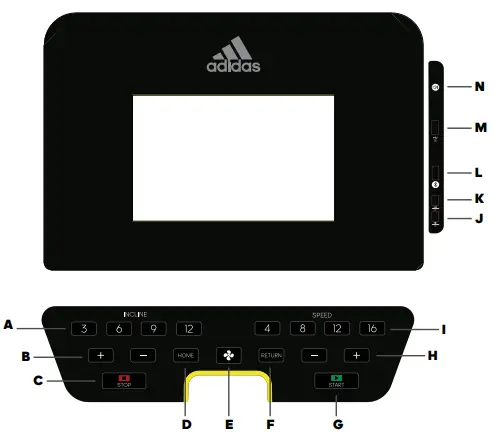
A – INST ANT INCLINE
B – INCLINE UP/DOWN
C – STOP
D – HOME
E – FAN
F – RETURN
G – ST ART
H – SPEED UP/DOWN
I -INSTANT SPEED
J – VOLUME -/ PREVIOUS SONG
K – VOLLME+/ NEXT SONG
L – BLUETOOTH DONGLE
M – USB INPUT
N – BLUETOOTH MUSIC
HOME
Press to return to home screen.
RETURN
Press return to access previous screen
START
Press to start treadmill, the running belt will start moving.
STOP/PAUSE
Press this button to either pause or stop the machine.
SPEED +/-
Increase/decrease speed during work out.
INCLINE +/-
Increase/ Decrease incline during work out Use this to select exact speed while running.
QUICK SPEED
Use this to select a different speed whilst running.
INSTANT INCLINE
Increase/decrease incline during work out.
QUICK INCLINE
Use this to select a different incline whilst running.
USB PORT
Insert USB to play music/video stored on USB. Other devices may cause error to the display. The USB port will only support the music and video stored inside the USB, it will not support any other device. The insert of any other device to this port may cause an error to the display.
VOLUME +/NEXT
Increase volume of music. Long press to increase volume. Short press to move to next song.
VOLUME – /PREVIOUS
Decrease volume of music. Long press to reduce volume. Short press to move to previous song.
BLUETOOTH MUSIC
The user can connect their device to the treadmill via Bluetooth and select adidas to play music. Adjust the volume of music from your device directly.
BLUETOOTH DONGLE
Insert DONGLE into port. Connect to DONGLE via Bluetooth using the APP and your unique adidas code “adidas****”.
SAFETY KEY
Included with this machine is a red safety k ey, the machine will not operate unless this is inserted. Its purpose is to immediately stop the machine in the event of an emergency. The computer will display “safety k ey disconnected” if not correctly attached to the treadmill. The clip on the other end of the safety k ey must be attached to the user at all times during your work out to ensure the machine stops immediately in the event of an emergency.
FAN
Use this to start or stop the fan.
HANDLEBAR CONTROLS
SPEED+/ –
Increase/decrease speed during work out
INCLINE+/ –
Increase/decrease incline during work out
PULSE GRIPS
There are pulse sensors located on both handlebars, in order to monitor the users pulse rate these can be held in order for the reading to be given. The pulse monitor is a guide for reference only and not for medical use or monitoring.
COMPUTER PROGRAMS
NORMAL MODE
- From Standby press START to begin manual mode immediately.
- Treadmill speed and incline can be manually adjusted by using the SPEED +/- or INCLINE +/- buttons at any time during a work out.
- Press STOP/PAUSE button to pause or stop the work out.
- Take out the to stop the working of the motor, or press STOP two times.
APPS
Built-in applications. Note: Wi-Fi must be connected before using other apps.
MUSIC
Play music stored on USB.
MOVIE
Play videos stored on USB.
SETTINGS
Set Wi-Fi, language and backlight.
VIRTUAL ACTIVE
Select from 3 scenic settings to simulate reality.
HRC
Select grade, age, target time and target heart rate. (To use this function, you must hold onto pulse sensors for HR reading.)
WORKOUT
Click to choose time, distance or calories work out target. Besides, there are 24 build-in programs available. Press INCLINE+/- or SPEED+/- to change the incline or speed during operation of any program.
USER PROGRAM
Select from U1-U10 to create personalised work out. Press/drag on dot chart to adjust settings to desired speed/incline.
On any screen, you can click the dot icon then select  return, home, volume or hide the icon.
PULSE
Hold onto pulse sensors for pulse value. This data is for guide only and should not be used as medical data.
To reduce energy consumption, this treadmill will enter into sleeping mode if without any operation for 10 minutes. The screen will give reminding before enter into sleeping mode. Once machine enter sleeping mode, please take off safety k ey and insert again to awaken the system.
LUBRICATION REMINDER
When the machine has completed 300km (188miles), the console will beep for every 10 seconds, and TIME window will show OIL. This means that your treadmill needs to be lubricated with oil (this should be completed every 6 weeks). T o reset the console, hold STOP button for 3 seconds, the console will now beep and reset.
WARNING!
For your safety do not look at websites/videos whilst running.
MAINTENANCE AND CARE
PLACE THE TREADMILL ON LEVEL GROUND AND SET IT‐AT 5-8KPH (3-5MPH) TO CHECK IF THE RUNNING BELT DRIFTS.
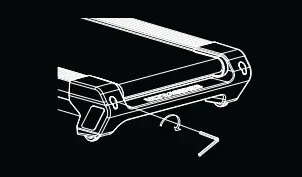
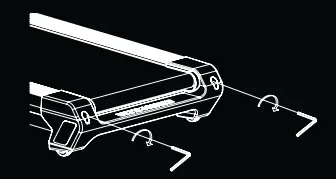
IF THE RUNNING BELT MOVES TO THE LEFT, TURN THE BOLTS ON THE LEFT SIDE ¼ OF A‐TURN CLOCKWISE, THEN TURN THE RIGHT BOLT ¼ TURN COUNTER-CLOCKWISE. IF THE BELT DOES NOT MOVE, REPEAT UNTIL IT CENTRES.
IF THE RUNNING BELT MOVES TO THE RIGHT, TURN THE BOLT ON THE RIGHT SIDE ¼ TURN CLOCKWISE, THEN TURN THE LEFT BOLT ¼ TURN COUNTER-CLOCKWISE. IF THE BELT DOES NOT MOVE, REPEAT UNTIL IT CENTRES.
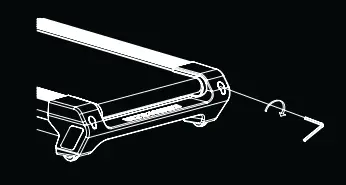
OVER TIME THE RUNNING BELT WILL LOOSEN. TO TIGHTEN THE BELT TURN THE LEFT & RIGHT SIDE BOLTS ONE FULL‐TURN CLOCKWISE, CHECK THE TENSION OF THE BELT. CONTINUE PROCESS UNTIL BELT IS THE CORRECT TENSION. ENSURE TO ADJUST BOTH SIDES EQUALLY TO CORRECT BELT‐ALIGNMENT.
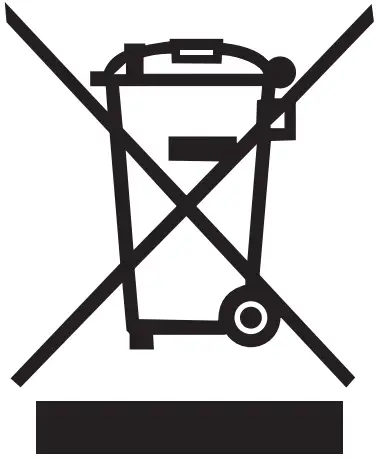 WEEE logo this symbol on a product means that the product is covered by European Directive 2012/19/EU.
Hereby, RFE international declares that this product is in compliance with the essential requirements and other relevant provisaions of Directive 2014/53/EU.
UK: RFE EUROPA LTD. 8 CLARENDON DRIVE, WYMBUSH,
MILTON KEYNES, MK8 8ED
+44 (0)800 440 2459 / [email protected]
USA: RFE SPORTING GOODS INC., 445 PLASAMOUR DRIVE,
SUITE 1, ATLANTA, GA 30324, USA
[email protected] / +1 (800) 215 6216

V1 08/2022
ADIDASHARDWARE.COM
A VUS-10521BT / A VUS-10521-120BT
 adidas Training Equipment
 adidas Training Equipment
 Kinomap