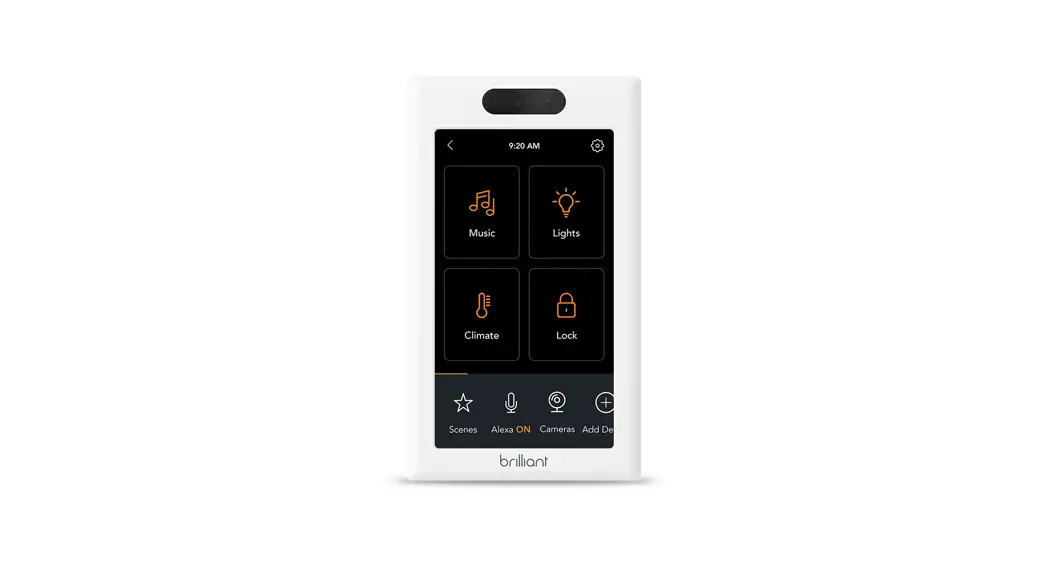
 Home Control
Installation Guide
SINGLE SWITCH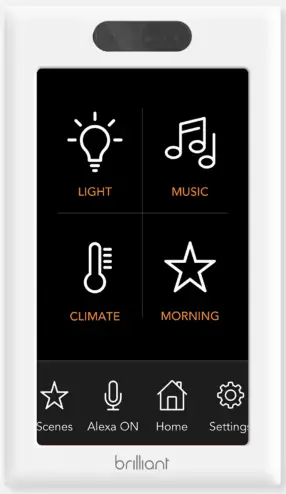
Welcome! This short installation guide will help you upgrade your home with Brilliant.
It is important that you first review all of the instructions to ensure you are comfortable with the required steps.
If you are unsure about or uncomfortable with the installation, go to brilliant. tech/install for more instructions, and/or help with finding a qualified electrician.
Thank you! The Brilliant Team
Please confirm the following:
 Is your circuit 120V?
A 120V circuit is required and is standard in North American homes.Is your wiring up to code, with Neutral and Ground wires?
Both Neutral and Ground wires are required, and present in most modern homes. Refer to Steps 5 and 6 for more details about wires.Are you replacing a single or 3-way/multi-way switch?
If you are replacing a 3-way/multi-way switch, meaning that you can control the same light(s) from more than one switch, you should confirm that the Brilliant can support your configuration.
Refer to Step 1 for pictures of the supported configurations.Do you have the right tools?
A size 2 screwdriver is needed to remove your old switch, and install Brilliant.Is your gang box a standard size?
A gang box is an electrical box in the wall, behind the light switch. The box must have an interior width of no less than 45mm, and an interior height of no less than 70mm. Standard sizes will work.
In the Box
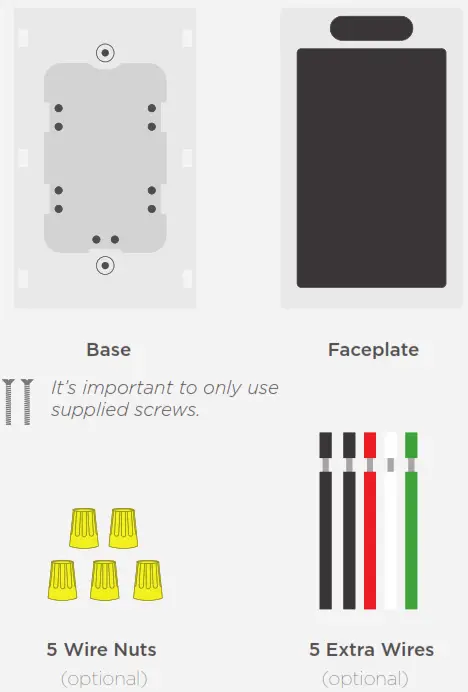
10 STEPS To A Better Home
 Warning / Attention
Installing this product involves handling high voltage wiring.
Each step of the enclosed instructions must be followed carefully.
To avoid fire, personal injury, or death, turn off your circuit breakers and follow the proper safety precautions before proceeding.
UNSURE ABOUT HANDLING ELECTRICAL WIRING?
CONSULT A QUALIFIED ELECTRICIAN.
Check Compatibility
Make sure Brilliant is compatible with the location where you’re installing it.
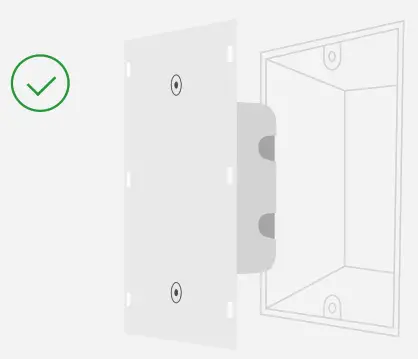
If the 120V switch you are going to replace activates a light that other switches also control (often referred to as 3-way or multi-way lighting), please find the picture of your setup on the next pages to confirm compatibility.
If your light is controlled by… 2 Switches
Will work: Two Brilliants
 Will work: Brilliant and non-dimming switch (at either end)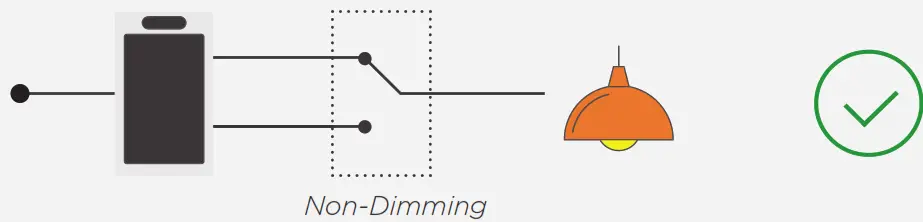
Won’t work: Brilliant and dimming switch (at either end) 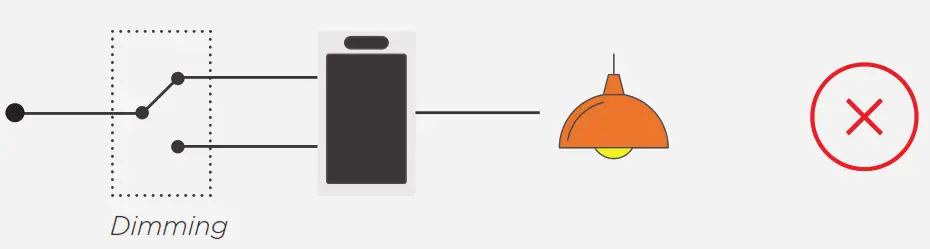
See Step 6b, or visit http://support.brilliant.tech for more info on wiring multi-way circuits.
If your light is controlled by… 3 or More Switches
Will work: All Brilliants (connected through WiFi)
 Will work: Brilliant at either end (or both ends) and a non-dimming switch
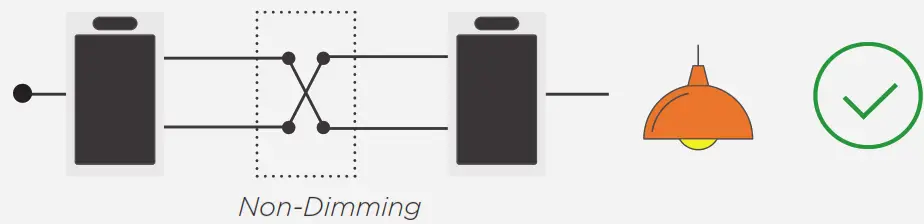 Won’t work: Brilliant in the middle
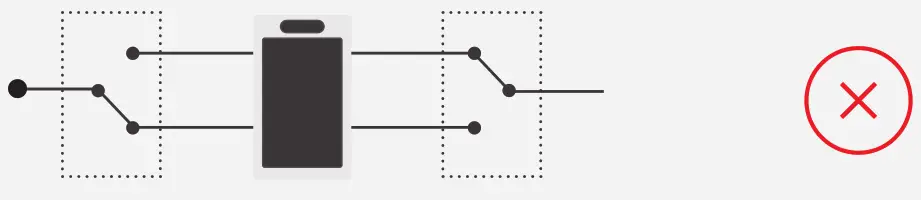
Won’t work: Brilliant at the end, with a dimmer anywhere else 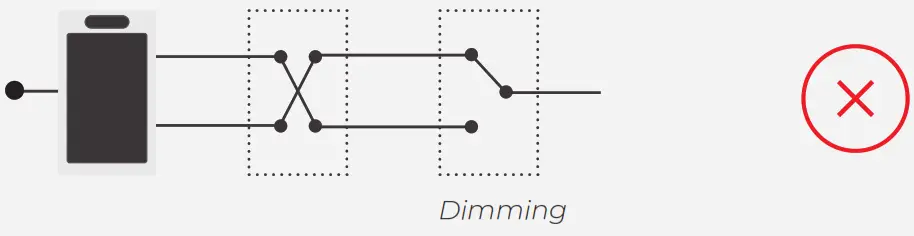
Turn Off Power
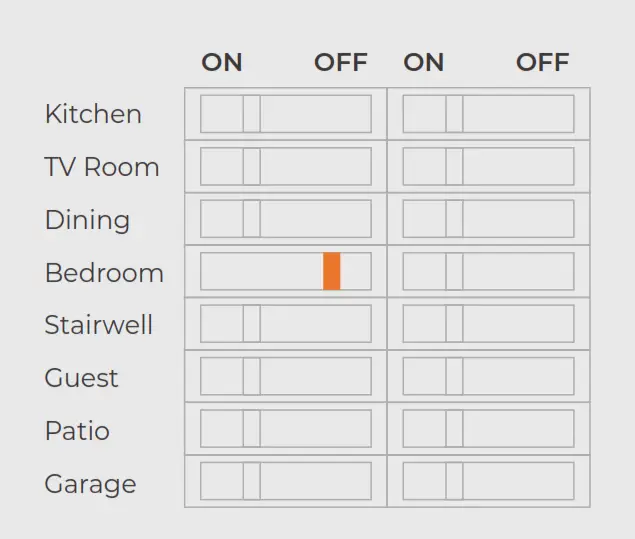
Turn the circuit breaker to OFF.
 Before Proceeding
Confirm you’ve turned off the right breaker by flipping your light switch on and off. If you have turned off the correct breaker, your light won’t turn on.
Remove Light Switch
Unscrew your old switch cover and light switch from the wall.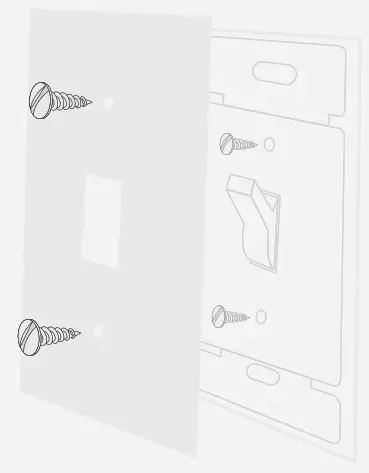 Pull the light switch out from the gang box, and take pictures of the wires, in case you need to reference them later. Then, disconnect the attached wires, and remove your old light switch.
Identify Your Circuit
Single Pole (Go to 5a)
One light switch that controls a light or set of lights.
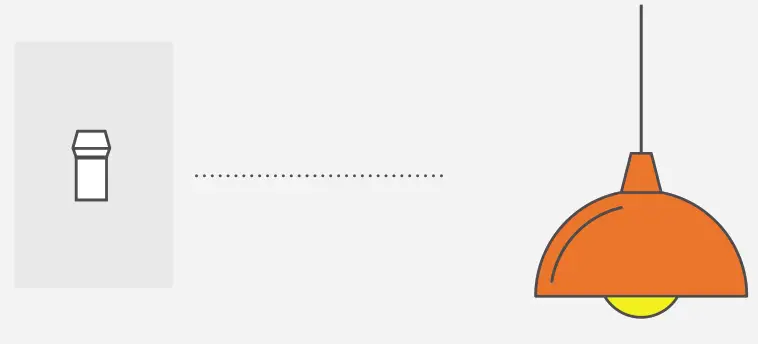 3-Way/Multi-Way (Go to 6a)
Two or more light switches that control the same set of lights.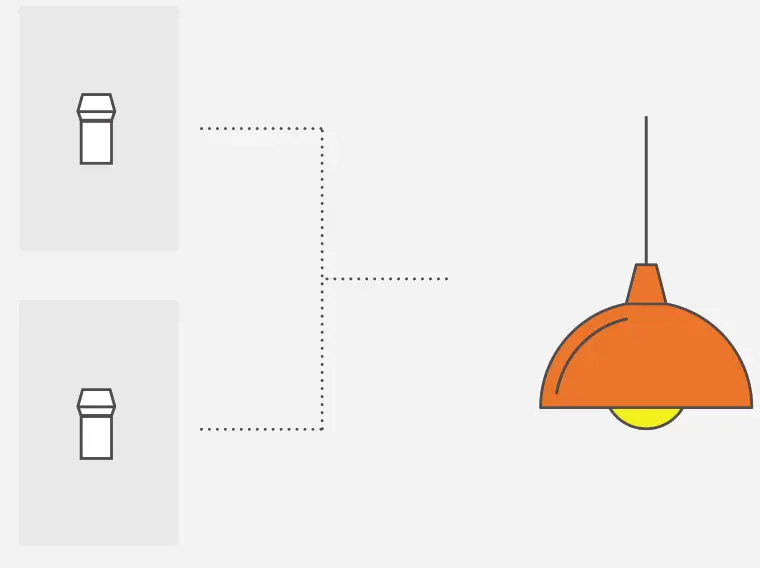
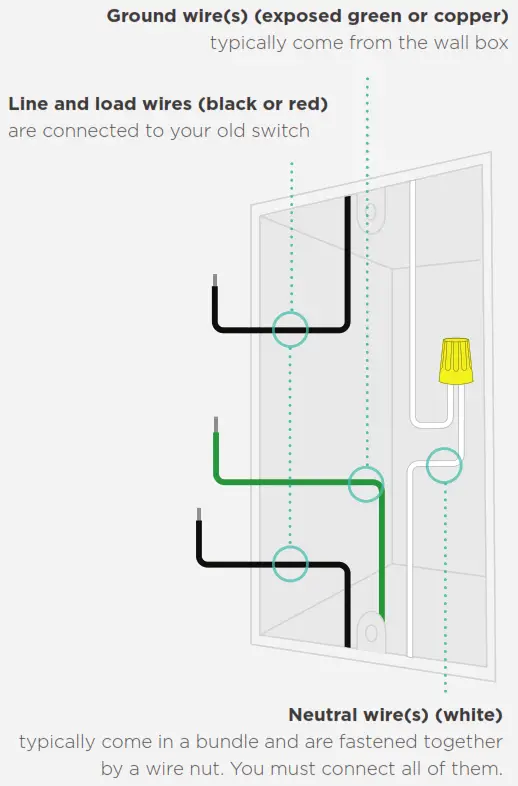
Single Pole
Identify Your Wires
Connect Wires
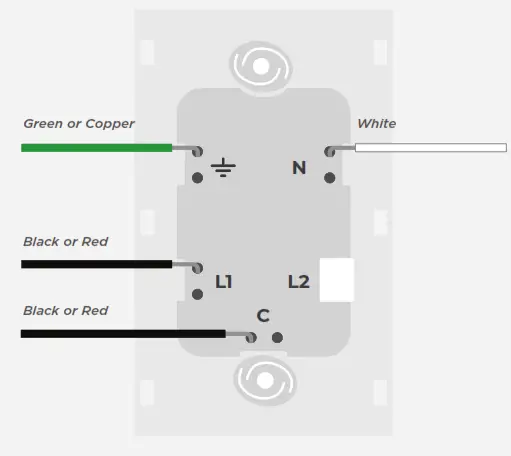
| Symbol | Wall Wires |
 Ground Ground |  Green/Copper Green/Copper |
| C Line/Load* |  Black or Red Black or Red |
| L1 Line/Load* | Black or Red |
| N Neutral |  White White |
*Line and Load are interchangeable.
Brilliant will automatically sense which is which.
Wires and Wire Nuts
Wires and Wire Nuts are used to connect two or more wires together or extend the length. They are not usually needed, but you will often use them for Neutral wires.

- Select a wire extending from the box.
Match the color of the wires you’re connecting. - Holding the wires together and parallel, twist them together. Insert them into a wire nut, and twist the wire nut clockwise until secure. Double-check by tugging on the wires.
- Tuck the bundle into the back of the gang box.
Single Pole
Screws and Wires
Step 1
Place wires in the hole as deep as possible.
Step 2
Turn the screw clockwise with a screwdriver.
Step 3
Tighten until wires are secure. Test by tugging.
Then go to Step 7 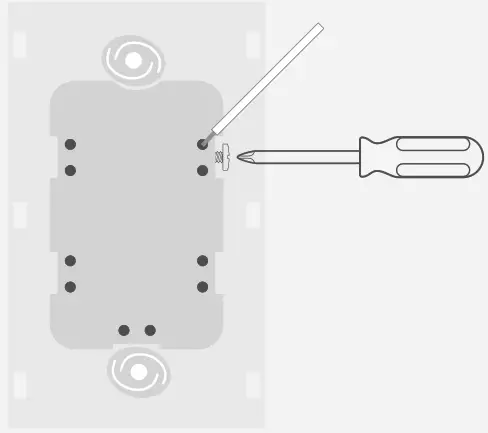
3-Way/Multiway
Identify Your Wires
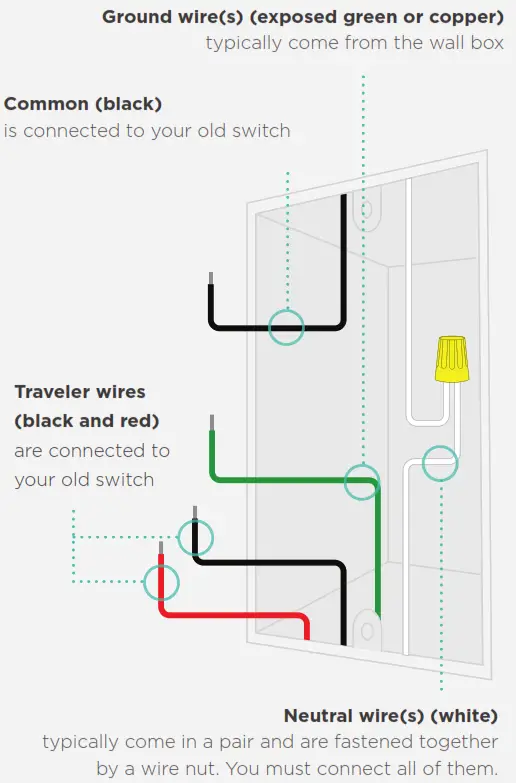
Connect Wires
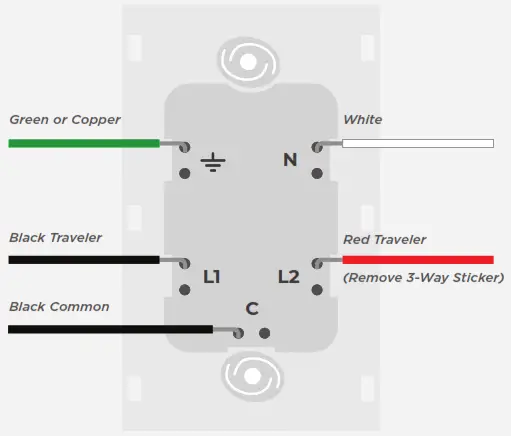
| Symbol | Wall Wires |
| Ground | Green/Copper |
| C Common |  Black Common Black Common |
| L1 Traveler 1* | Black Traveler |
| N Neutral | White |
| L2 Traveler 2* |  Red Traveler Red Traveler |
*Traveler wires are interchangeable.
Brilliant will automatically sense which is which.
Wires and Wire Nuts
Wires and Wire Nuts are used to connect two or more wires together or extend the length. They are not usually needed, but you will often use them for Neutral wires.
- Select a wire extending from the box.
Match the color of the wires you’re connecting. - Holding the wires together and parallel, twist them together. insert them into a wire nut, and twist the wire nut clockwise until secure. Double-check by tugging on wires.
- Tuck the bundle into the back of the gang box.
Screws and Wires
Step 1
Place wires in the hole as deep as possible.
Step 2
Turn the screw clockwise with a screwdriver.
Step 3
Tighten until wires are secure. Test by tugging.
Install Base
Place wires in the gang box and attach the Base.
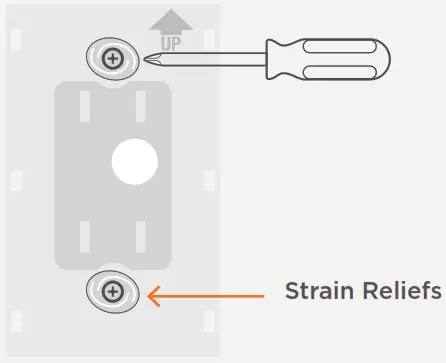
 Before Proceeding
The strain reliefs are designed to bend to accommodate differences in gang box styles and mountings. Some bending of the strain reliefs is normal, but be careful not to overtighten. Once the strain reliefs start to bend, you can stop.
Test Light
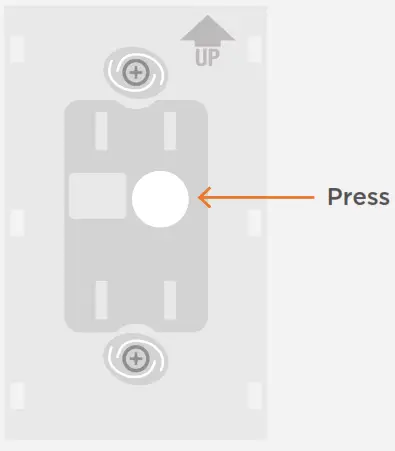 Turn the circuit breaker back on to provide power to the Base. Press the white button in the center to turn the light on and off. If the light does not turn on/off, do not install
the Faceplate. Instead, turn the breaker off, remove the screws, and re-check your wire connections.
Secure Faceplate
Test the Base and secure the Faceplate.
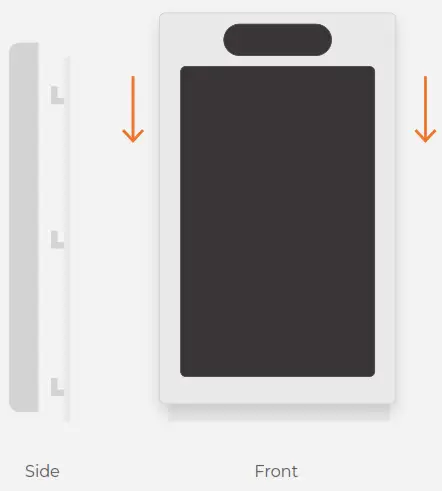 Line up the brackets on the Base with the holes on the Faceplate. Press the Faceplate into the brackets and slide down until it clicks. The Faceplate will start up.
Configure Brilliant
Begin Configuration
Tap the “Begin Configuration” button to start the process, and follow the prompts.
Connect Wi-Fi
Next, it will ask you to connect to Wi-Fi, and it is important to do this so you can access your other smart home devices.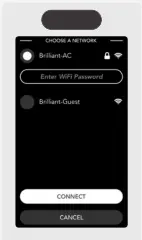
Configuration complete
Once the configuration is complete, you can “Add Devices” to connect Brilliant to your supported smart home devices.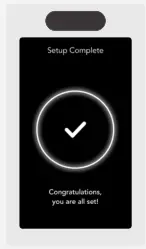

Congratulations, you’re done with the installation.
Use the Brilliant App to complete the setup.
You can download the Brilliant App on your iOS or Android device.

Make your whole home Brilliant
Once you’ve set Brilliant up, it’s easy to add more. They’ll automatically set themselves up and give you all the benefits of Brilliant throughout your home, including room-to-room video intercom and more.
For help, educational videos, and additional product information
visit us: http://support.brilliant.tech
Have a more pressing question?
email: [email protected]
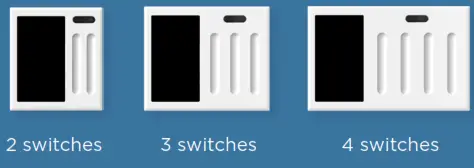
Removing and replacing the display frame with a new color
Step 1
Before proceeding, remove the Faceplate from the Base. Put one hand above it, and grab both sides with the other hand. Then, slide it up and off.
Step 2
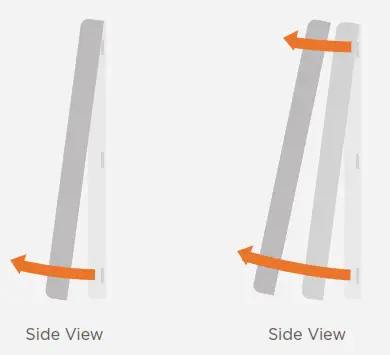
Next, with two hands and your fingers on the lower edge of the frame, gently pull slightly down on the rear edge of the frame until the clips come loose, and the bottom edge of the frame releases from the display.
Step 3
Pull forward. Once the lower edge comes loose, continue to rotate the bottom edge up until you can easily unclip the upper hooks from the top edge of the Faceplate.
To attach a new frame, clip the top clips onto the top edge of the Faceplate and then rotate it down until the frame is seated. To ensure the frame is properly clipped on, first squeeze the lower two corners and then squeeze the upper two corners. You can now reattach the Faceplate to the wall.
6+ replaceable color frame options, such as ivory, black, and silver, are available at http://www.brilliant.tech
Contains FCC ID:VPYLB1DX
NOTE: This equipment has been tested and found to comply with the limits for a Class B digital device, pursuant to part 15 of the FCC Rules. Operation is subject to the following two conditions: (1) This device may not cause harmful interference, and (2) this device must accept any interference received, including interference that may cause undesired operation. These limits are designed to provide reasonable protection against harmful interference in a residential installation. This equipment generates, uses, and can radiate radio frequency energy and, if not installed and used in accordance with the instructions, may cause harmful interference to radio communications. However, there is no guarantee that interference will not occur in a particular installation. If this equipment does cause harmful interference to radio or television reception, which can be determined by turning the equipment off and on, the user is encouraged to try to correct the interference by one or more of the following measures:
- Reorient or relocate the receiving antenna.
- Increase the separation between the equipment and receiver.
- Connect the equipment into an outlet on a circuit different from that to which the receiver is connected.
- Consult the dealer or an experienced radio/TV technician for help.
FCC CAUTION
Changes or modifications not expressly approved by the party responsible for compliance could void the user’s authority to operate the equipment. This transmitter must not be co-located or operated in conjunction with any other antenna or transmitter.
510-00001 REV8
 Brilliant: Smart Home Automation, Control and Lighting System