
KDS-USB2 Kit/KDS-USB2-EN/KDS-USB2-DEC Quick Start Guide
Scan for full manual
https://de2gu.app.goo.gl/cFZbs8UwSC3yDKUJ9
This guide helps you install and use your KDS-USB2 for the first time.
Go to www.kramerav.com/downloads/KDS-USB2 to download the latest user manual and check if firmware upgrades are available.
Step 1: Check what’s in the box
 KDS-USB2-EN and/or KDS-USB2-DEC Power adapter and cord (for KDS-USB2-DEC) Quick start guide USB2 cable A male to B male (for KDS-USB2-EN)
Step 2: Get to know your KDS-USB2
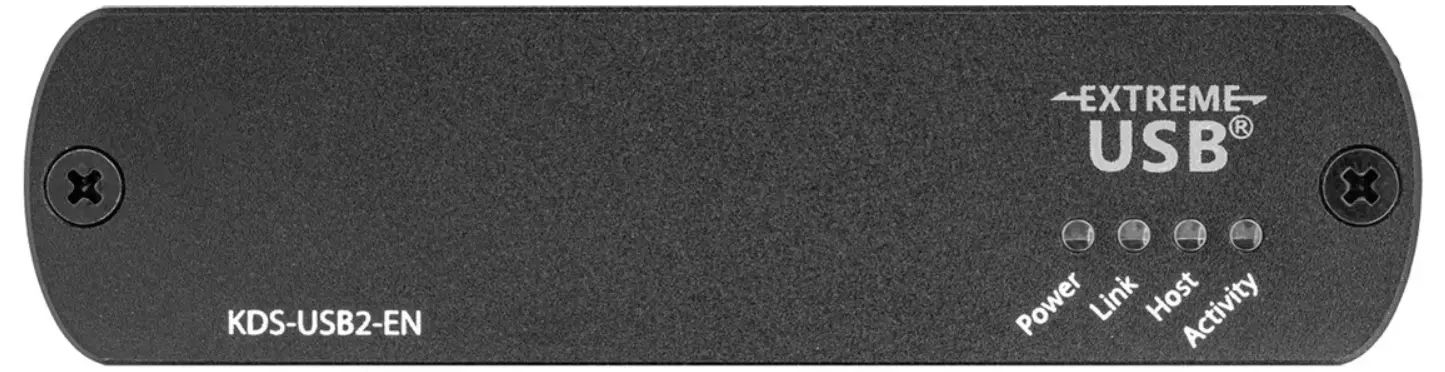
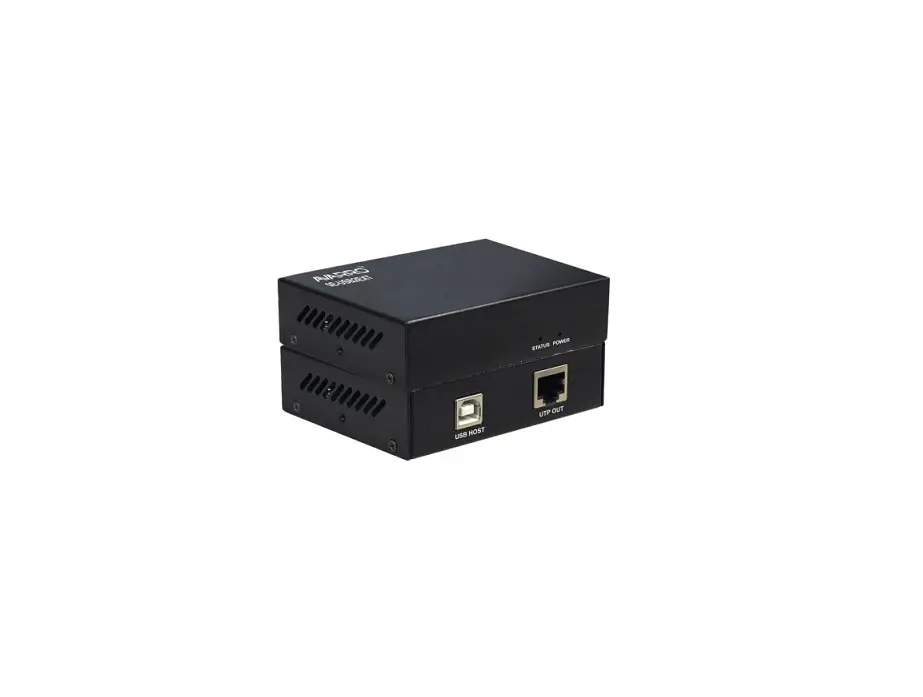
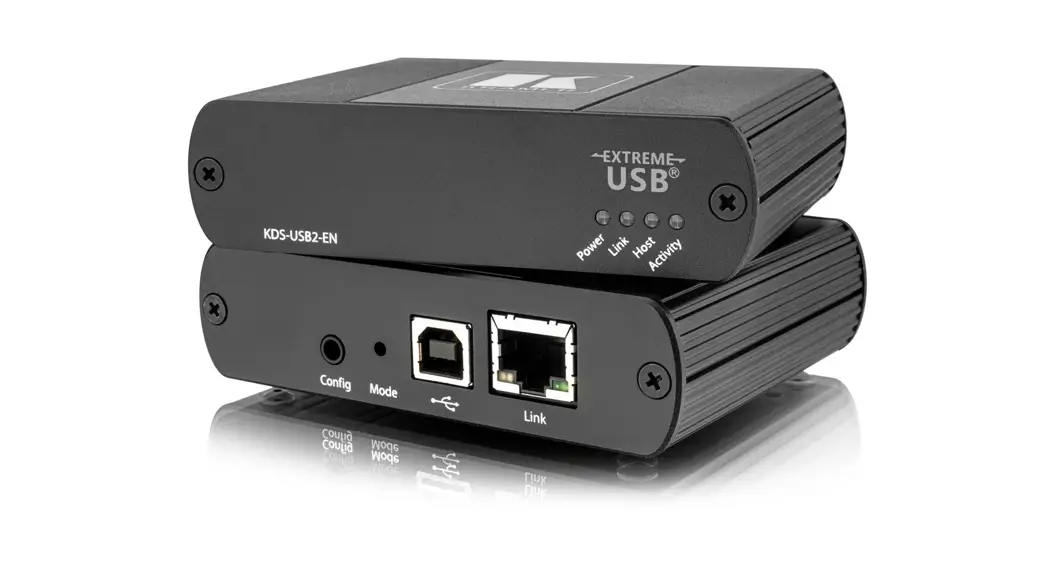
KDS-USB2-EN
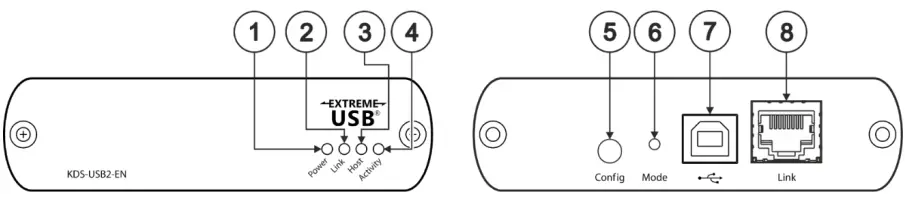
# | Feature | Function |
| 1 | Power LED | Lights blue when power is supplied by KDS-USB2-DEC USB connection. |
| 2 | Link LED | Lights green when a USB link is established between the encoder and the decoder. Flashes slowly when the unit attempts to establish a link. Flashes quickly when in pairing mode. Off when a link is not established. |
| 3 | Host LED | Lights green when KDS-USB2 is properly enumerated on the host computer. Flashes when in a suspended state. |
| 4 | Activity LED | Lights yellow when activity between the decoder and encoder/s is detected. Off when in suspended mode. |
| 5 | Config Button | For factory use. |
| 6 | Mode Button | Use for pairing KDS-USB2-EN with the KDS-USB2-DEC decoder/s. |
| 7 | USB Host Port | Connect to the host computer. |
| 8 | Link RJ-45 Connector | Connect to the KDS-USB2-DEC. |
KDS-USB2-DEC
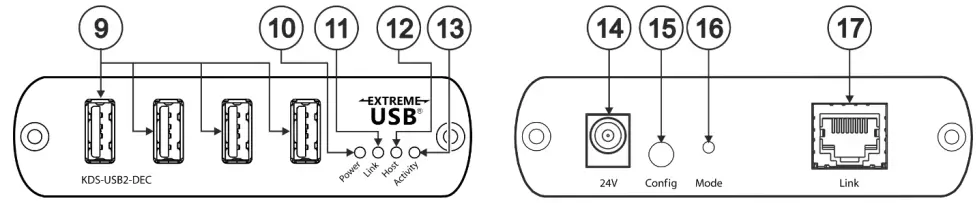
| # | Feature | Function |
| 9 | USB Ports | Connect up to 4 USB type-A devices. |
| 10 | Power LED | Lights blue when 24 V power is supplied. |
| 11 | Link LED | Lights green when a USB link is established between the encoder and the decoder. Flashes slowly when the unit attempts to establish a link. Flashes quickly when in pairing mode. Off when a link is not established. |
| 12 | Host LED | Lights green when KDS-USB2 is properly enumerated on the host computer. Rashes when in a suspended state. |
| 13 | Activity LED | Lights yellow when activity between the decoder and encoder/s is detected. Off when in suspended mode. |
| 14 | 24V Power Connector | Connect to the supplied power adapter. |
| 15 | Config Button | For factory use. |
| 16 | Mode Button | Use for pairing KDS-USB2-EN with the KDS-USB2-DEC decoder/s. |
| 17 | Link RJ-45 Connector | Connect to the KDS-USB2-EN. |
Step 3: Connect inputs and outputs
Always switch OFF the power on each device before connecting it to your KDS-USB2.
 | • Ensure that the environment (e.g., maximum ambient temperature & airflow) is compatible with the device. |
| • Avoid uneven mechanical loading. | |
| • Appropriate consideration of equipment nameplate ratings should be used for avoiding overloading of the circuits. | |
| • Reliable earthing of rack-mounted equipment should be maintained. | |
| • Maximum mounting height for the device is 2 meters. |
 | • The encoder is powered by the USB host port only. |
| • You can also connect multiple KDS-USB2-DEC and KDS-USB2-DEC units. |
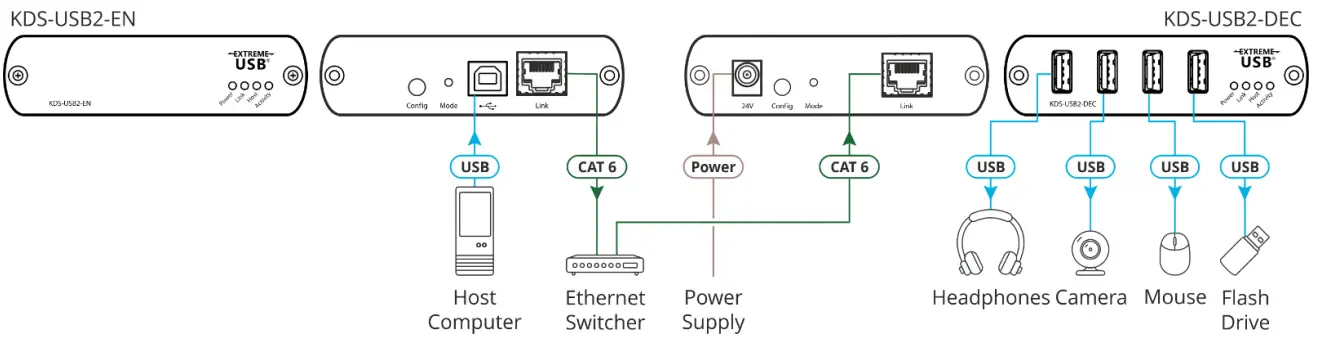
For optimal performance, use the recommended Kramer cables available at www.kramerav.com/product/KDS-USB2.
Using third-party cables may cause damage!
Step 4: Connect the power
Connect the power cord to KDS-USB2 and plug it into the mains electricity.
Safety Instructions (See www.kramerav.com for updated safety information)
Caution:
- For products with relay terminals and GPI\O ports, please refer to the permitted rating for an external connection, located next to the terminal or in the User Manual.
- There are no operator serviceable parts inside the unit.
Warning:
- Use only the power cord that is supplied with the unit.
- Disconnect the power and unplug the unit from the wall before installing.
Step 5: Operate KDS-USB2
By default, the KDS-USB2 kit devices are paired. You can also pair devices manually or map multiple devices via Kramer Control.
When using unpaired units (for example, individually purchased devices), you can pair them manually.
To pair KDS-USB2-EN with KDS-USB2-DEC manually:
- Make sure that the devices are properly connected.
- On KDS-USB2-EN, press and hold Mode for a few seconds.
The Link LED flashes. - On KDS-USB2-DEC, press and hold Mode for a few seconds.
The Link LED flashes. - Wait until both Link LEDs light.
Devices are paired.
If you are using Kramer Control, you can easily map multiple encoders to decoders.
To pair KDS-USB2-EN devices with KDS-USB2-DEC devices via Kramer Control:
- Launch Kramer Control builder to select the space.
- Add the KDS-USB2 devices and import their drivers.
- For each device, add its IP address.
- Map a single encoder to several decoders, or several decoders to one encoder, as desired.
For further information, go to: www.kramerav.com/page/knowledgebase-control
P/N: 2900 – 301391 QS
Rev: 3
Scan for full manual