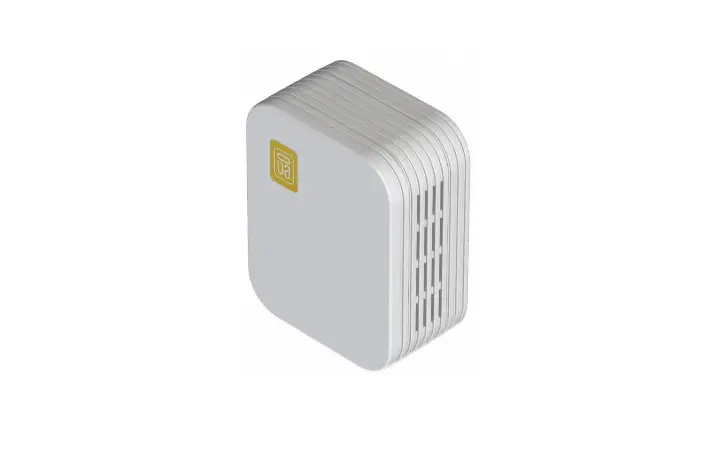
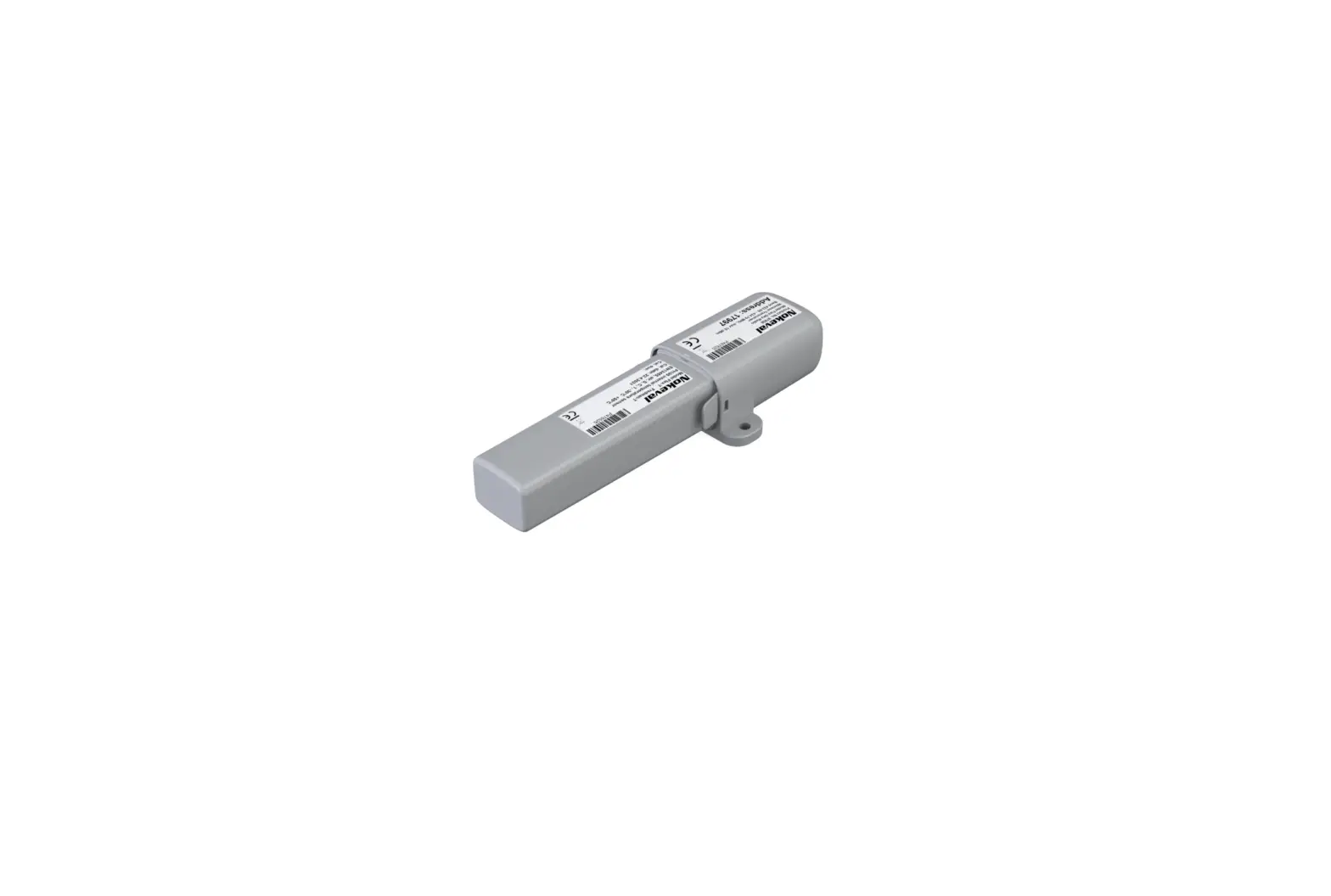
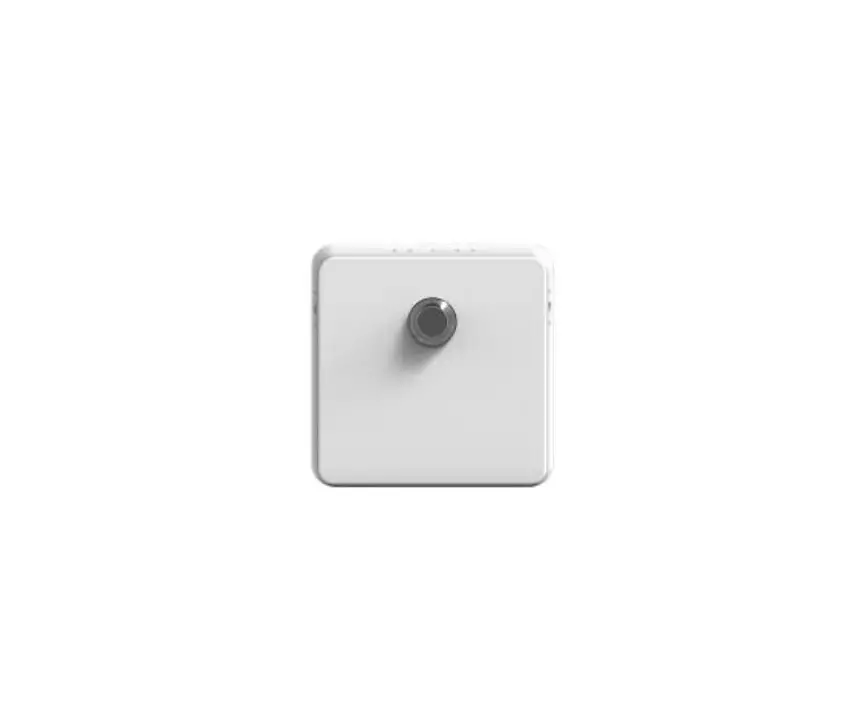
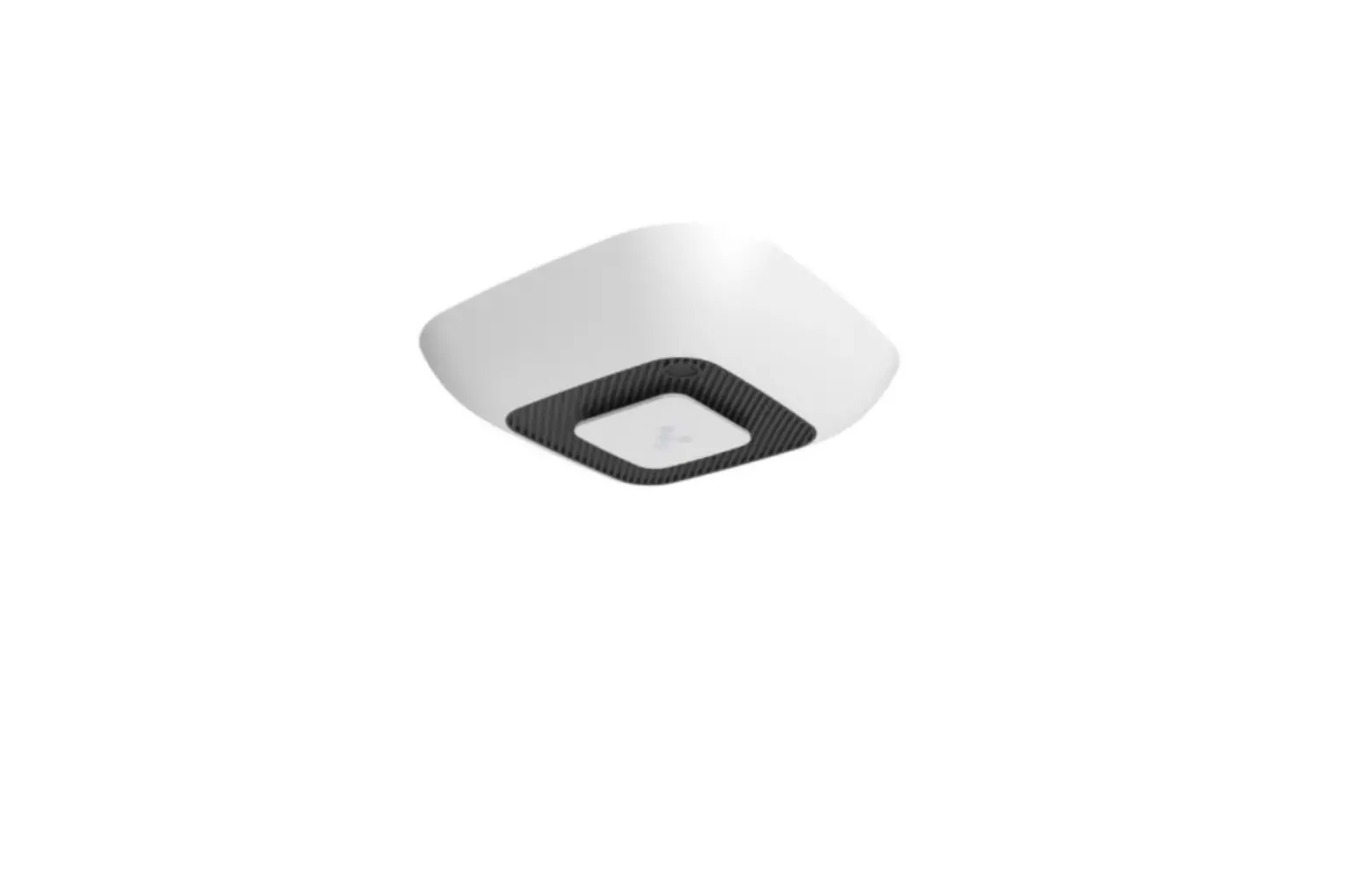
Kombi-Sky Wireless Multi-Sensor Transmitter
Product Information:
Product Name: Kombi-Sky
Manual: ID10830 V15 2.2.2023 Firmware
1.0-1.8
Introduction
The Kombi-Sky is a device used for measuring air quality. It is
designed to be easily installed and operated. This manual provides
detailed information and instructions on the installation, power
supplies, settings, and operation of the Kombi-Sky.
Installation
To ensure accurate measurements, it is important to select an
appropriate installation place for the Kombi-Sky. The device should
be mounted in a location where air can flow freely on all sides and
represent the air that is to be measured. Avoid placing the device
near heat sources and direct sunlight. The device can be placed
using one of the following methods:
- Mount the device on a suitable surface in the desired measuring
location.
Power Supplies
The Kombi-Sky is powered by three LR6 (AA) batteries, which are
already installed in the device when supplied. However, models
equipped with particulate matter sensors (-Dust13 and -Dust40)
require an external power supply. The device can alternatively be
powered by connecting an external supply using the micro USB
socket. If using an external power supply, the batteries can be
omitted or used as a backup supply. If the USB cable used is longer
than 1m, it is recommended to use a good quality cable with power
wires at least 0.2mm2 (24 AWG). The powerup of the device is
indicated by blinking the LED next to the micro USB socket.
Settings
The Kombi-Sky comes with default settings that are suitable for
most applications, and no parameter configuration is normally
required. However, if it becomes necessary to change the settings,
it can be done using Nokeval’s MekuWin software, which is available
for free at www.nokeval.com. The configuration menu allows access
to various settings, including:
- Commissioning the radio
- Detailed radio settings
- Protecting the settings with a password
Operation
Once the Kombi-Sky is installed and configured, it operates on
its own. However, there are some considerations to keep in mind
when using the device:
- Ensure that the device is properly powered and the batteries
are charged or the external power supply is connected. - Regularly check the device for any errors or malfunctions.
- Refer to the user manual for troubleshooting and maintenance
guidelines.
By following the provided instructions and guidelines, you can
effectively use the Kombi-Sky for measuring air quality.
Kombi-Sky
Manual
ID10830 V15 2.2.2023 Firmware 1.0-1.8
Contents
Introduction …………………………………………………………………………………………………………………………………..2 Installation …………………………………………………………………………………………………………………………………….3 Operation ………………………………………………………………………………………………………………………………………5 Maintenance ………………………………………………………………………………………………………………………………….9 Specifications ……………………………………………………………………………………………………………………………… 10 Warnings ……………………………………………………………………………………………………………………………………. 12 Manufacturer ……………………………………………………………………………………………………………………………… 12 Declaration of conformity…………………………………………………………………………………………………………….. 13
Introduction
Kombi-Sky is an economical multi-sensor indoor air quality (IAQ) transmitter developed from the KubeRHT series. Kombi-Sky measures temperature, humidity, total volatile organic compound (TVOC) concentration, differential pressure, carbon dioxide (CO2) concentration, and some models also particulate matter (PM). Kombi-Sky model uses a LoRa based Nokeval Sky radio, which means that this device is not compatible with the LoRaWAN infrastructure. If LoRaWAN is needed, choose a Kombi-LWEU (Europe) or a Kombi-LWNA (North America) device instead of Kombi-Sky. Before using the 433 MHz radio, make sure it is legal in your country.
2 – Introduction
Installation
Mounting
Select the installation place so that air can flow freely on all sides of the transmitter and that it represents the air that is to be measured. Avoid heat sources and direct sunlight. Place the device to the measuring location with one of the following ways:
· Mount the wall holder with two universal countersunk screws (ST 2.5 or ST 3.0). Use applicable length depending on the wall material. In correct orientation, the wall holder has its hooks pointing upwards. Attach Kombi-Sky to the holder.
· Place Kombi-Sky freely on any surface with the bottom facing down.
3 – Installation
Power supplies
Kombi-Sky is powered with three LR6 (AA) batteries except the models equipped with a particulate matter sensors (-Dust13 and -Dust40) which require an external supply.
The device is supplied with batteries already installed, so it is ready to be used.
Kombi-Sky can alternatively be powered with an external supply. When an external power supply is used, the batteries can be omitted or used as a backup supply. Use the micro USB socket to connect an external supply into the device. If the device has a particulate matter sensor (Dust13 and Dust40 models) and the USB cable is longer than 1 m, use a good quality cable with power wires at least 0.2 mm2 (24 AWG).
Kombi-Sky indicates the powerup by blinking the LED next to the micro USB socket.
Settings
Kombi-Sky works with its default settings and no parameter configuration is normally required. However, if it is necessary to change the settings of the device, it can be done with Nokeval’s MekuWin software (available for free at www.nokeval.com). Following procedure should be followed in order to get access to the settings:
· Connect a micro-USB cable to the connector, and the other end of the cable to a computer. · If Windows requests for a driver, download it at www.nokeval.com > Support, unzip it to a
temporary folder, and show that directory as the location for the driver. If there are problems during the installation, try pushing the button every 5-15 seconds or keeping it pressed so that Kombi-Sky will not shut down its USB port. · Launch the MekuWin program. · In MekuWin, choose the right COM port from the Ports menu. If the port is not visible, try pushing the button on Kombi-Sky to wake up the port. · From the Port settings menu, choose Protocol = ModbusRTU, Address = 1. · Click Direct. · A new window will open for the settings.
The configuration menu includes the following settings:
· Protection o Describes password protection status “None”, “Locked”, “Unlocked”.
· Password input/setup o Unlock protection or change password. See “Protecting the settings” section below for details.
· Period o Time between measurements with options from ranging 5 minutes to 6 hours. Default is 30 min.
· Sky o See the Detailed radio settings
Commissioning the radio
To get the radio working with your receiver, adjust the following settings in the Sky menu to match the corresponding settings of your receiver, otherwise the communication will fail:
· Network (default 1) · Effort (default 4) · Channel (default 1) · Key (default empty)
4 – Installation
The address of this Kombi-Sky can be seen in the Address box. The address is factory set and can’t be changed here.
If you want to ensure that every measurement is delivered despite of radio collisions and disturbances, set the following settings (this will typically double the battery consumption):
· Quality = Buffering (default Unidirectional, which means send and forget) · Destination = the radio address of your (nearest) receiver
To learn about the more detailed radio settings, see the chapter Detailed radio settings on page 5.
Protecting the settings
To protect the settings from being easily adjusted, the configuration menu provides a password box. The password can be formed using up to 16 characters. From the next MekuWin session after the password is set, the settings cannot be adjusted without knowing the password.
If the protection status is “Locked”, changes will not be saved to the device. Write the correct password in the “Password input” field and press enter to unlock the protection.
If the protection status is “Unlocked”, the settings and password can be changed. The menu will become locked again after the MekuWin session is closed.
Note that the password cannot be reset by the user. If the password is forgotten, the password reset can only be made by the manufacturer. Please make sure that the password is remembered if changed.
Operation
After Kombi-Sky is successfully installed, it operates on its own. However, there are some considerations that are good to know when using Kombi-Sky.
RHT measurement
Temperature is given in °C. Humidity is given in %RH.
TVOC measurement
An auto calibration is necessary for the TVOC sensor. A prolonged exposure to high TVOC concentrations will affect the baseline of the sensor and the sensor will give incorrect readings until the baseline is corrected. The auto calibration can work properly only if Kombi-Sky is exposed to fresh air at least some hours after the prolonged exposure. TVOC concentration is given in ppb.
dP measurement
The pressure difference between the outlets is measured using the air flow. The direction of the air flow determines the sign of the reading. If the outlet in the left-hand side is in higher pressure than the outlet in the right-hand side, the reading is positive and vice versa. The pressure difference is given in Pa.
CO2 measurement
An auto calibration is necessary for the carbon dioxide sensor. Without it, the sensor will drift over time and eventually give incorrect readings. The auto calibration can work properly only if Kombi-Sky is exposed to a fresh air at least some hours during each week. In practice, the room must be unoccupied, and its ventilation must be switched on. CO2 concentration is given in ppm.
5 – Operation
Particulate matter measurement (option)
A small fan sucks air from the opening in the top cover. Inside the device the air passes through a laser beam. The particles will cause a flash when passing the laser, allowing them to be counted and their sizes (diameter) estimated.
The mass of the particles is estimated by assuming that they have a density of 1.65 g/ml and making assumptions of their shape. The result is not accurate if the density, shape, or refractive index deviates significantly from the estimates used in the calibration.
Detailed radio settings
Network: To prevent mixing the different networks (and users) data, the network address should be set to a value not used nearby. All the devices within one network must share the same value. The receiver will only accept packets that have the matching network address. If an encryption key is used, it is not necessary to use a unique network address. Default 1.
Effort: This single setting controls the LoRa bandwidth and spreading parameters as in the table below. The bigger the value, the longer the range. But it will consume more battery and radio band. Increasing the effort one step will approximately add 2.5 dB in the link budget, but also double the battery consumption caused by the radio.
The selectable Efforts are tabulated below. The LoRa bandwidth and spreading factor are mentioned for curiosity. The estimated ranges are for reference only, in real world the range depends heavily on the objects on the radio path. No range can be guaranteed, a single metal wall may stop the radio signal totally.
Effort setting
1 2 3 4 (default) 5 6 7
LoRa bandwidth
250 kHz 250 kHz 250 kHz 250 kHz 250 kHz 250 kHz 125 kHz
LoRa spreading factor 7
8 9 10 11 12 12
Estimated indoor range 30…300 m
Estimated real world outdoor range 30 dB/decade 1100 m
1300 m 1600 m 1900 m 2300 m 2800 m 3500 m
The default Effort is 4, which is good for many tasks. Each device in the network must share the value.
The Effort setting can be set to Custom position; then it is possible to set the bandwidth and spreading parameters independently, as well as adjust the frequency steplessly within 433.3 to 434.5 MHz. Normally this should not be necessary.
Power: The transmission power; 10 means the maximum power and each step reduces one dB. A lower value should be selected to conserve battery and to avoid disturbing other users of the band whenever possible. However, this setting will not affect the battery consumption as much as the Effort setting, which means that the first mean to lower the battery consumption should be lowering the effort if possible. While each device in the network must share the Effort setting, the Power can be adjusted individually. In practice, the Effort is defined by the most distant device, and the Power of the nearer devices can be lowered.
6 – Operation
Channel: The radio frequency channel. If several LoRa/Sky networks exists within the same area, a different frequency should be selected for each network. The radio frequency is 433.3 + 0.2 MHz * (channel-1), i.e. the first channel is 433.3 MHz, second 433.5 etc. The channel 4 uses 433.9 MHz which is the most crowded frequency on this band, so it should be avoided.
Quality: This setting has three options affecting the reliability of the packet delivery:
· Unidirectional (default): This device will transmit each reading once not expecting any acknowledgement. If the packet is lost due to a collision with another transmission or any disturbance, it is lost.
· Bidirectional: After transmitting a packet, this device will listen for an acknowledgement from a receiver and retransmit up to two times if not getting acknowledged. If there is no acknowledgement, this device will discard the packet and try only once for the next time. This setting increases the probability of successful delivery significantly but does not guarantee it.
· Buffering: This device will keep retransmitting each reading until acknowledged. The readings will be buffered until delivered as far as the buffer is not full. The buffer can hold approx. 1000 packets (400 in devices manufactured before autumn 2019). When the buffer is more than half full, the measurement intervals will be temporarily increased to slow down the filling of the buffer.
Each device can have an individual choice.
Destination: When using the Bidirectional or the Buffered quality, the receiver that is supposed to acknowledge must be manually defined. Enter the radio address of the receiver here. The system can have several receivers, each picking the same radio packets, but only one must be selected to acknowledge to avoid collisions.
Key: An authentication and encryption key for the radio. If an authentication is not desired, leave this blank. Then it is quite easy to eavesdrop and disrupt the radio traffic. To get a secured operation, enter any text string (up to 16 characters). Use the same key in the receiver, and consequently in all the other transmitters. Once set, the key can’t be viewed in the menu, it is replaced by ***.
Address: The radio address of this device. Can’t be changed.
Buffer: Displays how many percentages of the buffer is used. Should be 0 when the network is operating smoothly. This is for viewing only, can’t be manually adjusted.
Quantity channels
Kombi-Sky sends the measurement quantities using the logical channels as in the table below. These channel numbers are used when configuring the device for the Ovaport service or any other type of receiving system.
Channel 1 2 4 5 6 7 8 9 10 11
Physical quantity Temperature Relative humidity TVOC concentration Differential pressure CO2 concentration PM1 particulate matter PM2.5 particulate matter PM10 particulate matter “PM40” particulate matter (non-standard) PM4 particulate matter (firmware V1.7 onwards)
Unit °C %RH ppb Pa ppm µg/m3 µg/m3 µg/m3 µg/m3 µg/m3
7 – Operation
Monitor menu
In MekuWin, the Mon-menu can be used to monitor the measurement readings. The sensors are kept continuously on. The values update at the rate the sensor can produce new readings.
Cal menu
The calibration menu settings are only for the manufacturer use. They are not explained in this manual.
8 – Operation
Maintenance
Checking the status
Press the button to check the status of Kombi-Sky. The LED located next to the micro USB socket will indicate the status:
· If the LED blinks green, everything is fine, and the remaining battery capacity is estimated to be over 20%.
· If the LED blinks red, the remaining battery capacity is estimated to be below 20%. · If the LED doesn’t blink at all, device isn’t working properly.
Replacing the batteries
· Remove the device from the wall holder by pushing it upwards. · Remove the two screws from the bottom of the device and open the cover. · Replace the batteries with three new LR6 (alkaline AA) batteries observing the polarity.
Cleaning
If there is visible dust inside the device, blow it away with pressurized air while avoiding too strong pressure. The enclosure exterior can be wiped with a damp cloth, but no drop of liquid must enter the device.
9 – Maintenance
Environment
Storage temperature Operating temperature Protection class Enclosure material
Measurements
Weight Dimensions
Specifications
-40…+80°C, without batteries, non-condensing -30…+60°C, non-condensing IP20 ABS+PC, white painted
Kombi-Sky-RHT-CO2-TVOC-DP: 210g, with batteries 105 x 75 x 48 mm (-Dust40 model 105 x 75 x 88 mm)
Power supply
Batteries
Typical battery life External
3 pcs LR6 (AA 1.5 V alkaline). For the estimated battery life, high quality batteries should be used, e.g. Energizer EN91. 3 years with 30 minutes transmission interval Micro USB type B, 5 ± 0.5 V, max 200 mA (1 A for -Dust13 and -Dust40 models), no suspend function
Measuring and data transmission
Interval
Configurable: 5min / 10min / 15min /20min / 30min / 1h / 2h / 3h / 4h / 6h
Radio
Nokeval Sky radio technology
Antenna
Internal
Frequency band
433.05 434.79 MHz
Transmission power
Max +10 dBm E.R.P.
Range, line-of-sight
Depends on installation location and environment, in good conditions 10 km
Range, indoor
Typically 30…300 m, depending on materials and structures
Temperature measurement
Sensor
High-accuracy semiconductor sensor, Swiss
Measurement range
-40…+125°C
Accuracy
Typically ±0.1°C (+20…+60 °C)
Humidity measurement
Sensor
High-accuracy semiconductor sensor, Swiss
Measurement range
0…100 %RH
Accuracy
Typically ±2 %RH (+0…+80°C, 0…100 %RH)
Carbon dioxide concentration
Sensor
NDIR sensor
Measurement range
400…5000 ppm
Accuracy
Typically ±45 ppm + 3% rdg
Autocalibration
Must see fresh air (unoccupied room) once a week
Total volatile organic compound concentration
Sensor
Semiconductor sensor, Swiss
10 – Specifications
Measurement range Accuracy
0.3…30 ppm Typically ±15%
Differential pressure measurement
Sensor
High-accuracy flow sensor, Swiss
Measurement range
-125…+125 Pa
Accuracy
Typically ±0.08 Pa + 3% rdg
Particulate matter measurement model -Dust13
Measurement range
0…1.2 million particles per litre (up to 10,000 particles per second)
Particle sizes
0.4…12.4 µm
Particle type
For max accuracy, assumed to be spherical, density 1.65 g/ml, refractive index 1.5
Values measured
PM1, PM2.5, PM4, PM10
PM10 range
0.01…1 500 000 µg/m3
Particulate matter measurement model -Dust40
Measurement range
0…2.8 million particles per litre (up to 10,000 particles per second)
Particle sizes
0.4…40 µm
Particle type
For max accuracy, assumed to be spherical, density 1.65 g/ml, refractive index 1.5
Values measured
PM1, PM2.5, PM4, PM10, non-standard “PM40”
PM10 range
0.01…1 500 000 µg/m3
11 – Specifications
Warnings
The device must not be disposed in household waste. Observe local regulations concerning the disposal of electrical waste. The device may contain a battery.
Manufacturer
Nokeval Oy Rounionkatu 107 FI-37150 Nokia Phone +358 3 342 4810 (Mon-Fri 8:30-16:00 EET) WWW http://www.nokeval.com/ Email [email protected]
12 – Warnings
Declaration of conformity
13 – Declaration of conformity
 Älykkäämpiä ratkaisuja olosuhdevalvontaan | Nokeval