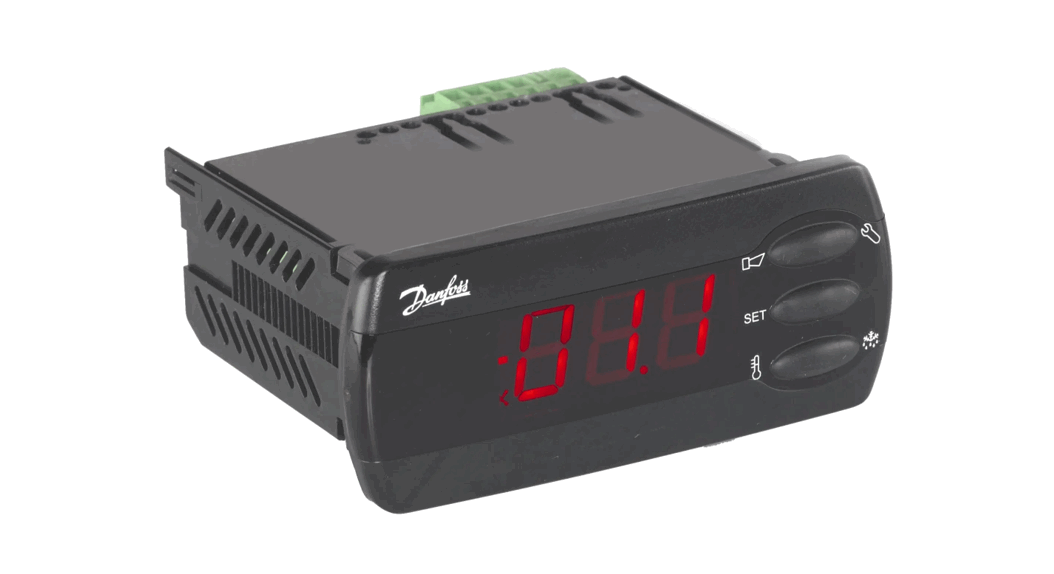
UPA III Compact Controller
Product Information: DEGA UPA III Compact Controller
The DEGA UPA III is a third-generation compact evaluating
controller designed as a separate device for mounting on a wall or
on distributors. It is used to supply up to 32 transmitters via
RS485 and up to 8 transmitters via current loop. The device
evaluates the gas leak of the transmitters in 4 levels and can also
connect one flooding sensor DEGA ZC II and one temperature sensor
DEGA Tc II. The status of each transmitter is indicated on the LCD
display of the controller.
Technical Data
- Supply Voltage:
- 230 V AC/ 40VA
- 24 V DC/2 A nominal, operational range 20-28 V
- Cable for Connecting of the Transmitters:
- via 4-20mA:
- shielded cable 3 x 1 mm (max. 1200 m), or 3 x 1,5 mm (max. 2400
m)
- shielded cable 3 x 1 mm (max. 1200 m), or 3 x 1,5 mm (max. 2400
- via RS485:
- shielded cable 4 x 0,8 mm (max. 1200 m) – see section Wiring
installation for RS485
- shielded cable 4 x 0,8 mm (max. 1200 m) – see section Wiring
- via 4-20mA:
- Cable for Connecting the Sensors:
- Temperature Sensor DEGA Tc II:
- shielded cable 3 x 0,25 mm (max. 100 m)
- Flooding DEGA Zc II:
- shielded cable 4 x 0,25 mm (max. 100 m)
- Cable for Connecting Signalization a Pushbutton Cable 2 x
1mm
- Temperature Sensor DEGA Tc II:
- Output:
- USB (for PC configuration)
- RS485 – protocol DEGA, or MODBUS (on request) for the host
system (PLC, PC) - 10x switching relays 250 V/10 A
- 2x output for visual and acoustic alarms, max. load see chapter
“Assembling and Connecting the Wiring Paragraph 6”
- Communication Speed of RS485: 9.6 kB
- Functional Safety EN61508: SIL 1
- Dimensions without Bushings: 280x200x85 mm (WxHxD)
- Weight: 1.4 kg
- Capacity of the Internal Memory of History: 34 days at 60s
recording interval - Interval Record Storage Memory: 60 s (adjustable range 1-255
s)
For Your Safety
- Beware of Static Electricity: Electronic components are
sensitive to static electricity. Do not touch them directly – they
may get damaged. - The device is intended to be installed by a trained person: The
product is designed for installation only by a certified
technician. The manufacturer is not liable for damages resulting
from incorrect or improper handling. - In Case of Malfunction, Immediately Unplug from the Power
Supply: If you notice an unusual smell or smoke emitting from the
product, unplug it from the power supply, battery backup, and all
other attachments. Continued operation could result in injury or
property damage. After disconnecting, have the device inspected at
an authorized dealer or manufacturer. - Do Not Disassemble the Product and Ensure Against Its Contact
with Water: Contact with internal components of the product may
cause an electric shock. In case of any malfunction, entrust the
servicing of the product exclusively to a certified service center.
Contact with water can create a short circuit in the product and
consequent damage to property or personal injury. - Use Appropriate Cable Types: To ensure compliance with the
parameters of the product, only use cable types recommended in this
guide. - Dispose of Used Products with Respect to the Environment:
Dispose of them in accordance with the current legislation on
environmental protection.
Product Usage Instructions
The DEGA UPA III compact controller is designed for use in
evaluating gas leak transmitters. Follow the instructions below for
proper usage:
- Install the device by a certified technician only. The
manufacturer is not liable for damages resulting from incorrect or
improper handling. - Ensure that the device is not touched directly as electronic
components are sensitive to static electricity. - Use appropriate cable types recommended in the user manual to
ensure compliance with product parameters. - In case of malfunction, immediately unplug the device from the
power supply, battery backup, and all other attachments. After
disconnecting, have the device inspected at an authorized dealer or
manufacturer. - Do not disassemble the device and ensure that it is not in
contact with water to prevent damage to property or personal
injury. - Dispose of used products in accordance with the current
legislation on environmental protection.
User manual
Compact controller
DEGA UPA III
Reproduction of this manual, or any part thereof, in any form, without the prior permission of DEGA.CZ s.r.o. is prohibited. DEGA CZ s.r.o. reserves the right to alter the specifications of the hardware and software described in this manual at any time and without prior notice. DEGA CZ s.r.o. bears no liable for any damage resulting from use of this device.
Content
For your safety ……………………………………………………………………………………………………………………………………………………………. 2 Technical data …………………………………………………………………………………………………………………………………………………………….. 3 Operational conditions ………………………………………………………………………………………………………………………………………………… 3 Product description………………………………………………………………………………………………………………………………………………………3
Outer case ………………………………………………………………………………………………………………………………………………………….. 4 Terminal block …………………………………………………………………………………………………………………………………………………….. 4 Assembling and connecting the wiring …………………………………………………………………………………………………………………………… 5 1. Assembly of the controller………………………………………………………………………………………………………………………………….5 2. Connecting a transmitter via current loop …………………………………………………………………………………………………………… 5 3. Connecting a transmitter via RS485…………………………………………………………………………………………………………………….. 5 Wiring installation for RS485…………………………………………………………………………………………………………………………………. 5 Terminal resistor …………………………………………………………………………………………………………………………………………………. 6 4. Connecting the temperature sensor, flooding sensor and lay-off button of the beeper……………………………………………..6 5. Connecting the visual and acoustic alarms and the emergency valve ……………………………………………………………………… 6 6. Selecting the supply voltage and the maximum current load …………………………………………………………………………………. 6 Supply voltage 230V AC ……………………………………………………………………………………………………………………………………….. 6 Supply voltage 24V DC …………………………………………………………………………………………………………………………………………. 6 7. Output relay …………………………………………………………………………………………………………………………………………………….. 7 8. Regulating the supply voltage……………………………………………………………………………………………………………………………..7 Controls ……………………………………………………………………………………………………………………………………………………………………… 7 1. Panel ………………………………………………………………………………………………………………………………………………………………. 7 2. LCD display ………………………………………………………………………………………………………………………………………………………. 8 3. Launch of the controller…………………………………………………………………………………………………………………………………….. 8 4. Basic status/alarms …………………………………………………………………………………………………………………………………………… 8 5. Malfunction………………………………………………………………………………………………………………………………………………………9 6. Monitoring the calibraton periods……………………………………………………………………………………………………………………….9 7. Reading the record of measured concentrations and alarms …………………………………………………………………………………. 9 8. Indication of past alarms……………………………………………………………………………………………………………………………………. 9 9. Automatic adjustment of the 0 point ………………………………………………………………………………………………………………….. 9 10. Menu……………………………………………………………………………………………………………………………………………………………9 History Menu HIST ……………………………………………………………………………………………………………………………………………..10 Information menu INFO ………………………………………………………………………………………………………………………………………10 Configuration menu CONF ………………………………………………………………………………………………………………………………….. 10 Controller testing menu TEST……………………………………………………………………………………………………………………………….11 Service Menu SERV…………………………………………………………………………………………………………………………………………….. 11 Maintenance …………………………………………………………………………………………………………………………………………………………….. 12 1. Operation/Maintenance …………………………………………………………………………………………………………………………………..12 2. Replacement of the battery………………………………………………………………………………………………………………………………12 Attachments……………………………………………………………………………………………………………………………………………………………… 13 1. Table of error codes…………………………………………………………………………………………………………………………………………13 General warranty terms and conditions………………………………………………………………………………………………………………………..14
For your safety
Beware of static electricity Electronic components are sensitive to static electricity. Do not touch them directly – they may get damanged.
The device is intended to be installed by a trained person The product is designed for installation only by a certified technician. The manufacturer is not liable for damages resulting from incorrect or improper handling.
In case of malfunction, immediately unplug from the power supply If you notice an unusual smell or smoke emitting from the product, unplug it from the power supply, battery backup and all other attachments. Continued operation could result in injury or property damage. After disconnecting, have the device inspected at an authorized dealer or manufacturer.
2
Do not disassemble the product and ensure against it’s contact with water Contact with internal components of the product may cause an electric shock. In case of any malfuction entrust the servicing of the product exclusively to a certified service centre. Contact with water can create a short circuit in the product and consequent damange to property or personal injury.
Use appropriate cable types To ensure compliance with the parameters of the product, only use cable types recommended in this guide.
Dispose of used products with respect to the environment Dispose of them in accordance with the current legislation on environmental protection.
Technical data
Supply voltage:
230 V AC/ 40VA 24 V DC/2 A nominal, operational range 20-28 V
Cable for connecting of the transmitters:
via 4-20mA:
shielded cable 3 x 1 mm (max. 1200 m), or 3 x 1,5 mm (max. 2400 m)
via RS485:
shielded cable 4 x 0,8 mm (max. 1200 m) – see section ” Wiring installation for RS485
Cable for connecting the sensors:
Temperature sensor DEGA Tc II:
shielded cable 3 x 0,25 mm (max. 100 m)
Flooding DEGA Zc II:
shielded cable 4 x 0,25 mm (max. 100 m)
Cable for connecting signalization a pushbutton cable 2 x 1mm
Output:
USB (for PC configuration)
RS485 – protocol DEGA, or MODBUS (on request) for the host system
(PLC, PC)
10x switching relays 250 V/10 A
2x outupt for visual and acoustic alarms, max. load see chapter
,,Assembling and connecting the wiring” paragraph 6
Communication speed of RS485:
9,6 kB
Functional safety EN61508:
SIL 1
Dimensions without bushings: Weight:
280x200x85 mm (WxHxD) 1,4 kg
Capacity of the internal memory of history: 34 days at 60s recording interval
Interval record storage memory:
60 s (adjustable range 1-255 s)
Operational conditions
Ambient temperature: Relative humidity: Air pressure: Protection level with a cover: Location:
-20 to +85 °C 0-95 % RH 86 – 108 kPa IP 54 BE1 – non-explosive atmosphere
Product description
DEGA UPA III – The third generation compact evaluating controller is designed as a separate device used for mounting on a wall or on distributors. It is used to supply up to 32 transmitters via RS485 and up to 8 transmitters via current loop. It evaluates the gas leak of the transmitters in 4 levels. It is also possible to connect one flooding sensor DEGA ZC II and one temperature sensor DEGA Tc II. The status of each transmitter is indicated on the LCD display of the controller. The controller
3
is equipped with 10 pieces of freely configurable relays, 2 outputs for visual and acoustic alarms, an output for impulsive closing of emergency valves, a USB port and a RS485 for connecting to the host system (PLC, PC with visualization)
Outer case
1 Cover 5 LCD DISPLAY Terminal block
2 Bottom
3 Indents for
bushings
4 Opening handle
1 Terminal block relay
RE1-RE3
5 Terminal block relay
RE8-RE10
9 Temperature sensor
terminal block
13
Bus temrinal block #1 for digital transmitters
17
Optical alarm terminal block
2 Terminal block relay RE4
and RE5
3 Terminal block
relay RE6-RE7
6 Fuse T400mA
7 Auxiliary
input/output 24V
DC
10 Acoustic alarm lay-key
terminal block
11 Flooding sensor
terminal block
14
Bus temrinal block #0 for digital transmitters
15
RS485 for the host system
18
Emergency valve output terminal block
19
Backup battery for memory
DegaConfig – adjustment software enabling full configuration of the controller
4 Trimmer for regulating the
suppy voltage 22-26V
8 Power supply terminal block
230VAC
12 Acoustic alarm terminal
block
16 Analog inputs 20 USB connector
4
Assembling and connecting the wiring
Before assembling, read the valid instalation standarts EN 60079-29-2 (Selection, instalation, use and maintenance of detectors for combustible gases and oxygen) and EN 45544-4 (Guildelines for the selection, installation, use and maintenance of detectors of toxic substances). In explosive environments the electrical installation must be performed according to CSN EN 60079-14 (Electrical instalation in hazardours areas).
1. Assembly of the controller a) Pull the handle on the right side of the controller to unlock and lift the cover b) Drill the required amount of holes for bushings into the indents of the top and bottom part of the case c) Anchor the controller on a flat surface using four 6mm fasteners d) Connect the wiring e) Close the cover of the case and lock the controller by using the handle
2. Connecting a transmitter via current loop Connect one transmitter on each channel of the controller:
3. Connecting a transmitter via RS485
It is possible to connect up to 16 transmitters on each controller input, depending on their electrical distance from the controller. Wiring installation for RS485 Wiring must be done using bus topology and according to the RS485 principles. Wiring must be done using bus topology and according to the RS485 principles. Maximum number of connected transmitters per controler channel is 32 (may be less depending on the configuration of the controller), while the total length of the connecting cable (electrical distance between the controller and the last transmitter) should not exceed 1200 meters. The maximal amount of transmitters connected to the bus and the type of cable used, according to the distance from the controller, is provided in the manuals of each transmitter.
5
Terminal resistor
According to the RS485 specifications, the last device on the bus must be ending with a terminating resistor 120R. Plug a jumper on the JP2 connector of the last device on the bus to include the 120R terminating resistor. In the default configuaration the jumper connector is not plugged
4. Connecting the temperature sensor, flooding sensor and lay-off button of the beeper
5. Connecting the visual and acoustic alarms and the emergency valve
6. Selecting the supply voltage and the maximum current load Supply voltage 230V AC The highest current load of the controller is 1,4A. This current serves to power the connected transmitters and the visual and acoustic alarms, which are connected to the terminal blocks ,,LIGHT_SIG” and ,,SOUND_SIG”.
Example: There are 4 transmitters connected to the controller with a consuption of 60 mA each. The remaining 1,16 A (I=1400-4×60) are used to supply the visual and acoustic alarms.
Supply voltage 24V DC The consuption of the controler’s electronics is 300mA. Maximal current on terminal blocks ,,+24V IN/OUT” is 10A. Maximal current load on each output on terminal blocks ,,LIGHT_SIG” and ,,SOUND_SIG” is 4A.
6
Example: There are 4 transmitters connected to the controller with a consuption of 60 mA each. The controller has a consuption of 300mA. The remaining 7,46 A (I=8000-300-4×60) are used to supply the visual and acoustic alarms.
Information on the constuption of each transmitters and components of the visual and acoustic alarms is given in the respective manuals.
Warning: never connect the supply voltage 24V and 230V simultaneously
7. Output relay Each relay can by default be configured to activate on any number and any combination of events: Transmitter: 4 levels of gas leek alarms, PEL, STEL, transmitters malfunction Controller: 2 levels of temperature, flooding, controller malfunction, 2 levels of exceeded temperature, flooding indication Relays can after activations be configured for the following output functions: normally closed, normally open, cycling of open/close, automatic deativation of deactivatable outputs after a certain time or after pressing a button.
Specific configurations of the relays are given in the configuration protocol provided to the controller
8. Regulating the supply voltage Pomocí trimru mzeme regulovat výstupní naptí zdroje v rozsahu 22-26V. V pípad ze jsou snímace pipojeny na velkou vzdálenost, mze být pro správnou funkci nutné zvýsit napájecí naptí.
Controls
The control panel is equipped with a segmented LCD display and can be controlled using the LEFT, RIGHT and ENTER buttons. In Basic mode the controller displays the concentration and the states of the configured channels. Digital channels (transmitters connected via RS485) are numbered 1 to 32, and analog channels (connected via current loop) are in the range of 41 to 48. The controller sequentially switches between the configured channels (basic interval 3s). For a longer display of a specific channel, briefly press ENTER (the channel remains displayed for 30s). The ENTER button also serves as a confirmation key for switching-off of the off-switchable outputs of the controller. The respective output remains in the defaul state for as long as there is no fading of the event that triggered it (concentration drop, disappearance of the error code).
1. Panel
1
LCD display
5 RIGHT button (move
through menus, switch between transmitter)
2 Indication of proper
operation of the controller
6 ENTER button
(unblocking of the acoustic alarms and thelatch function, confirm)
3 Gas leek 7
4 LEFT button (move through
menus, switch between transmitters)
2. LCD display
1 Time 5 RS485 address of the
current transmitter
9 Marker (selecting a
transmitter in the menu)
13 Flooding indication
17 Type of detected gas /
substance
2 Date 6 ,,Channel” of the
current transmitter
10 Malfunction of the
controller or a connected transmitter
14 Exceeding the time-
weigted avarage
18 Measured units
3 Secondary display
7 Interrupted RS485
bus indication
11 Exceeding the
critical temperature level
15 Alarm PEL – long-
term exposure limit Alarm STEL – shortterm exposure limit
19 Main segments of
the display, currently measured concentration
4 Warning: calibration
required
8 Transmitter calibration
via RS485
12 Indication of an alarm
record in the history
16 Gas leek alarm
3. Launch of the controller
After turning on the power supply, the whole LCD Display lights up and loads the highest meassured concentration, which remains on the display for cca 3s. After that the controller goes into preheating mode. The main LCD displays a countdown to the end of preheating and the secondary segments display the inscription ,,HEATING”.
4. Basic status/alarms
The controller displays the concentration on 4 main segments. To it’s right, units and the detected gas are being displayed. The
8 auxiliary segments display the location or an evnetual sensor malfunction. If the displayed channel is digital
(1 to
32), the adress
of the connected sensor is also displayed. Connected analog transmitters
have a range
of 41 to 48. The controller sequentially switches the configured channels in a 3s interval. If we want to select a transmitter
manually, we can do so with the buttons LEFT and RIGHT.
The status of the sensor bundled with an output relais (alarms, time-weigted avarages, statuses of temperature sensors and
floodings, malfunctions) is displayed in the right part of the LCD.
In case of an increased concentration, the LED ALARM starts shining and the controller switches to the channel, which
meansured this concentration. After 30s the channels will again be sequentially switched.
The latch function catalytic and semiconducter sensors can, when exceeding the measuring range, indicate a lower
measured value than it really is. If the measured concentration of these sensors exceed 100% of the lower explosion level, the
latch will activate. Even after a drop of the measured concentration, the transmitter will still be in it’s highest alarm level. The
detection area must be physically checked by an independent transmitter and after that the controller can be unblocked by
pressing the ENTER button.
The ENTER button also serves as a confirmation button for the acoustic alarm.
8
5. Malfunction
If a malfunction should occur, the LCD displays the measured values, an error code and also a key symbol meaning of individual error codes can be found in the attachments.
. The
6. Monitoring the calibraton periods
After 12 months since the last calibration (Max. calibration interval) an inscription display. The connected transmitters must be calibrated immediately.
starts flashing on the LCD
7. Reading the record of measured concentrations and alarms
The controller periodically after 60s stores the current detected concentration into it’s internal memory. The internal memory retains data from the last 49 000 measurements (cca 34 days). In order to read this information, the program DegaConfig is required. Refer to the DegaConfig program instruction
8. Indication of past alarms
The controller is equipped with an indication of alarms that have already faded. If such an alarm occurred, the icon is displayed. To view these alarms, enter the menu HIST HILA, where the date and time since the highest measured alarm since reseting HIST _RST is displayed for each transmitter. After viewing the history it’s possible to reset the counter throught HIST _RST and the icon disappears.
9. Automatic adjustment of the 0 point The connected digital transmitters have an inner diagnostic, which detects whether or not the 0 point is in disbalance. If so, an
automatic adjustment will take place and the controller indicates this with the icon .
10. Menu
Enter the menu by pressing the ENTER button and hold it for cca 5s. The main segments of the LCD display the menu
functions. Use the arrows to move from one entry to another and press ENTER for selecting an entry. The last entry is always
EXIT, which returns you to a higher menu level. The menu stucture is as follows:
submenu
HIST
INFO
CONF
TEST
SERV
EXIT
1
HI1H
NCAL
TMP1
RELE
SERV
2
HI8H
LCAL
TMP2
TRAN
SERV
3
HI12
4
HI24
TEMP
ADDR
ALM1
ALM2
_RST
EXIT
EXIT
5
HI2D
EXIT
ALM3
6
HI7D
ALM4
7
HIAL
CALI
8
HILA
EXIT
9
_RST
EXIT
9
History Menu HIST HI1 Displays the alarm history for the last hour HI8 Displays the alarm history for the last 8 hours HI12 Displays the alarm history for the last 12 hours HI24 Displays the alarm history for the last 24 hours HI2D Displays the alarm history for the last 2 days HI7D Displays the alarm history for the last week HIAL Displays the alarm history for the entire memory (cca 34 days) HILA Displays the alarm history since the last reset of the entry _RST _RST Resets the time from which ,,HILA” starts counting EXIT Returns to a higher menu level
This menu displays the highest measured concentrations in a selected time interval for each channel. There is a total of 8
intervals: – the last 1h (HI1H), 8h (HI8H), 12h (HI12H), 24h (HI24), 2 days (HI2D), 7 days, the entire memory (cca 34 days) and the interval since the last reset of ,,_RST”. Selecting an entry will perform a custom search in the memory for the selected channel. If during the whole interval the concentration hasn’t changed and remained on the minimal value, ,,9999″ will be displayed instead of the date and time. Switch between the channel by using the arrows and use ENTER to return back to
selecting a time interval.
The entry _RST serves for setting the time interval for the user alarm. If since the last change of the entry _RST an alarm occurred at one of the transmitters, the basic status of the controller displays the segment ,,H”. At the entry, the date and time since evaluation of ,,HILA” is displayed. Pressing ENTER on this entry sets the interval to the current date and time a the segment H disappears from the basic status. Press ENTER again to return the the history menu.
Note.: In case of equipping a larger quantity of transmitters, the loading of the history may take a few seconds.
Information menu INFO NCAL Displays the date of the next transmitter calibration LCAL Displays the date of the calibration TEMP Displays the temperature of the DEGA Tc II sensor ADDR Displays the controller address on the RS485 HOST bus EXIT Returns to a higher menu level
For entries ,,LCAL” and ,,NCAL” use the arrows to switch between individual transmitters. Moving to ,,NCAL”displays the date and time of the next calibration for the selected sensor, which is connected via RS485. In addition, the main display shows the amount of hours remaining before the next calibration. In the same way, the entry LCAL shows the date and time of the last calibration for the selected channel. The main display again shows the amount of hours passed since the last calibration. This is a simple amount of hours, not the amount of hours, in which the sensor has been in operation. The entry TEMP displays the current temperature from the temperature sensor, if it’configured and connected to the controller. The entry ADDR displays the controller address on the RS485HOST bus.
Configuration menu CONF To enter the menu, type in the password 0004. Use the arrows to change the value and use ENTER to move from right to left. Pressing enter in the order of units enters the menu. Typing in a wrong password will return us to the measurement mode.
TMP1 TMP2 ALM1 ALM2 ALM3 ALM4 CALI EXIT
Setting the critical temperature level 1 Setting the critical temperature level 2 Setting the 1. level of gas leek alarm Setting the 2. level of gas leek alarm Setting the 3. level of gas leek alarm Setting the 4. level of gas leek alarm Calibration of the digital transmitters Returns to a higher menu level
10
The entries TMP1 and TMP2 change the temperature value of the external sensor at which an alarm occurs. Pressing LEFT decreases the temperature and pressing RIGHT increases the temperature. Press ENTER to confirm the change. Attention, the temperature alarm value changes immediately after pressing LEFT or RIGHT. If the immediate temperature value exceeds the alarm value, it will change the output state. The entries ALM1 to ALM4 are used to set the alarm of the transmitters. Press ENTER to browse the alarms by using LEFT and RIGHT. Each channel shows the size of the alarm and the segment 1-4 shines, based on the selected alarm. Press ENTER again to move to the edit mode. The segment 1-4 blinks and we can set the value by using LEFT and RIGHT. Pressing ENTER again will end the edit mode. Attention, analog channel value changes are immediate and so are the output changes. The changes are saved after pressing ENTER. The entry CALI serves for calibration of the digital transmitters. LEFT and RIGHT changes the displayed channel and ENTER
selects the channel (displayed ). Moving to the entry NEXT and pressing ENTER goes to zero-calibration of the selected transmitters. This mode displays a minimal AD conversion value on the main segment. The secondary segments display the maximal value. The oxygen detector is an exception, which always detects a 0 value in the zero-mode. By using LEFT and RIGHT it’s possible to check the detected value of every selected transmitter and eventually wait for it to drop. Press NEXT to move to the calibration range mode. Inletting a calibration gas to the transmitter will start a concentration measuring of the calibration gas. The highest value of the AD conversion is displayed on the main display and the lowest value is displayed on the secondary segments. If we are satisfied with the values, we can move on to the next part by clicking NEXT, which will bring us to the settings of the calibration interval. This can be changed with LEFT and RIGHT and using ENTER will confirm the selection. In the final part of this whole process select either YES for saving the values into the transmitters, or no for finishing the calibration without saving the values.
Controller testing menu TEST RELE Setting the relay output TRAN Simulation of the measured values _RST Controller restart EXIT Returns to a higher menu level
The entry RELE is used for direct setting of the controller outputs. Entering this entry saves the current state of the outputs, which are later modified by the user. The controller outputs (RE1 to RE10, LIGH, SOUN, _HV) can be browsed with LEFT and RIGHT and pressing ENTER will switch the output state. The outputs will remain in these settings for as long until we don’t press ENTER on the last EXIT entry. That will restore the output state, which existed before the user change. The entry TRAN is similar to the entry RELE, except for the fact that the user sets the concentrations on the given channel. Use LEFT and RIGHT to select a channel and then press ENTER to enter the edit mode. Here we can use the arrows to change the concentration ranging from minimal to maximal value of the configured transmitter. The controller reacts to this set concentration as if it was directly measured, which leads to occurring alarms and switching outputs. The entry _RST resets the controller. Service Menu SERV The entry SERV ALL SENS makes the controler go into service mode. The communication with transmitter is stopped and the outputs are set in the last known state. Use LEFT and RIGHT to set the servise interval in a range of 1 to 24 hours. Press ENTER to start it’s own regime. The main segments display a countdown of the set interval in seconds and the malfunction segments (key symbol) blinks. After the countdown finishes, the controller returns to the detection mode. This regime can be interrupted anytime by pressing ENTER. The entry SERV SEL SENS causes a blockage of any transmitter until the next restart of the controller. Use LEFT and RIGHT to select a transmitter and ENTER to block/unblock. Blocked transmitters are indicated with an inscription DIS on the main segments.
11
Maintenance
1. Operation/Maintenance In case of contamination the surface can be cleaned with a slightly moistened cloth. The connected transmitters require performing of regular checks and calibrations, which can be done in two ways:
a) 1x every six months carry out a ,,calibration” and functional control – adjust the sesitivity of the sensor using calibration gas and check the functionality of the system. The exact interval depends on the purity of the environment, required accuracy and the occurrance of disturbing gases in the atmoshpere.
b) 1x every twelve months carry out a ,,calibration” – adjust the sesitivity of the sensor using calibration gas and check the functionality of the system. The exact interval depends on the purity of the environment, required accuracy and the occurrance of disturbing gases in the atmoshpere. Also carry out a ,,functional control” 1 x every three months checking the function of the entire detection system using a test gas, which does not exceed the range of the sensor. We recommend using gas intended for laboratory use.
For the ,,functional control” do not use means for testing fire alarm detectors!
Perform calibration only at certified service centers with a valid certificate of competence or the manufacturer. For the Czech Republic only DEGA CZ s.r.o.
2. Replacement of the battery
Energizer Duracell Varta Panasonic
2032 2032 2032 2032
The battery lifetime in the controller is approximately 5 years. After this time some functions of the controller may not work properly. Remove the battery from the holder and replace it with one of the recommended types. Replacing the battery in the controller, which is not connected to the power supply, will erase the internal clock.
12
Attachments
1. Table of error codes
Occurs on digital channels (1 to 32)
Occurs on analog channels (41 to 48)
X
X
X X X X X
X
X
X
X
X
X X X
X
Displayed on the secondary segments
,,SENSOR E”
,, NO SENS” ,,UNK SENS” ,,ELCHEM E” ,,SENS CRC” ,,LMP9 ERR” ,,SEN MISM” ,,ELFAILED” ,, HEATING”
,,EE25 ERR”
,,FLASHCRC”
,,EEPR CRC” ,,INFRA ER” ,, CALIB18″ ,,COMM ERR”
Cause
Interrupted current loop or faulty transmitter
Sensor is not present (EEPROM is not communicating)
Unknows sensor type
Type 2 senesor type ID not found in the table setting LMP91000 CRC does not match the sensor EEPROM LMP91000 does not respond The set sensor ID does not match with the connected sensor EL sensor test error
Transmitter is in preheating mode
Error reading the internal FLASH
Error reading the internal FLASH
Error reading the internal FLASH
Infrared sensor error The device exceeded the maximum calibration interval by 50%
The transmitter doesnt respond
Solution
Check the transmitter connection, otherwise
contact the manufacturer Disconnect and reconnect the sensor, then restart the sensor by disconnecting and reconnecting the power Contact the manufacturer Contact the manufacturer – FW update required Sensor error – contact the manufacturer Sensor error – contact the manufacturer Checking the configuration of the sensor required Sensor error, only informative, subsides by itself Wait a few minutes, the transmitter will automatically enter measurement mode Restart the transmitter. If the error persists, contact the manufacturer Restart the transmitter. If the error persists, contact the manufacturer Restart the transmitter. If the error persists, contact the manufacturer Replace the sensor Calibration is necceserry
Check the connection between the controller
and the transmitter
13
General warranty terms and conditions
When following the instructions for installation, operation and maintenance, the manufacturer guarantee 24 months from the date of receipt for the product. Should the product purchased be put into operation by an entity other than the seller, the warranty period commences from the date that the product is put into operation, provided that the buyer ordered its commissioning within three weeks of its receipt. The customer expressly acknowledges that during the warranty period that extends beyond the length of the warranty period that is specified in the Commercial Code (the statutory warranty) s/he can neither require replacement of the product nor may s/he withdraw from the contract.
1. When claiming a product defect it is necessary to submit a proof of purchase that contains the following information: name and surname, name and business name, address and the warranty card, if the buyer received one from the seller. The validity of the warranty shall not be affected by non-compliance with the obligations related to the issuance of the warranty card.
2. Claims concerning the product (for a warranty repair only complete devices are accepted) may be filed during the warranty period only with the seller from which it was purchased; subsequently the seller is required to forward the product to an authorised service centre or to the manufacturer.
3. A condition for the recognition of the rights under the warranty is the installation of the product having been undertaken by an authorised person in possession of a valid certificate from the manufacturer.
5. Claims regarding a product defect that can be dealt with reasonably quickly and without additional consequences will be resolved by remedying the defect (repair) or by replacement of the product part , because in such a case it is a contradiction of the standard norms that the entire product shall be replaced (§ 616, paragraph 4 of the Commercial Code).
6. The buyer who exercises the right of warranty repair is not entitled to the return of the parts that have been replaced. 7. The warranty period can be extended for up to 48 months and its validity can be extended beyond the standard length on
the basis of the conclusion of an individual warranty contract. Further information may be obtained through a specific business meeting.
This warranty is not applicable to: a product that has not been put into operation by the manufacturer or by a certified employee in possession of a valid
certificate issued by the manufacturer A product that did not have regulary performed calibrations and functional checks by the manufacturer or by a certified
employee is possession of a valid certificate issued by the manufacturer. damage caused by fire, water, static electricity, power surges in the electric supply or in the public network, accident,
improper use of the product, wear and tear contamination of the product and its subsequent cleaning damage caused by improper installation, any adjustment, modification or improper manner of use inconsistent with the
instruction manual, the technical standards or the applicable safety regulations in the Czech Republic damage to the product during transportation caused by improper handling or handling of the product in a manner
contrary to the advice provided in the instruction manual DEGA products that have been used in association with other than original DEGA products, including consumables and
accessories bearing additional parts or consumables (e.g. a foil label, seal, etc.), that are detrimental to normal wear and tear during
operation, together with wear and tear of the product and its parts caused by their normal use
For the complete version of the general business conditions and of the claims procedure go to www.dega.cz
Manufacturer: DEGA CZ s.r.o., Malesická 2850/22c, 130 00 Praha 3, Czech republic VAT: CZ 279 029 43, Telephone +420 774 447 660 E-mail: [email protected] , Web: www.dega.cz
© 2014 DEGA CZ s.r.o.
User Manual ver.: 07DEGAUPAIII 200717
14
 DEGA CZ – Výrobce detektorů plynů