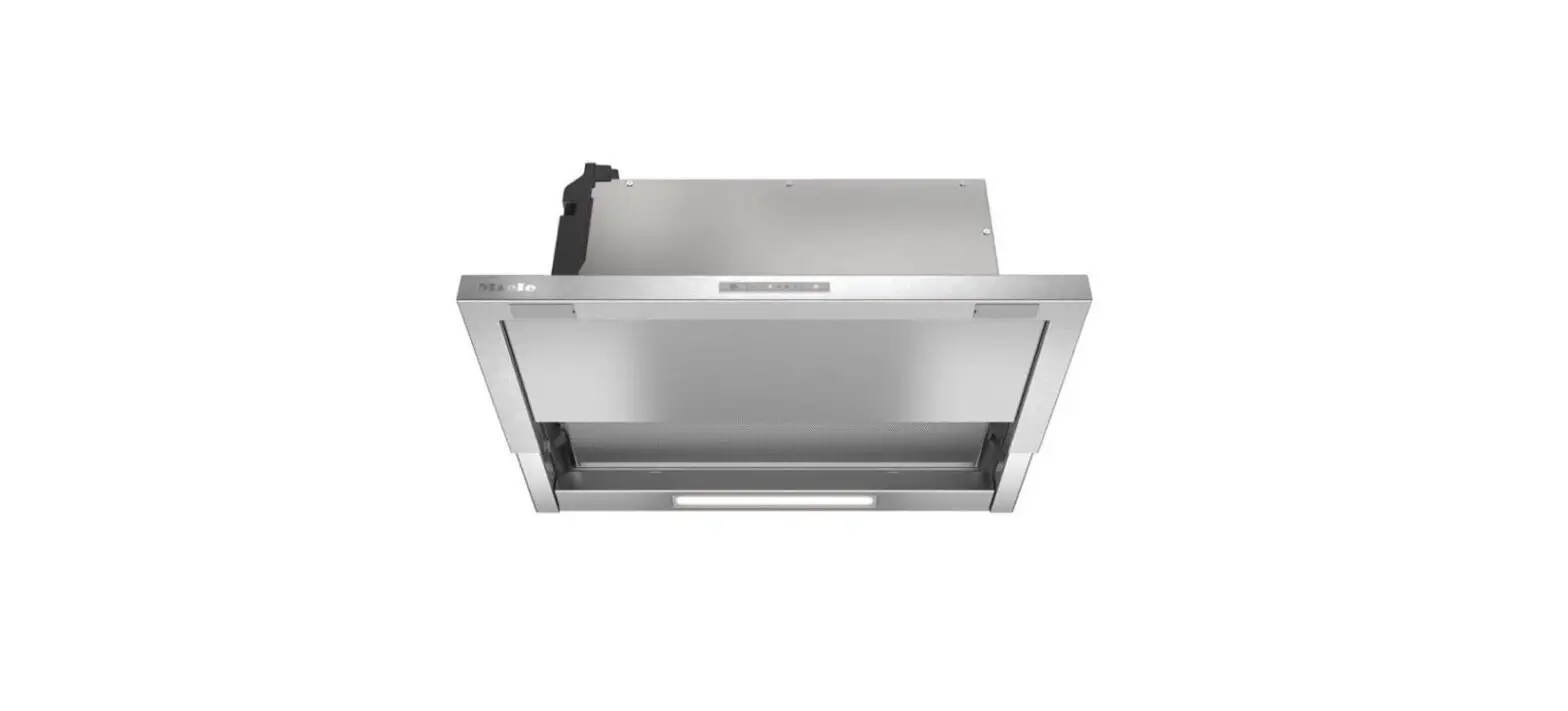
 AEG DEK6680M EXAUSTOR User Manual
 AEG DEK6680M EXAUSTOR User Manual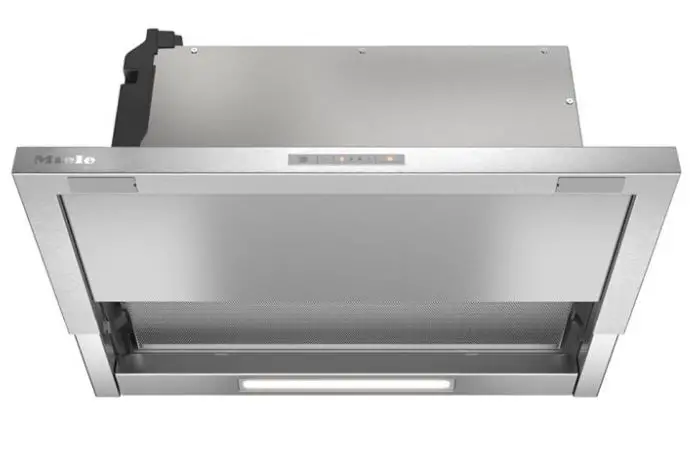
FOR PERFECT RESULTS
Thank you for choosing this AEG product. We have created it to give you impeccable performance for many years, with innovative technologies that help make life simpler – features you might not find on ordinary appliances. Please spend a few minutes reading to get the very best from it.
Visit our website to Get usage advice, brochures, trouble shooter, service, and repair information: www.aeg.com/support
Register your product for better service: www.registeraeg.com
Buy Accessories, Consumables, and Original spare parts for your appliance: www.aeg.com/shop
CUSTOMER CARE AND SERVICE
 Always use original spare parts.
When contacting our Authorised Service Centre, ensure that you have the following data available: Model, PNC, and Serial Number.
The information can be found on the rating plate. Subject to change without notice.
SAFETY INFORMATION AND INSTALLATION
WARNING!
Refer to the separate Installation Instructions booklet for Safety Information and Installation. Read carefully the Safety chapters before any use or maintenance of the appliance.
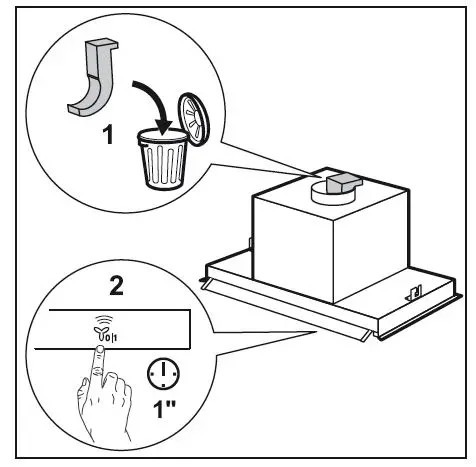
WARNING!
Before connection to electricity make sure the blower support has been removed from the motor.
PRODUCT DESCRIPTION
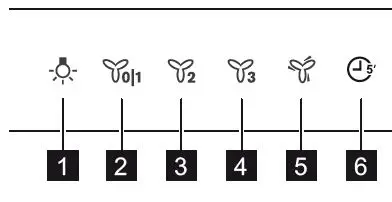
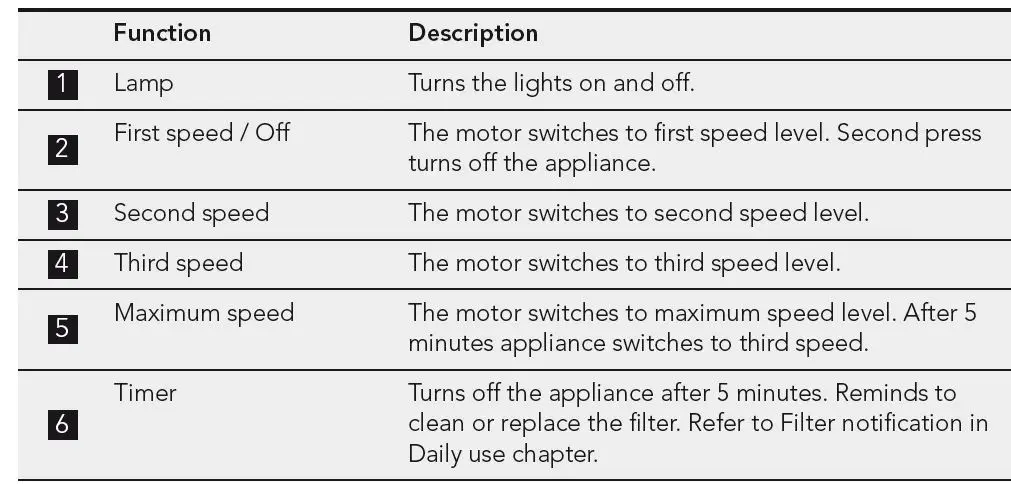
Control panel overview
DAILY USE
Using the hood Check the recommended speed according to the table below
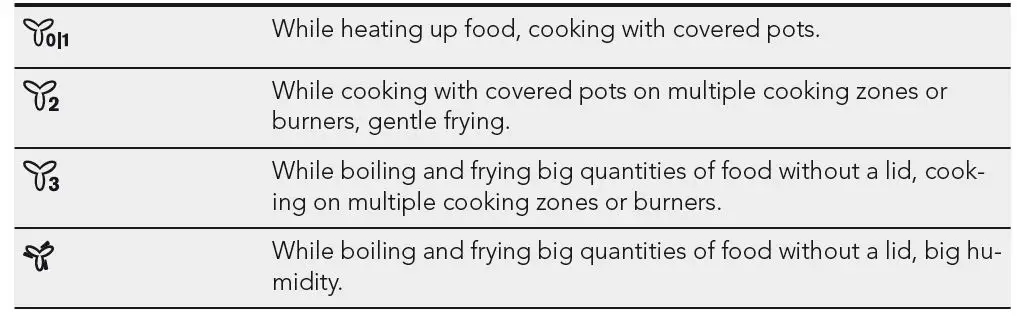
It is recommended to leave the hood operating for approximately 15 minutes after cooking. The control Panel is a sensor field. Touch the symbols for 1 second to activate the functions.
To operate the hood
- Open the glass with control panel symbols.
- Touch the
 switch on the appliance.
 - If needed, touch
 to illuminate the cooking surface.
 - If needed, change the speed by touching the desired symbol.
To turn off the appliance touch again
 switch on the appliance.
 to illuminate the cooking surface.
Timer
This function allows you to turn off the appliance after 5 minutes of operating. The function can be used only if the appliance operates on the first 3 motor speeds.
- Touch the
 symbol. The timer starts to flash.
 - After 5 minutes the appliance turns off.
To turn off the function touchit again
Filter notification
The filter alarm reminds us to change or clean the charcoal filter and clean the grease filter.
- After 40 hours of usage, the symbol turns on for 30 seconds. The grease filter must be cleaned.
- After 160 hours of usage, the symbol flashes for 30 seconds. The grease filter must be cleaned and the charcoal filter must be replaced or cleaned.
- Refer to cleaning the grease filter in the care and cleaning chapter.
- Refer to cleaning the charcoal filter or replacing the charcoal filter in the care and cleaning chapter.
To reset the function touch for  3 seconds.
CARE AND CLEANING
Notes on cleaning
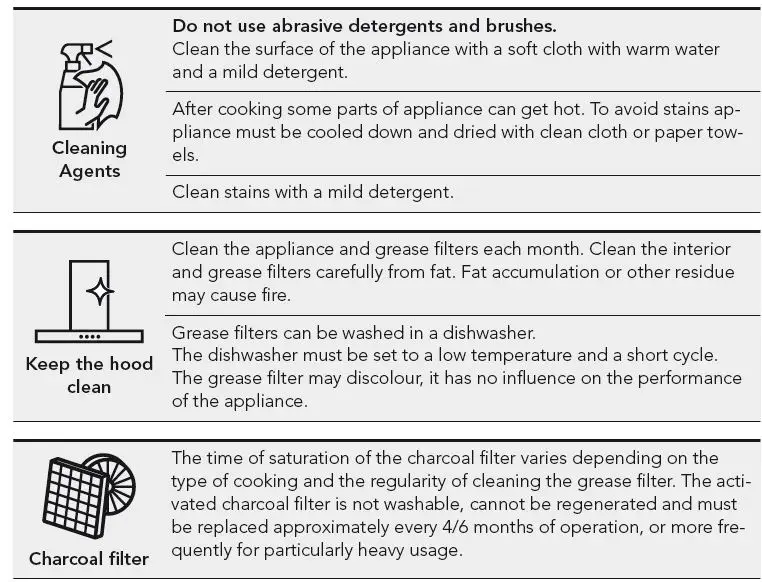
Cleaning mode
Cleaning mode blocks the functionality of the control panel for 5 minutes. When active, touching symbols have no effect.
- To activate the mode touch and hold for 1 second. and turns on.
- To deactivate the mode touch and hold the symbols again for 1 second. and turns them off.
Cleaning the grease filter
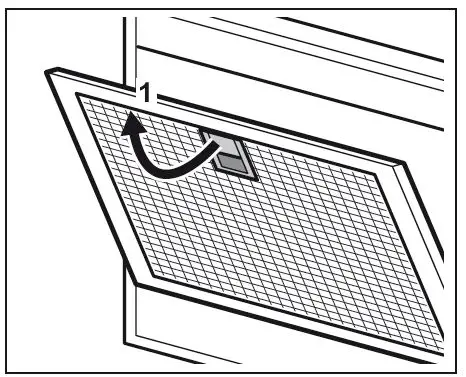
Filters are mounted with the use of clips and pins on the opposite side.
To clean the filter:
- Pull the handle on the filter underneath the hood (1) and slightly tilt the front of the filter down.
- Clean the filters using a sponge with nonabrasive detergents or in a dishwasher. The dishwasher must be set to a low temperature and a short cycle. The grease filter may discolor, it has no
influence on the performance of the appliance - To mount the filters back follow the first two steps in reverse order. Repeat the steps for all filters if applicable.
Replacing the charcoal filter (optional)
WARNING!
The charcoal filter is nonwashable To replace the filter:
- Remove the grease filters from the appliance. Refer to “Cleaning the grease filter” in this chapter.
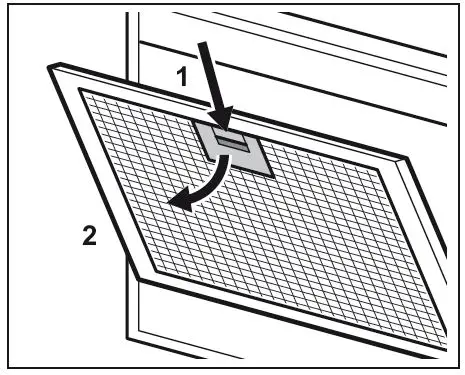
- Press the handle of the mounting clip on the filter panel underneath the hood (1

- Slightly tilt the front of the filter downwards (2), then pull. Repeat the first two steps for all filters.
- To install a new filter, perform the same steps in reverse order. In any case, it is necessary to replace the filters at least every four months.
Replacing the lamp
This appliance is supplied with a LED lamp. This part can be replaced by a technician only. In case of any malfunction refer to “Service” in the “Safety Instructions” chapter.
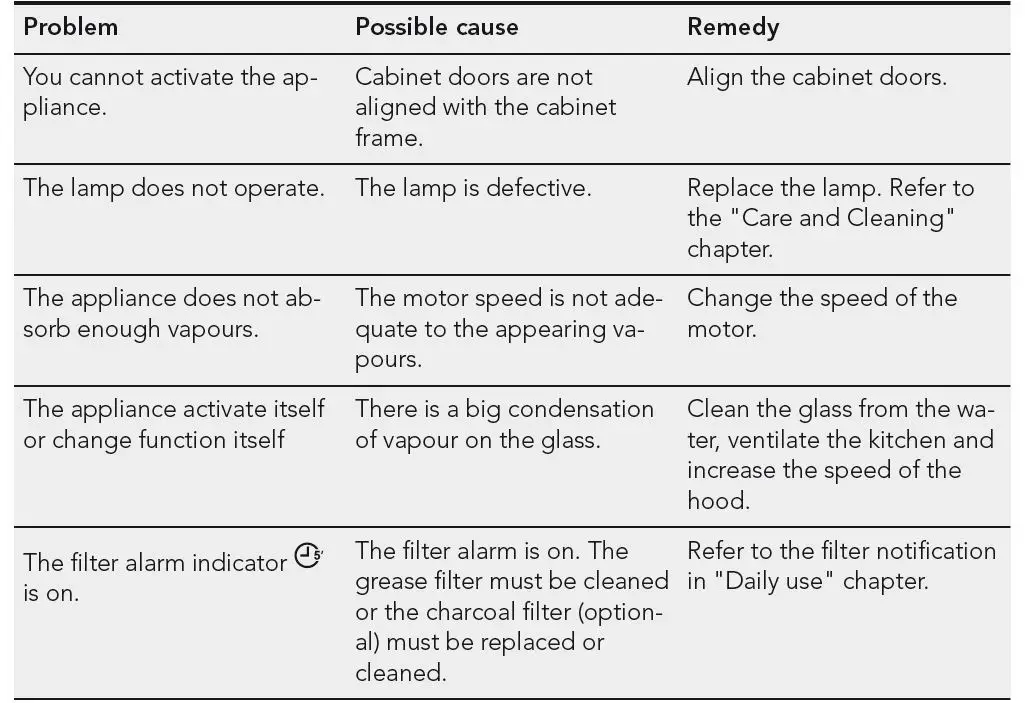
TROUBLESHOOTING
WARNING!
Refer to the Safety chapters
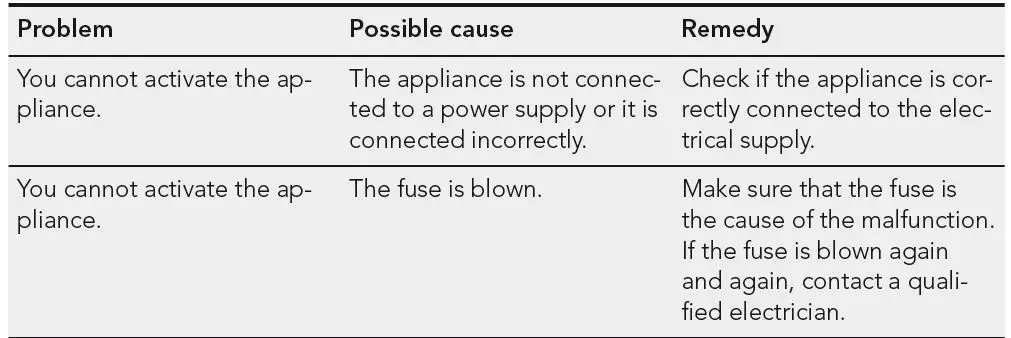
What to do if…
ENVIRONMENTAL CONCERNS
- Recycle materials with the symbol
 . Put the packaging in relevant containers to recycle it. Help protect the environment and human health by recycling waste of electrical and electronic appliances. Do not dispose of
 - appliances marked with the symbol household waste. Return the product to your local recycling facility or contact your municipal.
 . Put the packaging in relevant containers to recycle it. Help protect the environment and human health by recycling waste of electrical and electronic appliances. Do not dispose of