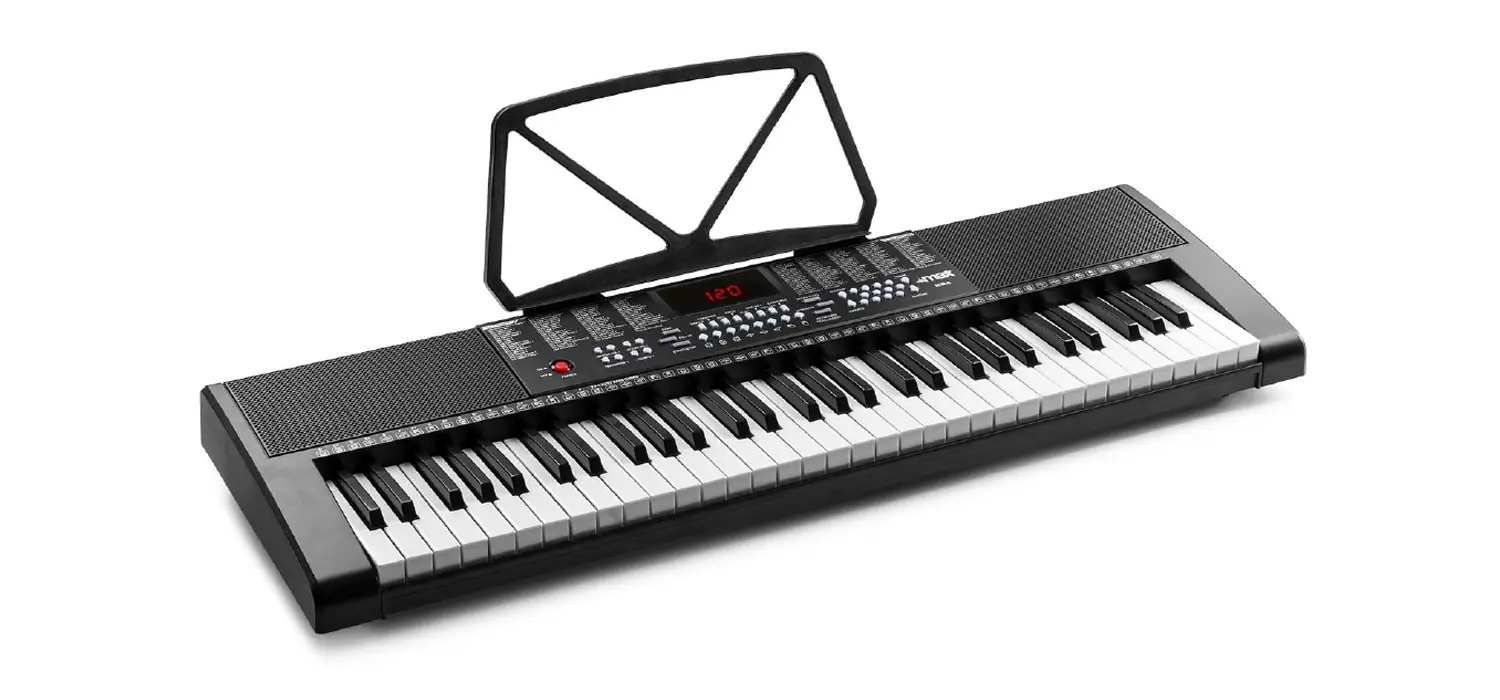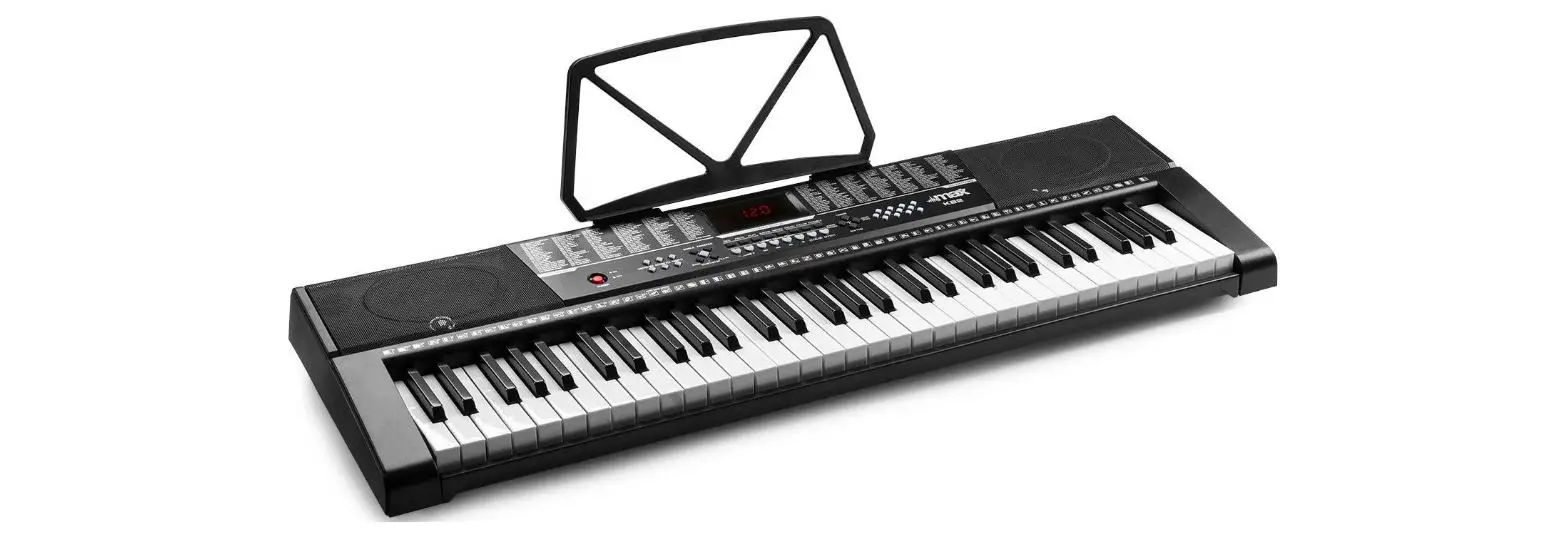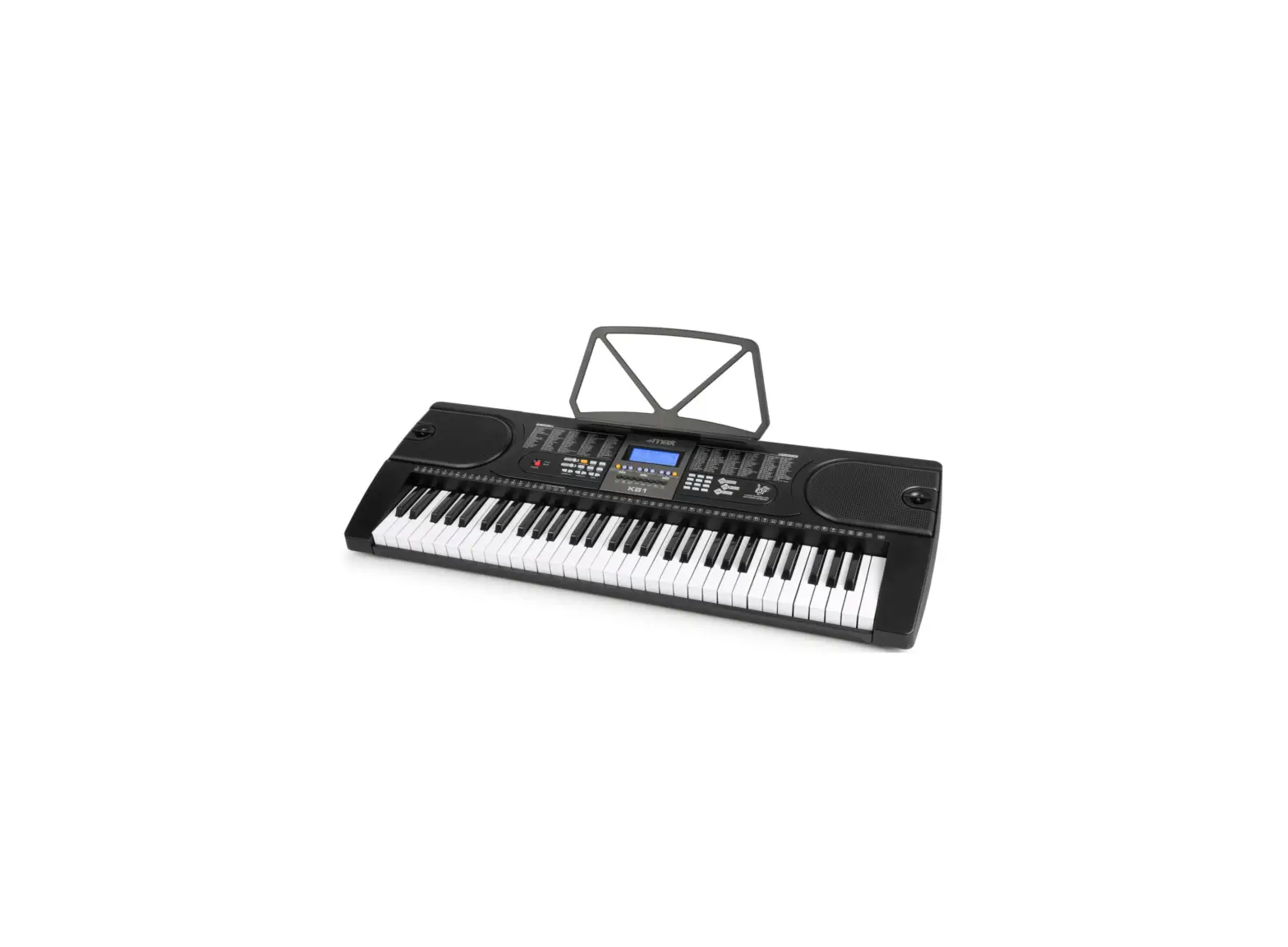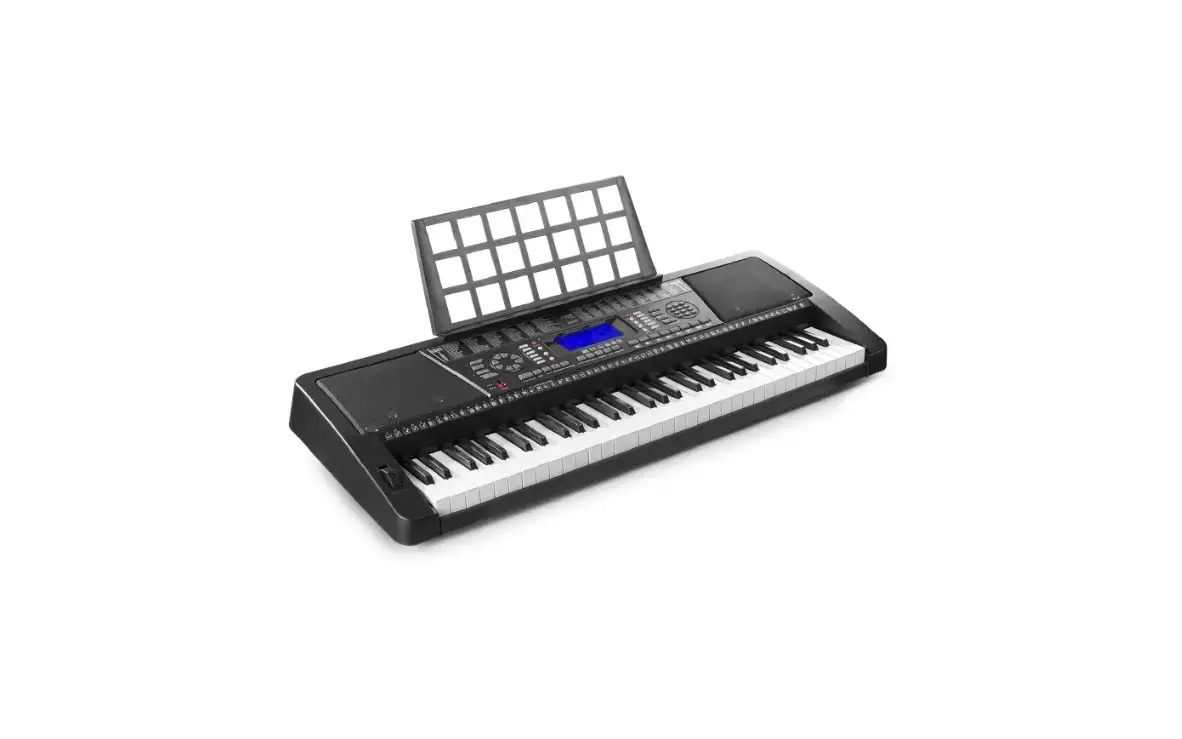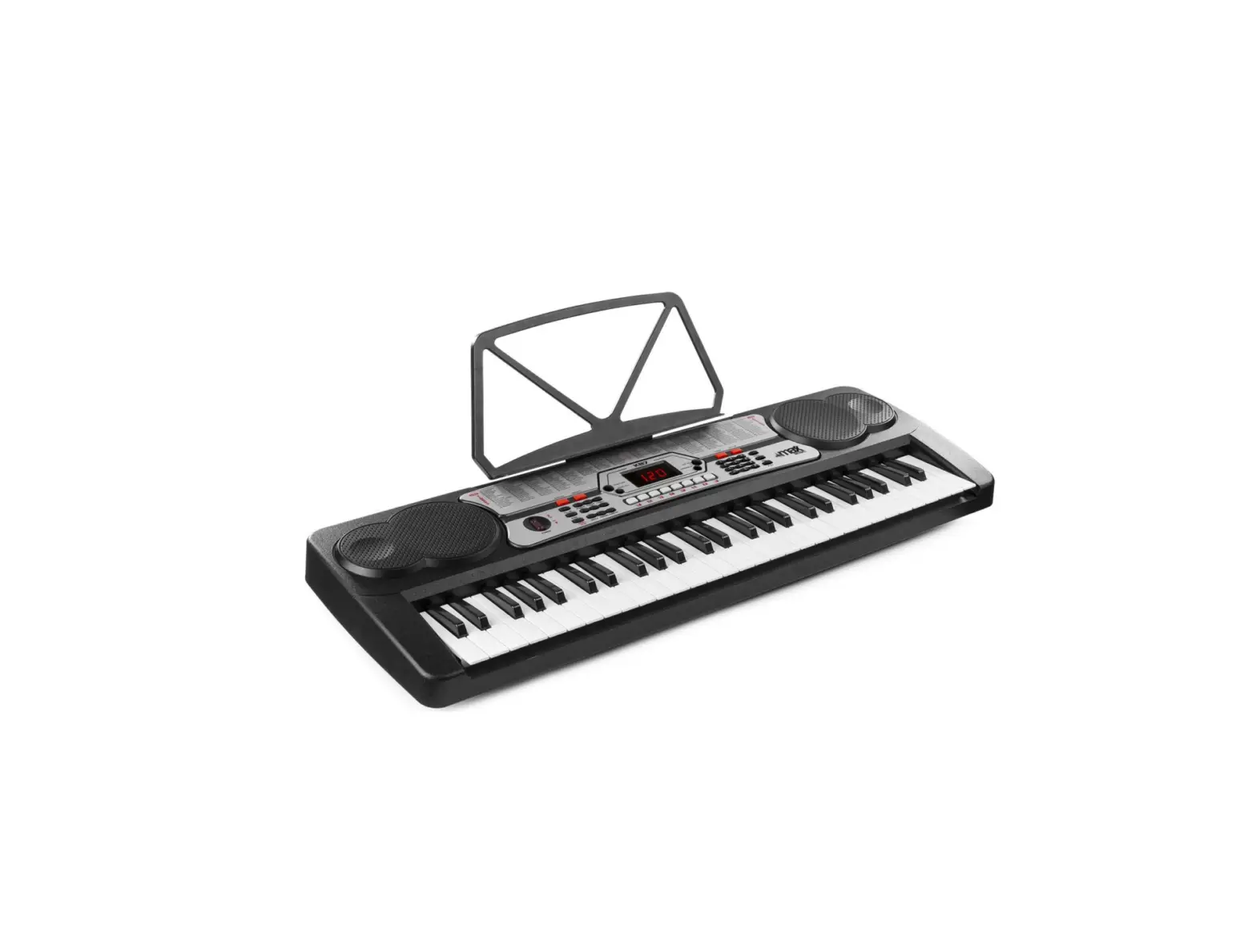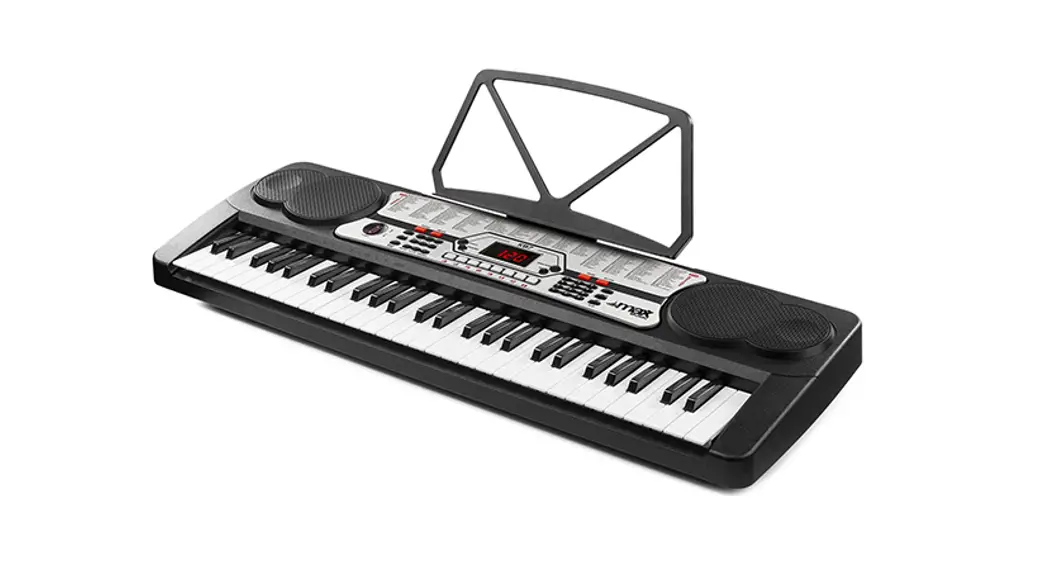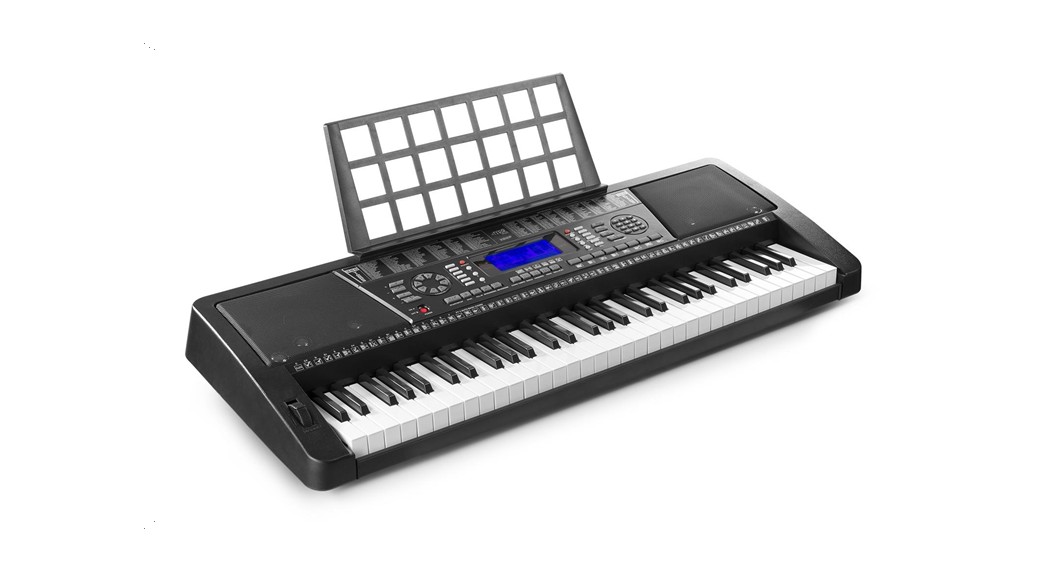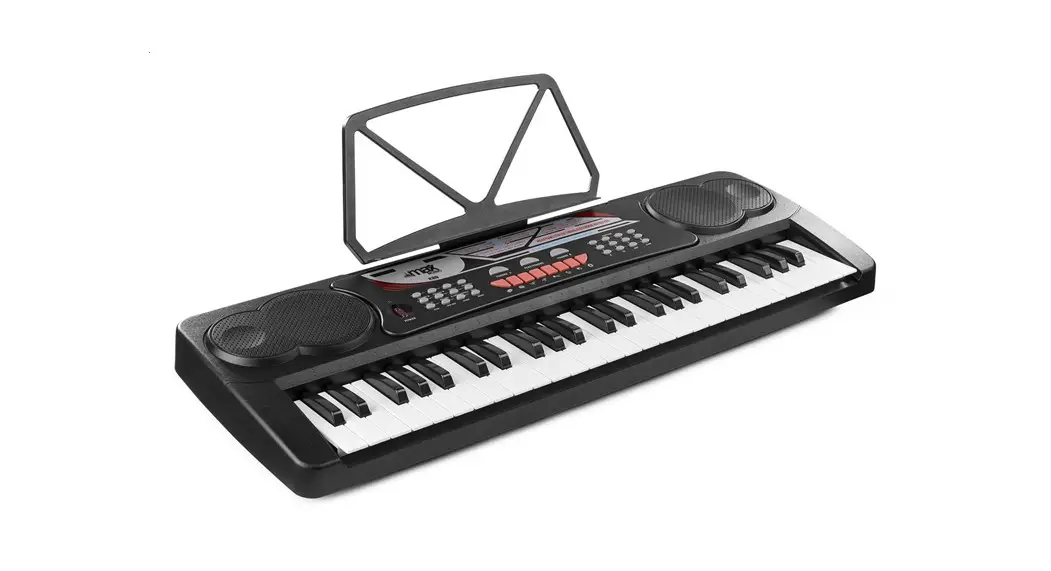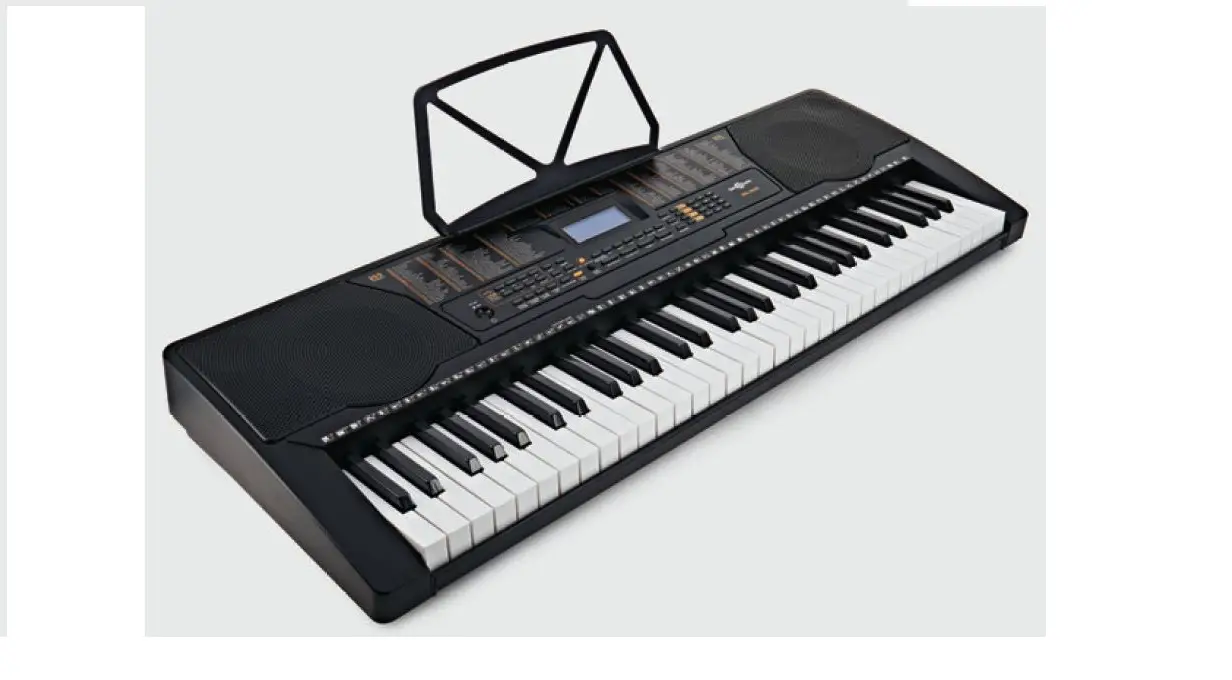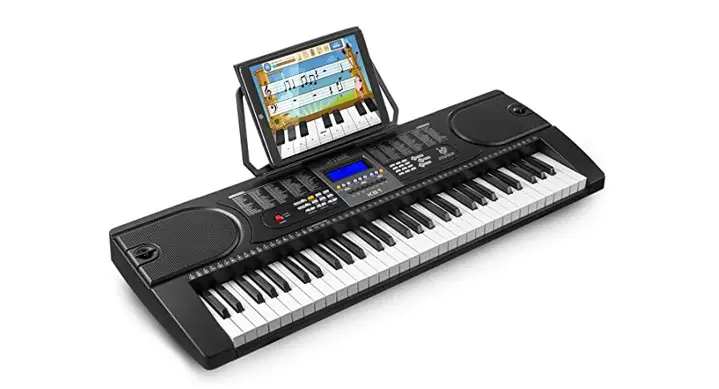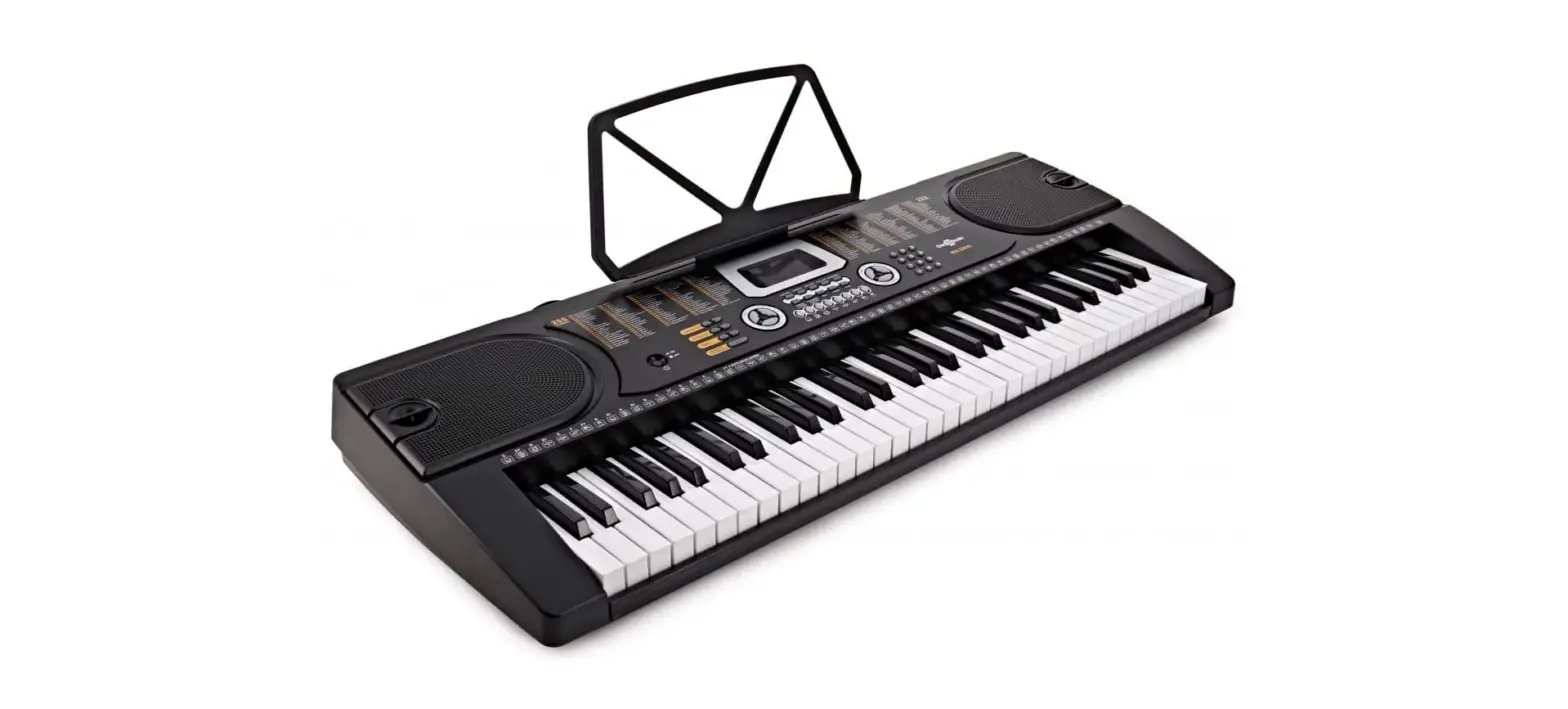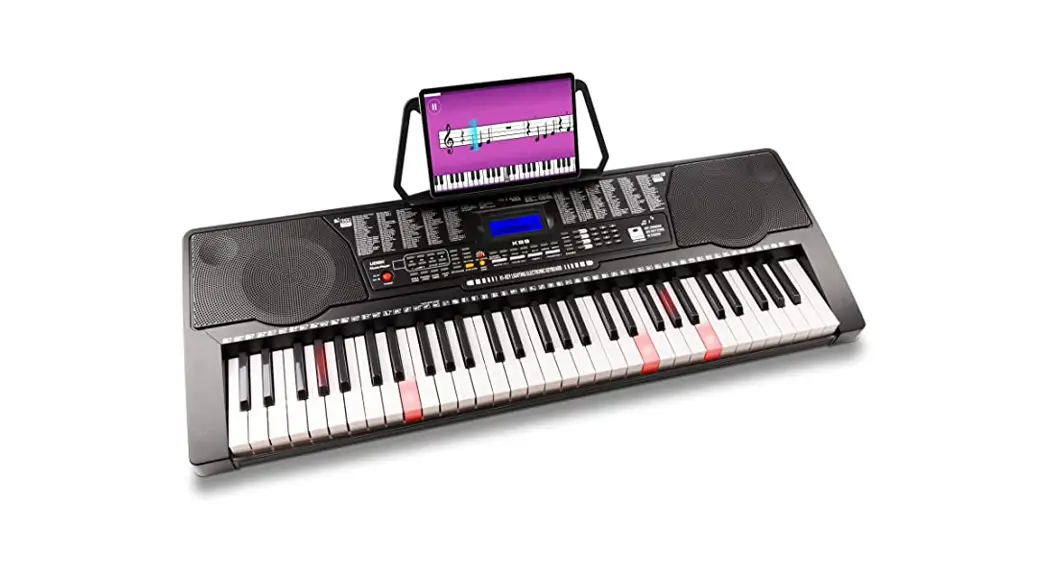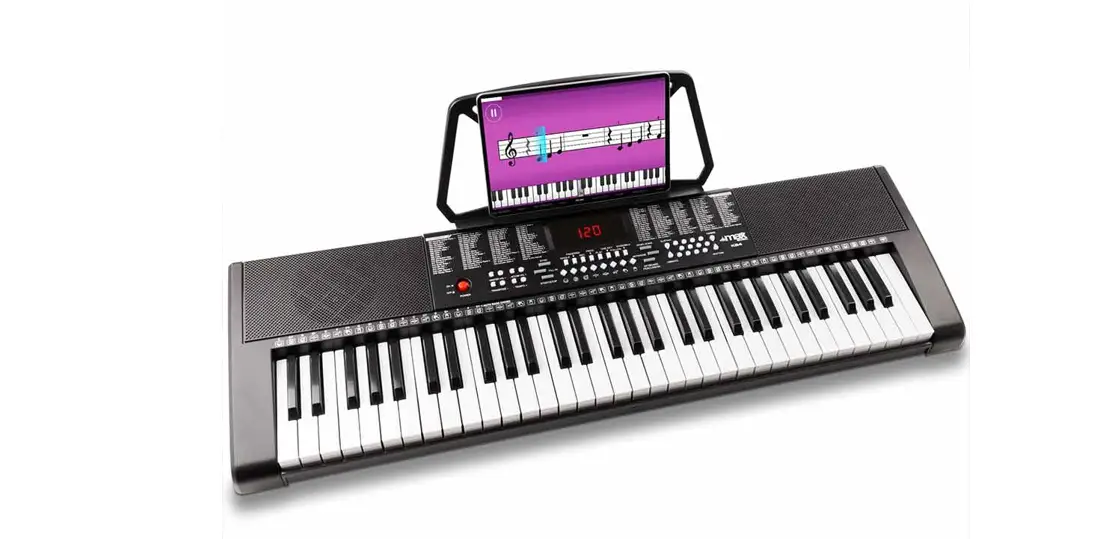

max KB4 61-Key Electronic Keyboard
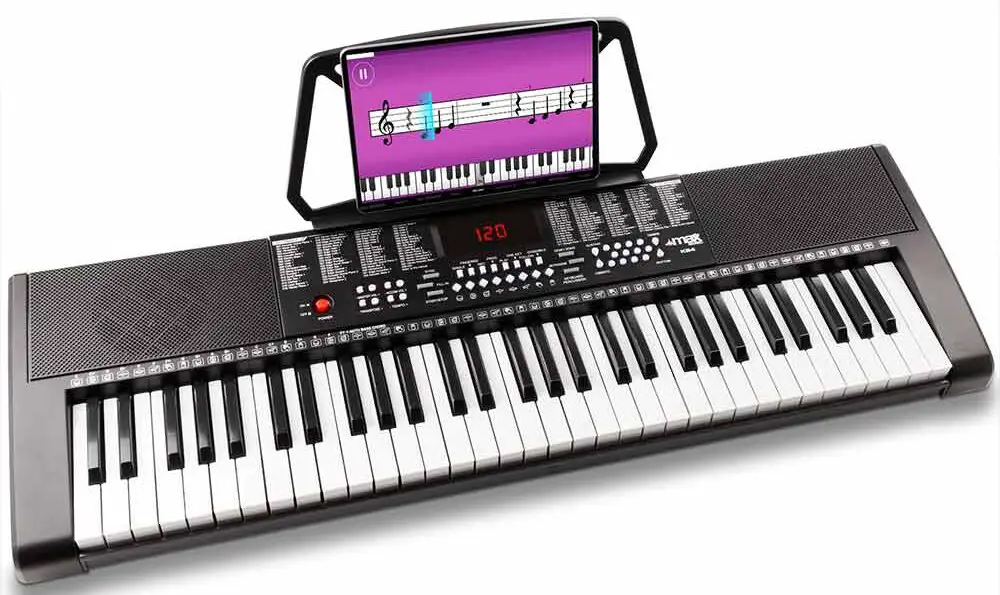
Congratulations to the purchase of this Max Music product. Please read this manual thoroughly prior to using the product in order to benefit fully from all features. Read the manual prior to using the product. Follow the instructions in order not to invalidate the warranty. Take all precautions to avoid fire and/or electrical shock. Repairs must only be carried out by a qualified technician in order to avoid electrical shock. Keep the manual for future reference.
- Prior to using the product, please ask advice from a specialist. When the unit is switched on for the first time, some smell may occur. This is normal and will disappear after a while.
- The unit contains voltage carrying parts. Therefore do NOT open the housing.
- Do not place metal objects or pour liquids into the product. This may cause electrical shock and malfunction.
- Do not place the product near heat sources such as radiators, etc. Do not place the unit on a vibrating surface. Do not cover the ventilation holes.
- The product is not suitable for continuous use.
- Be careful with the mains lead and do not damage it. A faulty or damaged mains lead can cause electrical shock and malfunction.
- When unplugging the product from a mains outlet, always pull the plug, never the lead.
- Do not plug or unplug the unit with wet hands.
- If the plug and/or the mains lead are damaged, they need to be replaced by a qualified technician.
- If the product is damaged to such an extent that internal parts are visible, do NOT plug the unit into a mains outlet and DO NOT switch the product on. Contact your dealer. Do NOT connect the product to a rheostat or dimmer.
- To avoid fire and shock hazard, do not expose the product to rain and moisture.
- All repairs should be carried out by a qualified technician only.
- Connect the product to an earthed mains outlet (220-240Vac/50Hz) protected by a 10-16A fuse.
- During a thunderstorm or if the product will not be used for a longer period of time, unplug it from the mains. The rule is: Unplug it from the mains when not in use.
- If the product has not been used for a longer period of time, condensation may occur. Let the unit reach room temperature before you switch it on. Never use the product in humid rooms or outdoors.
- During operation, the housing may become hot.
- To prevent accidents in companies, you must follow the applicable guide lines and follow the instructions.
- Do not repeatedly switch the product on and off. This shortens the life time.
- Keep the unit out of the reach of children. Do not leave the unit unattended.
- Do not use cleaning sprays to clean switches. The residues of these sprays cause deposits of dust and grease. In case of malfunction, always seek advice from a specialist.
- Only operate the product with clean hands.
- Do not force the controls.
- If the product has fallen, always have it checked by a qualified technician before you switch the product on again.
- Do not use chemicals to clean the unit. They damage the varnish. Only clean the product with a dry cloth.
- Keep away from electronic equipment that may cause interference.
- Only use original spares for repairs, otherwise serious damage and/or dangerous radiation may occur.
- Switch the product off prior to unplugging it from the mains and/or other equipment. Unplug all leads and cables prior to moving the product.
- Make sure that the mains lead cannot be damaged when people walk on it. Check the mains lead before every use for damages and faults!
- The mains voltage is 220-240Vac/50Hz. Check if power outlet match. If you travel, make sure that the mains voltage of the country is suitable for this product.
- Keep the original packing material so that you can transport the product in safe conditions
- This mark attracts the attention of the user to high voltages that are present inside the housing and that are of sufficient magnitude to cause a shock hazard.
- This mark attracts the attention of the user to important instructions that are contained in the manual and that he should read and adhere to.
- The product has been certified CE. It is prohibited to make any changes to the product. They would invalidate the CE certificate and their guarantee!
NOTE: To make sure that the unit will function normally, it must be used in rooms with a temperature between 5°C/41°F and 35°C/95°F.
Electric products must not be put into household waste. Please bring them to a recycling centre. Ask your local authorities or your dealer about the way to proceed. The specifications are typical. The actual values can slightly change from one unit to the other. Specifications can be changed without prior notice. - Do not attempt to make any repairs yourself. This would invalid your warranty
- . Do not make any changes to the product. This would also invalid your warranty.
- The warranty is not applicable in case of accidents or damages caused by inappropriate use or disrespect of the warnings contained in this manual. Max cannot be held responsible for personal injuries caused by a disrespect of the safety recommendations and warnings.
- This is also applicable to all damages in whatever form.
UNPACKING INSTRUCTION
CAUTION! Immediately upon receiving the product, carefully unpack the carton, check the contents to ensure that all parts are present and have been received in good condition. Notify the shipper immediately and retain packing material for inspection if any parts appear damaged from shipping or the package itself shows signs of mishandling. Save the package and all packing materials. If the product must be returned to the factory, it is important that the product is returned in the original factory box and packing.
If the device has been exposed to drastic temperature fluctuation (e.g. after transportation), do not switch it on immediately. The arising condensation water might damage your device. Leave the device switched off until it has reached room temperature.
Supplied contents:
- MAX Music KB4 keyboard
- Power supply
- Music sheet stand
POWERSUPPLY
The label on the bottom of the product indicates to what type of power supply the product must be connected. Check that the mains voltage corresponds to this, all other voltages may cause irreparable damage. The product must also be directly connected to the mains, no dimmer or adjustable power supply.
Always connect the device to a protected circuit (circuit breaker or fuse). Make sure the device has an appropriate electrical ground to avoid the risk of electrocution or fire.
CONTROLS
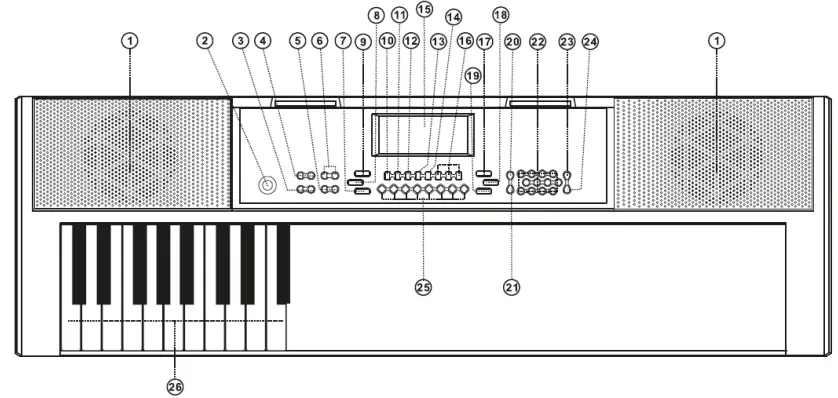
- SPEAKERS
Loudspeakers to reproduce the sound of the music played. Sound level is determined on the basis of the volume setting. - POWER ON/OFF
Switch to turn the keyboard on or off. - TRANSPOSE
Press [Transpose +] or [Transpose -] to transpose the tone of the notes. The transpose may be adjusted from “-6” to “+6”. Pressing the two buttons simultaneously resets transpose to the default value. - MASTER VOLUME
Press [Master Vol +] or [Master Vol -] to raise or lower the master volume. Press both simultaneously to reset to default value. - TEMPO
Press [Tempo +] or [Tempo -] to increase or decrease the tempo. Press the two buttons simultaneously may reset to the default value. - ACCOM VOLUME
Press [Accomp Vol +] or [Accomp Vol -] to raise or lower the accomp volume. Press both simultaneously to reset to default value. - START/STOP
Press to start or stop playing selected program. - FILL-IN
Press the [FILL-IN] button to add an interlude to the rhythm. The fill played is determined by accompaniment rhythm selected. After the fill, the selected accompaniment rhythm will continue playing. The Fill In function can be used as often as desired. - SYNC
When in rhythm mode, press [SYNC]. “Syn” will show on the display. Play any key in the chord key zone (the 1st-19th key, from left) to activate the accomp rhythm. - SINGLE CHORD
Under the state that the rhythm is activated, press [SINGLE]. After “Sin” shows on the display, you can play a single chord on the keys in the chord zone of the keyboard. Press [SINGLE] again, “OFF” will appear on the display. The single chord function will be disenabled. - FINGERED CHORD
In this mode, you play the individual notes of the chord in your left hand. Under the state that the rhythm is activated, press [FINGERED]. After the “Fin” shows on the display, you can play a fingered chord on the keys in the chord zone of the keyboard. Press [FINGERED] again, “OFF” will appear on the display. The fingered chord function will be disenabled. - RECORD
Press [REC] to enable the recording function, “rEC” will show on the display. In this mode all played notes will be recorded. When storage is full, “FUL” will appear on the display and recording will stop automatically. Press [PLAY] to playback the recorded notes, “PLy” will show on the screen. On completion of playback, “REC” will show on the display. You can record a new rhythm, or you can press [PLAY] to playback the recorded rhythm. - PROGRAM
Press [PROG] to enable the rhythm programming function, “Prg” will show on the display and the keyboard percussion function will be activated. 32 Percussions can be programmed at maximum, after that “FUL” will appear on the display and programming will stop automatically. Press [PLAY] to playback the programming rhythm. Press [START/STOP] or press
[PROG] again to disenable the programming function. All recorded rhythms will be removed. - PLAY
Press to playback recorded notes or rhythms. - LED DISPLAY
Displays current mode, notes to play, rhythm, tempo, etc. - ONE-KEY TRAINING
Press [One Key] to enable the single key training function. Press “+”/“-” button to select the song to be learned. One key training aims at duration learning, and there is no requirement on pitch or creativeness. This mode allows for mistakes when playing the keys, but the keyboard still plays correct notes and the display will show the correct notes. After one song is finished, repeat the current song to be learned. Press [START/STOP] or press the [One Key] button to disenable the training function. - FOLLOW TRAINING
Press [Follow] to enable the follow function. Press “+”/“-” button to select the song to be learned. With Follow training, you can learn by following the correct playing notes. The program will wait for you to play the correct note before it moves to the next one. Notes: In this mode, the Keyboard plays only the correct notes and gives no response to the wrong notes. Press [START/STOP] or press [Follow] to disenable the training function. - ENSEMBLE TRAINING
Press [Ensemble] to enable the ensemble function. Press “+”/“-” button to select the song to be learned. The Ensemble training aims at the correct and comprehensive learning of the song duration and notes. The keynote will be shielded for ensemble and you need to play the correct note according to the correct duration of the song. If you fail to play within 3 seconds, the keyboard will automatically play the correct note. After one song is finished, repeat the current song to be learned. Press the [START/STOP] button or press [Ensemble] to disenable the training function. - DEMO SONG
This keyboard has 24 stored demo songs (“000” to “023”) for your selection. Press [DEMO SONG] and the demo songs will start to play in order. During playing process, press [DEMO SONG] to play the next demonstration song. Press
[START/STOP] to stop playing. During the playing process, you can also press the num pad buttons or the “+”/”-” buttons to select other demonstration songs. The selected demonstration song will then play repeatedly. - METRONOME
There are 4 kinds of metronomes stored on the keyboard: 1/4 beat, 2/4 beat, 3/4 beat and 4/4 beat. Press [Metronome] once to set the rhythm at 1/4 beat, twice for 2/4 beat, etc. press for fifth time to cancel function. - KEYBOARD PERCUSSION
This Keyboard provides 61 kinds of keyboard percussions. Press [Percussion] to turn the keyboard into percussion keyboard, and each key corresponds to one percussion instrument. Press this button again to disenable the keyboard percussion function. - SUSTAIN
Press [Sustain] and the sustain effect will be activated. Press this button again and the sustain effect will be disenabled. - VIBRATO
Press the [Vibrato] and the vibrato effect will be activated. Press this button again and the vibrato effect will be disenabled. - NUM PAD
Numeric keys to enter an accurate value. - TIMBRE
Press [TIMBRE] to enable the tone selection function. This keyboard provides 255 timbres (“000” to “254”) for your selection. The Tone is defaulted to be “000”, and it can be adjusted by pressing the corresponding number buttons or pressing the “+” /“-”button. - RHYTHM
Rhythm selection:
This Keyboard provides 255 rhythms (“000” to “254”) for your selection. The rhythm is defaulted to be “000”. Press
[Rhythm] to initiate the rhythm selection function. Press the numeric keys or the “+”/“-” buttons to select other rhythms. Rhythm enabling:
Press [START/STOP] to start accomp rhythm. While in enable state: Press [SYNC], “Syn” will show on the display. Play any key in the chord key zone (1st-19th key from left). The accomp rhythm will be activated. Press [START/STOP] to stop the accomp rhythm.
Interlude:
After the accomp rhythm is activated, press [FILL-IN] to have a temporary rhythm play during the accomp rhythm. - PERCUSSIONS
This Keyboard provides 8 kinds of panel percussions. Press one of eight to play the corresponding percussion. Percussion instruments can be added to enhance the atmosphere as required. - CHORD ZONE
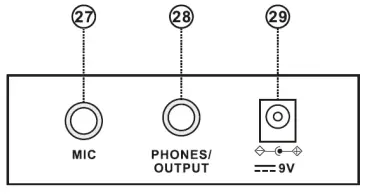
Chord key zone (1st-19th key from left).CONNECTIONS
- MICROPHONE INPUT
Connect a microphone to the MIC port to sing while playing the keyboard. - HEADPHONES/OUTPUT
When connecting headphones to the PHONES/OUTPUT port, the loudspeaker will be disenabled automatically. You can perform without disturbing others and other disturbing you. - DC 9V INPUT
Socket for plugging in the supplied power adapter.
AUTO RHYTHM
- Rhythm selection
This Keyboard provides 255 rhythms (“000” to “254”) for your selection. The rhythm is defaulted to be “000”. Press [Rhythm] to initiate the rhythm selection function. Press the numeric keys or the “+”/“-” buttons to select other rhythms. - Rhythm control
- Rhythm enabling
Press [START/STOP] to start accomp rhythm. While in enable state: Press [Sync], “SYN” will show on the display. Play any key in the chord key zone (1st-19th key from left). The accomp rhythm will be activated. - Interlude
After the accomp rhythm is activated, press [FILL-IN] to have a temporary rhythm play during the accomp rhythm. - Stop rhythm
Press [START/STOP] to stop the accomp rhythm. - Tempo adjustment
Press [Tempo +] or [Tempo -] to increase or decrease the tempo. Press the two buttons simultaneously may reset to the default value of 120 tempo/min.
- Rhythm enabling
EFFECT CONTROL
- Sustain function
Press [SUSTAIN] and the sustain effect will be activated. Press this button again and the sustain effect will be disenabled. - Vibrato function
Press the [VIBRATO] and the vibrato effect will be activated. Press this button again and the vibrato effect will be disenabled.
RECORDING AND RHYTHM PROGRAMMING
- Recording
Press [REC] to enable the recording function, “rEC” will show on the display. In this mode all played notes will be recorded. When storage is full, “FUL” will flash on the display and recording will stop automatically. Press [PLAY] to playback the recorded notes, “PLA” will show on the screen. On completion of playback, “rEC” will show on the display. You can record a new rhythm, or you can press [PLAY] to playback the recorded rhythm. - Rhythm programming
Press [PROG] to enable the rhythm programming function, “Prg” will show on the display and the keyboard percussion function will be activated. 32 Percussions can be programmed at maximum, after that “FUL” will appear on the display and programming will stop automatically. Press [PLAY] to playback the programming rhythm. Press [START/STOP] or press [PROG] again to disenable the programming function. All recorded rhythms will be removed.
TRAINING METHODS
- Training I: One key
Press [ONE KEY] to enable the single key training function. Press “+”/“-” button to select the song to be learned. One key training aims at duration learning, and there is no requirement on pitch or creativeness. This mode allows for mistakes when playing the keys, but the keyboard still plays correct notes and the display will show the correct notes. After one song is finished, repeat the current song to be learned. Press [START/STOP] or press the [ONE KEY] button to disenable the training function. - Training II: Follow
Press [FOLLOW] to enable the follow function. Press “+”/“-” button to select the song to be learned. With Follow training, you can learn by following the correct playing notes. The program will wait for you to play the correct note before it moves to the next one. Notes: In this mode, the Keyboard plays only the correct notes and gives no response to the wrong notes. Press
[START/STOP] or press [FOLLOW] to disenable the training function. - Training III: Ensemble
Press [ENSEMBLE] to enable the ensemble function. Press “+”/“-” button to select the song to be learned. The Ensemble training aims at the correct and comprehensive learning of the song duration and notes. The keynote will be shielded for ensemble and you need to play the correct note according to the correct duration of the song. If you fail to play within 3 seconds, the keyboard will automatically play the correct note. After one song is finished, repeat the current song to be learned. Press the [START/STOP] button or press [ENSEMBLE] to disenable the training function.
RECOMMENDED TRAINING APPS / GAMES
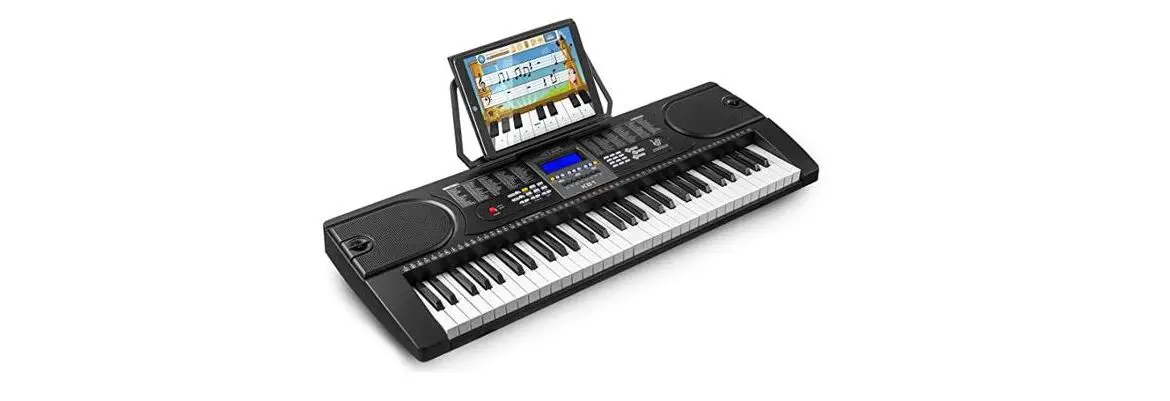
MAX highly recommends the below apps to support you on your journey of piano exploration. It has never been this easy to dip your toes in the deep and majestic waters of playing the piano. Train yourself from novice to king of the keys with help from PIANO DUST BUSTER, PIANO MAESTRO and SIMPLY PIANO.
Please note: downloading the below apps is free of charge. Expanding the apps with more training, songs and other additives might involve costs.
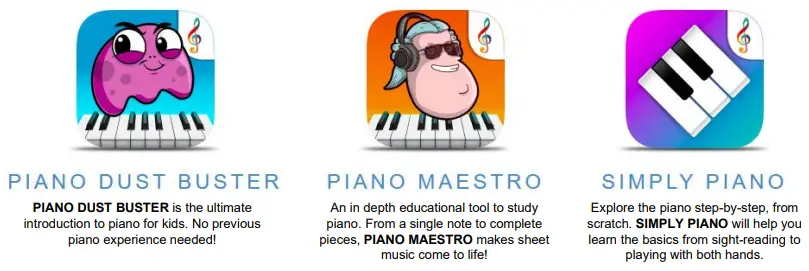
PIANO DUST BUSTER
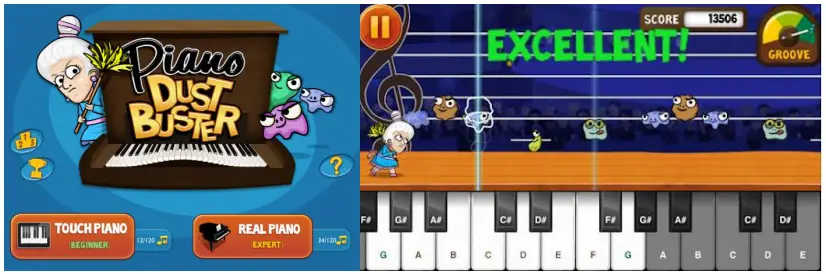
Help granny dusting off her piano while collecting points and bonuses. Piano Dust Buster is a great tool to get excited about playing your piano and improving your skills. Piano Dust Buster is an ultimate introduction to piano, no previous piano experience needed. You have the option to begin practicing reading notation, compete against other players or challenge yourself to hundreds of songs ranging from Beethoven to Adele. (*IOS compatible only!)
PIANO MAESTRO
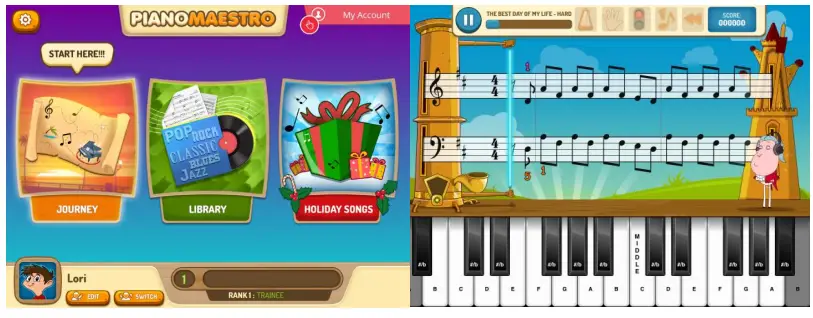
#1 ranked Education App. An in depth educational tool for beginning to study piano. PIANO MAESTRO helps practicing and learning sight reading, rhythm, technique, playing with both hands and much more!
In addition you will
Progress up in chapters, unlock new songs and raise the difficulty level along the way. Learn to play songs step by step and have access to practice options. You’re able to personalize your learning experience.
Piano Method Books Included
Learn songs from some of the most well-known and beloved piano method books used today. A digital way to compliment the use of your favorite method book, all books can be found in the Library in the ‘Methods’ section. (*IOS-IPAD compatible only!)
SIMPLY PIANO (IOS and ANDROID COMPATIBLE)
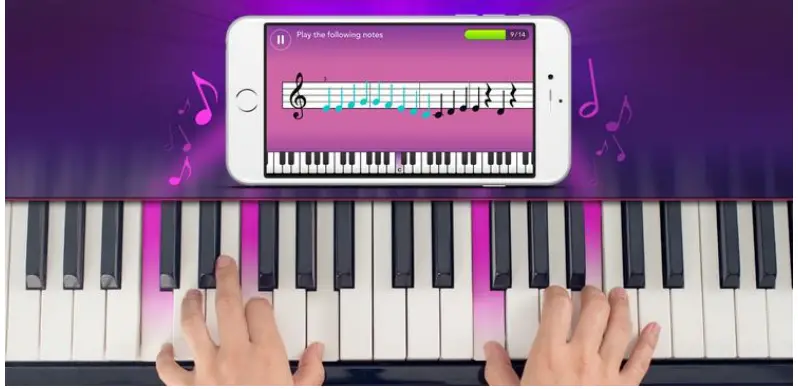
Whether you’re a complete beginner or want to learn piano on your own, SIMPLY PIANO will guide you to become the piano player you always wanted to be. Just place your IOS or Android device on your piano and play. Your device will immediately recognize what you are playing!
- Learn the piano basics from sight-reading to playing with both hands
- Tons of fun songs ranging from classical to top-charting hits
- Listens to how you play, giving you instant feedback to quickly learn and improve your skills
- Courses for different tastes and levels including pop chords, essentials, blues and more
(* Compatible with both IOS and ANDROID devices)
APPENDIX I TIMBRE TABLE
| 000 | Acoustic Grand Piano 1 | 067 | Vibrato Accordion 1 | 134 | Edge Violin 6 | ||
| 001 | Music Box 1 | 068 | Vibrato Acoustic Bass 1 | 135 | Edge Viola 6 | ||
| 002 | Vibraphone 1 | 069 | Electric Bass 5 | 136 | Edge Cello 7 | ||
| 003 | Accordion 1 | 070 | Edge Violin 3 | 137 | Harp 8 | ||
| 004 | Acoustic Bass 1 | 071 | Edge Viola 3 | 138 | Edge String 5 | ||
| 005 | Electric Bass 1 | 072 | Edge Cello 3 | 139 | Edge Trumpet 5 | ||
| 006 | Violin 1 | 073 | Harp 4 | 140 | Edge Synth Brass 3 | ||
| 007 | Viola 1 | 074 | String Ensemble 2 | 141 | Alto Sax 7 | ||
| 008 | Cello 1 | 075 | Trumpet 2 | 142 | Clarinet 7 | ||
| 009 | Orchestral Harp | 076 | Synth Brass 4 | 143 | Lead Square 6 | ||
| 010 | String Ensemble 1 | 077 | Alto Sax 3 | 144 | Long Piano 2 | ||
| 011 | Trumpet 1 | 078 | Clarinet 3 | 145 | Vibrato Music Box 5 | ||
| 012 | Synth Brass 1 | 079 | Edge Square 3 | 146 | Vibrato Vibraphone 4 | ||
| 013 | Alto Sax 1 | 080 | Long Piano 1 | 147 | Vibrato Accordion 3 | ||
| 014 | Clarinet 1 | 081 | Long Music Box 1 | 148 | Acoustic Bass 6 | ||
| 015 | Lead Square 1 | 082 | Long Vibraphone 1 | 149 | Electric Bass 7 | ||
| 016 | Vibrato Piano 1 | 083 | Accordion 2 | 150 | Edge Violin 7 | ||
| 017 | Vibrato Music Box 1 | 084 | Vibrato Acoustic Bass 2 | 151 | Edge Viola 7 | ||
| 018 | Vibrato Vibraphone 1 | 085 | Vibrato E-Bass 1 | 152 | Edge Cello 8 | ||
| 019 | Edge Accordion 1 | 086 | Edge Violin 4 | 153 | Long Harp 1 | ||
| 020 | Acoustic Bass 2 | 087 | Edge Viola 4 | 154 | String Ensemble 5 | ||
| 021 | Electric Bass 2 | 088 | Edge Cello 4 | 155 | Edge Trumpet 6 | ||
| 022 | Edge Violin 1 | 089 | Harp 5 | 156 | Edge Synth Brass 4 | ||
| 023 | Edge Viola 1 | 090 | String Ensemble 3 | 157 | Edge Sax 3 | ||
| 024 | Edge Cello 1 | 091 | Trumpet 3 | 158 | Edge Clarinet 3 | ||
| 025 | Harp 1 | 092 | Synth Brass 5 | 159 | Edge Square 4 | ||
| 026 | Edge String 1 | 093 | Alto Sax 4 | 160 | Acoustic Grand Piano 5 | ||
| 027 | Edge Trumpet 1 | 094 | Clarinet 4 | 161 | Vibrato Music Box 6 | ||
| 028 | Edge Synth Brass 1 | 095 | Lead Square 3 | 162 | Vibrato Vibraphone 5 | ||
| 029 | Edge Sax 1 | 096 | Vibrato Piano 3 | 163 | Edge Accordion 6 | ||
| 030 | Edge Clarinet 1 | 097 | Vibrato Music Box 3 | 164 | Acoustic Bass 7 | ||
| 031 | Edge Square 1 | 098 | Vibrato Vibraphone 3 | 165 | Long E-Bass 2 | ||
| 032 | Acoustic Grand Piano 2 | 099 | Vibrato Accordion 2 | 166 | Violin 4 | ||
| 033 | Music Box 2 | 100 | Long Acoustic Bass 1 | 167 | Viola 4 | ||
| 034 | Vibraphone 2 | 101 | Vibrato E-Bass 2 | 168 | Cello 3 | ||
| 035 | Edge Accordion 2 | 102 | Edge Violin 5 | 169 | Long Harp 2 | ||
| 036 | Acoustic Bass 3 | 103 | Edge Viola 5 | 170 | String Ensemble 6 | ||
| 037 | Electric Bass 3 | 104 | Edge Cello 5 | 171 | Edge Trumpet 7 | ||
| 038 | Edge Violin 2 | 105 | Harp 6 | 172 | Synth Brass 7 | ||
| 039 | Edge Viola 2 | 106 | String Ensemble 4 | 173 | Alto Sax 8 | ||
| 040 | Edge Cello 2 | 107 | Trumpet 4 | 174 | Clarinet 8 | ||
| 041 | Harp 2 | 108 | Synth Brass 6 | 175 | Lead Square 7 | ||
| 042 | Edge String 2 | 109 | Alto Sax 5 | 176 | Long Piano 3 | ||
| 043 | Edge Trumpet 2 | 110 | Clarinet 5 | 177 | Long Music Box 2 | ||
| 044 | Synth Brass 2 | 111 | Lead Square 4 | 178 | Vibrato Vibraphone 6 | ||
| 045 | Edge Sax 2 | 112 | Vibrato Piano 4 | 179 | Vibrato Accordion 4 | ||
| 046 | Edge Clarinet 2 | 113 | Vibrato Music Box 4 | 180 | Vibrato Acoustic Bass 3 | ||
| 047 | Edge Square 2 | 114 | Vibraphone 4 | 181 | Vibrato E-Bass 3 | ||
| 048 | Acoustic Grand Piano 3 | 115 | Edge Accordion 4 | 182 | Violin 5 | ||
| 049 | Music Box 3 | 116 | Long Acoustic Bass 2 | 183 | Viola 5 | ||
| 050 | Vibraphone 3 | 117 | Long E-Bass 1 | 184 | Cello 4 | ||
| 051 | Edge Accordion 3 | 118 | Violin 3 | 185 | Long Harp 3 | ||
| 052 | Acoustic Bass 4 | 119 | Viola 3 | 186 | String Ensemble 7 | ||
| 053 | Electric Bass 4 | 120 | Edge Cello 6 | 187 | Trumpet 5 | ||
| 054 | Violin 2 | 121 | Harp 7 | 188 | Synth Brass 8 | ||
| 055 | Viola 2 | 122 | Edge String 4 | 189 | Alto Sax 9 | ||
| 056 | Cello 2 | 123 | Edge Trumpet 4 | 190 | Clarinet 9 | ||
| 057 | Harp 3 | 124 | Edge Synth Brass 2 | 191 | Lead Square 8 | ||
| 058 | Edge String 3 | 125 | Alto Sax 6 | 192 | Acoustic Grand Piano 6 | ||
| 059 | Edge Trumpet 3 | 126 | Clarinet 6 | 193 | Music Box 5 | ||
| 060 | Synth Brass 3 | 127 | Lead Square 5 | 194 | Vibraphone 6 | ||
| 061 | Alto Sax 2 | 128 | Acoustic Grand Piano 4 | 195 | Edge Accordion 7 | ||
| 062 | Clarinet 2 | 129 | Music Box 4 | 196 | Acoustic Bass 8 | ||
| 063 | Lead Square 2 | 130 | Vibraphone 5 | 197 | Electric Bass 8 | ||
| 064 | Vibrato Piano 2 | 131 | Edge Accordion 5 | 198 | Edge Violin 8 | ||
| 065 | Vibrato Music Box 2 | 132 | Acoustic Bass 5 | 199 | Edge Viola 8 | ||
| 066 | Vibrato Vibraphone 2 | 133 | Electric Bass 6 | 200 | Cello 5 |
| 201 | Long Harp 4 |
| 202 | String Ensemble 8 |
| 203 | Trumpet 6 |
| 204 | Synth Brass 9 |
| 205 | Alto Sax 10 |
| 206 | Clarinet 10 |
| 207 | Lead Square 9 |
| 208 | Long Piano 4 |
| 209 | Long Music Box 3 |
| 210 | Long Vibraphone 2 |
| 211 | Accordion 3 |
| 212 | Acoustic Bass 9 |
| 213 | Long E-Bass 3 |
| 214 | Violin 6 |
| 215 | Viola 6 |
| 216 | Cello 6 |
| 217 | Long Harp 5 |
| 218 | String Ensemble 9 |
| 219 | Edge Trumpet 8 |
| 220 | Edge Synth Brass 5 |
| 221 | Alto Sax 11 |
| 222 | Clarinet 11 |
| 223 | Edge Square 5 |
| 224 | Acoustic Grand Piano 7 |
| 225 | Music Box 6 |
| 226 | Vibraphone 7 |
| 227 | Edge Accordion 8 |
| 228 | Acoustic Bass 10 |
| 229 | Long E-Bass 4 |
| 230 | Violin 7 |
| 231 | Edge Viola 9 |
| 232 | Edge Cello 9 |
| 233 | Harp 9 |
| 234 | Edge String 6 |
| 235 | Edge Trumpet 9 |
| 236 | Synth Brass 10 |
| 237 | Alto Sax 12 |
| 238 | Clarinet 12 |
| 239 | Lead Square 10 |
| 240 | Long Piano 5 |
| 241 | Long Music Box 4 |
| 242 | Long Vibraphone 3 |
| 243 | Edge Accordion 9 |
| 244 | Acoustic Bass 11 |
| 245 | Electric Bass 9 |
| 246 | Edge Violin 9 |
| 247 | Edge Viola 10 |
| 248 | Edge Cello 10 |
| 249 | Harp 10 |
| 250 | Edge String 7 |
| 251 | Edge Trumpet 10 |
| 252 | Edge Synth Brass 6 |
| 253 | Edge Sax 4 |
| 254 | Edge Clarinet 4 |
APPENDIX 2 RHYTHM TABLE
| 000 | Disco | 048 | Pop Waltz | 096 | Jazz Rock 1 | ||
| 001 | Rock & Roll 1 | 049 | UK Pop 1 | 097 | Salsa 1 | ||
| 002 | Rock & Roll 2 | 050 | Club Latin 1 | 098 | Analog Ballad 1 | ||
| 003 | Waltz | 051 | Disco Chocolate 1 | 099 | Show Tune 1 | ||
| 004 | Bossa Nova | 052 | Disco Fox 1 | 100 | China Style | ||
| 005 | Slow Rock 1 | 053 | Disco Funk 1 | 101 | Slow Rock 4 | ||
| 006 | Slow Rock 2 | 054 | Disco Hands 1 | 102 | Slow Rock 5 | ||
| 007 | Slow Rock 3 | 055 | Disco Latin 1 | 103 | Slow Beat | ||
| 008 | Slow Soul 1 | 056 | Disco Party 1 | 104 | 70’s Soul 2 | ||
| 009 | 16 Beat Pop | 057 | Disco Samba 1 | 105 | Straight Rock 2 | ||
| 010 | 8 Beat Pop | 058 | Dixie Jazz 1 | 106 | Techno 3 | ||
| 011 | 8 Beat Soul | 059 | Pop New Age 1 | 107 | Mambo 3 | ||
| 012 | 8 Beat Rock | 060 | UK Pop 2 | 108 | Country 3 | ||
| 013 | Rap Pop | 061 | USA March 1 | 109 | 8 Beat Adria 2 | ||
| 014 | Pop Rock | 062 | Club Dance 1 | 110 | Big Band Shuffle 2 | ||
| 015 | 60’s Soul | 063 | Rumba 1 | 111 | Big Band Middle 3 | ||
| 016 | 70’s Soul 1 | 064 | 8 Beat Modern 1 | 112 | Big Band Middle 4 | ||
| 017 | Straight Rock 1 | 065 | Country Ballad 1 | 113 | Big Band Fast 1 | ||
| 018 | Techno 1 | 066 | Hard Rock 1 | 114 | Big Band Fast 2 | ||
| 019 | Techno 2 | 067 | Hully Gully 1 | 115 | Bolero 2 | ||
| 020 | Funk | 068 | Jive 1 | 116 | Cat Groove 2 | ||
| 021 | Mambo 1 | 069 | Love Song 1 | 117 | Classic Piano 2 | ||
| 022 | Mambo 2 | 070 | Medium Jazz 1 | 118 | Cumbia 2 | ||
| 023 | Country 1 | 071 | Modern Country Pop 1 | 119 | Funky Disco | ||
| 024 | Country 2 | 072 | Modern R&B 1 | 120 | Latin Beat | ||
| 025 | 16 Beat Shuffle | 073 | Pasodoble 1 | 121 | Ober Polka 2 | ||
| 026 | 8 Beat Adria 1 | 074 | Samba 1 | 122 | Unplugged 2 | ||
| 027 | Big Band Shuffle 1 | 075 | Samba 2 | 123 | Saturday Night 2 | ||
| 028 | Big Band Middle 1 | 076 | Schlager Rock 1 | 124 | Pop Ballad 2 | ||
| 029 | Big Band Middle 2 | 077 | Schlager Rock 2 | 125 | Bluegrass 4 | ||
| 030 | Fast Band 1 | 078 | Tarantella 1 | 126 | Bluegrass 5 | ||
| 031 | Fast Band 2 | 079 | Tijuana | 127 | Bluegrass 6 | ||
| 032 | Bolero 1 | 080 | Electro Pop 1 | 128 | Slow Soul 2 | ||
| 033 | Cat Groove 1 | 081 | Fusion 1 | 129 | Bright Pop 1 | ||
| 034 | Classic Piano 1 | 082 | Hip Shuffle | 130 | Club Latin 2 | ||
| 035 | Cumbia 1 | 083 | Limbo Rock 1 | 131 | Disco Chocolate 2 | ||
| 036 | Club Pop | 084 | Acoustic Ballad 1 | 132 | Disco Fox 2 | ||
| 037 | Latin Rock | 085 | Piano Ballad 1 | 133 | Disco Funk 2 | ||
| 038 | Ober Polka 1 | 086 | R&B Ballad 1 | 134 | Disco Hands 2 | ||
| 039 | Polka Pop | 087 | Rock Ballad 1 | 135 | Disco Latin 2 | ||
| 040 | Twist | 088 | Reggae 1 | 136 | Disco Party 2 | ||
| 041 | Unplugged 1 | 089 | Slow & Easy 1 | 137 | Disco Samba 2 | ||
| 042 | Bluegrass 1 | 090 | Swing Waltz | 138 | Dixie Jazz 2 | ||
| 043 | Bluegrass 2 | 091 | Pub Piano 1 | 139 | Pop New Age 2 | ||
| 044 | Bluegrass 3 | 092 | Jazz Big Band 1 | 140 | UK Pop 3 | ||
| 045 | Cha Cha | 093 | Jazz Club 1 | 141 | USA March 2 | ||
| 046 | Saturday Night 1 | 094 | Jazz Waltz 1 | 142 | Club Dance 2 | ||
| 047 | Pop Ballad 1 | 095 | Jazz Waltz 2 | 143 | Rumba 2 |
| 144 | 8 Beat Modern 2 |
| 145 | Country Ballad 2 |
| 146 | Hard Rock 2 |
| 147 | Hully Gully 2 |
| 148 | Jive 2 |
| 149 | Love Song 2 |
| 150 | Medium Jazz 2 |
| 151 | Modern Country Pop 2 |
| 152 | Modern R&B 2 |
| 153 | Pasodoble 2 |
| 154 | Samba 3 |
| 155 | Samba 4 |
| 156 | Schlager Rock 3 |
| 157 | Schlager Alp 1 |
| 158 | Tarantella 2 |
| 159 | Tijuana Beat 1 |
| 160 | Electro Pop 2 |
| 161 | Fusion 2 |
| 162 | Hip Beat 1 |
| 163 | Limbo Rock 2 |
| 164 | Acoustic Ballad 2 |
| 165 | Piano Ballad 2 |
| 166 | R&B Ballad 2 |
| 167 | Rock Ballad 2 |
| 168 | Reggae 2 |
| 169 | Slow & Easy 2 |
| 170 | Swing Beat 1 |
| 171 | Pub Piano 2 |
| 172 | Jazz Big Band 2 |
| 173 | Jazz Club 2 |
| 174 | Jazz Beat 1 |
| 175 | Jazz Beat 2 |
| 176 | Jazz Rock 2 |
| 177 | Salsa 2 |
| 178 | Analog Ballad 2 |
| 179 | Show Tune 2 |
| 180 | 68 Beat Blues 1 |
| 181 | 16 Beat Ballad 1 |
| 182 | 68 Beat Ballad 1 |
| 183 | Big Band Ballad 1 |
| 184 | West Shuffle |
| 185 | Calypso |
| 186 | Casa |
| 187 | Chrlston |
| 188 | Detroit |
| 189 | Dance Pop |
| 190 | Espag Nol |
| 191 | Fast Gospel |
| 192 | Ground Beat |
| 193 | Guad Dance |
| 194 | Modern Cha Cha |
| 195 | Merengue |
| 196 | Pasodobl |
| 197 | Rave |
| 198 | Sy Boogie |
| 199 | Seville |
| 200 | Big Band Ballad 2 |
| 201 | 68 Beat Ballad 2 |
| 202 | 16 Beat Ballad 2 |
| 203 | 68 Beat Blues 2 |
| 204 | Show Tune 3 |
| 205 | Analog Ballad 3 |
| 206 | Salsa 3 |
| 207 | Jazz Rock 3 |
| 208 | Jazz Beat 4 |
| 209 | Jazz Beat 3 |
| 210 | Jazz Club 3 |
| 211 | Jazz Big Band 3 |
| 212 | Pub Piano 3 |
| 213 | Swing Beat 2 |
| 214 | Slow & Easy 3 |
| 215 | Reggae 3 |
| 216 | Rock Ballad 3 |
| 217 | R&B Ballad 3 |
| 218 | Piano Ballad 3 |
| 219 | Acoustic Ballad 3 |
| 220 | Limbo Rock 3 |
| 221 | Hip Beat 2 |
| 222 | Fusion 3 |
| 223 | Electro Pop 3 |
| 224 | Tijuana Beat 2 |
| 225 | Tarantella 3 |
| 226 | Schlager Alp 2 |
| 227 | Schlager Rock 4 |
| 228 | Samba 5 |
| 229 | Samba 6 |
| 230 | Pasodoble 3 |
| 231 | Modern R&B 3 |
| 232 | Modern Country Pop 3 |
| 233 | Medium Jazz 3 |
| 234 | Love Song 3 |
| 235 | Jive 3 |
| 236 | Hully Gully 3 |
| 237 | Hard Rock 3 |
| 238 | Country Ballad 3 |
| 239 | 8 Beat Modern 3 |
| 240 | Rumba 3 |
| 241 | Club Dance 3 |
| 242 | USA March 3 |
| 243 | UK Pop 4 |
| 244 | Pop New Age 3 |
| 245 | Dixie Jazz 3 |
| 246 | Disco Samba 3 |
| 247 | Disco Party 3 |
| 248 | Disco Latin 3 |
| 249 | Disco Hands 3 |
| 250 | Disco Funk 3 |
| 251 | Disco Fox 3 |
| 252 | Disco Chocolate 3 |
| 253 | Club Latin 3 |
| 254 | Bright Pop 2 |
TECHNICAL SPECIFICATION
- Power Supply:100-240VAC 50/60Hz
- Weight:: 7,90 kg
- Dimensions : 834 x 265 x 87mm
The specifications are typical. The actual values can slightly change from one unit to the other. Specifications can be changed without prior notice. The products referred to in this manual conform to the European Community Directives to which they are subject:
- Low Voltage (LVD) 2014/35/EU
- Electromagnetic Compatibility (EMC) 2014/30/EU
- Restriction of Hazardous Substances (RoHS) 2011/65/EU
Specifications and design are subject to change without prior notice.
www.tronios.com
Copyright © 2022 by Tronios The Netherland
 Sound & Light distributor - Tronios.com