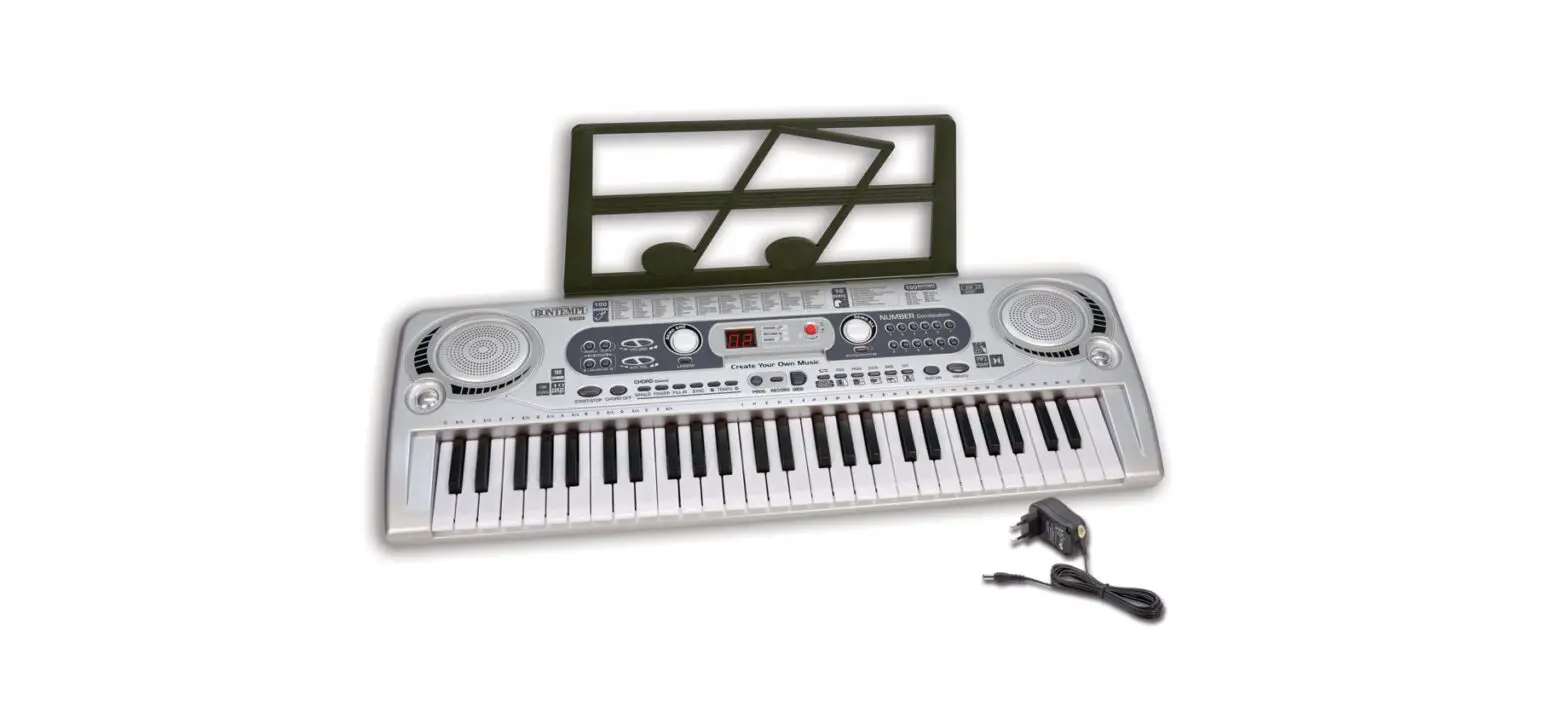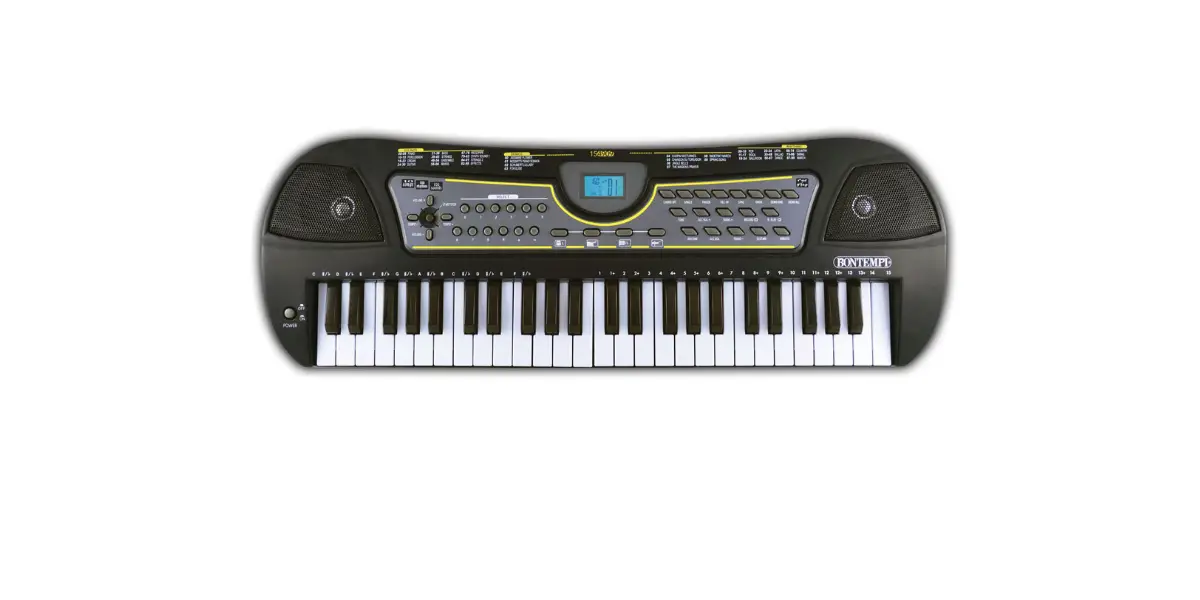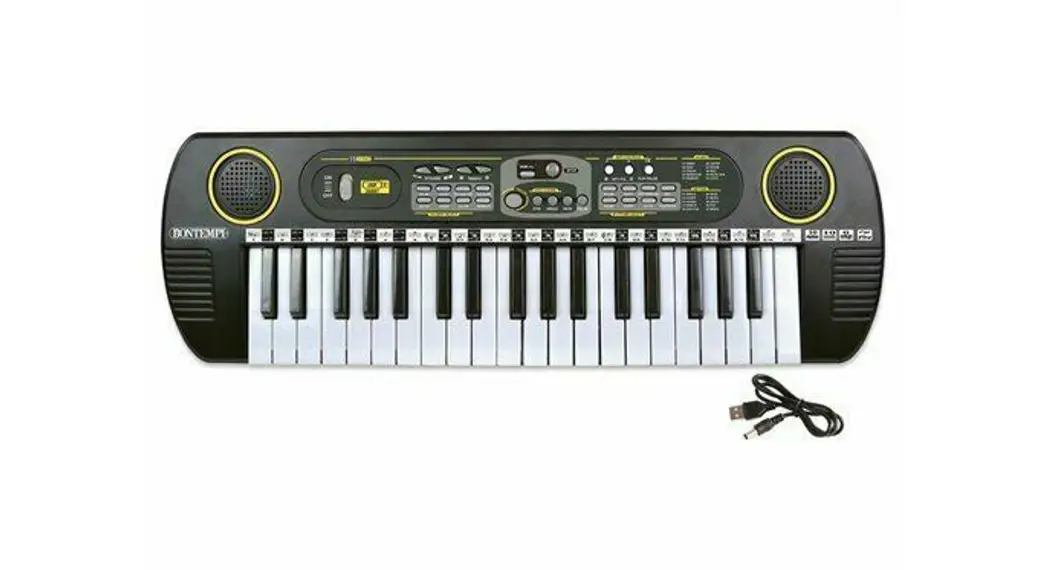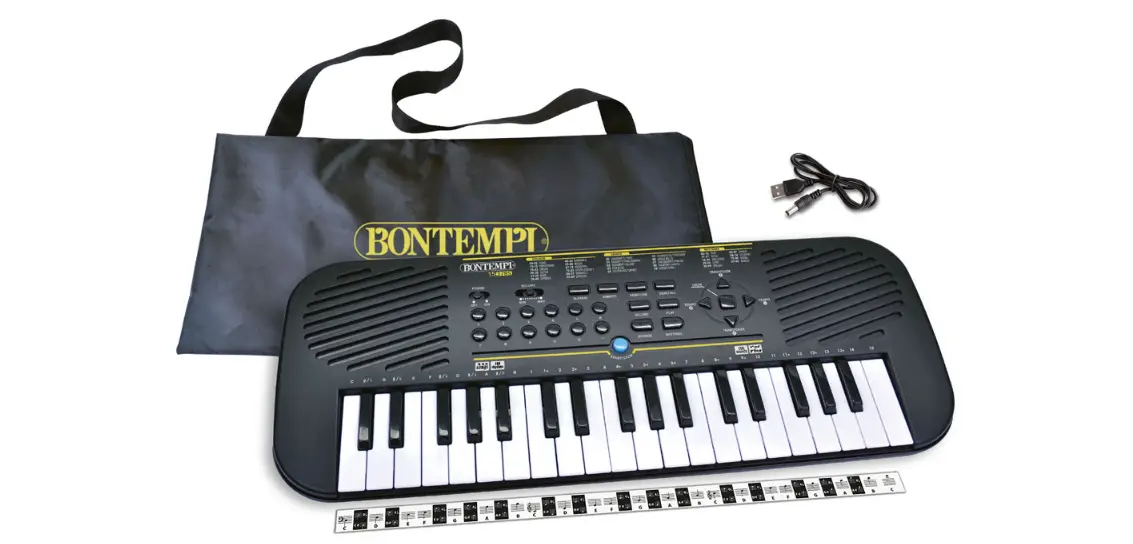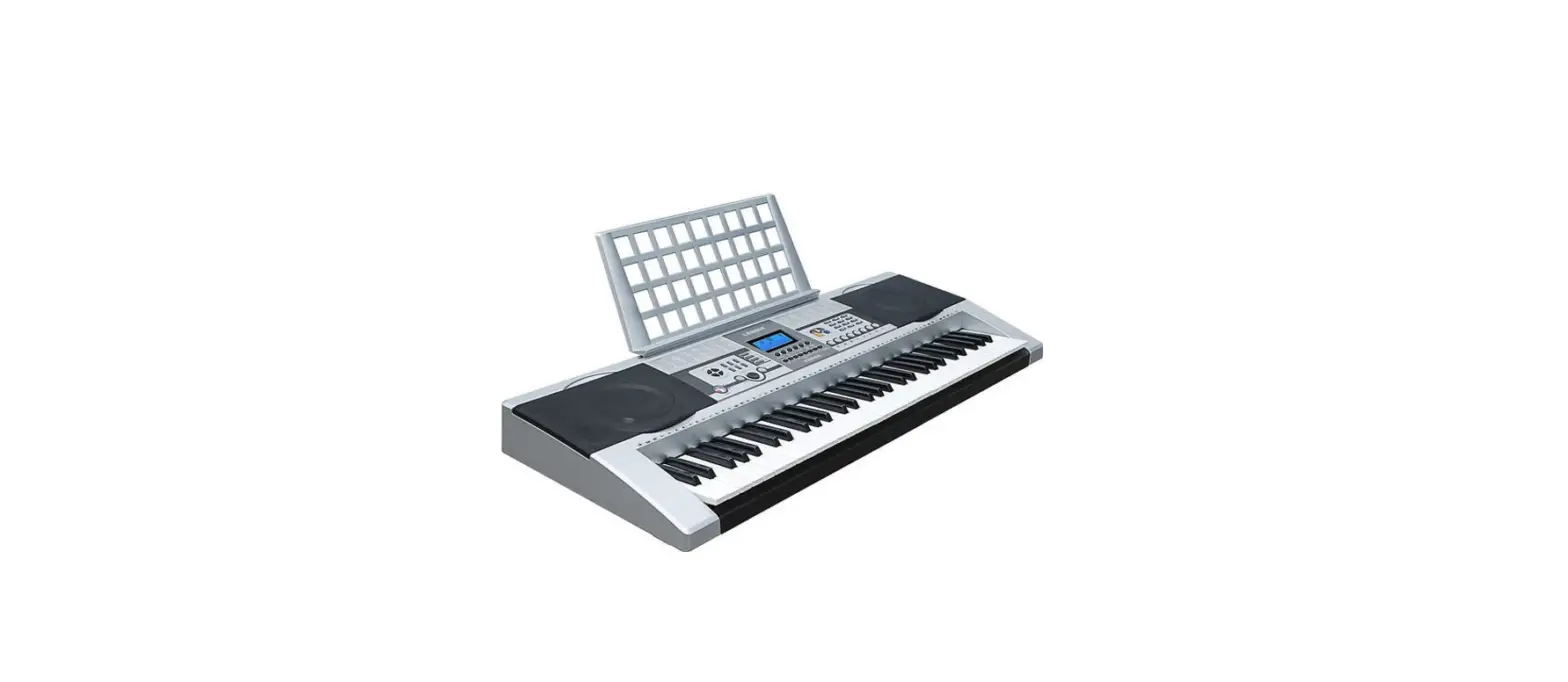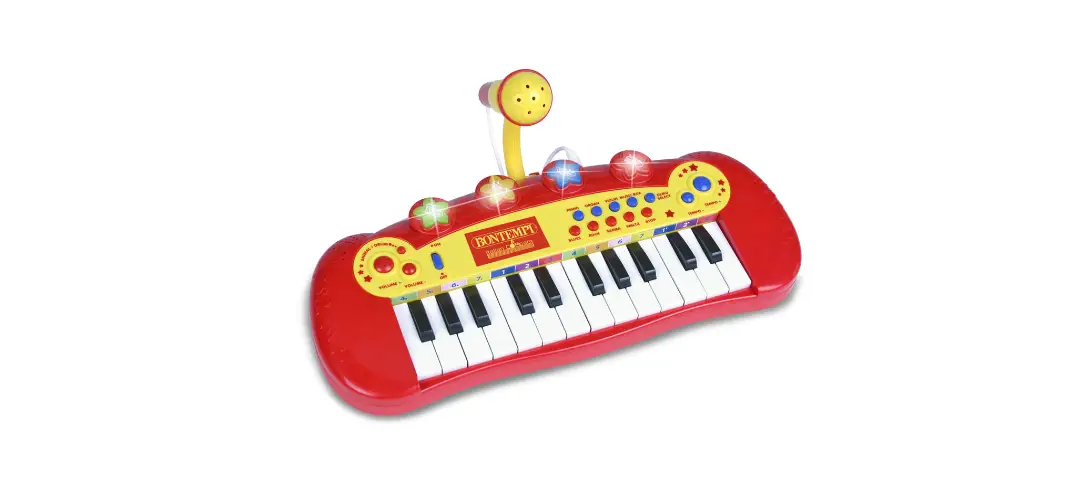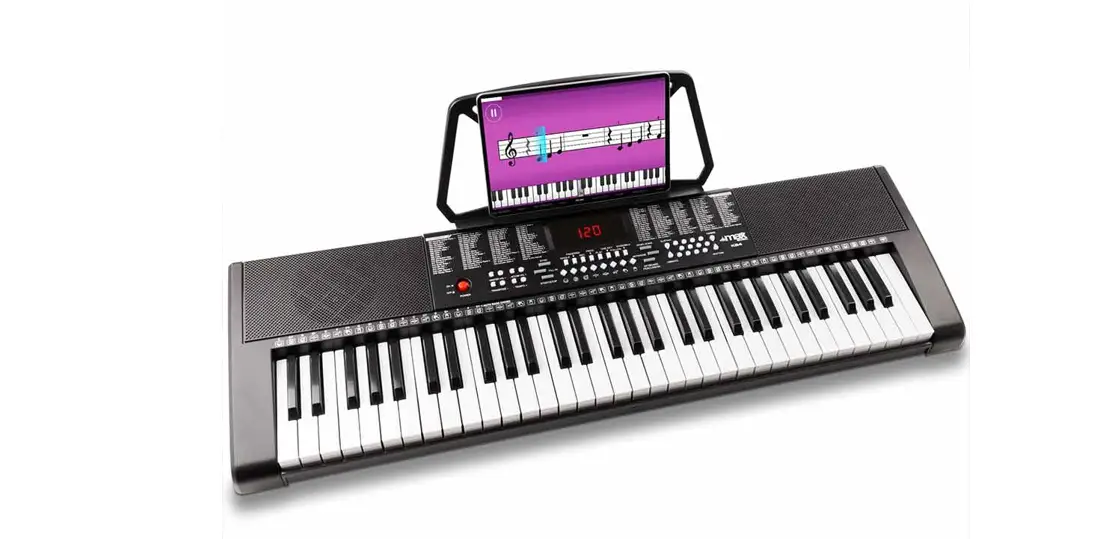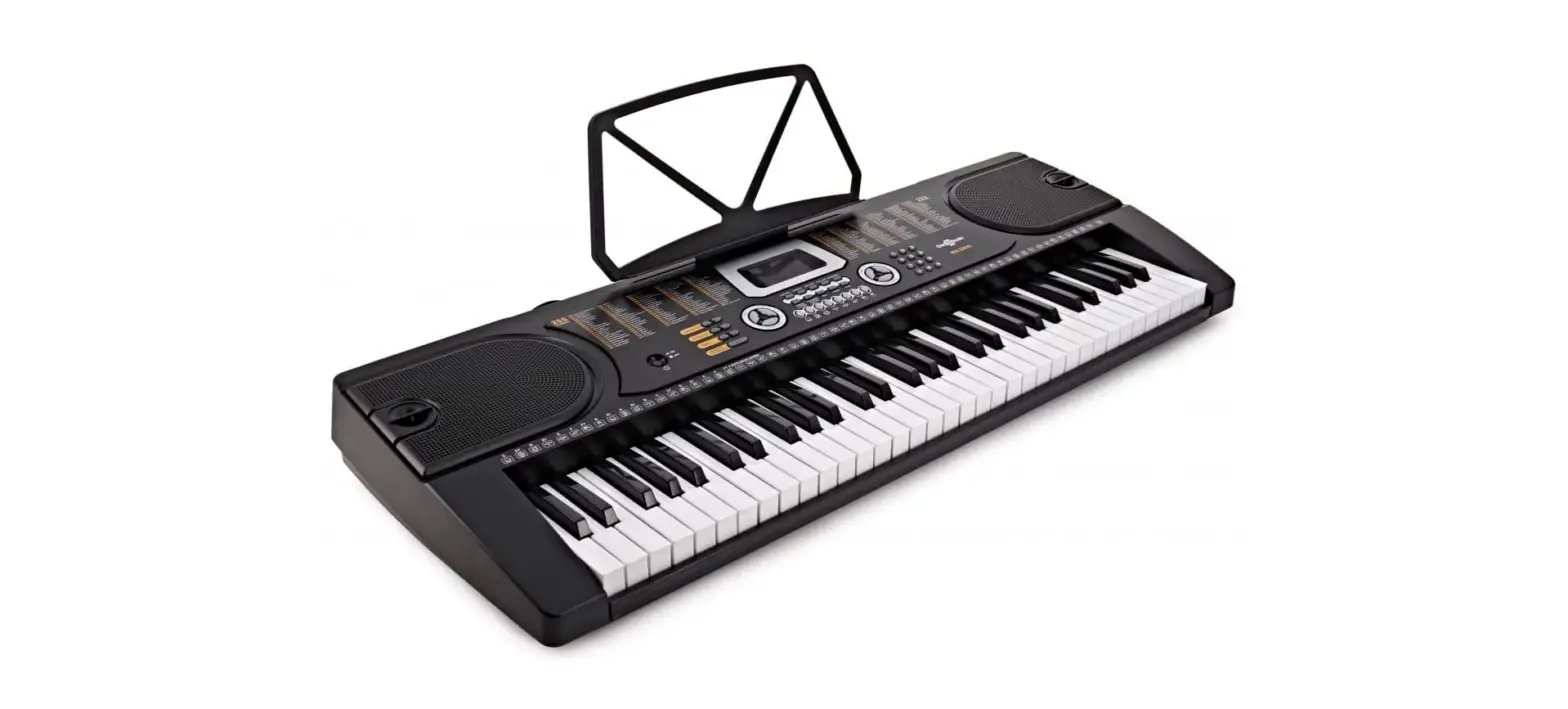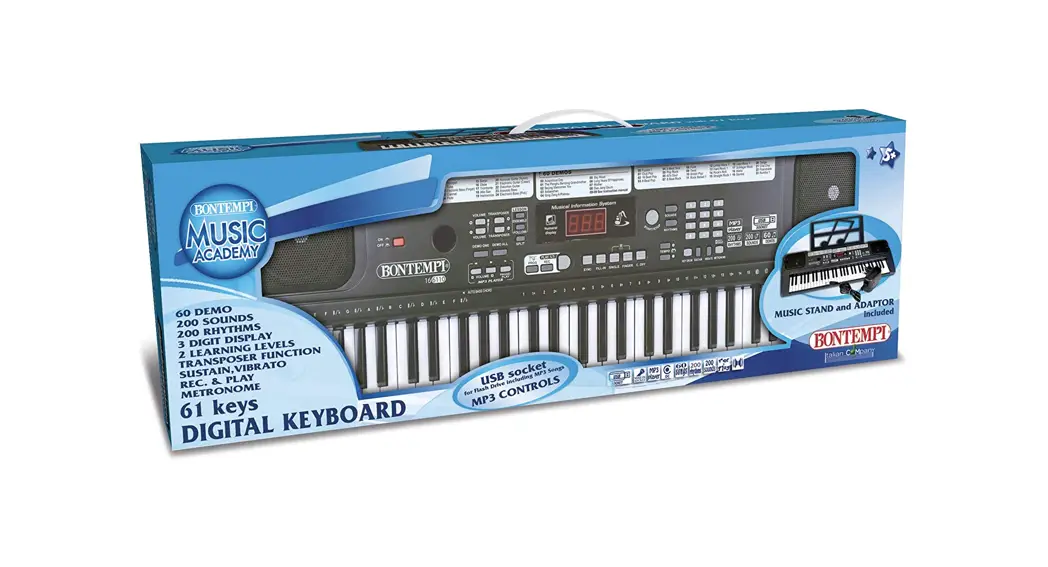
 6110 61 Keys Electronic Keyboard
Owner’s Manual
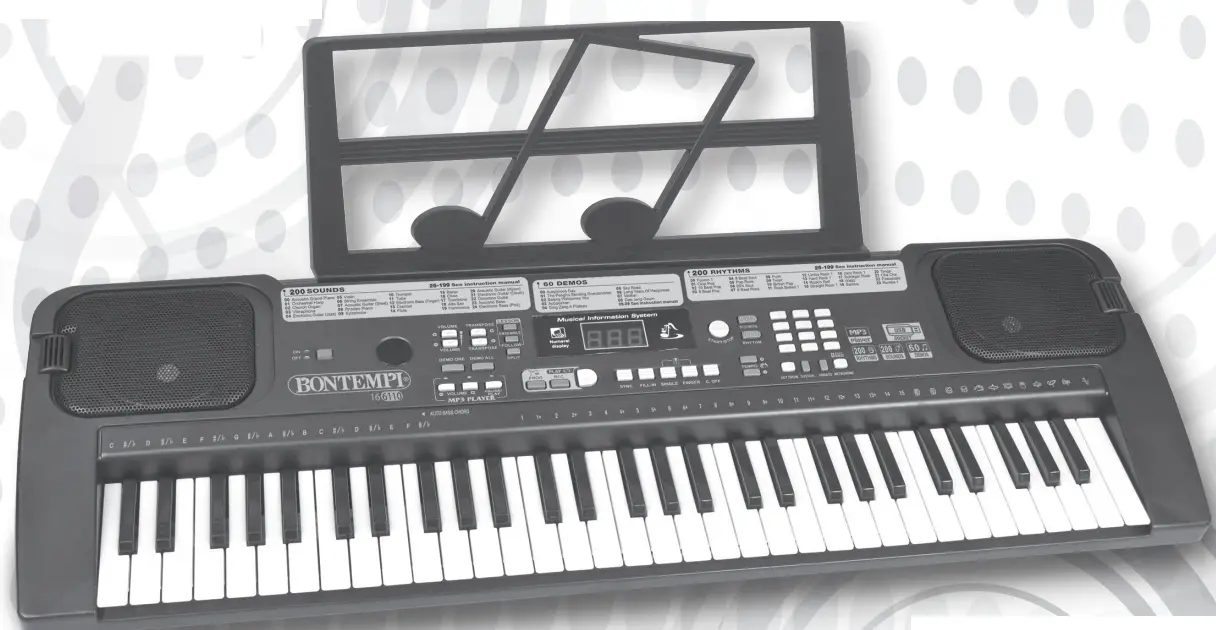
16 6110 61 Keys Electronic Keyboard
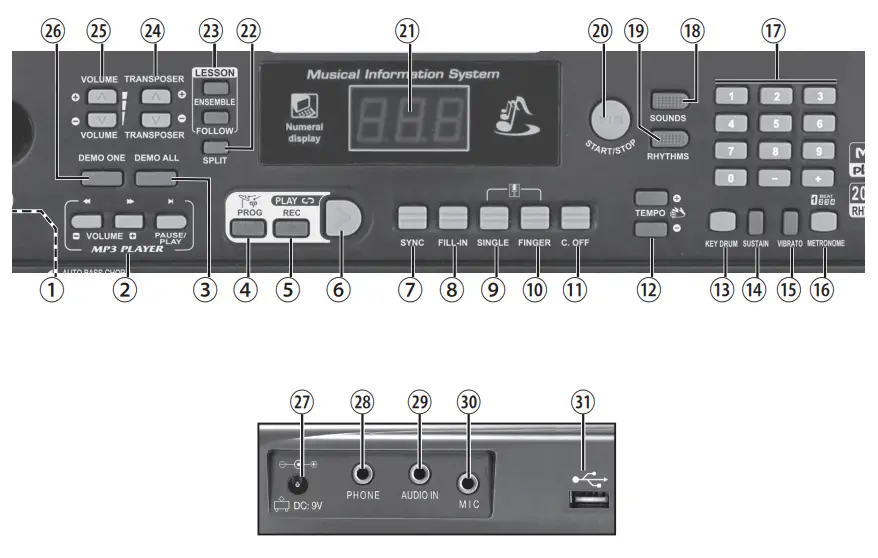
| ① ON/OFF -Turns the instrument on and off ② MP3 Player -Adjusts MP3 songs read by the USB port ③ DEMO ALL -To listen to all pre-recorded songs in sequence ④ PROG -Records a rhythmic sequence ⑤ REC -Records what is being played ⑥ PLAY -Plays what has been recorded ⑦ SYNC -The SYNC function allows you to start the rhythm and the accompaniment as soon as the chord is composed in either Single or Finger mode ⑧ FILL-IN -Enters a rhythmic variation ⑨ SINGLE -Enables composition of chords on the left side of the keyboard according to the easy method ⑩ FINGER -Enables composition of chords on the left side of the keyboard according to the classic method ⑪ CHORD OFF -To exclude the arrange- ment and exit the Single or Finger mode ⑫ TEMPO +/– -Sets the tempo for RHYTHM performance, songs or metronome ⑬ KEY DRUM -Enables or disables percussion instruments on white and black keys | ⑭ SUSTAIN -Enables or disables the SUSTAIN function (prolonged sound) ⑮ VIBRATO -Enables or disables the VIBRATO function (sound modulation) ⑯ METRONOME -Switches on and off the metronome beat ⑰ Numeric keyboard 0-9/+/– – To select functions, rhythms, songs and sounds ⑱ SOUNDS -To select the sounds on the keyboard ⑲ RHYTHMS -To select the rhythms ⑳ START/STOP -Starts/Stops a rhythm or a song ㉑ DISPLAY ㉒ SPLIT -Splits the keyboard into two sections: one for accompaniment and the other for melody ㉓ LESSON -Learning levels following a demosong ㉔ TRANSPOSER +/– -Allows pitch of notes to be changed ㉕ VOLUME +/– -Sets the master volume ㉖ DEMO ONE -To listen to a pre-recorded song in sequence ㉗ Socket for adapter (included) ㉘ Socket for headphones (not included) ㉙ Socket for external audio source (MP3 player, smartphoneetc.) ㉚ Socket for condenser microphone (not included) ㉛ Socket for connecting a USB Flash Drive |
MAINS SUPPLY
The instrument can be supplied by the AC/DC (Vdc =9V / I = 500 mA)
positive central adapter (not supplied) conforms to national and international safety regulations covering electrical appliances. Insert the jack in the DC 9V socket.
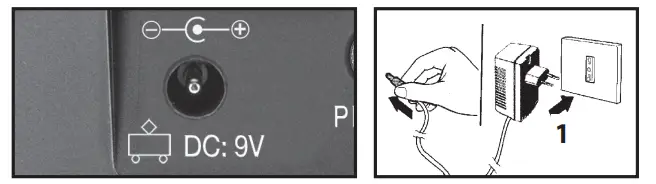
RECOMMENDATIONS: The socket (1) for the adapter plug must be easily accessible.
- Inserting the plug into the socket at the back of the instrument automatically cuts off supply from the batteries.
- Ensure that the adapter is sufficiently ventilated
- Do not expose the adapter to drops or splashes of water.
- The AC/DC adaptor shall not be exposed to dripping or splashing and that no objects filled with liquids, such as vases, shall be placed on apparatus.
- The AC/DC adaptor is used as disconnect device.
- The AC/DC adaptor of apparatus should not be obstructed OR should be easily accessed during intended used.
- To be completely disconnect the power input, the AC/DC adaptor of apparatus shall be disconnected from the mains.
- Battery shall not be exposed to excessive heat such as sunshine, fire or the like.
- minimum distances 15cm around the apparatus for sufficient ventilations.
- The ventilation should not be impeded by covering the ventilation openings with items such as newspaper, table-cloths, curtains etc
- No naked flame sources such as lighted candles should be placed on the apparatus.
- Attention should be drawn to the environmental aspects of battery disposal.
- The apparatus should only be used in moderate climates.
WARNING: All batteries or transformers with safety insula- tion must be checked regularly for faults in cable, wire, or plug insulation or other parts.
NOTE: Rating plate information was located at bottom enclosure of the apparatus.
BATTERY SUPPLY
Use a screwdriver to open the battery compartment. Insert 6 x 1.5 V batteries R6/AA (not supplied), ensuring correct polarity (+/–). Re-fit battery cover.Replace batteries when the quality of sound becomes bad. Use alkaline batteries to obtain a longer duration.
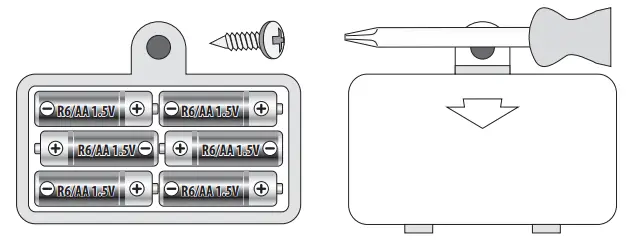
ATTENTION – BATTERY CARE
- Non-rechargeable batteries are not to be recharged.
- Rechargeable batteries must be removed from the toy before being charged.
- Rechargeable batteries are only to be charged under adult supervision.
- Different types of batteries or new and old batteries are not to be mixed.
- Use only batteries of the same or equivalent type.
- Batteries are to be inserted with correct polarity.
- Remove exhausted batteries to prevent leakage.
- Do not short-circuit supply terminals.
- Remove batteries during long periods of non-use.
WASTE DISPOSAL STANDARDS
For information regarding the disposal of the items mentioned here below, please refer to Council Administration office regarding specialised waste collection centres.

 DISPOSAL OF BATTERIES: Protect the environment by disposing of batteries in the special containers provided for this use.
- PACKAGING DISPOSAL: Take the paper, cardboard and corrugated board to the appropriate waste collection centres. Plastic material must be placed in the relevant collection containers.
The symbols indicating the various types of plastic are: Key for the different types of plastic materials:
PET = Polyethylene terephtalate
• PE = Polyethylene, code 02 for PE-HD, 04 for PE-LD
• PVC =Polyvinyl chloride
• PP = Polypropylene
•PS = Polystyrene, Polystyrene foam
• O = Other polymers (ABS, Laminates, etc.) - DISPOSING OF ELECTRICAL APPLIANCES The wheelie bin symbol with a cross indicates that the product must not be disposed of in the domestic waste at the end of its useful life. Instead, it should be taken to your nearest designated collection point or recycling facility. Alternatively, check with your retailer and return the product when buying a replacement, on a one-to-one basis or as free of charge in case the size is smaller than 25 cm. Appropriate disposal promotes the recycling of parts and materials, as well as helping to protect the environment and human health. Under current legislation, strict penalties are enforced against those disposing of products illegally. For more information about the collection of special waste, contact your Local Authority.

 DISPOSAL OF BATTERIES: Protect the environment by disposing of batteries in the special containers provided for this use.
 Key for the different types of plastic materials:
SWITCH ON AND SWITCH OFF
Move the switch to the ON/OFF position ① to turn the instrument on or off. When turned on, the keyboard is set to operate with the Acoustic Gran Piano sound, the Fusion 1 rhythm and the song Auspicious Day.
DEMO – Demo song
The instrument has 60 pre-recorded songs. Press DEMO ONE to hear a song in sequence; the display indicates the song number (e.g.: d 01). Press START/STOP button ⑳ to stop the song. Press DEMO ONE again to hear the next song.
The DEMO ALL button plays all 60 songs in sequencPress DEMO ALL again to stop the song.
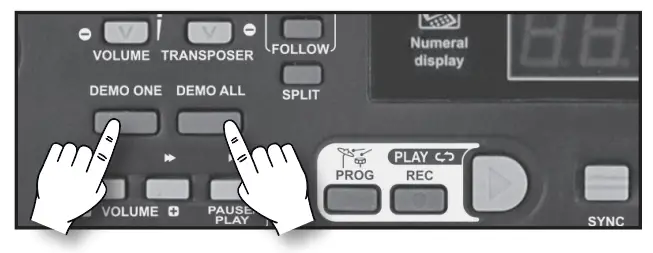
When a song is playing, press +/– ⑰ to select the next or previous one, or enter a number from 0 to 59 to select one from the list at the end of this manual;
VOLUME
To regulate the volume of the instrument you must use buttons VOLUME + (to turn up) or VOLUME – (to turn down) ㉕. By holding the button pressed down, the variation becomes continuous. To restore the standard volume press both VOLUME + and VOLUME – buttonstogether.
SOUNDS
To select one of the 200 sounds recorded in the instrument, press SOUNDS ⑱ and enter a number from 0 to 199 to select one from the “LIST OF SOUNDS” table at the nd of this manual; the display indicates the selected sound number (e.g.: 001). To select the next or previous sound, press +/– from the numerical keyboard.
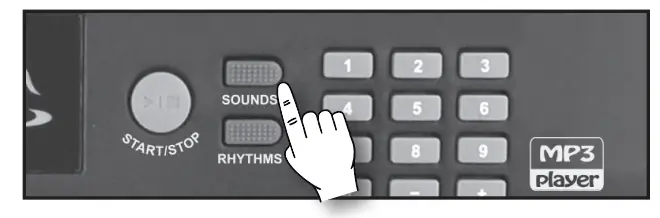
Sustain
Prolongs the sound of a note when the key is released. To enable or disable this function, press SUSTAIN ⑭. Vibrato The vibrato effect is a sound modulation. To enable or disable this function, pressVIBRATO
THE TRANSPOSER
The TRANSPOSER +/– controls ㉔ shift the whole keyboard tonality by +/– 6 semitones. By pressing one of the two buttons, the display temporarily shows the current value. By simultaneously pressing the “+/–“ buttons of TRANSPOSER, you will return to the standard 0 value.
DIVISION OF THE KEYBOARD (SPLIT)
It has 61 keys and can be used in the following ways:
- When simply turned on, one single sound is enabled over the whole keyboard.
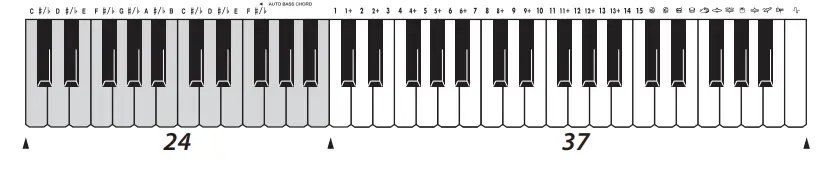
- By entering SPLIT ㉒, the keyboard will be divided into two sections: one dedicated to accompaniment to form chords (24 keys on the left) and the other one to play the melody (37 keys on the right). You can select a different sound in the 37 keys on the right by pressing the button SOUNDS ⑱ and entering a number from 0 to 199.

RHYTHM SELECTION
The keyboard has 200 rhythms recorded. To select them, press RHYTHMS ⑲ followed by a number from 0 to 199 to select one from the “RHYTHMS LIST” table at the end of this manual; the display will indicate the selected rhythm number (e.g.: 001). To start or to stop a rhythm press the START/STOP button ⑳.
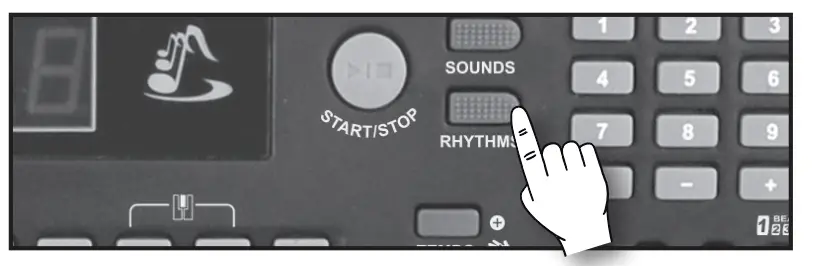
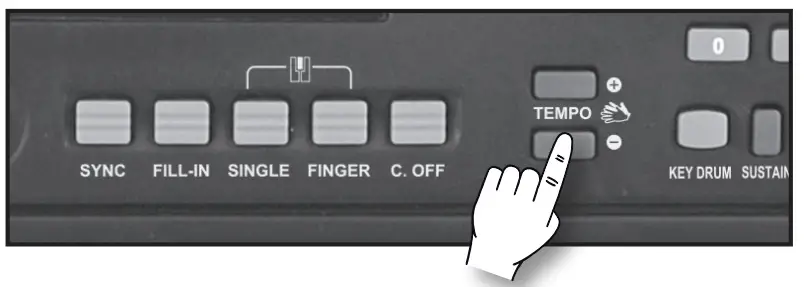
To increase or decrease the speed of the song press the two buttons TEMPO + and TEMPO – ⑫. By holding the button pressed down, the variation becomes continuous. To go back to standard rhythm press buttons TEMPO + and TEMPO – together. The TEMPO + / – buttons are also used to adjust the speed of a demo.
FILL-IN
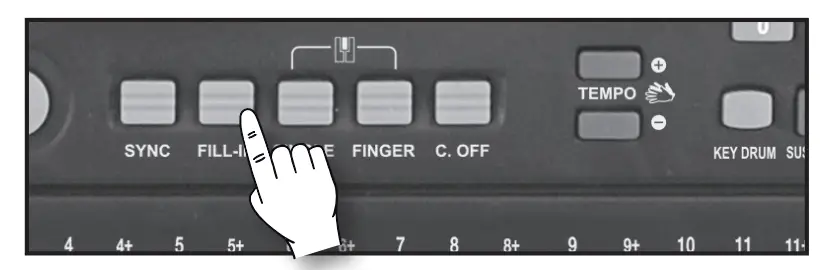
Pressing this button ⑧ while a rhythm is playing, reproduces a rhythmic variation of the drums.
FACILITATED CHORDS
The facilitated chords for the accompaniment can be played in 2 different ways:
SINGLE (EASY CHORD)
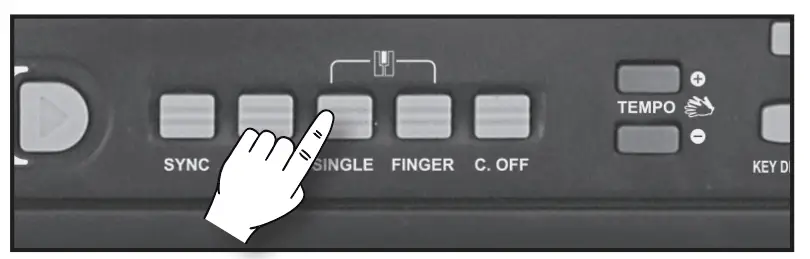
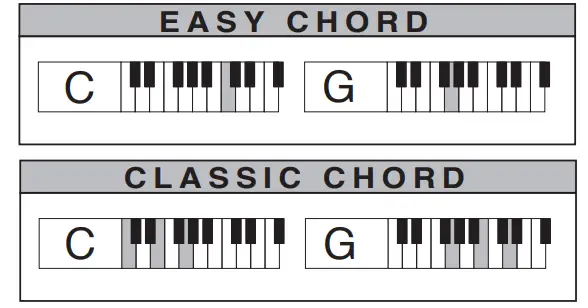
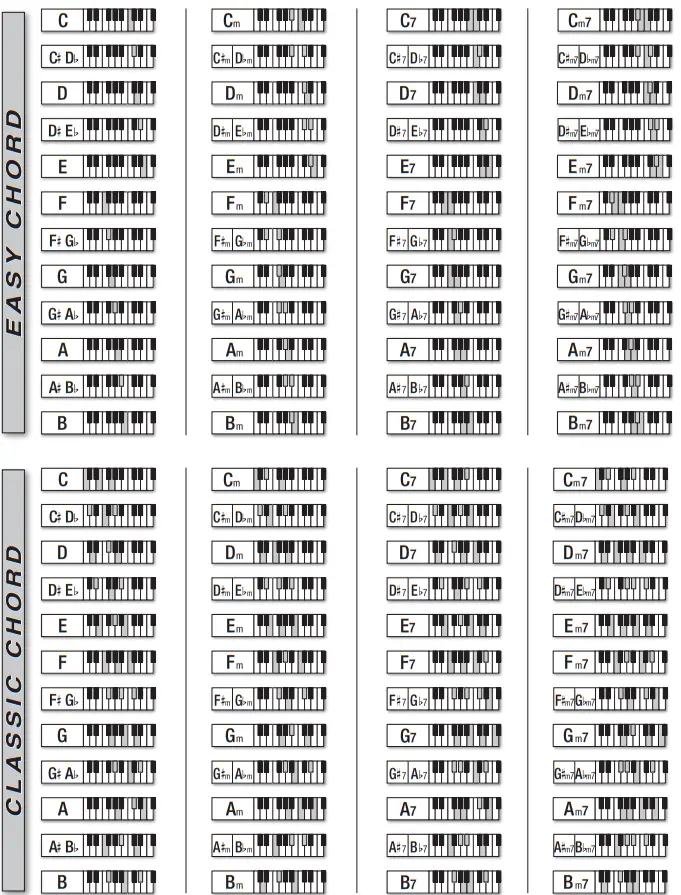
With a rhythm on, by pressing the button SINGLE ⑨ the keyboard is automatically divided into two sections, so that the chords can be composed in the left part AUTO. BASS CHORD (from DO1 to FA#2) in facilitated mode with one, two or three fingers (see the chords table at the end of this manual).
FINGER (CLASSIC CHORD)
With a rhythm on, by pressing the button FINGER ⑩ the keyboard is automatically divided into two sections, so that the chords can be composed in the left part AUTO BASS CHORD (from DO1 to FA#2) in classic mode (see the chords table at the end of this manual). All the main chords consisting of at least 3 notes are recognised; if you press only 2 notes, the chord will not play.
AUTOMATIC ACCOMPANIMENT
With a rhythm off, in the SINGLE or FINGER mode, by pressing the button SYNC ⑦, the automatic accompaniment starts after having composed the chord in the left part (from DO1 to FA#2).
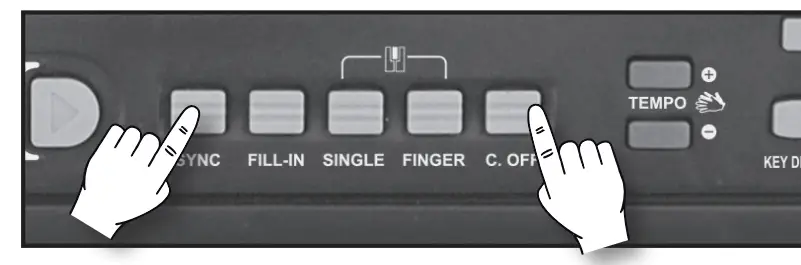
By pressing the button C. OFF ⑪, you exclude the arrangement and exit the SINGLE or FINGER modes.
THE METRONOME
The metronome helps you to learn the music, giving the beat during musical exercises and simulating the traditional time-marking instrument.
It can be turned on and off with the METRONOME button ⑯.
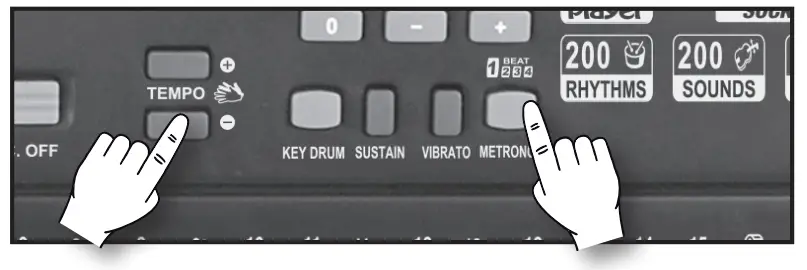
The divisions available are: 1/4, 2/4, 3/4, 4/4; to change the tempo, use the TEMPO +/– buttons ⑫.
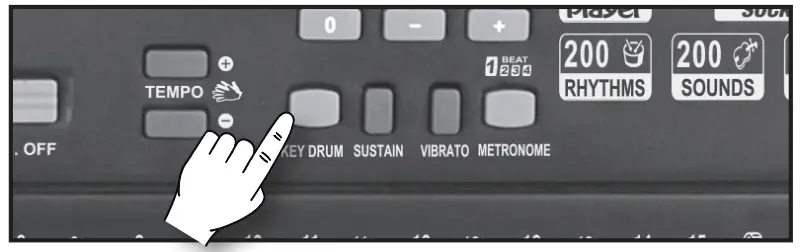
PERCUSSIONS
Pressing KEY DRUM ⑬ enables 12 rhythmic percussions on the white and black keys, which are repeated on all 5 octaves of the keyboard.
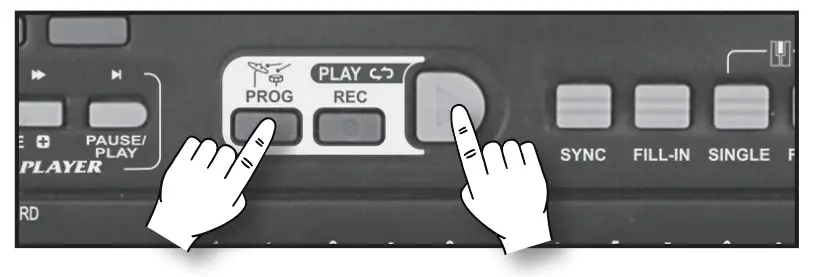
PROGRAMMING A RHYTHMIC SEQUENCE
The PROGRAM function enables you to record a rhythmic sequence. Press PROG ④ and compose a rhythmic sequence through the keyboard’s white and black keys. Press PLAY ⑥ to listen to the programming again and use TEMPO + / – ⑫ to adjust the speed.
RECORD/PLAYBACK FUNCTION
This function enables you to record and playback a tune played on the keyboard. Press REC ⑤ before playing a tune. When you have finished press PLAY ⑥ to listen to the tune.
MP3 Player
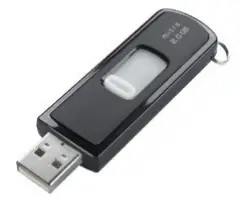
This keyboard enables you to read MP3 songs on a USB Flash drive (Pen Drive) when it is connected to a USB port at the back of the instrument ㉛. After connecting the evice, the first song will automatically start playing and will be heard from the speakers on the keyboard. To adjust the volume, keep the MP3 PLAYER VOLUME + or
– button ② pressed; to pause the song, press PAUSE/ PLAY ②; to go to the next or previous song, press or
  ②
② .
.
LEARNING LEVELS
There are 2 learning levels: FOLLOW and ENSEMBLE.
FOLLOW
Press FOLLOW in the LESSON ㉓ section. Select one of the 60 songs found in the “LIST OF SONGS“ table at the end of this manual by entering a number from 0 to 59 the numerical keyboard ⑰ . Now try to play the melody by following the notes shown on the display and then keep the time. Attention: if you press the wrong key, it will make no sound and the accompaniment will only advance when you will press the right one.
How to read the display notes
Each note has a name: A, B, C, D, E, F, G, in anglo-saxon notation which correspond to LA, SI, DO, RE, MI, FA, SOL, in Latin notation and A, H, C, D, E, F, G, in German notation. This correspondence is illustrated on the next diagram.
This keyboard displays the notes in the Anglo-Saxon notation.
The display consists of 3 digits and each digit can show a letter or a number. Example, when you choose demo song n. 41 the will show: 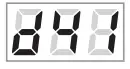 . The first digit will be anglo-saxon latin german letter “d” (which means demo song), the second n. 4 and the third n. When the display shows a musical note, its name appears in the second digit, e.g.
 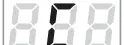 which, in the Anglo-Saxon notation is the C note, and in the Latin notation is the DO note. Simultaneously, the third digit shows the number of the position of that note, e.g. ; this means that the note is C (DO) in position 5 (see figure). Sometimes, the first digit can show letter “b” (flat) to indicate that the note corresponds to the black key immediately to the left of the note. E.g.: b, d, 5 where “b” means flat, “d” is the D note (RE) and “5” is the position of the note; therefore, the note to be played isthe following: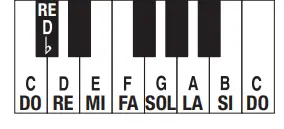
ENSEMBLE
Press ENSEMBLE in the LESSON section ㉓. Select one of the 60 songs found in the “LIST OF SONGS“ table at the end of this manual by entering a number from 0 to
59 in the numerical keyboard ⑰ .
Press ENSEMBLE once again to stop the song. When you are ready, press ENSEMBLE again and continue to play. If you press the wrong key the song will be out of tune. If you do not follow the right tempo the orchestra does not wait for you and you will go out of time; adjust the speed of the song using TEMPO + or TEMPO – ⑫. Press ENSEMBLE again to exit the mode.

SONGS
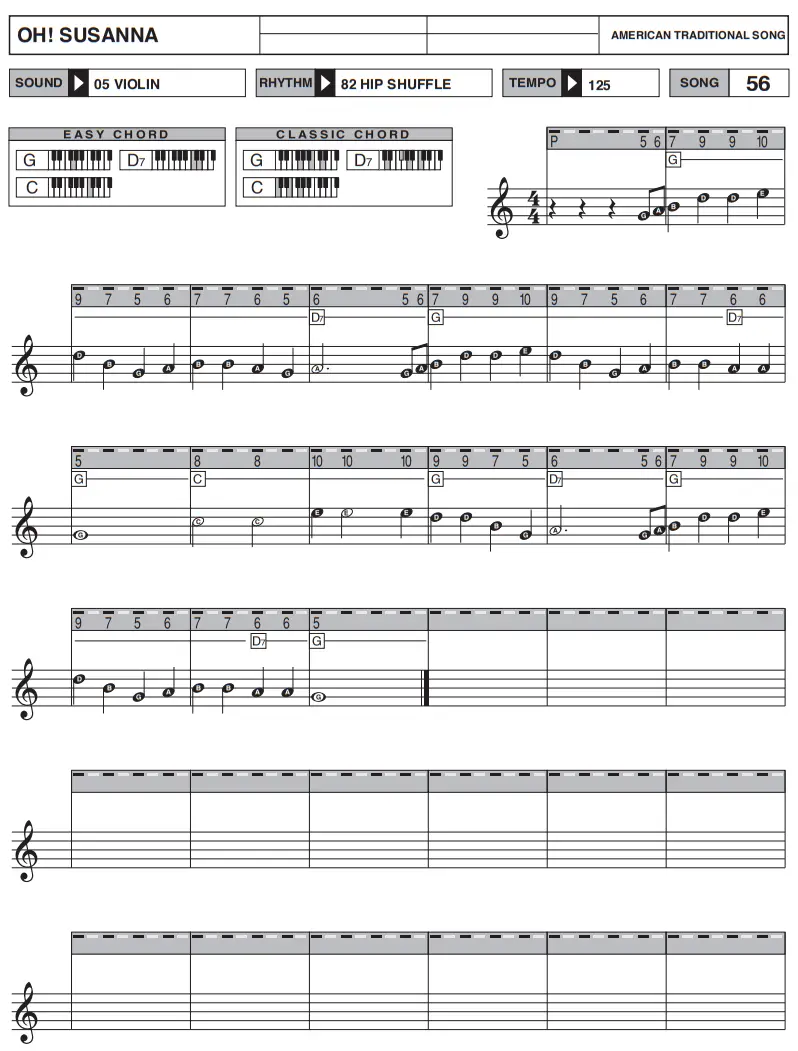
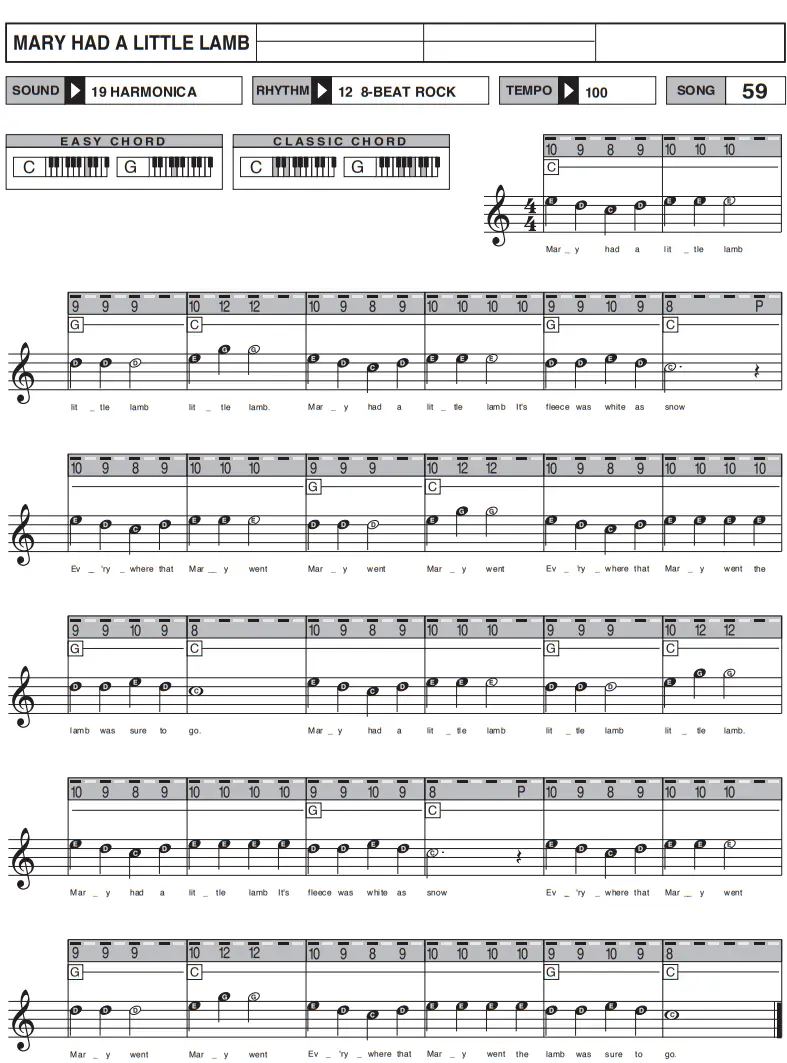
Some of the songs written with the Bontempi method can be found at the end of this manual; another 60 songs collected in the “SONG BOOK” can be downloaded at www.bontempi.com
COMPOSING A SONG
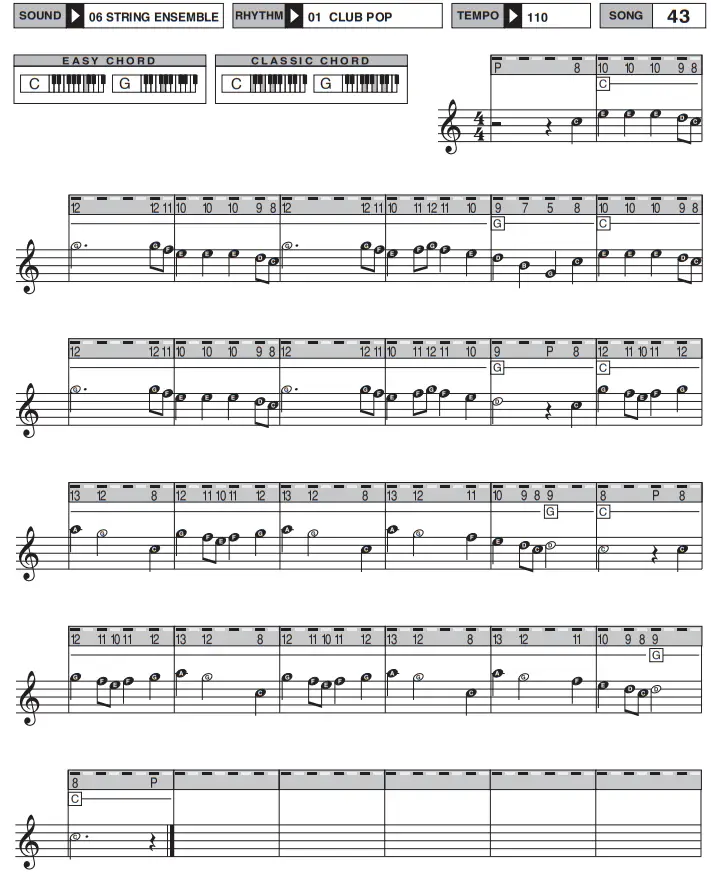
Each song is printed on a separate page. Under the title there is information regarding:
SOUND: the sound needed to create the tune
RHYTHM: the rhythm of the song
TEMPO: the speed of the song
SONG: The song number recorded on the keyboard
MARY HAD A LITTLE LAMB
You can use this information to configure the keyboard and play the song at its best. This manual tells you how to select sound, rhythm and tempo.
The song also indicates:
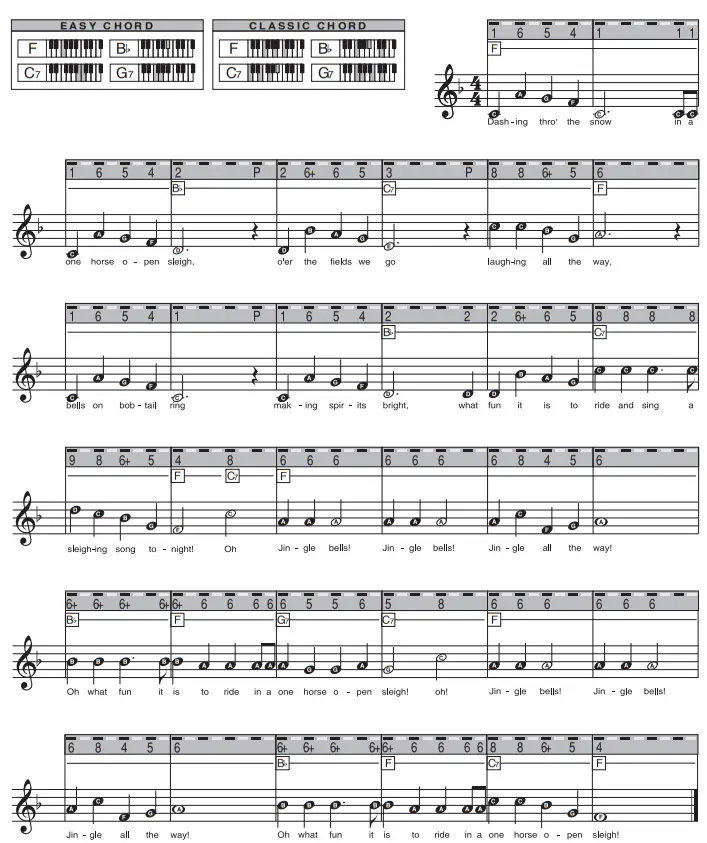
EASY CHORD: the easy chords for song accompaniment.
CLASSIC CHORD: the classic chords for song accompa niment.
The song is marked by a continuous grey strip indicates the numbers used to play the melody with your right hand. Each key must be pressed for some time, depending on the distance that separates each number on the grey strip from the next.
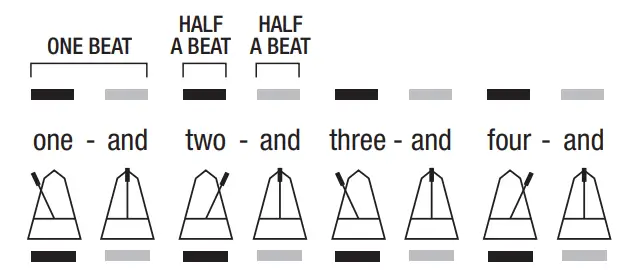
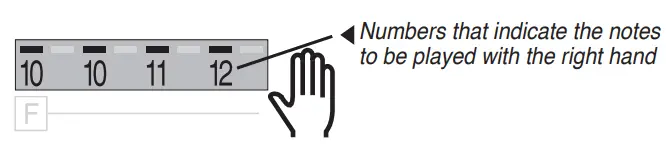 Basically, above the numbers you will notice a sequence of alternating black and grey sections within the grey strip. The distance between one black section and another represents the unit of musical time known as “beat”, which corresponds to the movement of the metronome pointer from one end to the other. Every black and grey section represents a half “beat”
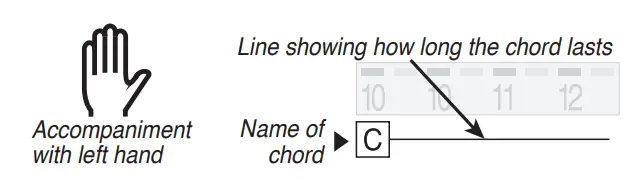
The instructions (meaning squares with letters) arefound under this strip in order to use your left hand to play the accompaniment chords.
All musical notes of the song, which use classical wording, are under the greystrip.
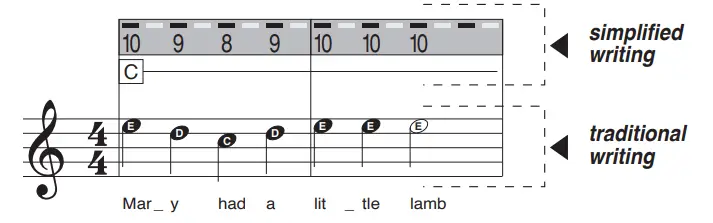
For now, it is sufficient to remember that each note has a name: A, B, C, D, E, F, G, in anglo-saxon notation which correspond to LA, SI, DO, RE, MI, FA, SOL, in Latin notation and A, H, C, D, E, F, G, in German notation.
HOW TO PLAY THE SONG IN EASY MODE
Numbers 1 to 15 indicate the keys to play a melody with the easy musical scores at the end of this manual.
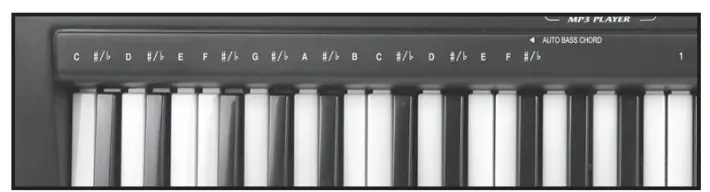
Each note corresponds to a number on the grey strip. To play the melody, read the sequence of numbers contained in the grey band and press, one after the other, the white keys which correspond to the same numbers on the strip above the keyboard. The black keys correspond to the numbers for example on the music method grey band followed by the “+”. The black key after white key 1 corresponds to the symbol 1+.
Now that you know which key corresponds to which note, try and play the tune following the numbers on the grey strip
CHORDS
The letters on the left indicate the name of the notes in order to compose a chord in EASY CHORD (from C1 to F#2) and CLASSIC CHORD mode (from C1 to F#2) refer to the relative section).
To use accompaniment, press each chord with EASY CHORD or CLASSIC CHORD mode for the time indicated by the line next to the letter that represents the choruntil you come to the next one.
SOUNDS LIST
| 1 | Acoustic Grand Piano | 33 | French Horn | 65 | String Ensemble 1 |
| 2 | Orchestral Harp | 34 | Soprano Sax | 66 | Trumpet 1 |
| 3 | Church Organ | 35 | Tenor Sax | 67 | Trombone 1 |
| 4 | Vibraphone | 36 | Baritone Sax | 68 | Tuba 1 |
| 5 | Electric Guitar (Jazz) | 37 | Basson | 69 | French Horn 1 |
| 6 | Violin | 38 | Piccolo | 70 | Soprano Sax 1 |
| 7 | String Ensemble | 39 | Pan Flute | 71 | Alto Sax 1 |
| 8 | Acoustic Guitar (Steel) | 40 | Lead (Square) | 72 | Tenor Sax 1 |
| 9 | Rhodes Piano | 41 | Acoustic Grand Piano 1 | 73 | Baritone Sax 1 |
| 10 | Xylophone | 42 | Rhodes Piano 1 | 74 | Oboe 1 |
| 11 | Trumpet | 43 | Vibraphone 1 | 75 | Basson 1 |
| 12 | Tuba | 44 | Vibraphone 2 | 76 | Clarinet 1 |
| 13 | Electric Bass (Finger) | 45 | Xylophone 1 | 77 | Piccolo 1 |
| 14 | Clarinet | 46 | Church Organ 1 | 78 | Flute 1 |
| 15 | Flute | 47 | Harmonica 1 | 79 | Pan Flute 1 |
| 16 | Banjo | 48 | Acoustic Guitar (Nylon) 1 | 80 | Lead (Square) 1 |
| 17 | Oboe | 49 | Acoustic Guitar (Steel) 1 | 81 | Banjo 1 |
| 18 | Trombone | 50 | Electric Guitar (Jazz) 1 | 82 | Acoustic Grand Piano 2 |
| 19 | Alto Sax | 51 | Electric Guitar (Clean) 1 | 83 | Rhodes Piano 2 |
| 20 | Harmonica | 52 | Distortion Guitar 1 | 84 | Vibraphone 3 |
| 21 | Acoustic Guitar (Nylon) | 53 | Acoustic Bass 1 | 85 | Xylophone 2 |
| 22 | Electric Guitar (Clean) | 54 | Electric Bass (Finger) 1 | 86 | Church Organ 2 |
| 23 | Distortion Guitar | 55 | Electric Bass (Pick) 1 | 87 | Harmonica 2 |
| 24 | Acoustic Bass | 56 | Fretless Bass 1 | 88 | Acoustic Guitar (Nylon) 2 |
| 25 | Electric Bass (Pick) | 57 | Slap Bass 3 | 89 | Acoustic Guitar (Steel) 2 |
| 26 | Fretless Bass | 58 | Slap Bass 4 | 90 | Electric Guitar (Jazz) 2 |
| 27 | Slap Bass 1 | 59 | Synth Bass 3 | 91 | Electric Guitar (Clean) 2 |
| 28 | Slap Bass 2 | 60 | Synth Bass 4 | 92 | Distortion Guitar 2 |
| 29 | Synth Bass 1 | 61 | Violin 1 | 93 | Acoustic Bass 2 |
| 30 | Synth Bass 2 | 62 | Viola 1 | 94 | Electric Bass (Finger) 2 |
| 31 | Viola | 63 | Cello 1 | 95 | Electric Bass (Pick) 2 |
| 32 | Cello | 64 | Orchestral Harp 1 | 96 | Fretless Bass 2 |
| 96 | Slap Bass 4 | 131 | Distortion Guitar 3 | 166 | Harmonica 4 |
| 97 | Slap Bass 5 | 132 | Acoustic Bass 3 | 167 | Acoustic Guitar (Nylon) 4 |
| 98 | Synth Bass 4 | 133 | Electric Bass (Finger) 3 | 168 | Acoustic Guitar (Steel) 4 |
| 99 | Synth Bass 5 | 134 | Electric Bass (Pick) 3 | 169 | Electric Guitar (Jazz) 4 |
| 100 | Violin 2 | 135 | Fretless Bass 3 | 170 | Electric Guitar (Clean) 4 |
| 101 | Viola 2 | 136 | Slap Bass 6 | 171 | Distortion Guitar 4 |
| 102 | Cello 2 | 137 | Slap Bass 7 | 172 | Acoustic Bass 4 |
| 103 | Orchestral Harp 2 | 138 | Synth Bass 6 | 173 | Electric Bass (Finger) 4 |
| 104 | String Ensemble 2 | 139 | Synth Bass 7 | 174 | Electric Bass (Pick) 4 |
| 105 | Trumpet 2 | 140 | Violin 3 | 175 | Fretless Bass 4 |
| 106 | Trombone 2 | 141 | Viola 3 | 176 | Slap Bass 8 |
| 107 | Tuba 2 | 142 | Cello 3 | 177 | Slap Bass 9 |
| 108 | French Horn 2 | 143 | Orchestral Harp 3 | 178 | Synth Bass 8 |
| 109 | Soprano Sax 2 | 144 | String Ensemble 3 | 179 | Synth Bass 9 |
| 110 | Alto Sax 2 | 145 | Trumpet 3 | 180 | Violin 4 |
| 111 | Tenor Sax 2 | 146 | Trombone 3 | 181 | Viola 4 |
| 112 | Baritone Sax 2 | 147 | Tuba 3 | 182 | Cello 4 |
| 113 | Oboe 2 | 148 | French Horn 3 | 183 | Orchestral Harp 4 |
| 114 | Basson 2 | 149 | Soprano Sax 3 | 184 | String Ensemble 4 |
| 115 | Clarinet 2 | 150 | Alto Sax 3 | 185 | Trumpet 4 |
| 116 | Piccolo 2 | 151 | Tenor Sax 3 | 186 | Trombone 4 |
| 117 | Flute 2 | 152 | Baritone Sax 3 | 187 | Tuba 4 |
| 118 | Pan Flute 2 | 153 | Oboe 3 | 188 | French Horn 4 |
| 119 | Lead (Square) 2 | 154 | Basson 3 | 189 | Soprano Sax 4 |
| 120 | Banjo 2 | 155 | Clarinet 3 | 190 | Alto Sax 4 |
| 121 | Acoustic Grand Piano 3 | 156 | Piccolo 3 | 191 | Tenor Sax 4 |
| 122 | Rhodes Piano 3 | 157 | Flute 3 | 192 | Baritone Sax 4 |
| 123 | Vibraphone 4 | 158 | Pan Flute 3 | 193 | Oboe 4 |
| 124 | Xylophone 3 | 159 | Lead (Square) 3 | 194 | Basson 4 |
| 125 | Church Organ 3 | 160 | Banjo 3 | 195 | Clarinet 4 |
| 126 | Harmonica 3 | 161 | Acoustic Grand Piano 4 | 196 | Piccolo 4 |
| 127 | Acoustic Guitar (Nylon) 3 | 162 | Rhodes Piano 4 | 197 | Flute 4 |
| 128 | Acoustic Guitar (Steel) 3 | 163 | Vibraphone 5 | 198 | Pan Flute 4 |
| 129 | Electric Guitar (Jazz) 3 | 164 | Xylophone 4 | 199 | Lead (Square) 4 |
| 130 | Electric Guitar (Clean) 3 | 165 | Church Organ 4 | 200 |
RHYTHMS LIST
| 1 | FUSION 1 | 33 | LATIN DISCO | 65 | SATURDAY NIGHT 1 |
| 2 | CLUB POP | 34 | SALSA 1 | 66 | HIP SHUFFLE |
| 3 | 16 BEAT POP | 35 | TIJUANA | 67 | GARAGE |
| 4 | 8 BEAT POP | 36 | SLOW SOUL 1 | 68 | UK POP 1 |
| 5 | 8 BEAT SOUL | 37 | SLOW ROCK 1 | 69 | SLOW&EASY 1 |
| 6 | POP ROCK | 38 | SLOW ROCK 2 | 70 | MODERN COUNTRY POP |
| 7 | 60’S SOUL | 39 | 8 BEAT MODERN 1 | 71 | COUNTRY BALLAD 1 |
| 8 | 8 BEAT ROCK | 40 | 8 BEAT ADRIA 1 | 72 | SCHLAGER |
| 9 | FUNK | 41 | LOVE SONG | 73 | COUNTRY 1 |
| 10 | TWIST | 42 | POP BALLAD 2 | 74 | BOOGIE |
| 11 | BRITISH POP | 43 | CLASSIC PIANO BALLAD | 75 | COUNTRY 2 |
| 12 | ROCK BALLAD 1 | 44 | PIANO BALLAD | 76 | JAZZ BIG BAND |
| 13 | LIMBO ROCK 1 | 45 | ACOUSTIC BALLAD | 77 | 16 BEAT SHUFFLE |
| 14 | HARD ROCK 1 | 46 | ANALOG BALLAD 1 | 78 | JIVE 1 |
| 15 | ROCK’N ROLL | 47 | R&B BALLAD 1 | 79 | BIG BAND FAST 1 |
| 16 | STRAIGHT ROCK 1 | 48 | UNPLUGGED | 80 | BIG BAND FAST 2 |
| 17 | JAZZ ROCK 1 | 49 | POP NEW AGE 1 | 81 | BIG BAND MIDDLE 1 |
| 18 | SCHLAGER ROCK | 50 | MODERN R&B | 82 | BIG BAND MIDDLE 2 |
| 19 | WALTZ | 51 | DISCO | 83 | DIXIE JAZZ 1 |
| 20 | SAMBA | 52 | ELECTRO POP 1 | 84 | BIG BAND SHUFFLE 1 |
| 21 | TANGO | 53 | HIP HOP | 85 | MEDIUM JAZZ |
| 22 | CHA CHA | 54 | RAP POP | 86 | JAZZ CLUB |
| 23 | PASODOBLE | 55 | TECHNO 1 | 87 | CAT GROOVE |
| 24 | RUMBA 1 | 56 | TRANCE | 88 | JAZZ BEAT |
| 25 | DISCO FOX 1 | 57 | FUNKY DISCO | 89 | BLUE GRASS 1 |
| 26 | LATIN ROCK | 58 | DISCO PARTY 1 | 90 | BLUE GRASS 2 |
| 27 | REGGAE 1 | 59 | DISCO SAMBA 1 | 91 | BLUE GRASS 3 |
| 28 | BOSSANOVA | 60 | CLUB LATIN 1 | 92 | HULLY GULLY 1 |
| 29 | MAMBO 1 | 61 | CLUB DANCE 1 | 93 | OBER POLKA |
| 30 | MAMBO 2 | 62 | DISCO FUNK | 94 | POLKA POP |
| 31 | BOLERO 1 | 63 | DISCO HANDS | 95 | POP BEAT |
| 32 | CUMBIA | 64 | DISCO CHOCOLATE 1 | 96 | PUB PIANO |
| 96 | SHOW TUNE 1 | 131 | CLASSICAL DISCO | 166 | JAZZ CHA CHA |
| 97 | SWING WALTZ 1 | 132 | INDIGENOUS TANGO | 167 | CLASSICAL 8 BEAT |
| 98 | TARANTELLA 1 | 133 | COUNTRY SLOW ROCK | 168 | JAZZ DISCO |
| 99 | USA MARCH 1 | 134 | BRAZIL LATIN | 169 | INDIGENOUS POLKA |
| 100 | 8 BEAT POP 2 | 135 | INDIGENOUS SLOW ROCK | 170 | EUROPEN DISCO |
| 101 | CLASSICAL BOOGIE | 136 | ROCK’N ROLL | 171 | POP REGGAE |
| 102 | MIXED BOSSANOVA | 137 | POP BEAT | 172 | CLASSICAL COUNTRY |
| 103 | INDIGENOUS CHA CHA | 138 | INDIA’S INDIGENOUS | 173 | CHA CHA 2 |
| 104 | JAZZ TANGO | 139 | TRICKS LATIN | 174 | INDIGENOUS SWING |
| 105 | CLASSICAL TANGO | 140 | BOSSANOVA 2 | 175 | SOUTH AFRICA COUNTRY |
| 106 | LYRIC ROCK | 141 | INDIGENOUS BOOGIE | 176 | CLASSICAL REGGAE |
| 107 | JAZZ BOOGIE | 142 | CLASSICAL SWING | 177 | COUNTRY BOSSANOVA |
| 108 | SWING | 143 | CLASSICAL SLOW ROCK | 178 | ROCK BOOGIE |
| 109 | SINGLE ROCK | 144 | INDIGENOUS SALSA | 179 | SOUTH AFRICA POLKA |
| 110 | JAZZ BO | 145 | COUNTRY Cha Cha | 180 | JAZZ POLKA |
| 111 | 8 BEAT | 146 | INDIGENOUS | 181 | COUNTRY BEAT |
| 112 | CLASSICAL WALTZ | 147 | INDIGENOUS COUNTRY | 182 | JAZZ 16 BEAT |
| 113 | ROCK SALSA | 148 | FANATICAL SAND | 183 | INDIGENOUS RUMBA |
| 114 | CLASSICAL RUMBA | 149 | SINGLE 16 BEAT | 184 | TRICKS BOSSANOVA |
| 115 | WALTZ 2 | 150 | TANGO 2 | 185 | JAZZ LATIN |
| 116 | CLUB POP 2 | 151 | JAZZ RUMBA | 186 | EUROPE SAMBA |
| 117 | 16 BEAT POP 2 | 152 | JAZZ SWING | 187 | DISCO 2 |
| 118 | EUROPEAN ROCK | 153 | JAZZ 8 BEAT | 188 | RUMBA |
| 119 | 16 BEAT SHUFFLE 2 | 154 | OBER POLKA 2 | 189 | POP MAMBO |
| 120 | EUROPE 8 BEAT | 155 | EUROPE SWING | 190 | ARGENTINA BEAT |
| 121 | LATIN SALSA | 156 | ROCK SAMBA | 191 | ROCK DISCO |
| 122 | BRAZIL MOMBO | 157 | REGGAE | 192 | CLASSICAL SAMBA |
| 123 | INDONESIAN POP | 158 | POP ROCK 2 | 193 | CARIBBEAN DANCE |
| 124 | SOUL ROCK | 159 | INDIGENOUS REGGAE | 194 | JAZZ SAMBA |
| 125 | LATIN ROCK | 160 | BOOGIE 2 | 195 | SAMBA 2 |
| 126 | TRICKS MAMBO | 161 | EUROPE REGGAE | 196 | COUNTRY JAZZ |
| 127 | 8 BEAT SOUL 2 | 162 | EUROPE RUMBA | 197 | JAZZ BOSSANOVA |
| 128 | INDIGENOUS ROCK | 163 | MAMBO | 198 | BRAZIL CHA CHA |
| 129 | LATIN | 164 | JAZZ SLOW ROCK | 199 | COUNTRY |
| 130 | BRAZILIAN TANGO | 165 | HULLY GULLY | 200 |
SONGS LIST
| N | SONG TITLES | N | SONG TITLES |
| 0 | AUSPICIOUS DAY | 30 | NEW CENTURY |
| 1 | THE PENGHU BENDING GRANDMOTHER | 31 | JASMINE |
| 2 | BEIJING WELCOMES YOU | 32 | NIGHT ON THE GRASSLAND |
| 3 | AOBAOSHAN | 33 | OFTEN GO HOME TO LOOK AT |
| 4 | GING ZANG A PLATEAU | 34 | NANNI BAY |
| 5 | SKY ROAD | 35 | SHAN BU ZHUAN SHUI ZHUAN |
| 6 | LONG YEARS OF HAPPINESS | 36 | ANG ON A HORSE TO TRANSPORT GRAIN |
| 7 | MOTHER | 37 | NINETY-NINE SUNNY |
| 8 | DAE JANG GEUM | 38 | SO LONG, DA BIE SHAN |
| 9 | ROSE WAITING FOR LOVE | 39 | LIUYANG RIVER |
| 10 | ARMY GREEN FLOWER | 40 | JINGLE BELLS |
| 11 | SPANISH BULLFIGHTER | 41 | BLUE DANUBE |
| 12 | SMALL POPLAR | 42 | FOR ELISE |
| 13 | HAVE GOOD LUCK | 43 | THE FOUR SEASONS- SPRING |
| 14 | MENG TUO LING | 44 | CARMEN OVERTURE |
| 15 | CHINESE | 45 | MOZART Op.40 |
| 16 | BEAUTIFUL PRAIRIE NIGHT | 46 | WEDDING MARCH (Mendelssohn) |
| 17 | DREAMS OF RIVERBOAT | 47 | HUMPTY DUMPTY |
| 18 | MONGOL | 48 | OLD McDONALD HAD A FARM |
| 19 | FREE TO FLY | 49 | POLLY WOLLY DOODLE |
| 20 | AUSPICIOUS TREBLE | 50 | SHE WARE A YELLOW RIBBON |
| 21 | HOW MANY PEACH BLOSSOM | 51 | LONG LONG AGO |
| 22 | YI JIANMEI | 52 | LA CUCARACHA |
| 23 | RAIN HEART | 53 | RADETZKY MARCH |
| 24 | KANG DING LOVE SONG | 54 | RED RIVER VALLEY |
| 25 | CAMPTOWN RACES | 55 | AMERICAN PATROL MARCH |
| 26 | GIRLS PICKING TEA AND CHASING BUTTERFLIES | 56 | OH! SUSANNA |
| 27 | ZHUBAJIE BACKING WIFE | 57 | NOCTURNE op.9 No.2 (Chopin) |
| 28 | CLOUD TO CHASE THE MOON | 58 | SHUIBIAN |
| 29 | RUGGED MOUNTAIN PATH | 59 | MARY HAD A LITTLE LAMB |
TABLE OF CHORDS
 |  |
 |  |
 | |
TROUBLE SHOOTING GUIDE
| Problem | Solution |
| The instrument doesn’t work or distorted sound | Batteries low – it new batteries. Batteries incorrectly betted – check. |
| The instrument switches on or or when keys are pressed. | Batteries low – it new batteries. |
| The display does not light up. | Check the batteries or the mains adapter. |
ICOM S.p.A. reserves all rights to modify specifications of this product without notice. Read and keep this manual for future reference.
ATTENTION: Do not use alcohol, olvents or similar chemical substances for cleaning. Use a soft cloth dampened in a bland solution of water and neutral detergent.
ICOM S.p.A.
Sede Legale: Via Caduti del Lavoro, 4 – 60131 Ancona – Italy
Sede Amministrativa: Viale Don Bosco, 35 – 62018 Potenza Picena (MC) – Italy
www.bontempi.com e-mail: [email protected]
Cod. 166110IM3
 Bontempi - Home