
AUTOMATONE™
INSTRUCTIONS
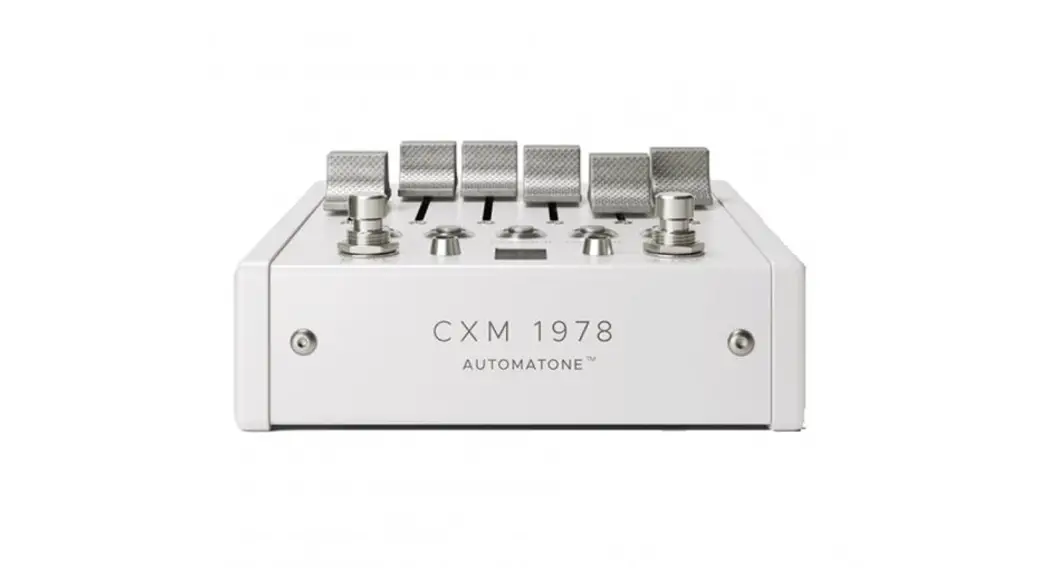
1978 was a big moment for reverb. It was the dawn of sprawl, the first time reverbs were capable of massive trails and infinite decay. The CXM1978 reaches back to that moment, allowing you to explore the charm of those late 70’s imperfections, or hifi and lofi reimaginings.
The reverb you’ll find here is highly interactive and physical, built from a moving, evolving network of digital reflections. Each space has its own behavior and response, just like true reverb. So, let’s learn how to use it.
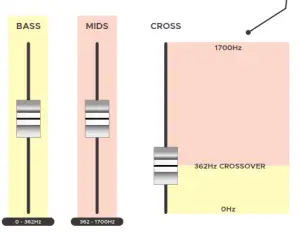
FADERS
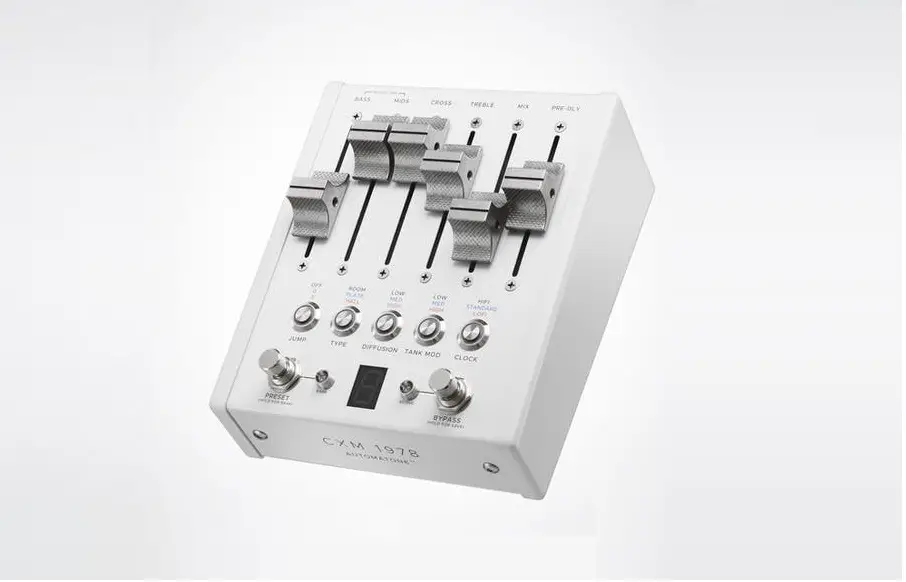
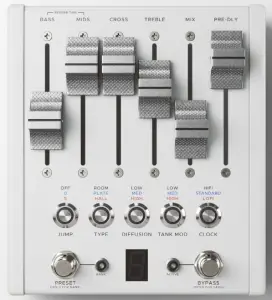
The flying faders react to preset changes, expression, CV, and MIDI, offering visual feedback of exactly what’s going on.
BASS, MIDS, CROSS, TREBLE
These four faders combine to set the reverb time. The CXM1978has a unique approach to reverb shaping that focuses on EQ rather than a simple decay control. By adjusting the EQ, you are actually setting the absorption of the walls that make up the reverb tank. The tone and behavior are interwoven, just like physical reverb.
BASS
Sets the decay time below the crossover frequency
MIDS
Sets the decay time above the crossover frequency
CROSS
Sets the crossover point of the BASS and MIDS. You can think of this as a frequency splitter – everything above the crossover point goes to the MIDS control, everything below goes to the BASS control. A good way to wrap your head around this is by turning up the MIDS slider completely, then adjusting CROSS. With CROSS all the way up, you will have a thin reverb with a fairly short decay. This is because most frequencies are being routed to the BASS control. As you bring CROSS down, both the decay time and EQ expand. The benefit of this approach is you can give a unique decay time to both the BASS and MIDS, and set exactly how to divide the two. This can be used to create a pad of bass reverb that sits neatly beneath your playing, for example. The range is from 0 Hz to 1700 Hz.
TREBLE
Darkens the reflections by increasing absorption. TREBLE is a good example of how the EQ is interconnected – even with MIDS and BASS at max, the decay time will be quite short with TREBLE at minimum.
MIX
Sets the analog balance between the Wet and Dry signals.
PRE-DE
Sets the delay before the onset of the reverb. The range of the pre-delay slider is set by the CLOCK button. Additionally, the HIGH setting of the DIFFUSION button adds a unique smeared feedback to the pre-delay for flanged textures at short times and smooth organic echoes at longer times (see CLOCK for more on this).
FOOTSWITCH FUNCTIONS
PRESET/BANK
This button toggles between 10 saved presets (0-9 on the LED Display) for each bank. Holding down the PRESET/BANK button selects between the three banks indicated by the Bank LED, which is unlit for the first bank of presets, RED for the second bank, GREEN for the third bank. All 30 presets are accessible using only this switch, but MIDI control can offer more flexibility.
BYPASS/SAVE
Engaging Bypass toggles between whether the pedal is affecting incoming audio or not. Holding down the button will save all audio and expression settings to the current preset. If you want to move and save the current settings to another preset number, hold down the JUMP arcade and press the PRESET stomp to find the number you want and then hold the BYPASS stomp to save it in that location. Movement between banks is allowable by holding down PRESET.
JUMP
The JUMP feature lets you instantly skip to preset 0 or 5, like a favorite selector. If JUMP is active when you hit the PRESET footswitch, it will jump to the selected destination. For example, if you are on Preset 7 and the JUMP button is blue, hitting the PRESET stomp will skip to Preset 0. If you are on Preset 7 and the JUMP button is red, hitting the PRESET footswitch will skip to Preset 5. Each preset can be saved with its own JUMP setting. JUMP makes it possible to toggle back and forth between presets 0 and 5, for example, or create custom groups within a bank for quick scrolling through your favorites.
CLOCK
Sets the fidelity, and length of the PRE-DLY control.
HiFi: A clean, modern take on the reverbs of yesteryear, with a low noise floor. 48kHz sample rate, 32-bit input resolution, 42ms max pre-delay.
STANDARD: 1978’s finest. You can think of STANDARD mode as retro hifi, pleasantly flawed and limited by the technology of the time. 24 kHz sample rate, 16-bit input resolution, 168ms max pre-delay.
LOFI: A fluid setting that can introduce a variety of textures, from subtle digital sparkle to overt filtering and degradation. The PRE-DLY slider has a dual purpose in LOFI – it works like a bucket brigade delay, where the ‘time’ knob adjusts the clock rate. The higher the pre-delay, the more the sound quality falls apart. 48kHz-2.4kHz sample rate (variable), 16 bit input
the resolution, 1.7-second max pre-delay.
TANK MOD
Sets the amount of modulation present in the CMX’s reverb tank
LOW: adds a subtle, organic liveliness to the reflections
MED: slow speed and moderate depth for chorus-like movement
HIGH: fast speed and low depth for rotating speaker inspired overtones
DIFFUSION
A deceptively multi-faceted control that sets the amount of smearing for the initial attack of the sound, but also engages some unique hidden behaviors.
LOW: No smearing on the attack (also called the transient), for a very clear and uncolored sound. Bonus for Hall – the LOW setting enables a sparse mode that surrounds the attack with a cloud of soft delay taps, specially designed for the Hall algorithm.
MED: A softened attack, best heard on percussive sounds with a short decay. By spreading out the energy of the attack, the reverb onset is slowed and the reflections inside the reverb
tank is more gentle overall.
HIGH: Introduces regeneration to the pre-delay, along with an extremely softened attack. The effect of this regeneration is dependent on the pre-delay time – lower settings produce comb filtering (flange) or very dense reflections, while higher settings (best with the LOFI CLOCK) yield distinct echoes like a delay. The feedback path includes the diffusion, so that very repeat of the pre-delay is more smeared. The regeneration amount is fixed.
TYPE
ROOM: A lively and direct character, great for transforming static sounds into something with a natural sense of place. ROOM has the ability to provide both ambiance and a feeling of groundedness and familiarity. Try pairing it with virtual amps or instruments to bring them to life.
PLATE: Fast and dense, with a flexible character. Plate tends to be agreeable and easy to blend in – alongside the natural acoustic reverb captured in a recording, for example. A good
match for beefing up percussion and vocals.
HALL: A large space with a medium build-up of reflections. Well-suited to ambient walls of sound, the extended reflections are a great base for sculpting with the BASS/MIDS/ CROSS controls. Deep rumbling bass caverns and ethereal upper-mid halos are easy to create. Don’t forget to explore the additional sparse mode with DIFFUSION set to LOW.
BALANCED I/O
CMX 1978 has the ability to have either unbalanced or ultra-low-noise balanced inputs and outputs. Unbalanced I/O is the default and in this mode, the bypass LED turns red when activated. Balanced I/O can be engaged by holding down the bypass stomp while powering the pedal, and in this case, the bypass LED turns green when activated. Your preferred mode will be remembered by the pedal when powered down, and if you’d like to switch, you need to hold down the bypass stomp while powering the pedal again.
EXPRESSION
To connect an expression pedal, insert a TRS cable from the expression pedal to the EXP jack on the back of the pedal. By default, the expression pedal controls no parameters and will need to be assigned to the sliders. This can also be used for 0-5V Control Voltage (CV). When using CV instead of the expression, you should use a TRS cable with the ring floating. These are available at chaseblissaudio.com.
Here is a sample setup instruction setup:
| 1 | Enter Expression Setup Menus | 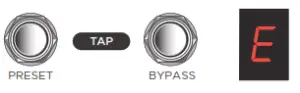 |
| 2 | Slide Faders up (on) or down (off) to assign to Expression Control | 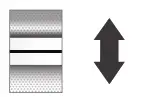 |
| 3 | Enter Toe Page | 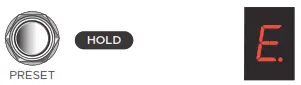 |
| 4 | Slide Faders selected on Expression to the position desired when at full TOE | 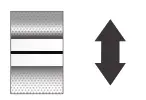 |
| 5 | Enter Heel Page | 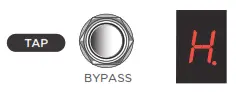 |
| 6 | Slide Faders selected on Expression to the position desired when at full HEEL | 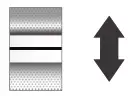 |
| 7 | Exit Expression Setup Menus TAP | 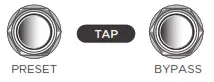 |
Here is a sample setup instruction setup:
| 1 | Enter Expression Setup Menus | 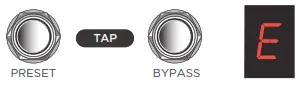 |
| 2 | Switch to Global Mode | 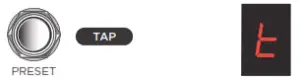 |
| 3 | Slide Faders up (on) or down (off) to assign to Expression Control |  |
| 4 | Enter Toe Page | 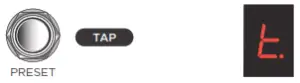 |
| 5 | Slide Faders selected on Expression to the position desired when at full TOE | 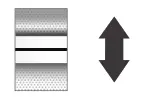 |
| 6 | Enter Heel Page | 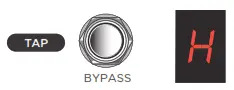 |
| 7 | Slide Faders selected on Expression to the position desired when at full HEEL | |
| 8 | Exit Global Expression Setup Menus | 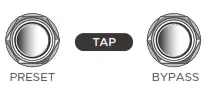 |
There are three pages in this setup. Page “E” will assign which faders expression will control. Page “t” will set the position of each fader when the expression is all the way at the max toe on our treadle (or 5v on CV). Page “H” will define the position of each fader when the treadle is at full heel position (or 0v on CV). When adjusting you can skip to any page and modify only that page. No need to do each page each time. The settings created or changed here will only be saved to the preset when you exit and HOLD BYPASS (or send a Midi Save CC). Worth noting: we are only setting the faders range, not your expression pedals range. There is no need to move the expression pedal during any of the setups.
While on the T and H pages, faders not selected on the E page will reference their Preset settings, do not need to be moved, and will not affect audio. This allows you to safely audition the core preset sound while fine-tuning the T and H ranges of faders selected for expression control.
Finally, this expression mode is referred to as Local, in that it only affects the preset from which you entered the Setup Menus. So you will have 30 presets, and 30 expression settings one for each preset. One last thing, you can decide whether or not you want to bypass trails on or off in this mode by pressing the JUMP button. Blue LED means trails are on and is the default setting.
GLOBAL EXPRESSION
Here once you tap PRESET and BYPASS while on these pages you will now exit and use the Global expression setting for all presets (even when you scroll presets). If you want to get back to using local expression settings, simply tap BYPASS and PRESET, HOLD one of the footswitches until you see the LED show the E, T, or H without the asterisk and you have logged back to the local expression mode for each preset. When in the Expression Setup Menus, you can switch to the GLOBAL Expression mode. Think of this as one extra expression favorite setting that can be accessed from all presets. You can access this Global Expression setting from any preset, change it from any presets expression page, and it will instantly save to the global for all presets. This effectively gives you two expression options for each preset. One unique to each preset, and one common shared by all.
Here once you tap PRESET and BYPASS while on these pages you will now exit and use the Global expression setting for all presets (even when you scroll presets). If you want to get back to using local expression settings, simply tap BYPASS and PRESET, HOLD one of the footswitches until you see the LED show the E, T, or H without the asterisk and you have toggled back to the local expression mode for each preset. Some of these concepts are much easier to explain and demonstrate on video, and we have many tutorials available on our youtube channel at youtube.com/ChaseBlissAudio We also love to hear from customers and answer questions so feel free to write us anytime at chaseblissaudio.com/contact
PRESET NAME
HOVERBOARD
Low, bass-focused reverb pad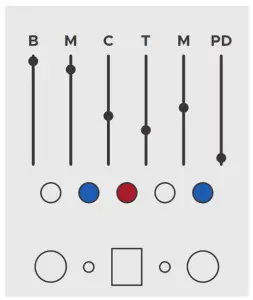
PRESET NAME
NATURAL ACOUSTICS
Pure, intimate room sound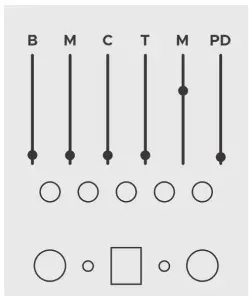
PRESET NAME
SCATTERED THOUGHTS
Wispy multi-tap clusters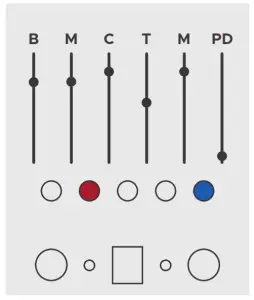
PRESET NAME
WANDERING WIND
Feed it a note and watch it move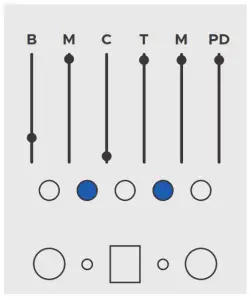
PRESET NAME
ROTATING CHIME
Regenerating lofi artifacts with swirling modulatio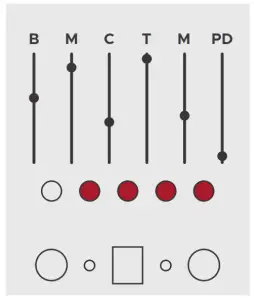
PRESET NAME
WORLD’S BIGGEST ROOM
Impossible room with billowing trails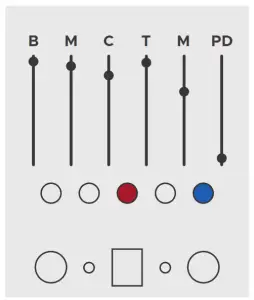
PRESET NAME
DISTANT ECHOES
Dissolving delay/reverb combo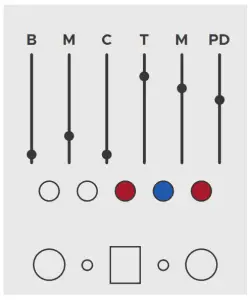
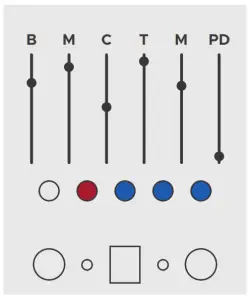
PRESET NAME
BENDING HALL
Classy hall with surreal modulation
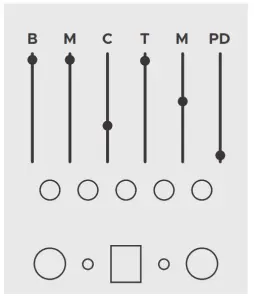
PRESET NAME
BOTTOMLESS
Yeah, infinite reverb, nice
PRESET NAME
ALMOST 80’s
Vintage modulated plate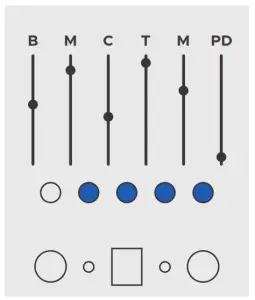
 This device complies with part 15 of the FCC rules. Operation is subject to the following two conditions: (1) This device may not cause harmful interference, and (2) this device must accept any interference received, including interference that may cause undesired operation.