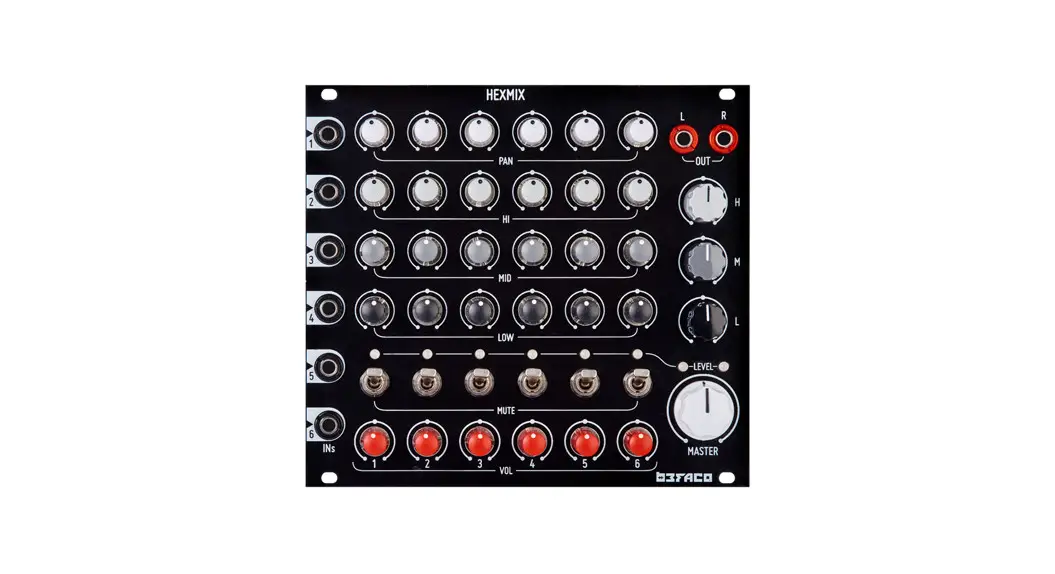
Hexmix V1
HEXMIX V1 – ASSEMBLY GUIDE
Rev. Jan 2022
THANKS FOR CHOOSING ONE OF OUR KITS!
This manual has been written taking into account the common
issues that we often find people experience in our workshops. The
order in which the components are placed on the board is meant to
make assembly as easy as possible.
This is a quite complex build. If you are not an experienced
DIYer you might find yourself in trouble. Some steps are not
obvious, and some components tricky to solder, so even if you’re an
experienced DIYer please read the steps thoroughly before starting.
You will be assembling both boards at the same time. HAVE FUN!
BAG A
RESISTORS
Color code can be difficult to identify, we strongly recommend
using a multimeter.
| Qty | Value | Code | Name on PCB |
|---|---|---|---|
| 96 | 10k | Brown, black, black, red, brown | R34, R35, R36, R37, R38, R39, R40, R41, R63, R64, R65, R66, R67, R68, R69, R70, R101, R104, R202, R203, R204, R205, R207, R208, R265, R280, R290, R291 |
| 28 | 100k | Brown, black, black, orange, brown | R34, R35, R36, R37, R38, R39, R40, R41, R63, R64, R65, R66, R67, R68, R69, R70, R101, R104, R202, R203, R204, R205, R207, R208, R265, R280, R290, R291 |
DIODES
Solder the diodes observing their polarity. The black or white
line on the diode must match with the white line on the diode
symbol on the PCB silkscreen.
| Qty | Value | Name on PCB |
|---|---|---|
| 20 | 1N4148 (orange) | D1, D2, D3, D4, D5, D6, D7, D9, D10, D11, D12, D13, D14, D15, D16, D17, D200, D201, D202, D203 |
| 2 | 1N5817 (black) | D8, D18 |
FERRITES
To solder the two ferrite beads, use a recycled resistor leg
passed through each ferrite and proceed as if it were a resistor.
Ferrite beads don’t have polarity.
| Qty | Name on PCB |
|---|---|
| 2 | FERRITE+, FERRITE- |
OPEN ICs BAG
IC SOCKETS
| Qty | Value | Name on PCB |
|---|---|---|
| 21 | 2×4 pin | IC1, IC2, IC3, IC4, IC5, IC200, IC201, IC202, IC203, IC204, IC205, IC206, IC207, IC208, IC209, IC210, IC211, IC212, IC213, IC214, IC215 |
OPEN BAG B
CAPACITORS
Identifying capacitors can be quite tricky. Codes stated are
indicative, please take a look at this guide for help identifying
capacitors: http://www.wikihow.com/Read-a-Capacitor
| Qty | Value | Code | Name on PCB |
|---|
HEXMIX V1 – ASSEMBLY GUIDE Rev. Jan 2022
THANKS FOR CHOOSING ONE OF OUR KITS!
This manual has been written taking into account the common issues that we often find people experience in our workshops. The order in which the components are placed on the board is meant to make assembly as easy as possible.
This is a quite complex build. If you are not an experienced DIYer you might find yourself in trouble. Some steps are not obvious, and some components tricky to solder, so even if you’re an experienced DIYer please read the steps thoroughly before starting. You will be assembling both boards at the same time. HAVE FUN!
BAG A
RESISTORS Color code can be difficult to identify, we strongly recommend to use a multimeter.
Qty Value Code
Name on PCB
96 10k Brown, black, black, red, brown
R2, R3, R4, R5, R6, R7, R8, R9, R10, R11, R12, R13, R14, R15, R16, R19, R20, R21, R22, R23, R27, R28, R30, R31, R32, R42, R54, R55, R56, R57, R58, R59, R60, R61, R79, R80, R81, R82, R83, R84, R85, R86, R88, R89, R90, R91, R92, R93, R94, R95, R96, R99, R106, R107, R109, R110, R116, R118, R120, R122, R209, R210, R215, R219, R220, R221, R222, R223, R224, R225, R226, R227, R229, R237, R238, R239, R240, R242, R243, R250, R251, R253, R254, R255, R256, R257, R258, R259, R260, R261, R262, R263, R264, R272, R278, R286
28 100k Brown, black, black, orange, brown R34, R35, R36, R37, R38, R39, R40, R41, R63, R64, R65, R66, R67, R68, R69, R70, R101, R104, R202, R203, R204, R205, R207, R208, R265, R280, R290, R291
16 1M Brown, black, black, yellow, brown R216, R217, R230, R231, R232, R233, R234, R235, R236, R241, R244, R245, R246, R247, R248, R249
12 6k8 Blue, grey, black, brown, brown
R273, R274, R275, R276, R277, R281, R282, R283, R284, R285, R287, R288
8 1k Brown, black, black, brown, brown R17, R25, R44, R62, R100, R112, R200, R201
8 47k Yellow, purple, black, red, brown R228, R252, R266, R267, R268, R269, R270, R271
8 150k Brown, green, black, orange,brown R71, R72, R73, R74, R75, R76, R77, R78
8 820k Grey, red, black, orange, brown
R46, R47, R48, R49, R50, R51, R52, R53
6 330R Orange, orange, black, black,brown R18, R24, R33, R43, R97, R111
6 5k6 Green, blue, black, brown, brown R1, R26, R29, R45, R98, R113
6 12k Brown, red, black, red,brown
R87, R105, R114, R115, R117, R119
6 39k Orange, white, black, red, brown R206, R211, R212, R213, R214, R218
4 15k Brown, green, black, red, brown R295, R296, R298, R299
2 470R Yellow, purple, black,black,brown R102, R103
2 9k1 White, brown, black, brown, brown R108, R121
2 36k Orange, blue, black, red, brown
R279, R289
2 91k White, brown, black, red, brown R294, R297
2 220k Red, red, black, orange, brown
R292, R293
1
HEXMIX V1 – ASSEMBLY GUIDE Rev. Jan 2022
DIODES
Solder the diodes observing their polarity. The black or white line on the diode must match with the white line on the diode symbol on the PCB silkscreen.
Qty Value
Name on PCB
20 1N4148 (orange) D1, D2, D3, D4, D5, D6, D7, D9, D10, D11, D12, D13, D14, D15, D16, D17, D200, D201, D202, D203
2 1N5817 (black) D8, D18
FERRITES
To solder the two ferrite beads use a recycled resistor leg passed through each ferrite and proceed as if it were a resistor. Ferrite beads don’t have polarity.
Qty Name on PCB
2 FERRITE+, FERRITE-
OPEN ICs BAG
IC SOCKETS
First place the sockets (taking care to orientate them properly the notch on one end of the socket should match the image on the silkscreen) and solder them into their correct positions.
Qty Value
Name on PCB
21 2×4 pin
OPEN BAG B
IC1, IC2, IC3, IC4, IC5, IC200, IC201, IC202, IC203, IC204, IC205, IC206, IC207, IC208, IC209, IC210, IC211, IC212, IC213, IC214, IC215
CAPACITORS
Identifying capacitors can be quite tricky. Codes stated are indicative, please take a look at this guide for help identifying capacitors: http://www.wikihow.com/Read-a-Capacitor
Qty Value
Code Name on PCB
43 100nF
104 C3, C10, C23, C24, C25, C26, C27, C28, C29, C30, C31, C200, C201, C202, C203, C204, C205, C206, C208, C209, C210, C212, C213, C220, C221, C223, C224, C225, C226, C227, C228, C230, C232, C233, C234, C235, C236, C237, C244, C254, C264, C274, C277
8 560pF
561 C222, C238, C239, C240, C241, C242, C243, C245
6 10pF
10j C2, C4, C253, C265, C275, C276
6 1nF
102 C1, C6, C8, C19, C22, C32
8 4.7nF
4n7K C211, C231, C247, C248, C249, C250, C251, C252
8 47nF
47nK C246, C256, C258, C259, C260, C261, C262, C263
8 470pF (WIMA) 470 C207, C214, C215, C217, C219, C229, C216, C218*
* These two capacitors are a tight in space. Leave some slack for JP1A and JP2A to fit.
2
HEXMIX V1 – ASSEMBLY GUIDE Rev. Jan 2022
TRANSISTORS
Be sure they are orientated correctly. The curved and flat sides of the silkscreen outline of the transistor on the PCB must match that of the transistor’s body.
Qty Value
Name on PCB
16 2n3906
T7, T8, T10, T11, T12, T14, T15, T16, T17, T18, T19, T20, T21, T22, T23, T24
12 2N3904
T1, T2, T3, T4, T5, T6, T9, T13, T200, T201, T202, T203
ELECTROLYTIC CAPACITORS
Values are written on the side of the capacitor. Mind their polarity (The long leg of the capacitor is the positive (+)).
Qty Value Code Name on PCB
20 10uf
10uF C9, C12, C13, C14, C15, C16, C17, C18, C34, C35, C255, C257, C266, C267, C268, C269, C270, C271, C272, C273
6 47uF
47uF C5, C7, C11, C20, C21, C33
OPEN BAG C
VACTROLS Mind polarity when placing the Vactrol. Short leg for negative in silkscreen VTL5C10 LDR1, LDR2, LDR3, LDR4, LDR5, LDR6
SOCKET CONNECTORS
Place and solder the socket connectors on the control board where the silkscreen indicates. Double check they all are perfectly straight.
2
2×5 JP1A, JP2A
4
2×6 JP3A, JP4A, JP5A, JP6A
PIN HEADERS
Place and solder the Pin Header on the silkscreen side. It is the shorter pins that you are soldering and long ones will connect the boards. Please make sure they are straight.
2
2×5 JP1B, JP2B
4
2×6 JP3B, JP4B, JP5B, JP6B
3
HEXMIX V1 – ASSEMBLY GUIDE Rev. Jan 2022
POWER CONNECTOR Place the power connector at “POWER” at silkscreen side, ensuring it is facing out from the edge of the PCB.
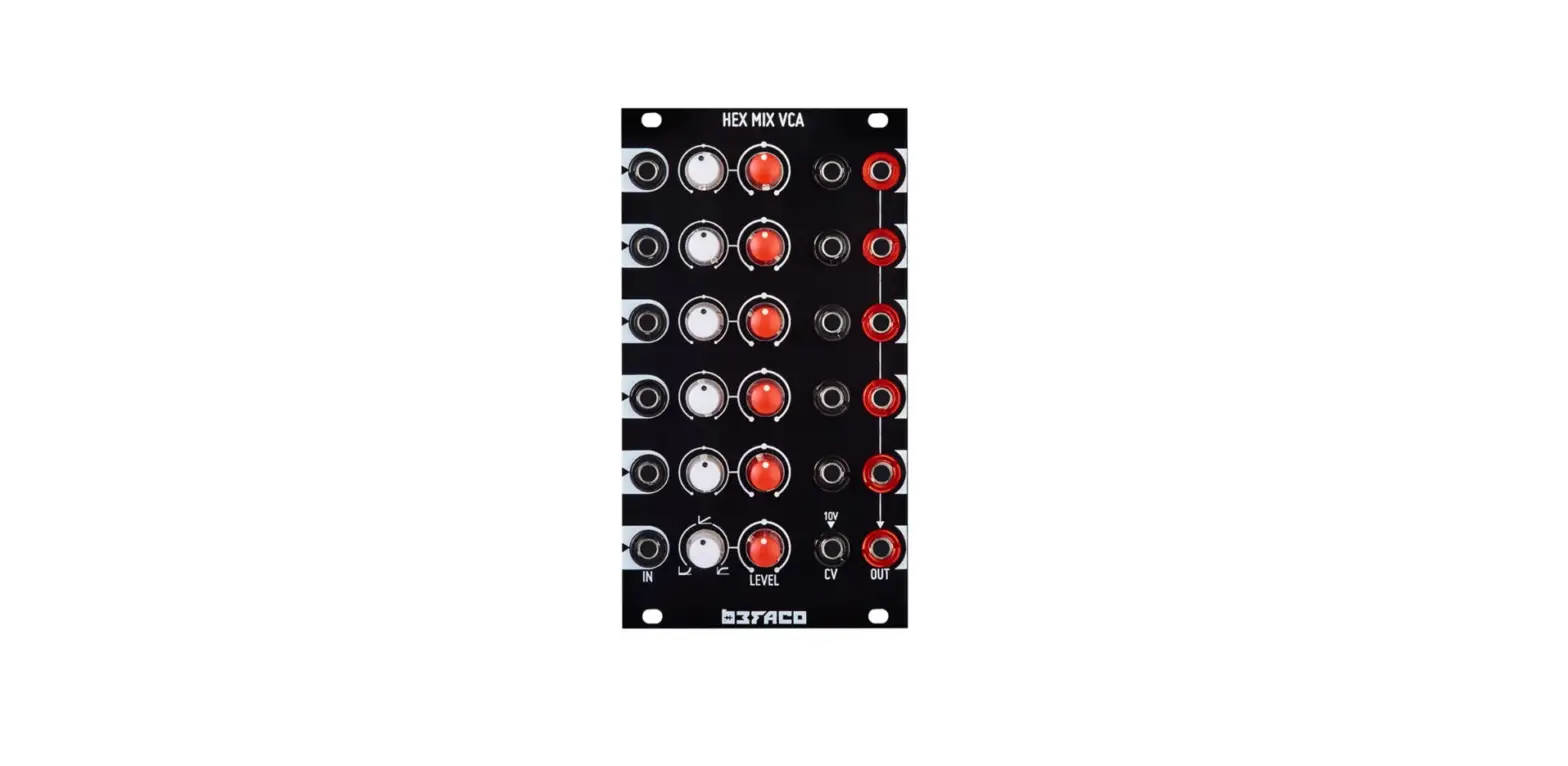
VCA EXTENSION CONNECTOR Solder the VCA expander connector at VCA_CON. Ensuring that its position is following the orientation of the silkscreen.
COMMUNICATION PORTS Solder X1 and X2 IDC connectors , ensuring the position is correct: they must be soldered on the side of the silkscreen, the same side as the rest of components, and they must be facing out of the board. The 2×25 connector is found as a separate unit in the kit box.
DIP SWITCH Solder the DIP switch at S200. This switch will set levels for both channels of output.
RETURN TO ICs FOAM
ICs
Place the ICs in their respective sockets (again taking note of their orientation the notch or dot on the top of the IC must match that of the socket and silkscreen). Like this it will be easier to place the rest of components.
Qty Value
Name on PCB
21 TL072
IC1, IC2, IC3, IC4, IC5, IC200, IC201, IC202, IC203, IC204, IC205, IC206, IC207, IC208, IC209, IC210, IC211, IC212, IC213, IC214, IC215
Nice one! You’re nearly at the end, but the next part is critical and takes a good bit of concentration. If you’re feeling a bit strained, a break would definitely help. Mechanical parts are really delicate and will need your full attention. Please read all steps crefully: A MISTAKE FROM HERE WILL UNLEASH A DESOLDERING MAYHEM ON YOU. YOU ARE WARNED.
4
HEXMIX V1 – ASSEMBLY GUIDE Rev. Jan 2022
OPEN BAG D
SPACERS Secure the two 12 mm male/female spacers onto the CONTROL PCB (through the holes with silver outlines) with the main body of the spacer on the component side, and the nut on the opposite. WARNING: If you don’t screw them now, you won’t be able to do it later!!! Make sure they are tightly fastened, use a tool for this purpose.
Now we will proceed to mount the jacks, potentiometer, switches and LEDs. This part of the assembly is CRITICAL. Please take your time and read the following instructions carefully.
These components must NOT be soldered until they are placed on the PCB and fully attached to the front panel.
There are two reasons for this:
· The height of the panel components are not all the same. Because of this, if not attached properly before soldering, they will not stay properly seated against the panel. This might cause mechanical stress reducing their life expectancy and in the worst case cause them to break.
· The second reason is that it is very difficult to align the components to the holes if the panel is not positioned prior to soldering. In the case of the LEDs, they are almost impossible to set to the correct height without reference to the front panel.
In order to avoid problems with potentiometers we need to make sure the right height is set. We need to have all pots at same height as minijacks, so the easiest way to do so is to set Master volume pot as your reference and solder it at the same time as minijacks.
MINI-JACKS
Place the mini-jacks on the PCB ensuring they are on the side with the silkscreen . Make sure they are flat agianst the PCB, even using the front panel as a reference. Then proceed to solder them all.
OPEN POTENTIOMETERS BAG
POTENTIOMETERS
Now place the potentiometer on the PCB. Do not place them all the way down, leave them loose and… don’t solder them yet!
Qty Type
Name on PCB
24 Single (3pin) B100k HPF1, HPF2, HPF3, HPF4, HPF5, HPF6, LPF1, LPF2, LPF3, LPF4, LPF5, LPF6, MPF1, MPF2, MPF3, MPF4, MPF5, MPF6, GAIN_1, GAIN_2, GAIN_3, GAIN_4, GAIN_5, GAIN6
10 Dual (6pin) B10k
PAN1, PAN2, PAN3, PAN4, PAN5, PAN6, GAIN_M, HPF_M, LPF_M, MPF_M
SWITCHES
Remove washers and nuts from the switches. Place them at MUTE1, MUTE2, MUTE3, MUTE4, MUTE5, MUTE6. These switches have orientation, make sure the momentary action is facing down. But do not solder them yet!
5
HEXMIX V1 – ASSEMBLY GUIDE Rev. Jan 2022
LEDs
Place the LED onto the PCB (the opposite side to the transistors, resistors etc…) minding its polarity (see next paragraph), but don’t solder them until the front panel is in place. This is the only way to solder them the right position. On the silkscreen and the image you will see the letters L and S to show right orientation.
Qty Type
Name on PCB
8 Duo_LED
LED1, LED2, LED3, LED4, LED5, LED6, LED7, LED8
FRONT PANEL At this point we have all mechanical components in place and ready to attach front panel. Before doing so, fill this check list (DO IT! We are watching you):
X Are all LEDs properly oriented? (flat side facing left) Did you removed nuts and washers from the switches? Do all switches have momentary action facing down? (slot in neck, facing down) Are all pot legs straight and properly in place? (no legs bent or whatsoever) Are you sure no pot have been placed all the way down so they are touching the board?
If all check items have been marked, attach the front panel adjusting the parts one by one until it fits. At this point a pair of fine tweezers can be helpful. Be patient and extra careful, fitting all those components is hard and need your full attention.
To Finish: – Screw in the parts in this order: A) Mini-jacks B) Pots C) Switches
– Make sure everything is flush against the panel and all pots end up all aligned (It’s easy to spot like this pots not screwed flat against the panel)
– Solder all components except potentiometer’s location lugs. This will allow you to debug easier if you made any mistake. Solder them only when module is finished and working.
– Place the LEDs at their right height and solder them.
– Doublecheck your soldering. Just in case.
– Connect the Main PCB to the Control PCB by threading the M3 screws through the Main PCB and securing them to the spacers. The main PCB should be orientated so that the component side is facing towards the front panel.
– Put the knobs on the potentiometers.
– Trim bottom row of potentiometers standoffs (GAIN pots) and IN5 jack. If they are too long, they might touch and damage expansion and power cable.
– Please read user manual carefully before connecting your module.
ENJOY YOUR NEW BEFACO MODULE!
6
HEXMIX V1 – ASSEMBLY GUIDE Rev. Jan 2022 7
HEXMIX V1 – ASSEMBLY GUIDE Rev. Jan 2022 8
 How to Read a Capacitor: 13 Steps (with Pictures) - wikiHow