BJ-W3000 Wireless Temperature Monitor
BJ-W3000 Wireless Temperature monitor
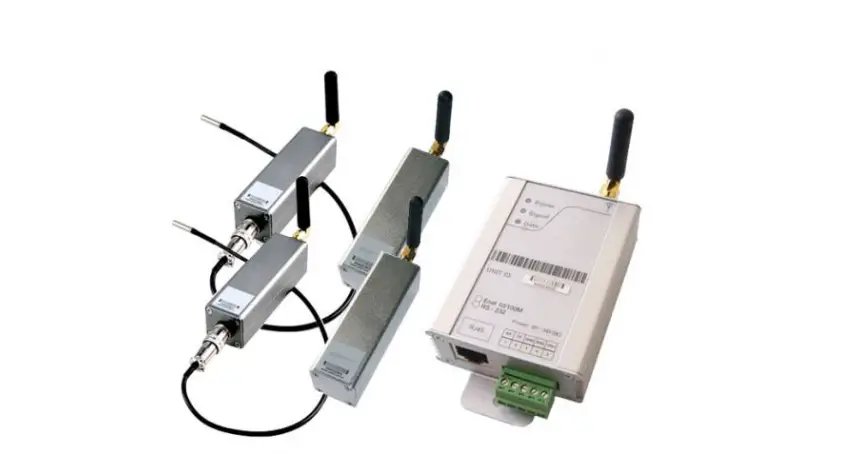
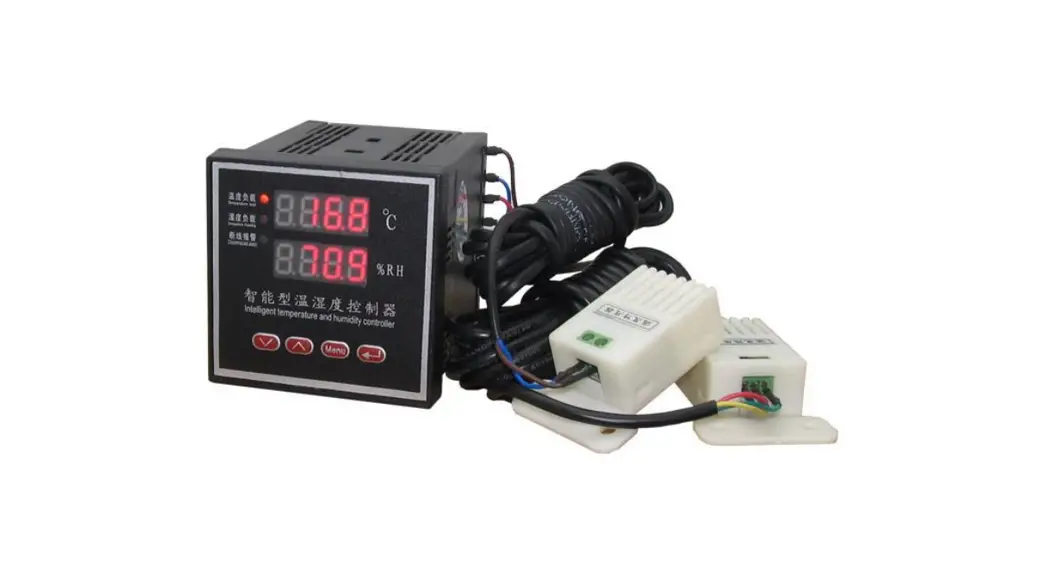
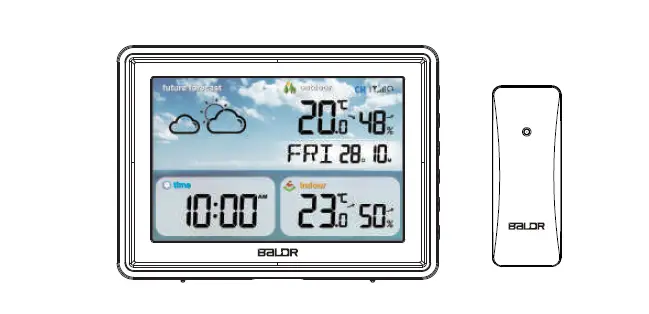
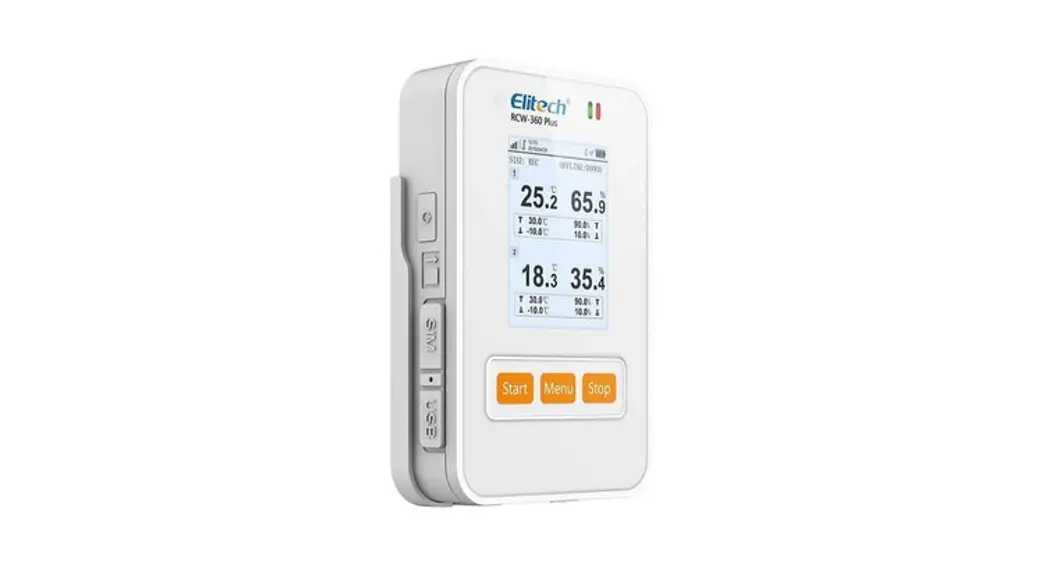
The BJ-W3000 Wireless Temperature monitor is a device that
measures and transmits temperature and humidity data via wireless
technology. It offers economic and flexible systems for every
temperature and humidity measurement requirement. The wireless
sensing units can be installed anywhere within radius from the
local base receiver unit. The device is particularly useful in the
pharmaceutical industry, laboratories, the food industry, cold
storage and warehousing, transport, building management,
environmental monitoring, horticulture, and animal husbandry.
Technical Parameters
The device has the following technical parameters:
- Low-size (144 x 144 mm), panel-mounting base unit
- Instantaneous, maximum and minimum values of each measured
parameter - Alarm output (indication through a lighting led)
- RS-485 or Ethernet communication to a pc (optional)
- Multiple data receivers can monitor temperature
- Receive the data form wireless sensing unit
- Pre-defined high or low temperature conditions
- Transmits the data wirelessly to local receiver
Installation and Start-up
Before using the BJ-W3000 Wireless Temperature monitor, please
read the user manual carefully and follow the instructions
below:
- Make sure that the power supply is within the provisions of the
instrument before turning on the power supply. - When installing, the current input terminal must not be open,
and voltage input terminals must not be short-circuited. - Communication terminal (RS485) is strictly prohibited to impose
high pressure. - Ensure that the instrument wiring is consistent with the
internal system settings. - When communicating with the PC, instrument communication
parameters must be consistent with the PC.
In case of over-temperature or under-temperature conditions, the
alarm sounds with a warning light indicator to notify you of the
abnormal condition. Adding on additional sensing units is easy; use
multiple receivers, the units work together to keep you on top of
the environmental conditions within your space.
User Manual
BJ-W3000 Wireless Temperature monitor
User Manual
Version:1.41
Tel: +0086-023-67628702 www.cqbluejay.com Add: 1802,Building 2,No.88,Jianxin East Road,Chongqing,400020,China
Revision :2023.04 Em ail:[email protected]
Read me
User Manual
When you use BJ-W Series Wireless Temperature Monitor, be sure to carefullyread thisuser manual, and be able to fully understand the implications, the correct guidance of operations in accordance with user manual, which will help you make better use BJ-W Series Wireless Te mpe rature Monitor, and help to solve the v arious problems at the sce ne.
1. Before the meter turning on the power supply, be sure that the power supply within the provisions of the instrument;
2. When installation, the current input terminal must non-open, voltage input terminals must Non-short circuit;
3. Communication terminal (RS485) is strictly prohibited to impose high pressure;
4. Be sure the instrument wiring consistent with the internal system settings;
5. When communicating with the PC, instrument communication parameters must be consistent with the PC
Please read this user manual carefully Please save this document
Tel: +0086-023-67628702 www.cqbluejay.com Add: 1802,Building 2,No.88,Jianxin East Road,Chongqing,400020,China
Em ail:[email protected] – 1 –
User Manual
Directory
1.- S UMMARIZE …………………………………………………………………………………………………………………………………………… – 3 2. – TECHNICAL PARAMET ERS ………………………………………………………………………………………………………………. – 4 3.- INSTALLATION AND START-UP…………………………………………………………………………………………………………. – 6 –
3.1.- INSTALLATION………………………………………………………………………………………………………………………………………..- 6 3.2.- CONNECT ION TERMINAL (SEE LABEL ON THE REARPART )……………………………………………………………………….- 8 3.3.- CONNECTION DRAWING FOR THE BJ-W ………………………………………………………………………………………………….- 9 4. SCREEN DISPLAY …………………………………………………………………………………………………………………………………. – 10 4.1.- PANEL DIAGRAM…………………………………………………………………………………………………………………………………..- 10 4.2.- DISPLAY SUMMARY………………………………………………………………………………………………………………………………- 10 5.- OPERATION MODE……………………………………………………………………………………………………………………………… – 11 6.- MEN U INTRODUCTION……………………………………………………………………………………………………………………… – 12 7.- COMMUNICATION INTERFACE ……………………………………………………………………………………………………… – 15 7.1.- CONNECTION FORTHE RS485 ………………………………………………………………………………………………………………- 15 7.2.- M ODBUS © PROTOCOL ………………………………………………………………………………………………………………………- 16 8.- SAFETY CONS IDERATIONS ……………………………………………………………………………………………………………… – 18 9.- MAINTENANCE ……………………………………………………………………………………………………………………………………. – 18 10.- TECHNICAL S ERVICE………………………………………………………………………………………………………………………. – 18 –
Tel: +0086-023-67628702 www.cqbluejay.com Add: 1802,Building 2,No.88,Jianxin East Road,Chongqing,400020,China
Em ail:[email protected] – 2 –
User Manual
1.- SUMMARIZE
The Blue Jay Electronic monitor measures and transmits the temperature and humidity data via wireless technology, solutions offering economic and flexible systems for every temperature and humidity measurement requirement. The wireless sensing units can be installed anywhere within radius from the local base receiver unit.
Adding on additional sensing units is easy; use multiple receivers, the units work together to keep you on top of the environmental conditions within your space. In case of over-temperature or undertemperature conditions, the alarm sounds with a warning light indicator to notify you of the abnormal condition.
APPLICATIONS
The pharmaceutical industry – manufacture, storage and distribution Laboratories – fridges, freezers, cold rooms and incubators The food industry – production, processing, catering and retail Cold storage and warehousing Transport Building management Environmental monitoring Horticulture Animal husbandry
FEATURES
Low-size (144 x 144 mm), panel-mounting base unit. Instantaneous, maximum and minimum values of each measured parameter. Alarm output (indication through a lighting led). RS-485 or Ethernet communication to a pc (optional). Multiple data receivers can monitor temperature. Receive the data form wireless sensing unit. Pre-defined high or low temperature conditions. Transmits the data wirelessly to local receiver.
Tel: +0086-023-67628702 www.cqbluejay.com Add: 1802,Building 2,No.88,Jianxin East Road,Chongqing,400020,China
Em ail:[email protected] – 3 –
2. – TECHNICAL PARAMETERS
– Power supply: AC / DC 80-270V, 45-65Hz DC 20-60V (Optional) Maximum power consumption 6W
– Wireless remote sensing unit: Standard type 3-12*
– Temperature monitor range: From 0°C ~ 99 °C
– Wireless communication frequency: 315MHZ or 433MHZ
– Transmit power: Less than 10mW
– Distance of the receiver and monitor Up to 80m (260 foot)
– Batte ry life 3-5 years (Every fifteen minutes to send a data)
– Work environment: Temperature: -10°C ~ +60°C Humidity: RH 20%~95% (No condensation)
– Storage environment: Temperature: -25°C ~ +70°C Humidity: RH 20%~95% (No condensation)
User Manual
Tel: +0086-023-67628702 www.cqbluejay.com Add: 1802,Building 2,No.88,Jianxin East Road,Chongqing,400020,China
Em ail:[email protected] – 4 –
– Protection
Panel: IP40
– Dimensions (L × W × H)
Base Monitoring Unit: 144mm×144mm×110mm Data Receiver Unit: 65mm×50mm×30mm Wireless Remote Sensing Unit:65mm×50mm×25mm
User Manual
Tel: +0086-023-67628702 www.cqbluejay.com Add: 1802,Building 2,No.88,Jianxin East Road,Chongqing,400020,China
Em ail:[email protected] – 5 –
3.- INSTALLATION AND START-UP
User Manual
The manual you hold in your hands contains information and warnings that the user should respect in order to guarantee a proper operation of all the instrument functions and keep its safety conditions. The instrument must not be powered and used until its definitive assembly on the cabinet’s door.
Whe the r the instrument is not used as manufacturer’s specifications, the protection of the instrume nt can be damaged.
When any protection failure is suspected to exist (for example, it presents external visible damages), the instrument must be immediately powered off. In this case contact a qualified service representative.
3.1.- Installation
M ounting Instrument is to be mounted on panel (cut-out 136.5+0.8 x 136.5+0.8 mm). All connections keep inside the cabinet.
Note:
When the instrument powered on, the terminals could be dangerous to touching and cover opening actions or elements removal may allow accessing dangerous parts. Therefore, the instrument must not be used until this is completely installed.
Tel: +0086-023-67628702 www.cqbluejay.com Add: 1802,Building 2,No.88,Jianxin East Road,Chongqing,400020,China
Em ail:[email protected] – 6 –
User Manual
Auxiliary power:
BJ-W Series Wireless Temperature Monitor with universal (AC / DC) power input, if not for a special statement, we provide the 220VAC/DC or 110VAC/DC power interface for standard products Instruments limit work power supply: AC / DC :80-270V, please ensure that the auxiliary power can match for BJ-W Series Wireless Temperature Monitor to prevent damage to the product.
A. Suggest install 1A fuse in the fire line side.
B. For the areas with poor power quality, suggest install lightning surge suppressor and rapid burst suppressor to prevent lightning strikes
Tel: +0086-023-67628702 www.cqbluejay.com Add: 1802,Building 2,No.88,Jianxin East Road,Chongqing,400020,China
Em ail:[email protected] – 7 –
3.2.- Connection terminal (see label on the rear part)
User Manual
Upper connection terminal
22 .(NC) Normal close pin 23 .(COM) Ground pin 24. (NO) Normal open pin 25, 26, 27 for Spare alarm output
Lower connection terminal
1. Supply voltage input:220 Va.c. 2. Supply voltage input: 0 V 4. RS-485 ( GND ) 5. RS-485 ( – ) 6. RS-485 ( + ) 13(G) 14(R) 15(T) 16(V).connect to data receiver unit corresponding pin
Tel: +0086-023-67628702 www.cqbluejay.com Add: 1802,Building 2,No.88,Jianxin East Road,Chongqing,400020,China
Em ail:[email protected] – 8 –
3.3.- Connection drawing for the BJ-W
User Manual
Sensor fixed with close to the measured surface
For environmental measurement type, use should set the sensor case and data sensing unit in a suitable place
Note: If any special requirement for the test environment, or objects, please contact Blue Jay Technical Support for further de tails
Warming!!!
If no display on the Base Unit or temperature data is abnormal, please check out following points: – R485 wiring is correct? – Sensor is correctly placed in the measured surface?
Tel: +0086-023-67628702 www.cqbluejay.com Add: 1802,Building 2,No.88,Jianxin East Road,Chongqing,400020,China
Em ail:[email protected] – 9 –
4. Screen display
4.1.- Panel diagram
User Manual
4.2.- Display Summary
No.
Display
Explanation
Show the temperature or humidity data,
1
3.3 inch matrix LCD
Can be customized to different languages
Red LED show the alarm condition, alarm
2
Indicator of alarm output
value can be programmable setting
3*
Up and down key
Set the programming value
Used to open the menu and return to
4*
Menu key
previous menu
5*
Enter key
For menu selection and confirmation
Note: Please see detail instructions of “*” items at “OPERATION M ODE”
Tel: +0086-023-67628702 www.cqbluejay.com Add: 1802,Building 2,No.88,Jianxin East Road,Chongqing,400020,China
Em ail:[email protected] – 10 –
5.- OPERATION MODE
User Manual
When the power up, the monitor will show the Welcome screen, so informing about the manufacturer and the Technical servers TEL. (Accept customized info).
CHANNEL 1=25.3 oC CHANNEL 2=25.8 oC CHANNEL 3=26.1 oC
13-06-25 12:22
After 2 second, the monitor unit will in to monitor display, show the
page 1 sensor data, current time, month, and year. User can press
and
key to switch the data page.
Note s:
1. If disconnection between the receiver module and the base unit, the display will show “Broke n”.
2. If abnormal caused by the temperature transmitter module fault, the display will show “Error “.
3. If abnormal caused by a broken of thermocouple, the display will show ” V broken” 4. If Transmitter battery have low-voltage, the display will show ” Under voltage “, in this
case user should replace the batteries immediately
Up or down key to switch the display show
At programming display mode,
and
To increase or decrease the value
Open the programming menu And return to previous menu
Exit it with saving any modification Or in menu operation to go to the next menu
Tel: +0086-023-67628702 www.cqbluejay.com Add: 1802,Building 2,No.88,Jianxin East Road,Chongqing,400020,China
Em ail:[email protected] – 11 –
User Manual
6.- MENU INTRODUCTION
The MENU in BJ-W3000 is performed by several set options. Once into the MENU, use the keyboard to select different options and enter required variables:
Configuration
SOE HELP
Configuration: free to set system parameter SOE: Alarm event, can record last 10 list info HELP: help info (accept customized info)
6.1.- Setting
In this section, user will set:
1. Time setting 2. Alarm setting 3. COMM setting 4. Note setting
6.1.1.- Set the local time
In setting mode, press key”
Time setting
Alarm setting Comm setting Note setting
“, the monitor will show:
Then press
again, the monitor will show:
2013–06–23 15:30
[OK]
Use key
and
to set the value, and press
the cursor to set the next parameter, after set, press
escape the local time setting
to move to save and
Tel: +0086-023-67628702 www.cqbluejay.com Add: 1802,Building 2,No.88,Jianxin East Road,Chongqing,400020,China
Em ail:[email protected] – 12 –
User Manual
6.1.2.- Set the alarm trig value
The base monitor unit have two relay output for alarm, the connect pin for relay please refer to chart 3.2.
Time setting Alarm setting
Comm setting Note setting
In setting menu, choose this item, and press setting.
to enter the alarm
The monitor will show:
Alarm
Threshold: 50 oC
Trigger
Threshold: 60 oC
Temperature
HYS
: 5 oC
[OK]Monitor can set two alarm output values: Alarm threshold temperature: for notes onsite person the temperature change Trigger threshold temperature: can connect breaker or other Actuator to forced shutdown circuit, prevent over-temperature damage
Note: Trigger threshold value should be higher than alarm threshold value
After set, press
to save and escape the local time setting
6.1.3.- Comm setting
Comm Addr: 05 Baud Ratio: 4800
[OK]
Base monitor unit can be connected to a P.C. With this system we can get all the parameters in one central point of reading. It has a serial RS-485 port. If we connect more than one device to the same communication line (RS-485), we have to assign to each of them a different code or direction (from 1 to 247), since the P.C. needs the identification of every measuring point.
Line one means the Communication address, the set value from 1~247
Line two means the “BAUD”, the set value from 4800~38400
6.1.4.- Communication setting
Time setting Alarm setting Comm setting Note setting
BJ-W Allows customers to define the name of each probe point. (Default is disabled, accept customized info)
Tel: +0086-023-67628702 www.cqbluejay.com Add: 1802,Building 2,No.88,Jianxin East Road,Chongqing,400020,China
Em ail:[email protected] – 13 –
User Manual
6.2.- Alarm event review
The base monitor unit can record the alarm event, user can easily v iew the over-temperature conditions on the unit, without other device
In the setting menu, press
and
to choose alarm event, the screen will show:
Configuration SOE
HELP
Press
the screen show:
Event:01 CHANNEL1 Data: 2013-06-25 Time: 14:12 Alarm: T1=27 oC
If the monitor detects an over-temperature, it will record the alarm type, data, time, and temperature, the memory standard is 10 items, need more record capacity, please contact Blue Jay Electronic sales team
Tel: +0086-023-67628702 www.cqbluejay.com Add: 1802,Building 2,No.88,Jianxin East Road,Chongqing,400020,China
Em ail:[email protected] – 14 –
User Manual
7.- COMMUNICATION INTERFACE
7.1.- Connection for the RS485
The composition of the RS-485 cabling must be carried out with a meshed screen cable (minimum 3 wire), diameter of not less than 0.5mm2, with a maximum distance of 1,200 m between the BJ… and the master unit. This Bus may connect a maximum of 32 BJ194…
Note s:
1.For communication with the master unit, customers can choose the RS-232 to RS-485 converter to use 2.Full range of BJ meter RS485 PIN number is 58,59,60 3.Due to product modifications or custom requirements, the interface pin place may be change. For details, please refer to product label on the rear board
Tel: +0086-023-67628702 www.cqbluejay.com Add: 1802,Building 2,No.88,Jianxin East Road,Chongqing,400020,China
Em ail:[email protected] – 15 –
7.2.- MODBUS © protocol
Modbus RTU Frame Format:
Address code Function code
1 BYTE 1 BYTE
Data code
4 BYTE
Error Check code
2 BYTE
User Manual
Slave device address 1-247 Indicates the function codes like read coils / inputs Starting address, high byte Starting address, low byte Number of registers, high byte Number of registers, low byte Cyclical Redundancy Check ( CRC )
M ODBUS FUNCTIONS Code
M e aning
FUNCTION 03
Reading of n Words
De scription
This function permits to read all the electrical parameters of the BJ194…series.
FUNCTION 16
Write value in to the relevant Preset Multiple Registers
register
Note: Blue Jay Default disable the write function, if want change configuration via RS485, please contact Blue Jay Sales Team before your order.
Tel: +0086-023-67628702 www.cqbluejay.com Add: 1802,Building 2,No.88,Jianxin East Road,Chongqing,400020,China
Em ail:[email protected] – 16 –
7.3. – Register address table
Host send Slave address
Function code
Byte 1
1
Start register
2
Data length
2
CRC code
2
User Manual
Example
01
send to slave “01”
03
read register
00 00 start address 0000
00 04 read 2 register
44 0c CRC code
Slave response Slave address Function code Data length register 0 register 1 register 2 register 3 register 4 register 5 register 6 register 7 register 8 register 9 CRC code
Byte 1 1 2 2 2 2 2 2 2 2 2 2 2 2
Example
01
data from slave “01”
03
read register
07
7 bytes data followed
00
channel 1 temperature data
00
channel 2 temperature data
00
channel 3 temperature data
00
channel 4 temperature data
00
channel 5 temperature data
00
channel 6 temperature data
00
channel 7 temperature data
00
channel 8 temperature data
00
channel 9 temperature data
00
environment temperature data
00 32 CRC code
Tel: +0086-023-67628702 www.cqbluejay.com Add: 1802,Building 2,No.88,Jianxin East Road,Chongqing,400020,China
Em ail:[email protected] – 17 –
User Manual
8.- SAFETY CONSIDERATIONS
All installation specification described at the previous chapters named: INSTALLATION AND STARTUP, INSTALLATION MODES and PECIFICATIONS.
Note that with the instrument powered on, the terminals could be dangerous to touching and cover opening actions or elements removal may allow accessing dangerous parts. This instrument is factory-shipped at proper operation condition.
9.- MAINTENANCE
The product does not require any special maintenance. No adjustment, maintenance or repairing action should be done when the instrument open and powered on, should those actions are essential, high-qualified operators must perform them.
Before any adjustment, replacement, maintenance or repairing operation is carried out, the instrument must be disconnected from any power supply source.
When any protection failure is suspected to exist, the instrument must be immediately put out of service. The instrument’s design allows a quick replacement in case of any failure.
10.- TECHNICAL SERVICE
For any inquiry about the instrument performance or whether any failure happens, contact to Blue Jay’s technical service. Blue Jay – After-sales service
1802,Building 2,No.88,Jianxin East Road, Chongqing,400020,China Tel – + 0086 023 67628702 E-mail: [email protected]
Tel: +0086-023-67628702 www.cqbluejay.com Add: 1802,Building 2,No.88,Jianxin East Road,Chongqing,400020,China
Em ail:[email protected] – 18 –
 Blue Jay - Development, production and sales of power automation monitoring products and energy metering instruments.