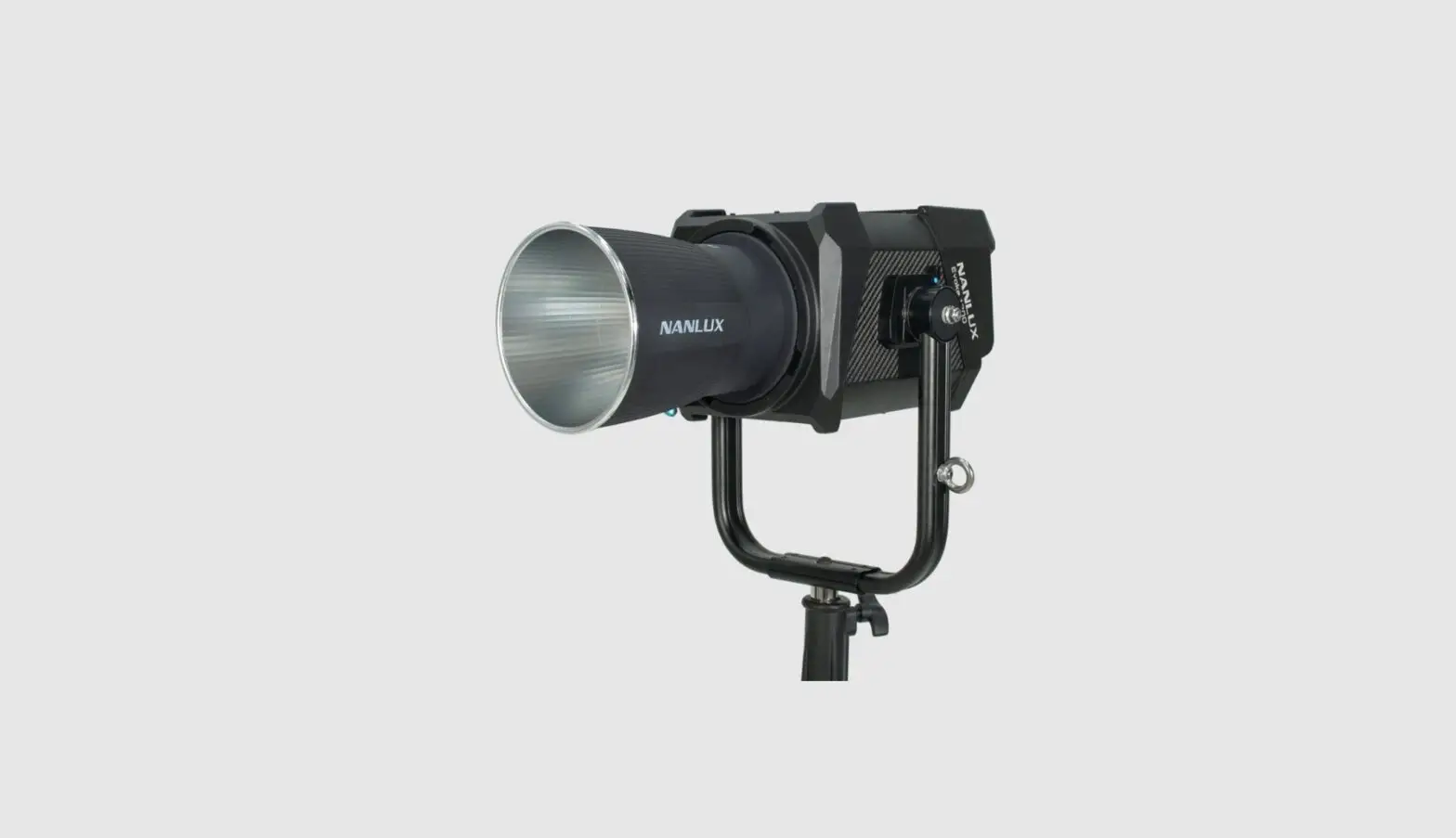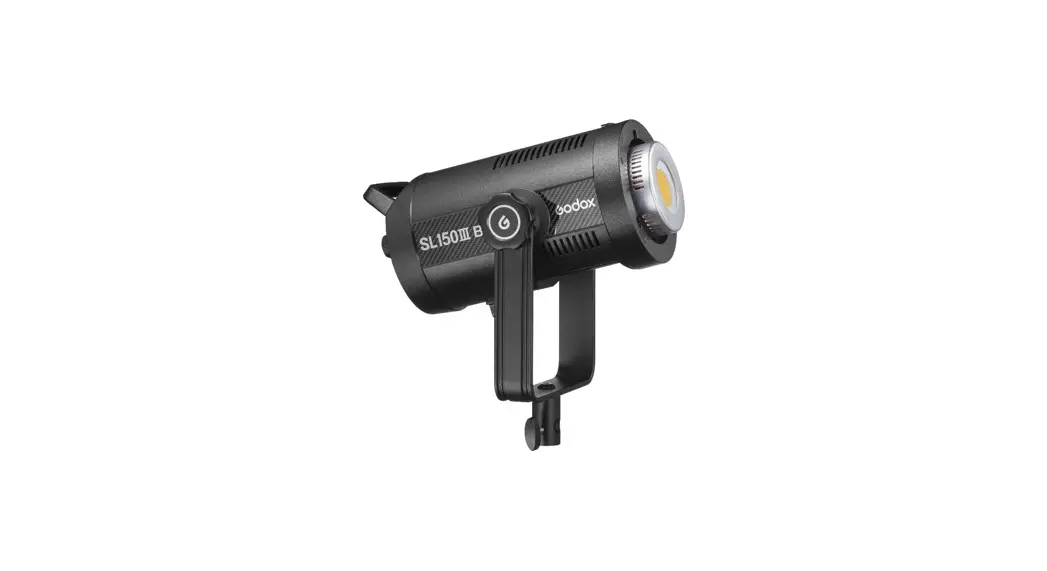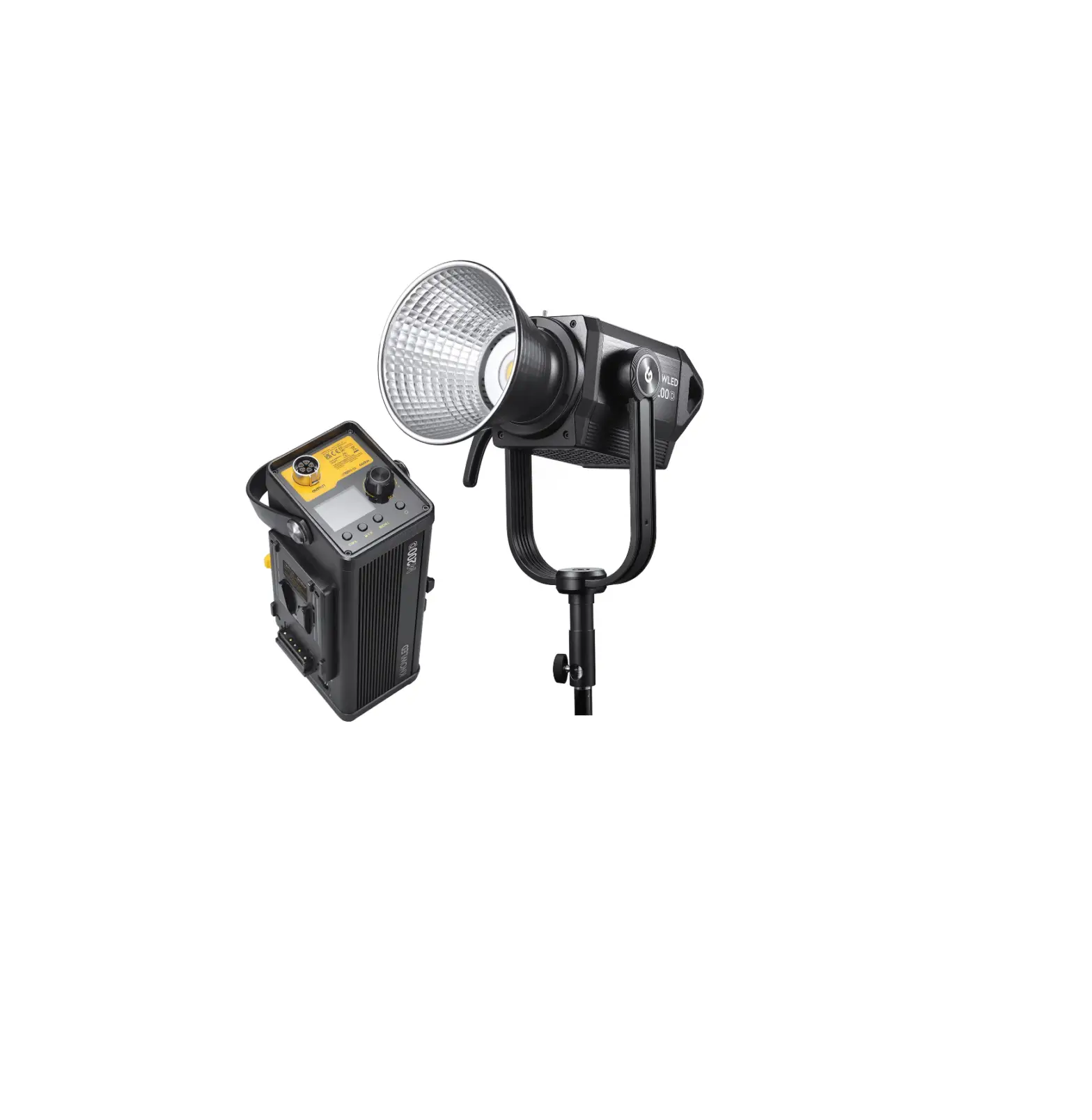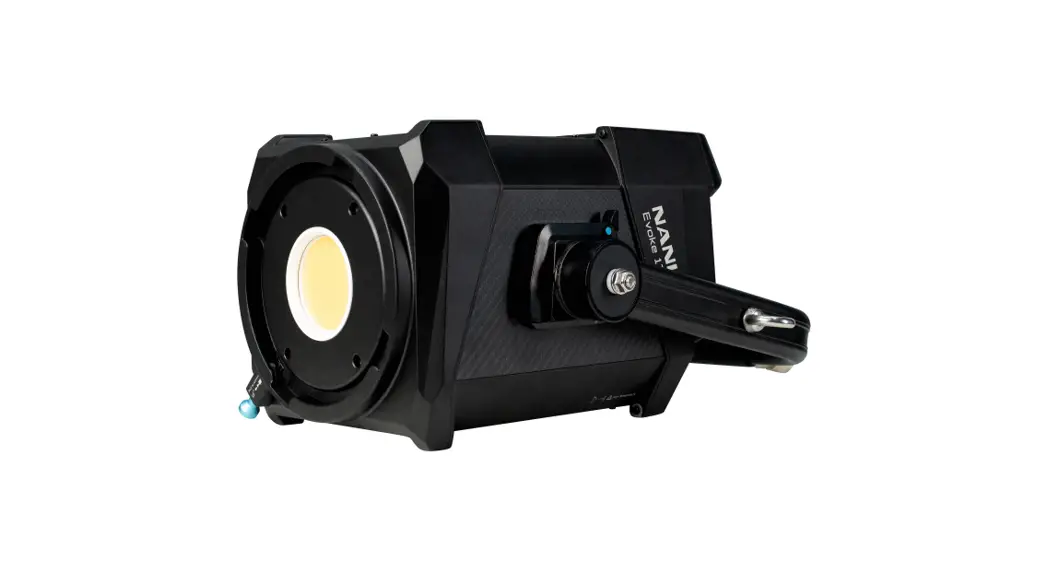


Nanguang Photo Video Systems EVOKE1200 LED Spot Light
Instruction Manual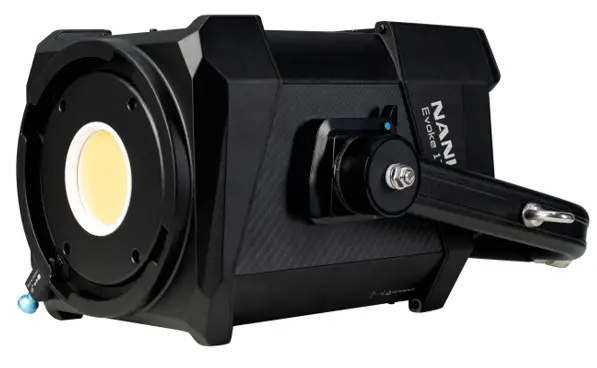
PULSE
For PULSE settings, rotate the “Right knob” to select DIM and PULSES/MIN (Range: 1-240), then rotate the “Left knob’ to set the corresponding parameters.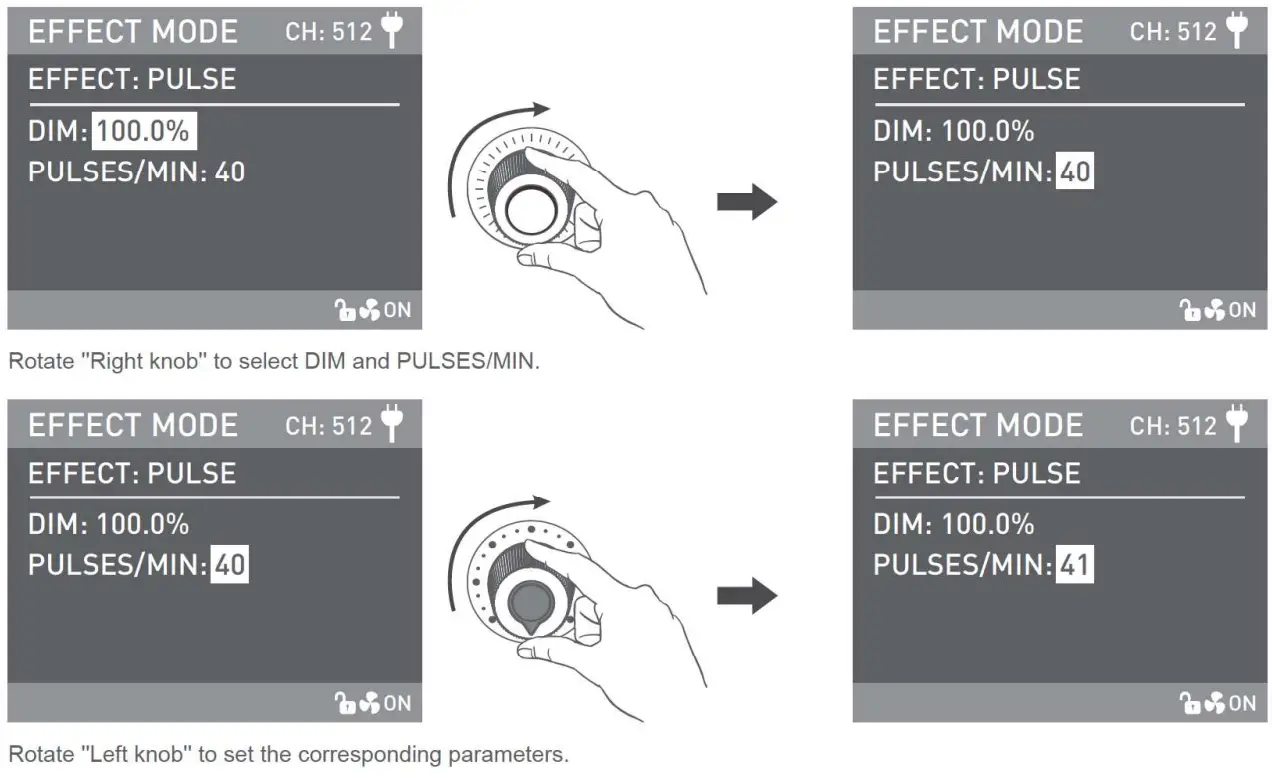 STORM AUTO
For STORM AUTO settings, rotate the “Right knob” to select DIM, !NM RANGE (Range: 1s-60s), then rotate “Left knob” to set the corresponding parameters. 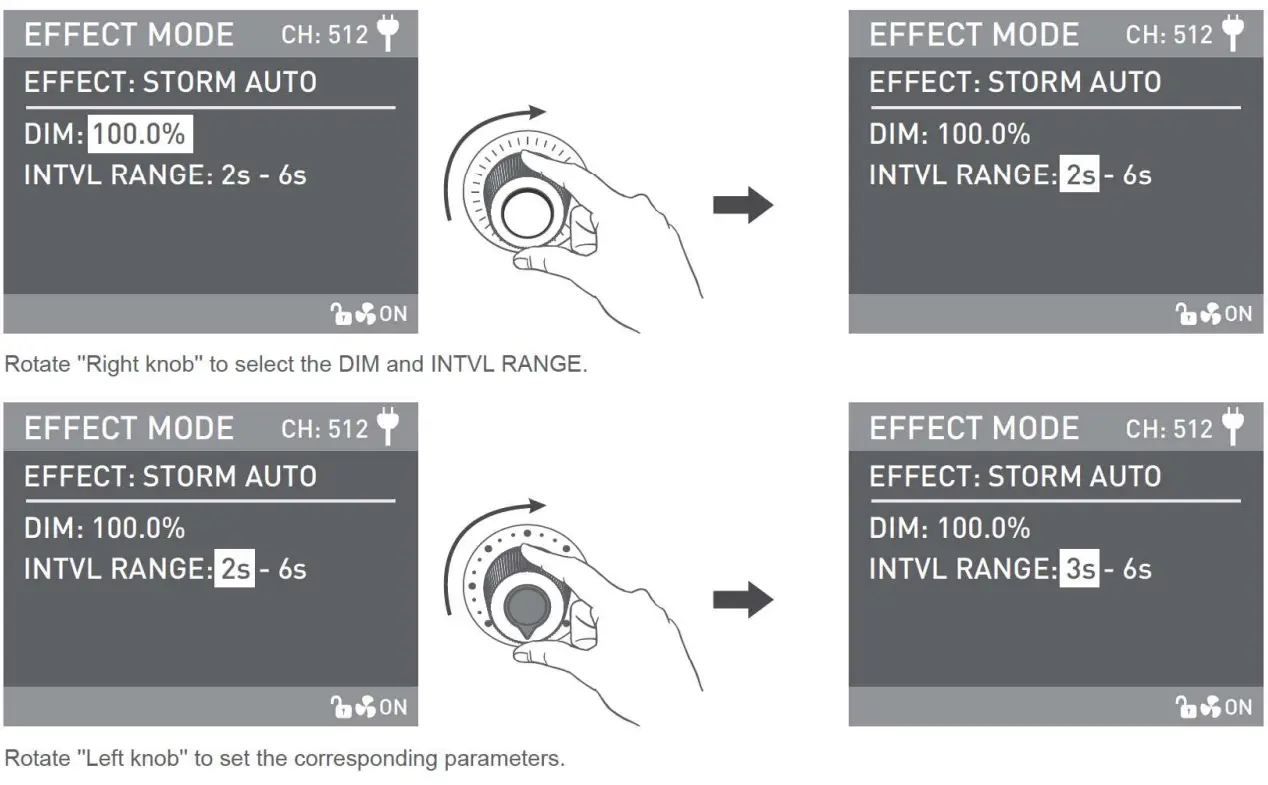 STORM MANUAL
For STORM MANUAL settings, rotate “Right knob” to select DIM, then rotate “Left knob” to set the corresponding parameters and press “Right knob” to trigger storm.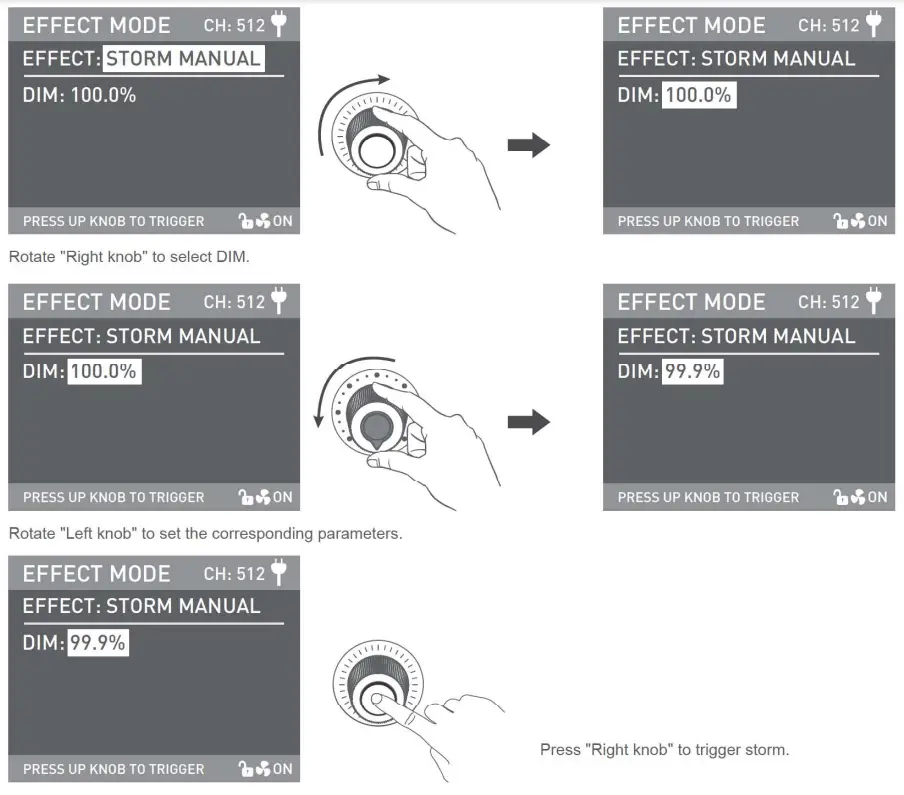 TV
TV
For TV settings, rotate the “Right knob” to select DIM and SPEED (Range:1-100). Then rotate the “Left knob” to set the corresponding parameters. 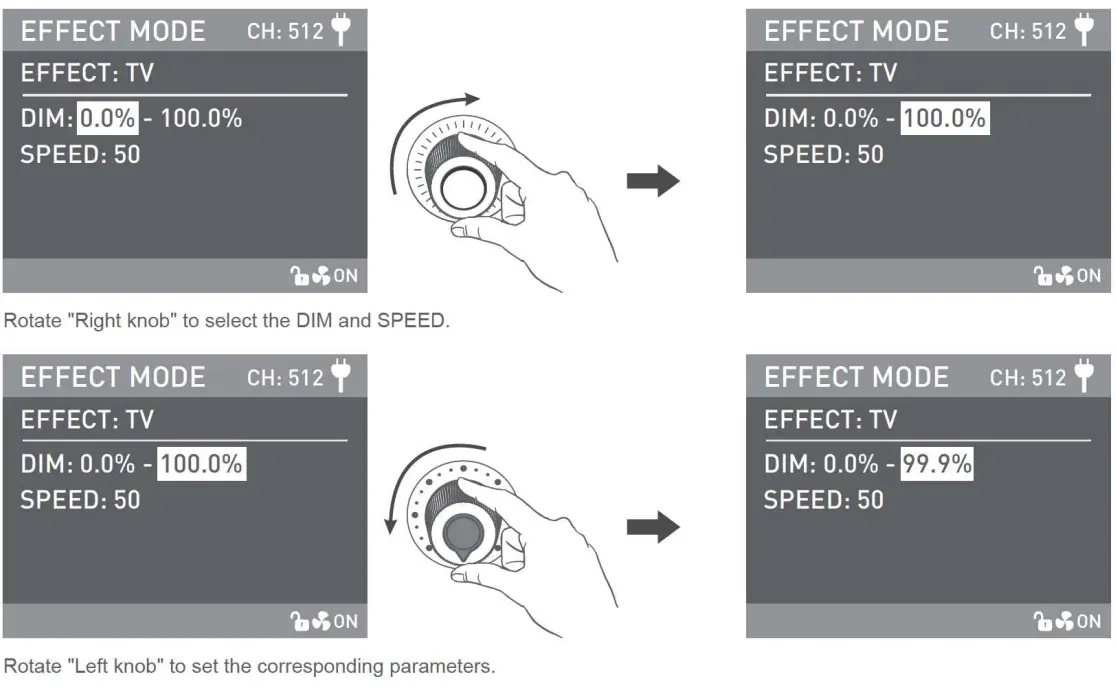
PAPARAZZI
For PAPARAZZI settings, rotate the ‘Right knob” to select DIM and SPEED (Range:1-100), then rotate the “Left knob” to set the corresponding parameters.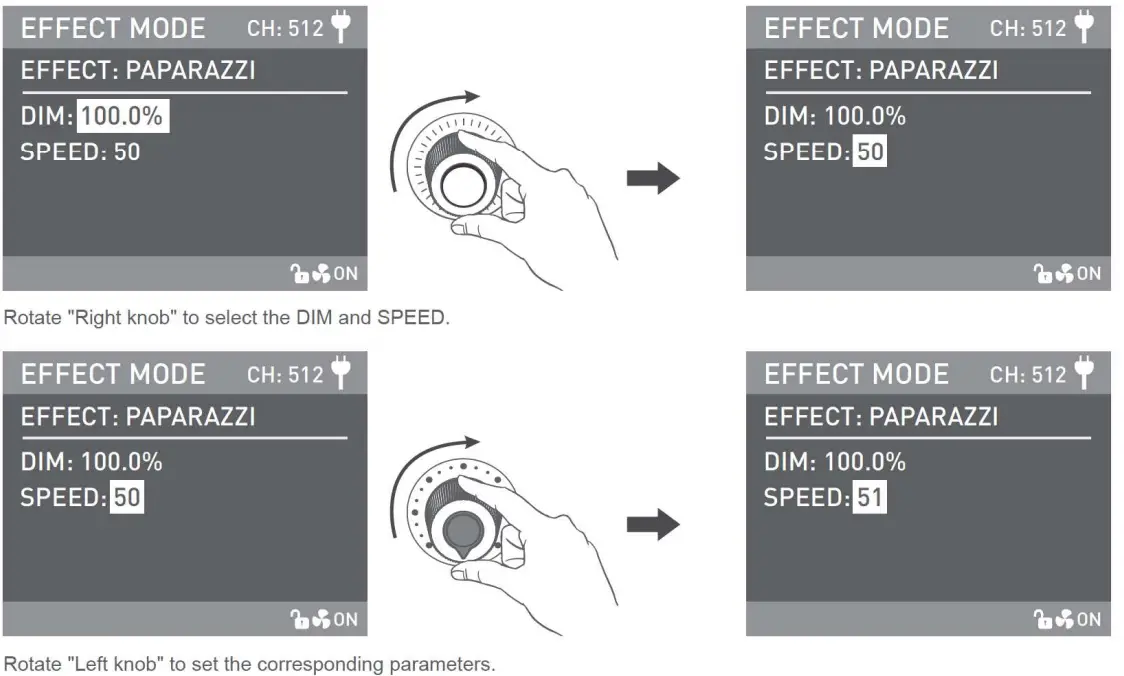 CANDLE/FIRE
For CANDLE/FIRE settings, rotate the “Right knob’ to select DIM and SPEED (Range: 1-100), then rotate the “Left knob” to set the corresponding parameters.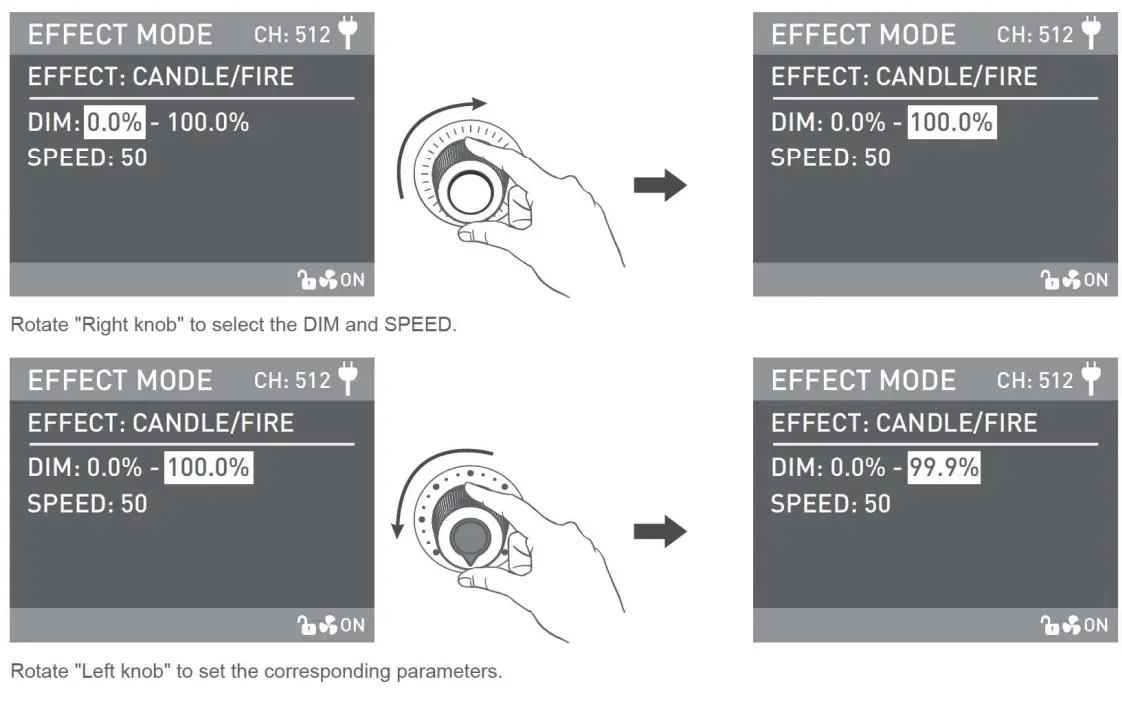 BAD BULB
For BAD BULB settings, rotate the Right knob’ to select DIM, INTENSITY (Range: 1-100) and SPEED (Range: 1-100), then rotate “Left knob” to set the corresponding parameters.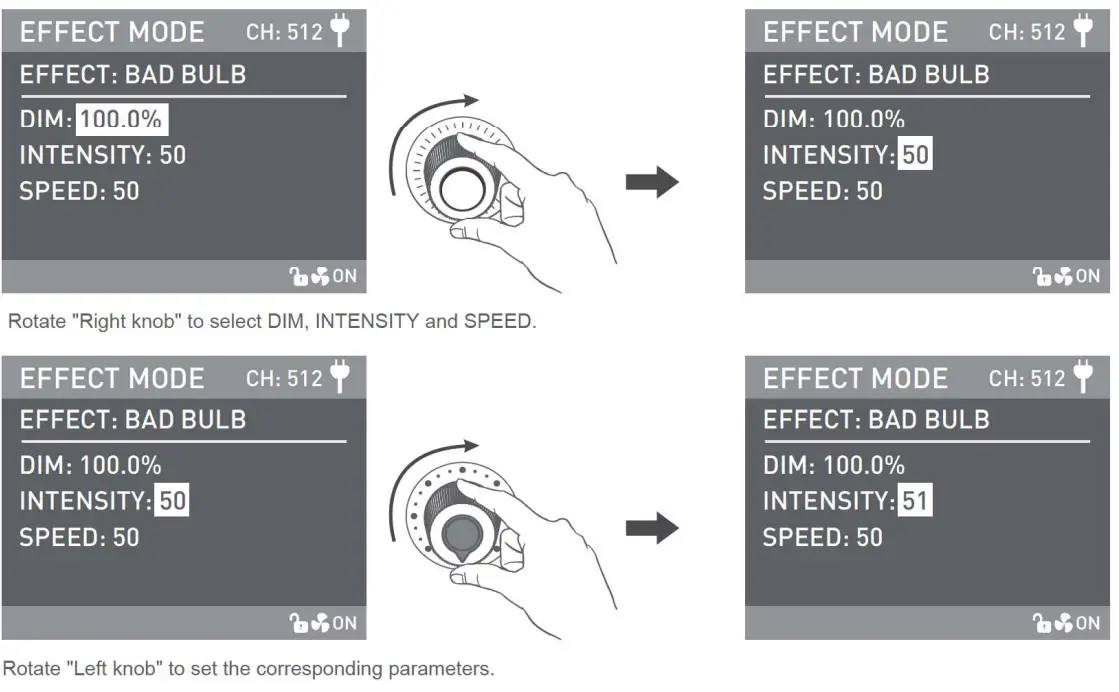 FIREWORK
For FIREWORK settings, rotate “Right knob” to select DIM and SPEED (Range: 1-100) and DECAY (Range: 1-100), then rotate ‘Left knob” to set the corresponding parameter.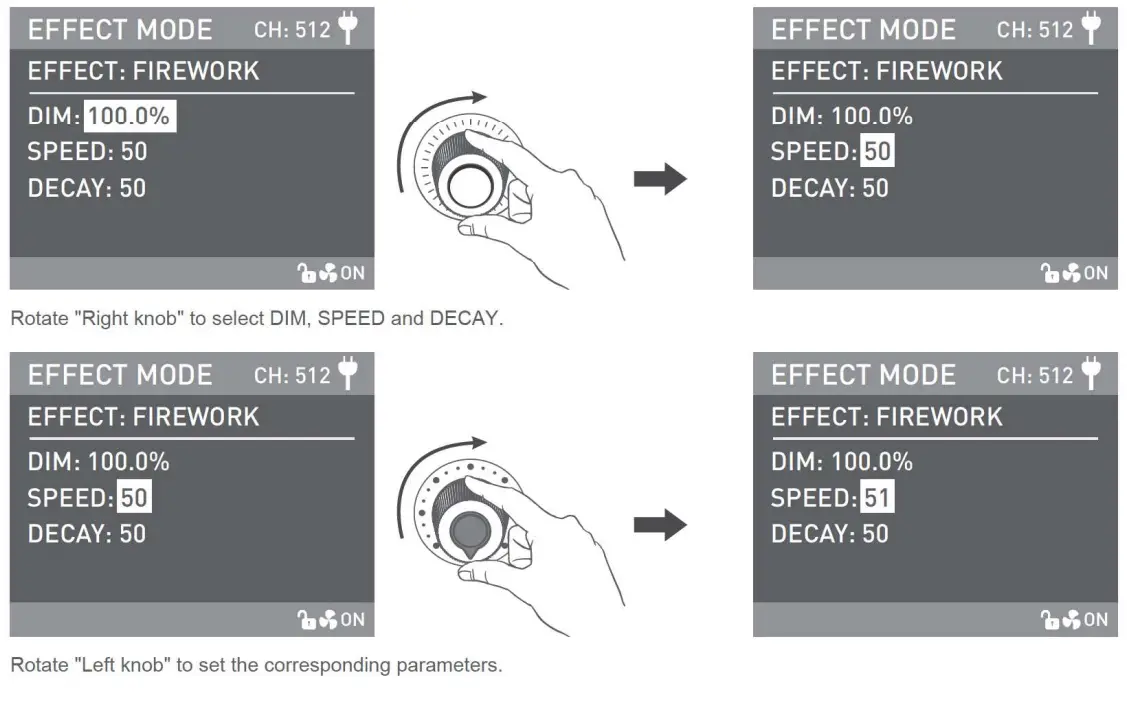 EXPLOSION AUTO
For EXPLOSION AUTO settings, rotate “Right knob’ to select DIM, SPEED (Range:1-100) and DECAY (Range:1-100), then rotate ‘Left knob” to set the corresponding parameters.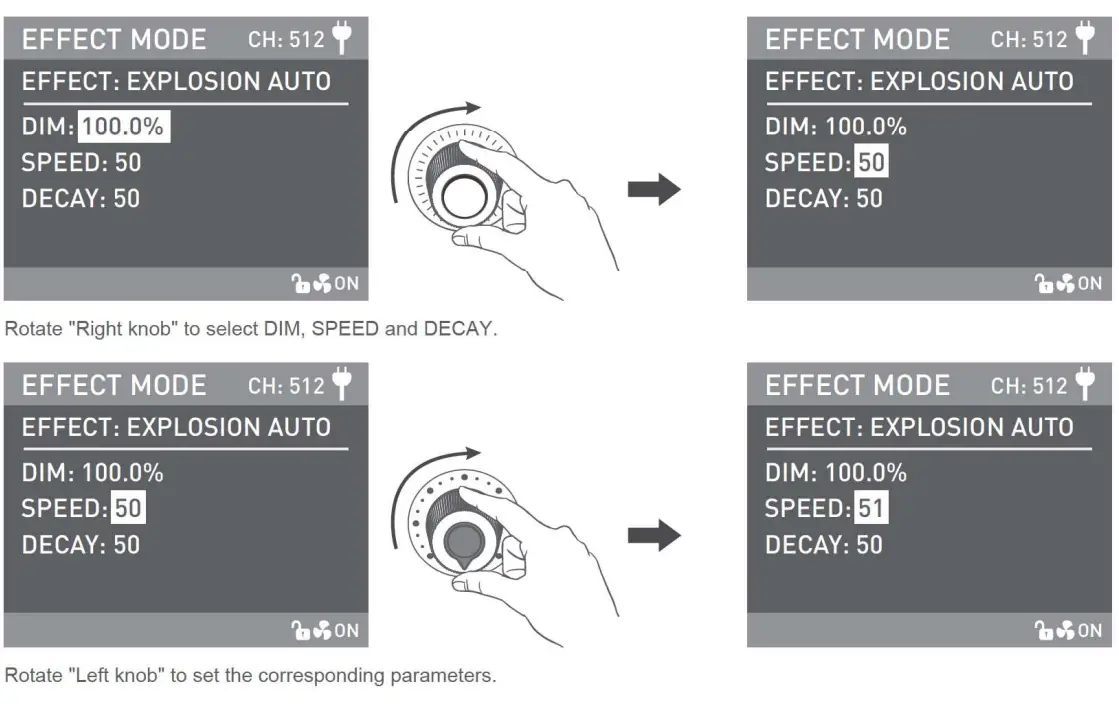 EXPLOSION MANUAL
For EXPLOSION MANUAL settings. rotate “Right knob” to select DIM and DECAY (Range: 1-100), then rotate “Left knob” to set the corresponding parameters. Press ‘IRrght knob’ to tugger EXPLOSION.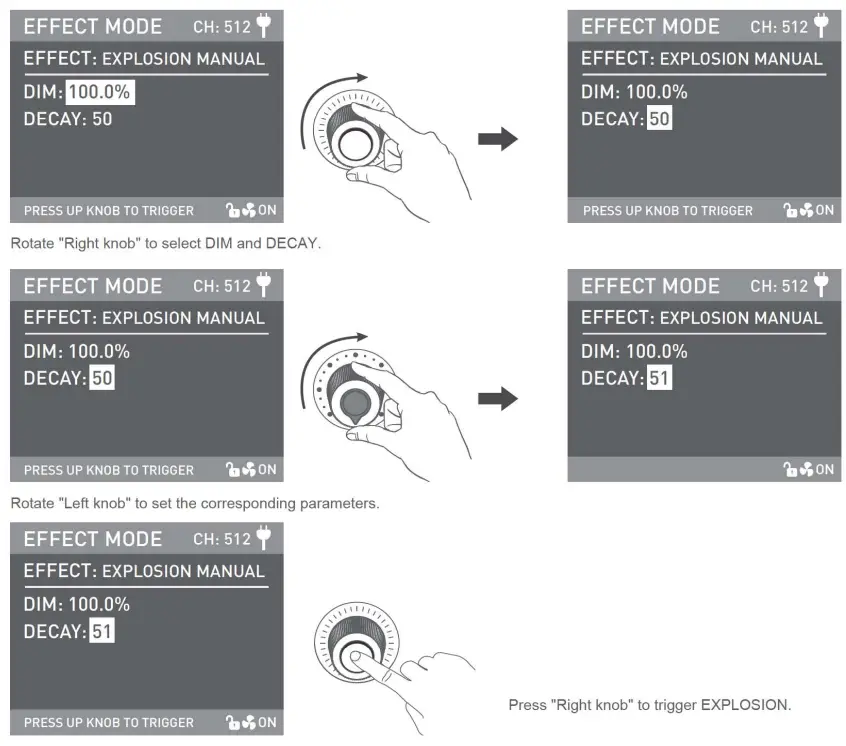 WELDING
For WELDING settings, rotate ‘Right knob” to select DIM. SPEED (Range: 1-100) and PAUSE (ON/OFF). then rotate ‘The left knob” to set the corresponding parameters.
Rotate the “Left knob” to set the corresponding parameters.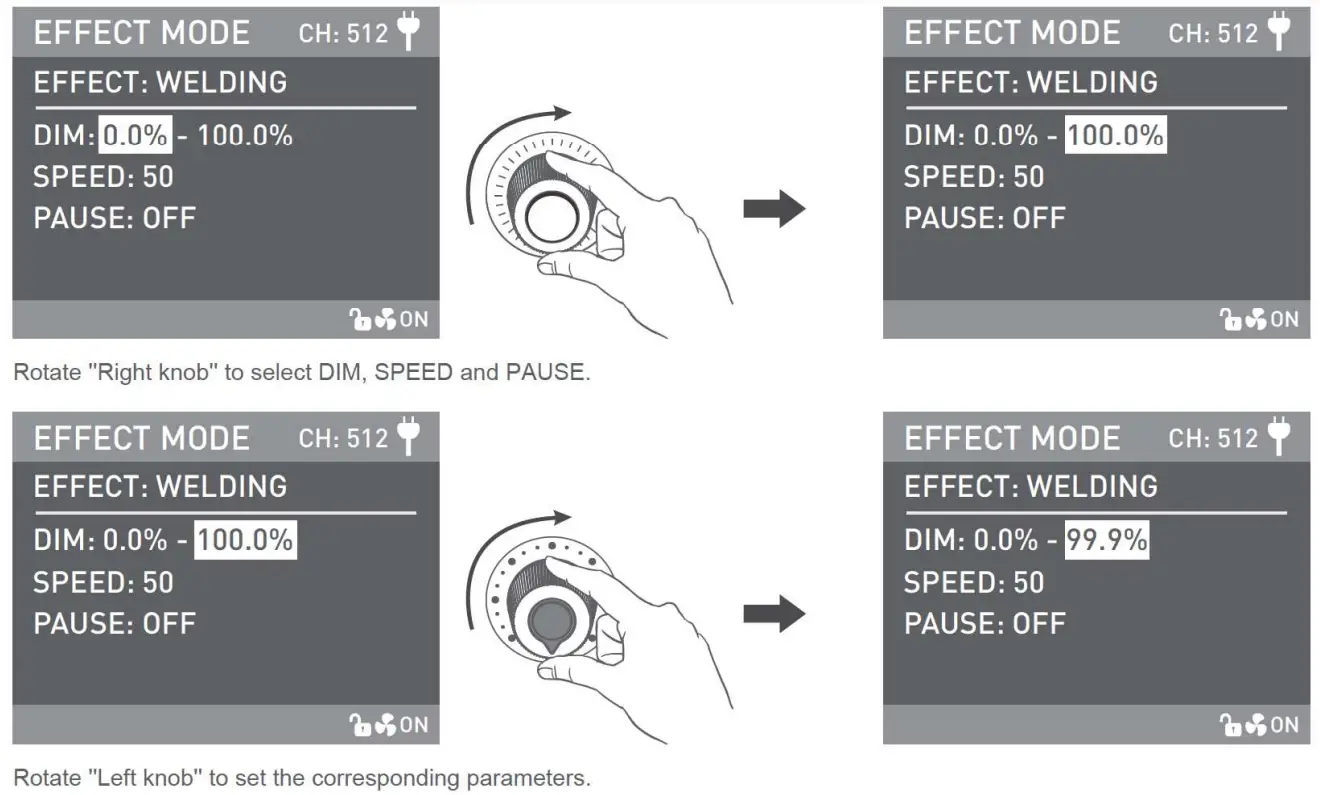 Lighting effects and additional functionality may be added with future firmware releases. for details of these please see www.nanlux.com. (Further special effects operation details are available for download at www.nanlux.com.)
MENU Key:
Press the MENU key to enter the menu.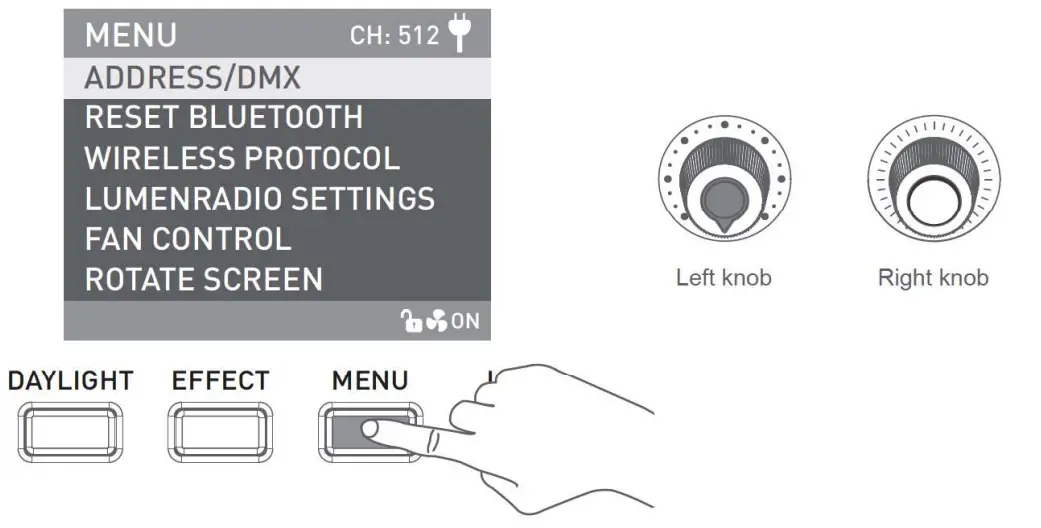 Rotate “Right knob’ to select the setting item and press ‘Right knob” to enter the corresponding secondary menu. Then rotate “Right knob” again to select corresponding options and press ‘Right knob” to set. Press the MENU key to return to the previous menu.
ADDRESSOMX
For more operation details please refer to P12.
RESET BLUETOOTH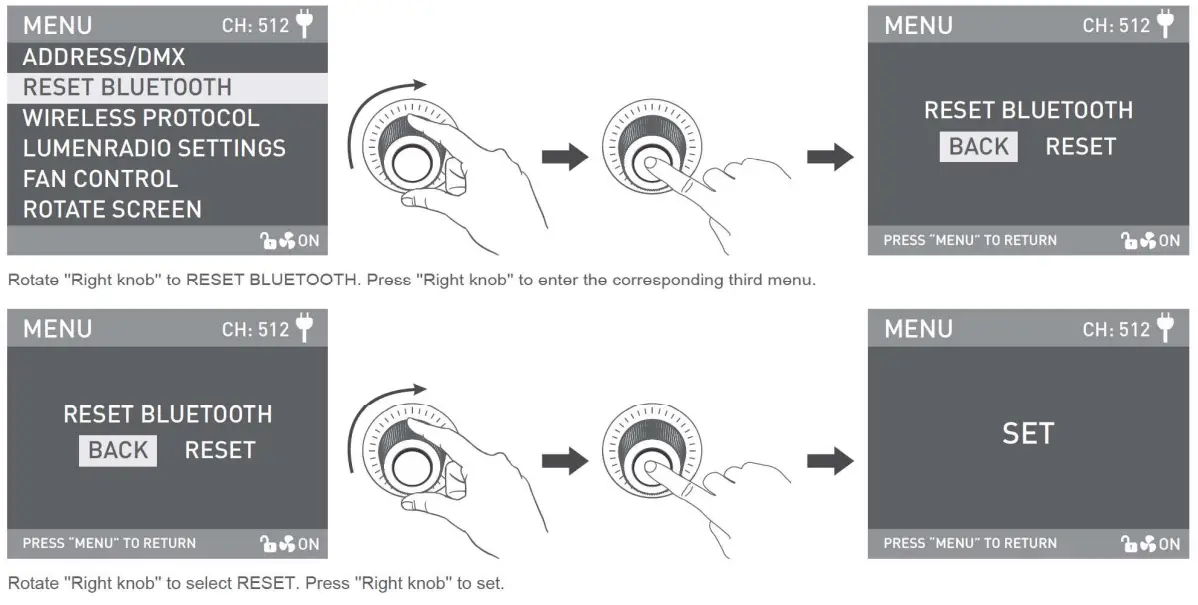 WIRELESS PROTOCOL
For more operation details please refer to P17.
LLINIENRADIO SETTINGS
For more operation details please refer to P19.
FAN CONTROL

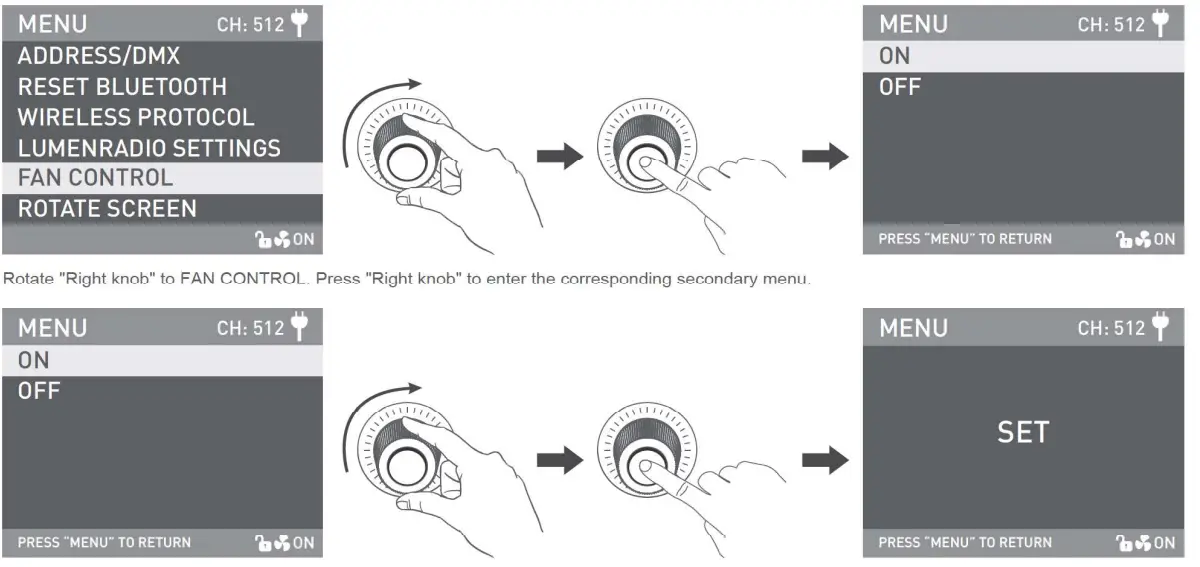
Rotate the ‘Right knob’ to select the fan ON or OFF. Press the “Right knob” to set.
Note:
- The light output is at 100% if turned on the fan.
- The light output is in 10% if turned off the fan.
ROTATE SCREEN
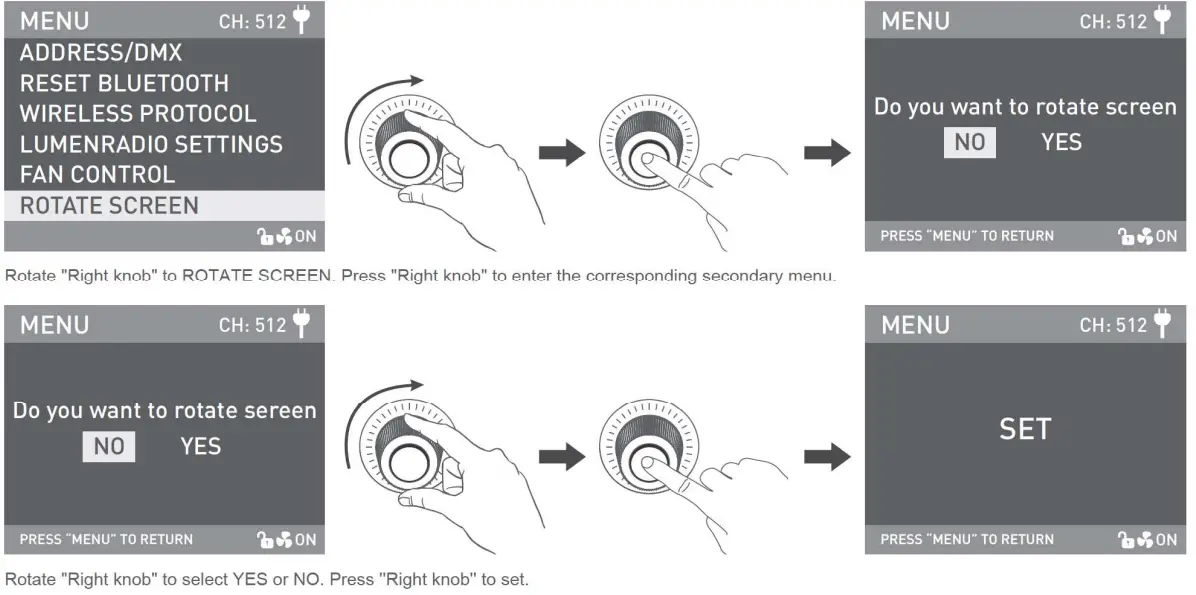 SCREEN BRIGHTNESS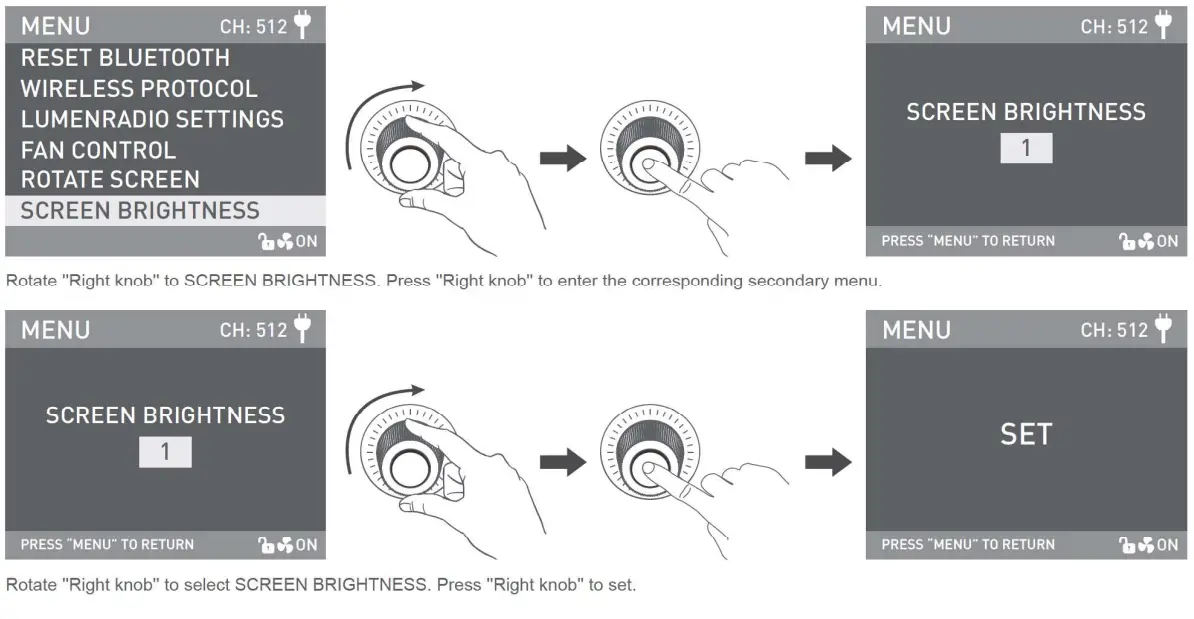
BUTTON BACKLIGHT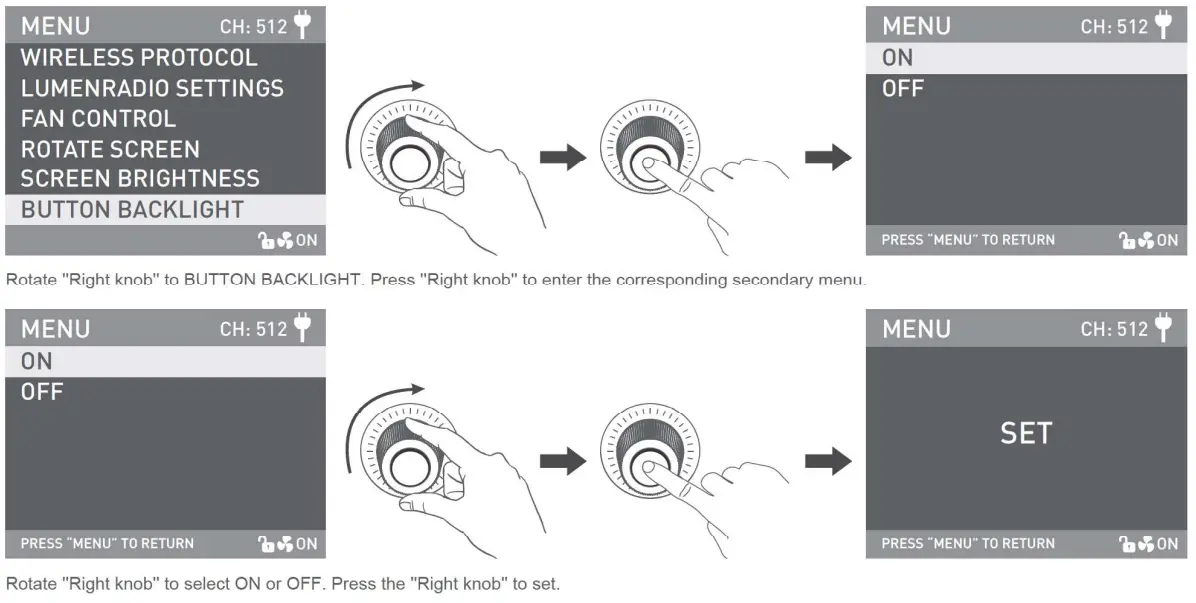
LANGUAGE
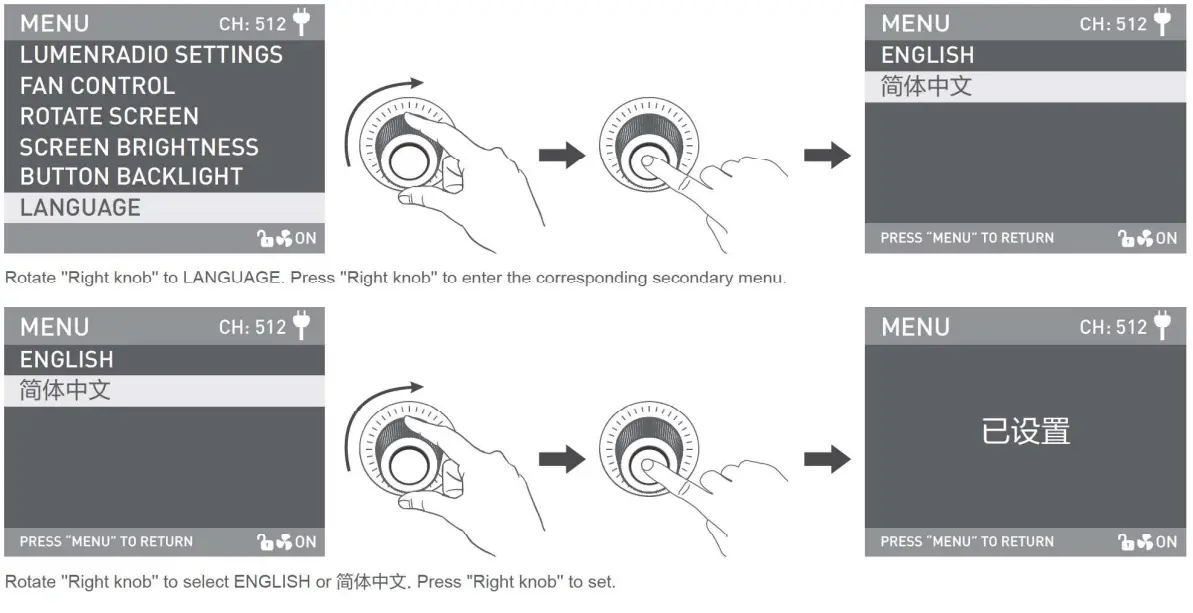
VERSION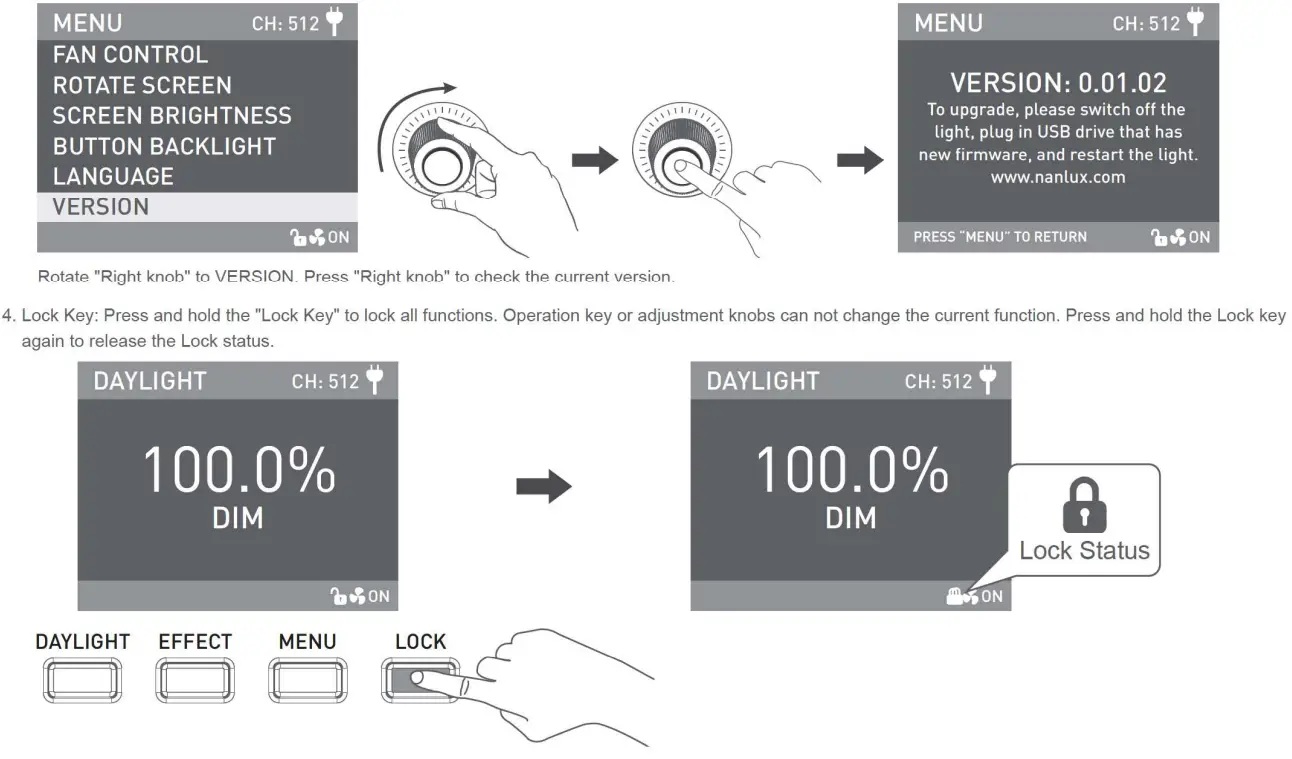
5. When the fixture is not in use, please turn off the power switch.
Safety Precautions
- Please open the package to check for possible damage. If damaged, do not use it. Please contact your distributor or the manufacturer as soon as possible.
- Please do not use power cable which is faulty or have insulation damage. Please be careful when unplugging and do not drag the power cable.
- Before installation, please make sure the power supply voltage is correct and compatible with that specified on the fixture.
- Please turn off the power when the fixture is not in use or being cleaned.
- Please operate the fixture safely. Keep fixtures away from children.
Notice
- When the fixture is turned on, do not look directly at the emitter.
- Please do not leave flammable or explosive articles within 0.5m of the fixture.
- Weather resistance lamps refer to rainproof or anti-spraying, NOT submersible or underwater use. Please do not submerge the lamp in water. If you find damage on the lamp or cable, please do not put the lamp and cable close to or in contact with water.
- Avoid placing lamps near flammable and volatile substances, such as alcohol or gasoline.
- When cleaning the fixture, please use a soft cloth with neutral detergent to wipe off the dirt. Please do not use abrasives or strong detergent.
- As accessories such as lenses and softboxes are heavy, please hold the handle securely when detaching or adjusting beam directions.
- During use, do not cover, restrict or obstruct ventilation holes, so as not to affect the heat dissipation and cause damage to the fixture. Please take care when using the lamp for long periods, as the surface temperature can be high.
- Please do not disassemble the fixture or attempt to carry out repairs. Any required maintenance should be carried out by suitably qualified professionals, operating in strict compliance with the instructions described in this manual.
General Fault Detection and Diagnosis
| Fault Detection | Diagnosis |
| The light won’t boot up properly | 1. Please check that the power supply, cable, and outlet are properly connected and that the cable is not faulty or loose. 2. Please check whether the voltage value is within the specified parameters. |
| The fixture can be operated manually, but DMX control is not working. | 1. Please check whether the DMX original address setting of the fixture is correct. 2. Please check that the XLR signal cable is connected correctly and that it is not faulty or damaged. |
| The LCD display is on, but the light cannot be operated. | Please check if the LCD display shows “ “. “.Press and hold the “LOCK” key for 2s to release the LOCK. |
| The fan doesn’t work | 1. Please check if the fan is OFF 2. If the screen displays “Fan abnormal”, please contact the place of purchase. |
| The signal reception distance of 2.4 and Bluetooth is less than 5 meters. | Check whether the LUMENRADIO is in TRANSMITTER MODE, if it is, please disconnect the LUMENRADIO and set it in RECEIVER MODE. |
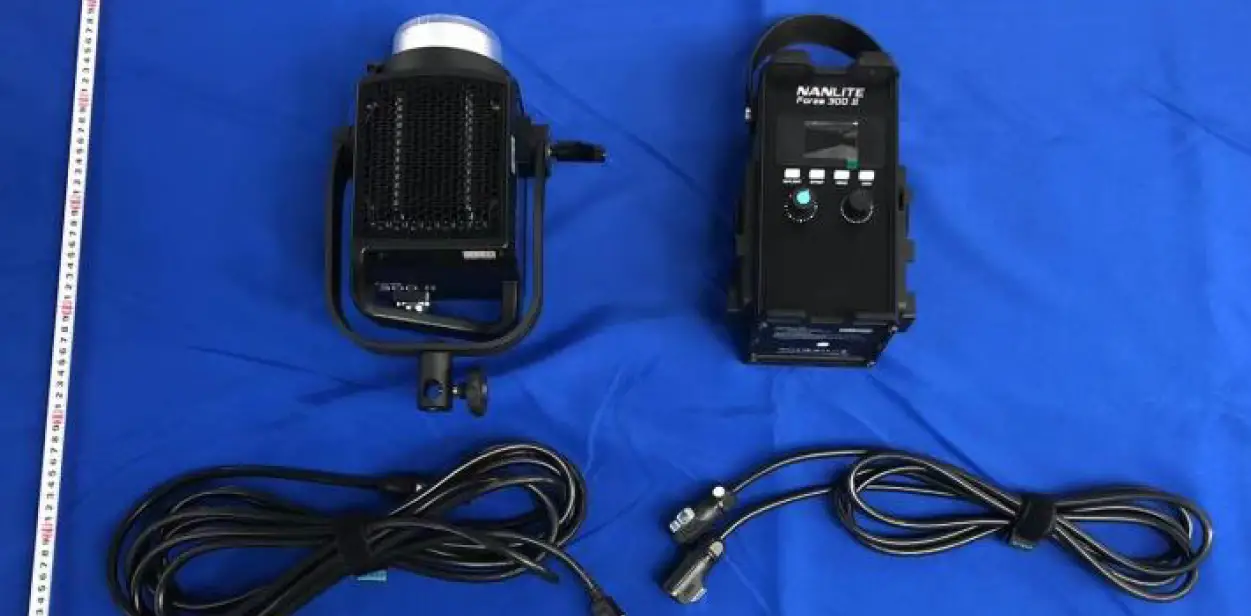
What’s in the Box? Please kindly Cheak.
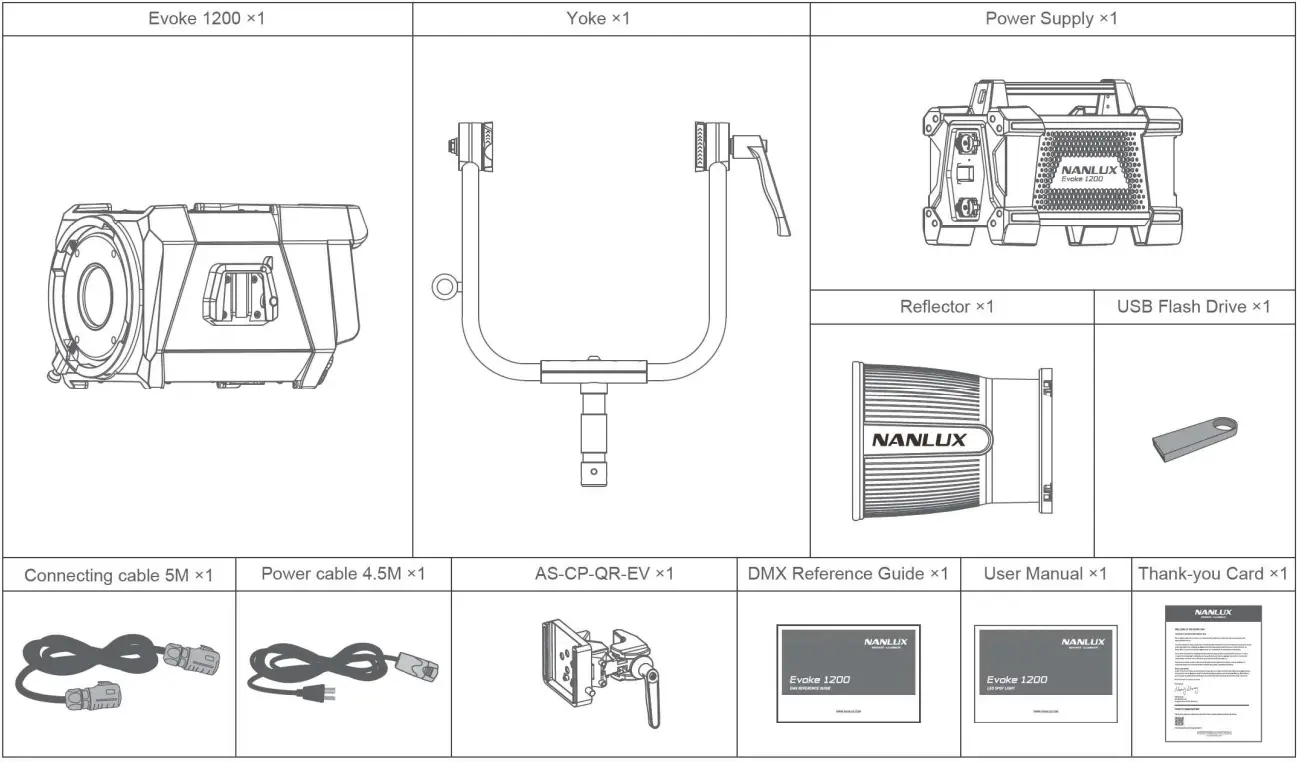
This manual and all stats within it were produced under controlled conditions, and are accurate at the time of print. Any future changes to design/technical data can be found at
www.nanlux.com.
Version: V4 2022-04-09
 +86-754-85751187
 [email protected]
 8 +86-754-85300887
 Zhanglin,324,Dongli Chenghai Shantou Guangdong China
Guangdong NanGuang Photo&Video Systems Co., Ltd
FCC Statement
Changes or modifications not expressly approved by the party responsible for compliance could void the user’s authority to operate the equipment. This equipment has been tested and found to comply with the limits for a Class B digital device, pursuant to Part 15 of the FCC Rules. These limits are designed to provide reasonable protection against harmful interference in a residential installation. This equipment generates uses and can radiate radio frequency energy and, if not installed and used in accordance with the instructions, may cause harmful interference to radio communications. However, there is no guarantee that interference will not occur in a particular installation. Suppose this equipment does cause harmful interference to radio or television reception, which can be determined by turning the equipment off and on. In that case, the user is encouraged to try to correct the interference by one or more of the following measures:
— Reorient or relocate the receiving antenna.
— Increase the separation between the equipment and receiver.
— Connect the equipment into an outlet on a circuit different from that to which the receiver is connected.
— Consult the dealer or an experienced radio/TV technician for help
This device complies with part 15 of the FCC rules. Operation is subject to the following two conditions (1)this device may not cause harmful interference, and (2) this device must accept any interference received, including interference that may cause undesired operation. This equipment complies with FCC radiation exposure limits set forth for an uncontrolled environment. This equipment should be installed and operated with a minimum distance of 20cm between the radiator & your body