
Video transmission
| CH FR | CH1 | CH2 | CH3 | CH4 | CH5 | CH6 | CH7 | CH8 |
| A | 5865MHz | 5845MHz | 5825MHz | 5805MHz | 5785MHz | 5765MHz | 5745MHz | 5725MHz |
| B | 5733MHz | 5752MHz | 5771MHz | 5790MHz | 5809MHz | 5828MHz | 5847MHz | 5866MHz |
| C | 5705MHz | 5685MHz | 5665MHz | 5645MHz | 5885MHz | 5905MHz | 5925MHz | 5945MHz |
| D | 5740MHz | 5760MHz | 5780MHz | 5800MHz | 5820MHz | 5840MHz | 5860MHz | 5880MHz |
| E | 5658MHz | 5695MHz | 5732MHz | 5769MHz | 5806MHz | 5843MHz | 5880MHz | 5917MHz |
LED INDICATOR
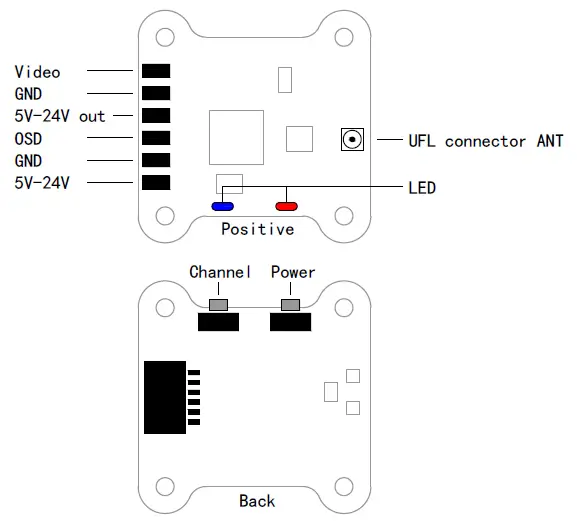
- The red LED indicates the state of working mode or the item when setting the VTX(flashing 1 time means selecting the channels,flashing 2 times means selecting the bands,flashing 3 times means selecting the power levels).
- The blue LED indicates the state of Pit mode or the value of item when setting the VTX(e.g. when selecting the channels,3 times of flashing means channels 3. When selecting the bands,3 times of flashing means band C.As for the item of power levels,3 times of flashing means at the power level of 500mW).
- The green LED on indicates that the VTX overheat protection is working, the power level will go down.
Working mode indication:
- After powering up, the red and blue LEDs will signal the following three items of VTX in turn channel, band and power level (the flashing times of the red and blue LEDs indicate the item and the value respectively).After that, the LEDs indicate the working modes.
- Normal: The red and blue LED are on.
- Pit mode: The red LED is on and blue LED is off.
Setting:
- Press and hold the C button until the red LED flash 1 time which means the item of channel selecting, then press the button can select the channels (blue LED flashing times corresponds to the channel 1-8).
- Press and hold the C button again, the red LED will flash 2 times which means the item of band selecting, then press the button can select the band(blue LED flashing times corresponds to the band A-F).Finally,press and hold the button,save and exit the setting of VTX.
- Press and hold the P button again, the Blue LED will flash which means the item of power level selecting, then Press and hold the P button can select the power(blue LED flashing times corresponds to the power level).
- Press the button twice will toggle the ON/OFF of Pit mode.
NOTE:
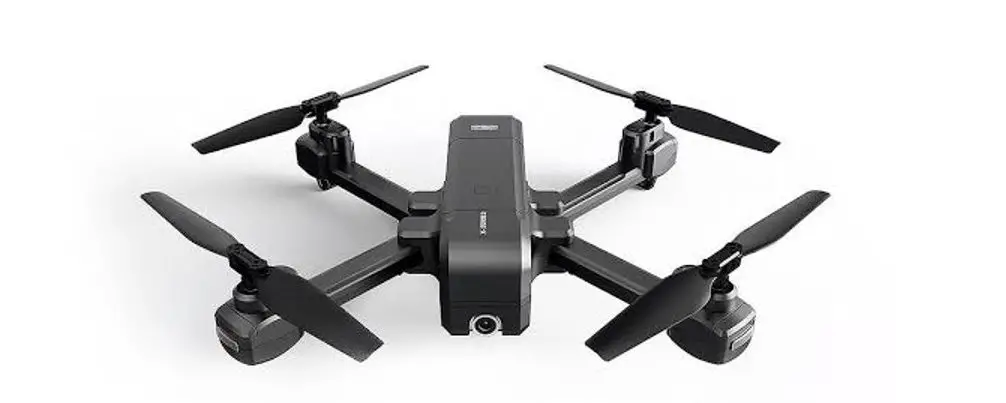
- Make sure that there is enough space for airflow when installing the module on the drone in case the overheating protection starts to reduce the power even to shut down at the worst.
- Please install the antenna before powering up for a longer use life.
III Cloud-149 User Manual – Download [optimized]
III Cloud-149 User Manual – Download