







 ◆
◆
 ➢
➢ 















































































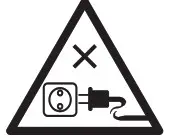
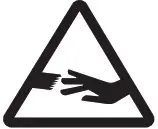
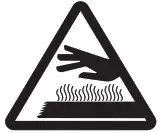





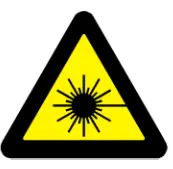




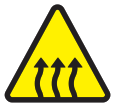
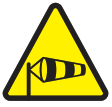
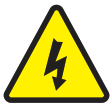



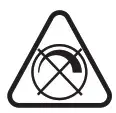













































✑✒✓✔✕✖✗✘✙✐✍✝
❀❞✁✠✃✄☎✾✆☛✈✉✿☞
✱✷✥✲✴✹✵✩✯✰✻✽✼
✱✷✥✲✴✹✵✩✯✰❛❝❜
BOMANN DKP 5028 CB Induction Plate White User Manual

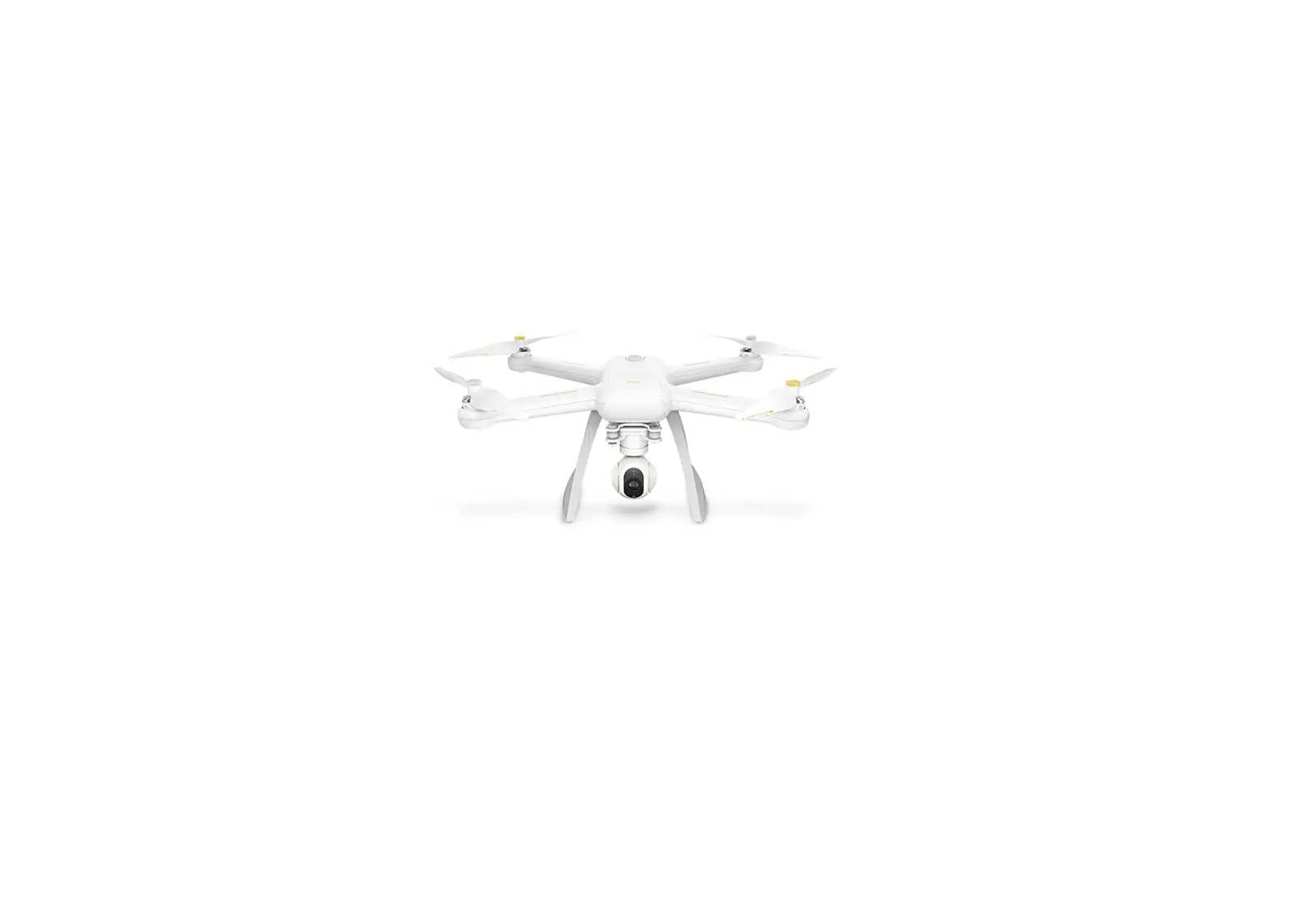
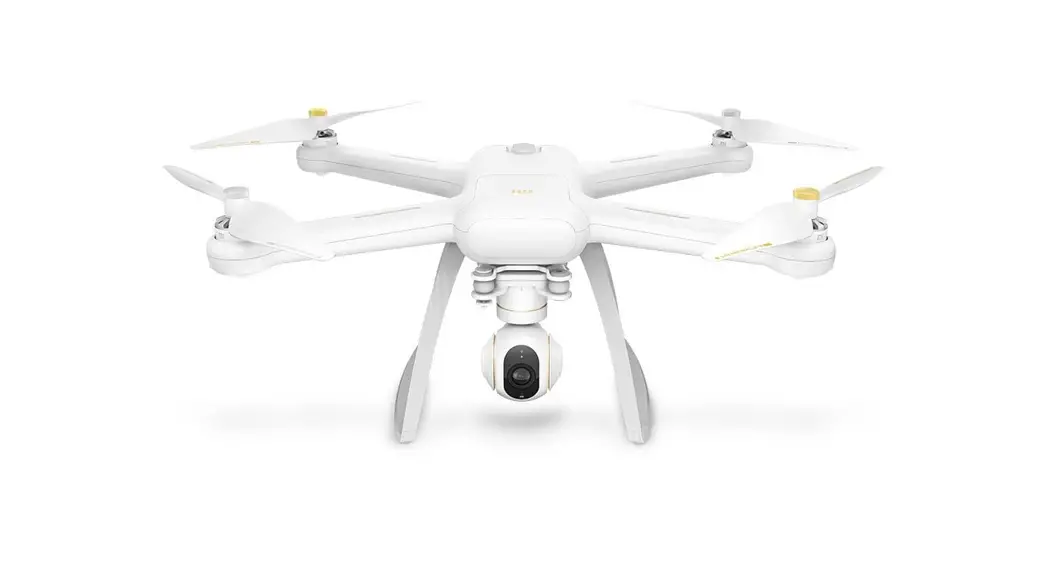
Mi Drone 4K User Manual
Please read the user manual carefully before using and keep the manual for future reference

Important Safety Information
- This product does not suit those aged below 18.
- Fly only in open areas, and keep away from people, animals, trees, vehicles and buildings.
- Keep away from airports, railways, highways, high-rises, electric wires and areas where drones are restricted.
- Keep away from telecommunication base stations, high-power antennas and areas with complex electromagnetic signals.
- Flight distance and altitude are subject to regulations set forth by government and regulatory agencies.
- Do not use this product in restricted areas.
- For your rights and interests, please abide by safety instructions.
Scan the QR code to download Mi Drone App
 http://fimiservice-us.mi-ae.com/downApp.html
Product Overview
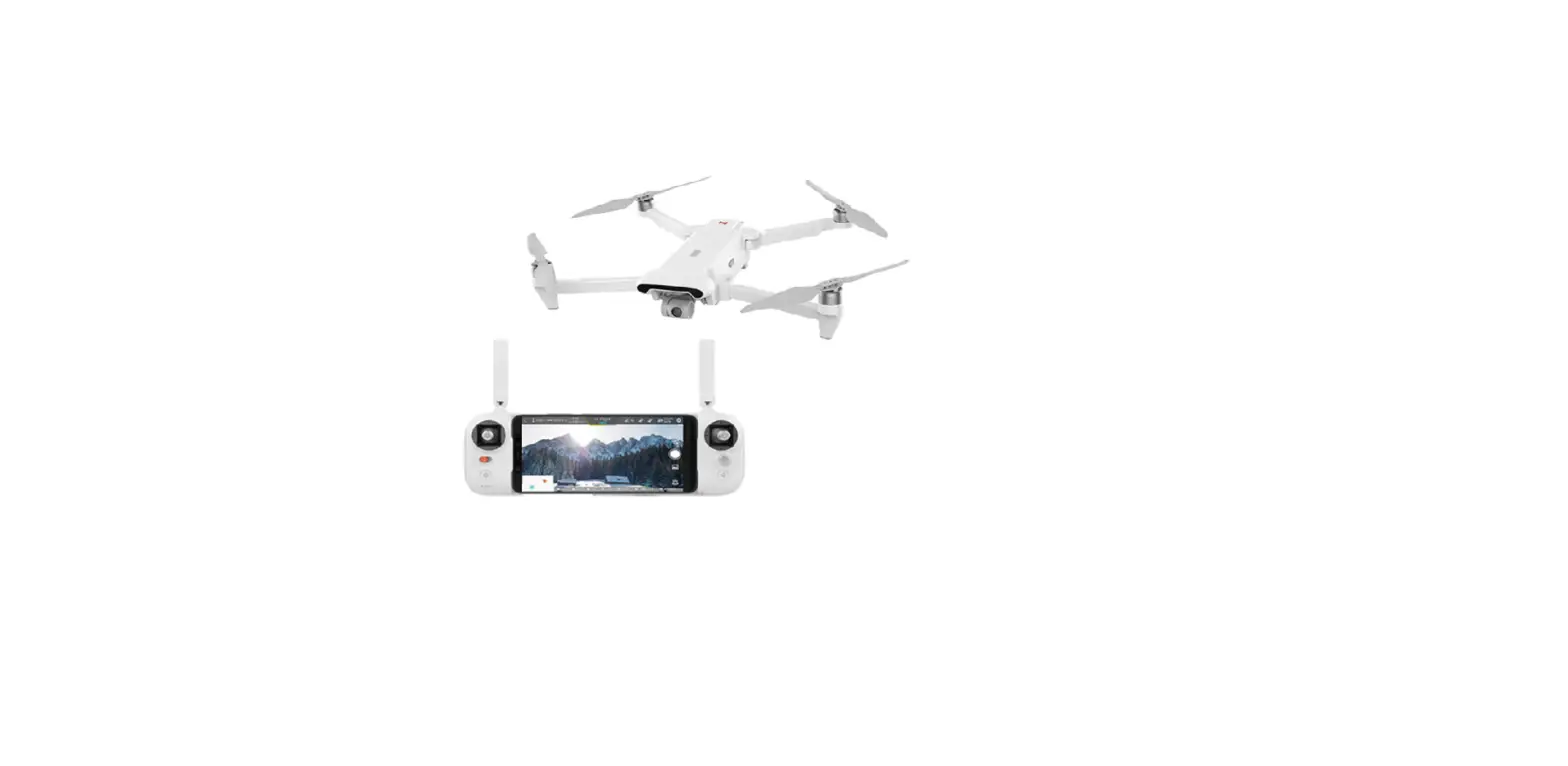
1. Aircraft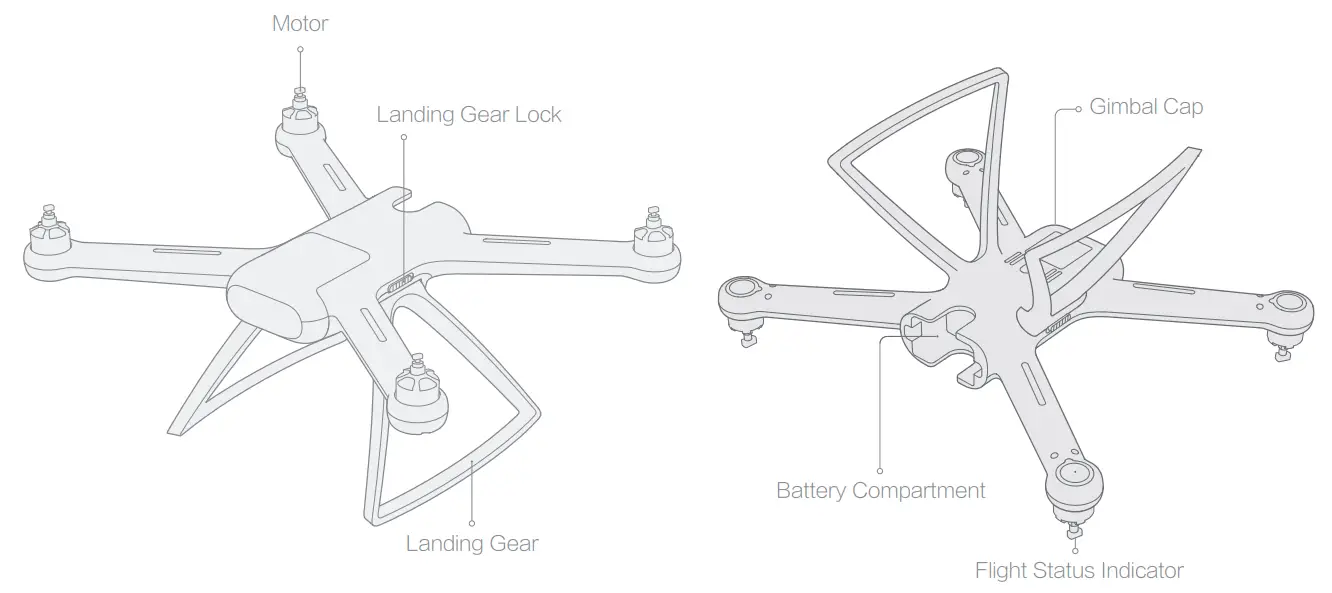 Note: landing gear is retracted in the box.
2. Remote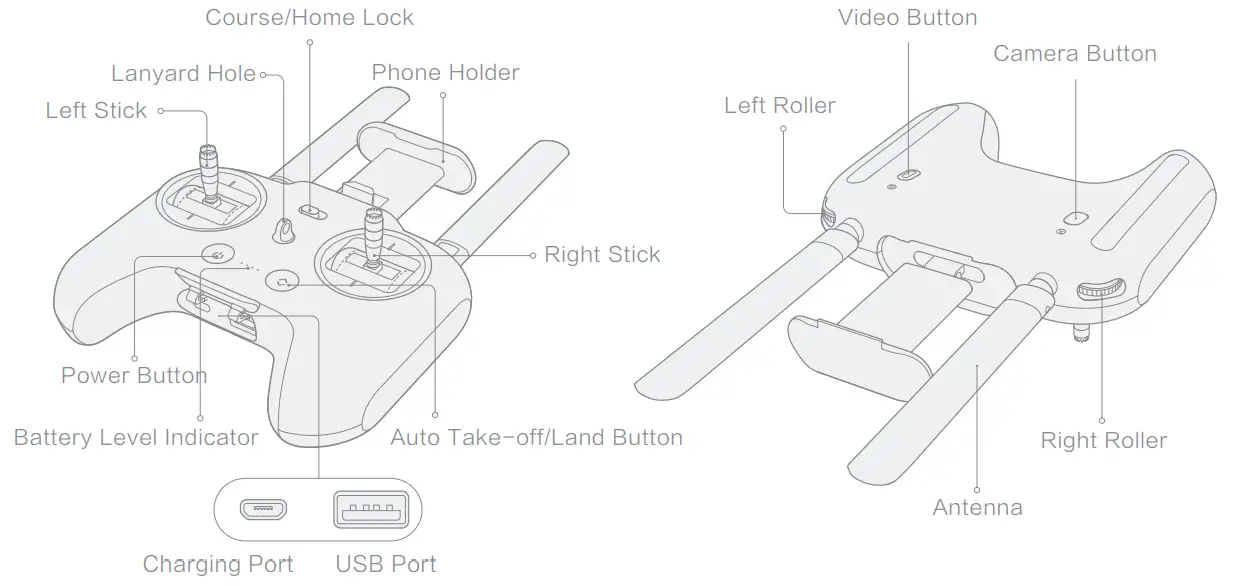 Note: left roller and video/camera button are used for controlling gimbal camera.
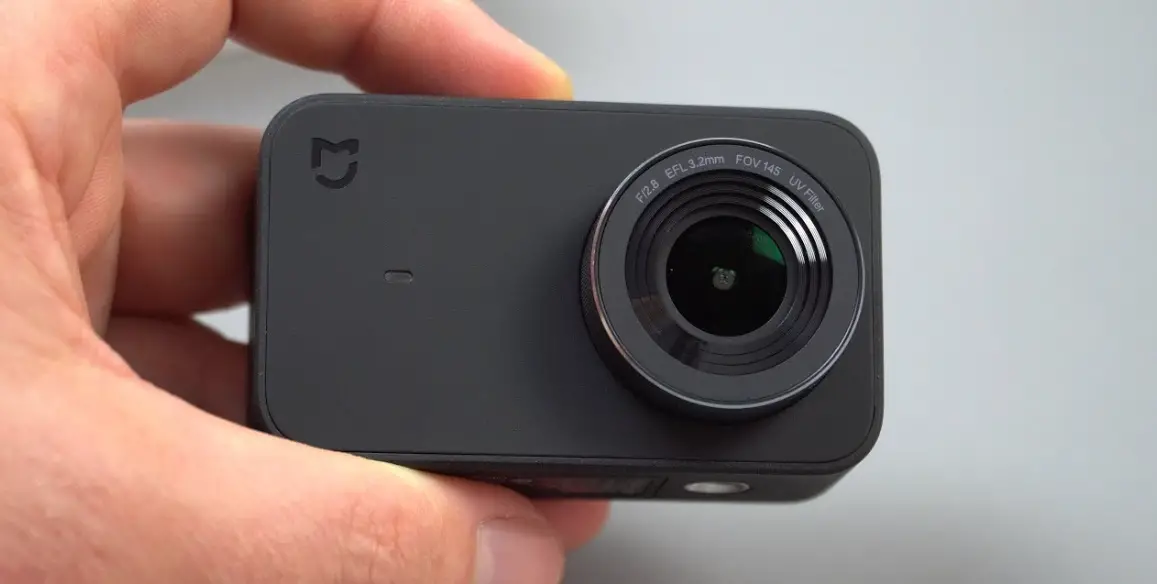
3. Gimbal and Camera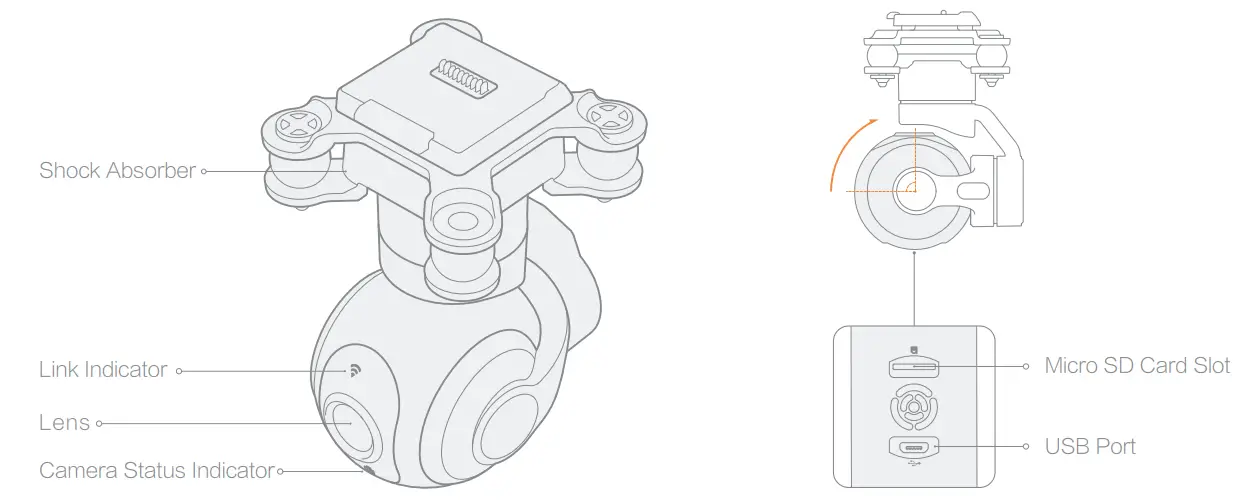
4. Accessories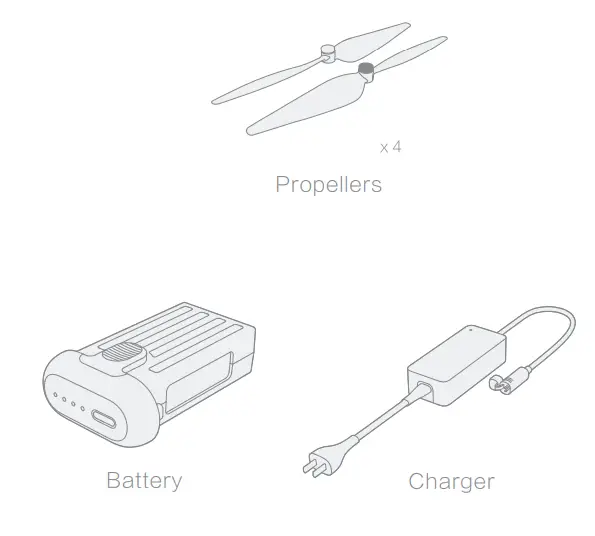 5. Tool Box
Charging
1. Charge the aircraft battery
Connect the battery and charger as shown in the figure,and plug the charger into a power supply
When charging the battery, the LED indicator is flashing
When the battery is fully charged, the LED indicator is turned off
 Note: ports on both sides support charging.
2. Charge the remote
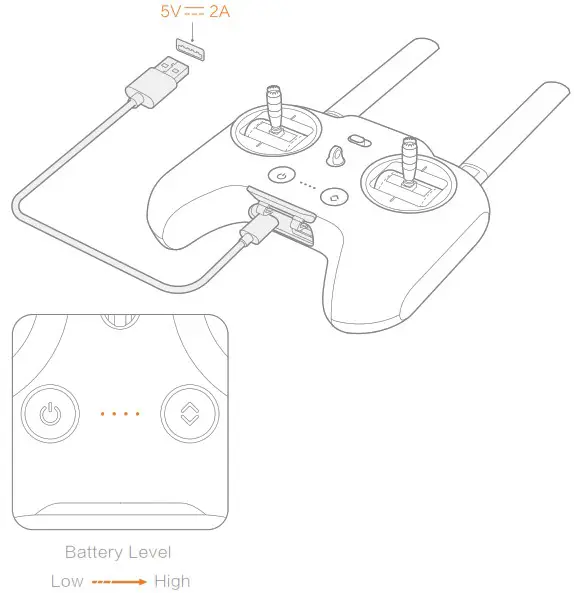
- Connect the remote to a power adapter as shown in the figure
- When charging the remote, the LED indicator is flashing
- When the remote is fully charged, the LED indicator is turned off
Mounting and Dismounting
1. Aircraft
a. Landing Gear
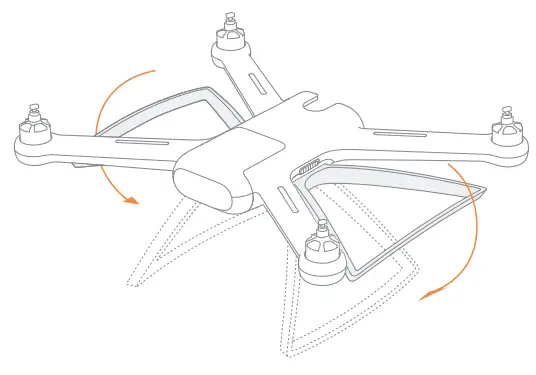
Put down the landing gear until you hear a click sound.
Note: the compass is located on the landing gear. Be sure to properly put down the landing gear.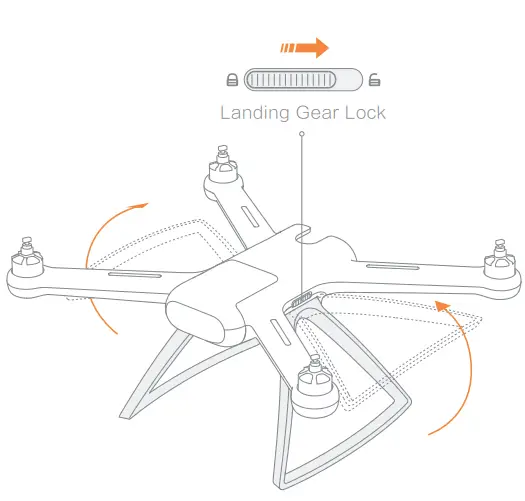 Switch to unlock and retract the landing gear.
b. Battery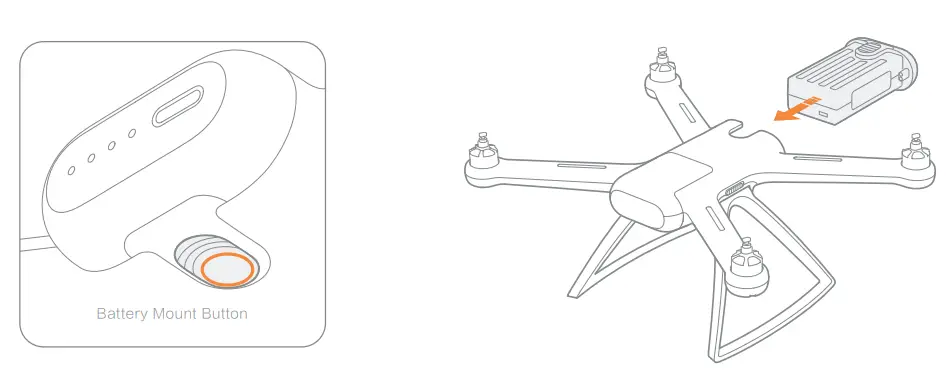
- Push the battery into the compartment until you hear a click sound.
- Press and hold the battery mount button, and pull out the battery.
c. Propellers
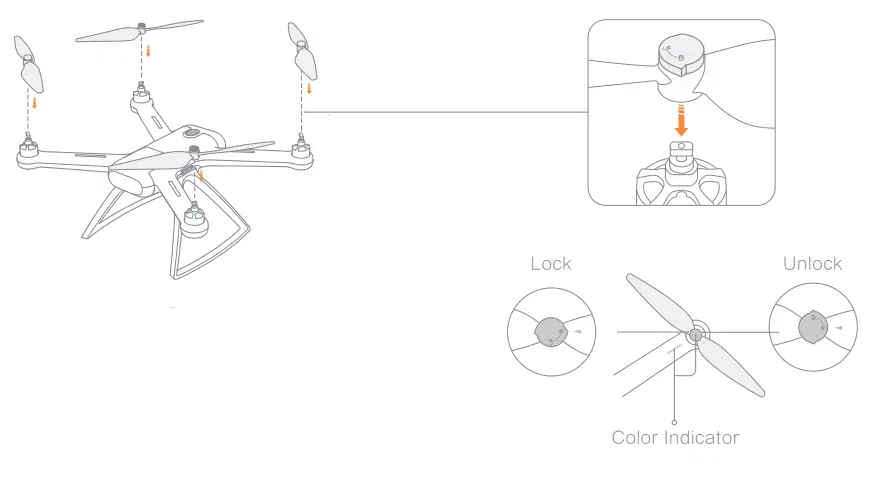
- Be sure to unlock prop nuts first.
- Attach propellers according to color indicators on the motor axis.
- Rotate prop nuts clockwise to secure propellers in place.
- Rotate prop nuts counter-clockwise to loosen and remove propellers.
Note: if propellers are damaged, please replace them to ensure flight safety and efficienc
2. Gimbal and Camera
Insert the Micro SD card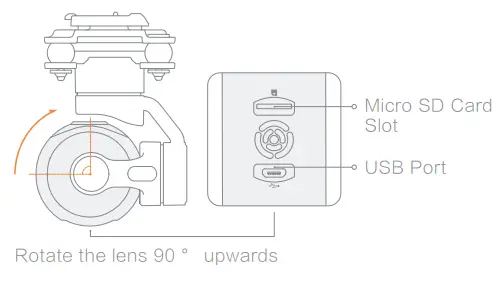 Note: mainstream brands of class 10 or above, and U3 Micro SD cards with over 16GB storage are recommended.
Unlock and remove the gimbal cap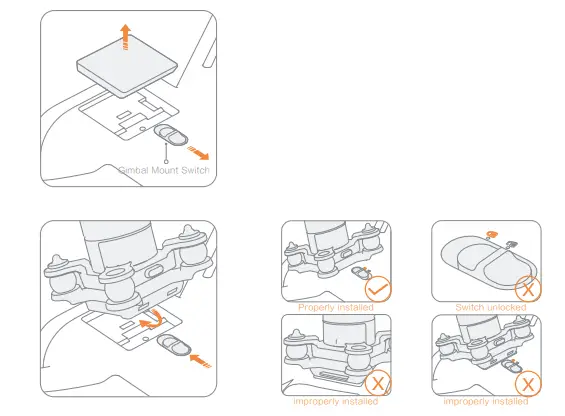 Keep the lens slightly tilted to the nose, and insert the gimbal camera until it clicks into place. Be sure to check the switch is locked afterwards.
Note: reverse the procedure to remove the gimbal camera.
3. Remote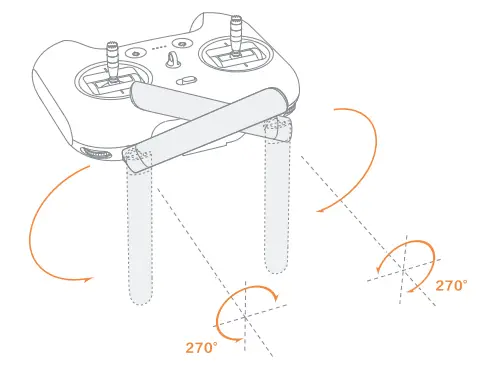
Keep antennas crossed as shown in the figure
Note: antennas can only rotate within 270°, please operate with caution.
To maintain stable signals, always keep antennas’ longitudinal plane to the aircraft. 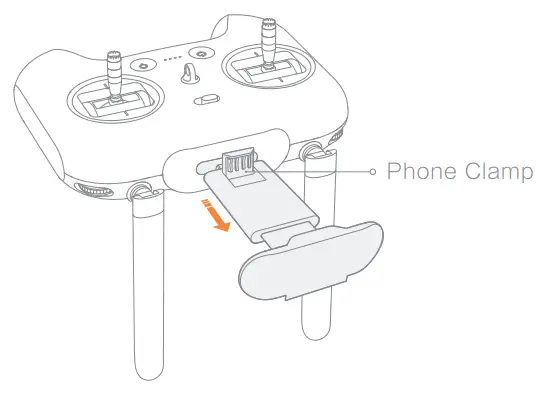 Pull out the phone holder, and the lower clamp will automatically pop out.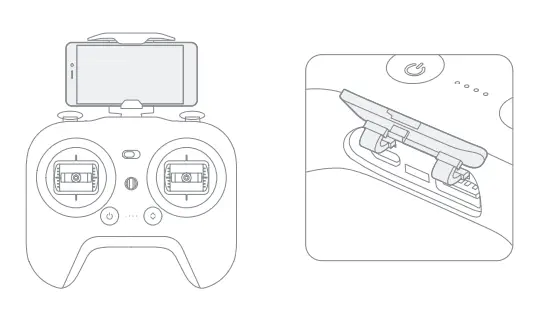
- Fix your phone on the holder, and avoid touching any buttons.
- Open the bottom cap.
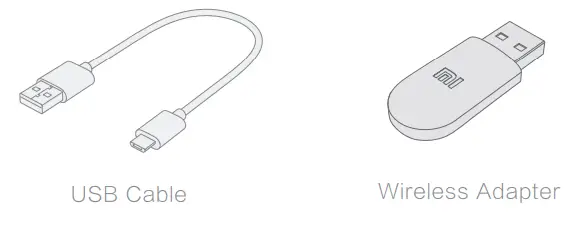
- Connect your remote and phone with a USB cable or a wireless adapter
- Connect to and control the aircraft, and upgrade firmware according to instructions in Mi Drone App.
Note: only Micro USB cable is complimentary. Due to size restrictions, some phones may not fit on the holder.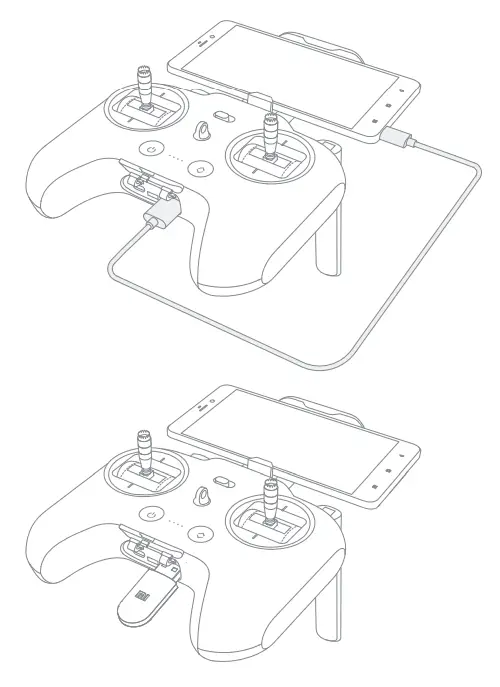
Connect your remote and phone with a USB cable
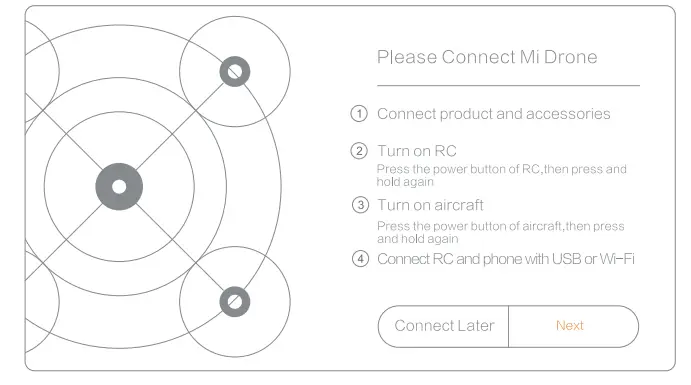
- Open Mi Drone App, and select “Next”.

- Select “USB connection” and follow instructions in the App.


- Once connection to the aircraft is established, return to Mi Drone App.

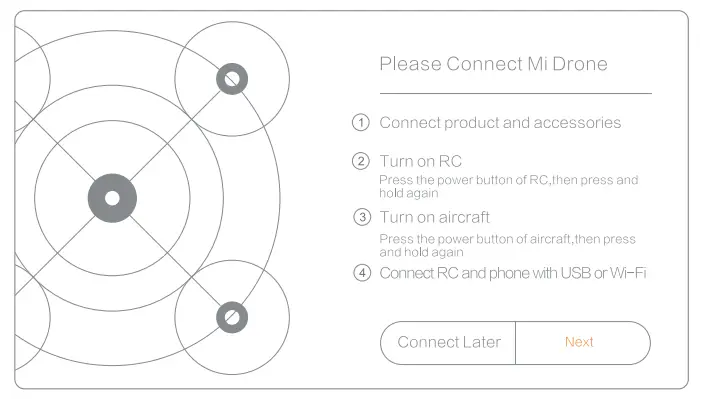
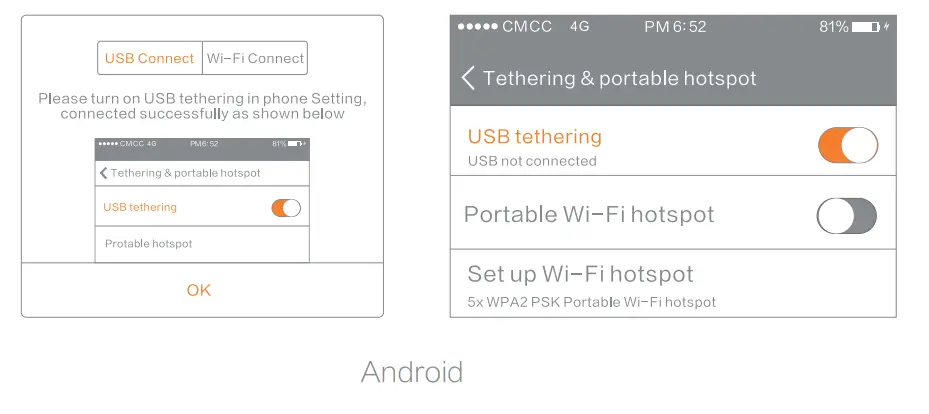
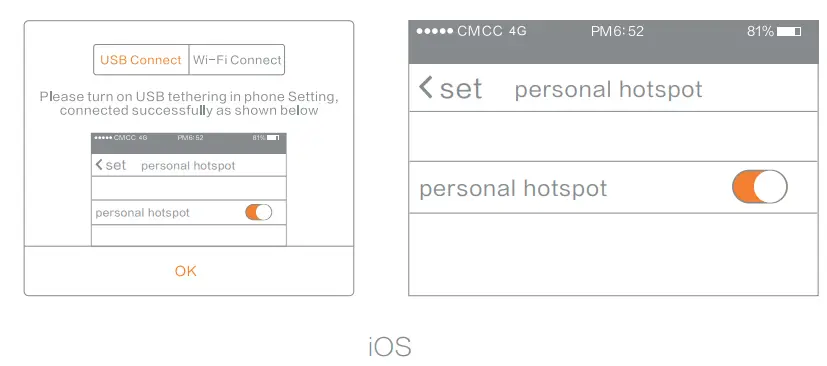
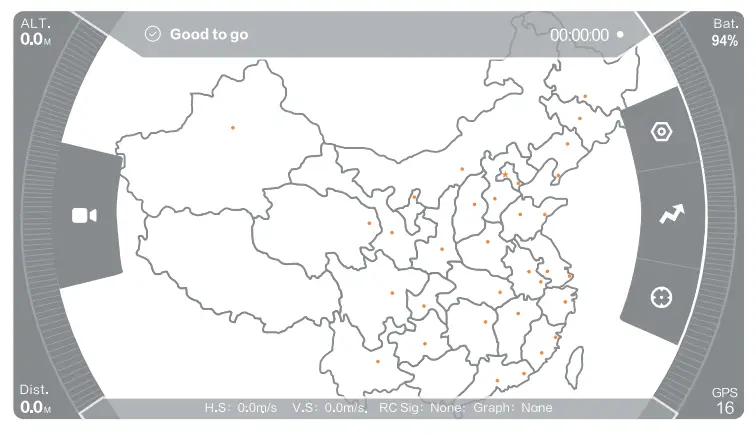
Connect your remote and phone with a wireless adapter
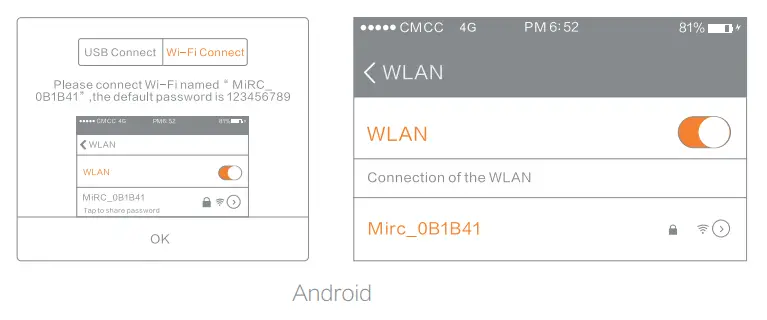
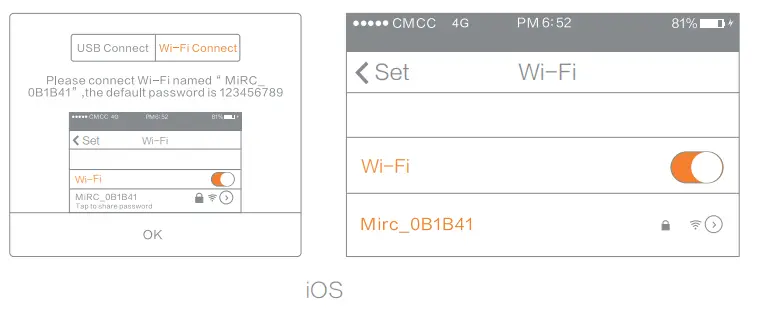
- Open Mi Drone App, and select “Next”.

- Select “Wi-Fi connection” and follow instructions in the App.


- Once connection to the aircraft is established, return to Mi Drone App.

Instructions
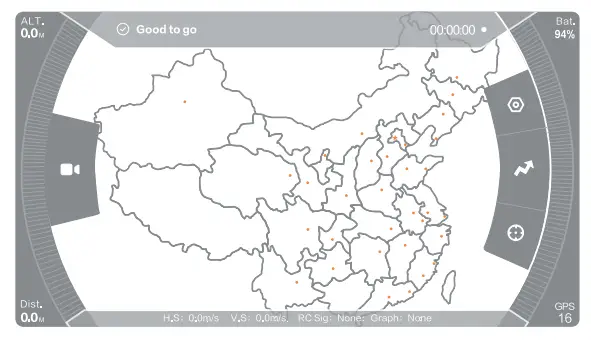
1. Open Mi Drone App
Your remote and phone have to be properly connected to establish connection between Mi Drone App and the aircraft, and unlock motors.
2. Confirm the aircraft heading
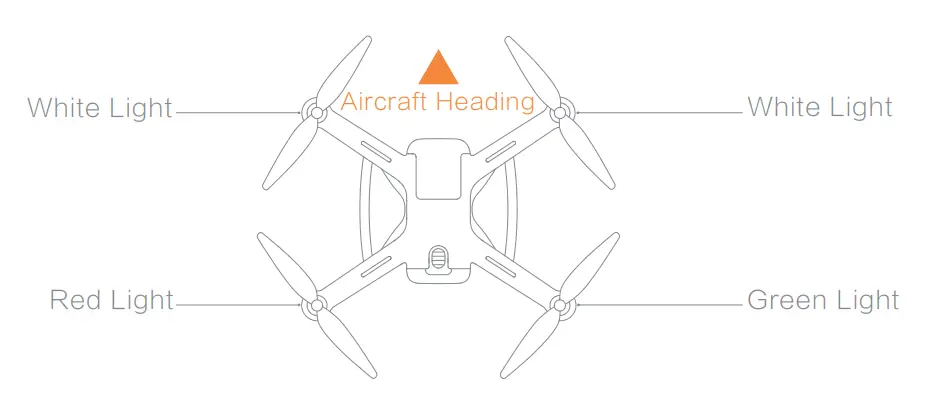
- Gimbal and camera should be mounted at the nose, battery at the tail.
- Once the aircraft is turned on, the heading can be told by navigation lights – two white lights indicate the nose, and red & green lights indicate the tail.
Safety tips: always keep the tail pointed at the user to avoid direction misjudge.
3. Turning on and off the aircraft and remote
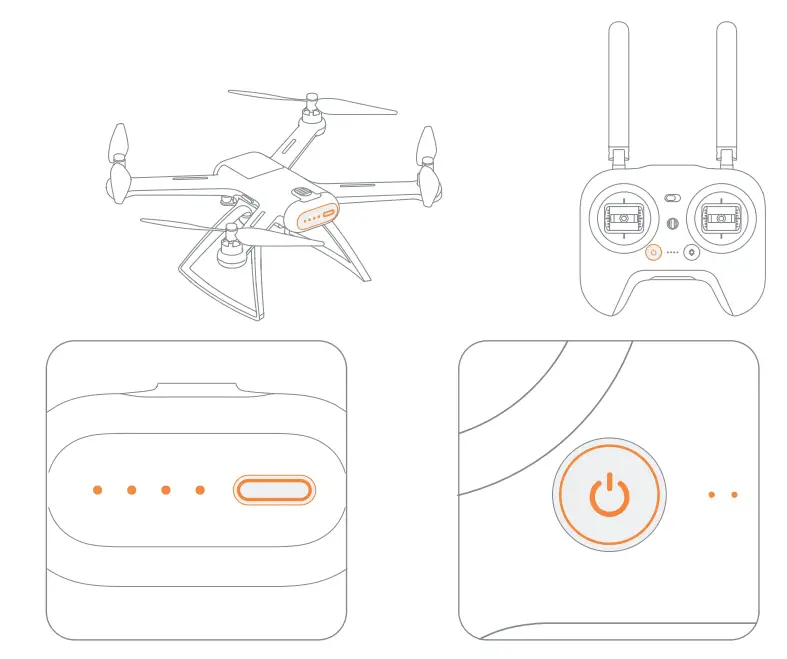
Instructions for turning on and off the aircraft and remote are the same:
- Press to check battery level
- Press, and press again and hold for 2 seconds to turn on and off.
4. Controlling remote sticks
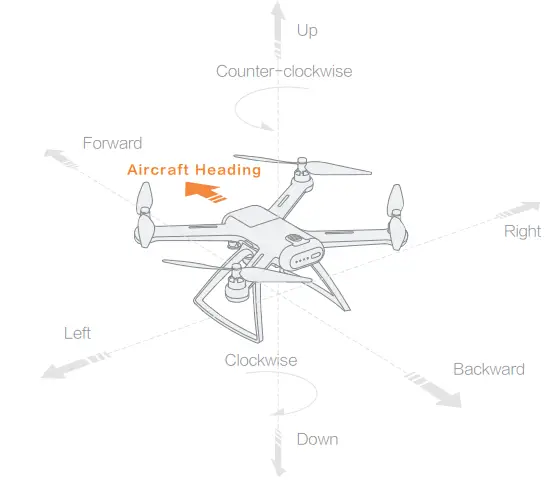
Note: above directions base the aircraft heading as the reference direction.
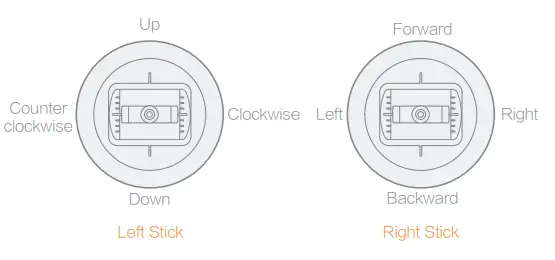
Change stick settings in the Mi Drone App
5. Taking off and landing
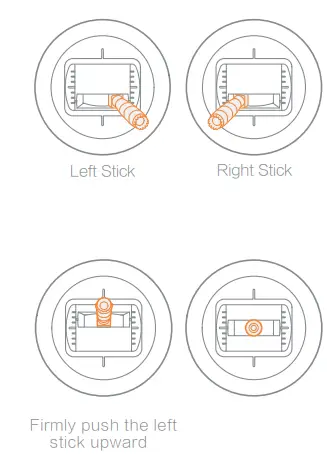
Keep both sticks still for 3 seconds as shown in the left figure to initiate propellers.
Let go when propellers are moving.
Firmly push the left stick upward to fly the aircraft.
During flight, let go both sticks to hover.
Safety tips: push the stick firmly. The aircraft may roll over if you push too slow.
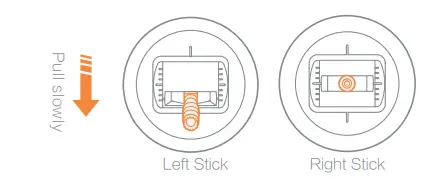
Slowly pull down the stick to land the aircraft.
Once the aircraft touches down, hold the stick for 5 more seconds to shut motors.
Safety tips:
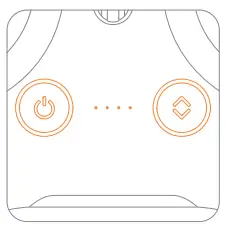
When motors can’t properly turn off, press and hold power button and auto take-off/land button simultaneously for 5 seconds to shut motors.
Do not press power button and auto take-off/land button at the same time during normal flight to avoid falling accidents.
6. Turning on and off the gimbal camera
when the aircraft is turned on, the gimbal camera turns on automatically along with it and enters stand-by mode.
The gimbal camera turns off when the aircraft is turned off.
7. Controlling the lens
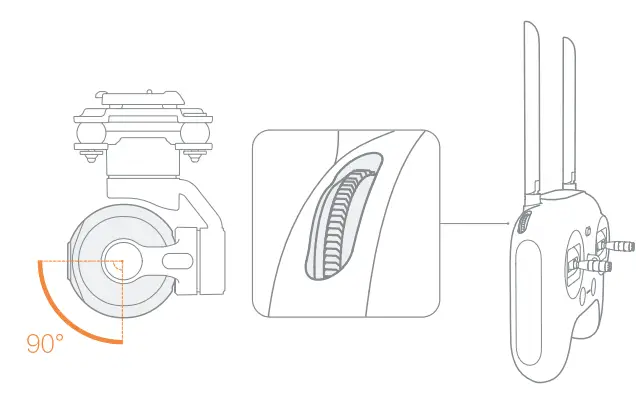
Use the left roller to tilt the lens within the angle range as shown in the figure.
- Let go of the left roller to remain the tilt.
8. Taking photos and recording videos
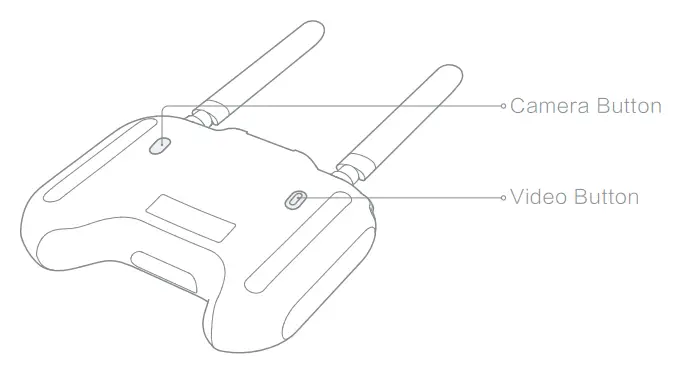
Press the camera button to take a photo. A photo is taken when you hear 2 short sounds.
Press the video button to record videos. Recording starts when you hear 2 short sounds. Press again to stop recording confirmed by 4 short sounds.
During recording, the LED indicator is breathing.
9. Shortcut buttons
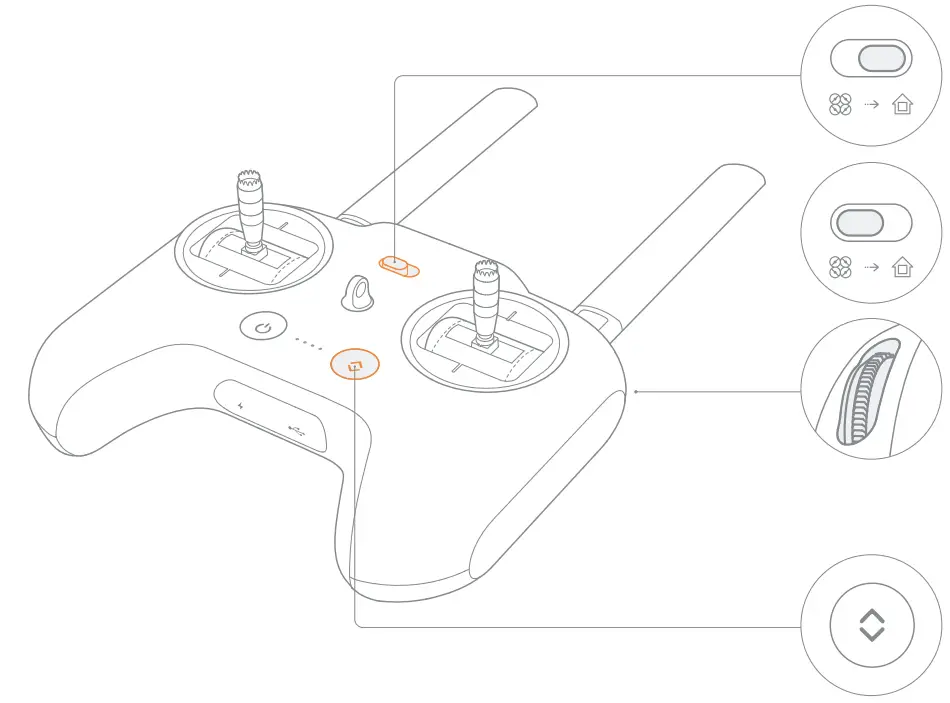
During flight, switch the course/home lock to the right to command the aircraft to return home.
During its return, switch the course/home lock to the left to command the aircraft to hover and wait for further instructions.
The right roller is set to adjust white lights’ brightness by default. The setting can be changed in Mi Drone App.
When the auto take-off/land button flashes white light, the aircraft is ready for auto taking off and landing.
When the aircraft is ready for taking off, press the auto take-off/land button, and press again and hold for 2 seconds to fly the aircraft.
When the aircraft is ready for landing, press the auto take-off/land button, and press again and hold for 2 seconds to land the aircraft.
Maintenance and Calibration
1. Propellers
Propellers are wearing parts. When they’re damaged, replace them in time to ensure flight safety and efficiency.
2. Battery
Do not throw the battery into fire; Do not batter the battery; Lithium battery’s capacity reduces significantly in low temperature conditions. Do not use the battery when it is below 5 degrees.
3. Self-check
The drone self-checks every time after turned on. When self-check fails, a notification will be sent in your App.
4. Compass calibration
The compass needs recalibration when magnetic field changes. Follow instructions in the App to recalibrate the compass.
5. Code pairing
When replacing a new remote or aircraft, code pairing between your remote and aircraft should be renewed as follows:
- Turn on the aircraft.
- Turn on the remote. 15 seconds later, press and hold the power button until you hear a beeping sound and the power button flashes
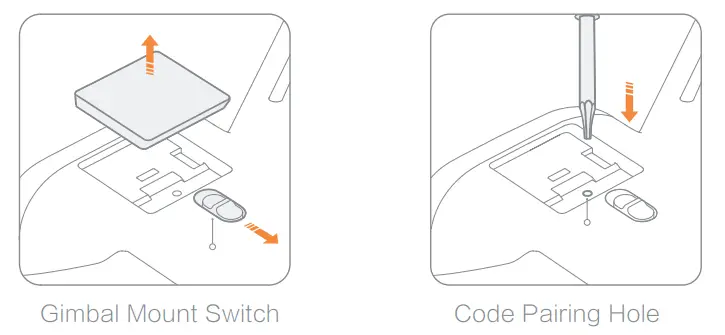
- Unlock and remove the gimbal cap to locate the code pairing hole. Press the screwdriver into the hole for one second and let go for the aircraft to enter code pairing state, confirmed by that the white lights on the aircraft are out.
- The code pairing succeeds when the power button flashes white light and the white lights on the aircraft resume.
6. Wireless adapter
- Some phones will indicate no wireless network when connected to the remote, please remain the connection.
- Change the name and password of the wireless adapter to avoid mis-connection.
- When wireless adapter’s password is changed, renew the connection to your phone.
- The wireless adapter works alongside the remote. If the remote is replaced, the adapter’s username and password will resume to default.
- if forget username or password, please connect remote and phone by USB cable to check username and password. the method is as following.
How to change the name and password of the wireless adapter?
a. Connect to Mi Drone App.
b. Open “Settings”.
c. Select “Manage Wi-Fi passwords “.
d. Enter new name and password, and save.
7. Stick calibration
When you detect inconsistencies between stick control and aircraft flying, please disconnect the remote and aircraft, and calibrate the remote in Mi Drone App settings.
Indicator
1. Aircraft indicator
| Aircraft indicator | Aircraft status | |
| 1 | All lights breathing | Self-checking |
| 2 | All lights on | Aircraft on the ground: self-check fails Note: shoots trouble in Mi Drone App |
| Aircraft in the air: internal error | ||
| 3 | Two white lights on; Red and green lights flash at regular intervals | Ready to fly / Flying |
| 4 | Four lights flash twice at regular intervals | Low battery alerts |
| 5 | Four lights glaring | Battery is low, lapd as soon as possible |
2. Gimbal camera indicator
When the gimbal camera enters stand-by mode
| Camera indicator | Camera status | |
| 1 | Link indicator on | Connected o Mi Drone App |
| 2 | Link indicator flashes slowly | Not connected to Mi Drone App |
| 3 | Camera status indicator on | Camera is turned on |
| 4 | Camera status indicator flashes slowly | Taking photos or recording videos TF card missing |
| 5 | Both indicators flash twice at regular intervals | firmware upgrading |
3. Remote indicator
| Remote indicator | Remote status | |
| 1 | Power button’s red light on | Weak signal or not connected to the aircraft |
| 2 | Power button’s white light on | Normal signal |
| 3 | Power button’s red light flashes | Code matching or upgrading firmware |
| 4 | Power button’s white light flashes | Recording videos |
| 5 | Auto take-off/land button’s red light on | Auto taking off or landing prohibited |
| 6 | Auto take-off/land button’s white light on | Ready for auto taking off or landing |
Specifications
Aircraft
Model: WRJTZ02FM
Dimensions: 310 x 380 x 190mm
Diagonal length: 434mm
Weight: 0.75kg (battery excluded)
Battery type: Li-ion polymer battery pack
Battery capacity: 5100mAh/15.2V(77.52Wh)
Charger input: 100-240V~ 50/60Hz 1.5A
Charger output: 17V 2.9A
2.9A
Image transmission: IEEE 802.11 a 5GHz
Gimbal and camera
Weight: 0.18kg (shock-absorber included)
Aperture: f/2.8
Focal length: 3.5mm (35mm format equivalent : 20mm)
Video max. resolution: 3840 x 2160p/30fps
Photo max. resolution: 4072 x 3044
Max. data stream: 65Mbps
Remote
Weight: 0.47Kg
Wireless connections: 5GHz
Battery type: Li-ion Battery
Battery capacity: 5000mAh/3.7V(18.5Wh)
Charging input: 5V2A
Wireless adapter
Weight: 5.7g
Frequency: 2.4GHz
Operating temperature: 0-40℃
Operating altitude: < 5000m
Accessories
| Name | Model |
| Detachable propellers | LXJ02FM |
| Remote | YKQ02FM |
| Gimbal and camera | YTXJ02FM |
| Battery | DC01FM |
| Wireless adapter | WRJDG01FM |
WEEE Disposal and Recycling Information
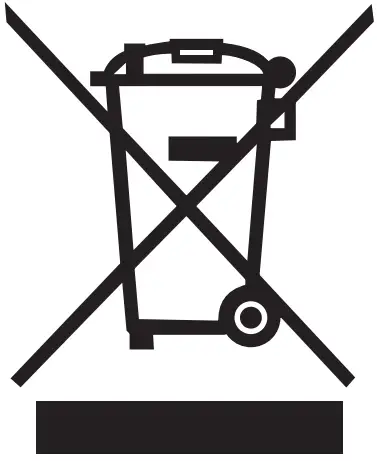
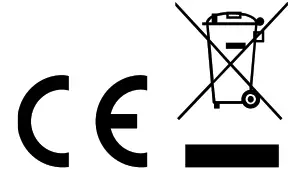
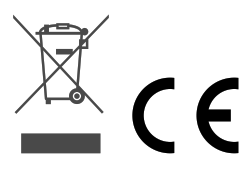
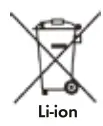
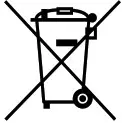
Correct Disposal of this product. This marking indicates that this product should not be disposal with other household wastes throughout the EU. prevent possible harm to the environment or human health form uncontrolled waste disposal, recycle it responsibly to promote the sustainable return of material resources. To return your used device, please use the return and collection systems or contact the retailer where the product was purchased. They can take this product for environmental safe recycling.
Federal Communications Commission Declaration of Conformity
This equipment has been tested and found to comply with the limits for a Class B digital device, pursuant to Part 15 of the FCC Rules. These limits are designed to provide reasonable protection against harmful interference in a residential installation. This equipment generates, uses, and can radiate radio frequency energy and, if not installed and used in accordance with the instructions, may cause harmful interference to radio communications. However, there is no guarantee that interference will not occur in a particular installation. If this equipment does cause harmful interference to radio or television reception, which can be determined by turning the equipment off and on, the user is encouraged to try to correct the interference by one or more of the following measures:
- Reorient or relocate the receiving antenna.
- Increase the separation between the equipment and receicer.
- Connect the equipment into an outlet on a circuit different from that to which the receiver is connected.
- Consult an authorized dealer or service representative for help.
Regulatory Notice for Users in USA
USA—Federal Communications Commission(FCC)
This device are granted with following FCC ID by Federal Communications Commission(FCC)
| FCC ID:2AG53FXQ02FM | Name: Mi Drone | Model:FXQ02FM |
| FCC ID: 2AG53YKQ02FM | Name: Radio Controller | Model:YKQ02FM |
| FCC ID: 2AG53WRJDG01FM | Name: Wireless Adapter | Model:WRJDG01FM |
RF exposure warning
This equipment must be installed and operated in accordance with provided instructions and theantenna(s) used for this transmitter must be installed to provide a separation distance of at least 20 cmfrom all persons and must not be co-located or operating in conjunction with any other antenna or transmitter. End-users and installers must be provide with antenna installation instructions and transmitter operating conditions for satisfying RF exposure compliance.
SAR Statement only apply to FCC ID: 2AG53YKQ02FM IC: 21054-YKQ02FM Name: Radio Controller Model:YKQ02FM FCC ID: 2AG53WRJDG01FM IC: 21054-WRJDG01FM Name: Wireless adapter Model:WRJDG01FM
This equipment complies with FCC&ISED SAR limits ,the highest SAR value reported to the FCC and ISED for this device is YKQ02FM: 1.08W / KG; WRJDG01FM:0.463W / KG.
IC RF Exposure statement
This equipment complies with IC radiation exposure limits set forth an uncontrolled environment. This equipment should be installed and operated with minimum distance 20cm between the radiator & your body.
i. for devices with detachable antenna(s), the maximum antenna gain permitted for devices in the band 5725-5850 MHz shall be such that the equipment still complies with the e.i.r.p. limits specified for point-to -point and non-point-to-point-operation asappropriate;