
QUICK START GUIDE

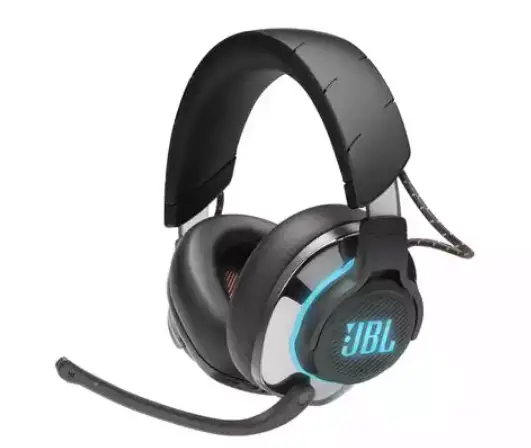
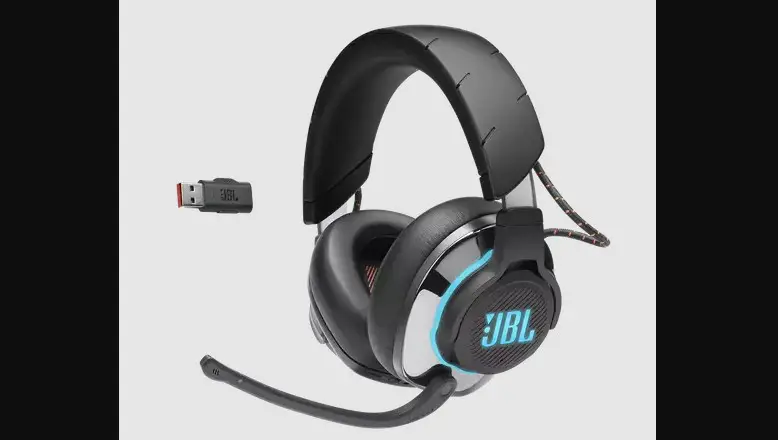
JBL QuantumENGINE
Download JBL QuantumENGINE to gain full access to features on your JBL Quantum headsets – from headset calibration to adjusting 3D audio to suit your hearing, from creating customized RGB lighting effects to determining how the boom microphone side-tone works. JBLquantum.com/engine
Software requirements
PLATFORM: Windows 7 / Windows 10 (64 bit) only 500MB of free hard drive space for installation
*Always use the latest version of Windows 10 for the most optimal experience on JBL QuantumENGINE
*JBL QuantumSURROUND and DTS Headphone:X V2.0 available on Windows only. Software installation required.
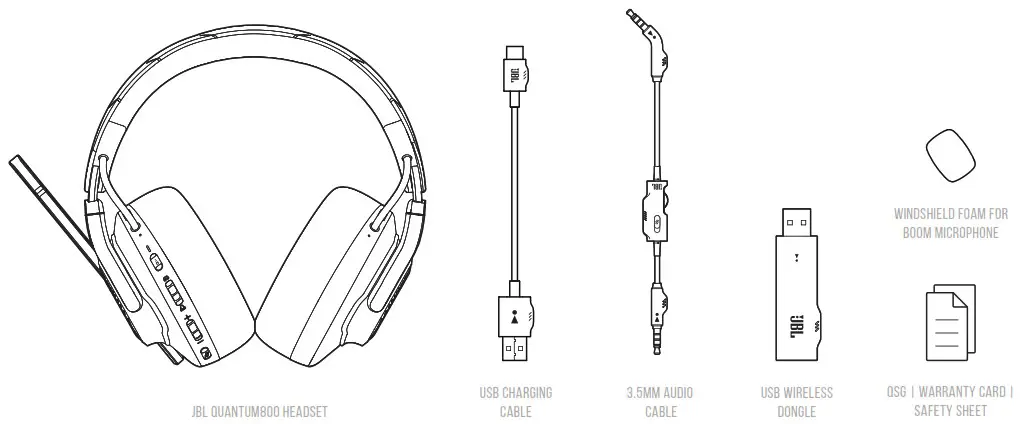
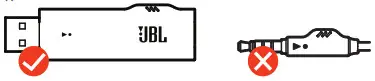
WHAT’S IN THE BOX
REQUIREMENTS
JBL QuantumENGINE SOFTWARE REQUIREMENTS
PLATFORM: Windows 7 / Windows 10 (64 bit) only
500MB OF FREE HARD DRIVE SPACE FOR INSTALLATION
System compatibility
PC | XboxTM | PlayStationTM | Nintendo SwitchTM | Mobile | MAC | VR
| CONNECTIVITY | PC | PS4 | XBOX™ | NINTENDO SWITCH™ | MOBILE | MAC | VR |
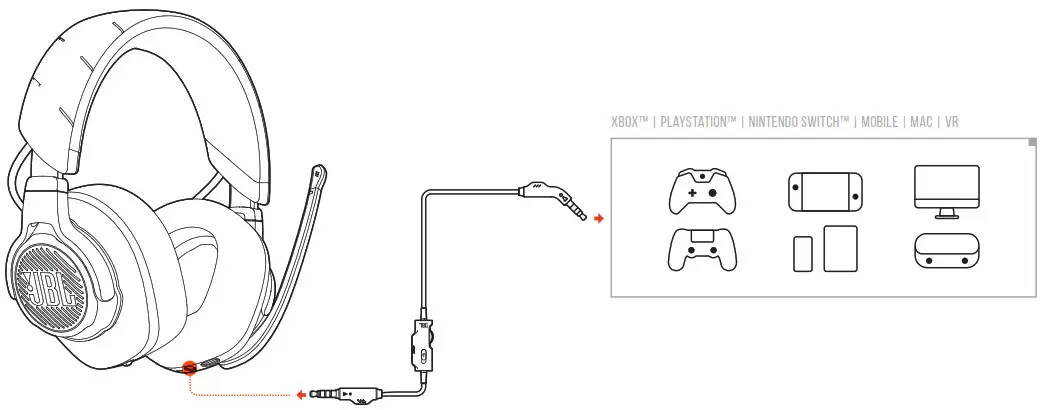
| 3.5 mm Audio Cable | Stereo | Stereo | Stereo | Stereo | Stereo | Stereo | Stereo |
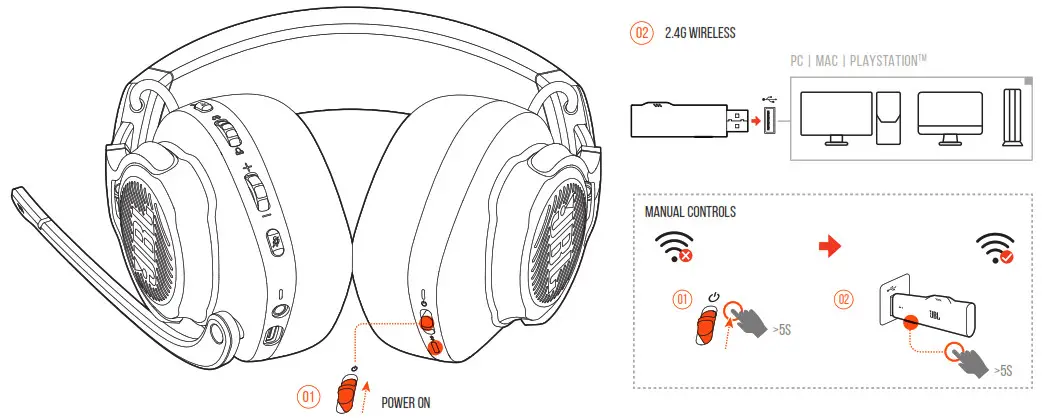
| 2.4G Wireless |  JBL QuantumSURROUND™ JBL QuantumSURROUND™&DTS HEADPHONE:X V2 | Stereo | Not Compatible | Not Compatible | Not Compatible | Stereo | Stereo |
| Bluetooth | Stereo | Not Compatible | Not Compatible | Not Compatible | Stereo | Stereo | Not Compatible |
OVERVIEW
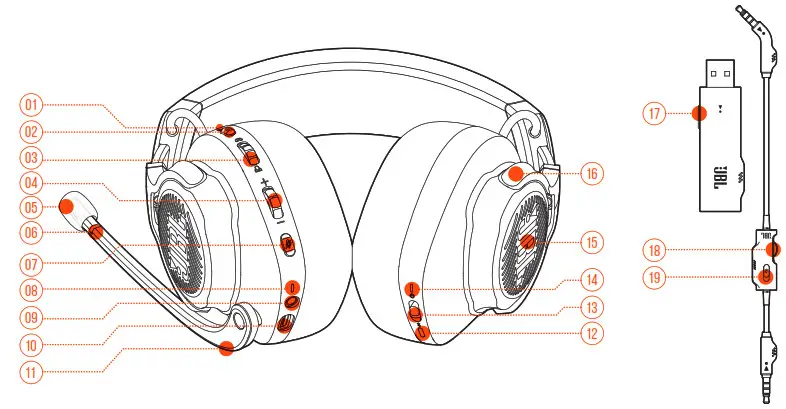
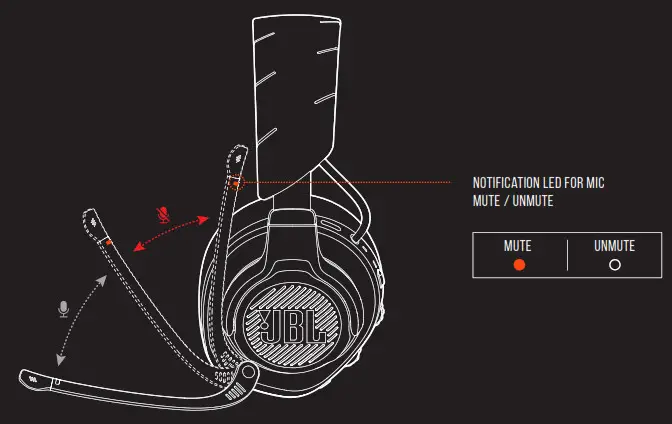
| 1. ANC/TALKTHRU LED | 6.* Notification LED for mic mute/ unmute | 11. Voice Focus Boom Microphone | 16. Flat-fold ear cup |
| 2. ANC/TALKTHRU button | 7.* Microphone Mute / unMute | 12. Bluetooth pairing button | 17. 2.4G PAIRING BUTTON |
| 3. Game audio-chat balance dial | 8. CHARGING LED | 13. POWER ON / OFF slider | 18. Volume Control |
| 4. Volume Control | 9. 3.5mm Audio Jack | 14. POWER / 2.4G / Bluetooth LED | 19. MIC MUTE BUTTON |
| 5. Detachable Windshield foam | 10. USB-C port | 15.* RGB Lighting Zones |
POWER ON & CONNECT
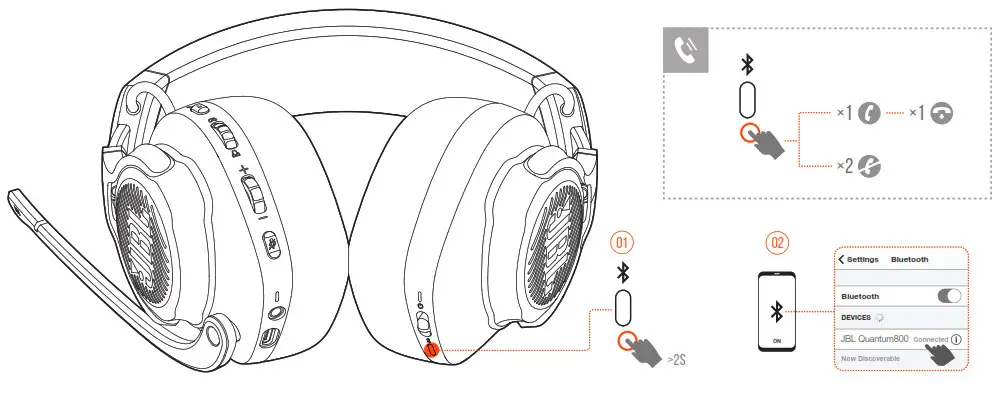
Bluetooth
SETUP
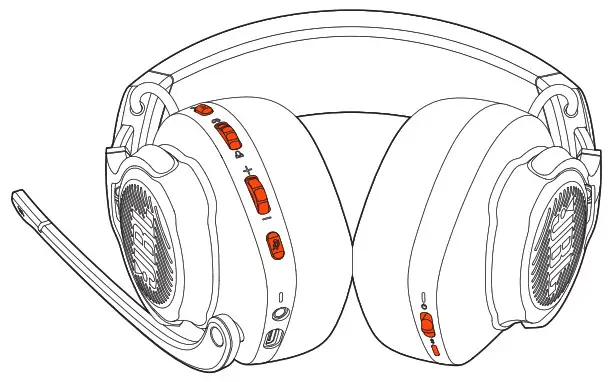
ANC on/off X1|TALKTHRU ON/OFF >2S 
INCREASE GAME VOLUME 
INCREASE CHAT VOLUME 
INCREASE MASTER VOLUME 
DECREASE MASTER VOLUME 
Microphone Mute / unMute X1 JBL Quantum LIGHTING ON / OFF >5S 
 ↑ ON ↓ OFF
 >2S BT PAIRING MODE
First-time setup
8A Connect the headset to your PC via 2.4G USB wireless connection.
8B Go to “Sound Settings” -> “Sound Control Panel”.
8C Under “Playback” highlight “JBL QUANTUM800 GAME” and select “Set Default” -> “Default Device”.
8D Highlight “JBL QUANTUM800 CHAT” and select “Set Default” -> “Default Communication Device”.
8E Under “Recording” highlight “JBL QUANTUM800 CHAT” and select “Set Default” -> “Default Device”.
8F In your chat application select “JBL QUANTUM800 CHAT” as the default audio device.
8G Follow the onscreen instructions to personalize your sound settings.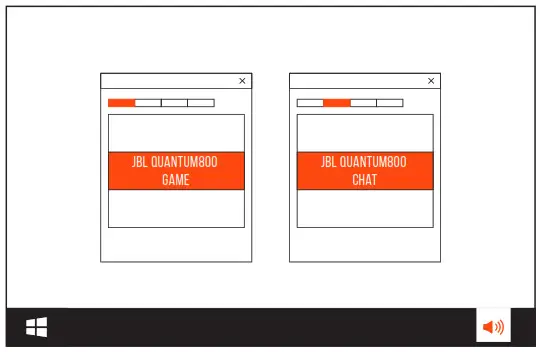
MICROPHONE
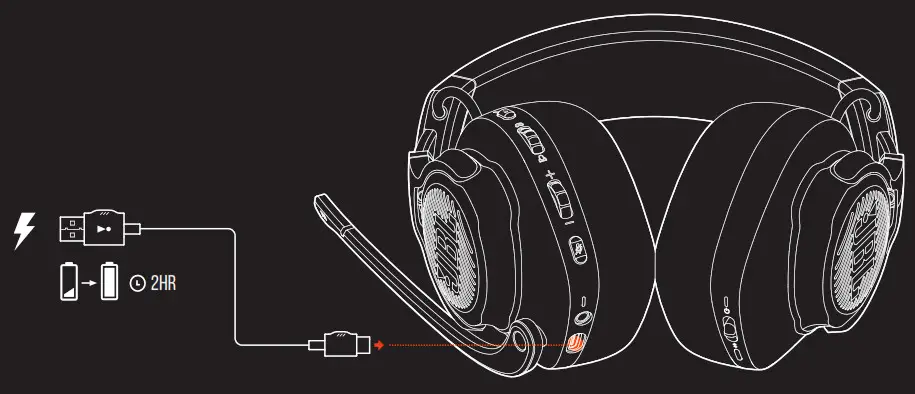
CHARGING
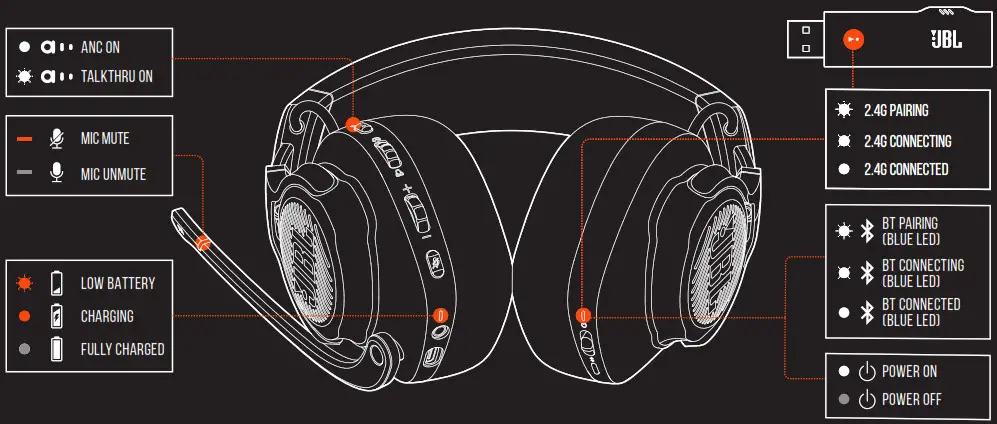
LED BEHAVIOURS
TECH SPEC
Driver size: 50 mm Dynamic drivers
Frequency response (Passive): 20 Hz – 40 kHz
Frequency response (Active): 20 Hz – 20 kHz
Microphone frequency response: 100 Hz -10 kHz
Max input power: 30 mW
Sensitivity: 95 dB SPL @1 kHz / 1 mW
Maximum SPL: 93 dB
Microphone sensitivity: -40 dBV @1 kHz / Pa
Impedance: 32 ohm
2.4G Wireless transmitter power: <0 dBm
2.4G Wireless modulation: π/4-DQPSK
2.4G Wireless carrier frequency: 2403.35 MHz – 2479.35 MHz
Bluetooth transmitted power: <9 dBm
Bluetooth transmitted modulation: GFSK, π/4 DQPSK, 8DPSK
Bluetooth frequency: 2.402 GHz – 2.480 GHz
Bluetooth profile version: A2DP 1.3, HFP 1.6
Bluetooth version: V5.0
Battery type: Li-ion battery (3.7 V / 1300 mAh)
Power supply: 5V  2A
2A
Charging time: 2 hrs
Music play time with RGB lighting off: 14 hrs
Microphone pickup pattern: Unidirectional
Weight: 410 g

The Bluetooth® word mark and logos are registered trademarks owned by Bluetooth SIG, Inc. and any use of such marks by HARMAN International Industries, Incorporated is under license. Other trademarks and trade names are those of their respective owners.
HP_JBL_Q800_QSG_CR_V21
 JBL Quantum Support
 Anatel — Agência Nacional de Telecomunicações