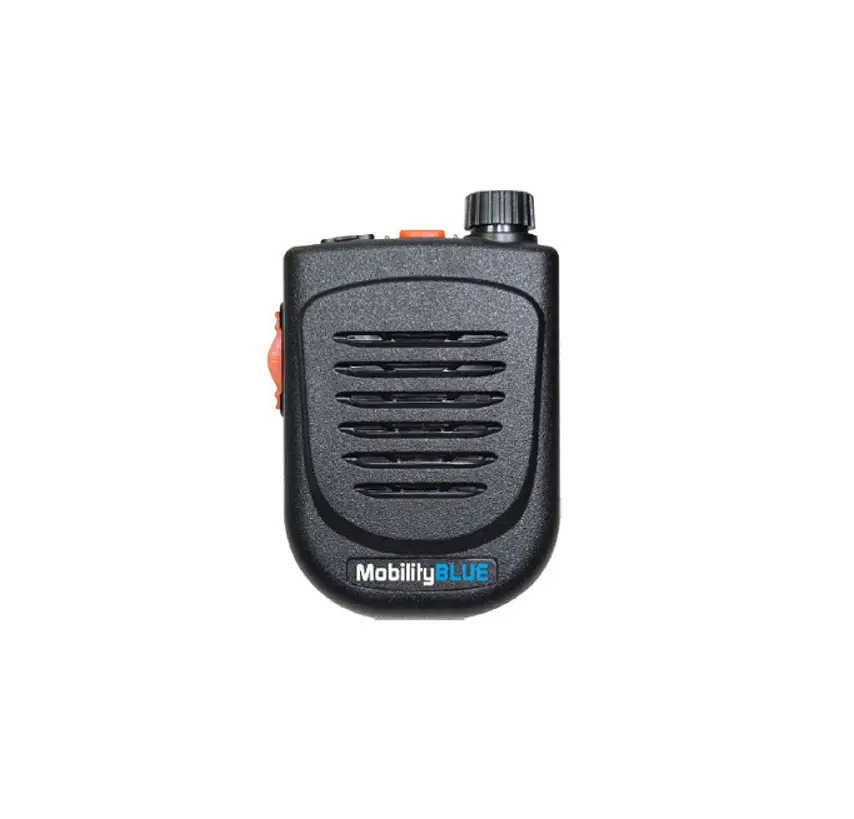
MobilitySound BT speaker microphone for ICOM/Kenwood/BT Dongle radios Specifications

<Product Description>
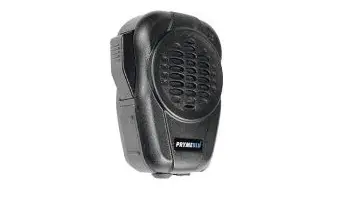
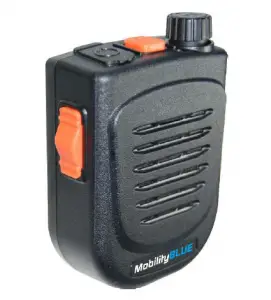
- BT speaker microphone for ICOM/Kenwood/BT Dongle radios.
- Rotary power& volume control switch and PTT button are embedded.
- Features mini LED lamp on the top of speaker for user in dim environment

<Specification>
Type: Bluetooth Speaker Microphone Operating Temp: -20℃±2℃ ~ 50℃±2℃ Approx. Weight: 126g Size:5.5cm x7.5cm x3.0cm
- Fully Qualified Bluetooth v4.1.
- Echo cancellation, noise reduction, also extended features.
- High Quality DAC, CSR CVC built-in.
- 80MHz RISC MCU and 80MIPS Kalimba DSP.
- Fast Current (200mA) battery charge.
- SBC, MP3, AAC, Fast stream, APTX codec support.
- RoHS compliant.
- HFP Profile supports.
- Speaker Output: 2W.
- PTT function: built-in.
- Talking Range: Bluetooth class 2, 10 meters.
- Display LED: Blue and Red.
- DC Input: 5 Vdc (std.) Micro USB jack.
- DC Current: 25 mA (Average).
- Battery: 1000mAH, none replaceable.
- Talk Time: 40 Hours
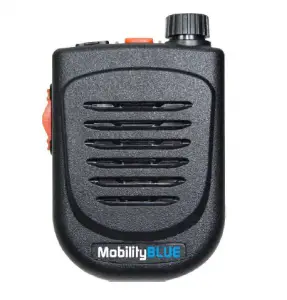
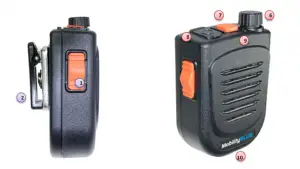
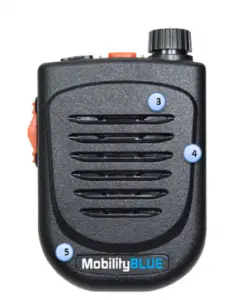
- push to Talk
- Back Clip
- Power and Volume

- Microphone
- Speaker
- Logo Plate
- Pairing

- 3.5mm 3 poles audio jack
- LED
- Micro USB charging jack
BTH-500 State and LED Flashing Pattern
| BTH-500 State & Button Press | LED Message | Function |
| No link and no paired | ||
| BTH-500 is OFF | No LED | BTH-500 OFF |
| When BTH-500 is OFF, rotate power switch clockwise. | Both Blue & Red LED are lighten for 1 second | BTH-500 is turned ON |
| When BTH-500 is ON, rotate power switch anticlockwise. | Red LED flashes 2 times then OFF | BTH-500 is turned OFF |
| When BTH-500 is ON, press pairing button and wait for 6 seconds | Red & Blue LED flashes alternatively | Get BTH-500 into pairing mode |
| Unpaired or lost link | Blue LED flashes once every 2 seconds | No link, no pair |
BTH-500 Pairing Process
- Make sure BTH-500 is ON, Press pairing button for 6 seconds.
- BTH-500 is under pairing mode when you see the LED flashing RED and BLUE alternatively.
- Start Bluetooth function on your radio.
- After you hearing connect sound, press pairing button once.(Kenwood only)
- Pairing process is completed
NOTE
The BTH-500-R5 only for one radio. When you paired with new radio the old one will be erased.